Microsoft Bookings alternative with payments and recurring bookings
Microsoft Bookings needs an eligible Microsoft 365 plan. Koalendar works on its own, connects to Outlook, Google, or iCloud calendars, and is free to start.
- No credit card required
- Set up in minutes

Koalendar vs Microsoft Bookings
Learn why Koalendar is the best Microsoft Bookings alternative for your business
Koalendar vs Microsoft Bookings: A side by side comparison of free and paid plans
 |  | |
|---|---|---|
| Unlimited bookings | No free plan | |
| Unlimited booking pages | ||
| Connect calendars | 2 calendarsGoogle, Outlook, or iCloud | |
| Allow booker to choose duration | ||
| Allow booker to choose location | ||
| 30+ languages supported | ||
| Auto detect timezone and language | ||
| Most affordable annual plan | $6.99/seat/mo | $7/seat/mo |
| Rooms & resources scheduling | ||
| Enable multiple bookings at once | ||
| Enable recurring bookings | ||
| Accept payments | ||
| Accept file uploads in your booking form | ||
| Approval workflow | ||
| Look busy | ||
| Follow-up email | ||
| Single use private links | ||
| Send emails directly from your Gmail | ||
| Google Analytics & Meta Pixel tracking | ||
| Webhooks / Zapier integrations | ||
| Remove "Powered by" branding | ||
| Unlimited calendar sync | Google, Outlook, iCloud | |
| Multi-hosts scheduling | ||
| Hold group sessions or classes | ||
| Multiple services / appointment types | ||
| Set availability from your calendar | ||
| Let invitee select provider / resource | ||
| Automate appointment reminders | ||
| Customizable notifications | ||
| Take bookings directly on your website (embed) |
The best alternative
Koalendar or Microsoft Bookings: which is right for you?
Koalendar is perfect if you
- Don't have, or don't want, a Microsoft 365 subscription
- Use Google or iCloud calendars
- Want to collect payments when clients book
- Want clients to upload files to your customized booking page when they book
Microsoft Bookings is perfect if you
- Already use Microsoft 365 across your organization
- Run most meetings in Microsoft Teams
- Need shared booking pages for staff
- Want IT to manage scheduling with the rest of Microsoft 365
A complete scheduling solution
A simpler Microsoft Bookings alternative for individuals and teams
From 1:1 meetings to team scheduling with rooms and resources, Koalendar adapts to your needs.
Everything your booking page needs
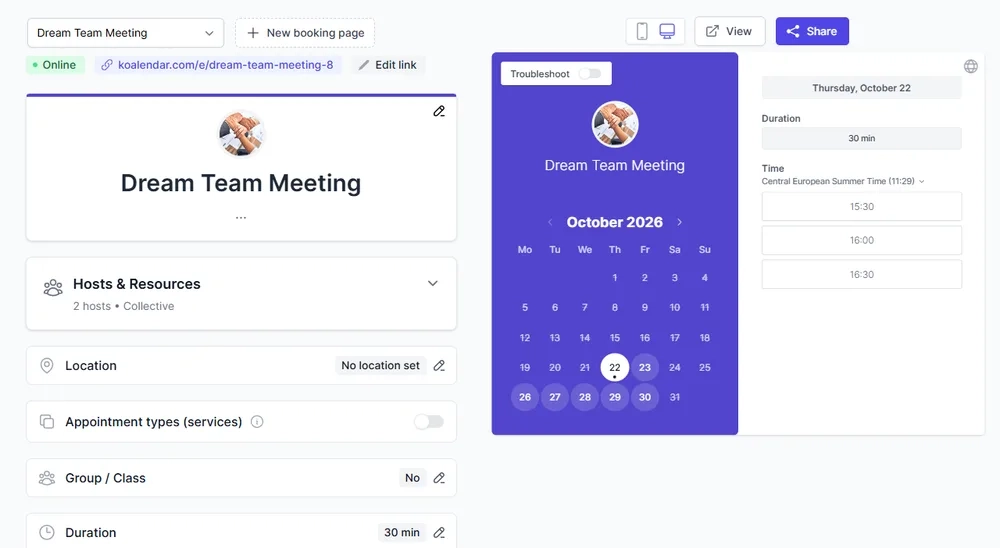
Let clients book appointments from your own branded booking page. No coding, no plugins, no stress.
- Create a custom booking page in minutes
- Add your logo, brand colors, and photos
- Let clients self-schedule 24/7
- Add custom questions to capture client details
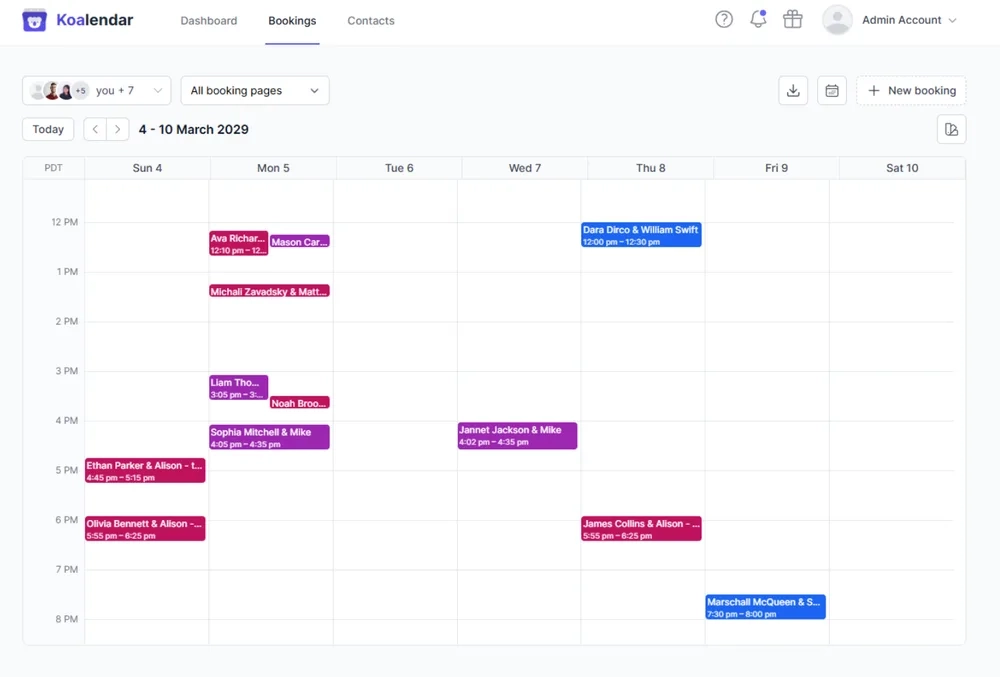
See all your team's bookings in one place
See appointments across booking pages and team members in one shared calendar, so it's easier to keep track of what's coming up.
- View bookings across your team
- See who is booked and when
- Keep upcoming appointments in one place
Testimonials
Real testimonials from teams who switched from Microsoft Bookings to Koalendar
Don't just take our word for it. Here's what professionals say after making the switch.
Built for different use cases
One user-friendly platform for all your scheduling needs
Rooms & resources
Add rooms, equipment, and other resources to your bookings.
about Rooms & resourcesFor rooms & resources →Switching from Microsoft Bookings is easy
Get up and running in minutes
Move your scheduling to Koalendar in a few simple steps.
- 1
Create your booking pages
Add your services, durations, and availability in a few clicks.
- 2
Connect your calendars
Link Google, Outlook, or iCloud so you're never double-booked.
- 3
Make it yours
Add your logo, colors, and the questions you want to ask.
- 4
Share your Koalendar link
Add it to your website, emails, or social profiles and start taking bookings.
Ready for a better
Microsoft Bookings alternative?
Create unlimited booking pages for free. No credit card required.
Try Koalendar freeTop rated


No Trustpilot rating yet
Learn more
Microsoft Bookings vs Koalendar in a nutshell
Microsoft Bookings is an appointment scheduling tool available with eligible Microsoft 365 plans. It supports personal and shared booking pages, staff/services, and Teams-based online meetings. It is best suited to organizations already standardized on Microsoft 365.
Koalendar is a great Microsoft Bookings alternative because it offers a clean, modern, and intuitive interface, for free.
Your invitees get a delightful booking experience with customizable questionnaires, and you'll enjoy live customer service directly from the developer.
But don't take our word for it: feel free to try Koalendar's free forever account.
Frequently asked questions
Have a different question and can't find the answer you're looking for? Reach out to our support team by sending us an email and we'll get back to you as soon as we can.
Yes, Bookings is part of many Microsoft 365 Business plans. The minimum cost to access Bookings is $7/user/month for Business Basic. There is no standalone Bookings product.
If your organization is not fully on Microsoft 365, managing licenses and access can feel heavy. Teams also look for a free plan or lighter tool for scheduling.
Yes. Koalendar offers a free forever plan. Microsoft Bookings requires Microsoft 365 from $7/user/month. Koalendar's paid tier starts at $6.99/seat/month with more scheduling features.