Compare all features
A detailed side-by-side overview of what's included in each plan
(Save 30%) | ||
|---|---|---|
Compare features | Free | Pro$9.996.99/seat/month |
| Scheduling | ||
| Unlimited bookings | ||
| Unlimited booking pages | ||
| Calendar sync with Google, Outlook, or Apple calendars | 2 | Unlimited |
| Mobile app | ||
| Allow booker to choose duration | ||
| Allow booker to choose location | ||
| 30+ languages supported | ||
| Auto detect timezone and languages |
Still deciding between Free and Pro?
Read the comparison guide →Compare all features
A detailed side-by-side overview of what's included in each plan
(Save 20%Save up to 25%Save up to 30%) | |||
|---|---|---|---|
FeaturesCompare features | FreeFree forever | Pro$9/month/seat/month6.99/seat/month +$9/additional seat | BusinessPremium$29/month29/month16/seat/month12.99/seat/month 3 seats included +$12121612.99/additional seat |
Top features for client appointments Get paid upfront, cut no-shows and keep regulars rebooking. | |||
| Collect payments (150+ currencies) | – | ||
| SMS / text reminders (+ custom sender ID) | – | Buy credits | 300 / mo100 / seat / mo |
| Offer recurring bookings | – | – | |
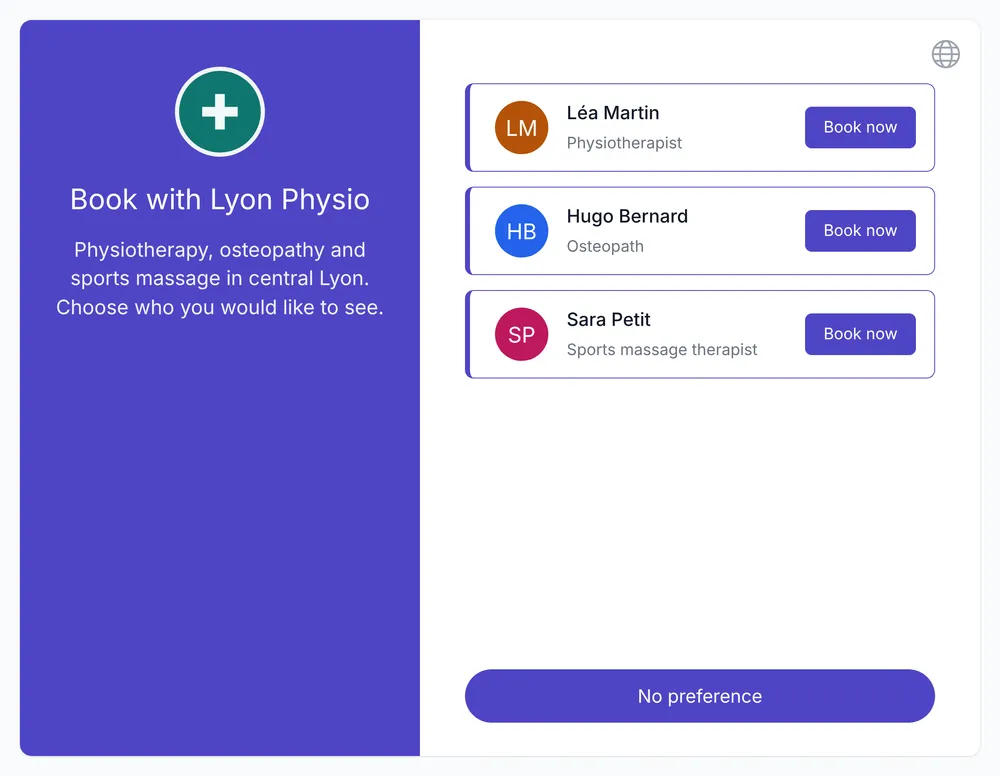
| Let invitee select preferred host or resource | – | – | |
| Appointment waitlist | – | – | |
| Add a booking cancellation policy | – | ||
All features | |||
Top features for group classes Fill every class, take payments and manage a waitlist. | |||
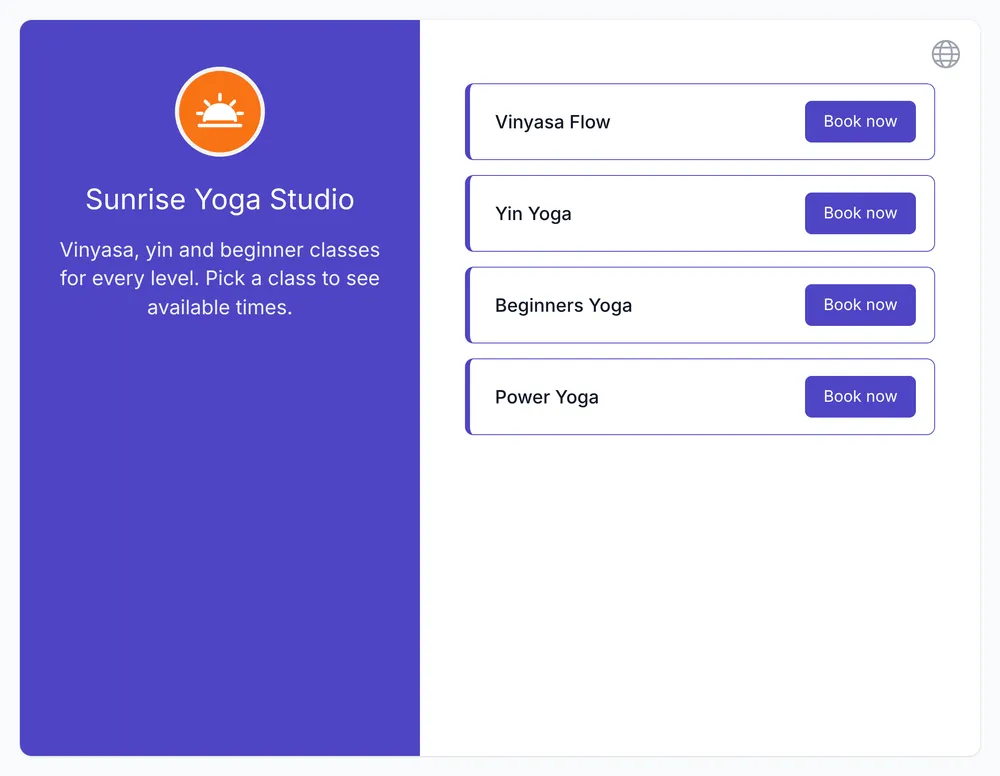
| Group meetings, sessions & classes | – | ||
| Fixed start & end dates (specific date ranges) | – | ||
| Collect payments (150+ currencies) | – | ||
| Daily / weekly / monthly / total booking limits | – | ||
| Appointment waitlist | – | – | |
| Offer recurring bookings | – | – | |
All features | |||
Top features for sales calls Turn website visitors into booked calls and route them to the right rep. | |||
| Round-robin distribution | – | – | |
| Embedded booking widgets | No customization | No customization | Customizable |
| Add questions to the booking form | – | Up to 3 | Unlimited |
| Follow-up emails | – | – | |
| Remove Koalendar branding | – | – | |
| Google Analytics & Meta Pixel tracking | – | – | |
All features | |||
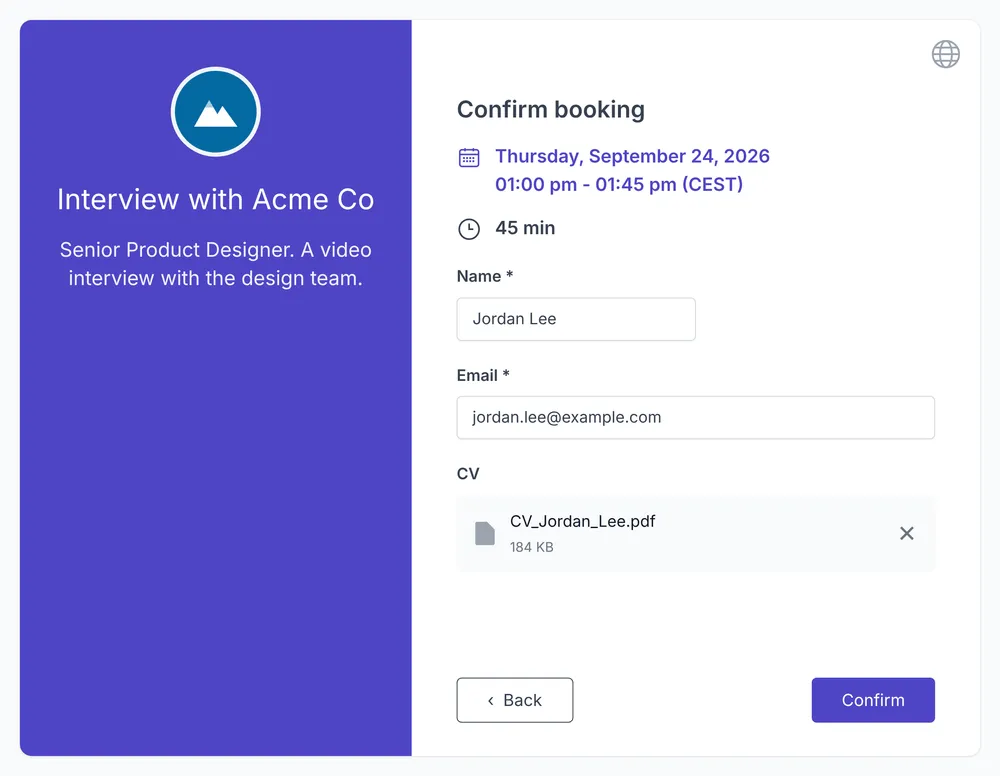
Top features for interviews Let candidates self-schedule and coordinate interview panels. | |||
| Collective bookings (multiple hosts on one event) | – | – | |
| Round-robin distribution | – | – | |
| Add questions to the booking form | – | Up to 3 | Unlimited |
| Accept file uploads on the booking form | – | – | |
| Follow-up emails | – | – | |
| Single-use private booking links | – | ||
All features | |||
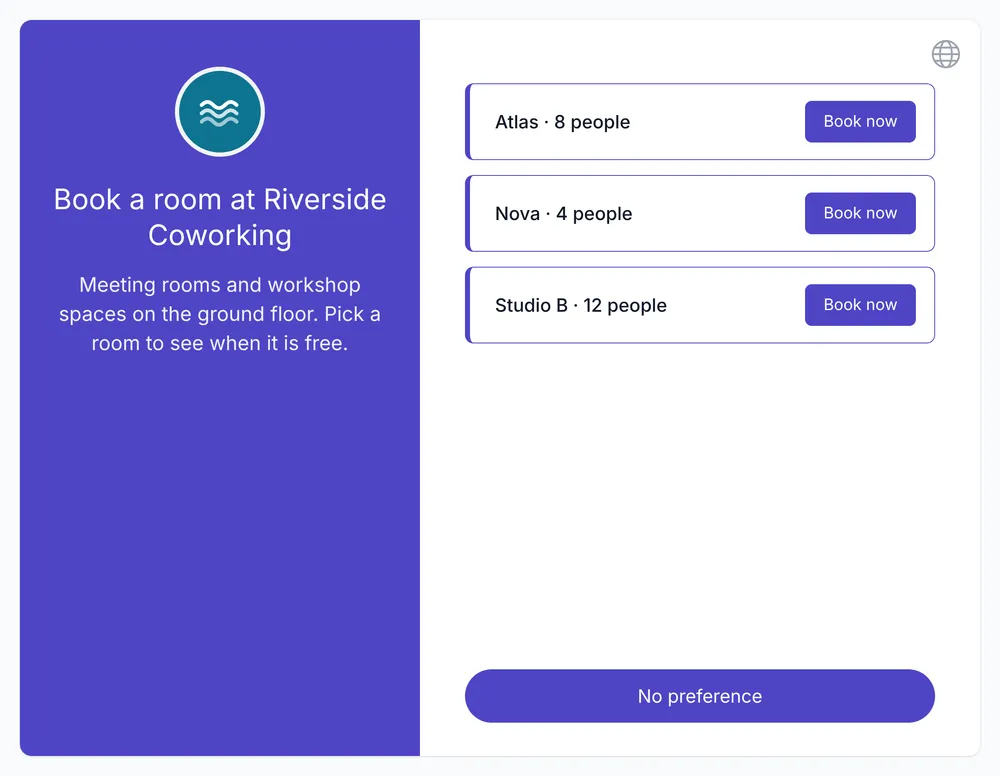
Top features for rooms & resources Each room, vehicle or piece of equipment is a seat with its own availability. | |||
| Accept or decline bookings (approval workflow) | – | ||
| Offer recurring bookings | – | – | |
| Make multiple bookings at once | – | – | |
| Let invitee select preferred host or resource | – | – | |
| Assign specific hosts & resources to appointment types | – | – | |
| Daily / weekly / monthly / total booking limits | – | ||
All features | |||
| Scheduling | |||
| Unlimited bookings | |||
| Unlimited booking pages | |||
| Connect Google, Outlook & Apple calendars | |||
| Control availability (buffers, limits, booking windows) | |||
| Minimum & maximum advance booking notice | |||
| Calendar-managed availability | |||
| Add buffer time between meetings | |||
Why Koalendar feels different

Set up in minutes
Your first booking page is ready faster than your next coffee. Share it right away and you're good to go.
Your clients will love it
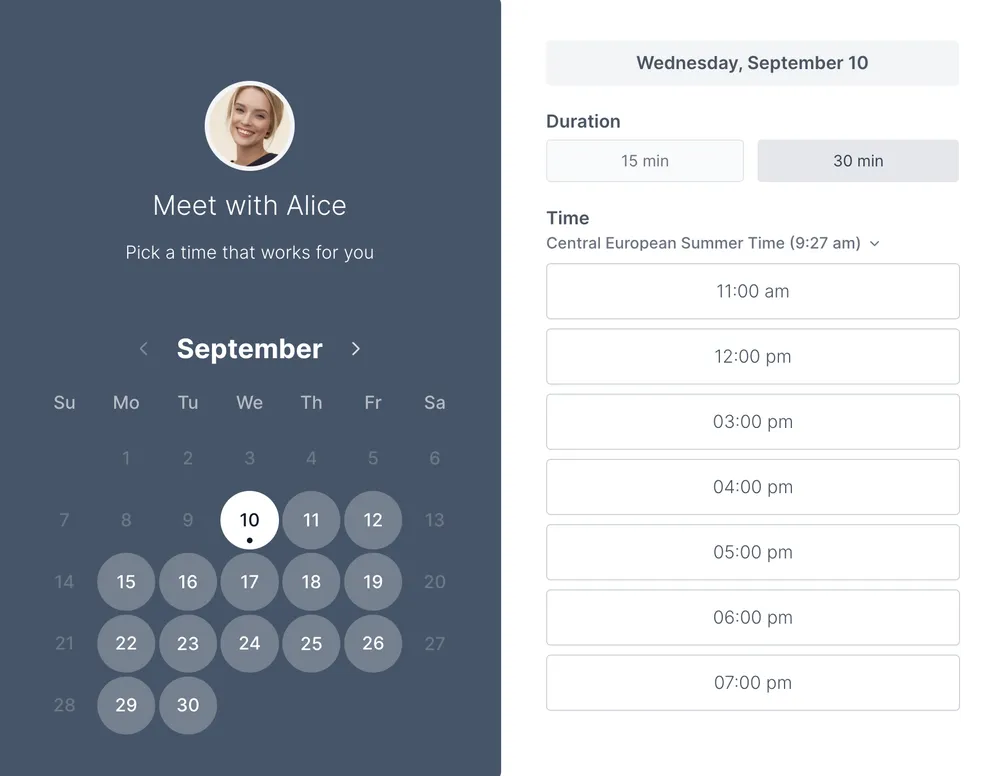
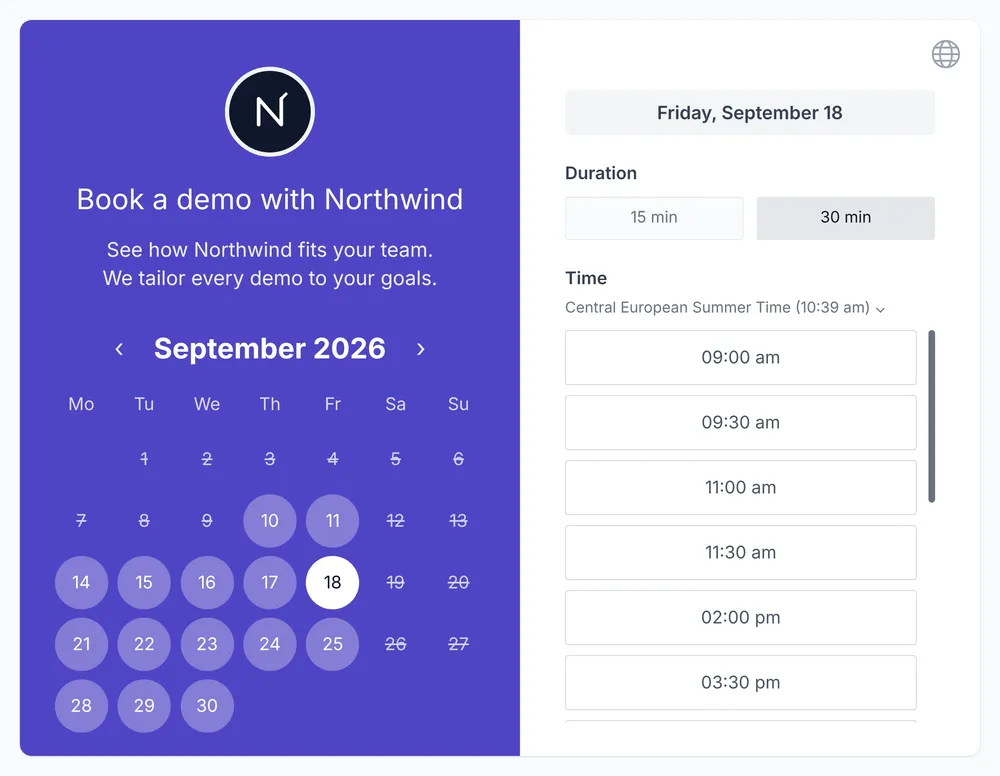
Clean professional look, fast to load, from sales calls to classes to room reservations, all in one place.A clean, professional booking page your clients can use in seconds, with reminders that keep them showing up.Attendees see open spots, book in seconds, and get reminded before class.Prospects book straight from your site in a few clicks, with no back-and-forth emails.A polished booking experience that gives candidates a great first impression of your company.People see what's free and book the right room or equipment in seconds.
Pricing that makes sense
Start free and keep it free. Upgrade only if you want more flexibility: no surprises, no pressure.
Features
All the scheduling features you actually need
Booking pages & links

Make it easy for anyone to book time with you. Share a link or create custom pages for every meeting.
- Unlimited booking pages for any use case
- One shareable link that works everywhere
- Custom meeting durations to fit your style
- Group bookings for classes or workshops
Auto-sync with your calendars

Stay in sync automatically, so you never worry about double bookings or time zone headaches.
- Connect Google, Outlook, and iCloud in seconds
- Events added instantly to your calendar
- Automatic time zone detection for guests
- Real-time availability updates across devices
Reminders & notifications

Reduce no-shows and keep meetings smooth with smart reminders that work for you and your clients.
- Email reminders to confirm attendance
- SMS notifications to cut missed appointments
- Follow-up messages to close the loop
- Prefilled booking fields for faster scheduling
Payment & monetization

Turn your time into income by accepting payments right when clients book.
- Stripe integration built-in and easy to use
- Available on paid plans
- Custom pricing for services or sessions
- Automatic receipts for your clients
Custom booking forms

Collect exactly the information you need before the meeting, no back-and-forth required.
- Add custom questions to booking pages
- Choose from text, multiple-choice, and more
- Make questions required or optional
- Keep all responses stored with the event
Team scheduling

Handle complex bookings with ease using smart automation and team-focused features.
- Round robin scheduling to distribute meetings fairly
- Collective scheduling to find times that work for all
- Manage teammates from one place
- Delegate account access when needed
- Centralized billing for teams and organizations
Testimonials
Professionals ❤️ Koalendar
Thousands of teachers and business owners are enjoying the benefits of using a simple online appointments scheduling software.
“We’ve doubled our attendance rates and number of bookings, reduced the time we spent on scheduling by like 12 hours per person, per week, and everything is completely customized with our school’s colors and logo.”


“I use Koalendar to schedule tutoring session with students. I was able to get it set up and sent to students in about 5 minutes. Support was extremely friendly and is a real person rather than a robot or outsourced.”
“I was looking for a free, easy manageable and customisable calendar app for ages. Koalendar offers all that. So I have recommended the app already to 2 of my colleagues.”
“Koalendar has made scheduling meetings and calls so much easier. I no longer have to send over an email with all of the dates/times I am free. I just simply send a link and they can see the times I have open. I love it!”
“This has been a great tool to schedule virtual appointments with my students. I am able to easily provide a link under my signature in my email and on Google Classroom. Students can easily set up an appointment that works for them. This has been a tool for keeping appointments organized.”
“When Doodle dropped their calendar sharing support, I tried different tools but they all didn't provide the features I was looking for. Eventually I found Koalendar and it's exactly what I need. It has a free version, it's easy but flexible to configure and people wanting to book a meeting with me can do it fast and easy.”
“This software has changed the way I hire and interview new hires. With Koalendat it allows the candidates to self-schedule themselves for the interview day.”



Frequently asked questions
Have a different question and can't find the answer you're looking for? Reach out to our support team by sending us an email and we'll get back to you as soon as we can.
Yes! Koalendar's free plan includes unlimited bookings, scheduling pages, and calendar sync (no credit card required). Use it forever, upgrade only if you want advanced features like branding, group meetings, accept payments before meetings, reminders, or extra integrations.
Pro helps you look even more professional and saves more time. You'll unlock custom branding, payments, group meetings, automated reminders, advanced integrations, and more. It's perfect if you want to reduce no-shows and impress clients, students, or teammates.
Yes, you're never locked in. You can cancel or downgrade anytime, and changes take effect at the end of your billing period. Your booking pages, events, and history stay intact, while Pro features pause until you choose to upgrade again.
Yes. We provide special offers for schools, universities, and non-profits. Just reach out to our sales team, and we'll find the best plan and support that fits your organization.
Yes. With annual billing, you'll enjoy a discounted rate for Pro. Monthly billing keeps things flexible, you can downgrade or cancel at the end of any month. Choose the option that fits your schedule and budget best.
Free includes calendar sync (Google, Outlook, iCloud), Google Meet, and basic notifications. Pro adds automated email/SMS reminders, payment collection via Stripe or PayPal, custom forms, branding, and advanced team scheduling.
Yes. HIPAA support is available as an add-on. If your organization needs a Business Associate Agreement (BAA), contact support@koalendar.com to learn more.
Yes. Koalendar is SOC 2 Type 2 compliant. You can review our security reports and policies in the Trust Center.
Frequently asked questions
Have a different question and can't find the answer you're looking for? Reach out to our support team by sending us an email and we'll get back to you as soon as we can.
Yes! Koalendar's free plan includes unlimited bookings, scheduling pages, and calendar sync (no credit card required). Use it forever, upgrade only if you want advanced features like branding, group meetings, accept payments before meetings, reminders, or extra integrations.
Pro is built for solo professionals. You get email reminders, custom booking form questions, up to 3 services on one link, group sessions and classes, payments with coupon codes, booking approval and password-protected pages.
Everything in Pro, plus a waitlist that fills cancelled slots, session packages, conditional questions, up to 3 email reminders, SMS reminders (300 credits a month), unlimited services and form questions, recurring bookings, team scheduling (round-robin and collective), branding removal, and integrations like Zapier, Telegram, Google Analytics and Meta Pixel.
A seat is a user or a resource that can be booked. Pro is billed per seat. Business includes 3 seats, and each extra seat costs less than the plan itself.
Yes, you're never locked in. You can move between Pro and Business at any time, and changes are prorated. If you cancel or downgrade, it takes effect at the end of your billing period, and your booking pages and history stay intact.
Yes. We provide special offers for schools, universities, and non-profits. Just reach out to our sales team, and we'll find the best plan and support that fits your organization.
Yes. Annual billing saves up to 25% on Pro and Business. Monthly billing keeps things flexible, and you can cancel at the end of any month.
Yes. HIPAA support is available as an add-on. If your organization needs a Business Associate Agreement (BAA), contact support@koalendar.com to learn more.
Yes. Koalendar is SOC 2 Type 2 compliant. You can review our security reports and policies in the Trust Center.
Frequently asked questions
Have a different question and can't find the answer you're looking for? Reach out to our support team by sending us an email and we'll get back to you as soon as we can.
Yes. Premium includes up to 3 email reminders and SMS reminders, with 100 SMS credits per seat each month. On Pro, you get 1 email reminder per booking and can buy SMS credits separately.
Yes. From Pro, clients can pay when they book in 150+ currencies, by card, Apple Pay or Google Pay, and you can offer coupon codes. Add a cancellation policy so clients know your rules before they book.
Yes. From Pro, group sessions let several people book the same slot, and you set the maximum number of attendees. On Premium, a waitlist fills the spot when someone cancels.
Yes. From Pro, you can set fixed start and end dates so people can only book within that period, for example a 6-week course.
Yes. On Premium, round-robin gives each new booking to the next available rep, and priority lets you send more meetings to certain reps. Collective bookings bring several reps into the same call.
Yes. On Premium, you can add Google Analytics and Meta Pixel to your booking pages to track visits and completed bookings, and send clients to your own website after they book.
Yes. On Premium, collective bookings only show times when every interviewer is free, then add them all to the same booking. Round-robin can also spread first-round interviews across your team.
Yes. From Pro, you can create single-use private links that stop working after one booking, so each candidate books their own slot and the link can't be passed on.
Yes. A seat can be a person or anything people book, like a meeting room, a studio, a vehicle or a piece of equipment. Each one has its own availability, and you pay per seat.
Yes. From Pro, you can turn on approval so every request waits for you to accept or decline it before it's confirmed.
Yes! Koalendar's free plan includes unlimited bookings, scheduling pages, and calendar sync (no credit card required). Use it forever, upgrade only if you want advanced features like branding, group meetings, accept payments before meetings, reminders, or extra integrations.
Pro is built for solo professionals. You get email reminders, custom booking form questions, up to 3 services on one link, group sessions and classes, payments with coupon codes, booking approval and password-protected pages.
Everything in Pro, plus a waitlist that fills cancelled slots, session packages, conditional questions, up to 3 email reminders, SMS reminders (100 credits per seat a month), unlimited services and form questions, recurring bookings, team scheduling (round-robin and collective), branding removal, and integrations like Zapier, Telegram, Google Analytics and Meta Pixel.
A seat is a user or a resource that can be booked. Pro is billed per seat. Premium includes your first seat, and each additional seat costs less.
Yes, you're never locked in. You can move between Pro and Premium at any time, and changes are prorated. If you cancel or downgrade, it takes effect at the end of your billing period, and your booking pages and history stay intact.
Yes. We provide special offers for schools, universities, and non-profits. Just reach out to our sales team, and we'll find the best plan and support that fits your organization.
Yes. Annual billing saves up to 25% on Pro and Premium. Monthly billing keeps things flexible, and you can cancel at the end of any month.
Yes. HIPAA support is available as an add-on. If your organization needs a Business Associate Agreement (BAA), contact support@koalendar.com to learn more.
Yes. Koalendar is SOC 2 Type 2 compliant. You can review our security reports and policies in the Trust Center.
Frequently asked questions
Have a different question and can't find the answer you're looking for? Reach out to our support team by sending us an email and we'll get back to you as soon as we can.
Yes. Premium includes up to 3 email reminders and SMS reminders, with 100 SMS credits per seat each month. On Pro, you get 1 email reminder per booking and can buy SMS credits separately.
Yes. From Pro, clients can pay when they book in 150+ currencies, by card, Apple Pay or Google Pay, and you can offer coupon codes. Add a cancellation policy so clients know your rules before they book.
Yes. From Pro, group sessions let several people book the same slot, and you set the maximum number of attendees. On Premium, a waitlist fills the spot when someone cancels.
Yes. From Pro, you can set fixed start and end dates so people can only book within that period, for example a 6-week course.
Yes. On Premium, round-robin gives each new booking to the next available rep, and priority lets you send more meetings to certain reps. Collective bookings bring several reps into the same call.
Yes. On Premium, you can add Google Analytics and Meta Pixel to your booking pages to track visits and completed bookings, and send clients to your own website after they book.
Yes. On Premium, collective bookings only show times when every interviewer is free, then add them all to the same booking. Round-robin can also spread first-round interviews across your team.
Yes. From Pro, you can create single-use private links that stop working after one booking, so each candidate books their own slot and the link can't be passed on.
Yes. A seat can be a person or anything people book, like a meeting room, a studio, a vehicle or a piece of equipment. Each one has its own availability, and you pay per seat.
Yes. From Pro, you can turn on approval so every request waits for you to accept or decline it before it's confirmed.
Yes! Koalendar's free plan includes unlimited bookings, scheduling pages, and calendar sync (no credit card required). Use it forever, upgrade only if you want advanced features like branding, group meetings, accept payments before meetings, reminders, or extra integrations.
Pro is built for solo professionals. You get email reminders, custom booking form questions, up to 3 services on one link, group sessions and classes, payments with coupon codes, booking approval and password-protected pages.
Everything in Pro, plus a waitlist that fills cancelled slots, session packages, conditional questions, up to 3 email reminders, SMS reminders (100 credits per seat a month), unlimited services and form questions, recurring bookings, team scheduling (round-robin and collective), branding removal, and integrations like Zapier, Telegram, Google Analytics and Meta Pixel.
A seat is a user or a resource that can be booked. Pro and Premium are both billed per seat, so you only pay for the people and resources you use.
Yes, you're never locked in. You can move between Pro and Premium at any time, and changes are prorated. If you cancel or downgrade, it takes effect at the end of your billing period, and your booking pages and history stay intact.
Yes. We provide special offers for schools, universities, and non-profits. Just reach out to our sales team, and we'll find the best plan and support that fits your organization.
Yes. Annual billing saves up to 25% on Pro and Premium. Monthly billing keeps things flexible, and you can cancel at the end of any month.
Yes. HIPAA support is available as an add-on. If your organization needs a Business Associate Agreement (BAA), contact support@koalendar.com to learn more.
Yes. Koalendar is SOC 2 Type 2 compliant. You can review our security reports and policies in the Trust Center.
Frequently asked questions
Have a different question and can't find the answer you're looking for? Reach out to our support team by sending us an email and we'll get back to you as soon as we can.
Yes. Premium includes up to 3 email reminders and SMS reminders, with 100 SMS credits per seat each month. On Pro, you get 1 email reminder per booking and can buy SMS credits separately.
Yes. From Pro, clients can pay when they book in 150+ currencies, by card, Apple Pay or Google Pay, and you can offer coupon codes. Add a cancellation policy so clients know your rules before they book.
Yes. From Pro, group sessions let several people book the same slot, and you set the maximum number of attendees. On Premium, a waitlist fills the spot when someone cancels.
Yes. From Pro, you can set fixed start and end dates so people can only book within that period, for example a 6-week course.
Yes. On Premium, round-robin gives each new booking to the next available rep, and priority lets you send more meetings to certain reps. Collective bookings bring several reps into the same call.
Yes. On Premium, you can add Google Analytics and Meta Pixel to your booking pages to track visits and completed bookings, and send clients to your own website after they book.
Yes. On Premium, collective bookings only show times when every interviewer is free, then add them all to the same booking. Round-robin can also spread first-round interviews across your team.
Yes. From Pro, you can create single-use private links that stop working after one booking, so each candidate books their own slot and the link can't be passed on.
Yes. A seat can be a person or anything people book, like a meeting room, a studio, a vehicle or a piece of equipment. Each one has its own availability, and you pay per seat.
Yes. From Pro, you can turn on approval so every request waits for you to accept or decline it before it's confirmed.
Yes! Koalendar's free plan includes unlimited bookings, scheduling pages, and calendar sync (no credit card required). Use it forever, upgrade only if you want advanced features like branding, group meetings, accept payments before meetings, reminders, or extra integrations.
Pro is built for solo professionals. You get email reminders, custom booking form questions, up to 3 services on one link, group sessions and classes, payments with coupon codes, booking approval and password-protected pages.
Everything in Pro, plus a waitlist that fills cancelled slots, session packages, conditional questions, up to 3 email reminders, SMS reminders (100 credits per seat a month), unlimited services and form questions, recurring bookings, team scheduling (round-robin and collective), branding removal, and integrations like Zapier, Telegram, Google Analytics and Meta Pixel.
A seat is a user or a resource that can be booked. Pro and Premium are both billed per seat, so you only pay for the people and resources you use.
Yes, you're never locked in. You can move between Pro and Premium at any time, and changes are prorated. If you cancel or downgrade, it takes effect at the end of your billing period, and your booking pages and history stay intact.
Yes. We provide special offers for schools, universities, and non-profits. Just reach out to our sales team, and we'll find the best plan and support that fits your organization.
Yes. Annual billing saves up to 25% on Pro and Premium. Monthly billing keeps things flexible, and you can cancel at the end of any month.
Yes. HIPAA support is available as an add-on. If your organization needs a Business Associate Agreement (BAA), contact support@koalendar.com to learn more.
Yes. Koalendar is SOC 2 Type 2 compliant. You can review our security reports and policies in the Trust Center.
Ready to dive in?Start your free account today.
When you let clients self-book their appointments on your Koalendar scheduling page, you'll save hours of time spent on unnecessary emails.
Sign up for free