Integrations/Squarespace

Add appointment booking to Squarespace

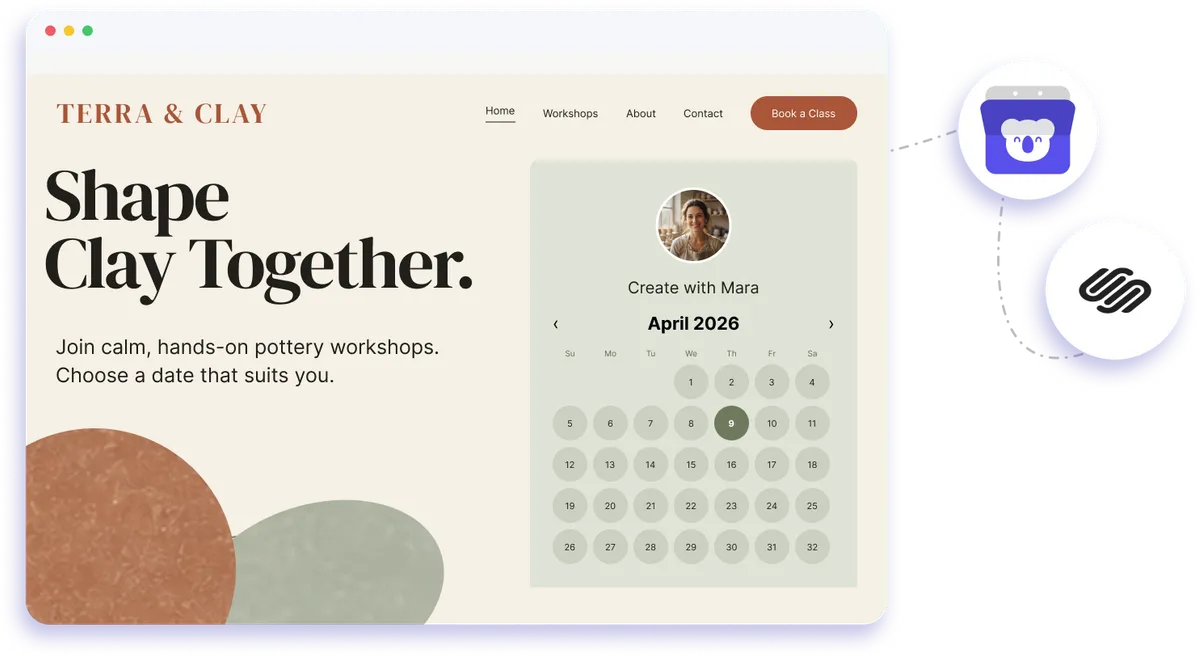
Embed Koalendar in your Squarespace site and let visitors book appointments without leaving the page. It matches your design, works on any device, and syncs to your calendar.
Rated 4.9 stars by over 790 users
Squarespace integration with Koalendar

Squarespace website integration

Free scheduling integration for Squarespace websites

Add a Squarespace booking widget where visitors already browse your services, classes, or consultations. Koalendar gives you a simple Squarespace booking system that lets people choose a time on your site while your availability stays synced with your connected calendar.
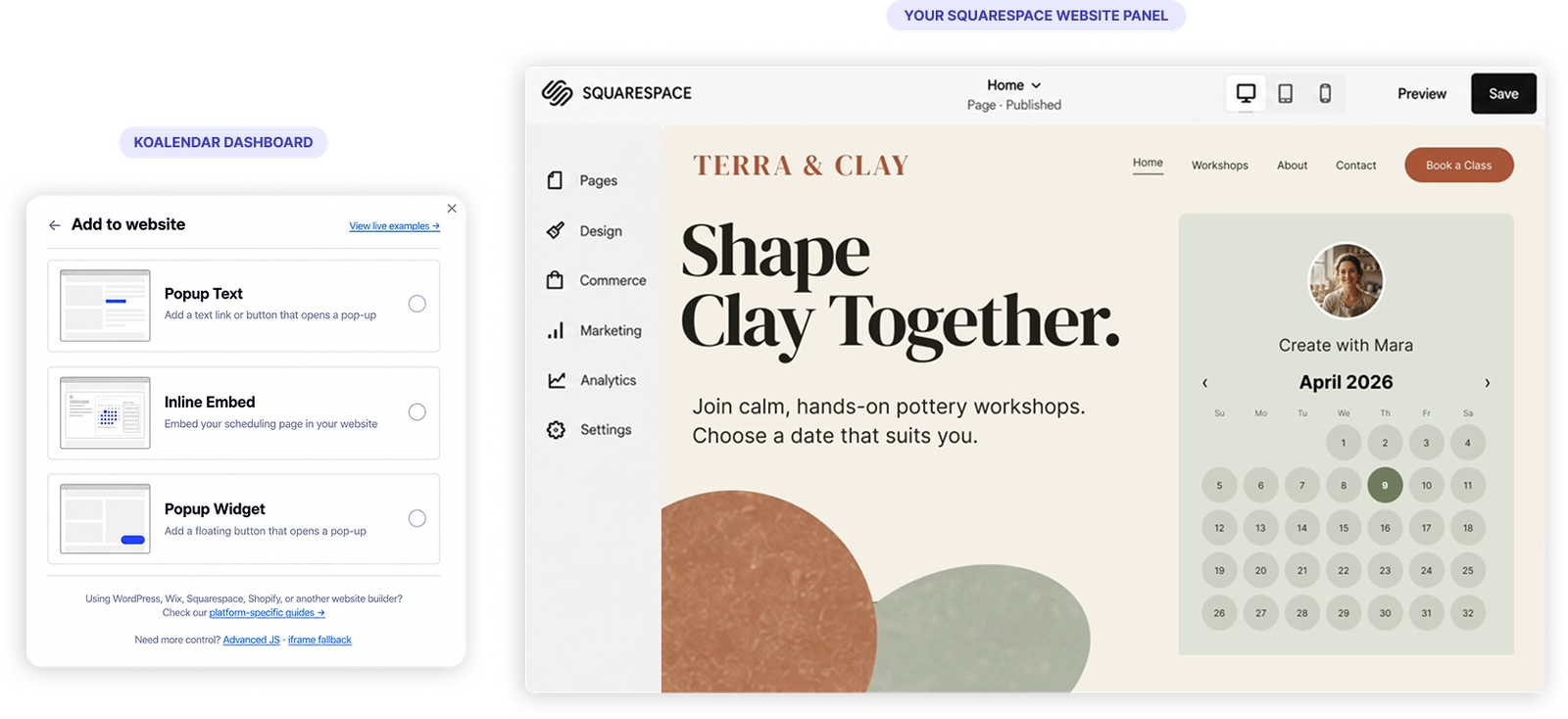
A booking page for your Squarespace site

Turn your Squarespace website into an easier way to book

Keep visitors on your site

Let people complete scheduling on Squarespace without sending them to a separate booking website.

Make it easier to turn interest into appointments

Place your booking experience beside the services or content that convinced someone to contact you, so they can choose a time while they are ready.

Create a booking experience that feels consistent

Style your embedded page to fit your Squarespace design, giving visitors a smoother journey from browsing to booking.

Spend less time arranging appointments manually

A Squarespace booking system gives clients access to available times without the usual email back-and-forth.

Keep website bookings in sync with your schedule

Koalendar connects with your calendar so appointments made through your site fit alongside the rest of your day.

Features

A flexible booking system for Squarespace

Embed Koalendar directly on your site, customize the booking experience, and connect appointments to the calendars and workflows you already use.

Inline Squarespace booking widget

Embed your Koalendar booking page in a Squarespace page so visitors can schedule without leaving your site.

Responsive booking calendar

Your Squarespace booking calendar adapts to desktop, tablet, and phone for an easy booking experience on any device.

Custom colors and branding

Adjust the look of your embedded booking page so it fits naturally with your Squarespace website design.

Google, Outlook, and Apple Calendar sync

Connect your calendar so Koalendar can reflect your availability and help prevent double bookings.

Custom booking form questions

Collect the details you need before an appointment with text, dropdown, checkbox, or radio questions.

Multiple services and appointment types

Use the same Squarespace reservation system for different services, meetings, classes, or sessions with their own durations and settings.

How it works

Add scheduling to Squarespace in three steps

  1. 1

    Create your Koalendar booking page

    Set your availability, appointment details, booking questions, and the calendar you want Koalendar to use.

  2. 2

    Embed Koalendar in Squarespace

    Add your booking page to a Squarespace page using a code block or embed.

  3. 3

    Let visitors book without leaving your site

    Clients choose an available time through your Squarespace calendar widget while Koalendar keeps the appointment connected to your scheduling workflow.

Your Squarespace booking integration stays on your website, works across devices, and connects to your calendar so clients get a simple booking experience without adding more admin for you.

KoalendarKoalendar
Squarespace

Try the booking system with Squarespace

It's free. No credit card required.

Start for free Now

Testimonials

Loved by professionals who embed booking on their websites

See how Koalendar users add scheduling to their websites, simplify appointment booking, and give clients an easier way to choose a time.

  • "Koalendar removed the back-and-forth emails that used to happen when scheduling recordings. Guests can simply choose a time that works for them, and everything syncs automatically with my calendar. It’s very comparable to Calendly, but offers more flexibility at a lower price. Because I embed each booking calendar directly on my site, the customization options are a big deal for me. Koalendar makes this very easy. Koalendar makes scheduling meetings incredibly easy. I use it for podcast recordings, coaching sessions, and general meetings. The Google Calendar integration works perfectly, and it embeds beautifully on my website."

    Fatima B.Capterra
  • "Since integrating Koalendar with my website, my admin workload has reduced dramatically. The seamless Zoom integration, automatic appointment booking, and especially the ability to generate follow-up appointments right at the end of a session eliminated so many manual steps. As someone who’s admin-challenged, this has been amazing for my menopause and women’s hormone health practice. It’s incredibly cost-effective too — I pay for much more expensive subscriptions that don’t deliver nearly as much admin relief. Koalendar has been a game-changer. Thank you!"

    Melissa GilbertKoalendar
  • "I could not believe how quickly Koalendar responded to my minor issue! Then really took time to solve it - same day! I was building my website in Wordpress and needed an appointment calendar and used the Koalender plugin. So easy to embed Koalendar booking calendar on the site and I changed themes 3 times. Works seamlessly for scheduling my online notary appointments that will ultimately meet me for notary services on proof.com, bluenotary.com and such. Excellent company!"

    D. CrandallTrustpilot
  • "I just set it up once and used the link to add to our website and email campaigns. Stress-free, clear, and powerful!"

    Vanesa J.Capterra
  • "Very positive for both my company and our clients. The ability to post multiple "calendars" that allow me to set up different appointments for different clients without them seeing each other was crucial. We are embedding 3 calendars into our webpage for one client and had 3 appointments set in the first 40 hours. Initially they did not want to use us for the appointment setting but they could not figure it out themselves. They gave us a change and all of us are really happy! It has also been helpful to be able to ask questions that require mandatory answers. It has guided our speakers to see what the need to do and/pr provide before they arrive at their appointment."

    Michael D.Capterra
  • "As a coach that has a couple of podcasts, I use Koalendar for ALL of my professional scheduling needs. Koalendar allows me to "set it and forget it". It's reliable and easily embedded into my site. I've compared it to other scheduling tools out there and, for me, it gives the best bang for my buck! Yes, that includes comparing it with Calendly."

    Fatima BeyTrustpilot
  • "Absolutely the best booking software for integrating into a website at an insanely low price! The functionality is top-notch. It's easy to setup and use. The user experience for my clients is beautiful and uncomplicated. And when I needed support because of my own mistake, I got a REAL HUMAN who was quick, kind, and super helpful. I use Koalendar for hourly service and virtual event booking, and I've integrated it into a Joomla website and Thinkific (which doesn't do booking). Amazing product!"

    Maria SmithTrustpilot
  • "Koalendar removed the back-and-forth emails that used to happen when scheduling recordings. Guests can simply choose a time that works for them, and everything syncs automatically with my calendar. It’s very comparable to Calendly, but offers more flexibility at a lower price. Because I embed each booking calendar directly on my site, the customization options are a big deal for me. Koalendar makes this very easy. Koalendar makes scheduling meetings incredibly easy. I use it for podcast recordings, coaching sessions, and general meetings. The Google Calendar integration works perfectly, and it embeds beautifully on my website."

    Fatima B.Capterra
  • "Since integrating Koalendar with my website, my admin workload has reduced dramatically. The seamless Zoom integration, automatic appointment booking, and especially the ability to generate follow-up appointments right at the end of a session eliminated so many manual steps. As someone who’s admin-challenged, this has been amazing for my menopause and women’s hormone health practice. It’s incredibly cost-effective too — I pay for much more expensive subscriptions that don’t deliver nearly as much admin relief. Koalendar has been a game-changer. Thank you!"

    Melissa GilbertKoalendar
  • "I could not believe how quickly Koalendar responded to my minor issue! Then really took time to solve it - same day! I was building my website in Wordpress and needed an appointment calendar and used the Koalender plugin. So easy to embed Koalendar booking calendar on the site and I changed themes 3 times. Works seamlessly for scheduling my online notary appointments that will ultimately meet me for notary services on proof.com, bluenotary.com and such. Excellent company!"

    D. CrandallTrustpilot
  • "I just set it up once and used the link to add to our website and email campaigns. Stress-free, clear, and powerful!"

    Vanesa J.Capterra
  • "Very positive for both my company and our clients. The ability to post multiple "calendars" that allow me to set up different appointments for different clients without them seeing each other was crucial. We are embedding 3 calendars into our webpage for one client and had 3 appointments set in the first 40 hours. Initially they did not want to use us for the appointment setting but they could not figure it out themselves. They gave us a change and all of us are really happy! It has also been helpful to be able to ask questions that require mandatory answers. It has guided our speakers to see what the need to do and/pr provide before they arrive at their appointment."

    Michael D.Capterra
  • "As a coach that has a couple of podcasts, I use Koalendar for ALL of my professional scheduling needs. Koalendar allows me to "set it and forget it". It's reliable and easily embedded into my site. I've compared it to other scheduling tools out there and, for me, it gives the best bang for my buck! Yes, that includes comparing it with Calendly."

    Fatima BeyTrustpilot
  • "Absolutely the best booking software for integrating into a website at an insanely low price! The functionality is top-notch. It's easy to setup and use. The user experience for my clients is beautiful and uncomplicated. And when I needed support because of my own mistake, I got a REAL HUMAN who was quick, kind, and super helpful. I use Koalendar for hourly service and virtual event booking, and I've integrated it into a Joomla website and Thinkific (which doesn't do booking). Amazing product!"

    Maria SmithTrustpilot

Frequently asked questions

Have a different question and can't find the answer you're looking for? Reach out to our support team by sending us an email and we'll get back to you as soon as we can.

Easier access, better productivity

Connect Koalendar to the tools you already use to streamline scheduling, keep everything in sync, and book more.

Try it for free

Koalendar booking page connected to calendar, video, and payment tools