Automate your bookings with Zapier
When someone books, Koalendar can send the details to 8,000+ apps through Zapier: your CRM, email tool, Slack, spreadsheets, and more. Set up a Zap once and it runs on every booking.
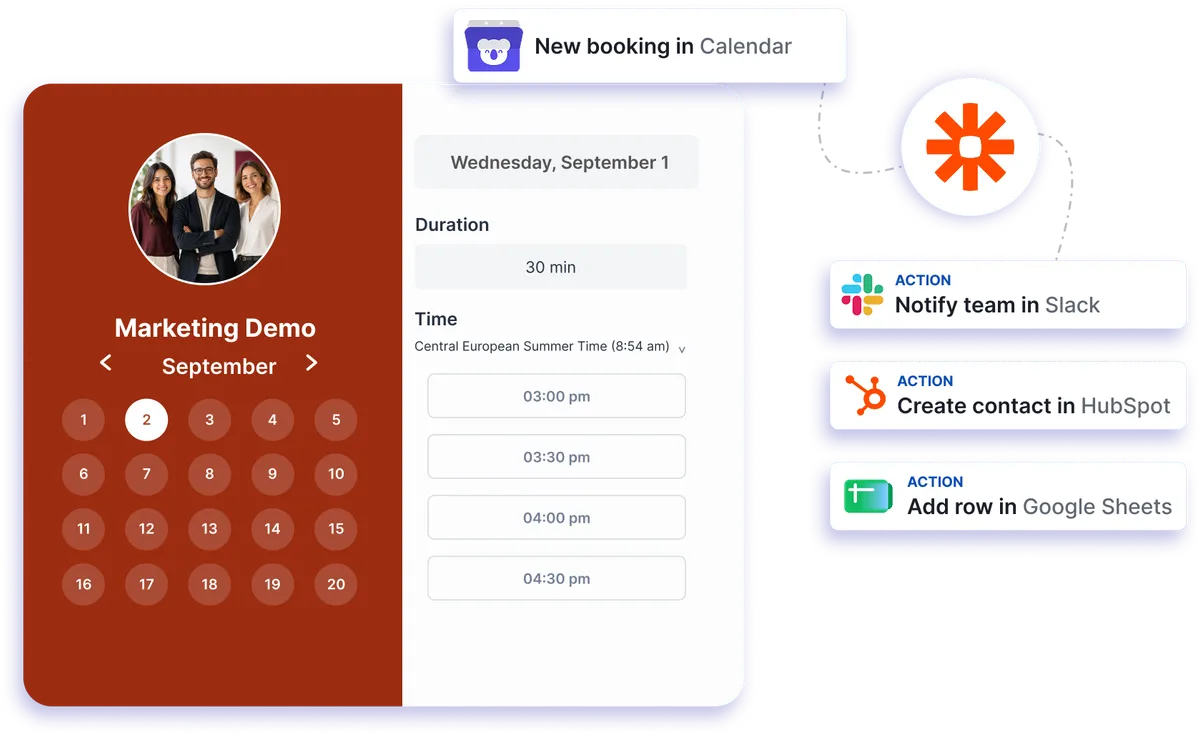
Native automation integration
Turn every booking into an automated workflow
Connect Koalendar to Zapier once and let your booking data move where it needs to go. New bookings, cancellations, and reschedules can trigger Zaps that update your CRM, notify your team, add rows to a spreadsheet, or send follow-up emails without repetitive admin.
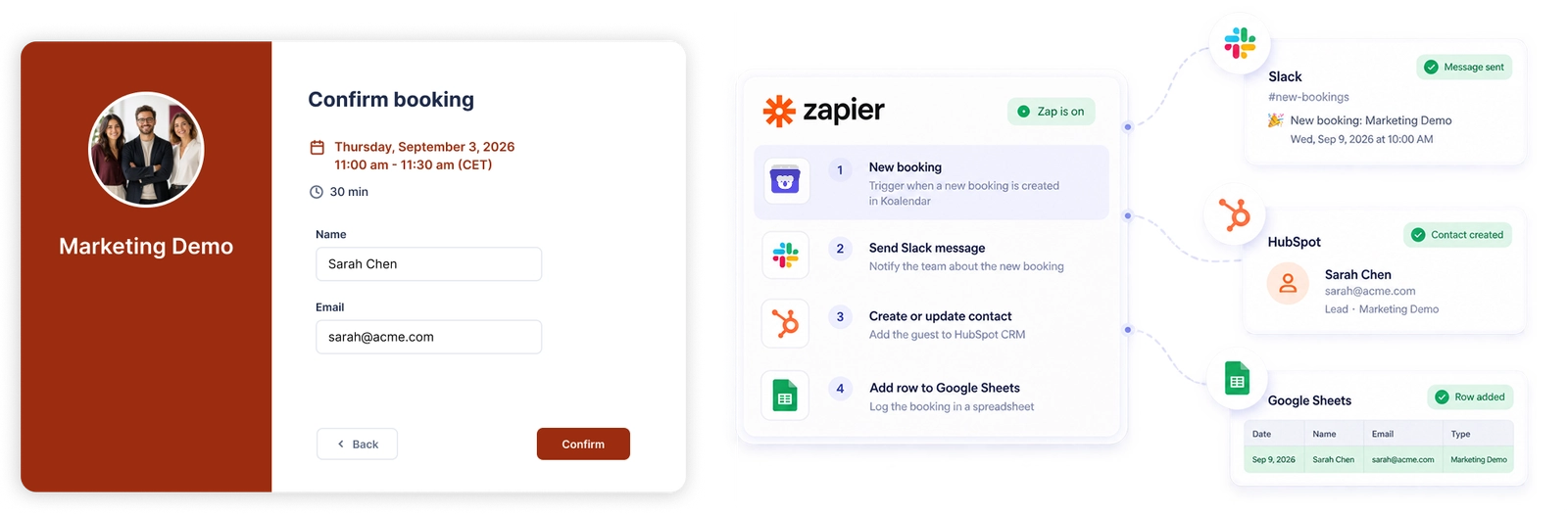
Connect your booking calendar to 8,000+ apps with Zapier
Automate the work after every booking
Use a Koalendar booking as the trigger for your Zap, then automatically start the next step in the tools your team already uses.
Keep your CRM up to date
Send booking details to CRM tools so client information and appointment activity can flow into your sales or customer workflow without manual copying.
Notify your team instantly
Trigger Slack or Microsoft Teams messages when someone books, reschedules, or cancels so the right people can act quickly.
Build reports without manual data entry
Add booking data to Google Sheets or Airtable automatically, giving you a simple way to build reports, dashboards, and operational records.
Send the right follow-up automatically
Use booking details to trigger personalized emails through tools such as Gmail, SendGrid, or Mailchimp, helping every client get a timely response.
Connect your scheduling to your wider workflow
Koalendar handles appointment scheduling while Zapier passes booking events into the rest of your stack, so your processes stay connected as your business grows.
Features
Powerful Zapier scheduling automation without the busywork
Use Koalendar as the trigger for automated workflows across your CRM, communication tools, spreadsheets, email platforms, and thousands of other apps.
Booking-based Zap triggers

Start a Zap when a new booking is created, rescheduled, or canceled, so your follow-on workflows stay aligned with your calendar.
CRM updates

Pass invitee and booking information into CRM tools such as HubSpot or Salesforce to keep customer records connected to your scheduling activity.
Team notifications

Send automated booking updates to Slack or Microsoft Teams so colleagues know when important appointment activity happens.
Spreadsheet and database logging

Add booking details to Google Sheets or Airtable automatically for reporting, tracking, and lightweight operational workflows.
Automated email actions

Trigger personalized messages through Gmail, SendGrid, Mailchimp, and other connected email tools using the details from each booking.
Booking page targeting

Apply a Zap to one booking page, several selected pages, or every booking page in your Koalendar account.
How it works
Automate your scheduling workflow in three steps
- 1
Connect Koalendar to Zapier
Open Integrations in Koalendar, choose Zapier, and authorize the connection so Koalendar can be used as your Zap trigger app.
- 2
Choose your booking trigger and action
Select a new booking, reschedule, or cancellation as the trigger, then choose the app and action you want Zapier to run.
- 3
Turn on your Zap
Test the booking data, map the fields you need, and enable the Zap. It will then run automatically whenever the selected booking event happens.
Koalendar can send invitee details such as name, email, start time, and location to Zapier. You can apply each Zap to selected booking pages or let it run across all of your booking pages.

 Zapier
Try the booking system with Zapier
Try it free for 7 days. No credit card required.
Start Free Trial Now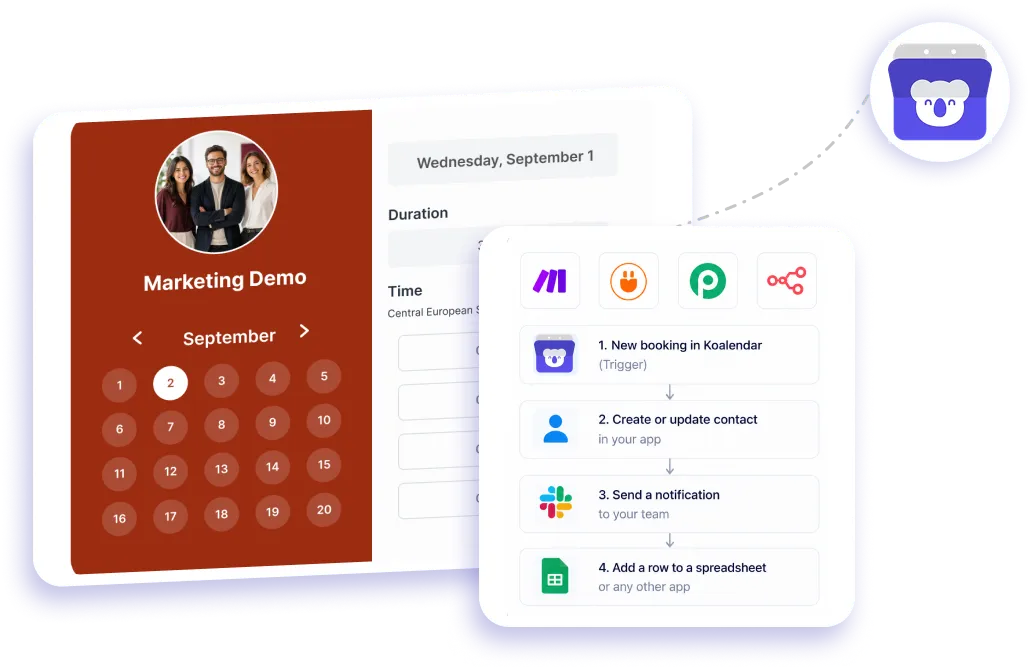
Testimonials
Loved by professionals who automate their scheduling
See how Koalendar helps busy teams create smoother workflows and spend less time on repetitive scheduling work.
Connects your apps to Koalendar









Frequently asked questions
Have a different question and can't find the answer you're looking for? Reach out to our support team by sending us an email and we'll get back to you as soon as we can.
Koalendar sends booking events to Zapier — a new booking, a cancellation, or a reschedule. Each event can start a Zap that updates another app, so booking data flows automatically.
Using Zapier with Koalendar is a Pro feature. The free plan covers core scheduling; Zapier, webhooks, and exports are on Pro.
Yes. When someone books, Zapier can push the details to your calendar-based tools, spreadsheets, CRM, or messaging apps.
Add bookings to a CRM, send Slack or Teams messages, log rows in Google Sheets or Airtable, and send emails through Gmail or Mailchimp.
Yes. Koalendar handles the booking, and Zapier connects it to the rest of your stack, so one booking can trigger every follow-on step you need.
The integration is trigger-based: Koalendar starts the Zap when a booking happens, sending data out to other apps rather than creating bookings from them.
Easier access, better productivity
Connect Koalendar to the tools you already use to streamline scheduling, keep everything in sync, and book more.
Try it for free