Real-time webhooks for appointment bookings
A webhook is an automated message Koalendar sends the moment a booking is made, canceled, or rescheduled. It posts the booking details to a URL you choose, so your own systems update in real time.
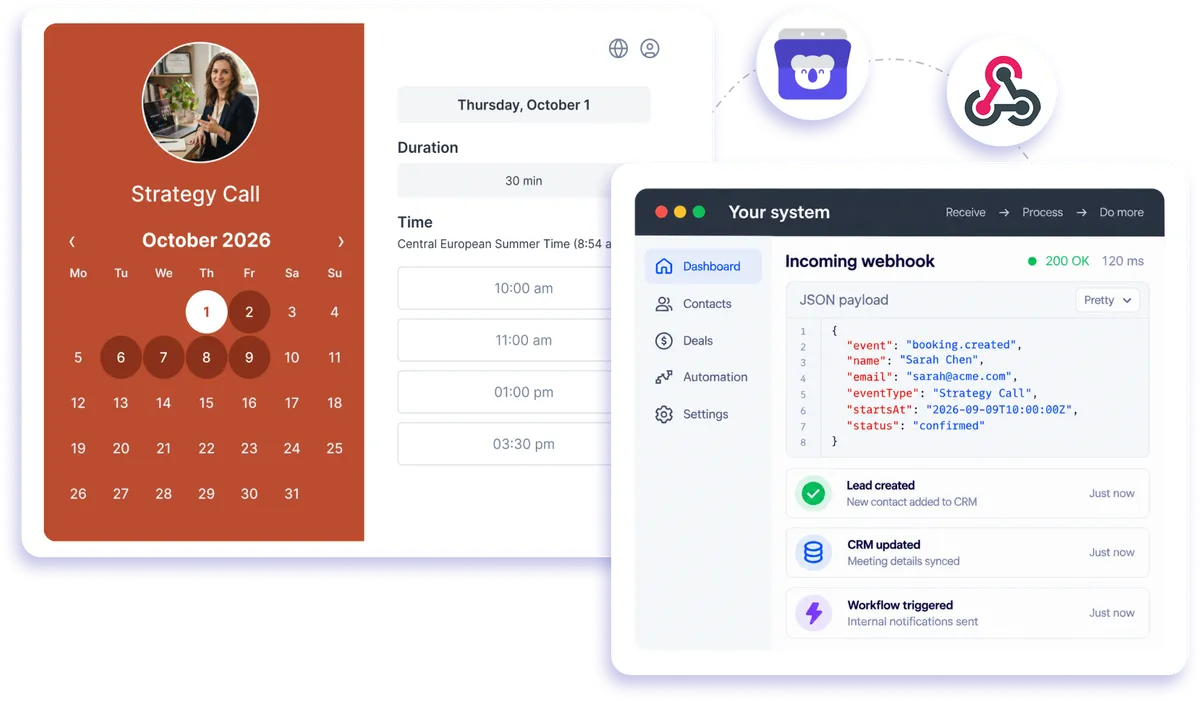
Native webhook integration
How webhooks work with appointment booking software
Koalendar appointment booking webhooks keep your systems up to date without waiting for someone to copy information manually. Add the URL where you want to receive booking data, and Koalendar sends a real-time notification whenever someone makes, cancels, or reschedules an appointment. Your system gets the booking details as JSON, ready for your own workflows and automations.
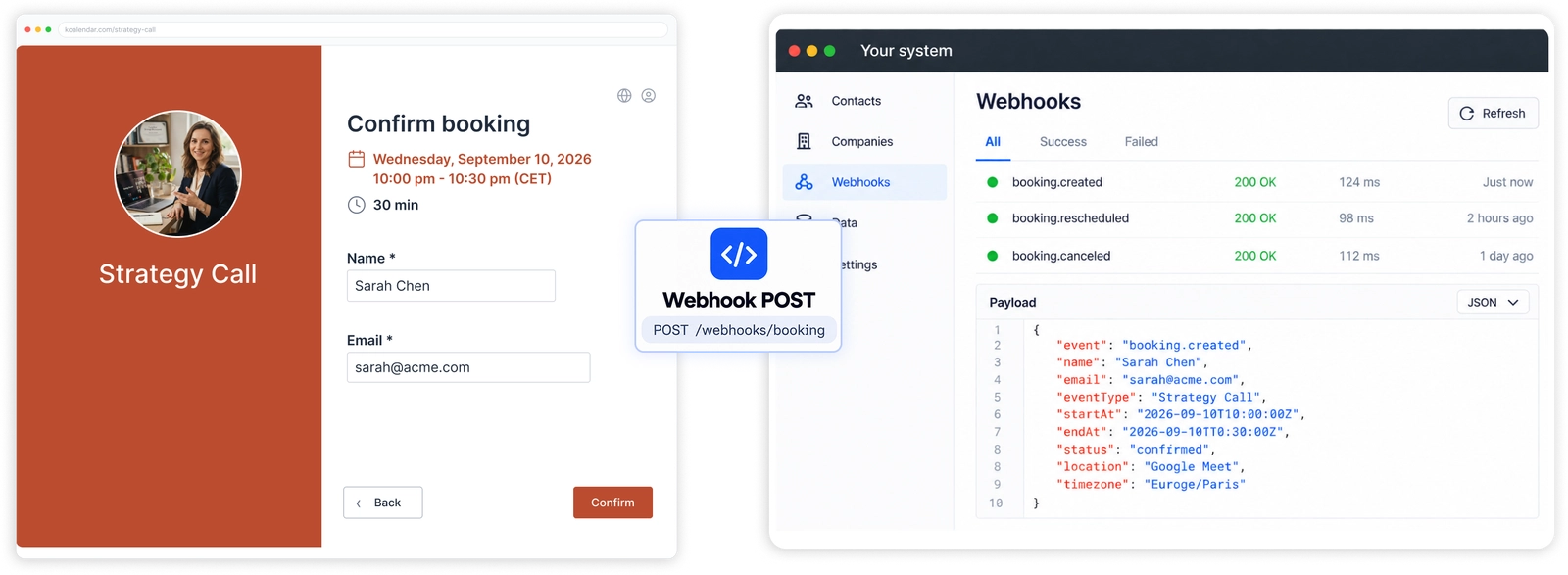
Keep every booking connected to your systems in real time
Update your systems the moment a booking changes
Get real-time booking notifications when an appointment is made, canceled, or rescheduled, so the tools you rely on can stay up to date automatically.
Cut out repetitive data entry
Send booking details straight from Koalendar to your own systems instead of copying names, appointment times, and event information by hand.
Build workflows around booking activity
Use booking webhook events to trigger the next step in your workflow, whether that means updating an internal system, starting an automation, or passing information to another service.
Keep your booking data moving in real time
Koalendar sends booking information as soon as an event happens, helping your connected systems respond without waiting for manual updates or scheduled exports.
Connect Koalendar to workflows built your way
Send appointment booking data to a URL you control, giving your team the flexibility to connect scheduling with the systems and processes that matter to your business.
Features
Appointment booking webhooks built for real-time automation
Send booking events and details directly to your own systems whenever an appointment is created, canceled, or rescheduled.
Real-time booking events
Trigger a webhook automatically when a new booking is made, an existing booking is canceled, or an appointment is rescheduled.
Booking details sent as JSON
Receive the booking information your workflow needs, including who booked, the event type, and the appointment time, in a structured JSON format.
Your own webhook URL

Choose the URL that should receive booking data so Koalendar can send events directly to the system or workflow you control.
Automatic system updates

Use real-time booking notifications to keep your CRM, internal tools, databases, or other connected systems aligned with the latest appointment activity.
Simple booking-page setup

Add your webhook URL in your Koalendar booking page settings and let Koalendar send the updates automatically whenever booking activity occurs.
No-code option with Zapier
Don't want to build your own webhook workflow? Use Koalendar's Zapier integration to trigger automations from booking events without writing code.
How it works
Connect your booking workflow in three steps
- 1
Add your webhook URL in Koalendar
Enter the URL where you want Koalendar to send your booking information.
- 2
A booking event happens
When someone makes, cancels, or reschedules a booking, Koalendar automatically sends a POST request with the booking details as JSON.
- 3
Your system takes it from there
Use the incoming booking data to update your own tools, trigger custom actions, or continue the workflow you've built.
Once your webhook is set up, Koalendar sends booking updates automatically. Your systems stay informed in real time, while your scheduling keeps running in the background.

 Webhooks
Try the booking system with Webhooks
Try it free for 7 days. No credit card required.
Start Free Trial Now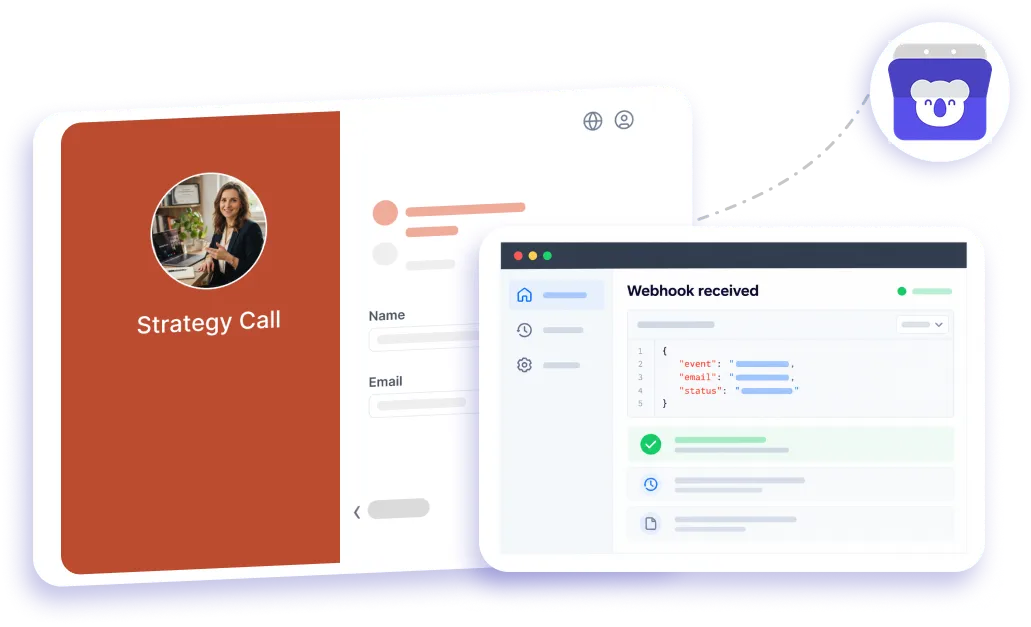
Testimonials
Loved by professionals who want simpler scheduling
See why professionals choose Koalendar to keep bookings organised and their day-to-day workflows running smoothly.
Connects your apps to Koalendar








Frequently asked questions
Have a different question and can't find the answer you're looking for? Reach out to our support team by sending us an email and we'll get back to you as soon as we can.
A webhook is an automated HTTP request the software sends when an event happens. In Koalendar, each new booking, cancellation, or reschedule triggers a POST to a URL you set, carrying the booking details as JSON.
A new booking, a cancellation, and a reschedule. Each sends the relevant details to your endpoint.
The booking's details: who booked, the event type, and the time, sent as JSON. Koalendar documents the exact fields in its webhook guide.
Webhooks connect to your own code or a tool that accepts them. If you'd rather not build anything, Zapier gives you the same booking events with no code.
Webhooks are a Koalendar Pro feature. The free plan covers core scheduling; webhooks, Zapier, and exports are on Pro.
Easier access, better productivity
Connect Koalendar to the tools you already use to streamline scheduling, keep everything in sync, and book more.
Try it for free