Free scheduling tool for Apple Calendar
Connect your Apple Calendar via iCloud, share a booking link, and let clients pick a free time. New bookings sync to your iPhone, iPad, and Mac automatically.
Native Apple Calendar integration
Book into your Apple Calendar on every device
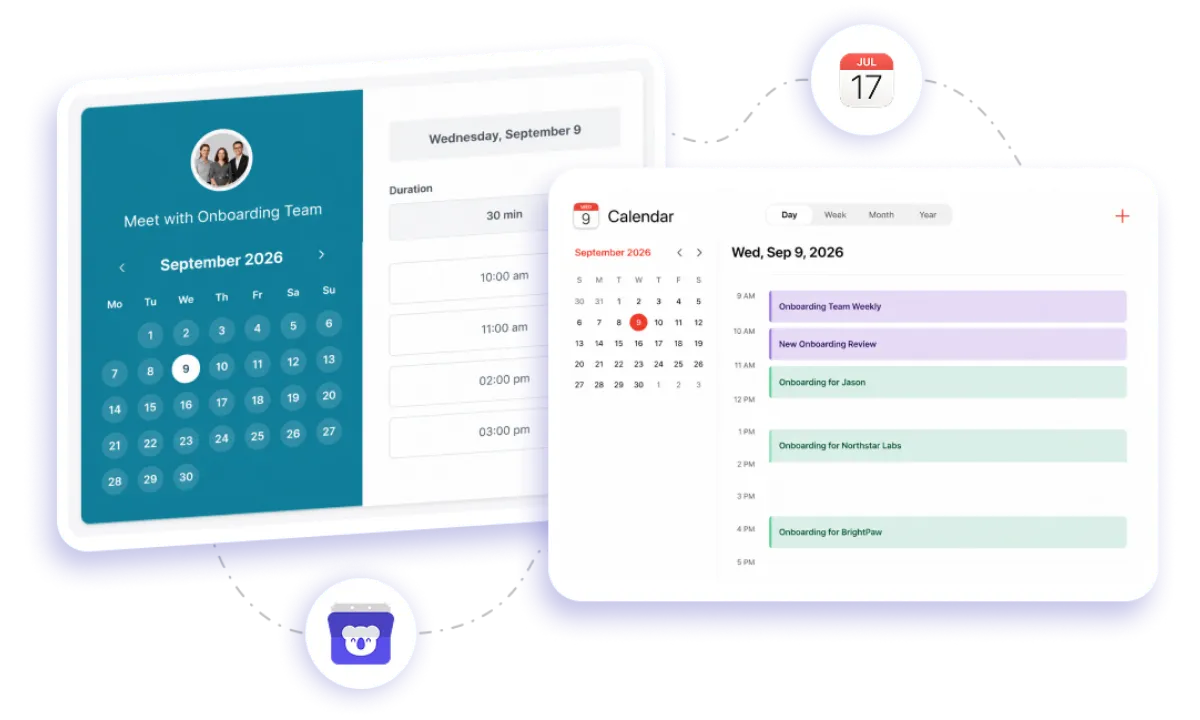
Connect your iCloud account once, and Koalendar checks it for conflicts before showing any time slot to your clients. Every confirmed booking is written straight to your Apple Calendar, so it's waiting for you on your iPhone, iPad, Mac, and Apple Watch the moment it's made — no extra app to check, no manual copying.
Business scheduling tool that syncs with Apple Calendar
Never double-book yourself again
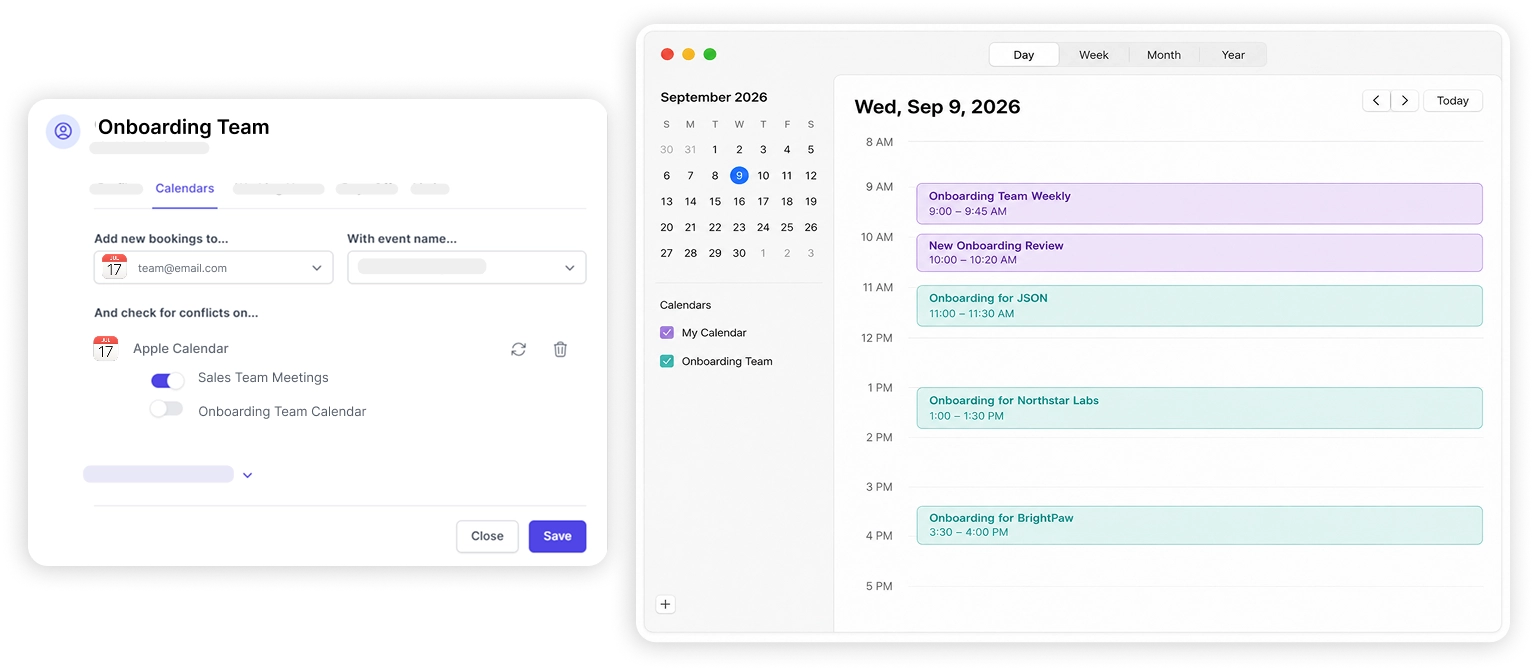
Koalendar reads your Apple Calendar before every booking is offered, so a personal appointment or a work meeting already on your calendar automatically blocks that slot.
Bookings land on every Apple device
Once a client books, the event is written straight to iCloud, so it shows up on your iPhone, iPad, Mac, and Apple Watch without you lifting a finger.
Stop the scheduling back-and-forth
Share one link instead of emailing availability. Clients see your real, up-to-date free time and pick what works for them.
Keep Apple Calendar as your source of truth
There's no separate app to manage. Your existing iCloud calendar stays exactly where you already look for your schedule.
Set up once, sync forever
Connect your iCloud account with an app-specific password and Koalendar keeps checking for conflicts and adding bookings automatically from then on.
Free to use, with no time limit
Apple Calendar sync is included on Koalendar's free plan, so you can start scheduling from your iPhone, iPad, or Mac at no cost.
Features
Everything you need to schedule from your Apple Calendar
Koalendar keeps your iCloud calendar and your booking page in sync, so you always know what's actually on your schedule.
Two-way calendar sync

New bookings are added to your iCloud calendar automatically, and existing events on your calendar block that time from being booked.
Works on every Apple device

Because bookings sync through iCloud, they appear on your iPhone, iPad, Mac, and Apple Watch — no separate app to open.
Secure app-specific password setup
Connect with an Apple ID app-specific password, exactly as Apple requires for third-party tools, so your main password never leaves your device.
Real-time availability checking

Koalendar checks your iCloud calendar for conflicts every time a client visits your booking page, so only genuinely free times are shown.
Add video calls to any booking

Apple Calendar doesn't generate meeting links itself, so attach a free Google Meet link, or Zoom and Microsoft Teams on Pro, to any appointment.
Quick setup, no technical skills needed

Add your iCloud calendar from Calendars → Add a calendar account in your Koalendar dashboard, and you're syncing within minutes.
How it works
Sync Apple Calendar in three steps
- 1
Create an app-specific password
Sign in to appleid.apple.com, open Security, and generate an app-specific password. Apple requires this, plus two-factor authentication, to connect any third-party scheduling tool.
- 2
Connect it in Koalendar
Go to Calendars → Add a calendar account → Apple Calendar, then enter your iCloud email address and paste in the app-specific password.
- 3
Share your booking link
Clients pick a free time based on your real Apple Calendar availability, and every confirmed booking syncs straight back to iCloud.
Toggle individual iCloud calendars on or off any time, and choose which one new bookings are added to, right from your Koalendar Calendars settings.

 iCloud Calendar
Try the booking system free with Apple Calendar
It's free. No credit card required.
Start Free Now
Testimonials
Loved by professionals who schedule from Apple Calendar
See how teams use Koalendar with Apple Calendar to stay in sync across every device.
Connects your apps to Koalendar









Frequently asked questions
Have a different question and can't find the answer you're looking for? Reach out to our support team by sending us an email and we'll get back to you as soon as we can.
Connect Koalendar to your Apple Calendar through iCloud. Create an app-specific password in your Apple ID, then in Koalendar go to Calendars → Add a calendar account → Apple Calendar and paste it in. Koalendar then checks your calendar for conflicts and adds new bookings to it.
Yes. Apple requires an app-specific password and two-factor authentication for third-party tools. You create it once in your Apple ID and paste it into Koalendar.
Yes. iCloud calendar sync is available in the free plan, with up to two calendars (Google, Outlook, or iCloud). Pro adds unlimited calendar syncing.
Yes. While Apple Calendar doesn't create video links itself, you can add a free Google Meet link to each booking, or Zoom/Microsoft Teams on Pro.
Yes. The booking is written to your iCloud calendar, so it appears in Apple Calendar on your iPhone, iPad, Mac, and Apple Watch.
Easier access, better productivity
Connect Koalendar to the tools you already use to streamline scheduling, keep everything in sync, and book more.
Try it for free