Appointment booking for Outlook Calendar
Make Outlook Calendar booking simple with Koalendar. Share your booking page, let people choose a time that works, and keep your availability automatically in sync without the back-and-forth.

Native Outlook Calendar integration
Turn your Outlook availability into a booking page
Koalendar gives you an Outlook Calendar booking system that works around the schedule you already have. Connect your calendar, choose when you want to be available, and share your booking link. Invitees only see times that work for you, while new appointments are added to your calendar automatically.

Appointment booking for Outlook Calendar without the scheduling hassle
Prevent double-bookings automatically
Appointment booking for Outlook Calendar stays accurate because Koalendar checks your connected calendar for conflicts before showing available times. Busy in Outlook? That time stays unavailable to book.
Keep every new booking in Outlook
New appointments are added to your connected Outlook calendar automatically, giving you Outlook Calendar appointment booking without maintaining two separate schedules.
Cut out the back-and-forth
Share one booking link and let clients, candidates, or colleagues choose from your real availability. Your Outlook Calendar appointment scheduler handles the coordination for you.
Manage availability the way you work
Use your working hours or define availability from calendar events, while Koalendar keeps conflicting Outlook events out of your bookable schedule.
Bring your team calendars together
Create shared scheduling pages for your team and connect each host's calendar. Koalendar can use everyone's availability to make Outlook Calendar scheduling easier for interviews, demos, consultations, and internal meetings.
Features
Scheduling software that integrates with Outlook Calendar, made simple
Keep the Outlook workflow you know while Koalendar handles availability, self-booking, calendar conflicts, and scheduling admin.
Real-time calendar conflict checking

Koalendar checks your connected Outlook calendars before offering a time, helping your Outlook Calendar booking calendar stay accurate and reducing the risk of double-bookings.
Automatic Outlook event creation

When someone books through Koalendar, the meeting is added to your chosen calendar automatically. Appointment booking for Outlook Calendar fits naturally into the schedule you already manage.
Calendar-based availability

Build availability around specially named events in Outlook and let Koalendar subtract conflicting appointments automatically. Your Outlook Calendar appointment scheduling stays flexible without constant manual updates.
Team scheduling with connected calendars

Connect each teammate's calendar and coordinate shared availability for collective meetings, round-robin bookings, or provider selection. It gives teams an Outlook Calendar scheduling integration that scales beyond one person's diary.
Shareable booking pages

Send your Koalendar link by email, chat, or anywhere else you meet clients. Your Outlook Calendar booking app works in the background while invitees choose an available time themselves.
Automatic reminders and booking updates

Keep invitees informed with booking confirmations and reminders, while your Outlook Calendar booking integration keeps the appointment connected to your everyday schedule.
How it works
Connect Outlook Calendar and start booking in three steps
- 1
Connect your Outlook Calendar
Open Koalendar's integrations panel and connect your Microsoft Outlook calendar. Choose which calendars Koalendar should check for conflicts and where new meetings should be created.
- 2
Set your availability and publish
Choose the days and times you want people to book, customize your booking page, and share your link wherever your clients or colleagues can find it.
- 3
Let Koalendar keep everything in sync
Invitees choose an available time and Koalendar adds the appointment to your calendar. Your Outlook Calendar appointment booking stays up to date while you get on with your day.
Koalendar checks your connected Outlook calendars for conflicts before showing available times, so your booking page and calendar work together without extra scheduling admin.

 Outlook Calendar
Try easier scheduling with Outlook Calendar
It's free forever. No credit card required.
Try Free Forever Now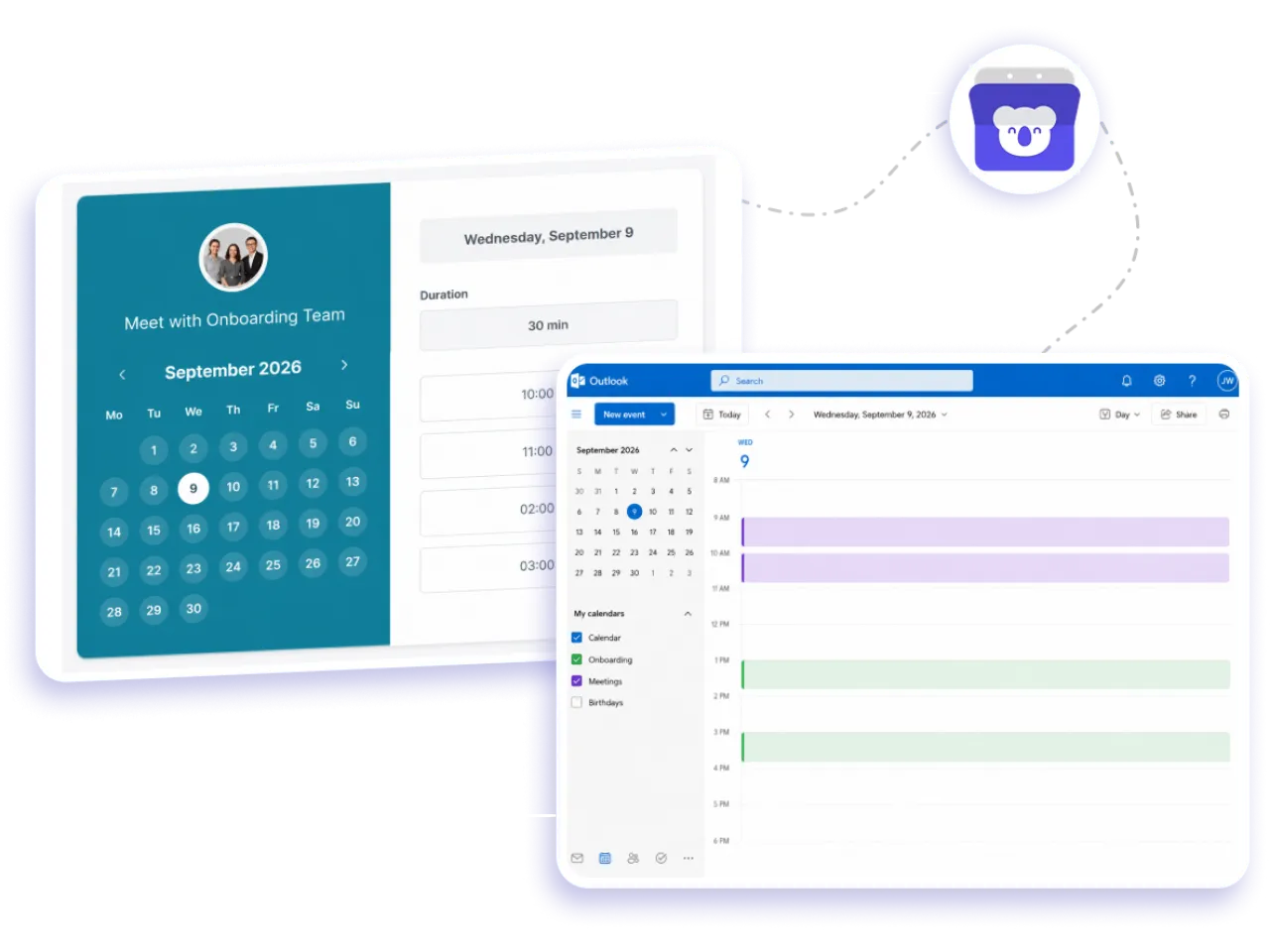
Testimonials
Loved by professionals who want simpler calendar scheduling
See why busy professionals use Koalendar to spend less time coordinating appointments and more time getting things done.
Connects your apps to Koalendar









Frequently asked questions
Have a different question and can't find the answer you're looking for? Reach out to our support team by sending us an email and we'll get back to you as soon as we can.
Yes. Koalendar has a native Outlook Calendar scheduling integration for Microsoft Outlook calendars hosted on Microsoft 365. Connect your calendar and Koalendar can check for conflicts and create new scheduled meetings in the calendar you choose.
Koalendar checks events in the Outlook calendars you select before displaying your availability. If an existing event conflicts with a time slot, that time is blocked from your Outlook Calendar booking page automatically.
Yes. Your Outlook Calendar booking integration can add newly scheduled meetings to the Outlook calendar you choose, so you can keep managing your day from a familiar calendar.
Yes. Koalendar's Free plan lets you sync up to two Google, Outlook, or iCloud calendars for conflict checking. Koalendar Pro supports unlimited calendar syncing, giving you more flexibility if you manage several schedules.
Yes. Teammates can connect their own calendars so Koalendar can calculate availability for shared scheduling pages. This makes Outlook Calendar appointment scheduling useful for sales teams, recruiters, consultants, support teams, and other groups coordinating meetings.
Yes. Koalendar is scheduling software that integrates with Outlook Calendar so you can share booking pages, check calendar conflicts, add new appointments to Outlook, and let invitees choose suitable times without long email chains.
Yes. Koalendar can use specially named Outlook calendar events to define when you're available, while still subtracting conflicting events. This gives you a flexible Outlook Calendar appointment scheduler without needing to update your availability manually every time your schedule changes.
No. Koalendar handles the self-booking experience while confirmed meetings are added to your connected Outlook calendar. That means you can keep using Outlook for your everyday schedule while Koalendar takes care of the booking process.
Easier access, better productivity
Connect Koalendar to the tools you already use to streamline scheduling, keep everything in sync, and book more.
Try it for free