Accept Stripe payments when clients book an appointment
Integrate Stripe with our appointment scheduling software to collect secure online payments when clients book appointments, reducing no-shows and streamlining billing.
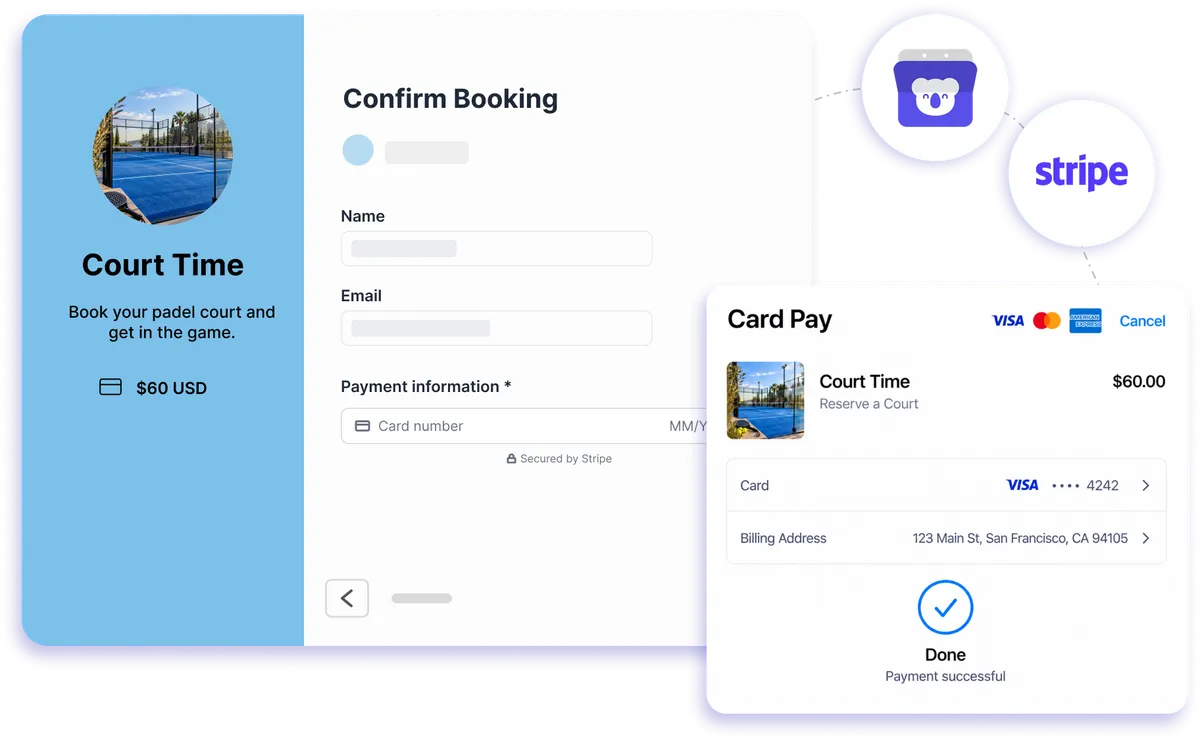
Native payment integration
Add payments to your booking flow in minutes
Koalendar's online booking and payment system lets clients schedule and pay in one smooth step. Connect Stripe once, set your prices, and watch your bookings turn into guaranteed revenue. Accept cards, wallets, or bank transfers from anywhere in the world, all while your availability syncs in real time.
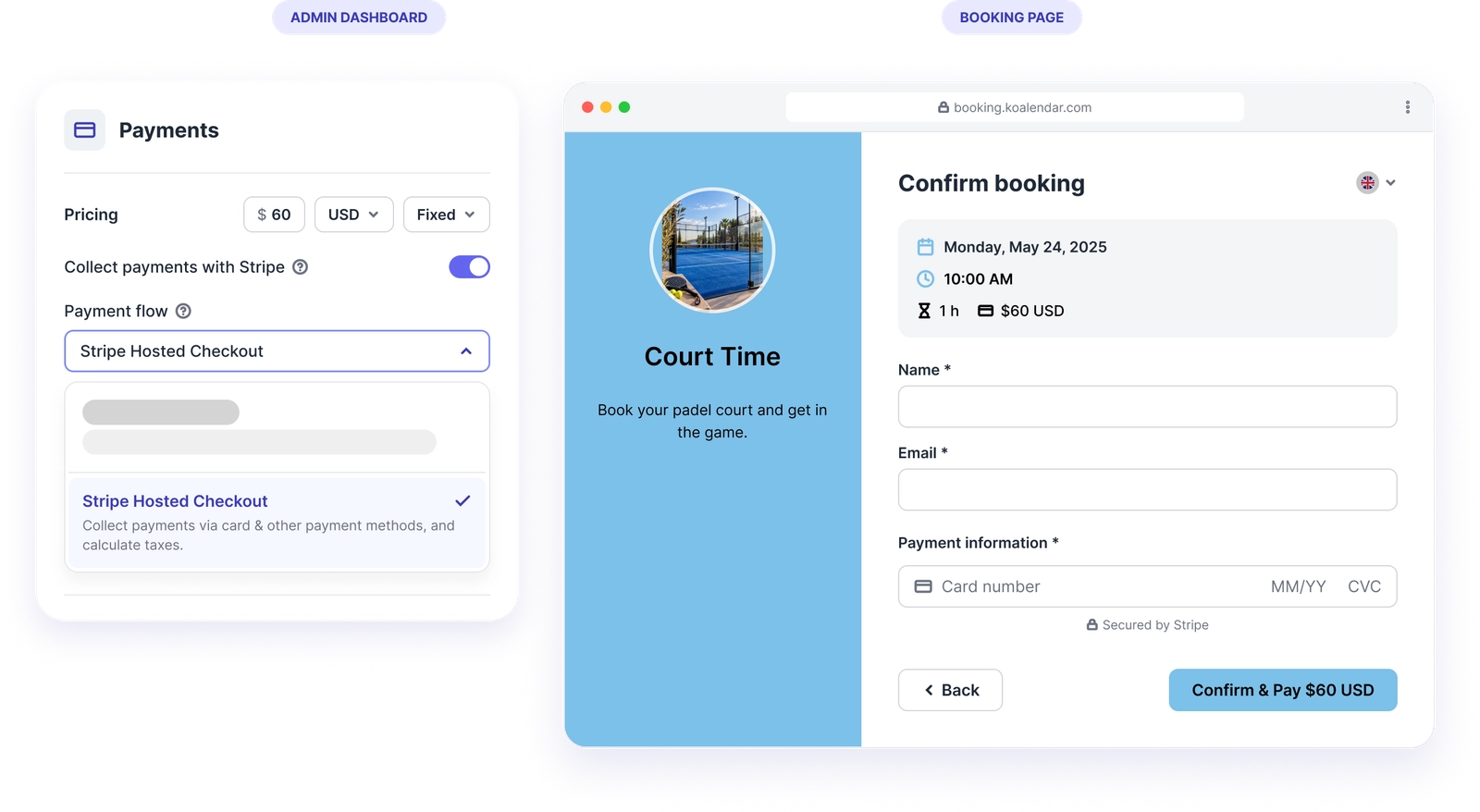
Accept Stripe payments when clients book an appointment
Reduce no-shows with upfront payments
Koalendar integrates with Stripe to collect payments when clients book appointments, significantly reducing no-shows and ensuring you get paid for your time.
Stop chasing clients for payments
Clients pay while choosing their appointment, so you don't need to send a separate invoice, share a payment link or follow up after a booking.
Keep scheduling and payments organised
Manage appointment details in Koalendar while viewing payments, issuing refunds and exporting transaction data from your Stripe dashboard.
Automated payment management
Koalendar handles the scheduling while Stripe manages payments - money goes directly to your account and clients get automatic receipts, eliminating payment administration.
Scale your paid appointment business
Transform your scheduling with Koalendar + Stripe - accept payments from clients worldwide, reduce no-shows, and grow your appointment-based business with confidence.
Features
Everything you need to get paid for appointments
Collect taxes at checkout and generate invoices automatically through Stripe while Koalendar keeps every booking in sync.
Flexible pricing models

Set pricing per booking page using fixed price, hourly rate, or per attendee pricing.
Two checkout experiences

Choose an embedded card form on your booking page or redirect to Stripe hosted Checkout for broader payment method support and optional automatic tax collection.
Built in discounts and promo codes

Create coupon codes with fixed or percentage discounts, usage limits, expiration dates, minimum order value, and optional email restrictions.
Multi currency support

Charge clients in 135 plus currencies supported through Stripe.
Deposits and prepaid sessions

Offer full payments, partial deposits, or prepaid bundles that clients can redeem later, keeping your calendar filled with confirmed, reliable bookings.
Stripe dashboard

Track payments, refunds, payouts, and customer details directly in your Stripe dashboard, with Koalendar simply passing the booking payment through to Stripe for reporting and reconciliation. Invoices can be generated automatically in Stripe.
How it works
Start collecting payments in three steps
- 1
Connect Stripe once in Koalendar
Link your Stripe account from the integrations panel. Setup takes less than a minute.
- 2
Set a price on your booking page
Choose fixed, hourly, or per-attendee pricing, plus deposits or prepaid bundles if you need them.
- 3
Your clients pay securely as they book
Invitees complete payment before the booking is confirmed, so every appointment comes with guaranteed revenue.
You can use an embedded card form or send them to Stripe Checkout, and every transaction lands directly in your Stripe dashboard for refunds, exports, and payout tracking.

 Stripe
Try the booking system with payments for 7 days
It's free. No credit card required.
Start Free Trial Now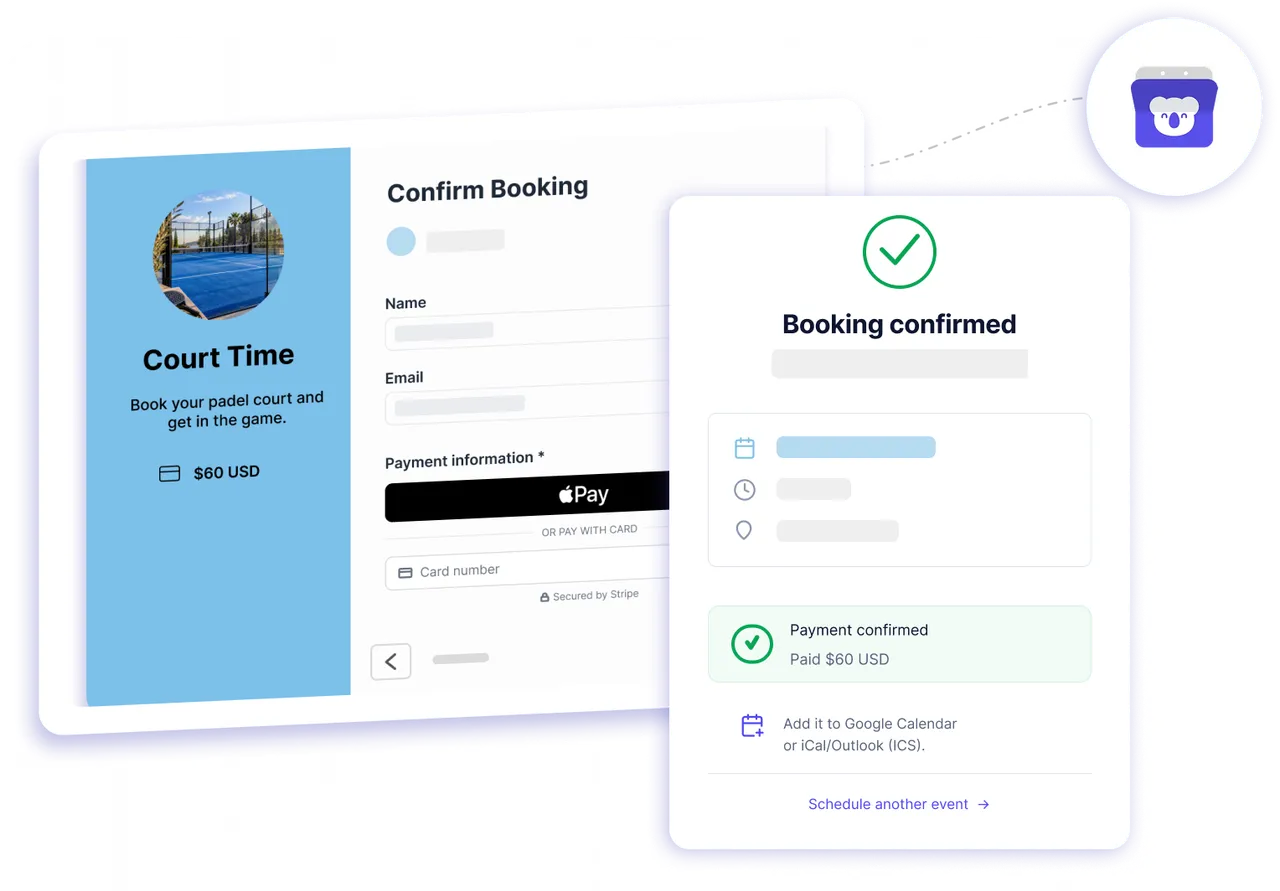
Testimonials
Loved by professionals who get paid to book
See how teams use Koalendar with Stripe to confirm appointments and collect revenue upfront.
Connects your apps to Koalendar









Frequently asked questions
Have a different question and can't find the answer you're looking for? Reach out to our support team by sending us an email and we'll get back to you as soon as we can.
Koalendar is free to use for scheduling, with no time limit. Collecting payments through Stripe is a Pro feature. You can start with a free Pro trial for 7 days before choosing whether to upgrade.
No, Koalendar never stores card details. Payment information is encrypted and handled securely directly by Stripe in their payment modal.
Stripe does charge for taking payments, but they have a very competitive and simple charging mechanism. Koalendar doesn't take any commissions.
Yes, Stripe sets a minimum charge amount depending on your country. Stripe enforces a minimum payment amount for all charges to make sure the Stripe fee doesn't exceed your charge. The minimum amount you can charge depends on the payout bank account settlement currency. See Stripe's pricing page for full details.
If your client enters an incorrect card number, Stripe will show an error message during checkout, guiding the invitee to correct their card info.
The fee will be charged when they request the booking. If you decide not to accept the appointment, you will have to manually refund the fee collected in your Stripe dashboard.
With Stripe Checkout, you can optionally enable automatic tax collection. Otherwise, the amount you specify in Booking Form > Payments should be the total amount to charge the customer, inclusive of any fees or taxes.
Easier access, better productivity
Connect Koalendar to the tools you already use to streamline scheduling, keep everything in sync, and book more.
Try it for free