Google Calendar appointment slots alternative with group sessions and recurring bookings
Free Google accounts get one booking page, and payments and co-hosts need a paid Workspace plan. Koalendar connects to Google, Outlook, or iCloud calendars and gives you unlimited booking pages for free.
- No credit card required
- Set up in minutes
Koalendar vs Google Calendar appointment slots
Learn why Koalendar is the best Google Calendar appointment slots alternative for your business
Koalendar vs Google Calendar appointment slots: A side by side comparison of free and paid plans
 |  | |
|---|---|---|
| Unlimited bookings | ||
| Unlimited booking pages | Single booking page on free | |
| Connect calendars | ||
| Allow booker to choose duration | ||
| Allow booker to choose location | ||
| 30+ languages supported | ||
| Auto detect timezone and language | ||
| Most affordable annual plan | $6.99/seat/mo | $12/seat/mo (Business Standard)Billed annually. Business Starter is $6 and only includes one booking page. |
| Rooms & resources scheduling | ||
| Hold group sessions or classes | ||
| Enable multiple bookings at once | ||
| Enable recurring bookings | ||
| Accept file uploads in your booking form | ||
| Approval workflow | ||
| Look busy | ||
| Let invitee select provider / resource | ||
| Customizable notifications | ||
| Follow-up email | ||
| Single use private links | ||
| Send emails directly from your Gmail | ||
| Google Analytics & Meta Pixel tracking | ||
| Webhooks / Zapier integrations | ||
| Remove "Powered by" branding | ||
| Unlimited calendar sync | Google, Outlook, iCloud | |
| Multi-hosts scheduling | Paid eligible subscriptions | |
| Multiple services / appointment types | Multiple schedules on paid | |
| Accept payments | Paid eligible subscriptions | |
| Set availability from your calendar | Multi-calendar checks on paid | |
| Automate appointment reminders | ||
| Take bookings directly on your website (embed) |
The best alternative
Koalendar or Google Calendar appointment slots: which is right for you?
Koalendar is perfect if you
- Want more than one booking page without a Workspace plan
- Want invitees to choose the duration and location
- Use Outlook or iCloud as well as Google
- Want custom notifications and follow-up emails
Google Calendar appointment slots is perfect if you
- Only need a simple booking page inside Google Calendar
- Already pay for Google Workspace
- Only need one booking page
- Don't need custom branding or booking questions
A complete scheduling solution
A simpler Google Calendar appointment slots alternative for individuals and teams
From 1:1 meetings to team scheduling with rooms and resources, Koalendar adapts to your needs.
Everything your booking page needs
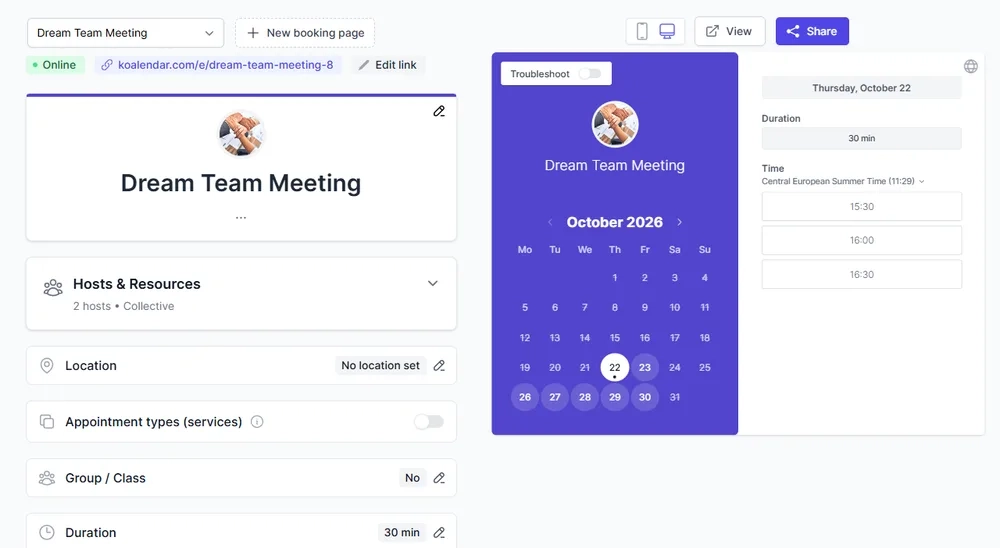
Let clients book appointments from your own branded booking page. No coding, no plugins, no stress.
- Create a custom booking page in minutes
- Add your logo, brand colors, and photos
- Let clients self-schedule 24/7
- Add custom questions to capture client details
See all your team's bookings in one place
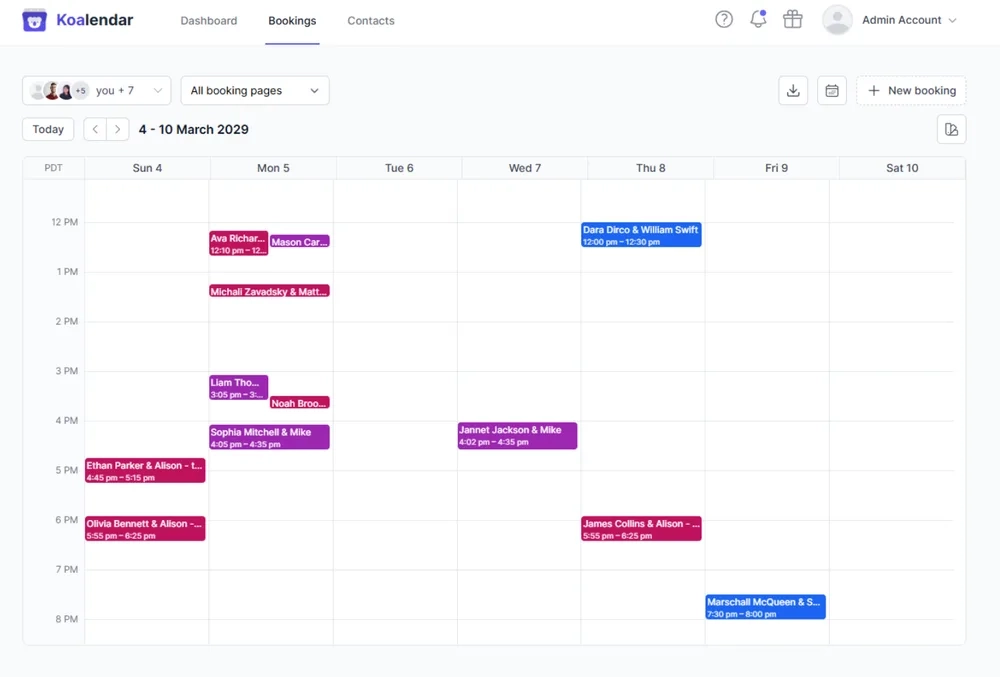
See appointments across booking pages and team members in one shared calendar, so it's easier to keep track of what's coming up.
- View bookings across your team
- See who is booked and when
- Keep upcoming appointments in one place
Testimonials
Real testimonials from teams who switched from Google Calendar appointment slots to Koalendar
Don't just take our word for it. Here's what professionals say after making the switch.
Built for different use cases
One user-friendly platform for all your scheduling needs
Rooms & resources
Add rooms, equipment, and other resources to your bookings.
about Rooms & resourcesFor rooms & resources →Switching from Google Calendar appointment slots is easy
Get up and running in minutes
Move your scheduling to Koalendar in a few simple steps.
- 1
Create your booking pages
Add your services, durations, and availability in a few clicks.
- 2
Connect your calendars
Link Google, Outlook, or iCloud so you're never double-booked.
- 3
Make it yours
Add your logo, colors, and the questions you want to ask.
- 4
Share your Koalendar link
Add it to your website, emails, or social profiles and start taking bookings.
Ready for a better
Google Calendar appointment slots alternative?
Create unlimited booking pages for free. No credit card required.
Try Koalendar freeTop rated


No Trustpilot rating yet
Learn more
Google Calendar appointment slots vs Koalendar in a nutshell
Google Calendar appointment scheduling lets you share a booking page directly from Google Calendar. With a personal Google account or Workspace Business Starter, you can create a single booking page. Eligible paid Google plans add features like reminders, payments, and co-hosts.
Koalendar is a great Google Calendar appointment slots alternative because it offers a clean, modern, and intuitive interface, for free.
Your invitees get a delightful booking experience with customizable questionnaires, and you'll enjoy live customer service directly from the developer.
But don't take our word for it: feel free to try Koalendar's free forever account.
Frequently asked questions
Have a different question and can't find the answer you're looking for? Reach out to our support team by sending us an email and we'll get back to you as soon as we can.
With a personal Google account or Workspace Business Starter, you can create one booking page. Google documents premium features on eligible subscriptions, including multiple schedules, reminders, payments, and co-hosting.
If you live entirely in Google, the native tool is convenient. Teams switch when they want cross-ecosystem integrations, richer branding, or admin controls beyond the built-in experience.
For many teams, yes. Koalendar works with Google, Outlook, and iCloud and includes deeper customization and workflow features. Google's native tool is strong for Google-first setups and has paid upgrades for advanced scheduling.