Integrations/Zendesk

Appointment scheduling that connects to Zendesk

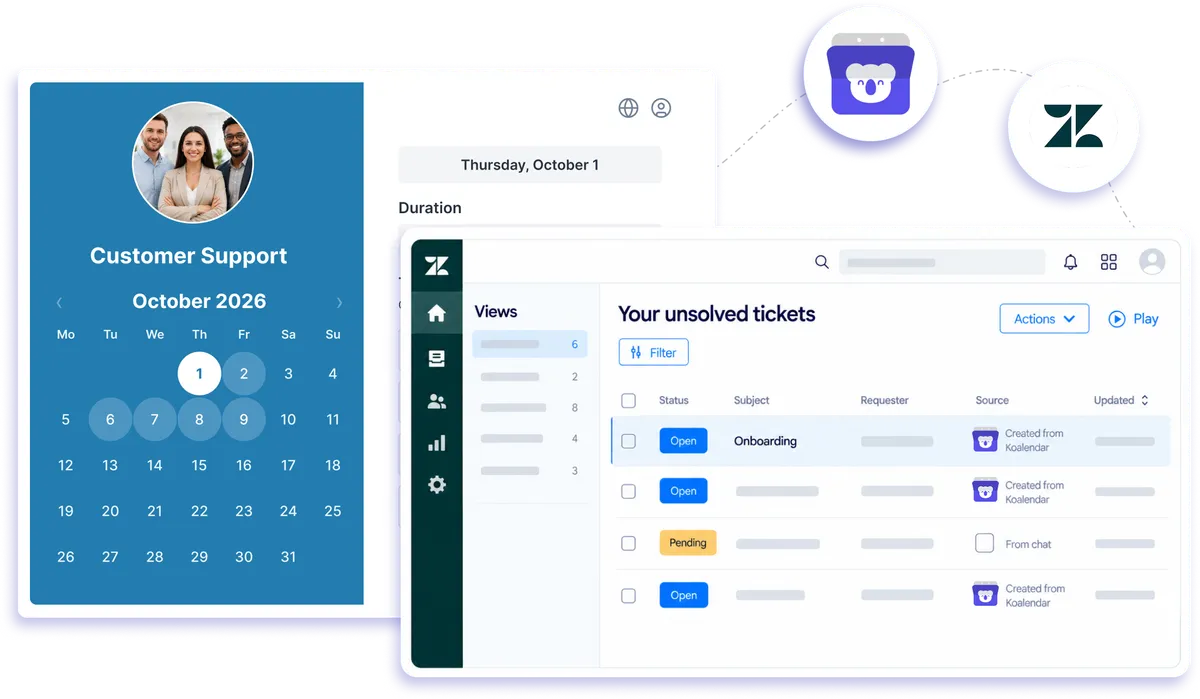
Koalendar handles the booking and connects to Zendesk through Zapier and webhooks, so each appointment can flow straight into your support desk. Your scheduling and your tickets stay in step, with no manual copying between the two.
Rated 4.9 stars by over 790 users
Zendesk integration with Koalendar

Zendesk connection through Zapier and webhooks

How Koalendar works with Zendesk

Use Zendesk appointment scheduling to keep bookings and support work connected. When a client books in Koalendar, Zapier can pass the appointment details into Zendesk so your team can create a ticket, update a customer record, or start the next support step without copying information by hand.
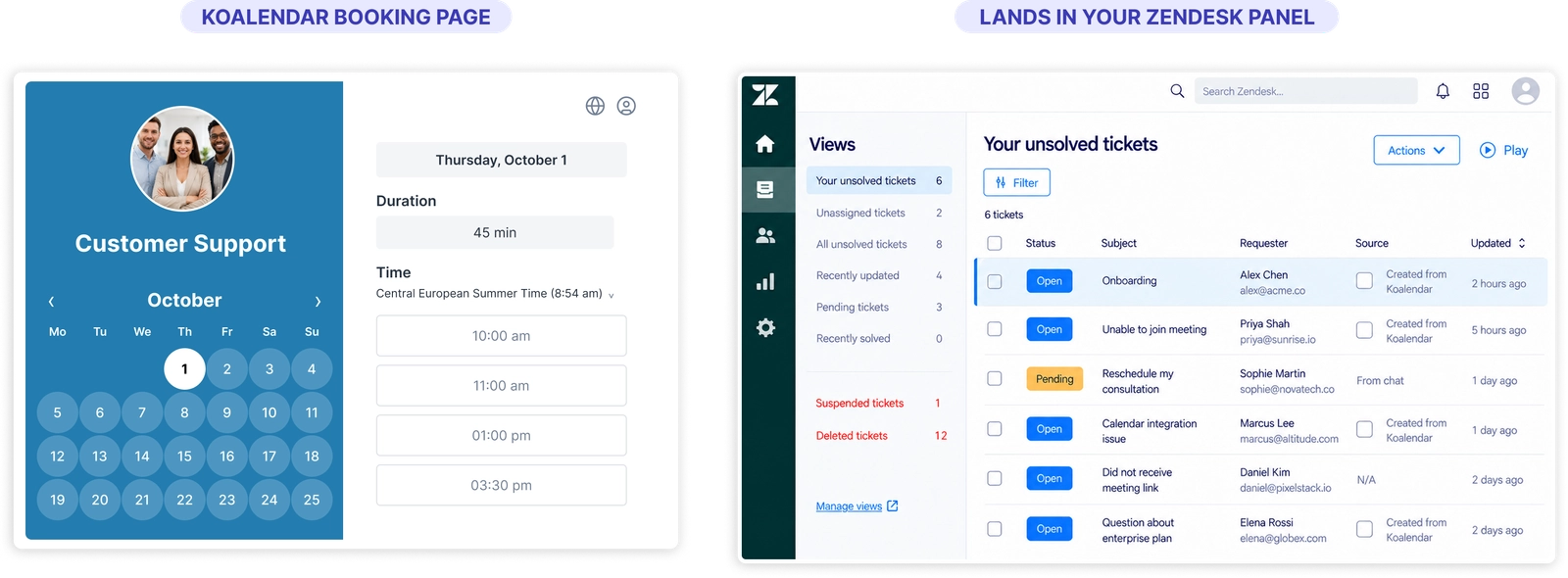
A Koalendar booking creating a ticket in Zendesk through Zapier

Keep scheduling and support connected

Turn bookings into support work automatically

Use each Koalendar booking as the trigger for a Zendesk action, so appointments can move into your support workflow without manual entry.

Give agents the context they need

Pass client and appointment details into Zendesk so support teams can see the booking information alongside the customer record.

Cut out repetitive copying

Zendesk scheduling automation helps you stop moving names, emails, dates, and appointment details between systems by hand.

Keep cancellations and reschedules visible

Use booking changes as automation triggers so your support workflow can stay aligned when an appointment moves or is canceled.

Fit appointments into the tools your team already uses

Koalendar handles self-booking while Zendesk handles support, with Zapier or webhooks connecting the two workflows.

Features

Flexible Zendesk scheduling automation

Use Zapier or webhooks to send Koalendar booking events into Zendesk and decide what should happen next.

New booking triggers

Start a Zendesk workflow whenever a new appointment is booked in Koalendar.

Ticket creation

Use Zapier to create a Zendesk ticket from a new booking and include the appointment details your team needs.

Customer record updates

Pass invitee information into Zendesk so customer records can stay connected to booking activity.

Cancellation and reschedule triggers

Use booking changes to trigger follow-up actions in Zendesk when appointments are moved or canceled.

Booking details mapped into Zendesk

Send information such as name, email, time, and booking details into the Zendesk fields used by your workflow.

Webhook-based workflows

Use Koalendar webhooks when you need a more flexible way to connect booking events with Zendesk or the rest of your support stack.

How it works

Connect Koalendar to Zendesk in three steps

  1. 1

    Set Koalendar as your trigger

    Create a new Zap, choose Koalendar as the trigger app, and select the booking event you want to send to Zendesk.

  2. 2

    Choose what Zendesk should do

    Connect Zendesk as the action app, choose an action such as creating a ticket or updating a user, then map the booking details into the right fields.

  3. 3

    Test the workflow and turn it on

    Run a test to make sure the appointment data reaches Zendesk correctly, then switch the Zap on so future booking events trigger automatically.

Set it up once, and your Zendesk appointment scheduling workflow can keep bookings, tickets, and customer records moving together automatically.

Koalendar
Zendesk

Try the booking system with Zendesk

Try it free for 7 days. No credit card required.

Start Free Trial Now
Testimonials

Loved by teams who connect scheduling to customer workflows

See how Koalendar users simplify integrations, automation, support, and the admin around every appointment.

  • "We are a travel agency with an advanced online service. This plugin makes our coordination and call work very easy. An excellent app with a variety of options and advanced automation. I'm on the free version and many functions are locked to me, but it's still a powerful and very helpful app."

    harel B.Capterra
  • "I want to shout out a product I’ve been using for almost three years now because it has truly changed the way I organize my work. Koalendar has become one of my most trusted tools. It keeps my podcast series, coaching sessions, and collaborations running smoothly with simple automation and real structure. It’s quick, it’s clean, and it’s efficient — exactly what I need to manage multiple projects without the chaos. If you’re looking for a scheduling tool that’s easy to use and helps you stay organized and effective, I highly recommend Koalendar. It has made a real difference in how I operate day to day."

    Edna J. WhiteGoogle Chrome
  • "Koalendar has been one of the best tools I’ve added to my workflow. It’s affordable, full of useful features, and incredibly easy to use. The part that truly stands out is their customer support. I suggested a feature and the team personally reached out, talked it through with me, and within a few weeks it was live. It’s rare to see a company actually listen and follow through like that. I recommend Koalendar to anyone looking for a reliable and thoughtful scheduling tool."

    Randie M.Koalendar
  • "Koalendar made my life quieter in the best way. No more back-and-forth emails, no more “what time works for you?” nonsense, just a clean link that handles the chaos for me. The setup took minutes. The automation feels like cheating and the reliability has been dead-on. My clients love it, I love it, and my calendar finally behaves. It’s the one scheduling tool I’ve used that actually disappears into the background and lets me work."

    Paul John Greco IVKoalendar
  • "I’m very happy I came across the Koalendar app. A colleague recommended it to me, and I really appreciate using tools that have already been tried and tested. I don’t have the time or energy to figure out complicated systems, so I love how easy Koalendar is to use. Another huge plus is its integration with Gmail; my Google Calendar syncs perfectly, which saves me so much time. I prefer automated systems whenever possible, and Koalendar helps me achieve exactly that. It’s simple, efficient, and genuinely makes scheduling easier. Highly recommend!"

    Christelle PretoriusKoalendar
  • "Great customer service, excellent integration, easy to set up."

    Eric ChalmersTrustpilot
  • "Very solid scheduling UI, great integration with multiple apps. Incredible customer support."

    JohnOosterMusicGoogle Chrome
  • "We are a travel agency with an advanced online service. This plugin makes our coordination and call work very easy. An excellent app with a variety of options and advanced automation. I'm on the free version and many functions are locked to me, but it's still a powerful and very helpful app."

    harel B.Capterra
  • "I want to shout out a product I’ve been using for almost three years now because it has truly changed the way I organize my work. Koalendar has become one of my most trusted tools. It keeps my podcast series, coaching sessions, and collaborations running smoothly with simple automation and real structure. It’s quick, it’s clean, and it’s efficient — exactly what I need to manage multiple projects without the chaos. If you’re looking for a scheduling tool that’s easy to use and helps you stay organized and effective, I highly recommend Koalendar. It has made a real difference in how I operate day to day."

    Edna J. WhiteGoogle Chrome
  • "Koalendar has been one of the best tools I’ve added to my workflow. It’s affordable, full of useful features, and incredibly easy to use. The part that truly stands out is their customer support. I suggested a feature and the team personally reached out, talked it through with me, and within a few weeks it was live. It’s rare to see a company actually listen and follow through like that. I recommend Koalendar to anyone looking for a reliable and thoughtful scheduling tool."

    Randie M.Koalendar
  • "Koalendar made my life quieter in the best way. No more back-and-forth emails, no more “what time works for you?” nonsense, just a clean link that handles the chaos for me. The setup took minutes. The automation feels like cheating and the reliability has been dead-on. My clients love it, I love it, and my calendar finally behaves. It’s the one scheduling tool I’ve used that actually disappears into the background and lets me work."

    Paul John Greco IVKoalendar
  • "I’m very happy I came across the Koalendar app. A colleague recommended it to me, and I really appreciate using tools that have already been tried and tested. I don’t have the time or energy to figure out complicated systems, so I love how easy Koalendar is to use. Another huge plus is its integration with Gmail; my Google Calendar syncs perfectly, which saves me so much time. I prefer automated systems whenever possible, and Koalendar helps me achieve exactly that. It’s simple, efficient, and genuinely makes scheduling easier. Highly recommend!"

    Christelle PretoriusKoalendar
  • "Great customer service, excellent integration, easy to set up."

    Eric ChalmersTrustpilot
  • "Very solid scheduling UI, great integration with multiple apps. Incredible customer support."

    JohnOosterMusicGoogle Chrome

Frequently asked questions

Have a different question and can't find the answer you're looking for? Reach out to our support team by sending us an email and we'll get back to you as soon as we can.

Easier access, better productivity

Connect Koalendar to the tools you already use to streamline scheduling, keep everything in sync, and book more.

Try it for free

Koalendar booking page connected to calendar, video, and payment tools