
TL;DR
This guide shows you how to use one simple email to stop no-shows, look professional, and organize your hiring. Get templates for any interview type and learn best practices for communicating clearly. Discover how tools like Koalendar can automate the entire process for you.
Key takeaways:
- Confirm interview details to reduce no-shows: A clear confirmation email is your best defense against missed interviews and scheduling mix-ups.
- Must-have details: Always include the interview date and time (with time zone), format, link/location, interviewer name, and a request for confirmation.
- Use templates: Use our interview confirmation email samples and ready-made email templates for interview confirmation for phone, video, in-person, and panel interviews to save time and ensure consistency.
- Handle it professionally: Know the right way to reschedule, decline, or ask questions to maintain a great candidate experience.
- Automate it: Let a tool like Koalendar handle scheduling, send automatic confirmations, and trigger reminders to save hours of manual work.
.png?w=2000&fit=max&auto=format)
Imagine two equally qualified candidates. The first receives an impersonal calendar invite for an upcoming interview. The second gets a warm, clear email confirming their interview details, an outline of what to expect, and a point of contact. It should come as no surprise that a great interview process includes a solid interview confirmation email.
In this guide, we’ll go through exactly what it is, why it’s so important, and how to master writing one (with templates ready to go). We’ll also walk you through automating the entire process. Let’s get to it!
What is an interview confirmation email?
Let’s get clear on what we’re covering. This is the email that transforms a “maybe” into an “absolutely.”
Definition and purpose
An interview confirmation email is the message that gets sent after an interview time has been decided on. Its main purpose is to prevent—to prevent any possible miscommunication by clearly stating the what, who, where, and when in a written format that can be easily referenced.
It’s the official, mutual lock-in for the interview. And using a standard email template for interview confirmation ensures you never miss a key detail.
Who sends an interview confirmation email
The hiring team is responsible for crafting and sending interview confirmation emails. This could mean an HR specialist, a recruiter, or a start-up founder wearing several hats, getting this email out is a part of their role. It’s a critical component of the hiring process.
How it differs from other interview emails
It’s easy to get them mixed up, so let’s clarify:
- The invitation to interview: This is the first step. “We would like to interview. When are you available?”
- The acceptance: This will be the candidate’s reply. “Yes. I am available on Thursday at 11 AM.”
- The confirmation: This is your response to their acceptance. “Great. We’re confirmed for this Thursday at 11 AM. This is all of the information you may need.” The confirmation is the final step in the scheduling loop.
Why interview confirmation emails matter
You may be inclined to skip this final step, but not sending it has real consequences. The interview confirmation email addresses everyday pain points.
Reducing no-shows and miscommunication
This is the most significant upside. Most interview no-shows are rarely deliberate. It’s usually because of simple mix-ups. Maybe the candidate saved the time incorrectly. Maybe they didn’t calculate the time difference well. Was it over the phone or a video call?
A confirmation email sent out as soon as the interview’s scheduled serves as a mutual point of reference. It ensures clarity and verifies that the invite is correct on everyone’s calendars.
Creating a professional candidate experience
First impressions happen early. A timely and well-written email transmits an important message: “We respect your time, we’re organized, and we run a professional process.”
This is a positive touchpoint that speaks to your brand and sets the scene for everything afterward. A phrase like 'We are pleased to confirm' sets a positive and formal tone immediately. In such a competitive talent market, small signs of respect like this can make the difference between a desired candidate choosing you or one of your competitors.
Keeping hiring workflows organized
For you and your organization, this email is a critical part of project management. It creates a neat paper trail. For talent acquisition specialists managing new hires or people ops coordinators auditing the process, these confirmation emails are documentation that help keep the hiring pipeline trackable and transparent.

Interview confirmation email vs. interview acceptance email
These two are often mistaken. Let’s get them cleared up.
Key differences
The difference is in the action and the direction.
- Confirmation email: Goes from employer to candidate. The action is to document and finalize.
- Acceptance email: Goes from candidate to employer. The action is to commit and agree.
Employer-sent vs. candidate-sent emails
Finalizing an interview is a two-step handshake. The first step is the company’s email, which formally offers the time and details (the outstretched hand). The second is the candidate's response, which actively accepts those terms (the candidate reaching out and grasping it). You need both steps to lock in.
When each email is required
The order is usually the following:
- The proposal: The employer sends the invitation to interview, which includes a key question: “When are you available?” This could be a list of 2-3 proposed dates/times or a request for the candidate to propose their own windows.
- The agreement: The candidate replies with their acceptance, selecting from the proposed options or suggesting a new time that works.
- The final lock: The employer sends the interview confirmation email, formalizing the chosen slot.
Getting this first step right is crucial. If the proposed dates don’t match the candidate’s calendar, you’re immediately stuck in a back-and-forth email chain trying to find a match—a process that can add days of delay and frustration for everyone.
How Koalendar simplifies the entire process
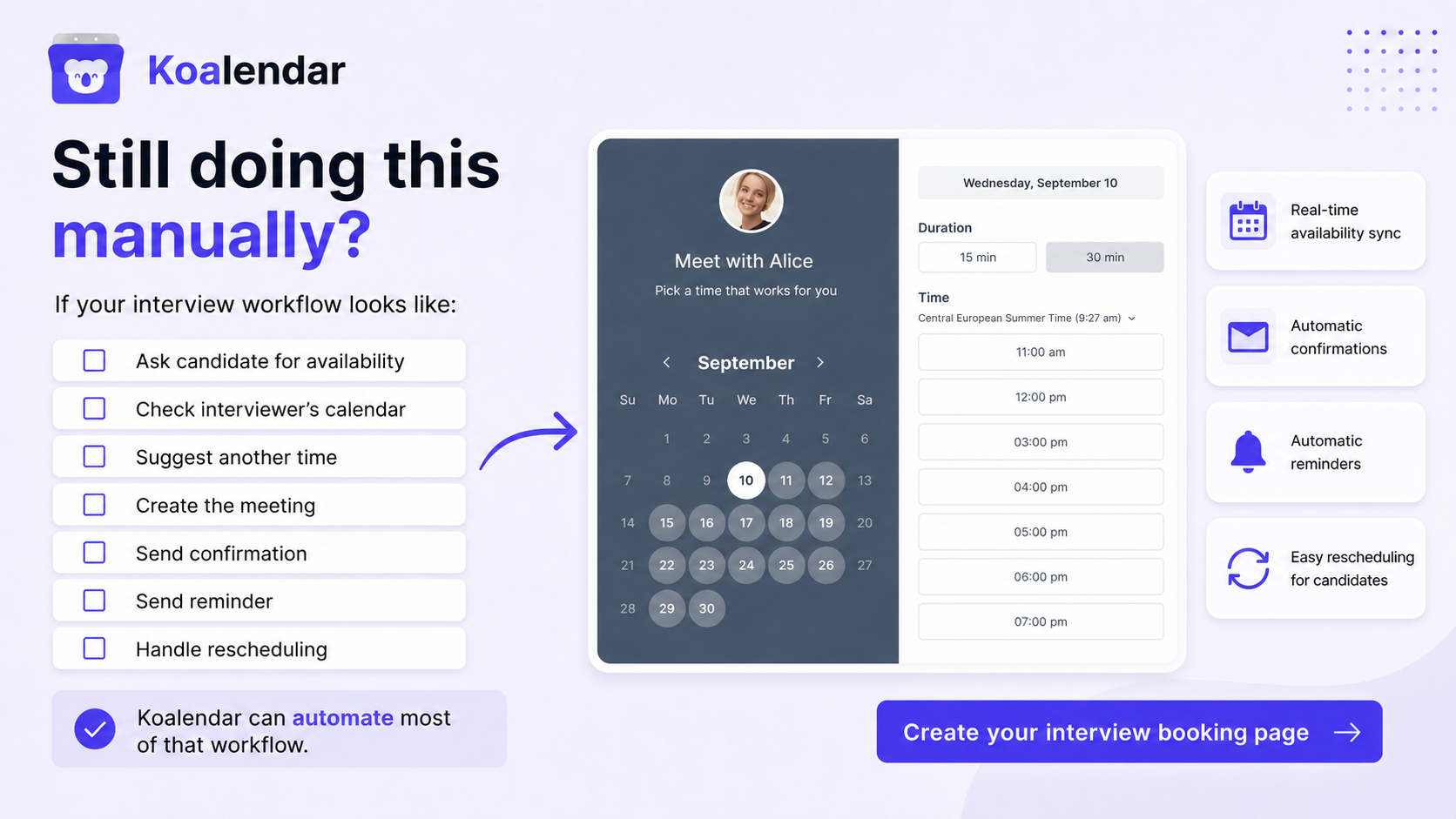
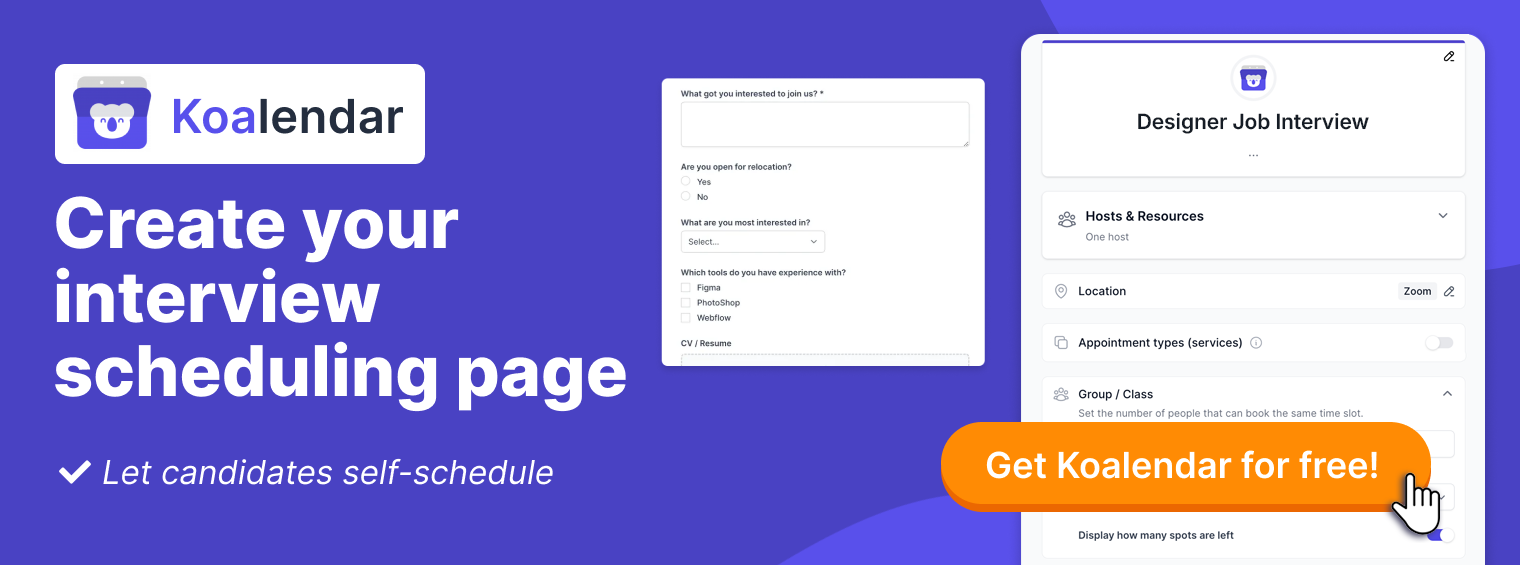
This is where a smart scheduling tool like Koalendar transforms a manual, multi-step chore into a seamless, automated experience. Koalendar is designed to eliminate the friction of interview scheduling for recruiters, HR teams, and hiring managers.
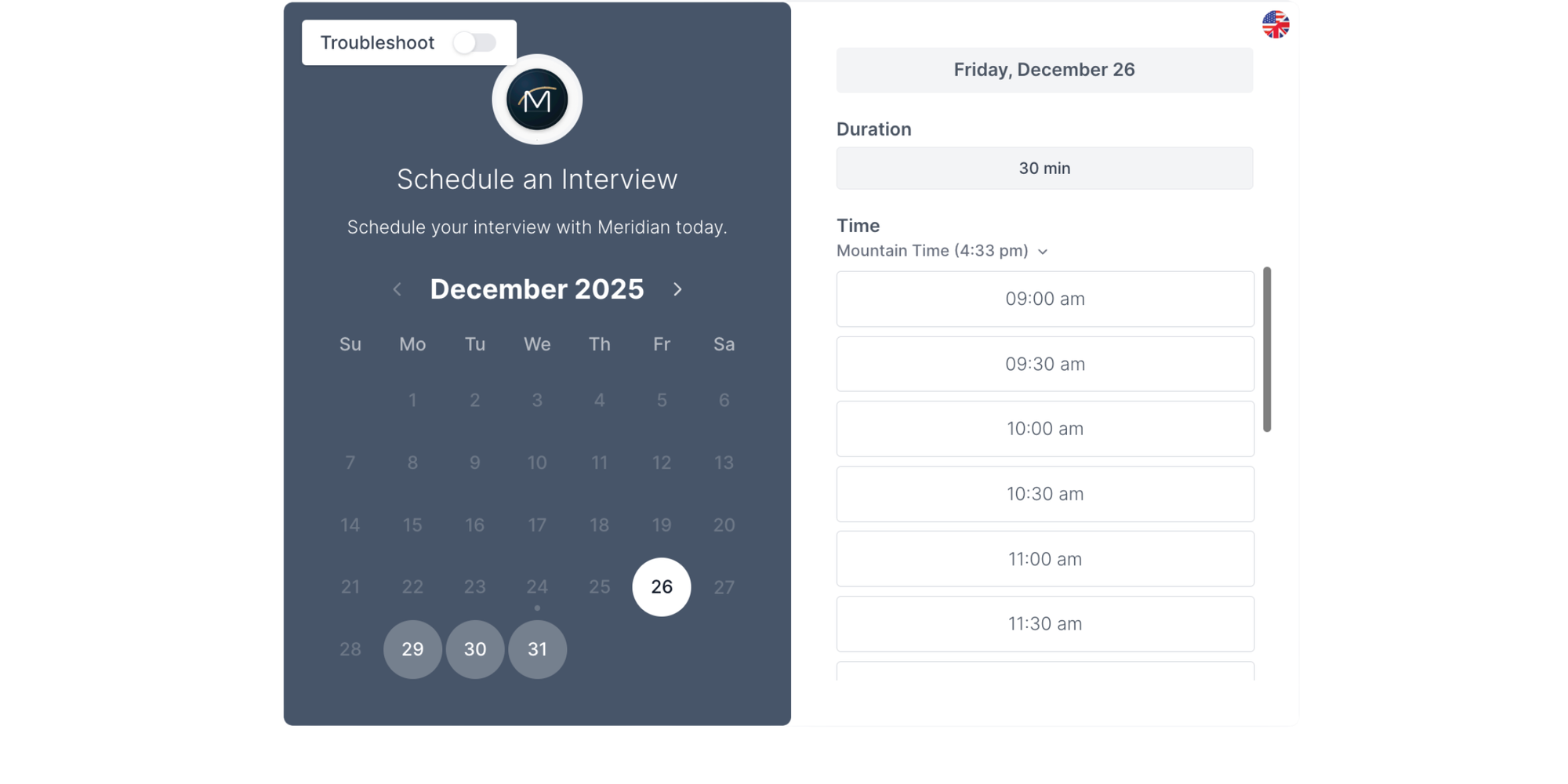
Instead of manually proposing times and managing email chains, you simply send a candidate your personalized Koalendar booking link. This link shows your real-time availability, synced directly with your calendar (Google, Outlook, etc.). The candidate can then see exactly when you’re free and book a slot instantly—no guesswork, no double-bookings, and no conflicting schedules.
Here’s how it fits perfectly into the email sequence:
- In your initial invitation email, you include your Koalendar link instead of proposing specific times. You might say: “Please book a time that works for you directly on my calendar here: [Your Koalendar Link].”
- The candidate clicks, sees your availability, and books a slot. This action serves as their immediate acceptance.
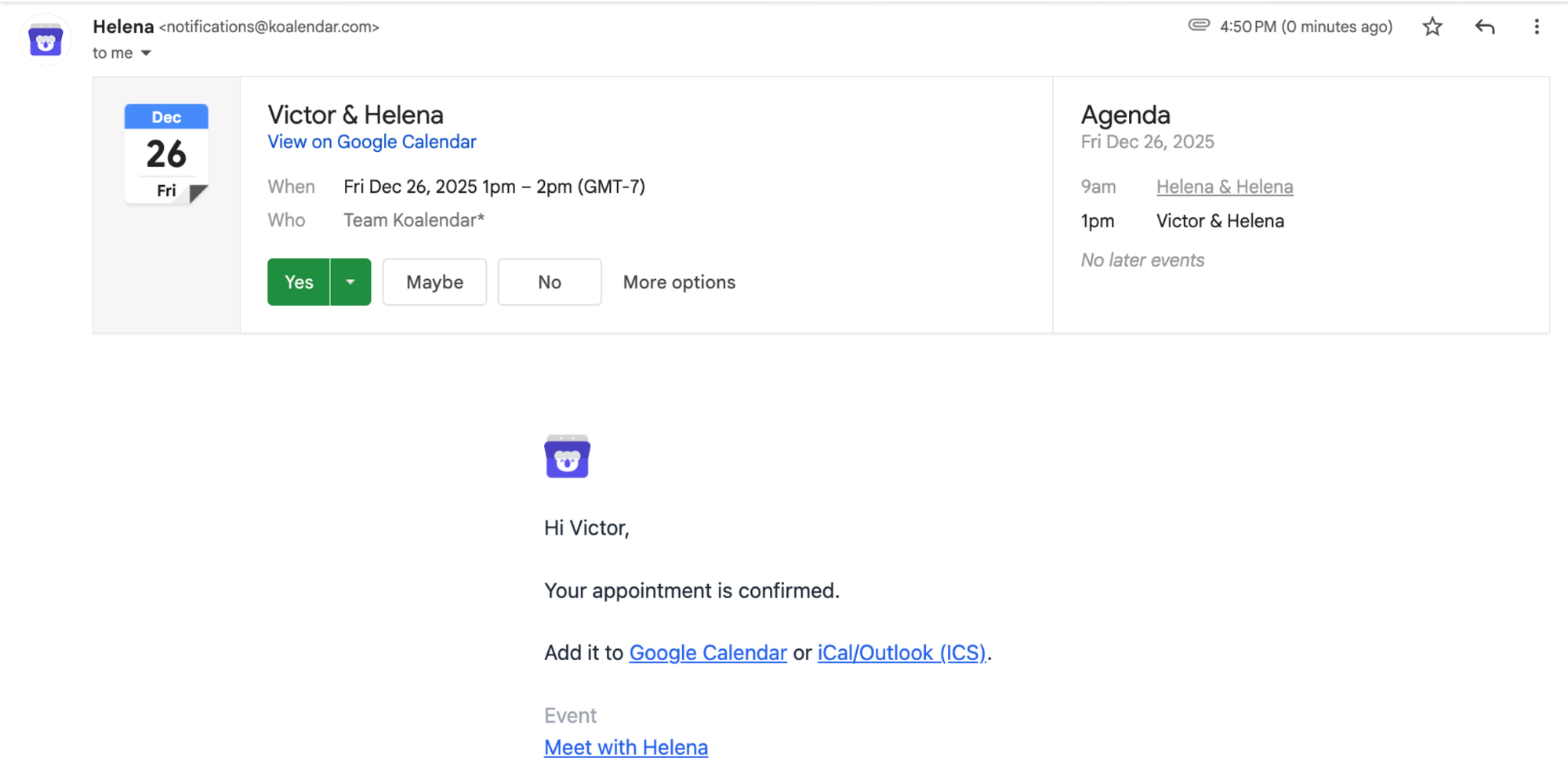
- Koalendar automatically sends the confirmation email to both you and the candidate the moment the booking is made. It includes all the key details (date, time, video link, etc.)—exactly like the templates in this guide, but sent instantly without you lifting a finger.
By automating the proposal, acceptance, and confirmation steps, Koalendar ensures the dates and times always align with everyone’s actual availability.
It turns a process that can take days of manual coordination into one that’s completed in minutes, letting you focus on connecting with talent, not coordinating calendars.
When to send an interview confirmation email
You’ve probably wondered when the best time to send the interview confirmation email is—timing is key here!
After scheduling an interview
This is the trick: as soon as a time is agreed on (whether through email, a call, or a scheduling link) send out the confirmation email. Quick action locks in the interview while it's still fresh in everyone’s minds.
After a candidate confirms availability
If you’ve asked the candidate to select a time slot, sending the interview confirmation email is next. It acknowledges their selection and provides all necessary information for the interview. A tool like Koalendar lets you easily automate your interview confirmation email.
Before the interview as a reminder
Though the first confirmation email is very important, another quick reminder email 24 hours before the interview is a smart move. It works as a well-timed nudge that considerably lowers no-shows. In fact, the best scheduling tool will automate these reminder emails, saving you the extra work and ensuring they’re always sent on time.
Key elements of an interview confirmation email
Now that we’ve seen when to send the emails, let’s go over eight key components. Each one is essential to crafting a great interview confirmation email.
1.Subject line
This is your headline. It should be easily searchable, clear, and set expectations.
Example: Interview Confirmation: Your Interview for the [Role at Company].
2. Interview date and time
Be clear and be exact. Remember to clearly state the day of the week, calendar date, start and approximate end time, as well as the time zone.
Example: Wednesday, November 15th, from 1:00 PM to 1:45 PM Pacific Standard Time (PST).
3. Interview format (in-person, phone, video)
Be clear from the start to set the right expectations. For example, the goal of a confirm phone interview email is to explicitly state the format. To confirm a phone interview email, you would say, 'This is a phone screening.'
Example: “This will be a video interview conducted via Google Meet.”
4. Interview location or dial-in details
- For video: Send a direct, clickable link.
- For phone: Be specific about which number they can expect a call from. “The call will come from [Your Company Phone Number].”
- For in-person: Provide the complete location of the interview, including building, floor, and suite.
5. Interviewer name and role
Be sure to always introduce the interviewer(s). This humanizes the interview process. Always state the interviewer’s role at the company.
Example: You’ll be speaking with Jessica Lewis, our Director of Human Resources.
6. Confirmation of attendance
Kindly ask them to acknowledge receipt. This is a useful confirmation step.
Example: Reply to this email to confirm you’ve received all information regarding your upcoming interview, please.
7. Contact information
Share a direct phone number or a reschedule link in the case of last-minute problems.
Example: If you’re having any issues connecting, give us a call at (555) 763-1842.
If you need to reschedule, please select your preferred date and time from here [Your Koalendar Reschedule Link].
8. Professional closing
Close on a warm but professional note. Then be sure to include your job title after your name.
Example: We look forward to meeting you.
Sincerely,
Nicolas Moore, Director of Engineering

Interview confirmation email subject line examples
Think of your subject line as a promise. Your readers are counting on you to keep it.
Clear and professional subject lines
- Interview Confirmation: [Job Title] at [Company Name]
- Confirmed: Your Interview for the [Role] in [Department]
Subject lines for phone and video interviews
- Your Phone Interview is Confirmed: [Job Title]
- Video Interview Confirmation and Link for [Job Title]
Subject lines for follow-up confirmations
- Reminder: Your Interview with [Company] is Tomorrow
- Friendly Reminder: Interview Scheduled for [Date]
Interview confirmation email templates
Here is your toolkit of ready-to-use interview confirmation email samples and templates. These templates are made to be adapted.
Interview confirmation email template (employer to candidate)
Subject: Interview Confirmation: [Job Title] at [Company Name]
Dear [Candidate First Name],
We are pleased to confirm your interview for the [Job Title] position.
Details:
- Date: [Day, Month Date]
- Time: [Start Time] to [End Time] ([Time Zone])
- Format: [Video Conference / Phone Call]
- Location/Link: [Google Meet Link / Call-in Number]
- Interviewer: [Interviewer Name], [Title].
The interview will last approximately [Duration] minutes.
Please reply to confirm you’ve received all information regarding your upcoming interview. If you need to reschedule the interview, please let us know as soon as possible.
We look forward to speaking with you.
Best regards,
[Your Name]
[Your Title]
Interview confirmation email template (candidate to employer)
Subject: Re: Interview Confirmation for [Job Title] at [Company Name]
Hi [Hiring Manager Name],
Thank you for the details.
I confirm my attendance for the [Interview Format] interview on [Day, Date] at [Time] ([Time Zone]) for the [Role at Company].
I have the location of the interview (or meeting link) saved and look forward to it.
Sincerely,
[Your Name]
Confirm phone interview email template
Subject: Confirmed: Phone Interview for [Job Title] at [Company Name]
Hi [Candidate First Name],
This confirms our phone interview for the [Job Title] position.
Details:
- Date: [Date]
- Time: [Time] ([time zone])
- You will receive a call from: [Your name]
Please be available at the scheduled time.
Kindly reply to acknowledge.
All the best,
[Your name], [Your title]
Video interview confirmation email template
Subject: Your Video Interview Details
Hello [Candidate First Name],
Your video interview for the [Job Title] is confirmed.
Schedule:
- Date and time: [Date] at [time] ([time zone])
- Interview link: [Clickable video conference link]
- Interviewer: [Interviewer name]
We recommend joining a few minutes early to test your settings.
Please confirm receipt.
Best,[Your Name], [Your Job Title]
How to confirm interview attendance via email
Candidates, this is your guide for how to respond like a pro.
What to say when confirming attendance
Your goal is to be concise, prompt, and polite. Thank them for their message, restate any important information to show you understand, and express excitement professionally.
How detailed your confirmation should be
You should echo the main information from your employer’s email: date, time, and interview format. Showing you’ve read and understood it is the goal.
Confirming attendance professionally and clearly
Start with the template made for candidates above. It checks all the boxes: a forward-looking statement, clear reconfirmation, and an expression of gratitude.
How to reply to an interview confirmation email
There will be times when candidates have questions—this is how to ask well.
Acknowledging receipt of interview details
Always begin by thanking them for the information given.
Example: Thank you for sending these details.
Reconfirming time, date, and format
Before asking your question, reiterate your commitment.
Example: I confirm our video interview on [date] at [time].
Asking follow-up questions
Make sure your questions are clear, polite, and specific.
Example: I have the link. Could you share if there is a specific agenda for our discussion or anything I should have prepared beforehand?
What to do if the interview time does not work
Life is busy. So managing the task of rescheduling with tact and grace keeps you on the interviewer’s good side.
How to request an alternative interview time
Get in touch as soon as you know there’s a conflict with another commitment. First, apologize for any inconvenience.
Proposing new availability options
Avoid saying that you can’t make it without proposing 2 or 3 specific, alternate time frames that could work.
Keeping your response professional and positive
Clearly express strong continued interest. This template is a great place to start:
"Dear [Hiring Manager],
Thank you for confirming. I apologize, but I need to request to reschedule. Would you be available on [Option 1] or [Option 2]?
Thank you.
Best,
[Your Name]"
You can also use this professional email reschedule meeting template to help you reschedule your job interview with an employer.
How to decline an interview professionally
Sometimes it’s just not the right opportunity. Declining gracefully keeps doors open.
Declining before confirming
Express gratitude for the invitation to interview, briefly state why you are declining, and wish them the best in the hiring process.
Example:
Thank you so much for inviting me to interview for the [Job Title] position and for considering my application. I genuinely appreciate the opportunity.
After careful thought, I’ve decided to pursue another role that aligns closely with my immediate career goals. Because of this, I must respectfully decline the interview at this time.
I was very impressed with what I learned about [Company Name] throughout this process, and I wish you the very best in finding a fantastic candidate for the role.
Declining after confirming attendance
Start by apologizing sincerely. Concisely explain your change of plans, and restate your gratitude.
Example:
Please accept my sincerest apologies. Due to an unexpected commitment, I am no longer able to attend our interview scheduled for [Date/Time].
I am sorry for any inconvenience this causes. I remain very grateful for the opportunity to have been considered for the [Job Title] role at [Company Name] and for the time you've invested.
Maintaining a positive employer relationship
No matter the timing, always be cordial. The professional world is smaller than you think.
Example: I wish you and your team the best in your search.
Common mistakes to avoid in interview confirmation emails
We can learn just as much from other people’s experiences as we do from our own. Paying attention to the challenges others face can give you a powerful head start.
Missing or incorrect interview details
This is the biggest mistake you can make. Confusion over the exact time, an error in the link, or a mix up in time zone can spell disaster. This is critical when you send a confirm phone interview email—a wrong number means a missed connection.
Using an unprofessional tone
There is a fine link between being friendly and being informal: always avoid the use of slang or emojis. They undermine your credibility. Do your best to match your tone with the company’s culture.
Forgetting to proofread or follow up
Spelling the interviewer’s or candidate’s name wrong shows a lack of care. Always, always proofread. A polite follow-up if you don’t hear back within 4 to 5 business days is a smart call.

Tips for writing a professional interview confirmation email
Here are three simple principles to keep in mind as you write:
Keep the message concise and clear
Be sure to avoid lengthy paragraphs. Open clearly, use bullet points for details, and end with a direct call to action. Starting with a concise email template for interview confirmation ensures you cover all bases without being verbose.
Match the tone to the company culture
While a large firm might prefer formality, a start-up may use a more informal and friendly tone. Let the company’s tone shape your own. This could mean using 'We are pleased to confirm' for a corporate firm or 'We're excited to confirm...' for a startup.
Double-check details before sending
This is the most important of them all. Get the details right. Use a checklist: name, date, time, time zone, link. Go back, twice. Make sure everything’s correct.
Interview confirmation email checklist
You can make this your pre-sending habit.
Details to verify before sending
- The candidate’s name is spelled correctly
- Interview date and time (and time zone) are right
- Interview format is communicated
- The correct phone number (for contact or for the call) is included
- The location of the interview (or virtual link) is correct and complete
- Interviewer name(s) and job title(s) in the company are included
- The email asks for a confirmation reply
Formatting and tone checks
- The email uses short paragraphs or bullet points
- The tone is professional and matches company culture
- Scanned for spelling and grammatical errors
Final review before hitting send
- Have I included contact information for day-of issues?
- Is the subject line clear?
- Would I have all the info needed to show up successfully?
In closing: Why interview confirmation emails improve hiring
Let’s bring it all together. The interview confirmation email is key for hiring efficiency.
Benefits for employers
Well done, it can save you a great deal of time and reduce the stress associated with the hiring process. It creates an organized, professional interview process that signals operational excellence.
Benefits for candidates
A good interview confirmation email promotes clarity and minimizes worry. It’s a sign of respect for a candidate’s time and starts the working relationship off on the right note.
Final best practices to remember
- Be immediate: Send the confirmation as soon as you’ve scheduled.
- Be complete: Include every key element, especially the time zone.
- Create a loop: Ask for a confirmation of receipt.
- Embrace automation: Use digital tools to confirm interviews and handle reminders for you.
Save time scheduling interviews with Koalendar. Explore our amazing features and put the interview confirmation email samples from this guide to use.
Features like:
- Unlimited appointments
- Unlimited scheduling pages
- Automated confirmations and reminders
- Real-time calendar sync
These help you eliminate the administrative friction and get back to the human side of hiring: connecting with talent.
Ready to make hiring smoother? Explore how Koalendar works for interview scheduling and start with our Free Forever Plan today.
No credit card required, just more time you can spend hiring amazing talent.