Scheduling Tips
Learn how to optimize your calendar, your meetings and booking pages
Latest articles

Google scheduling poll: How to find the best meeting time
Learn how to create a scheduling poll with Google Forms and when a meeting poll or a dedicated scheduling tool are a better option.
- Published
- Scheduling Tips

How to create a poll in Outlook: A complete guide for scheduling meetings faster
Learn how to create an Outlook poll, send meeting invitations, and simplify scheduling with fewer back-and-forth emails.
- Published
- Scheduling Tips

How to ask for availability for a meeting: Examples for every situation
A practical way to ask for an availability guide, with templates by situation and channel, plus a faster way to let people book you.
- Published
- Scheduling Tips

How to schedule a Zoom Meeting and invite others
Zoom meetings are a great way to connect with colleagues and clients; here’s how to ensure they run smoothly
- Published
- Scheduling Tips
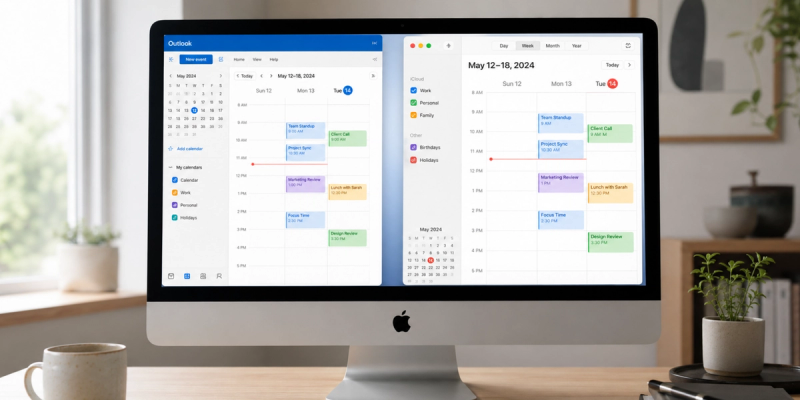
How to add Outlook Calendar to Apple Calendar
How to add Outlook Calendar to Apple Calendar on iPhone, iPad, and Mac, covering every account type, troubleshooting, and a smarter way to schedule.
- Published
- Scheduling Tips

24 Outlook Calendar tips to save time and schedule smarter
Master Outlook's hidden features: Scheduling Assistant, time blocking, shared calendars, and why you need a scheduling tool for external bookings
- Published
- Scheduling Tips

How to link Google Calendar to Apple Calendar
A simple step-by-step guide to syncing Google Calendar with Apple Calendar across iPhone, iPad, and Mac, so you can keep every meeting, appointment, and booking in one reliable place
- Published
- Scheduling Tips

How to propose new time in Google Calendar: Step-by-step guide for 2026
A step-by-step guide to proposing a new time in Google Calendar, what to do when the option is missing, and how to prevent future conflicts.
- Published
- Scheduling Tips

How to merge Google Calendars without missing meetings
Learn how to merge Google Calendars, share schedules across Gmail accounts, and stop double bookings, with a practical guide for freelancers and small businesses.
- Published
- Scheduling Tips

How to cancel your Calendly subscription or account: step‑by‑step guide
Stop Calendly billing, understand what happens to your meetings, and find a simpler way to keep bookings moving
- Published
- Scheduling Tips

How to use iPhone Calendar as a planner
A practical, no-new-app setup guide for freelancers and small business owners.
- Published
- Scheduling Tips

Best free calendar app for Microsoft Teams: 2026 guide
Find a free Microsoft Teams scheduler that cuts email back-and-forth, syncs with Outlook, and gives clients a simple booking link
- Published
- Scheduling Tips

Google Forms booking system: How to use it for scheduling (step-by-step)
How Google Forms works for scheduling, where it falls short, and when to upgrade to real scheduling software
- Published
- Scheduling Tips

How to add appointment booking to any website with Koalendar
Add appointment booking to your website in minutes with simple embed options—no code, no rebuild, no hassle
- Published
- Scheduling Tips
.png?w=800&fit=max&auto=format)
Google Calendar appointment scheduling: A complete guide for SMBs
How to set up Google Appointments, why it falls short for growing businesses, and when to upgrade to dedicated scheduling software
- Published
- Scheduling Tips

How to create a Google Calendar for a group
Steps to set up a shared Google Calendar for your group
- Published
- Scheduling Tips

How to write an interview confirmation email: Tips and free templates
Learn when to send it, what to include, and how to confirm interviews professionally
- Published
- Scheduling Tips

How to share my calendar on Outlook: A simple guide for beginners
Learn how to share your calendar, send meeting invites, and build a professional appointment booking system in Outlook
- Published
- Scheduling Tips

How to set up SMS reminders for Google Calendar (no-code guide)
Learn how to automate SMS reminders for Google Calendar with Koalendar
- Published
- Scheduling Tips

How to get more clients: Ways to grow your business online
Learn how to get more bookings online and direct bookings for your service business with tips for your website, SEO, social media, and automation
- Published
- Scheduling Tips

How to schedule employees effectively to boost engagement and curb costs
A clear, human-centered guide to building reliable schedules that boost productivity, cut costs, and keep your team engaged
- Published
- Scheduling Tips
Ready to dive in?Start your free account today.
When you let clients self-book their appointments on your Koalendar scheduling page, you'll save hours of time spent on unnecessary emails.
Sign up for free