

TL;DR
- Best Microsoft-native option: Microsoft Bookings, especially for organizations that already manage appointment workflows inside Microsoft 365.
- Best overall free option: Koalendar, because it gives Teams users a generous free scheduling layer with unlimited bookings, booking pages, calendar sync, embeds, and a simple external booking experience.
- Best rule of thumb: choose the tool that fits your scheduling job. Koalendar is strongest for simple free external scheduling, Bookings for Microsoft-native teams, Calendly for mature routing and analytics, and SimplyBook.me for service-business operations.
Microsoft Teams can be frustrating. The meetings work well enough, once you get there, but the real issue is getting the meeting booked. Finding a good time for everyone can lead to endless email ping pong, as people blindly offer time slots.
For many Microsoft Teams users, the right Microsoft Teams appointment scheduler is free scheduling software for Outlook and Teams that works alongside Microsoft’s built-in tools. It should help you share availability, reduce back-and-forth emails, prevent double bookings, and make scheduling simple for people outside your organization.
Let’s look at the best options, to make scheduling easy.
What Is the Best Free Calendar App for Microsoft Teams?
The best free calendar apps for Microsoft Teams are Koalendar, Microsoft Bookings, Calendly, and Simplybook.me, each offering different levels of integration, automation, and ease of use.
Here’s a quick comparison for Teams users:
| Best fit | Free-plan strength | Watch out for | Price | |
| Koalendar | Small businesses and freelancers looking for simple scheduling | Unlimited bookings/pages, calendar sync, embeds | Teams links on Pro | Free; paid Pro |
| Microsoft Bookings | Microsoft 365-run teams | Included with eligible Microsoft 365 plans | Not standalone; admin setup matters | Bundled with eligible plans |
| Calendly | Routing, analytics, sales/recruiting teams | Starter booking link plus Teams conferencing | limited Free; advanced workflows paid | Free starter; paid tiers |
| SimplyBook.me | Service businesses | Low-volume service bookings | More setup; Free plan capped | Free capped; paid tiers |
Before comparing tools, it helps to define what "best" really means. A Teams-friendly scheduling app should fit the way you already work in Microsoft 365 and make it easier for clients to find time with you.
Teams handles internal meeting creation well. It’s when you need to book a meeting outside your organization that the gap appears. Clients should not need three emails to find a slot. This is where a modern scheduling tool, like Koalendar, can solve your problem.
Why Microsoft Teams users need a scheduling app
Teams is useful for collaboration, but scheduling often goes beyond the meeting itself. You still need live availability, external scheduling, reminders, calendar sync with Outlook, and a clean experience for the person choosing a time.
The wider work context matters too. Microsoft WorkLab’s 2025 Work Trend Index describes a workday full of interruptions, meetings, emails, and chats. In plain English, people are already overloaded. If setting up a meeting creates more messages, the tool is not really saving time.
The limits of native Teams scheduling
Teams has a calendar and a strong internal scheduler. That is helpful for project syncs, recurring team calls, and internal meetings.
The limit is that native Teams scheduling is not the same as self-serve appointment scheduling. Microsoft Learn explains how Teams and Exchange interact, including the role of Exchange Online and related Microsoft 365 services in the full Teams experience. That setup works well inside Microsoft 365, but feels rigid when your process includes people outside your business.
So the issue is not that Teams is missing a calendar. The issue is that Teams is built first for collaboration, while many users need external booking links, public availability, automated intake, calendar availability management, and fewer manual follow-ups.
Common scheduling challenges
Scheduling can be tough. A recruiter coordinating interviews, a sales team booking demos, a consultant managing clients, or freelancers using unhelpful tools can all lose time to messy meeting admin.
Here are the common issues that plague meeting setup:
- Back-and-forth emails: guests cannot choose from live availability, so every meeting takes longer than it should.
- Calendar conflicts: Outlook, personal calendars, and external bookings are not always checked together.
- Limited Teams scheduling features: public booking pages and external appointment intake are not the main job Teams was built to do.
- No-show meetings: people forget appointments when reminders are not part of the workflow.
- Poor guest experience: invitees have to wait, reply, or create accounts before choosing a time.
- Complex setup: enterprise-heavy tools can be more than a solo user or small team needs.
There is also a sync nuance worth knowing. Microsoft’s calendar-sharing guidance says sync timing depends on the sharing setup. Some ICS-based sharing can update every few hours, other services may take longer. A good scheduling app should check availability before a booking is confirmed, not simply publish a static calendar feed and hope it stays fresh.
Top free calendar apps for Microsoft Teams
Now, let’s break it down and look at the tool options in detail. The right question is not “Which app has the longest feature list?” It is “Which app solves your business needs?”
Here’s your options for the best calendar app for Teams:
Koalendar (Best overall free solution)
Koalendar is a strong fit if you want scheduling to feel simple rather than overbuilt. It works well for consultants, freelancers, educators, recruiters, sales teams, and small service teams that need clean booking pages without heavy setup. Koalendar’s Free Forever plan page outlines the core free features.
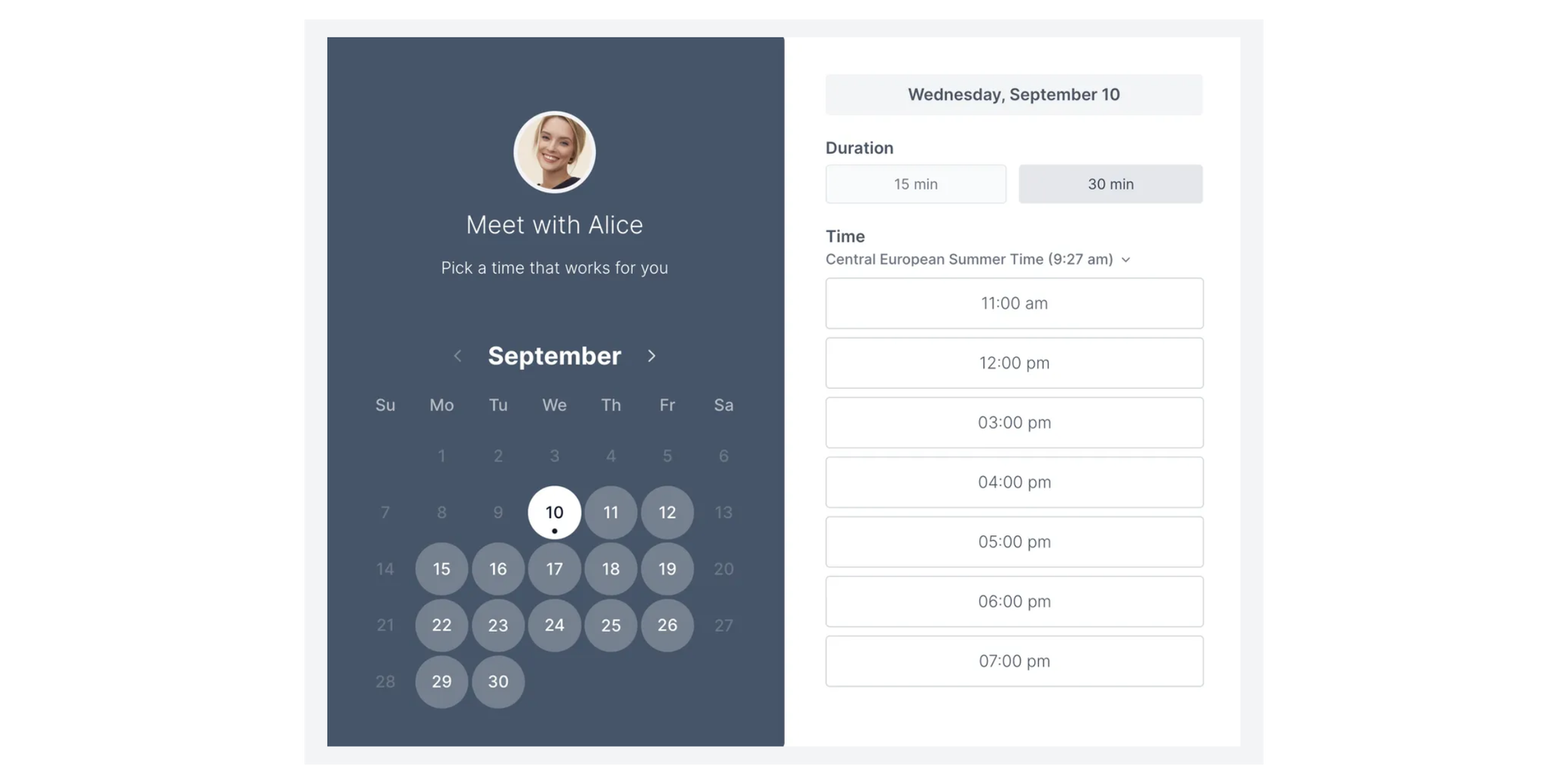
On Free, Koalendar includes unlimited bookings, unlimited 1:1 event types, unlimited scheduling links, up to 2 calendar syncs with Google, Outlook, and iCloud, smart time zone detection, instant booking notifications, embeds, and 30+ languages.
For Teams users, Koalendar works well as a scheduling layer around Outlook and Teams, with the automatic Microsoft Teams meeting-link integration being a Pro feature. Free is a strong start to manage availability, booking links, and calendar sync. Upgrade when you need Teams links, deeper branding, or more advanced workflows.
Microsoft Bookings
Microsoft Bookings is the natural option if your organization already runs on Microsoft 365 and wants a native booking tool. Its advantage is administrative fit. Teams already using Outlook, Teams, Exchange, and Microsoft 365 may prefer Bookings when staff calendars, shared booking pages, appointment types, policies, and IT management matter.
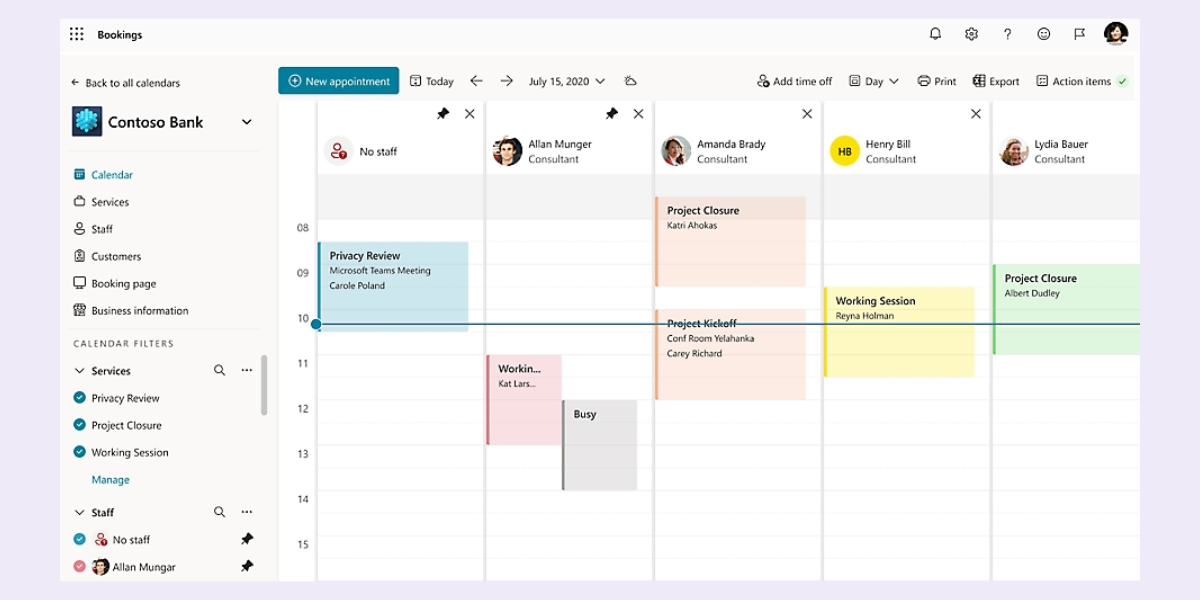
The tradeoff is that Bookings is less attractive if you only want a simple client-facing booking link. It depends on eligible Microsoft 365 licensing, Exchange Online, and admin settings, so it can feel heavier than a lightweight scheduler.
Calendly
Calendly is not just a basic personal booking-link tool. It is a mature scheduling platform for teams that need routing, round robin distribution, analytics, admin controls, and sales or recruiting workflows. Microsoft users can also connect Calendly with Outlook and use Microsoft Teams conferencing, including Teams conferencing on Free.
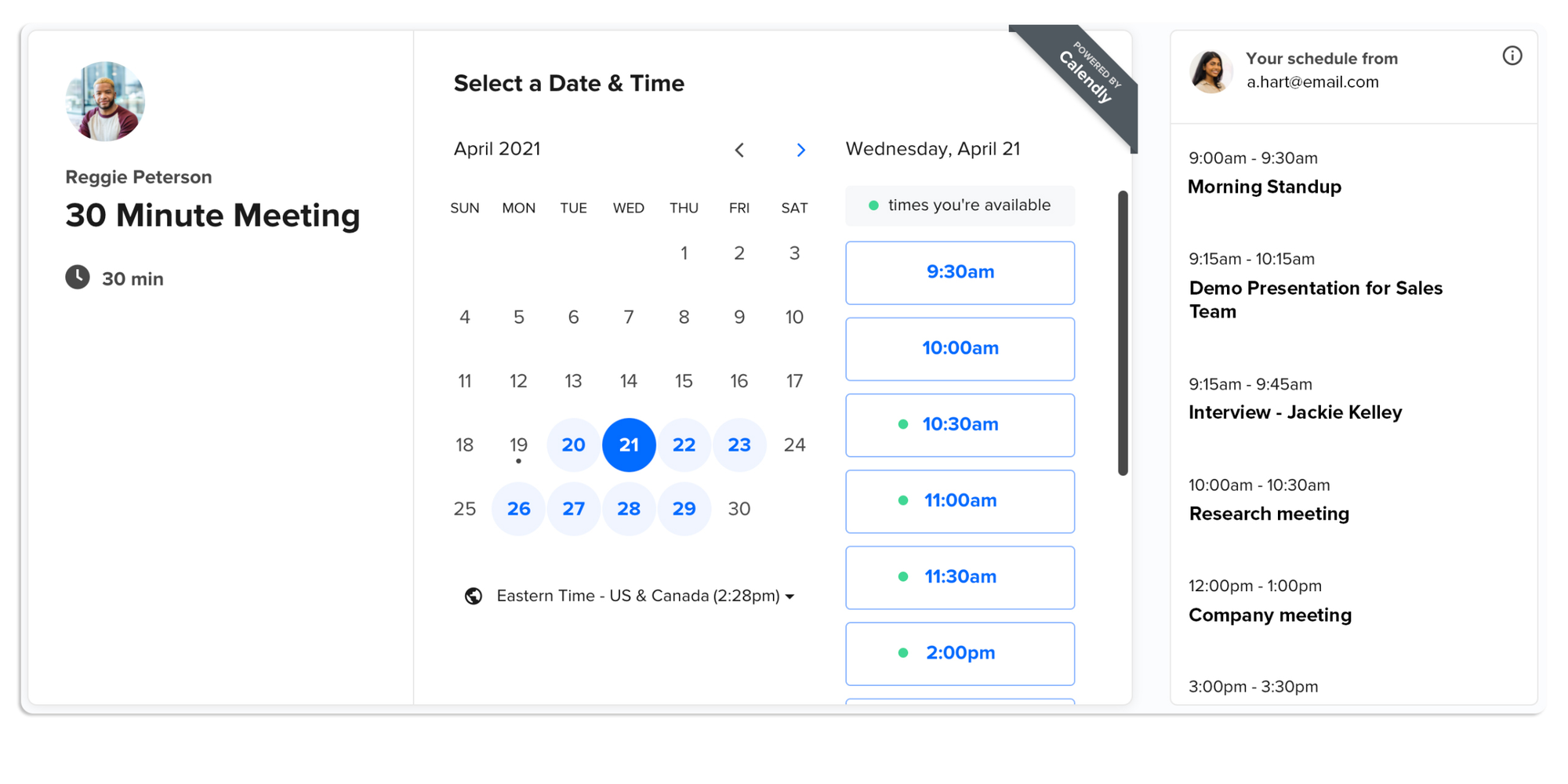
That makes Calendly a good fit when scheduling is part of a wider business process. Sales teams may need lead routing. Recruiting teams may need interviewer pools. Customer-success teams may need shared availability, handoffs, and reporting.
The downside is that the Free plan is limited if you need more than a basic setup. Once you want multiple event types, team routing, pooled availability, analytics, CRM-style workflows, or more control over bookings, Calendly quickly becomes a paid-plan tool. That brings steeper pricing and more setup time.
SimplyBook.me
SimplyBook.me is best understood as a service-business booking platform. It can suit clinics, salons, fitness studios, tutors, education programs, and local service businesses that need staff, services, classes, memberships, payments, widgets, or a full booking website.
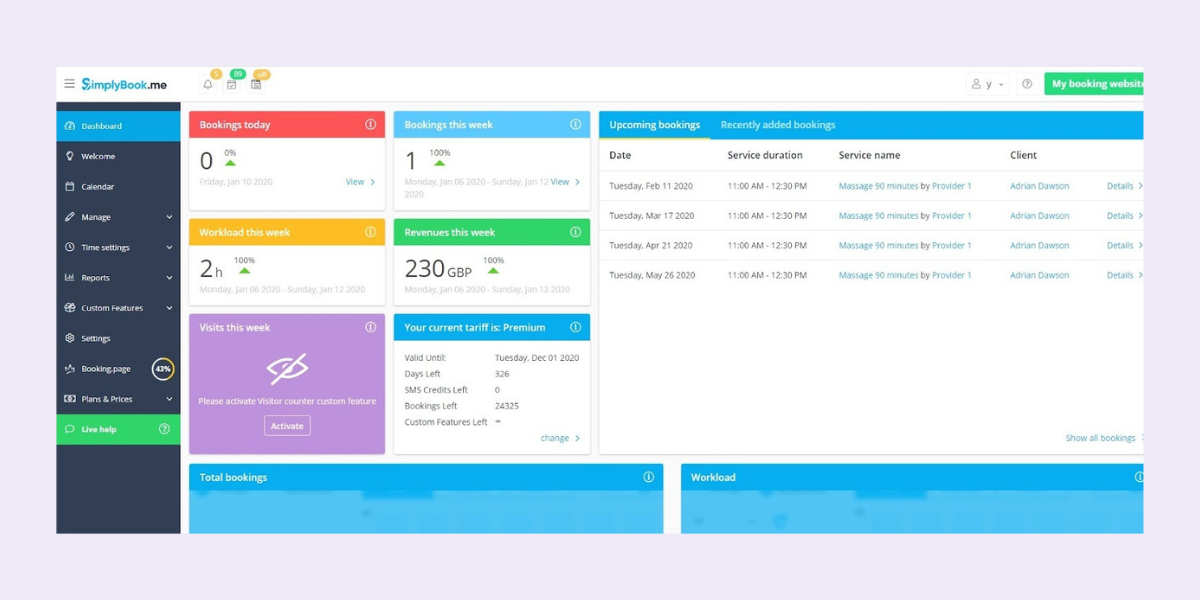
That makes it different from a lightweight meeting scheduler. If your business needs clients to choose a service, select a provider, book a class, pay online, buy a membership, or manage a more complex appointment flow, SimplyBook.me may fit better than a simple booking-link tool.
For Teams-centered users, that depth can help or get in the way for simpler business needs. For most a lighter tool may be easier to set up and easier for guests to use.
Features to look for in a Microsoft Teams scheduling app
A good scheduling app should make your day easier, not give you one more dashboard to babysit. Use these criteria before choosing a tool.
- Works for internal meetings and external bookings: Teams is strong for internal scheduling, but external users need a smooth self-serve path.
- Integrates with other calendars: Look for calendar sync with Outlook, Google Calendar, iCal, and iCloud so the app can check availability across your real workday. If Outlook is your main calendar, see Koalendar’s guide to how to share your Outlook calendar.
- Supports video conferencing integration: If Teams meetings are central to your workflow, confirm whether Teams links are included on the plan you want.
- Offers booking links and custom booking pages: A good page lets invitees choose a time without emailing you first.
- Protects focus time: A scheduling app should help you avoid avoidable meetings and protect time for real work.
- Uses automated reminders: Reminders can reduce no-shows, especially for client appointments, interviews, and consultations.
- Keeps setup simple: The best app is the one your team can actually use with no learning curve.
- Supports multiple languages: This matters for global teams, international clients, schools, and remote programs.
- Collects only necessary information: Ask for what you need to run the meeting, not everything you could possibly collect.
This last point matters for trust. For US-based businesses, the Federal Trade Commission’s Start with Security guidance says to keep only what is essential and avoid collecting personal information you don’t need.

Koalendar vs Other Free Calendar Apps for Microsoft Teams
This is where free-plan value matters. Koalendar’s advantage is that its free plan gives Teams users a useful scheduling layer before they pay: unlimited bookings, scheduling links, calendar sync, instant booking notifications, embeds, and multilingual booking pages.
For full details of how each tool compares, use this table:
 |  |  |  | |
| Best for | Easy external scheduling for Outlook and Teams users | Microsoft 365-native appointment workflows | Larger teams needing routing, analytics, sales, recruiting, or customer workflows | Service businesses managing staff, services, classes, payments, or memberships |
| Free-plan value | Strong free scheduling layer with unlimited bookings and scheduling links | Good if already included in your Microsoft 365 setup | Useful starter plan, but limited if you need multiple event types, routing, analytics, or team workflows | Genuine free plan, but capped for booking volume, providers, and advanced features |
| Price | Free plan available; Pro ($6.99/seat/month) needed for Microsoft Teams auto-links | Included with eligible Microsoft 365 plans, not standalone free | Free starter plan; paid tiers (from $10/seat/month) needed for stronger team workflows | Free capped plan; Paid from 11.9/month onwards, needed for more bookings and features |
| Outlook fit | Syncs with Outlook calendars | Native Microsoft ecosystem | Connects wit Outlook | Supports Microsoft 365 depending on setup |
| Microsoft Teams fit | Good for Teams users; automatic Teams meeting links require Pro | Native Microsoft and Teams fit | Teams conferencing is available, with stronger workflows on paid plans | Supports online and video appointment workflows, but less Teams-centred |
| External scheduling experience | Simple booking pages and links | More structured Microsoft booking flow | Polished booking links plus stronger team workflows on paid plans | Service-oriented booking pages and booking website options |
| Reminder workflow | Instant booking notifications in Free; SMS and email reminders on Pro | Depends on Microsoft setup | Basic confirmations on Free; more advanced workflows on paid plans | Depends on plan and configuration |
| Best reason to choose | Generous Free plan and very affordable Pro plan with no learning curve | Microsoft-native administration | Mature routing, analytics, and team scheduling | Service-business operations beyond simple meetings |
Koalendar is not trying to replace Microsoft Teams. Teams handles the conversation and meeting room. Outlook holds your calendar. Koalendar helps people choose the right time without making you manage every request manually.
That Teams-friendly but not Teams-limited approach matters because hybrid work can make coordination more admin-heavy. Research finds that hybrid work raises the cost of collaboration, with more time spent in meetings and related coordination activities, less focus time, and extra friction in finding the right moment to connect.
For client calls, candidate interviews, sales demos, consultations, training sessions, and partner meetings, the problem is not just creating a Teams meeting. It is cutting the back-and-forth before the meeting happens. Koalendar sits in that gap: Teams can remain the meeting room, while Koalendar handles the booking link, live availability, reminders, and guest experience around it.
How to choose the right calendar app for Microsoft Teams
The right app depends on your business. Start with your needs, then match the tool.
- Choose Koalendar if you want simple external scheduling, an affordable Pro plan , unlimited booking pages, Outlook calendar sync, automated reminders, and the Microsoft Teams integration for automatic links and stronger branding when needed.
- Choose Microsoft Bookings if your organization wants a Microsoft-native tool and your admin team already manages Microsoft 365 booking workflows.
- Choose a specialist service platform only for complex menus, locations, or staff scheduling needs.
Here’s a table to match your need to best choice:
| Your need | Best direction |
| "I want clients to choose a time without emailing me." | Koalendar has the most generous Free Plan and affordable Paid plan |
| "I need real free booking capacity." | Koalendar |
| "I need everything inside Microsoft 365." | Microsoft Bookings |
| "I only need one personal booking link." | Koalendar Free Forever is the most generous |
| "I manage a large company or complex bookable services." | Calendly or Simplybook.me paid plans |
| "I need automatic Microsoft Teams links." | Koalendar with the Microsoft Teams integration in Pro |
The key is to avoid choosing based only on brand recognition. Pick the app that removes the most friction from your scheduling.
Conclusion: The Best free calendar app for Microsoft Teams
The best free calendar app for Microsoft Teams is the one that makes scheduling feel lighter. For most individuals, freelancers, consultants, recruiters, educators, sales teams, and small teams, Koalendar is the best overall choice because it gives you a strong free scheduling foundation without heavy setup.
Try Koalendar free and see how it complements your full business toolkit.

.png?w=800&fit=max&auto=format)