
TL; DR
The best class scheduling software depends on your needs and budget: Koalendar suits coaches and small teams and has a generous Free Forever Plan. Creatrix Campus fits large universities, Arlo works for commercial training providers, Teach ‘n Go or Skoolify are strong for K–12 and specialty academies, and Skedda is best for complex room and resource booking.
Introduction
Education professionals have long struggled with the task of class scheduling. Keeping track of student enrollments, room assignments, teacher availability, and last-minute changes using paper calendars, spreadsheets, and endless emails is simply inefficient. It eats up valuable time and resources that could be invested in actual teaching.
If you’re a training manager seeing low-attendance, a program coordinator struggling with double-bookings, or a tutor drowning in manual appointment set ups, this guide was written for you.
We’ll simplify classroom scheduling software, put the top 12 tools side by side, and give you the best advice for choosing the right solution to free up your time and elevate your educational offerings.
Class scheduling software comparison
Use this chart to quickly spot which class scheduling software best fits your needs. It highlights each tool’s strengths, pricing approach, and available free options so you can confidently narrow down your choices at a glance.
 |  |  |  |  |  |  | Teach n’ Go |  | Class Manager |  | Creatrix Campus | |
| Best for | Simplicity and speed | Physical room/resource booking | Commercial training businesses | Flexible course booking | Packages and memberships | Free start | High customization | Academies and tuition centers | K-12 school management | Equipment-based training | Premium workshops and events | Universities |
| Key strength | User-friendly, fast setup, great free plan | Space and floor plan management | End-to-end training management (CRM, marketing) | Tiered pricing & series bookings | Selling packs/subscriptions | Robust free plan | 100+ plugins and features | Clean design for recurring classes | All-in-one school operations | Instructor and resource scheduling | Beautiful pages and ticketing | Enterprise-level complexity |
| Pricing model + free option/trial | Generous “Free Forever” Plan, affordable paid plans | Per space/venue; limited free plan | Revenue share or enterprise; free trial | Per booking volume; free tier (50 bookings/mo) | Per staff member; free trial | Freemium | Tiered by features; free trial | Per active student; free trial | Per student or school; demo | Per instructor; demo | % fee plus processing; free for free events | Enterprise quote; demo |
Why do educators need class scheduling software?
The shift to digital in education is about so much more than online learning— it’s about using technology to cut down admin work. Class scheduling software helps you do exactly that. It turns messy, hard-to-follow schedules into a simple, clear system that everyone can rely on.
Scheduling involves more than assigning names to a few time blocks. It’s the foundation of every educational program. If it isn’t set up well, everyone feels it.
Common scheduling challenges
- The manual time sink: Administrators can dedicate a significant amount of time to creating, tweaking, and communicating schedules in Google Sheets or Excel. This is time that could be better invested in program development or student support.
- Errors and double-bookings: Manual error is bound to happen. Double-booking an instructor, overlapping courses, or overbooking a popular class results in frustration and a negative experience for everyone.
- Complex resource juggling: Managing the availability of specialty equipment, several part-time teachers, and varying rooms (think small labs to lecture halls) is a complex task.
- The communication black hole: Coordinating enrollments, waitlists, reminders, and cancellations via email or phone lacks cohesion. Information can easily be lost, resulting in missed sessions and administrative oversight.
- Lack of automation: Paper-based systems means tedious attendance tracking, no automated payment collection, or reminder emails, which results in more administrative work and higher no-show rates.
- Cost and complexity barrier: A lot of school management systems are just too expensive and too complex for smaller schools, tutoring services, or corporate training centers.

How software reduces administrative workload
The right training scheduling software keeps the school day running smoothly. It saves everyone time by handling the complex, repetitive work of building schedules using purpose-built scheduling software for education.
- 24/7 self-service booking: Clients or students can see real-time openings and book, cancel, or reschedule themselves through a dedicated booking portal.
- Automatic conflict prevention: The software reserves times across synced calendars (Outlook, Google, etc.), preventing double-booking of rooms or instructors.
- Streamlined communication: Automated, personalized SMS/email reminders significantly lower no-show rates. The class booking software also automatically handles confirmations, waitlist notifications, and follow-ups.
- Integrated financials: Receive deposits or collect full payments when bookings are made, streamline invoicing, and automate revenue tracking.
- Centralized data: Essential information (including attendance, student rosters, room usage, and instructor schedules) is kept in a single, easily searchable and reportable platform. (For more comprehensive tools, see our guide to comprehensive school management software.)
Benefits for students, teachers, and administrators
- For students/trainees: A smooth and intuitive reservation experience. Immediate confirmation, well-timed reminders, and convenient access to schedules and resources (e.g., Zoom links) improve satisfaction and user engagement.
- For teachers/instructors: They reclaim their schedule and minimize administrative overhead. Automatic synchronization guarantees their personal calendar is accurate, and they get the most updated rosters for their next classes.
- For administrators/coordinators: It’s the difference between constantly fixing last-minute problems and finally having a schedule that runs smoothly. You’ll get helpful reports that make everything clear (like how rooms are being used, what’s driving revenue, and which classes people love) turning guesswork into informed decisions. Cutting busywork improves staff engagement and productivity overall.
Schools are turning to classroom scheduling software tools because they see the value: smarter use of every classroom and resource. Our goal in highlighting these software options is simple: to help you optimize your resources.
Best class scheduling software — Top 12 tools
Figuring out which tool is right for you can be challenging. To make it simple, we’ve selected 12 of the best class scheduling software options based on ease of use, features, pricing, and specialization. Read through our overview of each:
1. Koalendar
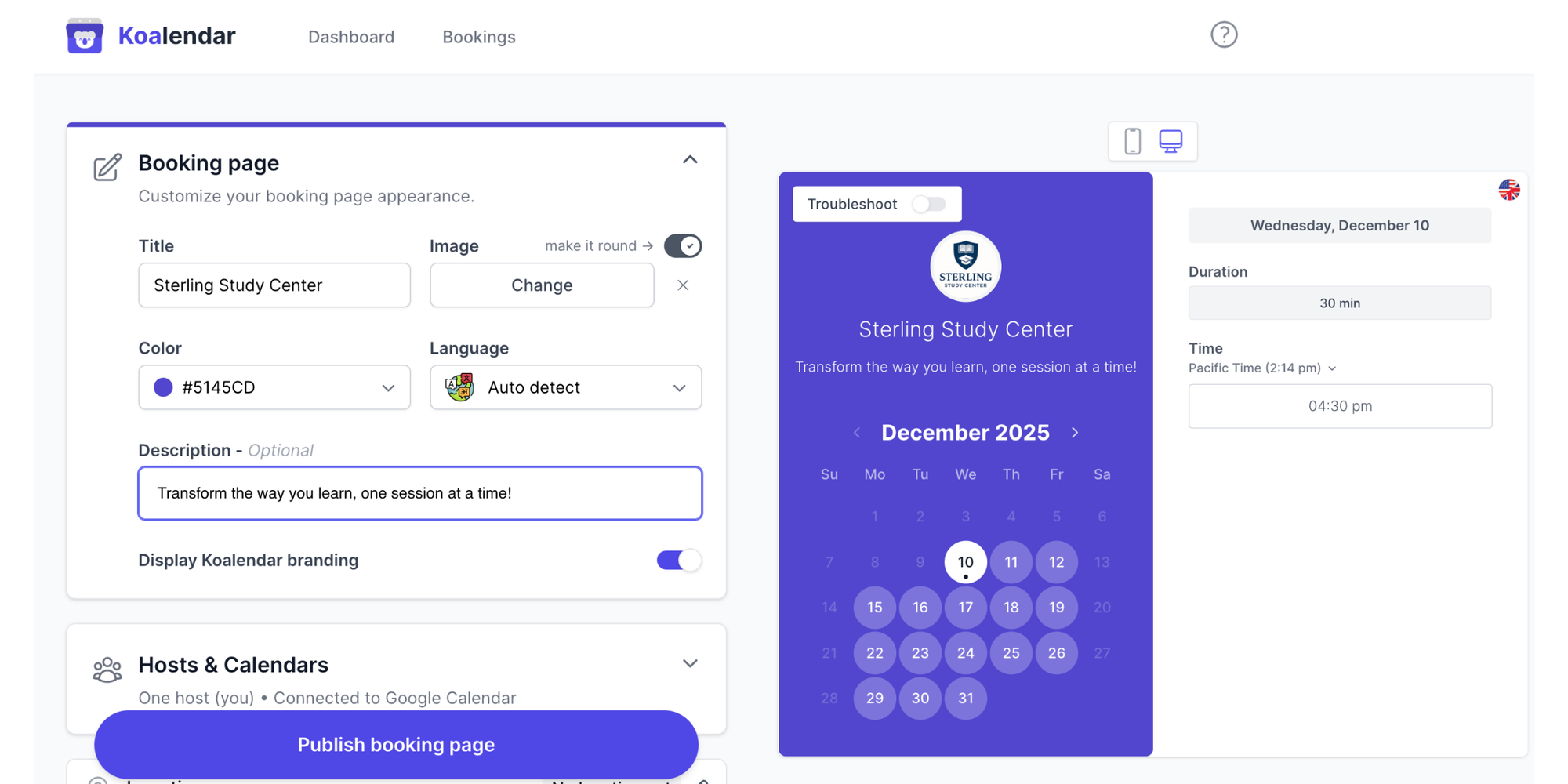
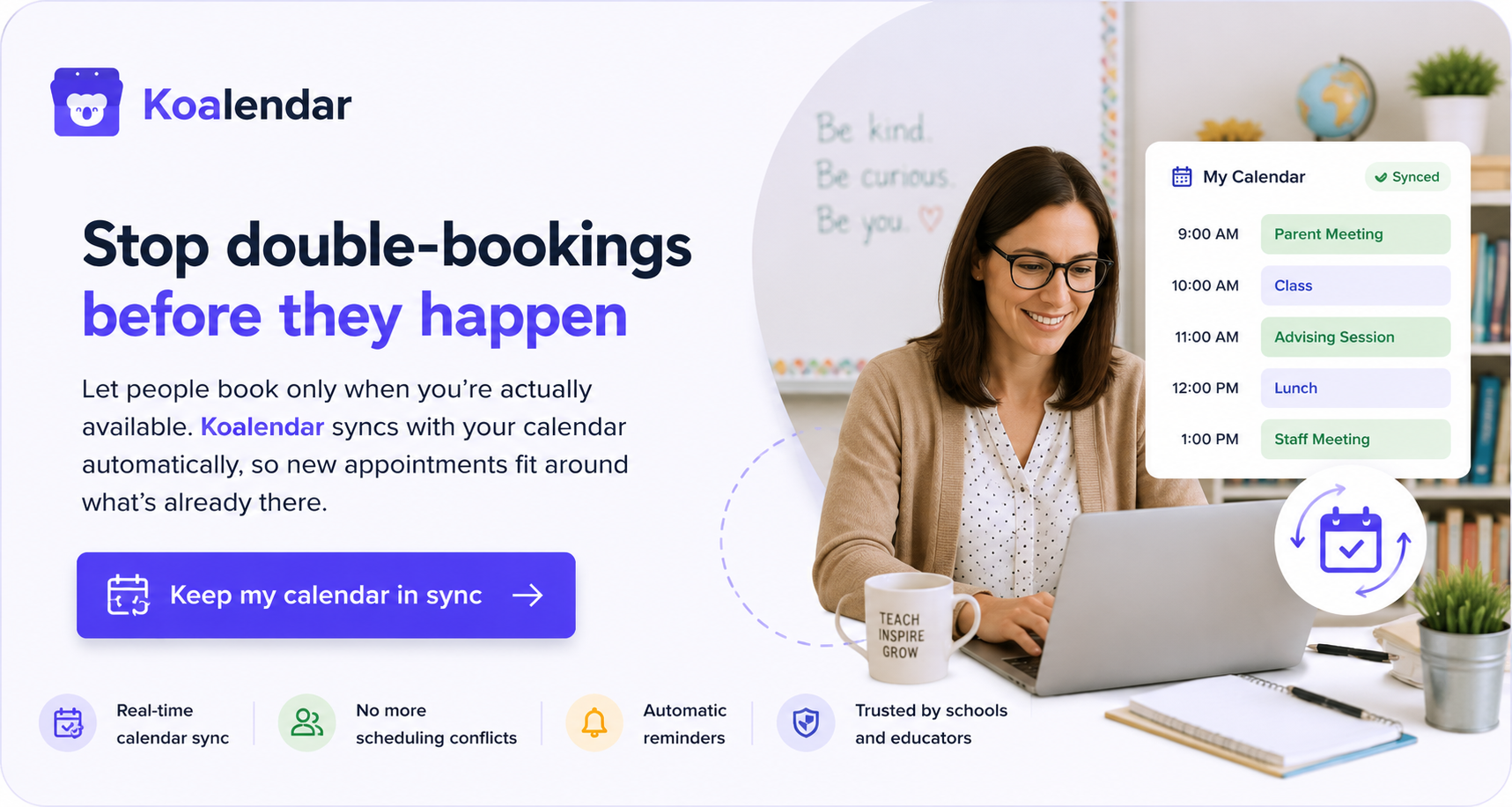
Overview: Koalendar keeps scheduling wonderfully simple. We focus on what matters most, offering essential features through a clear and friendly interface. If you’re a school, teacher, or tutor looking to save time and avoid complexity—without breaking the bank—Koalendar is ready when you are.
Key features:
- Dynamic scheduling automation with tailored booking categories and types (e.g., 2-hour seminar, 45-min tutor session).
- Seamless calendar synchronization with Outlook and Google Calendar to eliminate double-bookings.
- Booking tools (including pages and widgets) that can be easily embedded into your current website.
- Automated email reminders designed to minimize last-minute cancellations and reduce no-shows.
- Tailor your scheduling requirements to manage buffer times, custom availability windows, and set advance notice rules.
- A unified, user-friendly dashboard for managing all bookings in a single, centralized place.
Pros:
- Incredibly simple to set up and get started with — you can have your first booking page live within a few minutes.
- Provides a generous and fully-featured Free Forever Plan that’s ideal for solo educators or small institutional programs.
- Sleek, intuitive design that offers a smooth experience for both the organizer and the booker.
- Clear, accessible pricing with no hidden fees.
- Excels at the essential scheduling tasks.
Cons:
- May not offer more specialized, enterprise-level academic features offered by bigger, top-tier management suites.
- Although it can manage group courses, its primary strength is in optimizing session and appointment scheduling.
Pricing: Offers a Forever Free Plan. Paid plans start at $6.99/month and are billed annually.
Best for: Small to medium training businesses, tutors, university department admins, coaches, and schools who value speed, simplicity, and ease of use.
2. Skedda
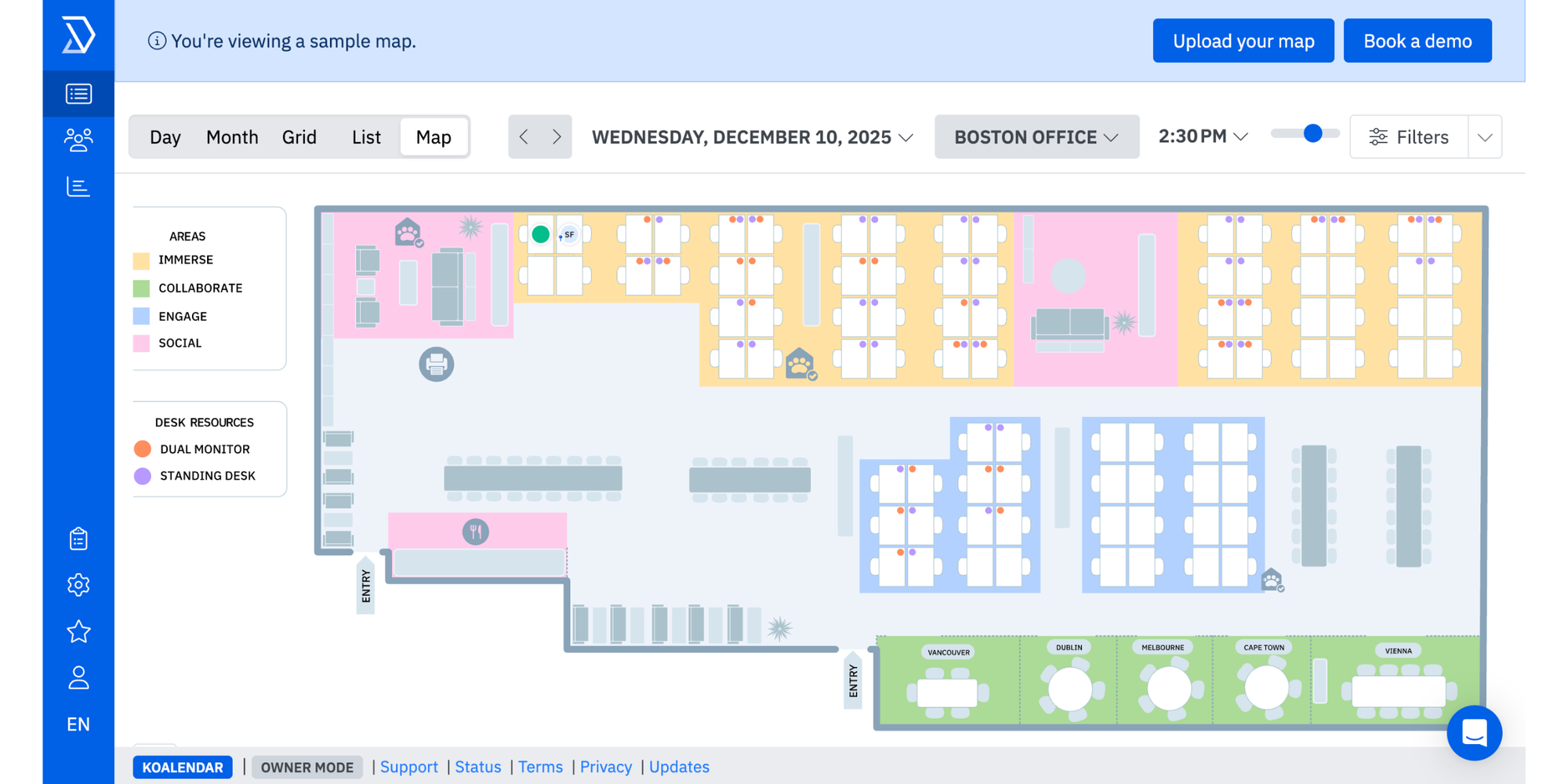
Overview: Skedda leads in space scheduling technology. Its main focus is on the efficient scheduling of physical venues such as sports halls, classrooms, meeting rooms, and labs.
Key features:
- Automated invoicing
- Drag-and-drop floor plan editor
- Calendar sync
- Tailored booking rule customization
- Specialized mobile app for venue managers
Pros:
- Best-in-class for multi-site event operations and resource management.
- Customizable preferences (e.g., maximum booking hours per client).
Cons:
- Not as focused on the student payment/enrollment cycle — more of a venue-based booking platform.
Pricing: Tiered plans are based on the number of venues/spaces in play.
Best for: Universities, schools, and training centers with advanced classroom scheduling software needs.
3. Arlo
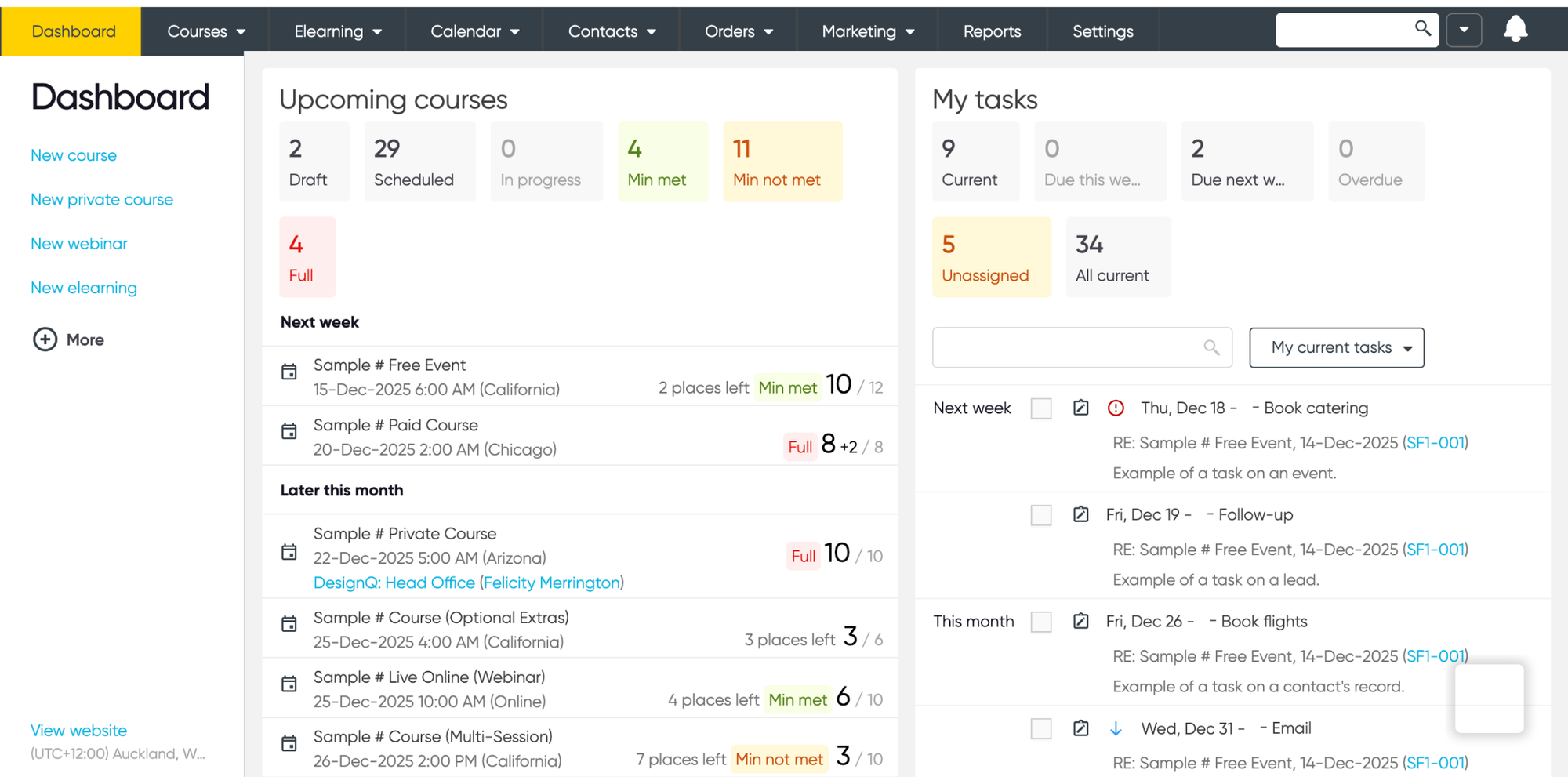
Overview: Arlo is a full-featured training management software made for professional training specialists. It works for everything from marketing automation and detailed reporting to class scheduling and website management.
Key features:
- Online payment processing (that includes integration with merchant services)
- CRM
- In-depth course catalog
- Certification tracking
- Automated workflows
Pros:
- Comprehensive solution for commercial training enterprises.
- Great sales and marketing tools included.
Cons:
- Can be rather complicated and costly for basic scheduling needs or non-profit educational organizations.
Pricing: Get in touch for a quote; generally priced at a percentage of revenue or a higher monthly fee.
Best for: Larger corporate training departments, professional training companies, and commercial education platforms needing robust training scheduling software.
4. Bookwhen
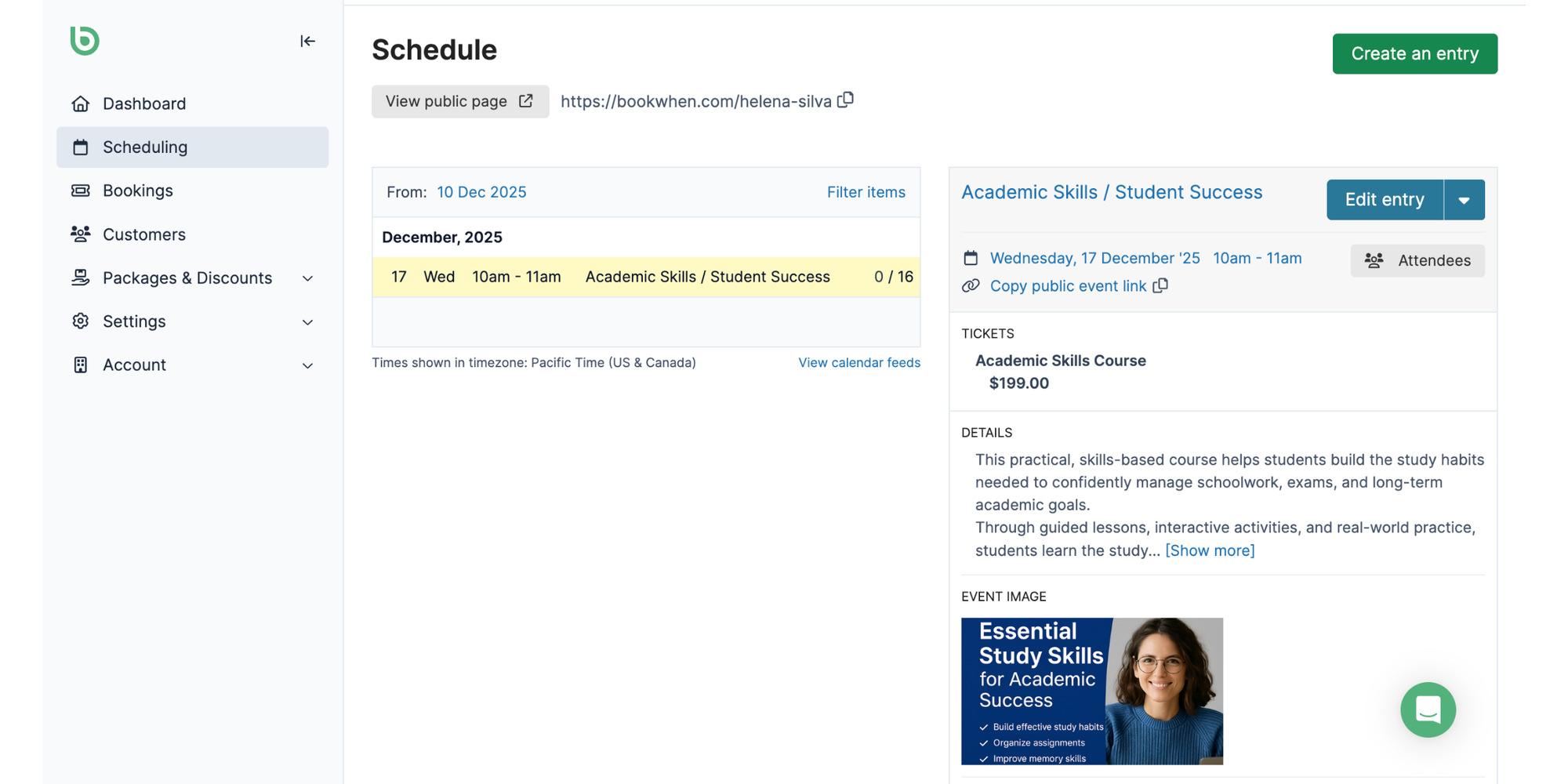
Overview: Bookwhen is a rising UK-based course scheduling software known for its adaptability and great customer support. It excels at a variety of tasks from recurring courses to workshops.
Key features:
- Dynamic pricing models (e.g., group rates, early bird)
- Attendee management forms
- Series booking for classes
- Powerful integration capabilities (Zoom/Mailchimp/Stripe)
- Well-designed interface
Pros:
- Highly adaptable to a variety of pricing structures and event types.
- Robust API for custom integrations.
Cons:
- The interface can feel outdated compared to more modern apps.
Pricing: The free tier works for up to 50 monthly bookings. Paid tiers scale with booking volume and selected features.
Best for: Small to medium-sized course businesses, community education centers, fitness studios, and arts spaces.
5. Acuity Scheduling
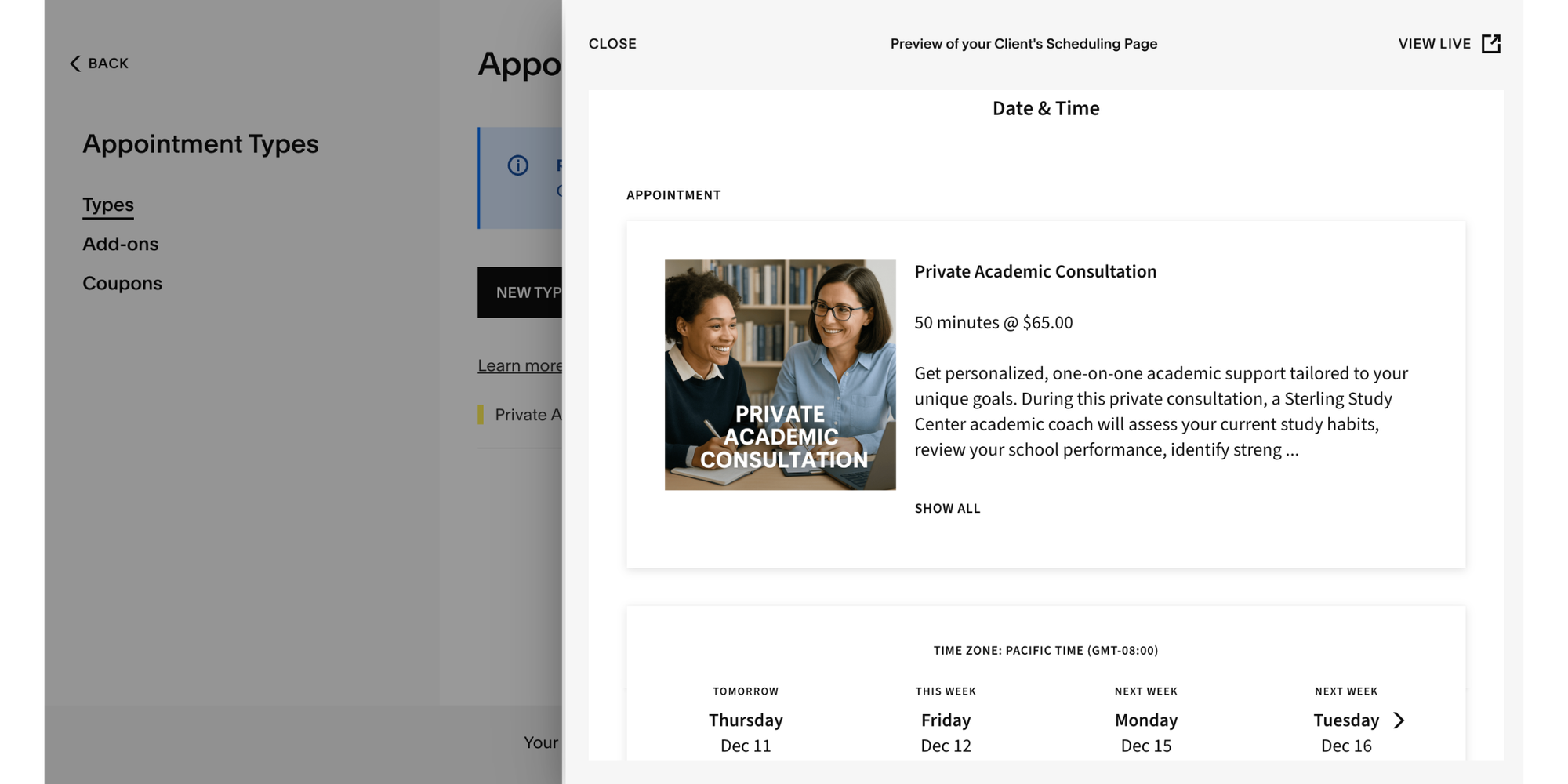
Overview: Acuity (by Squarespace) is a popular premium appointment scheduling software. It works great for both individual service providers and easily scales to meet the needs of entire teams.
Key features:
- Subscription offerings, customer management portal
- Powerful Squarespace integration
- Package deals (e.g., “10-course pack”)
- Client intake forms
Pros:
- Highly dependable with an extensive feature offering.
- Great for selling memberships and packages. Intuitive user interface.
Cons:
- The monthly fee can add up as you bring on more staff members.
- Not as specialized in “course management” as some other options.
Pricing: Tiered plans start from individual to expanding teams.
Best for: Independent educators, therapists, coaches, and wellness practitioners who also offer packages.
6. Setmore
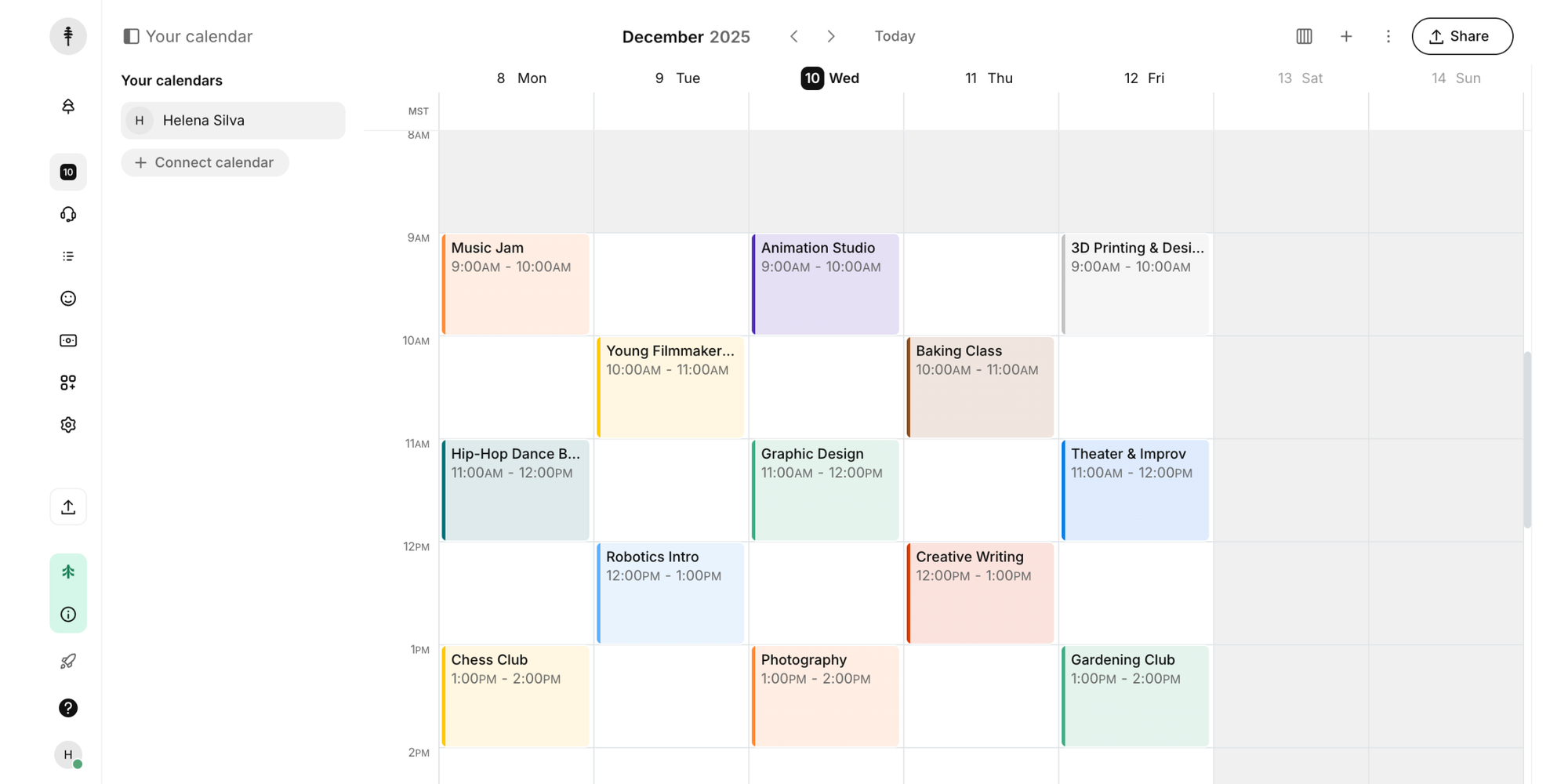
Overview: Setmore is a free, easy-to-use scheduling tool that’s great for beginners. It provides a strong set of core features available at no cost, which makes it very accessible for individual educators and small businesses alike.
Key features:
- Offers a mobile app
- Free booking site
- Calendar synchronization
- Integrated video appointments (via Zoom, Teams, etc.)
- Automated SMS/email reminders
Pros:
- The free option is highly functional and is not only a trial.
- User friendly overall.
Cons:
- Premium features and custom branding are available only with a paid plan.
- May not suit more complex users such as multi-location, multi-instructor schools.
Pricing: Free plan available. Pro Plan for teams and premium features starting at $12/user/month.
Best for: Small studios, individual tutors, or anyone looking for a free starting point.
7. SimplyBook.me
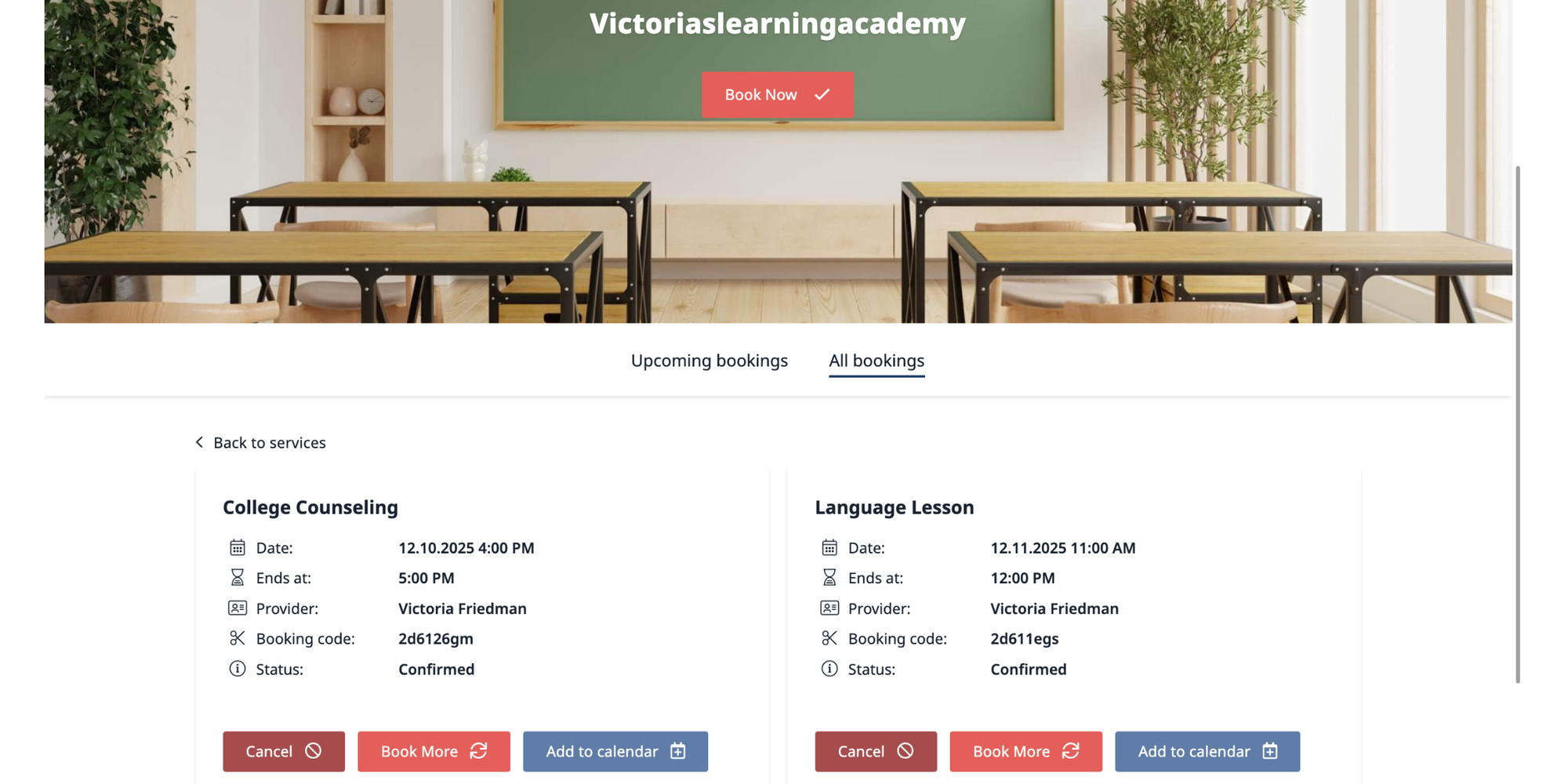
Overview: SimplyBook.me is an online booking software that offers extensive customization capabilities. It stands apart for its comprehensive plugin library and robust customization tools.
Key features:
- More than 100 integrations and customization features
- Membership plans
- Gift vouchers
- Deposits
- Native chatbot
Pros:
- Amazing adaptability to make the booking experience fit to your precise needs.
- Great for businesses that also sell gift cards or products.
Cons:
- The large number of customization options can feel challenging for users who prefer a simple setup.
Pricing: Various tiers based on the amount of bookings and selected features. Best for: Educational enterprises looking for a specifically customized booking site with a variety of add-ons (such as a yoga studio with retail outlet).
8. Skoolify
.png?w=2000&fit=max&auto=format)
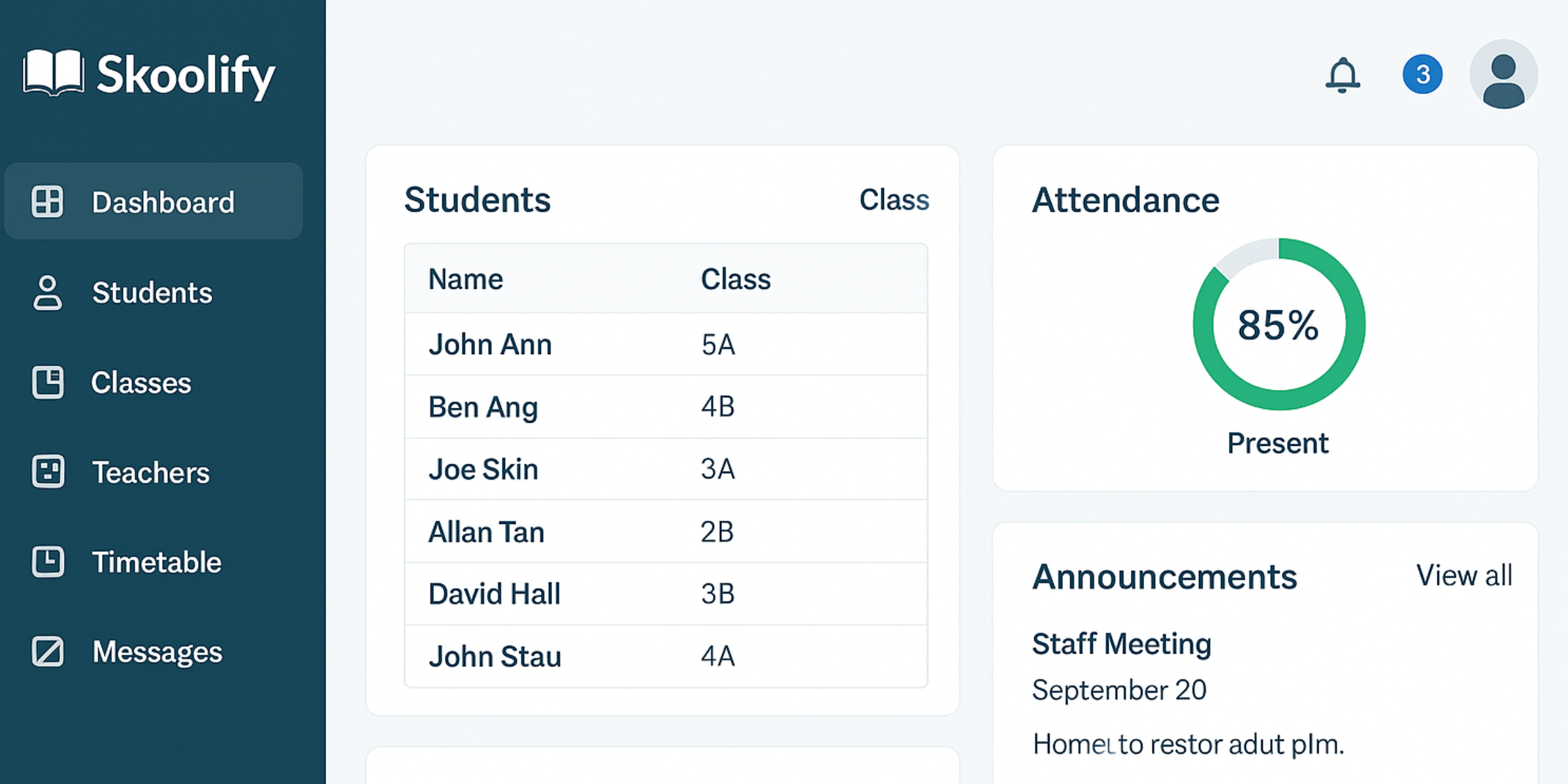
Overview: Skoolify is a complete educational management system that’s been gaining global recognition. Its capabilities extend past scheduling to include examinations, academics, attendance, human resources, and course fees.
Key features:
- Attendance tracking
- Homework/assignment submissions
- Library management
- Transport tracking
- Fee collection
Pros:
- All-in-one solution for managing an entire K-12 campus.
- Cost-effective for the variety of features included.
Cons:
- May be too much for solo tutors or smaller training centers.
- The user experience and design depends on several factors.
Pricing: Generally a monthly per-student pricing model or a flat school rate. Best for: Private K-12 campuses searching for a comprehensive educational management system.
9. Teach ‘n Go
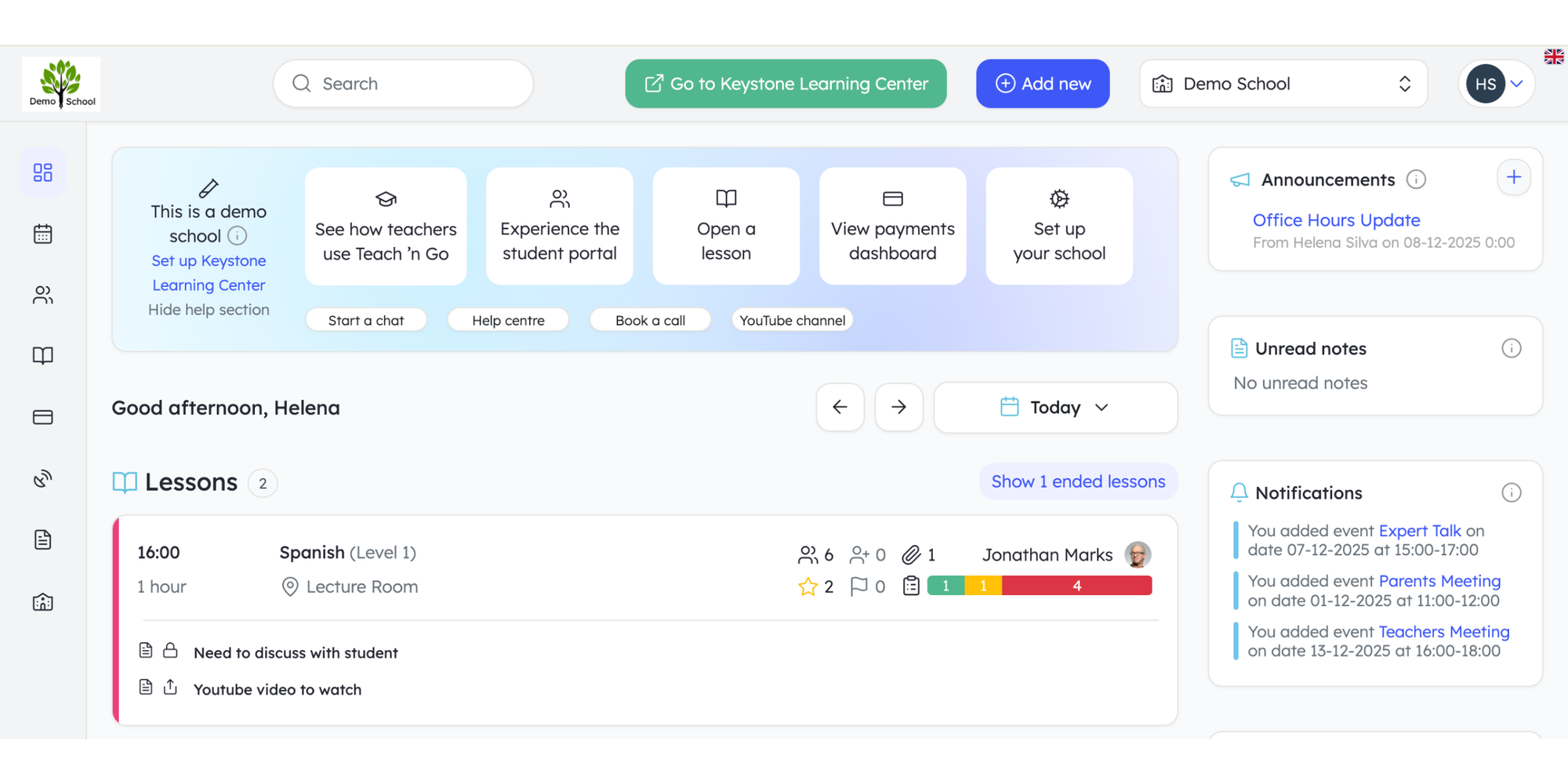
Overview: Teach ‘n Go is a contemporary, user-friendly school administration software created specifically for language academics, music institutes, and tuition centers.
Key features:
- Parent and student portals
- Attendance tracking
- Automated invoicing
- Lesson notes
- A straightforward scheduler for recurring courses
Pros:
- Well-designed around the needs and specific characteristics of small to mid-sized educational institutions.
- Simple user interface that teachers pick up effortlessly.
Cons:
- Mostly for long-term, recurring courses as opposed to one-time classes or occasional workshops.
Pricing: Monthly subscription fees determined according to the number of active students.
Best for: Language, dance, music, and afterschool extracurricular academies.
10. Class Manager
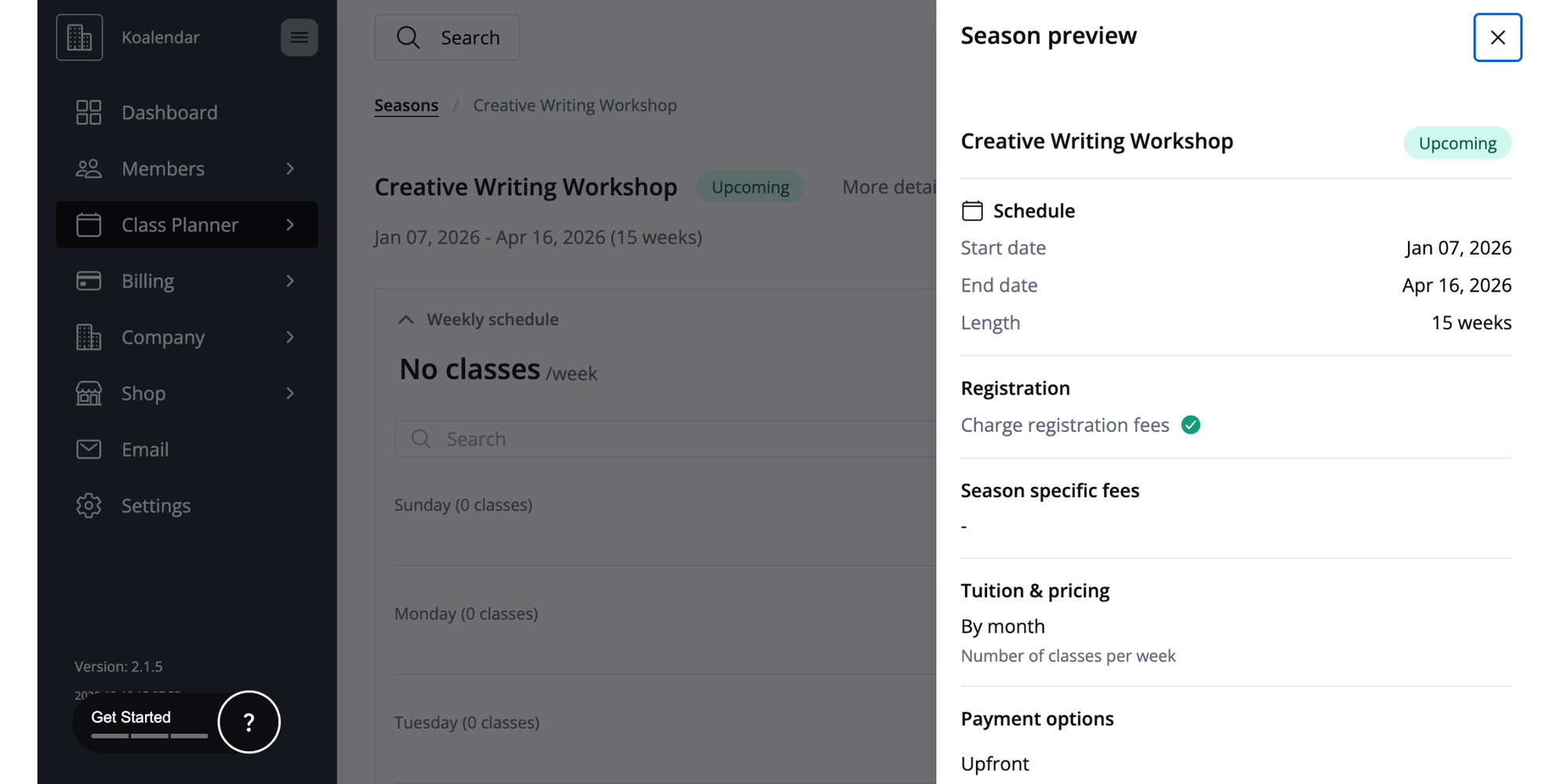
Overview: Class Manager is an all-in-one platform built for training centers and vocational education programs that need structured class, instructor, and resource scheduling. It streamlines operations for organizations that run practical, skill-based sessions.
Key features:
- Easily schedule classes, instructors, rooms, and equipment in one place.
- Manage payments, attendance, student progress, and certifications with built-in tools.
- Automated reminders, customizable booking pages, and role-based access keep both staff and students organized.
Pros:
- Clear dashboards simplify daily operations and reduce administrative workload.
Cons:
- While powerful for structured training environments, it may include more operational features than needed for simple, one-off workshops or academic-only programs.
Best for: Training programs where coordinating instructors, class times, and resources matters just as much as managing student enrollment. Vocational training centers, driving schools, sports and fitness programs, tutoring academies, performing arts schools, and any organization running recurring, instructor-led classes that require smooth scheduling and management.
11. Occasion
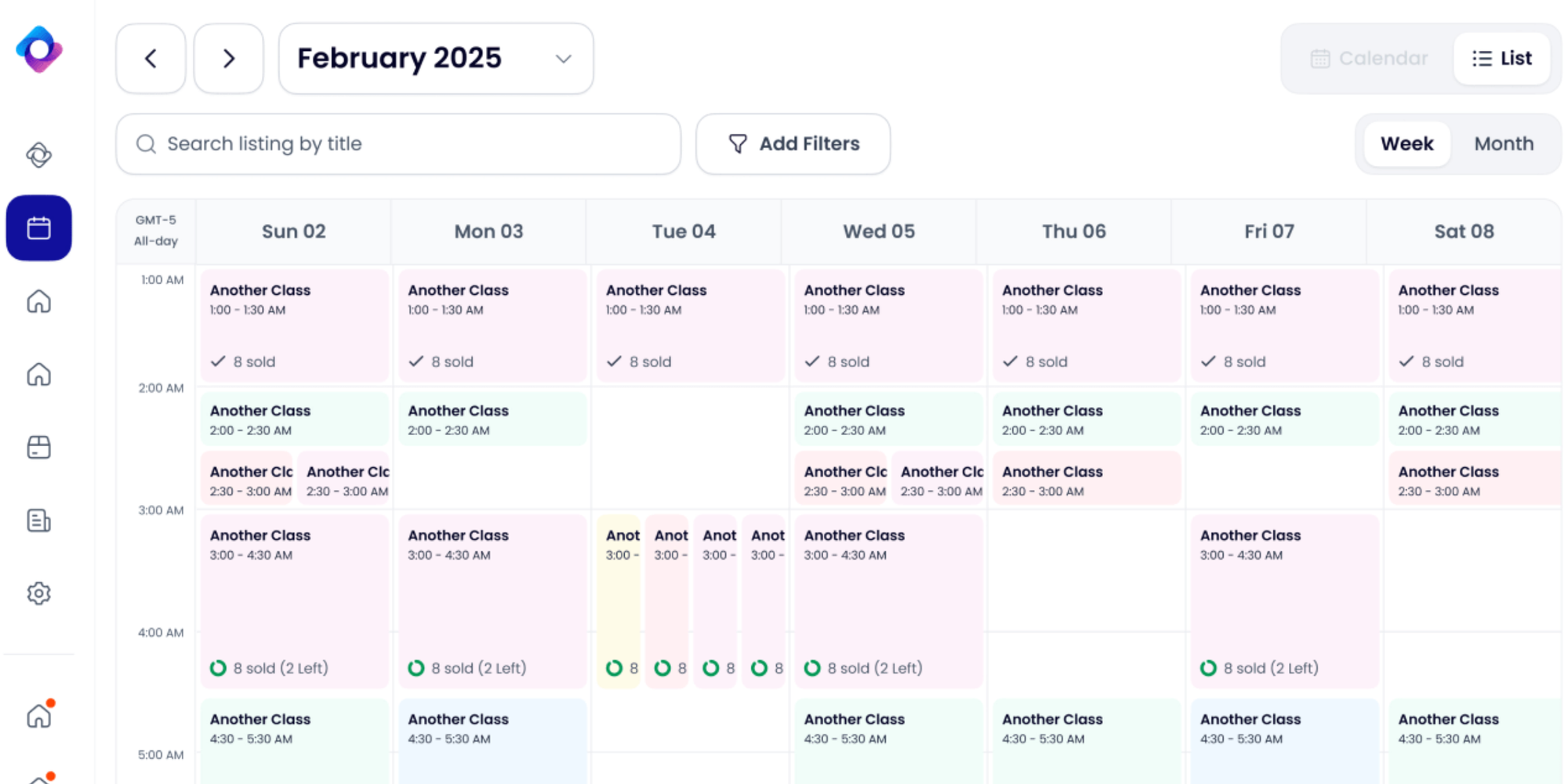
Overview: Occasion is an event and ticketing software that works great for selling seats in workshops, classes, and event experiences. It features elegant event sites and streamlined ticket sales.
Key features:
- Beautiful, personalizable event pages
- Ticket tiers
- Waitlists
- Detailed sales performance insights
- Promo codes
Pros:
- Generates a top-tier, event-like feel for your course offerings.
- Great sales and marketing tools built-in.
Cons:
- Works more as an event ticketing system than a daily class management system for recurring course schedules.
Pricing: Free plan for free events. Paid plans charge a percentage fee plus an online processing fee for paid event tickets.
Best for: Organizations and educators that sell one-off masterclasses, public lectures, or workshops.
12. Creatrix Campus
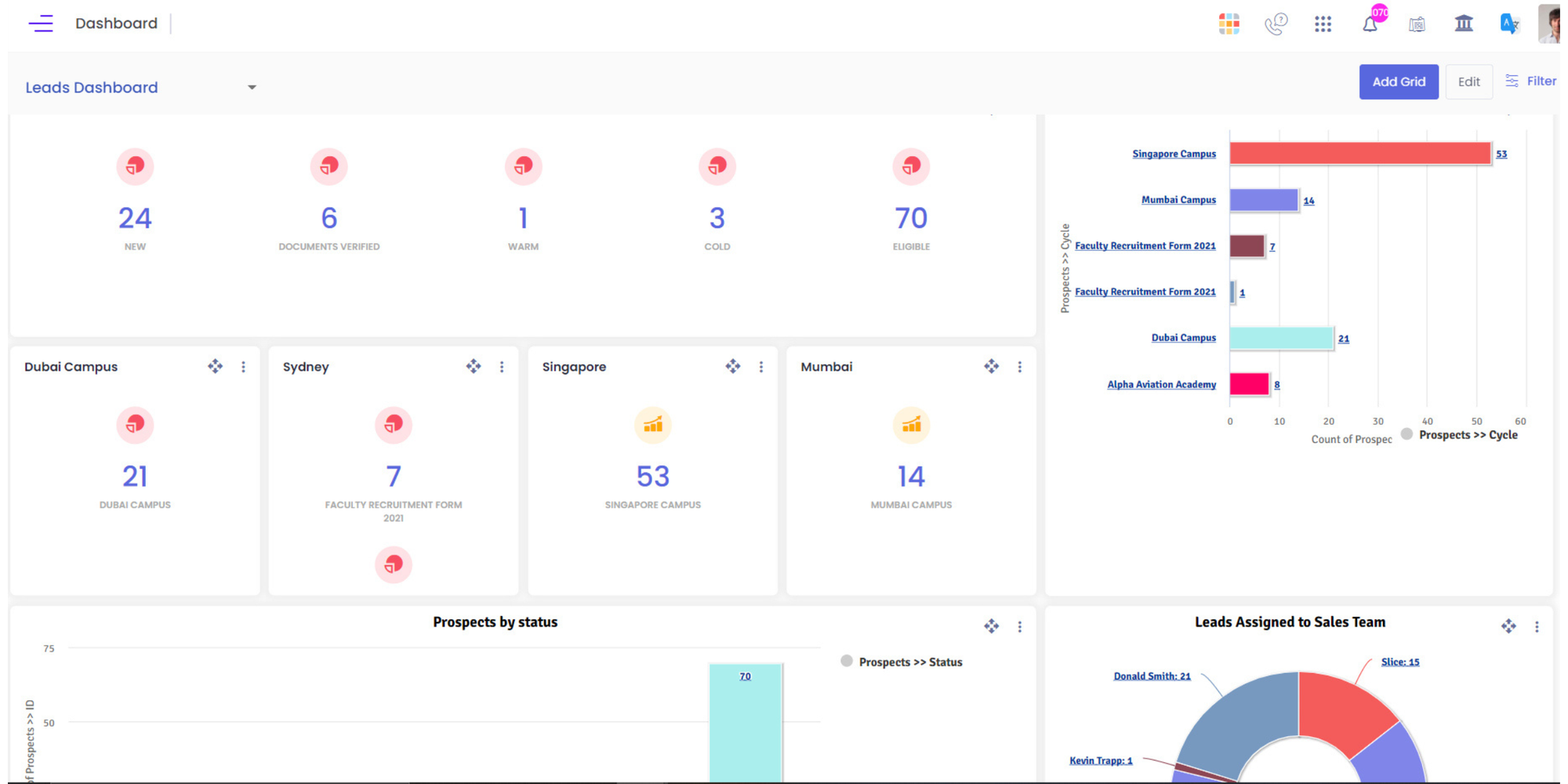
Overview: Creatrix Campus is an end-to-end higher-education management system. Its scheduling module is part of a larger system that encompasses the complete student lifecycle, from enrollment to alumni management.
Key features:
- Sophisticated timetable creation
- Staff/faculty workload oversight
- Conflict checking
- Integration with student information systems (SIS)
- Room optimization
Pros:
- Manages the considerable complexity of university course scheduling.
- Part of a larger integrated campus ecosystem.
Cons:
- Enterprise pricepoint and implementation.
- Not suitable for individual university departments or small businesses.
Pricing: Get in touch for an enterprise quote.
Best for: Universities and colleges that need to schedule hundreds of courses across campus.
How class scheduling software works
Essentially, class scheduling software works as the digital go-between for your calendar and your students’ or clients’ desired time slots. This is an overview of the features, mechanics and costs.
Key features to look for
- Online booking pages: A tailor-made, branded webpage where prospective clients can see open slots and book 24/7
- Calendar synchronization: Full synchronization with Outlook, Google Calendar, Apple Calendar, etc., to reflect actual, real-time availability
- Automated communications: SMS and email reminders (24 to 72 hours before), confirmations, waitlist notifications, and follow-ups
- Payment processing: Integrated gateways (PayPal, Stripe) to receive payment, deposits, or sell packages when bookings are made
- Resource management: Capability to schedule and assign rooms, instructors, equipment, or other limited resources
- Group and recurring events: Coordinate multi-session classes, weekly course offerings, or workshops with a pre-set capacity
- Reporting and analytics: Key takeaways into bookings, attendance rates, revenue, and most in-demand time slots
- Integrations: Compatibility with video conferencing (Teams, Zoom), CRM systems, student information systems (SIS), and email marketing (Mailchimp)
Pricing models
- Freemium: Provides a fully functional free plan (limited by number of bookings and available features) that can be upgraded. Ex: Koalendar, Bookwhen, and Setmore.
- Per user/per staff: Monthly rate for every team member using the class scheduling software. Ex: Acuity.
- Per student/location: Monthly rate dependant on the size of the organization (student numbers or amount of rooms). Ex: Teach ‘n Go, Skedda.
- Transaction fee: Free or minimal monthly expense, but the platform earns a fixed percentage of every paid booking. Ex: Occasion.
- Enterprise quote: Custom rates for larger educational institutions with advanced needs. Ex: Arlo, Creatrix Campus.
Integration options
Effective scheduling tools must connect to your broader digital ecosystem. Search for:
- Calendar apps: Necessary for preventing double-bookings
- Video conferencing: To automatically include Meet/Zoom links to bookings
- Payment gateways: To receive payment easily
- Email and marketing tools: To automate marketing campaigns and keep contacts updated
- Website builders: To easily embed your scheduling tools using Squarespace, WordPress, Wix, etc.
- APIs: For creating custom integrations with your current database and software applications
How to set up scheduling software
A successful launch is about more than just setup. It’s about getting everyone comfortable with the new system.
- Define your process first: Plan out your ideal booking process. Walk us through what happens from the second a student first expresses interests to when they finish the course. Set clear guidelines and protocols for waitlists, payments, and cancellations.
- Choose your tool: Leverage this guide and your defined process to decide on the software that best aligns with your budget and needs. Take advantage of free trials or free plans (like Koalendar’s Forever Free Plan) to get a feel for the platform.
- Configure your settings: Launch your class/meeting type (include a description, duration, and price), sync-up your staff’s calendars, personalize your booking page with your branding, and define your recurring availability.
- Set up automation: Set up SMS/email templates that can be easily used for class reminders and confirmations. Decide on pre-set follow-ups for a course after it’s finished.
- Integrate and embed: Link your video and payment processing tools. Embed the booking widget on your site’s ‘Book a Class’ page and share your booking link wherever relevant.
- Train your team: Make sure admin staff and teachers know how to review their weekly schedule, use the platform’s key features, and manage bookings.
- Launch and communicate: Share the improved booking system with students and families via social media and email. Showcase the benefits: automated reminders, a user-friendly platform, and 24/7 booking capabilities.
Final recommendation
At the end of the day, the best class scheduling software is going to be the one that addresses your unique needs in the most affordable and efficient way.
- For coaches, consultants, and small teams: Koalendar offers a beautiful, modern interface focused on simplicity and seamless client booking, making it ideal for service professionals who prioritize user experience and efficiency. Explore our list of the best free scheduling apps.
- For large universities and colleges: You’ll most likely require an enterprise-level system like Creatrix Campus that works with your SIS and can manage large-scale operations.
- For commercial training providers: You’re looking for a comprehensive platform like Arlo that can handle your complete business lifecycle.
- For K-12 schools or specialty academies: An all-in-one management system like Teach ‘n Go or Skoolify is probably the best fit.
- For managing complex physical spaces: Skedda is the industry leader for resource and room booking.
I use Koalendar to schedule my office hours for distance learning. I love how I can set my availability and it syncs with Google Calendar so I don't get double booked. It is so much easier to have a streamlined system for appointments than simply sitting on Zoom and hoping someone shows up.
Courtney D
LecturerHigher Education
The fact is, for most education professionals, the priority is usually speed, simplicity, and value. You’re looking for a solution that works from the start, lessens the administrative burden, and won’t require approval from the finance committee.
For this, Koalendar is the stand-out choice. It provides key features including calendar sync, automated scheduling, smart reminders, and embeddable pages via an exceptionally intuitive, user-friendly interface. With Koalendar, you’ll get set up in no time and enjoy saving time on a daily basis.
Our generous Free Forever Plan and transparent paid pricing options eliminate any financial entry barriers. This way, you can experience the powerful advantages of automated scheduling, risk-free. Koalendar’s your trusted colleague in software form, made to bring ease and efficiency to your scheduling workflow.
Are you ready to stop juggling schedules and start focusing on your educational business?
Try Koalendar for free today to improve your class scheduling workflow.