You did the work. You sent the invoice. And now… nothing. Just that quiet, slightly ominous silence where your bank balance starts doing yoga stretches.
If you’re here because you need a payment reminder email template that actually works (without triggering the fear of sounding rude), you’re in the right place. In the next few minutes, you’ll have plug-and-play templates, subject lines that get opened, and a follow-up flow you can reuse forever, so you can reduce late payments and stop letting unpaid invoices live rent-free in your brain.
And yes: you can do all of this while staying kind, professional, and human.
Copy-paste templates for 5, 15, and 30 days overdue
Sometimes you don’t need an essay. You need words you can paste, send, and move on with your day.
5-day overdue template (friendly, clear, no drama)
Subject line options
- Invoice [#] is now 5 days overdue
- Quick check on Invoice [#]
- Outstanding balance: [Amount] for Invoice [#]
Hi [Name],
Hope you’re doing well. Quick check-in—Invoice [#] for [Amount] is now 5 days past due (originally due [Due Date]).
Could you confirm when payment is scheduled?Pay link: [Payment Link]
If it’s already on the way, thank you—just reply with the payment date/reference so we can mark it as received.
Thanks,
[Your Name]
15-day overdue template (firmer, still professional)
Subject line options
- Second reminder: Invoice [#] (15 days overdue)
- Action needed: past due invoice reminder for Invoice [#]
- Payment status needed: Invoice [#]
Hi [Name],
Following up because Invoice [#] for [Amount] is now 15 days overdue.
Please arrange payment by [Date – 3 business days from now] using this link: [Payment Link].If there’s a billing issue or you need a short payment plan, reply here and we’ll sort it out.
Thanks,
[Your Name]
30-day overdue template (final notice, very clear next step)
Subject line options
- Final notice: Invoice [#] remains unpaid
- Final reminder before escalation: Invoice [#]
- Urgent: outstanding for payment — Invoice [#]
Hi [Name],
This is a final reminder that Invoice [#] for [Amount] remains unpaid and is now 30+ days overdue.
Unless we receive payment or hear from you by [Date], we’ll need to move this to the next step in our process in line with our terms.
Pay now: [Payment Link]If you believe this is an error, reply with details and we’ll review right away.
Regards,
[Your Name]
Why you need professional templates (impact on cash flow)
A payment reminder email is a short, polite message that nudges a client to pay an invoice, before it’s due, on the due date, or once it’s overdue.
Think of it like a tap on the shoulder that says: “Hey, just making sure this didn’t slip through the cracks.”
And slipping through the cracks is extremely common. Intuit’s 2025 QuickBooks report found that 56% of U.S. small businesses are owed money from unpaid invoices, averaging about $17,500 outstanding. That’s not pocket change. That’s “could we maybe breathe this month?” money.
So if you’ve got invoices sitting in “sent” purgatory, you’re not alone, you’re just under-reminded.
The same QuickBooks research also notes that a large chunk of invoices are overdue by more than 30 days. And in B2B? It’s even more intense. Kaplan Collection Agency’s 2025 stats roundup reports that 55% of all B2B invoiced sales in the U.S. are overdue.
Which means two things:
- Your clients probably aren’t trying to ruin your life.
- If you don’t follow up consistently, you’ll be waiting a while.
Professional templates help because they remove the two biggest blockers:
- You don’t know what to say (especially when you want to stay nice)
- You don’t follow up consistently (because you’re busy doing the actual work)
When you’ve got a ready-to-send payment reminder template, it’s easier to be consistent—and consistency is what helps you get paid faster.

Best practices for a payment reminder email that actually works
Timing (before, due date, overdue)
If you’re currently sending reminders “whenever you remember,” you’re not doing it wrong—you’re just missing a system.
Here’s a simple sequence that works for most businesses:
- 7 days before due date → gentle heads-up
- On due date → short “due today” note
- 5 days past due → first overdue reminder
- 15 days past due → second overdue reminder (firmer)
- Final notice (30–45+ days, depending on your terms) → clear deadline + next step
Why this helps: You’re not escalating too fast, but you’re also not letting the situation drift into “unpaid invoices pile up” territory.
And if you work with larger companies, this timeline is especially useful because approvals can genuinely take time. Your job is to stay present (politely) so your invoice doesn’t become invisible.
Tone and structure
A reminder email should feel like you, on your best day.
Not apologetic. Not aggressive. Just confident and clear.
A simple tone rule:
- Before due date: warm and helpful
- Slightly overdue: calm and factual
- Very overdue: firm, deadline-driven, “here’s what happens next”
The structure that almost always wins:
- Friendly greeting
- What’s due (invoice #, amount, due date)
- One-click payment option (link)
- Ask for confirmation (when will it be paid?)
- Offer help (billing contact, resend invoice, payment plan)
That’s it. No guilt trips. No paragraphs of frustration. (Save that for your group chat.)
What to include in every reminder
If you want to cut down on back-and-forth, include these details every single time:
- Invoice number (or reference)
- Amount due
- Original due date
- Current status (due soon / due today / past due)
- Payment link (make it one-click)
- Accepted payment methods (optional but helpful)
- How to get help (billing email, phone, or “reply here”)
- Your terms (late fee policy, escalation step—only when relevant)
This also supports cleaner overdue invoice tracking, because every thread has the same key info.
Ready-to-use sample payment reminder emails
Below are ready-to-send payment reminder templates you can adapt for your industry. (Yes, you can keep them short. Short emails get answered.)
Friendly reminder to pay (Pre-due)
Subject: Upcoming invoice due on [Due Date] (Invoice [#])
Hi [Name],
Just a quick heads-up—Invoice [#] for [Amount] is due on [Due Date].
Here’s the link if you’d like to take care of it now: [Payment Link] Need the invoice resent or updated? Just reply and we’ll help.
Thanks,
[Your Name]
Why it works: It assumes good intent and removes friction.
Due date reminder (gentle “due today” nudge)
Subject: Reminder to pay: Invoice [#] due today
Hi [Name],
Just a quick reminder that Invoice [#] for [Amount] is due today ([Due Date]).
Pay link: [Payment Link]
If it’s already in progress, feel free to ignore this and thanks in advance.
Best,
[Your Name]
Why it works: Short, friendly, and it gives them an easy exit if they’ve already paid.
First overdue invoice reminder (5 days past)
Subject: Payment reminder: Invoice [#] is past due
Hi [Name],
Hope you’re well—this is a quick Payment reminder that Invoice [#] for [Amount] was due on [Due Date] and is now past due.
You can pay here: [Payment Link]
Could you confirm when we can expect payment?
Thanks,
[Your Name]
Why it works: Calm facts plus a clear ask.
Second overdue payment reminder email (15 days past)
Subject: Past due invoice reminder: Invoice [#] still outstanding
Hi [Name],
Following up because Invoice [#] for [Amount] is still Outstanding for payment.
Please arrange payment by [Date] using this link: [Payment Link]. If there’s a delay on your side (approvals, PO, billing contact), let me know what’s needed so we can close it out.
Appreciate it,
[Your Name]
Why it works: It’s firmer, but still collaborative.
Final notice reminder (30+ days past)
Subject: Final notice: Invoice [#] overdue
Hi [Name],
This is a final reminder regarding Invoice [#] for [Amount], due [Due Date].
Please complete payment by [Date]: [Payment Link]
If we don’t receive payment or a response by then, we’ll proceed with the next step per our terms (which may include pausing services and/or formal escalation).
Regards,
[Your Name]
Why it works: It states consequences without being threatening.
Special cases (late fee, payment plan offer)
Late fee mention (use only if it’s in your written terms)
Subject: Overdue invoice [#] — late fee applies from [Date]
Hi [Name],
A quick note that Invoice [#] for [Amount] is overdue. Per our terms, a late fee of [Fee/Rate] applies starting [Date].
To avoid additional fees, please pay by [Date] here: [Payment Link]
If you’d like to discuss options, reply and we’ll help.
Thanks,
[Your Name]
Payment plan offer (great for saving relationships)
Subject: Can we help with a payment plan for Invoice [#]?
Hi [Name],
I’m following up on Invoice [#] for [Amount], due [Due Date].
If paying the full amount right now is tricky, we can offer a short payment plan. Reply with what works (e.g., 2–3 installments), and we’ll confirm in writing.
Pay link (if you’d prefer to settle in full): [Payment Link]
Thanks,
[Your Name]
Why it works: it gives them a path forward that isn’t “ignore you forever.”
Subject line formulas that boost opens
Subject lines work best when they’re clear, not clever. Try these patterns:
1) The “invoice facts” subject line
- Invoice [#] due on [Date]
- Invoice [#] — [Amount] due
- Past due invoice reminder: Invoice [#]
2) The “quick check” subject line (friendly tone)
- Quick check on Invoice [#]
- Checking in: payment status for Invoice [#]
- Just following up on Invoice [#]
3) The “action required” subject line (for later stages)
- Action needed: overdue payment for Invoice [#]
- Second notice: Invoice [#]
- Final notice: Invoice [#]
Pro tip: Keep it under ~50 characters when you can. Mobile previews are unforgiving.
Automation tips and tools (for scaling)
If you’re sending reminders manually, your process is basically:
- Remember
- Feel awkward
- Write email
- Hope
Let’s upgrade that.
Automation helps when you’re dealing with:
- Inconsistent follow-ups (you mean well, but life happens)
- A growing client list
- Recurring invoices
- Multiple stakeholders (billing contact, approver, finance team)
A simple automation workflow you can steal
Set up your reminders like a mini campaign:
- T-7 days: friendly heads-up + pay link
- T (due date): “due today” note + pay link
- T+5 days: first overdue follow-up + ask for payment date
- T+15 days: second overdue + deadline
- T+30 days: final notice + next step
If you’re thinking, “Is this really necessary?”—remember the stats. When more than half of businesses are owed money from late payments, the ones who follow up consistently are simply more likely to be the ones who get paid first.
How to avoid having to chase payments
If you want fewer awkward follow-ups, the easiest win isn’t a better payment chaser email.
It’s getting paid before the work happens.
Upfront payments (or even partial payments) do three powerful things:
- They filter out flaky bookings: People who pay show up.
- They protect your calendar: You’re not blocking time for “maybe.”
- They shrink the “late payment” problem: Because the invoice is no longer a surprise waiting at the end.
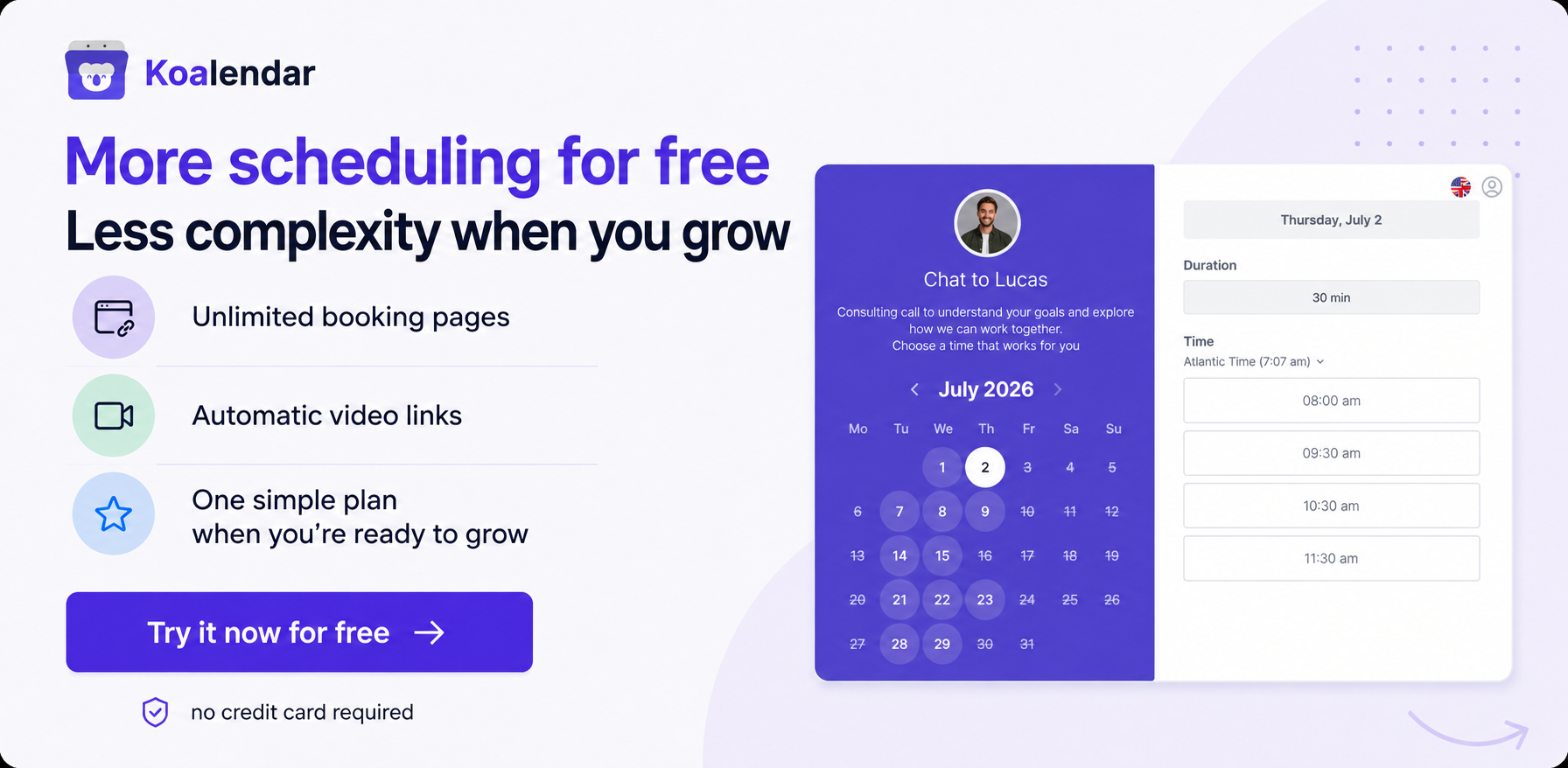
That’s where Koalendar comes in. Koalendar is an online scheduling tool that lets you share a booking link (or embed it as a CTA on your site) so clients can pick a time to meet you, without the back-and-forth.
And when you connect Koalendar to Stripe, you can go one step further: collect a payment or deposit at the time of booking. So instead of “book now, pay later, chase later,” it becomes one smooth flow:
click → book → pay via Stripe → confirmed.
That’s what Koalendar’s Stripe setup is really for: a clean, professional booking experience that helps you get booked, get paid, and reduce no-shows, without you having to send extra nudges or uncomfortable follow-ups.
Collecting deposits with Koalendar + Stripe (and letting Stripe follow up for the remaining balance)
Sometimes you don’t want to take full payment in advance. In this case, deposits are the sweet spot: you get commitment now, and the client gets flexibility.
Koalendar lets you collect a deposit (or full amount) upfront through Stripe when the client books. Stripe then handles the checkout, receipts, and the payment side securely, while Koalendar keeps the booking experience clean and simple.
Now the key question: how do you chase the remaining balance without turning into “that person”? The cleanest method: Stripe Invoice the balance (with automatic reminders).
Once the deposit is paid, you create a Stripe invoice for the remaining amount, set a due date, and switch on Stripe’s automatic reminders.
Stripe can nudge customers:
- a week before an invoice is due,
- on the due date,
- and periodically after it becomes overdue.
And Stripe’s docs show you can enable reminders for unpaid invoices directly in your Billing/Invoice settings (and choose the schedule).
A simple “deposit → balance” workflow that feels professional:
- Client books via Koalendar and pays a deposit through Stripe.
- You invoice the remainder in Stripe (e.g., “Remaining balance for [Service]”).
- Set the due date (common options: 48 hours before the session or due on completion).
- Turn on Stripe’s automatic invoice reminders so you’re not manually sending follow-ups.
Final words
Payment reminder emails help you get paid faster, but the best way to reduce late payments is to stop relying on reminders in the first place.
Koalendar lets clients book via a simple link (or embedded CTA), and when you connect Stripe, you can collect full payment or a deposit upfront as part of the booking flow. Then, if there’s a remaining balance, Stripe invoices it and follows up automatically, so you’re not chasing, the system is.
Want fewer awkward nudges and better cash flow? Set up Koalendar and forget about chasing payments manually.