TL;DR
An effective follow-up email after a meeting is a concise, timely message that summarizes key decisions, clarifies action items, and maintains momentum. It should be sent within 24 hours, have a clear subject line, and include specific next steps and deadlines.
This guide provides step-by-step instructions, best practices, and ready-to-use templates for various scenarios to help you turn discussions into action while strengthening professional relationships.

In the professional world, the conversation that takes place after the meeting is usually what moves projects forward. A purposeful follow-up email after a meeting is the key to turn discussion into strategic action. Without it, even the best of meetings can lose impact.
This guide will provide detailed guidance for how to craft emails that get read and generate results. You’ll learn how to write a follow-up email after a meeting, explore ready-to-go examples and a meeting recap email template, and discover best practices for scheduling and timing to make sure your post-meeting communication is highly effective.
What is a follow-up email after a meeting?
A follow-up email after a meeting is an intentional message sent to participants to confirm outcomes, document discussions, or propose further actions. It puts verbal agreements into writing.
Since it’s commonly used interchangeably, let’s differentiate between three main kinds:
- Follow-up email: An overarching category. This can be a simple request for feedback, a thank you note, or interest in connecting further. The hope here is to continue the conversation.
- Meeting recap email: A detailed follow-up specifically intended to document. It outlines key points, decisions, and action items including owners and deadlines. It can act as the formal “minutes” for the event.
- Thank-you email: Focused on communicating gratitude and strengthening a good relationship. It’s typical after networking events, interviews, or introductory conversations.
Sending a quick thank-you email after a coffee chat is great. Meanwhile, after a sales proposal submission or a project alignment meeting, a more in-depth meeting recap including clear next steps is crucial.
Why sending a follow-up email after a meeting matters
Sending a follow-up email after meeting is not simply a nicety, it’s an excellent professional habit that will benefit your relationships and project success.
- Keeping everyone on the same page: It guarantees all meeting participants are aligned on the main takeaways of the conversation.
- Confirming decisions and agreed meeting outcomes: It’s the perfect way to get verbal agreements down on paper, making them easy to reference and official.
- Clarifying next steps and who is responsible: This is the primary purpose. You ensure accountability by outlining action items with appointed owners (who does what) and deadlines (by when).
- Reducing confusion or miscommunication: A well-written summary prevents the, “I thought you said…” issue, saving everyone time and frustration.
- Keeping a clear written record of the meeting: It serves as an easily searchable record of the project’s trajectory.
- Maintaining momentum after meetings: It directs the meeting’s energy into specific tasks, keeping projects moving forward.
A good follow-up demonstrates respect, professionalism, and reliability for everyone’s time and efforts.
When should you send a follow-up email after a meeting?
Timing is an essential part of any effective follow-up. Your goal should always be to send the email right away, while the discussion is still fresh in everyone’s mind.
Standard timing guidelines:
- Internal meetings (within 24 hours): Maintain momentum within your team.
- Client or stakeholder meetings (same day or next business day): Demonstrates great prioritization and responsiveness.
- Sales proposals or demos (24–72 hours): Follow up while interest is high, but give it time for discussion to get going.
Networking or conference meetings (1–2 days): Get in touch quickly to jog memory and pin down the connection before you’re forgotten.
Situations where a follow-up email may not be necessary:
- No clear interaction or value exchange: An exclusively informational reunion.
- Automated calendar-only meetings: A placeholder with no discussion.
Redundant internal threads: Where action items and decisions are already recorded by a real-time project management tool during the reunion.
How to write a follow-up email after a meeting (step-by-step)
Follow this step-by-step process to write excellent follow-ups.
1. Subject lines that clearly reference the meeting
Your subject line is your first chance to connect, so make it specific and clear.
Examples: “Next Steps from Our Q2 Planning Session” or “Recap & Action Items: [Client Name] Project Kick-off.” Avoid vague lines like “Following Up.”
2. Providing context and reminding recipients of the meeting
Start by thanking meeting attendees and then go straight into providing context.
Example: “Dear Tim, thank you for the great conversation yesterday about the website redesign.”
3. Summarize key discussion points
Quickly recap 2 or 3 decisions or themes—be concise. This jogs memory and prepares folks to take action.
Example: “We aligned on prioritizing the user dashboard update and discussed the integration pain point.”
4. Highlight decisions made during the meeting
- Who does what
- By when
5. Present next steps and action items
This is the most important part. Use bullet points for greater clarity.
- Who does what: Assign every task to a person. “Martha: Finalizes the wireframe.”
- By when: State a clear deadline. "…by EOD Friday, January 9th.
6. Include a clear call to action
What’s your ‘ask’? An approval for the proposal submission, a confirmation, or availability for scheduling the next meeting?
Be clear: “Please confirm these action items by the end of the week” or “Book our next check-in using this link.”
7. Close professionally
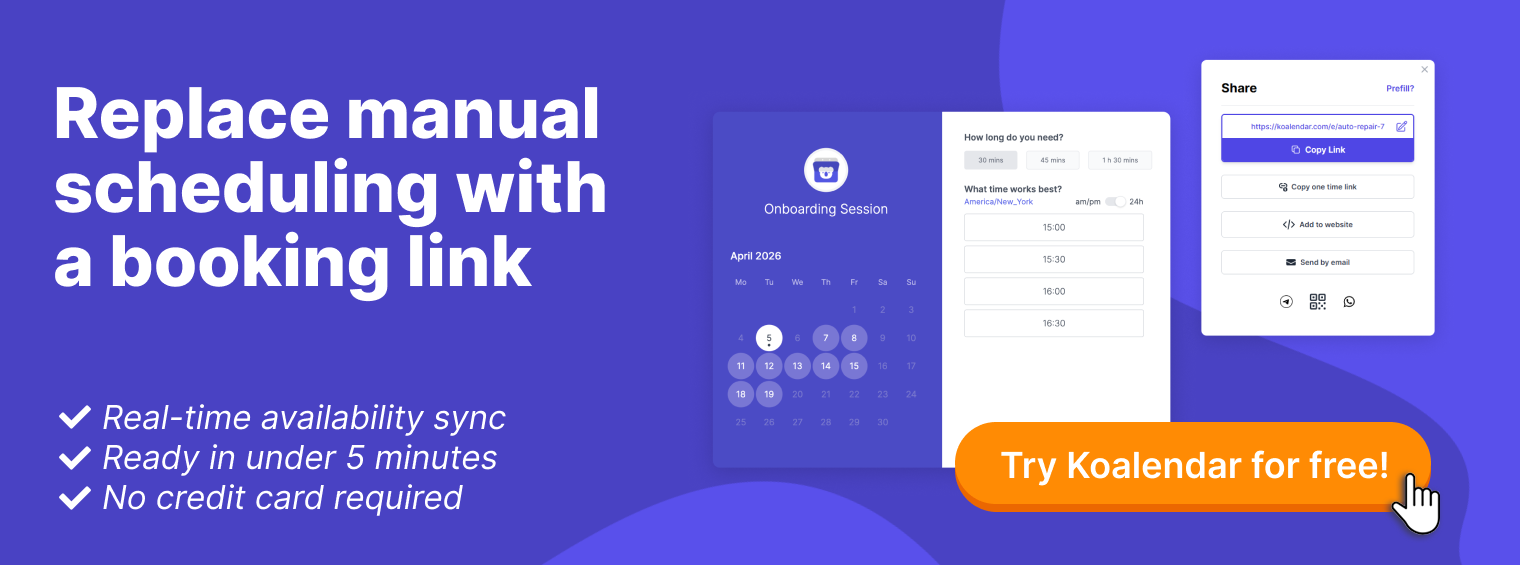
Use a cordial sign-off such as “Sincerely” or “Best regards,” followed by your full name, title, and contact information in your email signature. To transform your clear next steps into immediate action, integrate a direct scheduling link into your signature or recap.
Using a tool like Koalendar, the most generous free scheduling platform, eliminates the email ping-pong and lets recipients book a follow-up meeting on your calendar instantly. This final touch of efficiency demonstrates proactivity and ensures the momentum from your meeting carries forward without delay.
What to include in a meeting recap email
A formal meeting recap email template should provide a complete picture. Make sure it includes:
- Meeting date and participants: Who was there and when.
- Main topics and outcomes discussed: A brief summary of what was discussed and the main decisions made.
- Action items, responsibilities, and deadlines: The complete “who does what by when” list.
- Supporting documents, links, or resources: Attach the presentation, proposal, or link to a shared drive with additional resources.
Information about upcoming meetings or follow-ups: Include the date and time of the next scheduled meeting or a link to schedule it.
Best practices for writing professional follow-up emails
- Email length and readability: Keep it under 150 words whenever possible. Use brief paragraphs, bullet points, and bold headers for clarity.
- Personalization: Refer to a particular pain point or idea the recipient mentioned. Avoid overly generic sample templates.
- Tone selection: Match your tone to the audience and context—more formal for clients, more direct for internal teams.
- Structure and formatting: Use white space liberally. A wall of text can feel overwhelming and is unlikely to be read thoroughly.
- Word choice and language: Be professional and direct. Avoid jargon and ambiguity.
- Proofreading: Even a single typo can undermine your professionalism. Be sure to proofread and do a final review before you hit send.
Common follow-up email mistakes to avoid
- Not sending the email promptly: Sending a recap a week or more after the fact is essentially useless. Stick to the timing guidelines.
- Unclear or missing context: Don’t assume the recipient recalls the details. Be sure to provide context.
- Not defining next steps: A follow-up without direct action items is just another email; it doesn’t drive action.
- Overly long or unfocused messages: Be respectful of the recipient’s time. Be brief and to the point.
- Unprofessional tone or language choices: Don’t use slang, informal language or emojis in professional communication. This includes copying a generic sample without adapting it to your specific meeting.

Follow-up email after meeting examples and templates
Here are 10 customizable templates and samples.
Reviewing a concrete follow-up email after meeting example is the fastest way to understand the structure. To start customizing any template, first identify which one aligns with your meeting type.
1. Simple follow-up email after meeting (general)
Subject: Great to connect!
Hi [Name],
It was a pleasure speaking with you today about [Topic]. I especially enjoyed our discussion on [Specific Point].
As a next step, I will [Mention a specific action you will take].
I look forward to [Next interaction, e.g., continuing the conversation].
Best,
[Your Name]
2. Meeting recap email template (formal)
Subject: Meeting Recap & Actions: [Project/Mtg Name] - [Date]
Dear Team/Client,
Per our meeting today, please find below a summary of decisions and agreed actions.
Decisions made:
- [Decision 1]
- [Decision 2]
Action items:
- [Owner Name]: [Specific Task] | Deadline: [Date]
- [Owner Name]: [Specific Task] | Deadline: [Date]
The discussed documents are attached. Our next check-in is scheduled for [Date].
Regards,
[Your Name]
3. Follow-up email after meeting with action items
Subject: Action items from our [Topic] sync
Hi team,
Thanks for the productive session. Here are the immediate next steps we agreed to:
- Alex: Finalize the budget proposal. Due: EOD Tuesday
- Jamal: Share the design mockups with the client. Due: Thursday AM
- Everyone: Please review the attached spec doc by Friday.
Let me know if you have any blockers.
Thanks,
[Your Name]
4. Follow-up email after internal team meeting
Subject: Quick update from the team stand-up
Team,
Quick recap from today's huddle:
- The sprint goal is on track.
- Blockers: Maria noted the API access delay (Sam is following up).
- Today's focus: Everyone will update their project tickets by 3 PM.
No further action needed unless you're listed above.
Cheers,
[Your Name]
5. Follow-up email after client meeting
Subject: Next steps for the [Client Project Name]
Dear [Client Name],
Thank you for your time this morning. It was excellent to chart the path forward for [Project Phase].
As discussed, our team will proceed with [Specific Deliverable], targeting completion by [Date]. We will share an update next [Day of Week].
Please don't hesitate to reach out with any questions in the interim.
Sincerely,
[Your Name]
6. Sales meeting follow-up email example
Subject: [Your Company] Proposal & Next Steps
Hi [Prospect Name],
It was great to learn more about [Their Challenge] during our demo today. As promised, please find the detailed proposal attached, which outlines how we can help you [Address Pain Point].
The proposed next steps would be a short alignment call with your technical team. Does next Tuesday work for a 30-minute conversation?
You can book a slot directly here: [Scheduling Link].
Looking forward to your thoughts,
[Your Name]
7. Follow-up email after meeting with no response
Subject: Following up: [Original Subject]
Hi [Name],
I'm circling back on my email below regarding [Topic]. I wanted to ensure this didn't get lost in the shuffle.
Would you be open to a brief call next week to discuss? I'm available [Suggest 2-3 specific times].
Best,
[Your Name]
This template is a classic example of how to email someone after no response.
8. Follow-up email to confirm next steps
Subject: Confirming our agreed actions
Hello [Name],
To ensure we’re well aligned, I'm writing to confirm the key actions we agreed to during our call:
- You will: [Action for them]
- I will: [Action for you]
- Deadline: [Date]
Please reply with a simple "confirmed" if this looks correct. Thanks!
[Your Name]
9. Follow-up email with shared resources
Subject: Additional resources from our talk
Hi [Name],
As mentioned in our meeting, here are the additional resources I promised that delve deeper into [Topic]:
- [Link to Article 1]
- [Link to Report 2]
- [Attachment: Case Study]
I hope you find these useful. Let me know if you have any questions.
Regards,
[Your Name]
10. Follow-up email to schedule the next meeting
Subject: Scheduling our next check-in
Hi [Name],
Great touching base today. To keep things moving, let's schedule our follow-up discussion about [Topic].
Please use this link to find a time that works for you: [Koalendar link].
Talk soon,
[Your Name]
Follow-up email subject line examples
Meeting recaps:
- Recap: [Meeting Topic] - [Date]
- Summary of Our [Project Name] Discussion
- Minutes from [Date] Strategy Meeting
Highlighting next steps:
- Agreed next-steps from our meeting
- Action items: [client/meeting name]
- Your next steps following our [event/meeting type]
Polite reminders:
- Following up on our [day] conversation
- Reconnecting: [Topic]
- Quick reminder: [Topic]

How many follow-up emails to send
When sending a follow-up email after a meeting, it helps to strike a balance—always be polite, but don't be afraid to be a bit persistent, either.
- Typical follow-up frequency: If you don’t receive a response to your first meeting request or recap email, send the first follow-up email 3 to 4 business days afterward. A second (and final) reconnecting email 5 to 7 business days after that. Knowing how to email politely after no response is a key skill.
- When to stop following up: After 2 to 3 attempts over a couple of weeks with no response, it’s time to step back. The next step is theirs. Though you can send a last, graceful note: “I’ll assume priorities have shifted for now. Please don’t hesitate to reach out in the future.”
- Balancing persistence and professionalism: Add a new perspective or greater value in every follow-up. A good tactic is to provide context from your shared discussion, such as: “Reflecting on our talk about X, I thought this article might be relevant...”
Tools that support meeting follow-up emails
Use technology to make your post-meeting process faster and easier.
- Scheduling and calendar-based follow-ups: A tool like Koalendar makes it easy to embed a booking link directly in your signature or follow-up email, which makes scheduling your next meeting effortless. No back-and-forth. Consider Koalendar’s dedicated scheduling software for teams.
- Automating meeting recaps and reminders: There’s dedicated video conferencing and AI note-taking tools (like Fireflies.ai, Otter.ai, and Fathom) that can generate draft recaps automatically. Appointment reminder software like Koalendar can streamline pre- and post-meeting emails.
- Using tools to manage next steps: Merge all of your action items into a single project management platform (like Trello or Asana) to make sure all tasks are covered.
Final thoughts on writing effective follow-up emails after meetings
Getting your follow-up emails right is one of those simple skills that makes a big difference. It ultimately comes down to being clear, being quick, and being consistent. When you nail the timing and spell out next-steps well, people see you as someone who gets things done.
Templates are your best friend here. They save you a ton of time and help you sound professional without even trying—a kind of cheat sheet to make sure you cover all the important stuff.
They are especially important after meeting someone at a conference or a networking event. Sending a quick, friendly note to say thanks and suggest a next move is how you turn a quick chat into a real connection.
Make it a habit. That’s the only real secret. A good follow-up is the simplest way to make sure your meetings lead to actual results.
Turn follow-ups into confirmed meetings with a Koalendar link
Use a scheduling link at the end of a follow-up email outlining action items or next-steps. This makes it easy to schedule actionable tasks, demonstrating proactivity and fast-tracking progress.
For situations where you need to reschedule, our professional rescheduling email template can save you time.
Streamline scheduling and improve your productivity today with Koalendar.
Bonus: Get our ready-to-use appointment email confirmation template.