
TL;DR — Your quick-start summary
- The problem: Studio owners spend too many hours on admin relying on manual tools like spreadsheets and paper, leading to scheduling errors and payment issues.
- The solution: Dedicated studio software automates scheduling, billing, and communication, freeing you to focus on teaching.
- Top picks reviewed: We evaluated Koalendar (best for modern, intuitive, and accessible scheduling), Fitune, Gymdesh, Activity Messenger, WellnessLiving, StudioDirector, and Jackrabbit Dance.
- Key decision factors: Choose based on your studio’s size, budget, essential features, and growth plans.
- The winner for ease and value: Koalendar stands out for its intuitive design, powerful scheduling, and generous free plan—ideal for small and growing studios.
- Next step: Start with a free Koalendar account (no credit card required) and get your first booking live in minutes.
Introduction
Hey studio owners! Between communicating with families, coordinating class schedules, tracking payments, and actually teaching dance, your to-do list is long. You opened your studio because you’re passionate about dance, not admin work.
This is where the right dance studio management software steps in. The right tool can turn scattered systems into one smooth workflow, helping you spend less time on admin and more in the studio.
In this guide, we’ll walk through the best dance studio software options, compare what they do, and highlight which software for dance schools fits different types of studios. By the end, you’ll know exactly which software for dance schools is the right match for your studio’s unique rhythms.
Let’s get to it!
Dance studio software comparison table: A quick overview
Let’s dive in. This is a quick-glance, high-level overview of some of the leading class management software for dance studios available today. This skimmable guide will show you how they compare to one another.
 | Fitune | Gymdesk | Activity Messenger |  | StudioDirector | Jackrabbit Dance | |
| Best for | Small to mid-sized studios looking for modern, intuitive scheduling software with a low-cost entry | Small to medium-sized fitness-focused or hybrid studios (e.g., dance and yoga) | Small to medium-sized studios, and can scale effectively for many larger or multi-location martial arts studios that also offer dance, or community rec centers | Small to medium-sized community-focused dance studios where event communication and reminders are the top priority | Medium and large-sized established studios needing a deep, feature-rich ecosystem | Medium and large-sized legacy studios deeply familiar with older software systems | Large dance-only schools that need extreme feature density and don’t mind a steep learning curve |
| Key Features for Dance Studios | 24/7 online booking, calendar sync, automated reminders, custom booking pages, integrated payments, Free Forever Plan | Scheduling, client management, basic website builder. Focused on service businesses | Membership management, belt grading, attendance. Robust for member-based gyms | Mass messaging, forms, polls, and strong communication tools | POS, marketing automation, advanced reporting, and retention tools. Billing, scheduling, and some CRM functions | Billing, scheduling, and some CRM functions | Industry-specific reports, costume management, competition tracking |
| Pricing and Trial Options | Offers a free trial and a Free Forever Plan. Subscription-based starting at $6.99/month | Subscription-based. Offers a free trial | Quote-based pricing. Demo available | Subscription-based, often per-student | Higher-cost subscription. Demo available | Annual license fee. Less modern UX | Tiered subscription. Complex setup |
Pro tip: When looking at their differences, pay special attention to the “Best For” column. The best dance school software for a big competition studio is likely too much (and probably too expensive) for a small neighborhood barre studio.
Why dance studios need the right software
Before we go through each option, let’s quickly go over the ‘why.’ If you want to succeed as a modern dance school, adopting a dedicated studio admin system isn’t optional—it’s a must. It’s the foundation for your studio’s creative efforts and growth.
When operations run smoothly, your staff can dedicate more time to teaching, coaching, and providing meaningful support in a dance studio, rather than juggling administrative chaos.
Common admin headaches dance schools face
If any of these ring a bell, know you’re not the first:
- The scheduling juggling act: Keeping track of changing class schedules, instructor availability, and studio room reservations by hand — across styles and levels.
- Payment chaos: Managing who’s on autopay, who’s been paid for the month, who’s in need of a reminder, and settling card, cash, and online payments.
- Communication breakdowns: Going back and forth over the phone with families, firing off email after email every time the schedule shifts, and trying to make sure key updates get to everyone in time.
- Attendance ambiguity: Depending on memory or physical sign-in sheets to keep track of dance student attendance turns progress reports and recital planning into a headache.
When basic tools like spreadsheets start holding you back
You started with free tools: Excel sheets, Google Calendar, paper registers, and your own cell phone for texts. Sound familiar? That approach is perfect for getting off the ground.
But before you knew it, a small snag could turn into a real headache. A double-booked room here, a missed payment there, a frazzled parent who missed the costume rehearsal notice — all reminders of why choosing the right dance studio software becomes essential as your studio grows. Since none of those tools talk to each other, your studio’s vital information ends up scattered, and your time gets pulled in every direction but the dance floor.

What specialized software solves: Less admin, more dancing
This is how true all-in-one software stands out. Picture this instead:
- A student reserves and pays for a 12-class pack online at 8 PM
- Your calendar syncs automatically, securing that time slot
- The scheduling software automatically sends reminders 24 hours ahead of the scheduled class time
- When they show up, you simply click their name on a tablet to keep track of attendance
- Their parent portal automatically updates, and their package count goes down
- You plan an incredible new routine with all the time you saved
This is just an example of the wonderful possibilities that a streamlined dance studio software ecosystem can bring. It all comes down to working smarter, not harder.
Key features to look for in dance school software
Not all features are necessary. The following functionality should be at the top of your mind when considering apps for dance studios:
1. Online class booking and registration
This is essential. An easy-to-use 24/7 online scheduling system allows students to enroll in classes and pay at any time, significantly reducing admin work. Also, keep an eye out for booking pages you can customize and link from your social media or website.
2. Payment integration and billing automation
Tracking down payment is tiring and never fun. Your management software should handle package sales, recurrent payments (for monthly memberships), and one-time fee collection securely. Integrated payment capabilities means money is sent directly to your account so you don’t have to chase it.
3. Attendance tracking and student profiles
The days of paper sign-ins are gone (fortunately!). A fast tablet or phone tap-to-check-in is a great way to streamline attendance tracking. You can then keep everything organized in each student's digital profile—creating one central place to see their attendance, your personal notes, and their full payment history.
Studios that also build structured curricula may benefit from lesson planning software for dance schools, which helps instructors organize choreography notes, skill progressions, and class goals.
4. Parent/student communication tools
Integrated SMS and email tools — with automatic reminders for events, classes, and payments — help keep your whole community in the loop. Look for management software that also gives you the ability to communicate with select groups (e.g., ‘all advanced hip hop parents’).
5. Scheduling across locations or instructors
If your studio has several venues, rooms, or freelance instructors, your dance studio management software needs to be able to coordinate multiple, complex calendars to avoid double-booking. And if you offer online dance classes, automatic time zone detection is a must-have.
6. Mobile access for on-the-go management
You’re away from your desk more often than not. An excellent dance studio software app will allow you to take attendance, send a message, or double-check that week’s schedule right from your phone.
Top dance studio software options in 2026 — deep reviews
Now, let’s get a closer look at each platform. We’ve put together insights from leading market comparisons and paired it with real-world context to help you go beyond the feature offerings.
Koalendar — Best for modern, intuitive scheduling with affordable plans
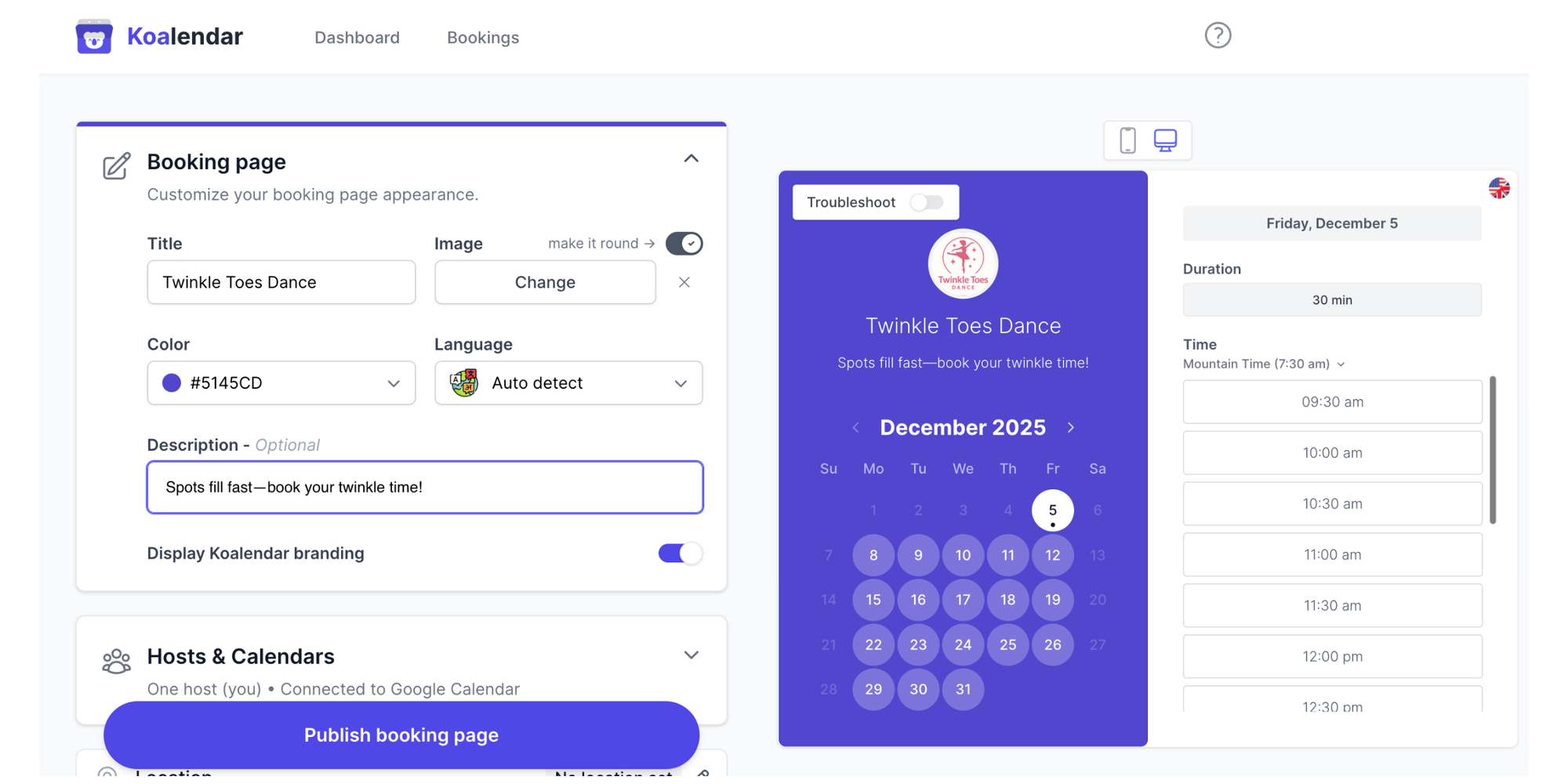
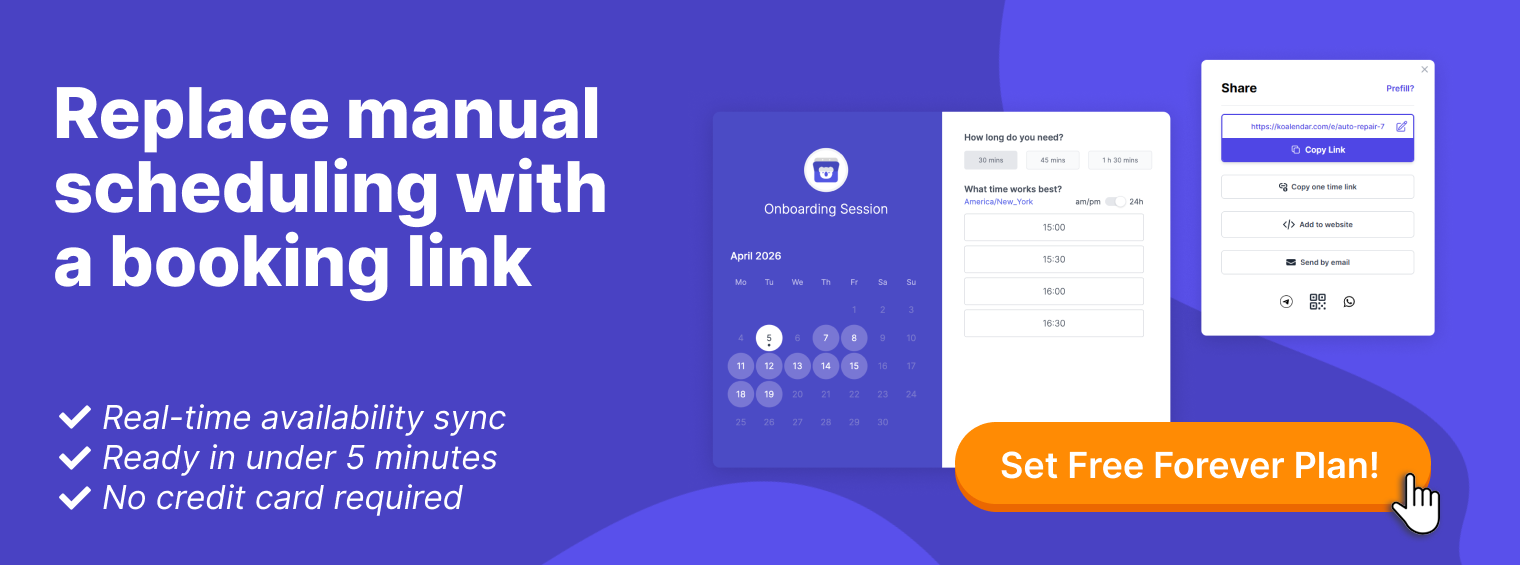
If you agree that scheduling software should be affordable and easy to use, Koalendar is for you. It’s designed with a clean, intuitive interface that’ll get you up and running in minutes.
- Why dance studios love it: It brilliantly takes care of your most critical task: scheduling. Creating custom booking pages for each class type (e.g., beginner tap, advanced salsa, modern dance) can be done in minutes. You can also offer class packages, letting students purchase multiple sessions together. The calendar sync with Outlook, Google, and iCal is seamless, helping eliminate double-bookings. Plus, the automatic reminders drastically reduce no-shows while the Koalendar mobile app gives you quick, easy access to all your bookings between classes.
“ I use Koalendar to book group events and the features of this app match our criteria and offer great flexibility, connectivity to manage bookings, and a smooth user experience all round. This is the best booking app I’ve found.”
Emma B
Higher Education Program Coordinator
- For small studios: the Free Forever Plan is a major benefit. It includes unlimited booking pages, offering a robust solution for owners who are cost conscious. You get to enjoy essential scheduling and booking functionality, completely and always free.
- Perfect for: Barre studio operators, solo studio owners, and scaling dance schools who require both simplicity and efficiency. It’s the best scheduling tool for both in-person programs and virtual training sessions, making it a strong contender for anyone searching for the best app for online dance classes. Because of its simplicity and visual clarity, Koalendar also works exceptionally well as barre studio software for owners who need fast scheduling tools without complex backend systems.
Fitune — Great for fitness-focused hybrid studios
Fitune is positioned as a comprehensive solution for wellness entrepreneurs and businesses. This makes it a good fit for studios combining dance with other fitness services.
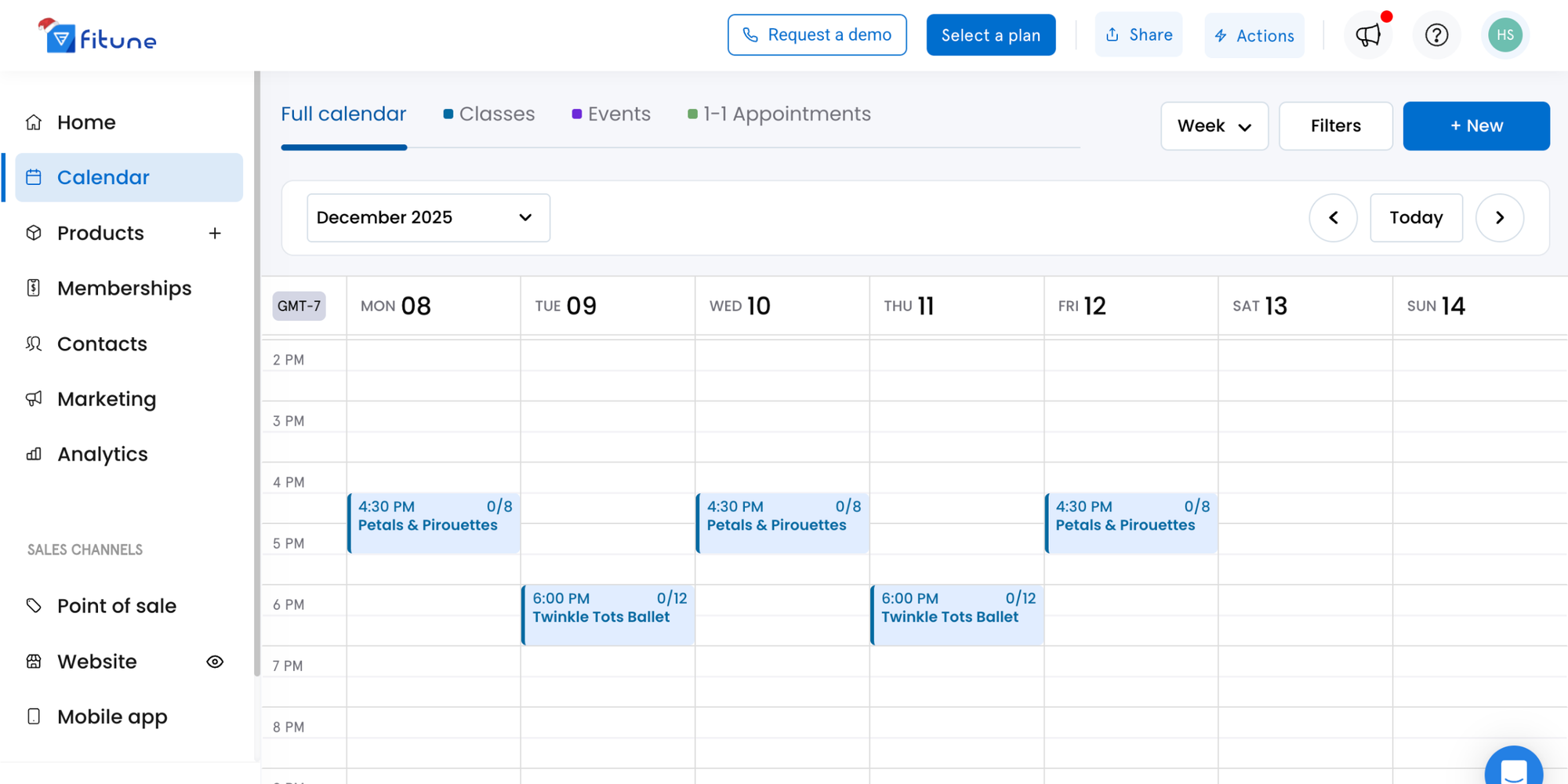
- At a glance: More of a “gym” than “conservatory” aesthetic. They offer a generalist set of features for studios focused on class-based services.
- Consider it if: Your business is more geared toward working out (e.g., fitness-based dance programs, dance cardio, etc.) and you’re looking for built-in tools, like a ready-made website builder.
Gymdesk — Best for martial arts and dance crossover
Gymdesk specializes in managing the ins and outs of membership-driven training centers. Its beginnings are in martial arts, so it’s perfect for belt/progress monitoring and community engagement.
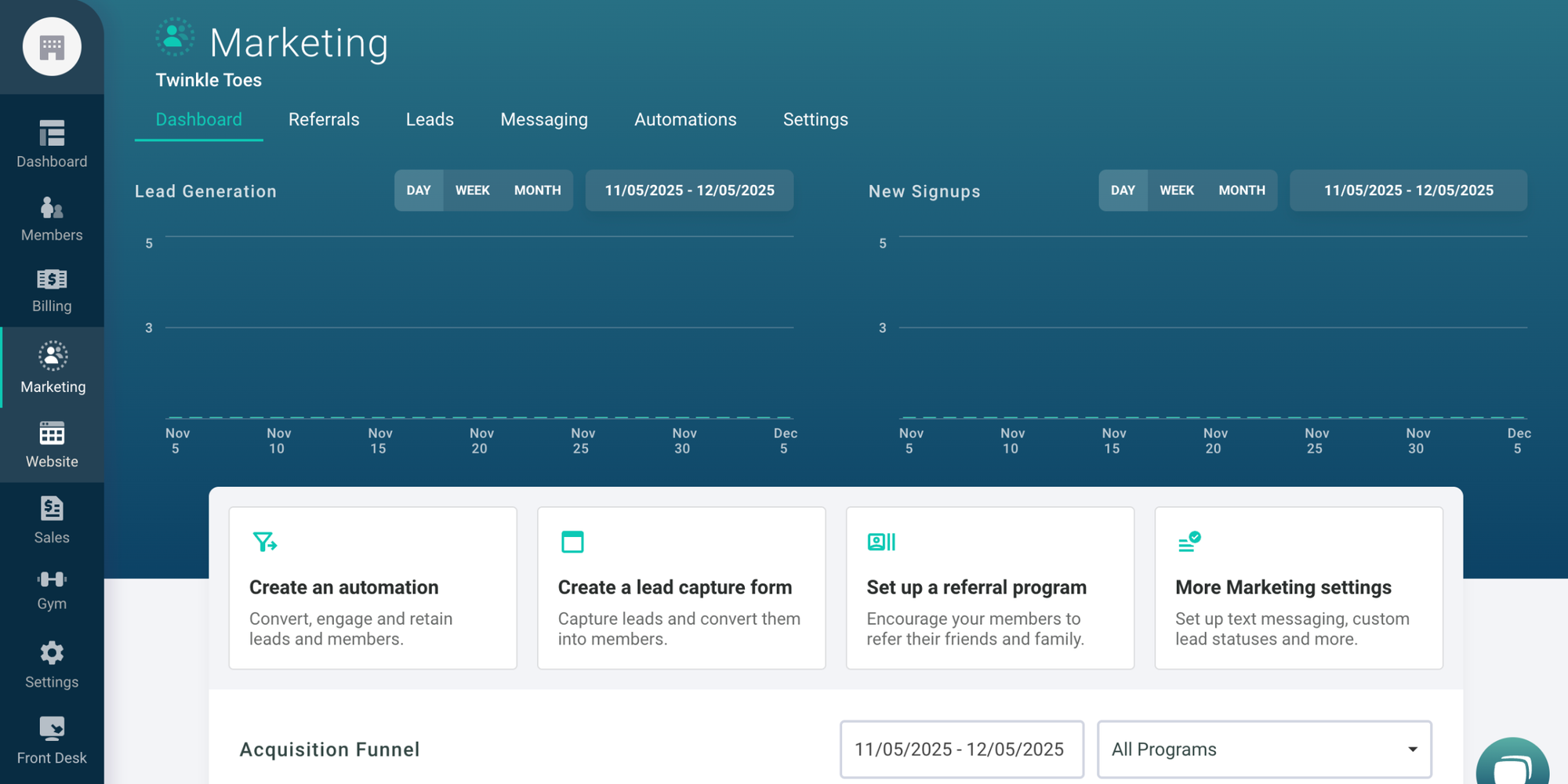
- At a glance: Organized, community-centric, and reliable at supporting large member communities.
- Consider it if: You manage a dojo or community center that offers dance in addition to other core programs.
Activity Messenger — Strong for event comms and dance schools
Activity Messenger is really focused on communication. Its tools are great for studios whose world revolves around competitions, recitals, fundraisers, and parent correspondence.
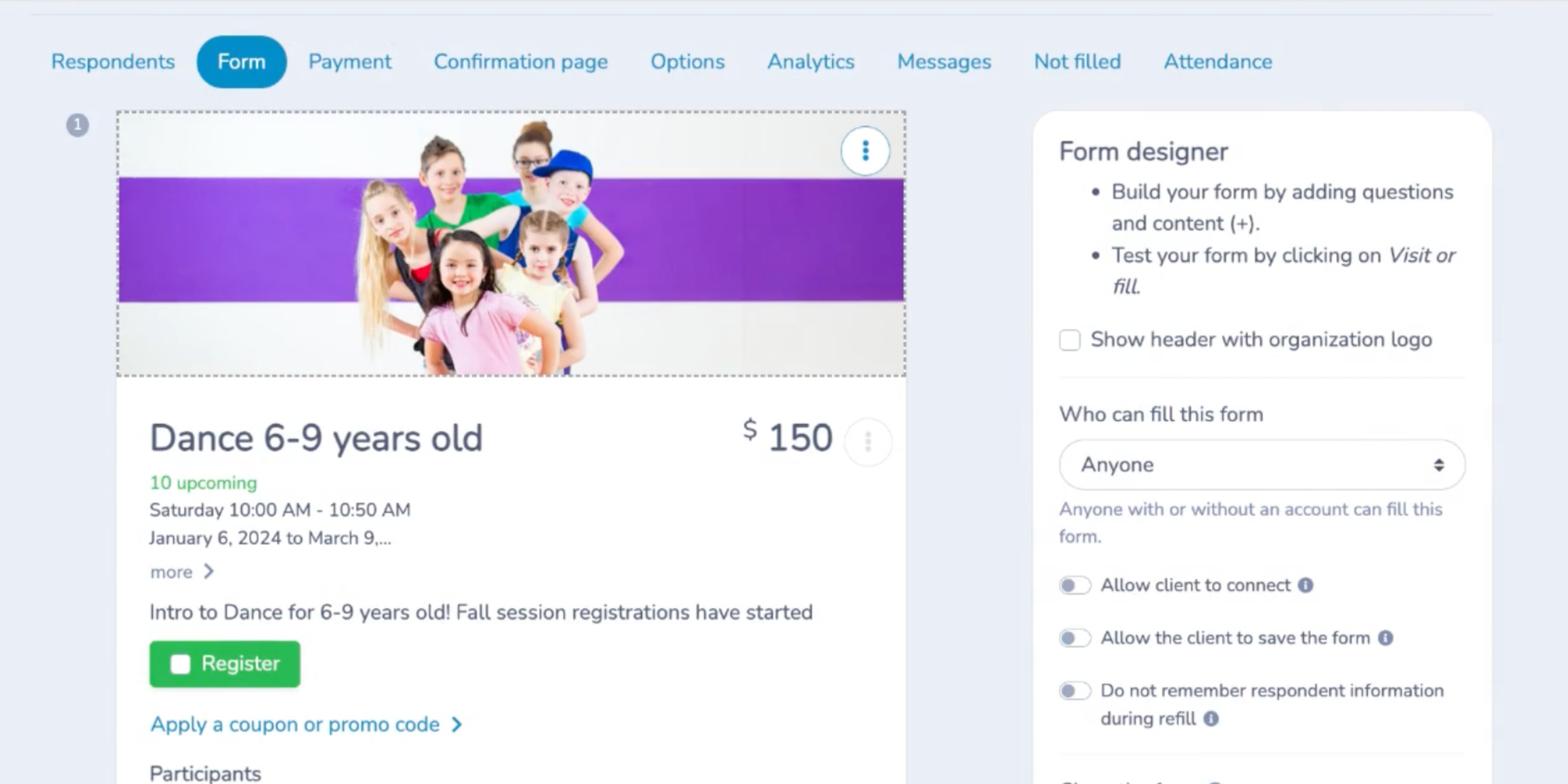
- At a glance: An all-in-one communication hub for dance schools and activity-based organizations.
- Consider it if: One of your biggest problems is communicating effectively with student families. It generally works as a powerful add-on with other management software for dance schools.
WellnessLiving — Feature-rich, good for larger studios
WellnessLiving is an all-in-one software rockstar. It comes with: automated marketing campaigns, an advanced POS, predictive retention analytics, and more.
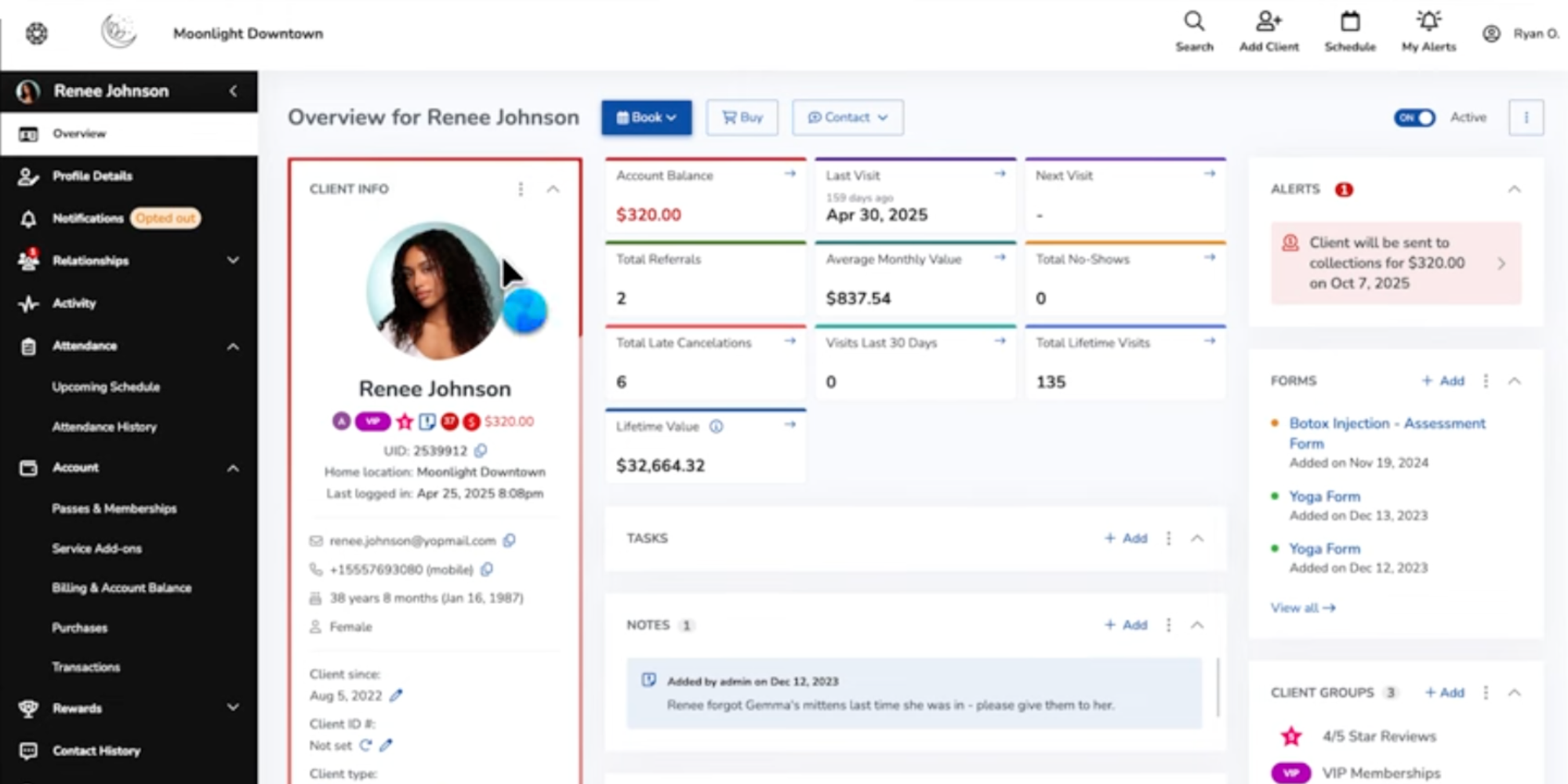
- At a glance: An entirely integrated business operating system. There is a slight learning curve, but its capabilities make it worthwhile.
- Consider it if: You lead a large, multi-location studio, the resources for a dedicated administrative manager, and the operating budget for such a full-scale software ecosystem.
StudioDirector — Legacy but limited interface
StudioDirector is an industry veteran that offers robust billing and scheduling features — though they haven’t kept pace with modern user experience (UX) design.
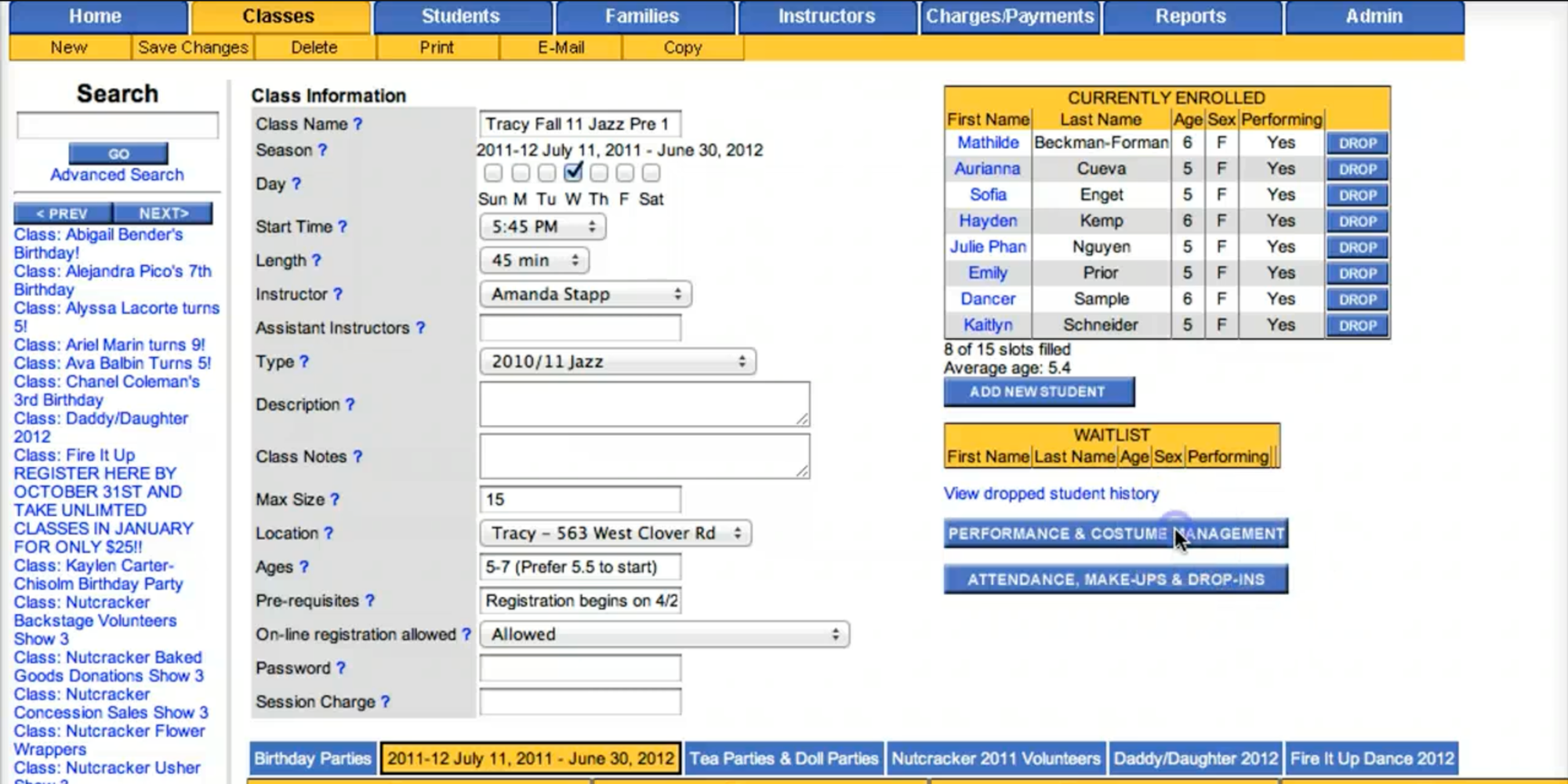
- At a glance: Can feel like an out-of-date desktop software system. It works but doesn’t offer the best user experience.
- Consider it if: You are already familiarized with it and are not looking to change. Modern studio owners may find the interface clunky.
Jackrabbit Dance — Feature-dense, less intuitive UI
Jackrabbit Dance is an industry-giant go-to for big dance academies. It boasts a wide range of powerful capabilities for competition logistics, costume coordination, and dance-specific reporting.

- At a glance: Top-tier functionality, though known for its complexity. Users usually require considerable training or the help of a consultant.
- Consider it if: You manage a big, dance-only school (100+ students) in which coordinating elaborate quarterly recital details is as essential as day-to-day scheduling, and you have the staff expertise and budget to manage the software.
How to choose the right software for your dance studio
With these options now fresh in mind, the question is: which is right for you?
Here is a practical guide to help.
1. Identify your studio size, model, and growth plans
Are you a small studio owner, a solo instructor, or a multi-location dance academy? Naturally, your size will determine your exact budget and needs.
Remember to keep your business model in mind too: monthly memberships, drop-in classes, or workshop-based?
Select a dance studio software that aligns with your actual workflow and supports long-term growth.
2. Prioritize must-have vs nice-to-have features
Take another look at the “Key features” section. What are your top three must-haves? For most studio owners, they’re online booking, scheduling, and payments. Nice-to-haves may be advanced reporting analytics or a mobile app. Regardless, avoid paying for unnecessary features.
3. Consider student/parent UX — Mobile, reminders, access
Remember, your software is also part of your client’s experience. Is the booking process intuitive and fast on a smartphone? Are reminders sent out reliably? A good parent portal minimizes the “What time is our session?” calls. The best software for dance studios works as well for your staff as it does for your dancers.
If your studio teaches remotely or offers hybrid formats, evaluate which platform performs reliably as the best app for online dance classes, especially when it comes to time-zone handling, virtual class links, and mobile-friendly scheduling.
4. Compare trials and test customer support responsiveness
It’s essential to try before you buy. Take advantage of free trials. When you do, check out their support services. How receptive and helpful are they? This is your first glimpse into what it’ll be like to work with them. Koalendar’s Forever Free Plan is a great, risk-free way to get started.
A real world story — What happened when they switched
The proof is in the results. Here’s how the right software transformed a real program.
From audition chaos to fully booked spots
The Theater & Dance team at Muhlenberg College was drowning in back-and-forth emails for auditions, tours, and meetings. After switching to Koalendar, students simply booked a slot that worked, got an automatic confirmation, and showed up.
“ We’ve doubled our attendance rates and number of bookings, and cut about 12 hours of scheduling work per staff member every week.”

Alessandra Fanelli
Program manager at Muhlenberg College
Now they:
- Fill more of their available visit/audition spots
- See way fewer no-shows
- Save hours of admin time every single week
- Setup took minutes, not days
- It’s intuitive enough that she barely had to “learn” it
- Clients find it easy to use (and tell her so)
Final thoughts — Simplify your scheduling with Koalendar
Running a dance studio is often as challenging as it is rewarding. With the best dance studio software, however, your focus can shift from managing administrative complexity to nurturing your creativity. And choosing the best dance studio scheduling software allows you to spend less time managing bookings and more time focusing on your students, instructors, and studio growth.
After a close comparison of the top dance studio software options, Koalendar is a standout choice for small to mid-sized studio owners searching for an ideal blend of powerful capabilities, value, and ease of use. It handles your most important client needs effortlessly with simple online booking, streamlined scheduling, and automated reminders.
Koalendar’s made to win you back time. The benefits kick in as you set up your first custom booking page. And with our Forever Free Plan, you can experience maximized scheduling ease at no cost.
Start your free account today — no credit card required, and get your first class booking live in minutes. See for yourself how simple managing your studio can be.
.png?w=800&fit=max&auto=format)