
TL;DR – summary
The best time management tools in 2026 automate scheduling, track focus, and streamline collaboration.
Top picks:
- Koalendar for better scheduling and appointment booking
- Toggl Track for time analytics
- Asana for team coordination
The right tool depends on your role. Solo professionals need simplicity. Client-facing roles need smart scheduling. Teams need robust collaboration tools.
Ultimately, these top time management apps help you improve work‑life balance, so you can work smarter, not harder.
Overview of the best time management tools
Today, the best time management tools are no longer simple productivity apps. They’re ever more intelligent systems that streamline and automate workflows. You’ll find specialized solutions for almost every professional task, from tracking billable hours to protecting teachers’ planning time.
This guide will take you through the top tools to save time and improve work-life balance. No more sifting through endless options, we’ve done the hard work for you. Let’s find your perfect digital solution, so you can spend more time on what really matters.
What are time management tools?
Digital time management tools are apps made to support professionals in how they plan, spend, and optimize their working hours. They’ve come a long way: From simple calendars and timers to responsive platforms that streamline administrative tasks, offer strategic insights, and enhance focused work blocks. In 2026, these tools are more proactive and essential than ever before.
Why busy professionals need them
Professionals in today’s workspace are seeing more demands coming from every direction. Back-to-back meetings, constant notifications, and administrative demands lead to a fractured workday. Without adaptive strategies, you end up working more hours and accomplishing less. The best tools for time management address these issues by:
- Automating routine tasks like follow-ups and meeting scheduling
- Providing objective insight on how your time is actually spent
- Setting boundaries that guard and deepen your focus time
- Improving efficiency by streamlining collaboration and reducing meetings
Time management vs task management vs scheduling tools
Understanding these differences will help you build your ideal productivity toolkit:
- Time management tools: Focused on analysis and duration. They keep track of how much time activities take and map productivity rhythms (e.g., Toggl Track, RescueTime).
- Task management tools: Focused on completion and execution. They help break down projects or goals into actionable tasks and map progress (e.g., Asana, Trello).
- Scheduling tools: Focused on availability and coordination. They coordinate appointments, calendars, and bookings (e.g., Koalendar, Google Calendar).
The magic for most professionals comes from integrating one tool from each category.

Who benefits most (teachers, lawyers, consultants, business owners)
- Teachers and administrators: To combat wasted meetings and constant interruptions, these tools improve time management for teachers by protecting prep periods and streamlining parent communication.
- Lawyers and consultants: Time means money. They need exact billable hour tracking and polished scheduling tools that provide a professional experience for clients.
- Business owners and solo professionals: The best tools for solo professionals are versatile, able to manage everything from project tracking to client scheduling without dedicated administrative support.
- Students: The best time management tools for students help build foundational habits that support academic success.
The 10 best time management tools to use in 2026
Comparison table: Key features for professional use
 | Toggl Track | Clockify | RescueTime | Trello | Asana | Notion | Forest |  | ClickUp | |
| Team collaboration | Excellent (team scheduling) | Good (shared projects) | Excelent (unlimited users) | Limited | Excellent (visual collaboration) | Excellent (workload management) | Good (shared workspaces) | Limited (focus rooms) | Excellent (shared calendars) | Excellent (all-in-one) |
| Ease of implementation | Very easy | Very easy | Easy | Very easy | Very easy | Moderate | Difficult (steep learning curve) | Very easy | Very easy | Difficult (complex setup) |
| Reporting and insights | Excellent (booking analytics) | Excellent (visual reports) | Good (team dashboards) | Excellent (productivity scores) | Basic (with Power-Ups) | Good (project analytics) | Basic | Basic (session history) | Basic | Excellent (custom dashboards) |
| Mobile support | Good | Excellent | Good | Good | Excellent | Excellent | Good | Excellent | Excellent | Good |
| Pricing for small business | $ (Free Forever plan available) | $$ (Premium: $20/user/mo) | $ (Free forever available) | $$ ($12/mo) | $ (Robust free plan) | $$ (Premium: $10.99/user/mo) | $ (Plus: $8/user/mo) | $ (One-time $3.99 purchase) | $ (Free with Google account) | $ (Unlimited: $7/user/mo) |
1. Toggl Track – Time tracking for professionals
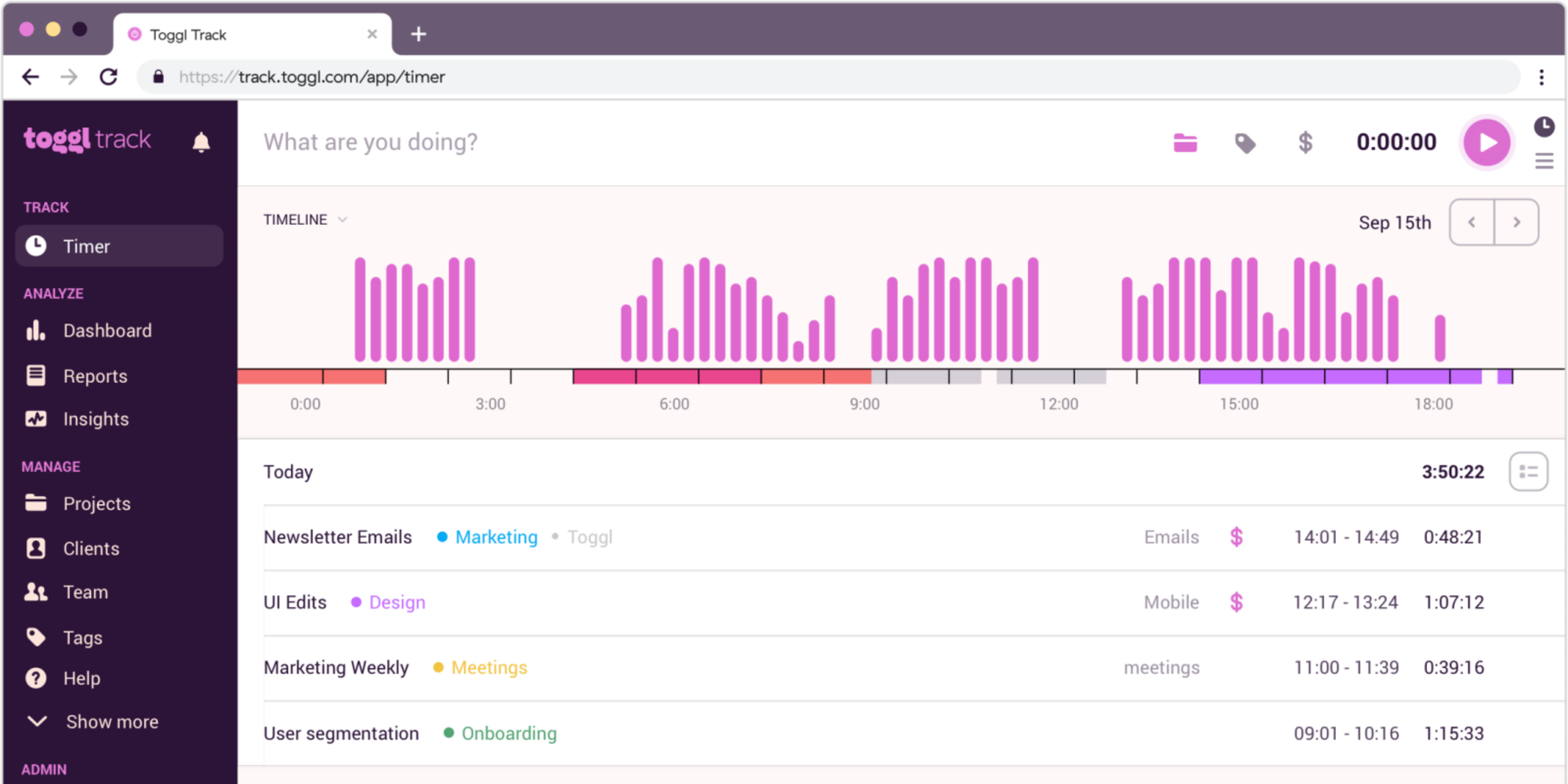
Overview: Toggl Track is a straightforward time tracker that turns hours into actionable insights with minimal effort.
Key use case: A freelance developer tracking time across several client projects for correct billing and determining the most profitable kinds of work.
Standout features:
- One-click timer
- Visual reports
- Idle detection
- Project/hourly rate tracking
Pricing summary: Free for solo users. Starter $10/user/mo. Premium $20/user/mo.
Pros: Very user-friendly, creates visually compelling reports.
Cons: Advanced features require paid plans. May be too much for simple tracking.
2. Clockify – Employee and team tracking
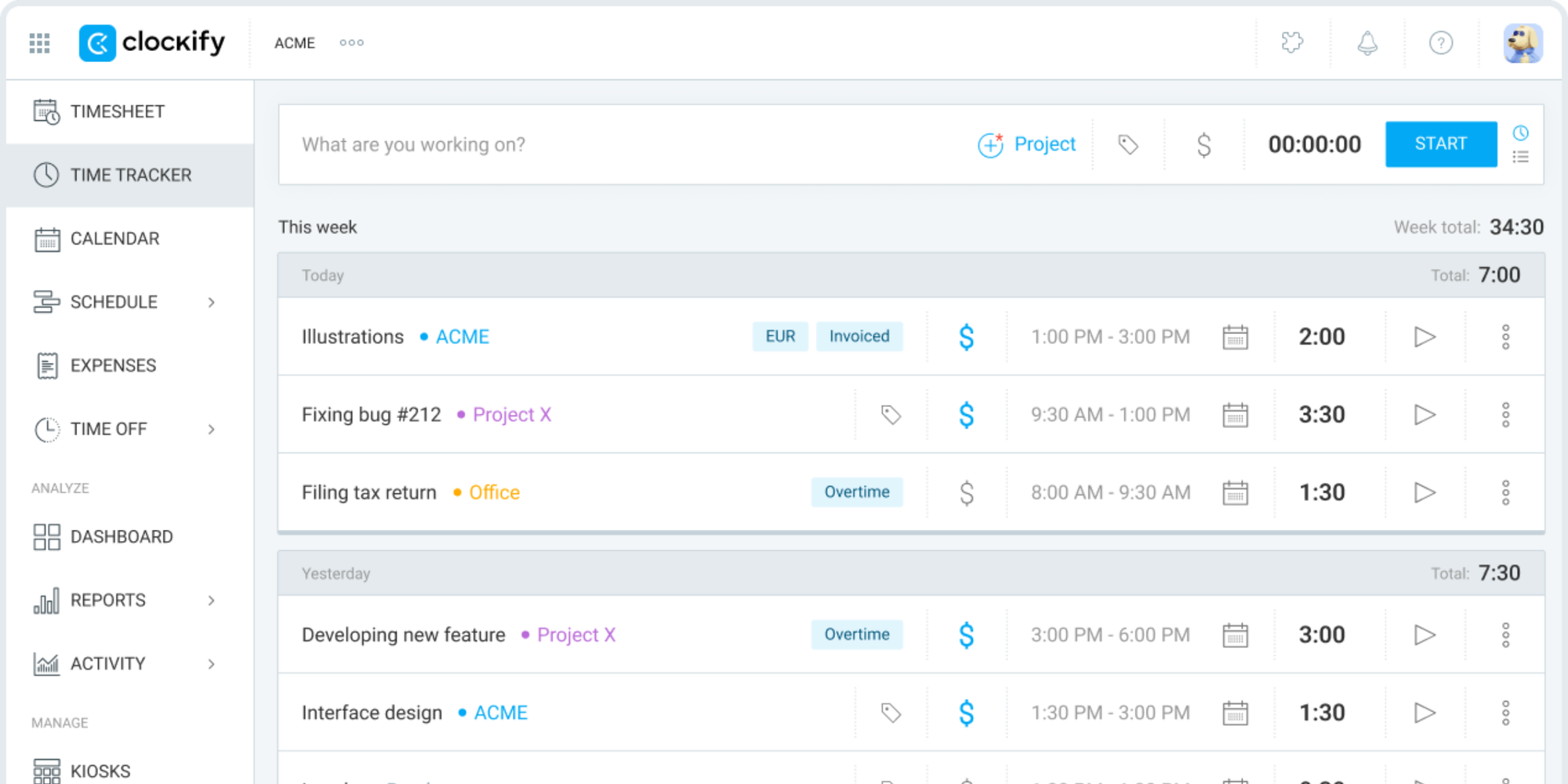
Overview: Clockify is a robust time tracker built for teams, offering unlimited users on its free plan.
Key use case: A sizable agency needing unlimited team members to track project hours without budget constraints.
Standout features:
- Unlimited free users
- TimesheetsTeam dashboards
- KPI tracking
Pricing summary: Free forever option. Basic $3.99/user/mo. Standard $5.49/user/mo.
Pros: Unbeatable value, scales effortlessly.
Cons: Interface is less polished. Advanced reporting is only available on higher tiers.
3. RescueTime – Focus and distraction blocking
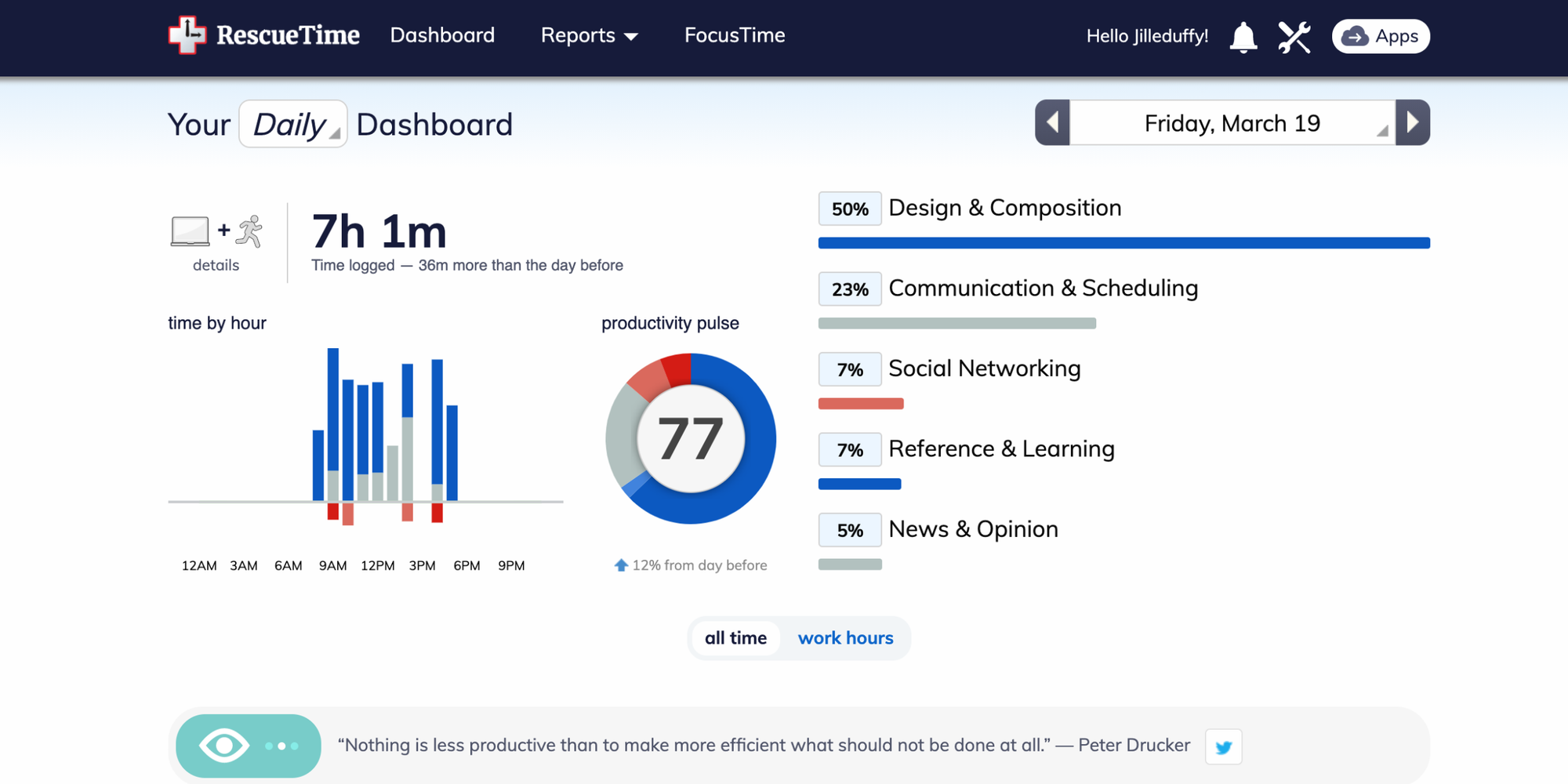
Overview: RescueTime automatically runs in the background to provide data on your digital habits and help block distractions.
Key use case: A writer looking for hard data on how they spend their time and a tool to block digital distractions during creative work sessions.
Standout features:
- Automatic background tracking
- App/website blocking
- Detailed weekly productivity reports
Pricing summary: Lite version free. Premium $12/month (billed annually).
Pros: Exposes hidden time drains. The distraction blocking feature is effective.
Cons: Only tracks digital activity. Some may find the monitoring intrusive.
4. Trello – Visual planning
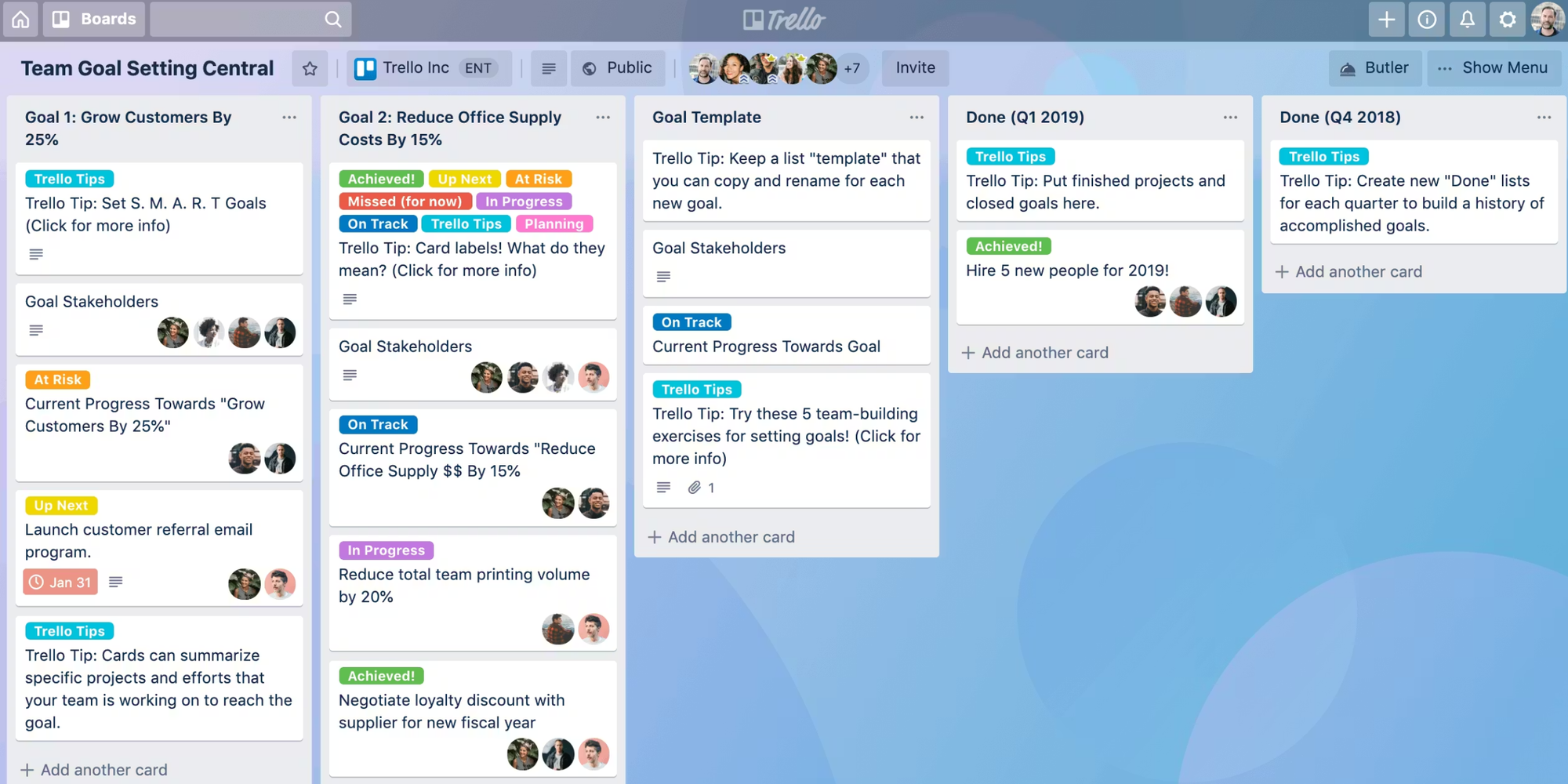
Overview: Trello uses a flexible card-and-board system to visually organize projects and workflows.
Key use case: A content team coordinating their editorial calendar wanting clear visualization of the process from ideas/brainstorming to publication.
Standout features:
- Kanban boards
- Butler automation rules
- Cards with checklists/due dates
- ‘Power-ups’
Pricing summary: Free plan unlimited cards. Standard $5/user/mo. Premium $10/user/mo.
Pros: Intuitive visual interface that’s super flexible.
Cons: Can become disorganized. Lacks native time tracking.
5. Asana – Team task/project coordination
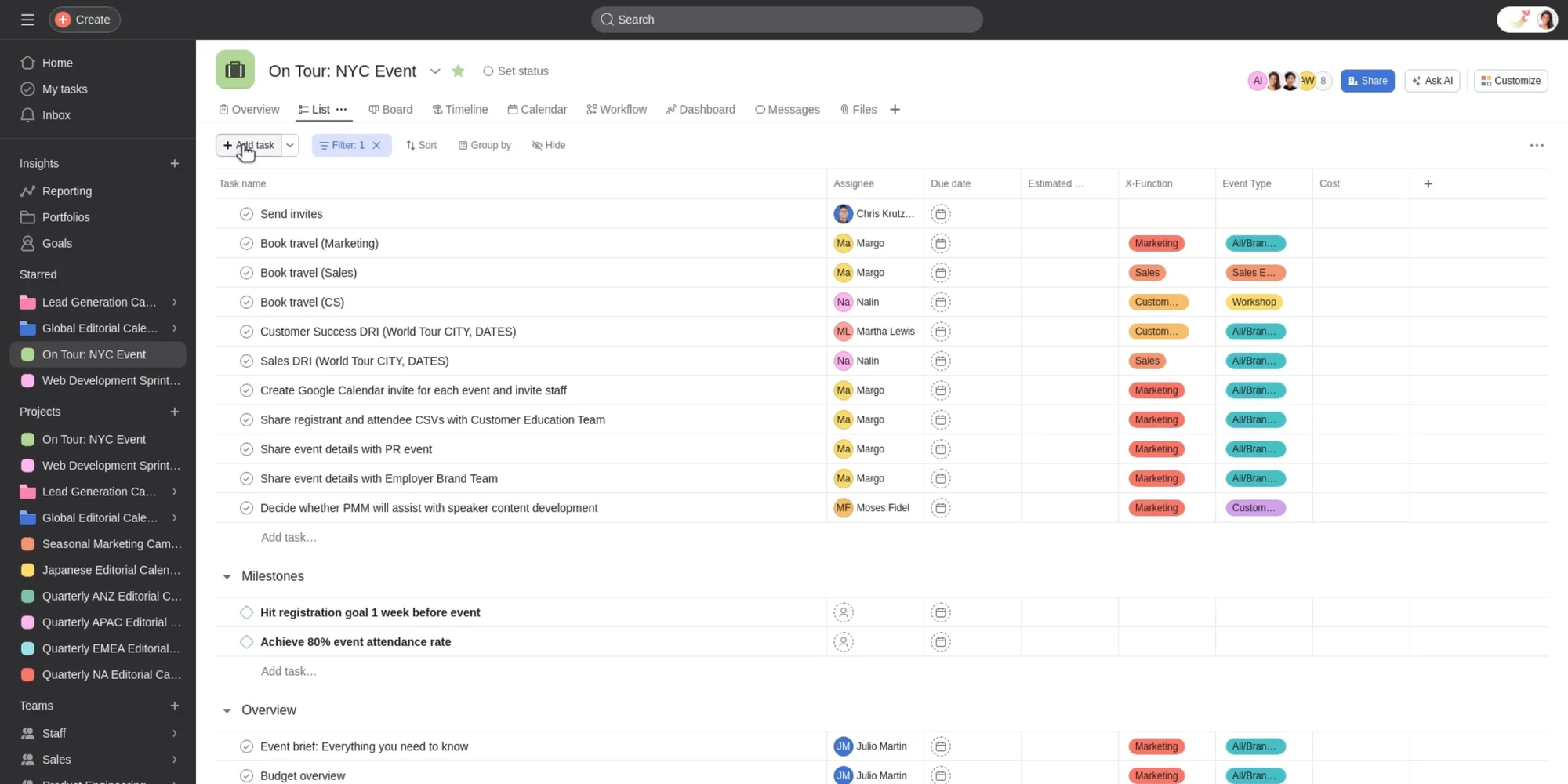
Overview: Asana is a powerful work management platform designed to coordinate complex team projects and track progress.
Key use case: A product development team working on complex projects that require collaboration across several departments.
Standout features:
- Multiple views (list, board, timeline)
- Workload management
- Portfolios
- Custom rules
Pricing summary: Free Basic option for up to 15 collaborators. Premium $10.99/user/mo. Business $24.99/user/mo.
Pros: Great for sophisticated projects. Strong collaboration tools.
Cons: Overly structured for simple needs. Premium features are quite essential.
6. Notion – Integrated planning and notes
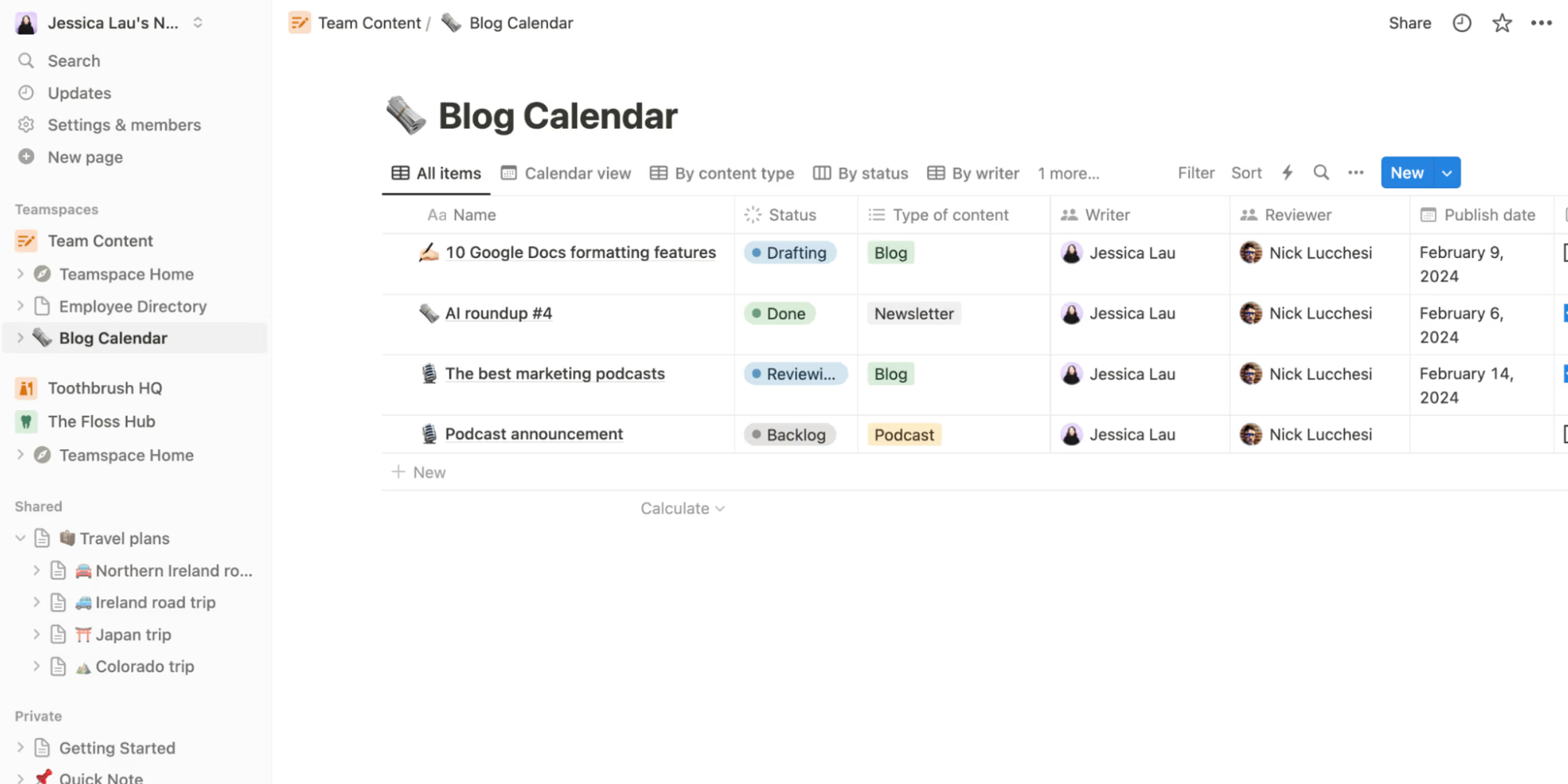
Overview: Notion is an all-in-one workspace that combines notes, tasks, wikis, and databases.
Key use case: A consultant looking for a single, unified workspace for project plans, client memos, and information management.
Standout features:
- All-in-one workspace
- Linked databases
- Databases with multiple views
- Useful templates
Pricing summary: Free for individuals. Plus $8/user/mo. Business $15/user/mo.
Pros: Unmatched flexibility. Reduces app switching.
Cons: Steep learning curve—can become a time sink.
7. Forest – Deep focus sessions
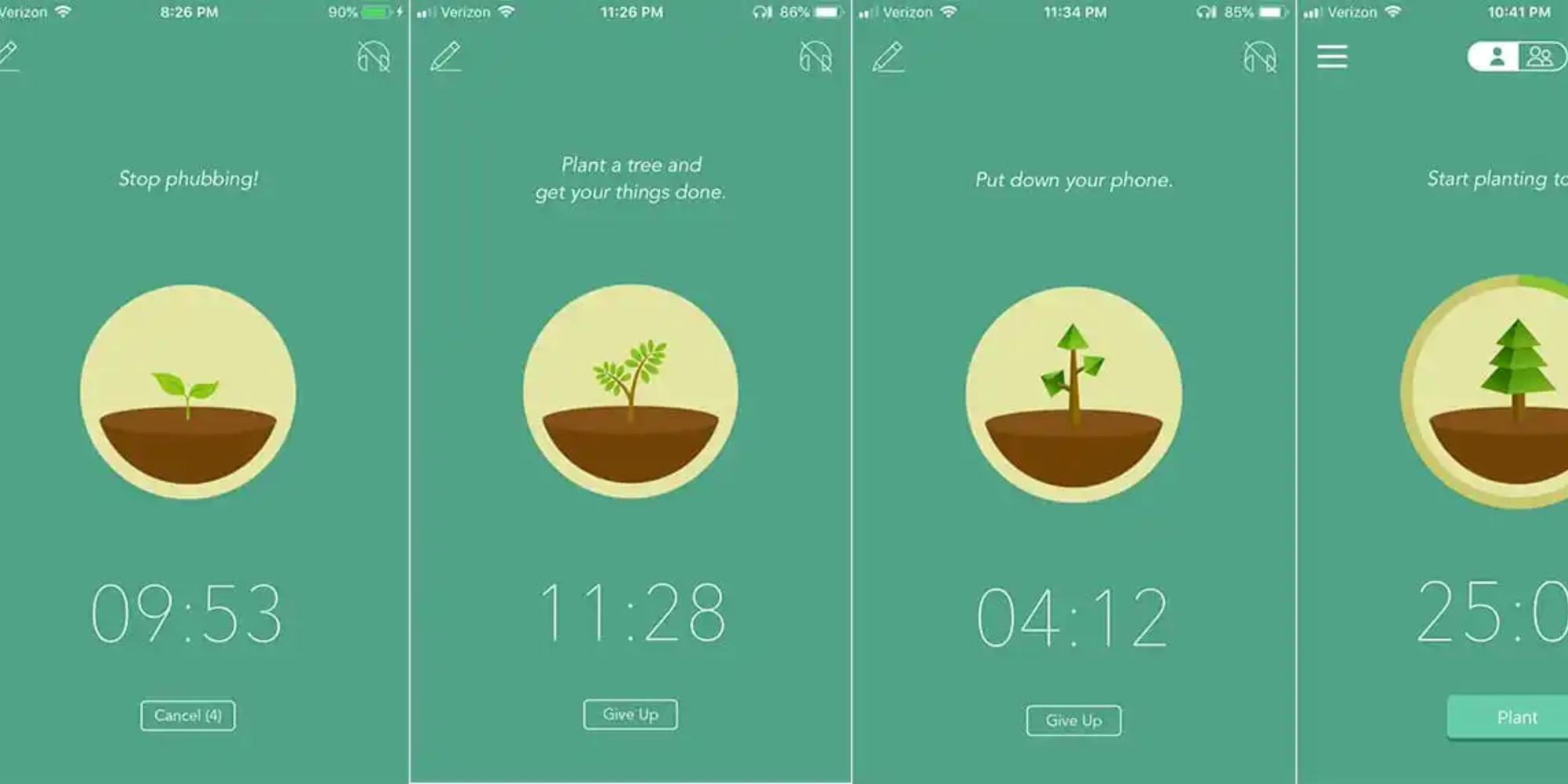
Overview: Forest is a gamified app that uses a simple timer to encourage focused work sessions and discourage phone use.
Key use case: A student studying for exams who needs help staying off social media or their phone during targeted study sessions.
Standout features:
- Gamified focus timer
- Virtual tree growth
- Real-tree planting
- Focus rooms
Pricing summary: Free on web. $3.99 one-time mobile purchase.
Pros: Simple and effective. Supports environmental causes.
Cons: Single-purpose. Does not offer integration with other task systems.
8. Google Calendar – Calendar-based time blocking
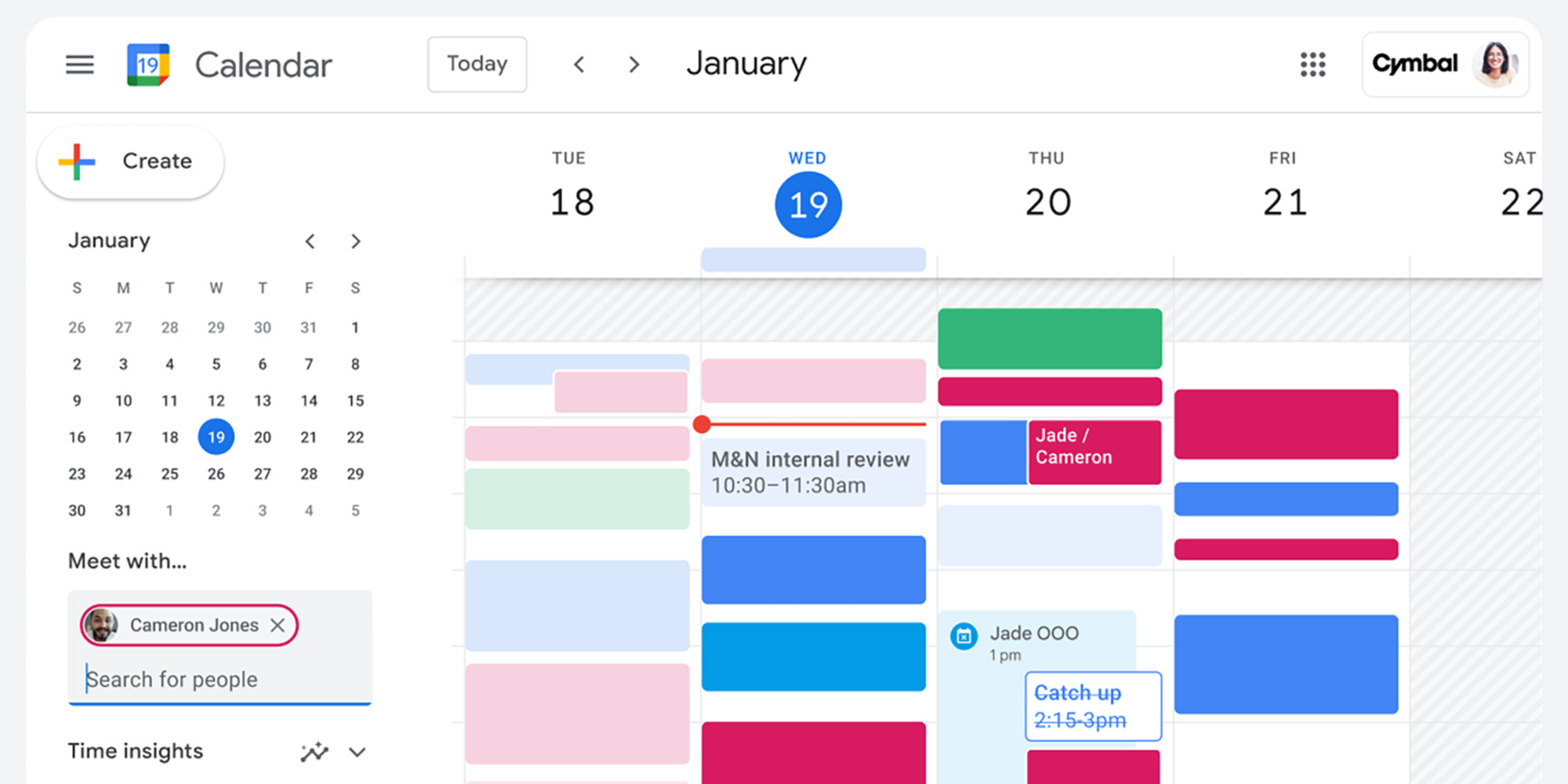
Overview: Google Calendar is the ubiquitous scheduling tool, perfect for implementing time blocking and integrating with other Google services.
Key use case: An administrator implementing time blocking to dedicate certain hours for meetings, strategic work, and administrative tasks.
Standout features:
- Universal scheduling
- “Find a Time” appointment slots
- Goals feature
- Gmail integration
Pricing summary: Free. Part of Google Workspace from $6/user/mo.
Pros: Easily/universally accessible and reliable. Great for time blocking.
Cons: Limited for external bookings. Basic task management.
9. Koalendar – Appointment scheduling and admin reduction
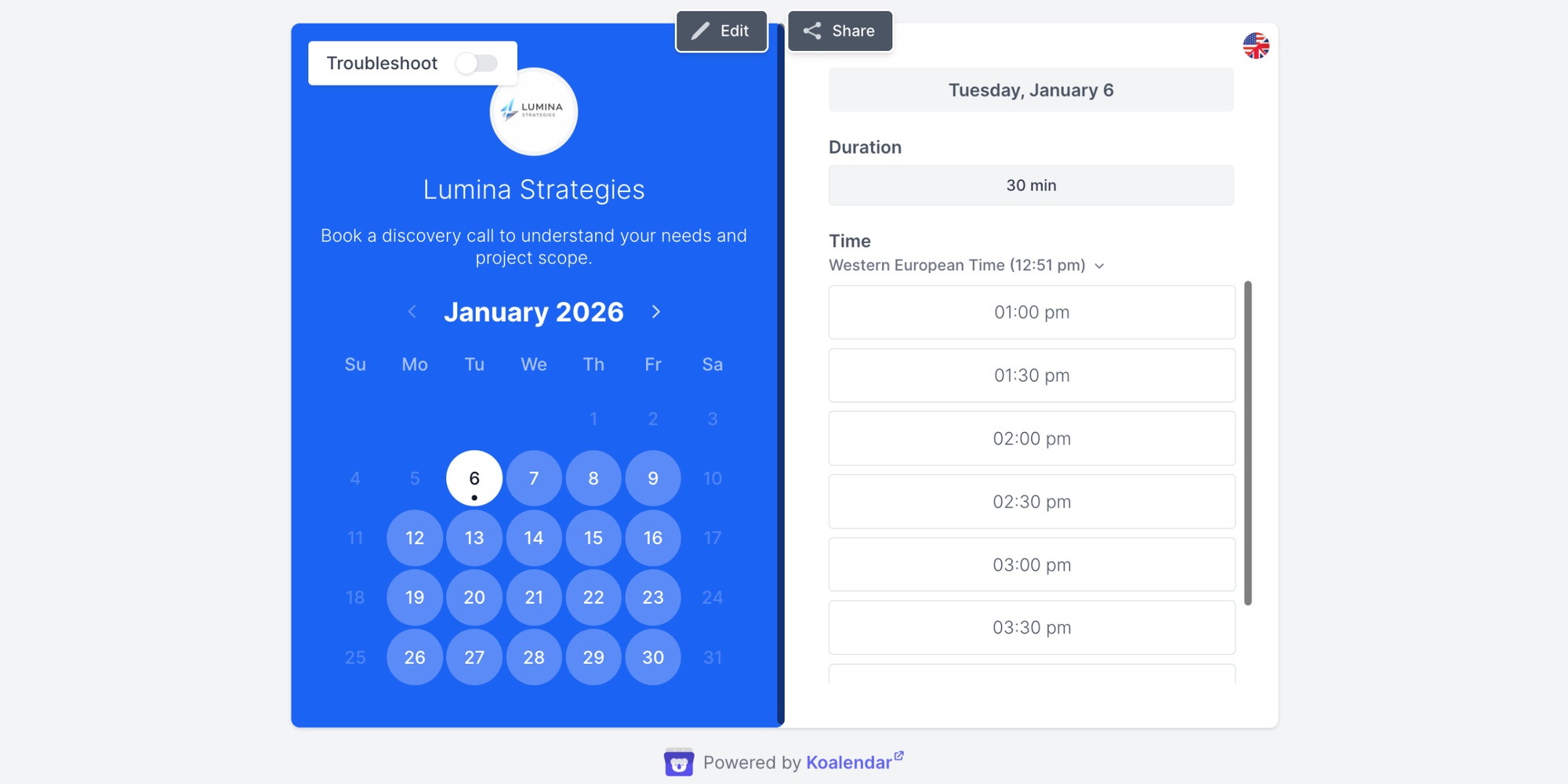
Overview: Koalendar is a specialized scheduling tool that automates appointment booking.
Key use case: A business coach eliminating the back-and-forth of scheduling discovery calls and consultations. A service provider looking to obtain a good work-life balance by saving time scheduling appointments.
Standout features:
- 24/7 online booking
- Calendar sync (Google/Outlook)
- Meeting buffers
- Time zone automation
- Custom client booking pages
Pricing summary: Free Forever Plan. Pro $6.99/month (billed annually).
Pros: Significantly reduces scheduling admin. Professional client experience.

10. ClickUp – Full-scale task/time/project suite
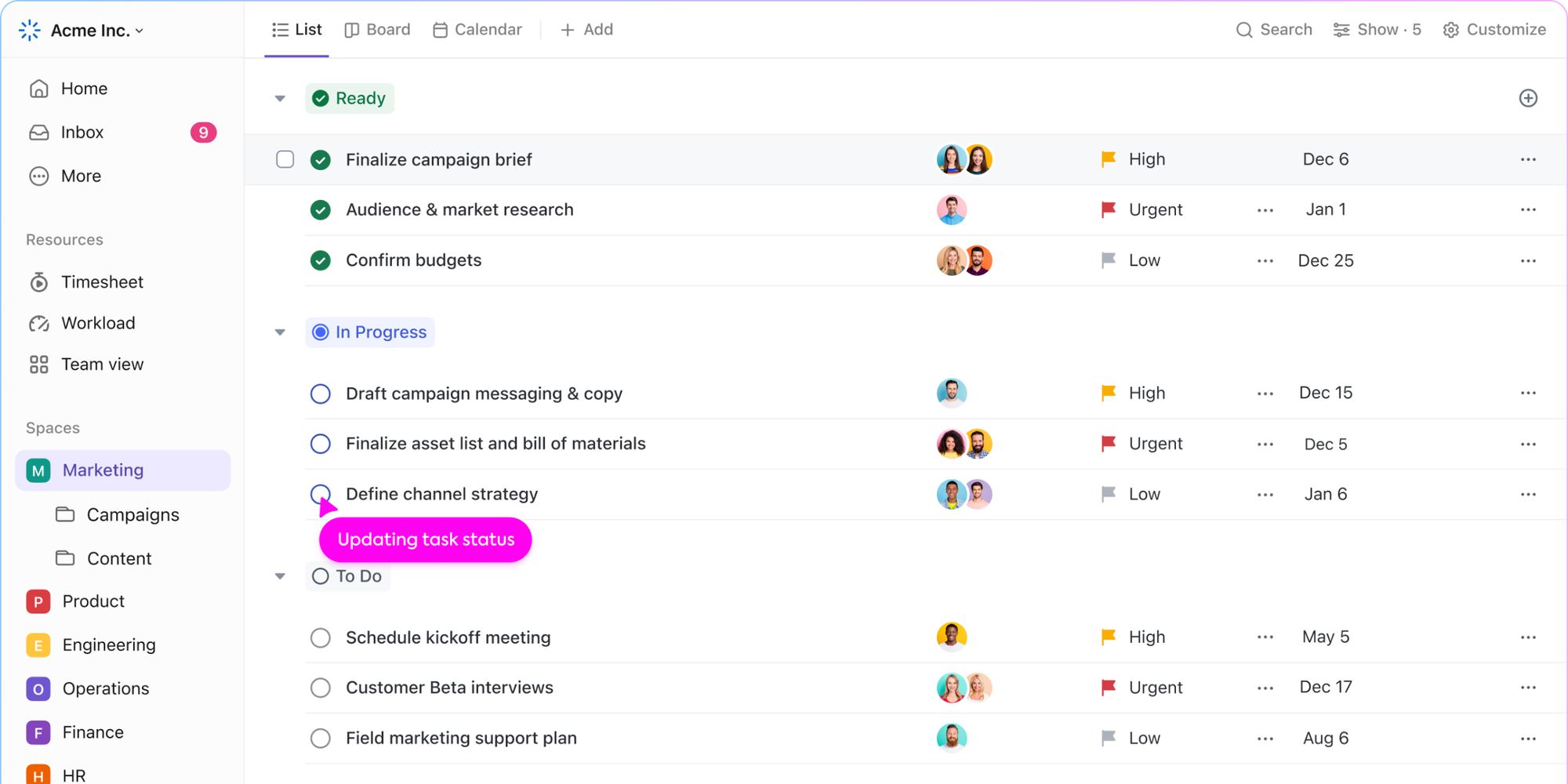
Overview: ClickUp is a highly customizable "all-in-one" platform that aims to replace multiple productivity tools.
Key use case: A growing startup looking to bring together separate tools for tasks, goals, docs, and chat into a single platform.
Standout features:
- More than 15 customizable views
- Goals, time tracking
- Built-in docs
- Over 1,000 integrations
Pricing summary: Free Forever. Unlimited $7/user/mo. Business $12/user/mo.
Pros: Comprehensive feature set—highly customizable.
Cons: Steep learning curve that can feel overwhelming.
How to choose the best time management tool for your role
For solo professionals and freelancers
Look for tools that handle multiple functions well, so you can stay focused without having to jump between apps.
- Scheduling must-have: Koalendar to streamline client bookings and eliminate the back-and-forth.
- Tracking necessity: Toggl Track for accurate time keeping and invoicing.
- Organizational recommendation: Notion to keep tasks, notes, and client information in one centralized spot.
- Avoid: Overly complicated tools with features you and your team simply won’t use.
For small business teams
Focus on making sure everyone’s on the same page, visibility, and effective collaboration across departments.
- Task management essential: Asana or Trello for progress tracking and
- knowing who’s doing what.
- Time tracking essential: Clockify for managing team capacity and project expenses.
- Scheduling essentials: Koalendar for any type of booking. It works well with Google Calendar, Outlook, or iCloud Calendar, so you don’t have to change your workflow.
- Success indicator: Fewer (though more effective) status update meetings and less project email threads.
“We chose Koalendar because of the setting up, the linking, and its ease of use. I’m busy, and anything that saves me time, or is easy for my team to adapt to, is really important.”

Bibi Boucher
Global Operating Officer at Beany
Discover how Beany saved time and increased team happiness levels with Koalendar.
For client-facing roles (consultants, lawyers)
Search for tools that offer a polished, professional feel that simultaneously maximize billable hours and minimize admin overhead.
- Scheduling must-have: Koalendar for a refined, automated client intake.
- Time tracking essential: Toggl Track with in-depth, detailed reporting for accurate billing.
- Client management recommendation: Notion or a dedicated CRM for secure and streamlined data organization.
- Success indicator: Improved ratio of billable to non-billable hours.
For reducing admin load and scheduling friction
Implement specialized time management tools for work to reduce scheduling admin.
- Primary tool: Koalendar offers full calendar sync and customized booking pages that will save you considerable time.
- Key settings: Meeting buffers, time zone automation, and automated reminders.
- Integration: Connect to existing CRM or invoicing systems via native integrations or Zapier.
- Time recovery: Typically 3-6 hours weekly previously spent on scheduling.
“Finding a good time to meet is very difficult, so the benefit of Koalendar is having a shared calendar, with the right availability, where people can choose their preferred date and time from. It saves us between 3-5 hours a week."

Sabri Karagönen
Co-founder at Bruin
Read the full Bruin's success story and discover how they save 3 to 5 hours every week.
In summary: The best time management tools help you work smarter
Finding the best time management tools in 2026 is about making your work easier and more effective. With the right tools and a bit of practice, you’ll get better results and save time.
Where do you lose the most time? Is it sifting through a cluttered inbox as you try to send out a single invite? Billable hours that somehow didn’t get tracked? Or constant interruptions that break your workflow? The best solutions address these exact challenges, so you can optimize your productivity.
And when it comes to the endless back-and-forth of scheduling, Koalendar is your answer—delivering immediate and measurable time savings across industries. It eliminates the “When works for you?” emails and automatically detects time zones for effortless booking coordination.
In just minutes, you’ll create a dedicated booking page and your calendar will fill itself. It’s one of the simplest ways to save time, look more professional, and upgrade your workflow.
Enhance your time management and try Koalendar’s Forever Free Plan today.