TL;DR
How much does Zoom cost? In 2026, Zoom starts at $0 for Basic. Paid plans for SMBs run from about $14 to $29 per user/month depending on plan and billing cycle, while Enterprise is custom priced. Your real Zoom subscription costs depend on host count, taxes, add-ons, and renewal terms.
How much does Zoom cost in 2026? Full pricing breakdown and hidden fees
Zoom is easy to use, but the pricing can be truly confusing. First, you've got to pick the plan that fits your team, and that's not always obvious. Then comes the final bill. It's often higher than you'd expect because host licenses, meeting limits, add-ons, and billing cycle all stack up.
In this article we’re going to break it all down and make it simple. Let’s begin with the starting prices:
| Annual billing | Monthly billing | Best fit | |
| Basic | Free | Free | Short calls |
| Pro | $14.16/user/month | $16.99/user/month | Longer meetings |
| Business | $18.33/user/month | $21.99/user/month | Growing teams |
| Business Plus | $24.50/user/month | $29/user/month | Big teams that need a phone line too |
| Enterprise | Custom quote | Custom quote | Large orgs |
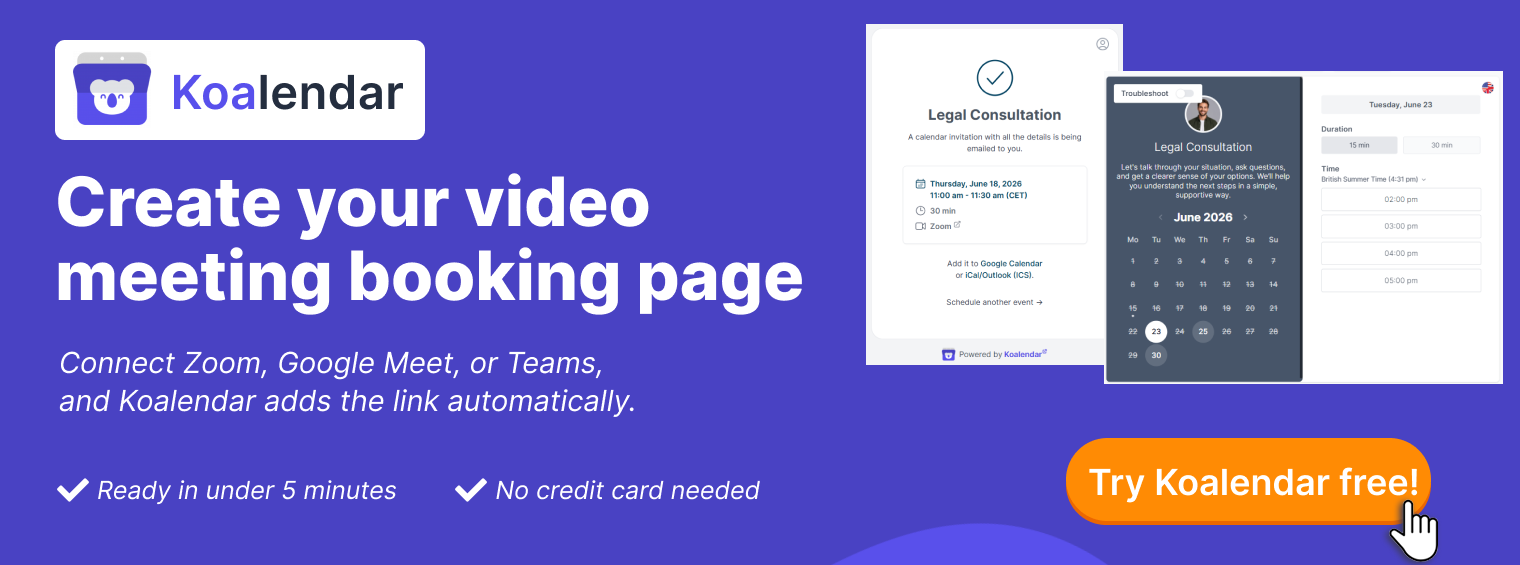
Zoom pricing plans and pricing overview
Listed prices are useful, but you’ll still need to work out which one is right for your business. The different Zoom plans and pricing tiers (like Basic, Pro and Business) are simply how Zoom splits out individual use, small teams, and growing businesses. Don’t worry, let’s see which one works for you, starting with Basic.
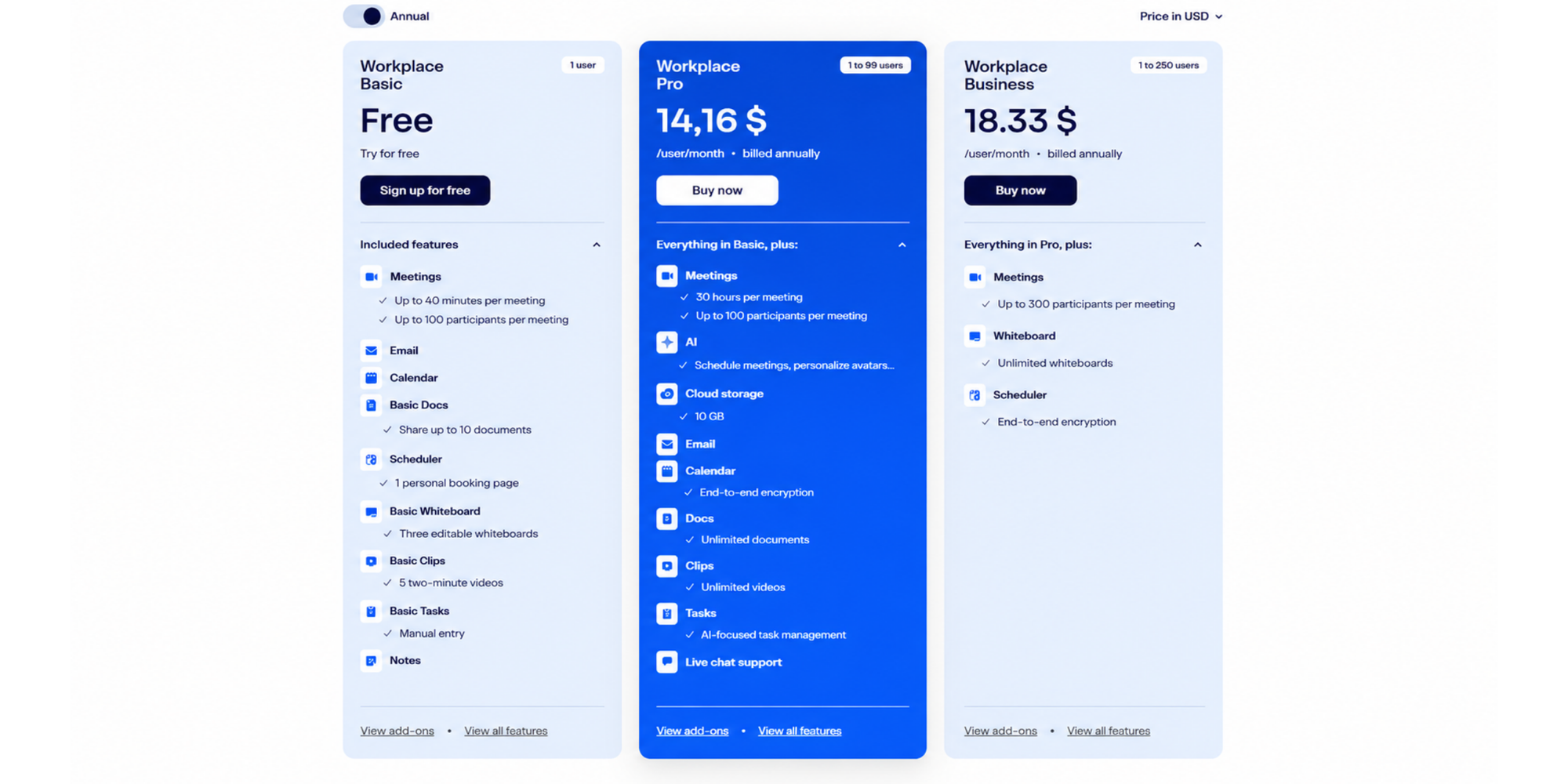
Free plan (Basic)
Basic is the entry point for short calls and simple meetings. It works best when meetings are quick, low-risk, and easy to restart if needed.
Zoom's free video conferencing plan supports meetings with up to 100 participants. On the main Zoom Meetings plan page, Basic is listed with a 40-minute maximum per group meeting and core collaboration tools, including Zoom Chat, Whiteboard, Docs, and Clips.
That can be enough for quick business meeting check-ins, short coaching calls, and internal updates. The 40-minute limit can feel awkward for client consultations online, classes, interviews, and discovery calls.
Pro plan cost
Pro is the right fit for small teams that do not need admin-heavy controls, just longer meetings and a smoother client-facing setup.
Zoom positions Pro for personal use and small teams. It is the first paid tier most businesses consider, especially when 40-minute group meetings are too limiting. Pro supports meetings up to 30 hours, up to 100 participants, cloud recording, AI Companion, and live chat support.
Pro is a good fit for freelancers, consultants, coaches, founders, and small sales teams. For regular sales demos scheduling, paid consultations, or customer onboarding, it feels smoother than restarting free calls halfway through.
Business plan pricing
Business is for teams that need more structure, with consistent meeting rules across hosts.
Zoom's Workplace Business plan is built for larger teams, with up to 250 users, up to 300 participants, unlimited Whiteboards, and built-in scheduling tools. It adds SSO, managed domains, and admin controls that help more hosts follow the same meeting setup.
This plan makes sense when several hosts run demos, onboarding, training, or remote team meetings. It helps when meeting security, admin control, and a polished setup matter.
Enterprise pricing (custom)
Zoom enterprise pricing is for larger organizations, not most small teams. It is built for broader controls, support, scale, and sales-led purchasing, with custom pricing based on users, deployment, security, and additional Zoom products.
For most SMBs, Enterprise is not the place to start. Consider it when you have more than 250 users, compliance needs, central IT administration, or meetings that exceed standard limits.
Pricing offers
Prices shown are US public list available at the time of writing. Zoom changes discounts, renewal rates, regional pricing, and monthly-versus-annual prices, so always confirm the final checkout price before buying.
Zoom subscription costs explained (monthly vs yearly)
Once you know the price plan, the next question is how Zoom charges you. Two businesses on the same plan can still pay different totals.
Zoom yearly cost breakdown
Monthly billing gives you flexibility. Annual billing lowers the monthly equivalent for all paid Workplace plans. Zoom also currently runs promotional discounts on Business: a first-year annual rate of about $15.58/user/month (renewing at the standard $18.33/user/month after year one), and a discounted monthly rate of about $18.69/user/month against the standard $21.99/user/month list price shown below.
Here's a simple per-month cost comparison:
| Monthly billing | Annual billing | |
| Basic | Free | Free |
| Pro | $16.99/user/month | $14.16/user/month |
| Business | $21.99/user/month | $18.33/user/month |
| Business Plus | $29/user/month | $24.50/user/month |
Here’s the quick math if you want to see the ‘billed yearly’ savings:
- Pro: Monthly: $16.99 × 12 = $203.88/year | Annual: $169.92/year
- Business: Monthly: $21.99 × 12 = $263.88/year | Annual: $219.96/year
- Business Plus: Monthly: $29 × 12 = $348/year | Annual: $294/year
Cost per user vs per company
The most common misunderstanding is assuming Zoom is one flat company subscription. In practice, you pay per host.
A host is the person who needs paid-plan capabilities to start and run meetings. You do not need a paid license for every client, candidate, or guest, only for the people who regularly host calls that require Pro or Business features.
| Likely paid hosts | Best plan | |
| Solo consultant | 1 | Pro: one license covers longer client calls and recording |
| Small sales team | 3 to 8 | Pro: one license per rep who runs demos |
| Recruiting team | 2 to 5 | Pro: covers longer interviews and recording per recruiter |
| Growing department | 10+ | Business: choose for 300-participant meetings, SSO, managed domains, or shared admin controls, not purely team size |
| Large organization | >250 | Enterprise: custom quote, scale, and admin depth |
This is why Zoom can feel affordable at first and more expensive later. Every new paid host adds recurring cost, especially once you layer on webinars, storage, phone, or room systems.
Zoom pricing tiers compared (table)
A side-by-side view makes the tradeoffs easier to see. Match Zoom pricing tiers to your real meeting needs instead of choosing the longest feature list.
| Price | Key features | Best for | |
| Basic | Free | Up to 100 participants, 40-minute group meetings, chat, basic collaboration tools | Short calls, occasional meetings, testing Zoom |
| Pro | $14.16/user/month billed annually; $16.99 billed monthly | Up to 100 participants, meetings up to 30 hours, cloud recording, AI Companion, live chat support | Freelancers, consultants, coaches, small teams, longer client calls |
| Business | $18.33/user/month billed annually; $21.99 billed monthly | Up to 300 participants, unlimited Whiteboards, built-in scheduling, SSO, managed domains | Growing teams, sales, support, training, and other SMB communication tools |
| Business Plus | $24.50/user/month billed annually; $29 billed monthly | Business features plus Zoom Phone with unlimited US and Canada domestic calling | Teams that want meetings and business calling in one Zoom bundle |
| Enterprise | Custom quote | Larger deployments, potentially up to 1,000 meeting participants depending on the Enterprise package, unlimited cloud storage, advanced controls and support | Large organizations with complex IT and procurement needs |
Good advice? Pick the lowest tier that supports your host count, meeting length, participant size, and add-on needs. See if that works. You can always upgrade later.
What increases Zoom costs? (hidden fees)
Zoom's base plans are only one part of the budget. Costs rise when a business outgrows standard meetings. Common cost drivers include:
• Zoom Webinars for larger one-to-many events, product launches, training, and customer education
• Zoom Phone for business calling and phone management; SMS and fax availability can depend on plan and region
• Zoom Rooms for physical conference rooms with dedicated video meeting systems
• Large Meeting add-ons when standard participant limits are not enough
• Extra cloud recording storage when recordings go beyond included limits
• More paid host licenses when more people need paid hosting rights
Storage creeps up faster than people expect. Paid Zoom Workplace plans include a cloud recording allowance, but the amount varies by plan and Basic does not include cloud recording at all. If you record demos, training sessions, or interviews regularly, that allowance fills quickly. Once you hit the cap, Zoom charges around $10 per month for an extra 30 GB in the US, and that bill renews every month the recordings stay there.
Participant caps are the other silent upgrade. Basic and Pro max out at 100 attendees, Business at 300, and Enterprise at higher volumes. The moment you plan a webinar, a product launch, or an all-hands that pushes past your cap, you will need a Large Meeting add-on, which starts around $50 per month for 500 participants and scales up to 1,000, 3,000, or 5,000. That is a recurring cost on top of your base plan, not a one-off for the event.
Is Zoom worth the price for small businesses?
Zoom is worth paying for when the meeting has enough value to justify the license, usually meaning longer calls, customer-facing conversations, recordings, training, interviews, or reliability.
For consultants and coaches, Pro is often enough. It removes the 40-minute cap, adds cloud recording, and keeps repeat client sessions simple.
For sales teams, the right plan depends on how many reps host demos: a founder-led motion may only need one Pro license, while a growing team may need several or Business for a more standardized workflow.
For teachers, trainers, and service providers, the decision comes down to session length and group size. Basic can work for short one-to-one calls; Pro or Business is safer for longer sessions, classes, and recordings.
For recruiters, Zoom can handle the video interview, but it does not solve the full scheduling puzzle. Interview scheduling often involves extra steps to coordinate candidates, recruiters, hiring managers, panels, time zones, rescheduling, and reminders. See how a recruiting team scaled interviews with Koalendar to remove most of those manual steps.

When Zoom becomes expensive (and what to do instead)
Zoom gets expensive when you pay for more hosts, add-ons, and features than you need. Ask whether you need Zoom's full ecosystem or simply a dependable way to meet online.
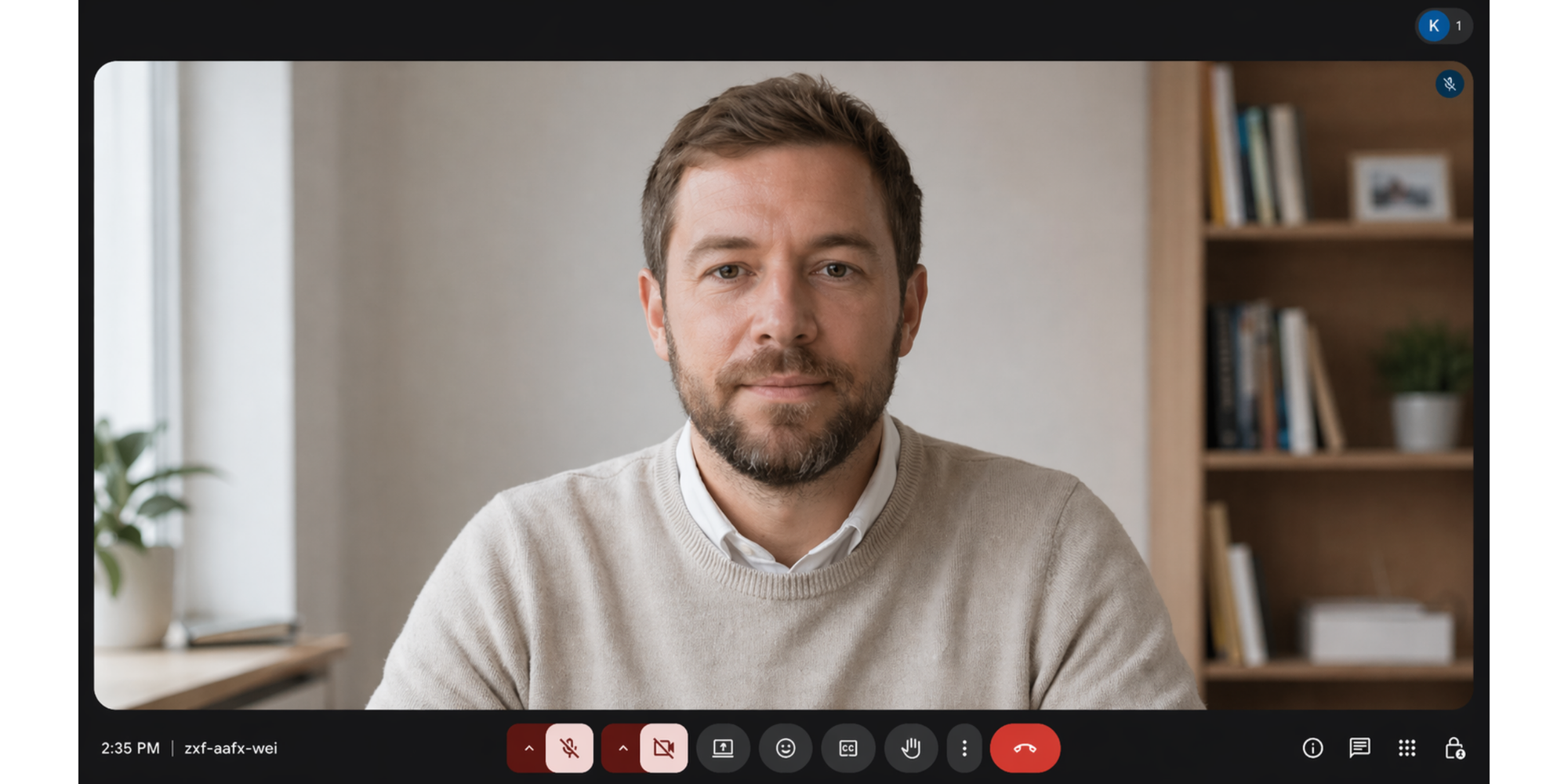
If your needs are simple, Google Meet may be enough, especially if your team already uses Gmail and Google Calendar. Google says anyone with a Google Account can invite up to 100 participants and meet for up to 60 minutes at no cost.
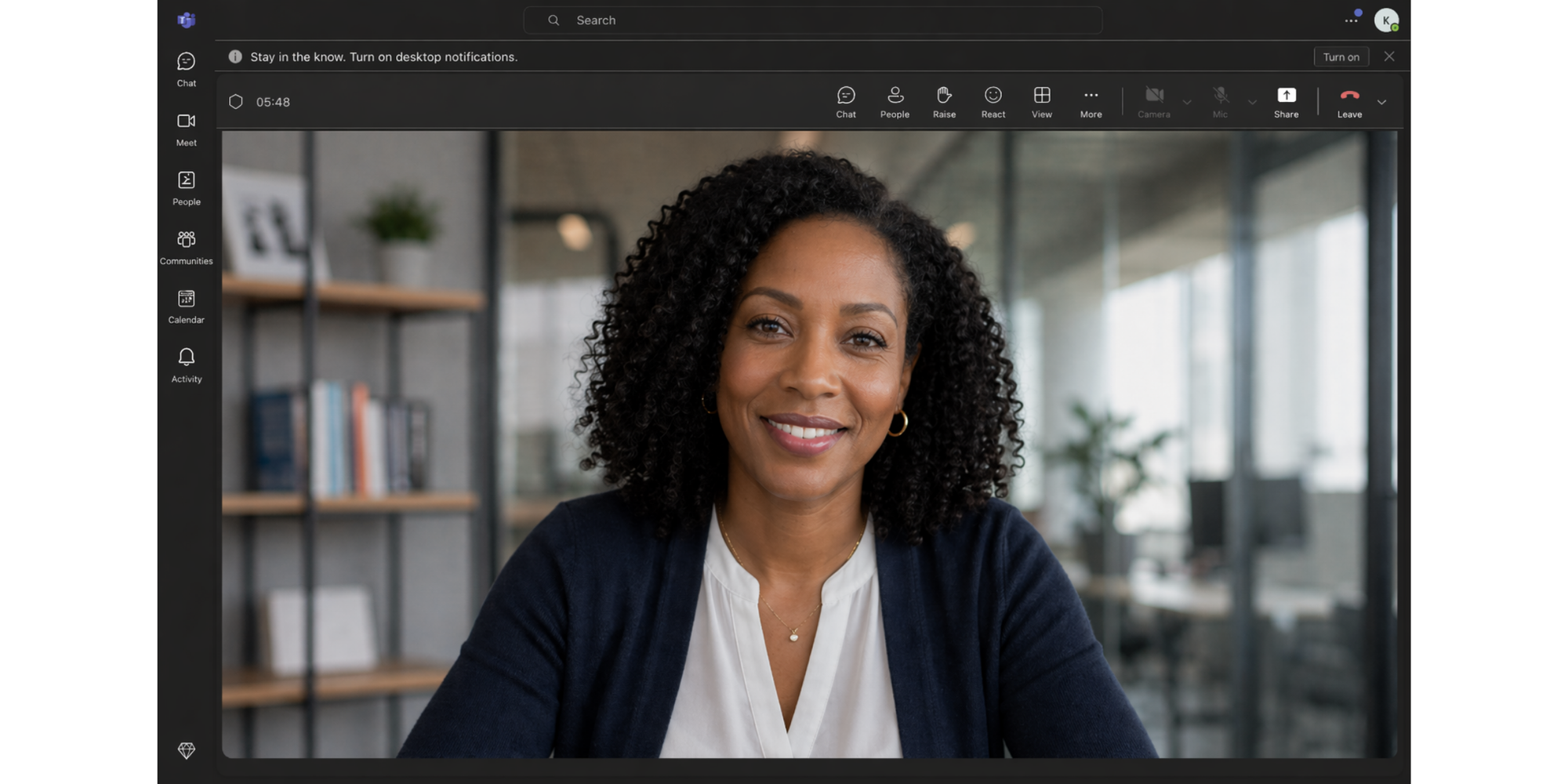
Microsoft Teams can also make sense if your company already uses Microsoft 365. Microsoft lists free Teams group meetings for up to 60 minutes and up to 100 participants, while Teams Essentials supports small businesses with meetings up to 30 hours, up to 300 participants, and 10 GB of cloud storage per user.
Zoho Meeting can be a lower-cost option for basic online meetings and webinars, especially for teams already using Zoho products. Zoho says paid meeting subscriptions start at $1 per host/month when billed annually, while webinar plans start higher. Teams comparing options across the wider Zoho stack may also find our roundup of top Zoho Books alternatives useful for the finance and ops side.

For teams trying to scale remote teams, the biggest savings often come from reducing friction before the meeting starts, not from switching video platforms.
| Costs | Free plan | Meeting limits | Best for | |
| Zoom | Pro: ~$14/user/month annual; Business: ~$18/user/month annual | Yes (Basic): 100 participants, 40-minute group meetings | Pro: 100 participants, 30 hours. Business: 300 participants, 30 hours | Teams that need recording, AI tools, webinars, or the Zoom ecosystem |
| Google Meet | Workspace Starter: ~$7/user/month annual | Yes (Google account): 100 participants, 24-hour meetings | Starter: 100 participants. Standard: 150. Plus: 500. All 24 hours | Teams already on Gmail and Google Calendar |
| Microsoft Teams | Essentials: $4/user/month annual | Yes: 100 participants, 60 minutes | Essentials: 300 participants, 30 hours, 10 GB cloud storage | Teams already on Microsoft 365 or Outlook |
| Zoho Meeting | Standard: $1/host/month annual | Yes: 100 participants, 60 minutes | Standard: up to 250 participants, 24-hour meetings | Budget-conscious teams, especially those already using Zoho |
A simpler alternative: scheduling + meetings combined
Once you know the right Zoom tier, look at what happens before every meeting. Zoom gives you the online meeting room. A scheduling layer gets people there on time.
That's where Koalendar is helpful. With our Zoom integration, each appointment generates a unique Zoom meeting room and sends the link in the confirmation email, so you don’t need to create links manually.
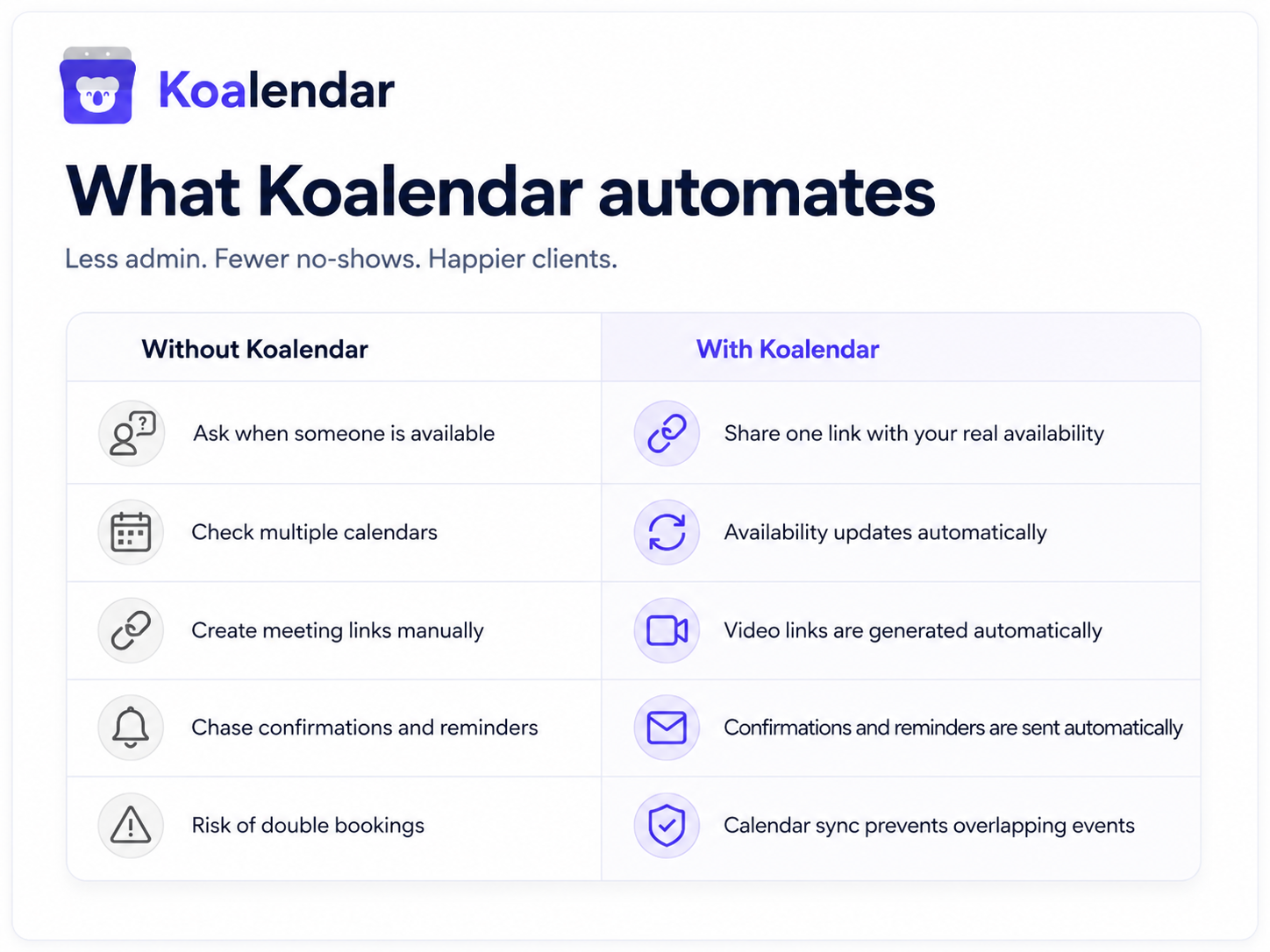
That matters for sales demos scheduling, client consultations online, coaching calls, onboarding, and recruiting workflows. Instead of trading emails, you share one booking page: your guest picks a time, and the meeting details go out automatically.
Koalendar's schedule meetings online feature supports automatic video links for Zoom, Google Meet, and Microsoft Teams, and adds them to calendar events and booking emails. It also supports iCloud through calendar sync rather than as a video link.
You also get the pieces that help reduce meeting friction and save time on scheduling:
- Automated email and SMS reminders to reduce no shows
- 24/7 online booking through a shareable page
- Calendar integrations with Google, Outlook, and iCloud
- Time zone detection so distributed guests see times correctly
- Custom booking pages so each meeting type gets its own clean link
- Branding and customization for a polished client experience
- Mobile app access on the free plan
- Simple setup for non-technical users
Our calendar sync keeps availability aligned, while our appointment reminder software automates confirmations, reminders, and follow-ups. The Free vs Pro guide lists unlimited appointments, unlimited booking pages, smart time zone detection, and conflict checking with up to 2 calendars on the free plan.
Zoom helps you meet. Koalendar helps you get the meeting scheduled, confirmed, and remembered.
Conclusion
So, how much does Zoom cost in 2026 in the US? The clean answer is that the base plan can be free, SMB plans are charged per licensed host, and Enterprise pricing is custom. Your final total depends on billing cycle, host count, add-ons, storage, phone features, webinars, meeting size, taxes, promotions, and renewal terms.
The best plan is not always the biggest plan. Choose the smallest tier that gives your team enough time, enough seats, and enough control.
Before you upgrade, figure out where the friction actually lives. Is Zoom the problem or is it the admin that piles up around every meeting? If your team still chases availability, reminders, time zones, and reschedules, the bigger problem is scheduling friction.
Stop going back and forth to book meetings. Share one link and let clients schedule instantly.