Zoho Books is a solid cloud accounting tool, but it’s not perfect for every small business owner. If you’ve outgrown its features, need different integrations, or are frustrated with its interface or support, there are several strong Zoho Books competitors—notably Xero, QuickBooks Online, FreshBooks, Wave, Sage Business Cloud Accounting, FreeAgent, and Kashoo. Each offers different strengths in pricing, usability, and integrations.
Your accounting stack gets even stronger when you add a scheduling layer on top. Tools like Koalendar give you 24/7 online booking, calendar sync, automated reminders, and branded booking pages—so client meetings, discovery calls, and review sessions slot neatly into your invoicing and accounting workflows instead of breaking them.
Key takeaways
Zoho Books is a capable, cloud-based accounting software with strong automation and good value, but it can feel limiting for some businesses in areas like integrations, payroll coverage, and advanced reporting.
You might want a Zoho Books alternative if you need deeper inventory, more third-party integrations, built-in payroll in your region, or an interface your team finds easier to learn.
Xero and QuickBooks Online are the best-known all-rounders, with rich ecosystems and powerful features for growing small businesses and mid-sized companies.
Wave stands out as the best free option for very small businesses, while FreeAgent and Kashoo appeal to freelancers and small businesses that want simplicity and fixed, predictable pricing.
Whatever accounting software you choose, pairing it with Koalendar gives you 24/7 booking, calendar sync (Google, Outlook, iCal), automated reminders, and customizable booking pages—helping you reduce no-shows, improve cash flow, and provide a smoother client experience.

What is Zoho Books?
Zoho Books is a cloud-based accounting software designed for small businesses that want to manage invoicing, expenses, bank reconciliation, inventory, and basic project accounting in one place.
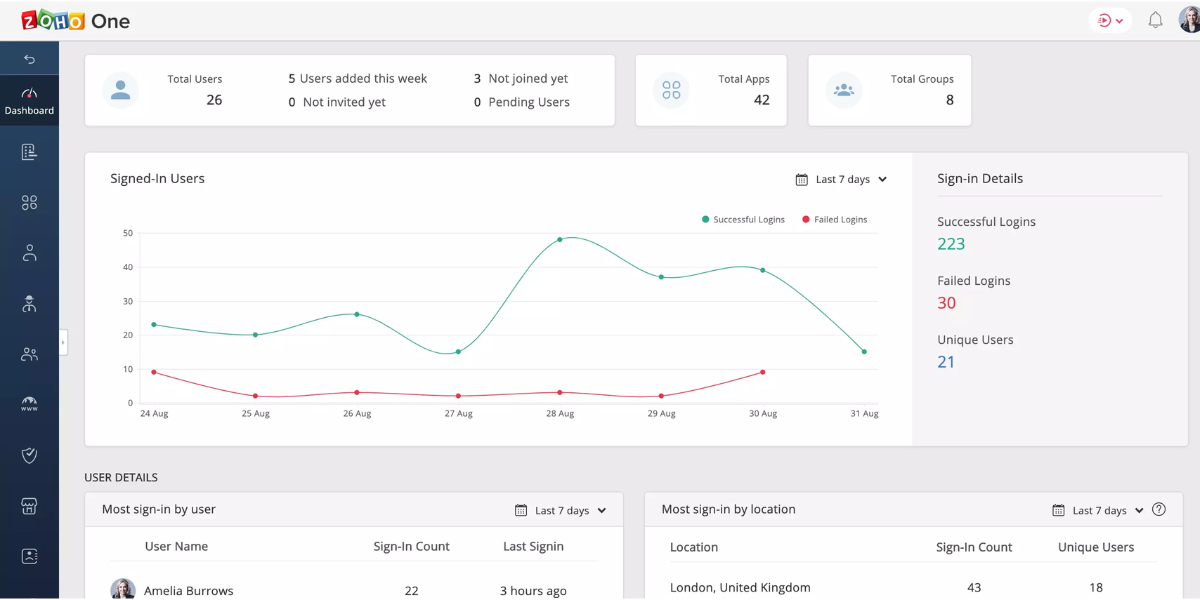
Core key features include:
- Invoicing and estimates
- Expense and bill management
- Bank feeds and reconciliation
- Basic inventory tracking
- Project time tracking and billing
- Tax compliance tools (varies by region)
- Automation rules and customizable workflows
- Integrations with other Zoho products and common payment gateways
From a pricing standpoint, Zoho Books offers:
- A free plan with limited invoices/expenses, typically for one user plus one accountant, plus higher-tier paid plans ranging roughly from around $15 to $240/month (depending on region, users, and features).
It’s popular with small business owners, freelancers, and growing companies that want robust automation without enterprise-level complexity.
Why look for alternatives to Zoho Books?
Even if you like Zoho Books, there are valid reasons to explore Zoho Books competitors.
Limitations of Zoho Books
Common friction points for small to medium-sized businesses include:
- Workflow fit and customization
- Automation is powerful, but some businesses find it restrictive or hard to configure for more complex workflows.
- Integrations ecosystem
- Zoho integrates brilliantly with other Zoho apps, but its third-party integrations are not as extensive as the QuickBooks or Xero ecosystems, especially for niche tools.
- User limits and pricing tiers
- Each plan has caps on users, invoices, or expenses, and scaling up sometimes means jumping to a higher-priced tier sooner than expected.
- Payroll coverage
- Zoho handles payroll via the separate Zoho Payroll product, which integrates with Zoho Books, but coverage and features vary by country; some users may prefer accounting software with payroll built in for their region.
- Support experience
- While Zoho offers email, chat, and phone support, some users report response time or complexity issues, especially compared with providers that offer dedicated accountants or more localized support.
Specific business needs and preferences (by business size)
If you’re a solopreneur or freelancer
- Your size: You’re a one-person business or maybe work with a virtual assistant or contractor.
- Your typical use case:
- Sending simple invoices to a small number of clients
- Tracking expenses for tax season
- Keeping an eye on basic cash flow, not complex reporting
- Your feature preferences:
- Super clean, intuitive interface over “enterprise” functionality
- Fast invoice creation, recurring invoices, and online payments
- Simple categorization of transactions and easy access to a few key reports
- Lightweight integrations (e.g., scheduling, payments, maybe a simple CRM)
In this case, a tool that focuses on ease of use and invoicing—rather than deep inventory or advanced analytics—is usually the best Zoho Books alternative.
If you’re a small business with a lean team (2–10 people)
- Your size: You’re a small business owner with a small but busy team—maybe an assistant, a bookkeeper, or a couple of project managers.
- Your typical use case:
- Handling recurring client work or projects
- Managing invoices, bills, and day-to-day transactions
- Reconciling bank feeds and monitoring cash flow
- Possibly light inventory or service bundles
- Your feature preferences:
- Strong core accounting software features with room to grow
- Multi-user access and clear roles/permissions
- Reliable reports (P&L, balance sheet, aging, cash flow) you can share with your accountant
- Integrations with your main tools: scheduling, payment platforms, CRM, and maybe project management
- Fair, transparent pricing plans that won’t jump dramatically as you add one or two more users
At this stage, you’re often looking for a better workflow fit than Zoho Books: smoother integrations across your whole client lifecycle (from booking to invoicing), and an interface that your team can learn quickly.
If you’re a growing or medium-sized business (10+ people)
- Your size: You’re moving beyond “small business” territory—multiple departments or locations, and a more formal finance process.
- Your typical use case:
- Managing higher transaction volumes across different revenue streams
- Handling inventory, purchase orders, or multi-currency transactions
- Producing more detailed reports for stakeholders or investors
- Coordinating with an internal finance team and external advisors
- Your feature preferences:
- More advanced key features: robust reporting, budgets, departmental tracking, advanced inventory
- Strong integration capabilities with your CRM, payroll, HR, and other core platforms
- Scalable user management and approval workflows
- Priority or dedicated support, with faster response times
- Pricing that still makes sense per user, but supports more complex operations
Here, Zoho Books might feel limiting if you need deeper functionality, analytics, or a broader ecosystem of products that plug into your finance stack. You’ll likely favor Zoho Books competitors that offer stronger integrations, more advanced features, and enterprise-leaning support.
Top Zoho Books alternatives
1. Xero
Key features of Xero
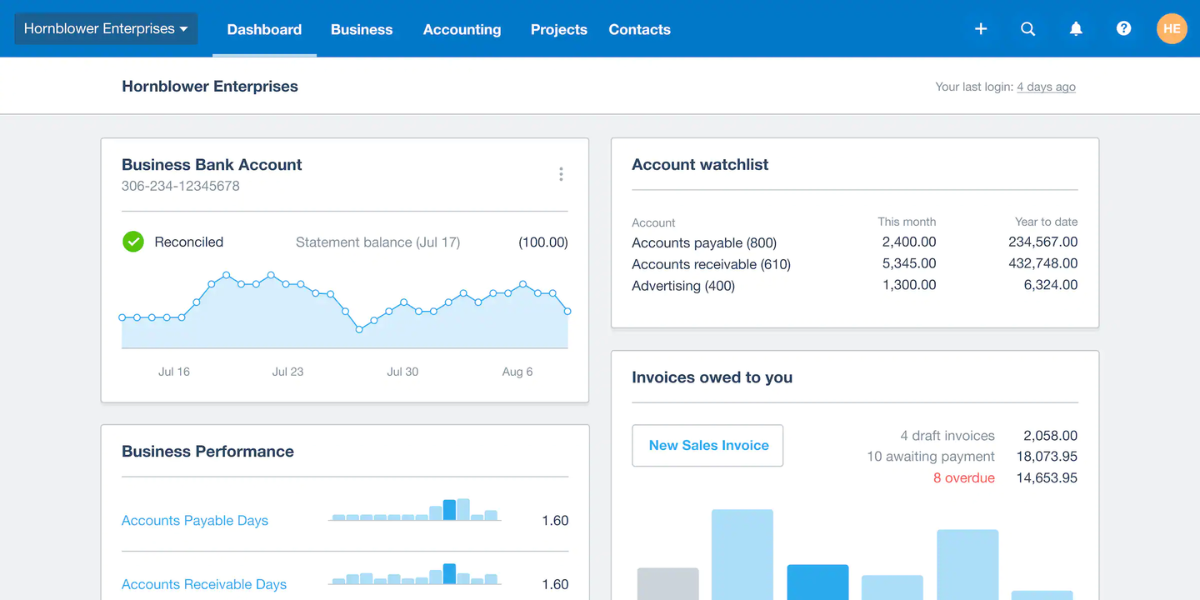
Xero is a cloud accounting platform built for small businesses and advisors, with a strong focus on collaboration and integrations.
Highlights:
- Double-entry accounting with full general ledger
- Invoicing, expense claims, and bill management
- Bank feeds and reconciliation
- Project tracking and basic job costing
- Robust multi-currency in higher tiers
- Huge integration ecosystem (e-commerce, payments, payroll partners)
Pricing structure of Xero
Typical US pricing (before promotions) includes three main plans: Early, Growing, and Established, with list prices usually starting around $25/month for the basic plan and going up to around $90/month for more advanced needs, plus occasional promos like deep discounts for the first few months.
Pros and cons of Xero
Pros
- Excellent for collaboration with bookkeepers and accountants
- Strong integration marketplace
- Scales well from small to medium-sized businesses
- Clean, modern interface
Cons
- Learning curve for non-finance users
- Early plan has transaction limits that many businesses quickly outgrow
- Payroll often handled via third-party add-ons depending on country
2. QuickBooks Online
Key features of QuickBooks Online
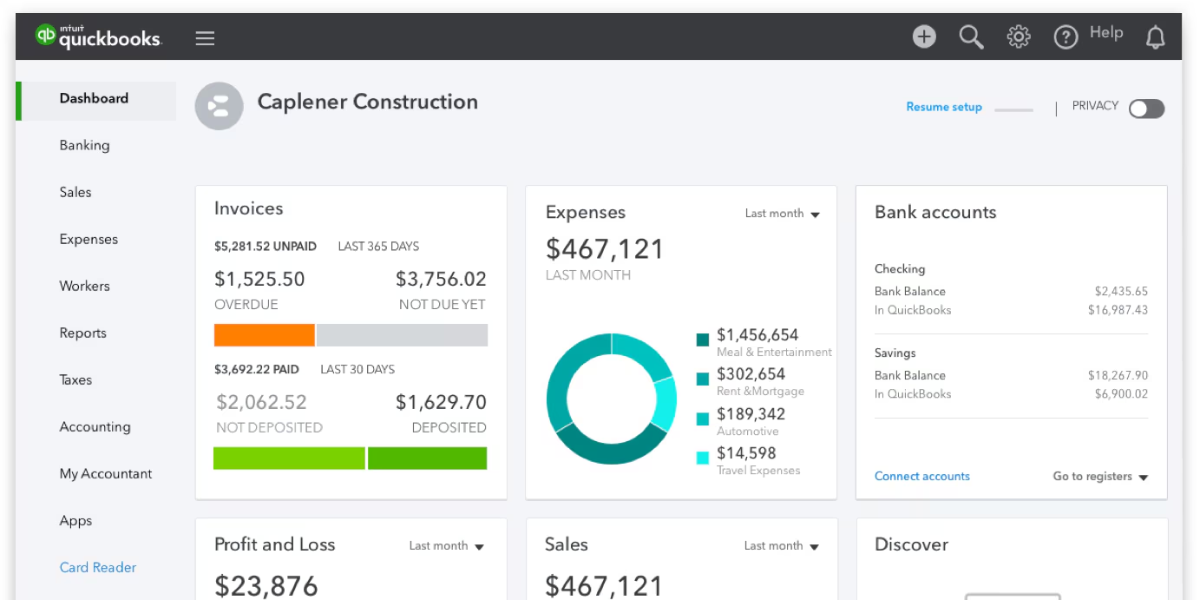
QuickBooks Online (QBO) is arguably the best-known accounting brand for small business owners, especially in the US.
Core features:
- Invoicing, estimates, and recurring invoices
- Expense tracking and bill pay
- Bank feeds and reconciliation
- Inventory in higher tiers
- Time tracking and project profitability in some plans
- Extensive reporting and budgeting tools
- Huge ecosystem of third-party apps and accountant partners
Pricing structure of QuickBooks Online
QuickBooks offers multiple tiers—Simple Start, Essentials, Plus, and Advanced. Standard list pricing (before promos) typically ranges roughly from $38/month for Simple Start up to $275/month for Advanced, with regular percentage discounts for the first few months.
Pros and cons of QuickBooks Online
Pros
- Very wide adoption; easy to find QBO-fluent accountants
- Strong feature set, especially for US businesses
- Powerful reporting and class/location tracking in higher tiers
Cons
- Can feel expensive as you scale and add users
- Interface can get cluttered for non-accountants
- Some advanced features (like robust inventory or advanced analytics) require higher-tier plans
3. FreshBooks
Key features of FreshBooks
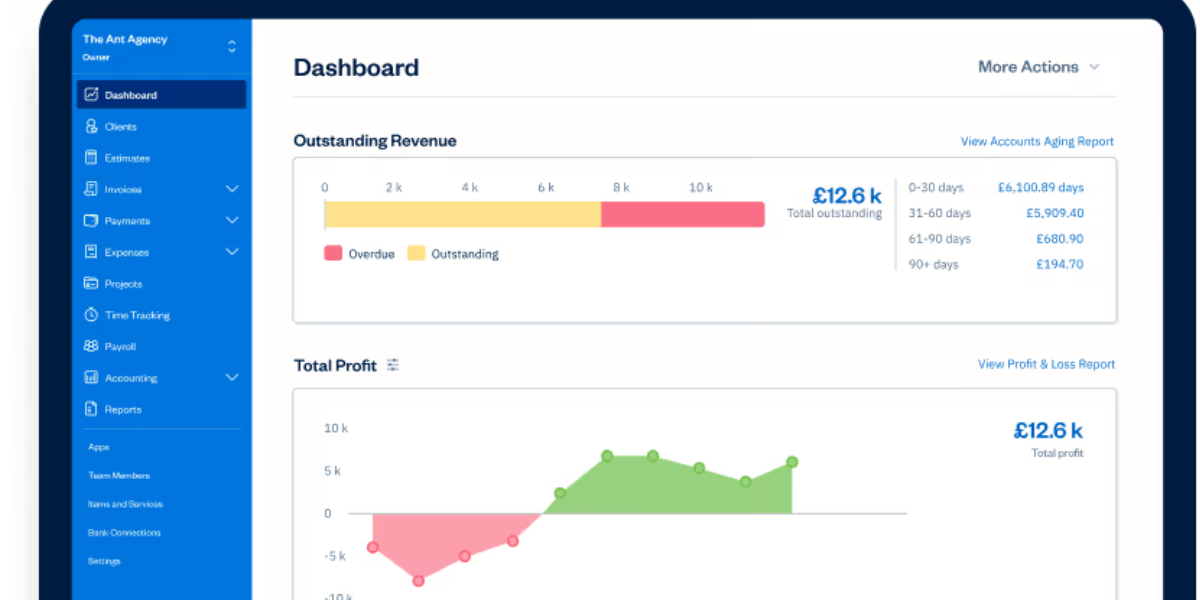
FreshBooks positions itself as easy accounting software for small businesses, freelancers, and agencies that bill by time or project.
Key strengths:
- Polished invoicing and recurring billing
- Time tracking built in
- Expense tracking and light project management
- Simple estimates and proposals
- Client portal for reviewing invoices
- Integrations with payment processors and popular business tools
Pricing structure of FreshBooks
Plans (Lite, Plus, Premium, and custom Select) start at around $19/month, with limits on the number of billable clients on lower tiers. Discounts (e.g., 60% off for several months) are common for new customers.
Pros and cons of FreshBooks
Pros
- Very user-friendly for non-accountants
- Great for service-based businesses and solo professionals
- Strong invoicing, recurring billing, and time tracking
Cons
- Client limits on lower plans
- Less suited for complex inventory or multi-entity setups
- Fewer deep accounting features than Xero/QuickBooks
4. Wave
Key features of Wave
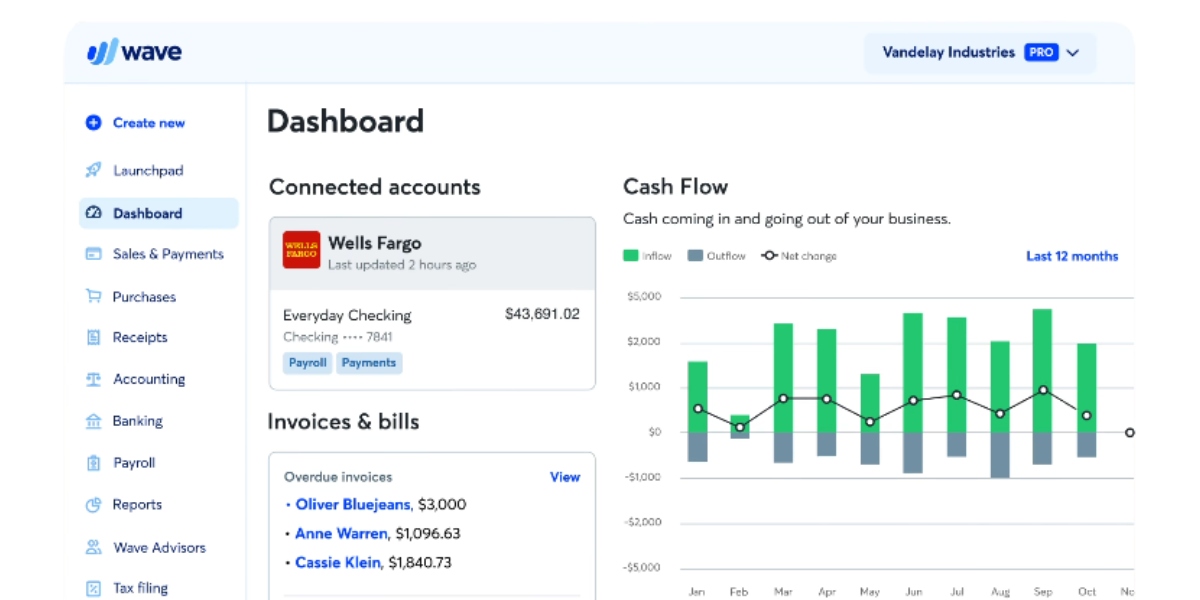
Wave is a free accounting software solution targeted at micro and small businesses.
Core features:
- Income and expense tracking
- Invoices and quotes
- Basic reports and cash flow overview
- Receipt capture and bank connections
- Optional paid add-ons for payments and payroll
Pricing structure of Wave
Wave’s core accounting, invoicing, and receipt scanning tools are free. You pay only for payment processing fees and for add-on services like payroll (where available).
Pros and cons of Wave
Pros
- Best-in-class for truly free core functionality
- Simple interface for very small businesses
- No monthly subscription for accounting
Cons
- Limited advanced features and reporting
- Add-on costs (payments, payroll) can add up
- Less suitable for fast-growing or multi-entity businesses
5. Sage Business Cloud Accounting
Key features of Sage Business Cloud Accounting
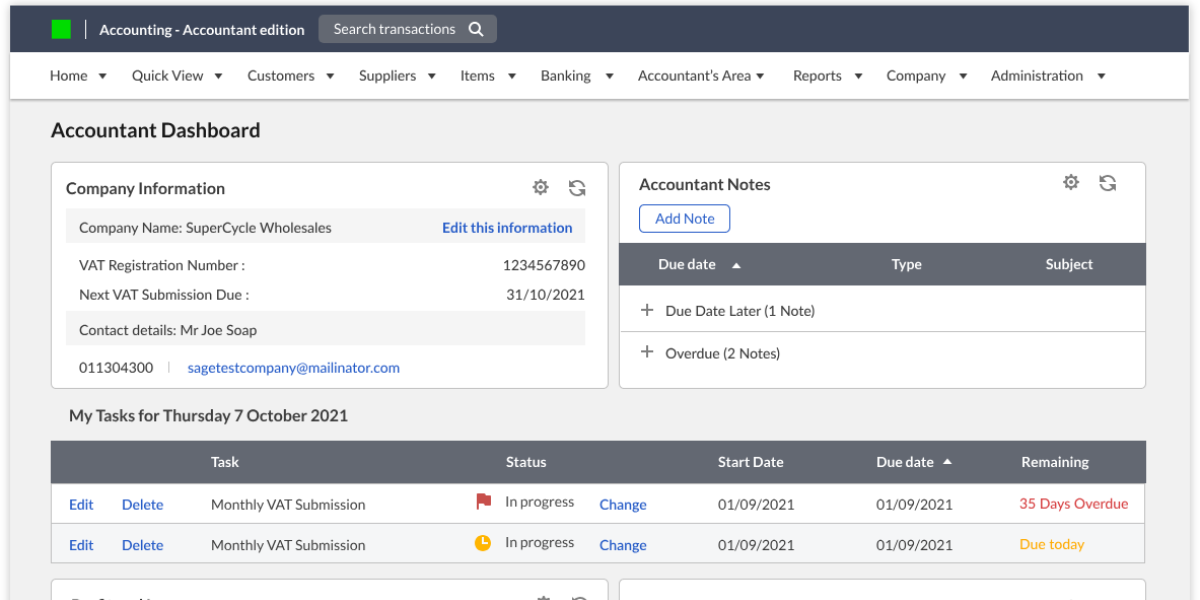
Sage offers a family of cloud and desktop products; Sage Business Cloud Accounting / Sage Accounting focuses on small to medium-sized businesses that want solid bookkeeping plus strong compliance and audit trails.
Key features:
- Invoicing, quotes, and cash flow management
- Bank feeds and reconciliation
- Multi-user support and audit trails
- Reporting and VAT/sales tax tools (region-specific)
- Integrations with payments, payroll, and other Sage products
Pricing structure of Sage Business Cloud Accounting
Pricing varies by region, but a typical structure:
- Accounting Start and Accounting Standard tiers, with starting prices often around $20/month and higher for more features and users, plus a free trial.
Pros and cons of Sage Business Cloud Accounting
Pros
- Established brand with strong accounting pedigree
- Good fit for businesses that may later move into more complex Sage systems
- Strong controls and audit features
Cons
- Interface can feel more “traditional” and less intuitive for new users
- Pricing and product names can be confusing across regions
- Fewer third-party integrations than Xero or QuickBooks
6. FreeAgent
Key features of FreeAgent
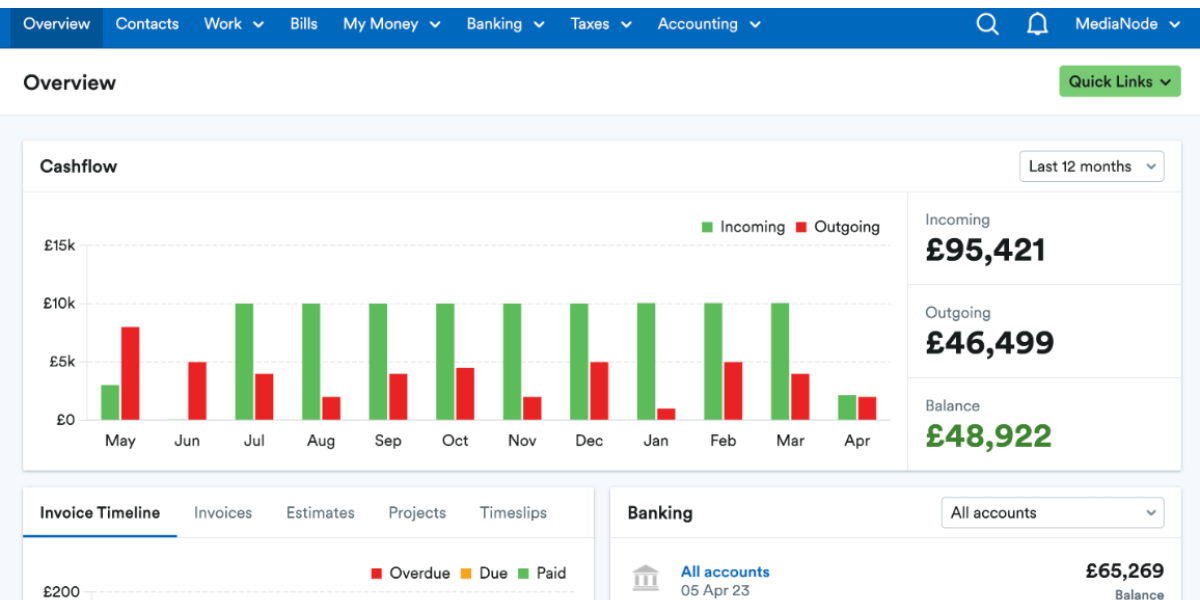
FreeAgent is popular with freelancers, contractors, and small businesses (especially in the UK), offering a simple all-in-one accounting platform.
Highlights:
- Invoicing (including recurring invoices and automated reminders)
- Expense tracking and bank feeds
- Time tracking and project billing
- Basic inventory and stock management
- Real-time cash flow and tax timeline
- Unlimited users, clients, and projects in most plans
Pricing structure of FreeAgent
FreeAgent typically has a single main paid plan, with pricing around $22.50/month when billed annually or $27/month monthly, subject to promotions and country currency. Some partner banks even include FreeAgent for free with certain accounts.
Pros and cons of FreeAgent
Pros
- Flat pricing with lots of “unlimiteds”
- Very friendly for freelancers and small agencies
- Helpful for tracking projects and taxes
Cons
- Less focused on mid-sized or complex businesses
- Most optimized for certain regions (like the UK)
- Smaller integration ecosystem than QBO/Xero
7. Kashoo
Key features of Kashoo
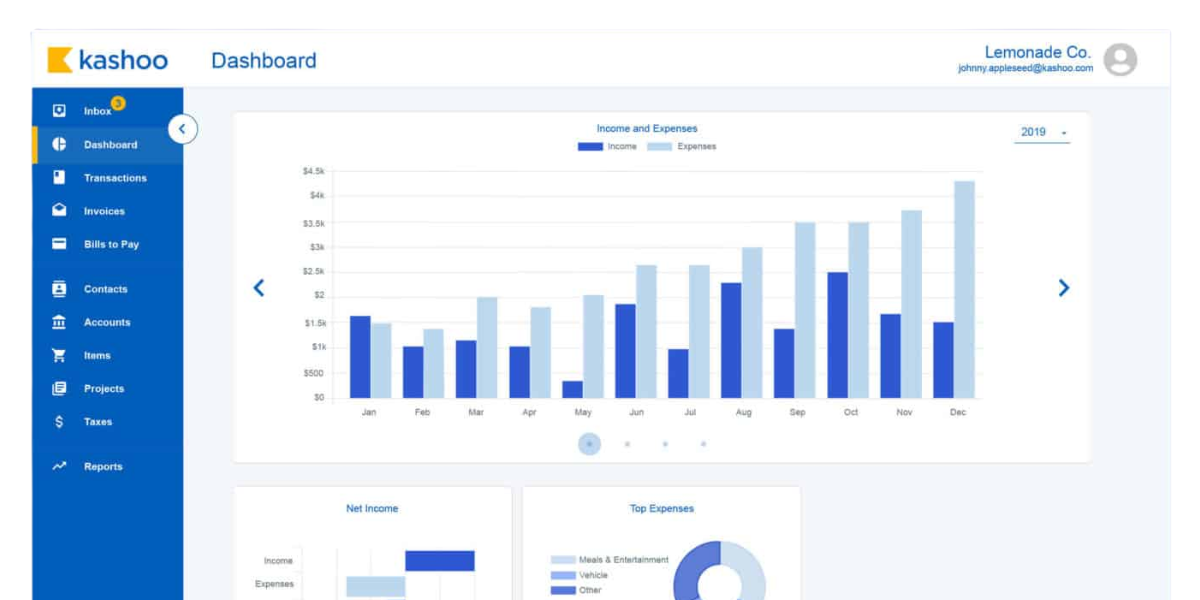
Kashoo focuses on simple accounting for small businesses, with an emphasis on automated bookkeeping and ease of use.
Key features:
- Income and expense tracking
- Simple invoicing and payments
- Bank feeds and automatic transaction categorization
- Multi-user support, multi-entity options for a fee
- Basic reporting and sales tax support
Pricing structure of Kashoo
Kashoo is typically offered as a flat plan around $30/month including multiple users, with some add-ons for multiple entities.
Pros and cons of Kashoo
Pros
- Predictable, flat pricing
- Simple for small business owners who want “just enough” accounting
- Multi-user support without complex tiered pricing
Cons
- Less advanced than bigger platforms
- Smaller ecosystem of integrations
- Limited international or highly complex use cases
Comparing Zoho Books alternatives
When you’re assessing a Zoho Books features comparison, it helps to break things down into a few key dimensions.
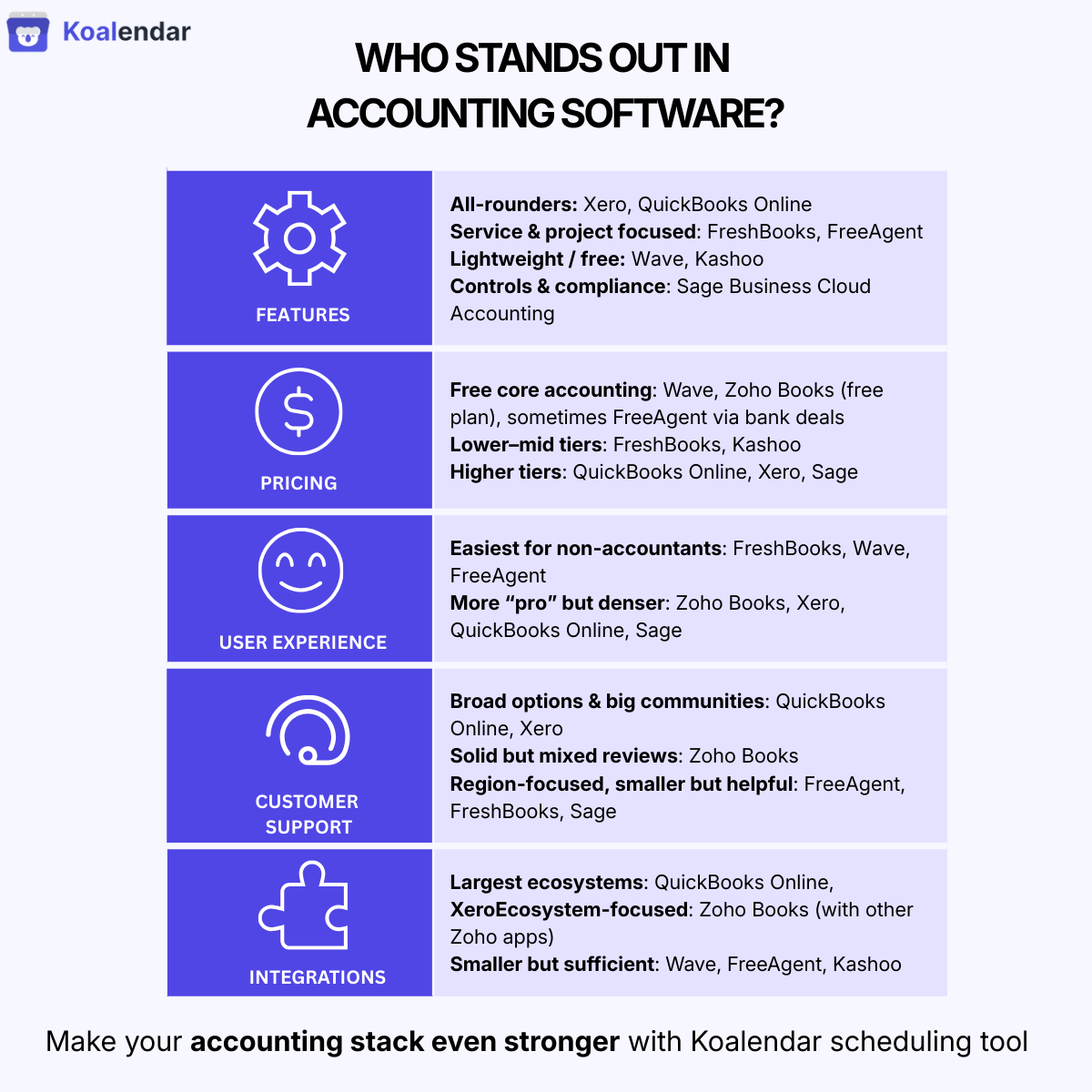
Feature Comparison
- Strong all-rounders: Xero and QuickBooks Online cover most small–mid-market needs, from invoicing to inventory, basic projects, and robust reporting.
- Service & project focus: FreshBooks and FreeAgent shine for service-based businesses that bill by time/project and want intuitive time tracking.
- Lightweight & free: Wave and Kashoo cover core bookkeeping and invoicing without excessive complexity.
- Compliance & controls: Sage Business Cloud Accounting is strong where audit trails and compliance are top concerns.
Pricing Comparison
- Free core accounting: Wave, Zoho Books (free tier), and sometimes bank-bundled FreeAgent can be cheapest for very small businesses.
- Lower-mid tiers: FreshBooks and Kashoo offer relatively affordable entry points with limited complexity.
- Higher-end tiers: QuickBooks Online, Xero, and Sage can be more expensive as you scale users and features, but offer deeper functionality.
(Always check current promos—most providers run frequent discounts.)
User Experience and Interface Comparison
- Easiest for non-accountants: FreshBooks, Wave, and FreeAgent are often praised for intuitive interfaces.
- Professional but denser: Zoho Books, Xero, QuickBooks, and Sage pack more features into the UI; great long-term, but with more of a learning curve.
Customer Support Comparison
- QuickBooks & Xero: Broad support options, plus large communities and partner accountants.
- Zoho Books: Chat/email/phone support and help center; some users report mixed experiences.
- FreeAgent, FreshBooks, Sage: Email, phone, and often live chat, with region-specific strengths.
Integration Capabilities Comparison
- Best ecosystems: QuickBooks and Xero lead in third-party integrations with e-commerce, payments, CRM, and more.
- Zoho Books: Excellent if you use the broader Zoho ecosystem (Zoho CRM, Zoho Payroll, etc.), but fewer external integrations than the biggest players.
Smaller tools: Wave, FreeAgent, Kashoo integrate with key services, but have a more limited marketplace.
Key considerations when choosing an accounting software
When choosing your accounting software stack, keep these pillars in mind.
Usability and Interface
- Can small business owners and team members navigate it without constant help?
- Is it easy to find invoices, transactions, and reports?
- Does it support your workflows (recurring invoices, retainers, projects)?
Feature Set
- Does it cover your essential needs: cash flow, invoicing, expenses, bank feeds, reporting, and tax support?
- Do you need inventory, multi-currency, job costing, or advanced automation?
Pricing
- Is there a plan that fits your current size and leaves room to grow?
- Are there hidden costs (add-ons, payroll, extra users, higher support tiers)?
Integration Capabilities
- Does it integrate with your CRM, payment processors, e-commerce platforms, and scheduling tools?
- Can you connect it to a scheduling platform like Koalendar to streamline the client journey from meeting to invoice?
Customer Support
- Do you get help via channels you actually use (chat, phone, email)?
- Is there good documentation and a community where you can find answers quickly?
Recommendations
Best for small businesses
- QuickBooks Online if you’re US-based and want the broadest accountant ecosystem and integrations.
- Xero if you want multi-currency, collaboration, and a strong global presence.
- FreshBooks or FreeAgent if you’re a service-based business that lives on projects and time tracking.
Best for medium enterprises
- Xero or QuickBooks Online Advanced for richer reporting, multi-user setups, and integrations with other business products and systems.
- Sage Business Cloud Accounting if you care heavily about controls, audit trails, and potentially moving into more advanced Sage solutions later.
Best free option
- Wave is the standout best free option for very small businesses that want core accounting and invoicing at no subscription cost.
How Koalendar complements your accounting workflow
Choosing the right accounting software solves only part of the puzzle. You still need a way to manage clients, prospect calls, onboarding sessions, and review meetings without drowning in email threads.
That’s where Koalendar fits beautifully alongside any Zoho Books alternative you choose.
Key Koalendar features that support your accounting workflows:
- 24/7 online booking: Let customers book discovery calls, tax reviews, or monthly closing sessions whenever it’s convenient for them—no back-and-forth emails.
- Calendar sync (Google, Outlook, iCal): Automatically syncs with your existing calendars to prevent double bookings and keep your whole team aligned.
- Automated reminders: Reduce no-shows with automatic email reminders (and optional follow-ups), protecting your billable time and smoothing your cash inflows.
- Custom booking pages: Create tailored booking pages for tax season, onboarding, recurring check-ins, or specific products/services, capturing the info you need upfront.
- Branding and customization: Use your logo, brand colors, and custom text so every touchpoint feels professional and consistent with your firm’s image.
For accountants and finance professionals specifically, Koalendar offers a dedicated use case: Appointment scheduling software for accountants – with a free forever plan that includes unlimited booking pages, calendar sync, and automated confirmations.
If you also collect payments at booking time (for consultations or one-off services), you can pair Koalendar with your payment and accounting system.
“Great value for the buck. I use it for my business booking purposes. The free version is just enough to use for a small business but if you need more, the paid version is not expensive”
Oksana D.
HR Consultant in the Accounting Industry
Together, an accounting app (Zoho Books or any alternative) plus Koalendar gives you:
- A streamlined client journey from first consultation → booked meeting → invoice → payment → follow-up
- Fewer manual admin tasks, so your team can focus on advisory work instead of calendar Tetris
- Better experience for your customers, who can book and manage appointments whenever it suits them
Try Koalendar free and see how it complements your full business toolkit.