Fitness instructors and studio owners, the demand for live online fitness classes is high. 85% of fitness consumers favor live streamed sessions, compared to just 7% in 2019, according to a report by Allied Market Research.
But managing these classes can be challenging.
You’re likely facing a mess of DMs for bookings, double-booked slots, forgotten Zoom links, and frustrating no-shows. It doesn’t have to be this way.
This guide is your complete blueprint. We'll cover the technology, the teaching strategies, and the robust scheduling system you need to make your virtual workouts work.
This setup lets you focus on coaching while a tool like Koalendar keeps your calendar full, organized, and running smoothly in the background. You can be up and running in minutes!
What makes a great live stream fitness class today?
Live streaming means running a class in real time where attendees join simultaneously via a platform like Zoom or Google Meet.
To run successful virtual exercise classes, you need more than just a camera. Great streaming fitness sessions today must balance professionalism with approachability.
Key ingredients of successful streamed classes include:
- Clear expectations: Clearly communicate the format, intensity, and duration. Don’t make attendees guess if it's HIIT, yoga, or a low-impact session.
- Good audio and video: You don't need a Hollywood budget, but high quality video content requires decent lighting, a tidy background, and clear audio quality.
- Real-time engagement: Use the chat feature for questions, give shout-outs to clients, and offer modifications for different fitness levels to build community.
- Reliability: The stream starts on time, the link works, and you have a stable internet connection. Reliability is key to client trust.
Want to jump ahead? See how to set up the scheduling system first.
Step 0: Set up the system that keeps your live classes full
Before you design your first workout, you need the right infrastructure. Relying only on a shared Zoom link and DMs is a recipe for high no-shows and wasted time.
A dedicated booking system like Koalendar for fitness and gyms solves these problems by providing:
- 24/7 online booking: Clients can reserve their spot anytime, and they automatically receive calendar invites
- Availability control: You control your availability, capacity, and the time zone for every class
- Reduced no-shows: Automated email and calendar reminders reduce no-shows
- Upfront payment: Payments at booking with Stripe mean you’re never chasing invoices
Create a "live online class" booking page in Koalendar
Your first step is to create a dedicated booking page for your live classes. This acts as your central hub.
Create your free Koalendar account and follow along as you read this guide
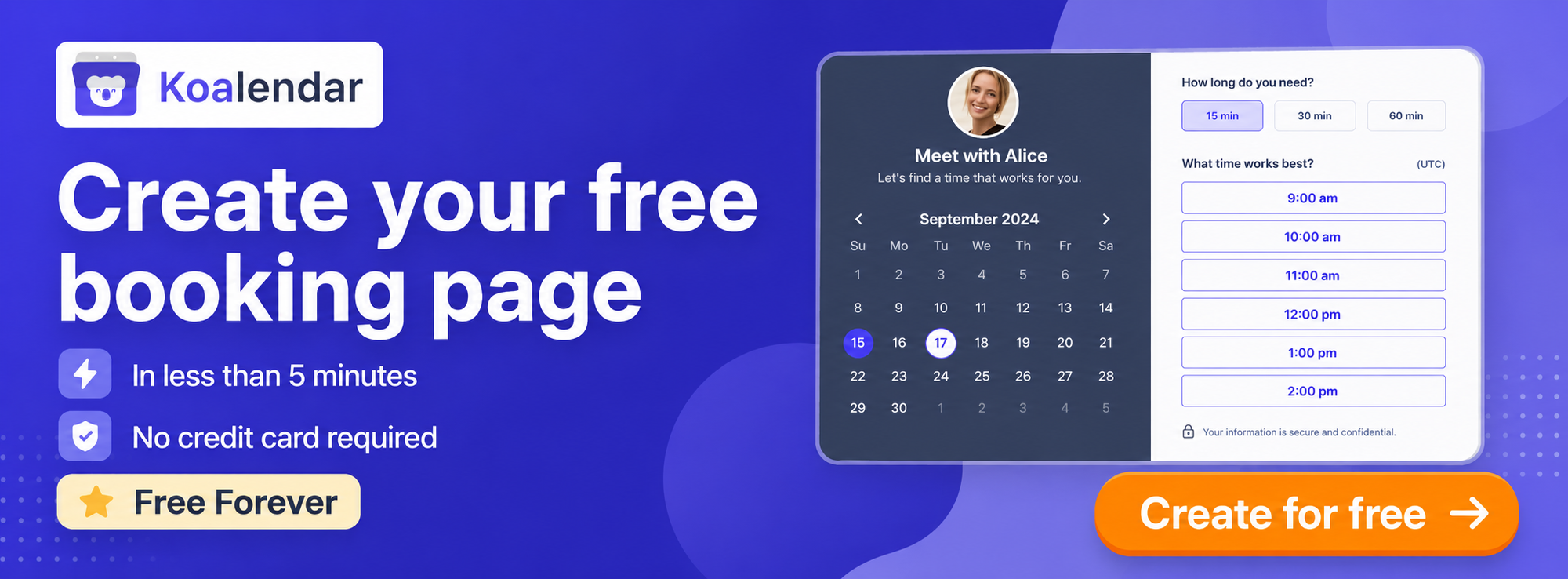
You can create a custom booking page that allows clients to book their slot. Custom booking pages allow you to match the look to your branding and customization so the client experience feels seamless.
Check the step-by-step video guide to create your group booking page for a class.
When creating your page, you can include the class name, description, and duration, which can all be customized.
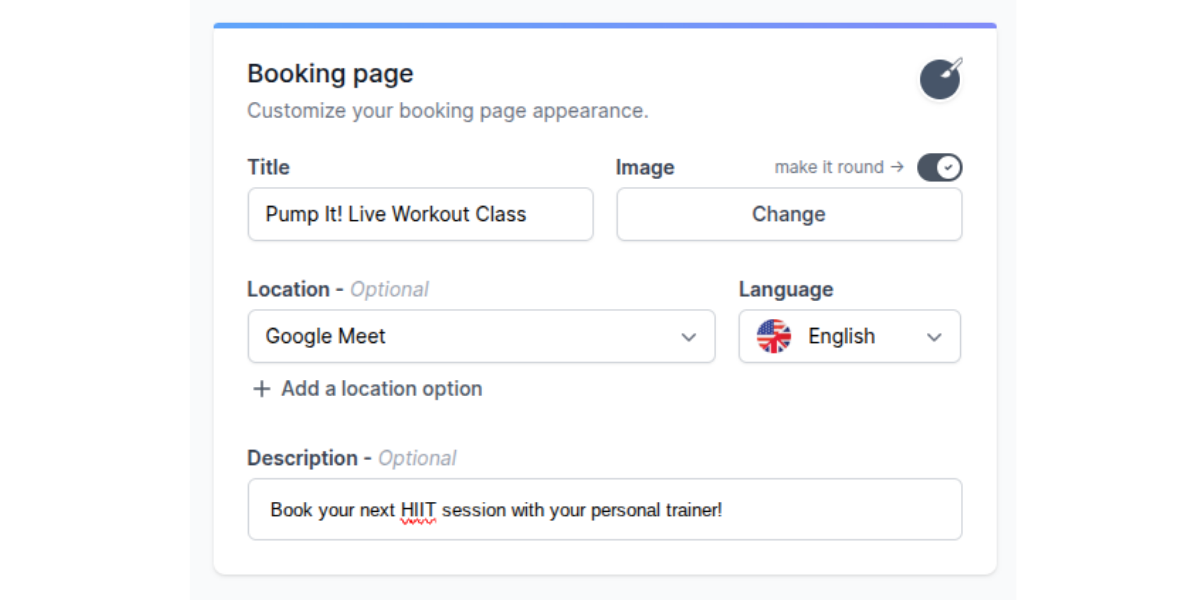
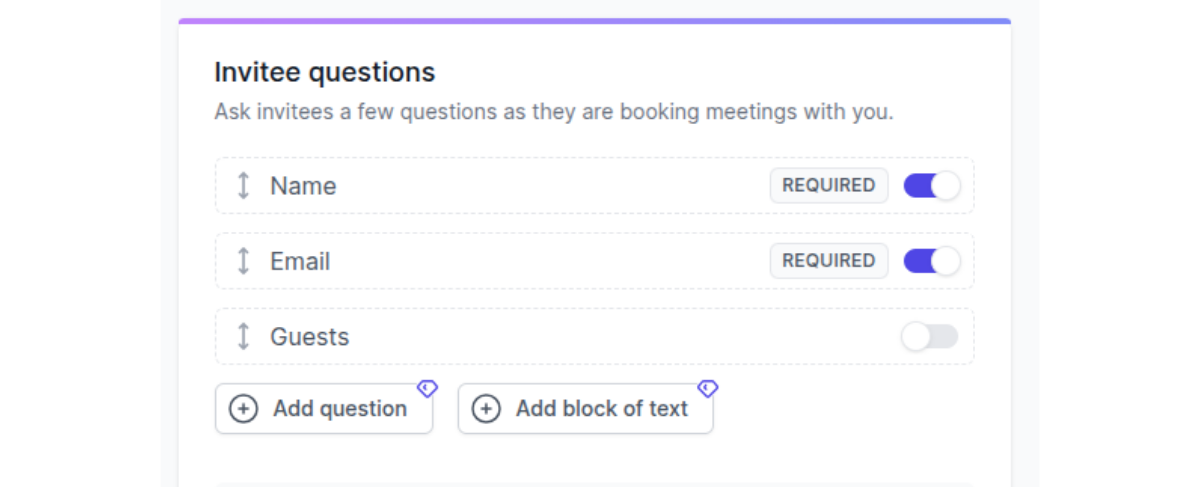
You set your own availability, so clients can only book when you know you’ll be streaming. Next, set the information that you’d like to gather from clients when they book.
.png?w=2000&fit=max&auto=format)
Use a clear name for your link. That way, it’s easier to share and remember.
For example: Pump-it-live-workout-class
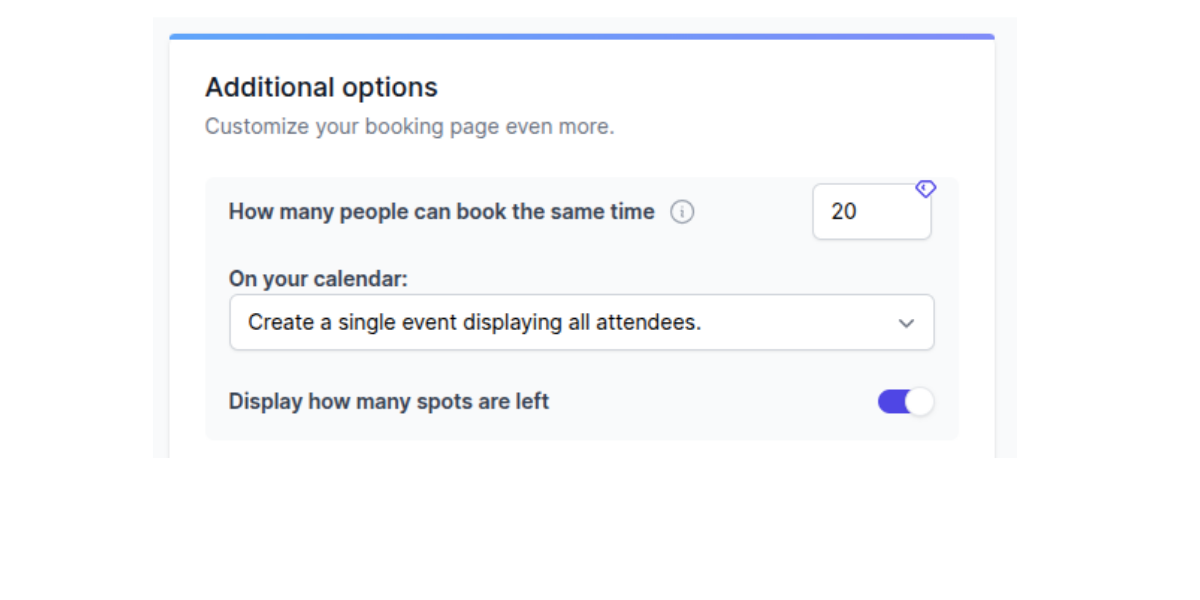
Set class capacity, time zones, and buffers
You can set additional controls to manage your workload and ensure a quality experience:
- Limit capacity: Set a class capacity (e.g. 20 people) to prevent virtual overcrowding
- Time zone detection: Koalendar's automatic time zone detection ensures clients always see the class time accurately in their local time
- Add buffers: Build in 15 minutes before and after the class to set up your streaming equipment and wrap up, so you’re not rushing before or late for your next class.
Turn on automatic reminders and payments
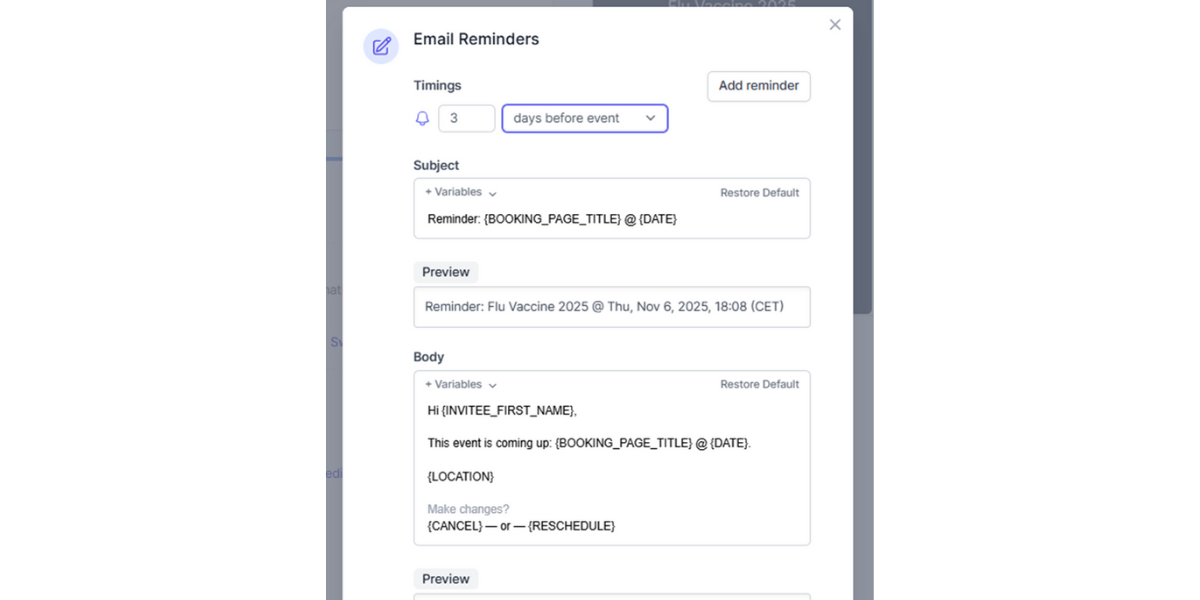
Reminders and commitment are key to preventing forgotten appointments. Koalendar helps you secure both to ensure your clients turn up to the classes they book:
- Automated reminders are essential; set them to send 24 hours and 1 hour before the class stream starts.
- Connect Stripe to accept payments at the time of booking, automatically securing the client's commitment and reducing the chance of no-shows.
Using Google Calendar instead? Download the free ebook below to fully automate your Google Calendar setup.
.png?w=2000&fit=max&auto=format)
Step 1: Design your live-stream offer
Before launching, you need to define your product.
Choose your niche and class types
Focusing on a niche helps you attract new clients. Examples include:
- High-Intensity Interval Training (HIIT)
- Barre, yoga (e.g., power yoga, restorative)
- Specialized classes (prenatal, seniors, mobility)
Decide between drop-in classes, packs, or memberships
Will clients pay per session, buy a pack of 5, or subscribe to an unlimited monthly membership? Your pricing model affects the client's commitment level.
Set clear duration and difficulty levels
It helps to be transparent with your clients about what your classes involve. Consistent duration (e.g., 30 or 45 minutes) and a clear difficulty level (Beginner/Intermediate/Advanced) manage client expectations.
You could also include some details in the booking confirmation or booking page about what equipment they’ll need, and what they’ll be doing.
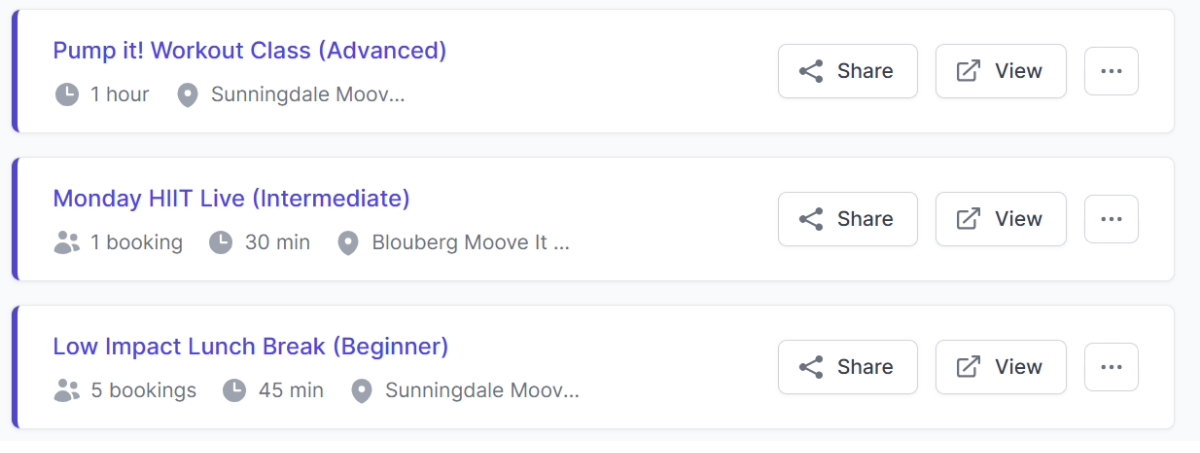
Pro tip: You can use Koalendar to create separate, unique links for each offering, such as “Monday HIIT Live” and “Low-Impact Lunch Break.”
Step 2: Choose where you’ll stream (and connect it to your schedule)
Your streaming platform is where the actual class happens. For online fitness, this is your venue. In the same way you’d want your physical workout space to be welcoming, your streaming provider has to be able to handle what you need. This choice impacts everything from user experience to security and profitability.
Pros and cons of Zoom, Google Meet, and other platforms
You’ll need to choose a platform to live stream your classes. Here are some of the best options to consider:
| Zoom | Google Meet | Microsoft Teams | YouTube Live & Instagram Live | |
| Pros | High reliability, easy for attendees, robust meeting controls | Easy for Google users, no time limits with paid Workspace | Excellent for existing business users; strong security and organizational features | Free, massive potential audience, easy integration for public, lead-generation classes |
| Cons | Cost for longer or larger sessions; requires paid subscription for longer streams | Fewer fitness-specific features; less robust attendance tracking | Can be less intuitive for external clients; features are often tailored for meetings | Lacks client-specific security for paid classes; monetization setup is more complex; lower real-time interaction |
Public vs. private streams
For paid live online fitness classes, you must use a private link to avoid non-paying members to be able to access it.
- Private: Zoom, Google Meet, or private YouTube Live links are best for keeping classes members-only.
- Public: Instagram Live or public YouTube Live are better for free promotional sessions or short workouts to attract leads.
Add your streaming link to your Koalendar booking page
This is a critical step for preventing clients from struggling to find the correct link.
In Koalendar, each event type can include a video conferencing link (it offers native support for popular tools). Once you’ve connected your account for the platform of your choice, you can include your unique class link in your email confirmation and reminders.
This ensures participants automatically get the correct joining details in their confirmation email and calendar event.
Step 3: Set up your tech without overspending
To run a live fitness class, you don't need a huge budget, but you do need reliable streaming equipment.
Internet, lighting, and background basics
- Internet: A stable internet connection (upload speed of at least 10 Mbps) is non-negotiable for a real time stream.
- Lighting: Use two to three light sources to eliminate harsh shadows. Ring lights or two softboxes work well.
- Background: Keep it clean, professional, and free of clutter. Place your yoga mat where it's clearly visible.
Camera options: Phone vs. webcam vs. DSLR
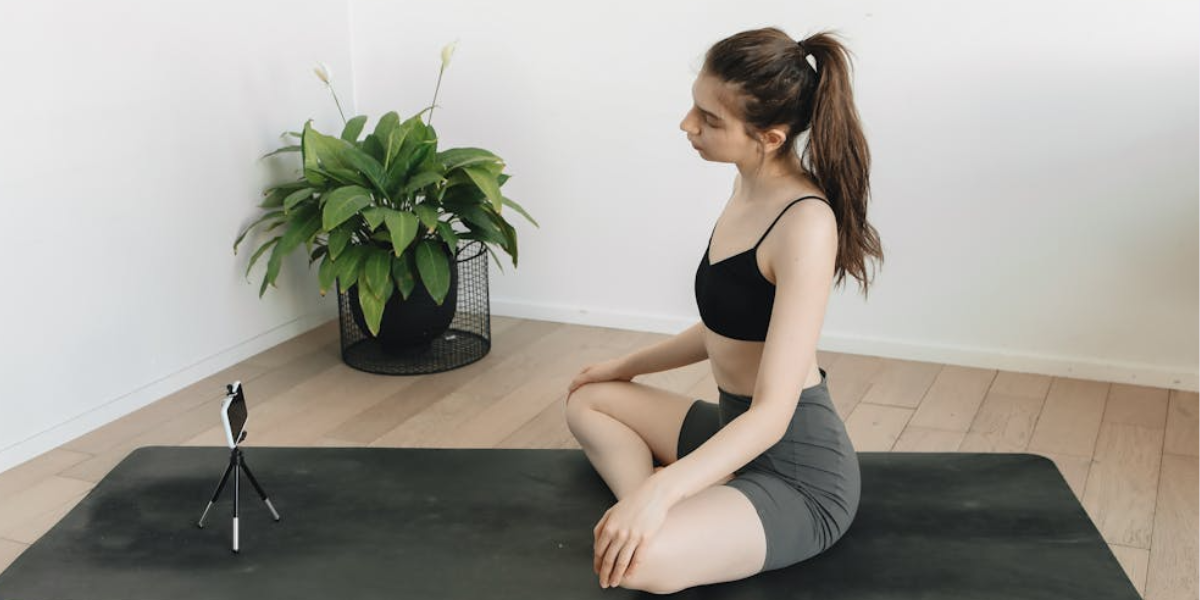
- Phone: A modern smartphone is the easiest and often best-quality option for starting out
- Webcam: A laptop with webcam is good for a fixed desk setup
- DSLR: A DSLR camera offers the highest quality but requires adapters and a more complex setup
Microphone options: Headset, lavalier, or studio mic
- Lavalier (clip-on): Ideal for movement; they offer clear voice capture without needing to shout
- Headset: Simple and reliable, but can obstruct your face and may not be secure in more active workouts
- Studio mic: Offers the highest quality audio, but requires you to stay close to the device and limits movement
Test run checklist before you go live
Equipment set up and ready to stream? Use this quick checklist to ensure a smooth launch:
- Test your audio: Is your music at the right level, and is your voice clear?
- Test your video: Are you completely visible when performing moves like planks or burpees?
- Test your booking link: Can a friend successfully book the class and get the confirmation email?
Step 4: Schedule, promote, and fill your first live class
Once the infrastructure is set up, it’s time to fill those spots. You can use Koalendar to get online bookings and fill your calendar with customers.
Build a simple weekly schedule
Consistency is key for building client habits, and keeping you focused on which classes you’re running. If you want to offer a range of classes for different activities, or to attract clients of different ability or confidence levels, here’s an example schedule you can copy.
| Day | Class Name | Time | Level |
| Mon, Wed, Fri | HIIT Express | 7:00 PM | Intermediate |
| Tue, Thu | Strength & Core | 6:00 PM | All levels |
| Sat | Flow Yoga | 09:00 AM | Beginner |
You can recreate this exact schedule in Koalendar using recurring events and unlimited event types in the free plan.
Share your booking link everywhere
Your business depends on people paying to join your classes. So, make it impossible for people to miss your booking link. That means sharing it far and wide:
- Website: Embed the Koalendar widget on your website
- Social media: Place the link in your Instagram bio, use swipe-up links in Stories, and link posts on social media
- Email: Include your booking link in your email signature
- Posters: If you also run in-person sessions, you could put up posters advertising your virtual classes; include a QR code so visitors can quickly scan and book
Use automated reminders to increase show-up rate
This is where Koalendar excels. It automatically sends reminders, keeps everyone in sync across time zones, and drastically reduces no-shows, letting you focus on coaching.
Step 5: Best practices during your live stream class
When it comes to actually delivering your class, focus on creating an engaging, safe, and professional experience. Here’s how to deliver sessions that keep your clients coming back (and telling their friends to join!).
- Start and end exactly on time: Respect everyone's schedule. Koalendar's automatic time zone detection and calendar sync ensure clients know the exact start time, so you can start promptly.
- Balance demonstration, cues, and interaction: Don't just look at the camera. Use clear verbal cues, demonstrate the exercises, and check the chat feature in your chosen streaming platform for questions.
- Keep clients safe with clear modifications and disclaimers: Always offer low-impact and high-intensity variations. Begin every class with a clear safety and injury disclaimer.
- Use names and feedback to build community: Using client names (if visible) and providing specific feedback during the real time class helps replicate the personalized feeling of a personal class.
Step 6: After the class – turn one workout into an ongoing business
The work doesn't end when the stream stops. Follow up with your clients to turn a one-off booking into return business (and ongoing revenue).
Save the recording for on-demand access
Record the class and save it. You can then package this as a watch on-demand video. This is the foundation of an on-demand content library that can provide passive income later.
Ask for feedback (automatically)
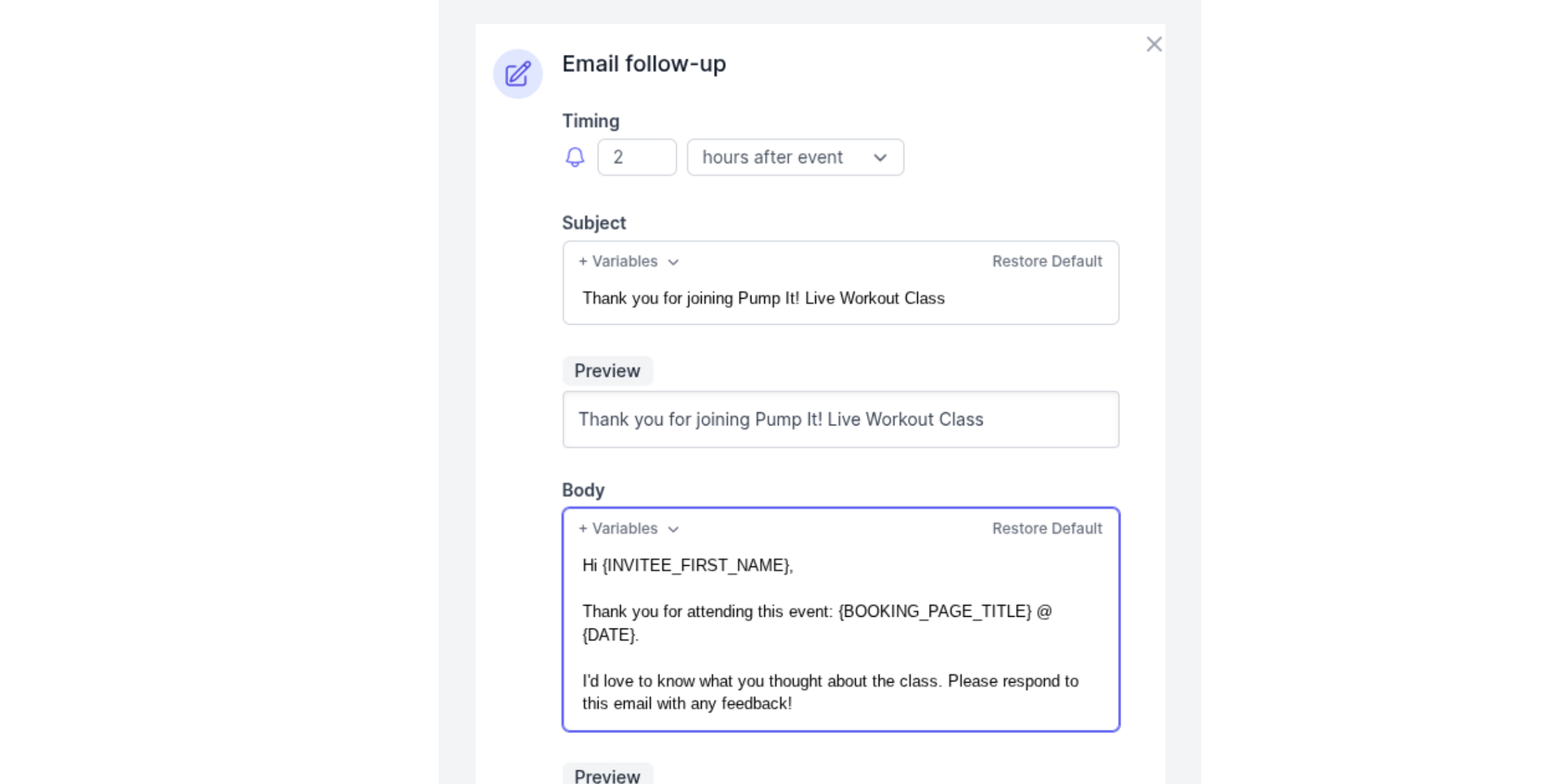
Get better after every session by asking your clients for their feedback. You can add a custom question as part of your automated follow up email to the Koalendar booking form, such as, “How did you find today’s class?” for quick, scalable feedback.
Upsell packs or memberships via follow-up emails
Use your follow-up emails to encourage drop-in clients to commit to a pack or a membership. Koalendar’s group classes or workshops feature allows multiple people to book the same time slot for a class, and can act as a members-only area.
How Koalendar helps fitness trainers run stress-free live stream classes
Koalendar is designed to eliminate the admin chaos that comes with running online fitness classes. Here’s how:
- Let clients book in seconds: Koalendar gives clients a single booking page that eliminates email back-and-forth. It also offers multi-language support for international clients.
- Keep your calendar organized and full: You get unlimited bookings and event types on the free plan. The platform also ensures no double bookings as it can sync with Google, Outlook and Apple iCloud calendars.
- Reduce no-shows with automatic reminders: Automated reminders and calendar notifications are sent automatically, dramatically reducing missed appointments.
- Get paid upfront: With Stripe integration, you get paid at the time of booking, and the system sends automatic receipts to clients.
“Absolutely love the ease of use and set up for the booking system. It allows my clients to book sessions with me without having to text me to ask for availability each week. They know my link and can book sessions on their own during the times I have open.”
Drew R.
Yoga Instructor
Try Koalendar free and have your first live-stream class accepting bookings today.