
"If you're a coach drowning in scheduling emails, the right scheduling app can claw back hours every week. Here are the 7 we'd recommend in 2026.”
TL;DR
Choosing the best apps for coaching depends on your stage and specialty:
- Scheduling apps like Koalendar are essential for automating client bookings and reducing no-shows
- All-in-one platforms (like CoachAccountable or Paperbell) handle payments and client management.
- For most life coaches, an affordable, feature-rich scheduling tool like Koalendar provides the quickest way to streamline coaching workflows and manage clients effectively.
This guide provides a comprehensive breakdown of the essential software, separating simple coaching scheduling apps from full-featured coaching management software. Whether you are a new life coach seeking simplicity or an experienced professional looking to streamline coaching workflows, we have the perfect app for you.
Compare coaching tools: feature matrix
Choosing the right best software for coaches means aligning features with your business model. Here’s a clear overview of how the top contenders handle your essential coaching needs.
 |  |  |  |  |  |  | |
| 24/7 online booking | ✅ | ✅ | ✅ | ✅ | ✅ | ✅ | ✅ |
| Calendar sync | ✅ | ✅ | ✅ | ✅ | ✅ | ✅ | ✅ |
| Automated reminders | ✅ | ✅ | ✅ | ✅ | ✅ | ✅ | ✅ |
| Client intake forms | ✅ | ✅ (tiered) | ✅ | ✅ | ✅ | ✅ | ✅ |
| Payment collection | ✅ | ✅ (tiered) | ✅ | ✅ | ✅ | ✅ | ✅ |
| Client portal/CRM | ❌ (scheduling focus) | ❌ | ❌ | ✅ | ✅ | ✅ | ✅ |
| Free plan | ✅ (unlimited) | ✅ (limited) | ❌ | ❌ | ❌ | ❌ | ❌ |
Why coaches need specialized apps
Wellness coaches especially benefit from automation, since their practice often includes recurring sessions, intake questionnaires, and group programs.
The traditional model of managing sessions through spreadsheets and long back-and-forth scheduling emails is a quick way to burnout and lose clients.
Specialized life coaching software fixes this by automating the repeatable steps in your business, allowing you to focus on client transformation, not administration.
Specialist coaching apps and platforms help you:
- Reduce administrative work by automating tedious tasks like sending confirmation emails
- Eliminate back-and-forth scheduling emails by letting clients book themselves instantly
- Reduce no-shows using automated reminders
- Ensure you get paid faster by collecting payments at the time of booking
What to look for in coaching software
When evaluating online coaching platforms, prioritize tools that directly address your pains… and make things easier for your clients.
Essential features for a successful coaching practice include:
- 24/7 online booking: Allows clients to easily self-book at any time, eliminating manual scheduling
- Automated reminders: Critical for dramatically cutting missed appointments
- Calendar sync: Prevents double-bookings by linking to your existing calendar
- Client intake forms: Collects essential pre-session information and creates a professional client journey
- Payment collection: Supports integrated payment processing to get paid faster and secure commitment at the time of booking
- Video conferencing integration: One-click links with Zoom, Google Meet, or Microsoft Teams for seamless remote sessions
Best scheduling apps for coaches
For many apps for life coaches, the scheduling component is the most critical element. These tools excel at managing your availability and ensuring your calendar stays full.
Koalendar
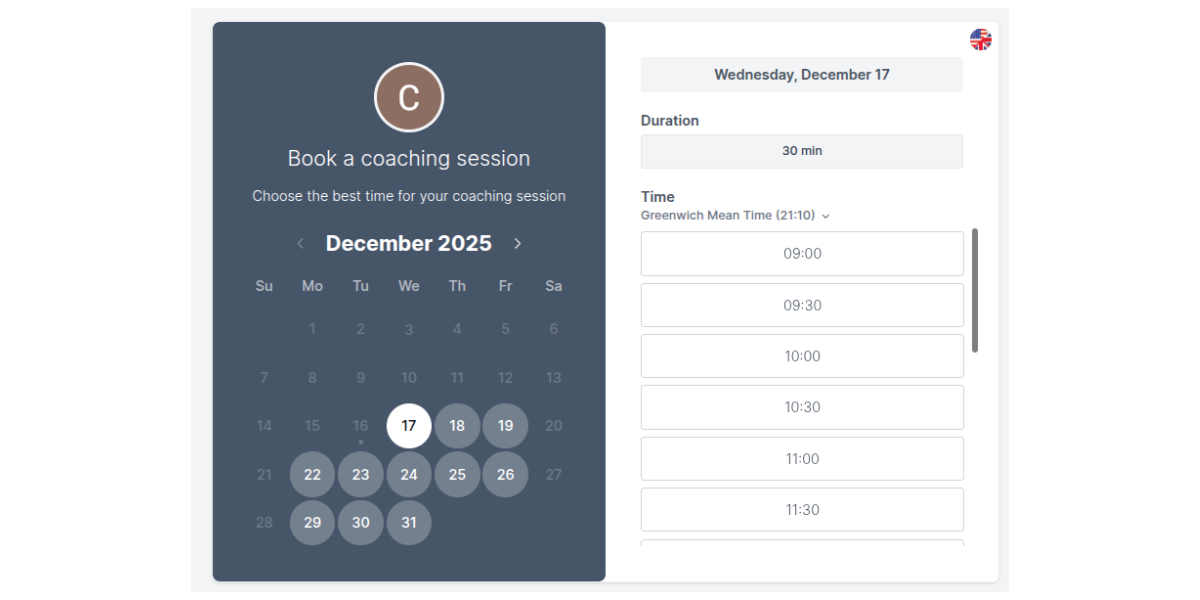
Koalendar is the best scheduling app for coaches who prioritize simplicity, zero cost entry, and flawless calendar integration.
.png?w=2000&fit=max&auto=format)
Why it stands out
- 24/7 online booking: Allows clients to book sessions anytime, anywhere, with automatic time-zone detection
- Free forever plan: Offers a generous free plan with unlimited bookings and core calendar sync features
- Customization and branding: Allows coaches to customize the booking page with their own branding to maintain a professional look
- Customizable confirmation emails: Ensures clients get a calendar invite and a link to the virtual meeting room if applicable (one coach believes this can reduce admin time by 80%)
- Automated reminders: Email and SMS reminders sent automatically help reduce meeting no-shows
- Calendar sync: Meetings automatically sync with your chosen calendar (Google, Outlook, iCloud) preventing scheduling conflicts
Trade-offs
- Lacks advanced functionality of specialist coaching platforms
Reviews
4.7/5 on Capterra.
Users view Koalendar as a top choice for those seeking simplicity and a robust free option compared to more competitors like Calendly.
As a self-employed coach, I was desperate for something that would meet my needs and not have tons of useless features. Finding Koalendar felt like a Cinderella story... AND it keeps improving.
Eve G
Coach
Pricing
- Free Forever plan. Paid plans from $6.99 per month.
Calendly
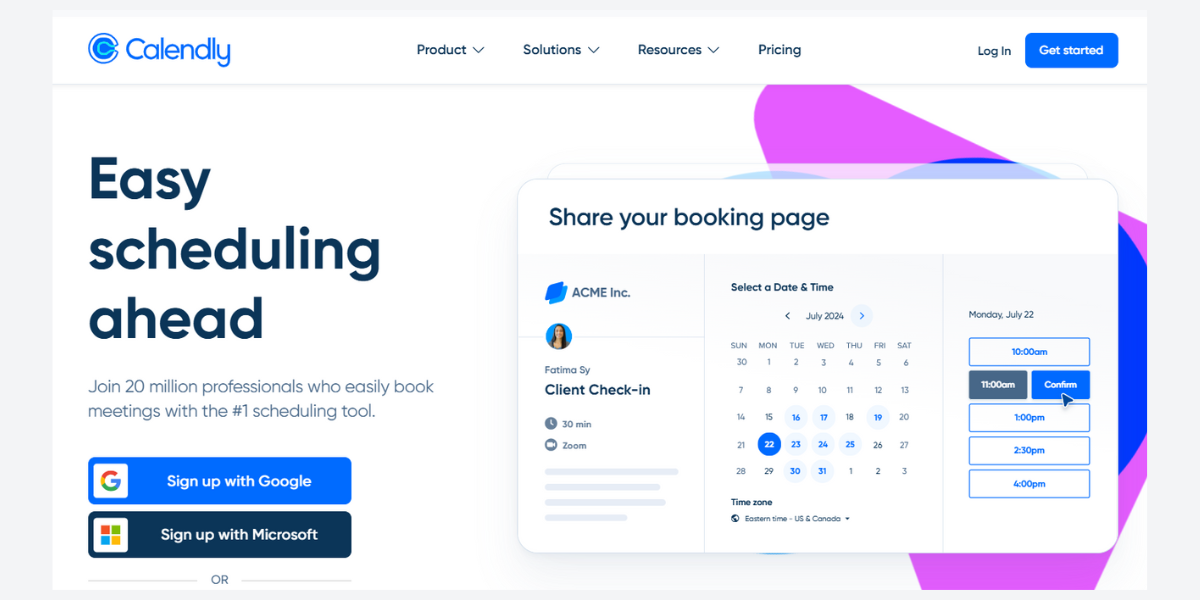
Calendly is a well-known app for scheduling and is often the standard for many professionals. It works well for coaches who primarily need a reliable link to share for one-off meetings. However, features like client intake forms and branding often require a higher-tier subscription.
Why it stands out
- Simplicity: Highly intuitive interface, making it easy for new coaches to set up their first booking page
- Team scheduling: Strong features for team or round-robin scheduling, useful for coaching groups or masterminds
Trade-offs
- Lack of features available on free plan
- Designed for booking individual appointments, not recurring sessions part of a larger coaching program
Reviews
4.7/5 on Capterra.
Users generally view Calendly positively for its simple scheduling, though recent feedback highlights some growing pains regarding its interface and support.
Pricing
- Free plan for personal use. Paid plans from $10 per month.
YouCanBookMe
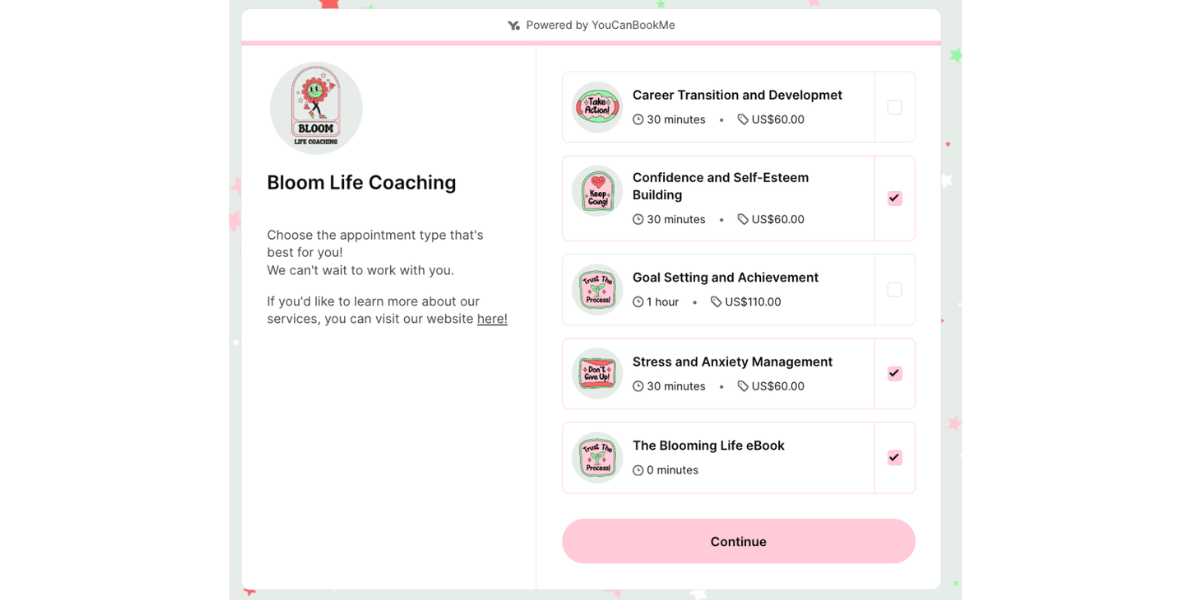
YouCanBookMe is a highly customizable scheduling tool that works well for multi-team environments. It offers flexible scheduling rules, but its feature set can sometimes be overwhelming for a solo life coach.
Why it stands out
- Flexible setup: Excellent for coaches who offer varied service durations or complex pricing tiers
- Custom notifications: Strong control over automated follow-ups and notifications to both the coach and the client
Trade-offs
- Lack of features available on free plan
- Designed for booking individual appointments, not recurring sessions part of a larger coaching program
Reviews
4.6/5 on Capterra.
YouCanBookMe’s customization makes it a hit for many users, although some customers find the initial setup a bit more technical compared to "plug-and-play" options like Koalendar
Pricing
- Free plan available. Paid plans from $9 per month.
Best all‑in‑one coaching software
If you need a comprehensive platform that handles everything from goal tracking and journaling to payment processing and scheduling, a dedicated online coaching platform is a must. These tools simplify your entire coaching management software stack.
Simply.Coach
Simply.Coach is a comprehensive platform focused on engagement. It offers a client portal, session notes, resource libraries, and coaching management software features
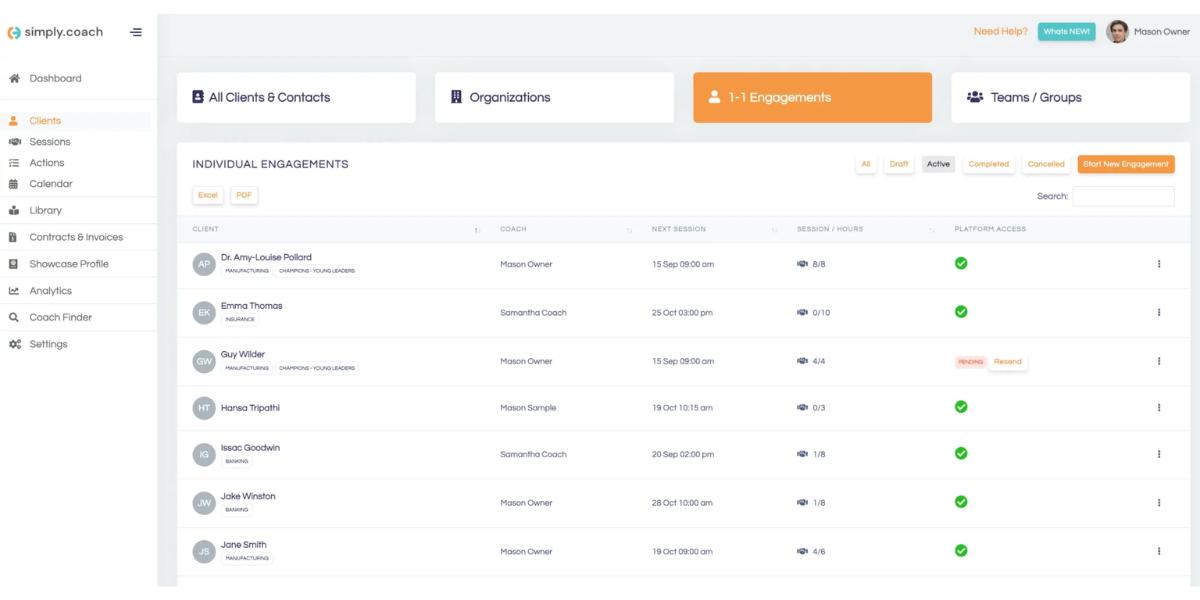
.
Why it stands out
- Client journey management: Tools for managing goals, tracking progress, and creating custom programs
- Content library: Allows coaches to store and share resources, forms, and assessments with clients
Trade-offs
- Because it is so feature-rich, the interface can feel overwhelming for beginners compared to simpler tools
- Limited customization and integrations
Reviews
4.6/5 on Capterra.
Users praise Simply.Coach’s good customer support, but some customers mention that branding options are restricted to higher-tier plans.
Pricing
- Free 14-day trial. Paid plans from $19 per month.
CoachAccountable
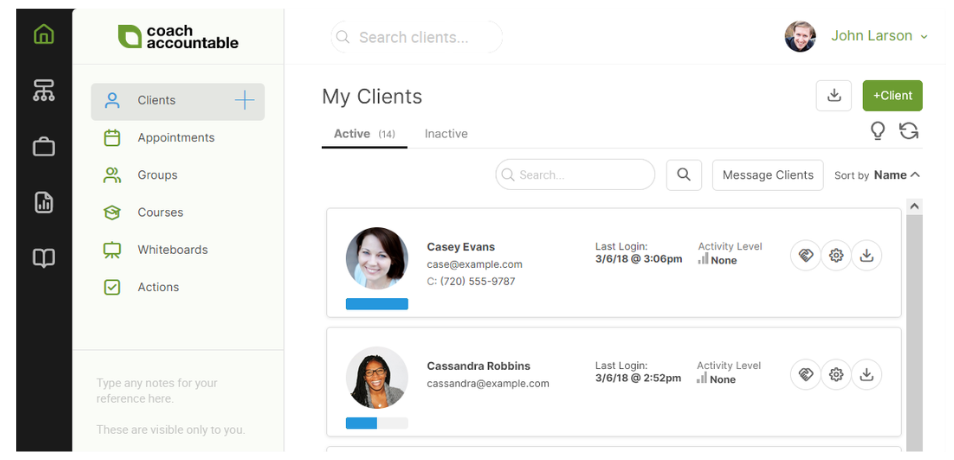
CoachAccountable offers a very deep feature set, including worksheets, accountability tracking, and course creation. While powerful, it can have a steeper learning curve and a higher price point than basic life coaching apps.
Why it stands out
- Action tracking: Focuses heavily on accountability with tools for clients to track actions, metrics, and commitments between sessions
- Integrated scheduling and payment: Provides a single hub for all business and client activities
Trade-offs
- Can be overwhelming for new users or those wanting a simple, plug-and-play solution
- Text message reminders and notifications incur additional per-message charges on top of the base plan, which can increase overall costs
Reviews
5/5 on Capterra.
Coaches like CoachAccountable for action tracking and maintaining client accountability between sessions. However, some users report that the interface design feels old-fashioned and less intuitive compared to more modern software
Pricing
- Free 30-day trial. Paid plans from $20 per month.
Paperbell
Paperbell is a modern life coach software that enables coaches to create websites for their services. It’s designed to help coaches selling packages and group coaching, focusing on the transactional side of the business (selling, billing, customer relationship management (CRM), etc.).

Why it stands out
- Product creation: Easily bundle and sell packages (e.g., 3-month coaching programs) with integrated contracts and payment plans
- Simplified client intake: Combines payment and intake forms into one smooth checkout experience
Trade-offs
- Limited customization means you can't fully change to match your own branding
- New coaches with only one or two clients sometimes find it expensive compared to tools that scale with client volume
Reviews
4.6/5 on Capterra.
Users rave about the "buy → sign → schedule" flow which reduces admin and the need for separate platforms, but there are some negative reviews around the lack of customization and rigid pricing model.
Pricing
- Free 7-day trial. Paid plans from $57 per month.
CoCoach
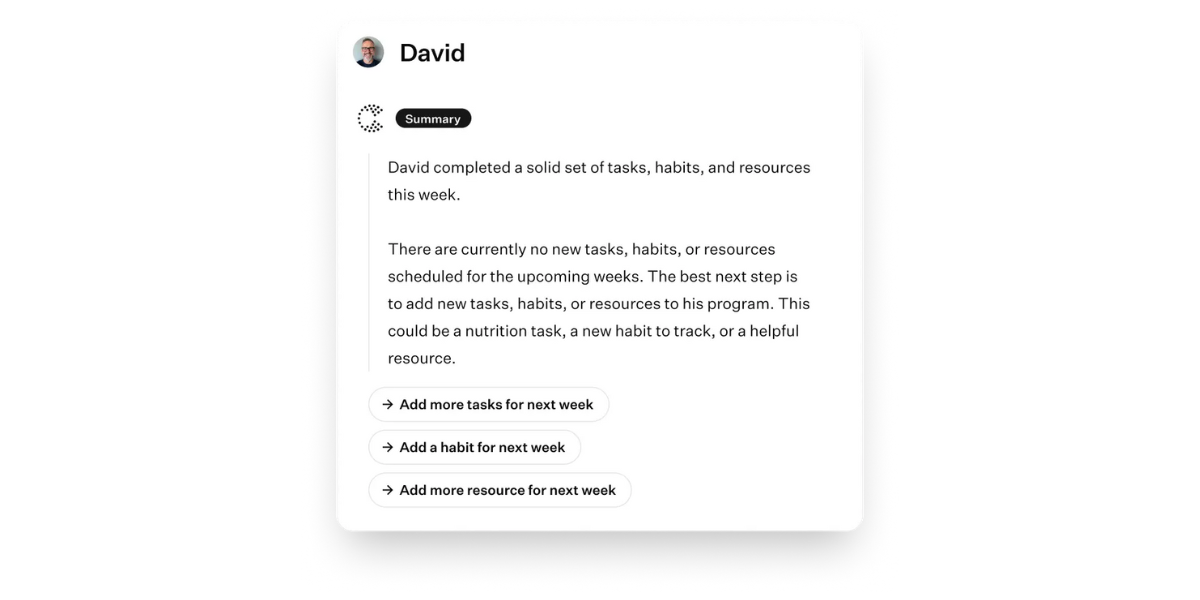
CoCoach is focused on delivering content and keeping all client interactions in one place. With its clean interface, it’s geared towards nutrition coaches and fitness coaches who may wish to live stream classes as well as provide online content to clients.
Why it stands out
- Unified communications: Centralizes chat, session notes, and assignments
- Mobile experience: Offers a strong mobile app experience for coaches and clients on the go
Trade-offs
- Some users may find the "AI co-pilot" and complex marketing funnel tools take a bit of time to master
- Limited language support, with the interface and specific templates primarily optimized for English-speaking markets
Reviews
4.5/5 on Trustpilot (no Capterra presence).
Users praise the integrated AI business tools and client-acquisition strategies, though some report that the platform feels too lightweight for coaches requiring deep, niche-specific programming like advanced fitness tracking.
Pricing
- Free plan available. Paid plans from €4 (approx $5) per client per month.
How to choose the right app based on your coaching style
Your ideal app depends entirely on your primary business goal, and the way you like to coach your clients. Here are some coaching styles and considerations:
- The new coach or simplifier: If your only goal is to reduce back-and-forth scheduling emails and reduce no-shows, start with a dedicated scheduling app like Koalendar. The free plan lets you accept unlimited bookings and sync your calendar perfectly, covering 80% of your administrative needs without any cost or complexity.
- The scaler or program seller: If you sell high-ticket programs or bundles (e.g., 6-week transformations), choose a platform like Paperbell or CoachAccountable that seamlessly handles product creation, payment plans, and integrated contracts.
- The accountability coach: If your coaching relies heavily on clients completing homework and tracking metrics between sessions, CoachAccountable's robust action tracking features are the best fit for your coaching management software needs.
Here’s a quick table to help you easily choose the best app for coaches to try.
| Your situation | Recommended solution | Why it works |
| New coaches/budget-conscious | Koalendar’s free online coaching scheduling platform | Start with robust free scheduling to professionalize bookings without initial cost |
| High-volume 1:1 sessions | Koalendar (Scheduling) + Separate CRM | Dedicated scheduling (with automated reminders) maximizes efficiency for a full calendar |
| Selling fixed packages | Paperbell or CoachAccountable (All-in-One) | Tools that handle payments, program delivery, and recurring sessions in a single system |
| Group coaching & webinars | Koalendar (Group Booking) + Simply.Coach | Use a specialized scheduler for easy sign-ups, followed by an all-in-one for content delivery |
Why Koalendar is the best scheduling app for coaches
If you’re looking for appointment scheduling for coaches, Koalendar offers the fastest path to professionalism. Unlike competitors that limit core features, Koalendar provides a free online coaching platform solution with unlimited bookings.
Its key focus is eliminating the biggest source of wasted time: coordinating availability. By allowing clients to book instantly using their preferred video conferencing integration (Zoom, Google Meet) and automatically adjusting for time zones, Koalendar lets you maximize client time and reduce administrative work.
It also lets you easily set up discovery calls, recurring meetings, and take payments up front to boost client commitment.
Choosing the best app for coaching is a critical step in building a sustainable practice. Whether you opt for a full coaching management software suite or a specialized scheduler, the goal remains the same: to streamline coaching workflows and spend more time on meaningful client work.
The right software doesn’t have to do everything; just the right thing for your business. Try Koalendar Free Forever, with unlimited scheduling and calendar sync for life coaches.