
TL; DR
Need a quick filter before getting up to the elbows in research?
If you’re a solo instructor, focus on Koalendar, Fitune, or Vagaro.
If you run a multi-instructor studio or a franchise-style fitness center, look more at Exercise.com, Mindbody, WellnessLiving, Glofox, or Smart Health Clubs.
Still not sure where to start?
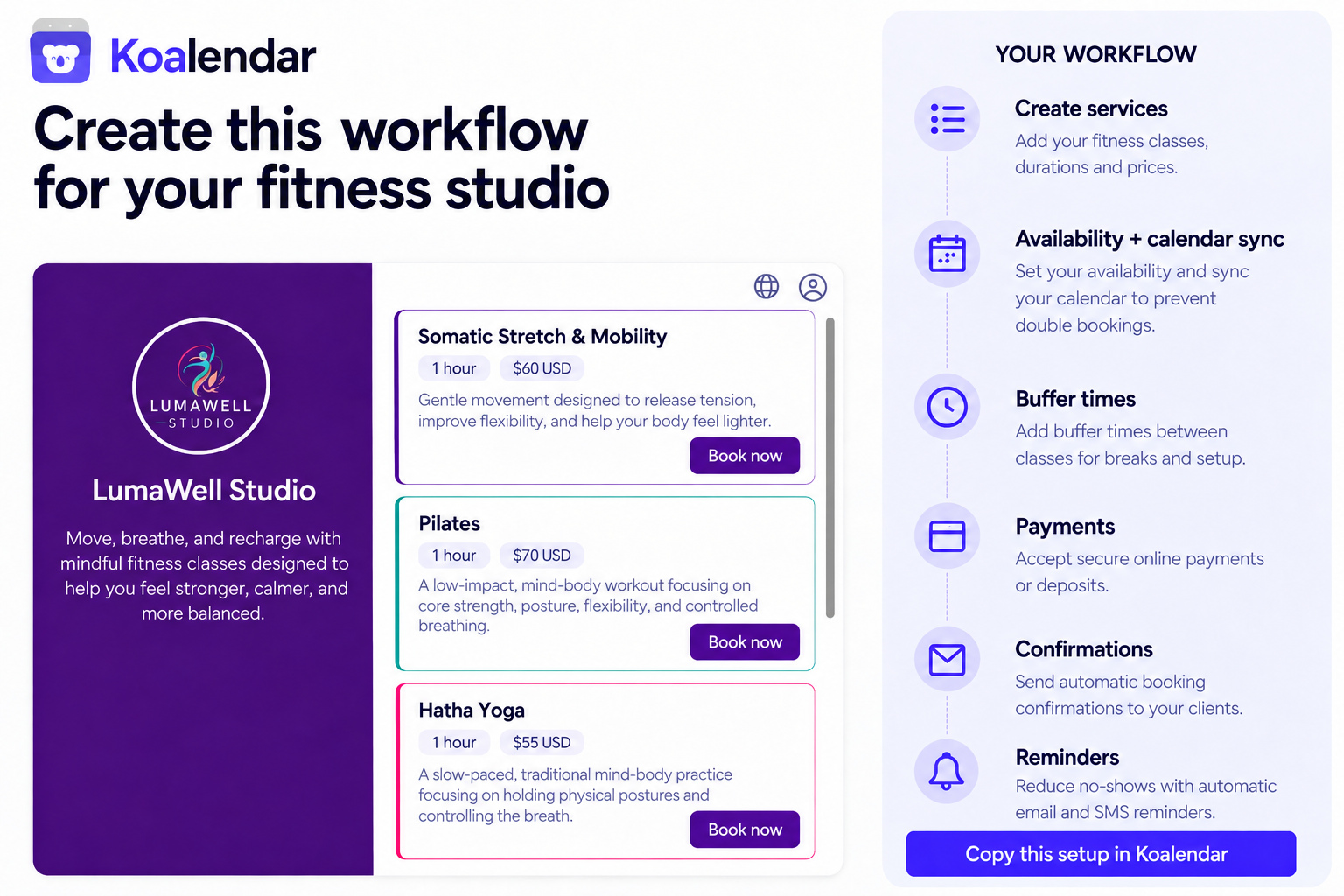
For solo instructors and small studios, Koalendar gives you a straightforward way to get online bookings, email confirmations, videolinks, and a calmer calendar without complex software — free forever.
Quick comparison: Top fitness class booking apps (free & paid)
 | Exercise.com |  |  |  |  | Fitune |  | |
| Best for | Solo trainers, small -medium size studios | Studios/gyms wanting all-in-one platform | Established gyms and wellness brands | Growing fitness studios | Boutique fitness studios | Solo instructors and hybrid beauty/fitness | Small studios on a budget | Larger clubs and multi-location gyms |
| Key features | Online booking, calendar sync, reminders, payments, Free forever plan | Classes, PT, workout delivery, branded apps | Classes, staff, marketing, POS, marketplace app | Booking, memberships, marketing, client app | Class booking, memberships, member app | Classes, appointments, POS, marketing | Booking site, memberships, client app | Group fitness and PT booking, reporting |
| Pricing snapshot | Free core plan; paid upgrades at $6.99/month | Quote-based (mid–high) | Tiered plans, available at request | From $69/month | Quote available at request | From $20/month, depending on the number of calendars | Free plan, paid plans start at $59/month | Enterprise / quote-based |
Note: Pricing is valid on the day of publication of this blog post. Always check the provider’s site for current plans.
Choosing the right fitness class booking app is hard when you’re managing workout sessions, endless message threads on your social media, and trying to create the best class experience for your clients.
You don’t have time to guess your way through confusing feature lists, pricing pages, and “all-in-one” promises that often end up lacking a lot of what you need.
We prepared this guide to help you skip a few steps: you’ll get a simple tool comparison, learn where fitness booking apps actually save time, and have a clear idea of which one you need for your studio size.
Why your studio needs a fitness class booking system
Fitness class booking apps do more for you than just replace a notebook with your schedule and member questions. You get a fully reliable system to manage demand, avoid chaos at peak times, retain your clients, and keep them happy.
Manual scheduling doesn’t scale
Relying on DMs, phone calls, or even a spreadsheet may work until one point, and then it breaks as soon as you get busy. You’ll soon find yourself missing important messages, double-booking time slots, or forgetting to contact waitlisted clients when a space opens.
For example, as a small team with two instructors, you confirm bookings in your WhatsApp group. No one knows who confirmed which clients, so they show up to your class, and you don’t have them in the books.
When you use online scheduling for fitness classes, members can easily see your real-time availability, reserve their spot, and get an automated confirmation message without you stepping in.
Preventing no-shows and maximizing attendance
No-shows waste your prime time. Late cancellations leave empty mats and bikes that paying members could use, hurting your efficiency — and revenue.
When you rely on manual reminders or memory, you learn soon enough that people simply forget, so they don’t show up.
Booking app users can send automated email and SMS reminders or enable waitlists to automatically fill cancelled bookings. This reduces no-show rates and keeps classes full, letting instructors understand attendance patterns so they can optimize the schedule.
Improving client experience: convenience and flexibility
Modern fitness students expect to be able to book classes like they order lunch: fast, on their own schedule, and on their mobile devices. If they have to call during working hours or wait for a DM reply for too long, 94% of them are ready to look for a provider with online booking options instead.
Fitness class booking apps let members book, cancel, and reschedule on their own time. They often offer multiple locations if available, so members can choose the closest. Members can also see clear class details, which helps them book with confidence.
When you offer this kind of convenience to your clients, you build trust and a customer-first relationship, so they’ll show up and stay longer.
Saving time on admin, payment, and class management
Chasing payments, checking transfers, and updating attendance lists eat into the time you’d rather be spending perfecting the exercise routines and working with your clients.
The right booking software easily integrates with payment apps so you can charge clients at the time of booking, sync calendars, and automatically track capacity and attendance.
For solo trainers or small teams, this can free up several hours per week, while for larger gyms, it can create consistent workflows across instructors, front desks, and locations.
Key features to look for in a booking app: Must-have vs. nice-to-have
If you start going through the app features straight from a tool’s sales page, you’ll only get lost in tons of information without knowing what you actually need.
Instead, start by mapping out your activities — what you and your members do every day — so you can easily connect features with these workflows.
1. Basic, non-negotiable features
Focus on the basics first:
- 24/7 online booking: Members book, cancel, and reschedule without DMing you. Example: A spin studio lets people grab the 6am bike while scrolling at 11pm.
- Real-time availability and caps: The app shows how many spots are left and blocks new bookings when the class is full. No “extra bodies” on the floor.
- Automated reminders: Email or SMS reminders go out before class. This alone can reduce no-shows without extra admin.
- Simple client view: Clear schedule, clear class info, clear buttons. If a new client gets confused on the first screen, they’ll drop off.
- Admin that anyone can use: Front desk staff, instructors, and owners should understand it in one short walk-through.
Without these, even a fancy tool will feel harder than your current spreadsheet.
2. Free vs. paid booking plans: which do you need?
Don’t pay for features you won’t use this year.
- Solo trainers and very small studios: A free booking app for fitness classes with online scheduling, basic reminders, and calendar sync is often enough. You can integrate payments and branding later when your client base starts growing.
- Busy small studios: A lower-tier paid plan usually makes sense. You gain multiple staff calendars, better reporting, and built-in payments.
- Multi-location gyms: Jump straight to paid. You’ll need roles, advanced reporting, and more control with multiple locations and instructors to coordinate.
Pro tip: Check limits carefully. Number of bookings, instructors, locations, and whether “free” includes core things like unlimited booking pages or only one booking link.
3. Managing group vs. one-on-one classes
Your booking system should handle both group and personal training without you needing to “hack” the system.
For group classes, you need:
- Class capacity per time slot
- Waitlists and auto-fill when someone cancels
- Recurring schedules (for instance, Monday/Wednesday/Friday at 18:00)
For one-on-one sessions, you need:
- Time-slot-based booking with clear availability
- Buffer times between sessions so trainers can reset
- Option for clients to choose their personal trainer if you have a team
Here’s an example: A trainer runs a group bootcamp at 7 am and PT sessions from 9–12. One app should manage both, not one tool for group classes and another for appointments.
4. Integration with calendars, payments, and notifications
Make the app play nicely with everything you already use.
- Calendar sync: Connect Google or Outlook so instructors see bookings next to personal events. This prevents overlaps and missed sessions.
- Payments at booking: Let members pay for drop-ins, packs, or memberships when they reserve their spot. Fewer awkward “you still owe for last time” conversations.
- Smart notifications: Send email confirmations, SMS reminders, and follow-ups automatically. Include links so members can manage bookings without contacting you.
When these pieces work together, online scheduling for fitness classes becomes a smooth system instead of another task on your to-do list.
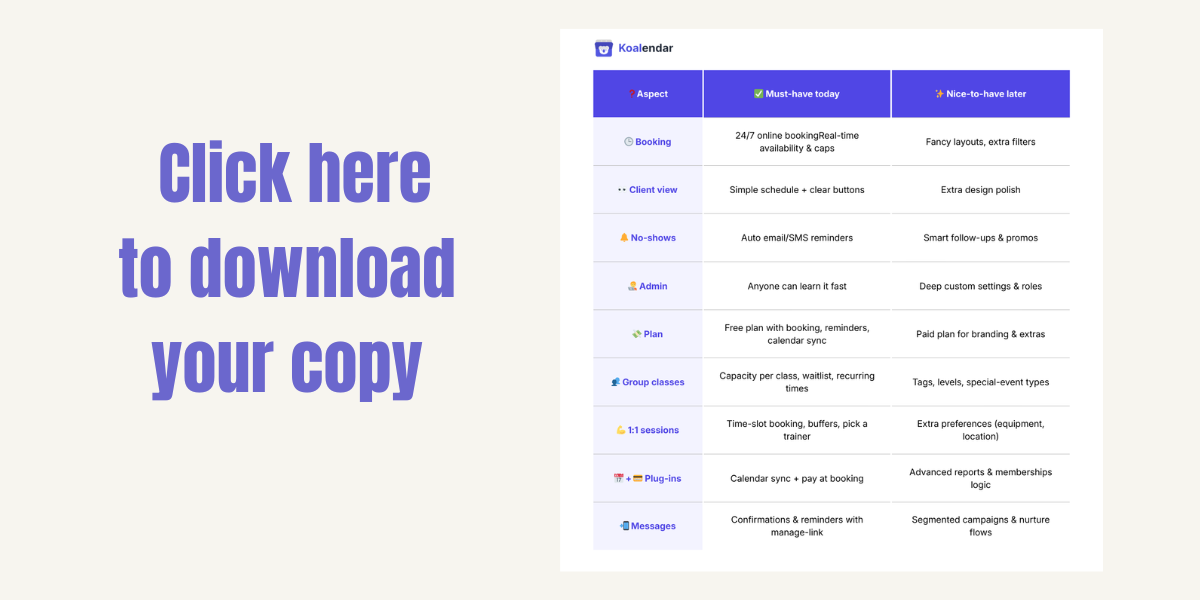
Download our infographic fitness booking app essentials at a glance:
Best apps in detail
Let's look at the best apps to book fitness classes in detail.
Koalendar: Best free booking app for solo trainers and small gyms
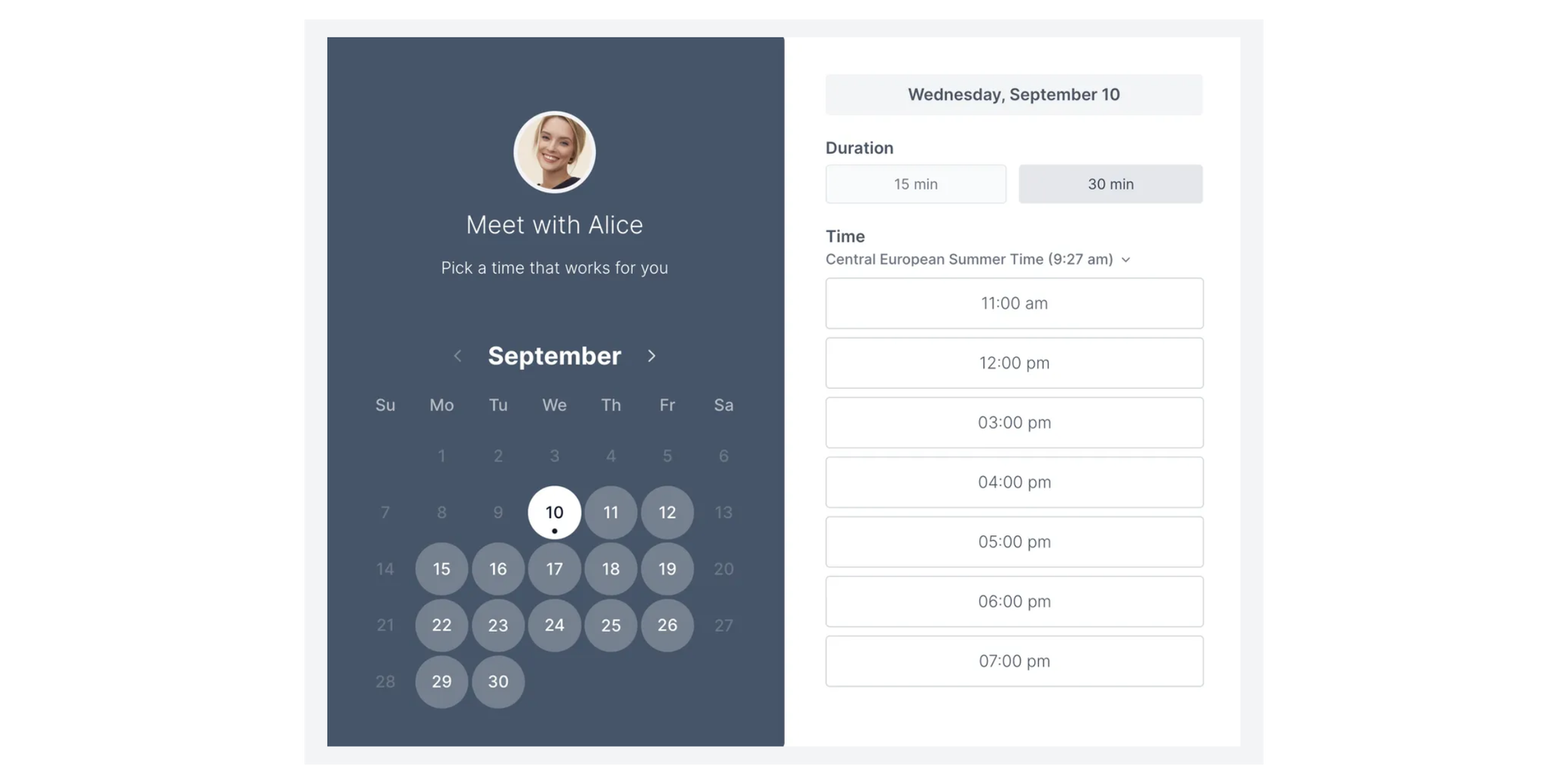
Koalendar is a simple online scheduling tool for solo professionals, small businesses, and teams that lets clients book time with you 24/7 through a clean, shareable booking page.
Best for: Solo personal trainers, yoga and Pilates teachers, small and medium-size studios.
Core features:
- 24/7 online booking on any device
- Custom booking pages for classes, 1:1 sessions, or programs
- Calendar sync with Google,Outlook, and iCal so you never double-book
- Automated email reminders to help reduce no shows
- Integrations with your favorite tools for payments, analytics…
- “Free forever” plan with unlimited booking pages
- Booking payments via Stripe or Paypal for drop-ins or packs
- Packages
- Waitlist
If you mostly need a fitness class app to manage when members can book and pay, Koalendar gives you that without the complexity of a full management suite.
Exercise.com: Best all-in-one platform for studios
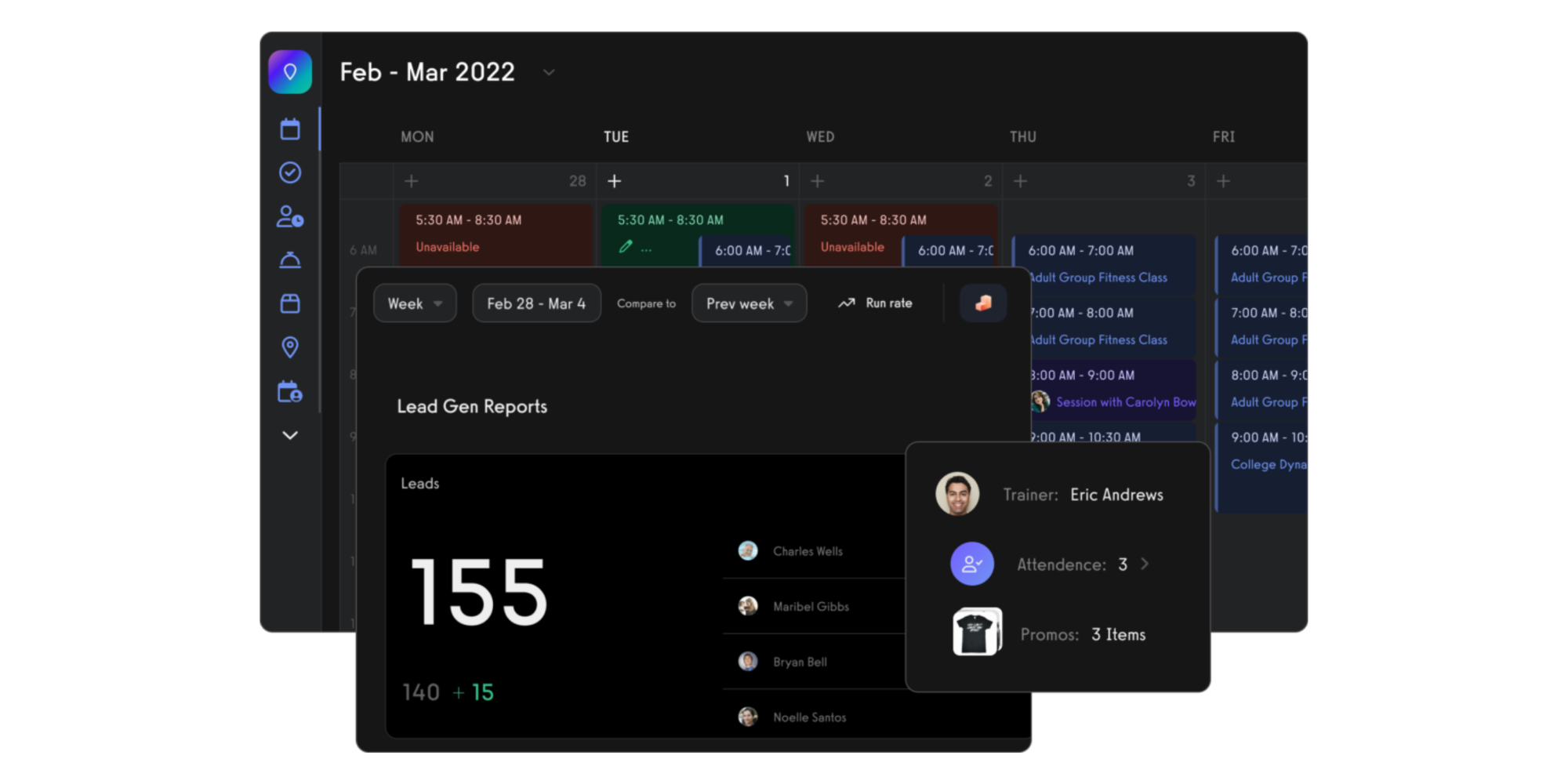
Exercise.com is an all-in-one fitness business platform for studios and gyms that want scheduling, workout delivery, and branded apps under one roof.
Best for: Gyms and studios that want scheduling, workout delivery, and member apps in one place.
Core features:
- Class and PT scheduling, including recurring sessions
- Custom-branded member apps for iOS and Android
- Workout programming and delivery
- Reports, assessments, and marketing tools
This software is closer to an operating system for your gym. It works well once you have several trainers and need a branded workout class app, but it’s usually more than a solo instructor needs.
Mindbody: Best for established gyms and wellness brands
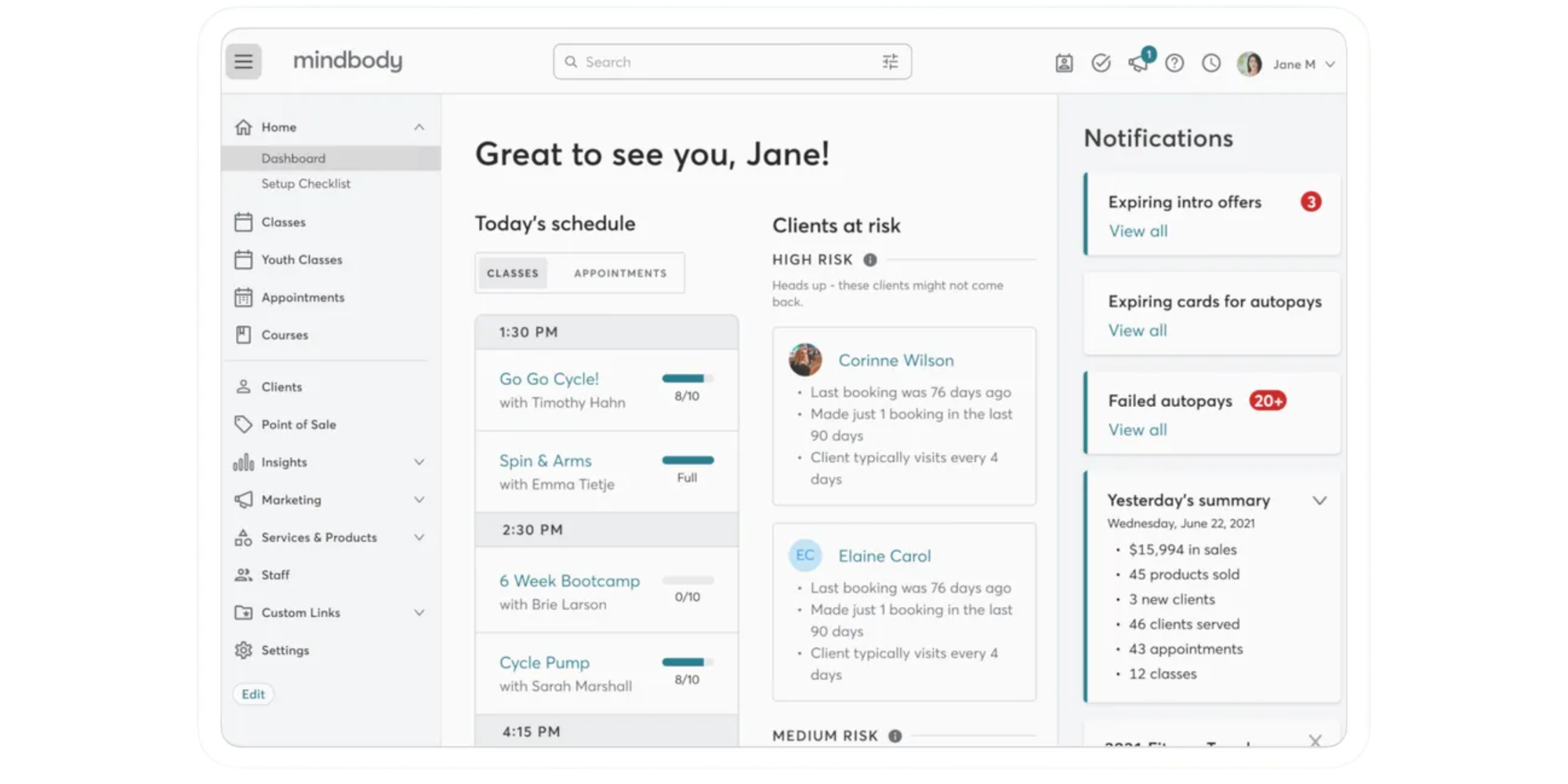
Mindbody is a full-scale management system for established gyms and wellness brands that need advanced scheduling, marketing, and POS tools.
Best for: Busy studios, gyms, and wellness brands with complex schedules and multiple revenue streams.
Core features:
- Class and appointment scheduling across services
- Staff and room management
- Marketing and lead management tools
- Branded consumer app where members can find and book classes
It suits larger operations that want a strong presence in marketplace apps and have the team to manage a richer platform.
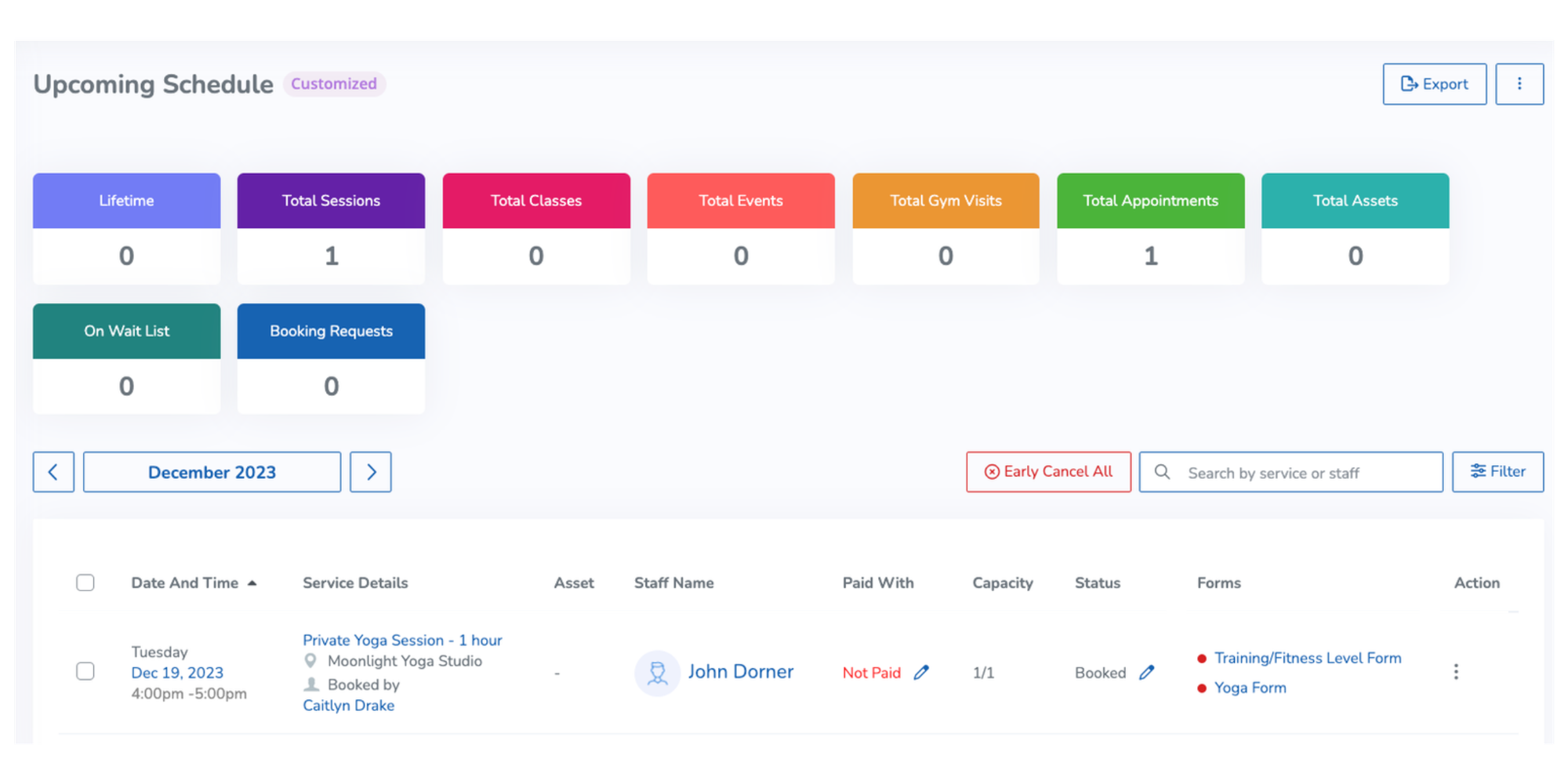
WellnessLiving: Best for growing fitness studios
WellnessLiving is a growth-focused platform for fitness studios that want to combine online booking, memberships, and marketing in one solution.
Best for: Growing fitness studios that want to level up from basic scheduling tools.
Core features:
- Online booking, waitlists, recurring classes
- Payments and memberships
- Client app so members can manage bookings on the go
- Built-in marketing and retention tools
It’s a good match if you already run a small team and need deeper business tools but don’t want enterprise software yet.
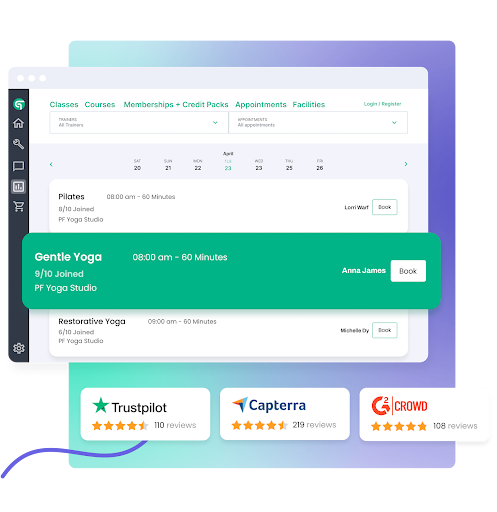
Glofox: Best for boutique fitness studios
Glofox is a boutique studio platform built to manage classes, memberships, and member engagement for growing fitness brands.
Best for: Boutique gyms, HIIT, spin, CrossFit boxes that want an all-in-one gym reservation app.
Core features:
- Class booking and membership management
- Mobile app for members to book classes and manage payments
- Tools to improve member engagement and retention
- Waitlists with automated move-up to manage late cancels
Glofox suits you if you run a studio brand and want to scale, track performance, and keep members engaged through a dedicated app.
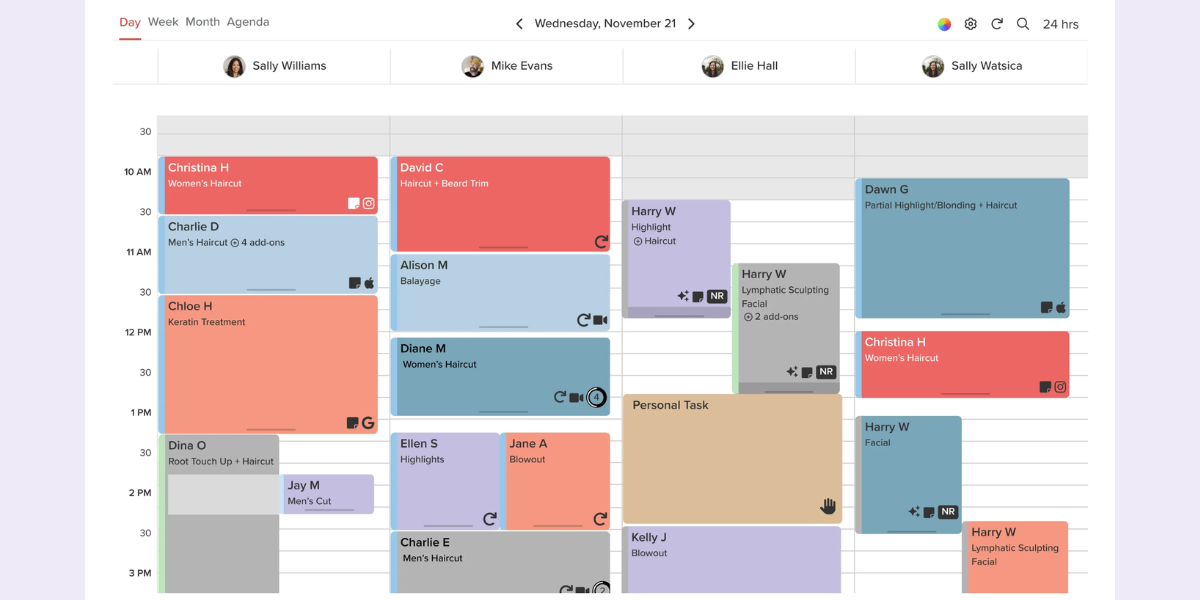
Vagaro: Best for solo instructors with hybrid businesses
Vagaro is an affordable booking and POS tool for solo instructors and hybrid beauty/fitness businesses that need simple scheduling plus sales.
Best for: Solo instructors, PTs, and small hybrid businesses (such as Pilates + massage, yoga + beauty).
.png?w=2000&fit=max&auto=format)
Core features:
- Class and appointment scheduling
- POS, retail, and add-on services
- Mobile booking app and marketing tools
- Client information storing and tracking
Note that the plans start at a lower monthly price, but add-ons (like branded apps and advanced marketing) can increase the total cost, so check the full bundle before you commit.
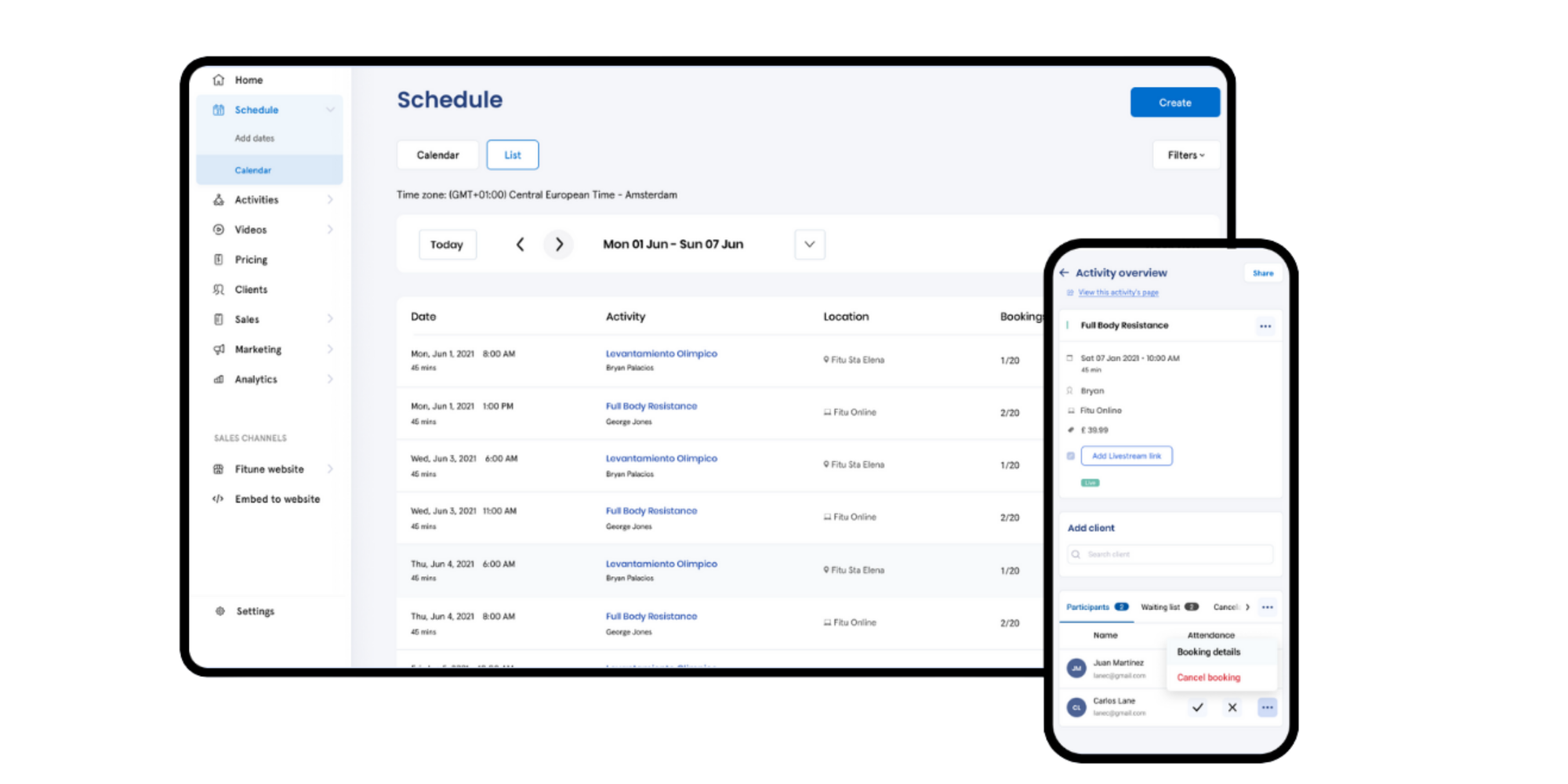
Fitune: Best for small studios that want simplicity
Fitune is a lightweight booking and membership tool for small studios that want a low-cost way to sell and manage classes online.
Best for: Small studios and instructors who want a branded app for booking classes without high upfront fees.
Core features:
- Free website and online booking
- Memberships, packages, and live streaming options
- Video library for storing recorded sessions
- Branded client app included in paid plans
Expect a transaction/platform fee on the free plan and monthly fees on higher tiers, but it’s lighter and cheaper than many enterprise platforms.
Smart Health Clubs: Best for larger gyms and clubs
Smart Health Clubs is a gym-focused management platform for larger clubs that need centralized booking, member apps, and operational reporting.
Best for: Larger fitness centers and multi-location gyms.
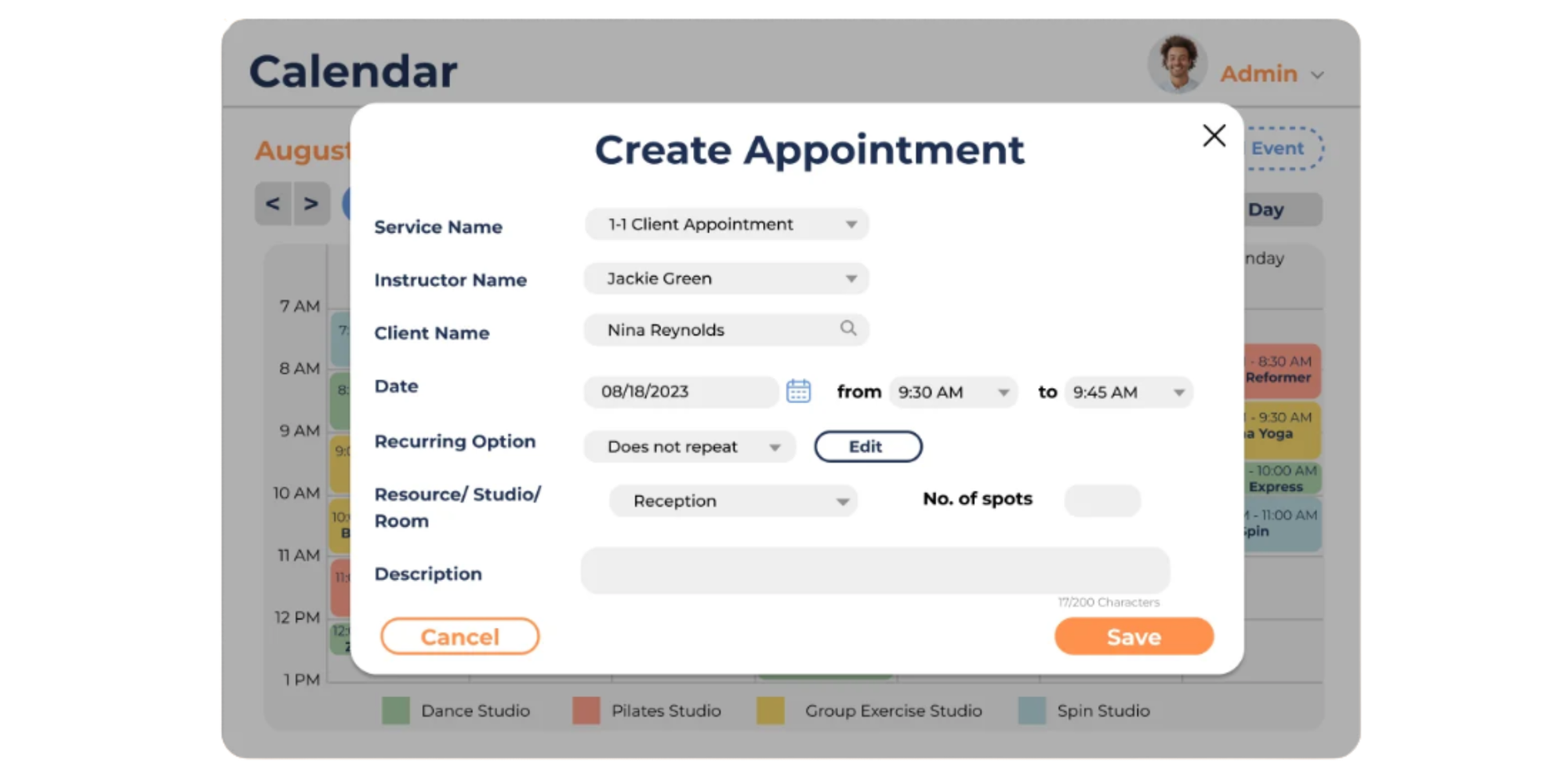
Core features:
- Booking for group fitness, PT, and other services
- Mobile and web apps for members and guests
- Attendance tracking, cancellations, sub management, and payroll reports
- Full-feature marketing hub
If you operate a full club with many departments, Smart Health Clubs can centralize bookings and operations. For a solo coach or small studio, it’s more than you need.
How to choose the right booking app for your business
You don’t need the most powerful tool. You need the least complicated tool that fits your setup and makes it easy for your clients to book their workouts.
Tailor the fit: Solo trainer? Small studio? Franchise gym?
Start with an honest look at your current studio:
- Solo trainer: You probably teach in a shared space or online, and you do everything yourself. A simple fitness class booking app that handles class slots, 1:1 sessions, and reminders is enough. Full gym management is optional, not urgent.
- Small studio (2–5 instructors): You juggle multiple calendars, class packs, and subs. You need online scheduling for fitness classes, staff access, capacity limits, and a clear overview of who teaches what and when.
- Franchise or multi-location gym: You care about consistency across branches, reporting, and roles. You need stronger admin controls, locations, and deeper analytics.
Ask yourself: “If I doubled my current clients tomorrow, would this app still feel simple to use?” If the answer is no, you are either underbuying or overbuying.
Factor in scaling: How many classes/instructors?
Next, think about volume, not just features.
- Count how many classes, PT sessions, and events you run per week.
- Add the number of trainers who need their own availability.
- Project these numbers six to twelve months ahead.
Then check each tool:
- Does the free or entry plan limit bookings per month?
- Does it cap the number of staff or calendars?
- Does pricing jump sharply when you add one more instructor?
Choose a booking system that lets you grow gradually. Switching tools because you added one new trainer is painful and avoidable.
Cost considerations: Free vs. paid plans explained
Cost only makes sense when you connect it to outcomes. A free booking app for fitness classes is perfect when you:
- Are just starting
- Have one calendar
- Need basic booking plus reminders
A paid plan starts to make sense when you:
- Want payments at booking
- Need more staff calendars
- Care about branding, reports, or advanced automation
Do a quick check:
- Estimate how many hours of admin you currently spend each week
- Put a rough hourly value on your time
- Compare that with the monthly subscription
If the app saves more value in time and extra bookings than it costs, a paid plan is a good business decision, not a luxury.
Pro tip:
Prioritize UX for your clients. Your members do not care which app you use — they care about how easy it is to book and show up.
Test each app exactly as a new client would use it and try all the options, from booking to rescheduling.
Look for clear layouts, few steps, large buttons, and obvious next actions. Good UX directly translates into more completed bookings and fewer “How do I book?” messages. If the process feels confusing, slow, or cluttered, clients will give up and text you instead.
Why Koalendar may be the best fit?
If you want reliable online scheduling for fitness classes without heavy software, Koalendar might be the cleanest option.
Key advantages and differentiators
Koalendar focuses on making booking simple for both you and your clients:
- Let clients book, cancel, or reschedule anytime with 24/7 online booking on any device
- Present your offer clearly and boost conversions with custom booking pages for classes, 1:1 sessions, and programs
- Keep popular classes full with waitlists, so clients can join when a session reaches capacity and move into an available spot when one opens
- Sell class packages and session packs, giving clients an easy way to purchase multiple workouts upfront instead of paying for every class separately
- Avoid embarrassing double-bookings and calendar clashes thanks to two-way sync with Google, Outlook, and iCal
- Cut no-shows and last-minute surprises with automated email and SMS reminders before each session
- Get paid upfront and reduce awkward payment chats by accepting Stripe payments for drop-ins and packs at booking
- Grow without worrying about limits or extra fees per page with a “Free Forever” plan that includes unlimited booking pages
You get all the essentials of a fitness booking tool, without the complexity of full gym management software.
Koalendar wellness and fitness customer story
Drew needed a simple way to book clients without constant back-and-forth about availability. Instead of manually juggling messages and time slots, he wanted a system where clients could see open times and schedule themselves in a few clicks.
With Koalendar, setup was quick and sharing availability became effortless. Drew now just texts or emails a booking link, and clients handle everything online: choosing a time that works, confirming the booking, and avoiding “Does this time work?” conversations.
"I am able to easily schedule my clients, without having to work on if they fit into my schedule and vice versa. It is so easy that I haven’t had to explain how to use it to anyone. I just text/email them my link to schedule and it’s all done online."
Drew R.
Wellness and Fitness business owner
The impact is clear: fewer messages, no scheduling headaches, and a smoother experience for both sides. Clients know exactly when they can book and the owner’s calendar stays organized.
How Koalendar works: Real-world scenarios for solo instructors, boutique studios, multi-trainer gyms
See how Koalendar works in different setups:
| Solo instructor | Boutique studio | Multi-trainer gym (lean setup) | |
| Scenario | You teach group classes three evenings a week and 1:1 sessions during the day. | You run a small studio with three instructors and a mix of yoga, strength, and mobility classes | You manage a growing gym that already has a membership system but no good way to handle PT or small specialty classes |
| With Koalendar | You create: One booking page for group classes with capacity limits One page for 1:1 sessions with buffers Payments at booking for both | Create separate booking pages for each class type or instructor. Set maximum class sizes and rules for cancellations. Sync all instructor calendars so they see bookings next to their other commitments | Keep your existing membership tool. Use Koalendar only for PT and special classes. Give each trainer a personal booking link |
| End result for clients | Clients book from your Instagram link or website, pay in advance, and receive reminders | Clients get a consistent, simple booking experience no matter which class they choose | Trainers share their links with clients |
| Your end result | You check one calendar instead of searching through chats | Your reception team uses the Koalendar dashboard to see who is coming in each day | The front desk sees all upcoming sessions and classes in one shared view. You improve scheduling without changing your whole tech stack |
Find the right scheduling app for your fitness business and start today
The “best” fitness class booking app depends on how you run your studio today, which tasks consume your time, how easy it is for clients to book and pay.
Choose a tool that makes those parts simpler, not heavier. When you do that, you free up hours of admin, reduce no-shows, and give clients a smoother experience from the first booking.
Want a straightforward way to manage online scheduling for fitness classes with 24/7 booking, calendar sync, reminders, custom pages, payments, and a generous free plan? Koalendar is a strong option to try first.
Start your free account today — no credit card required, and get your first class booking live in minutes.