TL;DR: Meeting room management is the day-to-day process of making meeting spaces easy to find, easy to book, and actually used as planned. In many offices, the biggest problems are not a lack of rooms, but inaccurate availability, double bookings, ghost reservations, and too much manual coordination. A cleaner meeting room booking process usually includes:
- One place to request a room
- Real-time calendar sync
- Booking rules
- Automated reminders
- A way to release rooms that are not being used.
Shared calendars can work for small teams, but once you have more rooms, more people, or more moving parts, a dedicated room booking system gives better visibility, better control, and better resource utilization. Google and Microsoft both support structured room resources and room attributes like capacity, floor, and equipment, which shows how important accurate room data is to making booking work well.
What is meeting room management?
Meeting room management is the process of organizing how meeting spaces are booked, used, updated, and released across a workplace. It covers more than putting a conference room on a calendar. It includes room availability, scheduling rules, changes, cancellations, reminders, capacity matching, and the data teams need to understand how space is really being used.
This matters even more in hybrid work environments. When people split time between home and office, the time they do spend onsite tends to be more intentional and more collaborative. That makes reliable meeting space access more important, not less.
In simple terms, meeting room management is the operational side of making shared space work.
Why most offices have a room problem
A lot of offices think they have a room shortage when they really have a visibility problem.
Empty reservations and ghost bookings
One of the most common issues is the meeting room that looks reserved but sits empty. Someone books it, plans change, and nobody clears the reservation. The result is lost availability, frustrated coworkers, and poor resource utilization.
Google, for example, supports automatic release of unused meeting rooms when structured resources are set up, which shows how widespread this problem is.
Double bookings and hidden availability
The other major problem is conflicting information. A room may appear free in one calendar, blocked in another, or manually held “just in case.” Disconnected calendars can lead to double bookings, so having a centralized booking system with real-time availability is key to avoid this.
You also need to bear in mind that the gap between perceived and actual room usage creates daily friction. Teams waste time checking availability, asking around, and moving meetings at the last minute.
When a shared calendar stops being enough
A shared calendar is often the first step, and for a small team with one or two rooms, it may be enough for a while. It gives visibility, and it is familiar.
But a shared calendar has limits. It does not always show room capacity clearly, match rooms to actual meeting needs, handle booking limits well, or coordinate all the extra details around a meeting. Shared calendars help with visibility, but once teams run into constant scheduling conflicts, repeated back-and-forth, or the need for booking rules, scheduling automation becomes the next step.
That is the answer to what is a room booking system. It is a tool built specifically to manage room availability, requests, confirmations, rules, and updates in a way a general shared calendar usually cannot.
How a room booking process should work
A good meeting room booking process should feel simple for employees and structured for admins.
Request and confirmation
A user should be able to open one centralized booking page, see live room availability, choose the right meeting space, and confirm the reservation in a few clicks. The system should reflect actual availability by syncing with the calendars that already matter.
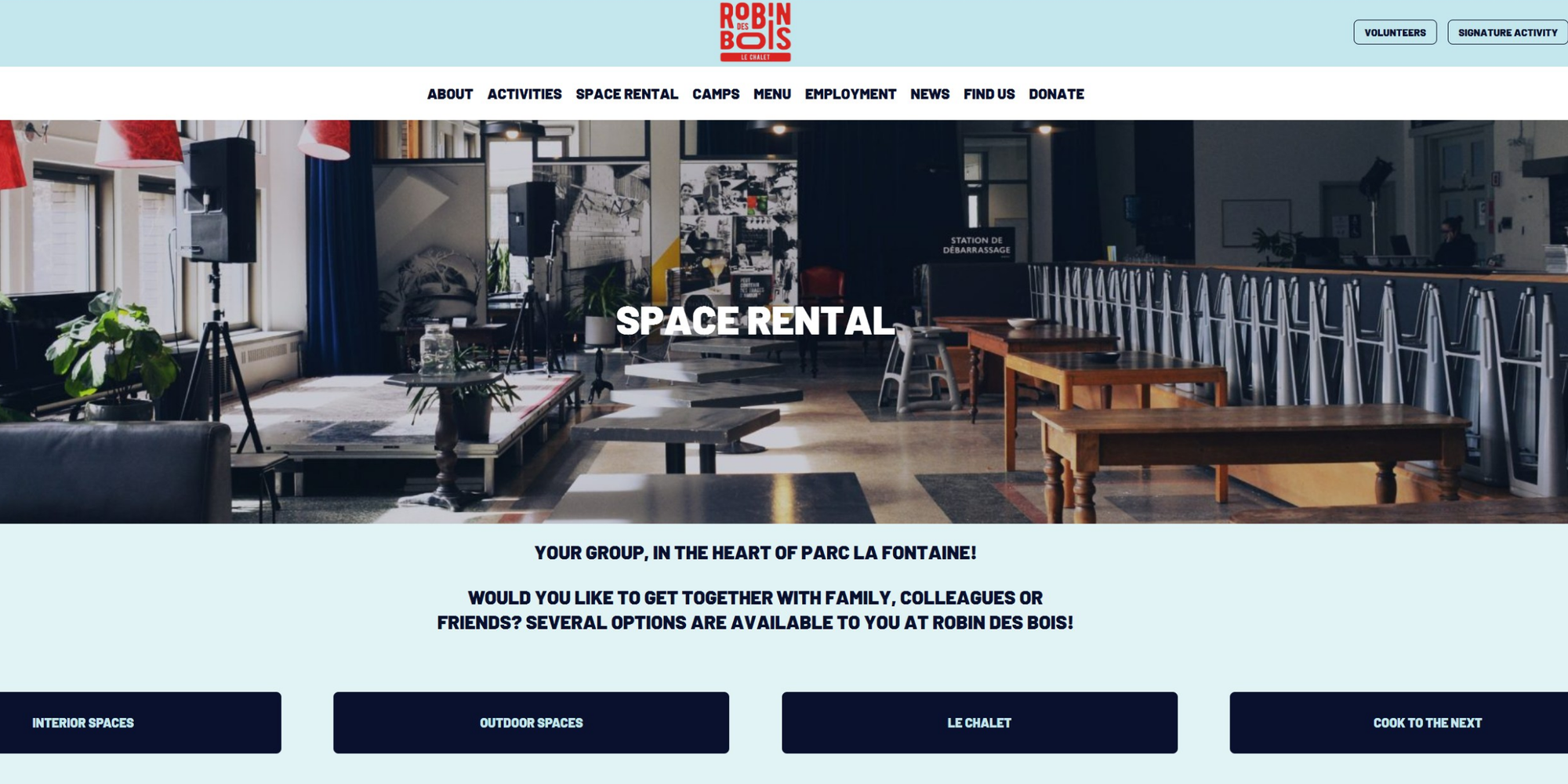
Koalendar supports this kind of self-service flow with shareable booking pages, branded links, and calendar sync across Google, Outlook, and iCloud. It also supports integrations with Google Meet, Microsoft Teams, and Zoom when virtual collaboration is part of the meeting.
Reminders, changes, and cancellations
Once the room is booked, the next goal is reducing no-shows and manual follow-up. Automated confirmations and reminders help attendees remember the booking and give them an easy way to reschedule or cancel if plans change.
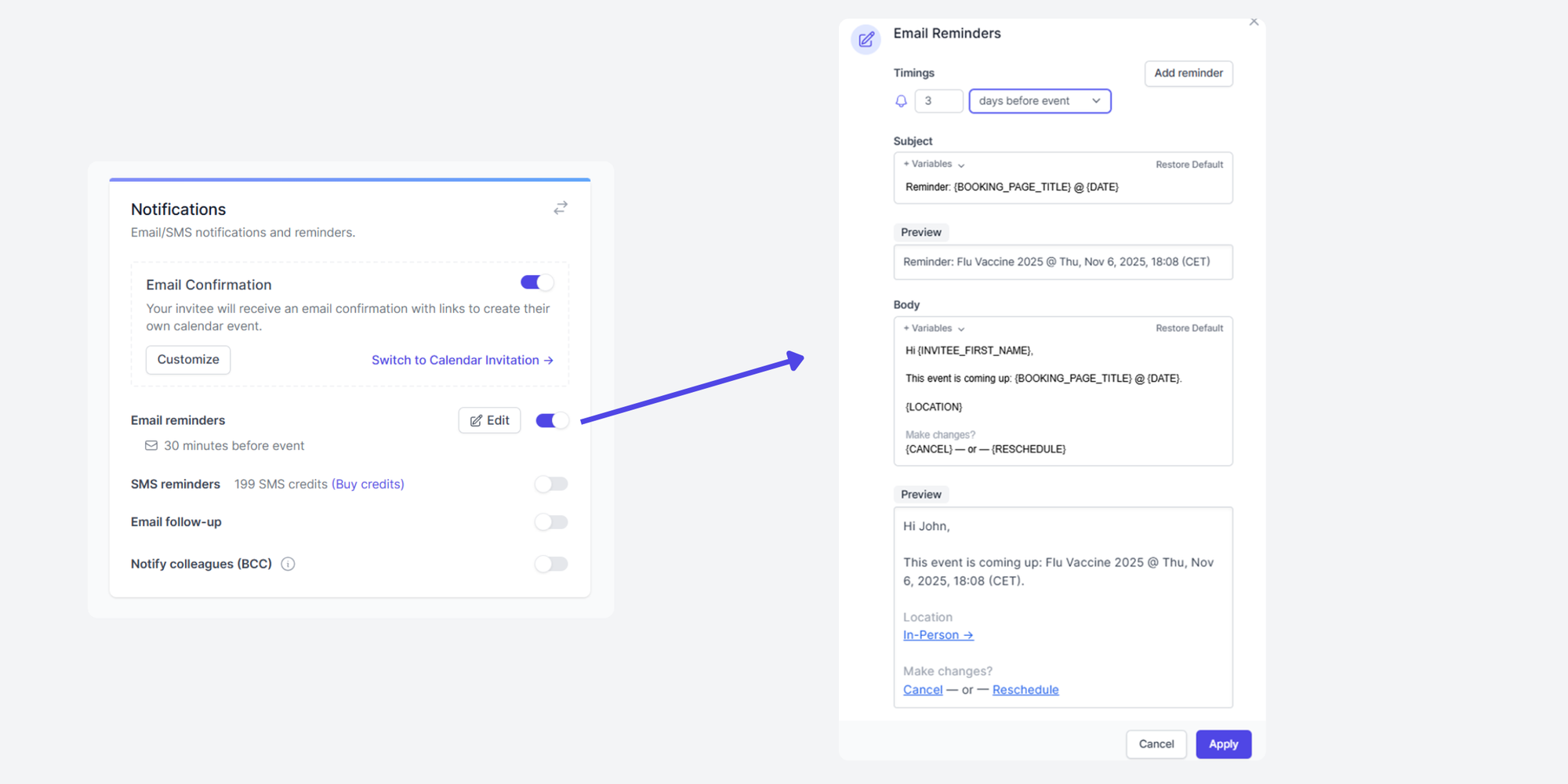
Koalendar supports automated email and SMS reminders, follow-up messages, and customizable notifications, which are lightweight fixes for some of the biggest room booking pains.
Releasing rooms that are not being used
If nobody shows up, the room should not stay blocked forever. Releasing unused rooms is one of the clearest ways to improve availability without adding more space. Google includes this as a supported capability for structured resources, which is a strong reminder that unused reservations are an operational problem, not a rare edge case.
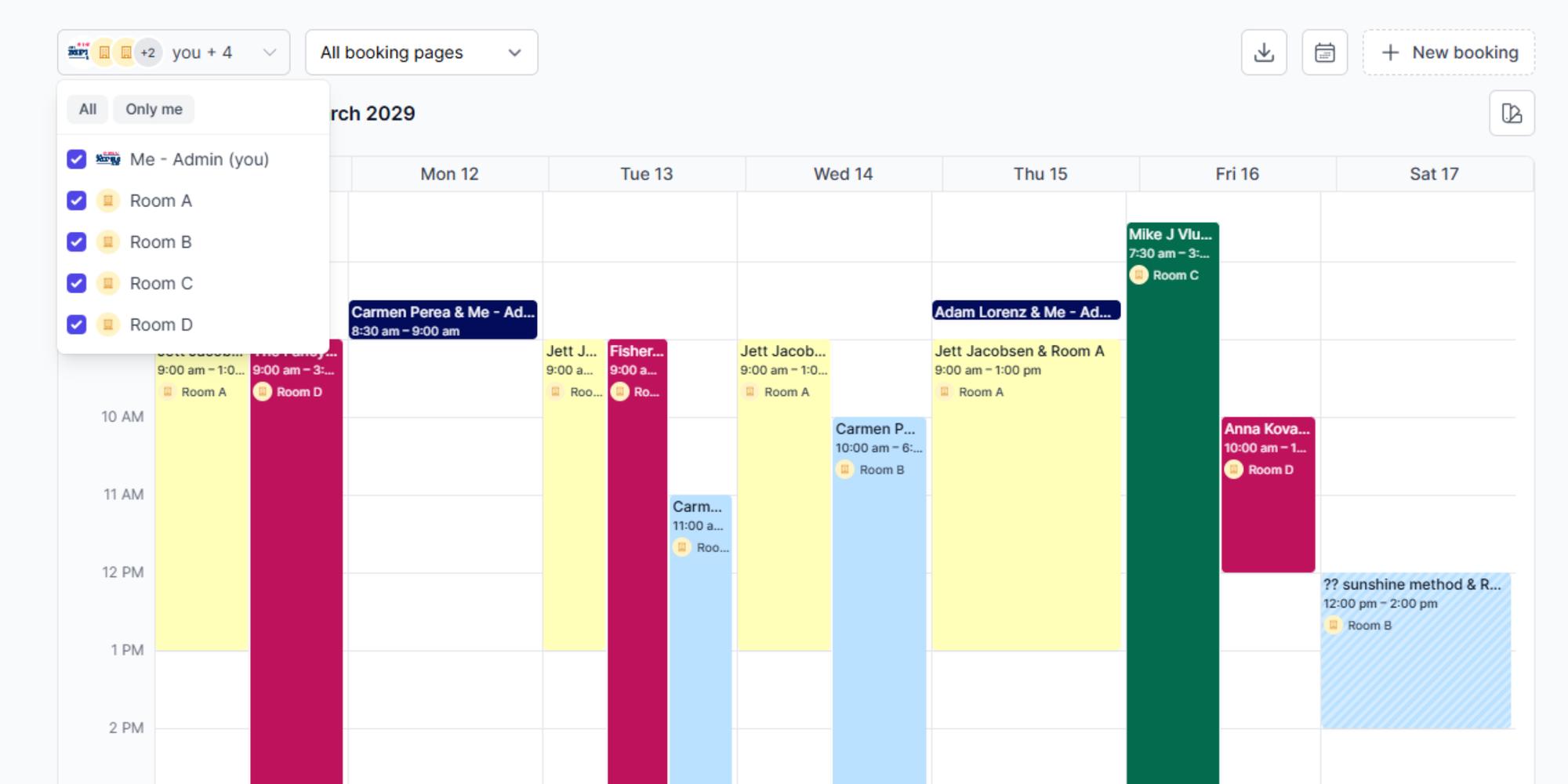
With Koalendar, when a user cancels a meeting room reservation, both the room calendar and the booking page update automatically to show the room free again.
Essentials of effective meeting room management
One centralized place to book
When booking happens across email, spreadsheets, chat, and multiple calendars, conflicts are almost guaranteed. A single booking flow reduces confusion and gives everyone the same source of truth.
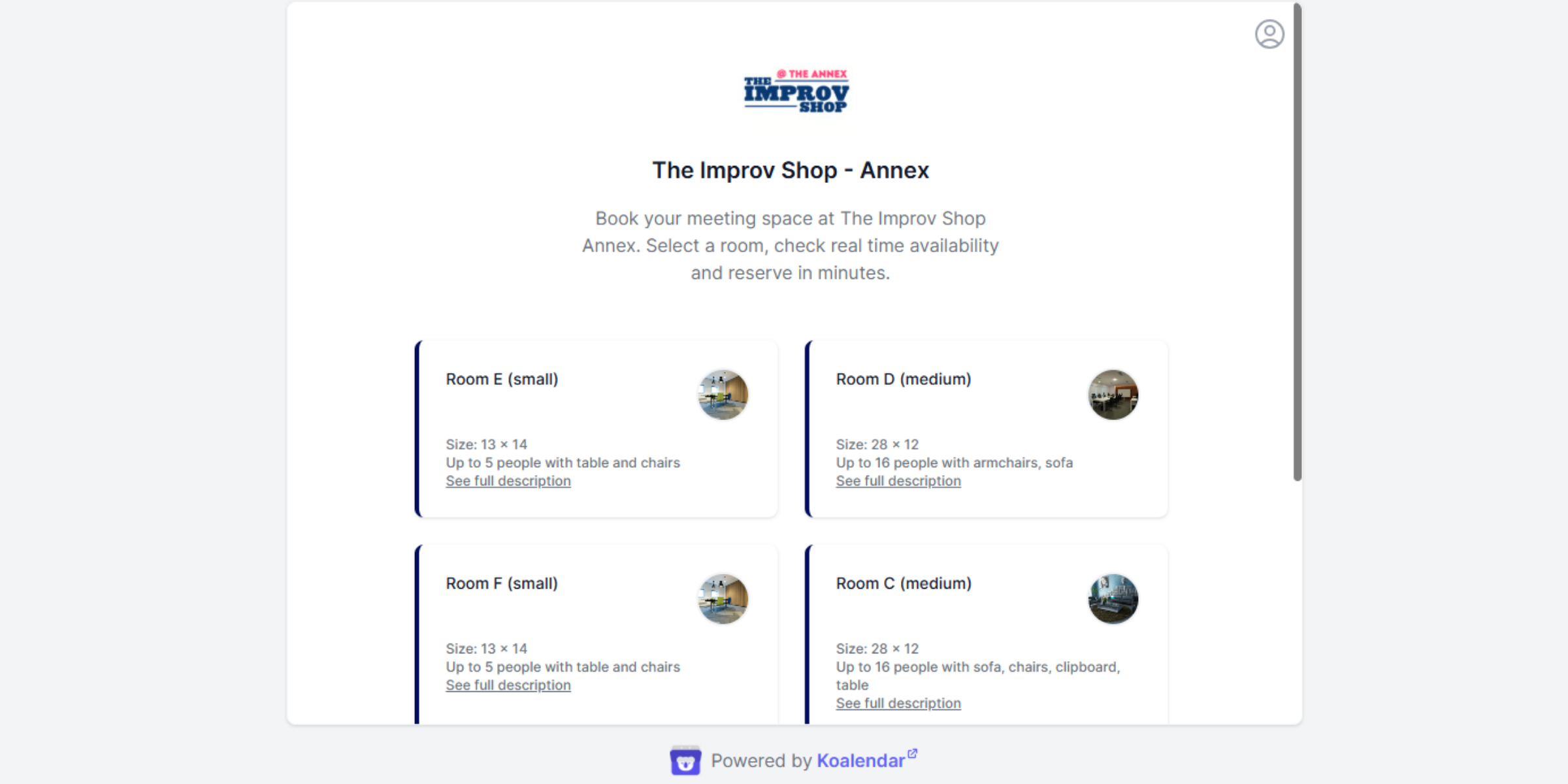
Read the full The Improv Shop story here.
Calendar sync that keeps availability accurate
A booking system is only useful if its availability is accurate. Koalendar, for example, offers real-time calendar checks and sync with Google, Outlook, and Apple calendars to prevent double bookings.
Matching rooms to actual meeting needs
Large rooms often get booked for small meetings because people cannot quickly compare options. Microsoft recommends configuring room attributes such as city, floor, capacity, and features, and Google recommends structured resource data including capacity and A/V details. That kind of data helps users choose the right conference room instead of the first room they recognize.
.png?w=2000&fit=max&auto=format)
Buffer times and booking rules that hold
Clean scheduling depends on rules. Buffer times, booking windows, maximum duration, and who can reserve which rooms all reduce conflicts. Koalendar highlights admin controls for centralized scheduling rules and smart availability features to control when and how bookings can happen.
Using usage data to make smarter space decisions
Without data, teams tend to make space decisions based on complaints and guesswork.
Useful metrics include booking volume, cancellation rate, no-show rate, average meeting size versus room capacity, repeat time-slot demand, and how often rooms appear reserved but go unused.
This kind of data helps facilities, operations, and HR answer practical questions: Do we really need more rooms, or just better scheduling? Which meeting spaces are always overbooked? Which ones are overlooked because nobody trusts the availability?
Meeting room management in a hybrid office
In a hybrid workplace, room management becomes a collaboration issue as much as a logistics issue. Teams come onsite for workshops, client meetings, interviews, and cross-functional planning. That means room bookings often involve guests, remote participants, equipment, and tighter timing.
A good system helps people self-serve 24/7, keeps room availability visible, and reduces back-and-forth between office managers, IT, admins, and team leads. Koalendar’s rooms and facilities workflow is a practical example here: each room can have its own booking page, employees can reserve spaces through a shareable link, and admins can keep rules centralized without making every booking manual.
What to look for in a room booking system
If you are comparing options, start with the basics.
A room booking system should offer:
- A centralized booking flow
- Calendar sync
- Clear room availability
- Booking rules
- Reminders
- Easy changes.
After that, look for the details that reduce admin load: branded booking pages, support for multiple languages, video meeting integrations, admin controls, and flexible notifications.
Koalendar checks many of these boxes with customizable booking pages using your own booking link, logo, and brand colors, support for 40+ languages, calendar sync with Google, Outlook, and iCloud, integrations with Google Meet, Teams, and Zoom, admin controls, and a free forever plan that includes unlimited bookings, unlimited event types, and unlimited scheduling links.
How to get started without changing everything
You do not need a full workplace platform to improve meeting room management.
Start by moving room reservations into one visible workflow. Connect calendars so room availability stays accurate. Add reminders so fewer bookings go stale. Use simple booking rules so the right people can reserve the right spaces at the right times. Then review the data after a few weeks and see whether your biggest pain is conflicts, no-shows, hidden availability, or poor room matching.
If a shared calendar still works, keep it. If it no longer handles the complexity, add a dedicated layer that makes booking easier without forcing a major operational reset.
Stop juggling room conflicts. Set up a free meeting room booking page with Koalendar to simplify the booking process, sync calendars, and manage reservations in one place.