TL;DR
Here’s the quick rundown on finding the best shared calendar app:
- For work and teams: Professional features like shared scheduling links, group booking pages, and deep integrations are essential. This is where Koalendar shines.
- For families: Look for color-coding, shared to-do/list features, and easy access for all ages. Cozi and TimeTree are top contenders.
- For couples: Simplicity and seamless sync across iPhone and Android are key. Google Calendar and TimeTree work beautifully.
- For friends: You need easy group polling and event creation. Check out Howbout and Doodle.
- The universal must-have: Cross-platform syncing. Your chosen app must play nice with Google, Apple, and Outlook calendars to avoid calendar conflicts.
- A detailed side-by-side comparison of key features
Have you ever played calendar Tetris with your team, friends, or family just trying to find a time that works for everyone? It’s no fun. Life is busy, so coordinating across schedules can be frustrating. This is where the brilliance of a great collaborative calendar app comes in.
In this guide, we’ll help you find the best shared calendar app to meet your specific needs. Whether you’re coordinating a professional gathering, a family reunion, or your next getaway with friends, you’ll learn what features to look for in the right scheduling tool.
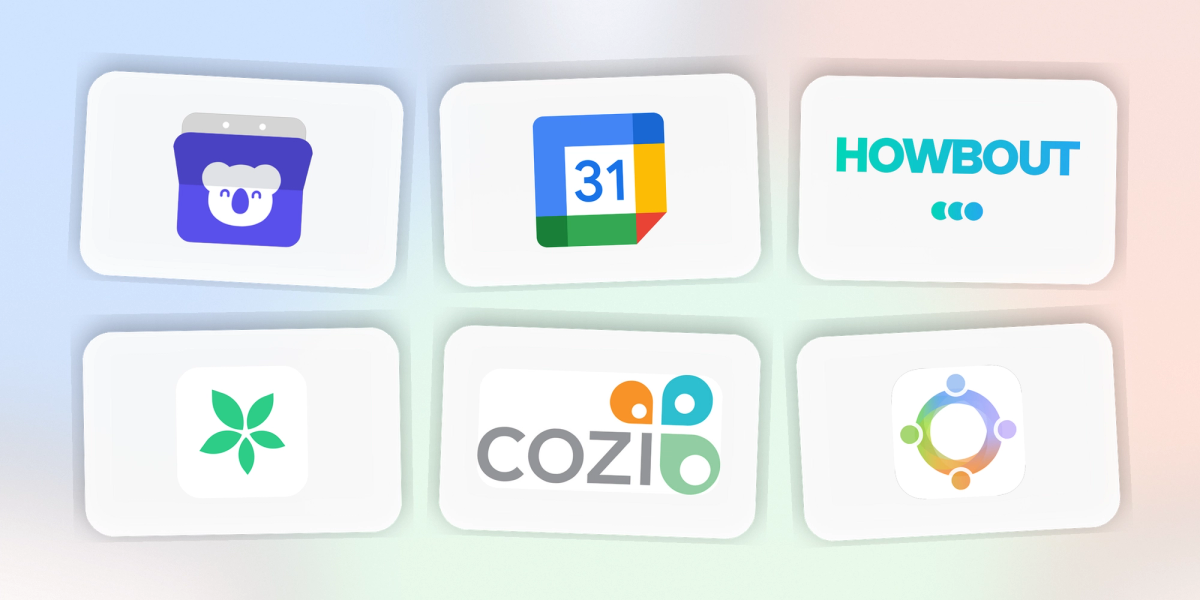
Comparison table: Best shared calendar apps at a glance
 |  |  |  |  |  |  |  |  | |
| Best for | Families | Couples and small groups | Universal and couples | Extended families | Friends and social groups | Friends and work groups | Work and project-based teams | Work and client scheduling | Work, teams, and professionals |
| Key features highlight | Centralized family hub, color-coded schedules, shared lists & journals | Dedicated “shared calendar” structure, messaging within events, stylish design | Ubiquitous, simple sharing, powerful & free, integrates everywhere | Family newsfeed, photo sharing, birthday reminders | AI-assisted group planning, chat-integrated polls, “spontaneous plans” feature | Simplifies finding a common time for group events, poll-based scheduling | AI-powered project scheduling, meeting auto-booking, task integration | 1:1 external meeting booking, robust integrations | Shared scheduling links, syncs with existing calendars, group booking pages, custom event categories |
Why you need a shared calendar app
A shared calendar solves the issue of coordinating people, events, or meetings by centralizing availability, simplifying a once chaotic task.
What “shared calendar” really means
A shared calendar is one calendar that more than one person can see (and sometimes edit). Think of it like a “team diary”: Instead of everyone guessing each other’s availability, you all look at the same schedule and stay in sync.
This way, everyone sees the same picture: piano rehearsal, dad’s hair appointment, mom’s work event, and the team meeting are easily visible in one place, with any changes updated in real-time. It’s an essential tool for group scheduling and critical to coordinate group events efficiently.
Common problems without one
Relying on separate calendars or multiple modes of communication too often results in a variety of issues:
- The double-booking dilemma: “I thought you were picking up the kids!” Missed appointments or scheduling conflicts become commonplace.
- The information black hole: Only one person is aware of critical plans, or—worse—they get written on a sticky note lost in the shuffle.
- The platform prisoner: “I have an Apple Calendar, but my partner uses Android, and my boss is on Outlook…” Poor support for cross‑platform syncing creates misalignment.
But the choices can be overwhelming. With so many apps claiming to be the definitive team collaboration calendar or the best digital calendar for families, it can be hard to know where to start without clear recommendations.
How to choose the right shared calendar
Different situations call for different approaches. The best shared calendar app for couples will meet distinct needs than the best app for shared work calendar. Let’s go over what really counts.
Key features to look for
This is your ideal checklist. The more boxes a group scheduling app ticks, the more effortless your planning will be:
- Real-time sync: An essential feature. One person’s edits should immediately show up on everyone’s calendar.
- Color-coded schedules: The ability to use colors to track individual users or event types. Great to share plans with family at a glance.
- Reminders and alerts: Notifications you can customize and build around your workflow, so nothing gets lost.
- Shared access and permissions: Manage who can only view versus add or edit calendar events.
- Cross-platform availability: Works well on Android, iOS, and on the web. The best app for a shared calendar should work on both iPhone and Android.
- Integration with existing calendars: The app should sync with existing Google/iCal/Outlook calendars so you can continue using your current calendar system.
- Group planning tools: Offers features like chat, polls, or availability sharing to easily coordinate schedules and find the best time for everyone.
- Shared scheduling links (for work): Allows others to reserve time on your calendar according to your updated availability without any back-and-forth.
Feature matrix by use case
Below we break down the key features to look for based on your scheduling needs.
| Work/teams | Families | Couples | Friends | |
| Shared calendar access | ✅ Essential | ✅ Essential | ✅ Essential | ✅ Essential |
| Color-coded users | ✳️ Optional (by project) | ✅ Key for clarity | ✅ Helpful | ✅ Helpful |
| Reminders and alerts | ✅ Essential | ✅ Essential | ✅ Helpful | ✅ Helpful |
| Group planning tools | ✅ Key for meetings | ✳️ Maybe (for trips) | ✳️ Maybe | ✅ Key for social plans |
| Tasks / to-do lists | ✅ Essential for project management | ✅ Grocery lists, chores | ✳️ Maybe | ✅ For group tasks |
| Google/Outlook/iCal sync | ✅ Essential | ✅ Needed for school/work | ✅ Essential | ✅ Essential |
| Meeting scheduling links | ✅ Core professional feature | ❌ Rarely needed | ❌ Rarely needed | ❌ Rarely needed |
| Video meeting integrations | ✅ Saves time | ❌ No | ❌ No | ✳️ Maybe |
| Recurring events | ✅ Stand-ups, reviews | ✅ Practices, classes | ✅ Date nights | ✅ Weekly game night |
Platform and sync compatibility
This is critical. The best shared family calendar app will work on everyone’s device. So, before you choose, ask:
- App stores: Is there a native app available for iOS and Android?
- Web access: Can it be accessed and managed from a desktop browser?
- Calendar syncing: Does it easily sync with existing calendars (Google/Outlook/iCal)? This two-way sync is important. You’ll want events added in your shared app to automatically show up in your personal Outlook or Google calendar, and vice-versa—especially to avoid scheduling conflicts.
For a closer look on syncing and optimizing calendar apps, check out our guides on how to share your calendar on Outlook, solving scheduling conflicts, and Google Calendar tips and hacks.
Feature showdown: Side-by-side comparison
Here's a side-by-side feature comparison of the top shared calendar apps.
| | | | | | | |  | |
| Shared scheduling and availability | |||||||||
| Booking links (1:1) | ✅ Highly customizable | ✅ Robust | ✅ AI-optimized | ❌ | ❌ | ❌ | ⚠️ For friends/events | ❌ | ✅ |
| Group booking pages | ✅ Excellent. Combines multiple team calendars for panel interviews, sales calls | ✅ (Premium plans) | ❌ Focuses on AI auto-scheduling | ❌ | ❌ | ❌ | ✅ For social events | ⚠️ Polls, not direct booking | ⚠️ Limited |
| Real-time availability sync | ✅ | ✅ | ✅ | ✅ For family view | ✅ For shared calendars | ✅ For family feed | ✅ For friend groups | ✅ For poll voting | ✅ |
| Calendar integrations | |||||||||
| Syncs with Google Calendar | ✅ Two-way | ✅ Two-way | ✅ Two-way | ✅ Two-way | ✅ Two-way | ✅ | ✅ | ✅ (For checking conflicts) | ✅ |
| Syncs with Outlook | ✅ Two-way | ✅ Two-way | ✅ Two-way | ⚠️ Limited | ⚠️ Limited | ❌ | ❌ | ✅ (For checking conflicts) | ✅ (For checking conflicts) |
| Syncs with iCal/Apple | ✅ Two-way | ❌ | ✅ Two-way | ✅ | ✅ | ✅ | ❌ | ✅ (For checking conflicts) | ✅ |
| Collaboration and planning | |||||||||
| In-app chat/messaging | ❌ | ❌ | ❌ | ✅ Family notes | ✅ Per-event chat | ✅ Newsfeed comments | ✅ Core to planning | ❌ | ⚠️ Depends on plan |
| Lists and tasks | ❌ | ❌ | ✅ AI-scheduled tasks | ✅ Excellent (shopping, chores) | ✅ Basic | ❌ | ❌ | ❌ | ✅ |
| Polls and decision tools | ❌ | ❌ | ❌ | ❌ | ❌ | ❌ | ✅ AI suggestions, built-in polls | ✅ Main purpose | ⚠️ Limited |
| Best for/core strength | Teams and pros needing group and 1:1 booking | Professionals and sales with 1:1 meetings | Individuals wanting AI task and meeting scheduling | Families centralizing calendar, lists, chores | Groups wanting a sleek, shared calendar with chat | Extended families wanting a social media-style feed | Friend groups stuck on "We should hang out | Any group needing a simple time poll | Ubiquitous, simple sharing, powerful & free, integrates everywhere |
Best shared calendar apps by use case

Best team calendar apps for work
For professional settings, you need more than visibility. You need tools that automate scheduling, protect focus time, and integrate well with your existing workflow.
Koalendar
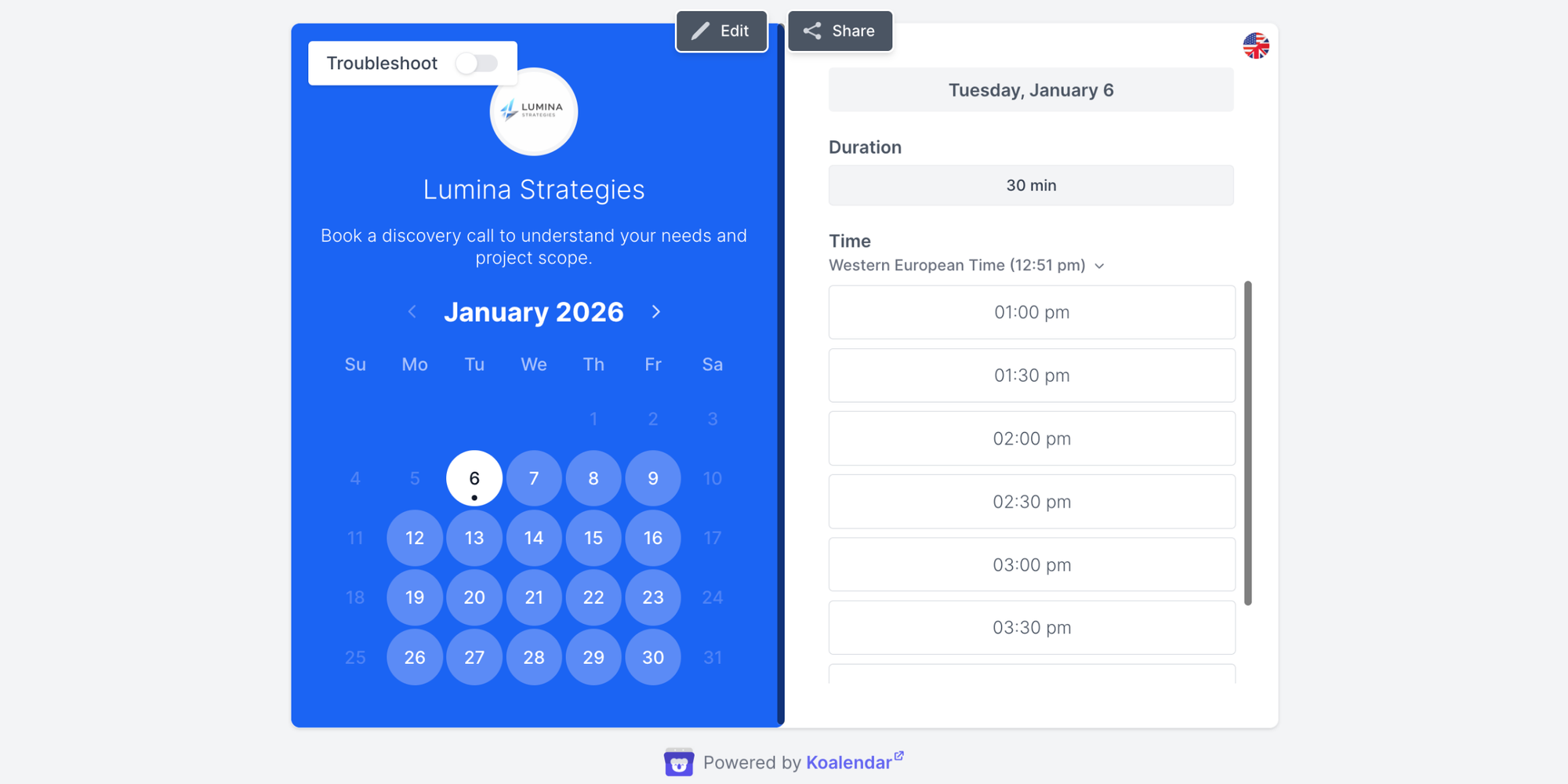
Quick overview:
Koalendar is a powerful scheduling tool that turns your calendar into a proactive booking engine, perfect for teams and client-facing roles.
Best for:
Teams, freelancers, and professionals who need to coordinate group events, share availability professionally, and avoid scheduling conflicts effortlessly.
Key features:
- Shared scheduling links: Send a link to your team or clients so they can book meetings based on your real, synced availability
- Sync with existing calendars (Google/Outlook/iCal): Koalendar works on top of the calendars you already use, providing a unified view
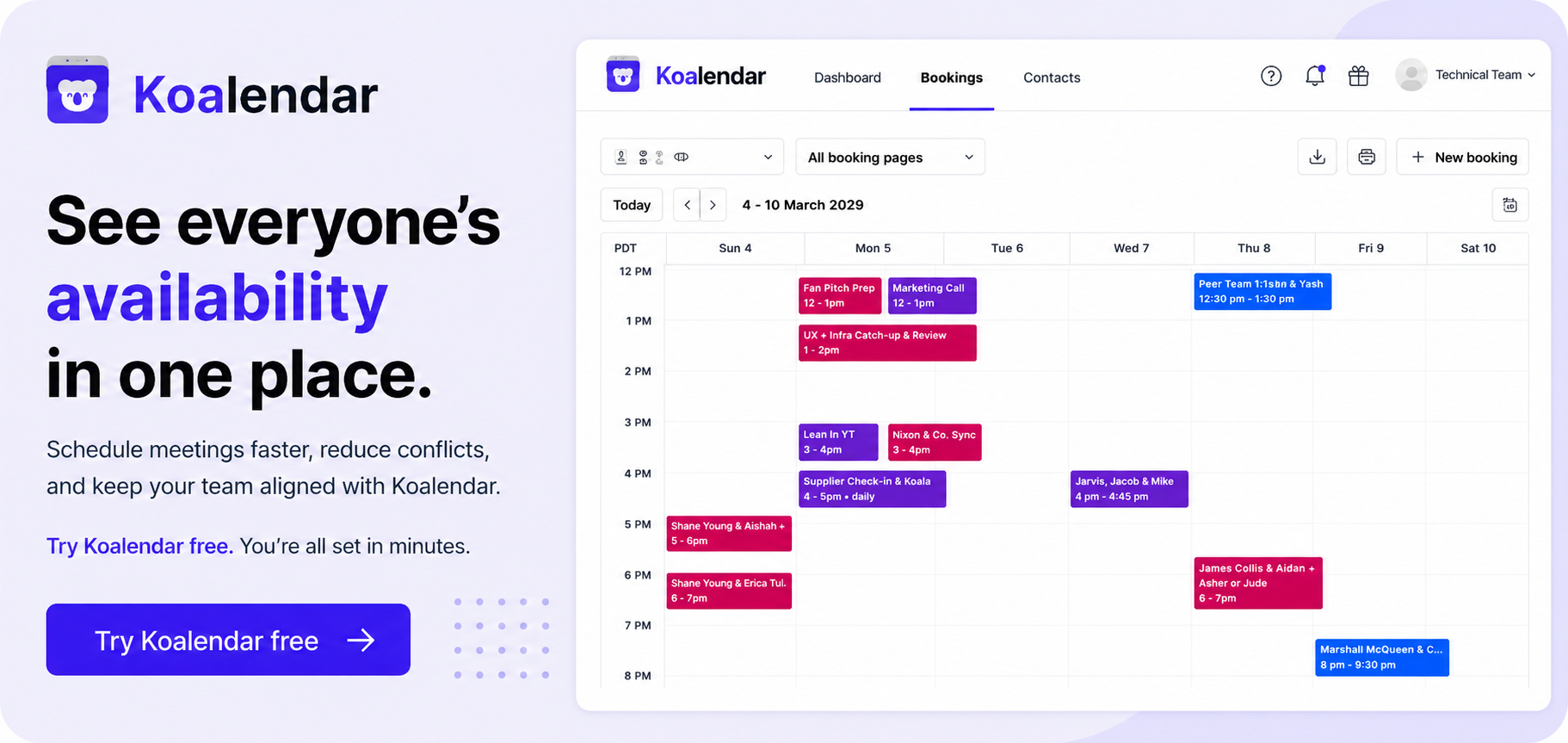
- Group booking pages: Coordinate schedules for multiple people (e.g., a panel interview) and let invitees book a time that works for everyone. This is a game-changer for team collaboration calendar needs
- Availability sharing features: Visually share your free/busy time without exposing any sensitive information
- Custom event categories/colors: Organize different meeting types (Client Call, Internal Review) with distinct colors and settings
Why people like it:
It eliminates the time-consuming chore of meeting scheduling and the never-ending “when are you free?” email ping-pong. Teams love how it creates a single, professional booking page based on real-time availability that respects everyone’s schedule and existing commitments. That's why it tops our list for work team scheduling.
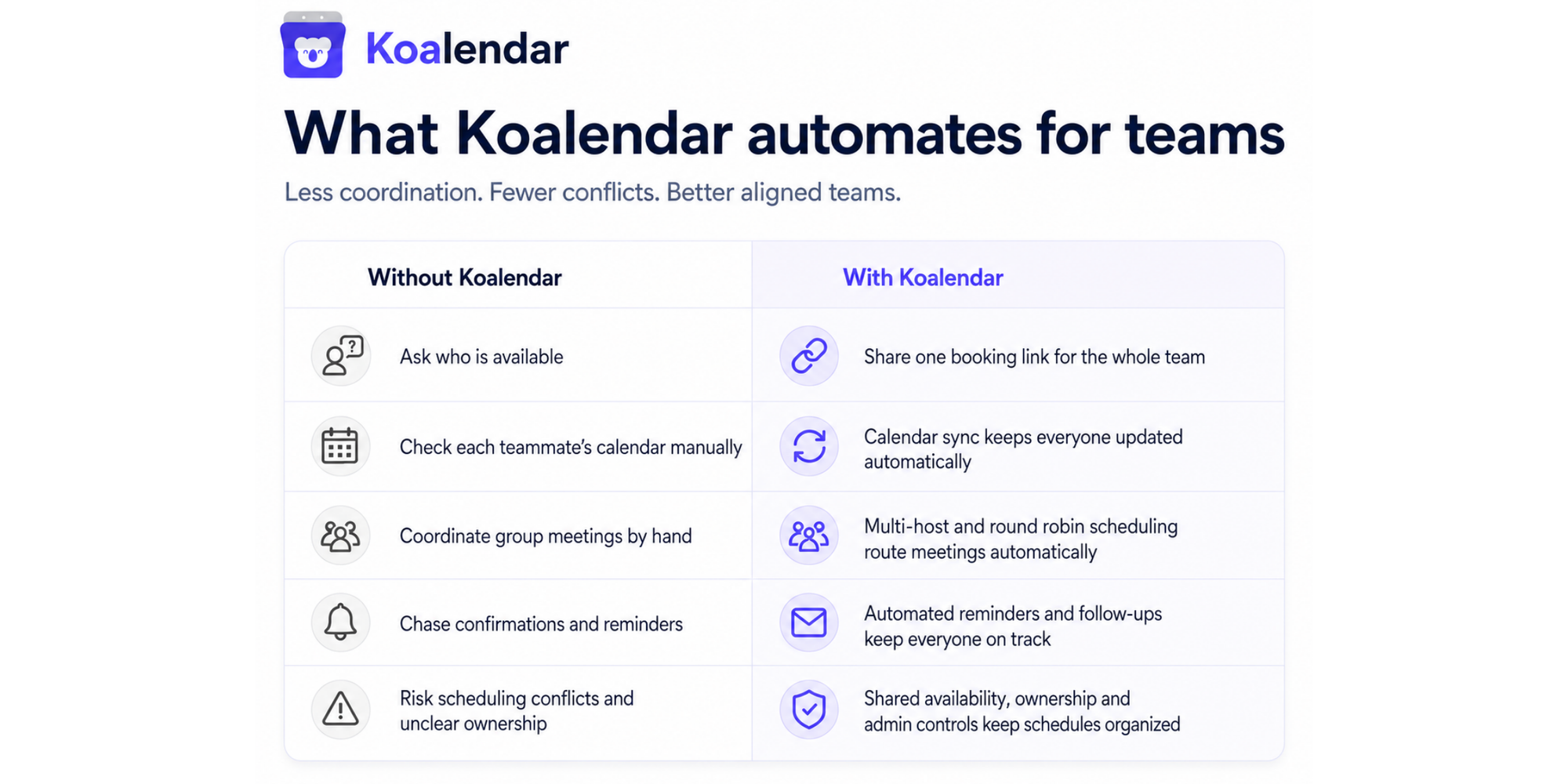
Drawbacks:
While powerful, Koalendar can feel feature-heavy for solo users who only need simple personal appointment scheduling.
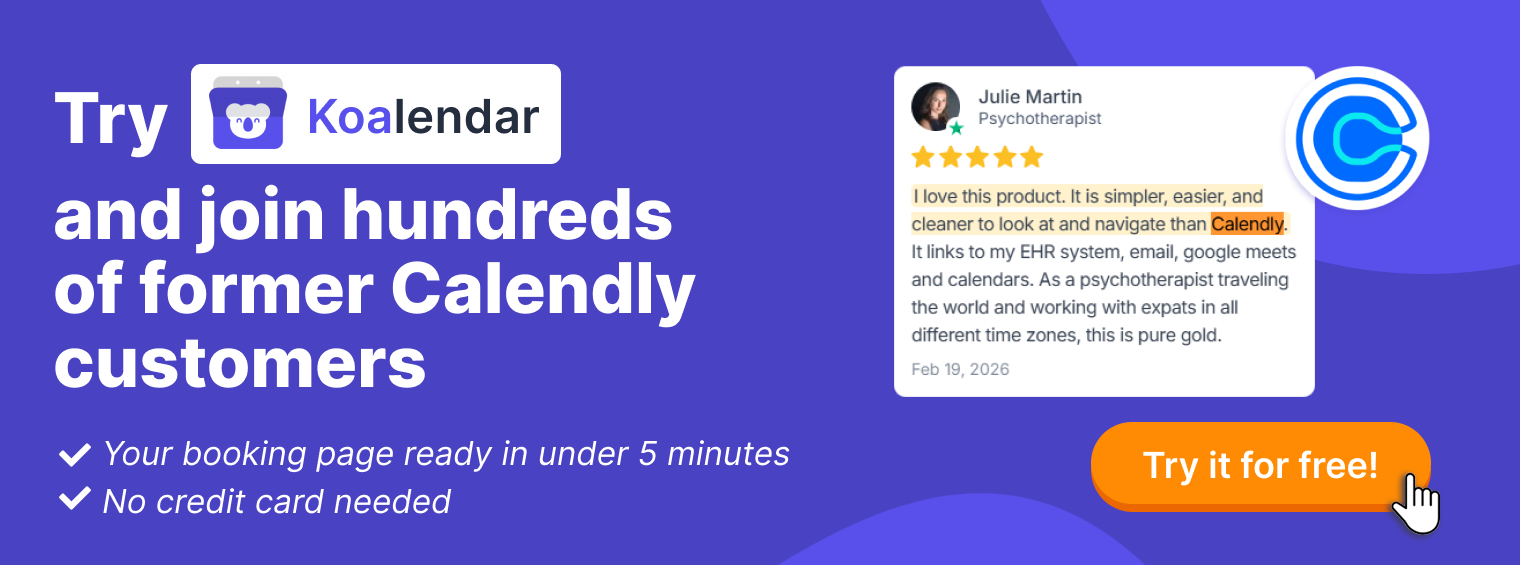
Real-world proof:
Pricing:
Offers a robust Free Forever Plan. Paid tier unlocks advanced team features starting at $6.99/month.
Motion
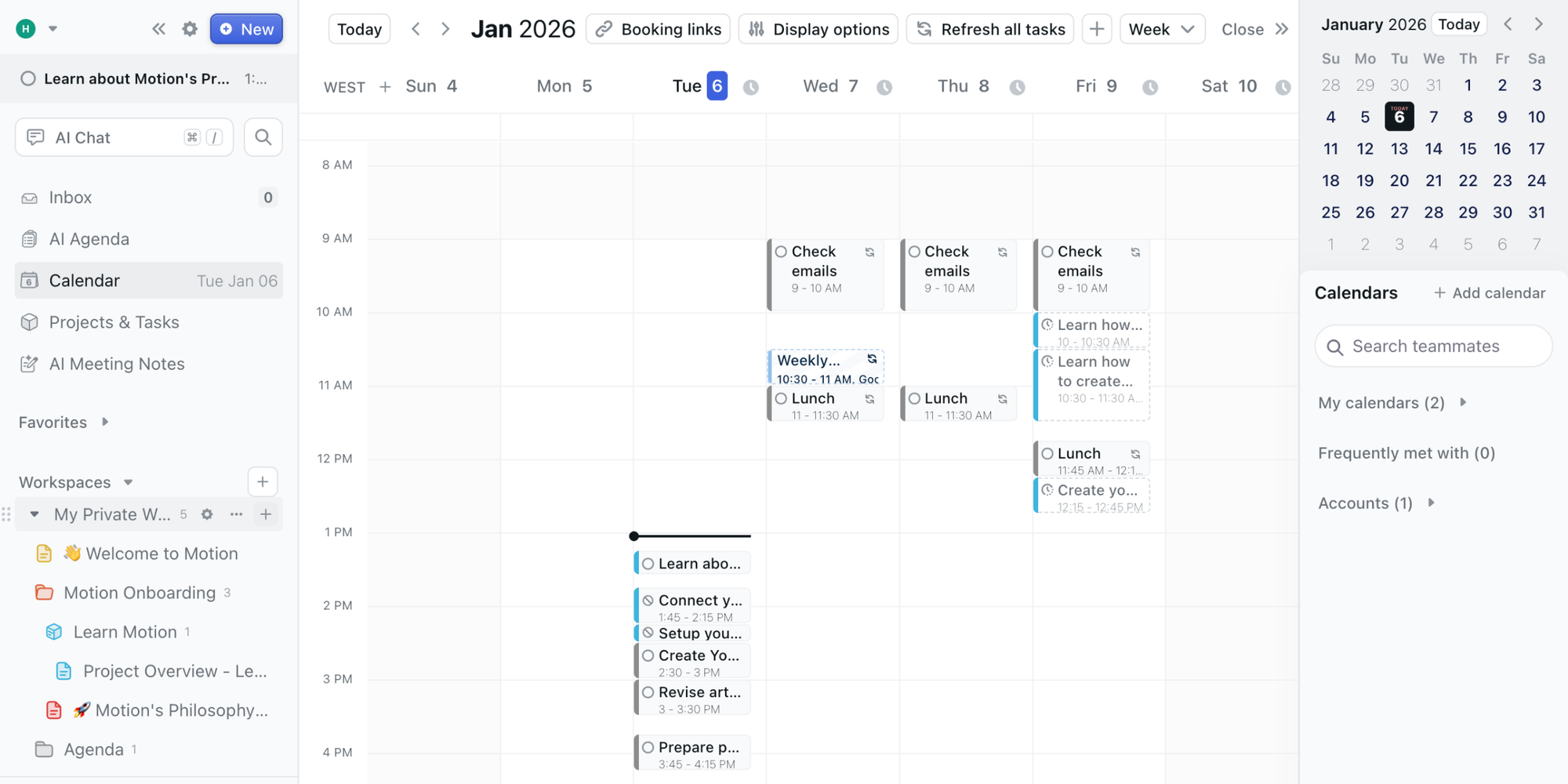
Quick overview:
Motion is an AI-powered project management calendar that schedules tasks and meetings for you and your team.
Best for:
Project-focused teams who want their task deadlines and meetings automatically placed into an optimized daily schedule.
Key features:
- AI-powered task scheduling: The algorithm automatically finds the best time to work on your tasks based on priority, deadlines, and your existing meetings
- Automatic meeting scheduling: Motion can find mutual availability and book meetings for you, acting as a smart scheduling tool to avoid scheduling conflicts
- ‘Focus time’ protection: Can automatically block ‘focus time’ on your calendar to ensure work periods are respected
- Unified project and calendar view: Brings tasks from connected project management tools into a single, time-blocked daily schedule
Why people like it:
Users love that it acts like a personal assistant, removing the daily puzzle of “when will I do this?” and providing a structured, realistic plan for each day that maximizes productivity.
Drawbacks:
It has a steeper learning curve and a higher price point than simpler shared calendars. Some find its AI-driven schedule too rigid, preferring more manual control over their day.
Pricing:
Free trial available. Starts at $19/month per user when billed annually. Team plans with additional project management features are available at a higher cost.
Calendly
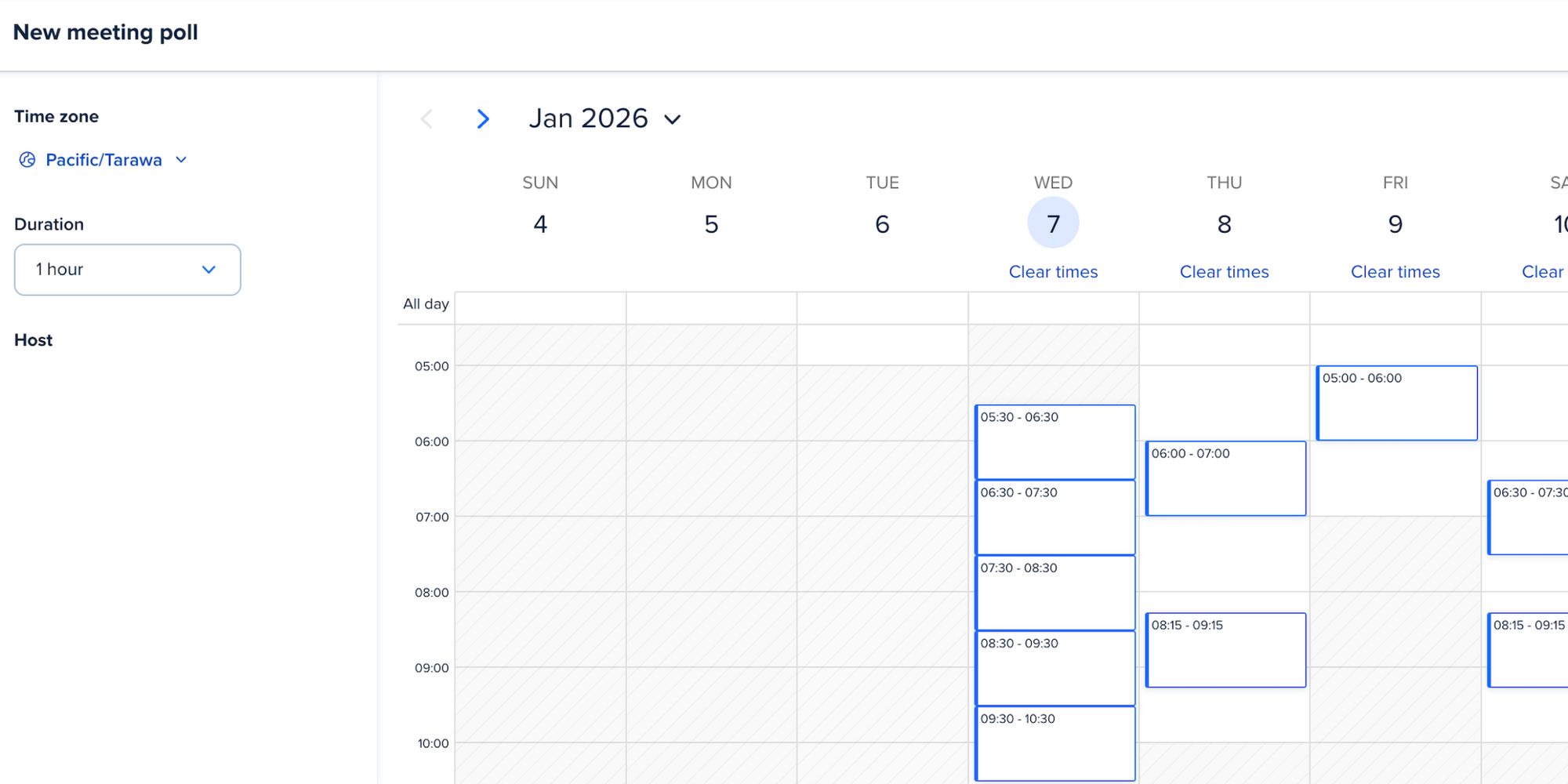
Quick overview:
Calendly is popular for 1:1 external meeting scheduling (e.g., sales demos, consultant calls).
Best for:
Individuals and teams who primarily need to manage inbound meeting requests from clients or partners.
Key features:
- Professional, branded scheduling links that let invitees choose a time based on your real-time availability
- Advanced buffer times, duration options, and meeting type customization for complete control
- Deep two-way integrations with Google, Outlook, and iCal calendars, along with tools like Salesforce and Zoom
- Team scheduling features that allow someone to book time with the first available team member (on higher-tier plans)
Why people like it:
It projects a professional image and automates the tedious “when are you free?” exchange, saving time for those who book a lot of external meetings.
Drawbacks:
While excellent for 1:1 meetings, its features for complex group scheduling (like booking a time that works for 3+ internal team members) are less robust than specialized tools. It’s primarily designed for external scheduling rather than internal team calendar collaboration.
Pricing:
Offers a free plan for individual users. Paid tiers with advanced features start at $10-$16 per user/month.
.png?w=2000&fit=max&auto=format)
Best for families
Keeping track of appointments, kids’ activities, family plans, and your own work schedule? A family calendar can be a lifesaver—your go-to for what’s next.
Cozi
Quick overview:
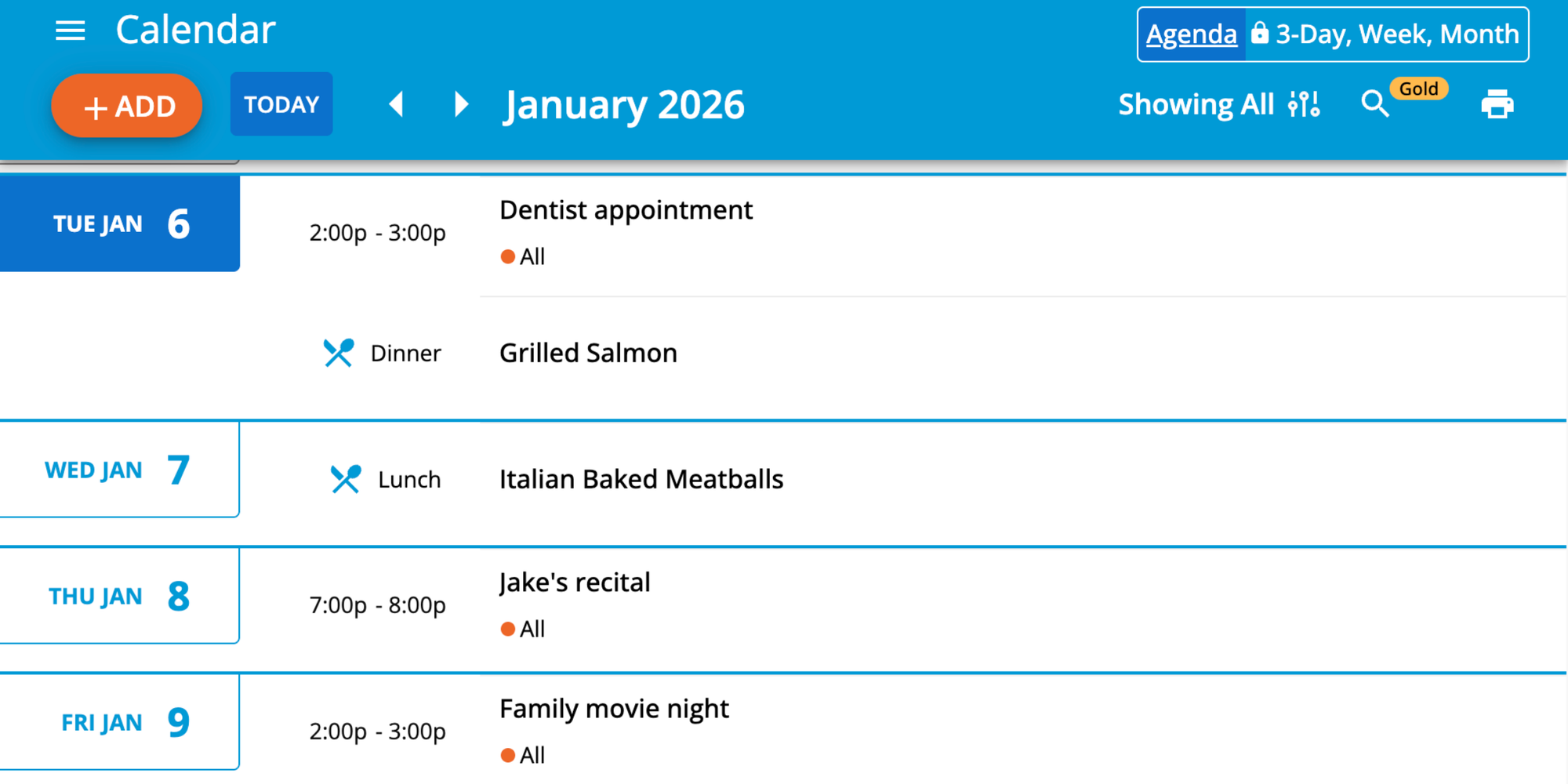
Cozi is a dedicated family organizer. More than a calendar, it’s a hub for lists, meals, and memories.
Best for:
Busy parents handling multiple kids’ schedules and household tasks.
Key features:
- Appointment reminders sent to everyone
- Color-coded family members for instant schedule recognition
- Cross-device syncing on iOS, Android, and web
- Shared shopping lists and to-dos (chores, grocery and packing lists)
- Family journal for sharing photos and notes
Why people like it:
Families enjoy Cozi’s all-in-one approach. It makes the fridge calendar, the notepad for lists, and the group chat for planning all unnecessary.
Drawbacks:
Very family-focused, so it’s not as flexible for merging with professional schedules. Lacks features like shared scheduling links for booking appointments.
Pricing:
Free version with ads. Cozi Gold (premium) removes ads and adds extra features for $29.99/year.
TimeTree
Quick overview:
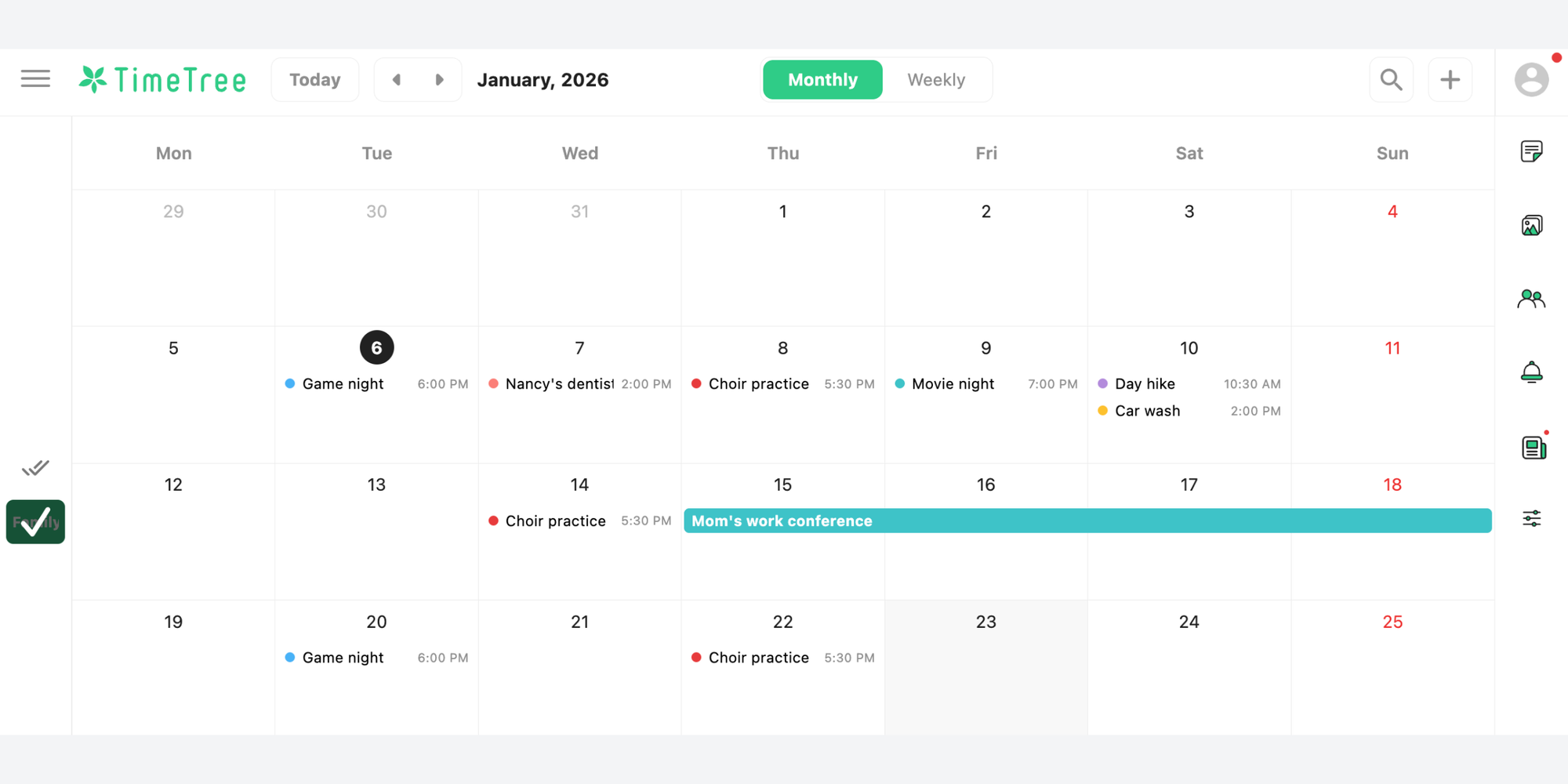
TimeTree is an elegant, ad-free calendar built around the idea of shared calendars to be created with different groups.
Best for:
Families looking for a clean, simple, and beautiful shared calendar experience.
Key features:
- Create separate calendars for “Family,” “Football Team,” etc.
- Messaging within each event to go over details
- To-do lists built into the calendar
- Photo and file attachment option available in events
Why people like it:
Its intuitive design and dedicated space for each group give it a sleek and organized feel.
Drawbacks:
While excellent for family life, it lacks deeper integrations with professional tools like Google Workspace or Microsoft 365, limiting its utility for work. Key features like calendar syncing with external services are only available on the paid premium plan.
Pricing:
Free version with ads. Premium tier removes ads and adds extra features.
Google Calendar
Quick overview:
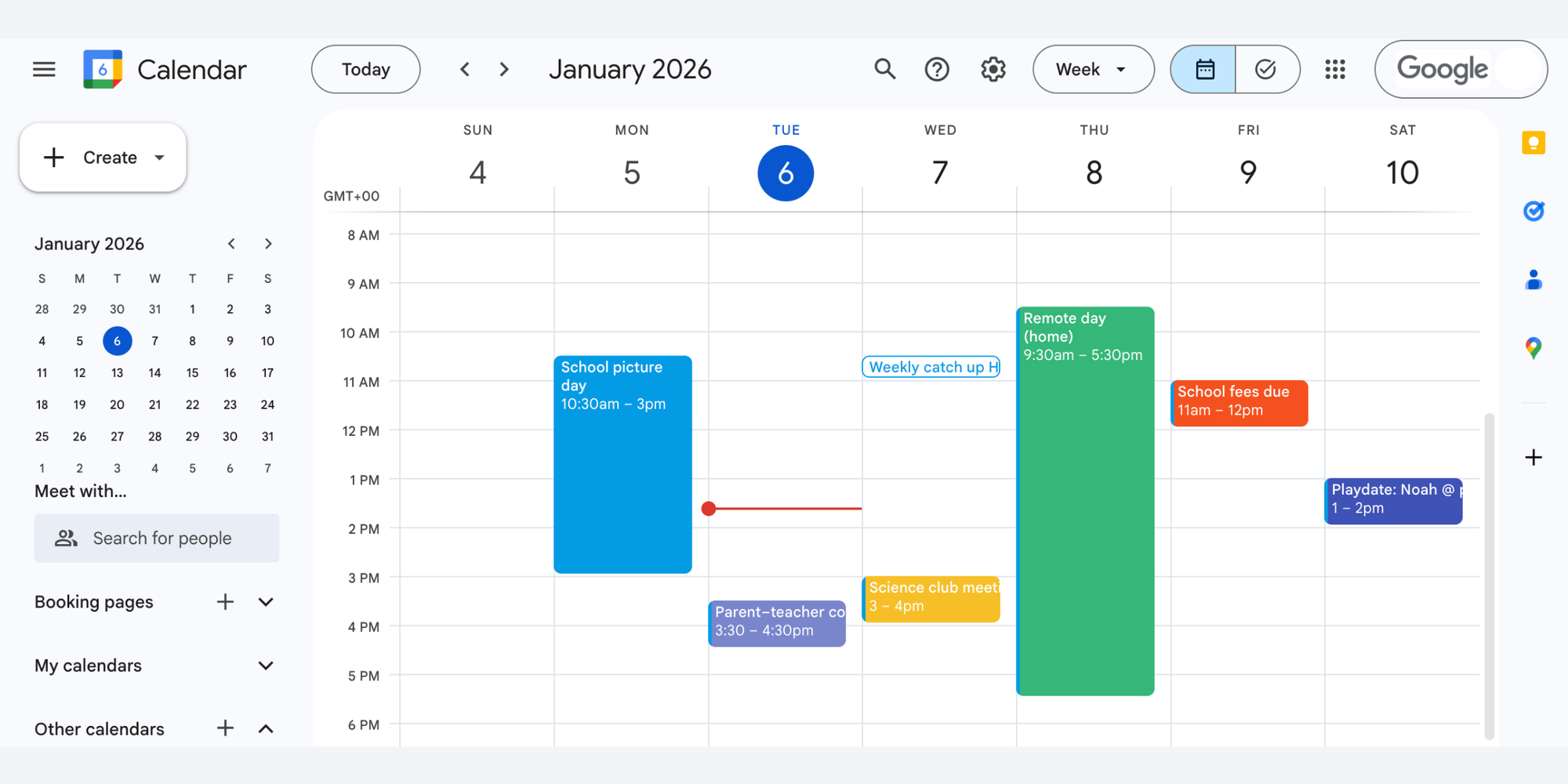
Google Calendar is the well-known, go-to free option. You can create a shared family calendar simply by making a new calendar and inviting family members via email.
Best for:
Families already in the Google ecosystem who want a simple, powerful, and familiar solution. It’s often the best free option for basic, reliable sharing.
Key features:
- Free and universally accessible on any device
- Simple email-based sharing for instant calendar access
- Native sync with Android and strong iOS compatibility
- Add video links, locations, and files to events
- Overlay multiple calendars in one color-coded view
Drawbacks:
If your day gets a little too complex with endless reschedules or double bookings, Google Calendar might feel inadequate or may need extra tools to step its game up.
Pro tip: To master sharing and organizing multiple calendars, take a look at our Google Calendar hacks guide.
Pricing:
Free for personal use. If you need enhanced features, such as unlimited booking pages, team management, and advance resource booking, you'll need to pay for Google Workspace.
FamCal
Quick overview:
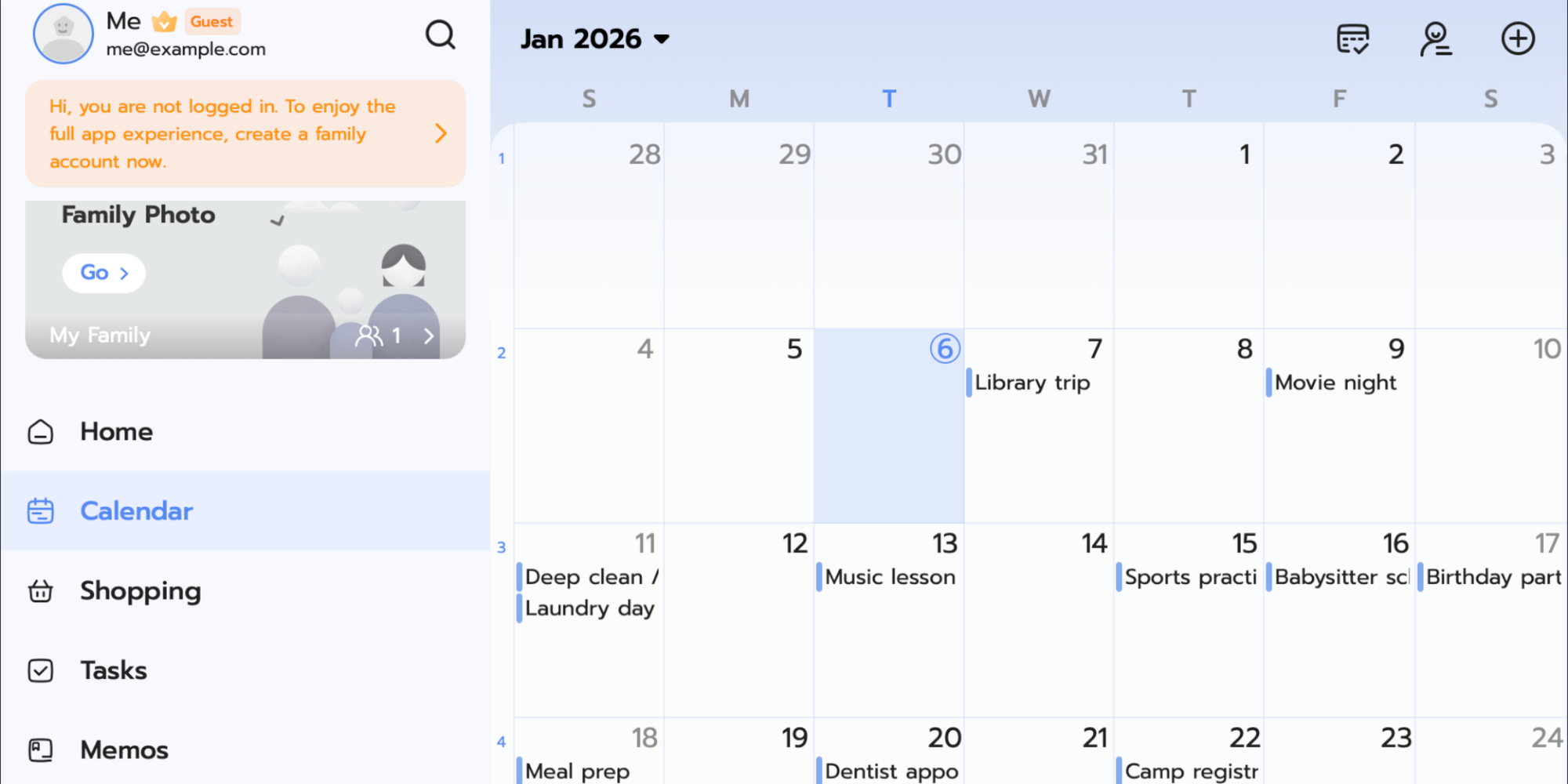
FamCal is a calendar featuring a social media-style family newsfeed.
Best for:
Extended families who want to share more than just dates, like photos and life updates alongside the schedule.
Key features:
- Birthday tracker
- Family newsfeed
- Photo sharing
- Anniversary reminders
Drawbacks:
Its utility is narrow, making it an “extra” app rather than a primary calendar for most users. The ongoing subscription cost might be a hurdle for large or budget-conscious families, especially when free alternatives like Google Calendar offer basic family sharing.
Why people like it:
Families enjoy that it feels more like a private social network than just a schedule. It lets them share life’s moments, not just appointments—keeping everyone more connected.
Pricing:
Free trial available, then $3.99/week or $26.99/year.

Best for couples
For couples, a shared calendar is about connection and simplicity.
Google Calendar (again)
Best for:
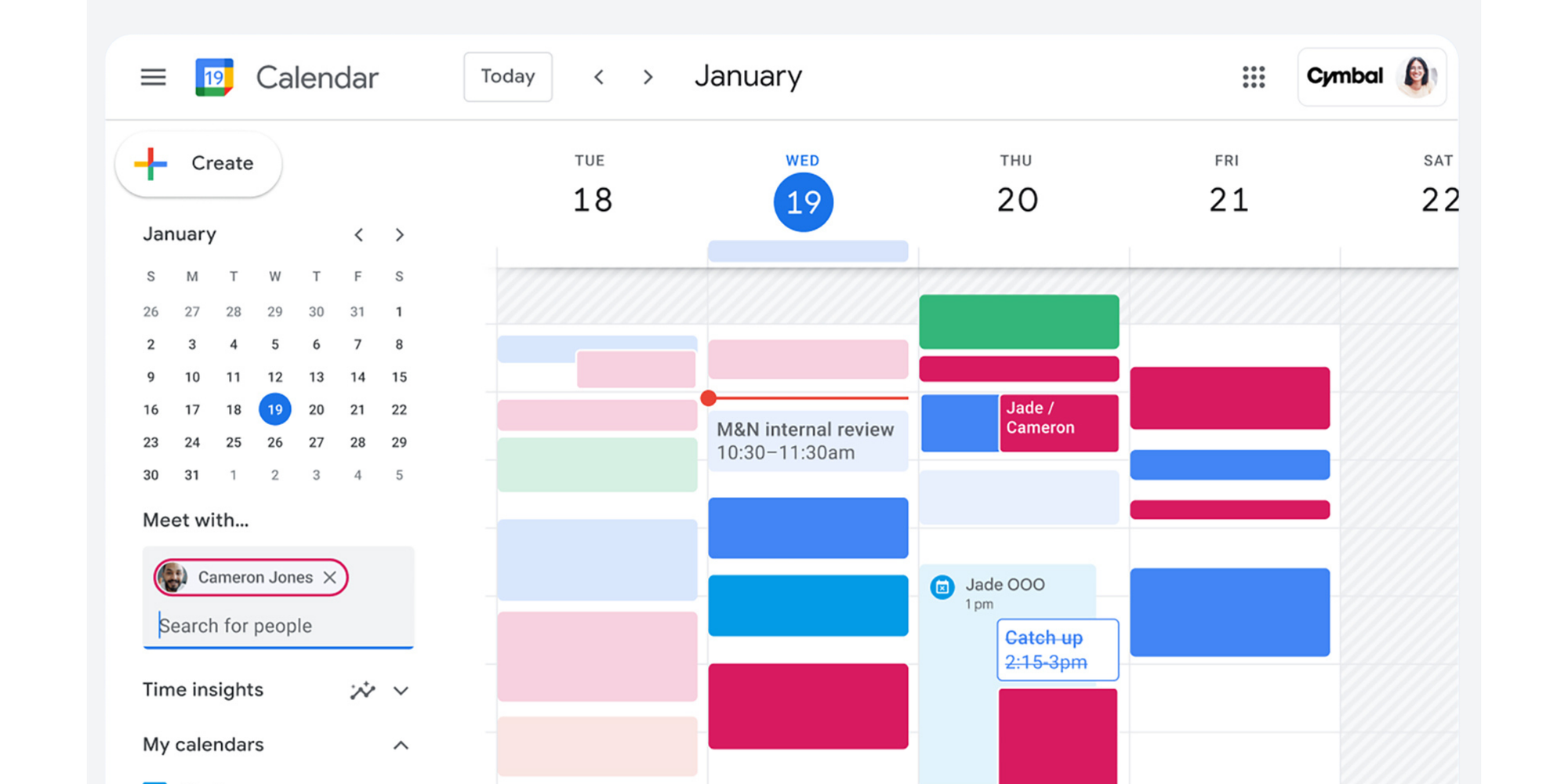
Couples who use different platforms (one iPhone, one Android) and need a universally accessible, reliable solution. It’s a top contender for the best shared calendar for couples.
Why people like it:
Its strength is in its popularity. You can each keep your personal calendars and then share a dedicated “Couples” calendar for dates, trips, and shared bills. It syncs easily across all devices.
TimeTree (again)
Why people like it:
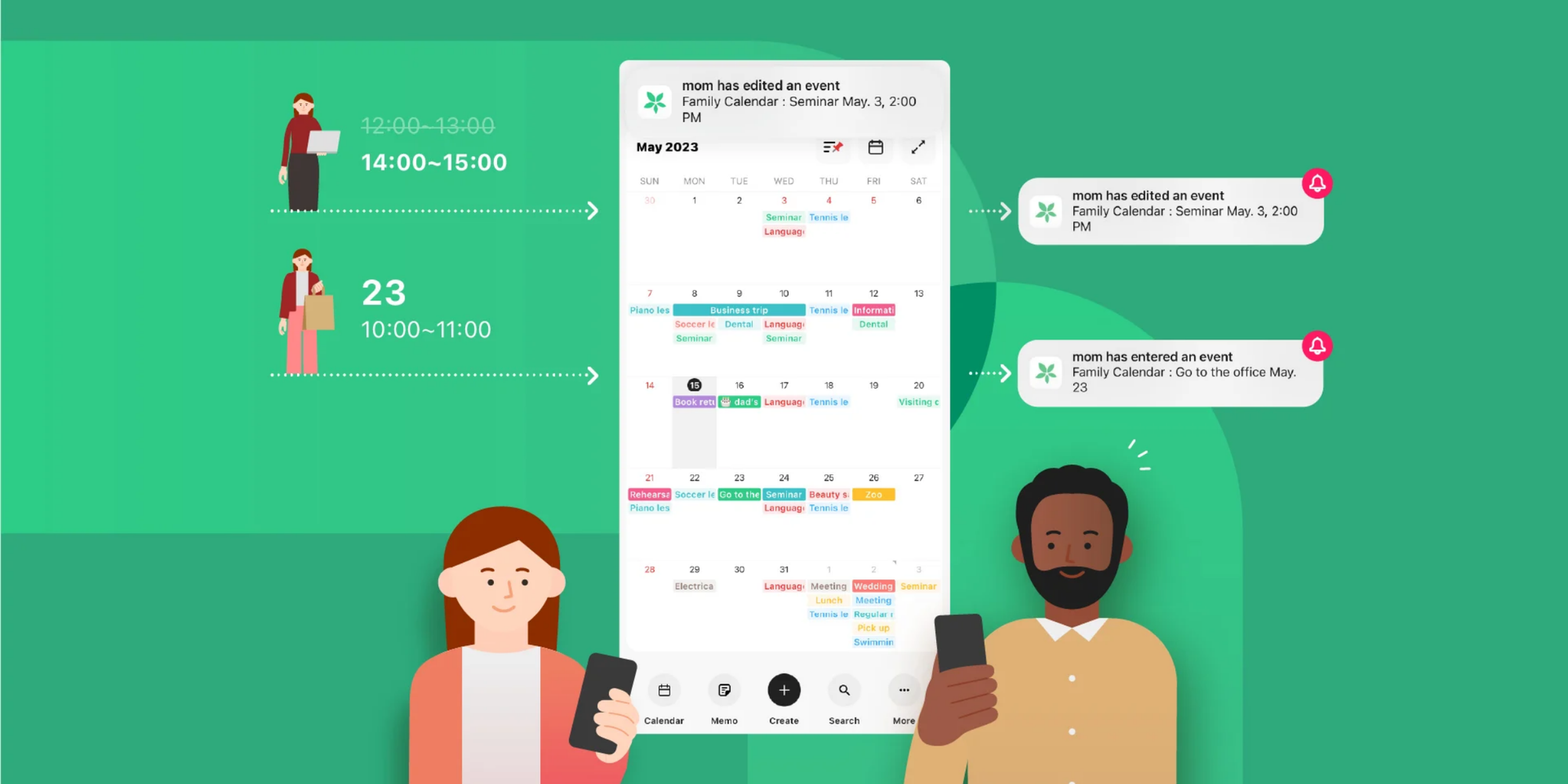
Its dedicated “couple’s calendar” feel, with messaging and memos attached to dates (like “Anniversary restaurant reservation confirmation”), makes planning feel more collaborative and personal.
Best for:
Couples who want a beautifully designed, dedicated shared space that blends scheduling with light communication. It’s a top pick for partners seeking a more individualized and cooperative planning experience.
Best group calendar apps for friends
Planning game nights, trips, or weekend get-togethers with friends calls for a different set of features. Look for an app focused on decision-making, not just date-keeping.
Howbout
Quick overview:
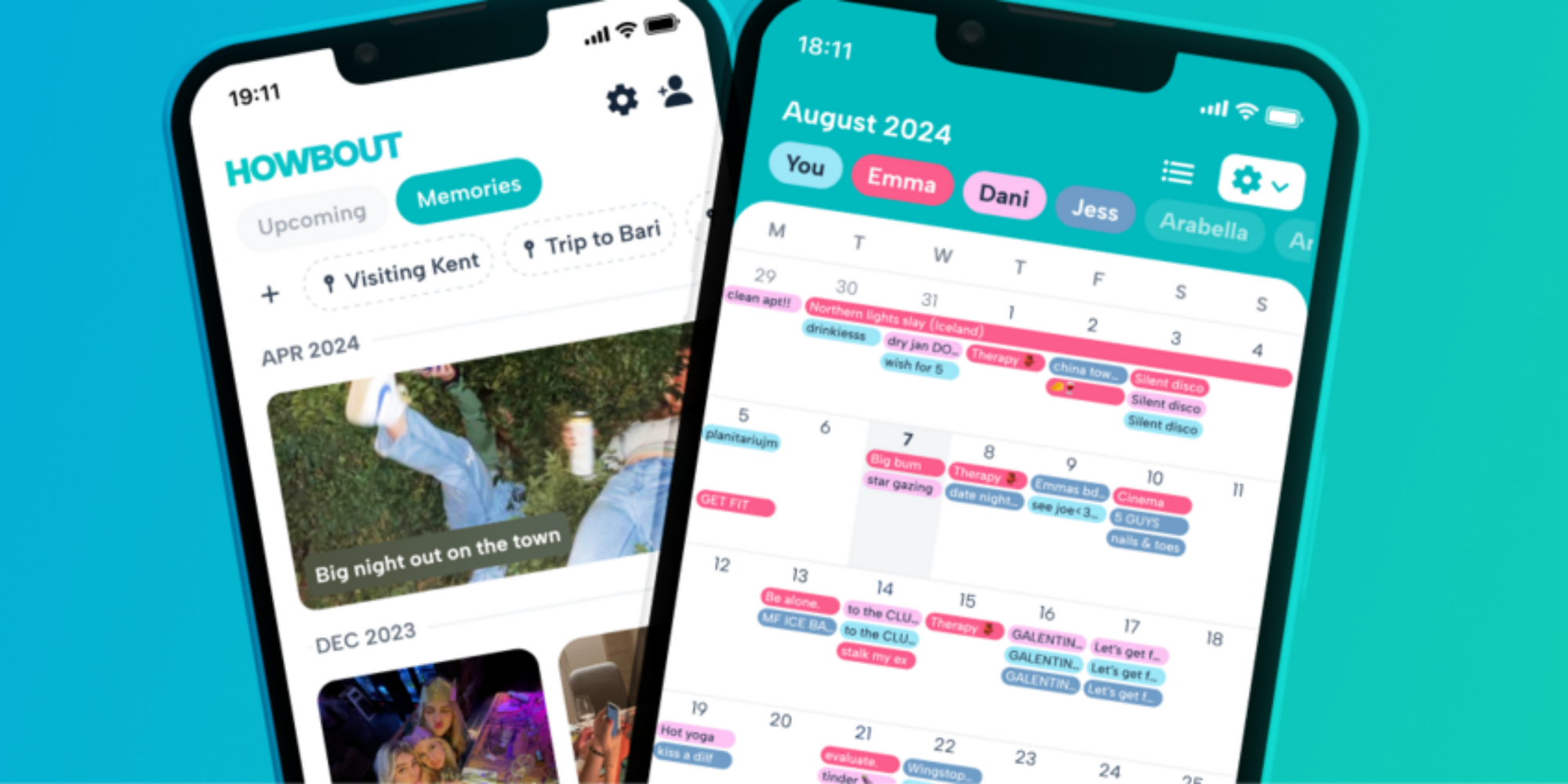
Howbout is an AI-assisted social planning app created to move groups from “We should hang out” to real and confirmed plans.
Best for:
Friend groups that struggle to pin down a date, decide on an activity, and finalize plans.
Key features:
- AI-powered suggestions for times and activities based on chat context
- Built-in in-app polling to easily gather group preferences
- "Spontaneous plans" feature for organizing last-minute hangs, which makes it a great way to share a calendar with friends.
- Creates a dynamic shared event calendar directly from group decisions
Drawbacks:
To work, it requires your entire friend group to actively use the app, which can be its biggest hurdle. Its AI suggestions, while helpful, can sometimes feel generic, and the app’s utility diminishes for smaller, more decisive groups of 2 to 3 people.
Why people like it:
It cuts through the indecision and cluttered chat threads that keep social plans from ever happening.
Doodle
Quick overview:
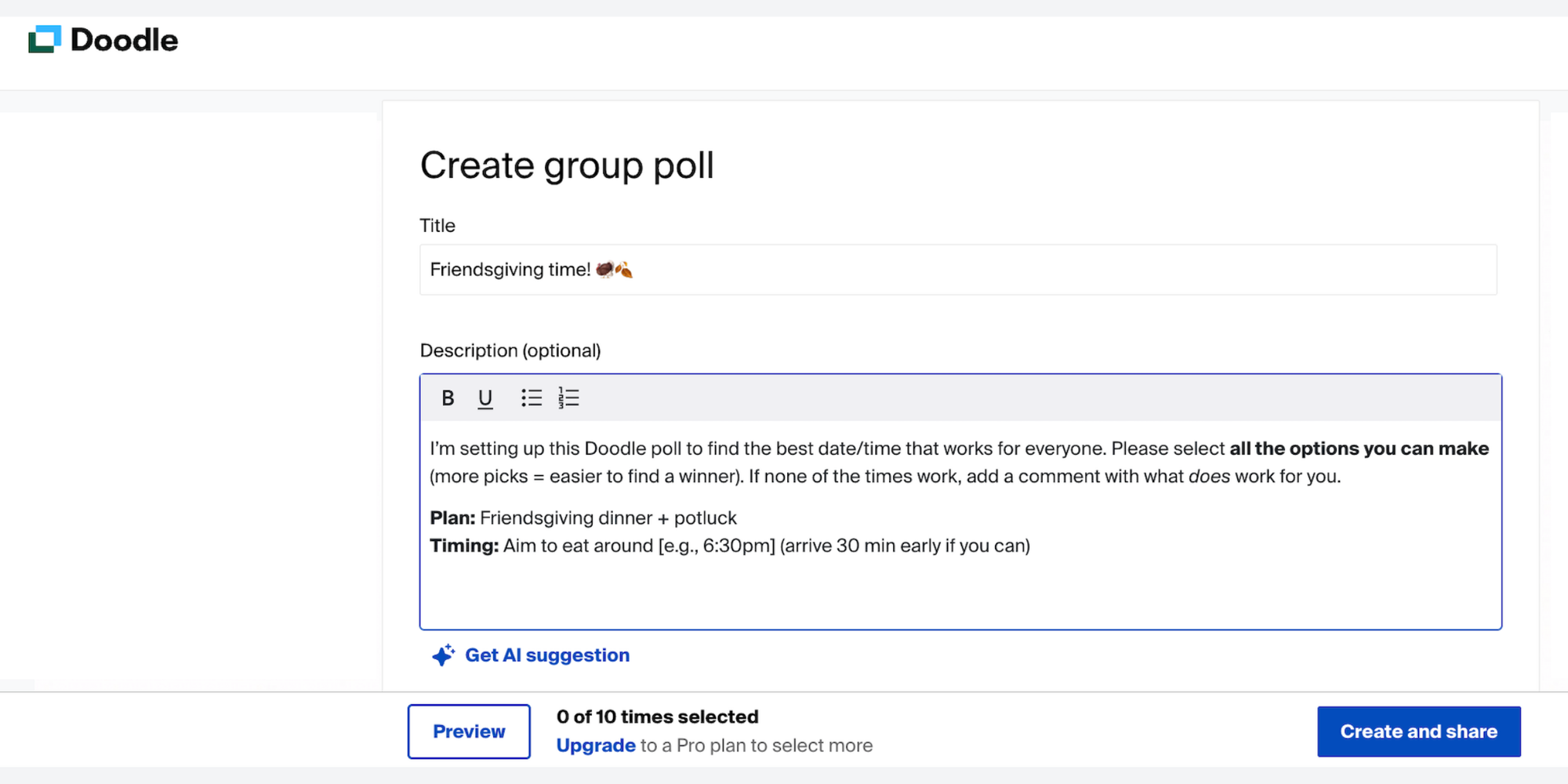
Doodle is a specialized polling tool great for finding a common time to coordinate group events. It’s not a full calendar. You create a poll with potential dates and times, and invitees vote on their availability.
Best for:
Quickly finding a common meeting time for one-off events like themed outings or friend reunions. It's the perfect scheduling tool for democratic decision-making.
Key features:
- Simple, fast poll creation to coordinate group events and eliminate the “what time works?” email chain
- “If need be” and “not available” voting options for more nuanced scheduling needs
- Integrates with personal calendars (Google, Outlook, etc.) so voters can see their own conflicts
- Bookable slots feature (Premium) for directly scheduling appointments after a time is chosen
Drawbacks:
While great for one-off polls, it lacks the continuous, automated scheduling features of a full booking system. The free version includes ads and limits poll customization, and the interface can feel dated compared to modern alternatives. For ongoing team or client scheduling, people often look for dedicated Doodle alternatives.
Why people like it:
It’s entirely focused on solving one painful problem—finding a mutual time—and does it better than any group text or email thread can.
Pricing:
Free tier available. Doodle Professional starts at $14.95/month or $83.40/year.
Pro tip: Curious about how it compares to other polling tools? We break it down for you in our When2meet vs Doodle comparison.
Facebook Events
Quick overview:
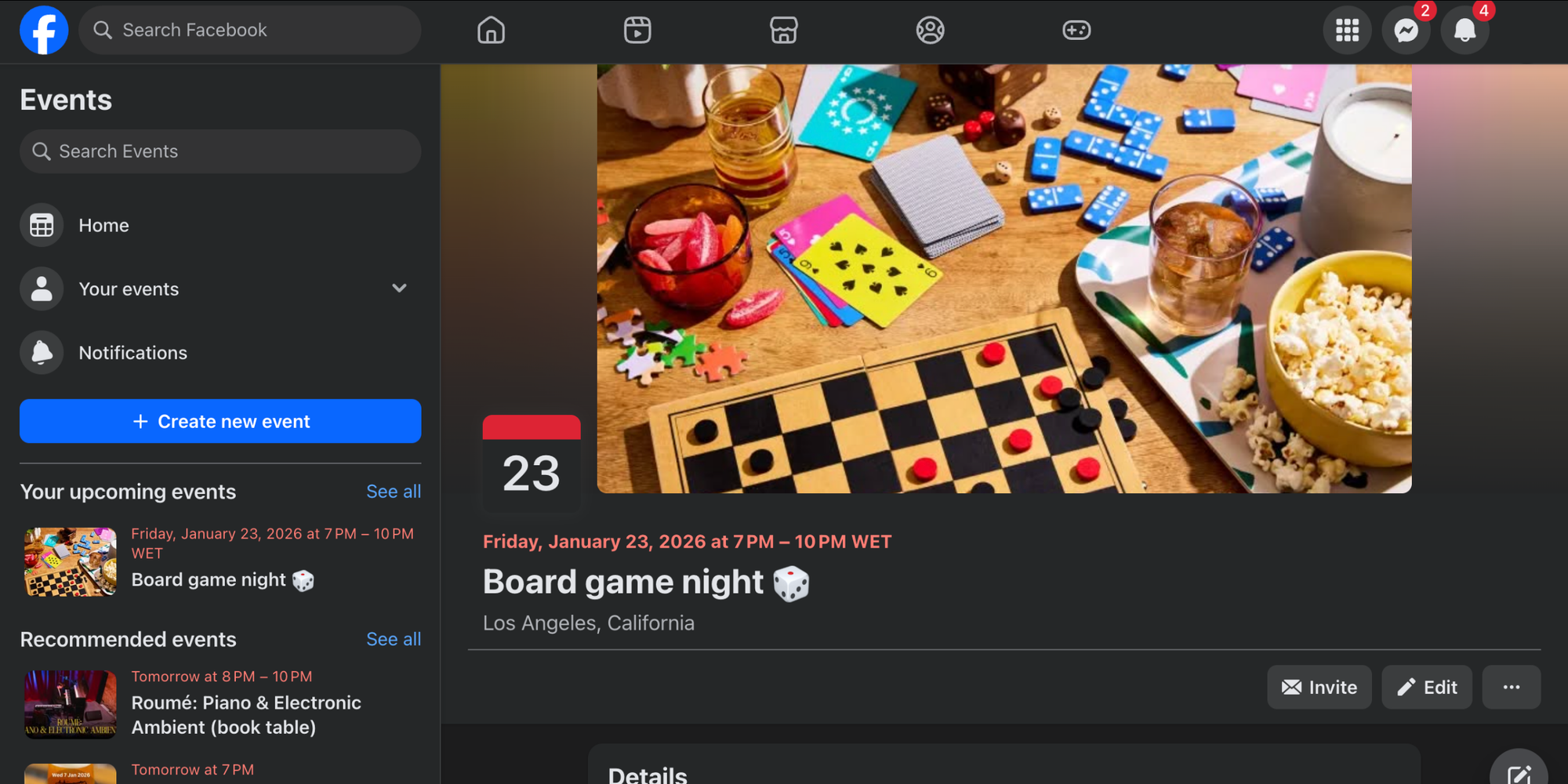
For many friend groups, creating a Facebook Event is second nature. It’s easy and everyone’s already there. Also, reminders & alerts are already built in.
Best for:
Casual, social planning with friend groups where everyone is already active on Facebook. Perfect for birthday parties, weekend barbecues, or any event planned within an existing social network.
Key features:
- Built into a platform everyone already uses, so there’s no need for extra downloads or accounts
- Easy photo sharing, location tagging, and group discussions directly on the event page
- Simple RSVP system (Going, Interested, Can’t Go) for instant headcounts
- Automatic reminders & alerts sent through Facebook to keep the event top-of-mind
Drawbacks:
It ties your social plans to a specific social media platform, which can exclude friends who don’t use Facebook. It also works more as an isolated event poster than a consistent, interactive shared calendar for friends.
Why people like it:
It turns event planning into a social activity itself. Leveraging your existing friend network, it allows you to create, share, and chat about plans in one familiar, easy place.
Google Calendar (once again)
Best for:
Friend groups with regular standing plans need a shared schedule that’s reliable, free, and easy to access. Ideal for integrating directly into your personal digital calendars.
Drawbacks:
While great for visibility, it lacks built-in tools for deciding on plans. You still need a separate chat or poll (like Doodle) to first agree on a time before someone can add it to the shared calendar. This can make the planning process more demanding.
Final recommendation and next steps
That was a lot to take in! But now you know what matters most. Finding the best shared calendar app isn’t simply about the most features. It’s about selecting the option that best meets your groups’ needs.
To recap:
- If your main goal is to share plans with family and manage a household, Cozi is your dedicated home base.
- If you and your partner just want a beautiful, simple space to sync your lives, TimeTree or a shared Google Calendar will do the trick.
- If your friend group can never decide on anything, Howbout will be your go-to.
- And if you’re a professional or team looking to streamline meeting scheduling, protect focus time, and present a polished booking experience, you need a tool built for that purpose: Koalendar is your go-to.
For work and team use, the ability to create shared scheduling links and group booking pages isn’t just a matter of convenience. It’s a game-changing efficiency boost. It automates the tedious part of coordination, automatically avoids scheduling conflicts, and lets you focus on the work that really matters.
That’s why for teams, freelancers, and anyone who schedules professionally, Koalendar offers the perfect blend of power and simplicity. It works seamlessly with the calendars you already use, equips you with incredibly smart scheduling features, and is designed with real team collaboration in mind. It’s more than just a digital planner app, it’s an active scheduling partner.
Are you ready to end scheduling chaos and experience the difference a purpose-built tool can make?
Try Koalendar free today and get your shared calendar setup in minutes. Connect your existing calendar, create your first shared booking page, and see how easy it is to coordinate group events, share your availability, and achieve scheduling harmony.
And if you’re still evaluating options, explore our full breakdown of top scheduling apps to replace Google Calendar for even more guidance.