If you’ve been relying on Doodle for years, at some point, “Let’s Doodle a time for this” or “Can you Doodle the meeting with us?” probably became normal in your inbox. Doodle was the go-to when everyone just needed a quick way to agree on a time. But when your work gets more complex, your scheduling needs do too.
In this guide, we’ll walk through the top alternatives to Doodle, compare key features, highlight pros and cons, and help you find the right fit for your coaching clients, consulting sessions, or busy SMB team.
Let’s explore the best Doodle competitors and see which one gives you the scheduling experience you deserve.
Key takeaways
- Doodle is great for basic meeting polls, but many users eventually outgrow it.
- The best Doodle alternatives support team scheduling, multiple meeting types, and deeper integrations.
- In this guide, we’ve compared seven top Doodle alternatives—Koalendar, Acuity Scheduling, YouCanBookMe, SimplyBook.me, Chili Piper, TimeTrade (Engageware), and Rallly—to help you find the scheduling tool that actually fits the way you work.
- If you mainly need quick group polls, Doodle (or Rallly) can still work. If you’re running real client work—sessions, programs, consultations, workshops—and want a professional, branded booking experience, Koalendar is the most flexible, user-friendly Doodle alternative to grow with your business.
- Use the comparison chart to quickly evaluate features, pricing, and use cases
- Check further scheduling tool comparisons in our blog
Best Doodle alternatives compared
 |  |  |  |  | Engageware | Rallly | |
| Best For | Coaches, consultants, SMB, service providers, education | Service providers | Educators, freelancers | Salons, clinics, wellness | Sales teams | Enterprises | Simple group polls |
| Branding | Strong | Strong | Good | Very strong | Moderate | Moderate | Limited |
| Calendar Sync | Google, Outlook, iCal | Yes | Yes | Yes | Yes | Yes | Basic |
| Reminders | Yes | Yes | Yes | Yes | Yes | Yes | No |
| Payment Processing | Via integrations | Built-in | Limited | Built-in | No | No | No |
| Team Scheduling | Yes | Yes | Basic | Yes | Advanced | Enterprise-grade | No |
What is Doodle and why switch?
Doodle has been around for more than a decade, and it shines at one thing: picking a meeting time through a poll. It’s simple, familiar, and does exactly what early users needed.
But today’s professional landscape has shifted dramatically. Teams are distributed across time zones, service providers work globally, and client expectations for smooth online booking are higher than ever.

Sometimes it’s not even that Doodle is bad, it just starts to feel like one more tool you have to wrestle with. You tweak settings, send yet another poll, and still feel like you're not using it to its full potential. If you’re already living in Google Calendar and trying every productivity trick you can find (like these Google Calendar hacks), there comes a point where no amount of fine-tuning can fix the core issue: a poll-based tool isn’t designed to handle ongoing client sessions, programs, or a growing booking flow. That’s when a dedicated scheduling tool becomes less of a “nice to have” and more of a relief.
Switching to the right tool can help you:
- Book appointments automatically
- Avoid double-bookings
- Offer buffer time between sessions
- Accept payments
- Customize your booking page
- Reduce no-shows with smart reminders
- Let clients book you 24/7
And the payoff? More time back in your day and fewer emails cluttering your inbox.
When should you consider a Doodle alternative?
For coaches, consultants, freelancers, and professional services teams, scheduling shouldn’t be the thing slowing you down. Yet many professionals find themselves stuck with tools that worked well early on, until their workload expanded or their business matured.
That’s often the moment when people search for Doodle scheduling alternatives.
They need something more robust, more polished, and more aligned with how they present themselves to clients.
You might recognize one or more of these frustrations:
- You want personalized booking pages that feel on-brand
- You need multiple appointment types, not just meeting polls
- You want reliable calendar sync across Google or Outlook
- You want SMS reminders or email nudges that reduce no-shows
- You’re managing team scheduling and need something scalable
If that sounds like you, this guide will help you explore the top Doodle competitors, and land on the tool that finally fits your workflow without friction.
Benefits of using different scheduling tools
Doodle is mainly know for its poll features. The best modern scheduling tools are not just Doodle replacements though, they’re full automation systems for your business.
Here’s what you gain by upgrading:
1. A more professional brand experience
Instead of sending clients to a generic poll, you can offer branded booking pages that carry your name, colors, and confidence.
2. Friction-free appointment scheduling
Clients book the meeting types they need, at the times you’re available, without back-and-forth messages.
3. Built-in reminders
Automated email or SMS reminders keep everyone on track and reduce no-shows.
4. Better calendar control
Advanced tools sync smoothly with Google, Outlook, or iCal, and handle time zone differences automatically.
5. More flexibility for your workflow
You can set up:
- Group sessions
- Paid appointments
- Recurring meetings
- Buffer time
- Intake questions
- Different appointment types
All within one system.
If Doodle feels like it’s not evolving for your business, it’s time to explore new options.
Common limitations of Doodle
Before jumping into the best Doodle alternatives, it’s helpful to understand where Doodle commonly falls short for professionals.
1. Limited customization
Branding is minimal. You can’t create polished, customized booking pages that reflect your business identity.
2. Not ideal for client-based appointments
Doodle is built primarily for scheduling group availability, not for running a service business with bookings.
3. Basic calendar sync
Many find the calendar connection unreliable or too limited for daily use.
4. Missing integrations
Especially for consultants, coaches, or SMB teams, the lack of deep integrations creates workflow friction.
5. Reminders are limited
No strong automated reminder system, especially compared to modern tools.
6. Not great for ongoing client work
If you offer recurring sessions, multiple appointment types, or paid bookings… Doodle can’t handle most of that.
"Sharing a Google Calendar via its URL is ugly. When Doodle dropped their calendar sharing support, I tried different tools but they all didn't provide the features I was looking for. Eventually I found Koalendar and it's exactly what I need. It has a free version, it's easy but flexible to configure and people wanting to book a meeting with me can do it fast and easy."

Roger L.
CEO
Overview of top Doodle competitors
Below, we break down seven strong Doodle scheduling alternatives that professionals consistently turn to:
- Koalendar
- Acuity Scheduling
- YouCanBookMe
- SimplyBook.me
- Chili Piper
- TimeTrade
- Rallly
Each one offers its own strengths, and you’ll find pros, cons, and key features to help you decide. Let’s dive in!
1. Koalendar
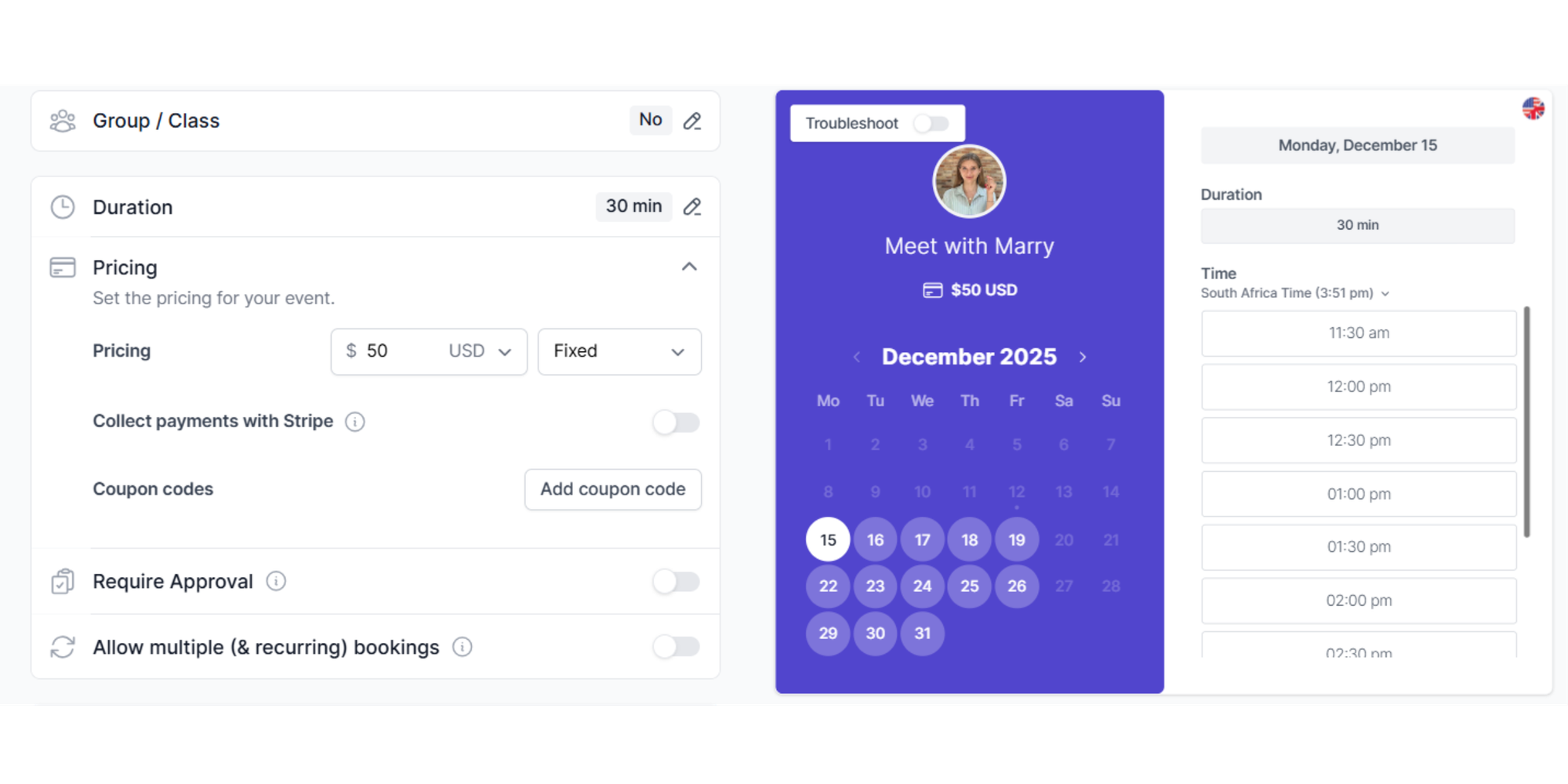
Koalendar is one of the most user-friendly, modern, and professional booking tools available today. It’s built for busy people who want clean design, easy setup, and powerful automation, all without the learning curve.
Koalendar excels at creating personalized booking pages, syncing your calendar instantly, and reducing no-shows with smart reminders.
Key Features
- 24/7 online booking so clients can schedule anytime
- Google, Outlook and iCal calendar sync
- Automated reminders
- Custom booking pages
- Branding and customization
- Multiple meeting types
- Team scheduling
- Integration with Zoom and Google Meet
- Buffer time and availability presets
- Unlimited appointments on the free plan
Pros
- Extremely user friendly
- Generous free plan
- Beautifully branded booking pages
- Fast setup — live in minutes
- Reliable calendar sync
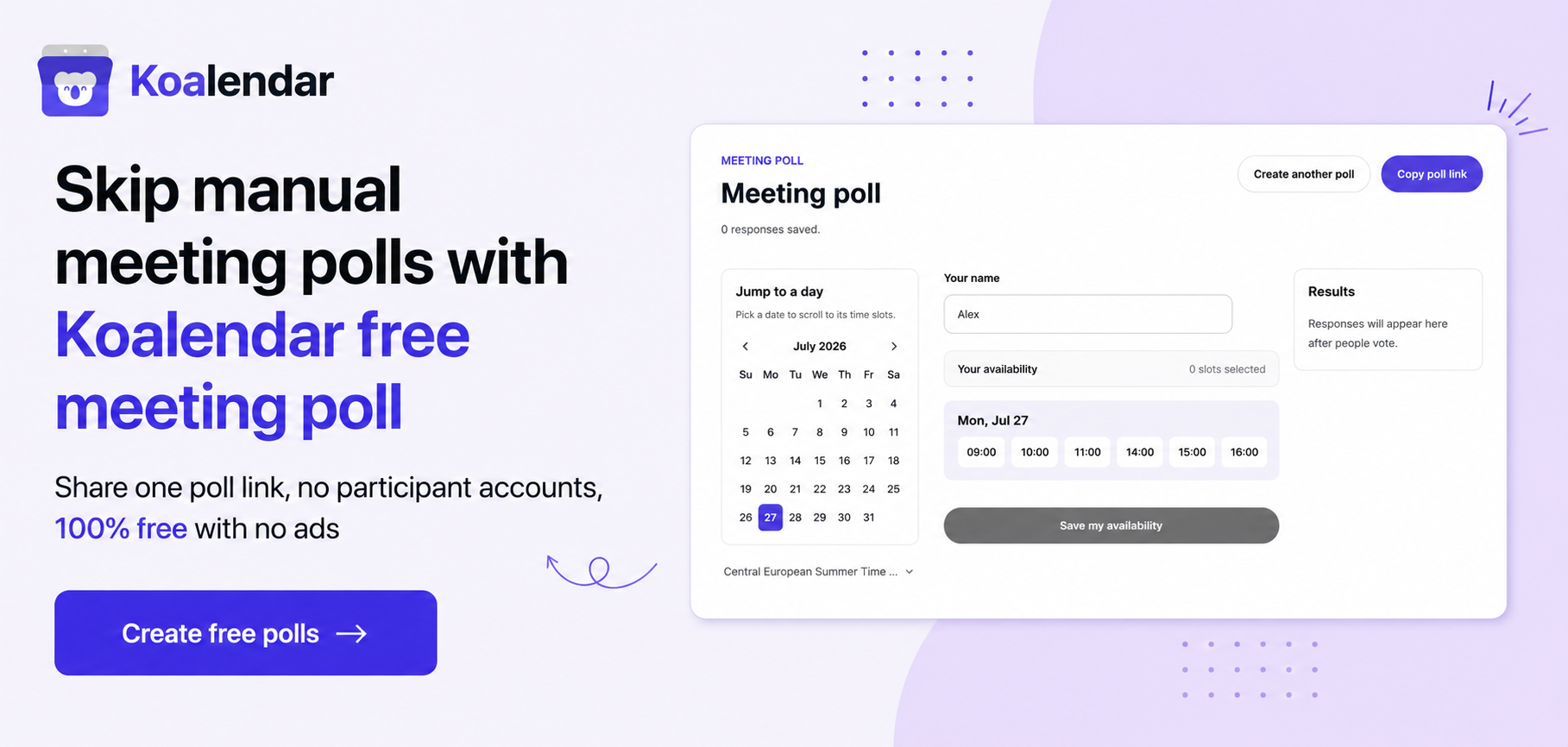
- No need for polls: it automatically finds the available time in your attendees’ calendars, while considering their time zones.
- Great for small businesses and solo providers
- Perfect for coaches, consultants, and SMB teams
Cons
- Payment processing requires integration (not built-in)
- Fewer advanced enterprise features than tools like TimeTrade
Koalendar is an excellent choice if you want a professional, modern alternative to Doodle that keeps things simple while offering serious power behind the scenes.
2. Acuity Scheduling
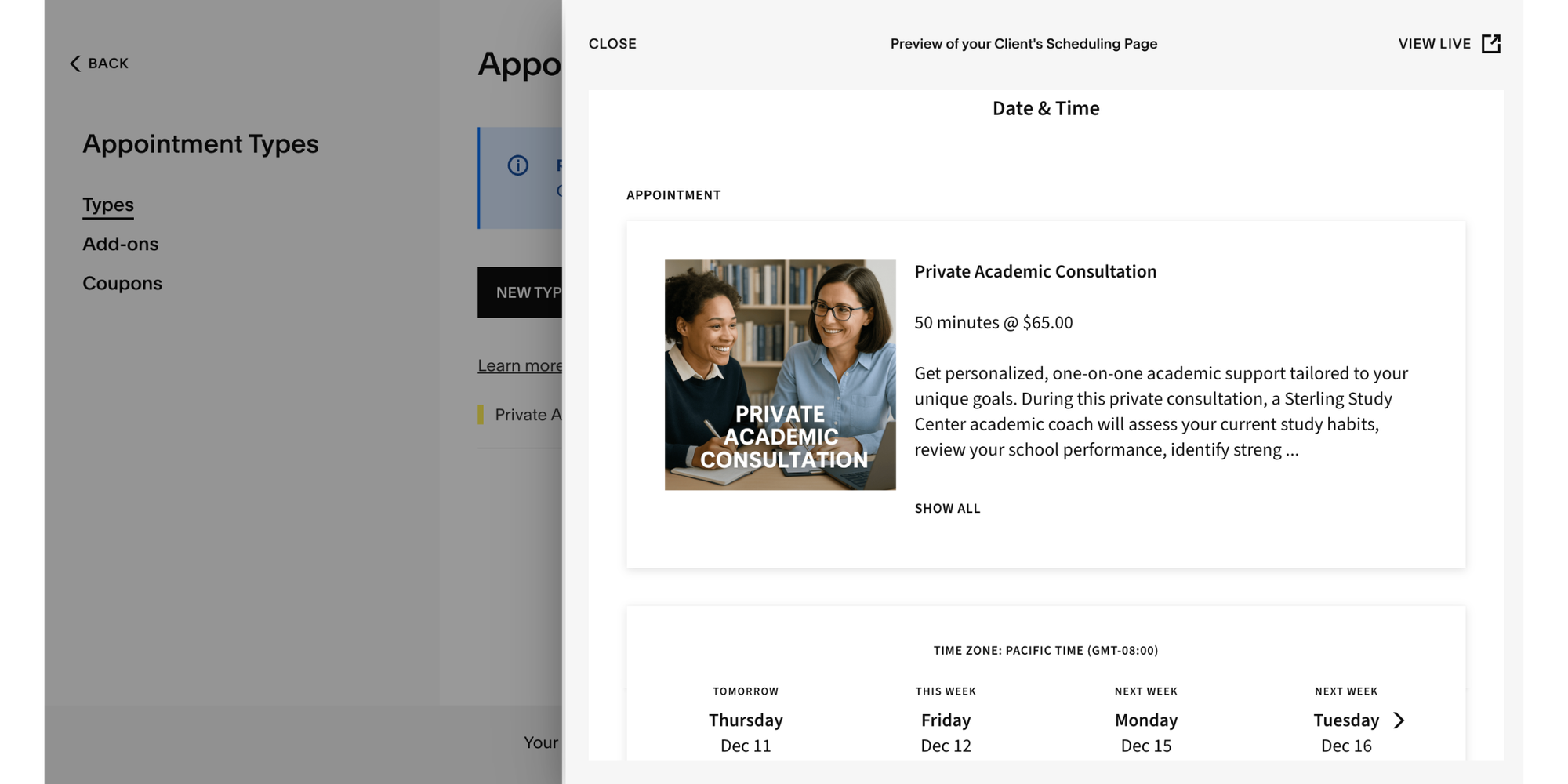
Acuity is a robust scheduling system best suited for service providers who need advanced features like payments, packages, and add-ons.
Key Features
- Client self-booking
- Payment processing (Stripe, PayPal, Square)
- Multiple appointment types
- Intake forms and questionnaires
- Calendar sync
Pros
- Great for service-heavy businesses
- Strong payment and invoice features
- Lots of customization
- Ideal for wellness, coaching, salons, and consultants
Cons
- Steeper learning curve
- Pricing can feel high for small businesses
- Interface feels older compared to newer tools
Acuity works well if you need a complete booking + payment system, but it may feel like too much if your needs are lightweight.
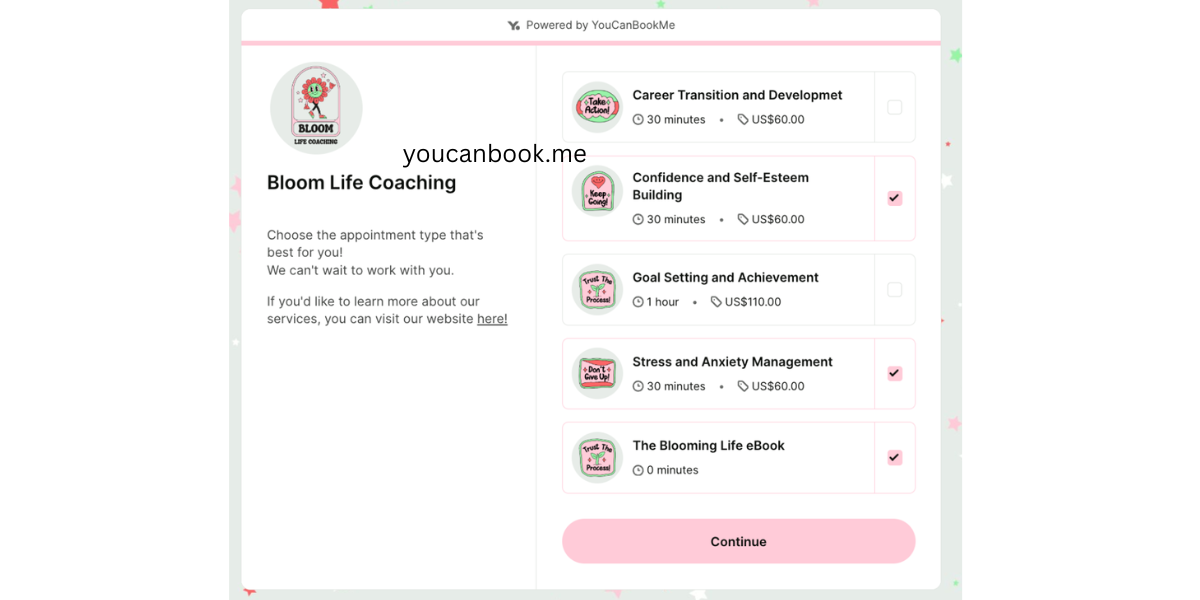
3. YouCanBookMe
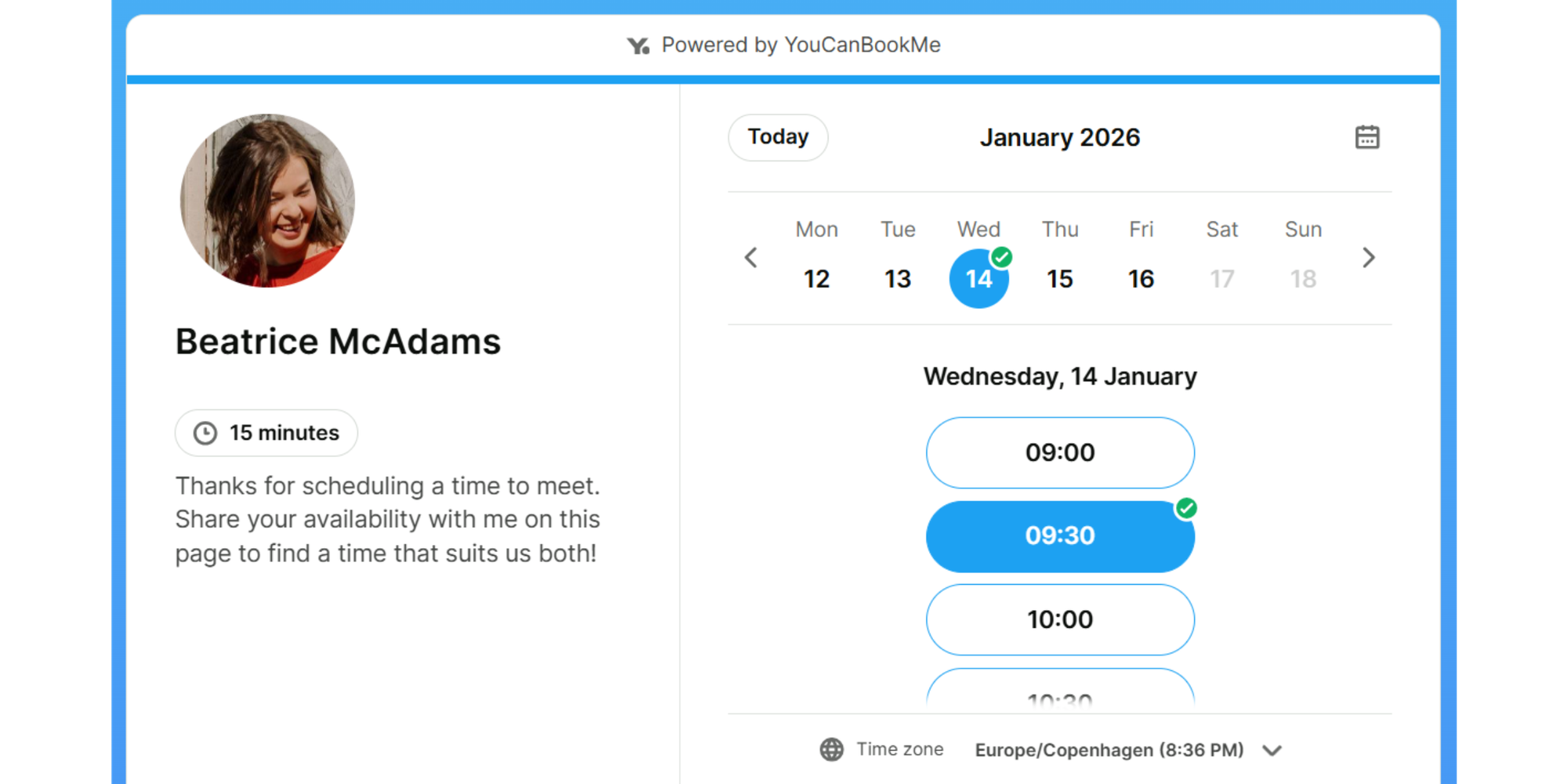
YouCanBookMe is a popular tool among educators, small teams, and coaches. It’s clean, customizable, and good for creating simple booking pages.
Key Features
- Calendar sync
- Personalized booking pages
- Customizable notifications
- Basic team scheduling
Pros
- Affordable
- Easy to use
- Great email customization
- Works well for simple 1:1 bookings
Cons
- Limited free plan
- Fewer branding options
- Interface can feel dated
It’s a solid choice for teams wanting something simple, but not as modern or flexible as Koalendar.
4. SimplyBook.me
SimplyBook.me is packed with features, especially for service businesses like salons, clinics, and wellness studios.
Key Features
- Full booking system
- Payment processing
- Booking website builder
- Membership and class management
- POS integrations
Pros
- Extremely feature-rich
- Great for consumer-facing services
- Website builder included
- Strong customization
Cons
- Can be overwhelming for beginners
- Pricing climbs with add-ons
- Not ideal if you just want simple scheduling
Use it if you run a service business that needs more than scheduling — like memberships, packages, and storefronts.
5. Chili Piper
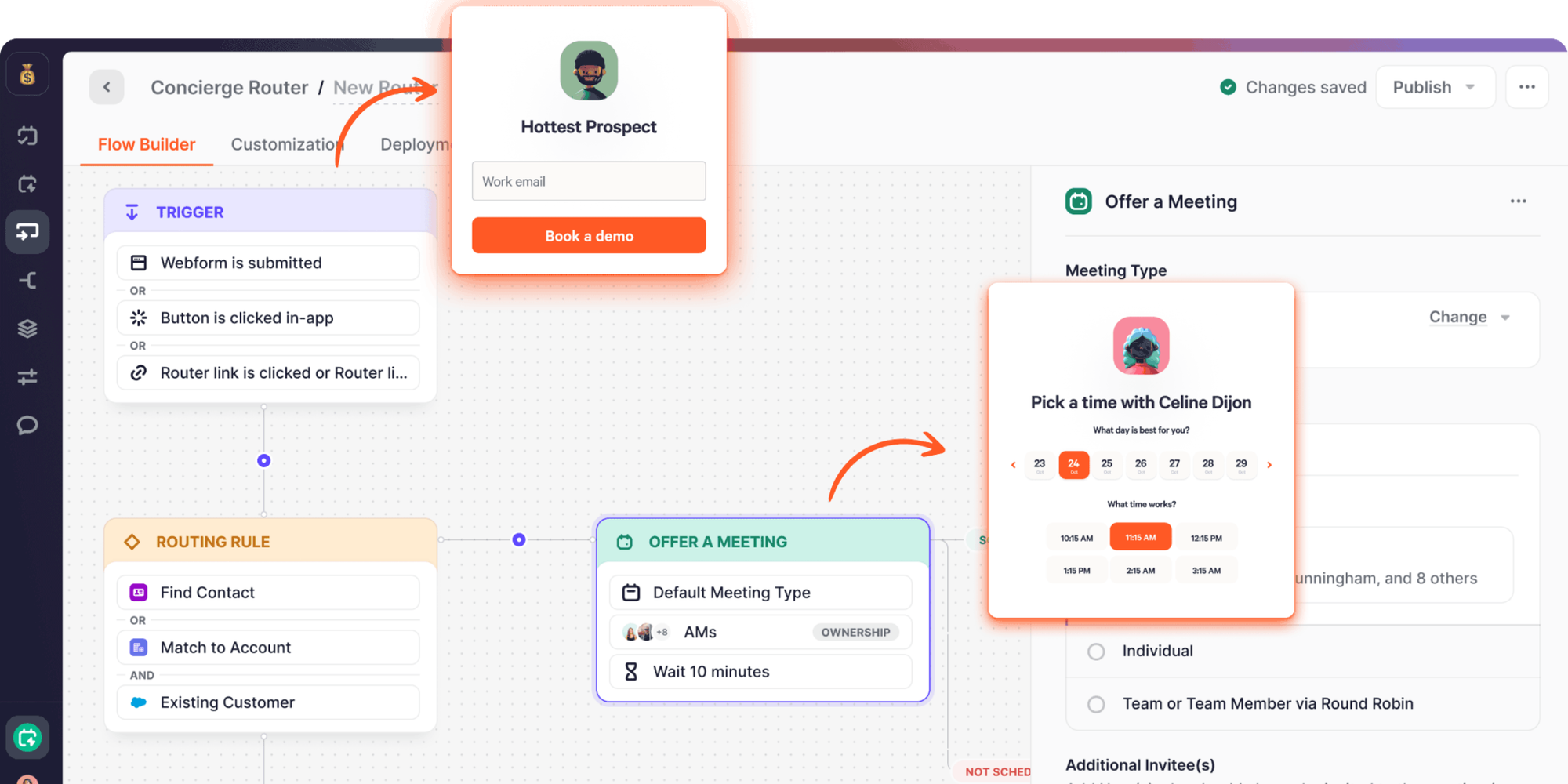
Chili Piper is built for B2B teams, especially sales and revenue teams that need instant lead routing and advanced meeting logic.
Key Features
- Instant scheduling for inbound leads
- Team routing
- Salesforce integration
- Group scheduling
Pros
- Designed for revenue teams
- Highly automated
- Great for enterprise use
Cons
- Expensive
- Requires setup expertise
- Not made for solo providers
If you’re running a sales organization, Chili Piper can automate your entire inbound scheduling flow.
6. Engageware (previously TimeTrade)
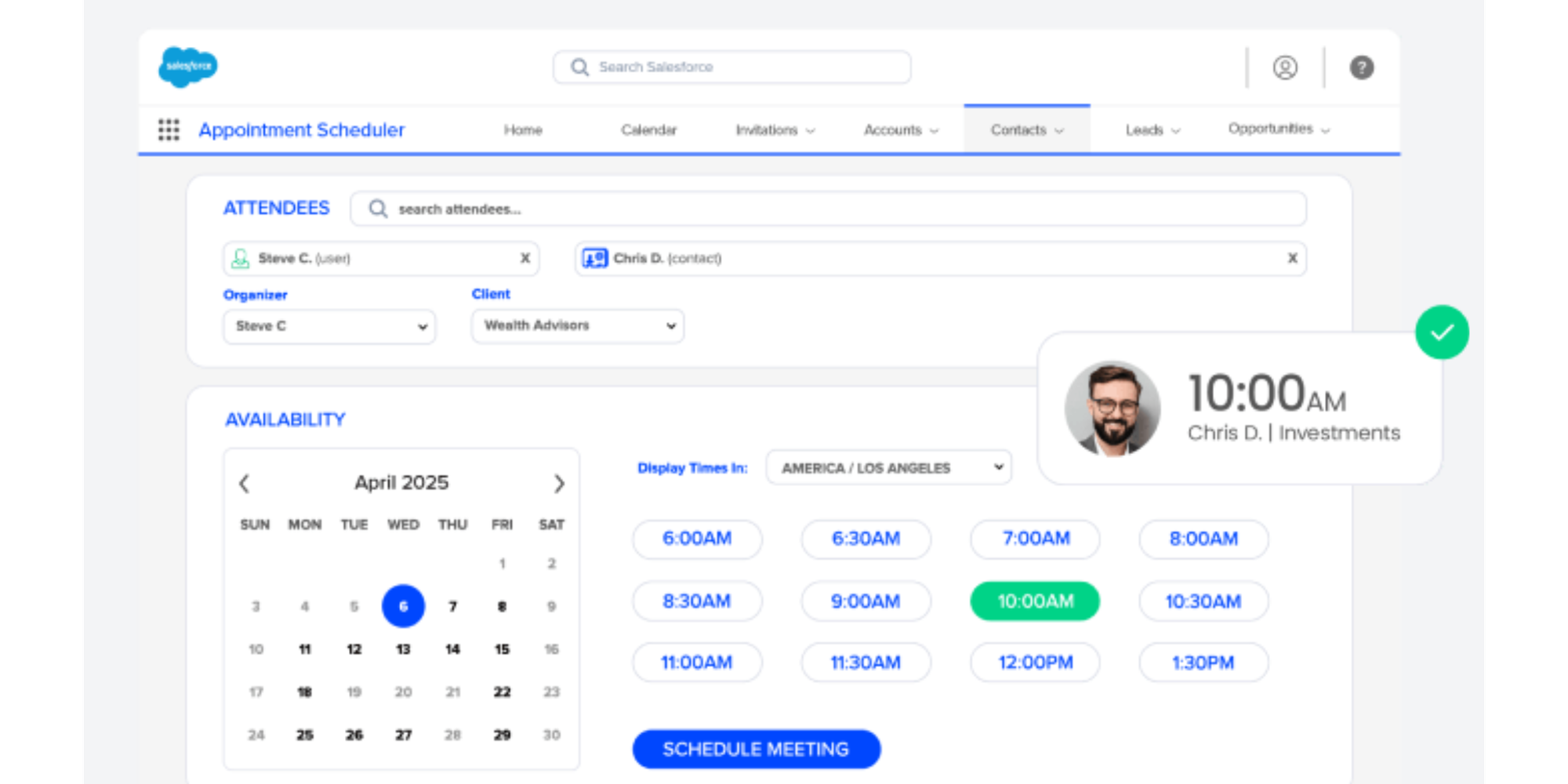
Engageware is an enterprise scheduling platform used by large organizations, banks, and corporate teams.
Key Features
- Appointment routing
- Customer engagement workflows
- Large-team management
- Enterprise security
Pros
- Extremely powerful
- Built for scale
- Deep integrations
Cons
- Not built for individuals or small teams
- Requires onboarding and training
- Pricing is enterprise-tier
It’s best for large teams with complex customer journeys.
7. Rallly
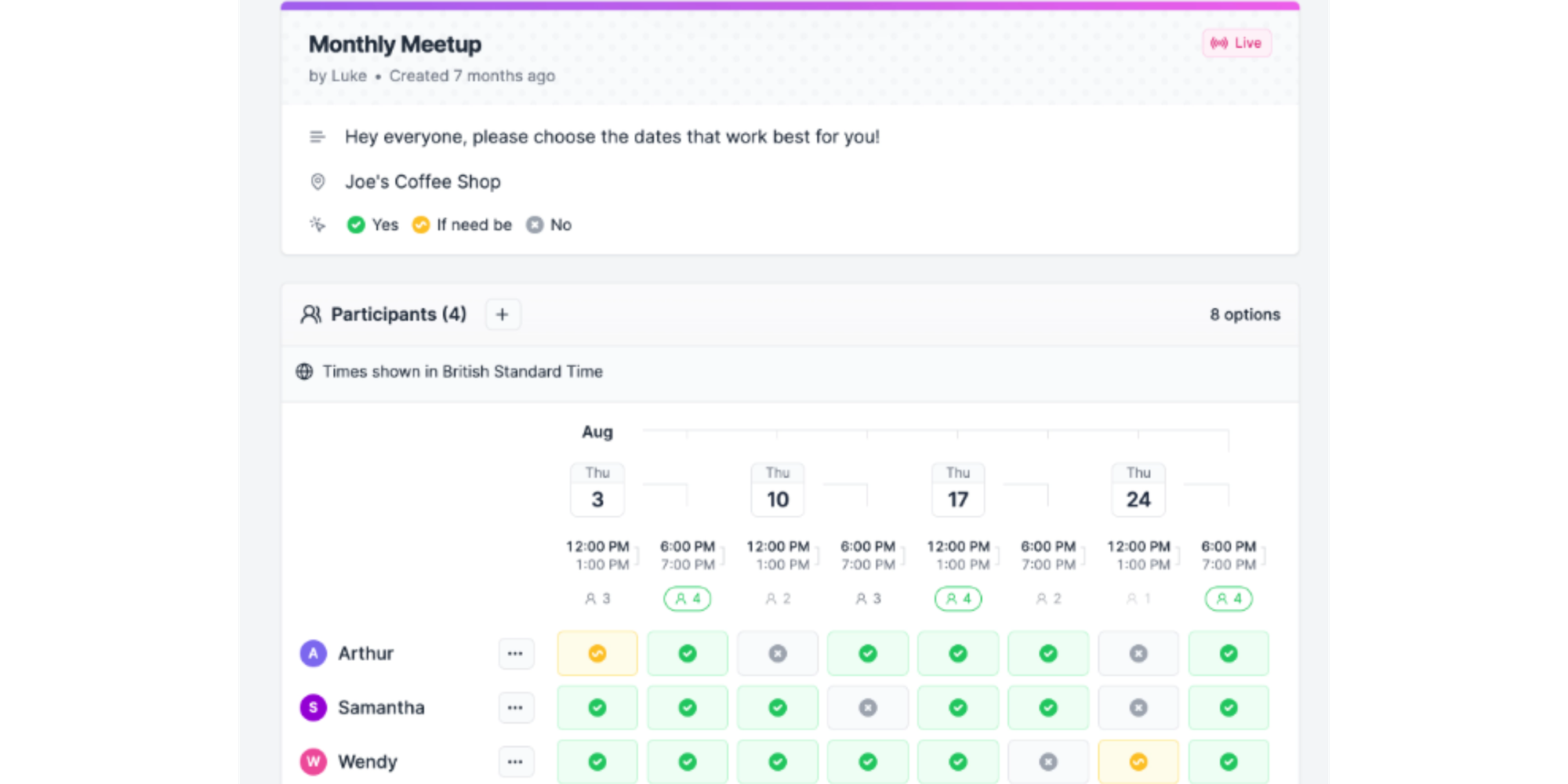
Rallly is a simple, modern tool for running meeting polls, similar to classic Doodle, but cleaner and more intuitive.
Key Features
- Clean scheduling polls
- Time zone support
- Group scheduling
Pros
- Very simple
- Easy for participants
- Great for lightweight group planning
Cons
- Limited features
- Not suitable for client booking
- No advanced customization
Think of Rallly as a more modern version of free Doodle, not a full scheduling system.
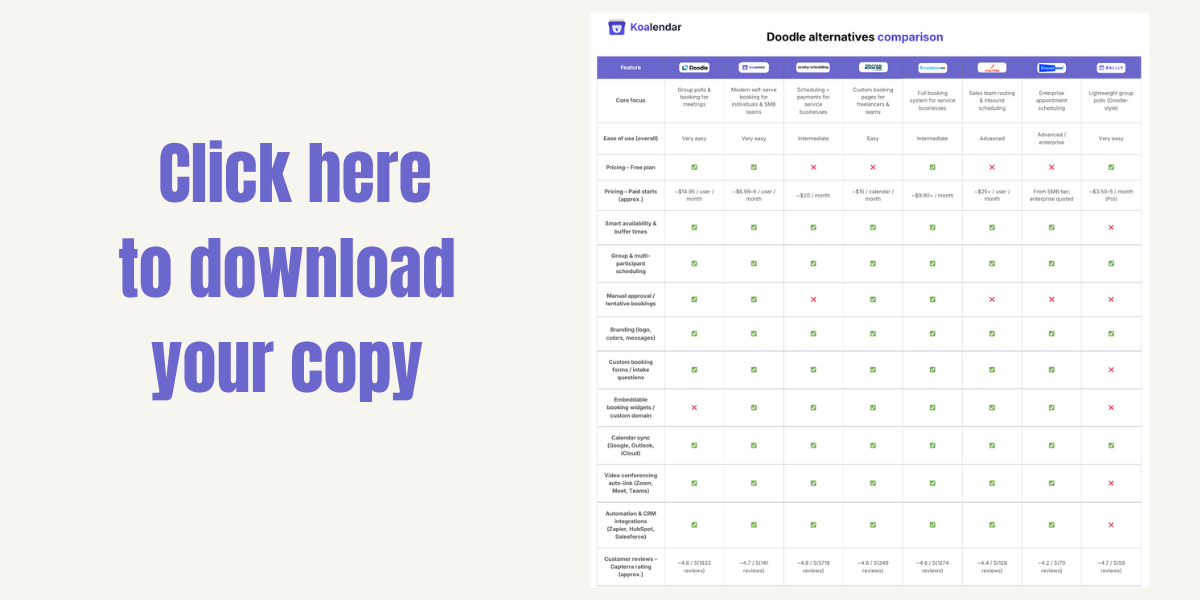
Downloadable comparison chart of Doodle scheduling alternatives
How to choose the right Doodle alternative for your needs
Here’s a quick way to decide which tool fits your workflow.
Koalendar is the right choice if you want:
- Professional personalized booking pages
- A truly user friendly setup
- Powerful features without the learning curve
- Unlimited bookings on a free plan
- Reliable 24/7 online booking
- Calendar sync that just works
- Clean, modern design
Perfect for: Coaches, consultants, freelancers, SMB teams, and anyone who wants to simplify scheduling without sacrificing professionalism.
Acuity Scheduling is the right choice if you want:
- Built-in payments
- Packages and memberships
- Strong customization
YouCanBookMe is the right choice if you want:
- Simple, clean booking pages
- Affordable pricing
SimplyBook.me is the right choice if you want:
- A full service-business system
- A client portal or memberships
Chili Piper is the right choice if you want:
- Advanced lead routing for sales teams
TimeTrade is the right choice if you want:
- Enterprise-level automation
Rallly is the right choice if you want:
- A simple replacement for Doodle’s free meeting polls
Conclusion
If you’ve made it this far, you’ve probably felt the limits of Doodle in your day-to-day work. Maybe you’ve hit the wall on branding and wished your booking links looked more like your business. Maybe calendar sync glitches, lack of deeper integrations, or weak reminders have left you double-checking every meeting. Or maybe you’re just tired of juggling polls when what you really need is a simple, reliable way for clients to book you.
The good news is: you’re not stuck. You’ve seen how today’s Doodle alternatives go beyond basic meeting polls. The best tools:
- Give you personalized booking pages that look professional and on-brand
- Offer smart availability and buffer times so you’re never rushed into back-to-back calls
- Handle 24/7 online booking while you focus on actual client work
- Sync cleanly with Google, Outlook, and other calendars
- Use automated reminders to quietly reduce no-shows
For busy coaches, consultants, freelancers, and small teams, that’s not a “nice to have”—it’s what keeps your day under control.
If you mainly need a quick group poll, Doodle can still do the job. But if your days are filled with client sessions, intro calls, coaching programs, workshops, or recurring check-ins—and you need a steady, reliable way for people to book those without email ping-pong—then you’ve outgrown what Doodle was built for.
That’s exactly where Koalendar fits: a clean, user-friendly alternative that gives you branded booking pages, reliable calendar sync, and smart reminders without complicated setup.
You don’t have to overhaul your entire tech stack to upgrade your scheduling. Swap out the weakest link, keep your existing calendars and tools, and let Koalendar quietly take over the admin.
If you feel like your business has moved past “Let’s Doodle a time for this” and into “Here’s a link—pick a time that works for you” Koalendar is a simple next step to try—and an easy one to stick with.
Try Koalendar — The simpler alternative to Doodle