When you’re trying to get five, ten, or fifty people to agree on a time, the right scheduling tool can feel like magic. And two of the simplest tools for that job are When2meet and Doodle.
Both are popular online scheduling platforms built around availability polls, but they’ve evolved in very different directions. In this in-depth When2meet vs Doodle comparison, we’ll look at features, pricing, user experience, and real-world use cases—plus a third alternative, Koalendar, worth knowing.
When2meet vs Doodle at a glance
Quick comparison
 |  | |
| Core focus | Simple availability grid for group meeting scheduling | Full scheduling software for teams + group polls |
| Price | Free (ad-supported, donations) | Free + paid tiers from around $6.95–$8.95 per user/month |
| Typical use | Informal group meeting scheduling (clubs, friends, student projects) | Professional meetings, team scheduling, client bookings |
| Integrations | None (no calendar or app integrations) | Deep integrations with Google, Outlook, iCloud, Zoom, Teams, Stripe, etc. |
| Branding & automation | Very basic; no automations, no branding | Booking pages, reminders, payments, workflows for teams |
If you just want a free, lightweight meeting planner tool to find a time for your group, When2meet is hard to beat. If you want scheduling software for teams, with bookings, reminders, and payments, Doodle is the more complete solution.
What is When2meet?
When2meet is a minimalist web tool that helps you find a time slot that works for a group. You create an event, choose potential dates and a time range, then share a link. Each participant highlights the blocks when they’re available on a grid; overlapping green areas show the best time to meet.
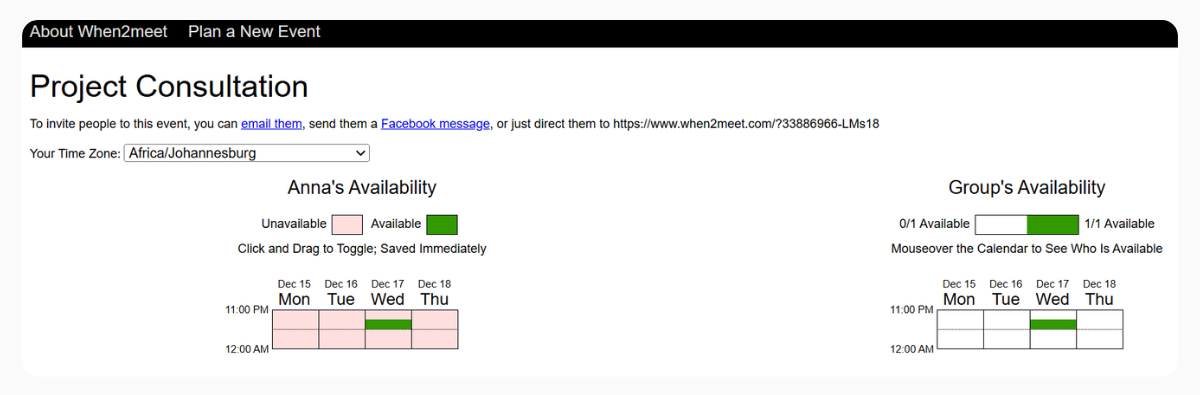
The interface is very minimal and built almost entirely around a visual availability grid, so you can set up and check polls quickly. It’s clearly designed for group scheduling rather than 1:1 client bookings or automated workflows. The trade-offs: there are no calendar integrations, reminders, or follow-up emails, and the dated, desktop-only interface can feel a bit clunky. Overall, When2meet is one of the simplest meeting planner tools online: it focuses on a single job—finding a time for a group—and does it fast and for free.
What is Doodle?
Doodle started as a polling tool similar to When2meet but has evolved into a broader online scheduling platform. Today, it offers:
- Group polls
- 1:1 scheduling links
- Multi-use booking pages
- Reminders and confirmations
- Payments and advanced integrations
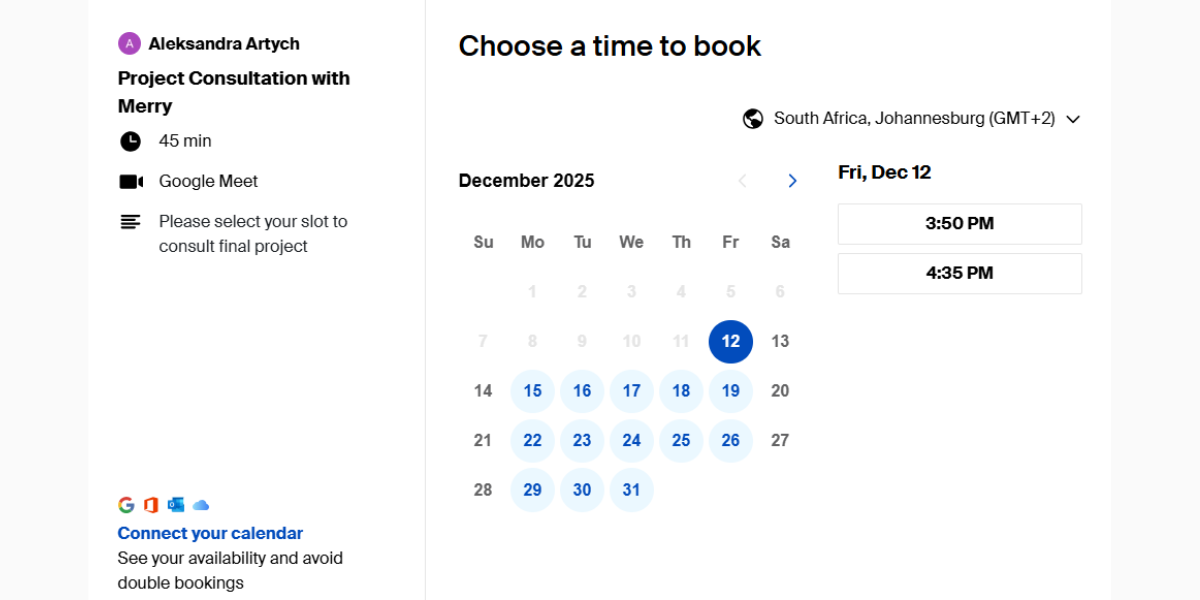
From its own marketing and recent independent reviews, Doodle positions itself as scheduling software for teams, especially for sales, hiring, internal syncs, and events.
Who are these scheduling tools built for?
| | |
| Built for | Informal groups who just need a quick way to find a time | Professionals, teams, and businesses that need structured scheduling |
| Best for | Students, clubs, communities, and friends’ meetups | Teams, consultants, recruiters, sales, HR, and client-facing roles |
| Primary use case | Simple group availability polling to find overlapping times | Managing 1:1s, group meetings, and client bookings with automation |
When2meet: informal coordination and large groups
When2meet shines when:
- You’re organizing student projects, gaming sessions, or hobby groups
- Participants don’t share the same calendar system
- You don’t need automated reminders, just a quick overlap of availability
- You want a free tool with no logins or setup overhead
This makes it a favorite for clubs, small communities, and one-off events, where convenience outweighs polish.
Doodle: professionals, teams, and client-facing work
Doodle is built for:
- Teams (sales, HR, marketing, support) who need recurring meetings and structured workflows
- Freelancers and consultants scheduling paid sessions with clients
- Companies that care about branding, automation, and integrations
- Use cases like hiring, onboarding, webinars, and recurring team syncs, where calendars, reminders, and payments matter
Takeaway: Use When2meet if you want a free, ultra-simple tool to quickly find a time that works for a group and don’t need automation or integrations. Choose Doodle if scheduling is part of your professional workflow and you need a polished, integrated scheduling platform with calendar sync, reminders, and a better experience for teams and clients.
When2meet and Doodle pricing comparison
Pricing and available plans might determine which tool makes sense long term. Here’s how they compare.
When2meet pricing summary
When2meet keeps things extremely simple:
- Price: Free
- Monetization: Display ads and voluntary donations
There are no tiers, upgrades, or hidden features. That’s its biggest strength and its biggest limitation.
Doodle pricing summary
Doodle offers a classic SaaS pricing model with a free plan and paid tiers. Exact pricing can change, but in 2025 most sources show:
- Free plan – for individuals “getting started” with simple scheduling and basic polls
- Pro – around $6.95 per user/month, adding advanced scheduling features and integrations
- Team – around $8.95 per user/month, with admin controls and team features
- Enterprise – custom pricing for large organizations
What you pay for with Doodle:
- Better automation (reminders, confirmations, bookings)
- Multiple meeting types and booking pages
- Deeper integrations (video, payments, CRMs)
- Admin controls for teams
Pricing takeaway
If your budget is zero and you mostly run quick group polls, When2meet wins. If you want a business-ready scheduler and you’re okay paying per user, Doodle or a Doodle alternative are the better investment.

Key features comparison: When2meet vs Doodle
When it comes to features, Doodle offers polling and professional meeting automation while When2meet focuses on polling simplicity.
| | |
| Group meeting scheduling | ✅ | ✅ |
| 1:1 scheduling | ❌ | ✅ |
| Recurring scheduling | ❌ | ✅ |
| Calendar integrations (Google, Outlook, etc.) | ❌ | ✅ |
| Video / payment integrations | ❌ | ✅ |
| Automation & reminders | ❌ | ✅ |
| Branded, professional booking pages | ❌ | ✅ |
| No login required for participants | ✅ | ❌ |
| Completely free to use | ✅ | ❌ (paid tiers) |
Key takeaway: Use When2meet when you need a free, ultra-simple way to find a time that works for a group, and use Doodle when you need a professional, integrated scheduling platform with calendar sync, automations, and polished booking pages for clients and teams.
Ease of use: Which feels better day to day?
When2meet is incredibly fast once you understand it: you drag over the grid, type your name, and you’re done. The learning curve is a bit steeper for non-technical users because the interface is so bare-bones.
Doodle feels more guided: templates for 1:1, group polls, and booking pages, plus tooltips and a more familiar UX for business users. Some power features add complexity, but most users find it straightforward.
Takeaway: If you’re onboarding a non-techy team and want them to enjoy using the tool, Doodle wins. If you’re sending a poll to university students or friends who don’t mind a quirky UI, When2meet is fine.
Customer satisfaction: What users say
Doodle reviews on G2 and Capterra consistently highlight ease of use, efficient group coordination, and strong value even on the free tier. Users also like that “everyone already knows Doodle,” which reduces friction. Some note overlap with existing calendars and that advanced features sit behind paywalls.
When2meet feedback from guides and blog reviews tends to say:
- Great for basic, free group scheduling
- Limited features, no mobile apps, no integrations
- Fine for simple use, but serious teams eventually outgrow it and move to paid tools
Takeaway: So if you’re thinking long-term for a team or business, Doodle’s track record is stronger. For casual groups, When2meet’s “good enough and free” vibe wins hearts.
How to choose: When2meet vs Doodle
Here’s a quick decision guide:
Choose When2meet if:
- You need fast, free group meeting scheduling
- You care more about simplicity than integrations
- Participants are mostly friends, volunteers, or students
- You don’t mind manually adding meetings to your calendar
Choose Doodle if:
- You’re scheduling with clients, leads, candidates, or stakeholders
- You want automation (reminders, confirmations, recurring bookings)
- You need calendar, video, and payment integrations
- You’re part of a team and need shared workflows and admin controls
If you identify as a business, agency, or growing team, Doodle is closer to the kind of scheduling software for teams you’ll want long-term. If you’re more of a community organizer, student, or casual meetup host, When2meet will probably cover 90% of your needs for free.
A third option worth considering: Koalendar
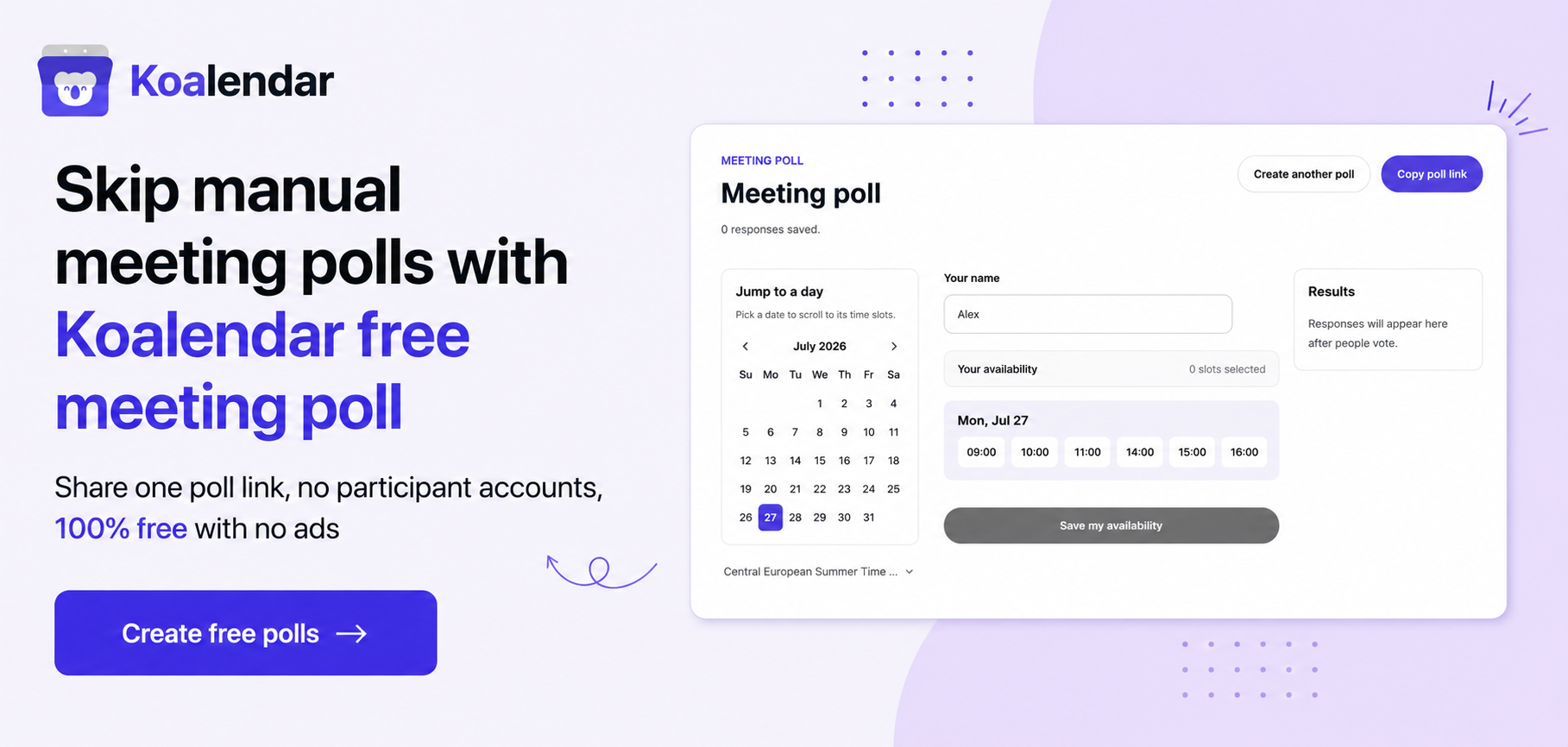
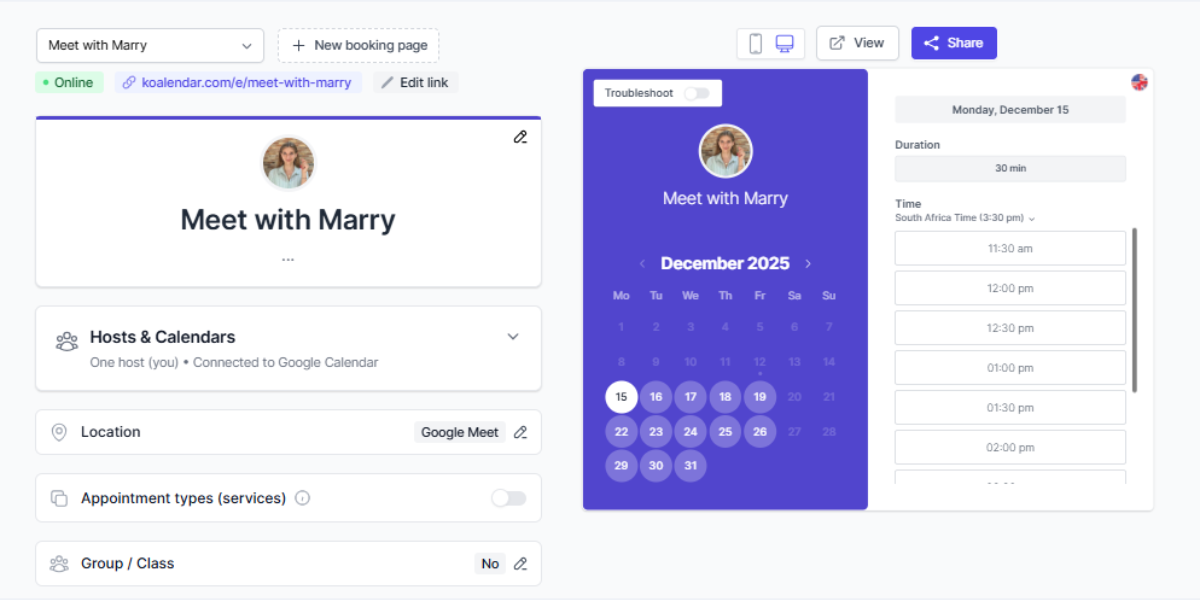
Koalendar is a third option worth a look. It’s a modern scheduling app built around booking links and calendar sync rather than availability grids, with a strong focus on ease of use. In practice, Koalendar sits somewhere between When2meet and Doodle both in pricing and features: It has a free forever plan and paid versions and it doesn’t use availability grids or polls at all, because it doesn’t need to—Koalendar automatically checks everyone’s availability in their calendars and only shows time slots that actually work.
.png?w=2000&fit=max&auto=format)
Like Doodle, Koalendar lets you embed booking pages on your website, send automatic reminders to reduce no-shows, and even collect payments for paid sessions on its Pro plan.
"Sharing a Google Calendar via its URL is ugly. When Doodle dropped their calendar sharing support, I tried different tools but they all didn't provide the features I was looking for. Eventually I found Koalendar and it's exactly what I need. It has a free version, it's easy but flexible to configure and people wanting to book a meeting with me can do it fast and easy."

Roger L.
CEO
To sweeten the deal, Koalendar’s free forever plan includes unlimited bookings, scheduling pages, and event types, plus real-time sync with Google, Outlook, and iCloud calendars, smart time zone detection, instant booking notifications, and video-conferencing links.
Ready to keep scheduling simple, professional, and affordable? Try Koalendar free today—no credit card needed.