TL;DR
If you’re still building weekly schedules in spreadsheets, the right tool can save hours, cut scheduling conflict headaches, and make it easier to manage availability, time off, notifications, and coverage.
- For employee shift scheduling, the strongest small-business options are Connecteam, Homebase, Deputy, When I Work, and Sling.
- For client appointment booking, Koalendar and Calendly are the better fit.
The key is choosing the tool that matches your workflow: staff shifts or client self-booking.
For businesses that want clients to book online 24/7 without back-and-forth emails, Koalendar stands out with a generous free forever plan, smart availability, calendar sync, branded booking pages, reminders, group bookings, and customizable forms.
If you run a small business, you already know the schedule can make or break the week. One no-show, one missed text, or one overtime surprise can turn a normal day into a scramble. That’s why finding the best scheduling app for small business teams matters so much.
This guide breaks down the best scheduling software for small business owners who want something simpler than spreadsheets but less overwhelming than enterprise HR software. We’ll compare the best free and low-cost tools, explain the difference between employee shift scheduling and client appointment booking, and help you decide what’s worth paying for.
What makes a scheduling software right for a small business?
The right tool should feel lighter than your spreadsheet, not heavier. For most teams with 5 to 50 staff, that means easy setup, clear pricing, a solid mobile app, and fewer moving parts.
You also need the right kind of scheduler. That’s where many businesses get stuck.
Which type of scheduling app do you need?
If you manage staff shifts
Choose employee scheduling software when you need to:
- assign shifts to employees
- track availability and time off
- handle shift swap requests
- watch overtime and labor cost
- notify staff quickly when schedules change
- connect scheduling to time clock or payroll
This is the lane for tools like Connecteam, Homebase, Deputy, When I Work, and Sling.
If clients book appointments
Choose appointment scheduling software when you need customers to:
- book services online
- pick a time based on your availability
- get automatic reminders
- fill out intake questions
- pay before the appointment
- join group sessions or classes
This is where Koalendar and Calendly fit best. They are built for client self-booking, not employee rota planning.
Appointment booking vs. employee shift scheduling
These categories sound similar, but they solve different problems.
Employee scheduling helps a manager decide who works when.
Appointment booking helps a client or colleague decide when they can book you.
If you run a salon, clinic, coaching business, or any service business, you may need both. One tool can manage staff shifts, while another handles customer bookings. That’s also why businesses looking for the best online booking system for small business often end up choosing a different product than businesses searching for the best scheduling software for service business operations.
For example, a cleaning company may use shift software to assign cleaners, but use Koalendar to let customers book consultations or estimate calls. A therapy practice may use staff schedules internally, but rely on booking software for patient appointments and reminders.
What to look for
Here’s what matters most for small teams:
- Small-team usability: Can a manager build a schedule without training videos?
- Transparent pricing: Is there a true free plan, a free trial, or hidden upgrade pressure?
- Mobile experience: Can deskless workers check updates, request time off, and confirm shifts from their phone?
- Conflict prevention: Does the tool show availability, leave, and overtime risk before problems happen?
- Notifications and accountability: Are schedule changes easy to publish and confirm?
- Time tracking or payroll export: Useful for shift-based businesses, but not always needed for appointment-led businesses.
If scheduling conflict issues are already costing you time, our guide on scheduling conflicts: meaning, causes, and prevention goes deeper into how to reduce them.
The best scheduling apps
Here’s the quick side-by-side view.
 |  | WaitWell | Connecteam | Homebase | Deputy | When I Work | Sling | |
| Best for | Appointment booking | Appointment booking | Appointment booking + walk-in queue management | Employee shift scheduling | Shift scheduling for one location | Shift scheduling + labor control | Simple employee scheduling | Budget shift scheduling |
| Alerts | Instant notifications, email/SMS reminders on paid plans | Automated reminders on paid plans | SMS/email reminders, queue updates and wait-time notifications | Push notifications, in-app updates | Schedule updates, team messaging | Messaging, replacement workflows | Messaging and schedule alerts | Shift alarms, team updates |
| Free plan | Yes | Yes | No | Yes | Yes | No | No | Yes |
| Typical cost for a 10-person team | Free Forever; paid from $6.99/seat/month annually | Free; paid from $10/seat/month | From $29/month per location (Starter). Pricing is location-based, not per seat | Free for up to 10 users; paid from $29/month | Free for one location up to 10 employees; paid from $30/location/month | From about $50/month | From about $25/month | Free for up to 30 users |
| Key strength | Best value for client self-booking | Familiar external booking tool | Combines online appointments and virtual queues to reduce customer waiting times | All-in-one app for deskless teams | Easy for hourly, location-based teams | Best for advanced scheduling control | Clean and simple scheduling | Affordable scheduling basics |
Pricing and free-plan details above come from current vendor pricing pages.
Best free scheduling apps
Online booking system (free plans)
Koalendar
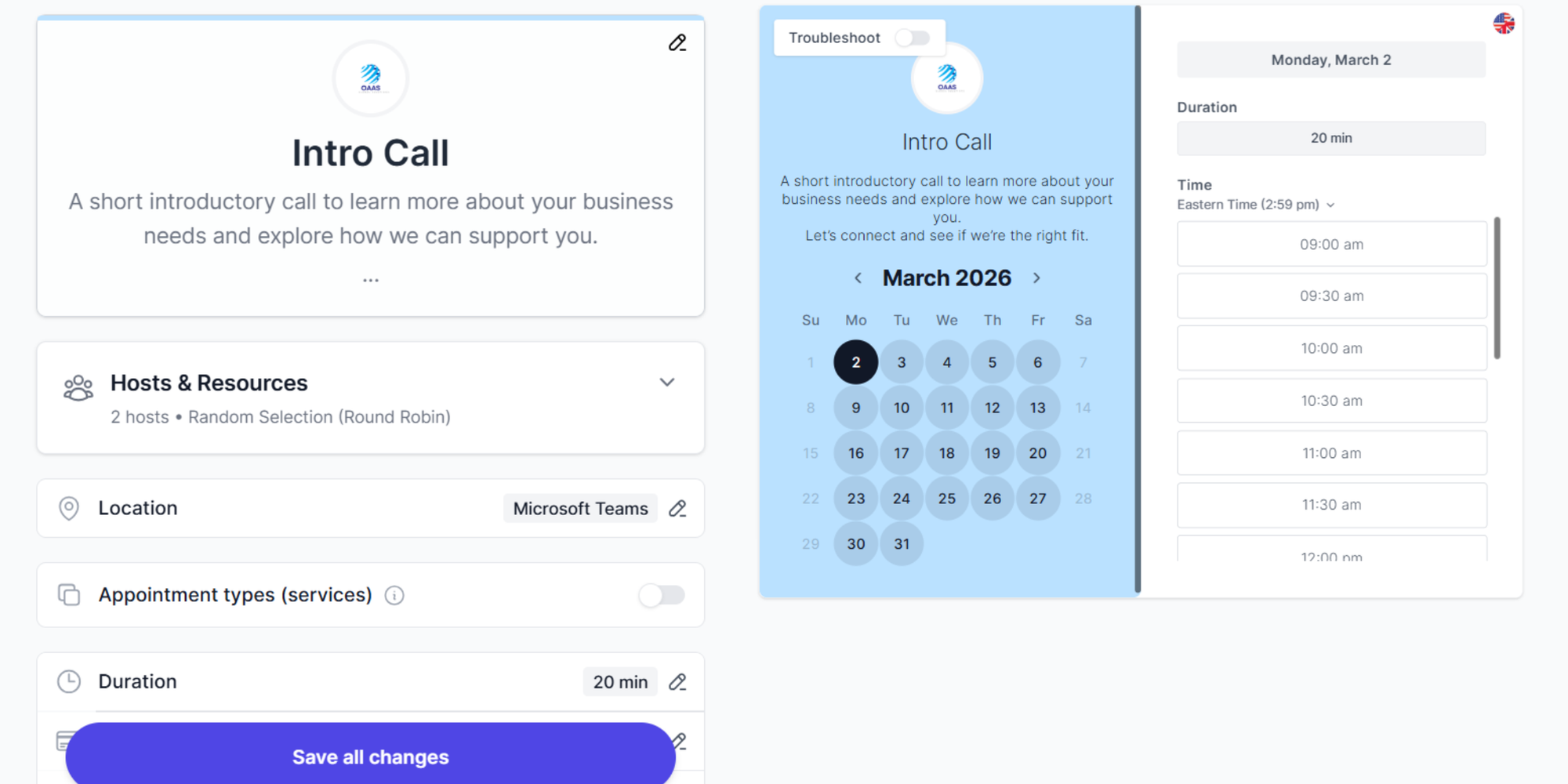
Koalendar is the strongest choice here if you want the best free scheduling app for small business use on the appointment side.
Key features
- Client self-booking with customizable booking pages, branded links, logo/colors, and support for 40+ languages.
- Appointment scheduling with shareable booking links and embeds.
- Smart availability with weekly rules, limits, buffers, round robin, and calendar sync to help prevent double-booking.
- Free forever plan with unlimited bookings, unlimited booking pages, and calendar sync.
- Custom booking forms, group bookings, tentative bookings, booking limits, waitlist, packages and integrations with tools like Google Calendar, Outlook, iCloud, Zoom, Teams, Stripe, Pay Pal and Zapier on higher tiers.
- Mobile app for easy access to all your bookings, wherever you are.
- Automated email and SMS reminders and follow-ups on Pro.
Limitations
- It is built primarily for appointment booking, so it is not the right tool for managing employee shifts, attendance, payroll, or labor compliance.
That makes Koalendar especially strong for salons, clinics, consultants, tutors, and other service businesses that need clients to self-book online. Even for sales teams who want to book more meetings and close deals faster without the back and forth. It’s also a better fit than shift software if your main goal is to reduce no-shows and stop chasing appointment confirmations. For that, see our guide on how to reduce no-show appointments.
Calendly
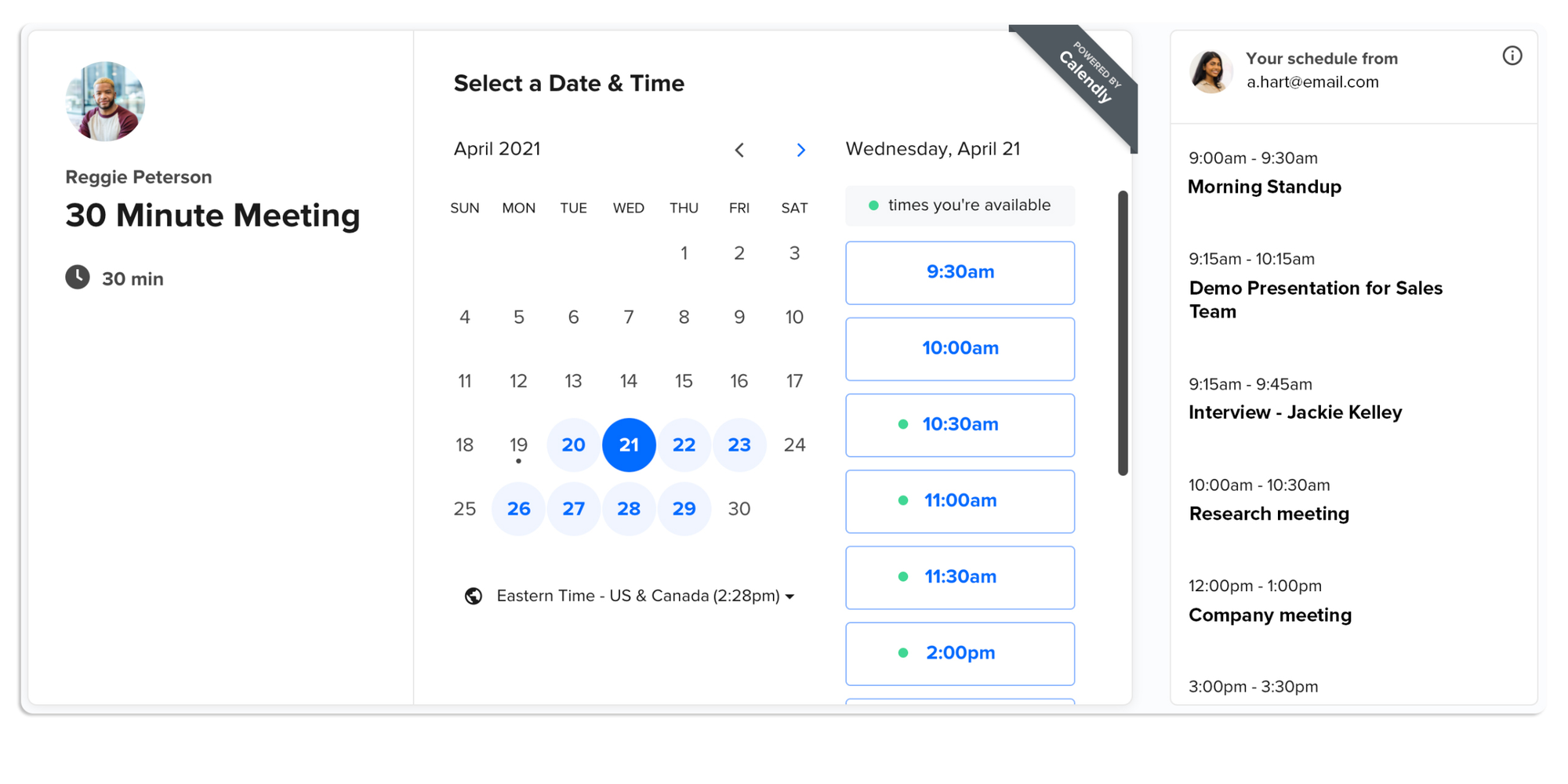
Calendly is a solid option if you need simple external scheduling and already know the platform. But its free plan is much narrower: one event type, one connected calendar, and basic booking controls. Automated reminders and unlimited event types start on the Standard plan at $10/seat/month billed yearly.
Key features
- Strong for appointment scheduling with shareable booking links, embeds, customizable availability, and mobile apps.
- Paid plans add automated reminders and follow-ups, workflows, analytics, and broader integrations.
- Useful for routing and qualification workflows, especially when teams need to direct people to the right person based on form responses.
- Supports payments and a wide ecosystem of integrations.
Limitations
- The free plan is relatively limited compared with Koalendar’s, with fewer scheduling capabilities available before you need to upgrade.
- Like Koalendar, it is designed for meeting and appointment booking, not employee shift scheduling or workforce operations.
Waitwell
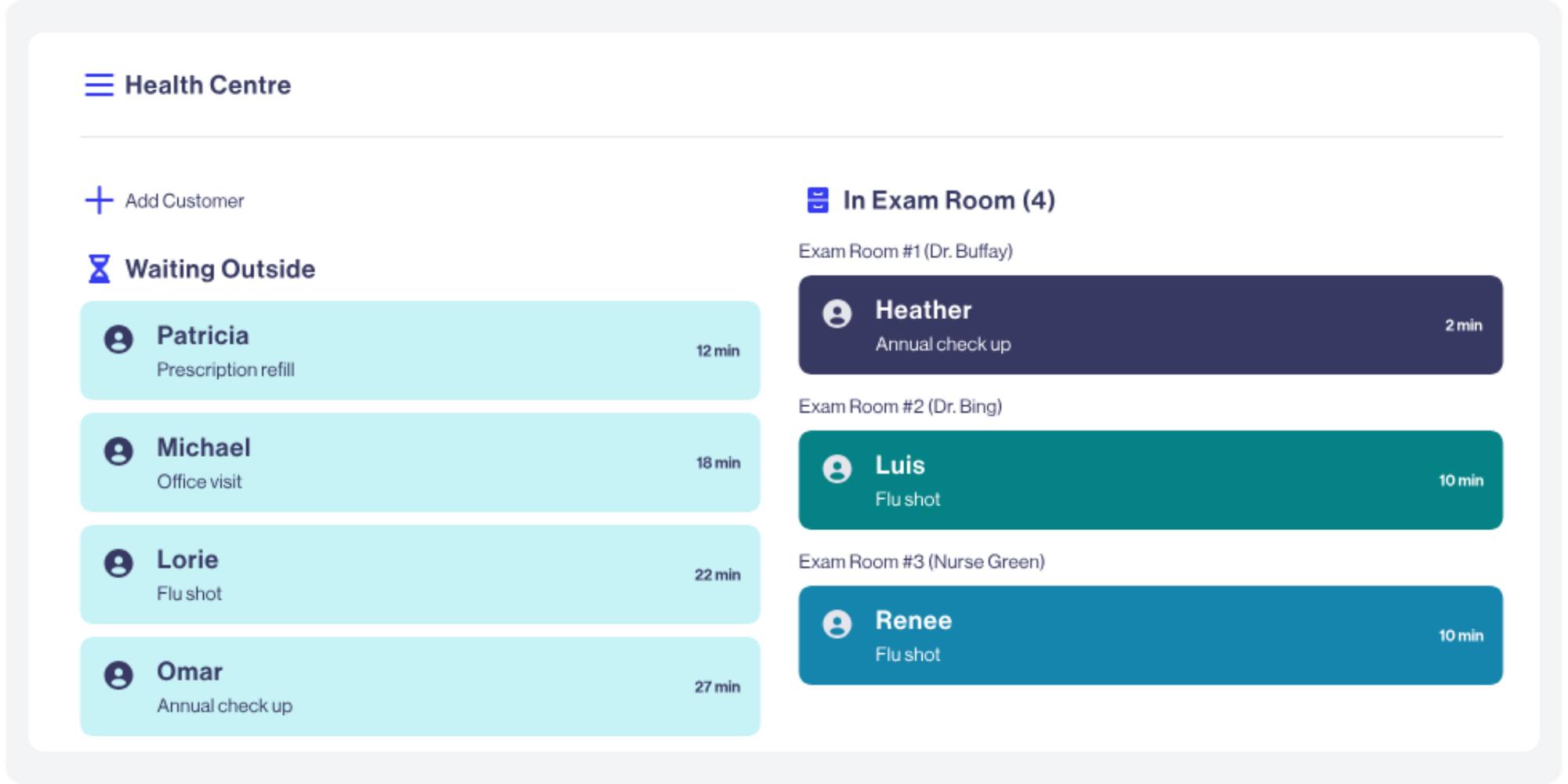
WaitWell is a strong option for small businesses that need to manage both scheduled appointments and walk-in customers. Unlike traditional booking tools, WaitWell combines appointment scheduling with virtual queue management, helping businesses organise customer arrivals, reduce waiting times, and keep service moving.
Key features
- Appointment and walk-in management: Manage advance bookings and walk-in customers together, with both feeding into the same service queue.
- Virtual queues: Let customers join a queue using a QR code, website link, or on-site kiosk instead of standing in line.
- Automated notifications: Send appointment reminders, queue updates, and estimated wait times by SMS or email.
- Two-way messaging: Communicate directly with customers about their appointments or service requests.
- Payments and reporting: Collect payments and monitor customer flow and service performance.
- Multi-location management: Coordinate appointments and queues across different branches, with more advanced capabilities on higher-tier plans.
Limitations
- There's no advertised free plan, and pricing is based on locations rather than individual users.
- The Starter plan is designed for relatively low-volume businesses, so growing customer traffic may require an upgrade.
- Its queue management features may be unnecessary for businesses that only need clients to book meetings or appointments online.
Employee scheduling apps (free plans)
Connecteam
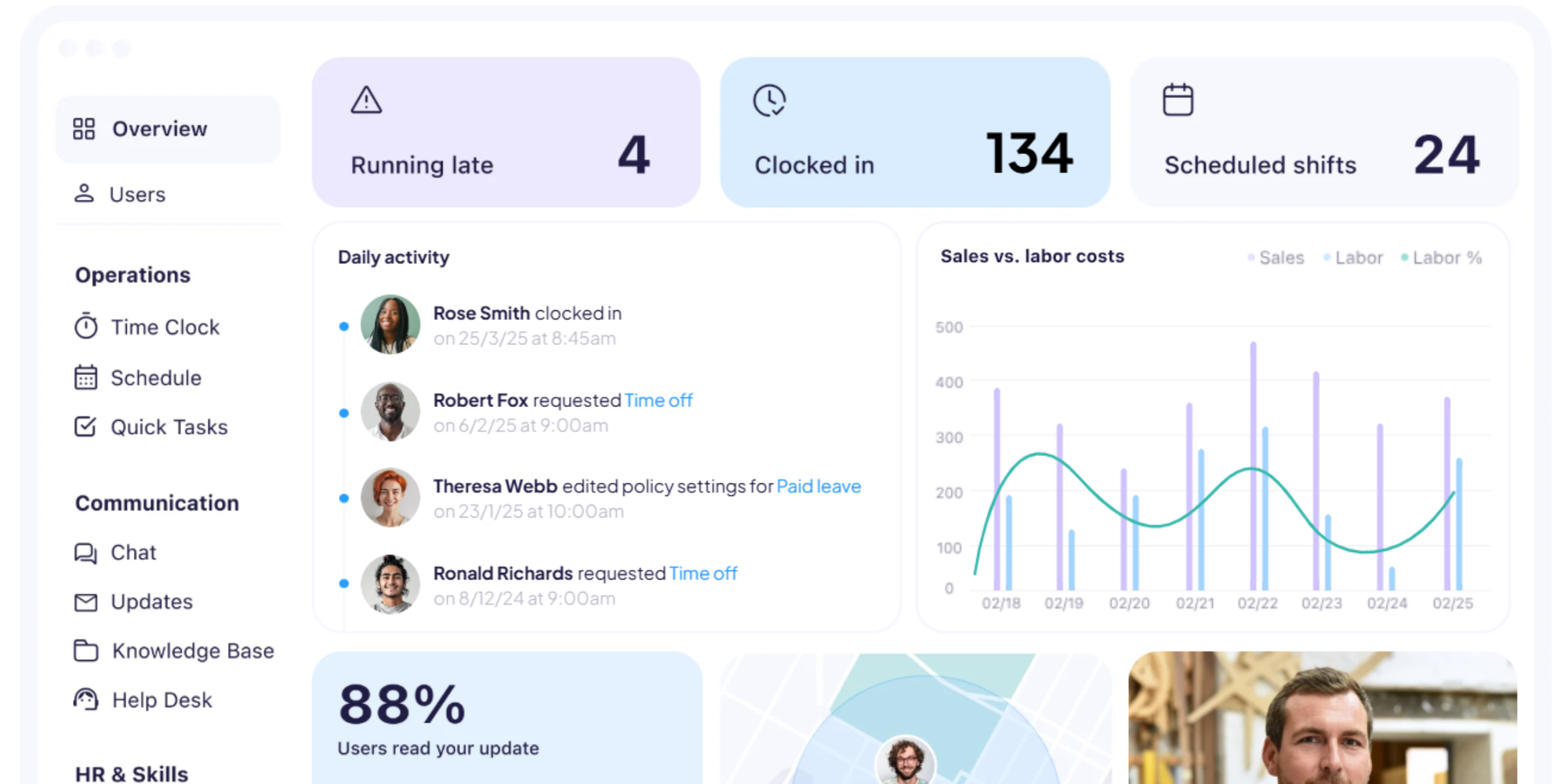
Connecteam is one of the best free shift schedulers for very small teams. Their small business plan is free for businesses with fewer than 10 employees. Paid plans start at $29/month for up to 30 users. It’s a good match for deskless worker teams that want scheduling, attendance, chat, and tasks in one mobile-first app.
Key features
- Built for frontline and deskless teams, combining scheduling, time tracking, communication, and operational tools in one app.
- Includes employee scheduling, availability management, leave handling, and shift collaboration.
- Strong time clock capabilities with optional geofence controls, late or missed clock-in alerts, and real-time attendance visibility.
- Also covers internal chat and broader team coordination, which makes it more of an all-in-one operations app than a basic scheduler.
Limitations
- It can feel broader than necessary if you only want a lightweight scheduling tool and do not need communication, tasks, or operations features.
- It is aimed at workforce management, so it is not the best fit when your main need is client self-booking.
Homebase
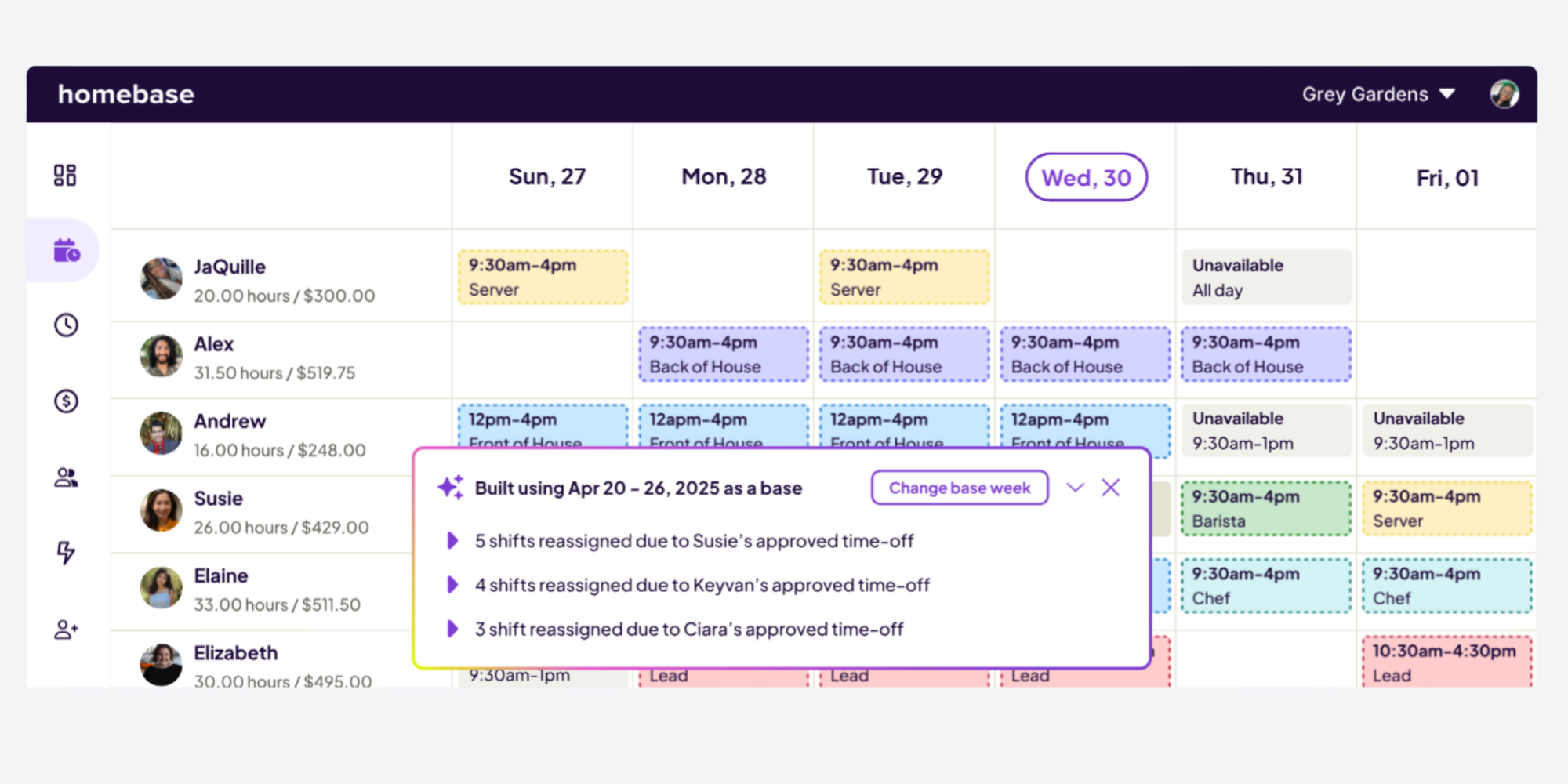
Homebase works well for small hourly teams, especially in retail, hospitality, and food service. They have a free Basic plan for one location and up to 10 employees, including basic scheduling and point-of-sale integration, with advanced scheduling and team communication on paid tiers from $30/location/month.
Key features
- Well suited to hourly teams that need scheduling, time clocks, payroll workflows, and team messaging in one place.
- Lets managers build schedules around availability, roles, and labor costs.
- Publishes schedule changes through text, email, and app notifications, with automatic shift reminders.
- Goes beyond scheduling with hiring, onboarding, HR tools, and compliance-related workflows.
Limitations
- It is best aligned with location-based hourly teams, so it may be less ideal for businesses that mainly need external appointment booking.
- Its broader payroll and HR scope may be more than some very small teams need if they only want a simple rota tool.
When a free plan is enough
A free plan can be enough when:
- you run one location
- your team is small
- you mainly need weekly schedule publishing
- your reporting needs are light
- you can live without advanced payroll or compliance features
What free plans usually leave out
Free plans often limit one or more of these:
- automated scheduling
- advanced notifications
- labor cost controls
- compliance settings
- advanced time tracking
- payroll export
- branding or custom booking flows
- payment collection
What to test in a free trial
Before you commit, test these five things:
- How fast can you publish next week’s schedule?
- Can staff update availability and time off easily?
- How clearly do notifications show schedule changes?
- Can you catch overtime or conflict risk before publishing?
- On the appointment side, can a customer book without help in under two minutes?
Features worth paying for
Not every upgrade is worth it. But a few features usually pay for themselves quickly.
Must-have features
- Self-booking. If clients can book themselves, your team spends less time answering “Are you free next Tuesday?” emails.
- Reminders and notifications. These reduce no-shows and last-minute confusion.
- Calendar sync. This helps prevent double-booking and keeps availability current.
- Mobile access. Non-desk teams need updates on the go, not at a computer.
If you’re trying to turn your website into a booking channel, how to make a booking website and how to get more bookings online are helpful next reads.
Appointment scheduling tools (paid plans)
Koalendar
Koalendar earns the strongest recommendation here for service businesses. It covers the features small teams actually use: customizable booking pages with branding, smart availability rules, round robin, calendar sync to prevent double-booking, custom booking forms, group bookings and classes, booking limits, tentative bookings, integrations with Google Calendar, Outlook, iCloud, Zoom, Teams, Stripe, and Zapier, plus automated email and SMS reminders.
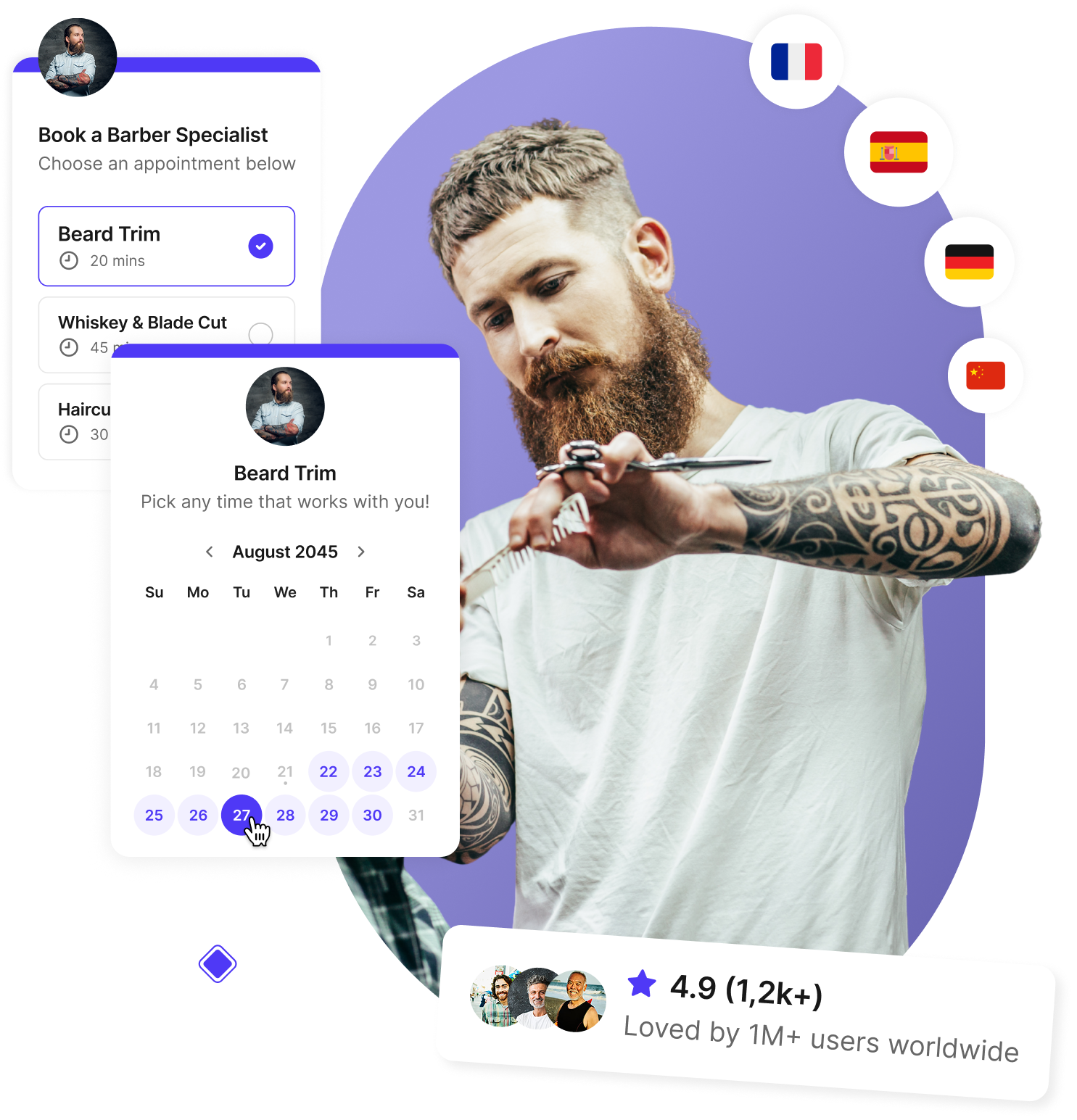
Pro costs $6.99 per seat per month annually, which is notably lower than Calendly Standard.
Calendly
Calendly is best when your needs are simple and your team already uses it. Paid plans unlock unlimited event types, multiple calendar connections, Stripe and PayPal, HubSpot and Zapier integrations, and automated reminders. Standard is $10/seat/month yearly and Teams is $16/seat/month yearly.
Shift scheduling tools (paid plans)
Connecteam
Best for small frontline teams that want scheduling plus communication and admin in the same app. Good for cleaning, field service, retail, and healthcare support teams.
Deputy
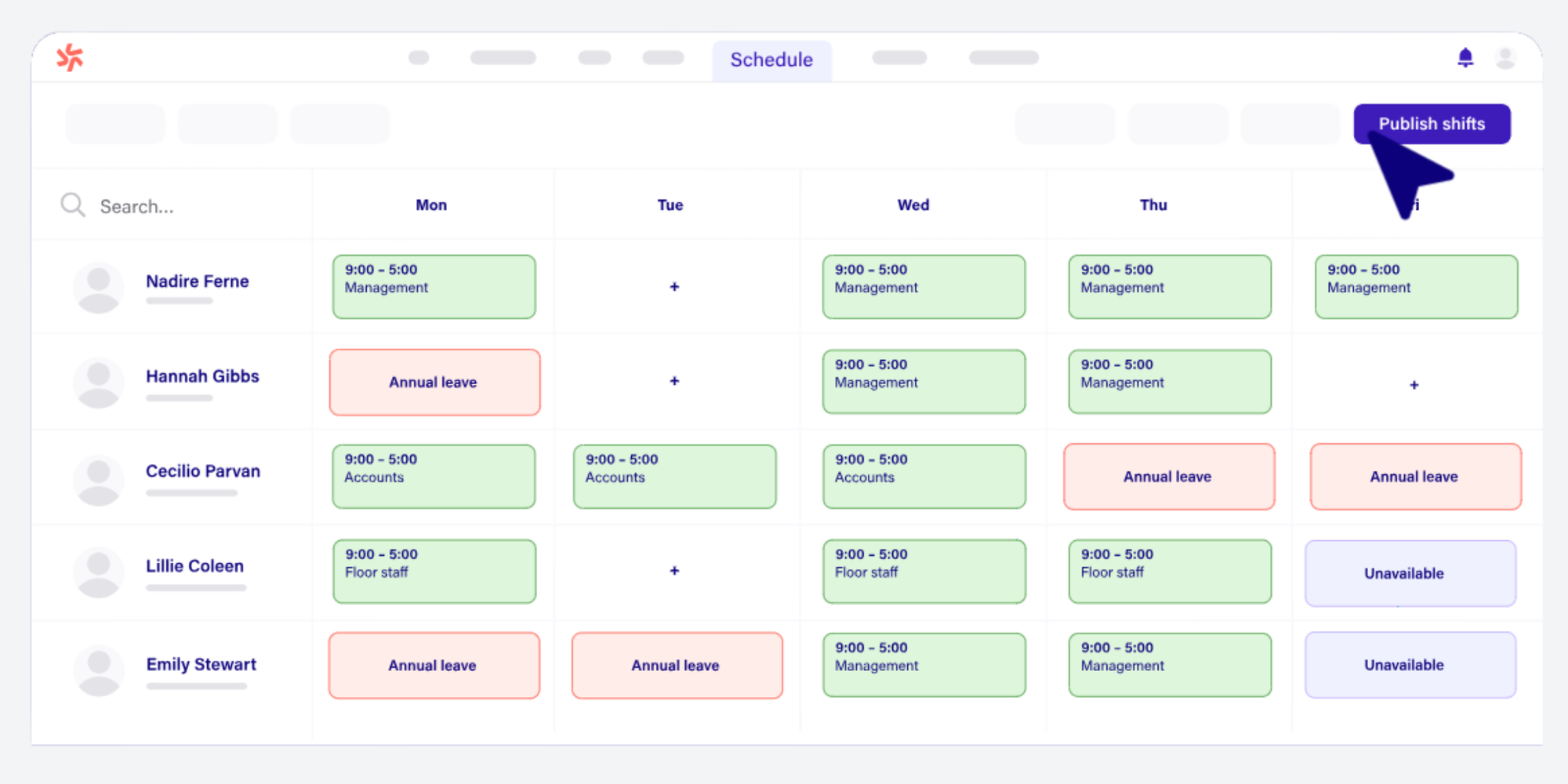
Deputy is strongest when scheduling gets operationally complex. Deputy shines as a more advanced workforce operations tool for shift-heavy businesses that want smarter scheduling and tighter control over what happens on the clock.
Key features
- Strong at advanced shift scheduling, time and attendance, and payroll-ready timesheets.
- Particularly strong on labor efficiency, staffing optimization, and visibility across operations.
- Includes leave and availability management, shift swap/find replacement, messaging, and reporting.
- Notable strength in labor law compliance, including break planning and missed-break tracking.
Limitations
- It is more operations-heavy than basic schedulers, so it may feel like more system than a very small team needs.
- It is not positioned as an appointment-booking tool for customers.
Pricing
Lite starts at $5/user/month, Core at $6.50/user/month, and Pro at $9/user/month.
Homebase
Best for single-location hourly businesses that want predictable per-location pricing.
Pricing Essentials is $30/location/month, Plus $70, and All-in-One $120 monthly, all with unlimited employees at one location.
When I Work
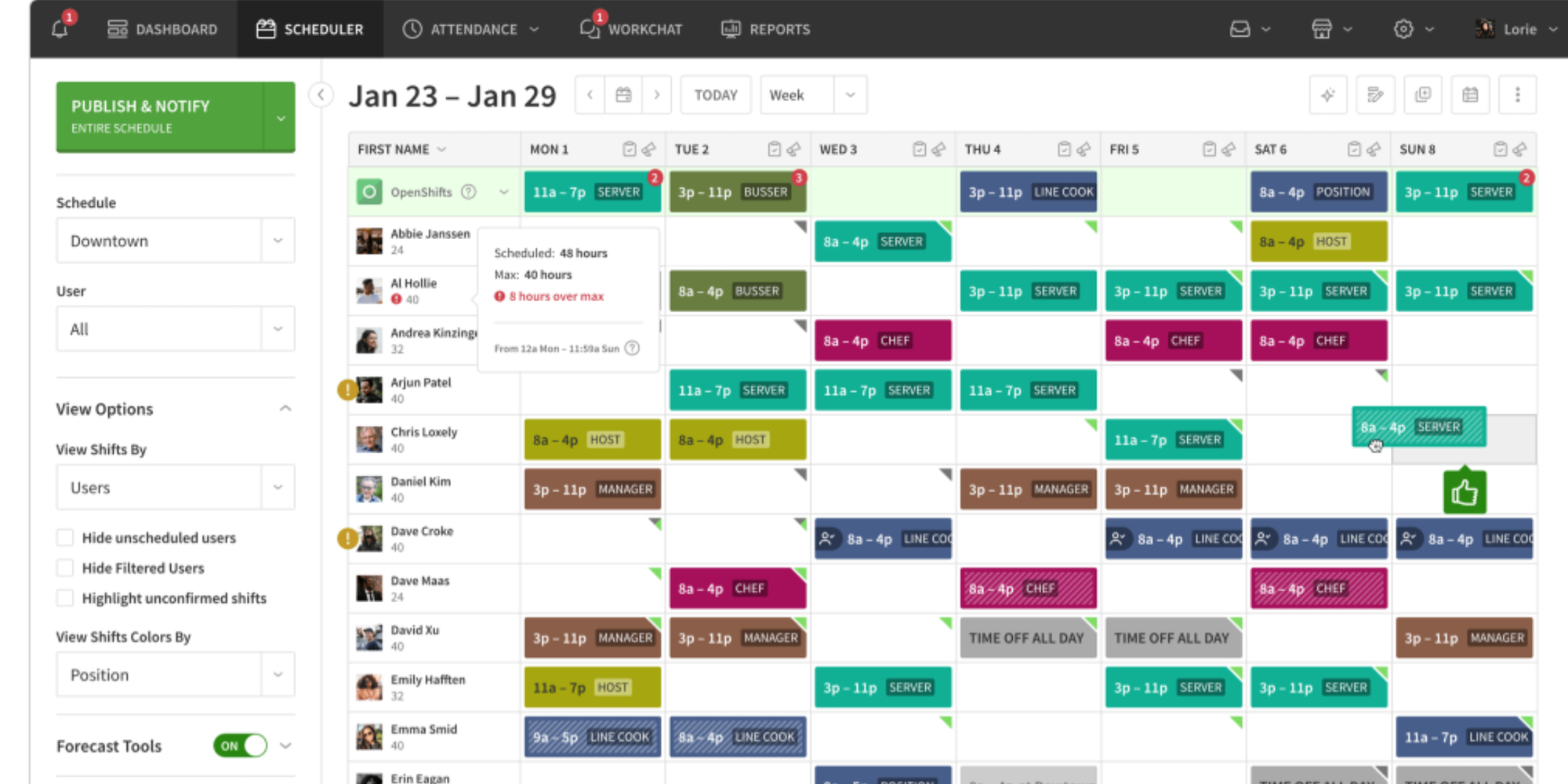
When I Work shines at simplicity and day-to-day team coordination. It’s best for managers who want to build schedules quickly, share them instantly, track attendance, and keep everyone aligned without adding a lot of extra system complexity.
Key features
- Focused on shift-based employee scheduling with time tracking and team communication.
- Good for mobile, deskless teams that need schedule access, clock-ins, and time-off requests from the app.
- Includes messaging that keeps schedules, reminders, shift changes, and direct messages in one place.
- Works well across multiple sites or departments where managers need quick visibility and fast updates.
Limitations
- It is more focused on doing scheduling and attendance well than being a broader business operations suite. This is an inference from the feature emphasis across its product pages.
- It is not intended for customer-facing appointment booking. This is an inference from the product’s workforce focus.
Best for straightforward shift scheduling without a lot of extra complexity.
Pricing starts at $2.50/user/month for single-location teams and $5/user/month for multi-location businesses.
Sling
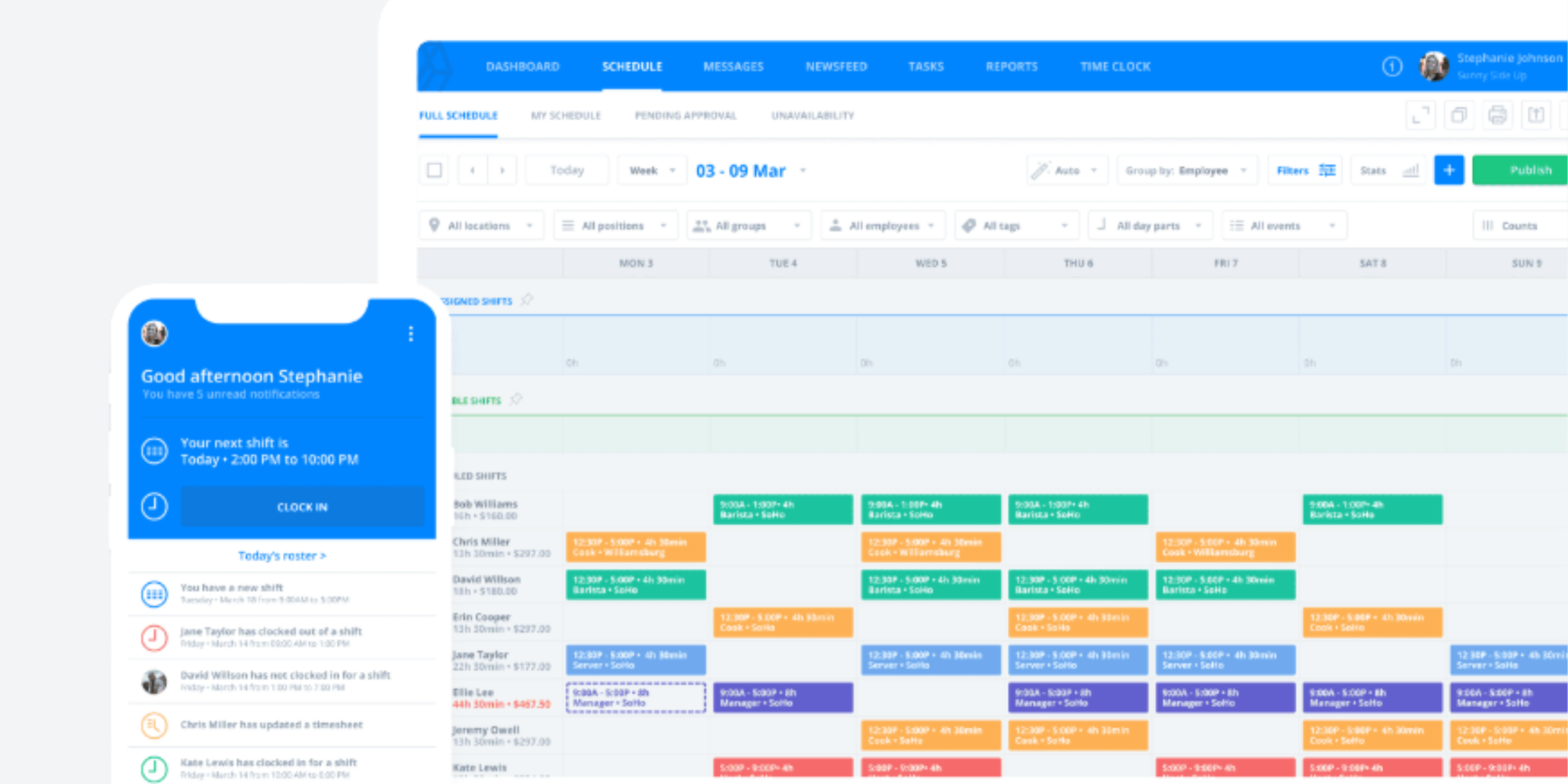
Sling’s strengths are affordability and accessibility. Its biggest advantage is giving small businesses a very usable scheduling tool without a big upfront commitment, which makes it especially attractive for budget-conscious teams.
Key features
- Very strong for budget-friendly employee scheduling, with core shift scheduling free for up to 30 users.
- Covers the basics well: scheduling, time off, shift trade requests, announcements, news sharing, and mobile apps.
- Helps reduce schedule mistakes by flagging issues around time off, hours worked, and related scheduling variables.
- Paid tiers add mobile time tracking, labor cost management, overtime tracking, and private/group messaging.
Limitations
- Some stronger workforce controls, like deeper labor cost and time tracking features, sit on paid tiers rather than the free plan.
- It is primarily a shift scheduling and workforce coordination tool, not an online appointment-booking system.
Best for tight budgets. Its free plan is generous for scheduling basics, and paid plans add stronger attendance, labor cost, and reporting tools.
How much does scheduling software cost for a small business?
Pricing usually falls into three buckets:
- Free: basic scheduling or appointment booking
- Per user: common with shift scheduling and appointment tools
- Per location: common for hourly workforce software
Across the tools in this guide, free plans exist at Koalendar, Calendly, Connecteam, Homebase, and Sling.
Paid entry points range from about $2.50/user/month with When I Work to $30/location/month with Homebase, $29/month for Connecteam’s first 30 users, $5/user/month with Deputy Lite, $10/seat/month for Calendly Standard, and $6.99/seat/month for Koalendar Pro billed annually.
If you're currently using Google Calendar, it might be time to think of ways to automate your system and scale your business.
.png?w=2000&fit=max&auto=format)
Free vs. paid: real monthly cost examples
Here’s a simple way to budget:
| Team size | Shift scheduling example | Approx. monthly cost | Appointment booking example | Approx. monthly cost |
| 5 staff | Homebase Basic or Sling Free | $0 | Koalendar Free | $0 |
| 15 staff | When I Work single-location | ~$37.50 | Koalendar Pro (1 seat) | $6.99 annually billed monthly equivalent higher |
| 30 staff | Connecteam entry plan or Homebase Essentials | $29 to $30 | Koalendar Pro (2–3 seats depending on setup) | from ~$13.98 annually billed |
These examples are directional, not apples-to-apples, because some tools charge per user and others per location. Still, they show a useful pattern: shift software costs rise with workforce complexity, while booking software often stays affordable because only bookable users need seats.
What typically triggers upgrading
Small businesses usually upgrade when they need:
- automated reminders
- advanced notifications
- time tracking
- payroll export
- overtime alerts
- labor cost visibility
- custom branding
- payments
- group bookings
- approval workflows
How to choose the right tool for your business
Here’s the simplest decision rule:
Choose shift scheduling software if your main question is, “How do I schedule my employees?”
Choose appointment booking software if your main question is, “How do I let customers book time with us online?”
Questions to ask before you sign up
- Are you scheduling employees, clients, or both?
- Will most people use the mobile app?
- Do you need attendance or just scheduling?
- Does pricing scale by employee, seat, or location?
- Do you need reminders, payments, or intake forms?
- Is availability synced automatically, or updated manually?
- Can the tool prevent conflict issues before they happen?
For employee scheduling strategy, how to schedule employees effectively is worth bookmarking.
Decision checklist
Pick the tool that gives you these three wins first:
- less admin every week
- fewer last-minute schedule surprises
- clearer communication for your team or customers
Everything else is secondary.
Conclusion
The best scheduling software for small business depends on what you’re really trying to fix.
If you need to assign staff shifts, track attendance, manage time off, and avoid overtime, tools like Connecteam, Homebase, Deputy, When I Work, and Sling are the right place to look.
If you need customers to book online without phone tag, reminders to go out automatically, and your availability to stay accurate across calendars, Koalendar is the better fit. It’s simple, flexible, affordable, and built for businesses that want client self-booking without enterprise complexity.
Try Koalendar free - online scheduling for small businesses!
Create a branded booking page, let clients book 24/7, send automatic reminders, sync your calendars, and stay in control with smart availability, booking limits, and custom forms. Start with the free forever plan, and upgrade only when you need more.