Running a coworking space sounds simple, until the bookings start piling up.
At first it’s spreadsheets. Then emails. Then someone books the same meeting room twice. Members show up expecting desks that were never actually reserved. Suddenly, your team is spending hours each week just managing availability.
Unfortunately, that’s more common than you might think. According to insights shared across the Coworking Resources community, many operators still rely on multiple disconnected tools for booking, billing, and member management. That fragmentation creates errors, wasted time, and frustrated members.
That’s where the best coworking management software comes in.
The right platform helps you:
- Manage desk booking, meeting rooms, and resources
- Automate billing and payments
- Track space utilization and occupancy
- Handle member onboarding and check-ins
- Integrate with tools like Slack, Google Calendar, and access control systems
In this guide, we’ll break down the 10 best coworking management software platforms and show you how to choose the right one for your space.
TL;DR
If you just want the quick answer, here’s the short list.
| Optix | OfficeRnD | Nexudus | Archie | Spacebring | Envoy | Robin | Condeco | Kadence | Deskbird | |
| Best | Community-focused coworking spaces | operators | brands | Hybrid workplace + coworking | Boutique coworking spaces | Office visitor + desk management | Enterprise hybrid workplaces | Global enterprise offices | Hybrid workforce scheduling | Teams |
| Strength | Member experience + mobile app | Strong automation + integrations | Deep customization | Modern UX | Simplicity | Corporate offices | Analytics | Advanced booking | Desk booking | Simple desk management |
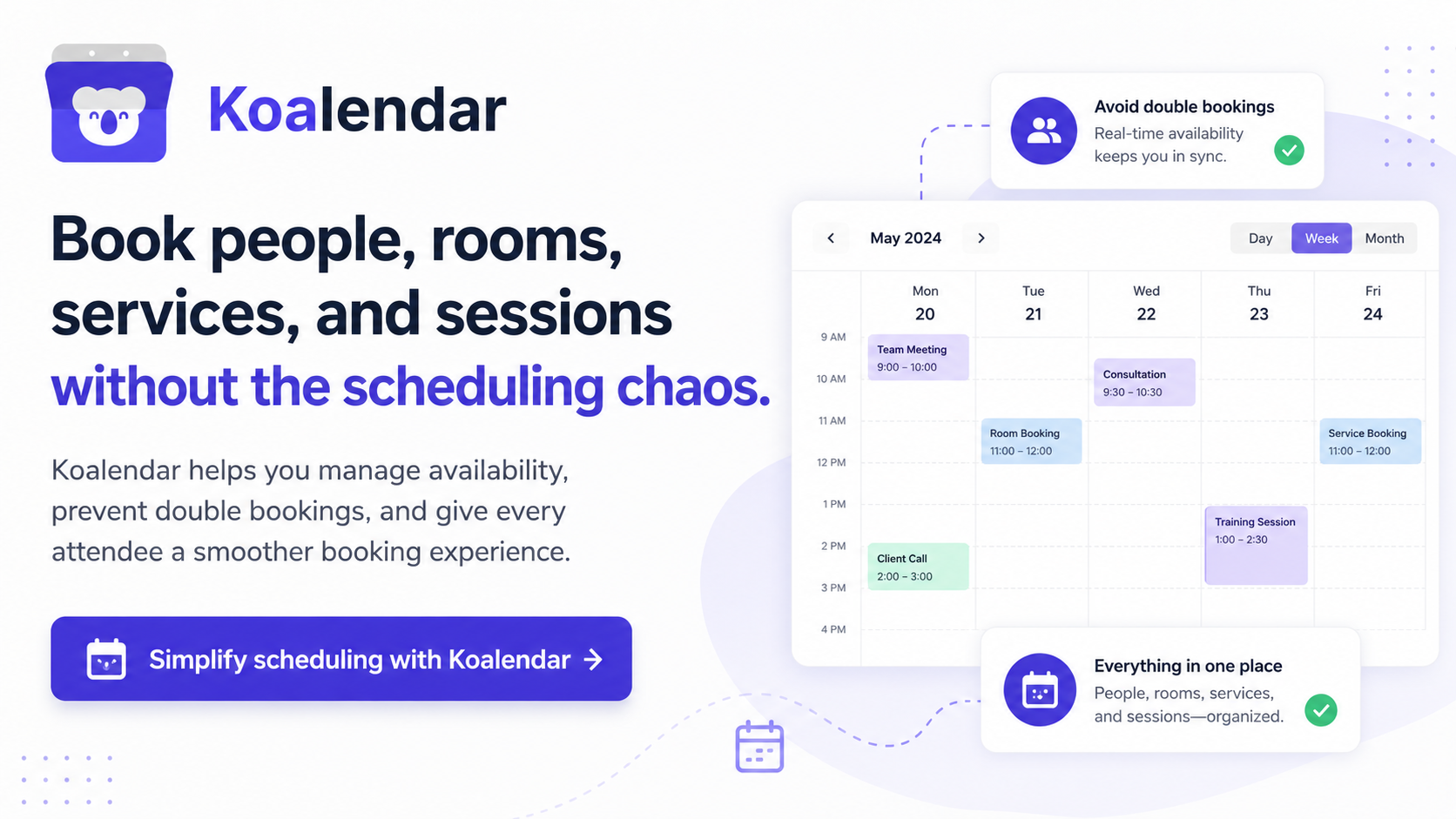
If you’re running a smaller coworking space or pilot location, a lightweight tool like Koalendar can also handle tour bookings, meeting room reservations, and events without complex setup.
Now let’s explore the platforms in detail.
What is coworking space management software?
Coworking operators juggle a lot: members, desks, meeting rooms, payments, and occupancy tracking.
The best coworking space management software brings all of that into one platform.
Instead of managing five tools, you can run your entire space from one dashboard.
What should it do?
At a minimum, a modern coworking software platform should include:
1. Desk and room booking
Members should be able to reserve desks, meeting rooms, private offices or shared resources. Most platforms offer self-service booking portals or mobile apps.
2. Member management
Operators need tools to manage: member profiles, contracts, onboarding, billing and invoices. This is especially important for subscription-based coworking models.
3. Payments and billing
Automated billing prevents revenue leakage. Good systems support: recurring membership payments, meeting room bookings and event registrations.
4. Analytics and reporting
Understanding space utilization helps optimize layout and pricing. For example, look for a tool that analyzes occupancy trends, most booked rooms and member usage patterns
5. Integrations
Modern workspaces rely on connected tools so you need to look for integrations with:Slack, Google Workspace, Microsoft 365, access control systems and visitor management tools.
How we chose and evaluated these platforms
Choosing coworking software can feel overwhelming fast. A lot of tools look great on a sales page, but the real test is how they hold up when your space gets busy. That’s why we focused on the things that matter most day to day: ease of use, core features, pricing, integrations, and support.
Features
First, we looked at the basics every strong platform should cover.
That includes:
- desk booking
- meeting room scheduling
- member management
- payments
- reporting
- visitor management
In other words, the software should help you run your space without stitching together five different tools. The more it can handle in one place, the easier it is to stay organized as your operations grow.
User experience (UX)
This part matters more than most teams expect.
Coworking software should feel simple for both operators and members. If the platform is hard to navigate, people won’t use it properly. And when that happens, small issues turn into daily headaches.
A clunky experience often leads to:
- booking mistakes
- frustrated members
- more support requests
The best tools make common tasks feel easy from day one. No long training sessions. No guessing where to click next.
Pricing
Pricing is rarely as straightforward as it first seems.
Some platforms charge per location, per desk, or even per member.
That’s why it’s important to look beyond the starting price. A tool that seems affordable at first can get expensive quickly as your coworking space grows. The goal is to understand the full cost before you commit, not after.
Integrations
Good software should work well with the tools you already rely on. We looked for platforms that connect with:
- Calendar systems
- Access control
- Accounting tools
- CRM systems
These integrations save time, reduce manual work, and help your team avoid messy workarounds. Put simply, your software platform should fit into your workflow, not force you to rebuild it.
Customer support
Coworking spaces don’t really run on a 9-to-5 schedule.
Members book early, stay late, and expect things to work when they need them. So when there’s a problem with bookings, check-ins, or availability, responsive support makes a real difference.
Reliable customer support matters because when your system breaks, your operations feel it right away. And in a busy shared space, that’s the kind of stress you want to avoid.
Quick comparison table (Top coworking management software)
| Optix | OfficeRnD | Nexudus | Archie | Spacebring | |
| Best for | Community coworking spaces | Scaling operators | Enterprise coworking brands | workspaces | Small coworking spaces |
| Desk booking | ✅ | ✅ | ✅ | ✅ | ✅ |
| Meeting room booking | ✅ | ✅ | ✅ | ✅ | ✅ |
| Member management | ✅ | ✅ | ✅ | Limited | ✅ |
| Billing automation | Limited | ✅ | ✅ | Limited | ✅ |
| Mobile app | ✅ | ✅ | ✅ | ✅ | ✅ |
| Pricing style | Per location | Per member | Custom | Per desk | Flat monthly |
Coworking vs. Office space management: Key differences
Before choosing software, it’s important to understand the difference between coworking platforms and office space tools.
They serve different needs.
Coworking platforms focus on
- memberships
- billing
- community
- events
- flexible desk access
Office space platforms focus on
- desk booking for employees
- visitor management
- hybrid workspace coordination
Some platforms overlap, but the most complete coworking management software typically includes billing and member management, which office tools often lack.
Coworking space management software
1. Optix
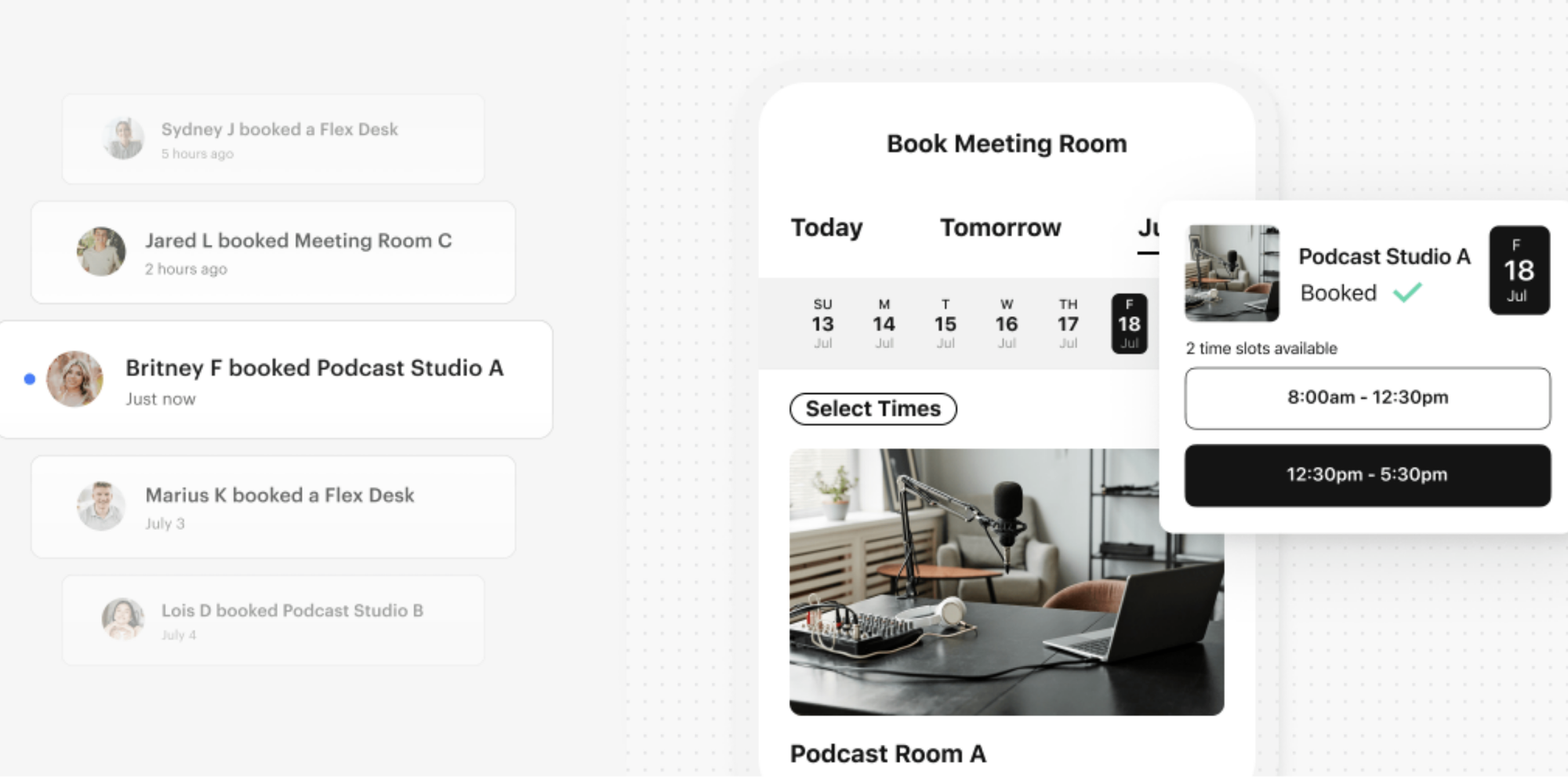
Optix positions itself as an automation-first platform for coworking and flex spaces, with core tools for booking, invoicing, CRM, automations, and a branded mobile app. On its site, the message is clear: this is software designed to help operators save time and scale without adding more manual work.
Key strengths
- Strong member experience, especially through its branded mobile app
- Covers the core coworking basics: booking, invoicing, CRM, and automations
- Reviewers often praise its ease of use and quick setup
- Works well for operators who want a polished, modern member-facing experience
Limitations
- Some users say integrations can feel limited depending on their setup
- The product leans heavily on mobile, so the desktop experience may feel less central for some teams
- Pricing is not especially transparent from public-facing sources
Pricing structure
Pricing is based on locations and users.
Essentials $197/month billed yearly (1 location, 50 users)
Pro $299/month billed yearly (1 location, 100 users)
Grow $498/month billed yearly (1 location, 250 users)
Scale plan available on demand.
Best for
Optix is a strong fit for community-led coworking spaces that care a lot about member experience and want automation without a bulky system.
OfficeRnD
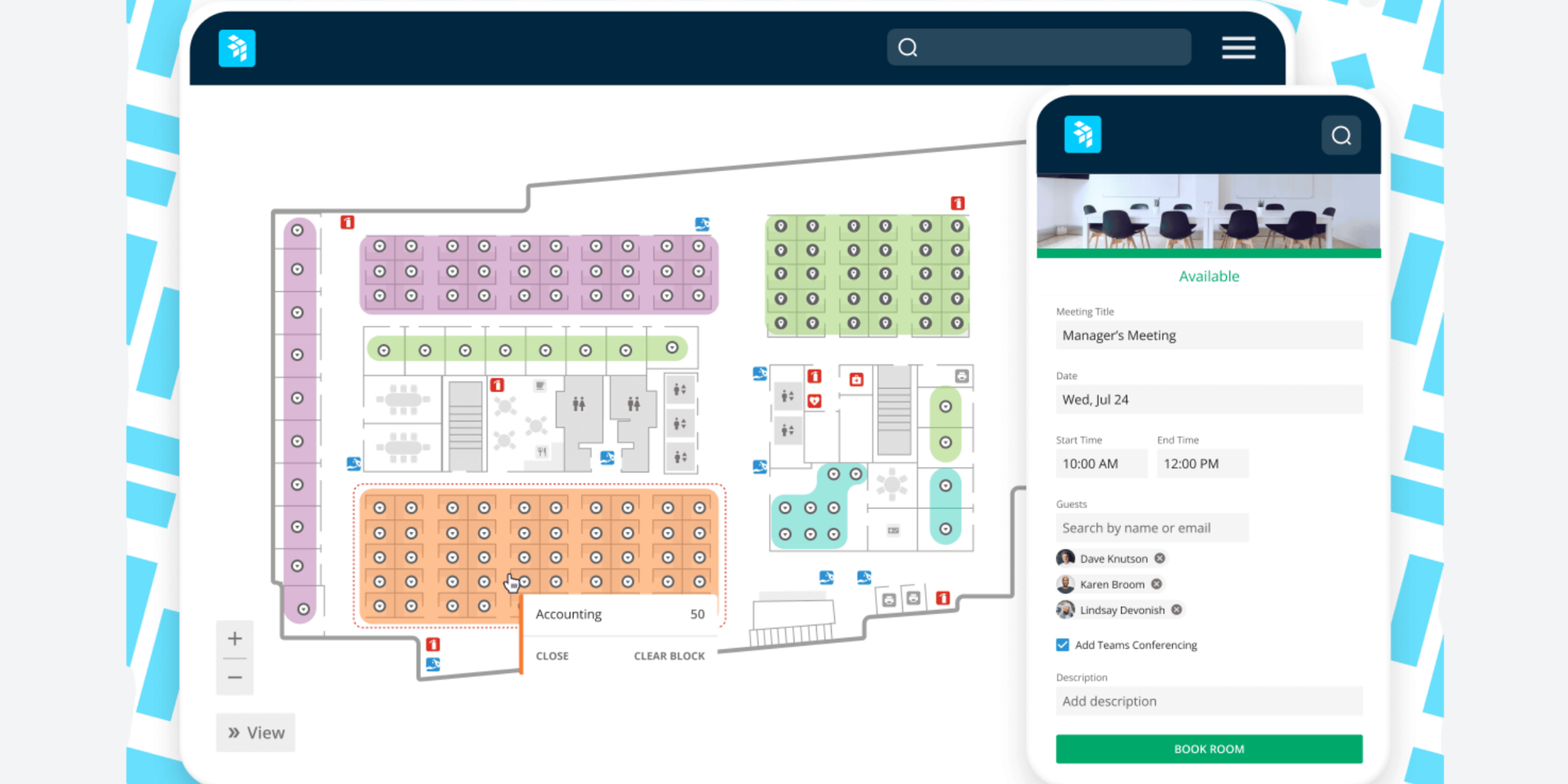
OfficeRnD is built for coworking spaces, flex offices, serviced offices, and multi-location operators. Its website emphasizes billing, meeting room bookings, reporting, analytics, and member-facing apps, so it’s clearly aimed at teams that need more operational depth.
Key strengths
- Strong on billing, invoicing, reporting, and operational workflows
- Built to support growing operators and more complex portfolios
- Reviewers often mention responsive customer support
- Includes both a web platform and member-facing mobile apps
Limitations
- Can feel complex when you first get started
- Some users describe parts of the platform as clunky or harder to navigate than expected
- Likely more tool than a very small space actually needs
Pricing structure
Pricing available on request.
Best for
OfficeRnD makes the most sense for scaling coworking brands that need serious billing and operations tools in one place.
Nexudus
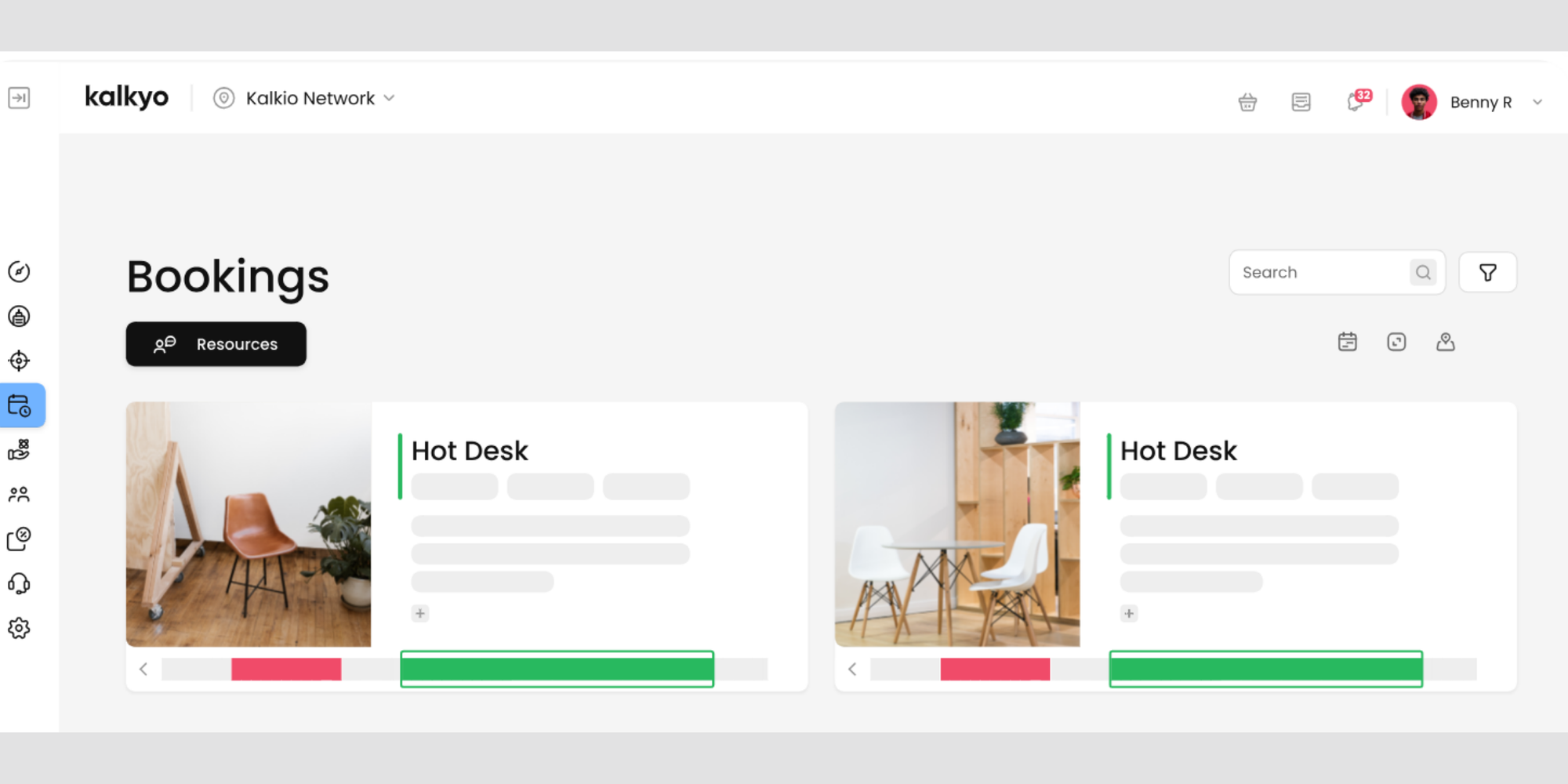
Nexudus is a white-label coworking platform focused on booking management, accounting, access control, lead and member management, and community features. It’s one of the more configurable platforms in the category, which is part of its appeal.
Key strengths
- Very broad feature set across bookings, billing, access control, and member management
- Strong option for operators who want customization and flexibility
- Reviewers frequently praise its integrations and feature depth
- Customer support is often mentioned positively in review summaries
Limitations
- There’s a steeper learning curve than with simpler tools
- Initial setup can take more time and admin attention
- Better suited to teams that want control, not just speed
Pricing structure
Pricing is charged based on users and locations.
Their Coworking professional plan rate is $150 per month/per location for 25 active users.
Coworking growth rates for over 500 users are available on request.
Best for
Nexudus is a good match for established coworking operators that want a flexible platform they can shape around their workflows.
Archie
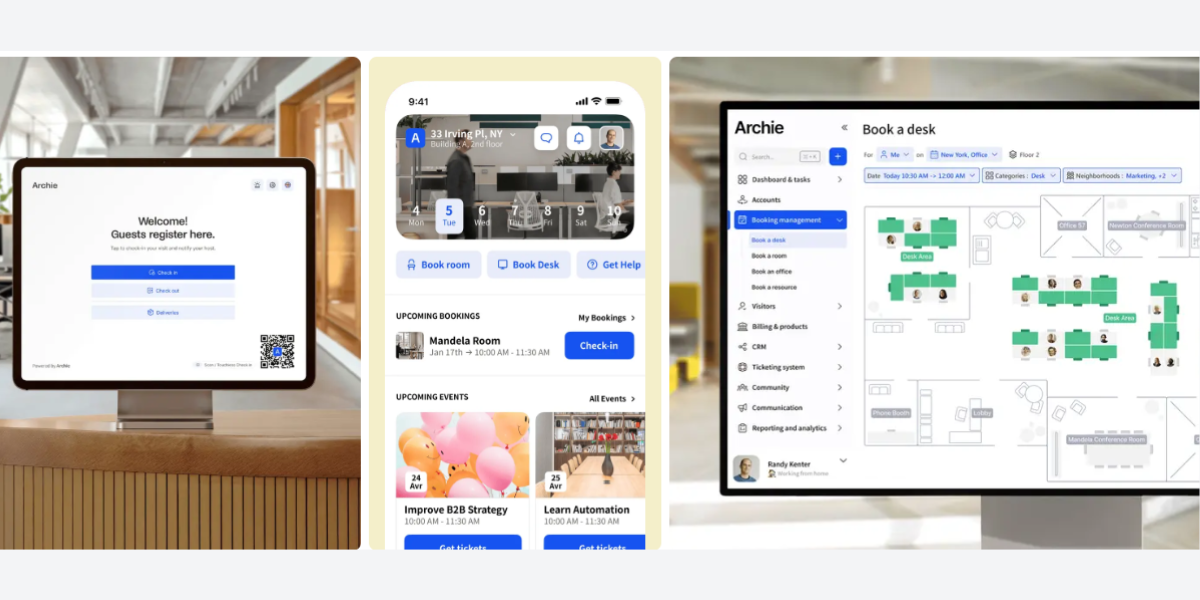
Archie is positioned as an all-in-one platform for coworking spaces and offices, covering desk booking, meeting rooms, visitor management, workspace analytics, billing, and coworking workflows. Its product story is very much about giving teams one clean place to run everyday operations.
Key strengths
- Frequently praised for its modern, intuitive user experience
- Strong coverage across desks, rooms, visitors, and coworking operations
- Reviewers often call out helpful customer support
- Good fit for teams that want a platform that feels capable without feeling overwhelming
Limitations
- Some users say a few features are less intuitive than the main workflows
- Invoice customization has come up as a limitation in reviews
- Public pricing is not especially simple from the website path reviewed here
Pricing structure
Archie’s coworking software offers 3 plans:
Starter: $165/month billed annually (1 location, up to 100 active users)
Pro: $275/month billed annually (2 locations, 200 active users)
Enterprice plan is custom-made for large-scale, multi-location projects.
Best for
Archie works especially well for operators who want modern UX and need a bridge between coworking management and hybrid office use cases
Spacebring
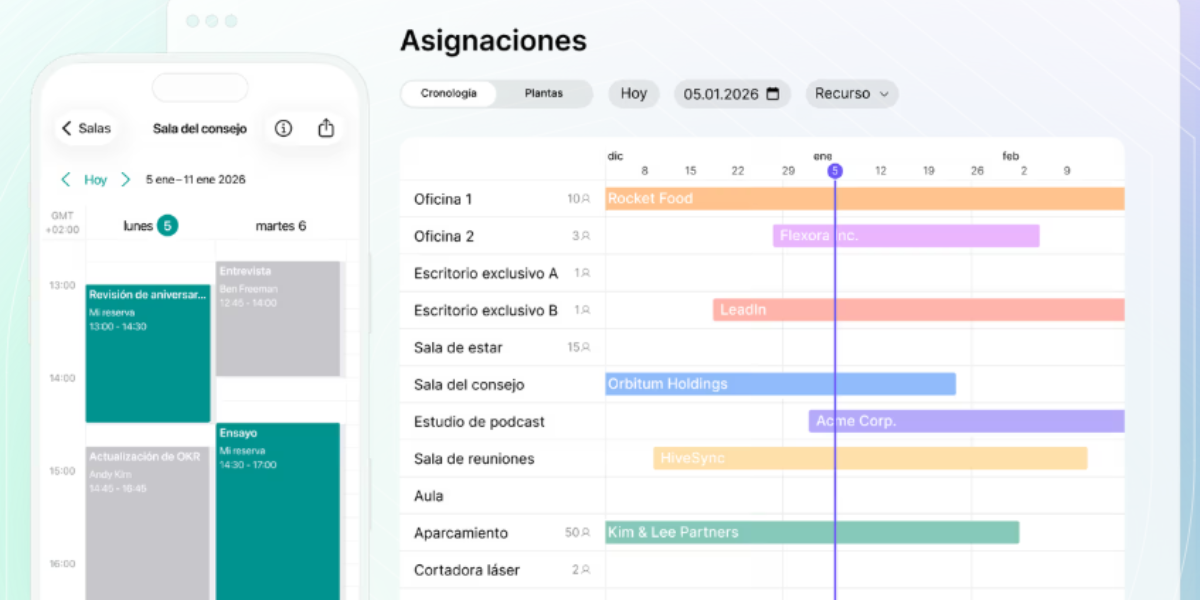
Spacebring describes itself as coworking software for superior member service, with tools to automate bookings, invoicing, billing, and day-to-day operations while giving members a branded web portal and mobile app.
Key strengths
- Strong reputation for ease of use
- Reviewers repeatedly mention excellent customer support
- Helps reduce manual admin through automation
- Good balance of core features without feeling too heavy
Limitations
- Some users mention friction in a few workflows, including parts of invoice management
- May feel lighter than deeper enterprise platforms
- Less ideal for operators that want very advanced customization
Pricing structure
Business: $158/month with a 6-month minimum commitment term. Enterprise plan available on demand.
Best for
Spacebring is a great fit for small to mid-sized coworking spaces that want a capable all-in-one platform with a gentler learning curve.
Workspace & desk booking platforms
Envoy
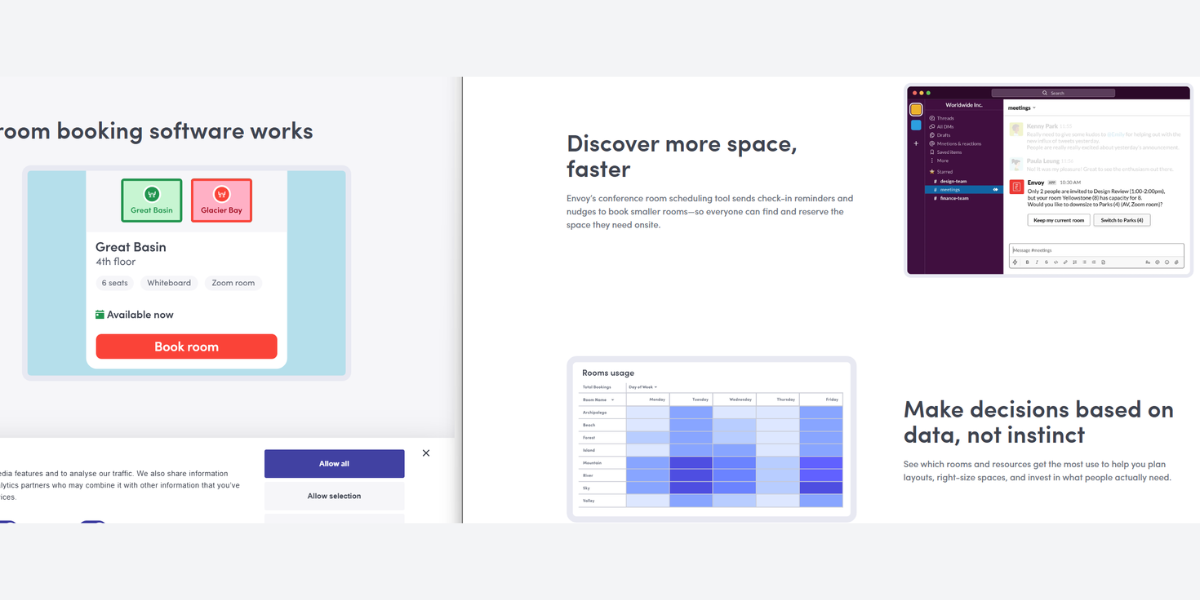
Envoy is best known for visitor management, but its workplace platform also supports desk booking, room booking, occupancy visibility, and multi-site workplace operations. It’s built more for offices than coworking spaces, but it can still be useful in shared workplace environments.
Key strengths
- Excellent for visitor check-ins, badges, notifications, and front-desk workflows
- Reviewers often praise the intuitive interface
- Helpful for teams that need better visibility into occupancy and office usage
- Strong option for multi-site workplace operations
Limitations
- Not built around coworking memberships or recurring billing
- Some users mention the app can feel slow at times
- Better for internal workplaces than revenue-driven coworking models
Pricing structure
Envoy has a free plan with limited features for 100 entries/month
Their Premium plan costs $4,345 per location/per year, billed annually.
They also offer a custom-made Enterprise plan.
Best for
Envoy is best for corporate offices and hybrid workplaces that care most about visitor flows, desk booking, and workplace security.
Robin
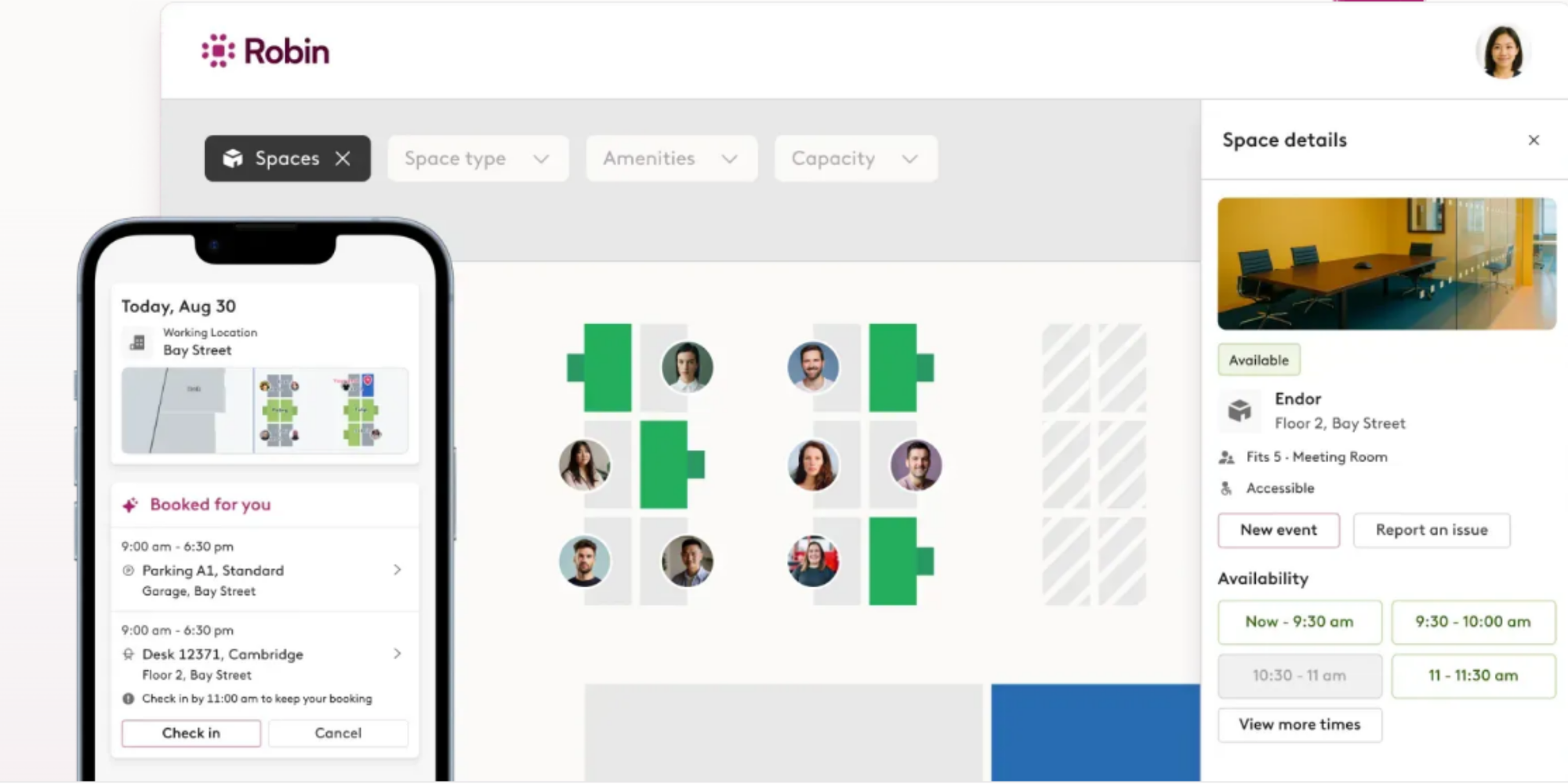
Robin is workplace software for desks, meeting rooms, hybrid work coordination, and workplace insights. Its positioning is very employee-first, with a focus on helping people plan office visits and helping organizations understand how space gets used.
Key strengths
- Reviewers consistently describe it as simple and straightforward to use
- Good coverage for desk booking, room booking, parking, and team visibility
- Helpful for hybrid teams that want to see who’s in and when
- Strong ease-of-use reputation in user feedback
Limitations
- Some users say the app can feel a bit clunky
- Check-in rules can occasionally create friction for shift-based or irregular office use
- Not designed for coworking billing or member management
Pricing structure
Pricing information is quote-based.
Best for
Robin is a better fit for hybrid offices than for traditional coworking operations. It’s strongest when the main problem is coordinating employees, not managing memberships.
Condeco (Now Eptura Engage)
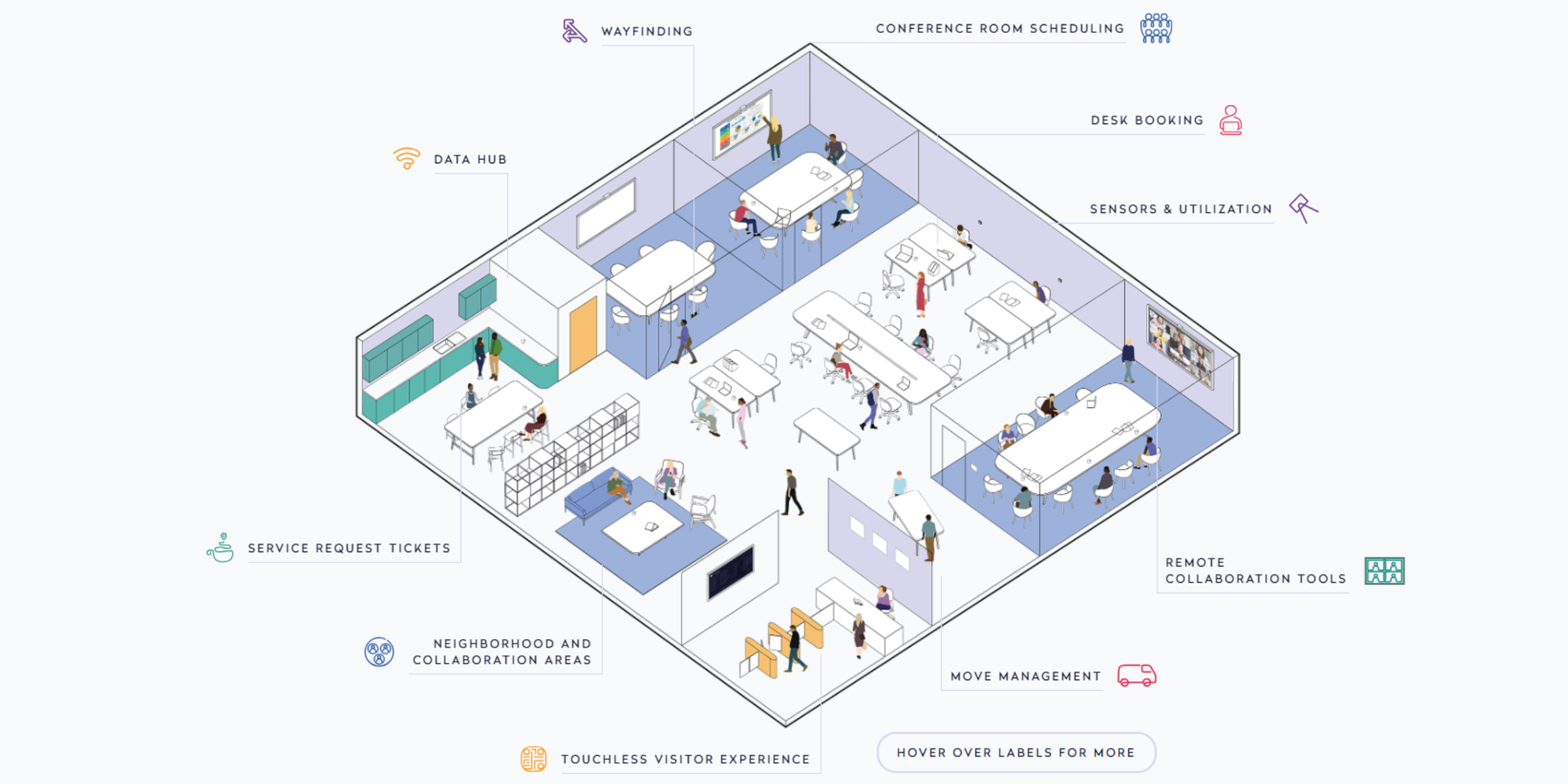
Condeco has been rebranded as Eptura Engage and is positioned as a bookings solution for global corporate offices, covering desk booking, room booking, and related workplace requests. The product is clearly enterprise-focused.
Key strengths
- Good fit for large, multi-office workplace environments
- Reviewers say it makes desk and meeting room booking easy
- Often described as user-friendly for both end users and admins
- Useful for reporting and space utilization in larger workplaces
Limitations
- Some users say issue resolution can be slow
- More enterprise-oriented than many coworking spaces need
- Better for internal office coordination than for member-based coworking operations
Pricing structure
Pricing is available on demand.
Best for
Condeco is best for large enterprise offices that need structured room and desk booking across more complex portfolios.
Kadence
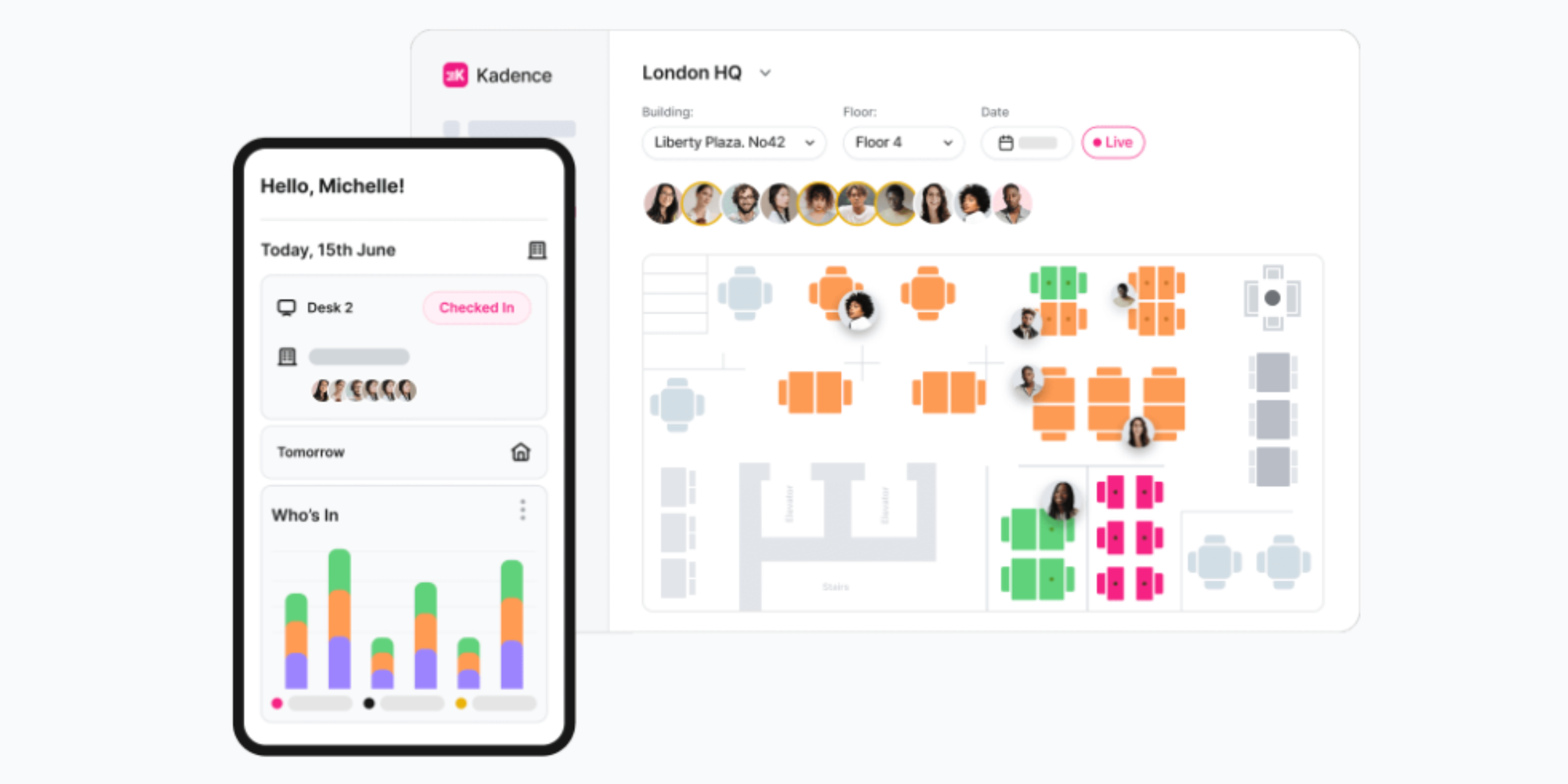
Kadence is designed for hybrid work and focuses on desk booking, room booking, auto check-ins, team scheduling, and workplace coordination. The product story is all about making office days easier to plan.
Key strengths
- Reviewers often praise the clean interface and easy setup
- Strong fit for organizations using Microsoft Teams
- Helpful for managing limited desks and planning office attendance
- Built for teams that want booking to feel simple, not heavy
Limitations
- Auto check-in reliability has come up as a pain point in reviews
- Not designed for coworking memberships, billing, or public bookings
- More useful for internal workplace coordination than flex-space operations
Pricing structure
Pricing is available on demand.
Best for
Kadence is best for hybrid workplaces that want an easy booking layer inside their existing collaboration tools.
Deskbird
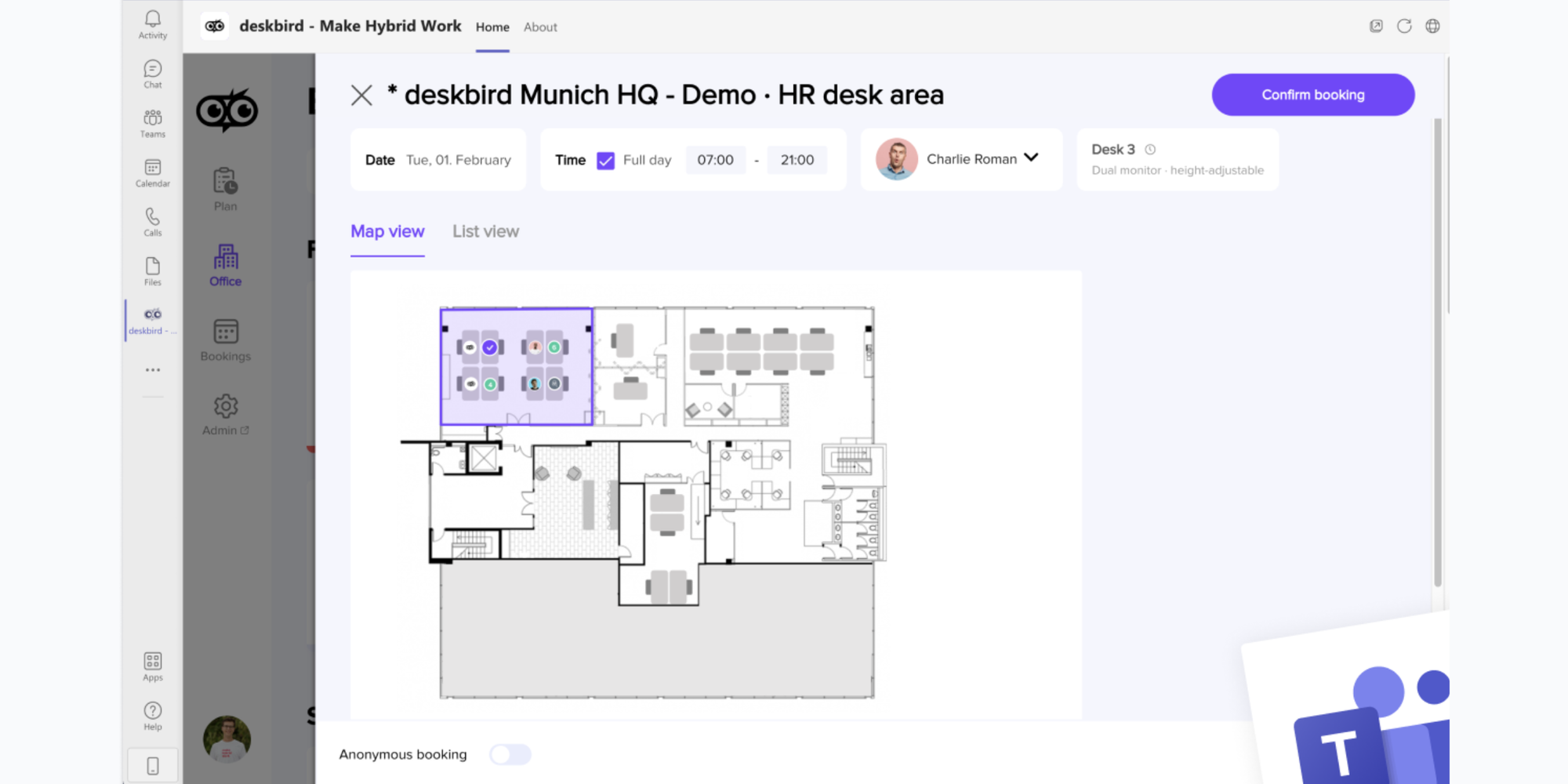
Deskbird positions itself as an all-in-one workplace platform for desks, rooms, parking spots, office management, and analytics. Its website leans hard into simplicity, and that matches what shows up in reviews.
Key strengths
- Very strong reputation for being easy to use
- Clean, intuitive interface with quick adoption for employees
- Useful for desk booking, meeting rooms, visibility, and team coordination
- Integrations with tools like Teams and Outlook come up often in reviews
Limitations
- Check-in reminders and attendance flows could be better for some teams
- Built for workplace management, not full coworking billing or memberships
- Better for hybrid office coordination than for operator-led coworking businesses
Pricing Structure
Deskbird offers a Free Forever plan for up to 15 users and 1 office. Their Business plan starts at $2.5 per user/month, Professional at $3.5 per user/per month. Enterprise plan with custom pricing also available.
Best for
Deskbird is a strong option for hybrid teams that want a lightweight, modern platform for managing desks, rooms, and office presence.
From good to great: Coworking software features
The best office space management software doesn’t just manage bookings. It helps you run a smarter space.
Here are the capabilities that matter most.
Desk and room booking
Members should be able to reserve:
- desks
- meeting rooms
- equipment
- shared spaces
If you’re evaluating tools specifically for rooms, you might also explore our guide to the best conference room booking software
Platforms should support:
- real-time availability
- resource booking
- floor plan views
Member onboarding, billing, and payments
Great coworking platforms handle:
- membership plans
- automated invoices
- payment processing
Without automation, operators spend hours every week managing billing manually.
Space utilization and reporting
Analytics reveal how your space is used.
Look for reporting on:
- occupancy rates
- peak usage
- desk demand
- meeting room demand
Integrations and mobile access
Most members expect mobile booking.
Modern platforms integrate with:
- Google Calendar
- Slack
- access control
- CRM systems
For smaller setups, tools like meeting room scheduling software can manage room reservations without complex infrastructure.
Visitor management and access control
Security matters in shared environments.
Top platforms support:
- digital check-ins
- visitor badges
- access control integrations
Pricing models
Pricing for coworking software varies widely.
Common models include:
Per member
Pricing scales with membership growth.
Per desk
Common for workspace management platforms.
Per location
Some tools charge a flat fee per coworking site.
Hidden costs may include:
- setup fees
- integration costs
- additional users
| Optix | OfficeRnD | Nexudus | Archie | Spacebring | Envoy | Robin | Condeco | Kadence | Deskbird |  | |
| Free plan | No | No | No | No | No | No public free plan | No public free plan | No public free plan | No public free plan | Yes | Yes |
| Starts at | $197/month billed yearly | Contact sales | Contact sales | $159/month minimum | $183/month | Contact sales | Contact sales | Contact sales | Contact sales | €2.50/user/month | $6.99/seat/month |
| Pricing basis | Plan tier | Members + locations | Location-based | Per desk | Active users + locations | Platform + modules | Custom quote | Custom quote | Custom quote | Per user | Per seat |
| Custom enterprise option | Yes | Yes | Yes | Yes | Yes | Yes | Yes | Yes | Yes | Yes | Yes |
| Best for pricing transparency | High | Low | Low | High | High | Low | Low | Low | Low | High | High |
Always calculate the total cost of ownership before committing.
How to pick the right platform for your space
Choosing the best coworking management software depends on your space size and operational complexity.
Questions to ask before you commit
- How many desks and members will you manage?
- Do you need automated billing?
- Will members book desks or fixed offices?
- Do you need mobile access?
What to test during a free trial
Before choosing software, test:
- booking workflows
- member onboarding
- reporting dashboards
- integrations
You should also simulate real scenarios like peak desk demand or meeting room conflicts.
A lightweight scheduling tool
Not every coworking space needs complex enterprise software.
If you’re running:
- a very small coworking space
- a pilot location
- a community hub
- or a shared studio
A simpler scheduling tool may work better.
Tools like Koalendar can support:
- tour bookings for potential members
- consultation scheduling
- meeting room reservations
- event registrations
For example, an independent theater recently used Koalendar to simplify bookings across multiple rooms—something we covered in our customer story How an independent improv theater streamlined room reservations.
And if you're exploring productivity tools for your operations team, our list of the best time management tools may also help.
Manage your coworking space bookings with Koalendar
Running a coworking space shouldn’t feel like managing a spreadsheet.
Koalendar keeps scheduling simple so operators can focus on their community.
With Koalendar you can:
- create customizable booking pages
- manage rooms and facilities
- send automatic reminders
- control bookings with admin controls
- collect payments
- sync with your calendar instantly
You can even embed booking pages directly on your website.
That means members, visitors, or prospects can book meeting rooms or tours in seconds.
Try Koalendar for managing bookings in coworking spaces and shared offices.