Integrations/Koalendar for Edge

Scheduling extension for Microsoft Edge

Install Koalendar's Edge extension and reach your booking pages from any tab. Grab the right link, prefill it, and share it in a click, without leaving what you're doing.
Rated 4.9 stars by over 790 users
Koalendar for Edge integration with Koalendar

Microsoft Edge browser extension

Free booking extension for Microsoft Edge

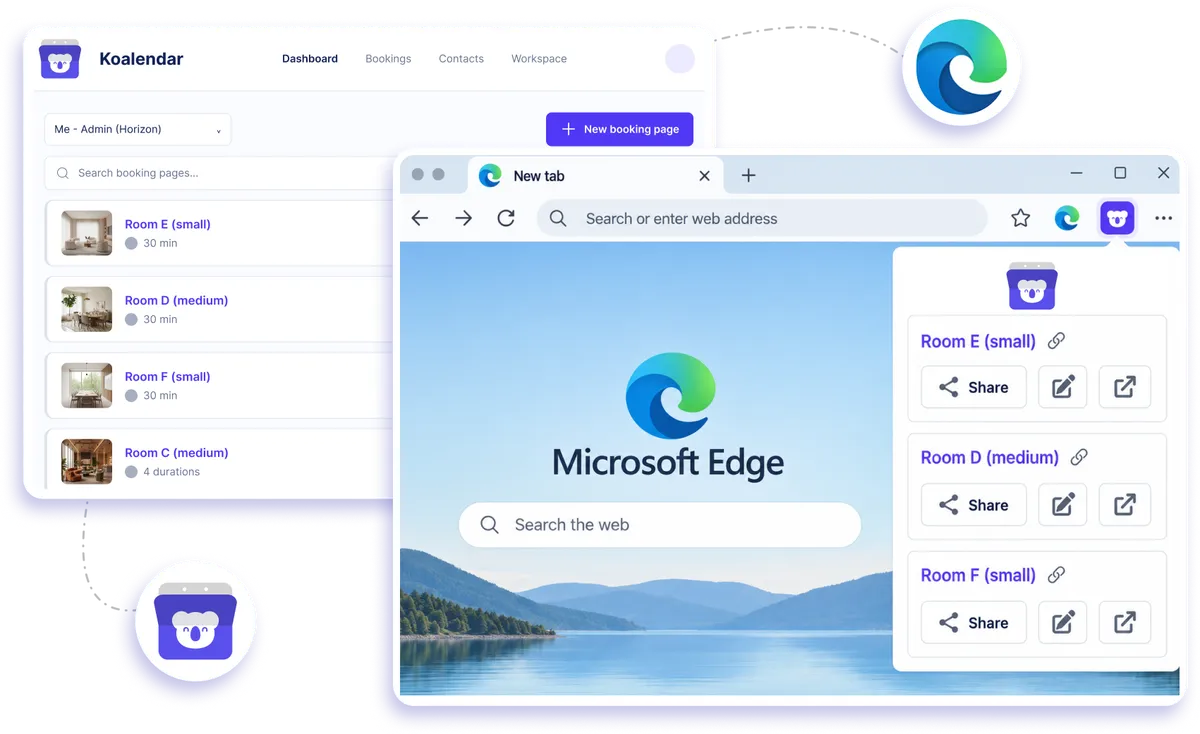
Keep your Koalendar booking pages within reach while you work in Edge. Open the extension from your browser toolbar, choose the right scheduling link, prefill client details when needed, and share it without hunting through bookmarks or switching tabs.
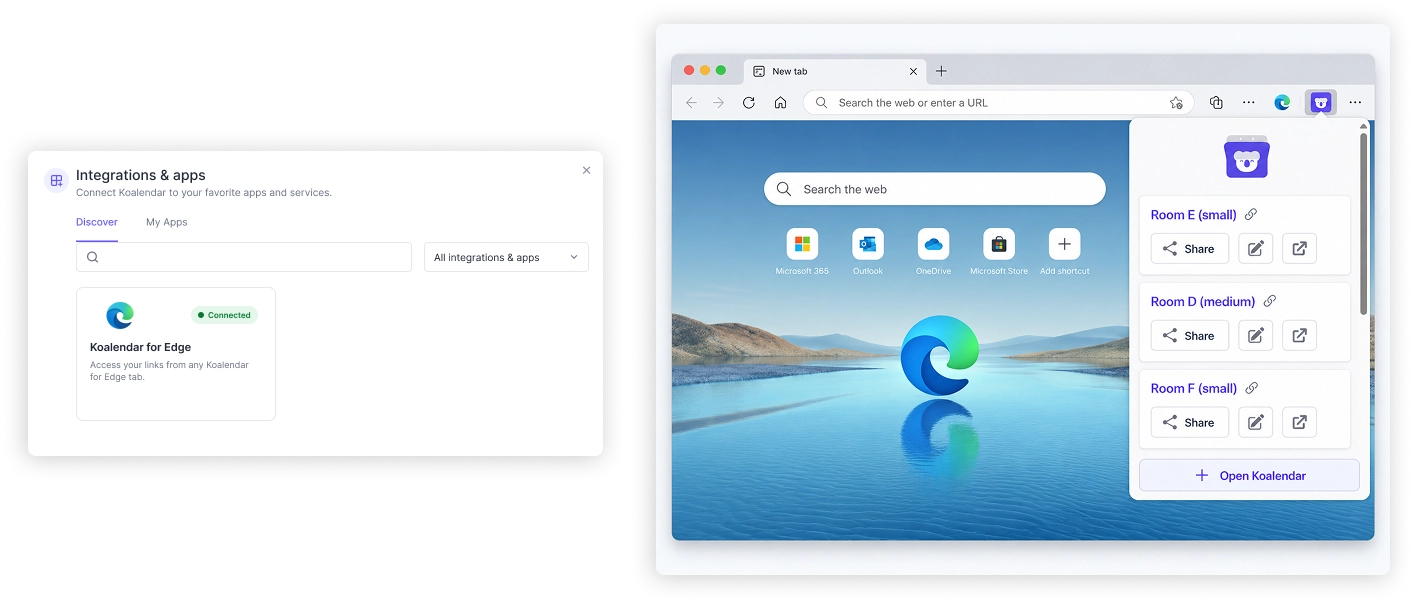
Share your booking links from Edge

Share your availability without breaking your flow

Spend less time searching for booking links

Keep every Koalendar booking page close at hand in Edge, so you can grab the right link without opening your dashboard first.

Reply to scheduling requests faster

Share availability while you are already working in email, messaging, CRM tools, or other browser tabs.

Reduce repetitive client admin

Prefill booking details before you share a link, helping clients move through the booking form with less typing.

Stay focused on the task in front of you

Handle scheduling from your browser toolbar instead of interrupting your workflow to search for pages and URLs.

Make booking easier for clients

Send the right booking page in a click so clients can choose an available time without a long email exchange.

Features

Everything you need to share booking links from Edge

Open Koalendar from your browser toolbar, choose a booking page, personalize the link, and send it wherever you are working.

One-click booking page access

Open your Koalendar booking pages from any Edge tab without searching through bookmarks or typing URLs.

Quick link sharing

Copy the booking link you need and paste it into email, chat, CRM tools, or any other browser-based workflow.

Prefilled booking links

Add client details before sharing a link so parts of the booking form are already completed when they open it.

Access to all your booking pages

Choose from your Koalendar booking pages in the extension, making it easier to send the right link for each meeting or appointment.

Works from any browser tab

Use the extension while you are already working online, without needing to open Koalendar in a separate tab first.

Connected calendar availability

Your shared links still use the availability from calendars connected to Koalendar, helping prevent double bookings.

How it works

Start sharing booking links from Edge in three steps

  1. 1

    Install the Koalendar extension

    Add Koalendar from the Microsoft Edge Add-ons store.

  2. 2

    Sign in to your Koalendar account

    Your booking pages appear in the extension so you can reach them from your browser toolbar.

  3. 3

    Choose, prefill, and share a link

    Pick the right booking page, add invitee details if needed, then copy and send the link without leaving your current tab.

Koalendar for Edge keeps scheduling close to where you already work, so sharing availability takes a few clicks instead of a detour through your dashboard.

KoalendarKoalendar
Koalendar for Edge

Try the booking system with Microsoft Edge

It's free. No credit card required.

Try it now
Testimonials

Loved by professionals who schedule from their browser

See how Koalendar users save time with browser extensions, quick booking links, and easier ways to share availability while they work.

  • "Really Easy to setup, I love adding it as an extension versus another site to visit."

    Trading Ascensionchrome_web_store
  • "Extra extension, really changed the way I schedule my meetings!"

    Denis Jakuschrome_web_store
  • "Love this extension. It is simple to install and adjust, elegant and very easy to use. I use this for my counselling practice. The customerservice and direct communications on questions and issues is remarkable!! I can recommend it wholeheartedly!"

    Alix VVNVchrome_web_store
  • "So far I really like this extension. It is easy to use and allows my clients to book right away with me."

    Abby Huttonchrome_web_store
  • "With Koalendar I have found my perfect online booking solution. It's functional, attractive, easy to use and the support is great. Koalendar has put together such a great piece of technology here. My hat is off to them. The thing I love most about Koalender is it's so easy to set up and use. I had my installation set up, my availability schedule published and this all integrated into my website, ready to take bookings in just a few minutes. Add to that its very professional look and the fact that you can choose to have meetings scheduled in Google Meet, Zoom or a custom option and you just can't lose. And with the Google Chrome extension, I can instantly log in at any time and update or change my schedule in seconds. It's just so flexible."

    Will H.Capterra
  • "I came across this software on another user's email, and clicked on it out of curiosity. I was impressed with the ease of customization and really liked the Chrome extension that made it super simple for me to grab a link to a meeting for a messenger or email I was sending out. I ended up purchasing the application and replacing Calendly Integration into Gmail; ability to use the Chrome Extension to quickly pull an appointment link; editing the look and feel extremely easy"

    Andrew S.Capterra
  • "It has made it easy to implement on a team level when the team members don't need the upgraded functionality. It was also easy to implement on a team level where I can set it as an installed extension when adding new users. It was easy to integrate into our Agency where we use the G-Suite Workplace. It allows for seamless communication between team members and clients. I highly recommend Koalender for its ease of use and ability to implement it quickly."

    Heather N.Capterra
  • "Really Easy to setup, I love adding it as an extension versus another site to visit."

    Trading Ascensionchrome_web_store
  • "Extra extension, really changed the way I schedule my meetings!"

    Denis Jakuschrome_web_store
  • "Love this extension. It is simple to install and adjust, elegant and very easy to use. I use this for my counselling practice. The customerservice and direct communications on questions and issues is remarkable!! I can recommend it wholeheartedly!"

    Alix VVNVchrome_web_store
  • "So far I really like this extension. It is easy to use and allows my clients to book right away with me."

    Abby Huttonchrome_web_store
  • "With Koalendar I have found my perfect online booking solution. It's functional, attractive, easy to use and the support is great. Koalendar has put together such a great piece of technology here. My hat is off to them. The thing I love most about Koalender is it's so easy to set up and use. I had my installation set up, my availability schedule published and this all integrated into my website, ready to take bookings in just a few minutes. Add to that its very professional look and the fact that you can choose to have meetings scheduled in Google Meet, Zoom or a custom option and you just can't lose. And with the Google Chrome extension, I can instantly log in at any time and update or change my schedule in seconds. It's just so flexible."

    Will H.Capterra
  • "I came across this software on another user's email, and clicked on it out of curiosity. I was impressed with the ease of customization and really liked the Chrome extension that made it super simple for me to grab a link to a meeting for a messenger or email I was sending out. I ended up purchasing the application and replacing Calendly Integration into Gmail; ability to use the Chrome Extension to quickly pull an appointment link; editing the look and feel extremely easy"

    Andrew S.Capterra
  • "It has made it easy to implement on a team level when the team members don't need the upgraded functionality. It was also easy to implement on a team level where I can set it as an installed extension when adding new users. It was easy to integrate into our Agency where we use the G-Suite Workplace. It allows for seamless communication between team members and clients. I highly recommend Koalender for its ease of use and ability to implement it quickly."

    Heather N.Capterra

Frequently asked questions

Have a different question and can't find the answer you're looking for? Reach out to our support team by sending us an email and we'll get back to you as soon as we can.

Easier access, better productivity

Connect Koalendar to the tools you already use to streamline scheduling, keep everything in sync, and book more.

Try it for free

Koalendar booking page connected to calendar, video, and payment tools