TL;DR
- Morgen: Best for AI-assisted daily planning that keeps you in control.
- Sunsama: Best for mindful daily planning and realistic workloads.
- Motion: Best for automatically scheduling tasks and projects.
- Reclaim.ai: Best for protecting focus time with calendar automation.
- Todoist: Best for straightforward task management.
- TickTick: Best for affordable task planning, habits and calendars.
- Routine: Best for keeping tasks, notes and calendars together.
- Notion Calendar: Best for managing your calendar alongside Notion projects.
- Koalendar: Best for client bookings, meetings and appointments without a full productivity suite.
Akiflow brings tasks, calendars and time blocking into one workspace. But at $19 per month when billed annually, it's worth considering whether you need all those features.
Some professionals want more automated planning. Others prefer a simpler, lower-cost task manager. And if you mainly need to let clients book meetings or appointments, a dedicated scheduling tool may be a better fit.
We've compared nine Akiflow alternatives, from AI-powered daily planners to free appointment scheduling software, to help you find the right solution for how you work.

What are the best Akiflow alternatives?
The best Akiflow alternatives depend on what you want to manage. Morgen and Sunsama help organise your daily workload, while Motion and Reclaim.ai automate scheduling. Todoist and TickTick offer more affordable task management. If your main priority is letting clients book appointments rather than organising tasks, Koalendar provides a focused scheduling solution.
Akiflow alternatives comparison table
| Morgen | Sunsama |  | Reclaim.ai | Todoist | TickTick | Routine | Notion Calendar |  | |
| Best for | AI-assisted planning | Mindful planning | Automatic task scheduling | Focus time | Simple tasks | Affordable productivity | Tasks and notes | Notion users | Client bookings |
| Main focus | Calendar and tasks | Daily planning | AI tasks and projects | Calendar automation | Task management | Tasks and habits | Unified workspace | Calendar management | Appointment scheduling |
| Free plan | ❌ Trial | ❌ Trial | ❌ Trial | ✅ | ✅ | ✅ | ✅ | ✅ | ✅ |
| Starting paid price | $15/mo | $17/mo | $19/mo | $12/seat/mo* | $5/mo | $49.99/year | $5/mo | Free core app | $6.99/seat/month (billed annually) |
| AI-assisted scheduling | ✅ | Limited | ✅ | ✅ | Limited | Limited | Limited | ❌ | ❌ |
| Client booking links | ✅ | Not a core feature | ✅ | ✅ | ❌ | ❌ | Not a core feature | ✅ | ✅ |
| Trustpilot | ⭐ 4.4/5 (71 reviews) | ⭐ 4.0/5 (4 reviews) ⚠️ | ⭐ 3.7/5 (578 reviews) | ⭐ 2.2/5 (23 reviews) | ⭐ 3.3/5 (82 reviews) | ⭐ 4.0/5 (21 reviews) | ⭐ 3.8/5 (2 reviews) ⚠️ | ⭐ 2.2/5 (438 reviews)* | ⭐ 4.9/5 (365 reviews) |
| Chrome Web Store | ⭐ 4.4/5 (7 ratings) ⚠️ | N/A | N/A | N/A | ⭐ 4.7/5 (51.4K ratings) | ⭐ 4.2/5 (707 ratings) | N/A | N/A | ⭐ 4.9/5 (311 ratings) |
Prices in USD. Monthly equivalents for annual subscriptions are marked where applicable. Reclaim.ai's $12 Starter price is displayed on its official pricing page, but its precise billing selection should be reconfirmed. Review dates and pricing may change.
⭐ Ratings out of 5, checked in October 2026. ⚠️ Fewer than 10 reviews, so the rating may not be representative. Chrome Web Store scores reflect browser extensions, not necessarily the full software. Notion's Trustpilot rating covers Notion overall, not Notion Calendar specifically. N/A means no verified rating was available.
How we compared these tools: We considered their features, ease of use, pricing, integrations and suitability for different workflows. Our research draws on official product information and published pricing. Customer ratings should only be added where a current, independently verifiable review profile is available.
Koalendar is included as a dedicated appointment scheduling solution, not a direct replacement for Akiflow's task management features.
The 9 best Akiflow alternatives compared
1. Morgen: Best for AI-assisted daily planning
Morgen is one of the closest alternatives to Akiflow if you want tasks and calendars together without giving up control over your day.
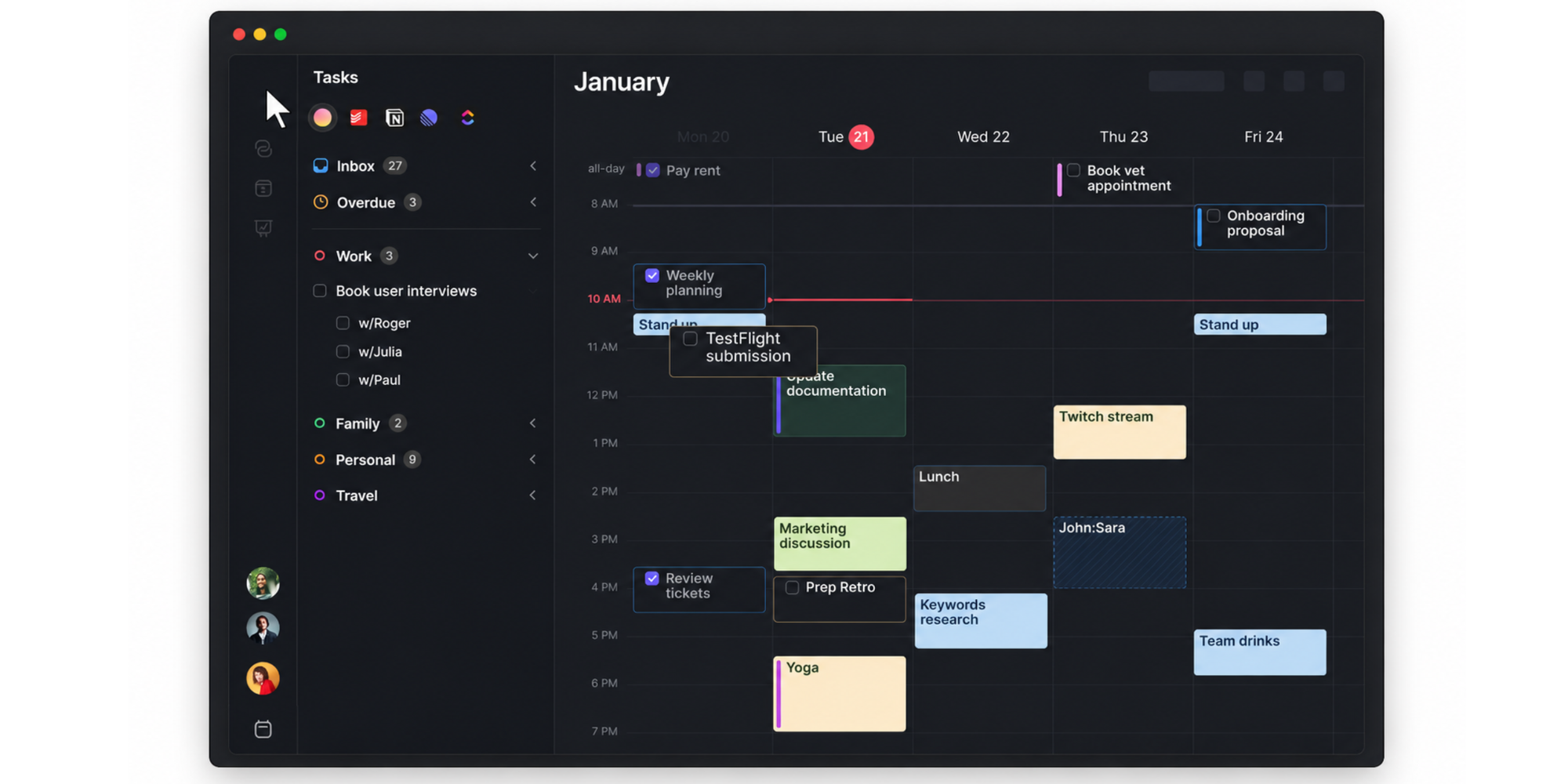
It connects calendars and task management apps in one workspace, helping you see your commitments and plan when to work on individual tasks. Its AI Planner can recommend when tasks fit into your schedule, while leaving you in control of the plan.
Key features:
- AI-assisted time blocking and daily planning.
- Integrations with Google Calendar, Outlook, Todoist, Notion and other tools.
- Calendar automation and scheduling links.
- Desktop, mobile and browser access.
Pros: Particularly relevant for Akiflow users who already work across multiple calendars and task apps. Its assisted planning approach offers a balance between automation and manual control.
Limitations: No permanent free plan. Users looking for very simple task lists may find the broader planning functionality unnecessary.
What customers say about Morgen: Morgen has strong customer ratings, with ⭐ 4.8/5 on G2 (29 reviews) and ⭐ 4.4/5 on Trustpilot (71 reviews). Users particularly appreciate its intuitive interface, calendar integrations and ability to bring tasks together in one place. Some reviewers mention limitations with time zone management, accessibility and task management.
Pricing: Starts at $15/month billed annually, or $30/month billed monthly. A 14-day free trial is available.
Best for: Professionals who want to consolidate tasks and calendars while retaining control over their daily plans.
2. Sunsama: Best for mindful daily planning
Sunsama takes a more deliberate approach to productivity. Instead of focusing on how many tasks you can squeeze into a day, it encourages you to plan a workload you can realistically complete.
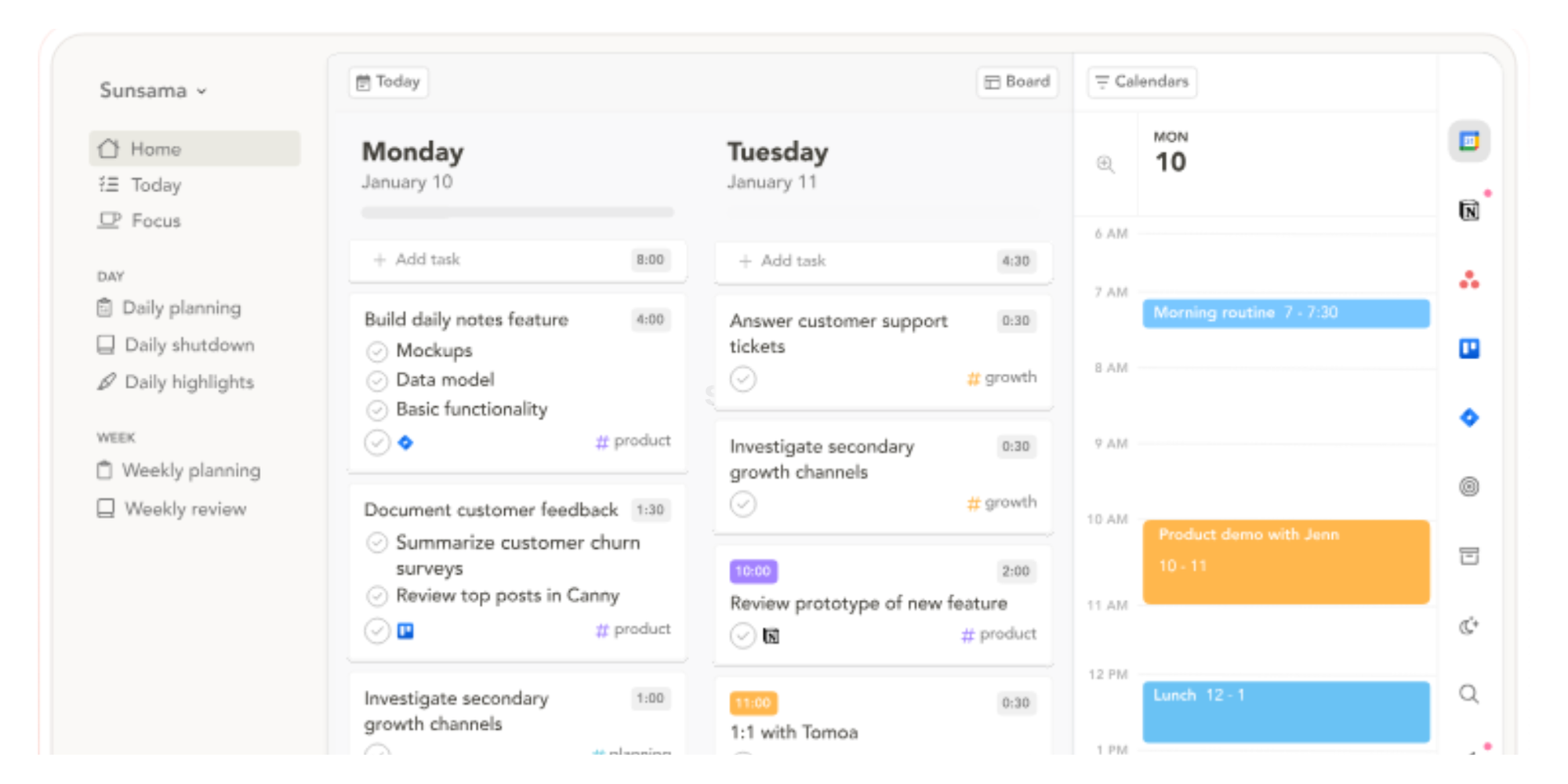
The app brings tasks from other services into a daily planning workflow. You can estimate how long work will take, assign time on your calendar and review your progress.
For professionals who find Akiflow's productivity features overwhelming, Sunsama offers a more structured way to plan.
Key features:
- Guided daily planning and end-of-day reviews.
- Time estimates and calendar time blocking.
- Task integrations and calendar connections.
- Workload planning to help avoid overcommitting.
Pros: The guided routine helps users prioritise and build consistent planning habits.
Limitations: Less focused on fully automatic task rescheduling than Motion. Its subscription may also be difficult to justify for occasional planning.
What customers say about Sunsama: Sunsama scores ⭐ 4.0/5 on Trustpilot, although this is based on just four reviews, too few to draw reliable conclusions about overall customer satisfaction. We couldn't verify a dedicated G2 rating for Sunsama. Available feedback highlights its structured approach to daily planning.
Pricing: Pro costs $17/user/month billed annually, or $22/user/month billed monthly. Includes a 14-day free trial. Enterprise plan is quote-based.
Best for: Freelancers, consultants and professionals who want a calmer, more intentional daily planning routine.
3. Motion: Best for automatic task scheduling
Motion is designed for professionals who would rather have software organise their workload automatically than spend time moving tasks around a calendar.
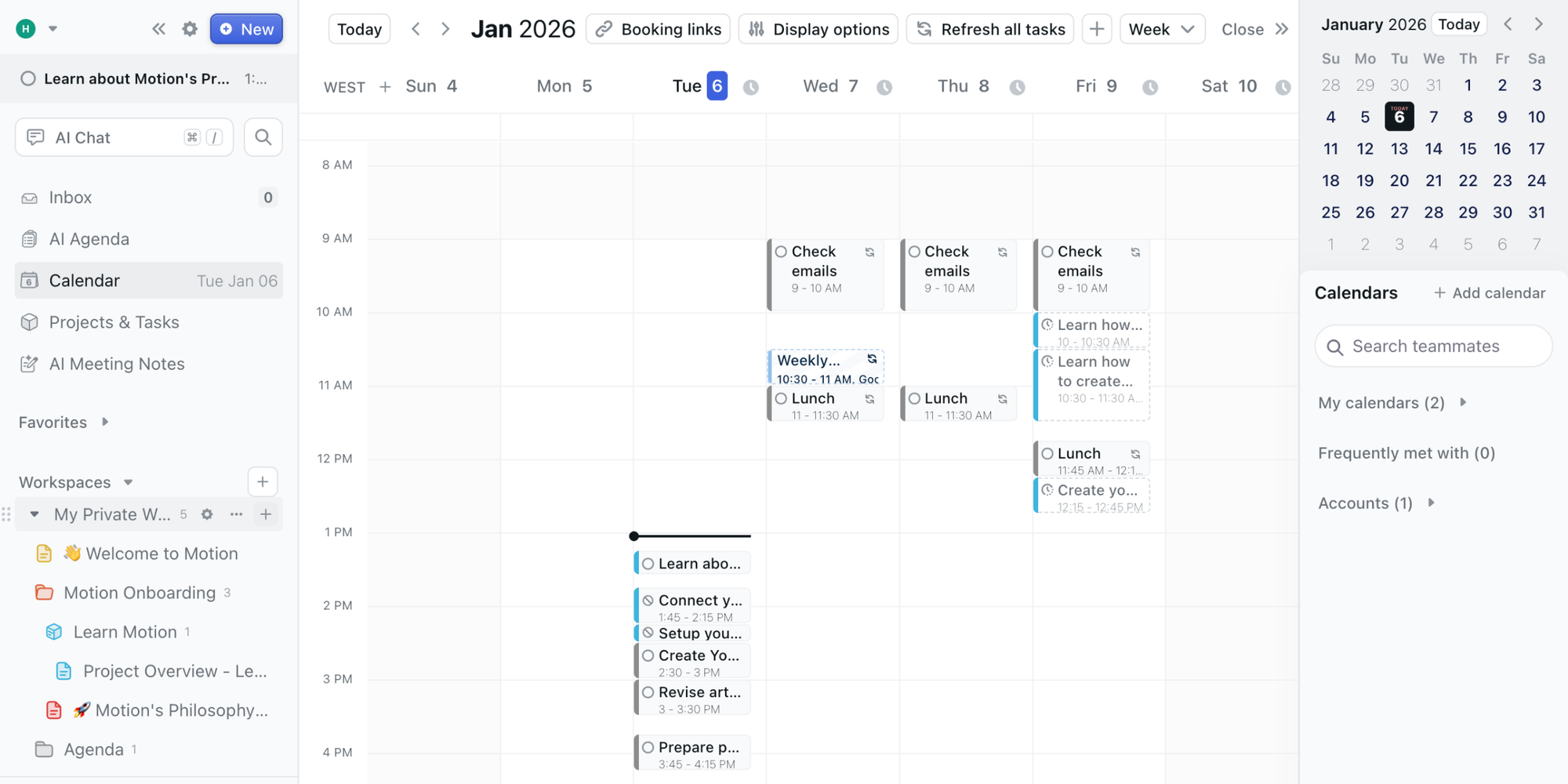
You add tasks, deadlines and project requirements, and Motion's AI scheduling features help determine when work should happen.
If priorities or availability change, the scheduling system can adjust your plan accordingly.
Key features:
- AI-powered task scheduling and reprioritisation.
- Project and task management.
- Calendar-based workload planning.
- Meeting scheduling and booking links.
Pros: Strong option for users who want more automated scheduling than traditional time blocking tools provide. It also brings project management into the workflow.
Limitations: Automated scheduling may not appeal to people who prefer to decide exactly when they work. The broader feature set also introduces complexity.
What customers say about Motion: Motion scores ⭐ 4.1/5 on G2 (157 reviews) and ⭐ 3.7/5 on Trustpilot (578 reviews). Its AI-powered scheduling and task management appeal to users looking to automate their daily planning. However, Trustpilot feedback is more mixed, with some customers reporting problems involving subscriptions, billing and support.
Pricing: Pro AI is listed from $19/seat/month with annual billing selected. Business AI is $29/seat/month billed annually. Motion offers a free trial but no permanent free plan.
Best for: Busy professionals and teams managing deadlines, projects and frequently changing priorities.
4. Reclaim.ai: Best for protecting focus time
Reclaim.ai approaches productivity from the calendar first.
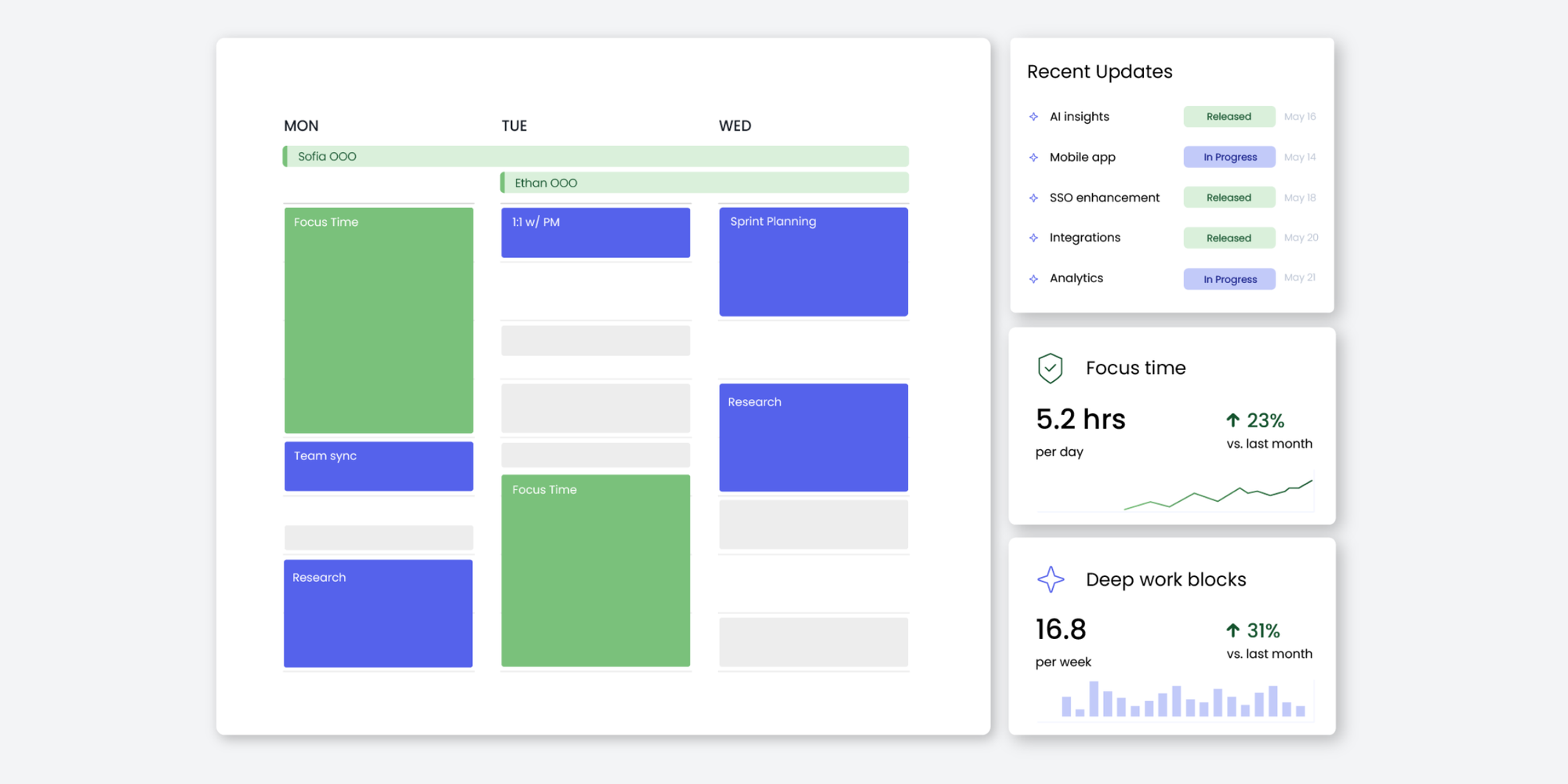
Rather than building a complete daily planning workspace, it automatically finds and protects time for focused work, recurring habits and other priorities.
This makes it a useful Akiflow alternative for professionals who already use a task manager but struggle to make space for the work.
Key features:
- Automatic focus time blocking.
- Flexible scheduling for recurring habits and tasks.
- Calendar conflict management.
- Scheduling links and meeting optimisation.
Pros: Useful for protecting uninterrupted work without manually rearranging your calendar. A free plan makes it accessible to individuals.
Limitations: It is not intended to replace a complete task management system. Advanced features and team functionality depend on the plan.
What customers say about Reclaim.ai: Reclaim.ai has contrasting ratings across review platforms: ⭐ 4.8/5 on G2 (144 reviews) and ⭐ 2.2/5 on Trustpilot (23 reviews). G2 reviewers appreciate its automatic time blocking and calendar integrations, while Trustpilot feedback includes complaints about unexpected calendar changes, complexity and limited control over automated scheduling.
Pricing: Free Lite plan available. Paid Starter pricing is listed at $10/seat/month (billed annually), Business at $15 and Enterprise at $22.
Best for: Professionals who want their calendar to automatically make room for focused work.
5. Todoist: Best for simple task management
Todoist is a good alternative if Akiflow feels more complicated than you need.
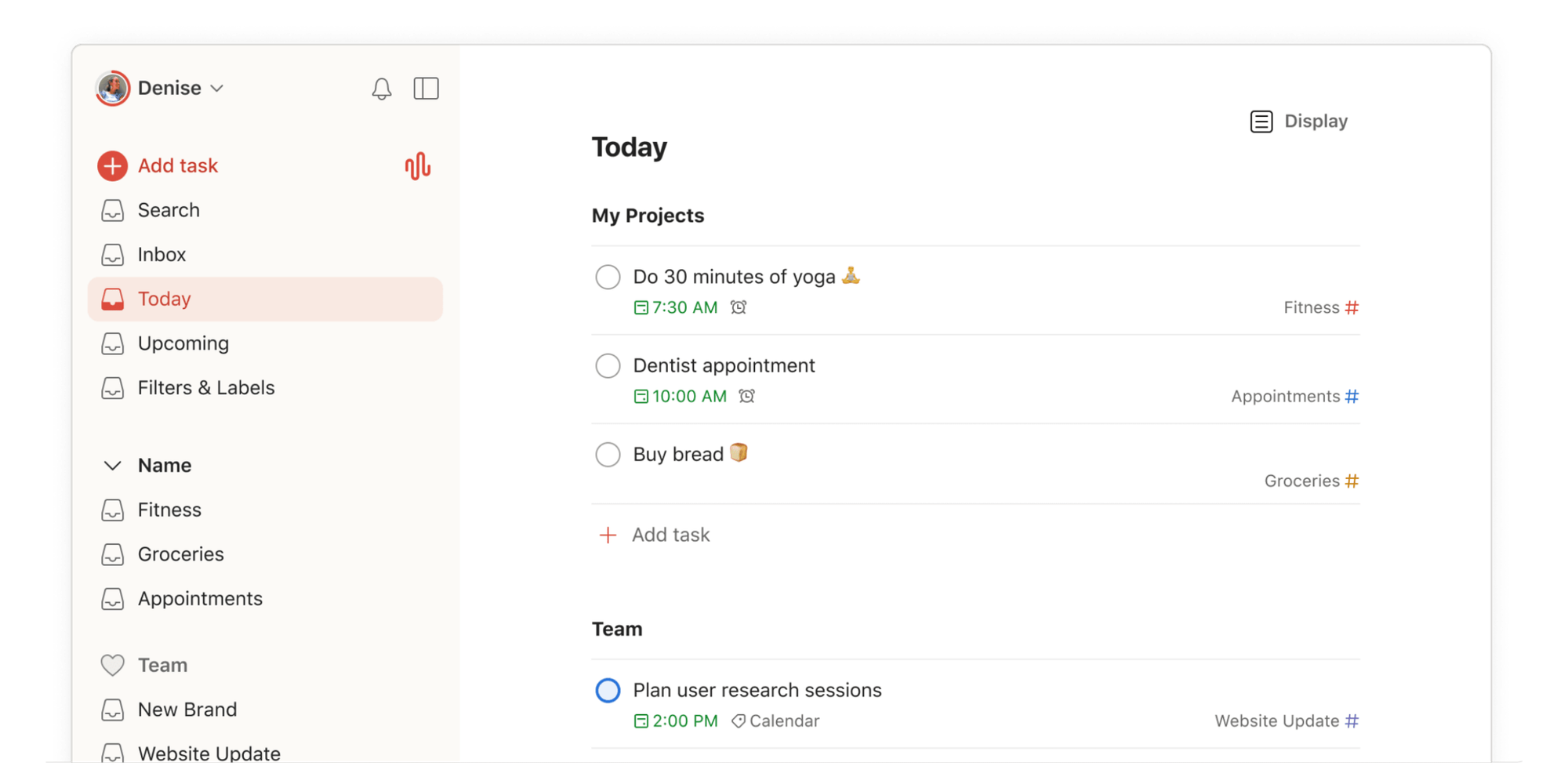
Its main strength is making it easy to capture tasks, organise projects, set priorities and track what needs to get done.
Rather than requiring you to plan every hour of your day, Todoist lets you manage your workload through lists, boards and calendar features.
Key features:
- Quick task capture with natural language.
- Recurring tasks, deadlines and priorities.
- Project organisation and collaboration.
- Calendar layout and task durations on Pro.
Pros: Easy to understand, with a permanent free plan and a lower starting subscription price than Akiflow.
Limitations: It is primarily a task manager, not an all-in-one AI scheduling system. Advanced calendar planning features require Pro.
What customers say about Todoist: Todoist has ⭐ 4.5/5 on G2 (833 reviews) and ⭐ 3.3/5 on Trustpilot (82 reviews). G2 users frequently praise its straightforward interface, quick task entry and recurring deadlines. Trustpilot feedback is more mixed, with some customers questioning its pricing, account management and suitability for more flexible workflows.
Pricing: Free Beginner plan. Pro starts at $5/user/month billed annually.
Best for: Individuals and small teams who want dependable task management without a complicated productivity suite.
6. TickTick: Best for affordable task and calendar planning
TickTick combines everyday task management with calendar views, habit tracking and focus tools.
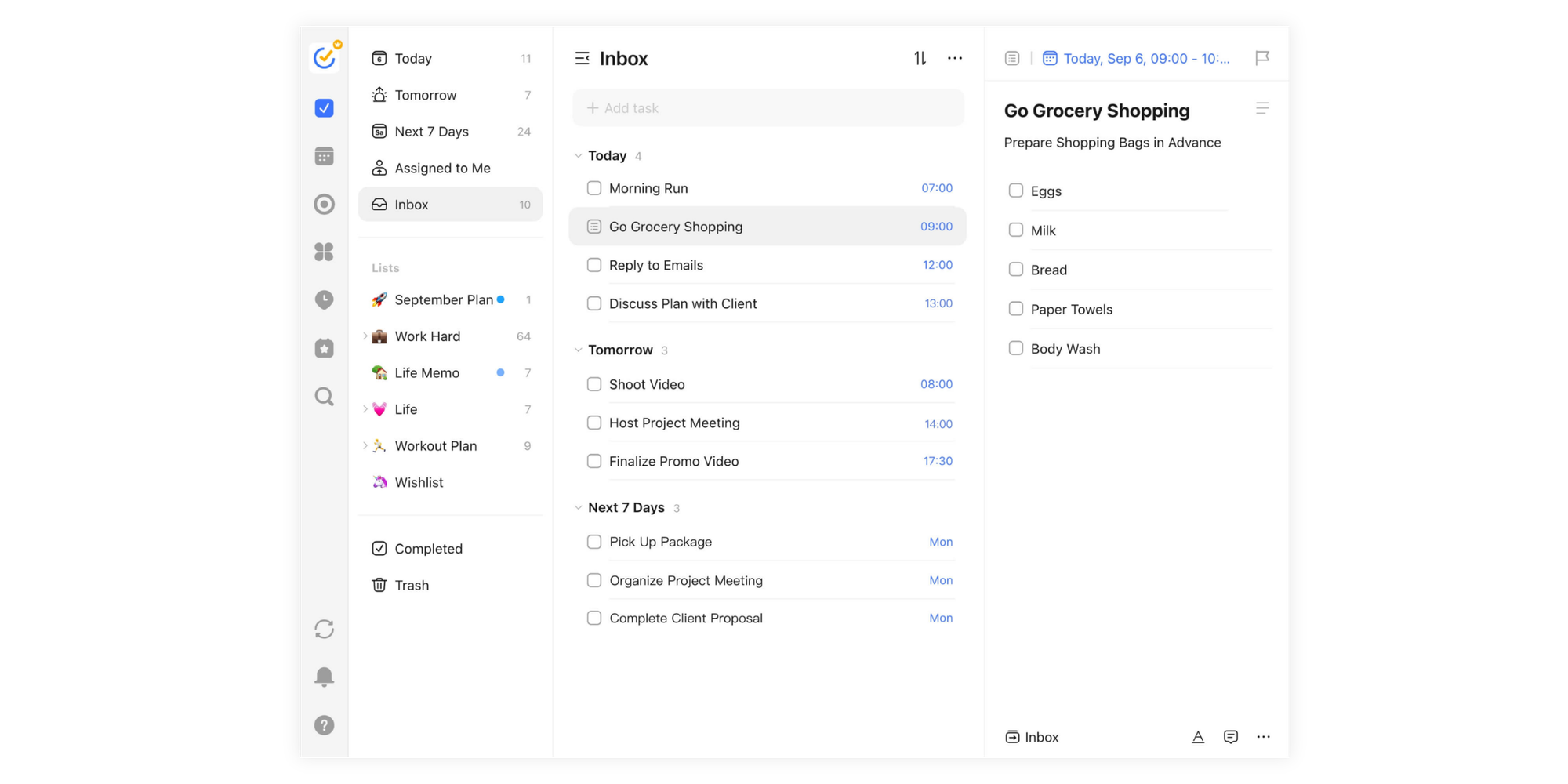
It's a practical option if you want more than a basic to-do list but don't need the advanced planning environment of Akiflow.
You can organise tasks, set reminders, build habits and use calendar views to understand your upcoming workload.
Key features:
- Task lists, reminders and recurring tasks.
- Calendar views and task durations.
- Habit tracking.
- Focus and productivity tools.
Pros: Combines several useful productivity features at a relatively accessible annual price. The free plan covers basic task management.
Limitations: Advanced calendar features require Premium. It doesn't provide Akiflow's same emphasis on consolidating work from multiple third-party task platforms.
What customers say about TickTick:TickTick receives ⭐ 4.5/5 on G2 (114 reviews) and ⭐ 4.0/5 on Trustpilot (21 reviews). Users particularly appreciate its ease of use, task reminders and flexible views for organising work. Some reviewers mention limitations in the free plan, mobile storage requirements and subscription management.
Pricing: Free plan available. Premium costs $49.99/year, equivalent to approximately $4.17/month.
Best for: Individuals who want to manage tasks, habits and personal schedules without an expensive subscription.
7. Routine: Best for combining tasks, notes and calendars
Routine combines task management, calendars and notes in one workspace.
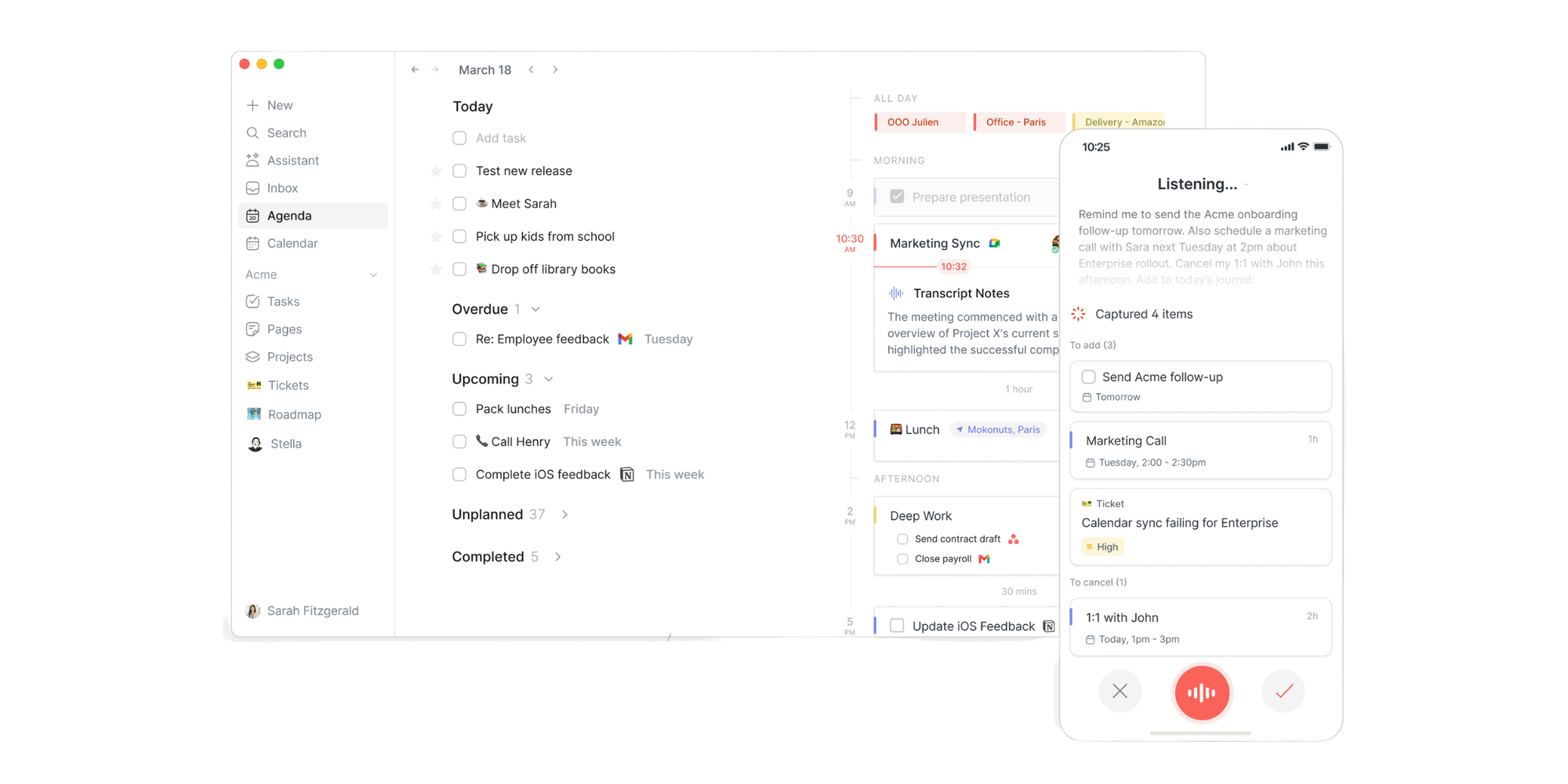
Rather than switching between a note-taking app, a to-do list and a calendar, you can use Routine to capture information and organise upcoming work in the same environment.
Its free plan includes tasks, calendars, notes and some AI functionality, while paid plans unlock more advanced planning features.
Key features:
- Tasks, calendars and notes in one workspace.
- AI-assisted features.
- Time blocking and time boxing on paid plans.
- Integrations and custom databases.
Pros: Useful for professionals who want planning and note-taking in the same place. The permanent free plan makes it easier to explore.
Limitations: Advanced time blocking and some AI functionality require paid plans. It may be broader than necessary for basic task management.
What customers say about Routine: Routine scores ⭐ 3.8/5 on G2 (2 reviews) and ⭐ 3.8/5 on Trustpilot (2 reviews). Both platforms have too few reviews to provide a representative picture of customer satisfaction. The limited feedback mentions its clean interface and ability to combine tasks with calendar planning.
Pricing: Free plan available. Personal starts at $5/month; Professional is listed at $10/month.
Best for: Professionals who regularly move between meeting notes, tasks and calendar planning.
8. Notion Calendar: Best for Notion users
Notion Calendar is a free calendar management app that works closely with Notion.
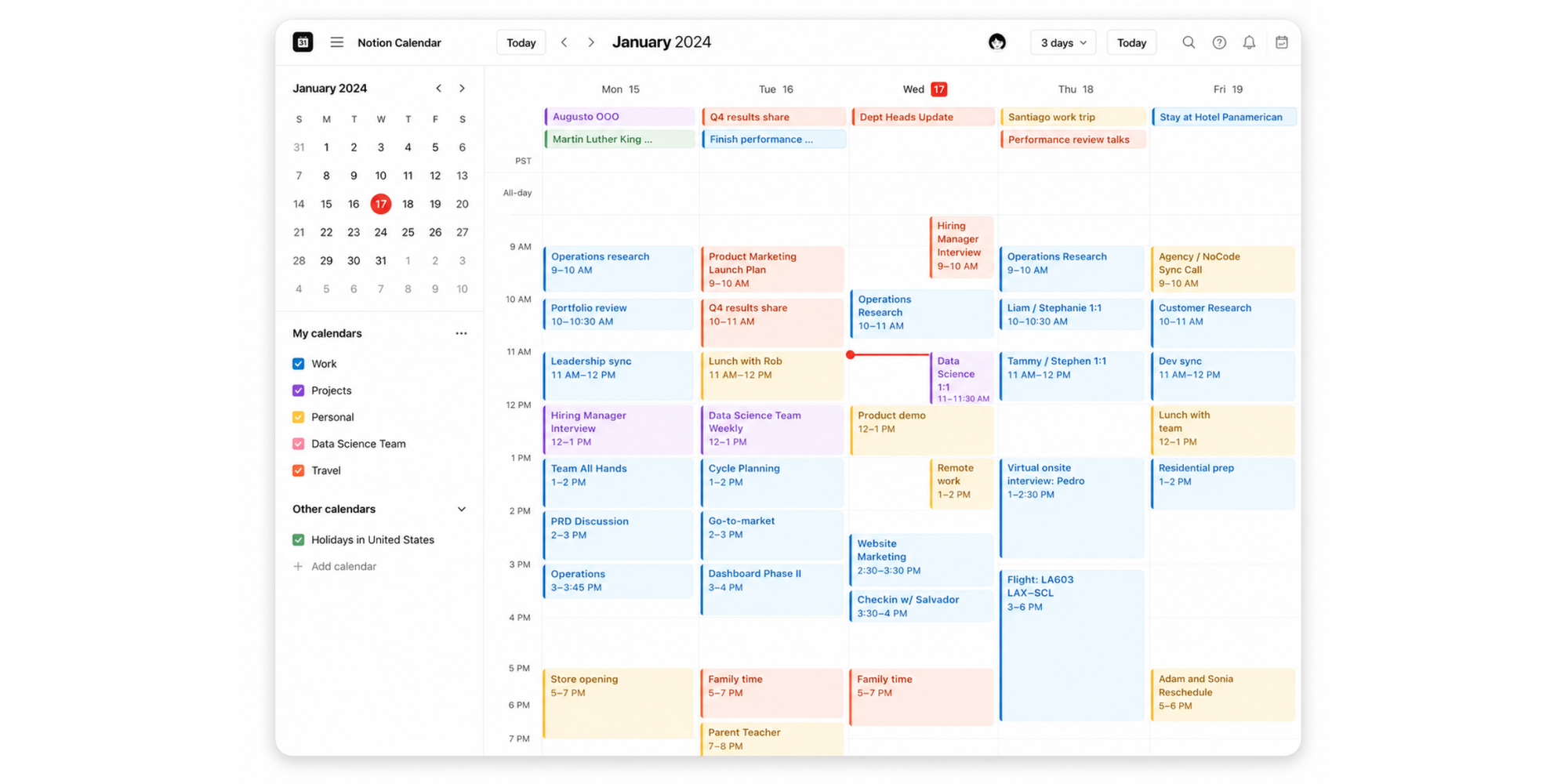
It lets you see meetings, calendar events and dates from Notion projects in one place. You can also share scheduling links so colleagues or clients can book time with you.
If you're already managing tasks and projects in Notion, this can be a simpler way to connect your work to your calendar.
Key features:
- Calendar views across connected accounts.
- Integration with Notion project timelines and database dates.
- Availability sharing and meeting links.
- Time zone management and calendar conflict prevention.
Pros: Free to use, with particularly useful integrations for existing Notion users. Available on web, desktop and mobile.
Limitations: Notion Calendar itself is not a full standalone task manager. More advanced task planning depends on how you've organised your Notion workspace. Check our best 8 Notion Calendar alternatives in 2026.
What customers say about Notion: Notion has ⭐ 4.6/5 on G2 (13,865 reviews) and ⭐ 2.2/5 on Trustpilot (438 reviews). However, these ratings cover the broader Notion platform, not Notion Calendar specifically. G2 reviewers value Notion's flexibility and connected workspace, while Trustpilot complaints frequently concern pricing, subscriptions and customer support. These scores should not be treated as direct ratings of Notion Calendar.
Pricing: Notion Calendar is free. Other Notion workspace features may require separate paid plans.
Best for: Professionals who already organise their projects in Notion and want calendar visibility without another planning subscription.
9. Koalendar: Best for client bookings and appointments
Koalendar is different from the other tools on this list. Rather than helping you decide when to complete your own tasks, it makes it easy for other people to book time with you, allowing you to focus on the work that really matters.
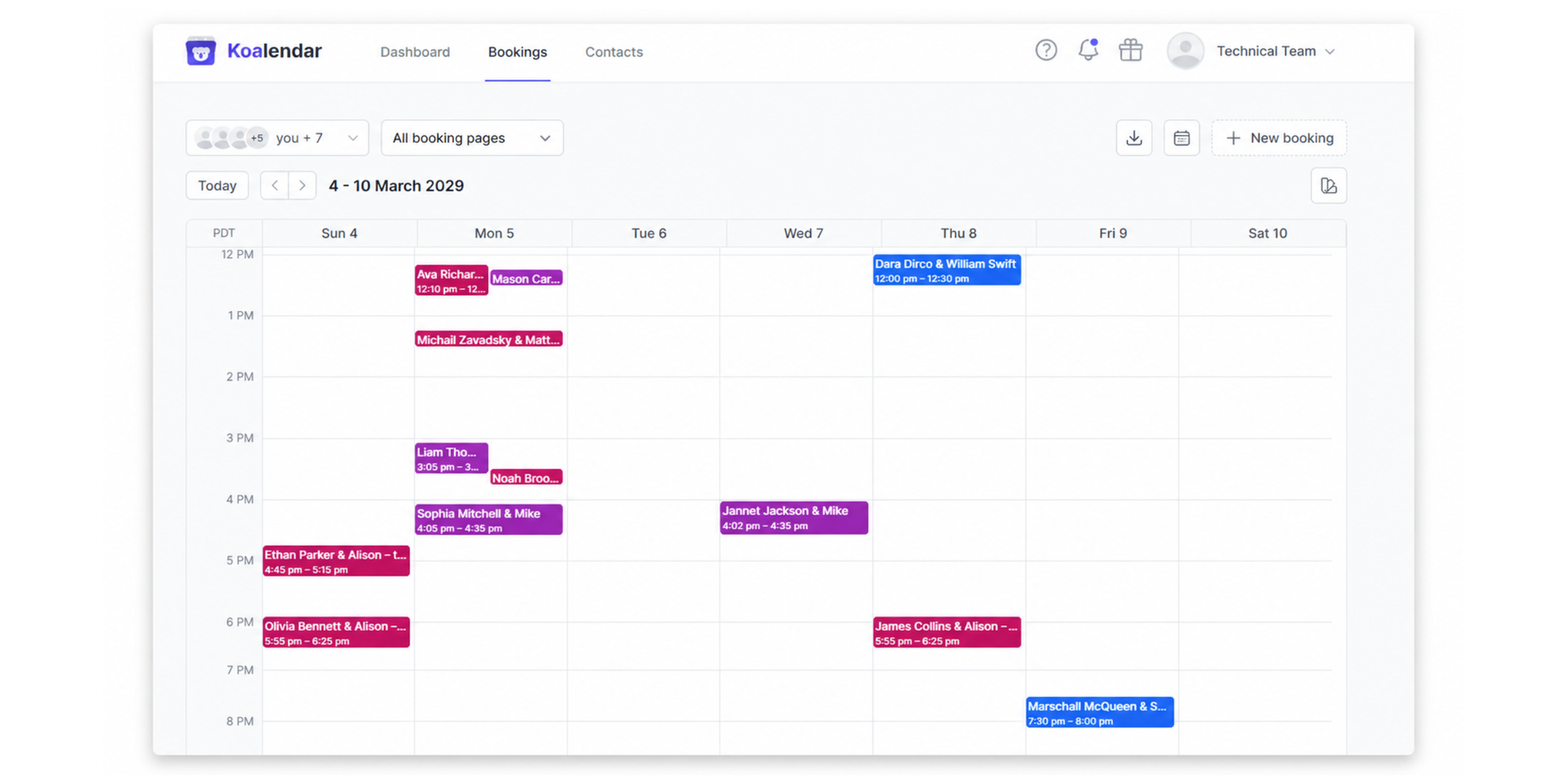
Akiflow already offers availability sharing and meeting links. However, if you're mainly using it to schedule client meetings, consultations or appointments, you may not need its complete productivity suite.
With Koalendar, you connect your calendar, create a booking page and share a link. Clients choose an available time, and their bookings appear automatically in your calendar. You can manage appointments through a straightforward dashboard without manually coordinating every meeting.
Key features:
- Unlimited scheduling links and bookings on the Free plan.
- Google Calendar, Outlook and iCloud calendar synchronisation.
- Automatic conflict checking and adjustable availability.
- Group sessions, payments, booking form questions and reminders through Pro.
Pros: Simple to set up for both the person scheduling and the person booking. The Free plan offers essential client-facing booking features without a paid productivity subscription.
Limitations: Koalendar doesn't manage to-do lists, automatically prioritise tasks or provide AI-powered daily planning like Akiflow and some of its direct competitors.
What customers say about Koalendar: Koalendar has ⭐ 4.9/5 on Trustpilot (365 reviews) and ⭐ 4.5/5 on G2 (2 reviews). Trustpilot feedback frequently highlights its ease of use, straightforward setup and convenient appointment scheduling. G2's rating is based on only two reviews, so it is not sufficiently representative to draw broader conclusions.
Pricing: Free Forever includes unlimited bookings and scheduling links. Pro adds advanced scheduling functionality, including reminders, payments and group sessions. Check the current Koalendar pricing before upgrading.
“We chose Koalendar because of the setting up, the linking, and its ease of use. I’m busy, and anything that saves me time, or is easy for my team to adapt to, is really important.”

Bibi Boucher
Global Operating Officer
Best for: Freelancers, coaches, consultants and small businesses that mainly need to let clients schedule appointments and meetings.

Akiflow vs a dedicated booking tool: Which do you actually need?
Akiflow helps you organise your time. Dedicated scheduling tools help other people book it.
There's some overlap. Akiflow, Morgen, Motion and Notion Calendar all provide meeting scheduling features. The difference is how much of your workflow revolves around managing personal tasks versus accepting and managing bookings.
| If your priority is... | You need... |
| Capturing tasks from multiple apps | Akiflow or a productivity planner |
| Planning focused work around deadlines | A daily planner or AI task scheduler |
| Sharing your availability with clients | A scheduling tool or planner with booking links |
| Letting clients book, reschedule and receive reminders | Dedicated appointment scheduling |
| Accepting payments for appointments | A booking tool with payment collection |
| Scheduling multiple team members | Team scheduling functionality |
When a productivity planner makes more sense
Imagine you're a freelance designer juggling several projects.
You have tasks coming from different project management tools, deadlines to meet and regular client meetings. Your biggest problem isn't letting people book a call. It's finding enough uninterrupted time to get the work done.
Akiflow, Morgen or Motion could help you organise that workload.
When dedicated appointment scheduling makes more sense
Now imagine you're a consultant offering several client sessions every day.
Most of your admin involves sharing availability, confirming appointments, adjusting bookings and collecting payments.
You might not need an AI-powered task planner. Instead, you need a booking system that lets clients handle the scheduling themselves.
That's where Koalendar fits. Clients can book through your scheduling page, while you manage appointments and availability from a central dashboard.
You can also connect Koalendar to Google Calendar to keep your appointments in sync.
“For us, calls means money because we’re a time and materials consulting business. Koalendar has helped us get on calls quicker and increase revenue through that.”

David Hose
Co-Founder, Managing Partner at Icono Labs
Can you use both?
Absolutely. In fact, using a productivity planner alongside a dedicated scheduling tool can make sense.
For example, you could use Todoist to manage project tasks and Koalendar to accept client bookings. Your connected calendar then becomes the common place where appointments and time commitments come together.
The point isn't necessarily to replace every tool with one application. It's to choose tools that each solve a clear problem.
How to choose the right Akiflow alternative
The best option depends on which part of your current workflow is causing the most friction.
Do you need task management or appointment scheduling?
Start by identifying what takes up the most time.
If you spend your mornings reorganising deadlines and tasks, look for task management, time blocking and daily planning features.
If you spend hours coordinating meetings or client appointments, prioritise scheduling links, calendar synchronisation and automated booking management.
How much automation do you need?
Not every professional wants AI to make scheduling decisions.
Motion and Reclaim.ai are worth considering if you want tasks or focus blocks automatically fitted around your calendar.
Morgen and Sunsama offer planning approaches that provide more direct user involvement.
For appointment scheduling, automation works differently. A tool such as Koalendar removes the manual coordination involved in finding available meeting times, confirming appointments and updating calendars.
Which calendars and apps must it integrate with?
A tool is only useful if it fits your existing workflow.
Before subscribing, check whether it connects to the calendar you already use, such as Google Calendar, Outlook or iCloud.
For task planners, check connections to your project management tools, too. Integrations with Todoist, Notion, ClickUp or similar applications may determine how much information you can manage from one place.
Do you need a free plan or advanced paid features?
A free plan is often enough when your requirements are straightforward.
Todoist and TickTick cover basic task management, Notion Calendar provides free calendar management, and Koalendar offers free booking pages and appointments.
Paid subscriptions become more relevant when you need advanced AI planning, additional integrations, collaboration, payment collection or more scheduling automation.
Compare what each plan includes rather than choosing the lowest price alone. You can also explore our guide to the best free online calendars.
How we evaluated these Akiflow alternatives
We selected these tools based on the different reasons professionals might look for an alternative to Akiflow, from simpler task management and automated daily planning to appointment scheduling.
Our comparison considers features, ease of use, pricing, calendar integrations, automation and suitability for different workflows.
The assessment draws on publicly available product documentation and pricing pages. Independent customer reviews from G2, Google Chrome Web and Trustpilot can provide additional context where verified profiles and current ratings are available. Review ratings were checked in October 2026. Scores and review counts may change. Ratings based on fewer than 10 reviews should be interpreted with caution.
This article is published by Koalendar, which is included as a dedicated appointment scheduling option rather than a direct replacement for Akiflow's task management features. The comparison is based on product research.
Choose the tool that matches your workflow
The best Akiflow alternatives aren't necessarily the ones with the longest feature lists. They're the ones that solve the problem you actually have.
If you need to plan your workload, Morgen, Sunsama and Motion offer different approaches to daily scheduling. If you want simpler, more affordable task management, Todoist and TickTick are worth exploring.
But if your main challenge is managing client bookings rather than your own tasks, Koalendar provides a simpler way to get booked.
Create your scheduling page, connect your calendar and let clients choose a time that works. No complicated setup or full productivity subscription required.