TL;DR: Which Notion Calendar alternative should you choose?
The best Notion Calendar alternative depends on what you need your calendar to do.
- Morgen: Best for managing multiple calendars, tasks and time blocking.
- Motion: Best for AI-powered task and project scheduling.
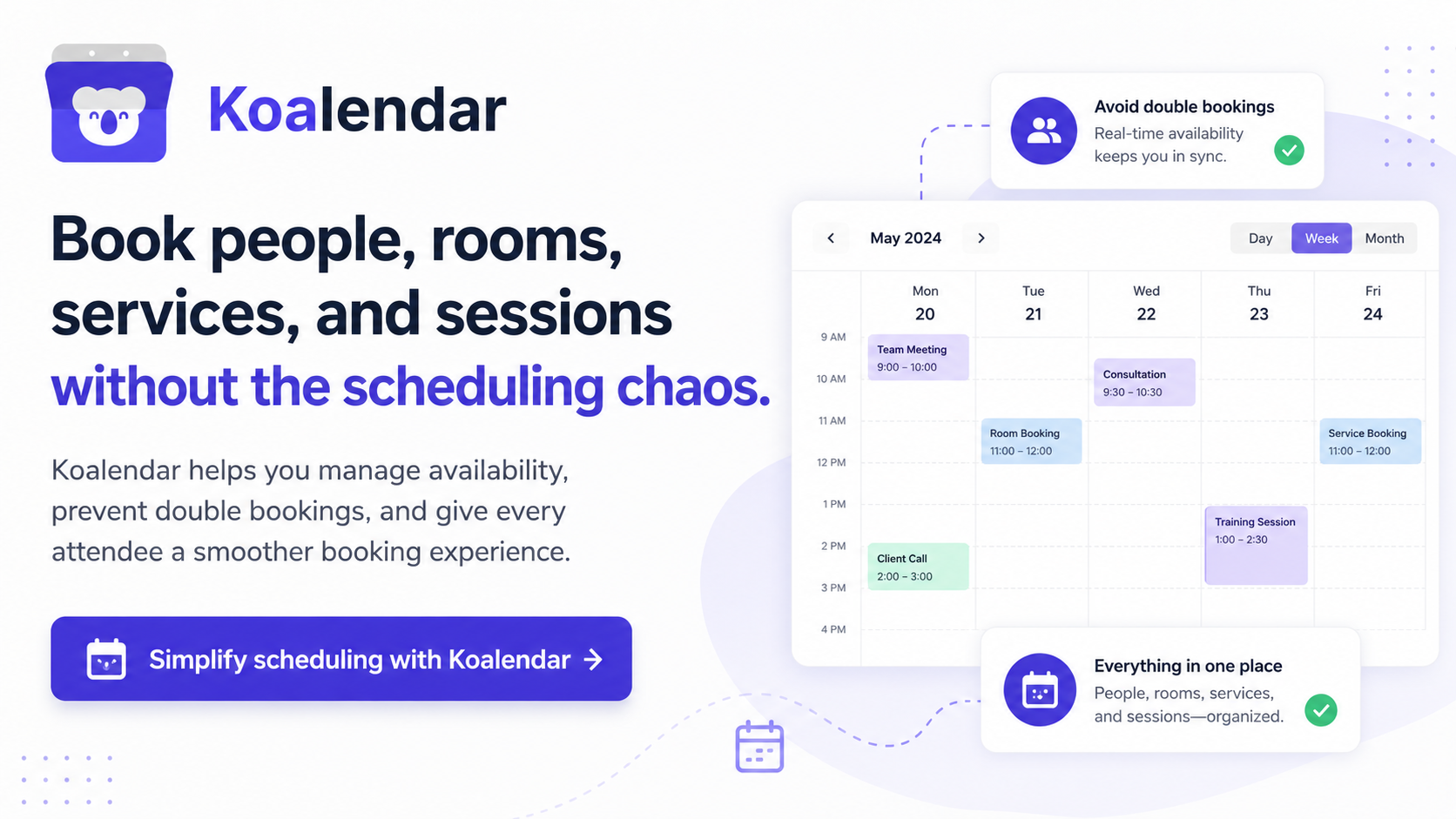
- Koalendar: Best for professional appointment scheduling and client bookings
- Reclaim AI: Best for protecting focus time automatically.
- Sunsama: Best for structured daily planning.
- Akiflow: Best for bringing tasks from different apps into one calendar.
- Google Calendar: Best for straightforward calendar management.
- Amie: Best for visual calendar planning and AI meeting notes.
If you mainly use Notion to manage projects and plan your day, a productivity calendar is probably the closest replacement. If your biggest challenge is getting appointments booked and managing everything that happens afterwards, dedicated scheduling software may be more useful.
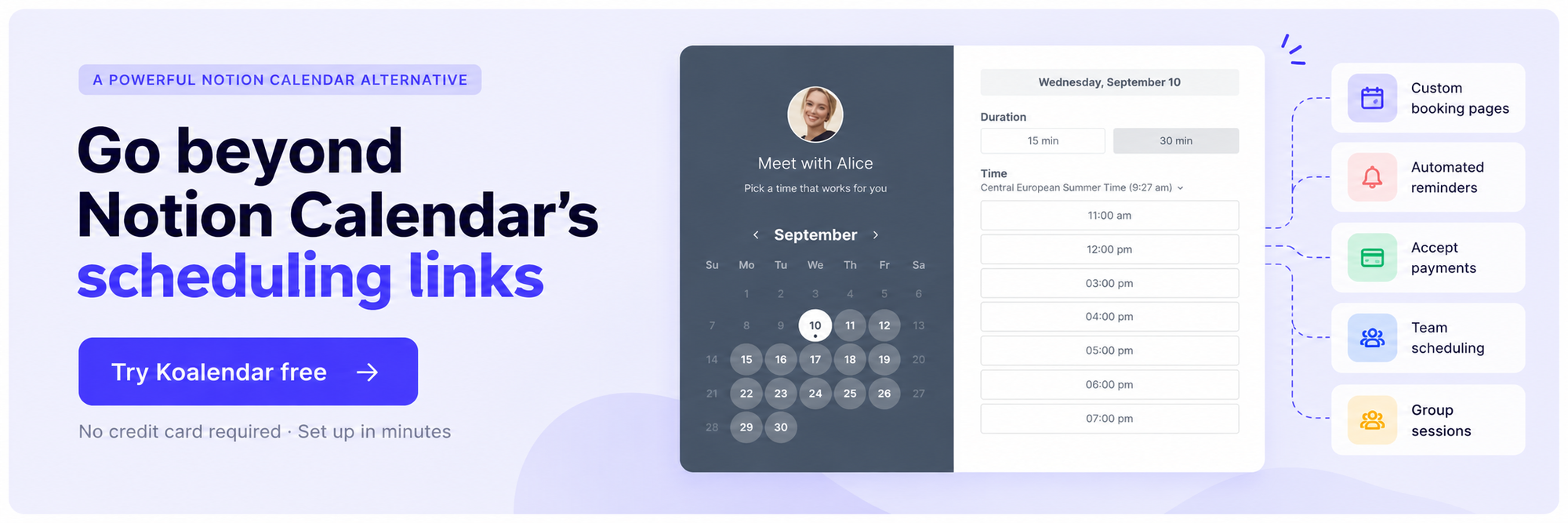
Notion Calendar brings your meetings, calendar events and Notion database dates together in one interface. You can manage multiple calendars, create scheduling links and move between your calendar and Notion workspace without constantly switching tools.
But it won't suit every workflow.
You might need more advanced task management, AI-powered planning or a calendar that works independently of Notion. Or perhaps your appointments involve clients, payments, reminders and multiple team members.
The best Notion Calendar alternatives address different needs. Some help you organise your own time, while others make it easier for people to book time with you.
We've compared eight apps like Notion Calendar based on their features, limitations, pricing and the types of work they're best suited for.
Best Notion Calendar alternatives at a glance
Pricing checked against official product pages in October 2026. Annual rates require an annual billing commitment. Features and prices may vary by plan.
| Morgen |  |  | Reclaim AI | Sunsama | Akiflow |  | Amie | |
| Best for | Calendar and task planning | AI scheduling | Professional bookings | Focus time | Daily planning | Task consolidation | Calendar management | Visual planning and meeting notes |
| Starting price | $15/month | $19/seat/month | Free Forever plan. Pro $6.99/seat/month | Free | $17/user/month | $19/month | Free | Paid plans |
| Trustpilot rating | 4.4/5 (71) | 3.7/5 (578) | 4.9/5 (363) | 2.2/5 (23) | 4.0/5 (4) | 4.4/5 (232) | 2.3/5 (9) | 3.7/5 (4) |
| G2 rating | 4.8/5 (29) | 4.1/5 (157) | 4.5/5 (2) | 4.8/5 (143) | None available | 4.8/5 (99) | Only available for Google Workspace | None available |
Review scores are based on publicly available Trustpilot and G2 ratings. Review counts vary significantly between products, so a high rating based on a handful of reviews should not carry the same weight as one supported by hundreds of reviews. Where a product's G2 rating could not be verified, it is marked accordingly.
Why look for an alternative to Notion Calendar?
Notion Calendar is a capable calendar app, particularly if you already use Notion to organise projects, documents and deadlines. Its direct integration with Notion databases is a genuine advantage that most alternatives cannot replicate.
It also supports Google, iCloud and Microsoft Outlook calendars, along with one-off and recurring scheduling links.
However, there are several reasons you might want a different tool.
You want better task and calendar planning
Notion Calendar lets you see dated Notion database entries alongside calendar events. But if you manage tasks across Todoist, ClickUp, Google Tasks or several other apps, you may prefer a tool that brings those tasks together and helps you allocate time to complete them.
Morgen, Akiflow and Sunsama are worth considering here.
You want AI to organise your schedule
Having all your events in one place doesn't automatically tell you when to tackle your workload.
Tools such as Motion and Reclaim can help automatically schedule work, adjust time blocks and protect time for important tasks when meetings interrupt your plans.
You need stronger client-facing scheduling
Notion Calendar already offers useful scheduling links, including recurring availability, booking windows, video conferencing options, and rescheduling or cancellation links.
However, booking a meeting is not always the entire process.
For example, a consultant might want clients to complete an intake form and pay when booking. A tutor might need to organise group classes. A sales team might need incoming meetings distributed automatically across several representatives.
That's where appointment scheduling tools such as Koalendar become more relevant.
You want a calendar that works independently of Notion
Notion Calendar can be used without actively managing projects in Notion, but its distinctive advantage comes from the connection between your calendar and Notion workspace.
If your tasks and projects live elsewhere, you might find more value in a different calendar app.
The 8 best Notion Calendar alternatives
These Notion Calendar competitors have different strengths. Rather than treating them as interchangeable, it's more useful to compare what each one does better, where Notion Calendar still has an advantage and who will benefit most from switching.
1. Morgen: Best for managing calendars, tasks and time blocking
Best for:
Professionals who manage several calendars and want to plan tasks alongside their meetings.
Pricing:
From $15/month billed annually, or $30/month billed monthly. Free trial: 14 days.
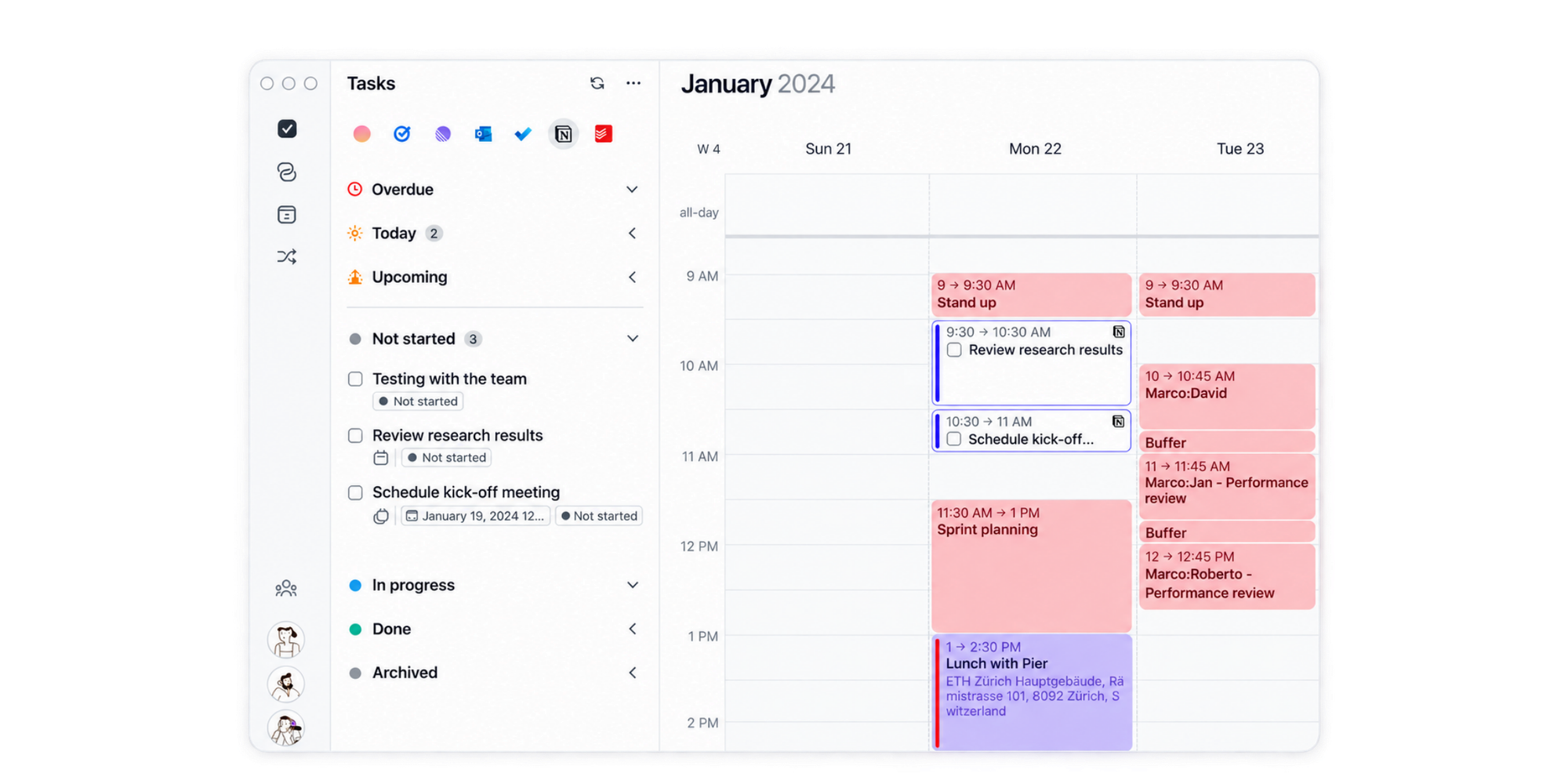
Morgen is one of the most direct Notion Calendar replacements if your priority is managing your entire schedule, not just appointments.
It brings calendars and tasks into one workspace, allowing you to plan your work around existing commitments. You can connect Google Calendar, Outlook, iCloud and task management tools such as Todoist, Notion and ClickUp.
Its AI Planner also helps you schedule tasks into available time slots, while keeping you involved in deciding how your day is organised.
Key features
- Multiple calendar connections, including Google, Outlook and iCloud.
- Task integrations with Notion, Todoist, ClickUp and other tools.
- AI-assisted time blocking and daily planning.
- Booking pages and scheduling links.
- Calendar automations to manage routines and availability.
- Desktop and mobile apps.
Where Morgen works better than Notion Calendar
Morgen is particularly useful when your tasks are spread across different apps. Rather than relying primarily on Notion database dates, it lets you bring tasks from several sources into your scheduling workflow.
This makes it appealing to professionals who manage projects in one tool, personal tasks in another and meetings across multiple calendars.
Where Notion Calendar may be better
Notion Calendar offers a more direct connection to Notion databases, pages and meeting notes. If your projects, documentation and deadlines already live in Notion, there's less reason to introduce another planning tool.
Notion Calendar is also free, while Morgen requires a paid subscription after its trial.
Verdict
Choose Morgen if you want a central place to manage calendars and tasks from different apps, with more help planning when work gets done.
2. Motion: Best for AI-powered planning and scheduling
Best for:
Busy professionals and teams who want AI to plan and rearrange their work automatically.
Pricing:
Pro AI from $19/seat/month, billed annually. Free trial: Available.
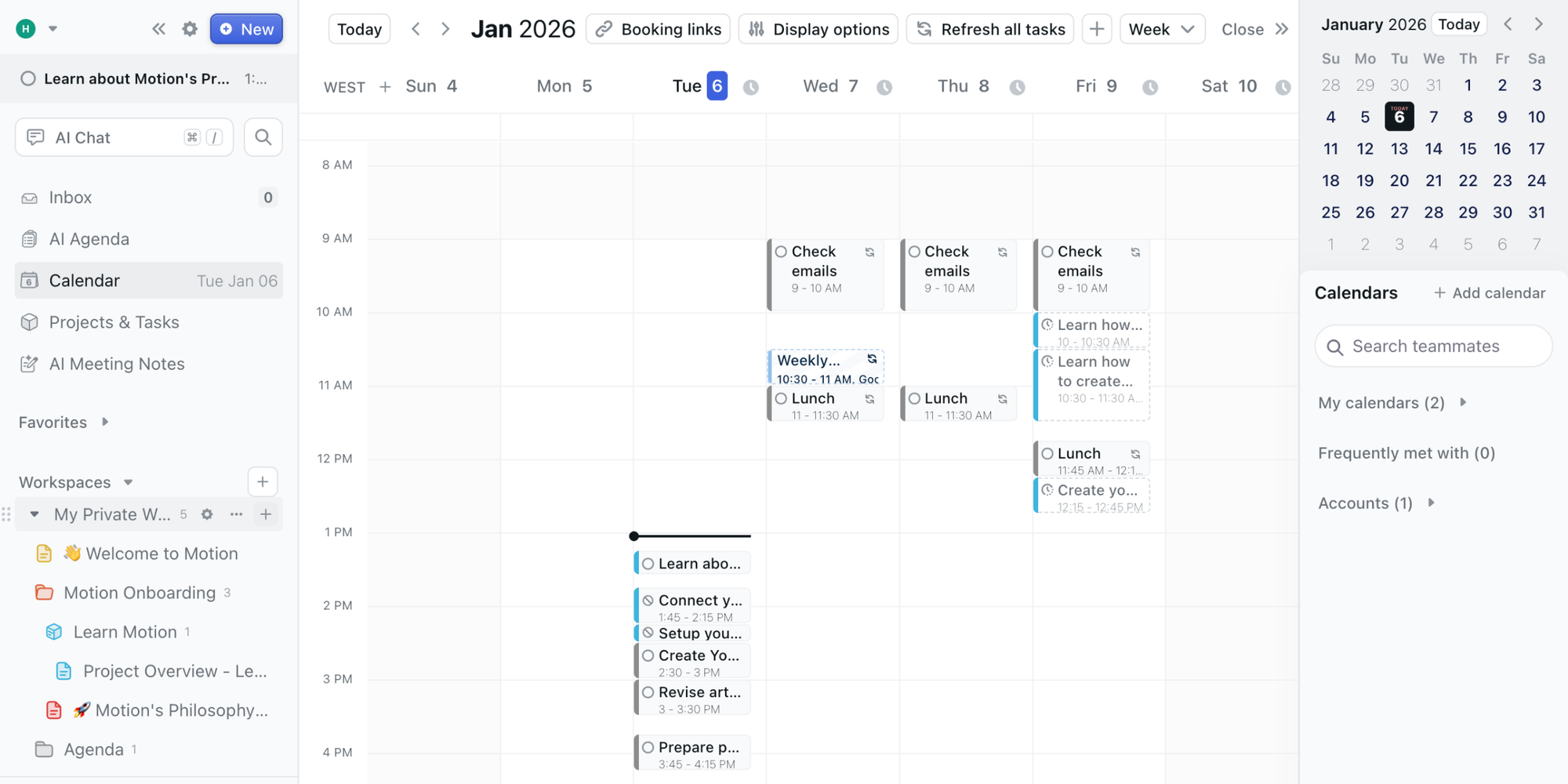
Motion takes a more automated approach to calendar management. Instead of asking you to decide exactly when every task should happen, it uses AI to build and adjust your schedule.
Add tasks, priorities and deadlines, and Motion can allocate working time around meetings and other commitments. When circumstances change, it can reorganise the schedule.
Motion also includes project management tools, which makes it useful for individuals and teams managing deliverables alongside their calendars.
Key features
- AI task scheduling based on priorities and deadlines.
- Automatic rescheduling when plans change.
- Calendar and meeting management.
- Project management with tasks and workflows.
- Meeting booking links.
- Team workload and capacity management on eligible plans.
Where Motion works better than Notion Calendar
Motion is designed to make scheduling decisions for you.
For example, imagine you're preparing a proposal due on Friday while managing several client meetings. Motion can allocate time for the work and reorganise tasks when new commitments appear.
In Notion Calendar, you can see your events and dated tasks, but you generally remain responsible for planning and adjusting your workload.
Where Notion Calendar may be better
Not everybody wants software to rearrange their day.
If you prefer manually controlling your schedule, Notion Calendar offers a simpler experience. It also integrates directly with Notion documents and databases without requiring a separate AI project management system.
Motion's more extensive features and subscription cost may be unnecessary if you mainly need a calendar and occasional scheduling links.
Verdict
Motion is worth considering if managing your workload takes more time than managing your meetings. Its value is in organising work automatically, not simply displaying calendar events.
3. Reclaim AI: Best for protecting focus time
Best for:
Professionals who need to balance meetings with focused work and recurring routines.
Pricing:
Free Lite plan. Paid Starter plans from $10/seat/month with annual billing. Free plan: Available.
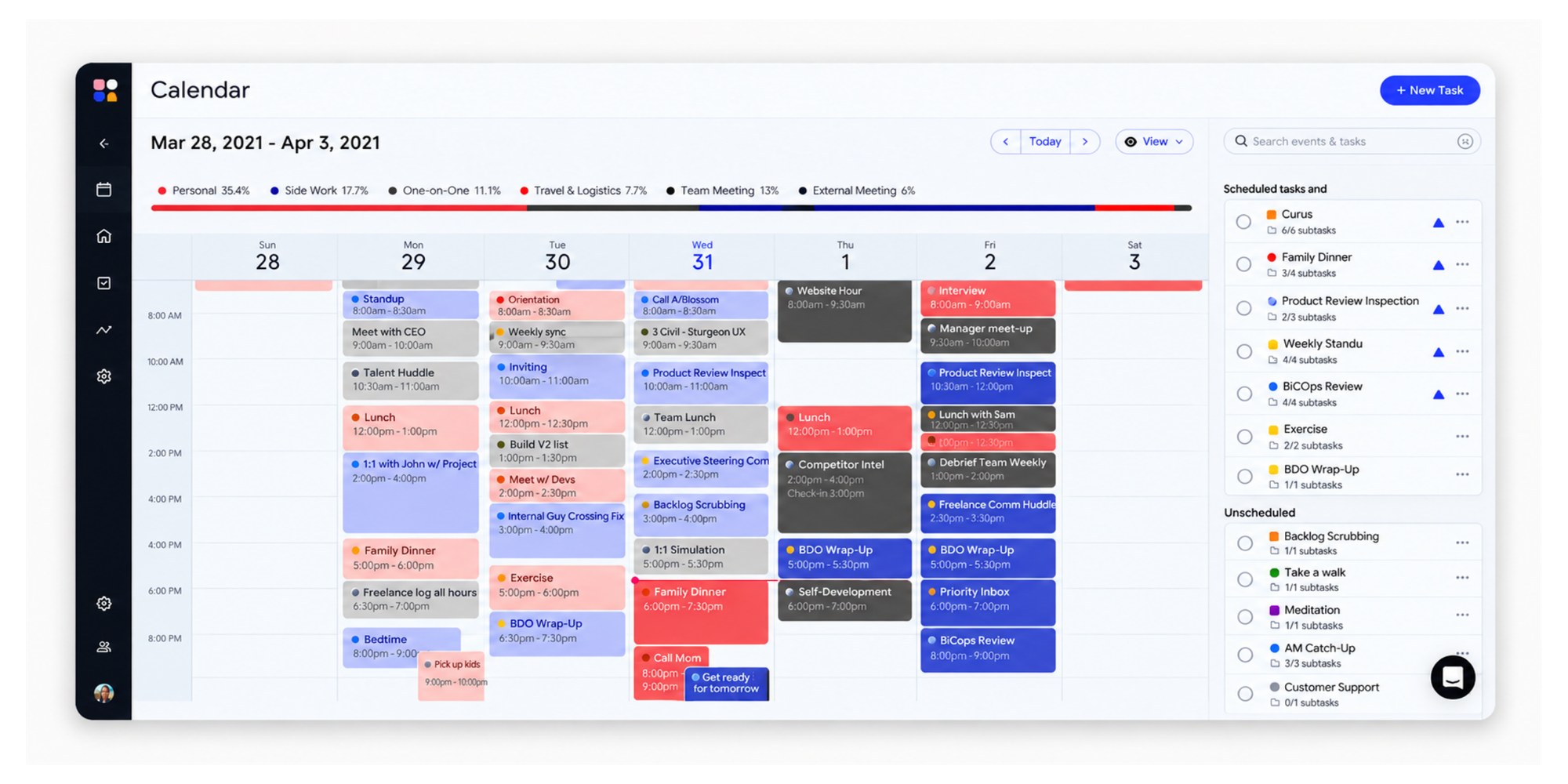
Reclaim AI helps you reserve time for important work, even when your calendar gets crowded with meetings.
Instead of manually blocking out every working session, you define priorities such as focused work, recurring habits or meeting preparation. Reclaim finds suitable time and adjusts those blocks as your schedule changes.
This makes it particularly useful when your calendar is already full, but you still need uninterrupted time to get things done.
Key features
- AI-powered focus time scheduling.
- Flexible time blocking for tasks and habits.
- Automatic breaks and buffer time.
- Calendar synchronisation.
- Scheduling links.
- Smart meeting scheduling and time analytics.
Where Reclaim works better than Notion Calendar
Reclaim goes beyond showing you when you're busy. It actively helps protect time for different types of work.
For example, if you want two hours of uninterrupted writing time every day, Reclaim can find suitable openings and adapt those blocks when meetings change.
It also has features for recurring team meetings and working habits.
Where Notion Calendar may be better
Notion Calendar is better suited to professionals who want to see calendar events alongside Notion projects and database dates.
Reclaim focuses more on optimising the way time is allocated than on providing a traditional productivity workspace or Notion-connected calendar experience.
Its automated approach can also feel excessive if you're happy managing your schedule manually.
Verdict
Choose Reclaim if finding enough uninterrupted working time is your biggest scheduling problem.
Reclaim's pricing page lists a free Lite plan with focus-time features, calendar sync and a scheduling link.
4. Sunsama: Best for intentional daily planning
Best for:
Professionals who want a structured daily planning routine rather than fully automated scheduling.
Pricing:
$17/user/month billed annually or $22/user/month billed monthly.
Free trial: 14 days.
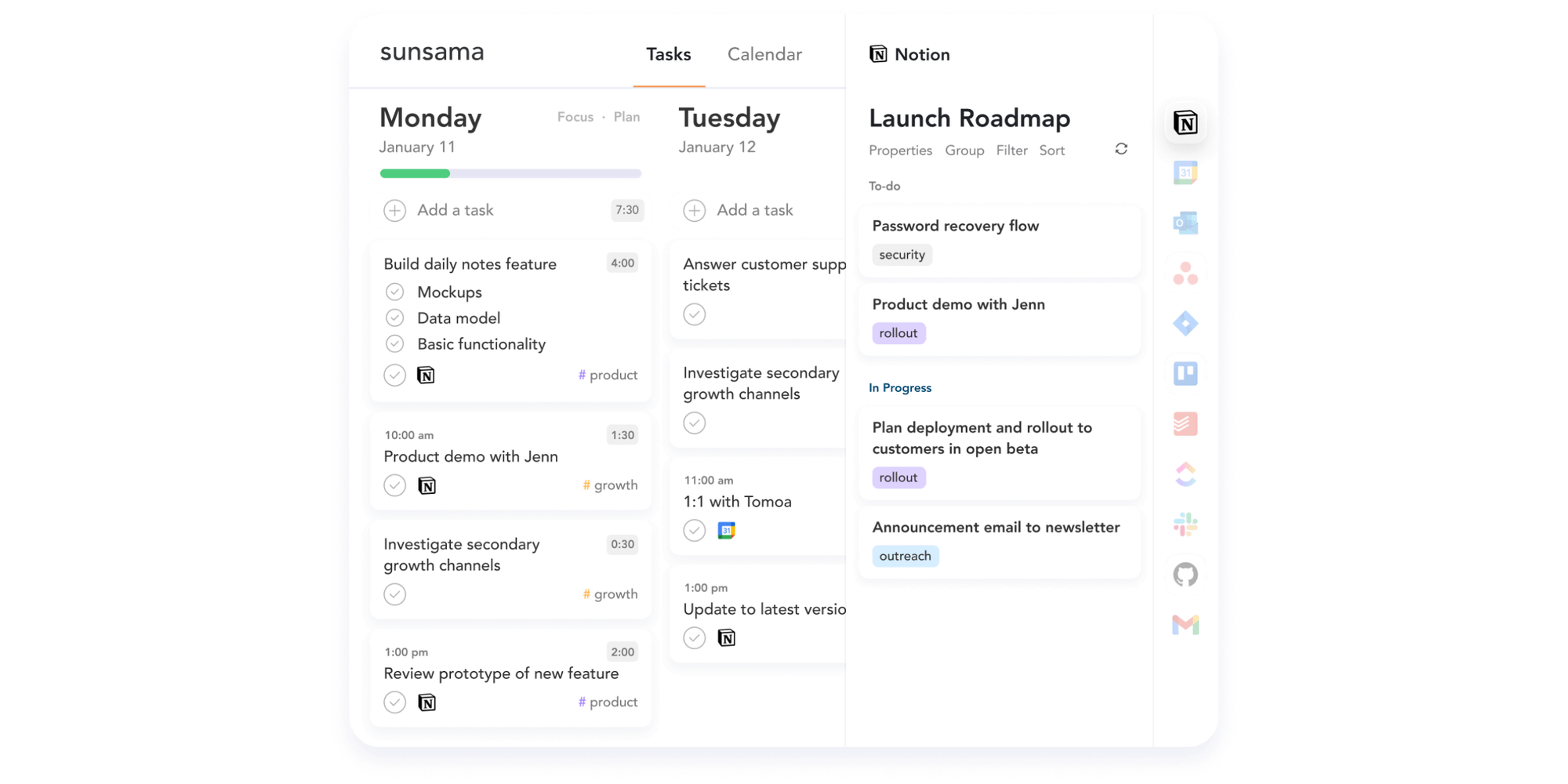
Sunsama helps you decide what you can realistically accomplish each day and set aside time for it.
The platform combines tasks, calendars and a guided daily planning workflow. Instead of automatically rearranging everything, it encourages you to review your priorities, estimate how long tasks will take and build a manageable schedule.
This makes it particularly appealing to people who feel overwhelmed by long task lists.
Key features
- Guided daily and weekly planning.
- Task and calendar integration.
- Time blocking for individual tasks.
- Task imports from project management tools.
- Workload planning and progress tracking.
- Daily shutdown and reflection workflows.
Where Sunsama works better than Notion Calendar
Sunsama provides more structure around planning your working day.
For example, you can begin each morning reviewing tasks, deciding what matters most and assigning time to complete the work.
Notion Calendar helps you see your commitments, but it doesn't offer the same dedicated daily planning experience.
Where Notion Calendar may be better
Sunsama is more focused on individual productivity than calendar sharing and external meeting scheduling.
If you mainly need to organise calendar events, manage Notion database deadlines and let colleagues book meetings, Notion Calendar may cover your needs without another subscription.
Verdict
Sunsama is a good fit if you want to make better decisions about your workload and maintain a consistent daily planning routine.
5. Akiflow: Best for bringing tasks and calendars together
Best for:
Professionals who collect tasks from several apps and want to manage them in one place.
Pricing:
$16/month billed annually or $34/month billed monthly. Free trial: 7 days.
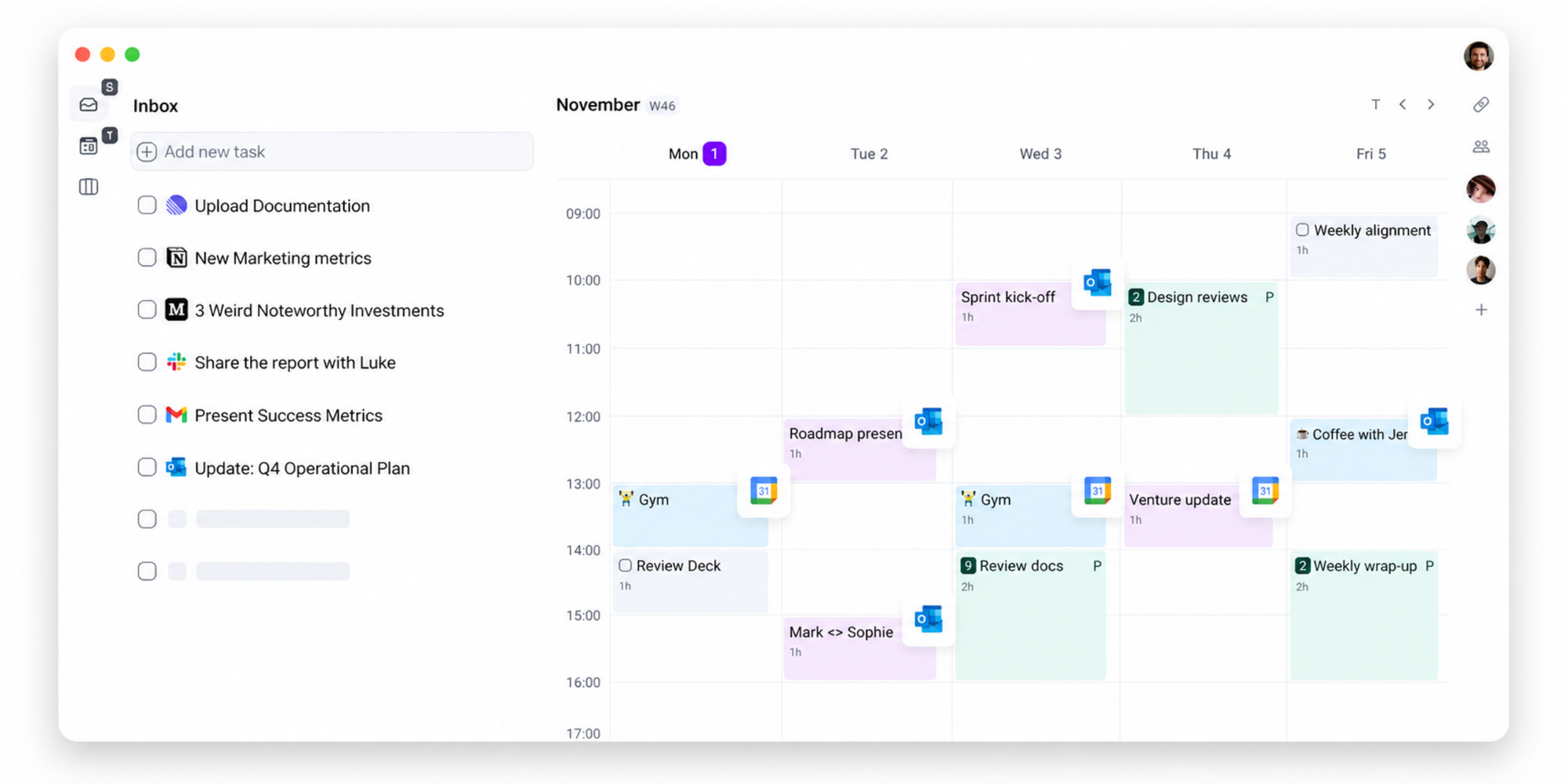
Akiflow is built around a common productivity problem: tasks arrive from different places, but you still have to find time to complete them.
It combines a central task inbox with calendar-based planning, helping you capture tasks quickly and organise them without constantly moving between applications.
Its scheduling features also allow you to reserve time for specific work alongside your existing meetings.
Key features
- Unified task inbox.
- Task and calendar integrations.
- Quick task capture.
- Time blocking and calendar planning.
- Keyboard shortcuts for managing tasks.
- AI assistance for productivity workflows.
Where Akiflow works better than Notion Calendar
Akiflow is useful when tasks come from several different tools.
For example, you might receive a task in Slack, manage a project in ClickUp and keep personal to-dos in another app. Akiflow helps bring those commitments together so you can plan your work from one interface.
Notion Calendar's strongest task-related integration is with Notion databases rather than a dedicated cross-platform task inbox.
Where Notion Calendar may be better
Akiflow asks you to adopt a more extensive task-management workflow.
If your tasks already live in Notion and your main requirement is seeing them alongside calendar events, Notion Calendar offers a simpler, free solution.
Verdict
Akiflow is a strong alternative for people whose biggest challenge is collecting, prioritising and scheduling tasks from different sources.
6. Google Calendar: Best for straightforward calendar management
Best for:
Individuals and teams who want a familiar calendar without a separate productivity platform.
Pricing:
Free for personal use. Additional features are available through eligible Google Workspace plans. Free plan: Available.
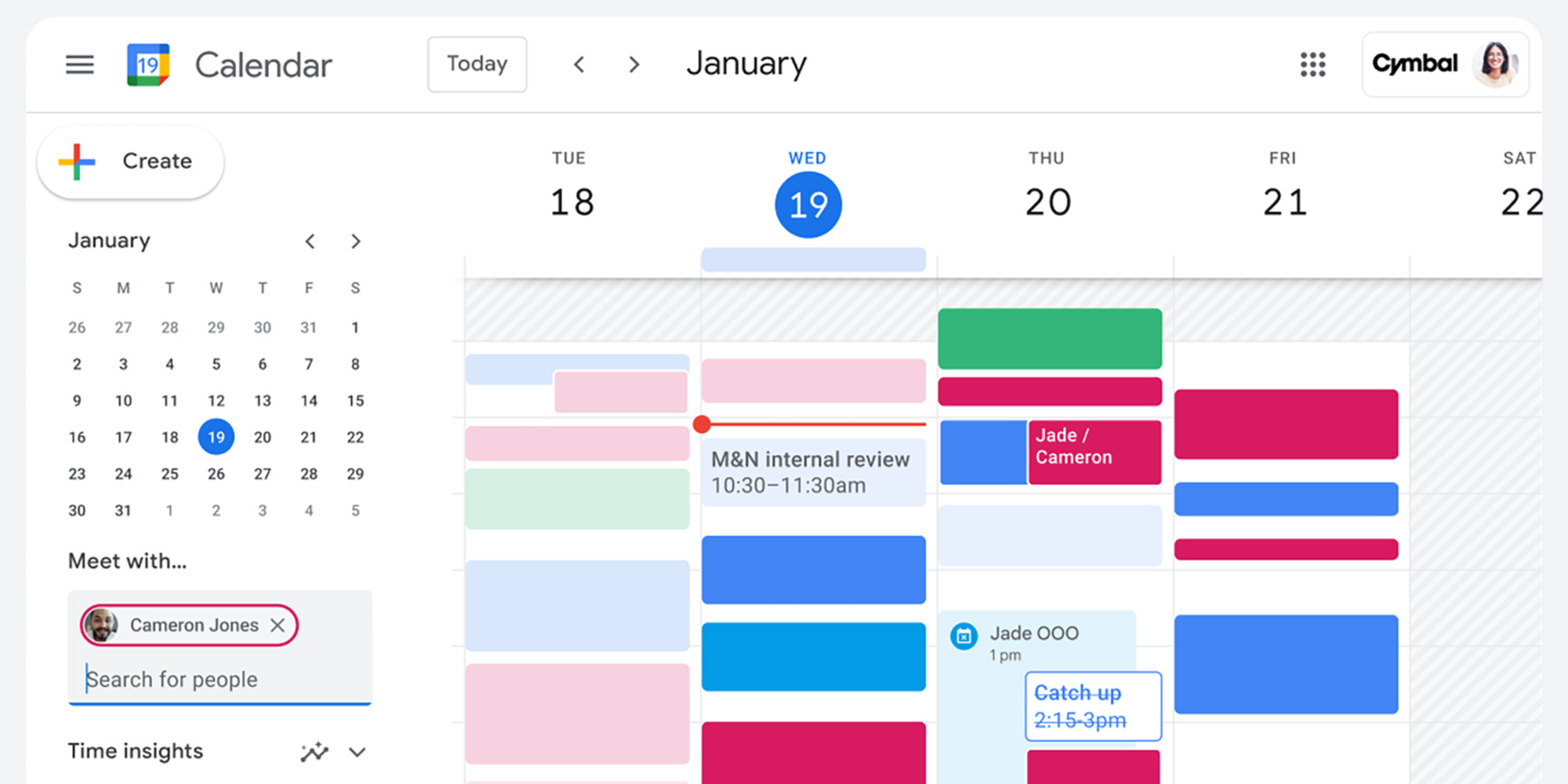
Google Calendar is one of the simplest alternatives for people who don't need Notion Calendar's database integration.
It provides the essentials for organising meetings and commitments, including shared calendars, recurring events, invitations, reminders and Google Meet integration.
Eligible Google Workspace and Google One subscriptions also include additional appointment scheduling capabilities, depending on the plan.
Key features
- Multiple calendars and calendar sharing.
- Meeting invitations and recurring events.
- Google Meet integration.
- Appointment schedules and booking pages.
- Time zone support.
- Integration with Gmail and other Google Workspace tools.
Where Google Calendar works better than Notion Calendar
Google Calendar is a natural choice if you already use Gmail, Google Meet and Google Workspace every day.
You can organise appointments without introducing another calendar interface or connecting your existing Google accounts to a separate service.
For individuals with basic scheduling needs, the free version may be entirely sufficient.
Where Notion Calendar may be better
Notion Calendar provides a different way to view commitments from supported calendar providers alongside Notion database dates.
That connection matters when project deadlines, editorial calendars or other important dates live inside Notion.
Google Calendar also offers a different appointment scheduling experience from dedicated booking platforms, with capabilities depending on your subscription.
Verdict
Google Calendar is a practical choice if you want reliable everyday calendar management without additional planning software.
If you're comparing booking functionality, our guide to Calendly vs Google Calendar explores how calendar management and dedicated scheduling tools differ.
7. Amie: Best for a visual calendar and meeting notes
Best for:
Professionals who want a visual calendar, to-do lists and AI-powered meeting notes.
Pricing:
Pro $20/user/month and Business $40/user/month billed annually. Free trial: 7 days.
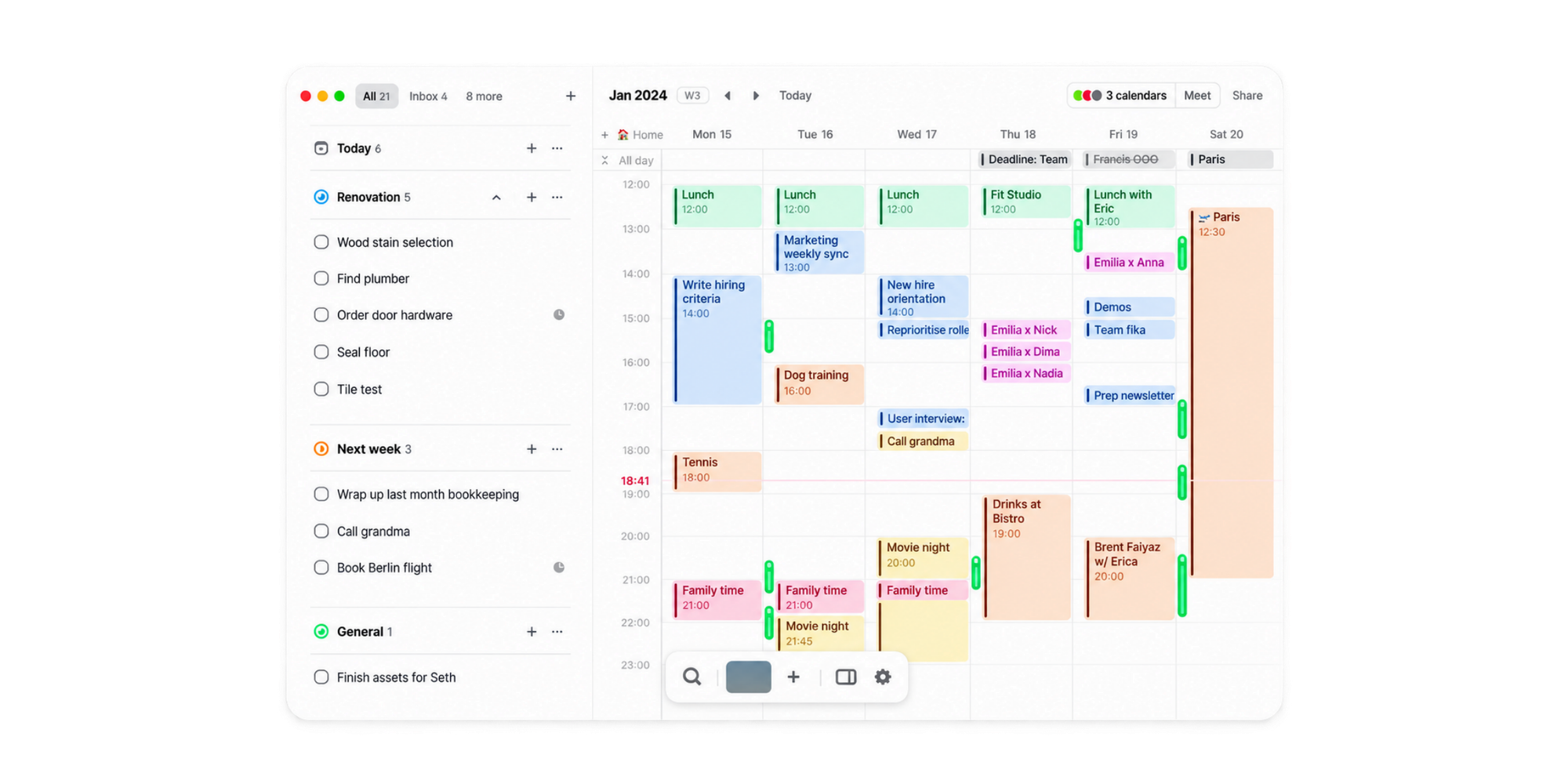
Amie combines calendar management, tasks and meeting notes in a visually focused interface.
It is particularly appealing to professionals who spend much of their day in meetings and want to keep notes and follow-up work connected to their calendar.
Alongside its calendar features, Amie offers AI meeting notes, recordings and task management functionality.
Key features
- Google and Apple calendar connections.
- Integrated to-do lists.
- Task integrations.
- Calendar-based planning.
- AI meeting notes and recordings.
- Meeting-related productivity tools.
Where Amie works better than Notion Calendar
Amie places more emphasis on managing tasks and capturing meeting information within one calendar-centred workflow.
If you regularly attend client calls or internal meetings and want your notes connected to those conversations, its meeting features may be especially useful.
Where Notion Calendar may be better
Notion Calendar connects naturally with Notion pages, databases and project documentation.
If you already use Notion for meeting notes, action items and shared company knowledge, you may not need Amie's additional meeting features.
Amie's appeal also depends on whether you value its design and integrated notes enough to justify a paid subscription.
Verdict
Consider Amie if you want a visually appealing calendar that brings tasks and meeting information closer together.
8. Koalendar: Best for professional bookings and appointment scheduling
Best for:
Professionals and businesses who need clients to book appointments, complete forms, receive reminders or make payments.
Pricing:
Free forever plan with unlimited booking pages and bookings. Paid Pro for more advanced scheduling costs $6.99/seat/month billed annually.
Koalendar takes a different approach from most of the tools on this list.
While apps such as Morgen, Motion and Sunsama primarily help you organise your own time, Koalendar focuses on what happens when somebody else needs to book it.
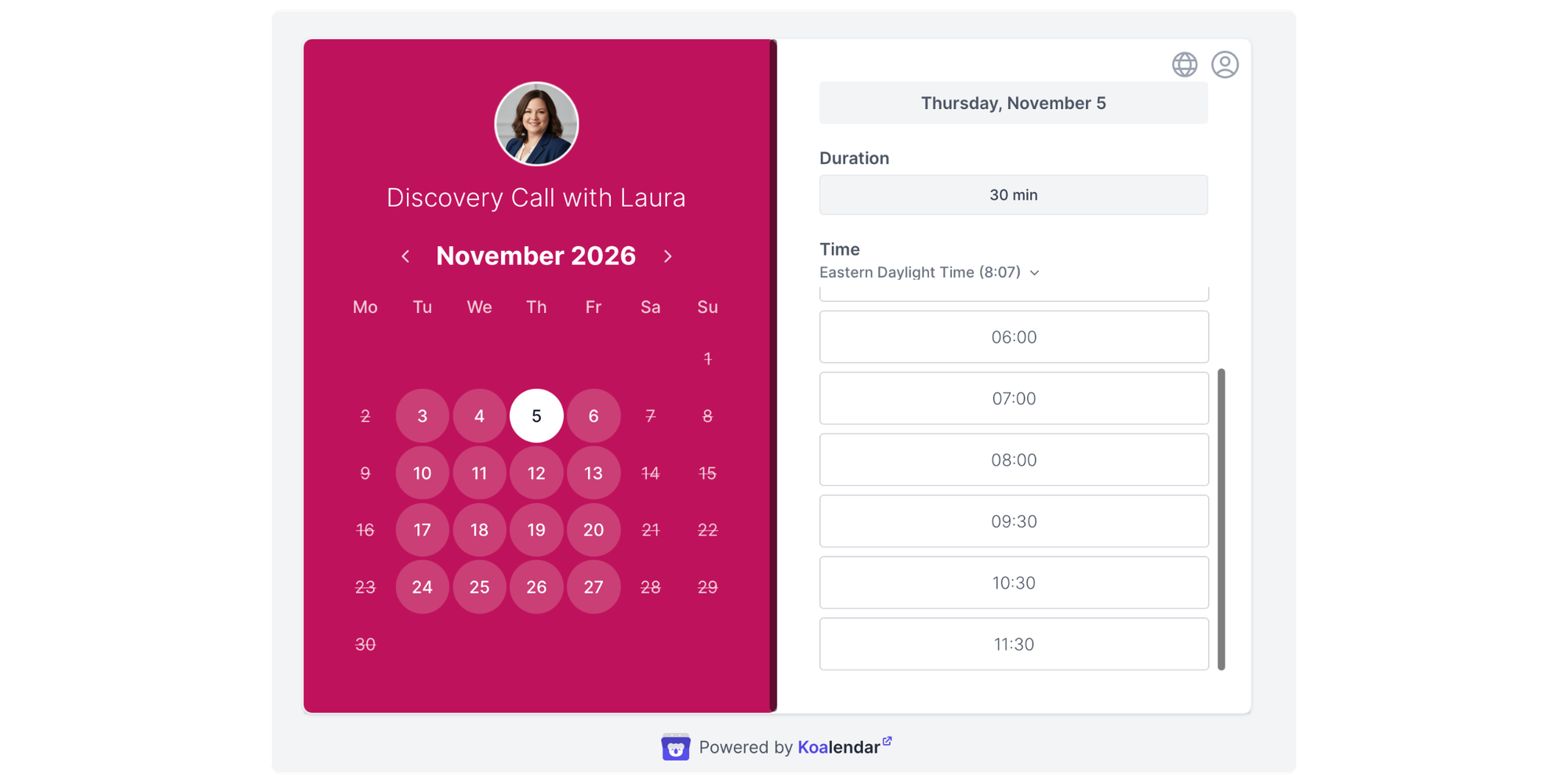
You connect your existing calendars, create a booking page and share a link. Clients, prospects or colleagues can then select an available time without exchanging emails to arrange the appointment.
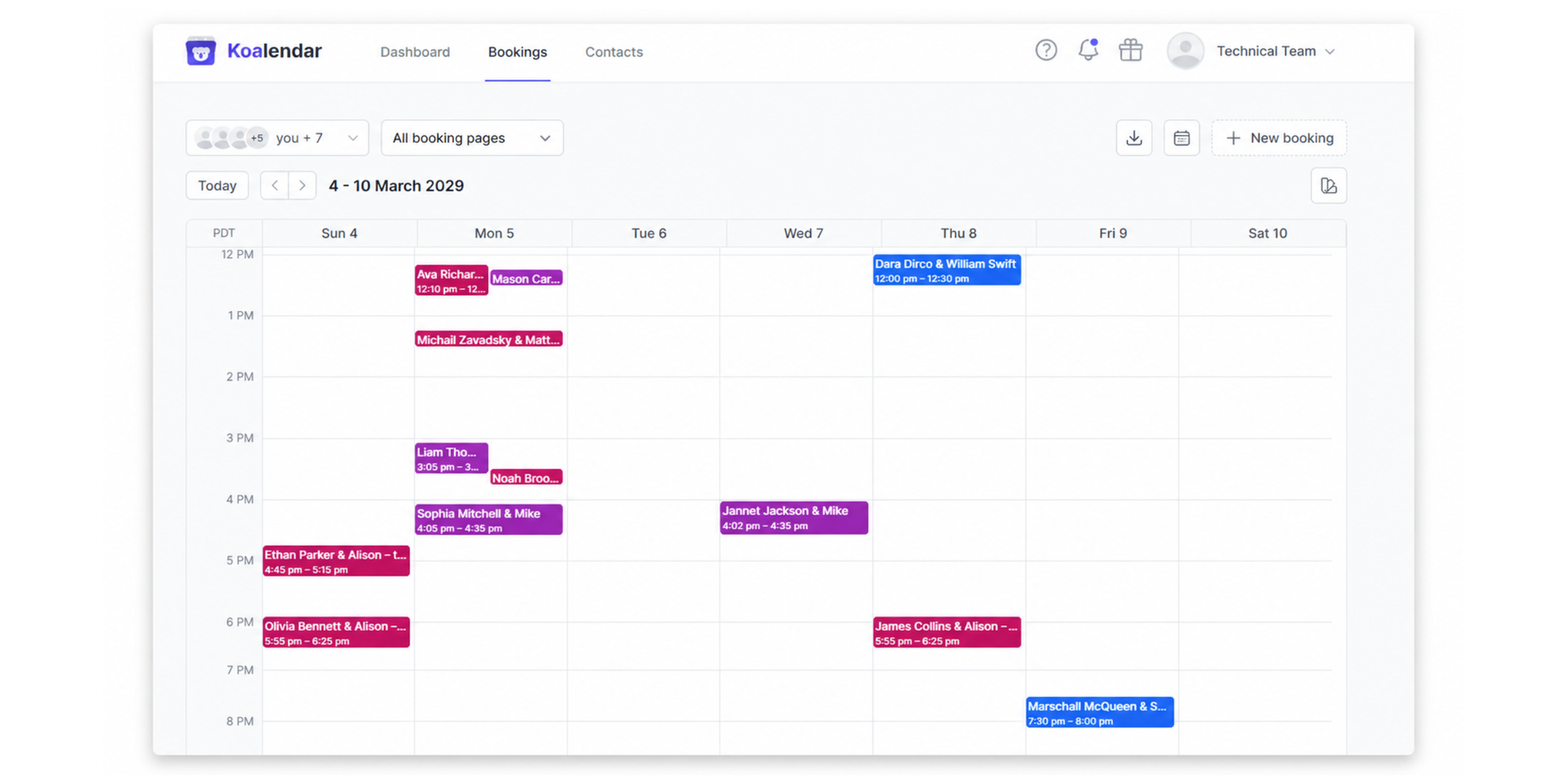
Bookings are added to your connected calendars, with availability rules helping prevent scheduling conflicts.
Koalendar supports Google Calendar, Outlook and Apple Calendar connections, so you can manage your availability across different calendars while giving invitees a straightforward way to book.
Key features
- 24/7 online booking: Let clients and colleagues book available appointments without waiting for you to respond.
- Calendar synchronisation: Connect Google, Outlook and Apple calendars to keep bookings and availability aligned.
- Custom booking pages: Create pages for different services, appointments and meeting types.
- Booking questions: Collect information from clients before the appointment.
- Automated reminders: Send email or SMS reminders to help reduce missed appointments.
- Payments: Accept payments when clients book, using supported payment methods.
- Group sessions: Let multiple people book a class, workshop or group appointment.
- Team scheduling: Distribute meetings with round-robin scheduling or find shared availability with collective scheduling.
Advanced capabilities such as payments, reminders, and team scheduling are available on Pro.
Where Koalendar works better than Notion Calendar
Koalendar is particularly useful when scheduling an appointment involves more than finding an available time.
For example, a consultant could create a booking page for paid consultations, ask clients questions before the session, collect payment and send reminders automatically.
“With Koalendar booking has become more binding, because people enter their details and actively commit. They also receive reminders. Now, if 20 people say they are coming, around 19 will actually come.”

Raphael Krug
Financial Expert
Read here how this consultant built a smoother onboarding pipeline and saved time with Koalendar
Workflows like this go beyond the core scheduling-link experience provided by Notion Calendar.
Koalendar also offers a free plan with unlimited booking pages and bookings, which makes it possible to start accepting appointments without paying for advanced features.
Where Notion Calendar may be better
Koalendar isn't designed to replace a productivity calendar for organising your own tasks and projects.
If your main goal is to see Notion database dates alongside meetings, manage project deadlines or plan your working day, Notion Calendar is likely to be more suitable.
And if you only need an occasional scheduling link, Notion Calendar may already do enough.
Verdict
Koalendar is a better fit if you're looking for a Notion Calendar scheduling alternative that prioritises professional bookings, client experience and appointment workflows rather than task planning.
Compare the best Notion Calendar alternatives
The most important difference between these tools is whether they focus on organising your work or managing appointments with other people.
| Notion Calendar | Morgen | | Reclaim AI | Sunsama | Akiflow | | Amie | | |
| Calendar management | ✅ | ✅ | ✅ | ✅ | ✅ | ✅ | ✅ | ✅ | ✅ Connected calendars |
| Tasks and planning | Via Notion | ✅ | ✅ | ✅ | ✅ | ✅ | Basic | ✅ | ❌ |
| AI planning | Limited | ✅ | ✅ | ✅ | Limited | ✅ | Limited | ✅ | ❌ |
| External bookings | ✅ | ✅ | ✅ | ✅ | Not a core focus | Limited | ✅ | Plan-dependent | ✅ |
| Client payments | Not a core feature | Not a core feature | Not a core feature | Not a core feature | Not a core feature | Not a core feature | Plan-dependent | Not a core feature | ✅ |
Features may depend on the subscription plan. "Not a core feature" means the tool isn't primarily designed for that capability, rather than confirming it is entirely unavailable.
Which Notion Calendar alternative is best for your needs?
There's no universal winner. The right choice depends on what's missing from your existing calendar workflow.
| Your main need | Best fit | Why |
| See calendars and tasks in one place | Morgen | Combines multiple calendars with tasks and time blocking |
| Automatically plan and rearrange work | Motion | Uses AI to allocate time to tasks and projects |
| Protect uninterrupted work time | Reclaim AI | Schedules focus blocks and adapts around meetings |
| Plan each day more intentionally | Sunsama | Guided planning and workload management |
| Collect tasks from multiple tools | Akiflow | Central task inbox with calendar planning |
| Manage everyday meetings for free | Google Calendar | Familiar, straightforward calendar management |
| Combine calendars with meeting notes | Amie | Calendar, tasks and AI meeting information |
| Let clients book and pay for appointments | Koalendar | Booking pages, reminders, forms and payments |
An important point: you don't necessarily need to replace Notion Calendar to improve your scheduling.
For example, if you like Notion's project management features but need a better way to handle client appointments, you could continue using Notion for your internal work and introduce a dedicated booking tool for external scheduling.
Do you need another calendar app or scheduling software?
A calendar app helps you organise your time. Scheduling software helps other people reserve that time and manages the workflow around those bookings.
They overlap, but they're not quite the same thing.
Calendar and planning apps
Organise your time
- View events
- Manage tasks
- Plan your day
- Block focus time
- Track deadlines
Examples: Notion Calendar, Morgen, Motion, Sunsama
Appointment scheduling software
Manage how others book you
- Share booking pages
- Collect client details
- Send reminders
- Accept payments
- Assign team members
Example: Koalendar
Consider Bruin, a tech startup whose founders regularly meet with clients, prospects and partners.
With three calendars to manage, including both co-founders' schedules, simply sharing calendars wasn't enough. Some meetings required both founders, while others needed only one. Finding a suitable time meant repeatedly checking availability and exchanging Slack messages.
Using Koalendar, Bruin now shares booking links that show the right availability for each meeting, including shared availability when both founders need to attend. Bookings are also automatically added to their Attio CRM through Zapier.
The result? Bruin now handles around 10 to 15 external meetings a week through Koalendar, saving an estimated 3 to 5 hours of scheduling admin.
It's a practical example of the difference: calendar sharing lets people see when you're available, while scheduling software lets them book the right people, without the back-and-forth.
Read the full story: How Bruin simplified multi-calendar scheduling with Koalendar
How to choose the right Notion Calendar replacement
Before moving to a new platform, identify what you want to improve. A calendar app with more features isn't necessarily a better choice if those features don't solve your actual problem.
1. Decide what's missing from Notion Calendar
Are you struggling to manage tasks, protect focus time or coordinate meetings?
If the problem is task planning, look at Morgen, Akiflow, Motion or Sunsama. If it's external bookings, compare appointment scheduling features instead.
2. Check calendar compatibility
Make sure the alternative supports your existing calendar accounts.
This matters especially when your personal schedule lives in Google Calendar, your work meetings are in Outlook and you also use an Apple calendar.
Check whether the app can connect those calendars, display their events and account for conflicts when sharing availability.
3. Decide whether you need task management
A calendar that displays events doesn't automatically help manage deadlines or project workload.
If you regularly plan tasks around meetings, look for task integrations, time blocking and workload management.
If your tasks are already managed elsewhere, those capabilities may be unnecessary.
4. Consider how other people book your time
Think about what somebody needs to do before an appointment is confirmed.
Can they choose a service? Do they need to complete a form? Is payment required? Should another team member receive the booking?
If these questions matter to your workflow, compare scheduling tools rather than focusing only on calendar interfaces.
5. Account for growing teams
A booking process that works for one person may become harder to manage across several employees.
Check whether the software can distribute appointments, coordinate multiple attendees, manage different services and give administrators oversight of scheduling.
6. Compare the full subscription cost
Free plans and starting prices can be useful, but they don't tell the whole story.
Look at what you'll actually need, including extra users, calendar connections, booking pages, reminders and advanced integrations.
For example, a free personal calendar may be perfect for individual use but may not include the booking functionality a service business needs.
The best value comes from paying for capabilities you'll actually use.
Final verdict: Which Notion Calendar alternative is worth trying?
The best Notion Calendar alternative is the one that solves the scheduling problem you actually have.
If you want better visibility across calendars and tasks, Morgen and Akiflow are strong options. If you're spending too much time reorganising your workload, Motion offers more automated planning, while Reclaim AI helps protect time for important work.
Sunsama is worth considering if you prefer a deliberate daily planning routine, Google Calendar covers straightforward calendar management, and Amie offers a more integrated calendar and meeting-notes experience.
But if your reason for leaving Notion Calendar is that you need something more than scheduling links, Koalendar offers a different kind of solution.
It connects to your existing calendars while giving clients and colleagues a simple way to book. You can add booking questions, automate reminders, accept payments and manage appointments across a team as your needs grow.
You don't have to abandon a calendar you already like. Sometimes, the better approach is to keep it and add the scheduling functionality you're missing.