TL;DR
Calendly is a scheduling automation platform, while Google Calendar is primarily a calendar management app. Google Calendar is great for organizing your day, managing internal meetings, and using basic appointment schedules. Calendly is better when you need booking pages, automated reminders, team scheduling, routing, and client-facing workflows.
For freelancers, consultants, recruiters, sales teams, and SMBs, the real question is not just Calendly vs Google Calendar. It is whether you need a simple calendar or a proper online appointment scheduler. And if Calendly feels too expensive or Google Calendar feels too limited, Koalendar gives you a simpler middle ground with unlimited bookings, calendar sync, reminders, custom booking pages, and easy setup.
Calendly vs Google Calendar overview
 |  | |
| Best for | Managing your personal or team calendar, internal meetings, simple appointment slots, and basic availability sharing. | Client-facing booking, sales calls, consultations, interviews, demos, and team scheduling workflows. |
| Scheduling features | - Appointment schedules - Shared calendars - Event invites - Availability blocks - Recurring events - Google Meet links - Best for lighter scheduling needs | - Booking pages - Event types - Buffers - Booking rules - Team scheduling - Routing - Round robin scheduling - Reminders - Intake questions |
| Integrations | Works best inside Google Workspace, including Gmail, Google Meet, Google Tasks, and shared Google calendars. | Connects with Google Calendar, Outlook, Microsoft Teams, Zoom, Google Meet, Salesforce, HubSpot, Stripe, Zapier, and more. |
| Automations | Basic calendar notifications and meeting updates Limited workflow automation for client-facing booking journeys. | Stronger automation for confirmations, reminders, follow-ups, routing, payment collection, and team booking workflows. |
| Ease of use | Very easy if you already use Google Familiar interface, but appointment scheduling features can feel limited for business workflows | Easy to set up for simple booking links Advanced team workflows and routing may take more configuration |
| Pricing | Free for personal use Advanced appointment scheduling features may require eligible Google Workspace or Google One plans | Free plan available Paid plans unlock more event types, integrations, team features, automations, and admin controls |
| Reviews | Loved for reliability, familiarity, and simple calendar management. Less ideal for advanced booking pages or scheduling workflows. | Praised for reducing back-and-forth scheduling and creating a polished booking experience. Some users may find paid plans expensive as teams scale. |
We’ve put together a free Guide to help you make the most of your Google Calendar, automate your appointments and improve your booking flow.
What’s the difference between Calendly and Google Calendar?
Calendly and Google Calendar both help with time management, but they are built for different jobs.
Google Calendar helps you manage your schedule. Calendly helps other people book time with you automatically.
That distinction is small, but important.
What is Google Calendar?
Google Calendar is primarily a calendar management tool.
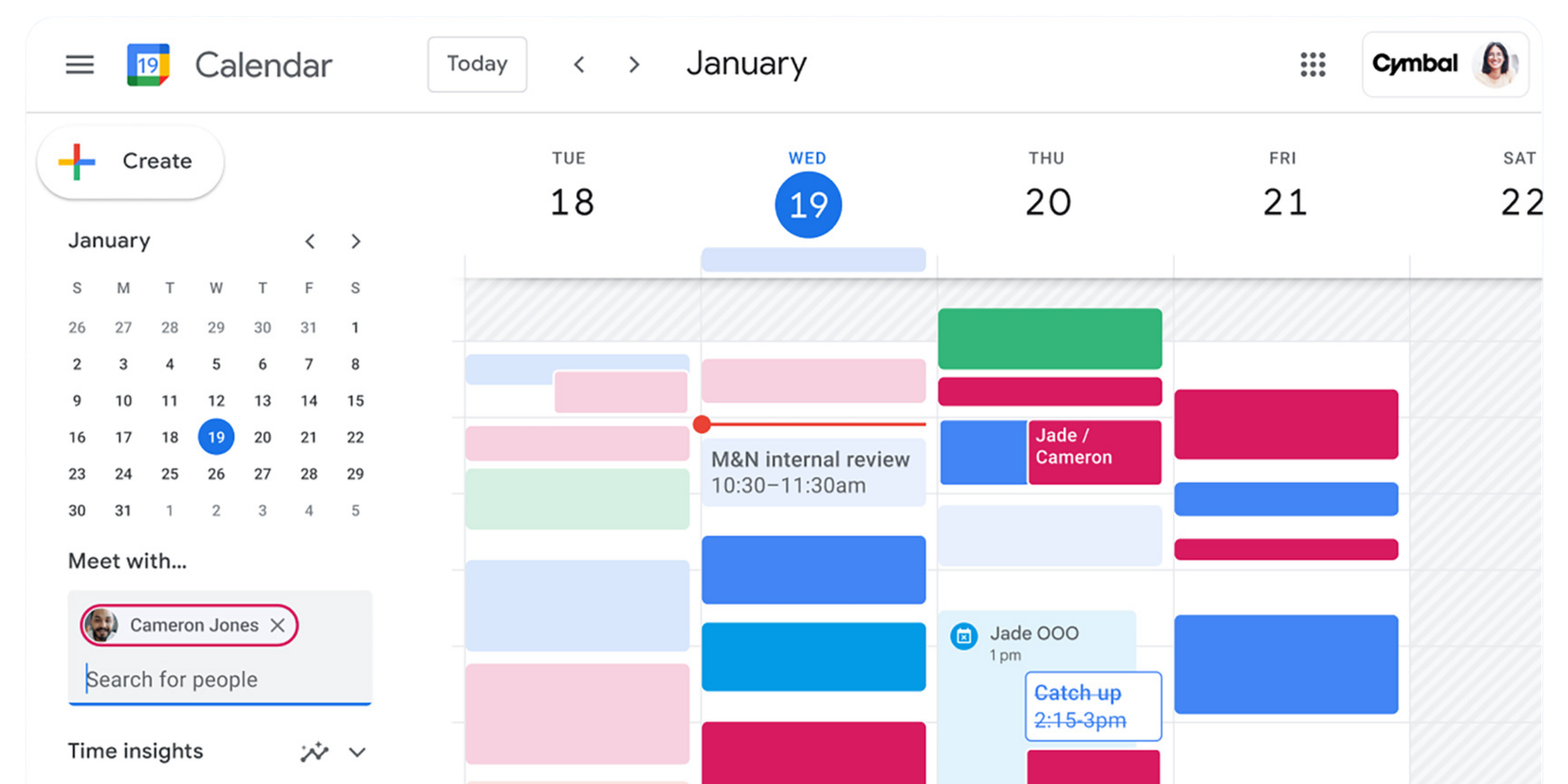
Google Calendar is where your meetings, reminders, deadlines, personal events, and shared calendars live. It is excellent for seeing your day, coordinating internal meetings, and staying organized across work and life.
Google also offers appointment scheduling, which lets people book time with you through a booking page. Google describes this as a way to manage availability and let clients, customers, and partners book directly into your calendar.
So yes, Google Calendar can handle basic booking. But its core purpose is still calendar management.
It works well when you need to:
- See your day, week, or month
- Share calendars with teammates
- Create internal meetings
- Add Google Meet links
- Block focus time or personal time
- Offer simple appointment slots
If your scheduling needs are light, that may be enough.
What is Calendly?
Calendly is built for appointment scheduling automation.
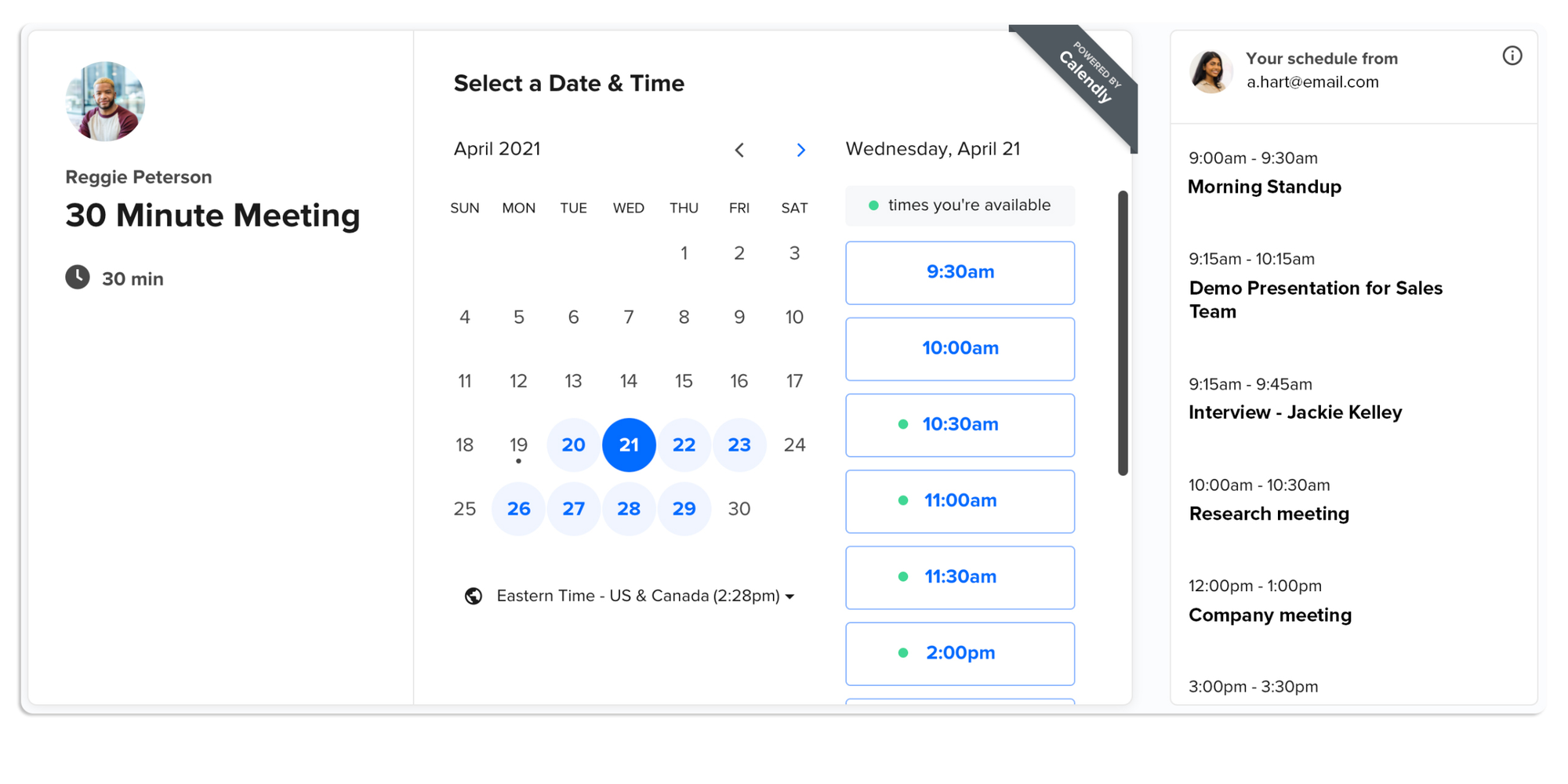
Calendly is designed as a meeting scheduler. Its main job is to remove the back-and-forth from booking.
Instead of asking “Are you free at 2?” you share a link. The invitee picks a time based on your rules. Calendly checks your connected calendar, books the meeting, sends confirmations, and can trigger reminders or workflows.
Calendly has a limited Free plan (1 event type), a Standard plan at $10 per seat/month when billed annually, Teams at $16 per seat/month when billed annually, and Enterprise with custom pricing.
Calendly is useful when you need:
- Public booking pages
- Automated reminders
- Client booking software
- Round robin scheduling
- Team availability
- Sales routing
- CRM integrations
- Payment collection
- Analytics and reporting
In short: Google Calendar tells you what is booked. Calendly helps people book it.
Why people confuse the two
People confuse the two because Google Calendar now includes appointment scheduling. So the natural question becomes: does Google have a scheduling tool like Calendly?
The answer is yes, but with limits.
Google Calendar’s appointment schedules let you create booking pages and share availability. With a personal Google Account or Workspace Business Starter plan, Google says you can create a single booking page; more advanced appointment schedule features depend on eligible paid plans.
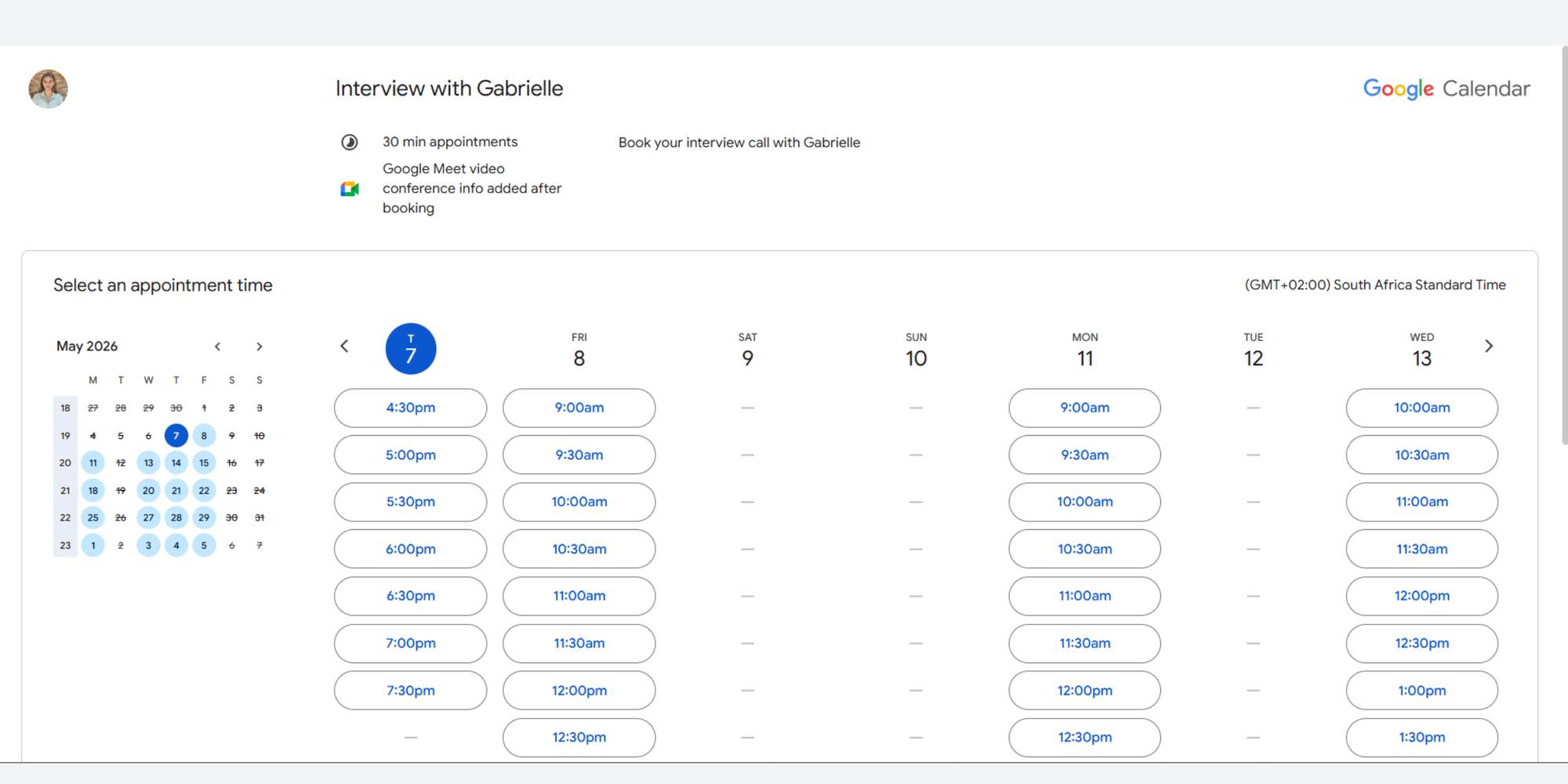
That is useful for basic scheduling. But once you need branded booking pages, richer workflows, team routing, advanced reminders, or reporting, a dedicated scheduling system becomes much more practical.
Calendly vs Google Calendar: Feature comparison
| | Best Tool | |
| Calendar management | Excellent | Good via integrations | Google Calendar |
| Booking pages | Basic appointment schedules | More advanced booking pages | Calendly |
| Availability rules | Basic to moderate | Advanced | Calendly |
| Team scheduling | Limited | Stronger team features | Calendly |
| Round robin scheduling | Not a core feature | Available on Teams and Enterprise | Calendly |
| Calendar integrations | Google-first | Google, Outlook, Microsoft, and more | Calendly |
| Google Meet integration | Native | Available through integrations | Tie |
| Automated reminders | Basic calendar notifications | More scheduling-focused reminders | Calendly |
| Payment collection | Stripe for eligible appointment schedules with Google Appointments | Payment integrations available | Depends on setup |
| Branding | Limited | More flexible, plan-dependent | Calendly |
| Mobile experience | Strong calendar app | Strong booking experience | Tie |
| Analytics dashboard | Limited for scheduling | More useful for teams | Calendly |
| Ease of setup | Very easy if already using Google | Easy, but more settings | Google Calendar |
| Cost control | Included with Google accounts or Workspace | Can scale by seat | Google Calendar |
Booking pages
- Google Calendar’s appointment scheduling gives you a booking page where people can choose from available times. This is helpful for solo professionals, tutors, advisors, and anyone who needs simple external booking.
- Calendly’s booking pages are more purpose-built. You can create different event types, add questions, control availability, connect workflows, and create a more polished client-facing experience.
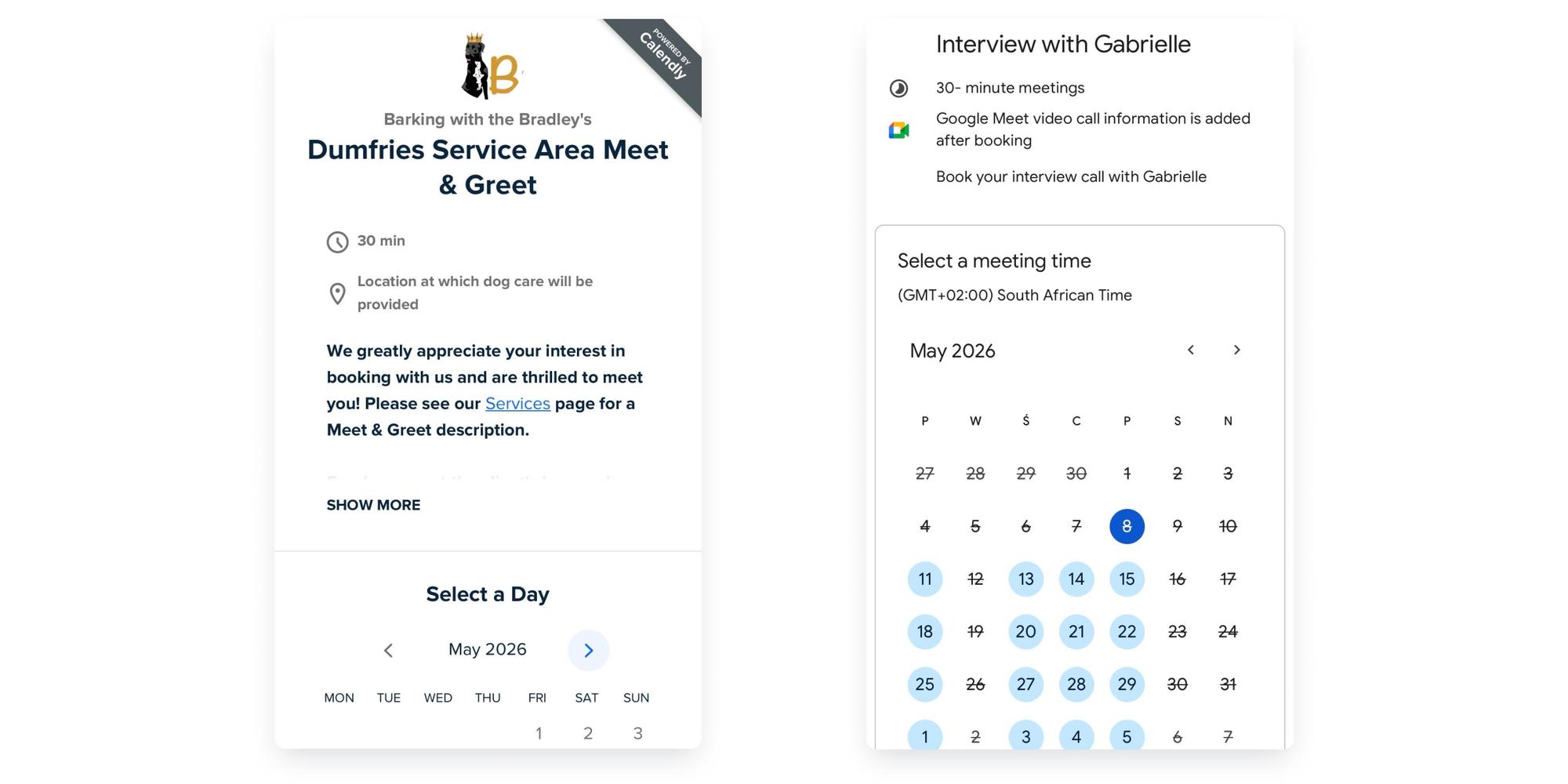
Best for simple booking: Google Calendar
Best for client-facing booking workflows: Calendly
Availability management
- Google Calendar is strong at showing your actual calendar availability. If you live inside Google Workspace, it feels natural.
- Calendly gives you more control over booking rules. You can add buffers, minimum notice, event limits, different availability by event type, and team-based scheduling logic. This matters when you are trying to reduce no-shows, protect deep work time, or stop clients from booking too close to another meeting.
Team scheduling
- Google Calendar: excellent for internal team coordination . You can check coworker's availability, create shared calendars, and schedule meetings inside your organization.
- Calendly has the edge for external team scheduling. Sales teams, support teams, recruiting teams, and customer success teams often need pooled availability, routing, and round robin assignment. Round robin event types are available to owners and admins on Teams and Enterprise plans, helping distribute meetings across team members.
Calendar integrations
- Google Calendar works beautifully with Google Workspace. That includes Gmail, Google Meet, Google Tasks, and shared calendars.
- Calendly connects with multiple calendar ecosystems, including Google and Microsoft tools. This is important for teams that do not all use the same calendar stack.
If you are trying to connect Calendly to Google calendar, Calendly can sync with Google Calendar so availability stays accurate and booked meetings appear where you already manage your day. Calendly, however cannot connect o iCal.
Video conferencing integrations
- Google Calendar is strongest with Google Meet. When you create meetings inside Google Calendar, adding a Meet link is simple.
- Calendly supports video conferencing integrations too, including Google Meet and other meeting platforms. This is helpful when your team uses different tools for different workflows.
Best for Google-only teams: Google Calendar
Best for mixed tool stacks: Calendly
Automated reminders
- Google Calendar notifications are useful, but they are calendar reminders first.
- Calendly’s reminders are more focused on the booking journey. That means confirmations, follow-ups, and reminders tied to appointment types.
For client calls, consultations, interviews, demos, and paid sessions, automated reminders can make the experience feel more professional and help reduce missed meetings.
Payment collection
- Google Calendar added paid appointment bookings through Stripe for eligible appointment schedules, according to Google’s Workspace Updates blog.
- Calendly also supports payment collection through integrations, making it useful for coaches, consultants, tutors, and service providers who want clients to pay before booking.
If payment collection is central to your workflow, compare the exact plan requirements before choosing either tool.
Custom branding
- Google Calendar appointment pages are clean and simple, but branding options are limited.
- Calendly gives you more room to create a polished booking experience, though some branding and customization options depend on plan level.
For client-facing businesses, branding matters. A custom booking page can make you look more professional and reassure clients that they are in the right place.
Mobile experience
- Google Calendar has one of the strongest calendar apps available. If your main need is checking events, moving meetings, and getting notifications, it is hard to beat.
- Calendly is more focused on the invitee booking experience. Clients can book from their phone without needing to email you, which is useful for freelancers, consultants, recruiters, and service businesses.
Reporting and analytics
- Google Calendar gives visibility into your schedule, but it is not built as an analytics dashboard for scheduling operations.
- Calendly is stronger for teams that need reporting around booking volume, team usage, routing, and scheduling performance.
For enterprises, this matters. Scheduling is not just an admin task. It affects sales speed, candidate experience, onboarding, and customer response times.
.png?w=2000&fit=max&auto=format)
Calendly vs Google Calendar pricing
Pricing is where the decision gets more nuanced.
Google Calendar may feel “free” because many people already use it. Calendly may feel more expensive, but it includes dedicated scheduling automation.
Free plan comparison
Google Calendar is free for personal Google users. Some appointment scheduling features are available with personal accounts, while premium features depend on Google Workspace or Google One eligibility. Google’s support page notes that personal Google Accounts and Workspace Business Starter users can create a single booking page.
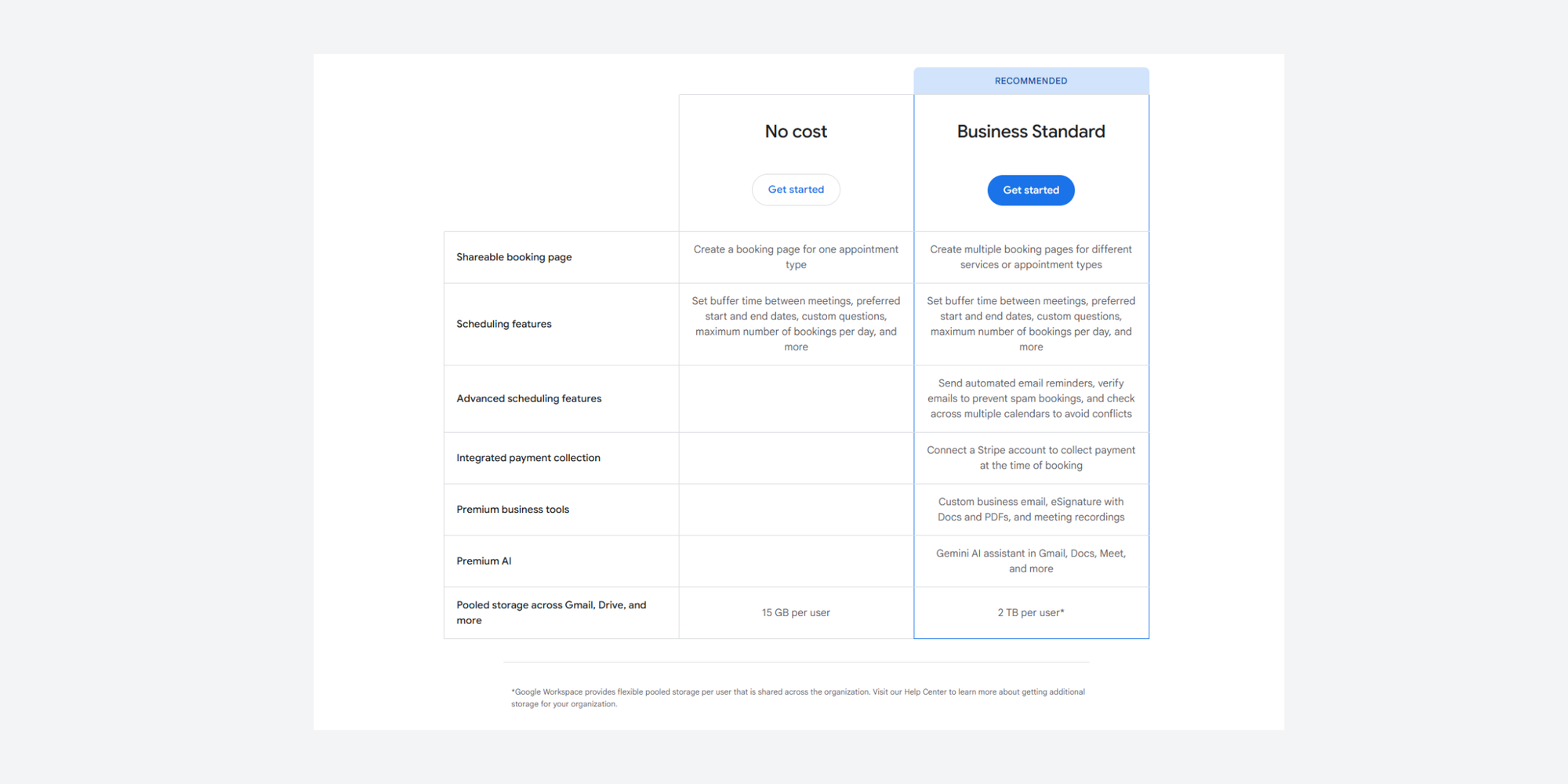
Calendly has a free plan that works for basic personal scheduling. Its paid plans unlock more advanced functionality for professionals and teams.
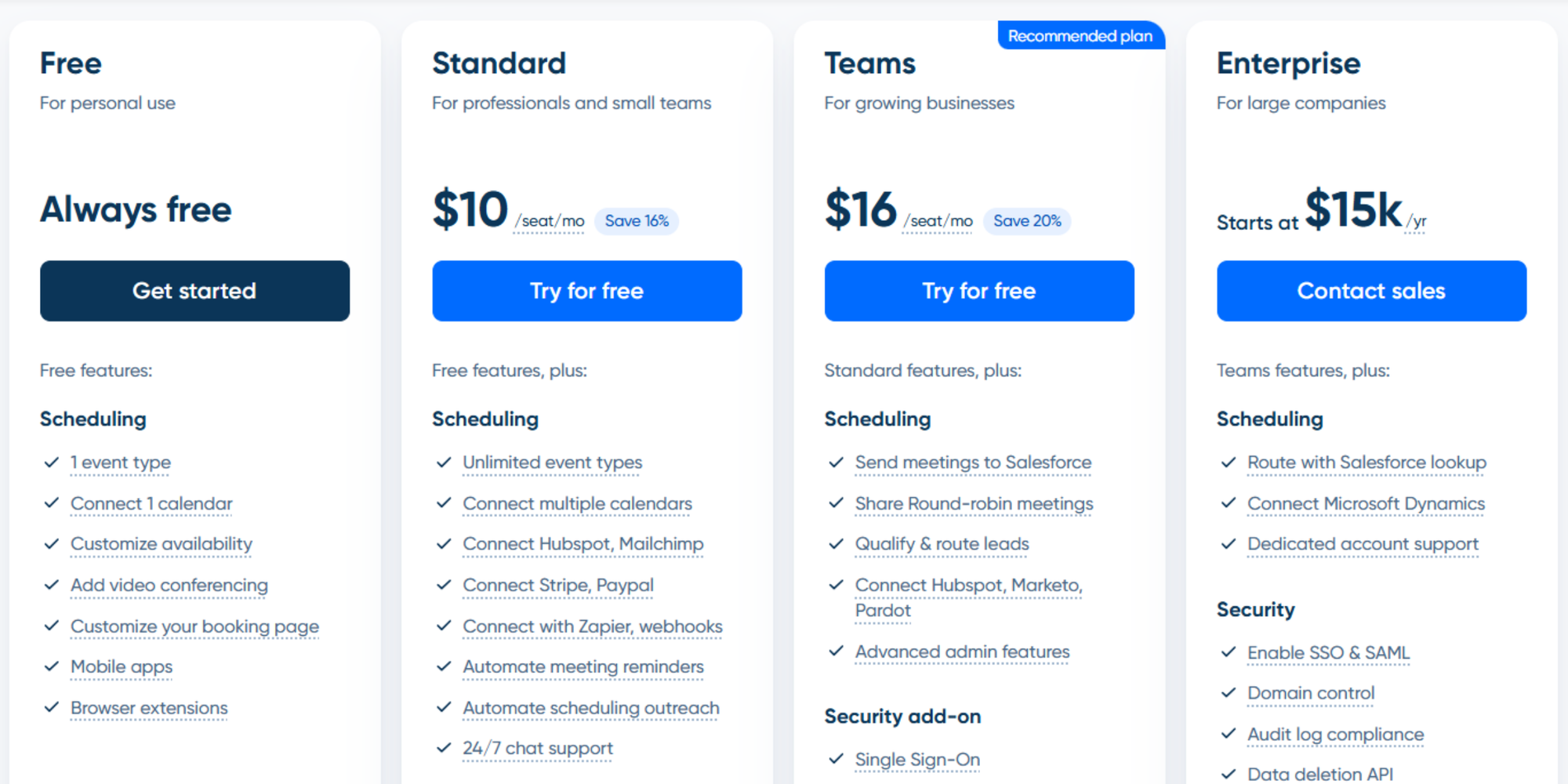
For freelancers who only need one simple booking page, either tool may work. But if you need multiple event types, reminders, branding, team routing, or integrations, the free plan may become limiting.
Paid plan differences
The tricky part is that these tools are not priced for the same job.
Google Workspace gives you Gmail, Drive, Docs, Meet, Calendar, and admin tools. Calendly gives you dedicated scheduling workflows.
| Google Calendar / Google Workspace paid plans | Calendly paid plans | |
| Entry paid plan | Business Starter: from $7/user/month on annual plan, or $8.40/user/month on flexible monthly plan. Includes Google Calendar as part of Google Workspace. | Standard: from $10/seat/month on annual plan. Built for professionals who need more flexible scheduling than the free plan. |
| Mid-tier plan | Business Standard: from $14/user/month annually, or $16.80/user/month monthly. Adds more storage and stronger Workspace features. | Teams: from $16/seat/month annually. Designed for team scheduling, collaboration, routing, and reporting. |
| Higher-tier plan | Business Plus: from $22/user/month annually, or $26.40/user/month monthly. Adds more storage, security, and admin controls. | Enterprise: custom pricing. Built for larger teams that need advanced admin controls, security, compliance, and support. |
| What you’re paying for | A full productivity suite: Gmail, Calendar, Meet, Drive, Docs, Sheets, Slides, admin controls, storage, and collaboration tools. | Dedicated scheduling software: booking pages, event types, automations, integrations, routing, reminders, and team scheduling workflows. |
| Best value for | Teams that already need Google Workspace and only require basic appointment scheduling inside their calendar system. | Businesses that schedule lots of client calls, demos, interviews, consultations, or external meetings. |
| Main limitation | Paid Google Workspace plans are not mainly built for advanced booking workflows. Google Calendar appointment scheduling is useful, but more limited than dedicated scheduling software. | Calendly becomes more expensive as teams grow, especially when advanced routing, reporting, admin, or enterprise features are needed. |
So the fair question is not “Which is cheaper?” It is: Which one solves the scheduling problem you actually have?
Hidden limitations to consider
Before choosing, look beyond the monthly price.
Ask:
- How many booking pages do you need?
- Do you need more than one event type?
- Will multiple team members take bookings?
- Do you need round robin scheduling?
- Do you need SMS or email reminders?
- Do you need payment collection?
- Do you need branded booking pages?
- Do you need reporting?
- Do you need admin controls?
A tool can look affordable until every extra workflow requires another paid seat, higher plan, or workaround.
When Google Calendar is enough
Google Calendar is enough when your scheduling is mostly internal, simple, and low-volume.
Internal meetings
If most meetings happen inside your company, Google Calendar is a natural fit.
You can check availability, add guests, include rooms, attach Google Meet links, and send invites without using another tool.
For teams already using Google Workspace, this is often the simplest path.
Personal organization
Google Calendar is excellent for personal time management.
Use it for:
- Work meetings
- Personal appointments
- Focus blocks
- Reminders
- Family calendars
- Travel plans
- Recurring events
If you are not asking other people to self-book with you often, you may not need scheduling software at all.
Basic availability sharing
Create a schedule, define your available times, set appointment duration, add booking details, and share the booking page. For simple 1:1 booking, this may be enough.
It is especially useful for:
- Office hours
- Tutoring sessions
- Simple consultations
- Internal appointment blocks
- Occasional client calls
But once your booking process needs reminders, forms, payments, workflows, routing, or team coordination, Google Calendar can start to feel stretched.
When Calendly makes more sense
Calendly makes more sense when scheduling becomes part of your customer, sales, hiring, or service workflow.
Client-facing businesses
If clients book time with you regularly, Calendly, or other dedicated scheduling tools, are usually stronger than Google Calendar alone.
It creates a smoother booking experience and reduces manual coordination. That matters for consultants, agencies, coaches, accountants, legal professionals, and service businesses.
A professional booking flow says: “You are in the right place. Pick a time. You are booked.”
Sales teams
Sales teams need speed.
When a lead is ready to talk, every extra email can slow the deal down. Calendly or other professional scheduling tools like Koalendar, help sales teams route meetings, book demos, qualify leads, and connect scheduling to the wider sales workflow. For inbound demo requests, that can be a big deal, as the video below explains.
Recruiters and HR
Recruiting teams often schedule dozens of interviews across candidates, hiring managers, and interview panels.
Dedicated scheduling software like Calendly can help with:
- Candidate self-scheduling
- Interview availability
- Team scheduling
- Round robin assignment
- Reminder automation
- Cleaner handoffs
You can learn how a recruiting team saves time and scales interviews with a dedicated scheduling tool.
Coaches and consultants
Coaches and consultants often need more than a calendar invite.
They may need intake questions, paid sessions, recurring availability, reminders, and branded booking pages.
Calendly can work well here, especially if you need structured scheduling automation. But it may not be the simplest or most affordable option for every solo business.
The limitations of both tools
Neither tool is perfect. The best choice depends on how you work.
Google Calendar lacks advanced scheduling workflows
Google Calendar is simple and familiar, but that simplicity can become a limitation.
You may run into issues if you need:
- Multiple booking page types
- Advanced reminders
- Intake forms
- Payment rules
- Team routing
- Round robin scheduling
- Strong branding
- CRM workflows
- Scheduling analytics
Google Calendar is a calendar app with scheduling features. It is not a full client booking software platform.
Calendly pricing scales quickly
Calendly is powerful, but teams can outgrow the lower plans quickly.
If you need advanced team scheduling, routing, admin controls, or enterprise features, you may need higher-tier plans. Calendly’s Teams plan is listed at $16 per seat/month when billed annually, while Enterprise requires contacting sales.
That may be perfectly reasonable for larger sales or recruiting teams. But for freelancers, educators, consultants, and small businesses, it can feel like too much tool or too much cost.
Pro tip: See Koalendar’s guide to Calendly free vs paid for more details.
Branding and customization limitations
Google Calendar keeps booking pages simple. Calendly gives more control, but the best customization options can depend on your plan.
This is where many businesses start looking for something in between: a tool that feels professional, simple, and flexible without turning setup into a project.
Pro tip: Koalendar’s guide to Calendly alternatives is a helpful next step.
A simpler alternative for modern scheduling
What if you want scheduling automation, but Calendly feels too complex or expensive?
That is where Koalendar fits nicely.
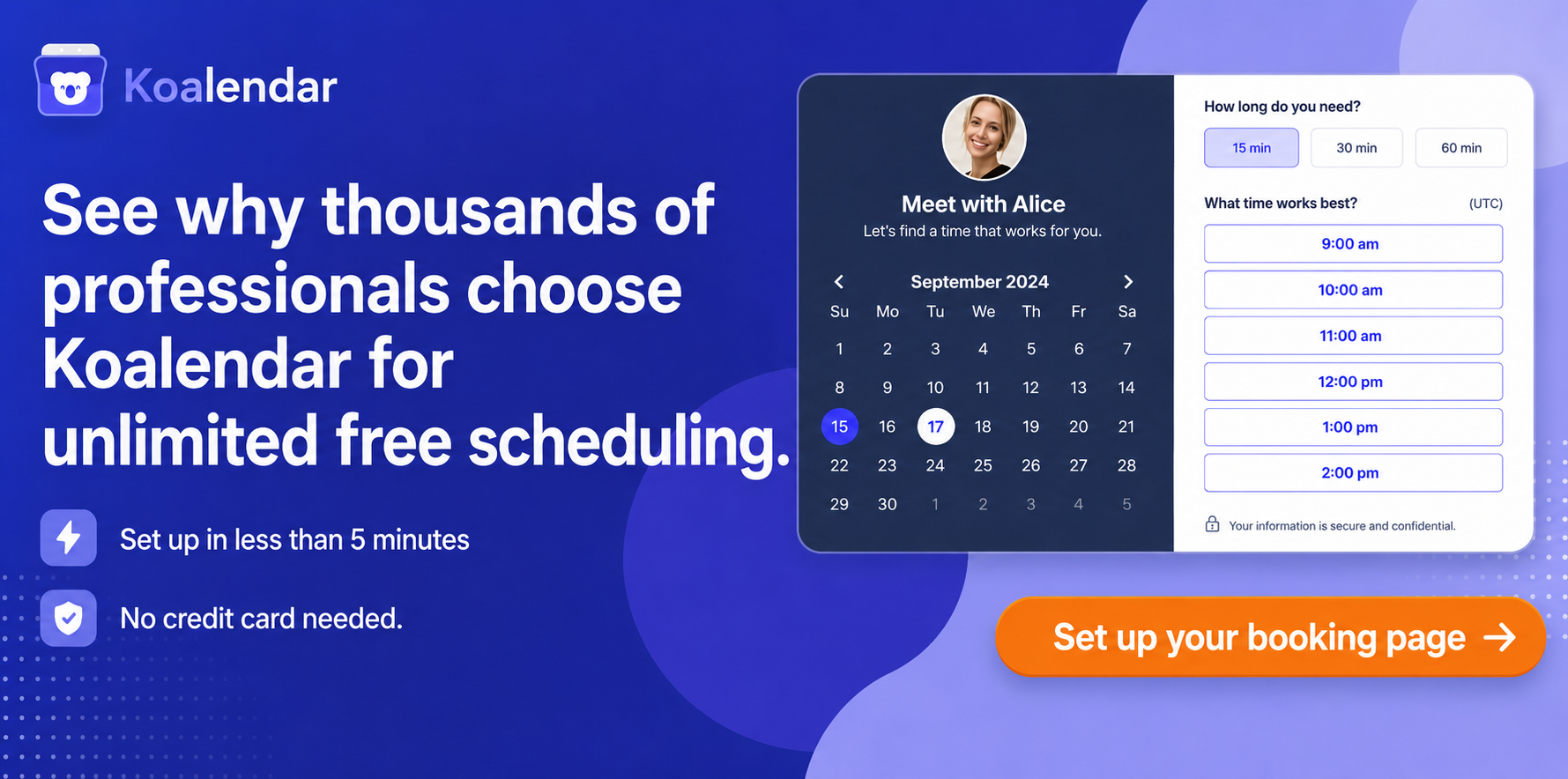
Koalendar is built for people who want to stop chasing emails without needing a complicated setup. It gives freelancers, SMBs, educators, recruiters, consultants, and teams a clean way to let people book online.
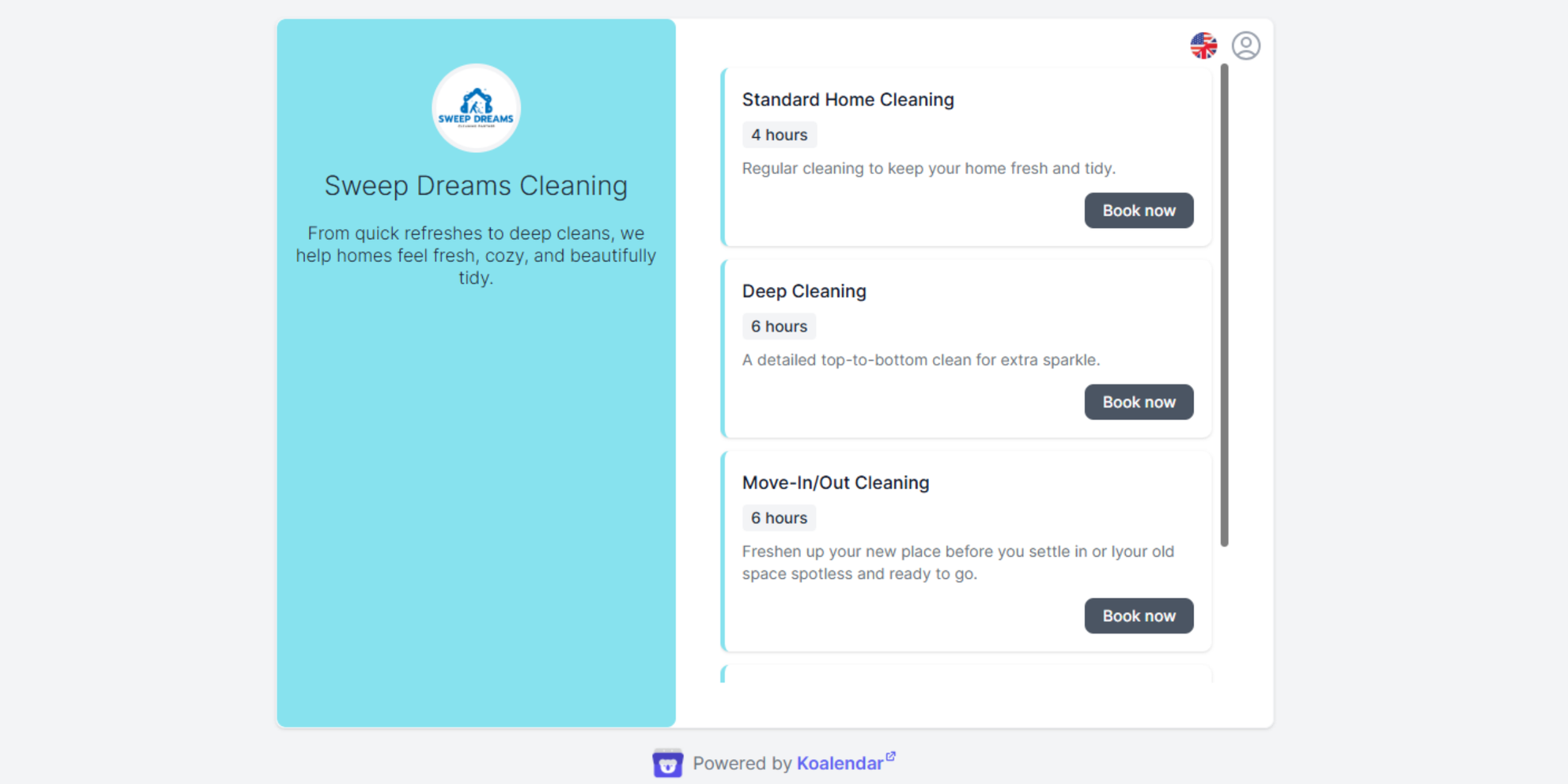
Koalendar’s Free Forever plan includes unlimited bookings, unlimited 1:1 event types, unlimited scheduling links, 2 calendar syncs with Google, Outlook, and iCloud, video conferencing, booking page embeds, smart time zone detection, and 30+ languages.
That makes it especially useful if you want:
- 24/7 online booking so clients can book when it suits them
- Calendar sync with Google, Outlook, and iCloud
- Automated reminders to reduce no-shows
- Custom booking pages for a more professional experience
- Easy setup for non-technical users
- Unlimited appointments on the free plan
- Mobile-friendly booking
- Live support
- Branding and customization
- Affordable pricing compared with heavier tools
Koalendar also integrates with Google Calendar, Outlook Calendar, iCloud Calendar, Google Meet, Microsoft Teams, Zoom, Stripe, PayPal, Apple Pay, Google Pay, Zapier, and more.
So instead of asking only “Google Calendar or Calendly?” the better question may be:
Do you need a simple online appointment scheduler that gives you the essentials without the friction?
If yes, Koalendar is worth considering.
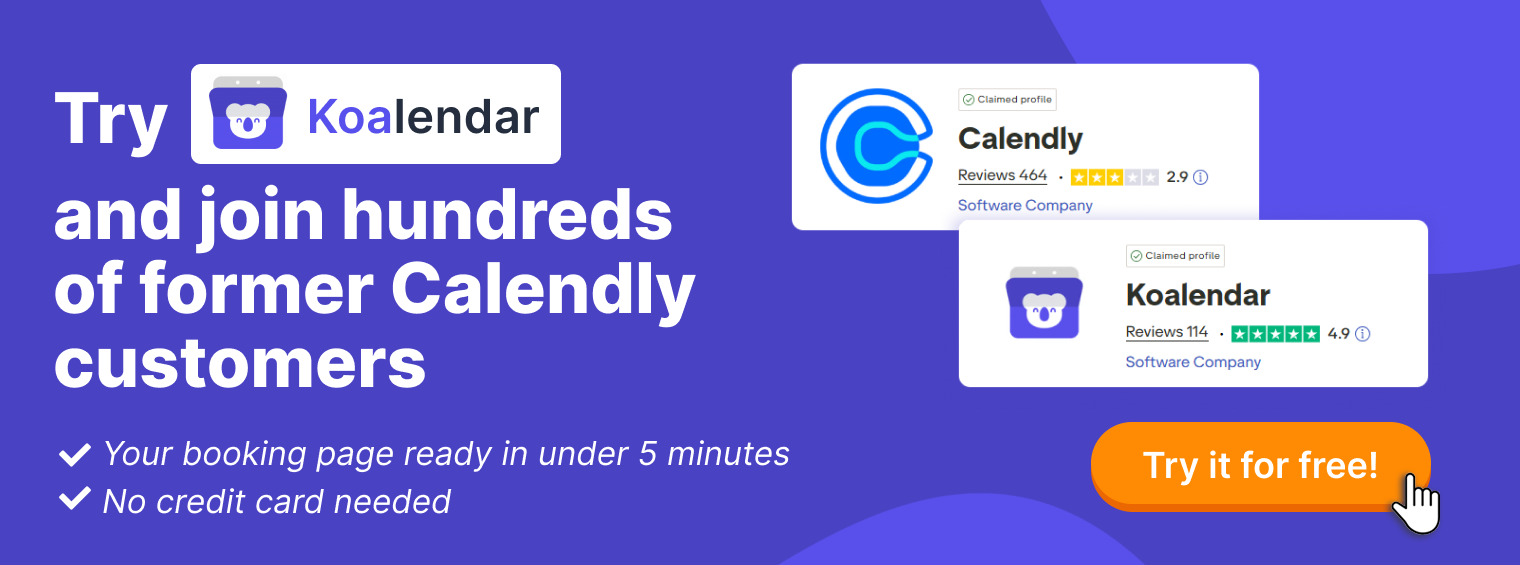
For related reading, explore Koalendar’s guides to free scheduling software, Google Calendar alternatives, and Google Meet pricing plans.
Final verdict: Calendly or Google Calendar?
Here is the practical breakdown.
| Best choice | Why | |
| Freelancers | Koalendar or Google Calendar | Google works for basic booking; Koalendar adds polish, reminders, and unlimited bookings without complexity |
| Solopreneurs | Koalendar | Easier client booking, custom pages, and automation without a steep learning curve |
| SMBs | Koalendar or Calendly | Calendly is strong for workflows; Koalendar is simpler and more affordable for growing teams |
| Enterprises | Calendly or enterprise scheduling stack | Stronger admin controls, routing, and governance may matter most |
| Consultants | Koalendar or Calendly | Both support client-facing scheduling; Koalendar is easier if you want fast setup |
| Educators | Koalendar or Google Calendar | Google is familiar; Koalendar adds booking pages, reminders, and simple appointment flows |
| Recruiters | Koalendar or Calendly | Both reduce interview scheduling admin; choose based on routing and team needs |
| Sales teams | Calendly or Koalendar | Calendly is strong for complex routing; Koalendar works well for simple demo booking |
The methodology used to decide the above recommendations corresponds to matching each tool to the job the user is trying to get done, then weighing simplicity, automation, integrations, scalability, and pricing.
So, which tool wins?
- Choose Google Calendar if you mostly need calendar management, internal meetings, and simple appointment schedules.
- Choose Calendly if you need advanced scheduling automation, sales routing, round robin scheduling, and team workflows.
- Choose Koalendar if you want the easier middle ground: professional booking pages, calendar sync, reminders, integrations, or unlimited appointments on a generous free plan.
In other words, Google Calendar organizes your time. Calendly automates complex scheduling. Koalendar helps you get booked faster without making scheduling feel complicated.
Conclusion
The Calendly vs Google Calendar decision comes down to your scheduling workload.
Google Calendar is great for managing your own time. Calendly is better for advanced scheduling automation. But if you want a simpler, more affordable way to let clients, candidates, students, or customers book you online, Koalendar is the solution that brings the best of both worlds together.
Stop chasing emails and let clients book you instantly.Try Koalendar free and simplify scheduling for your team — no complicated setup required.