TL;DR
Resource booking software automates reservations for physical assets like meeting rooms, shared equipment, classrooms, and event facilities. Key options include Koalendar for simple online reservations, Skedda for floorplan space booking, Archie for coworking hubs, anny for visual assets, Robin for enterprise workplaces, Resource Guru for project team capacity, Ganttic for operational planning, and Joan for physical display hardware.
You go to a meeting room… but as you peer through the door, the seats are already taken. You head to the store cupboard to borrow some equipment, but the shelf is empty.
Anyone running in-office meetings or needing to use shared equipment has run into these problems dozens of times. And it’s so frustrating for everyone.
This is where resource and meeting room booking can help.
Resource booking software is an online scheduling system designed to manage access to physical assets such as meeting rooms, shared equipment, vehicles, studios, and rental facilities. It differs from project resource planning software, which focuses on allocating employee hours, project workloads, and team capacities across client deliverables.
This guide will help you find the right platform for your business, and end those frustrating clashes.
Best resource booking software: Quick comparison guide
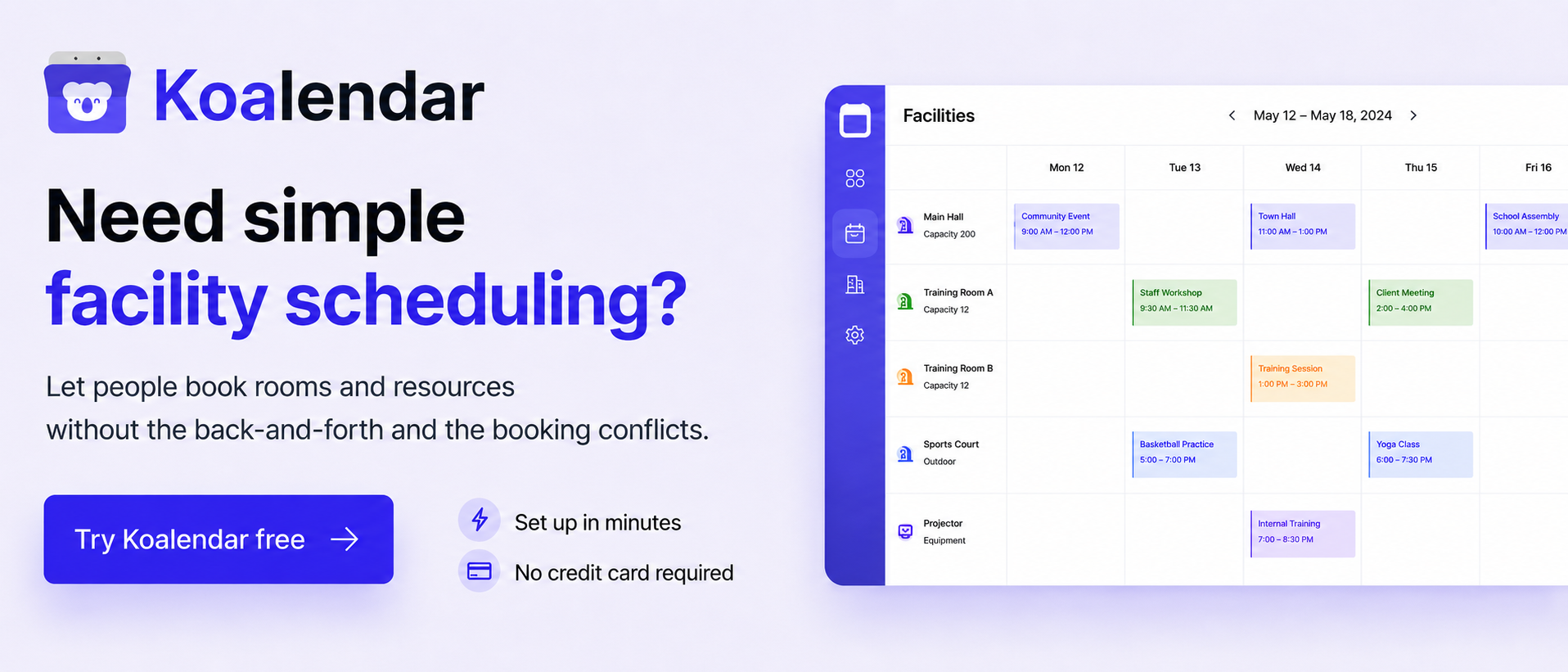
The best resource booking software tools are Koalendar for simple online reservations, Skedda for shared space floor plans, Archie for coworking hubs, anny for visual multi-resource assets, Robin for enterprise workplaces, Resource Guru for project team capacity planning, Ganttic for visual operational scheduling, and Joan for physical room display hardware.
Here's how the platforms compare on features, pricing, and operational complexity.
 |  | Archie | anny | Robin |  | Ganttic | Joan | |
| Best for | Simple bookings for rooms, equipment & services | Shared spaces with advanced booking rules | Coworking and hybrid workplace booking | Bookable spaces & multiple resource types | Enterprise workplace booking | Scheduling resources across projects | Visual scheduling of people & equipment | Meeting rooms with physical displays |
| Bookable resources | Rooms, tools, studios, services | Desks, meeting rooms, sports courts | Hot desks, offices, amenities | Rooms, lockers, vehicles, equipment | Conference rooms, desks, office space | Team members, equipment, vehicles | Machinery, facilities, personnel | Conference rooms, huddle spaces |
| Starting price | Free ($6.99/seat/mo Pro) | $249/month | $159/month | €0 (Free tier available) | Contact for pricing | $5/user/month | $25/month | $9/display/month |
| Main limitation | No 3D floorplan maps | Steep price for small teams | Built primarily for workspace hubs | Advanced tools require paid tiers | Requires enterprise setup | Focuses on project workloads | Higher learning curve | Dependent on display hardware |
Pricing and availability verified as of October 2026.
How we selected these resource booking tools
We compared room booking and resource scheduling software based on the types of physical assets supported, self-service availability rules, calendar integrations, pricing transparency, and overall user experience. Our evaluation draws on official product documentation, verified vendor pricing, and user reviews from platforms like Capterra and G2.
Disclosure: This article is published by Koalendar. We feature Koalendar as a streamlined appointment and physical resource booking solution, rather than positioning it as a dedicated project capacity planning platform.
What are the best room and resource booking software tools in 2026?
Here’s a more detailed look at the eight best room and resource booking software tools in 2026 and beyond.
1. Koalendar: Best for simple online bookings for rooms, equipment, and services
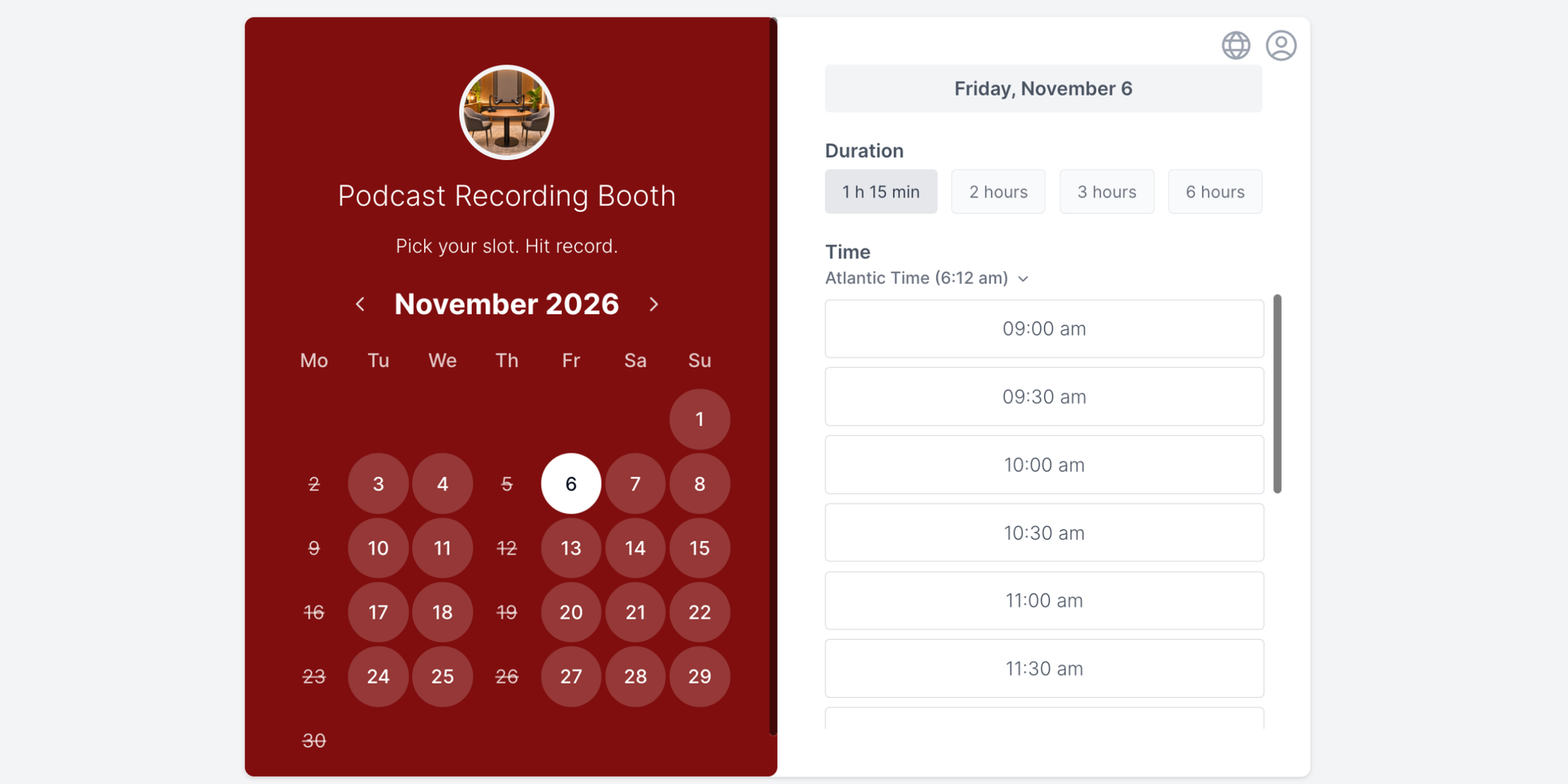
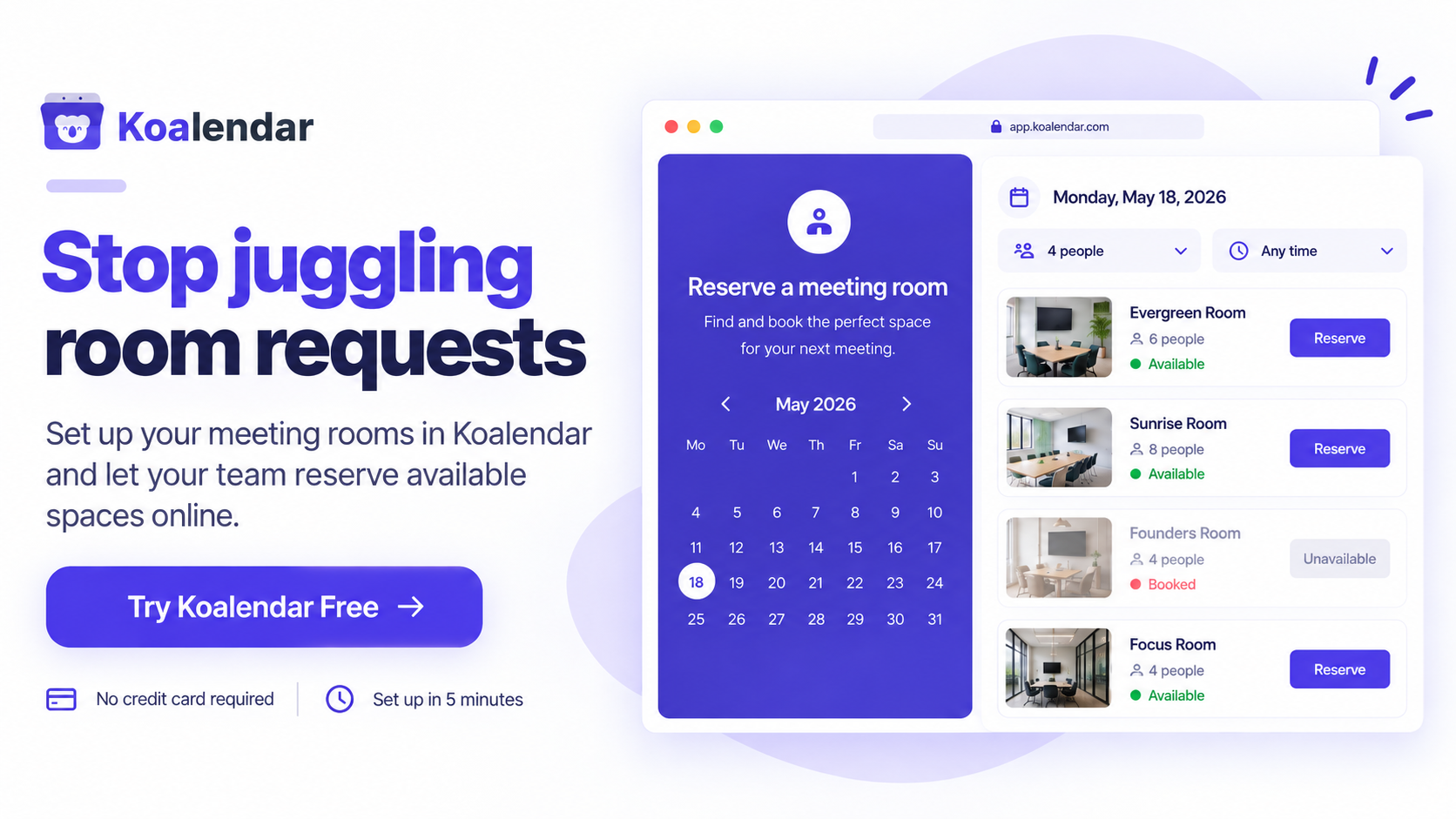
Koalendar simplifies scheduling by linking physical resources (like rooms, cameras, or studios) directly to online booking pages. It prevents double bookings automatically by cross-referencing availability with your existing digital calendars.
Best for
Small businesses, schools, and service providers needing intuitive room and resource booking software without administrative overhead. Also good for those looking for a free meeting room booking system.
Key features for resource booking
- Resource and room assignment: Link specific spaces or equipment directly to bookable services.
- Real-time calendar sync: Connects with Google Calendar, Outlook, and Apple Calendar to block unavailable times instantly.
- Self-service booking pages: Let clients, staff, or students reserve spaces independently 24/7.
- Booking approvals and waitlists: Require admin sign-off for sensitive assets or fill cancelled slots automatically.
Pricing & score
- Pricing: Free Forever plan available. Pro plan costs $6.99/seat/month (billed annually).
- Review score: 4.8/5 on Capterra (150+ reviews, Oct 2026). Users love Koalendar’s simplicity and smooth user experience.
Ashley Rube, of The Improv Shop Educator & Facilitator, said:
“We manage a community of 500+ people and six different rehearsal rooms, so keeping track of reservations manually quickly became unsustainable.
Koalendar replaced spreadsheets, texts, and Facebook messages with one system where we can see all six spaces at once and manage availability in real time. It has made it much easier to avoid double bookings, reduce back-and-forth, and give our community a simple way to reserve space themselves.”

Ashley Rube
The Improv Shop Educator & Facilitator
Verdict
The best option for organizations seeking fast, budget-friendly self-service bookings without complex spatial mapping.
2. Skedda: Best for shared spaces with advanced booking rules
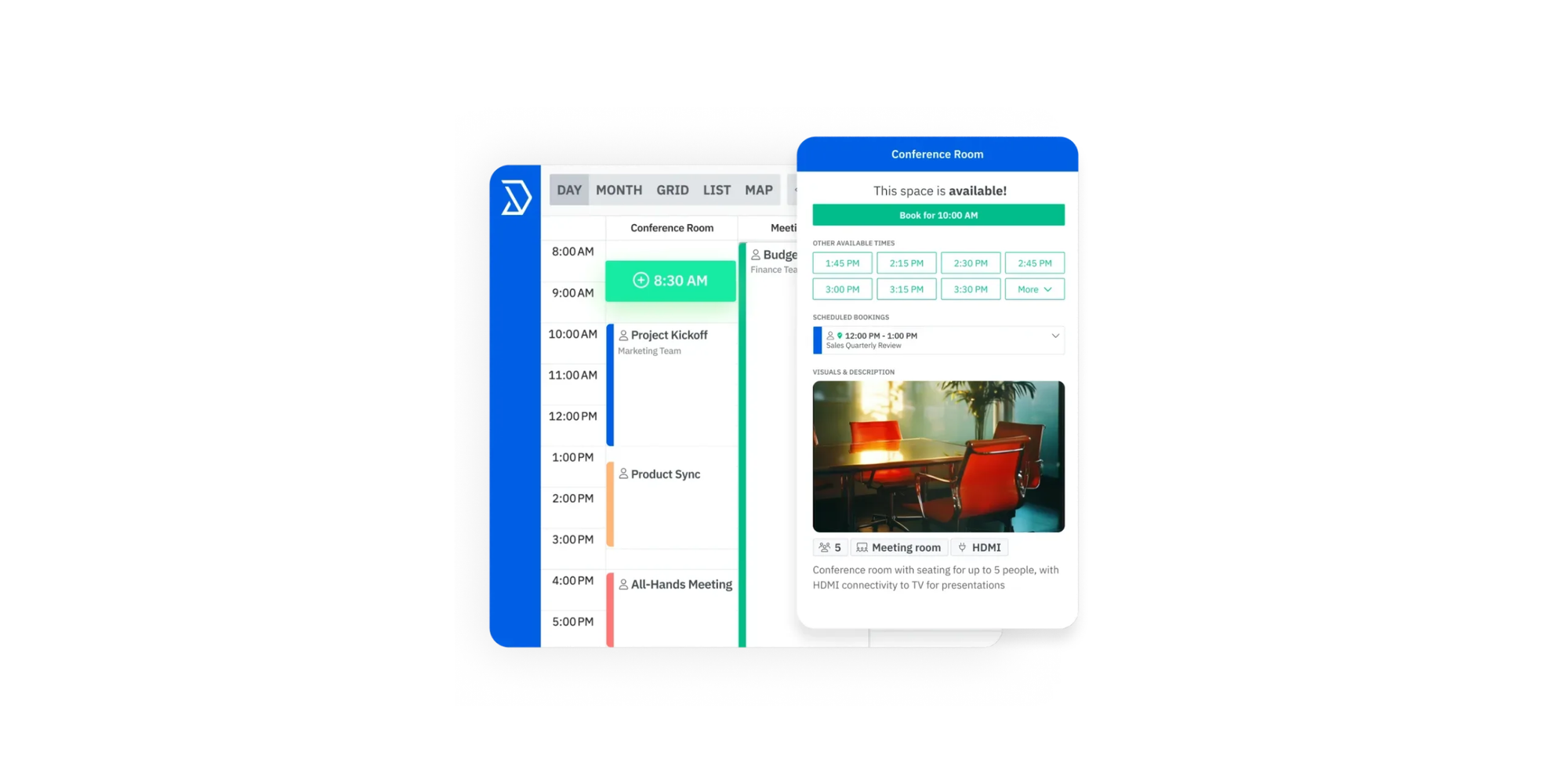
Skedda is a space-management platform built to handle venue rentals, desks, and shared facilities. It provides visual floor maps that allow users to pick specific spaces visually.
Best for
Venues, sports facilities, and offices managing complex spatial rules and interactive floor plans.
Key features for resource booking
- Interactive floor plans: Let users select specific desks, tables, or rooms from a map
- Custom booking conditions: Enforce minimum or maximum reservation lengths and user quotas
- Integrated payments: Charge booking fees or deposits automatically via Stripe
Pricing & score
- Pricing: Starts at $249/month, which includes unlimited users and bookings for 35 spaces (i.e. rooms, desks, parking spaces)
- Review score: 4.8/5 on Capterra (220+ reviews, Oct 2026). Users say it’s easy to set up, but some cite a lack of customer service
Verdict
Ideal for mid-sized venues and offices requiring visual room maps and strict booking quotas.
3. Archie: Best for coworking and hybrid workplace booking
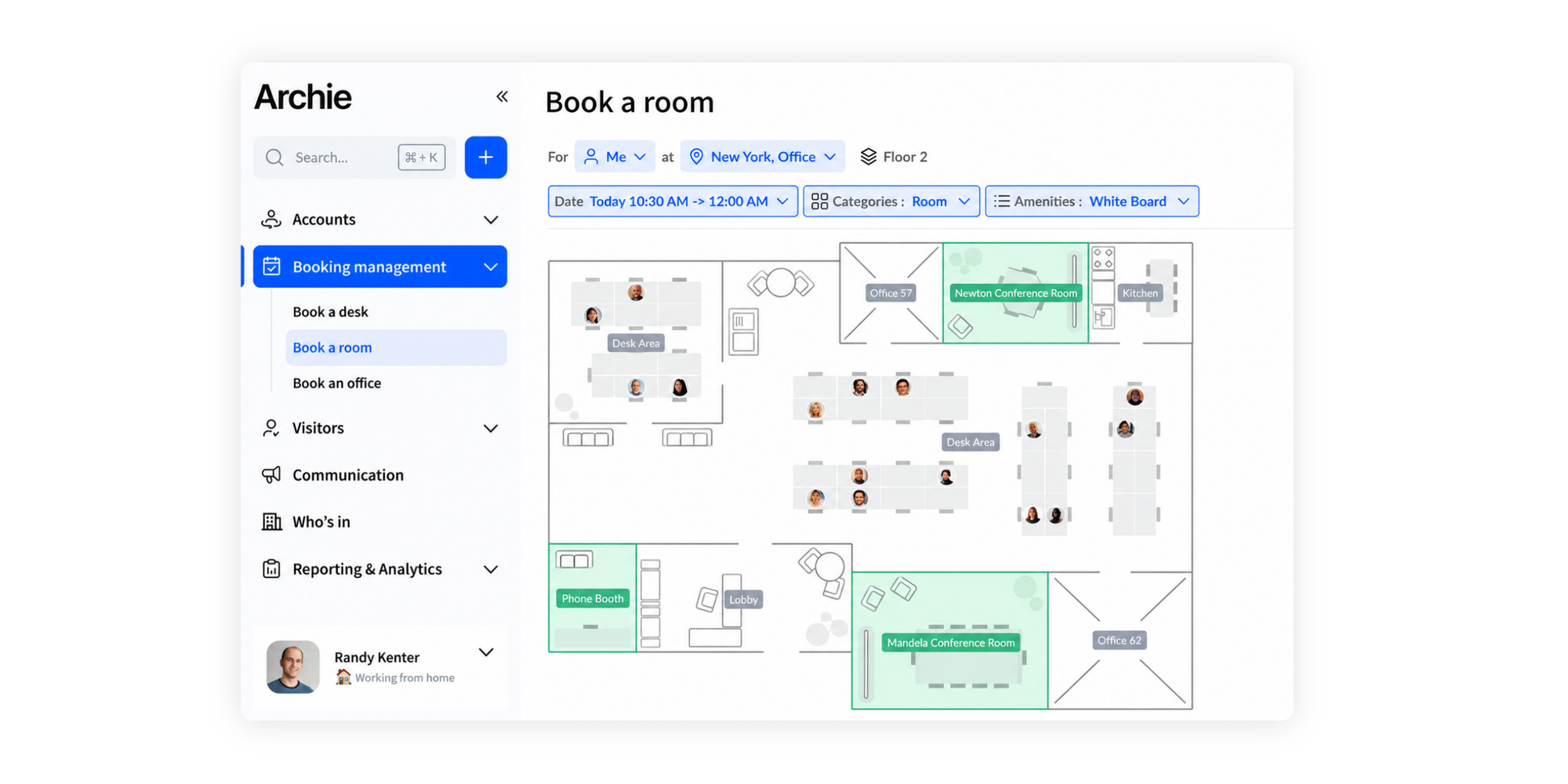
Archie provides all-in-one workspace management, combining desk reservations, room bookings, billing, and member access controls in a modern interface.
Best for
Coworking spaces, innovation hubs, and corporate offices managing flexible work environments.
Key features for resource booking
- Hybrid workplace management: Track office occupancy and reserve hot desks or meeting rooms.
- Member portal and access: Manage automated invoicing and digital door access integrations.
Pricing & score
- Pricing: Starts at $159/month (one location), includes web and mobile app, and visual floor plans
- Review score: 4.8/5 on Capterra (90+ reviews, Oct 2026). Users like the ease of use, but some mention that it’s complex to set up, as well as some issues syncing with Google Calendar.
Verdict
A top choice for dedicated coworking spaces needing member billing alongside room reservations.
4. anny: Best for bookable spaces and multiple resource types
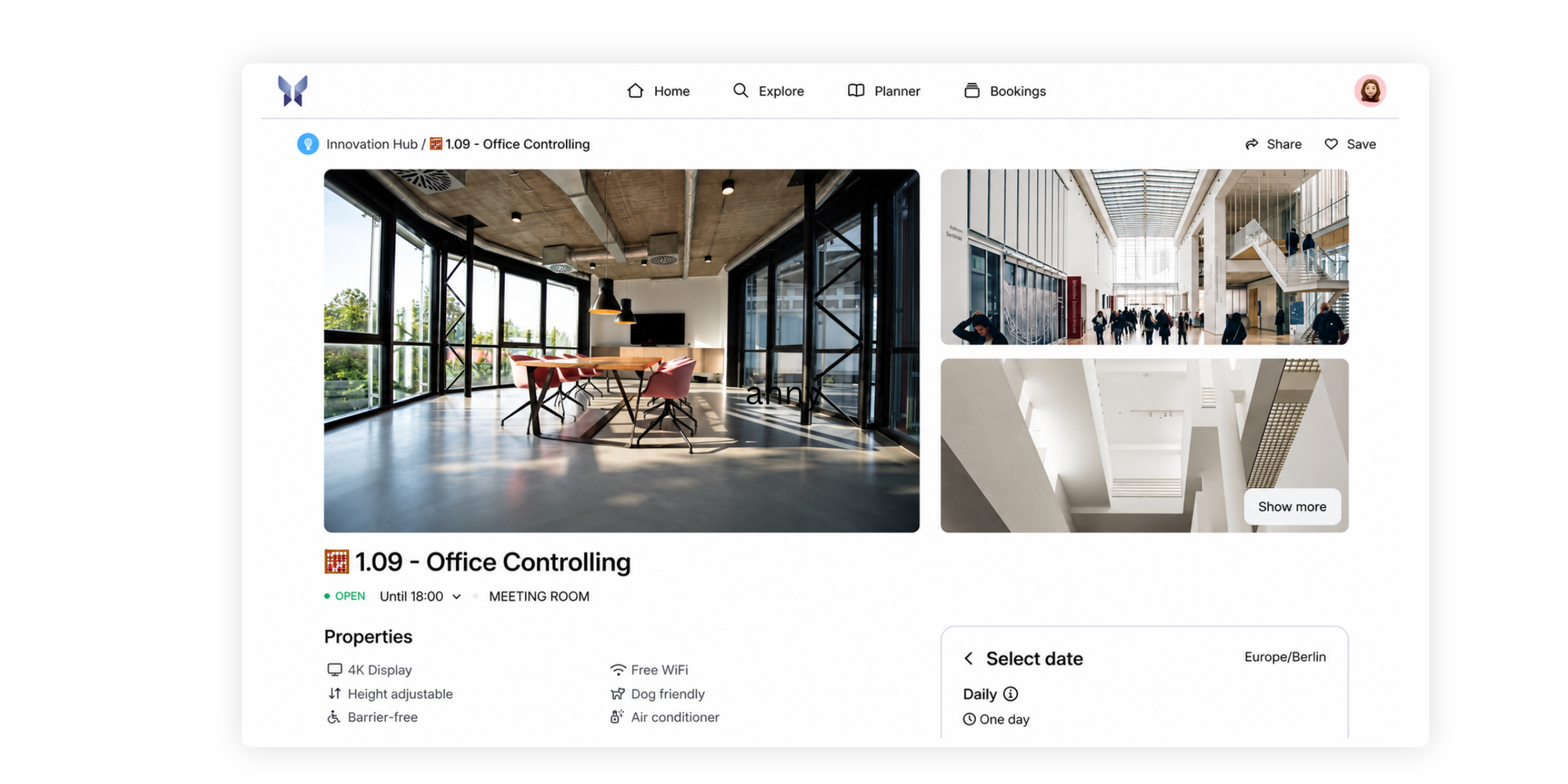
anny is an all-around booking engine designed to handle diverse physical assets with visual availability grids and custom booking workflows.
Best for
Organizations that manage a diverse mix of assets, including lockers, parking spots, tools, and rooms.
Key features for resource booking
- Multi-resource support: Categorize and schedule different physical equipment types on one dashboard.
- Visual booking calendars: Give users an easy grid view of asset availability.
Pricing & score
- Pricing: Free plan for up to five resources available; paid tiers start at $5/month per resource
- Review score: 4.8/5 on Capterra (20+ reviews, Oct 2026). Users say it is great value for money, but setup and admin can be time-consuming.
Verdict
Great for multi-purpose facilities needing a flexible platform for varied physical items.
5. Robin: Best for enterprise workplace booking
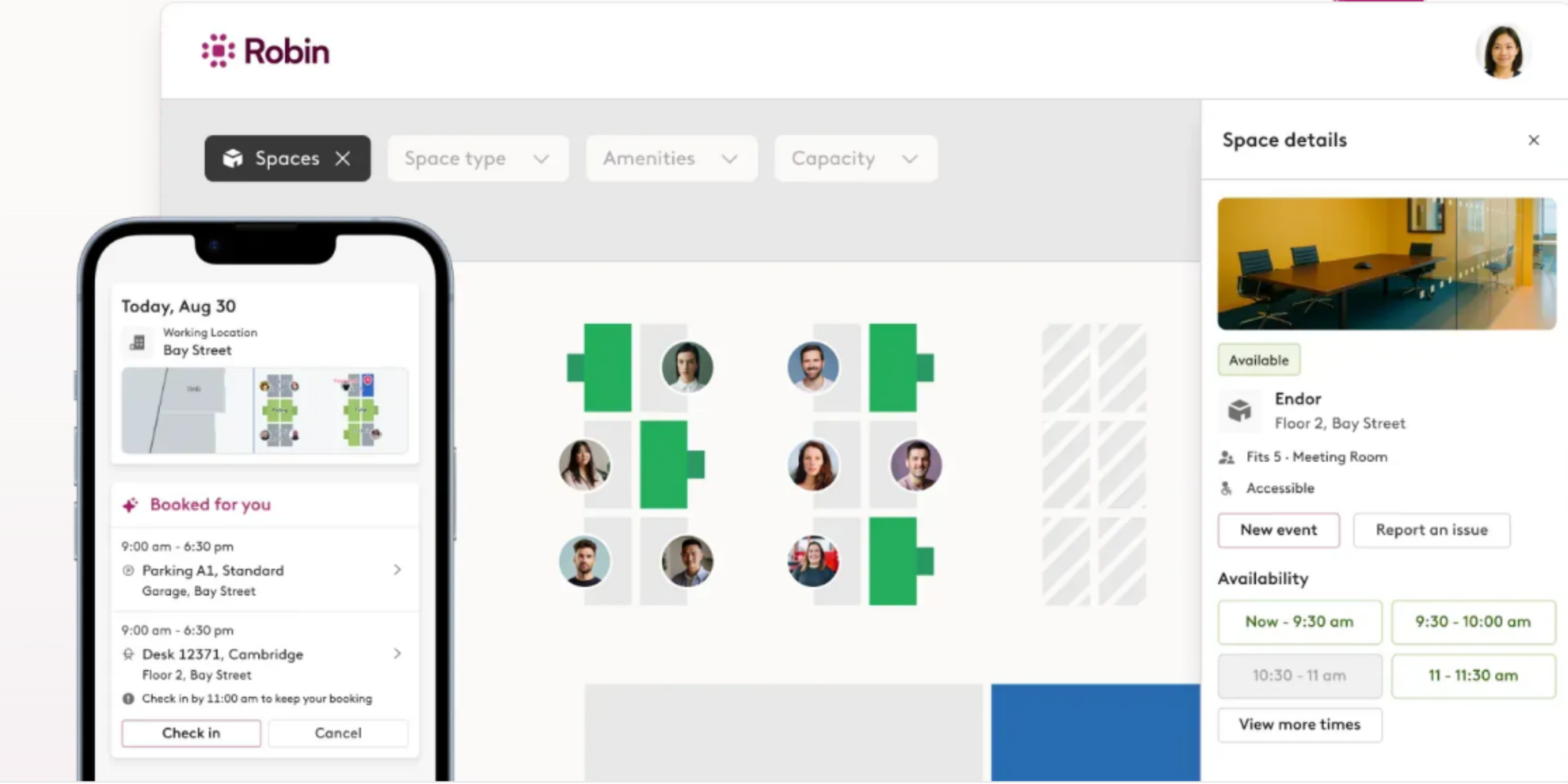
Robin focuses on workplace coordination, helping corporate teams schedule desks, evaluate room utilization, and manage office visitors.
Best for
Large enterprise organizations coordinating workplace office management across multiple floors or locations.
Key features for resource booking
- Workplace analytics: Detailed reporting on room usage, desk density, and office attendance
- Meeting room displays: Connects with physical door tablets to display live schedules
Pricing & score
- Pricing: Custom enterprise quotes (free trial available)
- Review score: 4.7/5 on Capterra (75+ reviews, Oct 2026). Users say it’s easy to use, but some report high costs.
Verdict
Built for enterprises requiring deep workplace analytics and complex room tablet ecosystems.
6. Resource Guru: Best for scheduling resources across projects
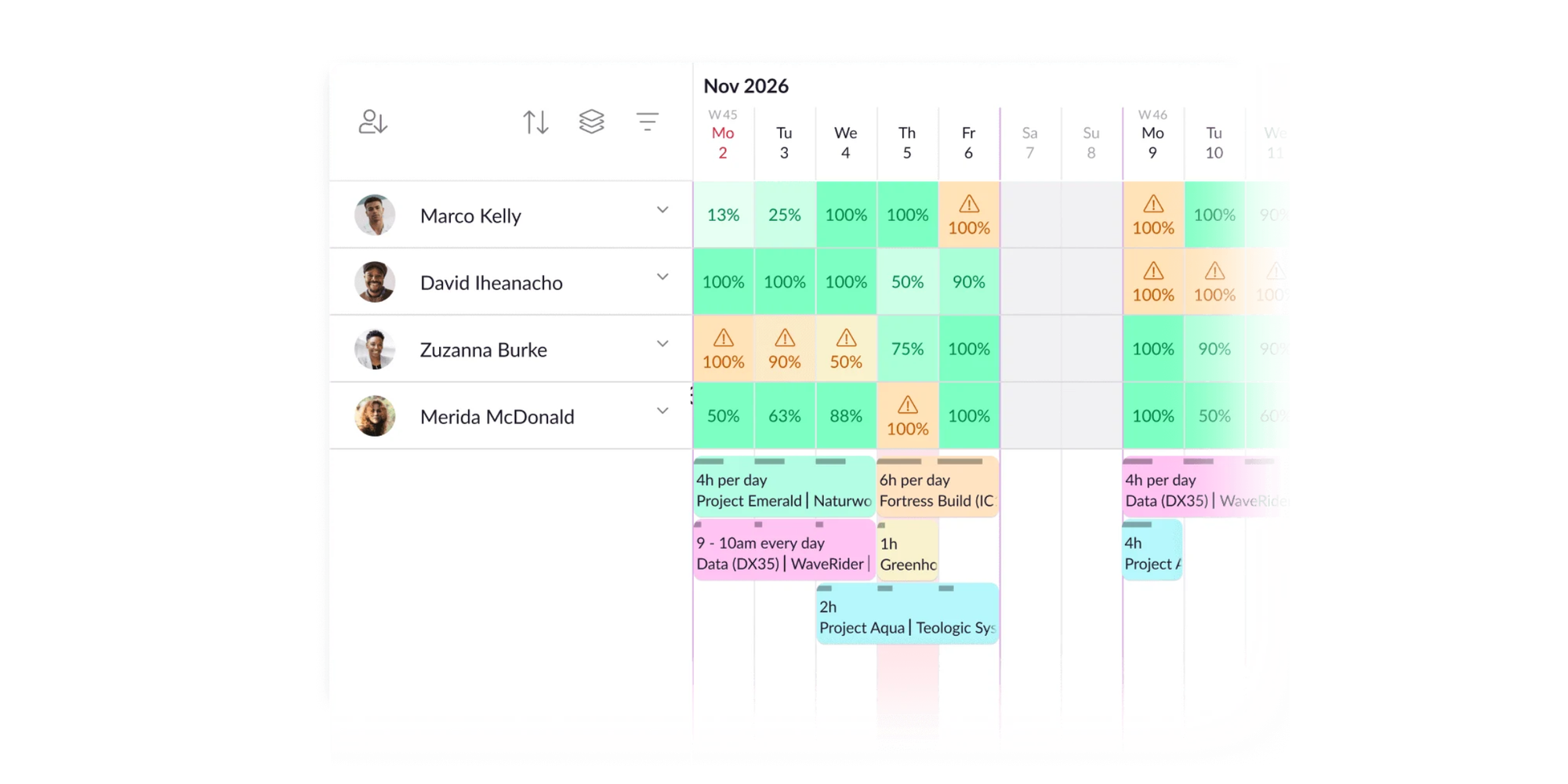
Unlike physical space software, Resource Guru is built for team capacity planning. It prevents over-allocation by displaying human and physical resource workloads on a master Gantt-style chart.
Best for
Agencies and project teams that need to allocate people, equipment, and vehicles to client deliverables.
Key features for resource booking
- Capacity management: Monitor team workloads and equipment availability across projects.
- Clash management: Prevents double-booking staff hours or shared project tools.
Pricing & score
- Pricing: Starts at $5/month per person, with additional resources charged at $2.50 each. Free trial available.
- Review score: 4.7/5 on Capterra (540+ reviews, Oct 2026). Users like its simplicity, but some mention issues with customization and reporting.
Verdict
The standard for agency project managers who need to balance staff capacity with physical project tools.
7. Ganttic: Best for visual scheduling of people and equipment
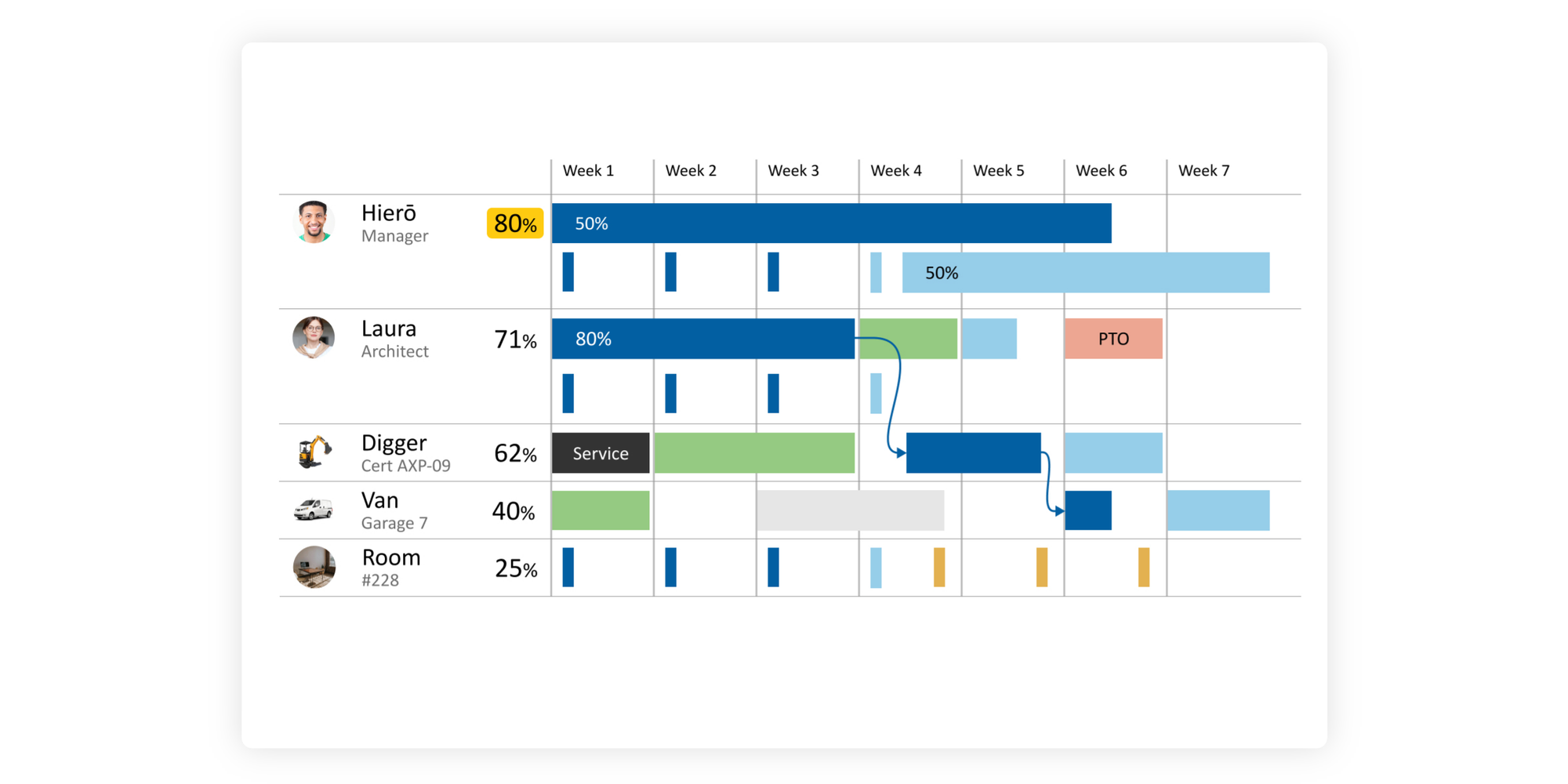
Ganttic provides high-level visual resource management for complex operations requiring timeline views of high-value equipment and staff schedules.
Best for
Construction, manufacturing, and logistics operations managing heavy machinery, vehicles, and personnel.
Key features for resource booking
- Gantt chart timelines: Drag-and-drop planning for machinery, facilities, and staff.
- Custom data fields: Track serial numbers, maintenance status, and operational costs per asset.
Pricing & score
- Pricing: Free for up to 10 resources; paid plans start at $25/month
- Review score: 4.3/5 on Capterra (205+ reviews, Oct 2026). Users say it’s great for tracking multiple resources and rooms, but some say the UI (user interface) can be confusing.
Verdict
Best suited for industrial and operational setups requiring long-term asset timeline planning.
8. Joan: Best for meeting rooms with physical displays
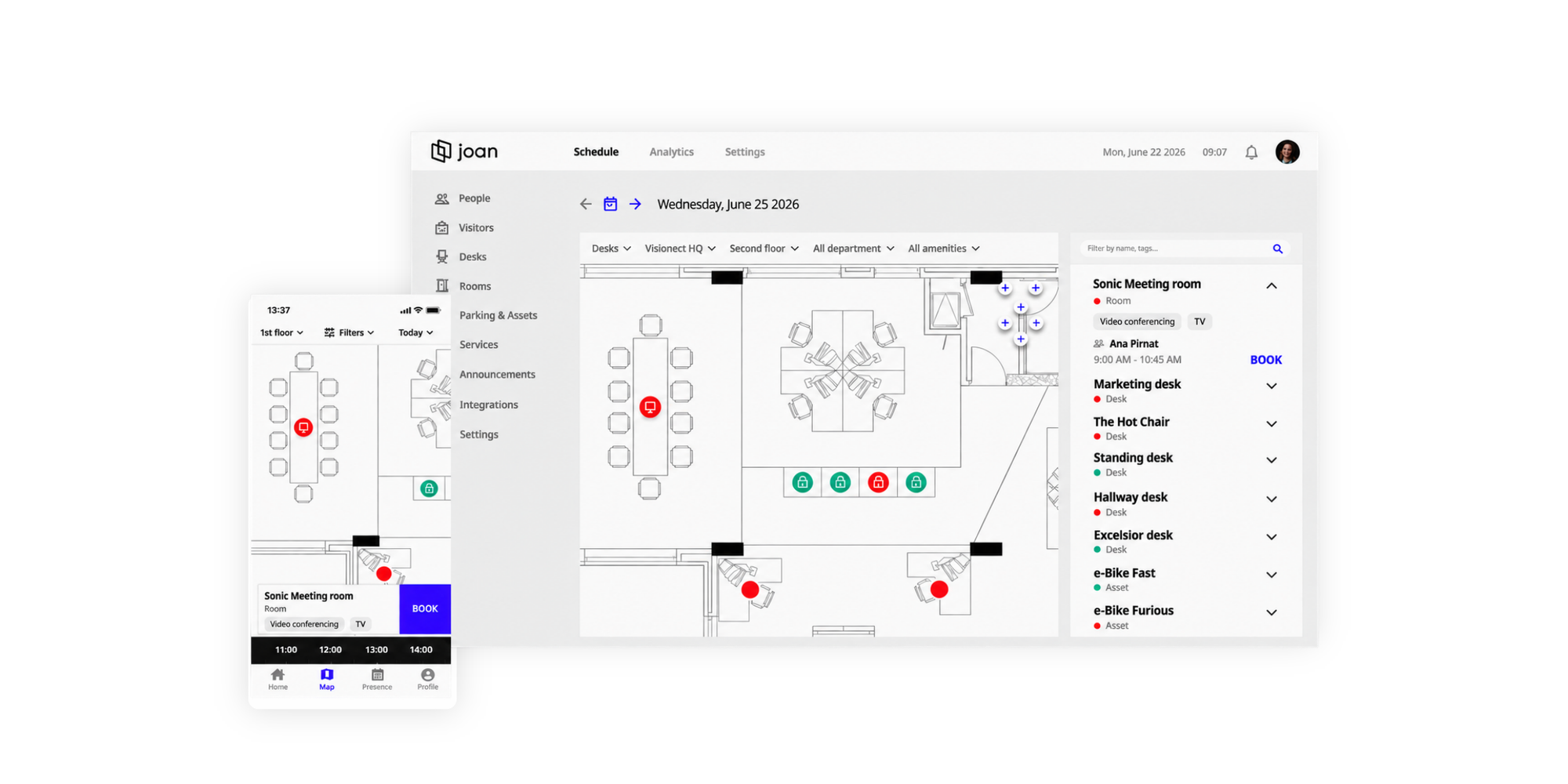
Joan pairs sleek e-paper display hardware with smart room booking software to manage conference rooms right at the door.
Best for
Corporate offices looking to eliminate room poaching by using dedicated ultra-low-power door tablets.
Key features for resource booking
- E-paper hardware displays: Energy-efficient door tablets displaying real-time room availability.
- On-the-spot booking: Tap the display to reserve an open room immediately.
Pricing & score
- Pricing: Starts at $49/month per user (required hardware purchased separately).
- Review score: 4.8/5 on Capterra (75+ reviews, Oct 2026). Users say it is efficient and easy to use, though others say the software can sometimes be glitchy.
Verdict
The premier choice for offices wanting hardware door signs integrated directly with digital calendars.
What features should room and resource booking software include?
Whether you’re looking to prevent double room bookings, let clients book an in-person meeting with you, or let your staff hire equipment, here are some key features to look for in your software.
- Real-time availability and conflict prevention: Automatically locks out booked slots so two users can never claim the same room or piece of equipment simultaneously.
- Resource assignment and booking rules: Enforce buffer times between uses, cap daily reservation limits, and assign specific gear to matching service types.
- Self-service booking and calendar sync: Allow users to pick available slots online while syncing reservations instantly with Google, Outlook, or Apple calendars.
- Booking approvals, reminders and payments: Require admin sign-off for premium spaces, send automated SMS/email reminders, or charge rental fees upon booking via Stripe or PayPal.
- Admin controls and utilization reporting: Track usage metrics to identify underutilized equipment or peak room demand times.
How to choose the right resource booking software
When selecting your platform, consider your operational workflow, user permissions, and scaling costs. Follow this four-step process to choose the right platform for your organization:
1. Identify what you need to book
Before looking at software features, clearly define the exact type of assets you need to manage. Determine whether you are managing physical spaces and equipment (such as a meeting room or shared cameras), or if you need capacity planning tools to forecast staff workloads across client projects.
Mixing up physical asset tracking with project forecasting will lead you to purchase software that either lacks critical spatial rules or feels overly complicated for simple room reservations.
2. Decide who needs access to the booking system
Access control determines how secure and flexible your booking calendar must be. Consider whether reservations will be made exclusively by internal staff, students within an institution, or external paying clients.
If external users are booking resources, you will need a platform that supports public-facing booking pages, automated confirmation emails, and integrated payment collection without sacrificing internal privacy or security.
3. Compare pricing per user, room, or resource
Subscription models vary wildly across the resource booking market and can quickly catch you off guard as you scale. Look closely at whether the vendor charges per admin seat, per bookable resource, by total transaction volume, or requires expensive add-on hardware like e-paper door displays
Opt for transparent, predictable pricing structures such as flat per-seat or per-resource rates to keep monthly overhead manageable, especially if you’re a small-scale organization where budget is tight.
4. Check calendar integrations and resource rules
A great resource booking tool must fit seamlessly into your day-to-day business systems. Ensure the system syncs in real time with your organization's calendar platform (such as Google Calendar, Outlook, or Apple Calendar) to completely eliminate double bookings.
Additionally, check for automated buffer times, approval workflows, and custom booking rules to handle complex asset management smoothly.
How to set up a resource booking system with Koalendar
Setting up automated reservations for a shared meeting room, studio, or piece of equipment takes just a few minutes with Koalendar:
Step 1: Create a dedicated booking page
Head over to your Koalendar dashboard, click + New booking page, and give it a clear title like "Conference Room A" or "Podcast Studio Setup". Define your general operating hours, custom time slot durations (e.g., 30, 60, or 90 minutes), and buffer times for setup or cleanup.
Step 2: Sync calendars and set availability rules
Connect your Google, Outlook, or Apple calendar so Koalendar can automatically cross-reference availability and prevent double bookings in real time. You can also configure specific booking windows or recurring availability rules.
Step 3: Configure booking forms and automated reminders
Add custom intake questions to collect details on how the room or equipment will be used. Customize your confirmation settings, enable automated email and SMS reminders to reduce no-shows, and turn on the Require Approval setting if you need to manually review requests before confirming access.
Step 4: Preview, publish, and share your link
Double-check your settings and preview the client booking flow. Click Publish, then copy your unique public scheduling link to share via email, embed directly into your company website, or post in an internal Slack channel.
Simplify room and resource bookings with Koalendar
Eliminate scheduling back-and-forth and stop double bookings for good. Koalendar provides custom booking pages, instant calendar sync, automated reminders, and payment collection without steep learning curves or expensive per-room pricing.
This review evaluated software based on physical asset support, availability rules, calendar integrations, and pricing transparency as of late 2026. Data was gathered from official vendor pages and verified review sources including Capterra.