TL;DR
Zoom Scheduler is a strong choice if your work already revolves around Zoom. Calendly makes more sense if you need broader integrations and advanced scheduling workflows. Koalendar is worth considering if you want straightforward scheduling, unlimited free bookings and booking pages, with extra team features available when you need them.
If you’re comparing Zoom Scheduler vs Calendly, the difficult part isn’t finding features. It’s working out which ones actually matter to your day-to-day workflow. Both tools can cut out back-and-forth scheduling, manage availability and help people choose a time that works. But the Calendly vs Zoom Scheduler decision changes once you consider integrations, team scheduling, pricing and how closely you want your scheduler tied to the rest of your software.
Here’s the practical difference.
Zoom Scheduler is better suited to teams that already work heavily in Zoom, while Calendly is stronger for businesses that need broader integrations and more advanced scheduling workflows. If you want simple, flexible scheduling and value, Koalendar is your option.
 |  | Best choice | |
| Simple scheduling | Strong | Strong | Tie |
| Zoom-first workflow | Excellent | Good | Zoom Scheduler |
| Integrations | More focused | Broader | Calendly |
| Advanced team workflows | Strong | Strong | Depends on workflow |
| Free option | Scheduler Basic | Free plan | Depends on needs |
| Unlimited free booking pages | ❌ | ❌ | Koalendar |
Zoom’s current Scheduler Basic plan includes one personal booking page, one connected calendar and Zoom, Google Meet or Microsoft Teams as meeting locations. Its paid Scheduler plan adds unlimited booking pages, round robin, group meetings, reminders, payments and other advanced features.
Calendly’s Free plan includes one event type and one calendar, while its paid plans (from $10/seat/month) unlock unlimited event types, additional calendars, automated reminders and more advanced team workflows.
Koalendar, on the other hand, offers unlimited booking pages, 2 calendar syncs for free. Pro ($6.99/seat/month) unlocks payments, reminders, round robin and the type of features your might need once your team grows.
Choose Zoom Scheduler if…
Choose Zoom Scheduler if your team already uses Zoom heavily and you want scheduling inside the same ecosystem.
Choose Calendly if…
Choose Calendly if you need broader integrations, more advanced routing or scheduling that connects closely with sales, recruiting or other business workflows.
Consider Koalendar if…
Consider Koalendar if you want fewer free-plan restrictions, especially unlimited booking pages and two connected calendars without upgrading.
Zoom Scheduler vs Calendly at a glance
Both tools cover the core scheduling basics, but the biggest differences appear in plan limits, integrations and advanced team workflows.
If you’re comparing the free plans, Koalendar gives you considerably more room before you need to upgrade, so we’ve included it in the comparison. Zoom Scheduler Basic and Calendly Free both limit you to one main booking page or event type and one connected calendar. Koalendar Free includes unlimited booking pages, unlimited bookings and two calendar syncs.
Here’s how the three free plans compare.
| Zoom Scheduler Basic | Calendly Free | Koalendar Free | |
| Monthly cost | $0 | $0 | $0 |
| Free forever | ✅ | ✅ | ✅ |
| Unlimited bookings/meetings | ✅ | ✅ | ✅ |
| Booking pages / event types | ❌ 1 personal booking page | ❌ 1 event type | ✅ Unlimited booking pages |
| Scheduling links | 1 main personal booking page + one-off booking pages | 1 event type | ✅ Unlimited scheduling links |
| Connected calendars | ❌ 1 calendar | ❌ 1 calendar | ✅ 2 calendars |
| Google Calendar | ✅ | ✅ | ✅ |
| Outlook / Microsoft calendar | ✅ | ✅ | ✅ |
| iCloud / Apple Calendar | ✅ | ❌ | ✅ |
| Video conferencing | ✅ Zoom, Google Meet, Microsoft Teams | ✅ Zoom, Google Meet, Microsoft Teams and supported tools | ✅ Google Meet in Free, Pro supports Zoom and Teams |
| Automatic time-zone handling | ✅ | ✅ | ✅ |
| Control availability | ✅ | ✅ | ✅ |
| Multiple meeting durations on one booking page | Not listed for Basic | ❌ 1 event type setup | ✅ |
| Meeting polls | ✅ Unlimited | ✅ | ✅ Unlimited |
| One-off meetings | ✅ Unlimited one-off booking pages | ✅ | ✅ Booking pages can be created as needed |
| Embed booking page on website | Not listed as a Basic highlight | ✅ | ✅ |
| Customize booking page | ✅ Logo and booking link | ✅ | ✅ Logo/ photo and colors |
| Booking confirmations | ✅ | ✅ | ✅ Instant booking notifications |
| Custom automated email/SMS reminders | ❌ Paid Scheduler | ❌ Standard+ | ❌ Pro |
| Round-robin scheduling | ❌ Paid Scheduler | ❌ Teams+ | ❌ Pro |
| Collective / multi-host scheduling | ❌ Paid Scheduler | ❌ Paid | ❌ Pro |
| Payment collection | ❌ Paid Scheduler | ❌ Standard+ | ❌ Pro |
The biggest difference is how quickly you hit the free-plan ceiling.
With Zoom Scheduler Basic, you get one personal booking page and one connected calendar. That can be enough if you mainly schedule one type of meeting and already work inside Zoom. Zoom also gives free users useful extras such as unlimited meeting polls and one-off booking pages.
Calendly Free follows a similar model. You can schedule unlimited meetings, but you’re limited to one event type and one connected calendar. If you want separate links for a 15-minute intro call, a 30-minute consultation and a 60-minute client meeting, you need to move to a paid Calendly plan.
Koalendar removes those two restrictions from the start. The Free plan includes unlimited bookings, unlimited booking pages and two calendar syncs across Google, Outlook or iCloud. You can therefore create different booking pages for different meeting types and check two calendars for conflicts without upgrading.
That difference matters in everyday use. A consultant could create separate pages for discovery calls, client sessions and follow-ups. A recruiter could use different links for screening calls and interviews. An educator could create separate booking pages for office hours and parent meetings. With Koalendar, those extra booking pages don’t trigger an upgrade.
Advanced features such as round-robin scheduling, collective meetings, payment collection and customizable email or SMS reminders sit on the paid plans of all 3. The advantage of Koalendar Free isn’t that every feature is free—it’s that the core scheduling limits are much more generous.
The main free-plan difference is flexibility: Zoom Scheduler Basic gives you one personal booking page and one connected calendar, while Calendly Free gives you one event type and one connected calendar. Koalendar Free gives you unlimited booking pages and two calendar connections.
What is Zoom Scheduler?
Zoom Scheduler is Zoom’s scheduling tool for letting other people choose available meeting times without the usual email back-and-forth.
It works as more than a basic Zoom meeting scheduler. Depending on the plan, you can create booking pages, connect calendars, schedule individual or team meetings and automate parts of the process around a booking.
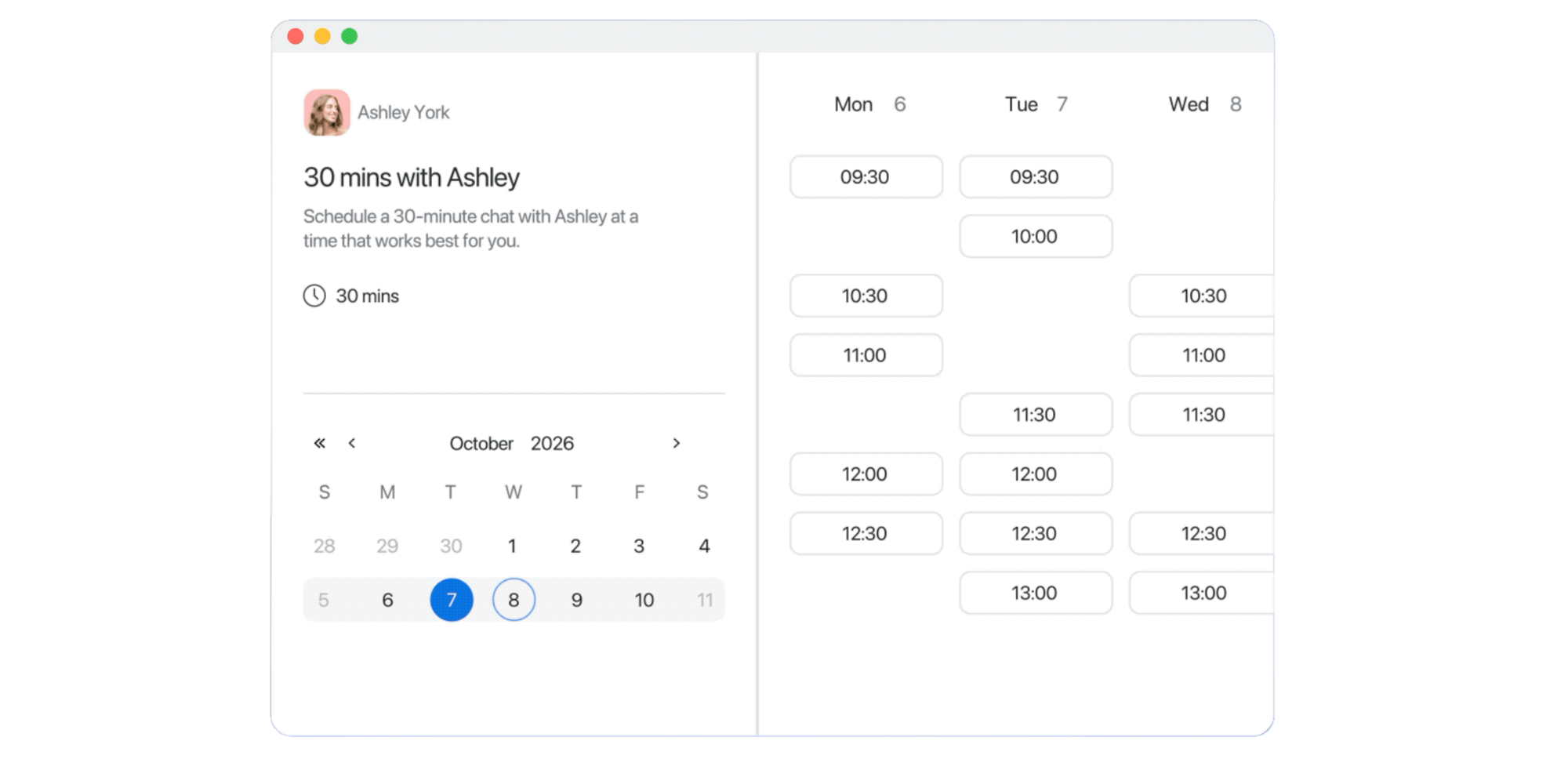
How Zoom Scheduler works
Zoom Scheduler turns your availability into a shareable booking page in five steps:
- Connect your calendar. Link Google Calendar, Microsoft 365/Outlook or iCloud so Zoom Scheduler can check for conflicts.
- Set your availability. Choose the days and times people can book you.
- Create a booking page. Set the meeting length, location and booking rules.
- Share your scheduling link. Send it by email, add it to your website or include it wherever people need to book time with you.
- Let meetings sync automatically. When someone chooses a time, the meeting is added to the relevant calendars and includes the selected meeting location.
This makes Zoom Scheduler particularly convenient if Zoom is already part of your daily workflow.
Who Zoom Scheduler is best for
Zoom Scheduler is most compelling when your organization already uses Zoom heavily.
The appeal is consolidation. You can manage scheduling from the same broader ecosystem your team already uses for meetings rather than adding a separate scheduling platform and login.
Paid Scheduler also supports collective scheduling, round robin, group meetings, automated reminders, routing and analytics, so it can go beyond basic one-to-one booking.
What is Calendly?
Calendly is a dedicated scheduling platform that helps individuals and teams share availability and automate meeting booking.
Its Free plan covers basic one-to-one scheduling, with one event type and 1 calendar sync. Paid plans expand into multiple event types, reminders, payment collection, integrations, routing and more advanced team workflows.
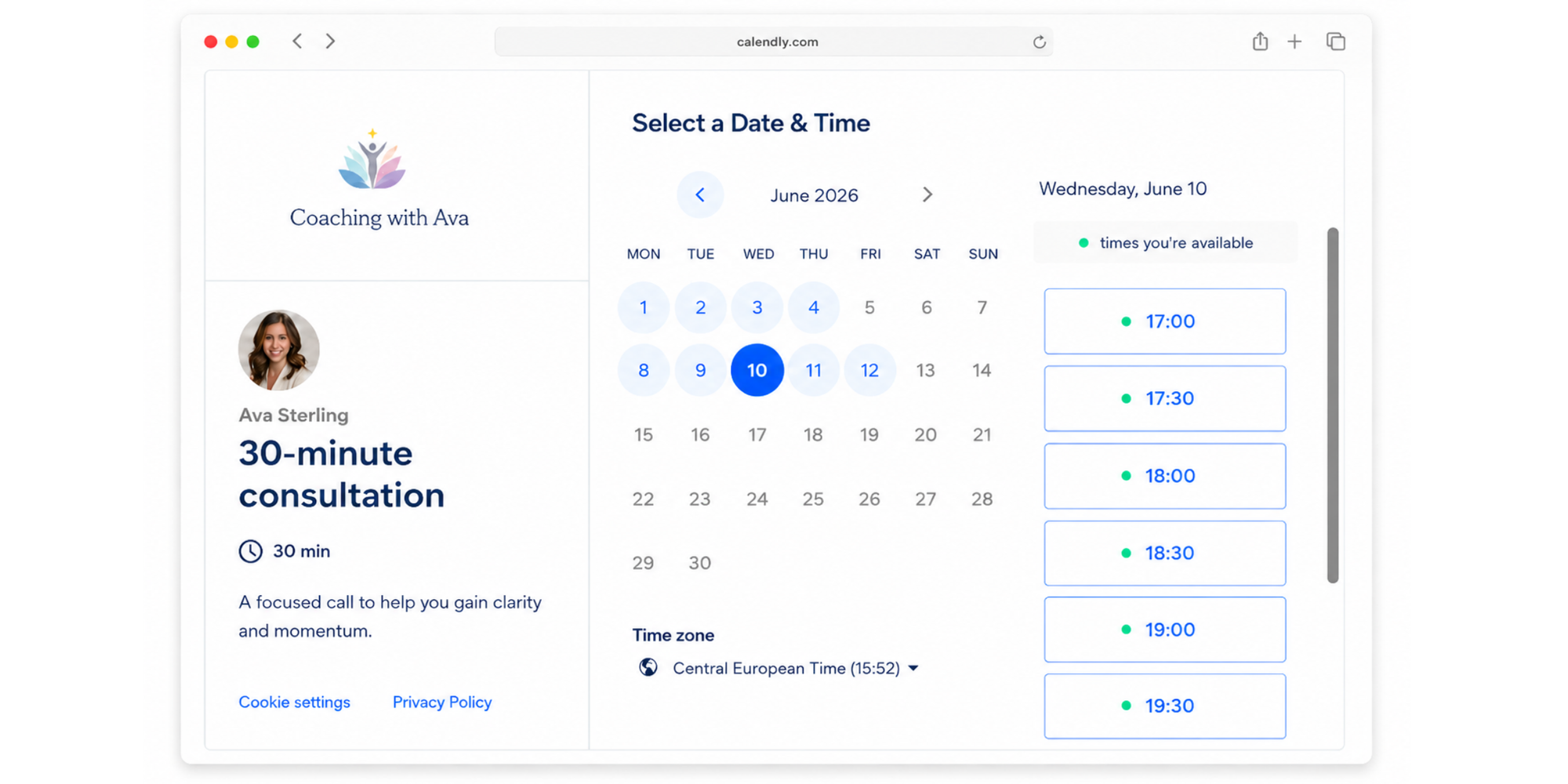
How Calendly works
Calendly follows a similar process:
- Connect your calendar. Link your calendar so Calendly knows when you’re already busy.
- Set your availability. Define the days and times when people can schedule with you.
- Create an event type. Choose the meeting duration, location and booking settings.
- Share your Calendly link. Invitees open the link and choose an available time.
- Let Calendly handle the booking. The meeting is added to the connected calendar and any configured video-meeting details or workflows are triggered.
The basic setup is simple. More advanced Calendly plans add extra event types, integrations, reminders, routing and team workflows.
Who Calendly is best for
Calendly is best suited to users who want scheduling to connect with a wider business workflow.
That might be a consultant who wants several event types, a sales team distributing meetings between representatives, or a growing organization that needs lead routing and administrative controls.
Calendly Teams, for example, supports round-robin meetings, Salesforce, lead qualification and routing, and integrations with HubSpot, Marketo and Pardot.
Calendly vs Zoom Scheduler: Features compared
The basic scheduling experience is similar, so the most useful comparison is how each tool handles the workflows around the booking itself.
Booking pages and scheduling links
Both Zoom Scheduler and Calendly let you give someone a link so they can choose an available meeting time themselves.
The difference is what each plan allows.
Zoom Scheduler Basic currently includes one personal booking page, while the full Scheduler plan includes unlimited booking pages.
Calendly Free includes one event type. Calendly Standard and above include unlimited event types.
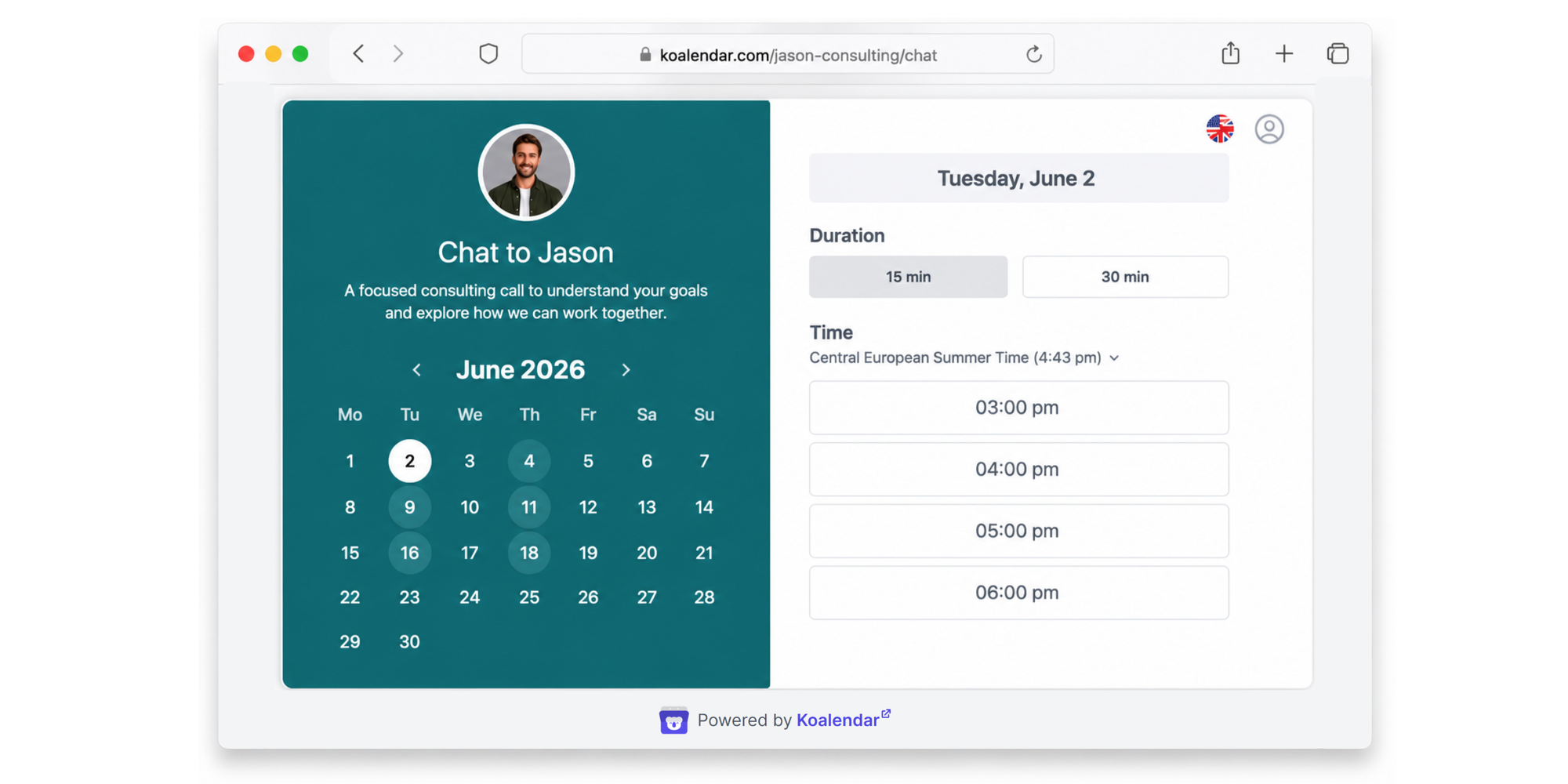
For comparison, Koalendar Free includes unlimited bookings and unlimited booking pages, which can be useful if you want separate scheduling pages for several meeting types without upgrading immediately.
Calendar and video integrations
Both products work with major calendar and video-meeting platforms.
Zoom Scheduler supports Google Calendar, Microsoft 365/Outlook and Apple iCloud calendars. Its booking pages can use Zoom, Google Meet or Microsoft Teams for virtual meetings.
Calendly supports Google and Microsoft calendar integrations, no iCal, and video platforms including Zoom, Google Meet and Microsoft Teams.
Calendly’s advantage is the breadth of business integrations available around scheduling. Its paid plans include tools such as HubSpot, Mailchimp, Zapier, Salesforce, Marketo and Pardot depending on the tier.
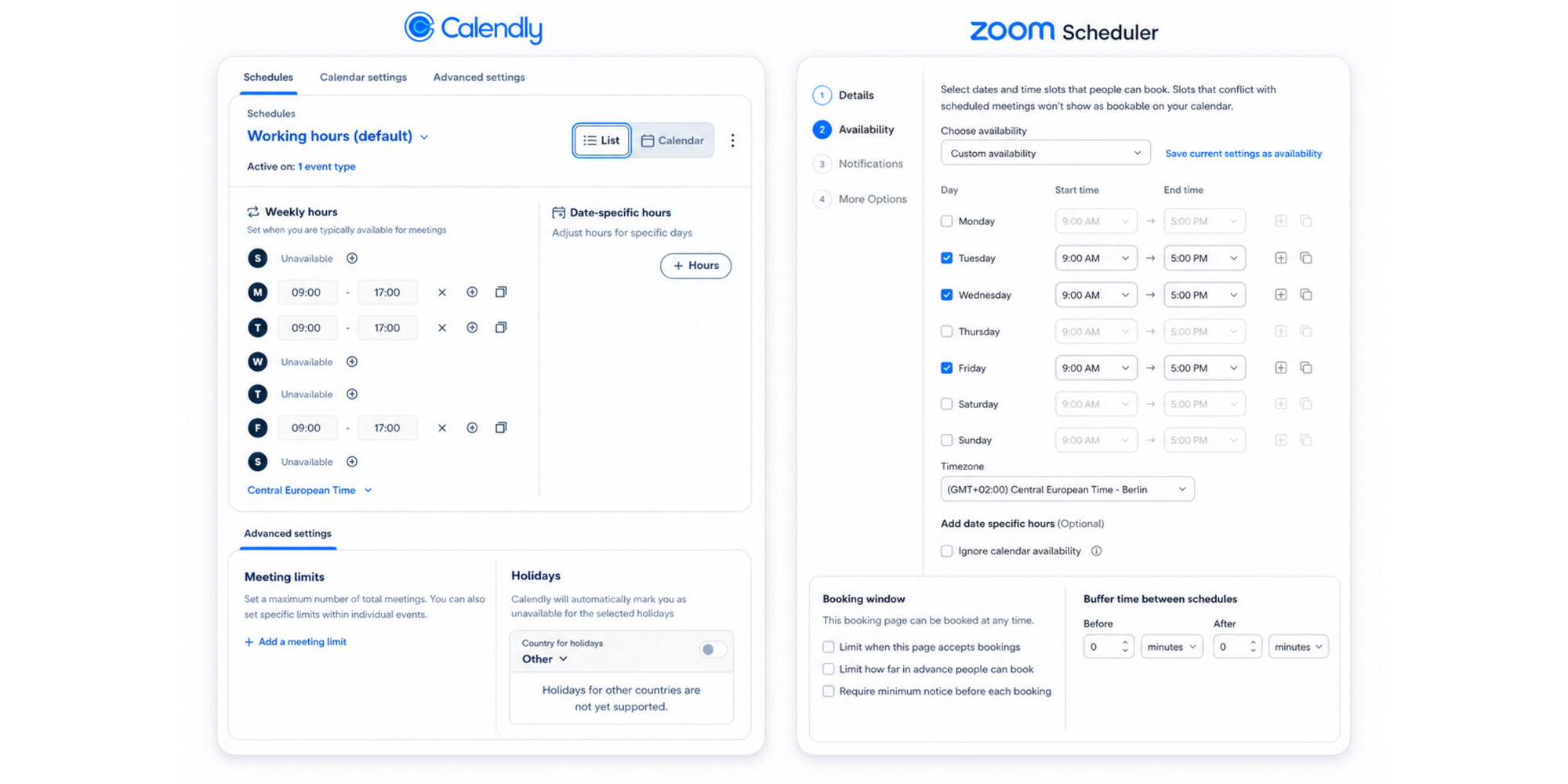
Availability, buffers, and time zones
Both platforms are designed to prevent invitees from choosing times when you aren’t available.
Zoom Scheduler checks connected calendars for conflicts before presenting available times. It also lets you set up buffers, limits and availability controls.
Calendly lets users customize availability and manage when meetings can be scheduled. It also has availability controls across its scheduling features.
This is an area where the right tool is less about whether the feature exists and more about how easily its availability settings fit your working routine.
Automated reminders and follow-ups
Automated reminders remove another piece of manual admin after someone has booked. These features are available in paid plans.
Paid Zoom Scheduler can automate email and SMS reminders for attendees. Zoom also supports customized appointment messages around meetings.
Calendly Standard includes automated meeting reminders and scheduling outreach.
Round-robin and team scheduling
Round-robin matters when several team members can take the same type of meeting.
Zoom Scheduler can send a client to the next available team member using round-robin scheduling. It also supports collective scheduling, where multiple hosts need to be available for the same meeting.
Calendly offers round-robin meeting distribution on Teams and Enterprise. Its Teams plan also adds lead qualification and routing.
Payments
Payment collection is useful if the meeting itself is a paid service, such as consulting or coaching.
Zoom Scheduler integrates with Stripe and can collect payment at booking time. Zoom currently notes that its Stripe payment capability is available in the US and UK.
Calendly Standard connects with Stripe and PayPal.
Customization and branding
A booking page is client-facing, so its appearance can matter as much as the internal workflow.
Zoom Scheduler Basic lets you customize your booking-page logo and booking link. Paid Scheduler adds brand colors and lets you remove Zoom Scheduler branding.
Calendly Free includes booking-page customization, with more scheduling capabilities available as you move into paid tiers.
Analytics and admin controls
Analytics and administration become more important as scheduling spreads across a larger team.
Paid Zoom Scheduler includes analytics and insights designed to help teams understand booking activity. It also provides schedule and group management for larger teams.
Calendly’s Teams plan adds advanced administrative features, while Enterprise adds controls including SSO/SAML, domain control and audit-log compliance.
For smaller teams, these capabilities may be less important than simply making scheduling easy. For larger organizations, they can become a significant part of the decision.
Zoom Scheduler vs Calendly pricing
Pricing checked August 2026.
Pricing deserves a close look because Zoom now offers both a limited free Scheduler Basic tier and its fuller paid Scheduler product.
| Plan | Price | Key scheduling limit or difference |
| Zoom Scheduler Basic | Free | 1 personal booking page |
| Zoom Scheduler | $4.99/month/user, billed yearly | Unlimited booking pages and advanced Scheduler features |
| Calendly Free | Free | 1 event type |
| Calendly Standard | $10/seat/month, billed yearly | Unlimited event types and broader integrations |
| Calendly Teams | $16/seat/month, billed yearly | Round robin, routing and advanced team features |
| Calendly Enterprise | Starts at $15,000/year | Enterprise controls and support |
Pricing and plan contents are based on the companies’ current published pages checked in August 2026.
Zoom Scheduler pricing
Zoom currently offers Scheduler Basic for free with limited Scheduler capabilities. The free tier includes one personal booking page, one connected calendar, virtual meeting options and unlimited meeting polls and one-off booking pages.
The full Zoom Scheduler product is currently listed at $4.99 per month per user when billed annually. Zoom also states that Scheduler is included with qualifying Business and Enterprise plans.
The paid version adds unlimited booking pages, round robin, group meetings, up to six connected calendars, reminders, payments, routing and analytics.
Calendly pricing
Calendly currently offers:
- Free: always free, with one event type and one calendar.
- Standard: $10 per seat per month when billed yearly.
- Teams: $16 per seat per month when billed yearly.
- Enterprise: starts at $15,000 per year.
Standard adds unlimited event types, multiple calendars, reminders, payments and integrations such as HubSpot, Mailchimp and Zapier.
Teams adds Salesforce, round-robin meetings, lead qualification and routing, plus more advanced administrative features.
Which gives you better value?
Zoom Scheduler offers particularly strong value when you already use Zoom and want to keep scheduling inside the same ecosystem.
The $4.99 paid Scheduler price is below Calendly Standard’s current $10 annual-billing rate, although price alone doesn’t tell you which workflow is better.
Calendly can justify its higher tiers when you genuinely need its broader integration and routing capabilities.
For simpler needs, Koalendar offers another value equation: its Free Forever plan includes unlimited bookings and booking pages, while Pro is $6.99 per seat per month with annual billing and adds team scheduling, payments, advanced reminders and integrations.
Which is easier to use: Zoom Scheduler or Calendly?
Zoom Scheduler has a natural simplicity advantage for existing Zoom users, while Calendly offers a dedicated scheduling experience that can become more sophisticated as you add workflows and integrations.
The useful question isn’t which interface looks cleaner. It’s how quickly you can get from “I need to schedule this meeting” to “it’s in everyone’s calendar.”
For a Zoom-first team, using your existing Zoom account removes one extra login and keeps scheduling closer to a familiar workflow. Zoom explicitly positions Scheduler around that consolidation.
Calendly starts simply too. Its Free plan lets you connect a calendar, set availability and create an event type. The extra complexity only becomes relevant when you start adding integrations, routing and larger-team processes.
For the invitee, both approaches are designed around the same simple action: open a link, see available times and choose one.
Which scheduling tool is better for teams?
Calendly is a strong option for teams that need sophisticated routing and CRM-connected workflows, while Zoom Scheduler is attractive for teams that already use Zoom and want scheduling within the same ecosystem.
For sales teams, Calendly Teams supports Salesforce, round robin and lead routing. Zoom Scheduler also supports round robin, routing forms and Salesforce syncing on its full Scheduler product.
For recruiting, collective scheduling can matter when several interviewers need to join the same candidate meeting. Zoom specifically supports both collective and round-robin scheduling.
For customer success teams and consultants, the decision may be less about advanced routing and more about giving customers a simple way to choose a time, receive reminders and join the right meeting.
For general professional teams, the best choice is the one that matches the complexity you actually need. More features are useful only when they solve a real scheduling problem.
Do you need Calendly or Zoom Scheduler?
If neither option matches the way you work, you don’t have to force the choice.
Zoom Scheduler works best when Zoom already sits at the center of your workflow. Calendly makes sense when scheduling needs to connect with a broader set of business processes. But if your needs are simpler, it may be more useful to compare what you can do before paying.
That’s where Koalendar offers a different trade-off: its free plan gives you unlimited booking pages, unlimited bookings and two connected calendars.
When Koalendar is worth considering
Koalendar is worth considering when:
- You want to get your scheduling page running quickly.
- You want unlimited bookings without paying from day one.
- You need multiple booking pages for different meeting types.
- You want calendar and video-meeting integrations without a Zoom-centric workflow.
- You need useful team features but don’t want a more complex scheduling stack.
- You value a straightforward interface and strong free plan.
Koalendar’s Free Froever plan currently includes unlimited bookings and booking pages, 2 calendar syncs, while Pro adds team and group scheduling, round robin, payments and customizable notifications.
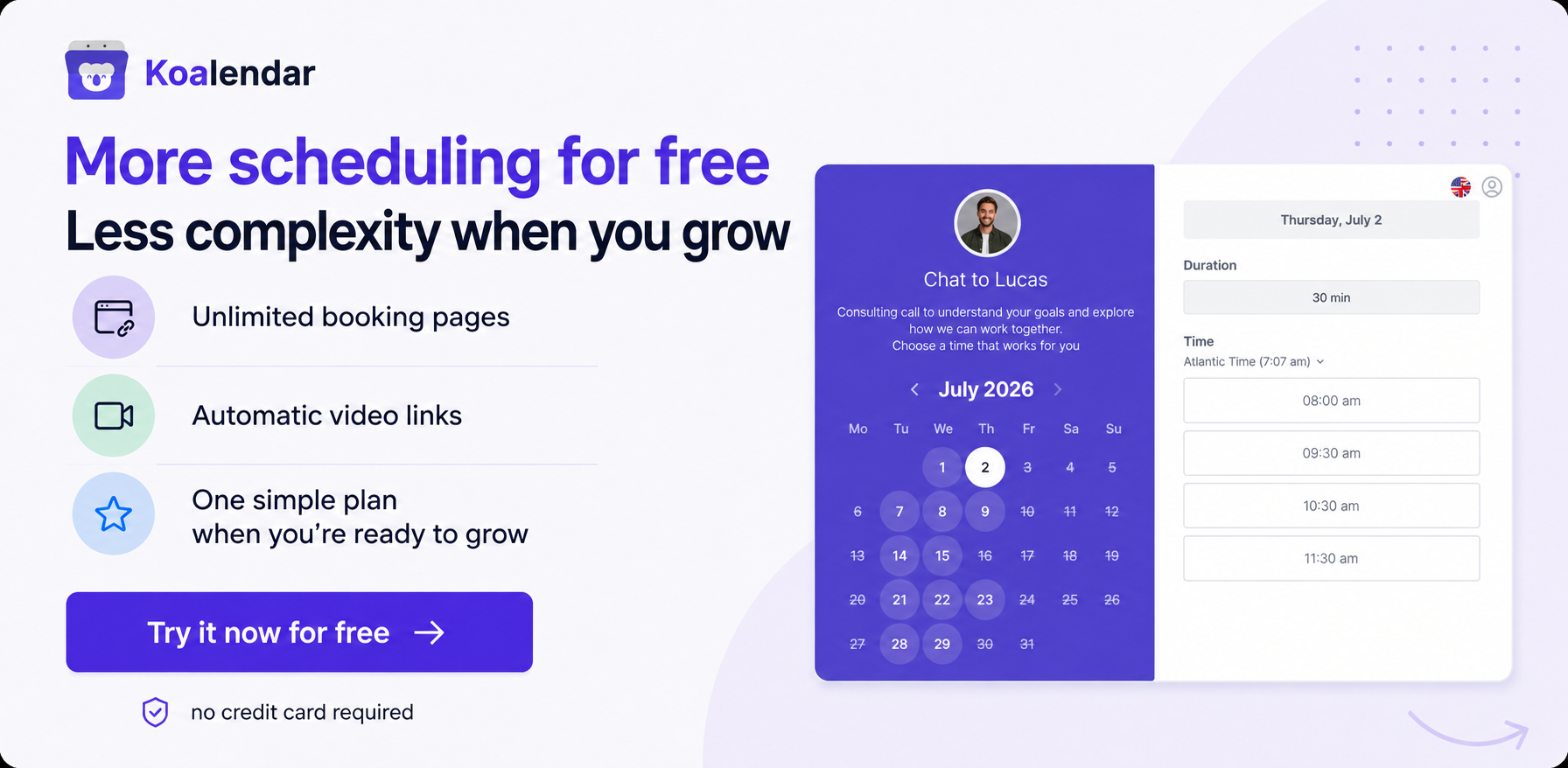
Want scheduling without the complexity? Try Koalendar free and create your booking page in minutes.
Zoom Scheduler vs Calendly: Final verdict
The best choice in Zoom Scheduler vs Calendly depends on how scheduling fits into the rest of your work.
Choose Zoom Scheduler if your team already works heavily in Zoom and you want scheduling integrated into that ecosystem.
Choose Calendly if scheduling is a more advanced business workflow and you need broader integrations, lead routing or sophisticated team processes.
Choose Koalendar if you want capable scheduling without unnecessary complexity. You can start with unlimited free bookings and booking pages, then add payments, advanced reminders and team scheduling through Pro when those features become useful.
The strongest option is the one that removes scheduling friction without making you pay for features or limits that don’t fit the way you work.