The best driving school booking system depends on your scheduling needs. Koalendar is suited to flexible online lesson bookings, Anolla to specialist driving-school workflows, and Bookeo to prepaid packages and courses. Total Drive serves UK instructors, Drive Scout supports larger US schools, and EasyWeek combines bookings with basic CRM tools.
TL;DR: The best driving school booking systems
- Anolla: Best for driving schools that want industry-specific booking workflows for instructors, vehicles, and locations.
- Bookeo: Best for schools offering lesson packages, courses, and prepaid bookings.
- Total Drive: Best for UK driving instructors wanting online booking alongside pupil progress tracking.
- Drive Scout: Best for established US driving schools managing instructors, vehicles, students, and payments.
- EasyWeek: Best for smaller schools wanting online booking, resource scheduling, and basic CRM features.
- Koalendar: Best for independent instructors and driving schools wanting flexible online booking, calendar sync, payments, and simple team scheduling.
If your school needs students to book lessons themselves, instructors to control their availability, and reminders to go out automatically, Koalendar is a practical starting point. It offers a free plan with unlimited bookings and paid features for more advanced scheduling.
Running a driving school involves more than teaching people to drive. Between arranging lessons, matching instructors with vehicles, answering parents' messages, and handling last-minute cancellations, scheduling can easily take over your day.
A good online booking system changes that. Instead of exchanging messages to find an available slot, students or parents can choose a lesson, see available times, and book directly.
But which system is right for your school?
We've compared six driving school booking platforms, focusing on the features that make the biggest difference to everyday scheduling, including instructor availability, vehicle coordination, calendar synchronisation, reminders, and payments.
Best driving school booking systems at a glance
The best option depends on whether you primarily need a booking page or a broader system for running your driving school.
 | Anolla |  | Total Drive | Drive Scout | EasyWeek | |
| Best for | Flexible lesson booking | Specialist school scheduling | Packages and courses | UK instructors | All-in-one business management tool | Booking and CRM |
| Online student booking | ✅ | ✅ | ✅ | ✅ Ultimate+ | ✅ | ✅ |
| Instructor availability | ✅ | ✅ | ✅ | ✅ | ✅ | ✅ |
| Vehicle or resource booking | ✅ Pro | ✅ | ✅ | ❌ | ✅ | ✅ |
| Calendar sync | Google, Outlook, iCloud | Google, Outlook | Google, Outlook, iCal | Google, Outlook, iCloud | ❌ Integrated instructor calendar | |
| Buffers and booking rules | ✅ | ✅ | ✅ | ✅ | Cancellation rules | ✅ |
| Email and SMS reminders | ✅ Pro | ✅ Paid options | ✅ SMS credits extra | Push reminders; check SMS | ✅ | ✅ |
| Online cancellation and rescheduling | ✅ | ✅ | ✅ | ✅ Ultimate+ | Cancellation controls | ✅ |
| Online payments | ✅ Pro | ✅ | ✅ | ✅ | ✅ | ✅ |
| Lesson packages | ✅ Pro | ✅ | ✅ | ✅ | ❌ | ❌ |
| Group or theory sessions | ✅ Pro | ✅ | ✅ | ✅ | ❌ | ✅ |
| Multi-location scheduling | ✅ | ✅ | Available | School configuration | ✅ | Available |
| Free plan or trial | Free forever | Free plan | 30-day trial | 30-day trial | Demo | Free plan, 14-day trial |
| Starting pricing | Free; Pro $6.99/seat/month annually* | Free; usage-based paid features | From $14.95/month | Ultimate £23/month incl. VAT | $50/user/month, 5-user minimum | Free; Pro from $8.33/month |
| Review score | 4.9/5 Trustpilot | Too few independent reviews | 4.3/5 Capterra | 4.6/5 Trustpilot | No comparable score verified | 4.8/5 Capterra |
Pricing and feature access checked November 3, 2026. Prices use vendors' advertised currencies and billing conditions. Review ratings come from different platforms, so they are not directly comparable.
How we compared these driving school booking systems
We selected these six tools based on the different scheduling needs of driving schools, from individual instructors accepting online lessons to larger schools coordinating staff and vehicles.
Our comparison considers student booking experience, instructor and vehicle availability, calendar synchronisation, reminders, payments, lesson packages, pricing, and customer feedback.
We used publicly available vendor documentation, pricing pages, and independent review platforms, including Trustpilot and Capterra, where available. Pricing and availability were checked on November 3, 2026. Costs can vary by billing period, location, number of instructors, and selected features.
The best driving school booking systems
1. Koalendar: best for flexible online lesson scheduling
Best for: Independent driving instructors and small to medium-sized schools wanting straightforward student bookings without complicated administration software.
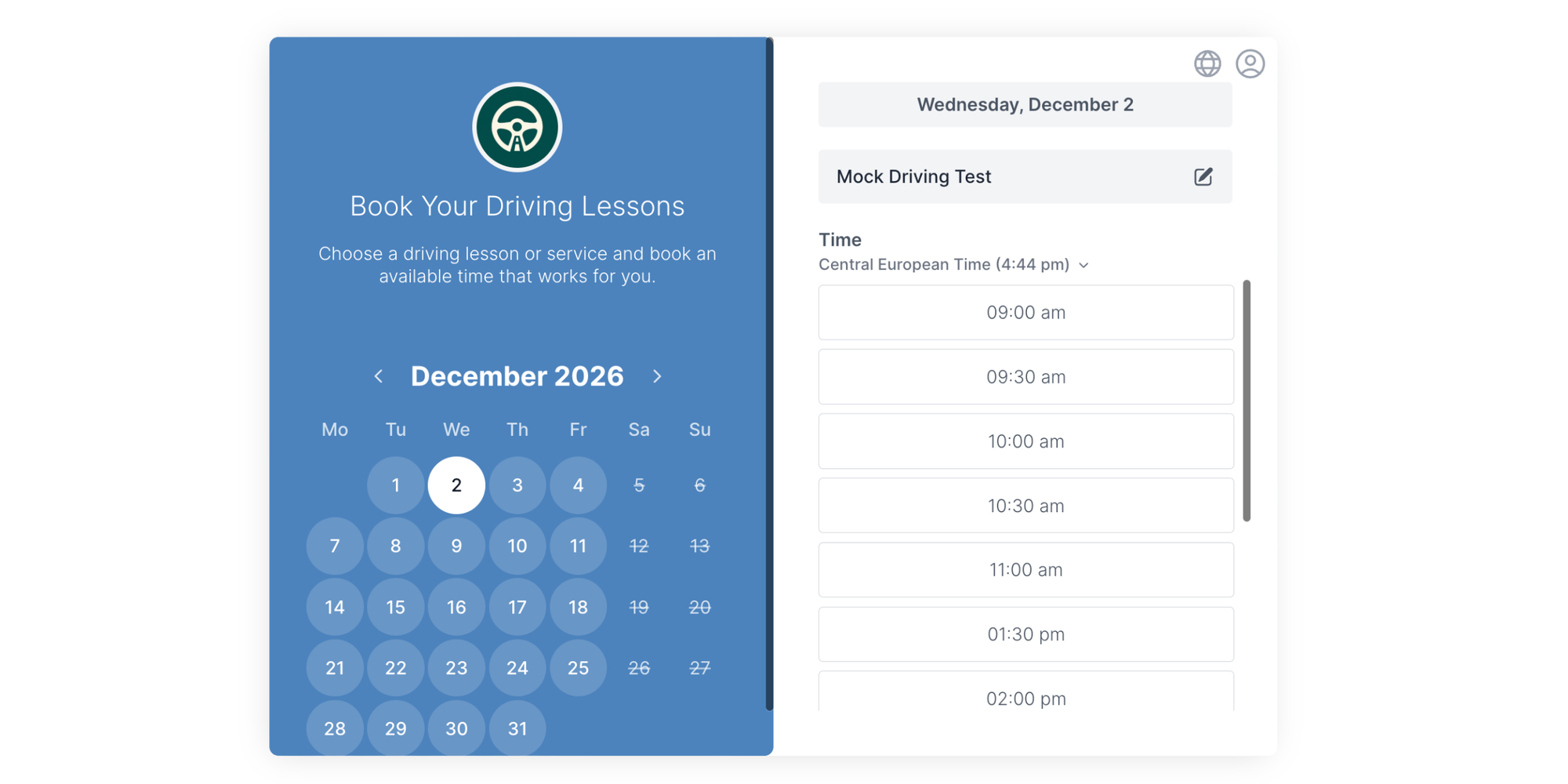
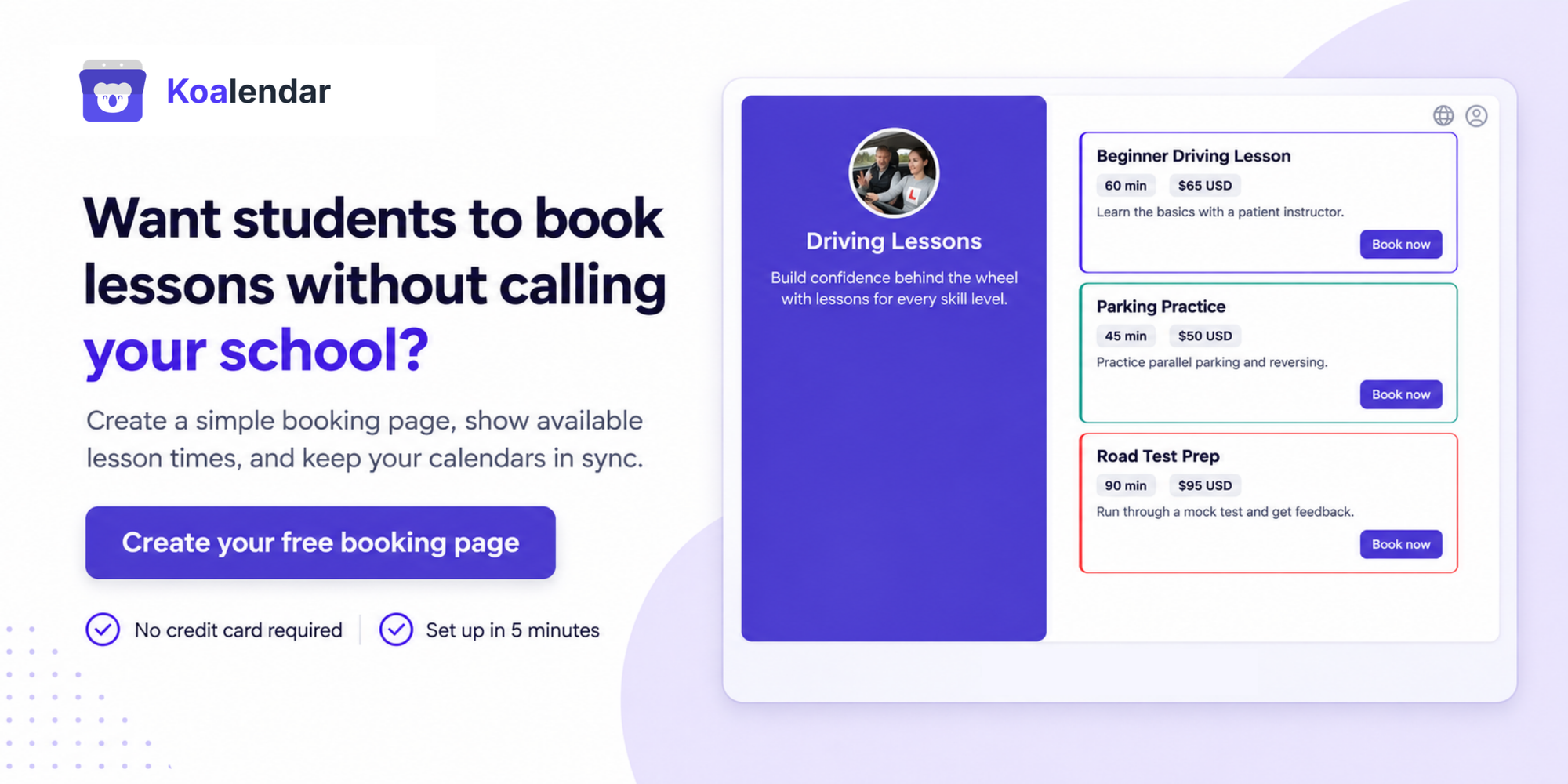
Koalendar's driving school scheduling software lets students and parents book lessons online whenever it suits them. They can choose a lesson type, instructor, and available time, while the school stays in control of availability and booking rules.
For schools with several instructors, Koalendar supports round-robin scheduling, collective bookings, and bookable vehicle resources. Google Calendar, Outlook, and iCloud synchronisation help prevent conflicting appointments.
You can also collect pickup locations, driving experience, and learner documents through booking forms, accept lesson payments, and send automatic email or SMS reminders.
Main strengths:
- Unlimited bookings and booking pages on the Free plan.
- Instructor and vehicle scheduling, with buffers between lessons.
- Customisable booking pages that work on mobile devices.
- Group theory sessions, online rescheduling, and payment collection.
Main limitation: Koalendar focuses on scheduling rather than specialist driving-school administration. It doesn't replace dedicated systems for tracking driving competencies, regulatory records, or teaching progress.
Pricing: Free forever for basic one-to-one bookings. Pro starts at $6.99 per seat/month billed annually, with advanced scheduling and payment features. Resources requiring their own availability may also need seats. Package availability depends on the selected plan.
Best-fit customer: A driving school that wants to spend less time managing bookings and more time teaching.
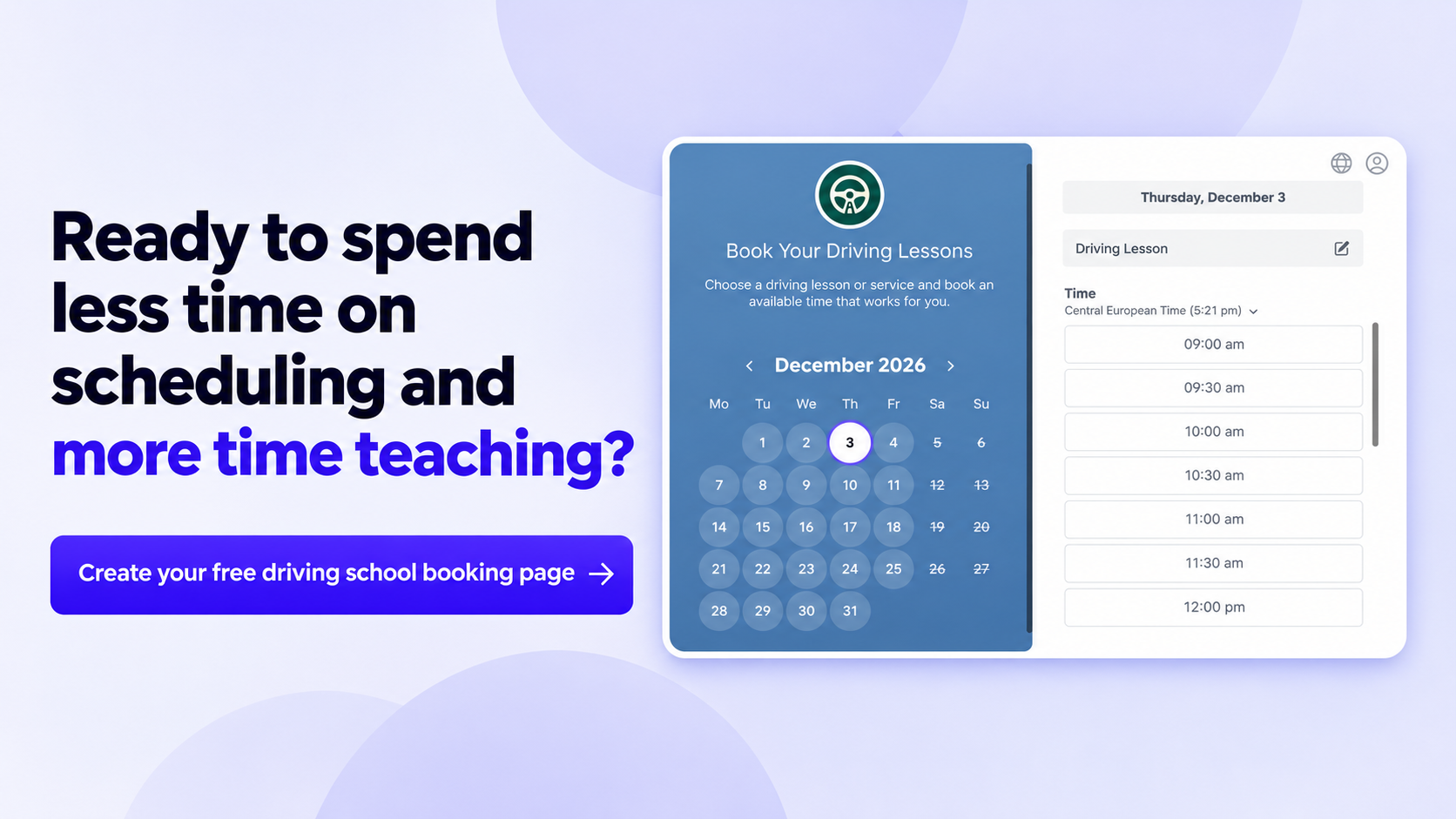
2. Anolla: best for purpose-built driving-school scheduling
Best for: Driving schools looking for booking software with dedicated workflows for instructors, vehicles, learners, and training locations.
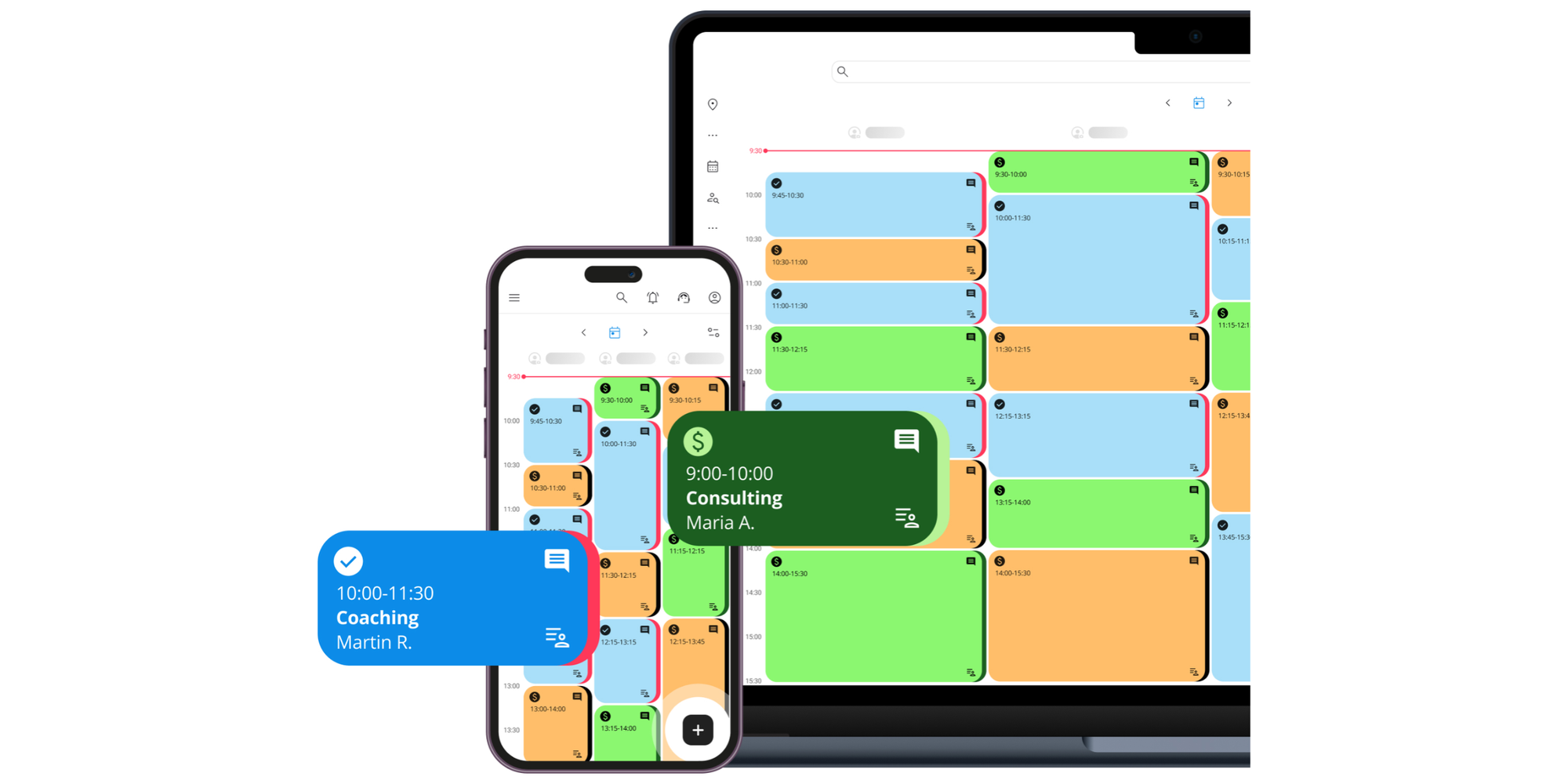
Anolla's driving instructor software combines online bookings with student management and operational scheduling.
Students can choose an instructor, book lessons, pay online, and receive confirmations. School administrators can organise vehicles, lesson durations, training locations, and instructor availability.
Anolla also supports group bookings, lesson packages, automated waiting lists, and customer communication. Its mobile interface lets instructors check upcoming lessons and manage schedule changes away from the office.
Main strengths:
- Driving-school-specific services and vehicle scheduling.
- Student records and lesson history.
- Support for different lesson durations and packages.
- Automated email and SMS communication through paid modules.
Main limitation: Anolla offers more configuration and management options than a simple booking page. Schools only looking to automate appointments may not need the additional functionality.
Pricing: A free plan is available. Paid modules use a usage-based model linked to activity, with pricing depending on features and bookings.
Best-fit customer: A school that wants to connect online lesson bookings with student records and more detailed operational workflows.
3. Bookeo: best for lesson packages and test-preparation bookings
Best for: Driving schools selling prepaid lessons, intensive courses, group classes, and recurring training sessions.
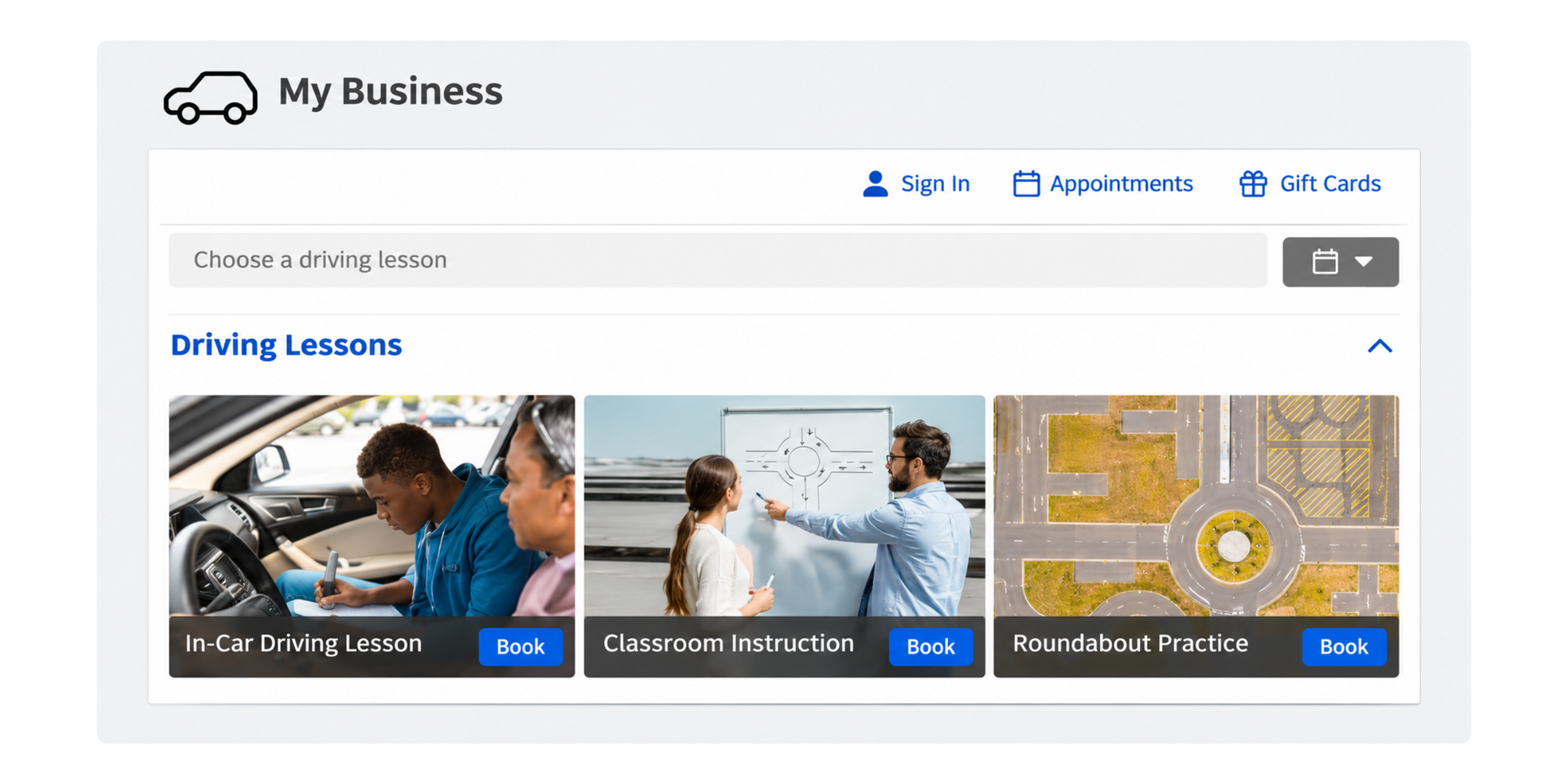
Bookeo Classes & Courses supports individual lessons, regularly scheduled classes, complete courses, and private appointments.
This flexibility is particularly useful for driving schools selling several different services, such as introductory lessons, motorway practice, pre-test preparation, or group theory sessions.
Students can book available lessons online, purchase prepaid packages, and reschedule eligible bookings. Schools can manage teachers, resources, availability, payments, and customer communication from one system.
Bookeo also supports Google Calendar two-way synchronisation, with additional calendar feeds for Outlook and iCal.
Main strengths:
- Prepaid packages and recurring lesson bookings.
- Individual and group class scheduling.
- Payments, promotions, and vouchers.
- Calendar synchronisation and booking notifications.
Main limitation: Bookeo has separate products for appointments and classes. Driving schools need to choose the appropriate product and configuration, and booking allowances vary by plan. SMS messages require additional credits.
Pricing: Classes & Courses starts from $14.95/month in the US, with a 30-day free trial. Larger plans increase teacher, resource, and booking allowances.
Best-fit customer: A driving school whose business depends heavily on selling bundles, courses, and repeat lessons.
4. Total Drive: best for UK instructors and multi-car schools
Best for: UK driving instructors who want a booking diary combined with student progress records, payments, and teaching tools.
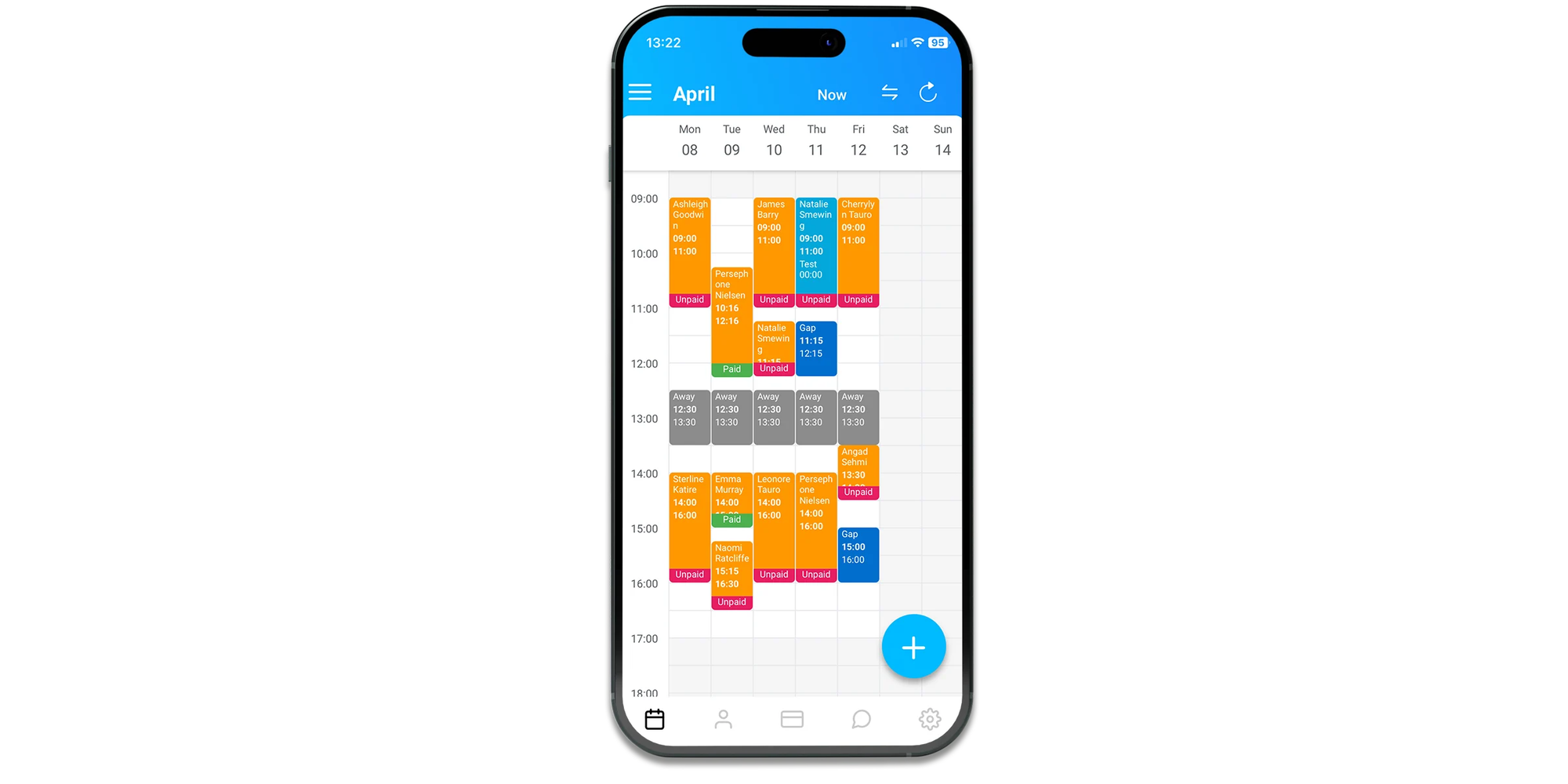
Total Drive is designed around the everyday needs of UK driving instructors, including lesson diaries, pupil records, progress monitoring, and financial administration.
Its pupil and parent apps help learners stay informed about lessons, progress, and outstanding payments. Instructors can also use the system to record progress against the UK's DVSA learning standards.
For online booking, Total Drive's Ultimate and Elite plans let students book, cancel, and reschedule lessons through a branded portal.
Main strengths:
- Driving instructor diary and lesson-gap management.
- Pupil and parent apps.
- Progress tracking and teaching records.
- Payment reminders and integrated payment options.
Main limitation: The entry-level Basic plan doesn't include online booking. Schools primarily looking for a lightweight booking link may find its teaching and business management tools more extensive than necessary.
Pricing: The Ultimate plan, which includes online booking, is advertised at £23/month including VAT for the initial school-size selection. A 30-day trial is available.
Best-fit customer: A UK instructor who wants one system for booking lessons, monitoring student development, and handling day-to-day administration.
5. Drive Scout: best for US schools managing staff and vehicles
Best for: Established US driving schools that need centralised scheduling for multiple instructors, vehicles, and locations.
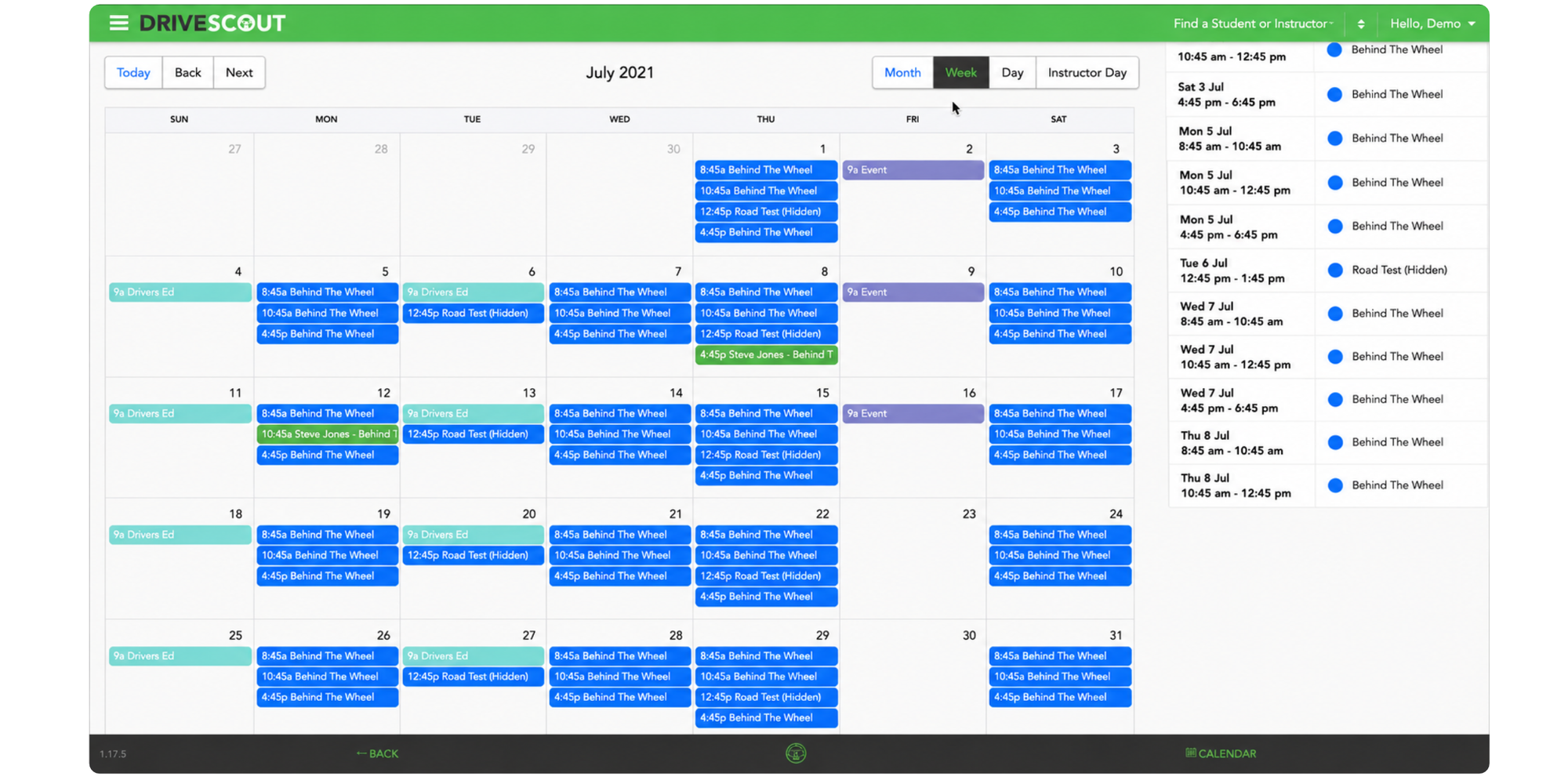
Drive Scout provides online booking alongside vehicle management, student records, reporting, and payment administration.
Schools can manage instructor and vehicle availability together, helping prevent a lesson from being booked when either resource is unavailable.
Students and parents can access schedules, make payments, and receive automatic reminders. Instructors can check upcoming lessons, manage availability, and record feedback about student progress.
Drive Scout also supports multi-location configurations, making it particularly relevant to larger driving-school operations.
Main strengths:
- Coordinated instructor and vehicle scheduling.
- Student and parent access.
- Automated email and text reminders.
- Payment reports, student records, and multi-location management.
Main limitation: The five-user minimum makes Drive Scout a relatively expensive option for solo instructors or very small schools. Its wider administration features may also be unnecessary for schools focused primarily on bookings.
Pricing: $50 per user/month with a five-user minimum, equivalent to $250/month before discounts. A one-time $250 setup fee applies.
Best-fit customer: A US driving school with several instructors, shared vehicles, and an established administrative operation.
6. EasyWeek: best for smaller schools wanting booking and CRM features
Best for: Smaller driving schools wanting online booking, instructor calendars, customer records, and payment options in one platform.
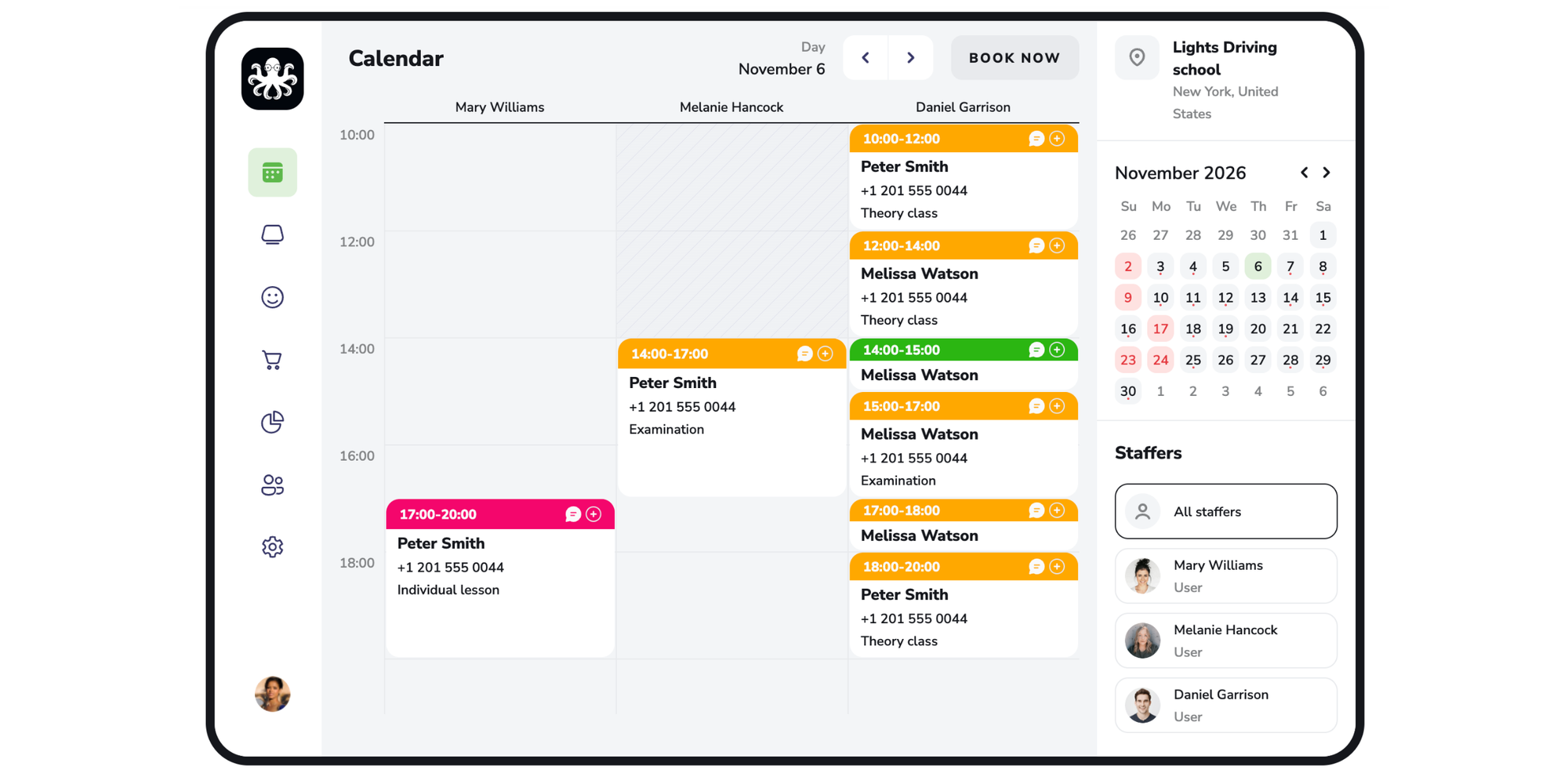
EasyWeek's driving school booking software helps students book classes and driving exam appointments online, while instructors manage their schedules through a central calendar.
The platform also includes student records, notifications, online payment options, and mobile apps for customers and staff.
Its resource management feature lets schools assign assets, such as training vehicles, to specific services. The booking system checks resource availability to help prevent conflicts.
Main strengths:
- Online lesson and class bookings.
- Multiple instructor schedules.
- Resource availability management.
- Customer records, reminders, and mobile access.
Main limitation: EasyWeek is a broader service-business booking platform, rather than a specialist driving-school management product. Schools needing detailed learner assessments or regulatory reporting should check whether it meets those needs.
Pricing: A free plan is available, with paid plans starting from $8.33/month and a 14-day trial of the full version. Limits and access depend on the plan.
Best-fit customer: A small driving school seeking a combination of online booking and basic customer management without adopting a large administration system.
How does a driving school booking system work?
A driving school booking system connects your lesson availability with an online booking page so students can reserve suitable times without contacting the school.
Here's what the process typically looks like:
- Create your lesson types. Add services such as 60-minute driving lessons, 90-minute practice sessions, mock tests, and theory classes.
- Set instructor availability. Define working hours, days off, holidays, and the instructors who can teach each service.
- Add vehicles and resources. Where supported, assign suitable training cars so lessons are only offered when the required resources are available.
- Publish your booking page. Share the link by email, on social media, or through your school website.
- Let students choose a time. Students or parents select a lesson and see the available appointments.
- Collect booking information and payments. Ask for pickup locations, driving experience, or other information, and take payment if required.
- Send confirmations and reminders. The system confirms the lesson and can notify students before it begins.
- Manage cancellations and rescheduling. Students can change appointments within your booking rules, making released slots available again.
What does this look like for a real driving school?
Imagine a student wants to book an additional lesson before their practical driving test.
They open your booking page, choose a 60-minute lesson, enter their pickup location, and select an available slot.
If your system coordinates instructors and vehicles, it can show times when both are available. The student pays online and receives confirmation, followed by a reminder before the lesson.
The instructor sees the booking on their calendar without needing to exchange a single message.
That's the main benefit of online driving lesson scheduling: less coordination for your team and an easier experience for students and parents.
What should you look for in a driving school booking system?
The most useful booking features solve everyday scheduling problems, from missed messages to overlapping lessons and last-minute cancellations.
1. Let students and parents book lessons themselves
A booking page should make it simple to choose a lesson, instructor, and time without needing to call the school.
Look for mobile-friendly booking, clear lesson descriptions, and availability that updates as bookings are made.
With Koalendar's online booking pages, schools can share a link or embed booking directly on their website.
2. Keep instructor schedules organised
If several instructors share a school calendar, you need a clear way to manage everyone's availability.
Look for individual working hours, instructor selection, and automatic assignment options such as round-robin scheduling.
This prevents two students from booking the same instructor at once and makes it easier to distribute lessons across your team.
3. Coordinate instructors and vehicles
Instructor availability is only half the scheduling problem if your team shares training cars.
A system with resource booking can check whether the appropriate vehicle is available before confirming a lesson.
This is particularly valuable for schools offering different vehicle types or coordinating lessons across multiple instructors.
4. Synchronise your calendars
A good driving instructor booking system should work with the calendars instructors already use.
For example, Google Calendar, Outlook, and iCloud synchronisation can help ensure personal commitments and confirmed lessons are reflected in availability.
Two-way conflict checking is especially useful for preventing double bookings.
5. Allow time between lessons
Driving lessons rarely happen back-to-back without some travel or preparation time.
Choose a system with buffers, booking limits, and minimum advance notice.
For instance, you might allow 15 minutes after each lesson to reach the next pickup location, or prevent new bookings less than 24 hours in advance.
6. Collect important information before each lesson
Custom booking forms can help instructors prepare before meeting a new student.
Useful questions include:
- Where would you like to be picked up?
- Have you taken driving lessons before?
- Are you preparing for a practical test?
- Do you have any accessibility requirements?
Where supported, file uploads can also help schools collect learner documents ahead of time.
7. Reduce missed lessons with automatic reminders
Missed lessons cost driving schools time and can leave instructors with gaps that are difficult to fill.
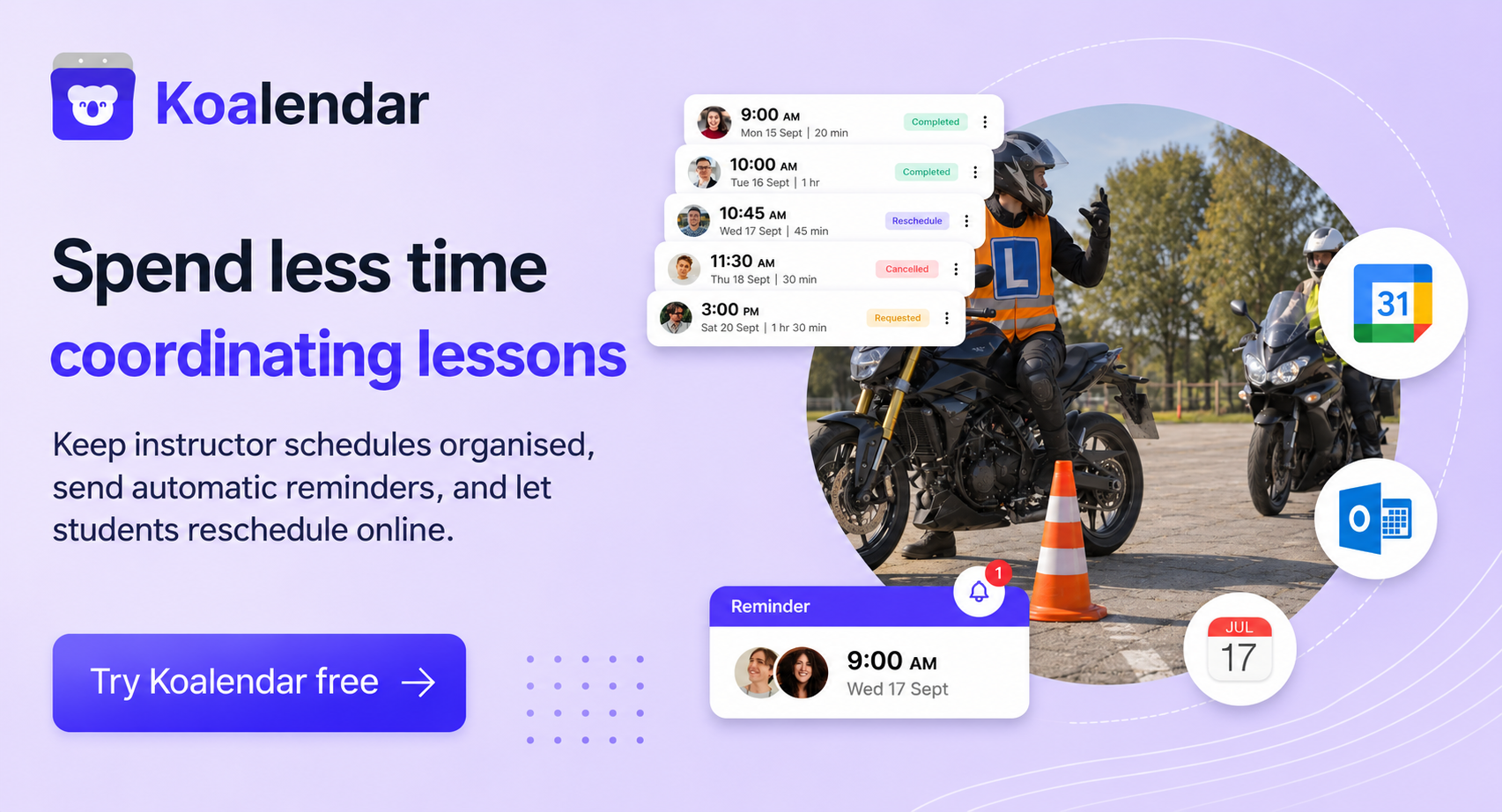
Email and SMS reminders help students remember their appointments without instructors sending messages manually.
Check whether reminders are included in the plan, how many can be sent, and whether SMS credits cost extra.
8. Make rescheduling easier
Students sometimes need to move lessons because of school, work, or illness.
Online rescheduling lets them choose another available time without contacting the instructor.
Look for cancellation deadlines and booking rules that protect your schedule while giving students reasonable flexibility.
9. Take payments and sell lesson packages
If you charge students when they book, payment integration can save time spent following up on outstanding balances.
Some platforms also let you offer prepaid packages, such as five or ten lessons, or discounts for repeat bookings.
Koalendar supports online booking payments, so schools can collect lesson fees through supported payment methods. Package functionality is also available, subject to plan access.
10. Make scheduling manageable on mobile
Driving instructors spend much of their day away from a desk.
Look for mobile access that makes it easy to check upcoming lessons, receive notifications, view booking details, and update availability.
A good mobile experience matters for students and parents too. They should be able to complete a booking without downloading an app or struggling with a complicated form.
Which system is right for your driving school?
The right choice depends on the size of your school and how much administration you want the booking platform to handle.
For independent driving instructors
Start with Koalendar if you want students to book directly, synchronise your calendar, and set rules around availability. Its Free plan is suitable for straightforward one-to-one lesson bookings, while Pro adds payments, custom reminders, and more advanced controls.
For a small team of instructors
Koalendar is a strong fit when you need separate instructor schedules, round-robin assignment, or a shared booking page. Students can select an instructor or book based on availability, depending on how you configure the service.
For a school sharing several vehicles
Consider Koalendar, Anolla, EasyWeek, or Drive Scout. Each offers a way to coordinate people and resources, although their administrative scope and pricing models differ. Test a booking that requires both an instructor and a specific car before committing.
For a school selling prepaid lesson bundles
Bookeo is particularly well suited to private lessons, recurring classes, and prepaid packages. Koalendar also offers session packages, although you should check their availability on your selected plan.
For a school offering theory classes
Choose software that supports group sessions and attendance limits. Koalendar, Bookeo, Anolla, and EasyWeek all provide group-booking capabilities.
For a school with multiple locations
If your main requirement is offering lessons in different areas, Koalendar can organise services and instructor availability by location. If you also need extensive student records, vehicle management, and reporting, Anolla or Drive Scout may be more appropriate.
Let students book driving lessons online with Koalendar
A driving school booking system should make booking easier for your students and managing lessons simpler for your team.
You don't necessarily need a complicated administration platform to achieve that.
With Koalendar, students can book lessons online, instructors can manage their availability, and your school can keep calendars, resources, reminders, and payments organised in one place.
Whether you're an independent instructor or managing a growing team, you can start with a free booking page and add more features as you need them.