TL;DR
The right scheduling tool depends on how complicated your operation really is. Koalendar is our pick for freelancers and small home service businesses that mainly need simple online booking, calendar sync, reminders, forms, and team scheduling. Jobber and Housecall Pro are stronger when you also need job management and dispatch, while ServiceTitan is built for more complex field operations. GorillaDesk is particularly useful for recurring service routes, Workiz stands out for phone-heavy businesses, FieldPulse suits growing field teams, and Acuity is a strong alternative for customizable appointment booking.
You’re fixing a boiler, cleaning a house, mowing a lawn, or driving between jobs when a new customer calls. If home service booking depends on you answering immediately, scheduling quickly becomes another job in itself.
That’s where home services scheduling software can help. The right tool lets customers choose an available time without endless calls or texts, while keeping your calendar organized behind the scenes. But there’s an important distinction: some home service business software goes much further, adding technician dispatch, GPS tracking, routing, work orders, inventory, quoting, and invoicing.
Not every business needs all of that. Below, we compare both approaches so you can choose the level of software that actually fits the way you work.
What is home services scheduling software?
Home service scheduling software helps plumbers, electricians, cleaners, landscapers, repair professionals, and other service businesses organize appointments and let customers book available times. Depending on the platform, it may also handle team calendars, reminders, payments, dispatch, routing, customer records, work orders, and invoicing.
The key question is how much of your business you need the software to manage.
If your biggest headache is phone tag, missed booking requests, calendar conflicts, or customers who can’t book after hours, a straightforward appointment scheduler may be enough. If you also need to coordinate multiple technicians, optimize driving routes, track jobs, manage inventory, and invoice from the field, you’ll probably benefit from full field service management software. This distinction is important when choosing the best home services scheduling software for your business.
The best home services scheduling software at a glance
Here’s the short version.
 |  |  | ServiceTitan | Workiz |  | GorillaDesk |  | |
| Best for | Simple customer booking | Overall home service management | Residential field teams | Large home service companies | Phone-heavy businesses | Growing field teams | Recurring home services | Custom appointment booking |
| Online booking | ✅ | ✅ | ✅ | ✅ | ✅ | ✅ | ✅ | ✅ |
| Calendar sync / scheduling | ✅ | ✅ | ✅ | ✅ | ✅ | ✅ | ✅ | ✅ |
| Team scheduling | ✅ | ✅ | ✅ | ✅ | ✅ | ✅ | ✅ | ✅ |
| Dispatch / routing | ❌ | ✅ | ✅ | ✅ | ✅ | ✅ | ✅ | ❌ |
| Payments | ✅ | ✅ | ✅ | ✅ | ✅ | ✅ | ✅ | ✅ |
| Complexity | Low | Medium | Medium | High | Medium | Medium/high | Medium | Low/medium |
| Starting price | Free Forever, Pro from $6.99/seat/month (billed annually) | From $29/mo billed annually (1 user) | From $59/mo billed annually | Custom pricing | Custom pricing | Custom pricing | From $49/mo | From $16/mo billed annually |
The simplest way to choose: start with the problem you want to solve. If it’s primarily getting appointments onto your calendar, you may not need a full field-service system. If the difficult part begins after the customer books — deciding which technician goes where, managing job progress, routing crews, or handling work orders — look at an FSM platform instead.
8 best home services scheduling software tools
1. Koalendar — Best for simple scheduling for freelancers and small home service companies
Best for: owner-operators, freelancers, and small teams that want customers to book available appointments online without adding a complicated field-service platform.
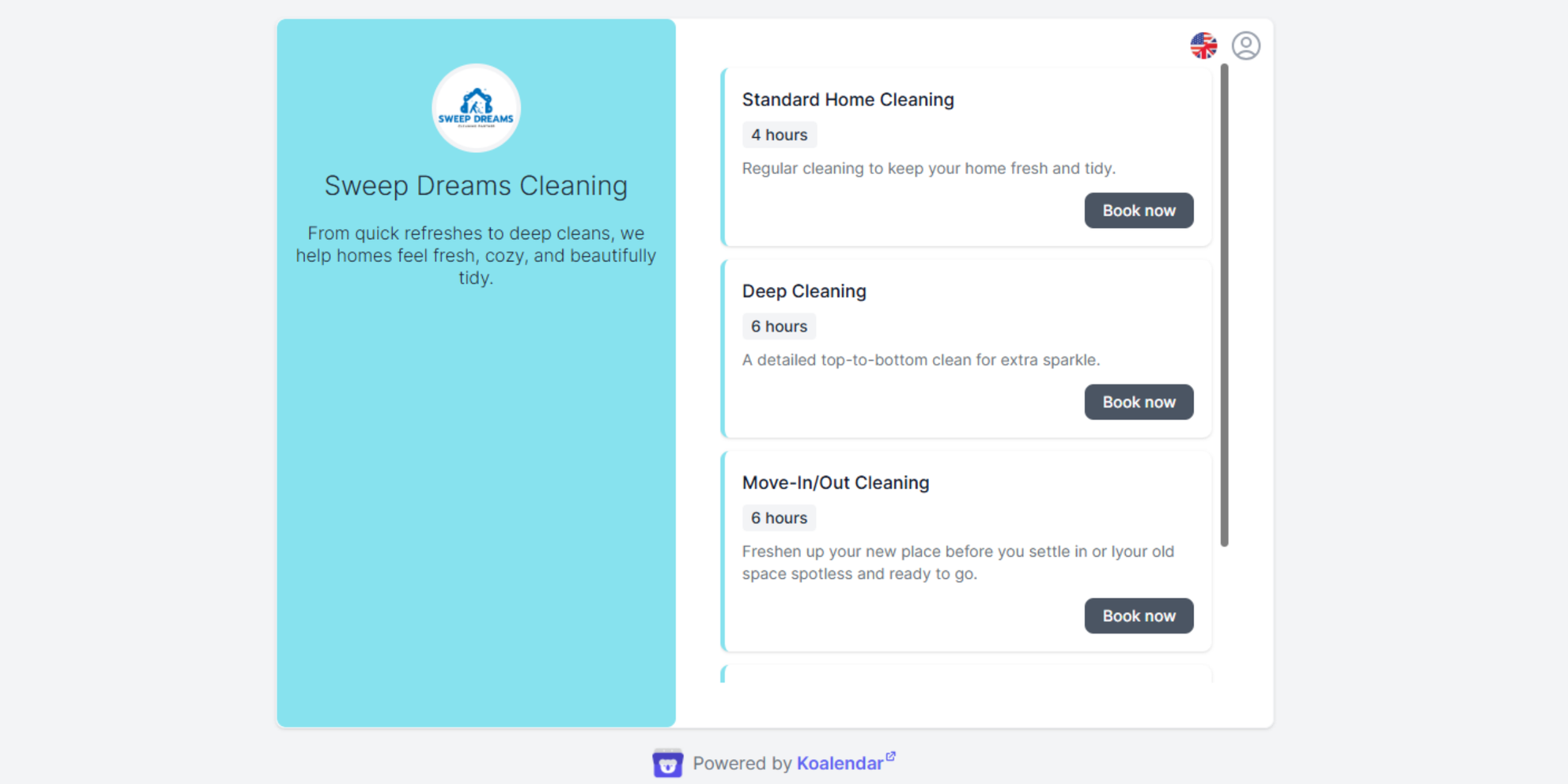
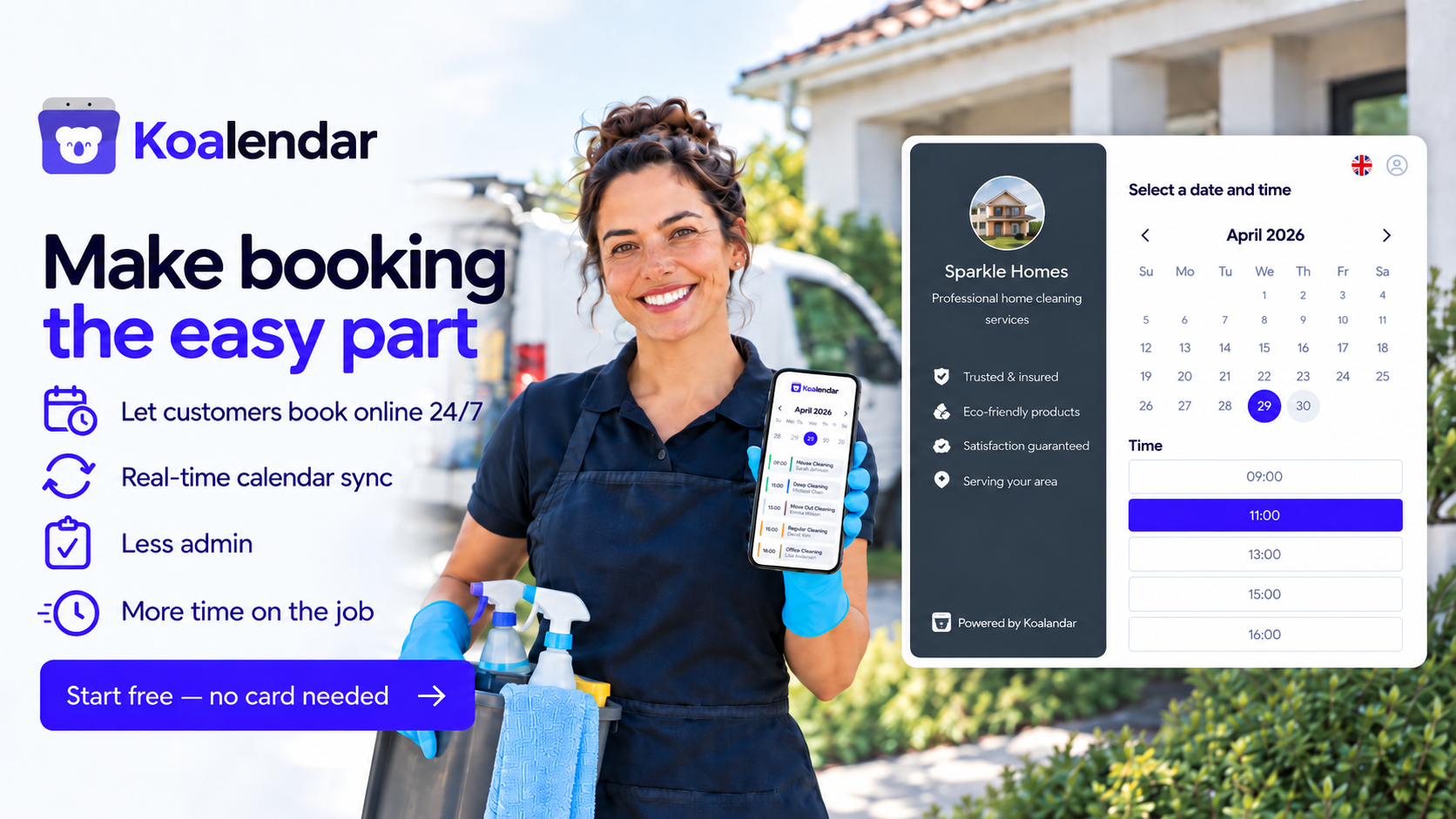
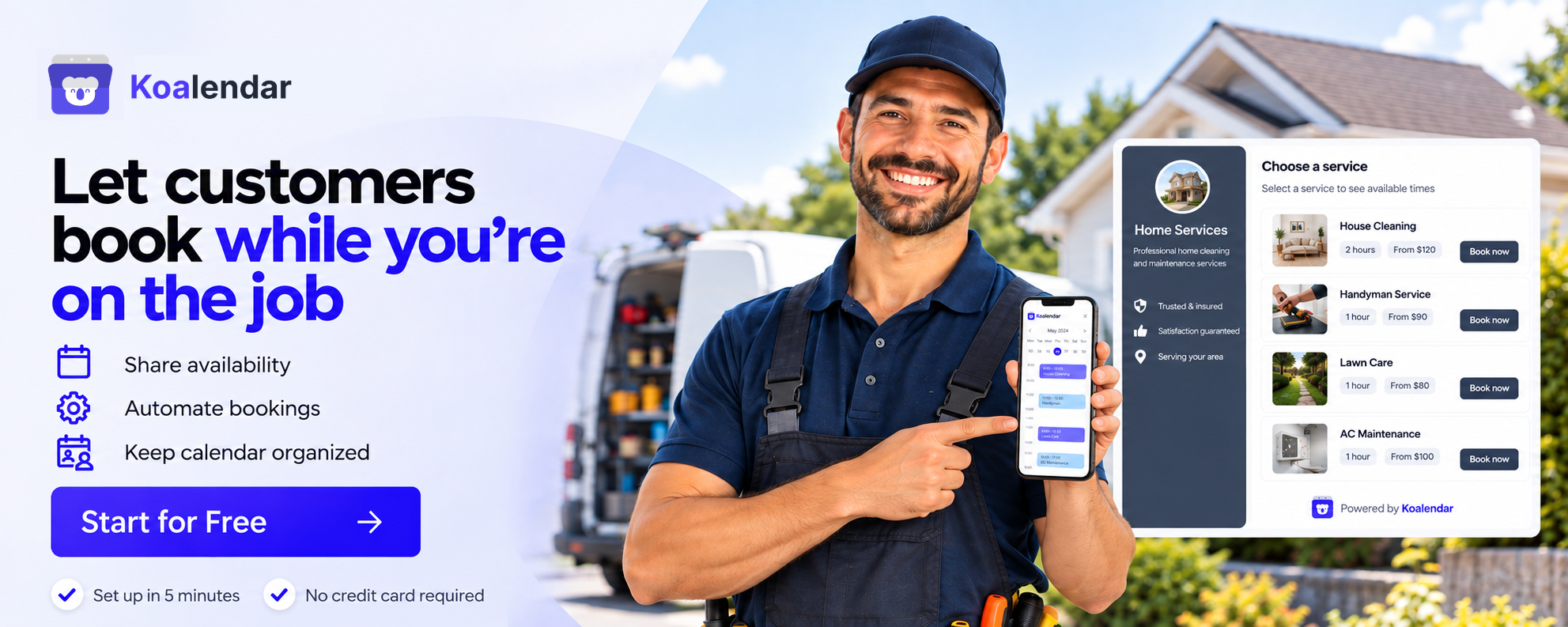
Koalendar focuses on making the booking part easy. You create a booking page, choose when you’re available, connect your existing calendars, and share or embed the page wherever customers find you. They choose an available time themselves, and the appointment is added to your calendar automatically.
That makes it a good fit when the real problem is “I’m tired of arranging every appointment manually”, rather than “I need software to run an entire fleet.”
Koalendar currently supports unlimited booking pages on its free plan, 2 calendar syncs for free (Google, Outlook, and iCloud calendar connections), website embeds, mobile apps, and real-time availability. Paid features include custom booking questions, payment collection, customized reminders, recurring bookings, waitlists, packages, and multi-host options such as round-robin scheduling.
Why it works well for home services
A booking form can collect the practical information you normally have to chase over the phone: the customer’s address, the service they need, a description of the problem, or anything else you want to know beforehand.
You can also put your scheduler directly on your website with an inline embed, popup button, or booking link.
Imagine you run a small cleaning company. Instead of taking every appointment by phone, a customer can choose a suitable cleaning slot online and answer your booking questions upfront. Your connected calendars stay updated, and reminders help keep the appointment from slipping their mind.
Or say you run a small electrical business with several electricians taking consultations or standard appointments. Team scheduling can distribute bookings according to availability without making you manually compare everyone’s calendars every time someone gets in touch.
Pros
- Much simpler than a full FSM platform
- Good fit for freelancers and owner-operated businesses
- Customers can self-book 24/7
- Google, Outlook, and iCloud calendar sync
- Custom forms can collect job information before the appointment
- Website embeds and shareable booking pages
- Automated reminders
- Payment collection, waitlist, and packages on Pro
- Team and round-robin scheduling on eligible plans
- Low setup barrier
Limitations
- No technician GPS dispatch
- No route optimization
- No inventory management
- Not built around work orders or complex field operations
- Not designed to replace a complete FSM platform
Pricing: Free Forever Plan available. Pro is $6.99/seat (billed annually). Custom pricing for Business (over 10 seats).
That final point is important. Koalendar makes sense when scheduling is the problem you want to simplify. If your day revolves around dispatch boards, technician locations, parts, routes, and detailed work orders, choose software built for those jobs instead.
2. Jobber — Best overall for small and midsize home service businesses
Best for: service businesses that want appointment booking plus much deeper job and field management.
Jobber is one of the strongest all-round options in this comparison because it connects customer booking with the operational work that follows.
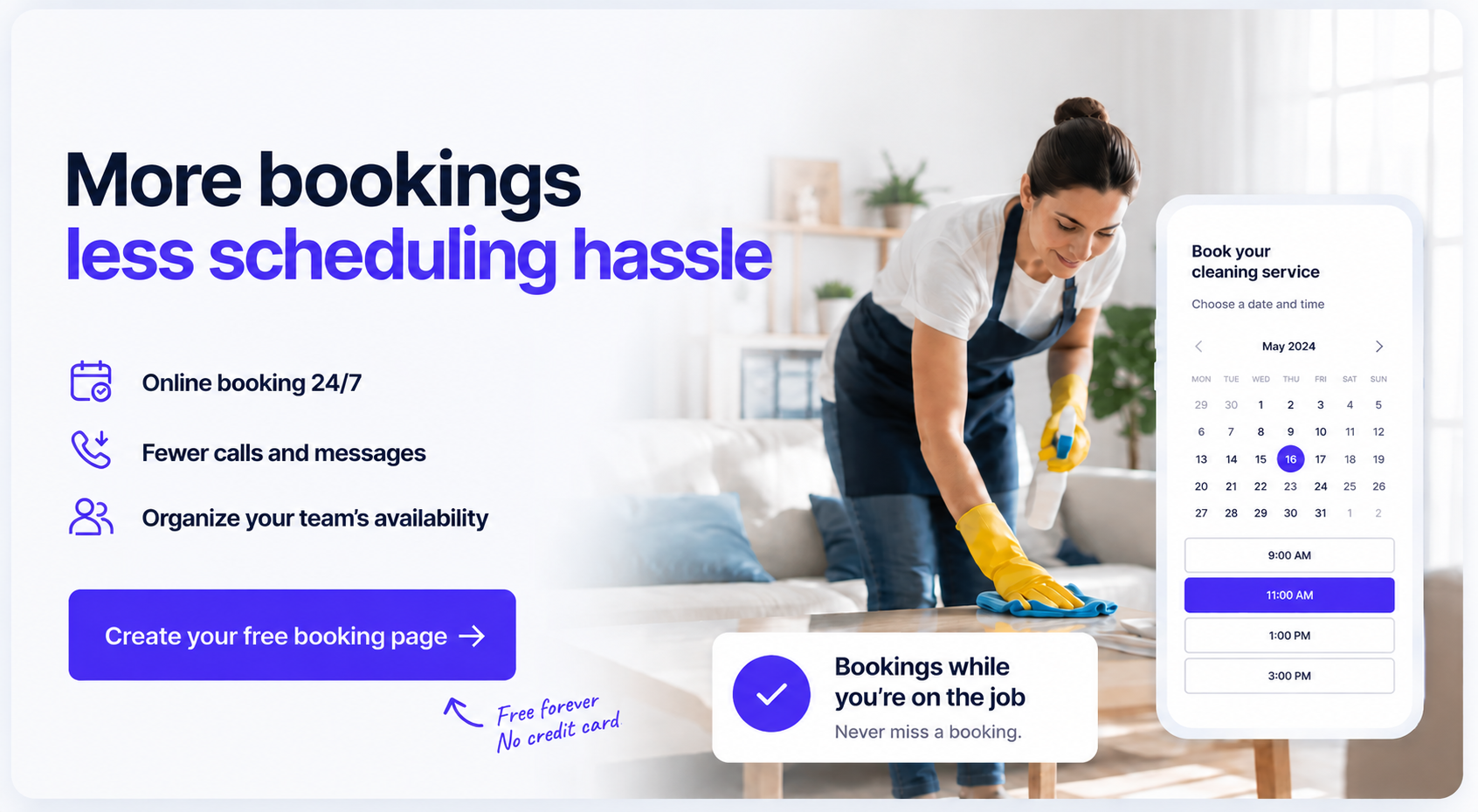
Customers can book online according to your rules and team availability. Jobber can automatically assign an available team member, while scheduling controls let you set notice periods, buffers, service areas, and drive-time limits.
From there, Jobber moves well beyond a booking tool. Its current feature set includes work orders, recurring jobs, invoicing, client management, scheduling, reminders, GPS tracking, job tracking, and an online client portal. Its route optimization tools can also build routes for one person or multiple crews.
Choose Jobber over a scheduling-only tool when you want appointments to become part of a broader workflow involving jobs, quotes, invoices, routes, and customer records.
Choose Koalendar over Jobber when those operational tools would mostly sit unused and your priority is simply giving customers an easy way to book your available time.
For a three-person landscaping company coordinating recurring jobs across several neighborhoods, Jobber’s routing and job-management depth may be valuable. For a solo electrician who mostly needs customers to book estimates without calling, it may be more software than necessary.
Pricing: No free plan, but a free trial is available. With annual billing, plans for one user start at $29/month ($348/year) for Core, $99/month ($1,188/year) for Connect, $149/month ($1,788/year) for Grow, and $399/month ($4,788/year) for Plus. Prices vary with team size.
3. Housecall Pro — Best for residential field service teams
Best for: plumbers, HVAC businesses, electricians, appliance repair companies, cleaners, and other teams that actively dispatch people to customer locations.
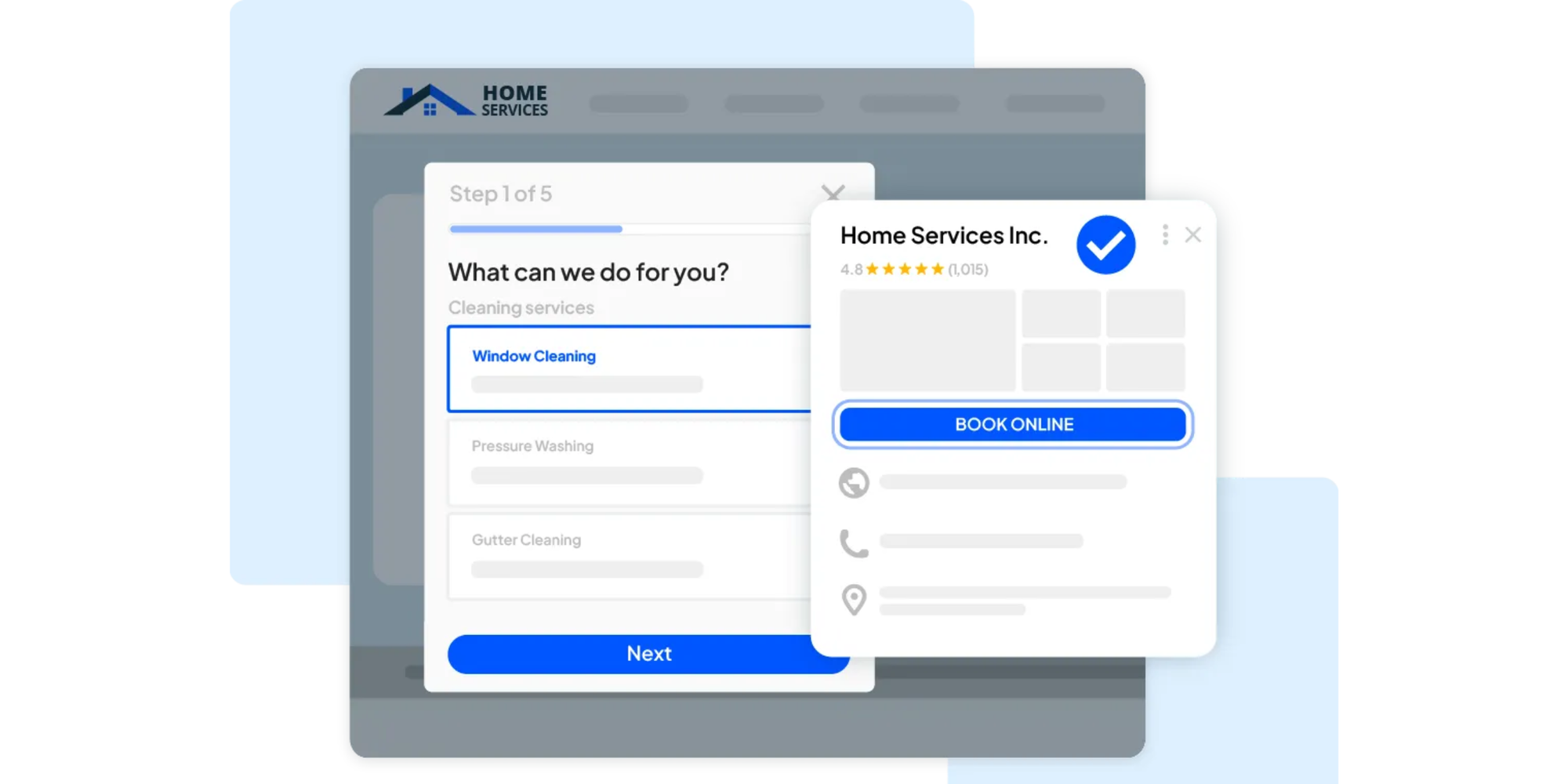
Housecall Pro combines online booking with scheduling, dispatch, route visibility, customer communications, payments, and field-based workflows.
Customers can book services 24/7 from a website, Google, or a shared link. The platform supports direct-to-calendar scheduling, recurring jobs, upfront payments, and automated reminders.
The real difference appears once technicians enter the picture.
Housecall Pro’s dispatch tools provide calendar and map views, job status updates, team assignments, and GPS-powered arrival information. Its mobile app gives technicians access to schedules, customer details, estimates, invoices, and payments while they’re away from the office.
So the distinction is straightforward:
Koalendar is booking-first. Housecall Pro is field-operation-first.
If two or three employees mainly need separate calendars for pre-booked appointments, a lighter scheduler could be enough. If you’re regularly deciding who should take an urgent plumbing job, updating technicians in the field, and telling customers when someone is on the way, Housecall Pro is built around that workflow.
Pricing: No free plan; a 14-day free trial is available. Annual plans start at $59/month ($708/year) for Basic, $149/month ($1,788/year) for Essentials, and $299/month ($3,588/year) for MAX. Prices vary with team size and industry.
4. ServiceTitan — Best for larger home service companies with complex operations
Best for: established home and commercial service companies with more demanding dispatch, reporting, technician management, and operational requirements.
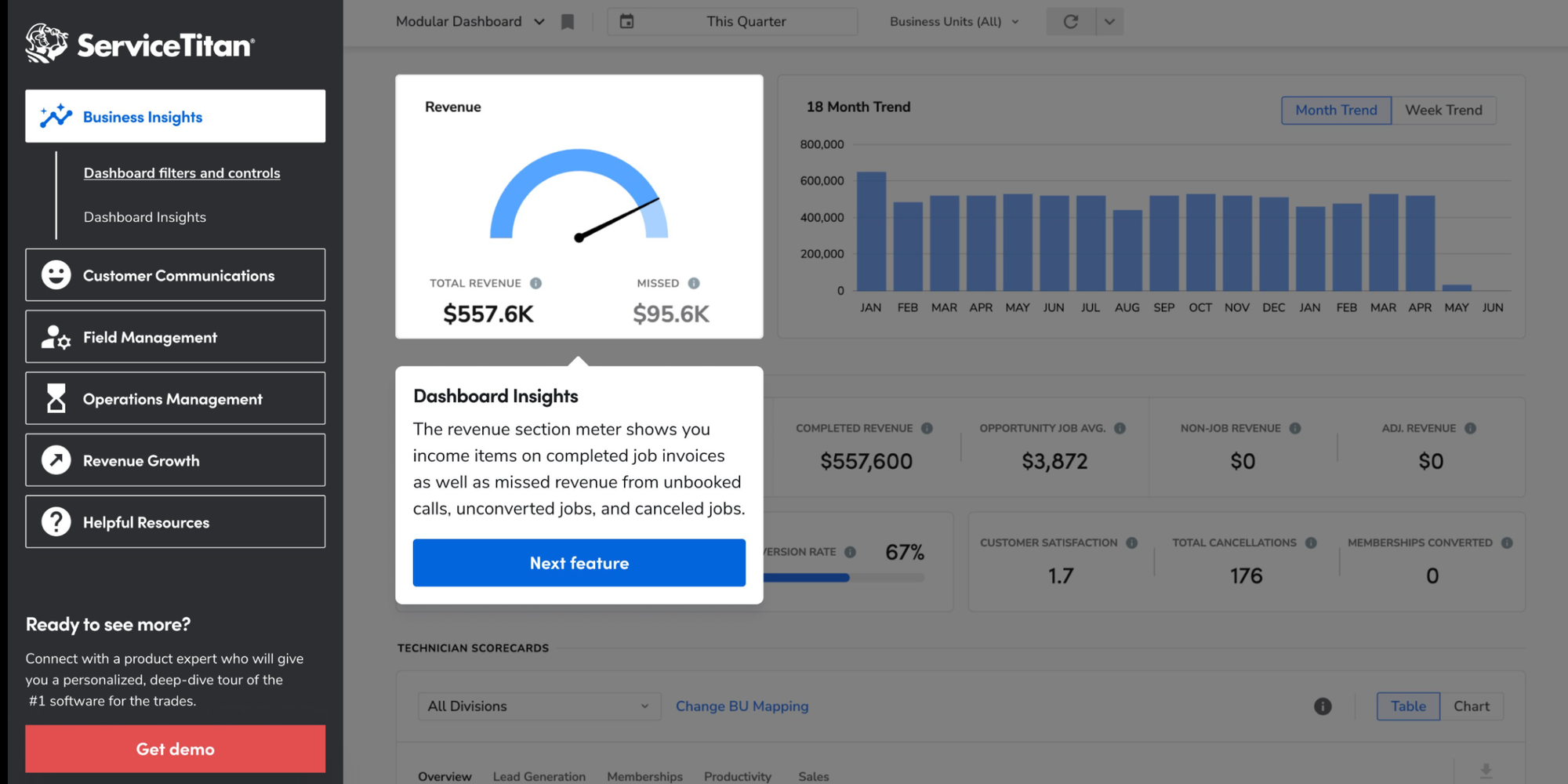
ServiceTitan sits at the high-complexity end of this comparison.
Its platform covers scheduling, dispatch, field mobile tools, technician tracking, reporting, job costing, inventory, and other operational functions. Its current dispatch tools support route planning, schedule optimization, technician assignment, live updates, longer projects, and detailed job histories.
ServiceTitan also connects online scheduling directly to its dispatch operation. Its Scheduling Pro product can apply capacity rules to customer bookings and send scheduled appointments to the Dispatch Board.
That depth can be valuable when dispatch itself is a significant business function. It can be unnecessary when it isn’t.
A solo cleaner, independent electrician, or two-person maintenance business probably shouldn’t choose scheduling software based on what a 50-technician operation needs.
The more useful question is whether you have the operational complexity to justify the platform. If you need technician management, sophisticated reporting, capacity planning, service agreements, inventory, and interconnected field workflows, ServiceTitan deserves consideration. If your immediate goal is simply making it easier for customers to book you, start smaller.
Pricing: No free plan or publicly listed subscription price. ServiceTitan uses custom per-technician pricing across its Starter, Essentials, and The Works packages, so businesses need to request a quote. A free demo is available.
5. Workiz — Best for businesses managing lots of customer calls
Best for: home service companies where the phone remains a major source of leads and bookings.
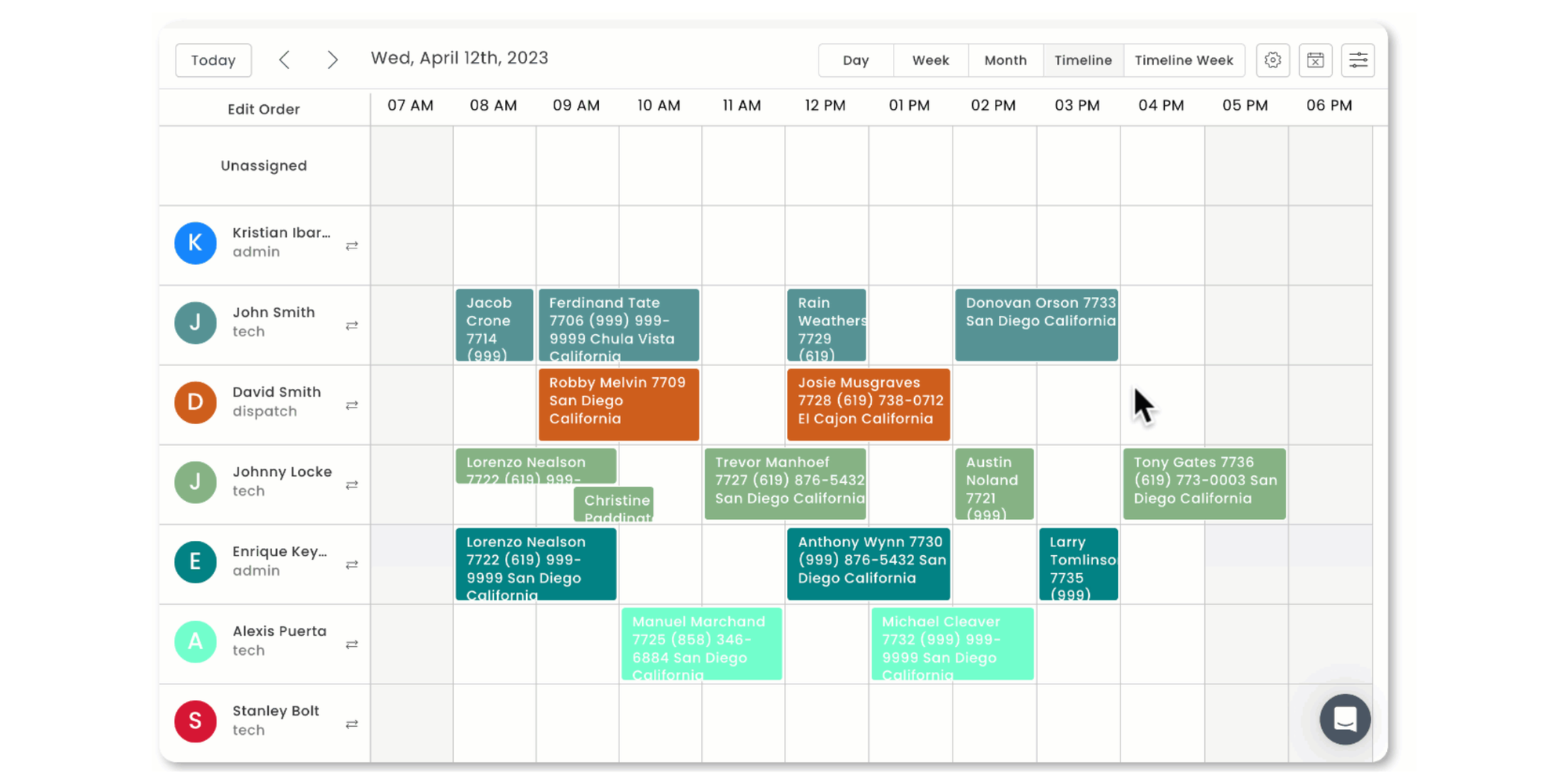
Workiz is particularly interesting for businesses that aren’t ready — or don’t want — to move completely away from phone-based customer communication.
Its built-in phone tools bring calls, texts, and emails into the same system and include call routing, recordings, searchable transcripts, and AI-assisted answering. Its current AI answering product can respond to calls and messages, collect customer information, book or reschedule jobs, and use live availability when dispatching work.
Customers can also skip the phone entirely. Workiz Online Booking lets them choose services and times from a website, social profile, email link, or Google, with bookings synced to its dispatch calendar. Businesses can set booking rules and require deposits.
Workiz also includes dispatch, invoicing, inventory, reporting, a mobile app, and job-management functionality.
The sweet spot: you still win a lot of work through calls, but want those conversations connected to scheduling and dispatch instead of scattered between personal phones, messages, and calendars.
If customers already prefer booking online and you don’t need a field-service phone system or dispatch workflow, a lighter home service appointment scheduler will likely be easier to manage.
Pricing: No free plan, but there’s a 7-day free trial. Workiz currently uses custom pricing for its Standard, Pro, and Ultimate plans. Annual subscriptions receive a discount, but exact prices aren’t publicly listed.
6. FieldPulse — Best for growing multi-technician teams
Best for: businesses that have moved beyond a couple of calendars and need greater visibility into technician schedules, jobs, locations, and performance.
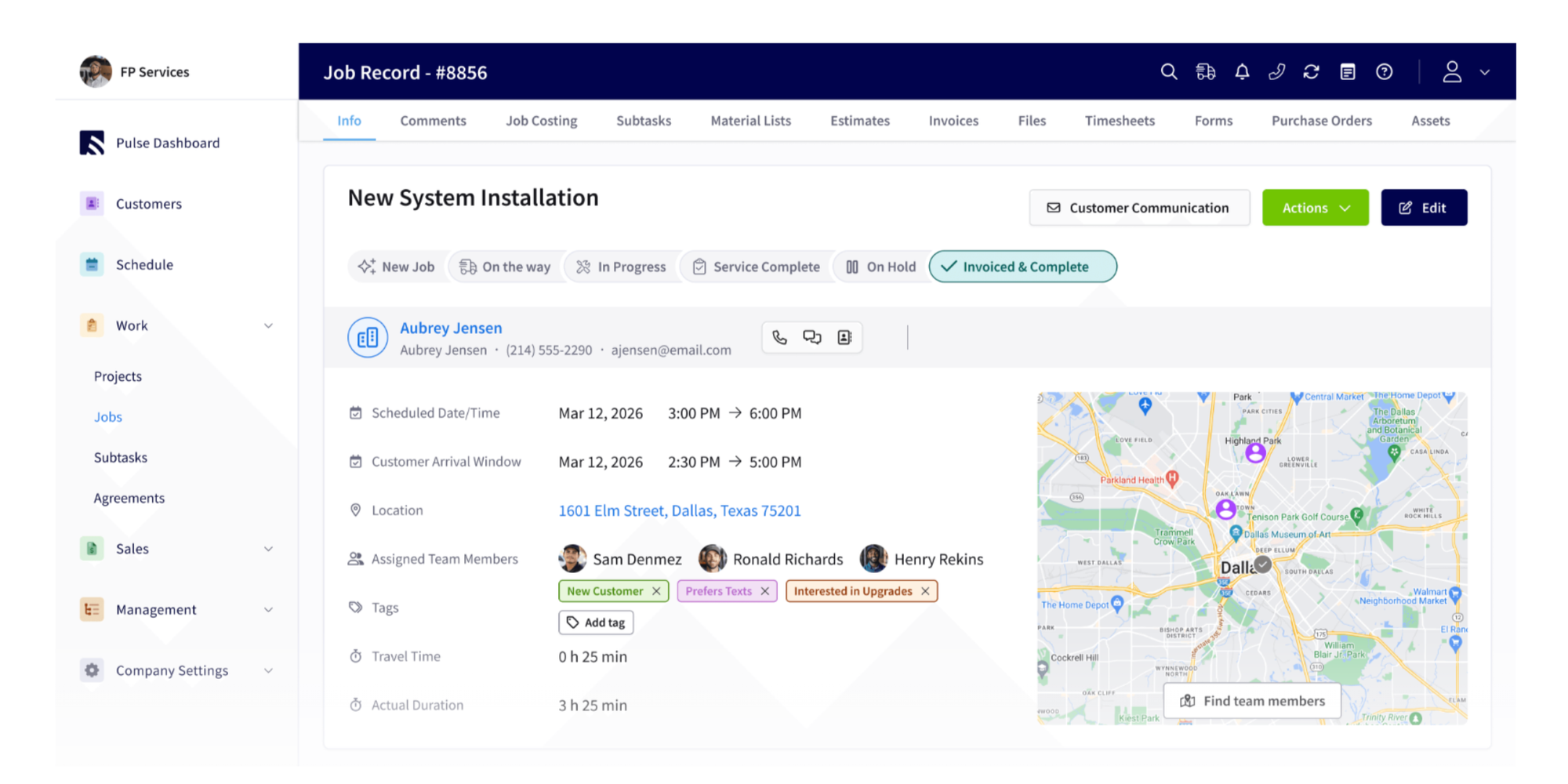
FieldPulse is designed much more like an operational command center than a basic booking tool.
Its scheduling and dispatch features include drag-and-drop assignments, multiple team views, real-time schedule syncing, conflict visibility, technician notifications, GPS tracking, and route optimization. Field technicians can access job details and update their progress from the mobile app.
The broader platform adds CRM functionality, work orders, job management, inventory, payments, reporting, customer portals, and other FSM tools.
That makes FieldPulse particularly relevant at the point where “Who’s free at 2 p.m.?” turns into “Which technician is nearby, qualified, carrying the right workload, and already heading in that direction?”
A growing appliance repair company is a good example. With several technicians moving between homes throughout the day, real-time job information and dispatch visibility become much more important than they are for an independent repair professional managing one calendar.
Pricing: No publicly advertised free plan. FieldPulse uses custom, seat-based pricing, with the cost based on team size and the features each seat needs. You’ll need to request a quote; a free demo is available.
7. GorillaDesk — Best for recurring home services
Best for: pest control, lawn services, pool maintenance, cleaning, and other businesses built around repeat visits.
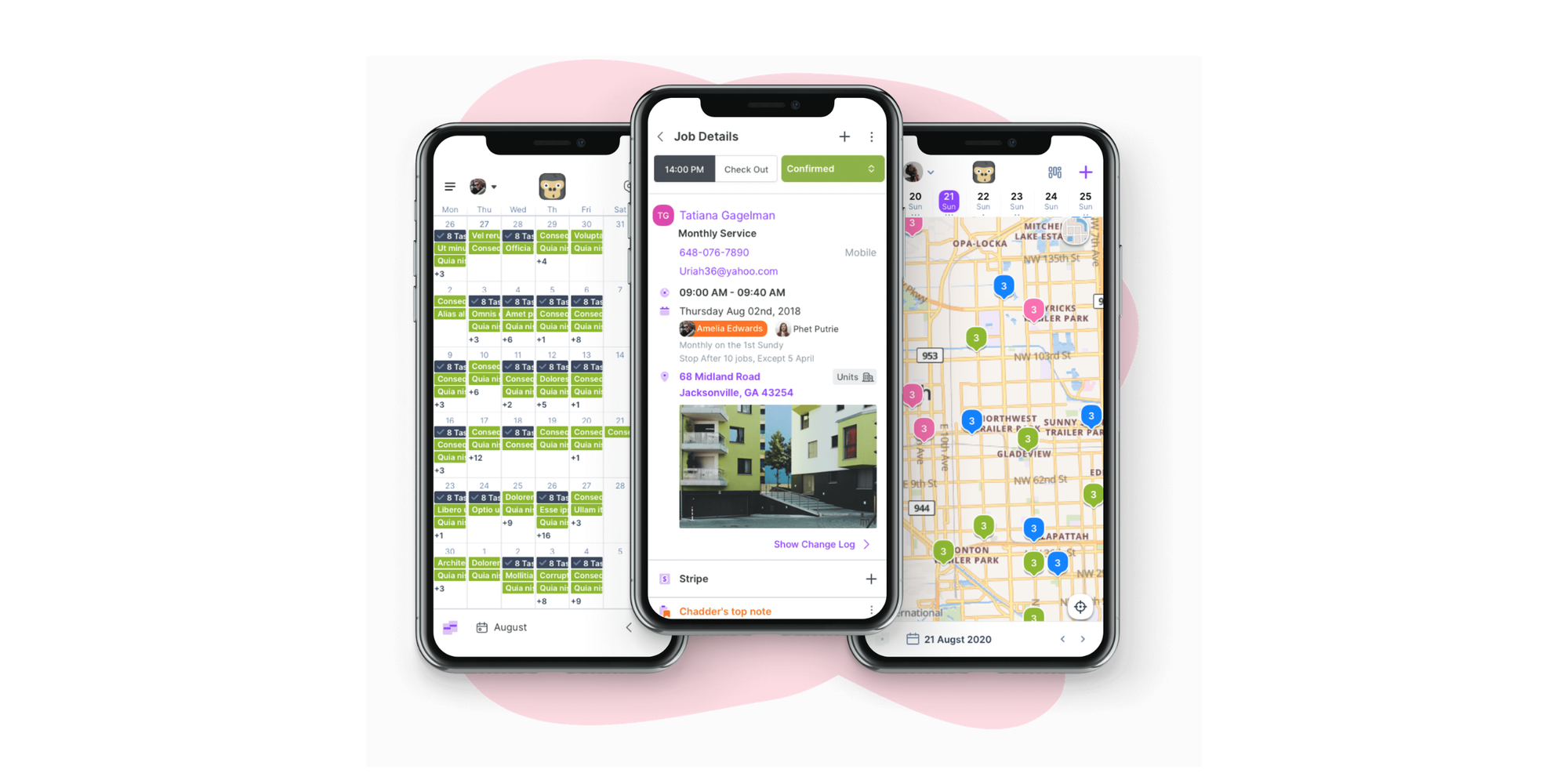
Recurring work creates a different scheduling challenge. You’re not just filling tomorrow’s calendar; you may be coordinating weekly, monthly, quarterly, or annual visits across dozens or hundreds of properties.
That’s where GorillaDesk stands out.
Its job scheduling software supports recurring frequencies and lets you move one appointment or a series of future appointments when plans change. Its schedule can also be viewed by date, employee, map, service, or location.
GorillaDesk adds route optimization, GPS technician tracking, dispatch, invoicing, customer management, reminders, and a mobile app. Its route planning tools are built around arranging and dispatching geographically efficient field-service routes.
For a pool company visiting the same properties every week or a lawn-care business managing repeat routes, those capabilities can be far more important than simply exposing empty appointment slots.
If your repeat customers only need fixed appointment booking and you don’t need route planning, however, a simpler scheduling tool supporting recurring bookings, like Koalendar, can still make more sense.
Pricing: No free plan, but there’s a 14-day free trial. Paid plans start at $49/month for Basic, $99/month for Pro, and $149/month for Growth. GorillaDesk offers annual subscriptions billed upfront, although it doesn’t currently publish a separate discounted annual rate on its public pricing information.
8. Acuity Scheduling — Best for customizable appointment booking
Best for: service businesses that want polished appointment booking, intake forms, payments, reminders, and calendar management without full technician dispatch.
Acuity is the closest direct comparison to Koalendar in this list because it focuses on scheduling rather than pretending to be a full field-service management system.
Customers can book through a website or branded booking page. Acuity supports scheduling rules, booking limits, custom intake forms, automated email and text communications, payments through Stripe, Square, or PayPal, and packages or recurring services.
It also offers multiple bookable calendars on higher plans, making it suitable for businesses with several employees or resources.
Where it stops is equally important: Acuity isn’t built around technician dispatch, GPS tracking, or field routing.
That makes it useful for home service businesses where appointments matter more than logistics. Think consultations, estimates, recurring sessions, or scheduled services where you already know who will attend and don’t need a dispatcher constantly reorganizing the day.
Between Acuity and Koalendar, compare the exact booking experience, calendar requirements, customization options, plan limits, team setup, and price that suit your business. Both belong in the “scheduling first” category rather than the “run every field operation” category.
Pricing: No free plan, but a free trial is available. With annual billing, Starter costs $16/month ($192/year), Standard $27/month ($324/year), and Premium $49/month ($588/year).
Which home service scheduling software is best for you?
There isn’t one best tool for every home service company. The best choice depends on what happens after a customer asks to book.
| If this sounds like your business… | Start with |
| “I mainly want customers to book without calling me.” | Koalendar |
| “I want scheduling, quoting, invoicing, routing, and job management together.” | Jobber |
| “I manage residential technicians and need strong dispatch tools.” | Housecall Pro |
| “We run a large, operationally complex field-service business.” | ServiceTitan |
| “Our phone is still central to winning and scheduling work.” | Workiz |
| “Our growing team needs tighter technician and job visibility.” | FieldPulse |
| “Most of our work is recurring visits and routes.” | GorillaDesk |
| “I want detailed-customizable booking without field dispatch.” | Acuity Scheduling |
This is also why “most features” is a poor way to choose software. More features can be useful — but they also mean more configuration, more workflows to learn, and more software to manage.
The better fit is the tool that solves your actual scheduling bottleneck without making everyday work harder.
Scheduling software vs home service business software
Scheduling software is enough when the main problem is arranging appointments. Full home service business software makes more sense when you also need to coordinate field operations.
That line can save you from paying for a lot of functionality you don’t need.
| If you need… | Scheduling software | Full home service business software |
| Online self-booking | ✅ | ✅ |
| Booking forms | ✅ | ✅ |
| Calendar sync | ✅ | ✅ |
| Automated reminders | ✅ | ✅ |
| Online payments | Often | ✅ |
| Team calendars | ✅ | ✅ |
| Technician dispatch | Usually ❌ | ✅ |
| GPS tracking | ❌ | Usually ✅ |
| Route optimization | ❌ | Often ✅ |
| Work orders | Usually ❌ | ✅ |
| Inventory management | ❌ | Often ✅ |
| Advanced CRM | Limited | ✅ |
| Field reporting | ❌ | ✅ |
Choose scheduling software if…
You mainly need to stop arranging appointments manually.
For example, you might be a freelance electrician who wants customers to book estimated slots, a cleaner who wants clients to select available appointments, or a small maintenance company trying to eliminate unnecessary phone calls.
In those cases, prioritize 24/7 booking, real-time availability, calendar sync, forms, reminders, payments, and a professional customer experience.
Choose full home service business software if…
You need to manage what happens after a booking enters the calendar.
That can include assigning technicians, changing routes during the day, monitoring job status, tracking equipment, creating work orders, managing quotes and invoices, maintaining customer histories, or coordinating multiple crews.
That broader scope is why platforms such as Jobber, Housecall Pro, FieldPulse, and ServiceTitan contain so many more operational modules than conventional appointment schedulers.
Neither approach is inherently better. The goal is to avoid buying an operational platform when your real problem is a booking problem — or buying a simple scheduler when your real problem is dispatch.
How we evaluated the tools
We compared each platform using its currently published product information, with particular attention to scheduling and booking functionality, suitability for home service businesses, team-management capabilities, ease of use, field-service depth, integrations, payments, and likely fit by business size.
We did not assume that the platform with the longest feature list should rank first.
Our evaluation weighting was:
- Online booking — 20%
- Ease of scheduling — 20%
- Home-service fit — 20%
- Team and field functionality — 15%
- Integrations and payments — 10%
- Ease of use — 10%
- Value — 5%
The ranking also deliberately includes two types of software. Koalendar and Acuity demonstrate what a booking-first system can do, while tools such as Jobber, Housecall Pro, ServiceTitan, Workiz, FieldPulse, and GorillaDesk show the additional functionality available when scheduling becomes part of a wider field-service operation.
This makes the comparison more useful than assuming every plumber, cleaner, electrician, landscaper, or repair professional needs the same system.
Features to look for in home services scheduling software
Online customer booking
Customers should be able to book when it suits them — including when you’re busy working or the office is closed.
Look for a booking page or website embed that displays genuine availability rather than simply submitting a generic contact request.
For a lawn-care freelancer, that could mean a prospect finding the website at 9 p.m., choosing an available consultation for Thursday, and getting confirmation immediately. You haven’t interrupted a job to answer the phone, and the customer hasn’t had to wait until morning.
Real-time availability and calendar sync
Calendar sync helps prevent a booking tool from creating a second, disconnected schedule.
If you already use Google Calendar or Outlook, check whether appointments and busy times sync automatically. Koalendar, for example, connects with Google, Outlook, and iCloud calendars and updates availability in real time.
This matters when personal commitments, estimates, existing jobs, and customer bookings all compete for the same day.
Automated appointment reminders
Reminders give customers a useful prompt without requiring you to send every message yourself.
Evidence from other appointment-based industries supports the underlying principle. A systematic review and meta-analysis indexed by PubMed found that text notifications improved appointment attendance and reduced no-shows in healthcare settings. The exact effect shouldn’t be assumed to transfer directly to home services, but the evidence supports reminders as a sensible way to help people remember scheduled commitments.
Use reminders to confirm the time, address, preparation instructions, or other details customers need before you arrive.
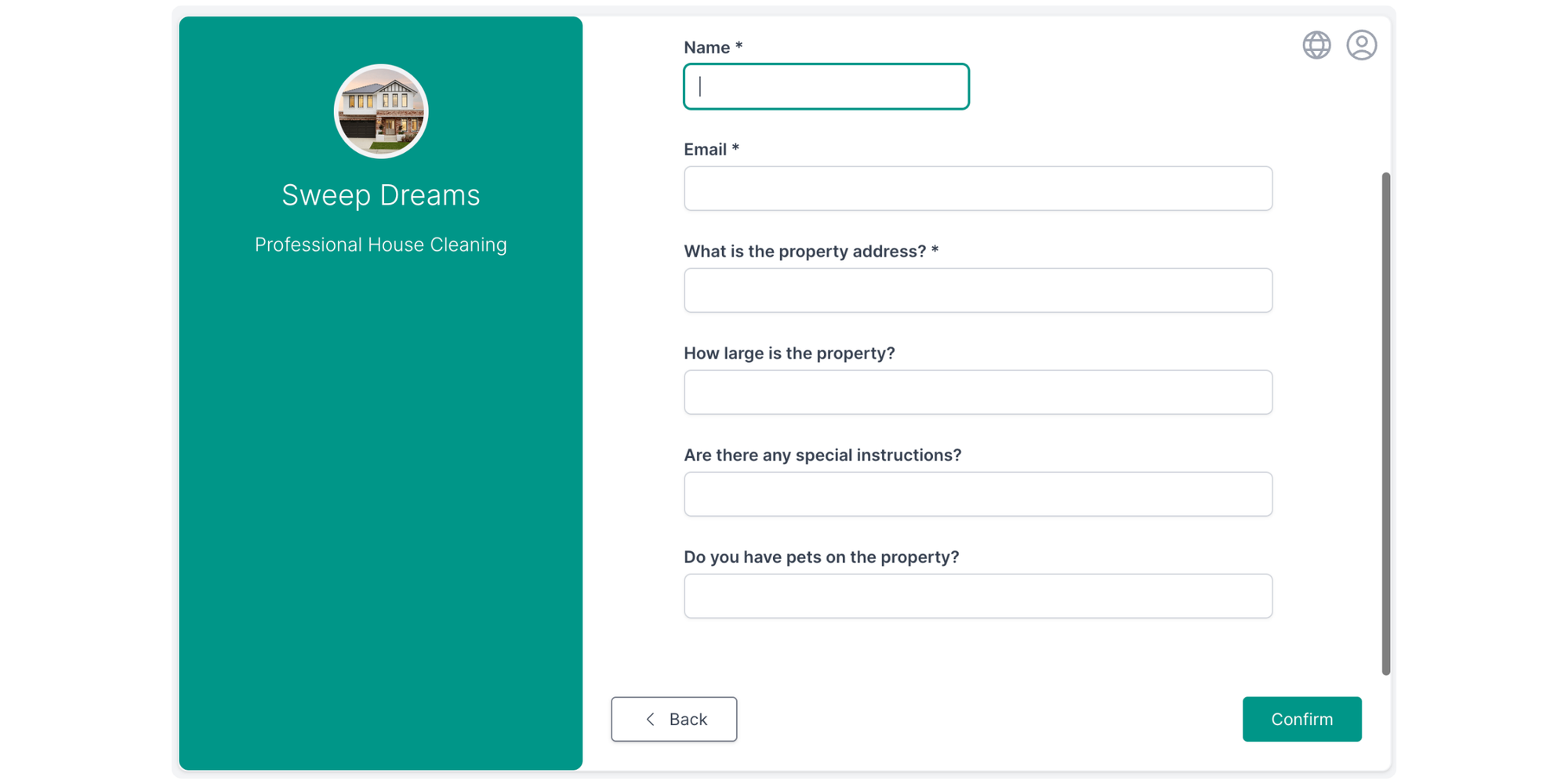
Custom booking forms
The best booking flow should collect information you would otherwise have to ask for later.
An electrician might ask what problem the customer is experiencing and whether the appointment is for a repair or estimate. A cleaner might ask for property size, address, and the type of service required.
That means fewer “just one more question…” calls after the appointment is already booked.
Team availability
Once several people can take bookings, the scheduler needs to understand who is actually available.
For a simple team, shared availability or round-robin appointment distribution may be enough. For a larger field business, you may need skill-based assignment, territories, real-time technician location, and dispatch controls instead.
That is one of the clearest signs that you’re moving from appointment scheduling into field service management.
Online payments
Taking payment or a deposit during booking can remove another admin step.
Check what the platform supports and which plan you need. Koalendar supports payment collection on paid plans, while tools such as Acuity, Jobber, Housecall Pro, and Workiz also provide payment capabilities within their wider workflows.
Dispatch and routing
You only need serious dispatch and routing tools when location is a meaningful part of the scheduling decision.
If one electrician handles all appointments, an ordinary calendar may tell you everything you need.
If 12 technicians are driving around a city and an emergency call comes in, “who has a free slot?” is no longer enough. You may need to know who is closest, who has the right skills, how a new job affects the rest of the route, and whether another customer’s arrival time needs to change.
That’s where products such as Jobber, Housecall Pro, FieldPulse, GorillaDesk, and ServiceTitan become much more valuable.
Recurring appointments
Recurring scheduling matters most when repeat visits are the business model, not the exception.
Pool maintenance, lawn care, cleaning, pest control, and property maintenance businesses may need jobs repeated weekly, monthly, quarterly, or seasonally.
Check how the system handles changes too. Moving “this visit” and moving “this visit plus every future recurrence” are very different actions.
Mobile access
Your schedule needs to work where you work.
For an owner-operator, that may simply mean checking or changing appointments from a phone. For a field team, mobile requirements can include customer records, job notes, status updates, invoicing, payment collection, photos, directions, and offline access.
Again, buy for the workflow you actually have.
Best software by home service business type
The same platform won’t suit a freelance cleaner and a regional HVAC company equally well.
| Business type | Good starting point |
| Solo plumber | Koalendar |
| Freelance electrician | Koalendar |
| Cleaning freelancer or small cleaning team | Koalendar |
| Small team without field dispatch or job-management needs | Koalendar |
| Cleaning company with multiple crews | Jobber / Housecall Pro |
| HVAC company | Housecall Pro / ServiceTitan |
| Lawn-care business | Koalendar/ GorillaDesk / Jobber |
| Pool-service business | Koalendar/ GorillaDesk |
| Appliance-repair team | Koalendar/ Housecall Pro / FieldPulse |
| Large plumbing or electrical operation | ServiceTitan |
| Phone-heavy local service company | Workiz |
| Appointment-focused service business wanting customization | Acuity Scheduling / Koalendar |
Treat those as starting points, not absolute rules. A five-person plumbing company with very simple operations could have lighter software needs than a two-person company running tightly optimized routes.
When choosing the best home services scheduling software, your business size matters, but your workflow complexity matters more.
Keep home service scheduling as simple as it needs to be
The best home services scheduling software isn’t automatically the platform with the longest feature list. It’s the one that removes the friction you actually deal with every day.
If customers can’t book unless you answer the phone, calendars keep colliding, and arranging appointments is stealing time from the work you’re paid to do, Koalendar is a simple place to start. Customers can book online, your calendars stay in sync, and reminders and booking questions handle more of the routine admin for you.
If you also need technician dispatch, GPS routing, inventory, work orders, and broader job management, choose a full field-service platform such as Jobber, Housecall Pro, FieldPulse, GorillaDesk, Workiz, or ServiceTitan instead.