TL;DR: Acuity Scheduling pricing
- Acuity Scheduling starts at $16/month when billed annually or $20/month when billed monthly, with higher plans for teams, SMS reminders, packages, memberships, and advanced customization.
- It’s a solid choice if you run an appointment-based service business and need features like packages, subscriptions, or multiple calendars. But Acuity does not offer a free forever plan—only a 7-day free trial—so it may feel like more than you need if you just want simple scheduling.
- For solo users, freelancers, educators, coaches, and small teams, Koalendar can be a simpler alternative, and definitely cheaper. You get unlimited bookings, custom booking pages, 2 calendar syncs, and support on a free forever plan—so you can start scheduling without paying for extras you won’t use. Payments, intake forms, and reminders are available in Pro, from $6.99/seat/month.
Choosing a scheduling tool should make your day easier—not send you into a spreadsheet spiral. But when you’re comparing Acuity Scheduling cost, features, free trials, SMS reminders, payments, and integrations, it can quickly feel like a lot.
Here’s the good news: Acuity Scheduling pricing is fairly straightforward once you know what each plan is actually built for. In this guide, we’ll break down the plans, what you get, where extra costs can appear, and whether Acuity is the right fit for freelancers, coaches, consultants, small businesses, and growing teams.
We’ll also compare Acuity with Calendly and Koalendar, so you can see what you actually need—not just what each pricing page wants you to notice.
Acuity Scheduling pricing: overview of plans
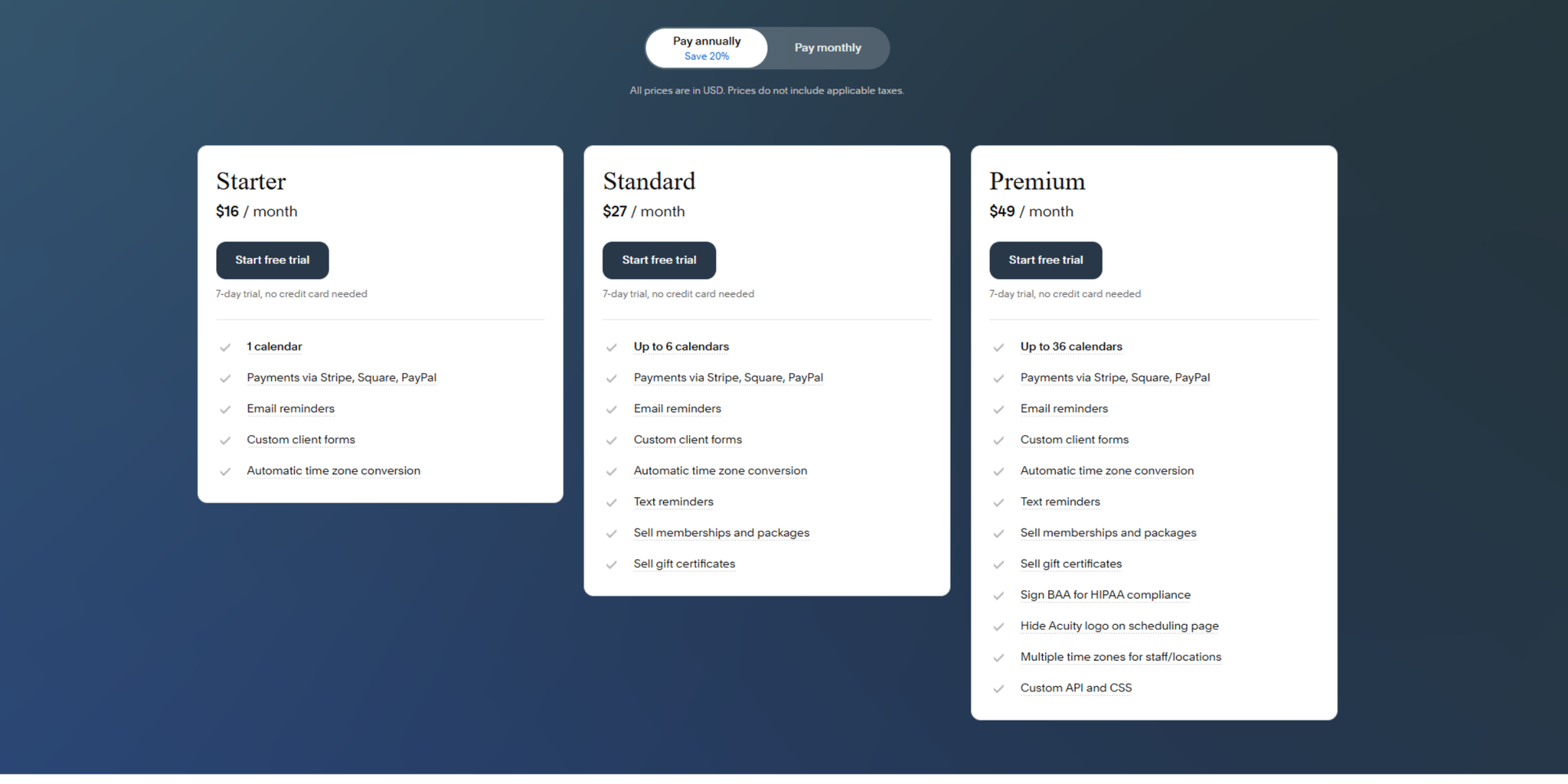
Acuity currently offers three main paid plans: Starter, Standard, and Premium. Each plan includes a 7-day free trial and don’t include applicable taxes. Annual billing saves 20% compared with paying month to month.
| Annual price | Monthly price | Best for | |
| Starter | $16/month | $20/month | Solo users who need one calendar |
| Standard | $27/month | $34/month | Small teams or service providers needing SMS reminders and packages |
| Premium | $49/month | $61/month | Larger teams, multi-location businesses, or HIPAA-related workflows |
At a glance, the Acuity pricing plans are not hard to understand. The real question is whether each upgrade gives you enough value for the way you schedule.
Free plan: Is Acuity Scheduling free?
Acuity Scheduling does not offer a permanent free plan. Instead, it gives users a 7-day free trial. That’s helpful if you want to test the interface, build a booking page, and see how the workflow feels before committing.
But after the trial, you’ll need a paid plan to continue using Acuity for client bookings. Acuity’s help documentation explains that once your trial ends, clients won’t be able to keep booking appointments until you choose a paid plan.
That distinction matters.
A free trial helps you test a product. A free forever plan helps you actually run your scheduling process without adding another monthly subscription.
If you’re a freelancer, educator, coach, consultant, or small business owner trying to keep costs predictable, the lack of a free plan may be the biggest drawback in the Acuity free trial vs paid subscription decision.
Paid plans breakdown
Starter plan ($16-$20/month)
This is Acuity’s entry-level option. It includes:
- one calendar
- client self-scheduling
- unlimited appointments
- payment integrations
- email reminders
- intake forms
- automatic time zone conversion.
That makes it a good fit for solo professionals who need a simple online booking system, have only 1 calendar to check availability against, and don’t mind paying from the start.
Standard plan ($27- $34/month)
This plan adds to the features in Starter:
- up to six calendars
- automated SMS reminders
- sell memberships, packages, subscriptions
- sell gift certificates
This tier is more useful for service providers who want to sell bundles, offer recurring bookings, or reduce no-shows with text reminders.
Premium plan ($49-$61)
This plan expands to:
- up to 36 calendars
- and adds advanced features such as HIPAA BAA support,
- multiple staff or location time zones
- custom API/CSS
- the ability to hide Acuity branding
This is where the Acuity premium cost starts to make sense for larger teams, healthcare-adjacent workflows, or businesses with multiple staff members and locations.
Monthly vs annual pricing
As you’ve seen, Acuity gives you two billing choices: monthly or annual.
Annual billing costs less overall. 20% is the current discount.
| Annually | Monthly | |
| Starter | $16 | $20 |
| Standard | $27 | $34 |
| Premium | $49 | $61 |
Here’s the simple way to decide:
| When it makes sense | |
| Monthly billing | You’re testing Acuity or your needs may change soon |
| Annual billing | You know Acuity fits your workflow and want to save money |
| No paid plan yet | You only need basic scheduling and want to avoid another subscription |
If you’re still comparing tools, monthly billing gives you more flexibility. If you already know Acuity is the right tool, annual billing makes the Acuity cost per month easier to justify.
Choosing the right plan is important because downgrading, doesn’t happen without consequences. Acuity’s help page explains that if want to switch from an annual to a monthly billing cycle, your billing plan will effectively be cancelled and you will start a new one. In practice this means that during the transition, your data and setting will be saved, but any active subscriptions you’ve sold to your clients will be cancelled. Accuity does allow you to reactivate those subscriptions after you’ve upgraded back to a paid plan.
How much does Acuity Scheduling cost in 2026?
The Acuity Scheduling cost ranges from $16/month to $61/month, depending on the plan and billing cycle. On annual billing, the range is $16/month to $49/month. On monthly billing, it’s $20/month to $61/month.
That makes Acuity a mid-range scheduling tool. It’s not the cheapest option, but it can be good value if you use its service-business features.
The key is knowing which plan matches your actual workflow.
Entry-level plan: Starter
It’s the lowest Acuity subscription price and includes one calendar.
Starter is usually enough if you’re:
- A solo consultant scheduling discovery calls
- A coach booking 1:1 sessions
- A freelancer managing client meetings
- An educator offering appointment slots
- A service provider with one calendar and simple availability
You also get helpful basics like payment processing integration, intake forms, and automatic time zone detection. These features can save time on scheduling and improve client experience, especially if you’re tired of manually confirming every meeting.
But Starter has limits. You can’t check your availability against a second calendar (your personal one, for example) and you won’t get SMS reminders, memberships, packages, subscriptions or gift certificates.
So while it’s the cheapest Acuity booking system price, it may not stay cheap if your business needs grow quickly.
Mid-tier plan: Standard
It includes up to six calendars and adds several features that matter for service providers, including SMS reminders, memberships, packages, subscriptions, and gift certificates.
This plan is often the “real” Acuity plan for appointment-based businesses.
Why? Because SMS reminders and packages are features many coaches, consultants, wellness providers, tutors, and agencies actually use.
Text reminders can help reduce no-shows. Packages and subscriptions can help you sell repeat sessions. Gift certificates can support client referrals and seasonal promotions.
That said, Standard may be more than you need if your main goal is simple scheduling. If you only need people to pick a time, receive a confirmation, and get a reminder, you may be paying for business features you won’t use.
This is where the Acuity plans comparison becomes practical.
Don’t compare plans by feature count alone. Compare them by how often you’ll use those features.
Premium features
It’s designed for more complex scheduling operations, with up to 36 calendars and advanced controls such as HIPAA BAA support, multiple time zones for staff or locations, custom API/CSS, and hidden Acuity branding.
Premium makes sense if you’re running a larger team or managing multiple locations.
For example, it may work well for:
- Clinics with multiple practitioners
- Agencies managing several client-facing team members
- Training businesses with many instructors
- Service businesses with different locations
- Teams that need more control over branding and customization
For solopreneurs, though, the Acuity paid plans can start to feel heavy at this level. Unless you specifically need Premium features, you may be better off staying on Starter or Standard—or choosing a simpler tool.
What do you actually get with Acuity Scheduling plans?
Acuity is not just a calendar link tool. It’s more of an appointment scheduling platform built for service businesses.
That’s good news if you need service menus, intake forms, payments, packages, and client management. It may feel like too much if you only want to eliminate back-and-forth emails.
Core features
Across Acuity plans, you get useful features for appointment scheduling automation.
These include:
- Client self-scheduling
- Unlimited services and appointments
- Calendar sync integration
- Payment processing through Stripe, Square, or PayPal
- Custom intake forms
- Email reminders
- Automatic time zone conversion
- Group classes, events, and workshops
- Integrations with tools like Zoom, Google Meet, and GoToMeeting
For many small business owners, those basics can streamline appointments and centralize scheduling. Instead of manually asking “Does Tuesday at 3 work?” you can share a booking page and let clients choose from your real availability.
That saves time. It also creates a smoother client experience.
Advanced features
The higher Acuity pricing tiers focus on selling, scaling, and managing more complex operations.
On Standard, you unlock features such as: SMS reminders, packages, payment plans, memberships… and on Premium you get extra security.
These features are especially useful if you sell repeat services or you need to scale. But again, they’re only valuable if you actually use them.
A coach might sell a five-session package. A tutor might offer recurring lessons. A wellness provider might create a membership and require HIPAA BAA Support. An agency might offer prepaid consulting blocks.
The best scheduling tool is not the one with the longest feature list. It’s the one that fits your day without making your setup more complicated.
Hidden limitations and extra costs
Acuity’s plan prices are visible, which is helpful. But the total cost of using any scheduling platform can include more than the monthly subscription.
Acuity states that listed prices don’t include applicable taxes. It also supports payment integrations, but payment processors such as Stripe, Square, and PayPal charge their own transaction fees.
So, are there hidden Acuity fees? Not exactly in the “surprise platform fee” sense. But there are costs around the tool that you should plan for.
Watch for:
- Applicable taxes
- Payment processor fees (2.9% + 0.30 per transaction in some cases)
- Client messaging rates for SMS reminders
- Upgrade costs if you need more calendars
- Upgrade costs if you need SMS reminders
- Upgrade costs if you need memberships, packages, or subscriptions
Video conferencing: Acuity does not have an integrated video system so you supply your own account. The free Zoom plan caps meetings at 40 minutes, so professionals tend to upgrade to Zoom Pro at $13.33/month (annual) or $16.99/month.
The plan that looks affordable at first may change once you realize which features sit behind higher tiers.
Acuity Scheduling pricing vs competitors
Acuity is a strong tool, but it’s not your only option. If you’re comparing scheduling software, you’re probably also looking at Calendly, Koalendar, or another online booking system. We covered the best Acuity Scheduling alternatives in the past but here’s a quick comparison.
 |  |  | |
| Free plan | 7-day trial only | Free plan available | Free Forever plan |
| Calendars on Free | N/A | 1 | 2 |
| Entry paid plan | $16/month annually | $10/seat/month annually | $6.99/seat/month annually |
| Best for | Service businesses needing payments, forms, and packages | Teams focused on meetings, routing, and sales scheduling | Freelancers, educators, coaches, service businesses, and teams wanting simple scheduling |
Acuity vs Calendly
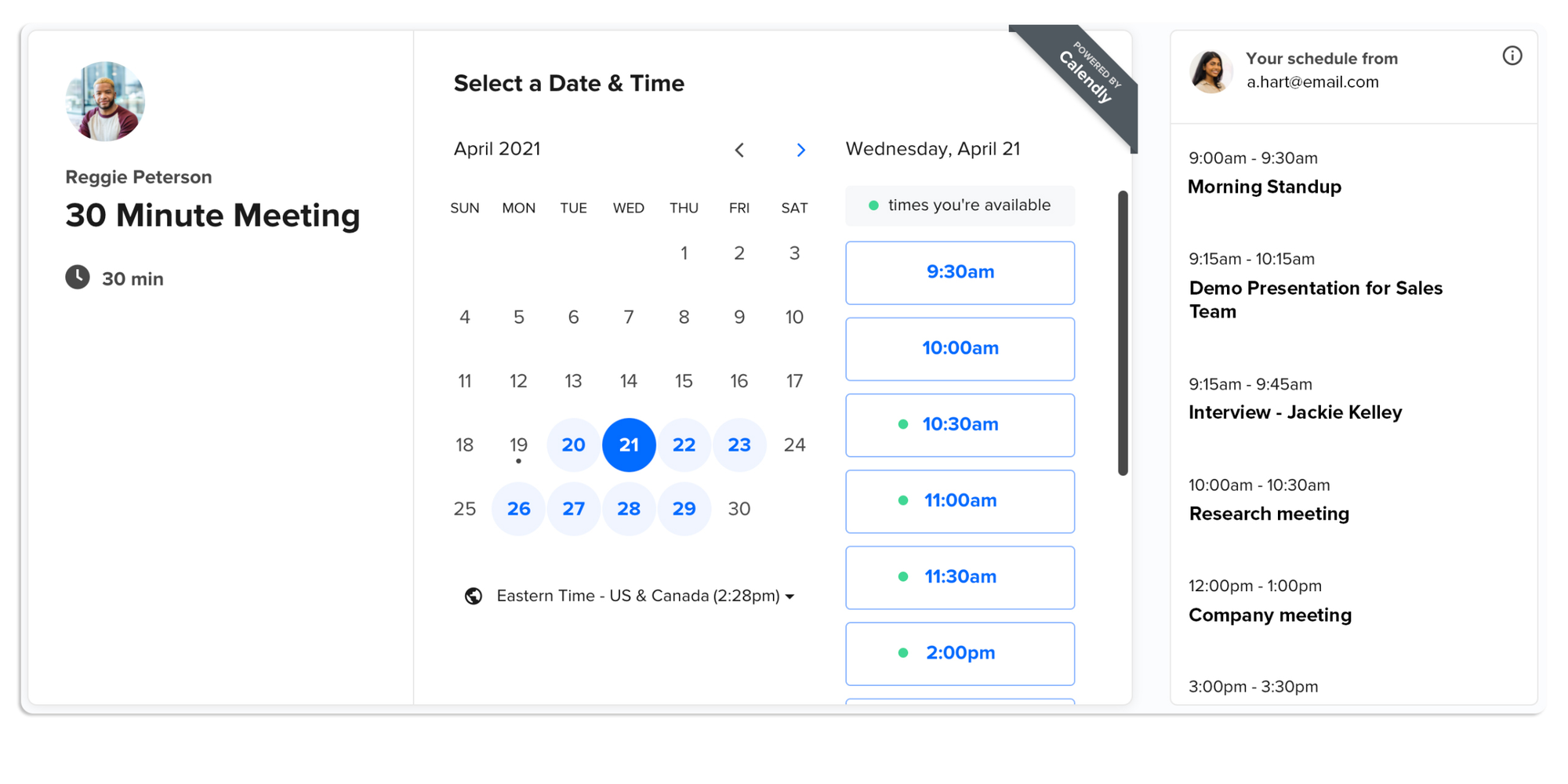
Calendly offers a free plan, plus paid plans including Standard at $10/seat/month annually and Teams at $16/seat/month annually. Its free plan is positioned for personal use, while paid plans add more scheduling automation, integrations, and team features.
Calendly is often a better fit for:
- Sales teams scheduling demos
- Recruiters scheduling interviews
- Professionals booking meetings
- Teams that need routing or round-robin scheduling
- Businesses that think in “meetings” more than “appointments”
Acuity is often a better fit for:
- Coaches selling packages
- Consultants offering paid sessions
- Wellness businesses taking appointments
- Tutors managing recurring bookings
- Service providers needing forms and client details before a session
The difference is subtle but important. We compared Acuity and Calendly in depth in a dedicated article, if you want to expand on how these tools compare.
Calendly feels more meeting-led. Acuity feels more appointment-led.
If you’re scheduling business calls, Calendly may be enough. If you’re managing paid services, forms, packages, and recurring client relationships, Acuity may give you more structure.
Acuity vs Koalendar
Koalendar is a strong option if you want scheduling to stay simple, affordable, and easy to launch.
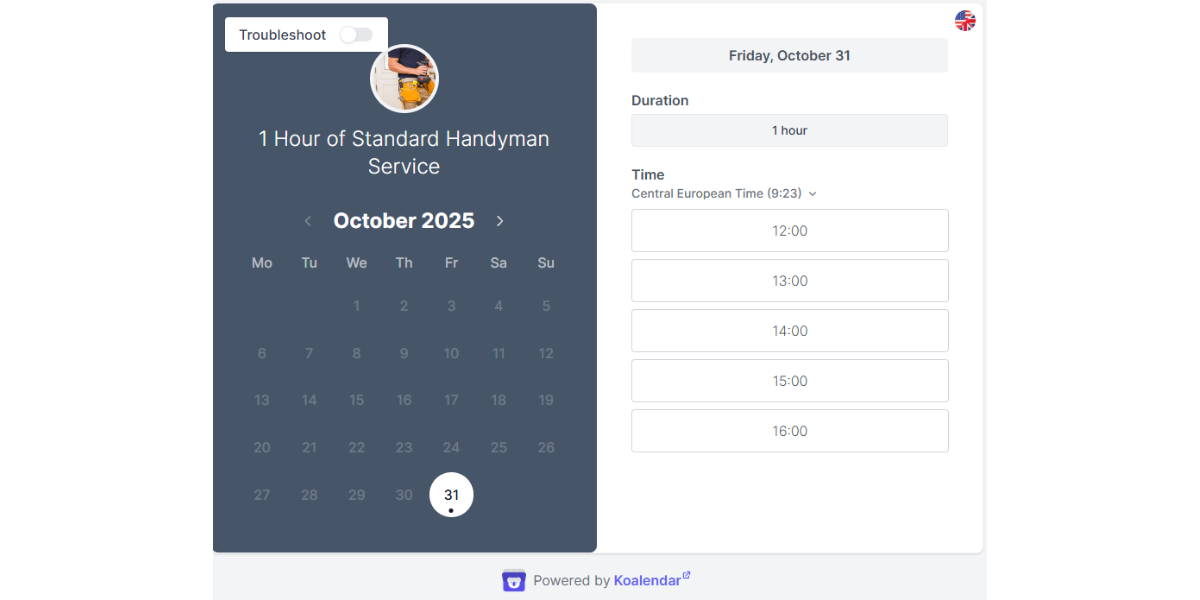
Koalendar’s Free Forever Plan includes unlimited bookings, unlimited scheduling pages, 2 calendar syncs, with no credit card required. A Pro paid upgrade ($6.99/seat/month) is optional for users who need more advanced features like payments, SMS reminders, or intake questions.
That makes Koalendar especially helpful if you want to:
- Create custom booking pages
- Accept unlimited 1:1 and group bookings
- Sync your calendars in real time
- Reduce no-shows with reminders
- Offer a smooth client booking experience
- Avoid paying before you need advanced features
- Set up quickly without technical skills
Koalendar also supports the kind of flexible scheduling that works across different roles: freelancers managing clients, educators managing appointments, recruiters scheduling interviews, consultants scheduling calls, and coaches booking sessions.
Acuity works well for some teams. But if you don’t need packages, subscriptions, gift certificates, you may find yourself paying for extras you won’t use.
Koalendar’s positioning is simpler: start free, take unlimited bookings, and upgrade only when you actually need more.
Is Acuity Scheduling worth the price?
Acuity can absolutely be worth the price. But it depends on what you’re buying it for.
If you need a full appointment platform with payments, intake forms, packages, memberships, and multiple calendars, Acuity can help you automate booking workflow and improve client experience. If you’re after the best payment app, it might be worth considering other options too.
If you only need a clean booking page and reliable calendar sync, it may be more of a tool than you need.
Best for…
Acuity is best for businesses that treat appointments as part of their service delivery.
That includes:
- Coaches selling session packages
- Tutors managing recurring lessons
- Wellness providers booking clients
- Multi-staff service businesses
Acuity’s value becomes clearer when you use the features that support revenue, not just scheduling.
For example, if you sell memberships or prepaid packages, the Standard plan may quickly pay for itself. If you manage several staff members across locations, Premium may be easier than trying to patch together a simpler tool.
Not ideal for…
Acuity may not be ideal if you:
- Want a free forever plan
- Only need a simple scheduling link
- Don’t need packages
- Don’t want to configure many appointment settings
- Want live support even on a free plan
- Prefer a lightweight setup
- Are trying to avoid overpaying for features
This is especially true for solopreneurs and early-stage small businesses.
When every monthly subscription matters, paying $20/month just to start booking can feel like a barrier. That doesn’t mean Acuity is overpriced. It means it may not be the best fit for your current stage.
Cost vs value: the simple test
Before choosing Acuity, ask yourself four questions:
- Will I take paid appointments through the tool? If yes, Acuity’s payment features may be useful, but worth considering other options with payments like Koalendar.
- Do I need packages, memberships, or subscriptions? If yes, Standard may be worth considering.
- Do I manage multiple staff members or locations? If yes, Standard or Premium may make sense.
- Do I just need people to book time on my calendar? If yes, a simpler and more affordable tool may be enough.
That last question is the one many buyers skip.
It’s easy to compare feature lists and assume “more” means “better.” But if you’re not using those features, you’re not getting more value. You’re just adding more cost.
A simpler alternative to Acuity Scheduling
If Acuity feels like more than you need right now, Koalendar gives you a simpler path.
You can set up a professional booking page, share your link, sync your calendar, and let people book without the back-and-forth. No complicated setup. No technical skills needed. No need to pay before you know what your scheduling workflow really requires.
Koalendar’s free plan includes unlimited bookings and scheduling pages, which makes it a practical choice for people who want to stay organized without adding another subscription right away.
That’s especially helpful for:
- Freelancers who need a simple way to manage client calls
- Coaches who want clients to book sessions easily
- Consultants who need professional booking pages
- Educators managing office hours or appointments
- Recruiters scheduling interviews
- Small business owners who want fewer admin tasks
- Agencies coordinating calls across multiple cliets
In comparison to other more expensive scheduling tools, Koalendar shines for: easy setup, custom booking pages, real-time calendar sync, reminders, multi-language support, video meeting integrations, payments, and live support.
The goal is not to make scheduling feel bigger than it is. The goal is to make it easy.
Koalendar Pro vs Acuity Scheduling Standard
| Koalendar Pro | Acuity Standard | |
| Price (annual billing) | $6.99/seat/month | $27/month |
| Price (monthly billing) | $9.99/seat/month | $34/month |
| Calendars / seats | Unlimited, charges per seat | Up to 6 calendars |
| Accept payments | ✅ | ✅ |
| Email reminders | ✅ | ✅ |
| SMS reminders | ✅ | ✅ |
| Custom booking form questions | ✅ | ✅ |
| Automatic time zone detection / conversion | ✅ | ✅ |
| Group sessions / classes | ✅ | ❌ |
| Multi-host events (round robin / collective) | ✅ | ❌ |
| Memberships / packages | ❌ | ✅ |
| Gift certificates | ❌ | ✅ |
| Videoconferencing | ✅ | ✅ |
| Follow-up emails | ✅ | ✅ |
| Full booking page customization | ✅ | ❌ |
| Remove platform branding | ✅ | ❌ |
| Zapier / webhooks / all integrations | ✅ | ✅ |
| HIPAA compliance | ✅ | ❌ |
Bottom line: If you’re a solo consultant managing one to three calendars, Koalendar Pro is the more affordable choice (Koalendar costs 3*$6.99=$20.97/month vs $27/month for Acuity).
Acuity Standard makes more sense when you need extra service-business features like packages, memberships, or gift certificates.
Which scheduling tool should you choose?
Here’s a practical way to decide.
| Your situation | Best fit |
| You need paid appointment packages, memberships, or gift certificates | Acuity Standard |
| You need paid appointment packages, memberships, or gift certificates | Koalendar Pro |
| You need HIPAA BAA support or many calendars | Acuity Premium, Koalendar |
| You need sales meetings, team scheduling, or routing | Calendly or Koalendar |
| You want unlimited bookings on a free plan | Koalendar |
| You want the simplest setup for clients to book you | Koalendar |
| You’re a solo provider with one calendar and paid appointments | Acuity Starter or Koalendar |
| You’re not sure what you’ll need yet | Koalendar free or monthly billing on Acuity |
If you’re choosing between Acuity and Koalendar, the decision usually comes down to complexity.
Choose Acuity if your scheduling process includes selling packages or managing memberships.
Choose Koalendar if your main goal is to save time on scheduling, reduce no-shows with reminders and payments, and let people book you without fuss.
Final verdict on Acuity Scheduling pricing
Acuity scheduling pricing makes sense if you need a full appointment scheduling system with forms, payments, packages, subscriptions, and gifts. For service businesses with repeat clients and paid sessions, Acuity can be a practical investment.
But if you’re mainly looking to save time, reduce no-shows, eliminate back-and-forth emails, and let people book you and pay you easily, you may not need all those extras.
That’s where Koalendar is worth considering. You can start with unlimited bookings on a free plan, create custom booking pages, sync your calendar in real time, and upgrade only when you need more.
You’ve got options. The best one is the tool that fits how you actually work.
Want a simpler, more affordable alternative? Start scheduling with Koalendar today.