TL;DR
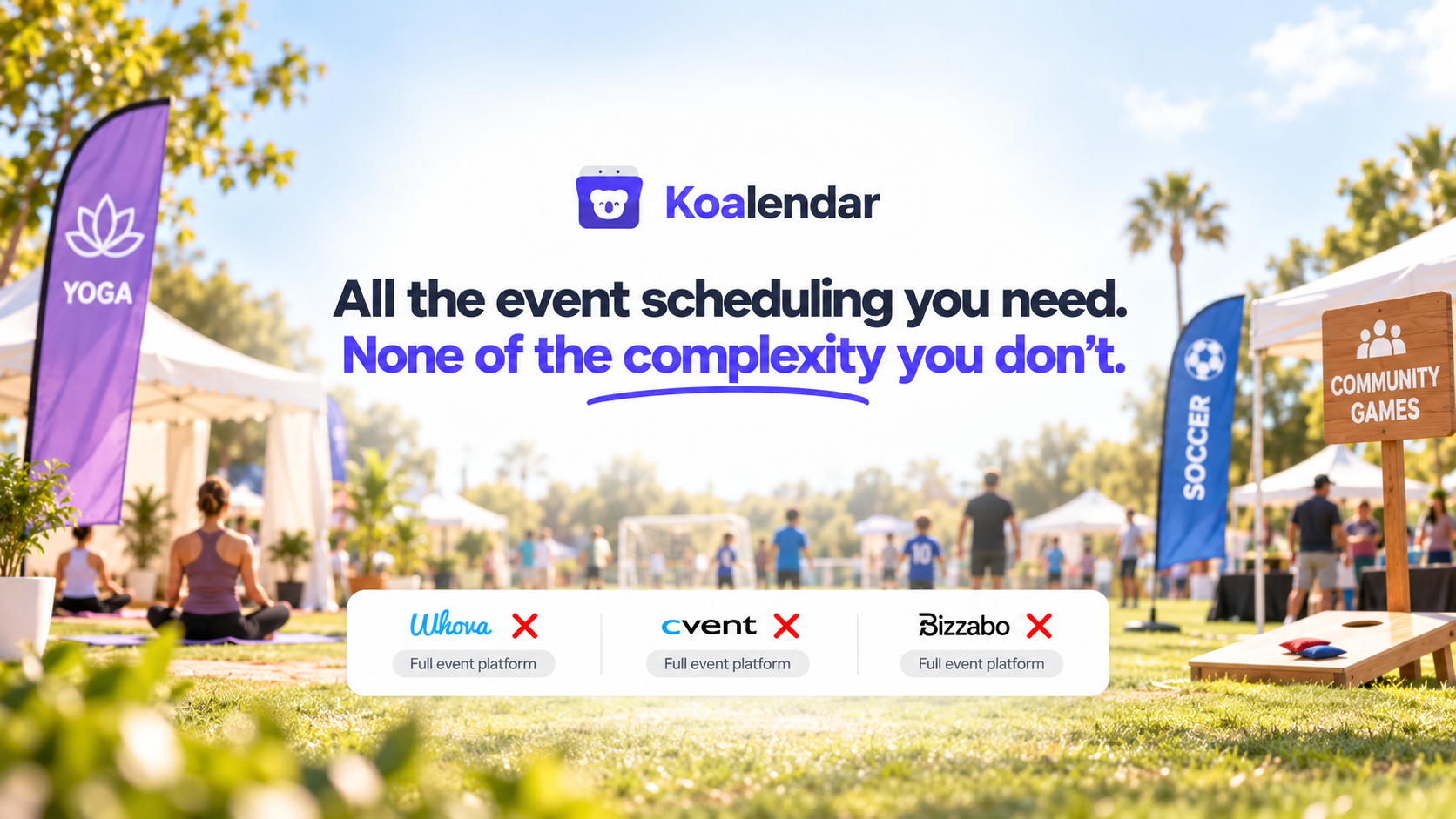
The best event scheduling software depends on what you are actually organizing. Koalendar is built for events where people need to reserve a place or time, such as workshops, webinars, tours, demos, classes, and recurring activities. Doodle is useful for finding a time that works for a group. Eventbrite focuses on public events and ticketing. Whova, Cvent, and Bizzabo provide broader event management for conferences and larger programs, while Planning Pod focuses on venue operations.
If you have been searching for room event scheduling software or event facility scheduling software, there is another distinction to make. Those tools focus more heavily on reserving physical spaces and resources. This guide explains where each software category fits so you can avoid paying for event-management features you do not need.
Best event scheduling software at a glance
The fastest way to choose an event scheduling tool is to match the software to the type of coordination your event actually requires.
 |  | Eventbrite | Whova | Cvent | Bizzabo | Planning Pod | |
| Best for | Workshops, webinars, activities and attendee bookings | Finding a time that works for a group | Public and ticketed events | Conferences and attendee engagement | Enterprise meetings and events | Larger B2B event programs | Venues and event operations |
| Scheduling type | Scheduling-first, including people, events, and spaces | Group polling and scheduling | Ticketing and registration | Full event management | Enterprise event management | Event experience management | Venue and event management |
| Group/capacity | ✅ | ✅ | ✅ | ✅ | ✅ | ✅ | ✅ |
| Calendar sync | ✅ | ✅ | ❌ | ❌ | ❌ | ❌ | ✅ |
| Full event management | ❌ | ❌ | ✅ | ✅ | ✅ | ✅ | ✅ |
| Free plan or option | ✅ | ✅ | ✅ | ❌ | ❌ | ❌ | ❌ |
The important row is scheduling type. A platform can be excellent event software without being the right type of software for letting 20 people reserve places at your monthly workshop.
That distinction matters because modern event platforms cover very different jobs. Koalendar focuses on signups, availability, capacity, attendee information, calendar coordination, reminders, and bookable spaces or resources. This means organizers can coordinate not only who is attending, but also the room, space, or resource needed for the event. Its event product also supports limited-capacity sessions, recurring and multi-session events, custom forms, payments, real-time calendar syncing, and website embeds.
Koalendar can therefore work well when an event requires both attendee scheduling and space booking, without forcing organizers into a full venue-management platform. For more complex multi-room or facility operations, dedicated venue or facility scheduling software may still be the better fit.
The best event scheduling software compared
The seven tools below cover several different interpretations of event scheduling, from simple attendee reservations to enterprise conference management.
1. Koalendar: Best for event scheduling, attendee bookings, and spaces
Best for: Workshops, webinars, classes, tours, demos, group activities, recurring events, and events that also require a room or other bookable space.
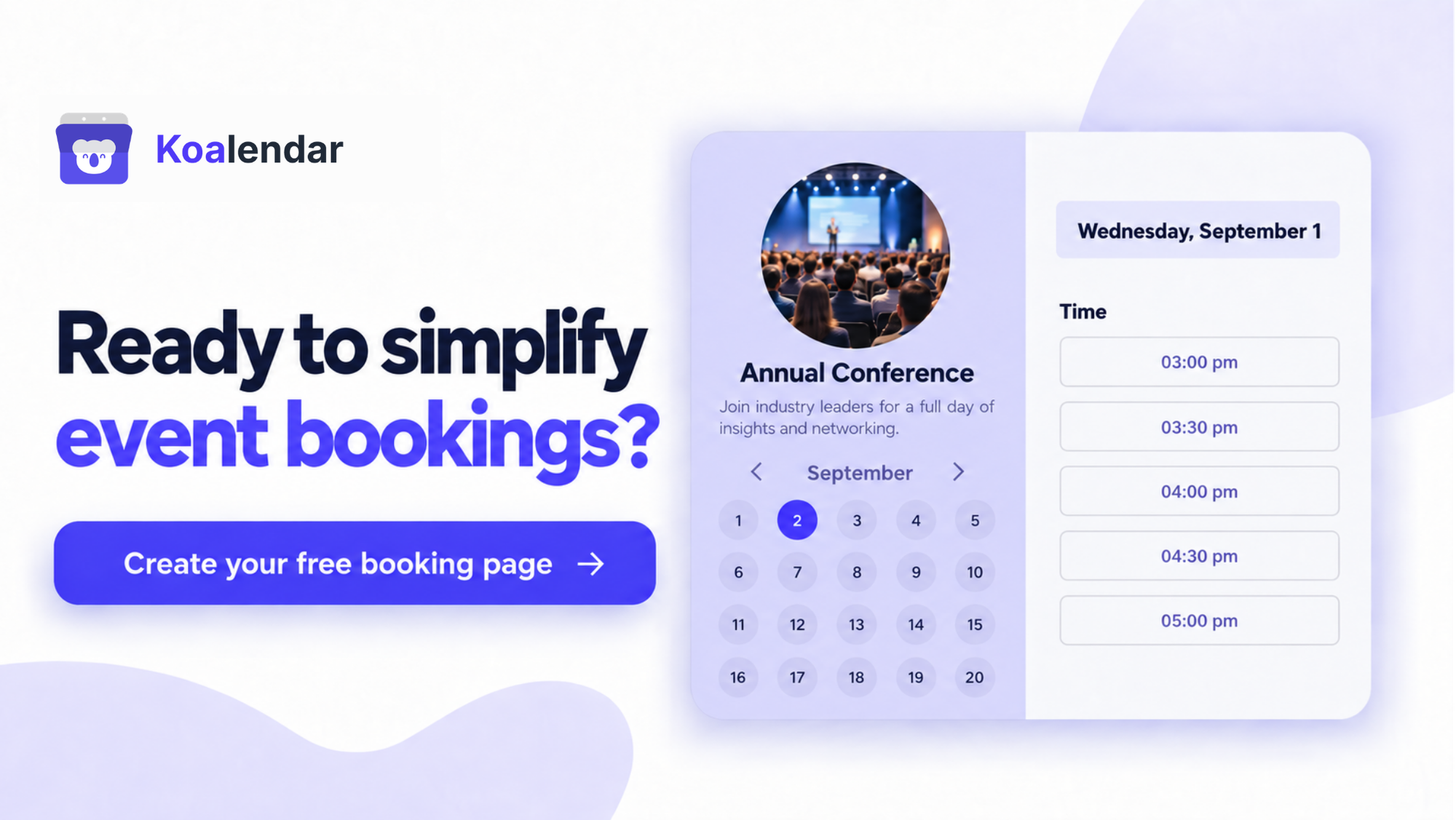
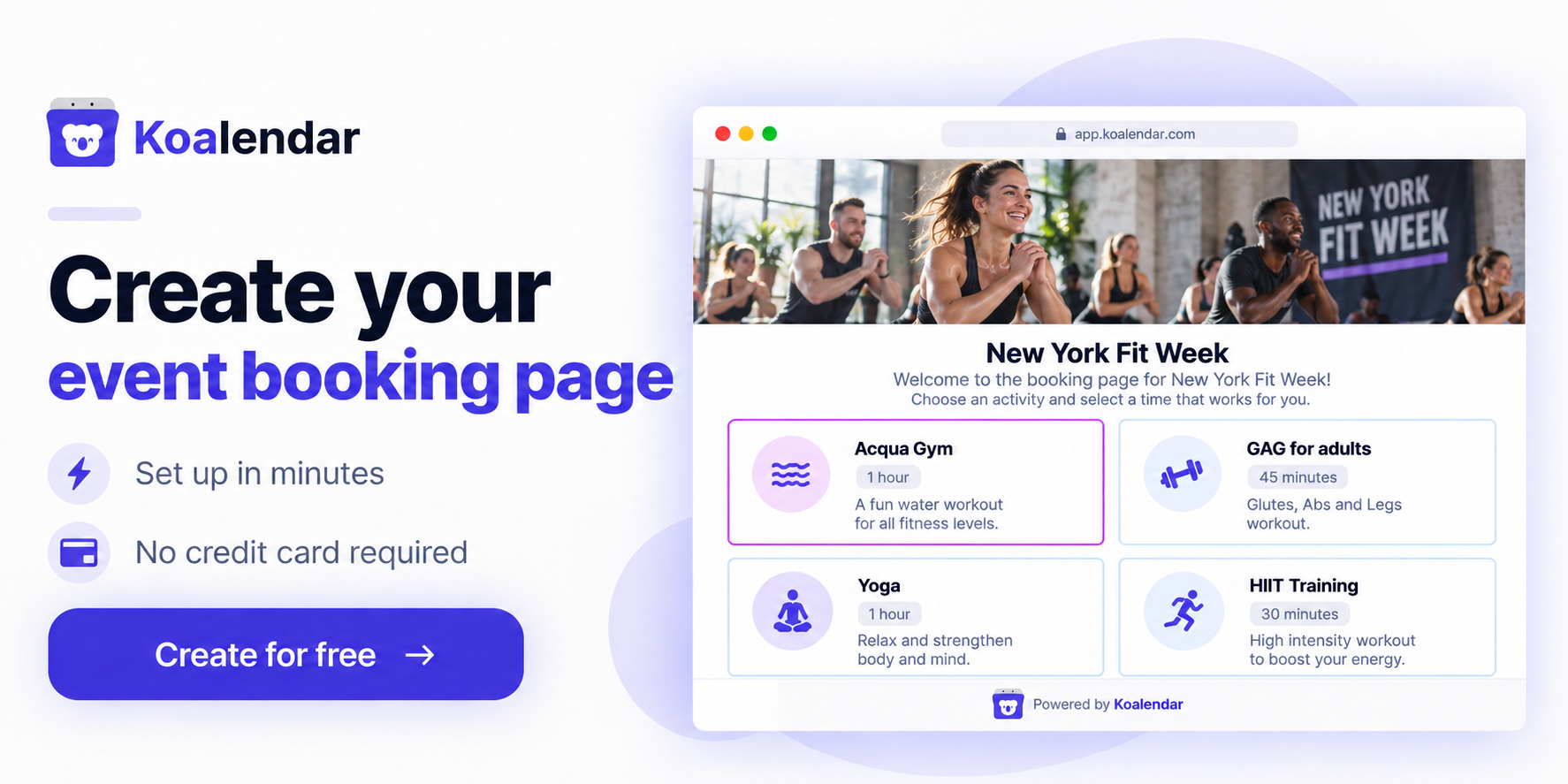
Koalendar is a scheduling-first platform for organizers who need to coordinate attendees, hosts, times, and spaces without managing everything through email or spreadsheets.
You create a booking page for your event, set when it is available, decide how many people can attend, and collect the information you need during registration. Attendees can then choose an available event or session and reserve their place themselves.
Koalendar can also be used to make rooms and spaces bookable, which is useful when an event depends on more than attendee availability. A workshop may need a training room, a class may need a studio, or an activity may need a specific court or shared space. Bringing those bookings into the same scheduling setup makes it easier to coordinate people, sessions, locations, and resources.
For group events, Koalendar supports:
- Group events and capacity limits so you can control how many people can join each workshop, webinar, class, tour, demo, or activity
- Waitlists so interested attendees can join a queue when a session is full, helping you manage demand without manually tracking cancellations and open spots
- Packages so you can bundle multiple sessions or bookings together, useful for courses, recurring classes, programs, and other multi-session experiences
- Bookable rooms and spaces so physical availability can be coordinated alongside event bookings
- Real-time calendar sync to prevent events from being scheduled over existing commitments
- Custom registration forms for collecting attendee names, contact details, preferences, requirements, or other information before the event
- Automated confirmations and reminders to reduce manual follow-up and help attendees remember their bookings
- Recurring and multi-session events for programs, classes, webinars, tours, and activities that happen more than once
- Flexible availability and booking rules including booking windows, advance notice, buffers, event duration, and availability periods
- Multiple hosts and team availability when several people can run an event or session
- Booking pages and website embeds so attendees can register without emailing the organizer
- Payments for paid workshops, classes, activities, or other events
- Timezone handling for virtual events and geographically distributed attendees
- Integrations with calendars, video conferencing, Zapier, and other workflows
The main advantage is that Koalendar keeps the workflow focused on the practical coordination around an event: set availability, coordinate locations and resources, control capacity, collect registrations, keep calendars accurate, and automate attendee communication.
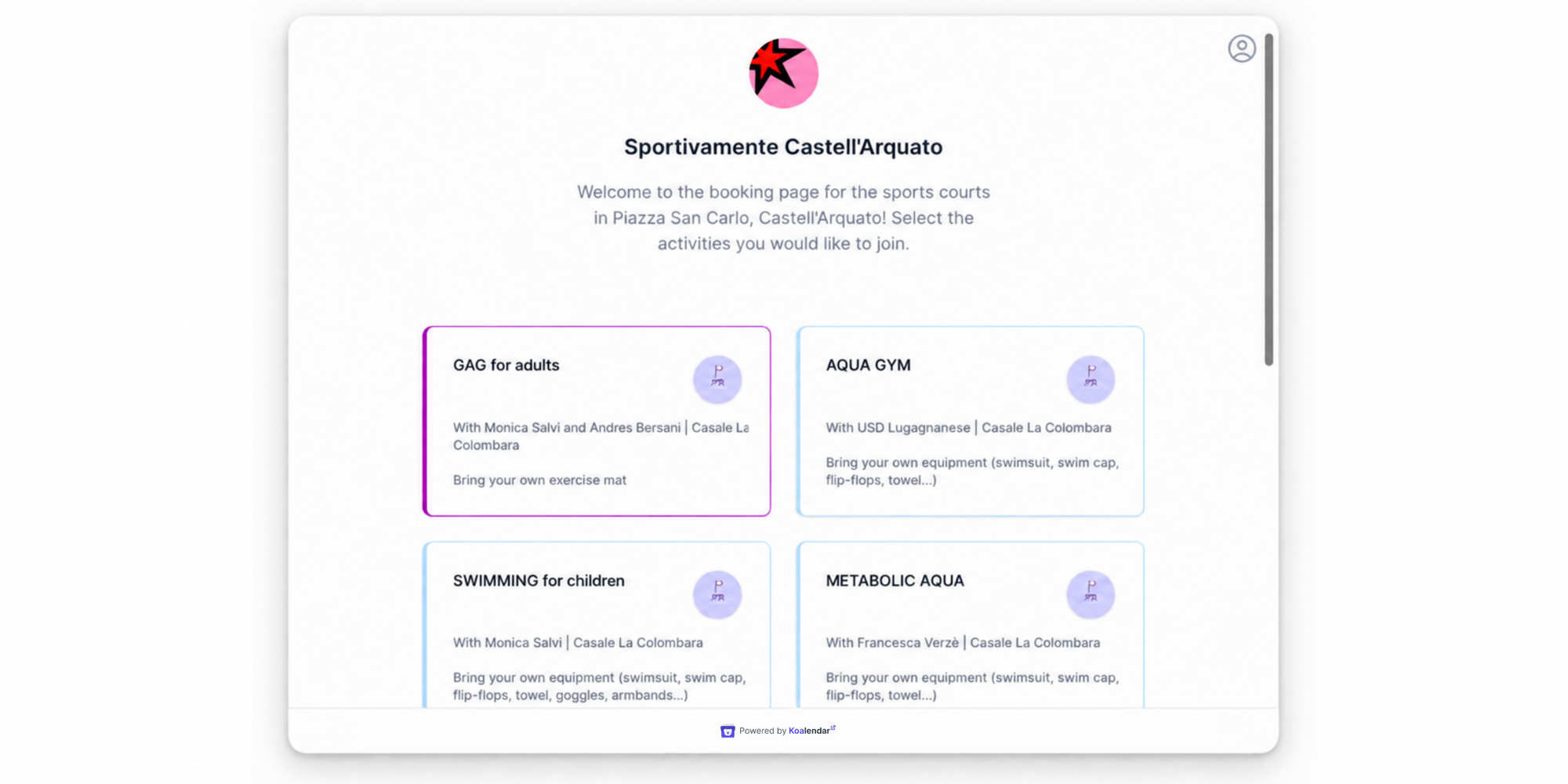
A real example is Sportivamente Castell’Arquato, a two-day sports event organized with support from Orlando House of Projects. Activities were spread across several locations in an Italian village, including a sports center, sports hall, and public square. Some classes had limited capacity, and each one could have its own schedule, host, location, and attendance limit.
The team used Koalendar to create separate booking pages for limited-capacity activities, letting visitors see available classes and reserve their places online. Organizers could control the settings for each activity individually, including attendance limits, hosts, locations, and resources.
The setup also proved useful beyond the original event. After Sportivamente ended, the team repurposed the Koalendar workspace for summer activities and for booking public sports facilities, including tennis and football spaces.
“I love your platform! I wanted the freedom to manage each class in a different way (...), and put all the available classes into one platform so people could just select. Koalendar allowed us to do just that.”

Leonardo Cresciullo
Founder of Orlando House of Projects
Why choose Koalendar: It combines event registration, group capacity, calendar coordination, and space or resource booking in one scheduling-first workflow. For many workshops, classes, webinars, tours, demos, and community events, that covers the practical scheduling needs without adding conference features such as exhibitor management, sponsor portals, attendee networking, or complex agenda building.
When you may need something bigger: If you are running a large conference or trade show and need multi-track agendas, exhibitors, sponsors, attendee networking, event apps, onsite badging, or extensive venue operations, a full event-management platform such as Whova, Cvent, or Bizzabo may be a better fit. Likewise, organizations managing complex facilities across many rooms and resources may need dedicated venue or facility scheduling software.
Koalendar is therefore best suited to events where the main challenge is making it easy to coordinate who is attending, when the event happens, who is hosting it, and where it takes place.
2. Doodle: Best for finding a time that works for a group
Best for: Teams or groups that need to agree on when an event or meeting should happen.
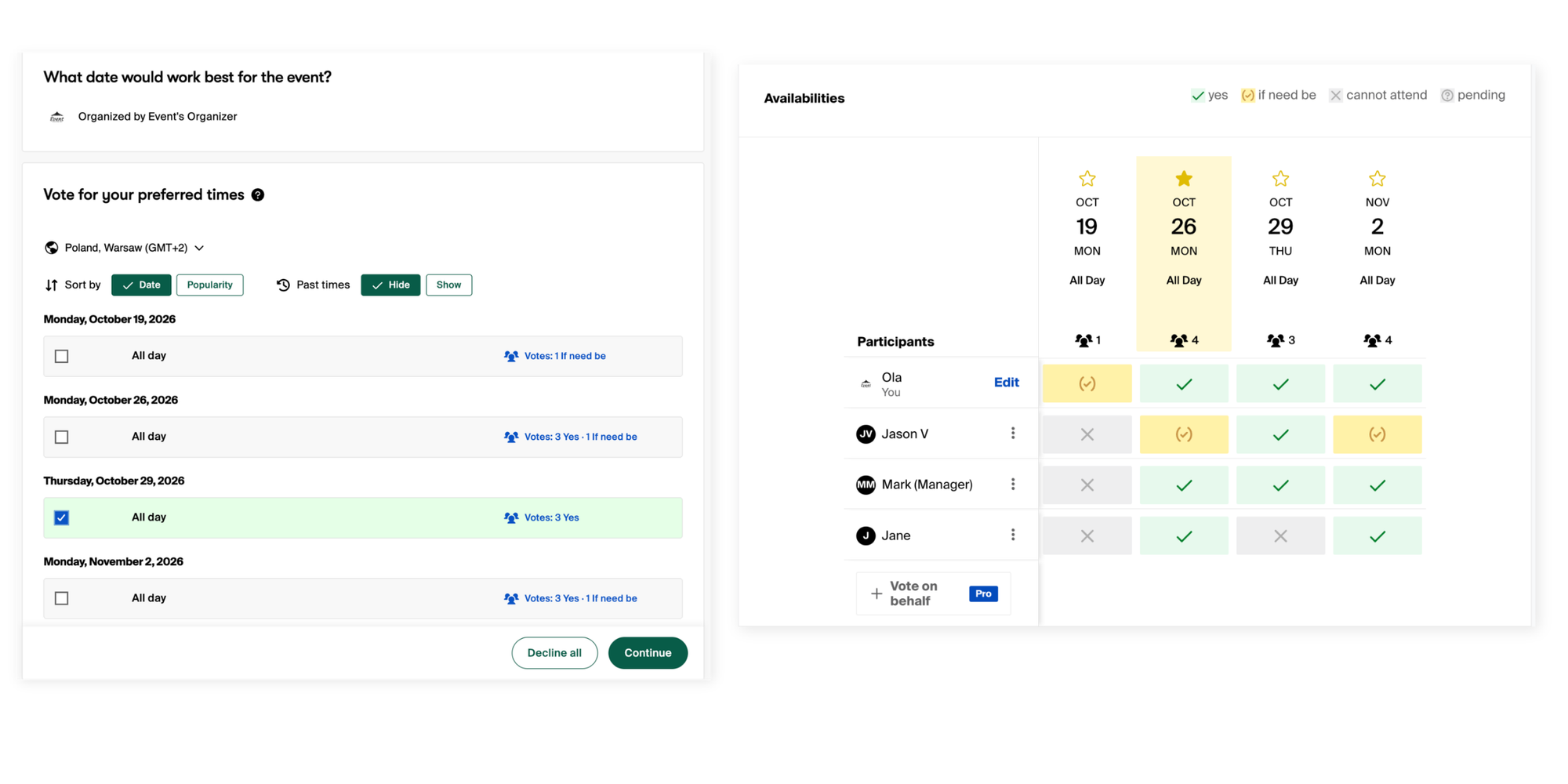
Doodle solves a different scheduling problem. Instead of primarily asking, "Which event does this attendee want to join?", it is well known for helping groups answer, "When can everybody meet?"
Its Group Polls let organizers offer several possible times and collect participant responses. Doodle also provides Booking Pages and Sign-up Sheets, so it extends beyond polling into individual scheduling and session signup.
Doodle's free plan currently includes group meetings, a booking page, Sign-up Sheets, calendar connections, customizable questions, and Stripe payments. Its paid offering adds capabilities such as unlimited polls and sign-up sessions, automated reminders, additional conferencing integrations, branding, and Zapier.
Why choose it: Doodle makes sense when agreeing on a time is the main scheduling challenge.
Limitations: If you already know when your workshop or webinar happens and primarily need to manage registrations, capacity, attendee information, and recurring sessions, a more event-oriented booking workflow may fit better.
3. Eventbrite: Best for public and ticketed events
Best for: Public events where discovery, ticket sales, promotion, and payment processing matter.

Eventbrite sits closer to ticketing than traditional scheduling software.
Organizers can publish events, create ticket types, control quantities, collect payments, run marketing campaigns, and use Eventbrite's marketplace to attract attendees. Eventbrite also offers timed-entry functionality, reserved seating, reporting, integrations, and marketing tools.
Eventbrite lets organizers publish free events without paying ticketing fees. Fees apply to paid tickets, add-ons, and donations, with organizers able to decide whether attendees pay those fees or whether the organizer absorbs them.
Why choose it: It makes sense when selling or distributing tickets is a central part of the event.
Limitations: For a recurring customer workshop, product demo, small group activity, or webinar series, a ticketing marketplace can be more infrastructure than you need. It also approaches scheduling differently from software built around calendar availability and conflict prevention.
4. Whova: Best for conferences and attendee engagement
Best for: Conferences, association events, trade shows, academic events, and hybrid events that need attendee engagement alongside registration.
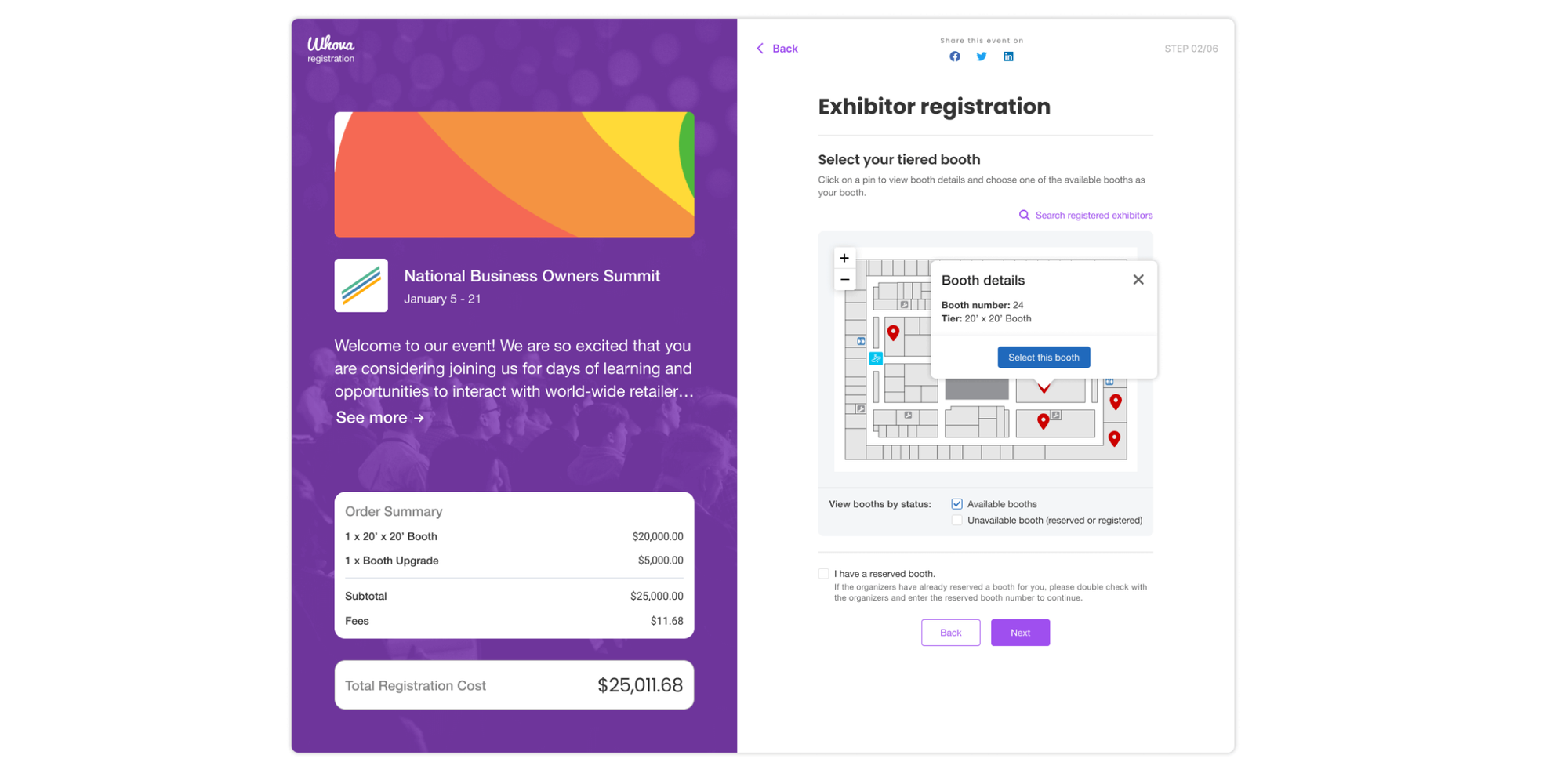
Whova is a full event-management platform rather than a simple scheduling tool.
Its platform covers registration, ticketing, agenda management, speaker management, check-in, badges, attendee networking, event apps, exhibitors, sponsors, surveys, and analytics. Whova also supports in-person, hybrid, and virtual formats.
Its attendee experience is a particularly important difference. Participants can explore agendas, access sessions, use Q&A tools, message other attendees, join discussions, and network through the event app.
Why choose it: Whova fits events where the organizer is managing an experience around the event, not merely registration into it.
Limitations: That broader scope can be unnecessary if the job is simply to let people reserve spots in a workshop, class, webinar, tour, or recurring program.
Whova uses customized pricing based on event size and required features rather than advertising a standard software plan for every organizer.
5. Cvent: Best for enterprise event management
Best for: Organizations managing large, complex, or high-volume event programs.
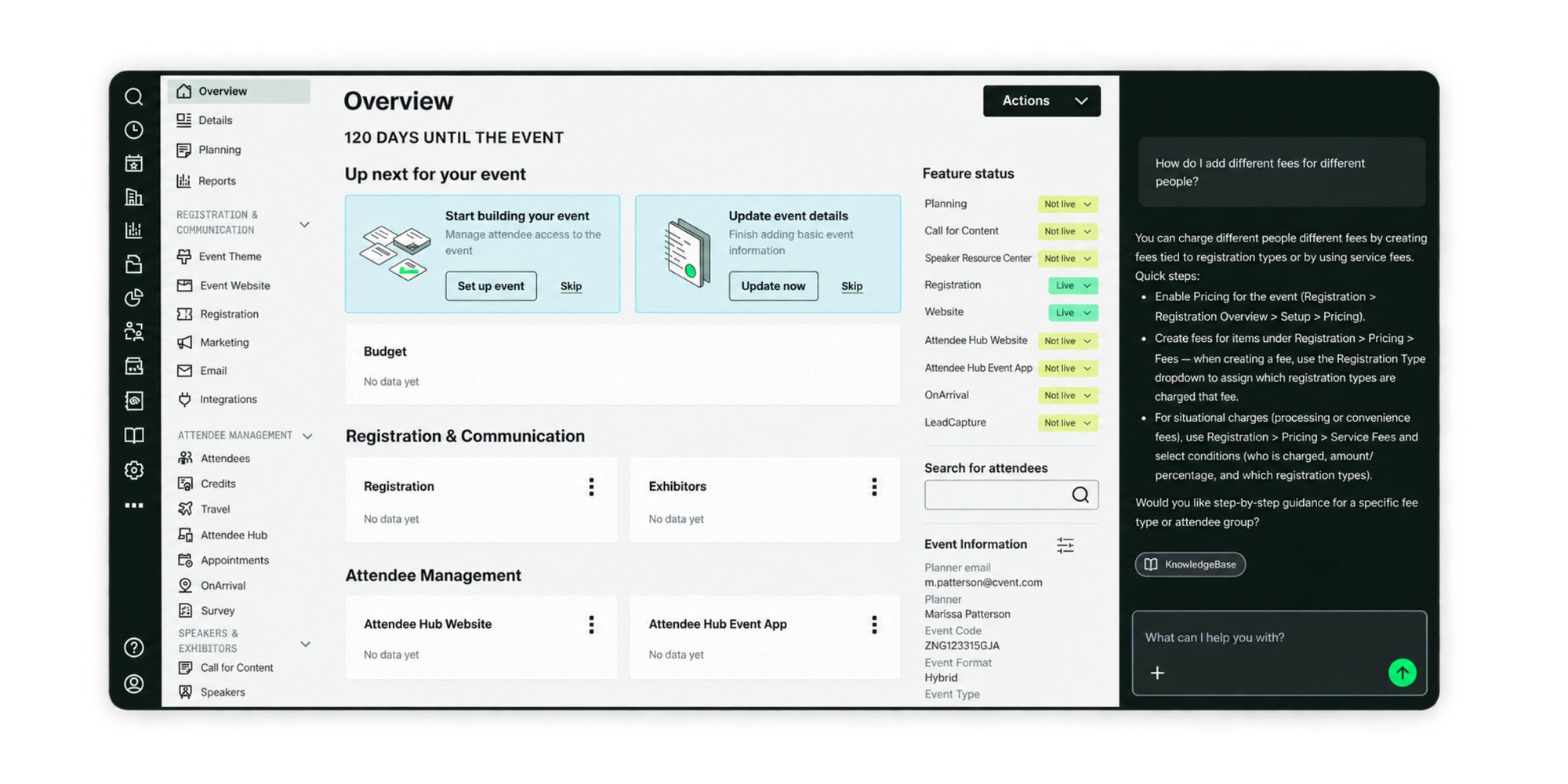
Cvent goes substantially beyond event scheduling.
Its platform includes personalized registration, agenda and session management, payment tools, event websites, promotion and email marketing, housing and travel management, mobile event experiences, networking, exhibitors, sponsors, check-in, badging, session attendance, venue sourcing, and reporting.
Cvent also divides its offering into multiple solutions. Organizations can use tools for registration, Attendee Hub, onsite operations, venue sourcing, room blocks, webinars, lead capture, event diagramming, and other parts of an enterprise meetings program.
Why choose it: Cvent is designed for organizations whose events involve many operational layers, stakeholders, systems, and attendees.
Limitations: If the requirement is "I run three webinars a month and need 30 people to reserve a place", much of Cvent's enterprise functionality may sit outside the problem you are trying to solve.
Cvent provides custom pricing rather than a public entry-level subscription price.
6. Bizzabo: Best for larger B2B events
Best for: B2B conferences, field events, customer events, hybrid experiences, and larger event portfolios.

Bizzabo combines registration with broader event marketing and attendee-experience functionality.
Its Event Experience OS includes registration flows, ticketing, contact management, email campaigns, event websites, agendas, sessions, speakers, attendee engagement, event apps, analytics, sponsor and exhibitor tools, and networking.
That makes Bizzabo particularly different from a scheduling-first platform. The product is designed to manage an event program and its attendee experience, rather than simply expose available sessions on an organizer's calendar.
Why choose it: It is relevant when events are an important B2B marketing channel and registration needs to connect with content, engagement, onsite experiences, sponsors, and marketing systems.
Limitations: Smaller event organizers may not need that breadth. Bizzabo's published Event Experience OS pricing currently starts at $17,999 per year, billed annually, with three users minimum.
7. Planning Pod: Best for venue and event operations
Best for: Venues and event businesses coordinating bookings alongside operational details.
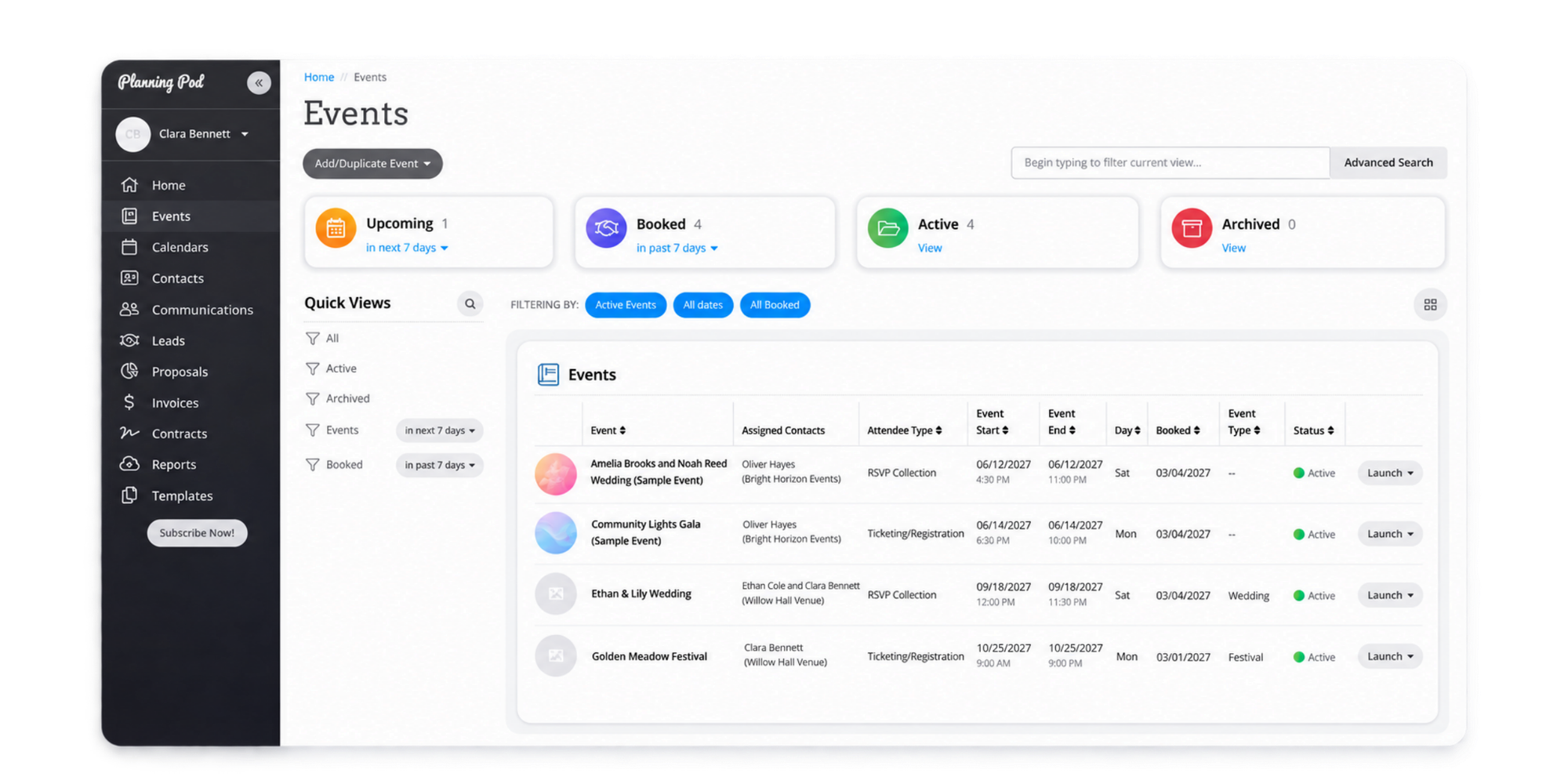
Planning Pod approaches events from the venue side.
Its focus makes it relevant for businesses that need to manage event operations and physical spaces rather than simply register attendees for an available session. The platform positions itself between lighter tools and larger enterprise venue systems, with capabilities intended for venue-side operations.
Why choose it: It is a stronger fit when the venue itself, its bookings, and event operations are the central things you need to manage.
Limitations: An organizer running webinars, workshops, marketing demos, or simple group activities may not need dedicated venue-management functionality.
Planning Pod says most single-location venues fall between $199 and $319 per month, with pricing based on event volume.
Event scheduling software vs event management software
Event scheduling software helps people reserve an available event, session, activity, or time. Event management software coordinates the wider operation and attendee experience around an event.
The difference sounds small, but it can completely change the type and cost of software you need.
| If you need to... | Best software type |
| Let attendees reserve an event or session | Event scheduling software |
| Find a time that works for several people | Group scheduling or polling |
| Sell tickets to a public event | Ticketing platform |
| Run a conference with agendas and networking | Event management platform |
| Coordinate venues, rooms, and resources | Venue or facility scheduling software |
Choose scheduling software if...
Choose a scheduling-first tool when your main requirements are:
- Registrations or bookings
- Available dates and times
- Group capacity
- Calendar synchronization
- Automated confirmations and reminders
- Registration questions
- Recurring events
- Multiple sessions
- Payments
- Simple attendee management
This is often enough for workshops, webinars, classes, guided tours, product demonstrations, community activities, training sessions, and recurring marketing events.
Choose event management software if...
A broader event-management platform makes more sense when you also need:
- Multi-track conference agendas
- Exhibitor management
- Sponsorship management
- Attendee networking
- Event apps
- Onsite check-in and badging
- Lead capture
- Speaker management
- Complex ticketing
- Venue sourcing
- Large-scale event analytics
The useful question is not "Which platform has the longest feature list?" It is "Which category solves the coordination problem my event actually has?"
How to choose event scheduling software
The right event scheduler should make registration easier for attendees while giving organizers control over capacity, availability, communication, and conflicts.
Group size and capacity
For a one-to-one appointment, one available slot equals one booking.
Events work differently. A webinar might allow 100 people into the same session, while a workshop might be capped at 12.
Look for software that lets you define attendee limits at the event or session level instead of treating every booking as a separate appointment.
Calendar and availability management
Events rarely exist in isolation.
Hosts still have meetings, calls, holidays, and other commitments. Real-time calendar synchronization helps ensure an event slot is not offered when the organizer or host is already unavailable.
If avoiding schedule conflicts is important, check whether the platform truly syncs with your existing calendar rather than simply giving attendees an "add to calendar" button after registration.
Registration and attendee information
A name and email address may be enough for a webinar, but other events need more information.
You might need dietary requirements, experience level, equipment preferences, accessibility information, waivers, documents, or answers to pre-event questions.
Custom booking forms let you collect that information when somebody registers instead of chasing attendees afterwards.
Reminders and event communications
A registration is only useful if the attendee remembers to arrive.
Automated confirmations and reminders reduce the manual work involved in following up with participants and can make last-minute confusion less likely.
Look for control over when reminders are sent and what information they contain.
Recurring events and multiple sessions
Many marketing and community events are not one-offs.
A company might run the same product demo every Thursday. A training program might consist of four sessions. A tour operator might repeat the same activity several times every day.
If this resembles your event model, check how the software handles recurring bookings and multi-session programs before committing.
Payments
Payments matter for paid workshops, classes, tours, consultations, and activities.
Check whether attendees can pay during registration and whether the system integrates with a payment provider you already use.
For free marketing events, payments are much less important and should not drive the entire software decision.
Integrations and website embeds
A good event booking workflow should fit into the systems you already use.
Calendar integrations are particularly important, while video conferencing, payment providers, Zapier, webhooks, and analytics integrations can automate the steps that happen after registration.
Embedding your booking page on your website also reduces friction by allowing participants to register without starting an email conversation with the organizer.
What about room event scheduling software?
Room event scheduling software puts the physical space at the center of the booking process.
That changes the requirements.
If your main question is "Which conference room is free at 2 p.m.?", you may need resource calendars, room availability, equipment management, room capacity, recurring reservations, permissions, and conflict prevention across several spaces.
An attendee scheduling tool may still play a role, but the room itself becomes a bookable resource.
Koalendar can be used to coordinate bookable resources alongside people, but organizations with more complex venue requirements should compare dedicated venue scheduling software instead of choosing purely from an attendee-focused event software list.
When do you need event facility scheduling software?
Event facility scheduling software is useful when an organization needs to coordinate several rooms, resources, facilities, or locations as part of the same operation.
A university, sports complex, community center, coworking space, or large corporate office might need to coordinate rooms alongside equipment, staff, opening hours, approvals, and other resources.
At that point, the problem is no longer simply event registration.
Dedicated facility scheduling software is worth considering when physical-resource availability is more complicated than attendee availability.
Keeping that distinction clear also helps prevent you from buying event-management functionality to solve what is fundamentally a facilities problem.
Why Koalendar works well for event scheduling
Koalendar turns the core event-booking workflow into a series of simple steps instead of asking organizers to manage registrations manually.

1. Set your event availability
Choose when the event or activity is available and control duration, booking windows, buffers, and advance notice.
2. Control capacity
Set the maximum number of attendees so a workshop designed for 15 people does not accidentally accept 30 registrations.
3. Collect attendee details
Add booking questions to gather the information you need before the event.
For more involved activities, Koalendar can also support participant information and file collection depending on the plan and setup.
4. Keep calendars in sync
Connect existing calendars so availability reflects other commitments and hosts are less likely to get double-booked.
5. Automate confirmations and reminders
Send booking confirmations and event reminders automatically instead of following up with every attendee manually.
6. Share or embed the registration page
Send attendees a direct booking link or place the event signup directly on your website.
The result is a scheduling workflow built around the parts many event organizers actually need: availability → capacity → registration → calendar sync → reminders.
That is also why Koalendar can work for events that sit somewhere between an appointment and a traditional event platform.
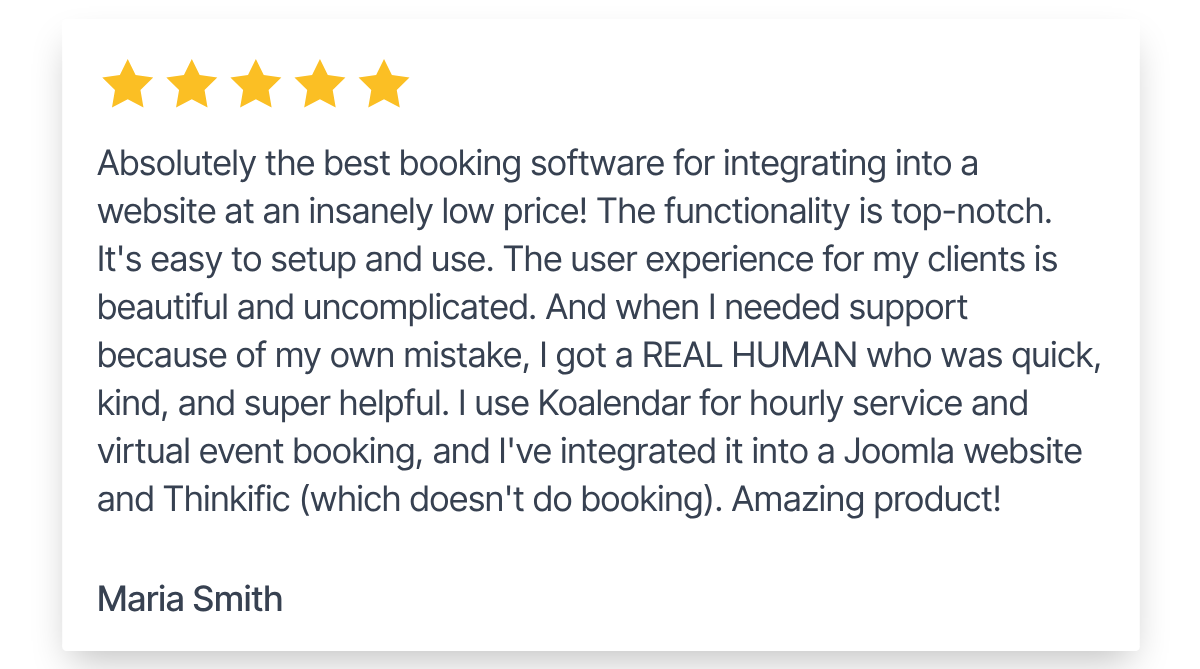
That flexibility is also reflected in feedback from Koalendar users, who highlight how straightforward it is to set up and manage bookings without adding unnecessary complexity.
Choose software for the event you actually run
The best event scheduling software is not necessarily the platform with the most features. It is the one that handles your registration and coordination requirements without adding an unnecessary layer of event operations.
If attendees primarily need to select an available event, reserve a spot, provide their details, and receive reminders, Koalendar gives you a scheduling-first workflow with group sessions, capacity controls, forms, calendar sync, recurring bookings, payments, and automated communication.
If you also need conference agendas, sponsors, exhibitors, attendee networking, event apps, or extensive onsite operations, a full event-management platform may be the better category to explore.