TL;DR
If you want straightforward online room scheduling, Koalendar is a strong choice for SMBs thanks to its free-forever plan, unlimited booking pages and bookings, and Google, Outlook, and iCloud calendar sync. Picktime is useful when you need several bookable resources, while MRBS and LibreBooking suit teams comfortable hosting open-source software themselves. Google Calendar can be enough for very simple setups. Just check what “free” means before committing: some platforms cap bookings, users, or resources, while others only offer a trial.
A free meeting room booking system lets small teams reserve shared rooms online without paying for expensive workplace software. Look for real-time availability, calendar sync, conflict prevention, booking controls, and clearly stated free-plan limits.
Double-booked rooms, mystery calendar entries, and “Is anyone using Conference Room B?” messages are small problems that waste a surprising amount of time. A free meeting room booking system gives your team one clear way to see availability and reserve shared spaces without adding another big software bill.
For smaller businesses, the best free online meeting room booking system is usually the one that fits the tools your team already uses, prevents booking conflicts, and stays simple enough that people actually use it.
| Feature |  | Vizitor |  | MRBS | LibreBooking |  |  |
| Free option | ✅ Free forever ✅ Freemium | ✅ Free forever ✅ Freemium | ✅ Free workaround | ✅ Free ✅Open source | ✅ Free ✅Open source | ✅ Free plan ✅ Freemium | ❌ Free trial only |
| Free limits | 2 Calendars free, Unlimited bookings and booking pages; advanced features are paid | Free plan available; upgrade needed for more rooms, locations, or advanced rules | Depends on your Google/Workspace setup | No SaaS limits; self-hosted | No SaaS limits; self-hosted | Up to 3 bookable resources | Trial only, then paid |
| Calendar integrations | Google, Outlook, iCloud | Google Workspace, Outlook/Microsoft 365 | Google Calendar | Limited plug-and-play integrations | Outlook/Thunderbird via ICS | Microsoft 365 integration; some integrations excluded from Free | Google and Outlook |
| Best for | SMBs wanting simple self-service room scheduling | Startups wanting dedicated room-booking features | Very small teams already using Google | Technical teams wanting a basic open-source room system | Teams wanting customizable open-source resource scheduling | Small offices with up to 3 rooms/resources | Larger workplaces needing advanced space management |
| Key drawback | Advanced automation and more than 2 calendars require paid plans | Free-plan room/location limits may become restrictive. Free plan unlocks if shared on Linkedin | Limited dedicated room-management features | Requires hosting and technical setup | Requires hosting and maintenance | Free plan excludes some advanced features and integrations | No free-forever plan |
| Paid plans start at | $6.99/seat/month (billed annually) | $36/month/location billed annually* | $7/user/month for Google Workspace Business Starter | $0 license fee; hosting/admin costs apply | $0 license fee for self-hosting; hosting/admin costs apply | $10/resource/month billed annually | $99/month in EMEA/APAC, billed annually |
*Vizitor’s published $36/month starting price is for its broader workplace/visitor-management paid plan; its meeting-room page confirms a free room-booking tier but does not publish a separate paid room-module starting price.
Pricing and product limits change, so check the provider’s current plan before rolling a tool out company-wide. Capterra’s current meeting room booking software directory is also useful for comparing the broader market and defines this software around scheduling rooms, managing shared spaces, and avoiding double bookings.
What is a free meeting room booking system?
A free meeting room booking system is software that lets employees or guests check when a shared room is available and reserve it without manually coordinating with an office manager.
Instead of keeping Room A in one spreadsheet, Room B in somebody’s Outlook calendar, and Room C in a Slack thread nobody can find, you create a predictable scheduling process. Everyone can see when a space is available, reserve it, and avoid clashes.
For an SMB, that usually means fewer interruptions, fewer accidental double bookings, and less time spent managing physical spaces.
How meeting room booking software works
Most meeting room booking software follows a simple workflow:
- An administrator creates a room or bookable resource.
- Availability and booking rules are defined.
- The room is connected to a calendar or scheduling page.
- Employees choose an available time.
- The reservation is added to the appropriate calendar.
- Conflicting times are blocked from future bookings.
More advanced systems can add recurring reservations, room capacity, equipment information, check-ins, usage analytics, or automated release of rooms after no-shows.
The point is simple: people see what is available before they book.
Meeting room booking system vs. a shared calendar
A shared calendar can absolutely work for one or two rooms.
Google, for example, explains how to create a calendar for a conference room or other shared space and configure it to auto-accept invitations that do not conflict. Organizations using Google Workspace can also set up formal rooms and resources that employees add directly to events.
The difference starts to matter as your office grows.
| Capability | Shared calendar | Dedicated room scheduler |
| Show basic availability | ✅ | ✅ |
| Prevent simple overlapping events | ✅ | ✅ |
| Self-service booking page | ❌ Usually not | ✅ |
| Booking durations and buffers | ❌ Limited | ✅ |
| Room-specific rules | ❌ Limited | ✅ |
| Manage several spaces consistently | Possible, but messy | ✅ |
| Branding and customization | ❌ | ✅ Often |
| Workplace analytics/check-ins | ❌ | ✅ On specialist tools |
A shared calendar is the cheapest option when your needs are basic. A dedicated conference room scheduler becomes more useful when employees are spending time navigating the system instead of simply reserving a room.
Free vs. freemium vs. open-source room booking software
“Free” describes several very different pricing models, so check exactly what you’re getting before moving your team onto a platform.
Here’s the distinction that matters:
- Free forever: The free plan has no expiry date.
- Freemium: A provider offers a free tier alongside paid plans. A freemium plan can also be free forever.
- Open source: You can run and usually modify the software yourself, but you take responsibility for hosting, maintenance, updates, and security.
- Free trial: You get temporary access before you need to pay.
- Free workaround: You adapt a general tool such as Google Calendar instead of using dedicated room-booking software.
Koalendar, for example, uses a freemium + free-forever model. Its Free Forever plan has no time limit and includes unlimited bookings and booking pages plus 2 Google, Outlook, and/or iCloud calendar connections. You upgrade to Pro when you need features such as custom reminders, recurring bookings, more advanced team scheduling, or deeper customization.
MRBS and LibreBooking work differently. They are open-source systems, so there is no conventional SaaS subscription to outgrow. The trade-off is that your business owns the technical setup.
And Skedda sits in another category altogether: its meeting-room product can be evaluated through a 14-day Premium trial, but it is not a free-forever option.
That distinction matters for SMBs. The cheapest software is not always the one with a $0 license fee—it is the one that solves the problem without creating expensive admin or IT work elsewhere. We discuss pricing models and what to look for in our Scheduling Software Pricing Report.
7 best free meeting room booking systems for small businesses
The best tool depends on what your business means by “best.” Some teams want a booking link in five minutes. Others want room displays, floor maps, or full control over self-hosted software.
Here’s where each of the seven options earns its place.
1. Koalendar — best free meeting room booking software for simple and powerful scheduling
Best for: SMBs that want straightforward self-service scheduling without deploying a full workplace-management platform.
.png?w=2000&fit=max&auto=format)
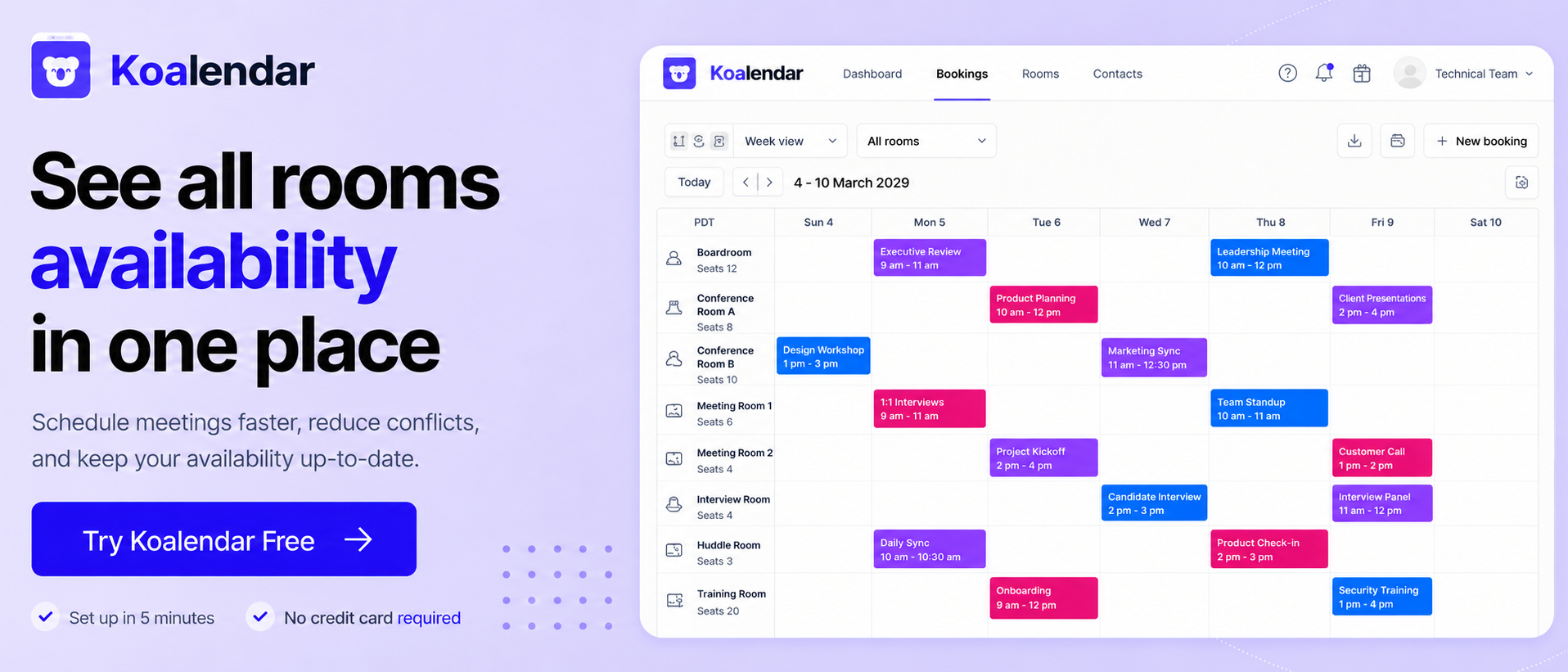
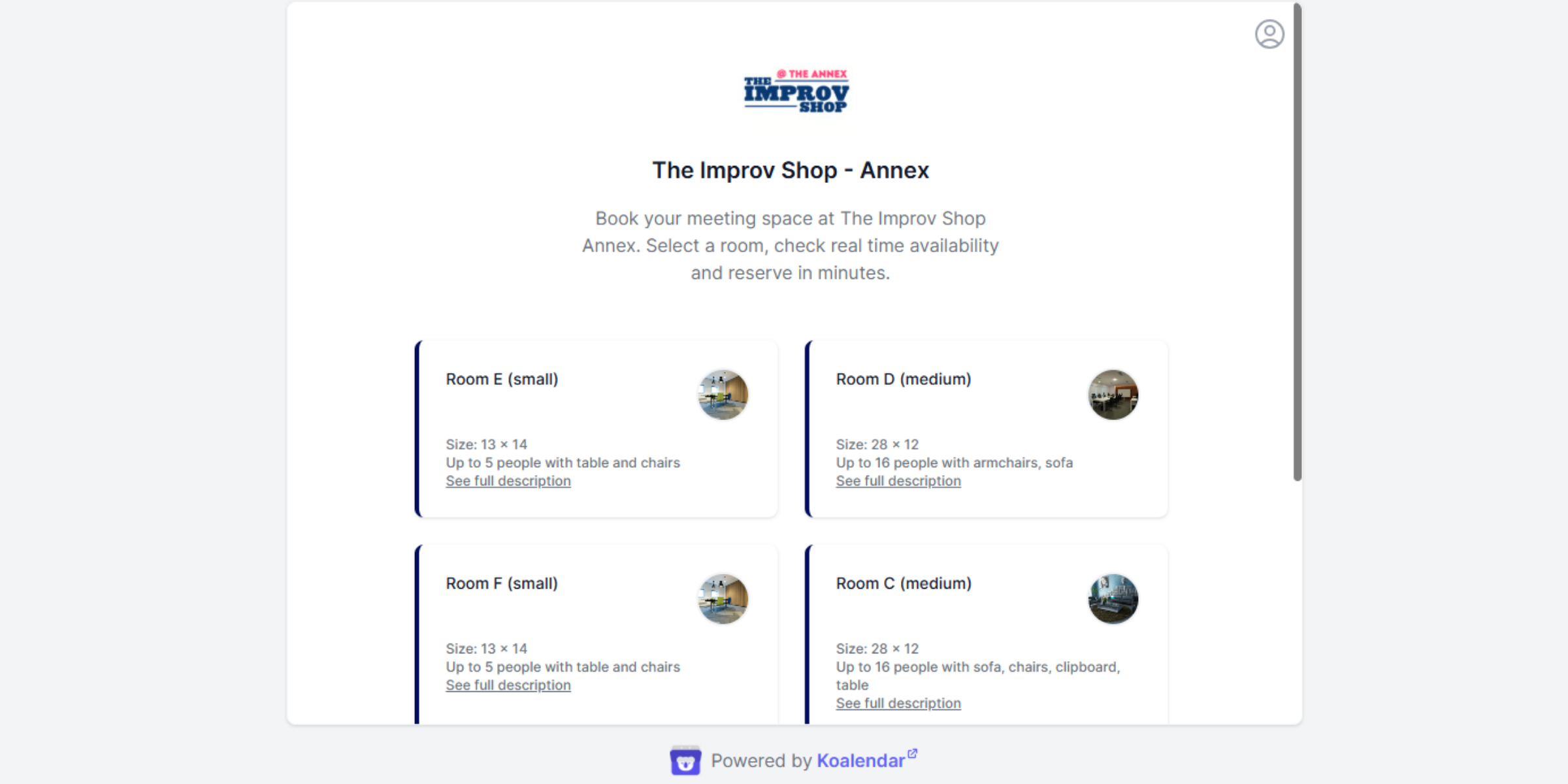
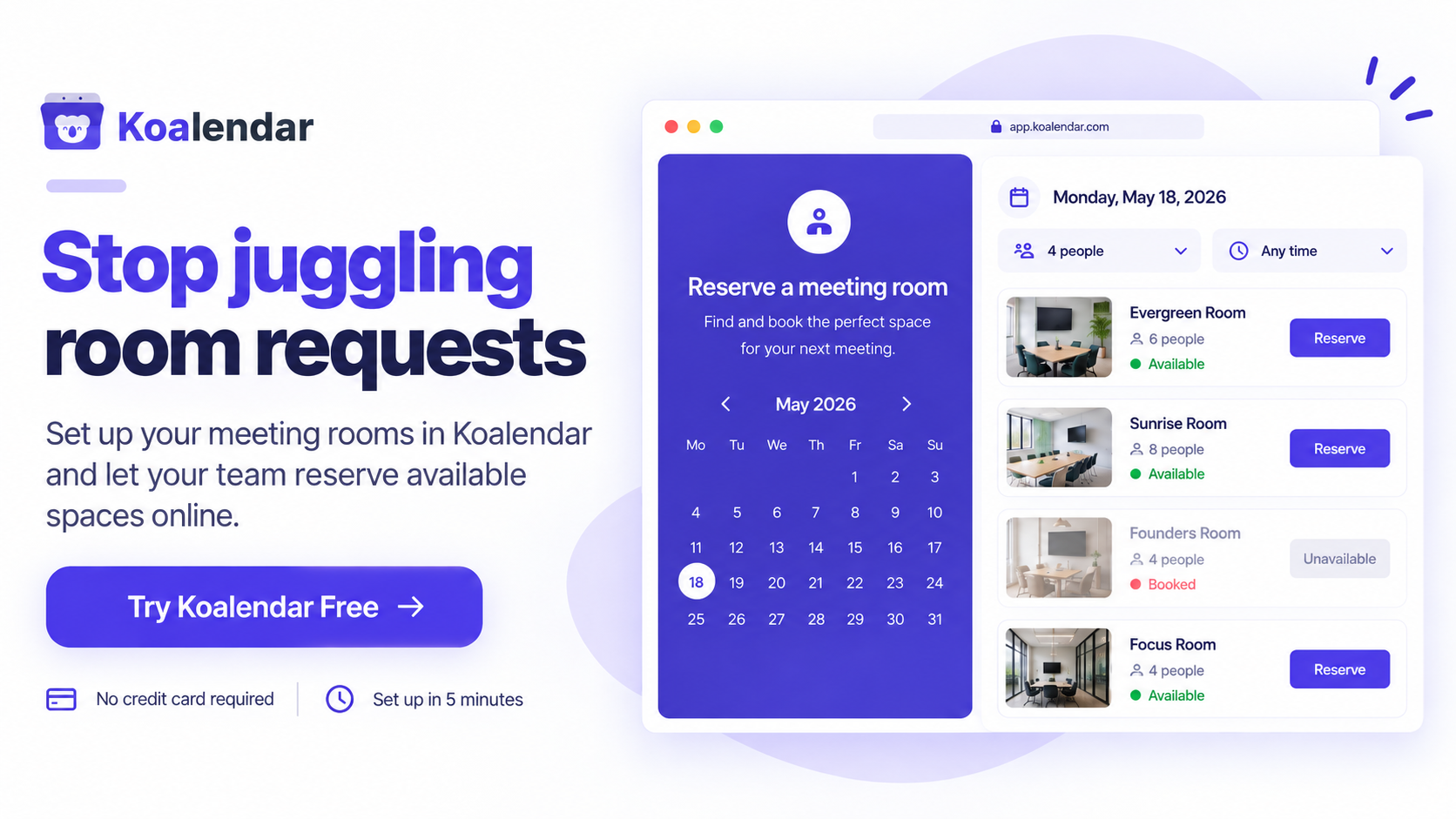
Koalendar works well when the real problem is: people need to see when a room is available and reserve it without back-and-forth messages.
A real-world example comes from The Improv Shop, an independent theater that manages six reservable rooms for a large community of students and performers. Before Koalendar, the team relied on spreadsheets, texts, and Facebook messages, which made reservations harder to track and increased the risk of double bookings. With Koalendar, they created separate room calendars, gave members one simple way to check availability, and kept staff aligned around a single source of truth.
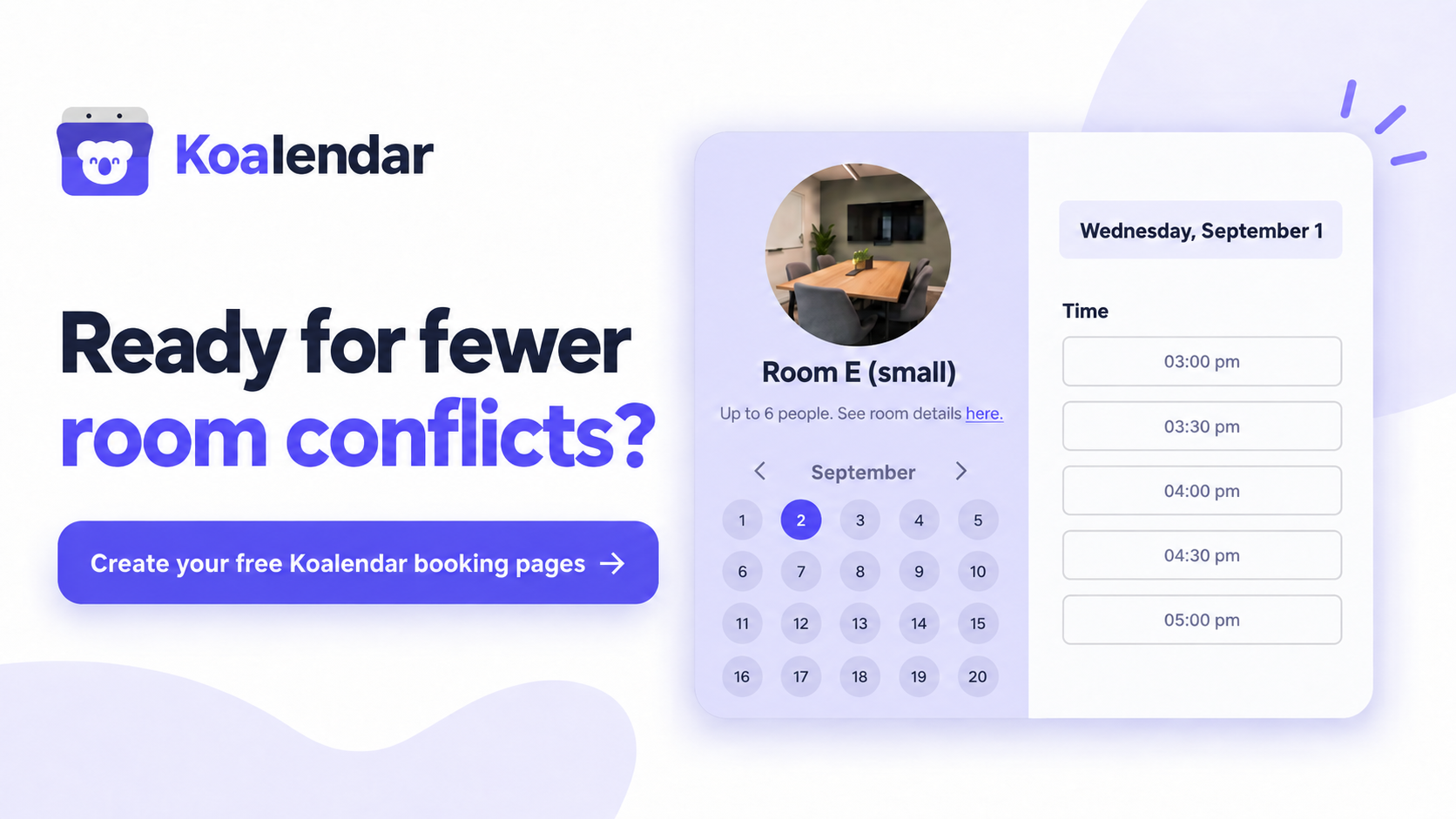
Koalendar’s Free Forever plan currently includes unlimited bookings, unlimited booking pages, 2 Google, Outlook, and/or iCloud calendar connections, availability controls, buffers, booking windows, instant booking notifications, website embeds, and mobile app.
Free-plan limits: The core scheduling experience is free without a time limit. Advanced functionality such as custom email and SMS reminders, recurring bookings, deeper customization, multi-host scheduling, and additional automation sits on paid plans.
Key features
- Unlimited bookings and booking pages in free
- Google, Outlook, and iCloud synchronization
- Availability, buffer, and booking-window controls
- Shareable booking pages
- Website embeds
- Instant booking notifications
- Mobile access
- Waitlist
Pros
- ✅ Free plan does not expire
- ✅ Unlimited bookings in free
- ✅ 2 Calendar syncs included free
- ✅ No specialist hardware required
- ✅ Easy for non-technical SMBs to adopt
Cons
- ❌ Recurring bookings are a paid feature
- ❌ Generalist scheduling tool, not only an occupancy platform
Upgrade trigger: Move to a paid plan when your team needs recurring bookings, custom reminders, branding controls, advanced integrations, or more complex multi-person scheduling.
If you want to see how the workflow applies specifically to shared spaces, Koalendar’s meeting room booking system explains the room-scheduling setup in more detail.
2. Vizitor — best for startups wanting dedicated room management
Best for: Startups that want room-specific features such as live availability, recurring meetings, and calendar integration without paying immediately.
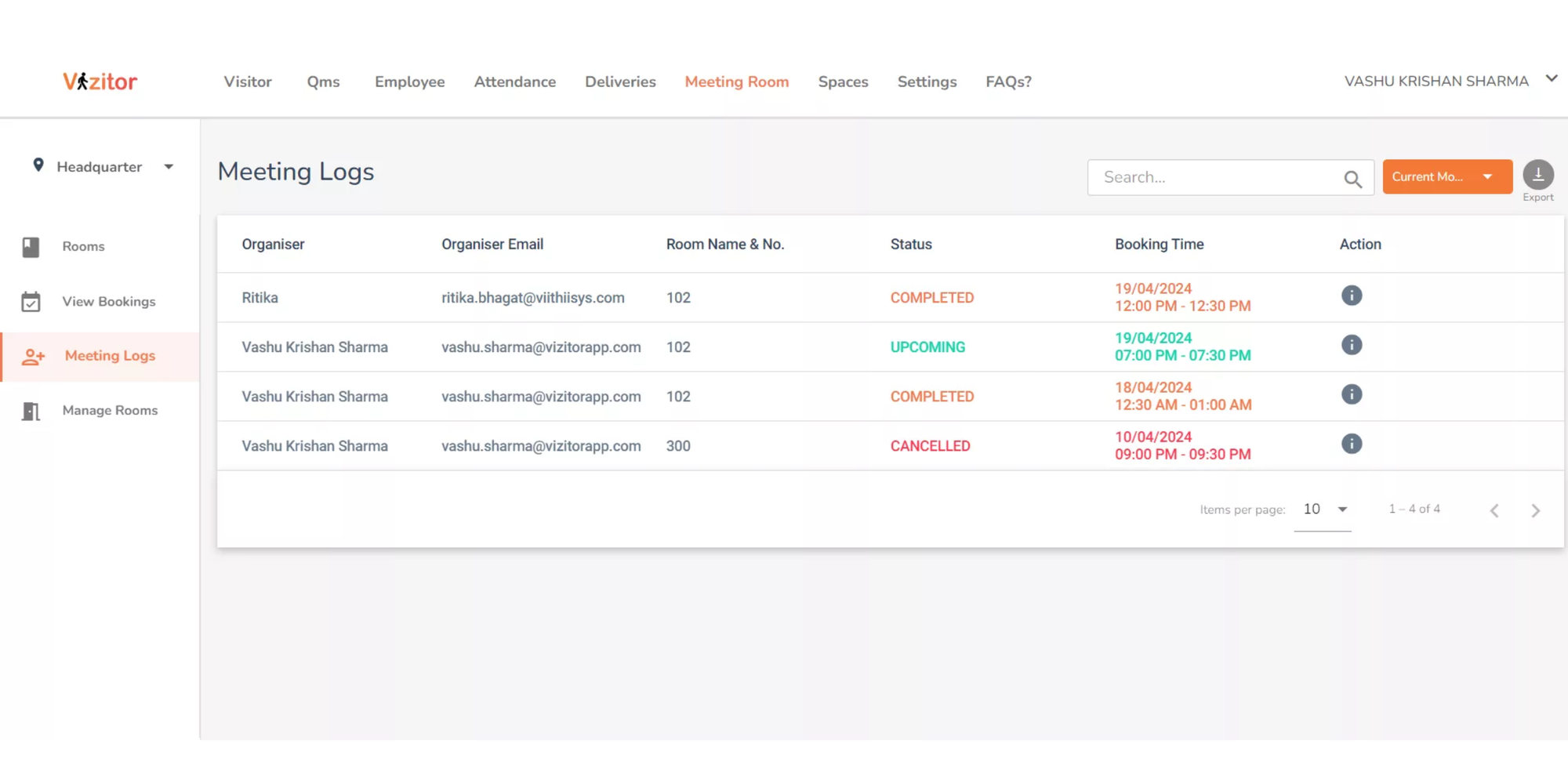
Vizitor has a dedicated free meeting-room offer for startups rather than simply a short trial. Its current offer includes unlimited rooms, multiple locations, two-way synchronization with Google Calendar, Outlook, and Microsoft Teams, recurring meetings, reminders, and mobile access..
There is one unusual condition worth knowing before you call it “no strings attached”: Vizitor currently asks startups to share a LinkedIn post about the product to unlock the free plan.
Free-plan limits: Vizitor advertises unlimited rooms and multiple locations under its startup free offer. Businesses should confirm eligibility and current upgrade terms before rollout.
Key features
- Live room availability
- Unlimited rooms on the advertised startup offer
- Google, Outlook, and Teams synchronization
- Recurring bookings
- Automated reminders
- Mobile booking
- Double-booking prevention
Pros
- ✅ Built specifically for meeting rooms
- ✅ Strong calendar integrations
- ✅ Recurring reservations included
- ✅ No proprietary hardware required
- ✅ Useful for startups with several rooms
Cons
- ❌ Free access has an activation condition
- ❌ Businesses outside the startup offer should verify eligibility
- ❌ Broader workplace features may lead teams toward paid plans as they grow
Upgrade trigger: A paid workplace plan becomes more relevant when you need broader visitor management, workplace analytics, attendance tracking, or more advanced company-wide controls. Vizitor’s wider platform combines meeting-room booking with modules such as visitor, attendance, desk, mailroom, and space management.
3. Google Calendar — Best free workaround for Google-based teams
Best for: Very small teams that already use Google and only need basic room availability.
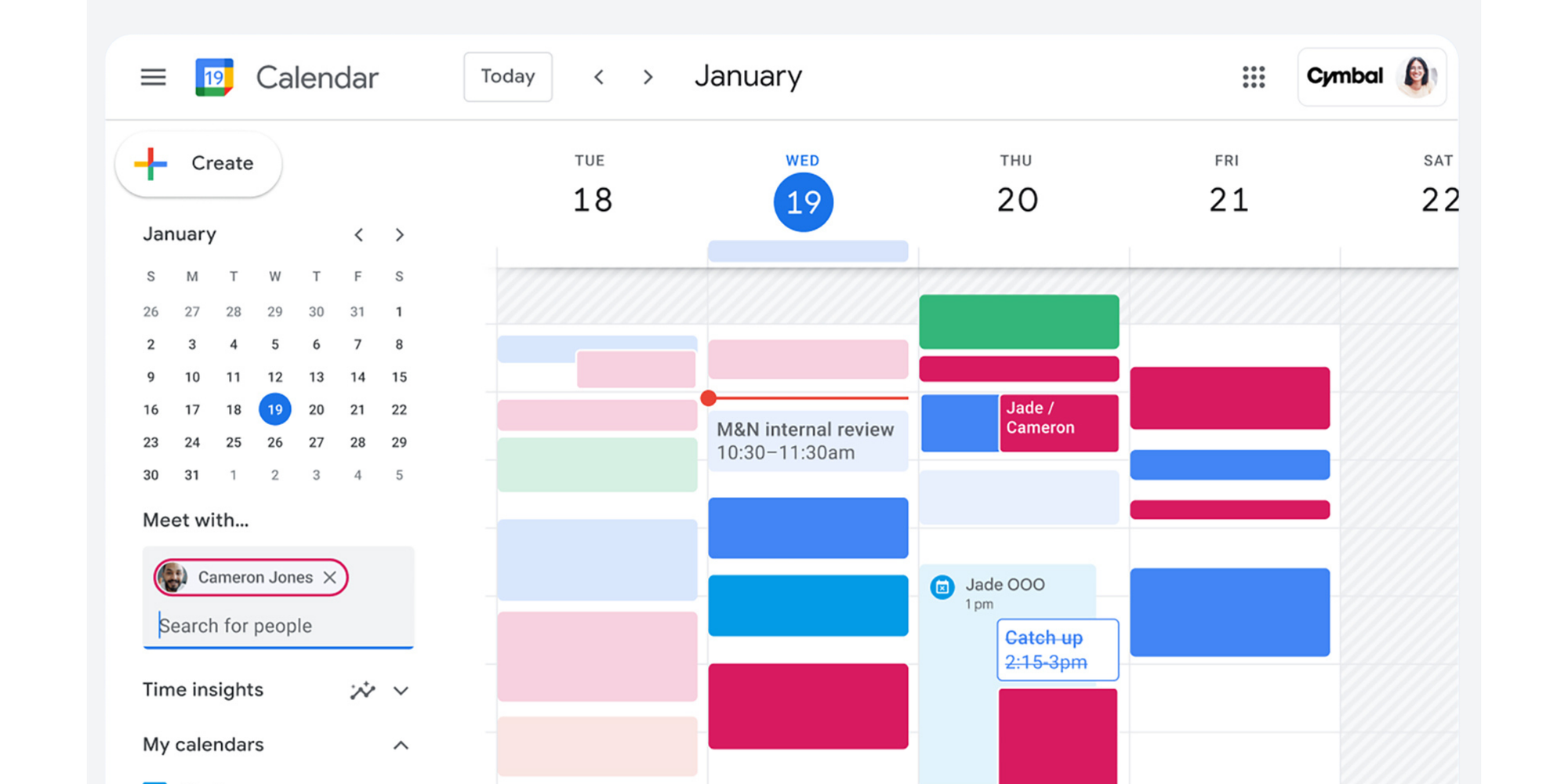
Google Calendar is not dedicated conference room reservation system software, but it can solve the problem surprisingly well when your requirements are simple.
You can create a calendar for a room or shared space and configure it to automatically accept invitations when they do not conflict with an existing event. Google also allows users in an organization to browse available resources.
Free-plan limits: The shared-calendar workaround does not give you the same dedicated room-management functionality as specialist software. Formal organizational resource management can also depend on your Google Workspace setup.
Key features
- Shared room calendars
- Existing-event visibility
- Conflict-aware auto-acceptance
- Familiar Google interface
- Simple recurring events
Pros
- ✅ No extra tool for Google-based teams
- ✅ Familiar to employees
- ✅ Works well for one or two simple spaces
- ✅ Basic conflict prevention
Cons
- ❌ No dedicated room-booking page
- ❌ Limited room-specific controls
- ❌ Multiple calendars can get difficult to manage
- ❌ No native ghost-booking or room-usage features
Upgrade trigger: The real trigger is usually not a software paywall. It is the moment your calendar setup becomes harder to manage than a dedicated system.
If employees are regularly asking which room to use, working around inconsistent naming, or maintaining a maze of resource calendars, “free” is costing you admin time.
.png?w=2000&fit=max&auto=format)
4. MRBS — best open-source system for technical teams
Best for: Organizations that specifically want free, self-hosted room-booking software and have someone who can maintain it.
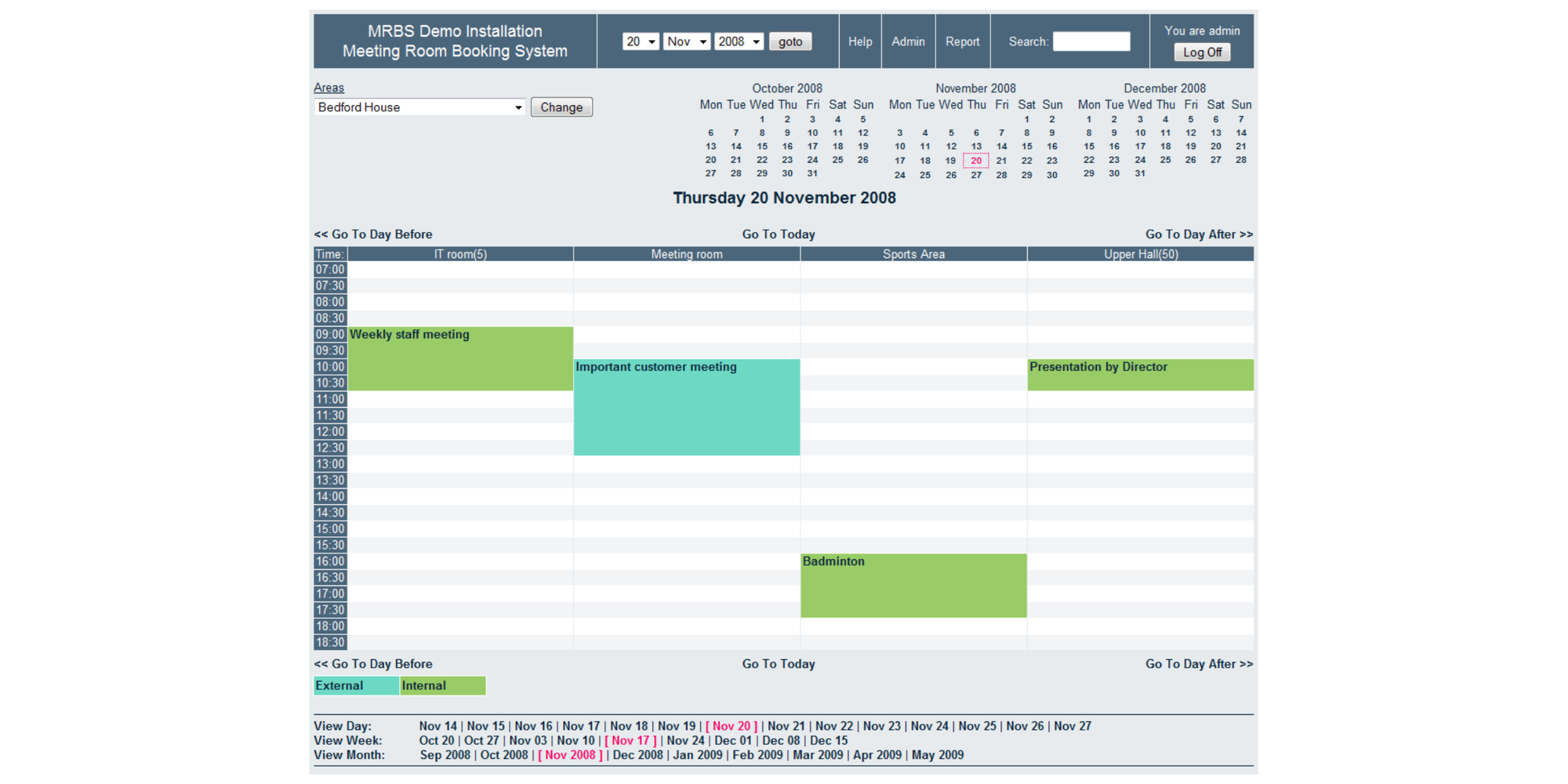
MRBS—Meeting Room Booking System—is a GPL web application built around booking rooms and other resources. Unlike freemium SaaS products, there is no artificial user or booking allowance: you run the software yourself.
Its feature set includes repeating bookings, conflict prevention, day/week/month views, different access levels, email notifications, and support for multiple rooms.
Free-plan limits: There is no SaaS plan limit. The practical limits are your own hosting environment and the time you are prepared to spend managing it.
Key features
- Flexible recurring bookings
- Conflict prevention
- Multiple rooms
- Different permission levels
- Email booking notifications
- Reporting
- Day, week, and month views
Pros
- ✅ Genuine open-source software
- ✅ No per-user subscription
- ✅ Built specifically for rooms and resources
- ✅ Flexible recurring reservations
- ✅ Full hosting control
Cons
- ❌ Requires technical setup
- ❌ You own maintenance and security
- ❌ No native plug-and-play Google or Microsoft calendar experience
- ❌ Interface is more functional than polished
Upgrade trigger: There is no paid MRBS tier. You effectively “upgrade” when the cost of maintaining your own system becomes greater than the subscription cost of a hosted tool.
5. LibreBooking — best for customizable open-source resource scheduling
Best for: Businesses with technical support that want more sophisticated resource controls while keeping the software self-hosted.
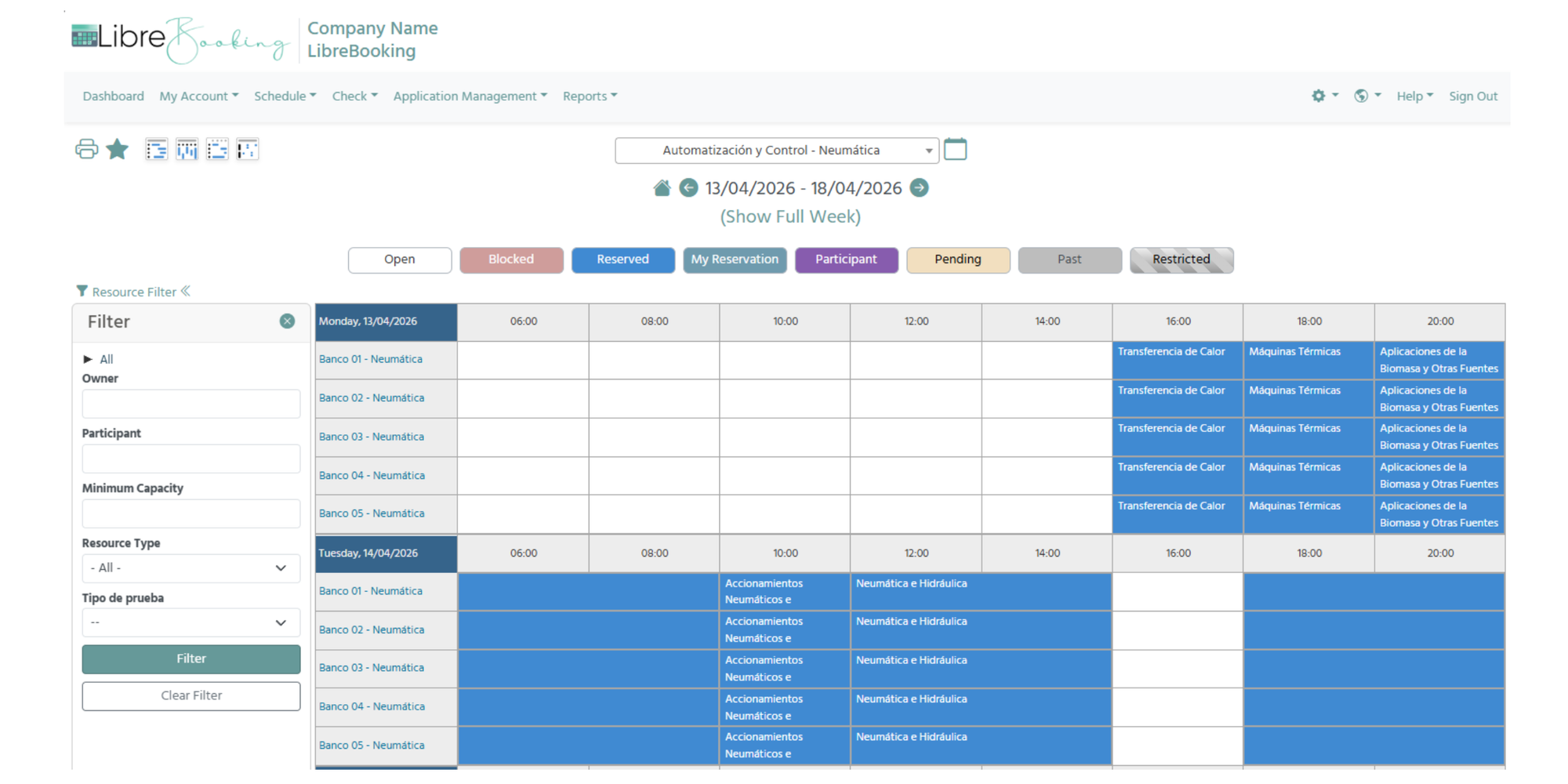
LibreBooking is an open-source resource scheduling platform based on the last open-source version of Booked Scheduler. The project remains actively maintained and its GitHub repository was updated in August 2026.
It goes beyond basic room reservations with multi-resource booking, waitlists, role-based access, quotas, reporting, themes, and Outlook/Thunderbird integration through ICS.
Free-plan limits: There is no commercial booking or user cap in the open-source software. As with MRBS, hosting and technical management are your responsibility.
Key features
- Multi-resource bookings
- Waitlists
- Role-based access
- Reservation quotas
- Usage reporting
- ICS calendar support
- Custom themes and extensibility
Pros
- ✅ Open source
- ✅ No SaaS booking cap
- ✅ More granular resource controls
- ✅ Useful permissions and reporting
- ✅ Flexible for organizations that want to customize their system
Cons
- ❌ Requires a server and technical setup
- ❌ Maintenance stays with your team
- ❌ Less turnkey than cloud scheduling software
- ❌ Calendar connections require more work than a typical SaaS integration
Upgrade trigger: There is no conventional upgrade. The decision comes when your business would rather pay a provider to manage infrastructure, integrations, updates, and support.
6. Roomzilla — best for small offices with up to three resources
Best for: Small workplaces that want dedicated room/resource software and have three or fewer bookable spaces.
Roomzilla’s free tier currently supports up to three resources. A resource can be a room, desk, or piece of equipment, so it works particularly well for a small office with a simple physical-space setup.
Unlike Koalendar or Vizitor, the free plan becomes more restrictive if calendar integration is central to your workflow. Roomzilla’s more advanced Google and Microsoft calendar synchronization sits within its paid offering.
Free-plan limits: Up to three resources. Standard pricing currently begins at $10 per resource per month when billed yearly, or $12 per resource on monthly billing.
Key features
- Room, desk, and equipment booking
- Up to three free resources
- Unlimited-user style resource workflow
- Visual workplace scheduling
- QR-based and display-friendly booking options
- Paid calendar-integration options
Pros
- ✅ Dedicated room/resource system
- ✅ Free tier can cover a very small office
- ✅ Useful for rooms, desks, and equipment
- ✅ Strong physical-workplace focus
Cons
- ❌ Only three resources on Free
- ❌ Calendar integration may require a paid plan
- ❌ Costs scale with the number of resources
Upgrade trigger: You add a fourth room/resource or need the calendar integrations and richer workplace features included with paid plans.
For a two- or three-room office, that cap can be perfectly reasonable. For a growing business, it is worth calculating the cost of your likely room count rather than comparing the starting price alone.
7. Skedda — best for businesses ready for advanced workplace management
Best for: Growing organizations that need sophisticated space-management functionality and are prepared to pay for it.
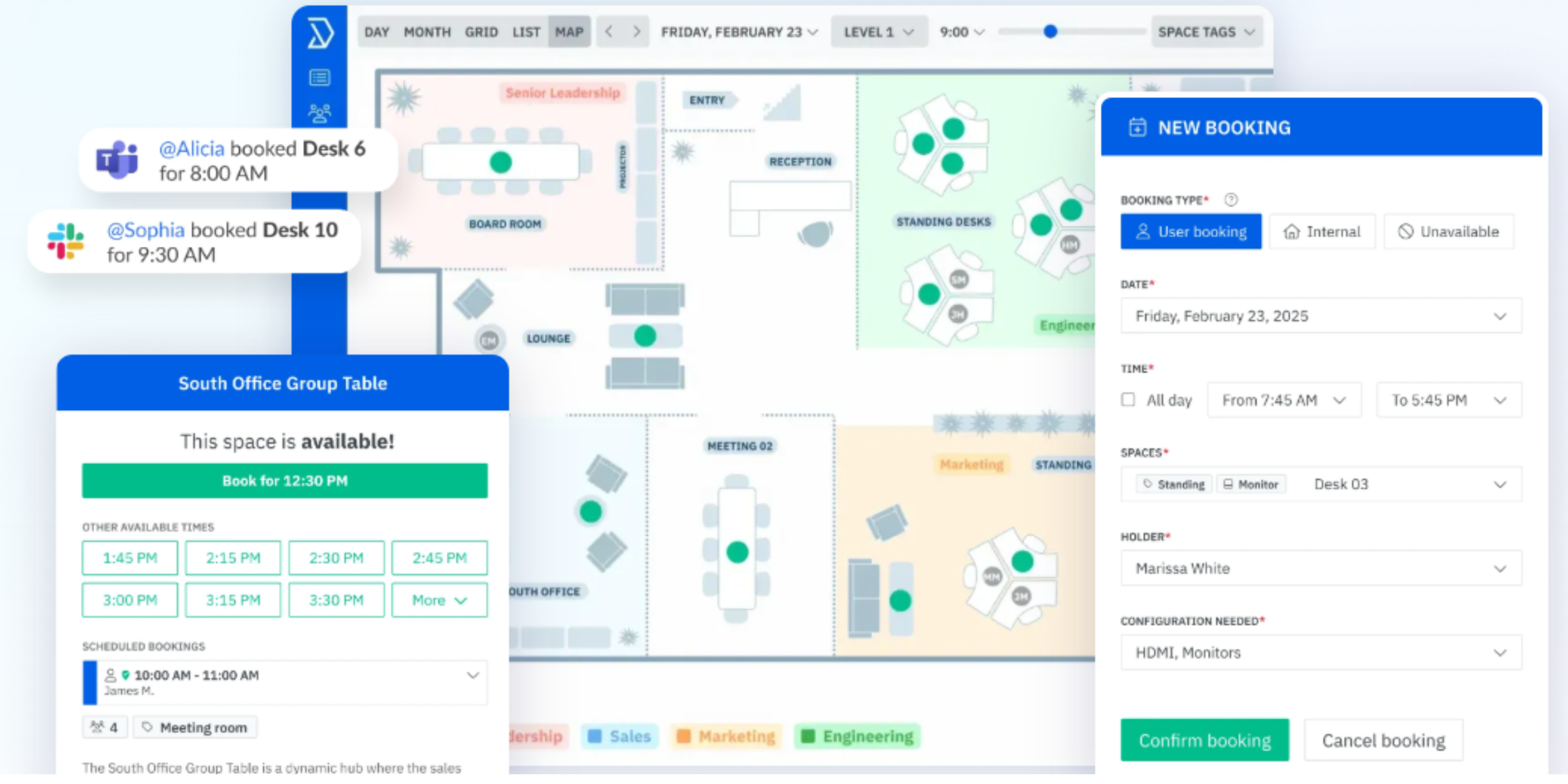
Skedda is the deliberate outlier in this list. It is a specialist meeting-room and workplace platform, but it is not a free-forever tool.
The platform offers features such as interactive floor plans, booking rules, calendar synchronization, SSO, and more advanced space-management workflows. Its meeting-room product can currently be tested through a 14-day Premium trial with no credit card required.
Free-plan limits: Trial only. Ongoing use requires a paid plan.
Key features
- Interactive floor plans
- Advanced booking rules
- Google and Outlook calendar connections
- SSO and enterprise controls
- Optional room displays
- Workplace-management functionality
Pros
- ✅ Purpose-built for managing workplace spaces
- ✅ Strong visual booking experience
- ✅ Advanced controls for larger organizations
- ✅ Good fit for complex offices
Cons
- ❌ No free-forever plan
- ❌ More than many SMBs need
- ❌ Ongoing subscription required after evaluation
Upgrade trigger: There really is no trigger—you need to choose whether to subscribe once the trial finishes.
That is exactly why it belongs in the comparison. If your search starts with “free meeting room software,” Skedda shows you what you gain when you move into a more sophisticated paid workplace platform.
Features to look for in meeting room booking software
The best meeting room booking software should remove scheduling friction rather than simply move it to another app.
Before choosing a system, focus on the features your team will actually use.
Real-time room availability
Your team needs one reliable answer to “Is this room free?”
When someone reserves or cancels a room, availability should update quickly so other employees see the correct status. That becomes increasingly important when people can book through more than one channel.
Koalendar, for example, offers two-way calendar sync to avoid double bookings, while dedicated resource tools such as MRBS prevent conflicting reservations inside their own system.
Google Calendar and Outlook synchronization
Calendar synchronization matters because employees rarely want another completely separate scheduling habit.
If your team already works in Google Calendar or Outlook, look for software that can reflect room reservations there. Two-way sync is especially useful because changes made in either system can stay aligned.
Koalendar includes Google, Outlook, and iCloud calendar connections on Free Forever.
Double-booking prevention
Preventing two teams from reserving the same room is the minimum you should expect from a dedicated conference room scheduler.
The system should mark an occupied time as unavailable before another reservation can be confirmed to avoid conflicts.
Even a Google Calendar shared-space setup can automatically reject conflicting invitations, while dedicated tools add more room-specific rules around that core function.
Recurring room reservations
Weekly stand-up? Monthly board meeting? Recurring reservations save employees from rebuilding the same booking again and again.
MRBS supports flexible repeating bookings, while Koalendar supports recurring and multiple bookings in its paid Pro Plan.
Booking rules, buffers, and duration controls
Good booking rules protect room availability without requiring someone to supervise the calendar.
Useful controls include:
- Minimum and maximum reservation durations
- Buffers between meetings
- Advance booking windows
- Minimum notice
- Room-specific availability
- Limits on how far ahead a room can be reserved
Koalendar includes availability, buffers, and booking-window controls on its free plan.
For specialist workplace systems, rules can become much more granular—but smaller businesses should avoid paying for complexity they will never use.
Confirmations and reminders
Confirmations remove uncertainty. Reminders can also help reduce forgotten bookings and rooms that appear occupied even though nobody turns up.
The plan details matter here too. Koalendar, for example, includes instant booking notifications for free but reserves custom email and SMS reminders in paid.
Mobile and self-service booking
A room system should not turn your office administrator into a human booking API.
Employees should be able to check availability and reserve a room themselves from a browser or phone. Koalendar includes iPhone and Android apps on its free plan, while Vizitor supports its mobile apps and browser-based booking.
For an SMB, easy self-service often matters more than advanced workplace analytics.
When is a free conference room reservation system enough?
A free conference room reservation system is usually enough when your main problems are visibility, scheduling conflicts, and basic room coordination.
You do not need an enterprise workplace platform just because you have a conference room.
When free software makes sense for an SMB
Stick with free software when:
- You manage only a few shared rooms
- Your reservation workflow is straightforward
- You mainly need availability and conflict prevention
- Your existing Google or Outlook calendars do most of the heavy lifting
- Employees can book without admin support
- You do not need occupancy sensors or advanced usage analytics
- Your team fits comfortably within the free resource limits
- You want to prove the workflow before committing budget
The key question is not “Could we pay for more features?” It is “Would those features actually solve a problem we have?”
Signs you've outgrown a free meeting room scheduler
A paid plan starts making sense when limitations are creating measurable friction.
Common signs include:
- You have more rooms than the free plan supports
- Different teams need different booking permissions
- You want sophisticated recurring reservations
- Ghost bookings are becoming a problem
- You need custom reminders or check-in workflows
- Multiple offices need consistent rules
- Administrators need room-usage reporting
- Your preferred calendar integration sits behind a paywall
- Your IT team is spending too much time maintaining a “free” self-hosted system
There is no prize for keeping the software bill at $0 while your employees waste hours working around it.
Start free because your needs are simple. Upgrade because you can identify the value—not because a vendor tells you to.
How to set up a free online meeting room booking system
A basic free online meeting room booking system can be set up in seven steps.
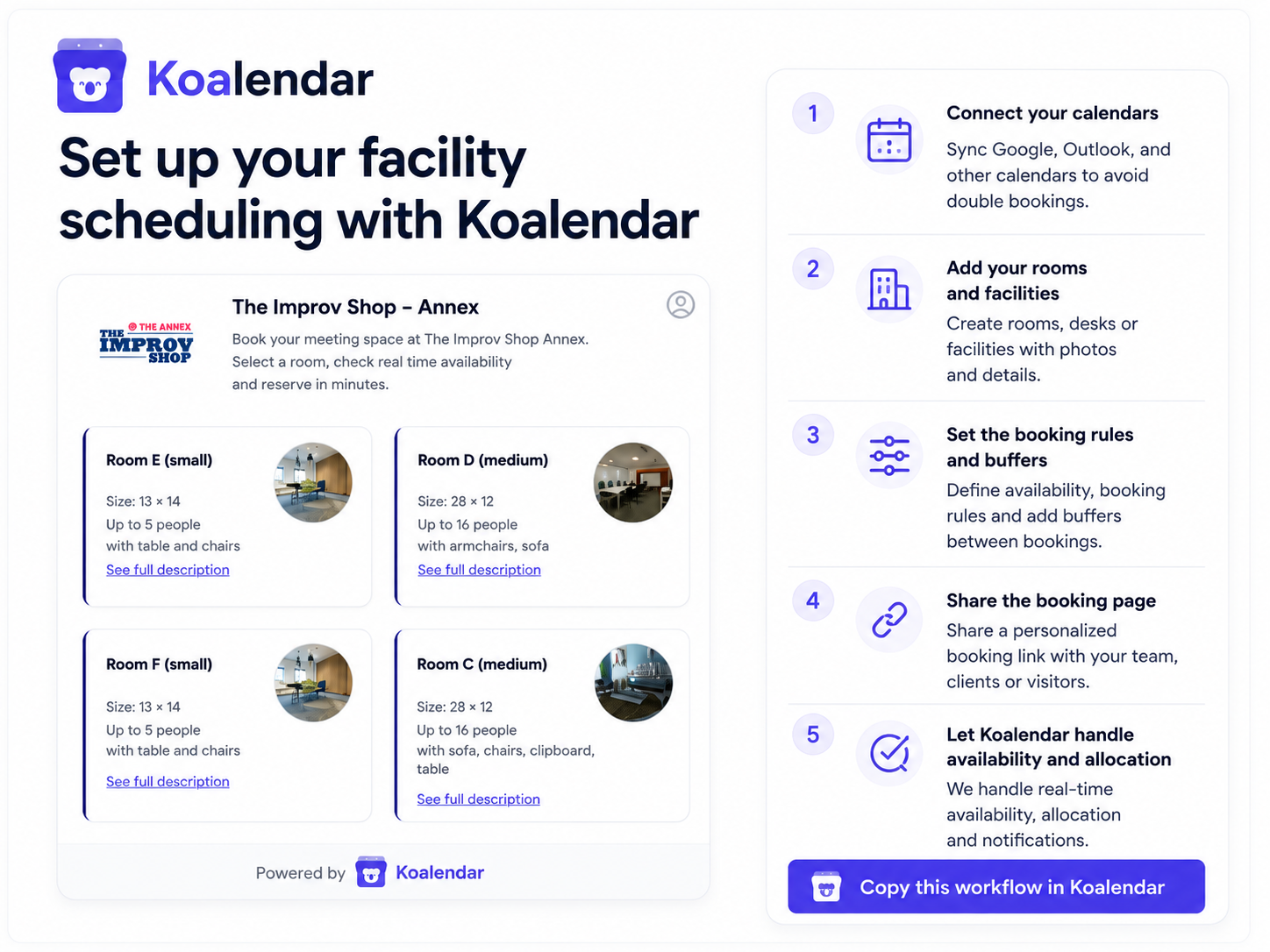
- Create each room or resource. Use clear names such as “Boardroom — 12 people — Screen” instead of “Room 4.”
- Connect the relevant calendar. Sync Google, Outlook, or another calendar so reservations and availability stay aligned.
- Define availability. Decide when the room can be reserved and whether certain teams have different access.
- Choose sensible booking durations. A small call room may need 15- or 30-minute slots; a boardroom may need longer.
- Add buffers where needed. Give people enough time to leave, reset equipment, or prepare for the next meeting.
- Share the booking page or process. Put it somewhere your team already looks, such as Slack, Microsoft Teams, your intranet, or employee handbook.
- Test conflict prevention. Create a test reservation and make sure another user cannot reserve the same room for the same time.
Then test it with a few employees before rolling it out more widely.
If people immediately understand where to look and how to reserve a space, you are on the right track. If they need a training session to schedule a 30-minute meeting, simplify the workflow.
Koalendar for example, lets you set up your room booking system in under 10 minutes following the steps below.
Why Koalendar works for small-business meeting room scheduling
Koalendar is a strong fit for SMBs that want to solve the scheduling problem without adopting a heavyweight workplace-management platform.
You can create booking pages, control when people can reserve time, add buffers and booking windows, and connect the calendars your team already uses. The Free Forever plan connects 2 calendars and includes unlimited bookings and unlimited booking pages, so you do not need to watch a monthly reservation counter.
It also keeps the upgrade decision straightforward.
Need basic self-service scheduling and calendar sync? Start free.
Need to connect more than 2 calendars, custom reminders, recurring bookings, advanced customization, or more complex team workflows? That is when a paid plan becomes useful.
For a small business, that creates a sensible growth path: try it out and fix the room-booking problem first, then pay for extra functionality when you actually need it.
“I can’t live without being able to see all of the rooms on a single calendar. It’s a very easy, simple user interface—and all that information is real-time accessible to everybody, which limits the constant back and forth. Honestly, it was a relief”.

Ashley Rube
Educator & Facilitator
Choose the right free meeting room booking system for your team
You do not need the most sophisticated platform. You need the one that fixes the scheduling problems your team actually has.
Google Calendar can be enough for a single shared room. Roomzilla makes sense for a small office with up to three resources. Vizitor offers more dedicated room-management features for eligible startups. MRBS and LibreBooking give technical teams the control of open-source software. Skedda shows what becomes available when you move into a more advanced paid workplace platform.
For SMBs that primarily want straightforward self-service scheduling, calendar synchronization, and plenty of room to book without hitting monthly limits, Koalendar is a free meeting room booking system that gives you a simple place to start.
You can keep scheduling free for as long as the core plan meets your needs—and upgrade when extra automation or control genuinely becomes worthwhile.