
TL;DR
The best legal client intake software depends on how your firm manages prospective cases and consultations. Lawmatics and Law Ruler lead in full legal CRM automation, Clio Grow and 8am MyCase combine intake with legal practice management, and Intaker excels at website lead capture. For small law firms looking to streamline consultation bookings without paying for complex legal software, Koalendar provides an easy, affordable scheduling solution with CRM integrations.
As a legal professional, you make your money and your reputation in the courtroom. But one of the things that can hold you back is the admin and scheduling when new clients want your services.
Legal client intake software automates the process of capturing, qualifying, and onboarding prospective clients, from their initial website inquiry through consultation scheduling, conflict checking, and agreement signing.
In this guide, we’ll look at some of the leading options for law firms, and help you decide the best software for your circumstances and budget.
What is legal client intake software?
Legal client intake software manages the transition of a prospective client into a signed client. The intake process typically spans six key stages: inquiry capture, preliminary information gathering, conflict checking, lead qualification, consultation scheduling, and client onboarding.
While comprehensive legal CRMs manage all six stages end-to-end, specialized tools often focus on specific steps like custom intake forms or consultation scheduling.
What is the best legal client intake software? Options compared
The summary below highlights the best legal client intake tools across key operational criteria:
| Lawmatics | Clio Grow | 8am MyCase | PracticePanther | Lead Docket | Smokeball | Law Ruler | Intaker | Jotform |  | |
| Best for | CRM automation | Practice sync | All-in-one case mgmt | Form customization | High-volume leads | Document-heavy law | Lead nurturing | Website capture | Custom forms | Consultation scheduling |
| Starting price | Custom | $49/user/mo | $50/mo | $49/user/mo | Custom | $49/user/mo | Custom | Custom | Free ($39/mo Bronze) | Free Forever ($6.99/seat/mo on Pro) |
| Online intake forms | Included | Included | Included | Included | Included | Included | Included | Interactive chat | Included | Basic intake forms |
| Consultation scheduling | Native | Native | Native | Native | Integrated | Integrated | Native | Integrated | Via widget | Native |
| CRM & Integrations | Native legal CRM | Native legal CRM | Integrated | Integrated | Native legal CRM | Integrated | Native legal CRM | Integrations | Integrations | HubSpot, Zapier, etc. |
| Conflict checking | External/Sync | Native | Native | Native | External | Native | External | External | External | Natvie/Sync |
| Automation | Full workflows | Workflows | Reminders | Reminders | Workflows | Reminders | SMS/Email drip | Chatbot | Conditional logic | Reminders |
| Client payments | Integrated | Integrated | Integrated | Integrated | Integrated | Integrated | Integrated | External | Integrated | Integrated (Stripe/PayPal) |
| Customer reviews (Capterra) | 4.6/5 | 4.6/5 | 4.7/5 | 4.7/5 | 4.9/5 | 4.8/5 | 4.7/5 | 4.7/5 | 4.7/5 | 4.8/5 |
Data and pricing verified as of late 2026.
10 best legal client intake software tools reviewed (2026)
If you’re looking for legal client intake software in 2026 and beyond, here are some of the best options to consider.
1. Lawmatics: Best for legal intake and CRM automation
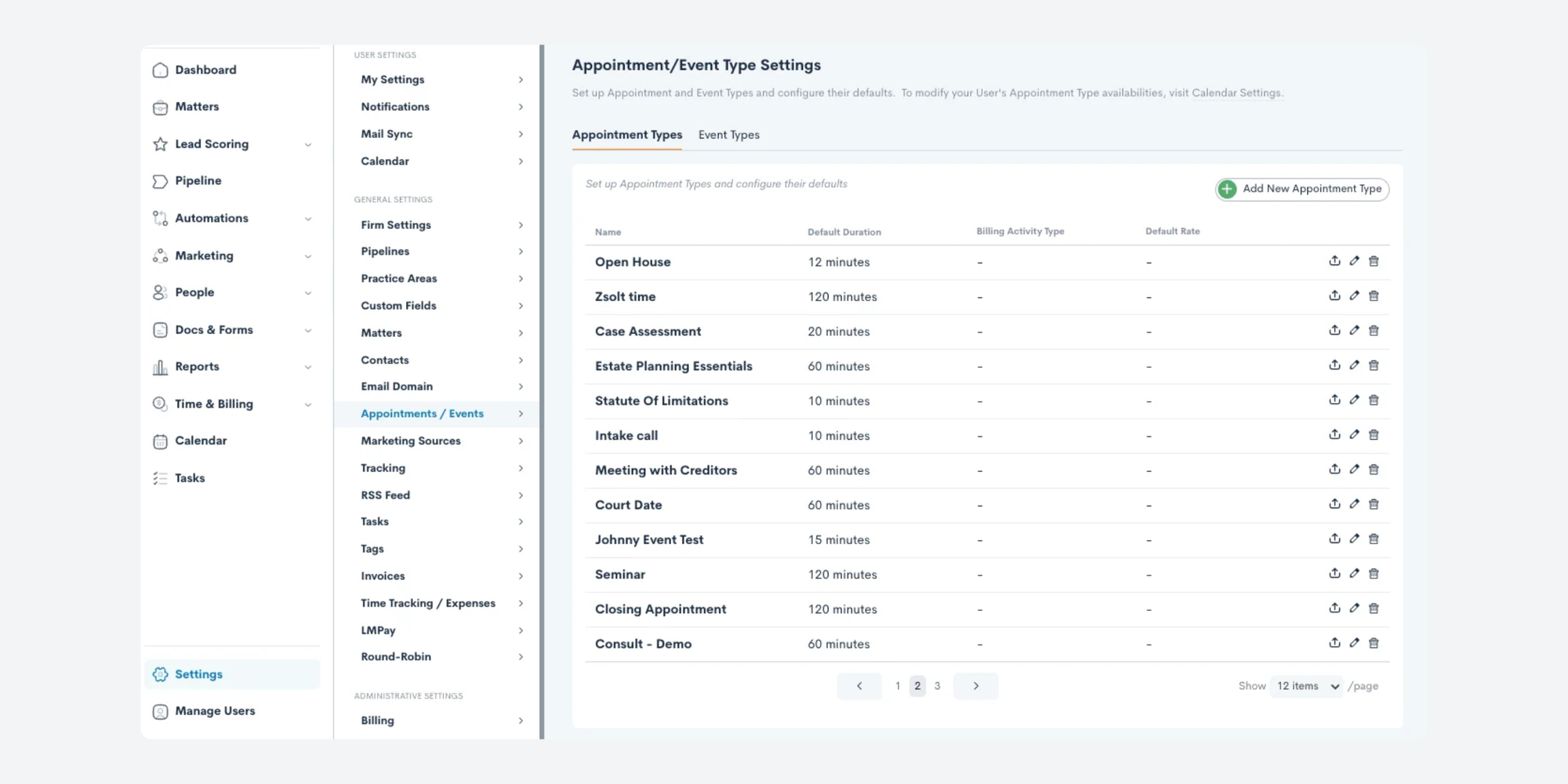
Lawmatics is a dedicated legal CRM engineered specifically to convert prospective leads into paying clients.
Best for
Small to mid-sized law firms requiring advanced marketing automation, custom pipelines, and automated client intake workflows.
Key features for law firms
- Automated intake workflows: Triggers automated follow-up emails, text messages, and internal task assignments when a form is submitted
- Custom form builder: Conditional logic forms that tailor questions based on prior prospective-client answers
- E-signatures & fee collection: Send retainer agreements and collect initial consultation fees seamlessly
Pricing & score
- Pricing: Not publicly available; you need to book a demo or contact sales for pricing information
- Review score: 4.6/5 on Capterra (50+ reviews, Nov 2026). Users praise it for being “robust and intuitive”, though some say it can be complex to set up and has a steep learning curve.
Verdict
A top choice for firms looking for powerful client intake and CRM software for legal firms.
2. Clio Grow: Best for intake and legal practice management integration
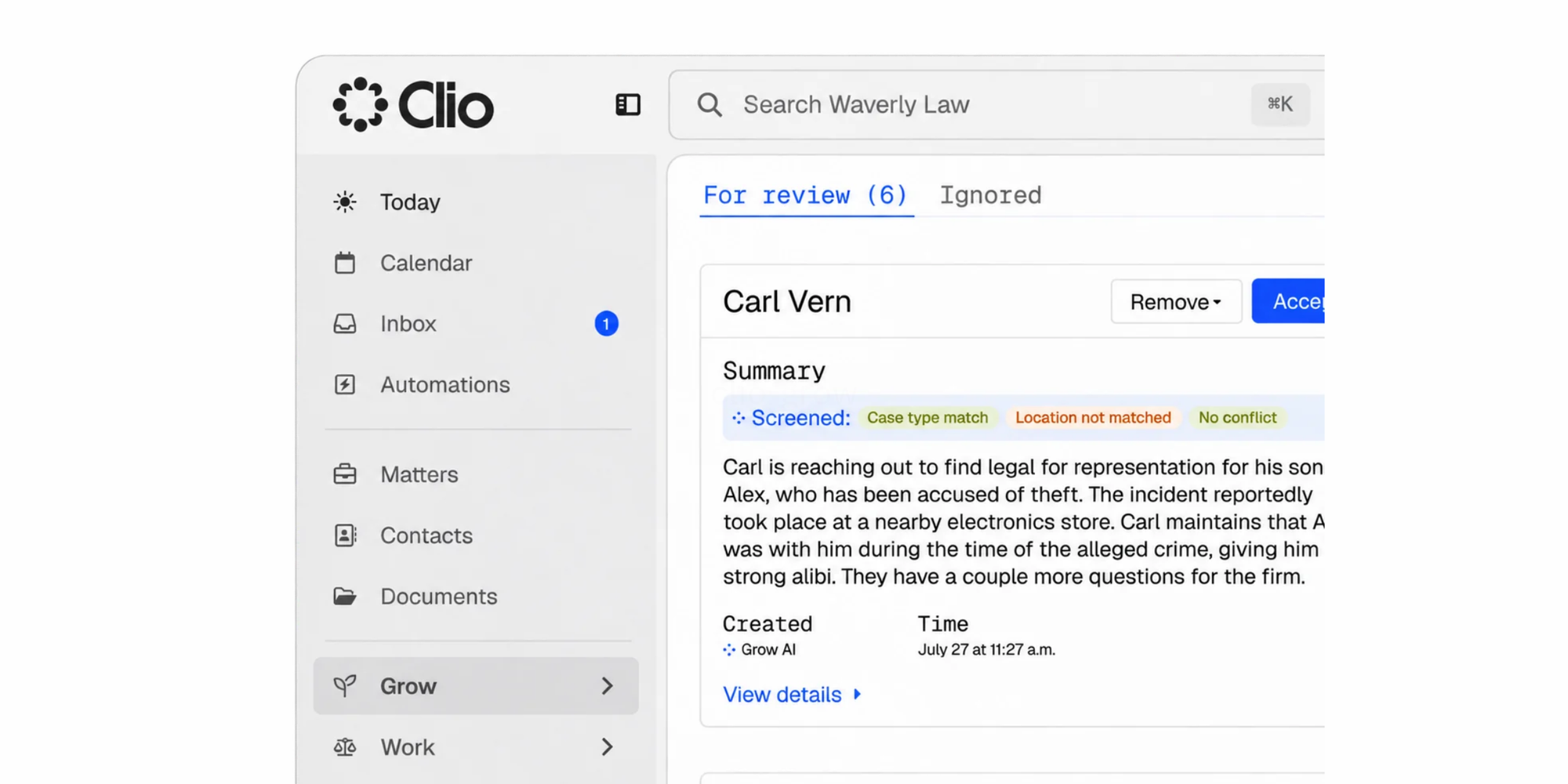
Clio Grow serves as the client intake and legal CRM component of the broader Clio ecosystem.
Best for
Law firms already using Clio Manage for case management that need integrated intake tracking.
Key features for law firms
- Clio Manage sync: One-click conversion of prospective clients into active legal matters
- Public intake links: Embed custom online client intake forms directly onto firm websites
- Pipeline dashboard: Visual overview tracking lead stages from initial inquiry to signed retainer
Pricing & score
- Pricing: Starts at $49/user/month (billed annually)
- Review score: 4.6/5 on Capterra (1,750+ reviews, Nov 2026). Users mention that it helps them stay organized and makes task management easier, but some say the mobile app is clunky and that it can be expensive for solo legal practitioners.
Verdict
The logical extension for law practices built on the Clio ecosystem.
3. 8am MyCase: Best for all-in-one legal intake and case management
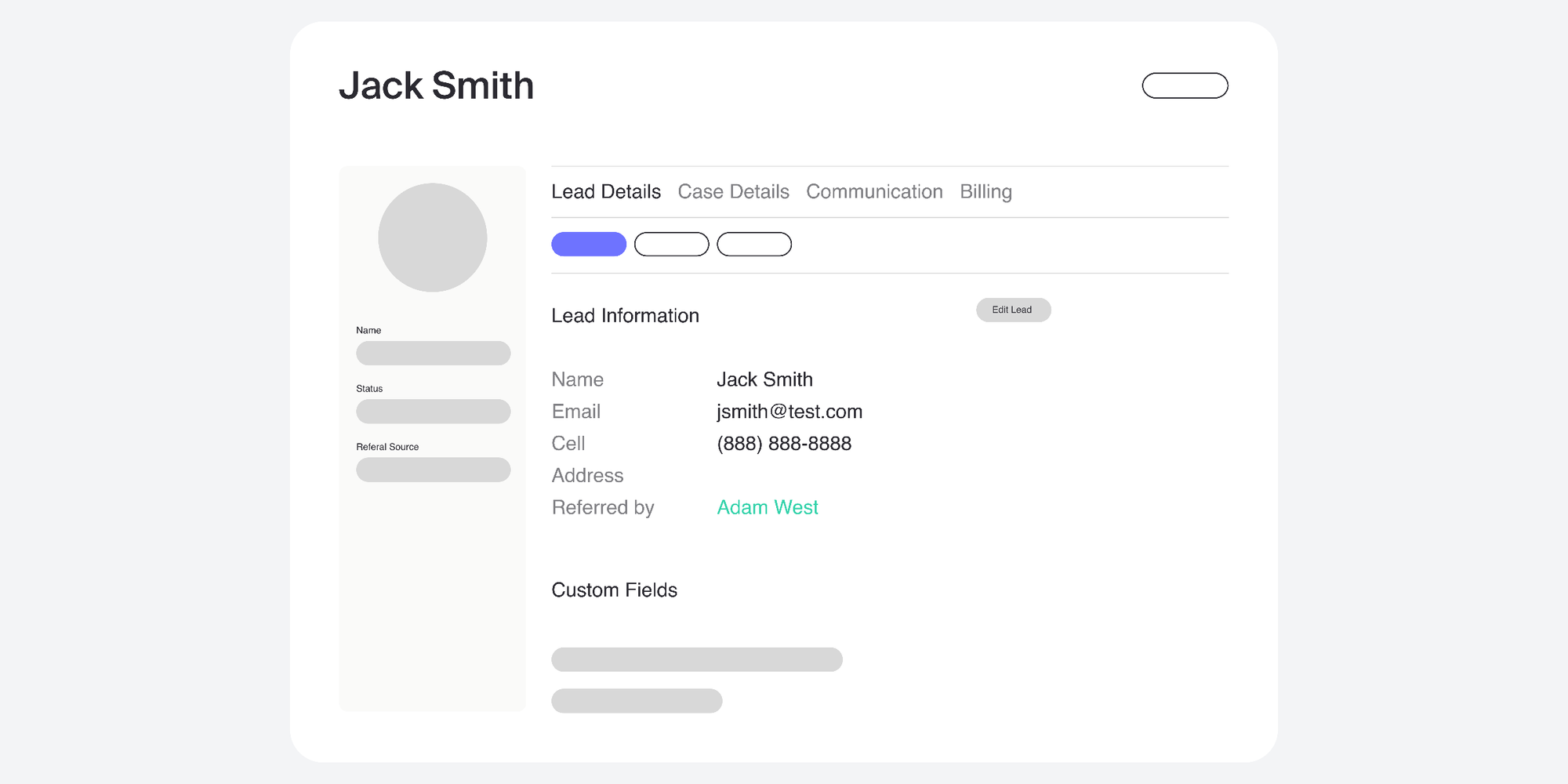
8am MyCase offers built-in client intake tools directly inside its core practice management software.
Best for
Small firms wanting an all-in-one platform covering client intake, lead tracking, case management, and billing in a single login.
Key features for law firms
- Built-in conflict checking: Run conflict checks against existing database contacts during intake
- Lead management dashboard: Track incoming prospect calls and website submissions
- Client portal: Secure messaging and document sharing for onboarding clients
Pricing & score
- Pricing: Starts at $50/month (billed annually). Free trial available.
- Review score: 4.6/5 on Capterra (800+ reviews, Nov 2026). Users commend its ease of use, and say it streamlines their workflows, although some mention issues such as “limited flexibility in reporting and customization”.
Verdict
Great for small practices seeking a single, cost-effective platform for both intake and case management.
4. PracticePanther: Best for customisable legal intake forms
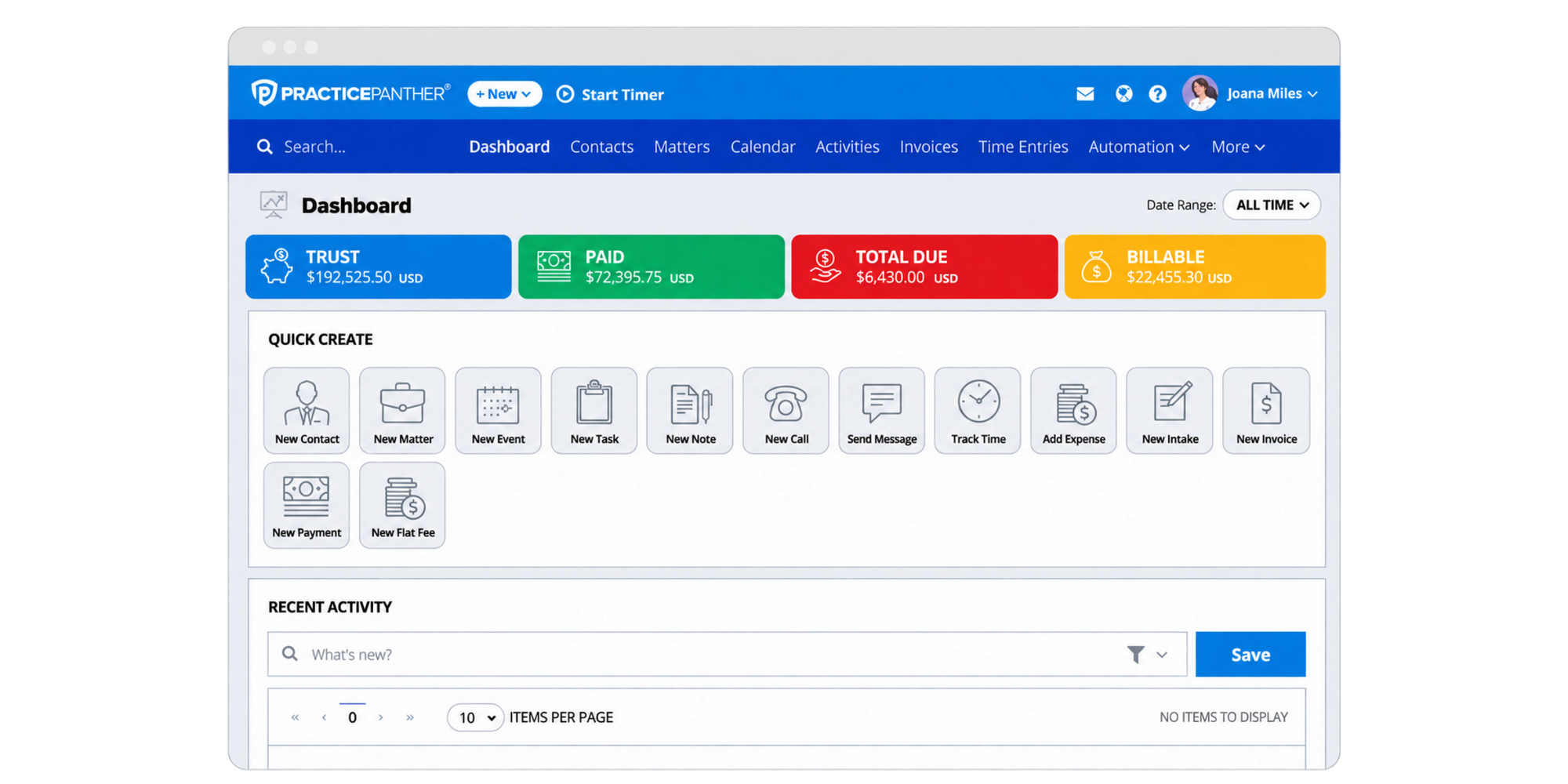
PracticePanther is a popular legal management tool featuring custom intake forms, automated task templates, and native payment processing.
Best for
Practice areas requiring highly specific intake questionnaires and fast document generation.
Key features for law firms
- Custom intake templates: Easily create practice-specific intake forms (e.g., family law vs. personal injury)
- Automated document assembly: Pre-fill legal retainer templates using data collected during intake
- PantherPayments: Accept consultation fees online instantly
Pricing & score
- Pricing: Starts at $49/user/month (billed annually).
- Review score: 4.7/5 on Capterra (525+ reviews, Nov 2026). While some reviews say the software is easy to use with a clear interface, some users comment that the more “advanced features take time to learn”.
Verdict
Ideal for firms that emphasize custom form building and automated document creation.
5. Lead Docket: Best for high-volume lead management
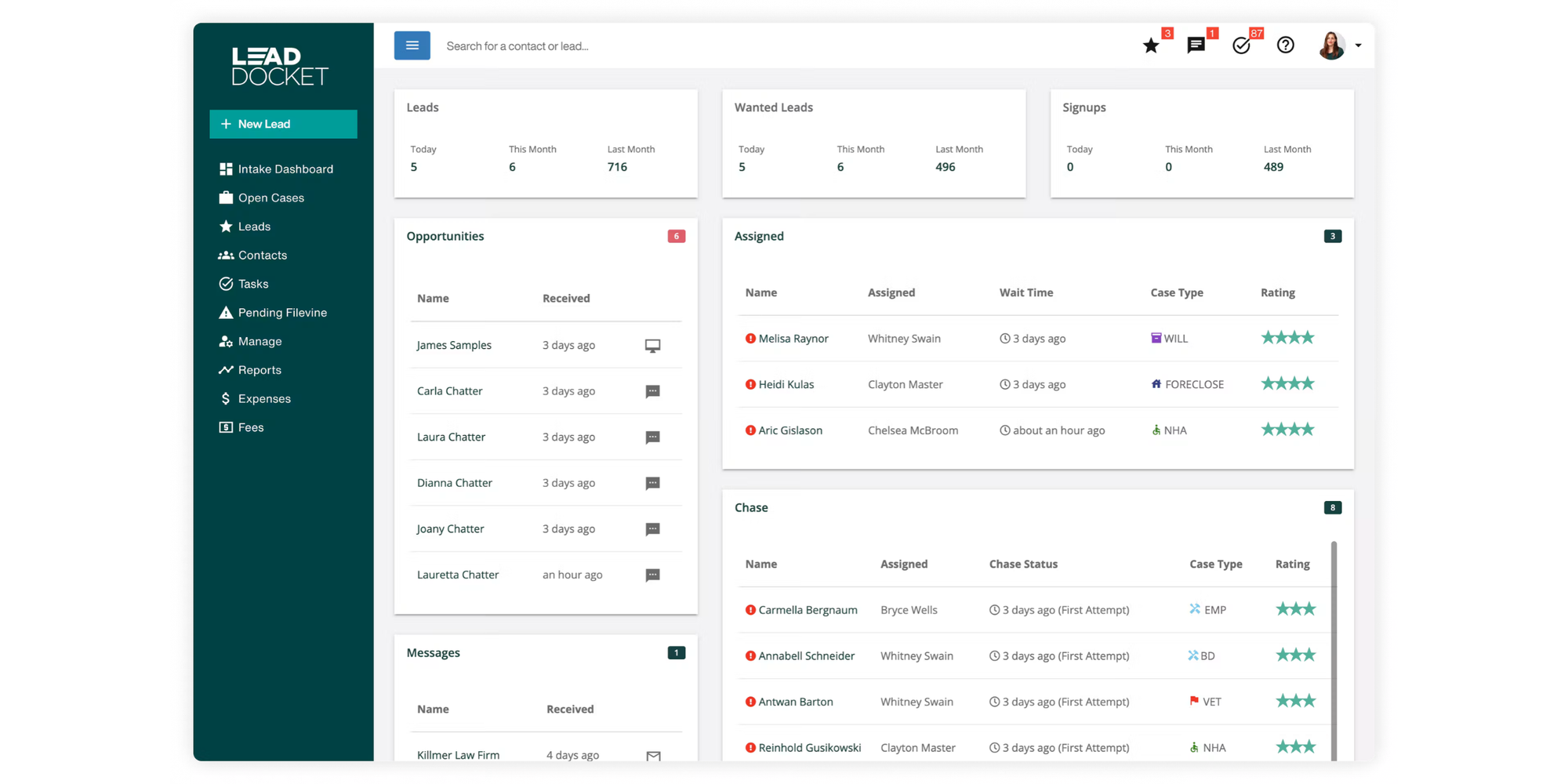
Lead Docket focuses heavily on lead tracking, referral attribution, and rapid lead qualification.
Best for
Personal injury, mass tort, and consumer law practices managing large inquiry volumes.
Key features for law firms
- Opportunity tracking: Detailed marketing reports showing exactly which ad campaigns produce signed cases.
- Automated SMS & call routing: Connect with prospective clients within minutes of form submission.
- Referral tracking: Manage incoming and outgoing firm-to-firm case referrals.
Pricing & score
- Pricing: Custom quote required. Capterra suggests a starting price of around $300 per feature, per month.
- Review score: 4.9/5 on Capterra (60+ reviews, Nov 2026). Users praise the system for its ease of use, with one saying “it makes tracking leads and organizing client inquiries easier”. However, some mention that certain features can be complex to understand, while one review says it’s “better suited for larger firms rather than smaller ones”.
Verdict
The industry leader for high-volume consumer law practices.
6. Smokeball: Best for document-heavy legal practices
Smokeball provides hybrid cloud-based legal practice management with automatic time tracking and client intake functionality.
Best for
Small law firms needing strong document automation alongside client intake.
Key features for law firms
- Auto-populated legal forms: Over 20,000 pre-installed court and legal form templates
- Lead status tracking: Monitor prospect engagement prior to conflict screening
- Intake form sharing: Send digital questionnaires via email or direct link
Pricing & score
- Pricing: Available on contact. Capterra suggests pricing starts at $49/user/month.
- Review score: 4.8/5 on Capterra (360+ reviews, Nov 2026). Users say it is easy to use helps with document automation, though some comment on the expense, while some say the customer service can be slow and unresponsive.
Verdict
Excellent for estate planning, family law, and real estate practices with heavy document requirements.
7. Law Ruler: Best for automated lead nurturing
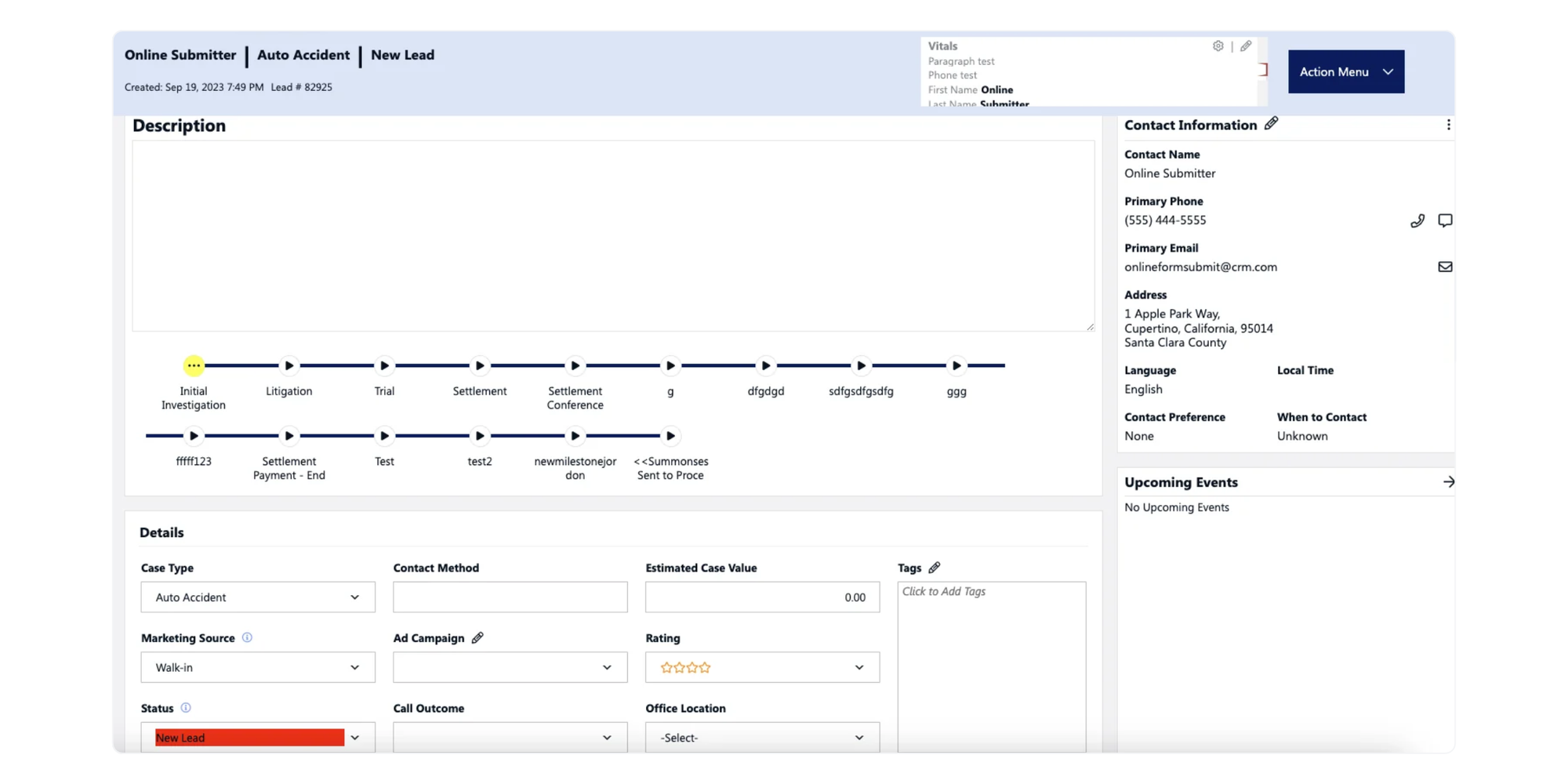
Law Ruler is a legal-specific intake CRM offering pre-built marketing drip campaigns and AI-assisted lead management.
Best for
Law firms focused on aggressive drip-marketing campaigns and instant text-message responses.
Key features for law firms
- Text messaging & call automation: Instantly reply to online leads via automated SMS
- Soft conflict checks: Basic background checks on incoming prospective clients
- Intake analytics: Real-time metrics on conversion rates per marketing channel
Pricing & score
- Pricing: Available on contact.
- Review score: 4.7/5 on Capterra (45+ reviews, Nov 2026). Users like the powerful automations for lead nurture. However, some users mention a lack of integration capability with other platforms and software they use.
Verdict
A strong choice for firms that rely on digital marketing campaigns to generate client consultations.
8. Intaker: Best for capturing website inquiries
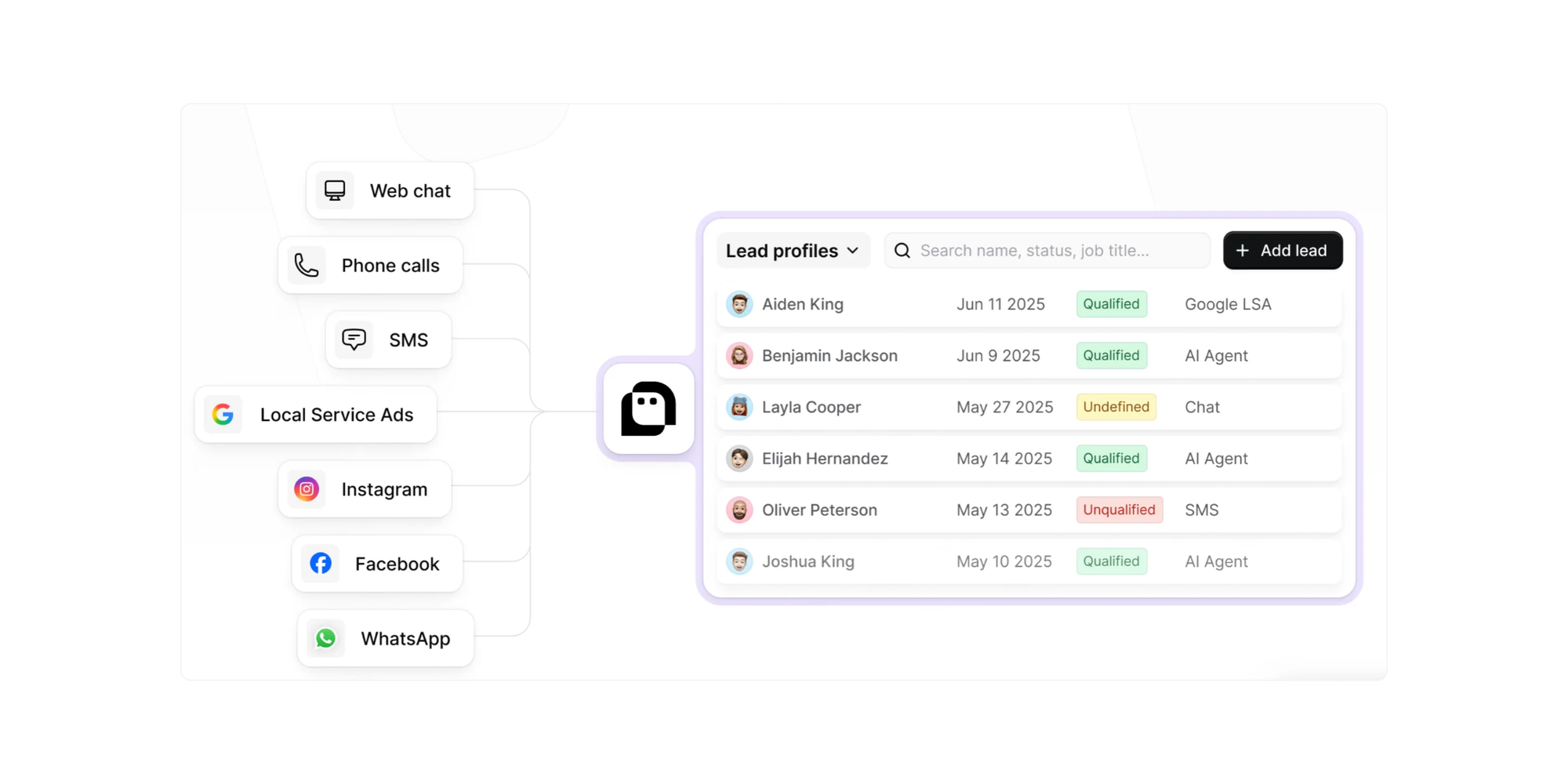
Intaker changes static web forms into interactive, video-based chat prompts for prospective clients.
Best for
Law firms wanting interactive video chat widgets on their website to convert site traffic into leads.
Key features for law firms
- Interactive video prompts: Greet prospective clients with personal attorney videos.
- Automated consultation scheduling: Connects site visitors directly to attorney calendars.
- SMS lead nurturing: Send immediate auto-replies to phone inquiries.
Pricing & score
- Pricing: Pricing not publicly available. Capterra suggests it starts at around £80/month.
- Review score: 4.7/5 on Capterra (3 reviews, Nov 2026). Reviews suggest it is easy to use and saves time, although the price is higher than expected.
Verdict
Best for law firms seeking to boost conversion rates directly on their website homepage.
9. Jotform: Best for online client intake forms
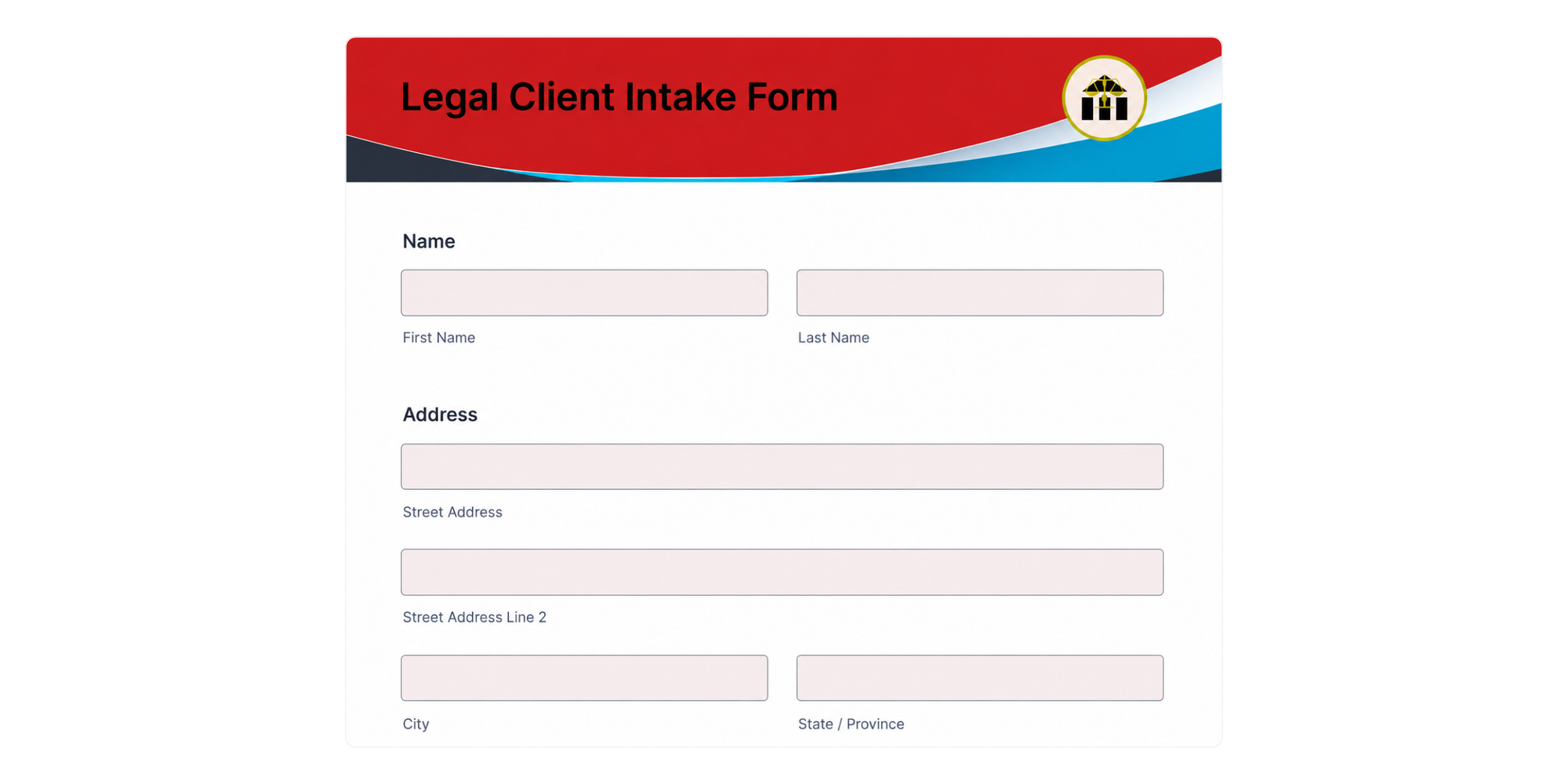
Jotform is a general-purpose online form builder that offers HIPAA-compliant and secure form templates for preliminary data collection.
Best for
Budget-conscious law firms needing standalone, highly customizable online client intake forms.
Key features for law firms
- Conditional logic: Hide or show form fields based on specific legal inquiries
- E-signature collection: Collect signatures on initial intake waivers
- Data export & webhooks: Send form responses into existing databases or CRMs
Pricing & score
- Pricing: Free plan available (5 forms, up to 100 submissions; paid tiers start at $39/month.
- Review score: 4.7/5 on Capterra. Reviews suggest that its highly customizable templates and automation tools make it incredibly easy to use and a massive time-saver for legal intake, contract templates, and client onboarding workflows. However, some users note that pricing becomes higher than expected as submission limits grow, especially since advanced security features and compliance gates require upgrading to more expensive premium tiers.
Verdict
A flexible, low-cost option for law firms that only need standalone digital forms.
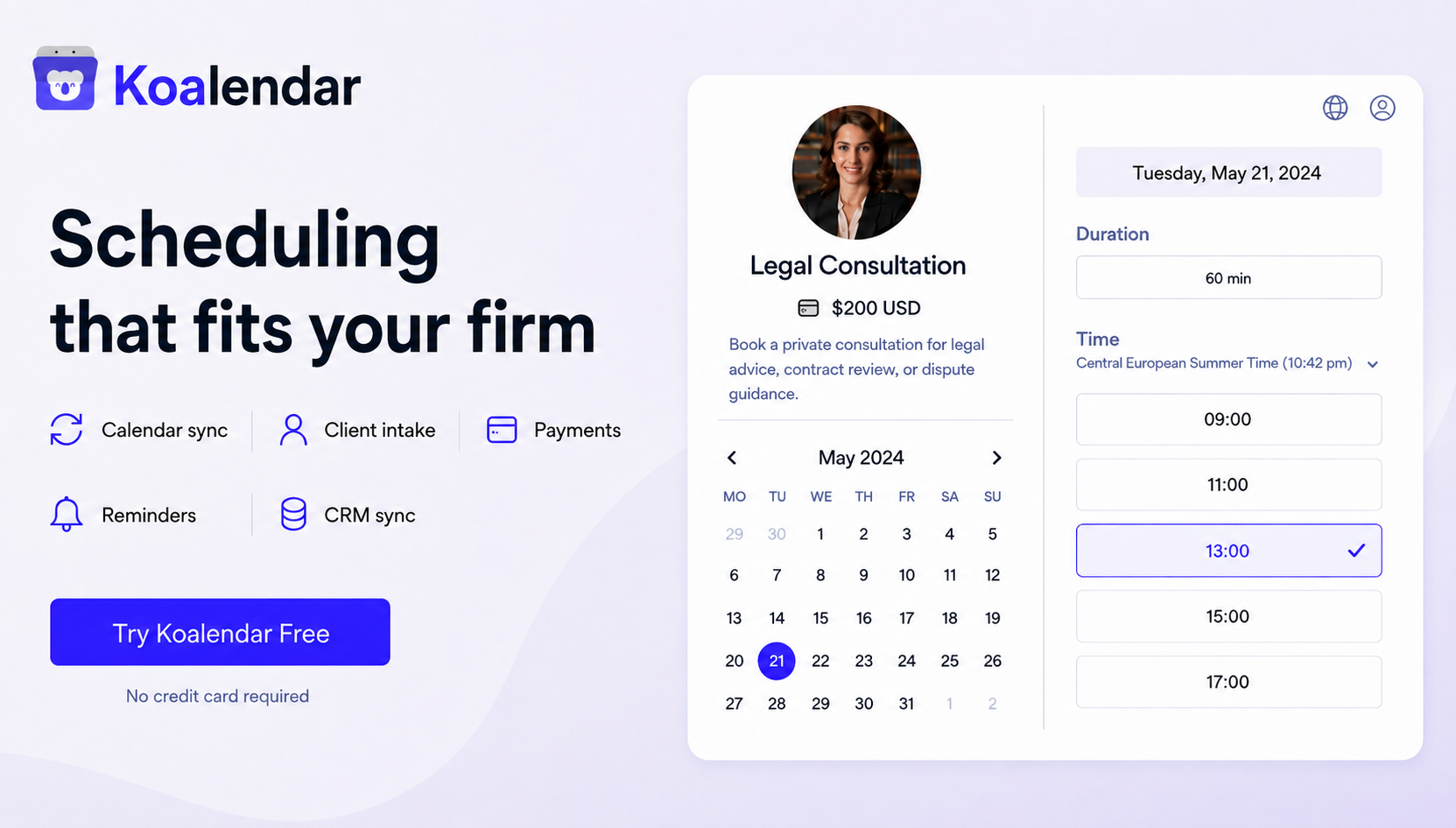
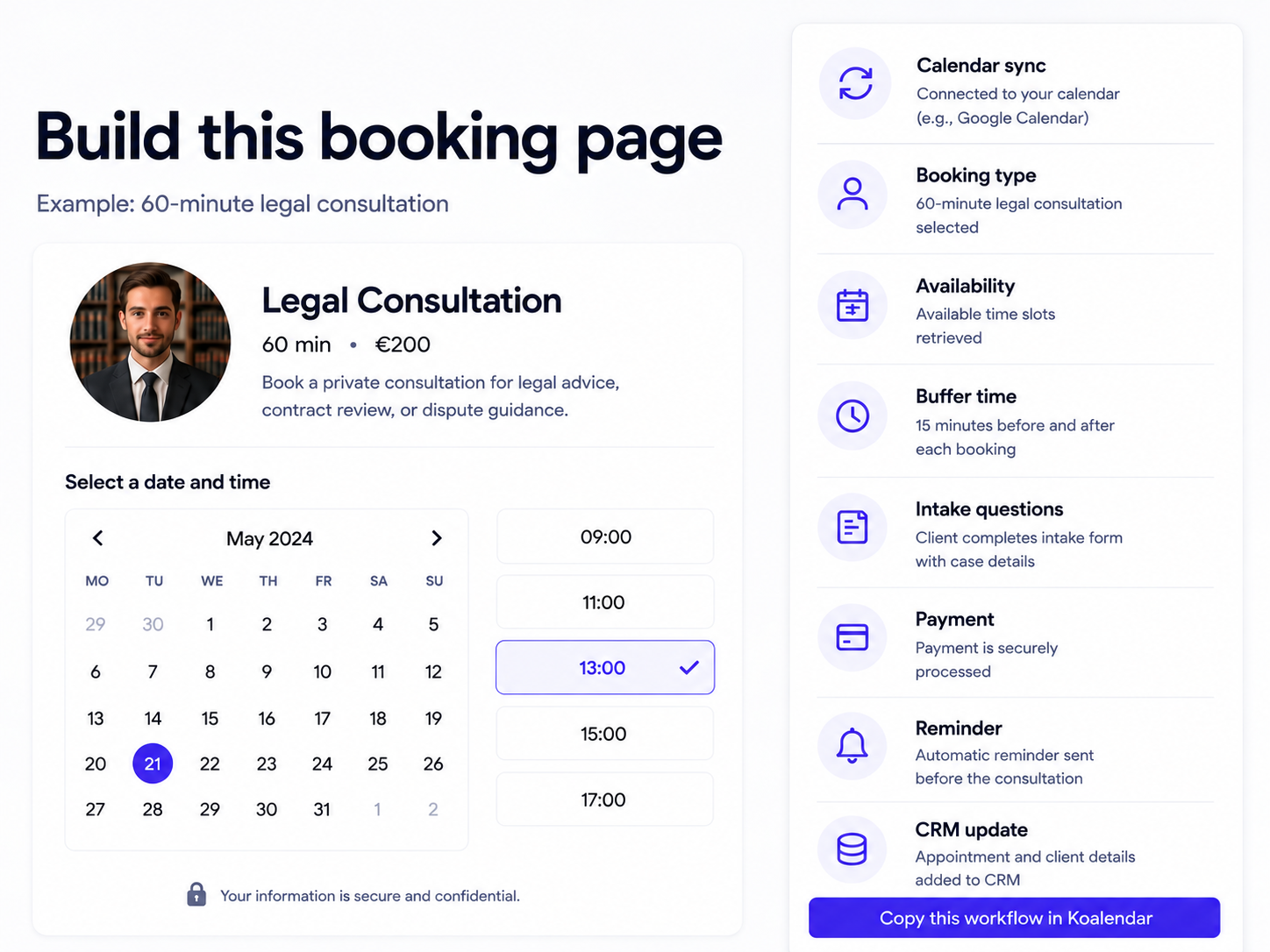
10. Koalendar: Best for legal consultation scheduling with CRM integrations
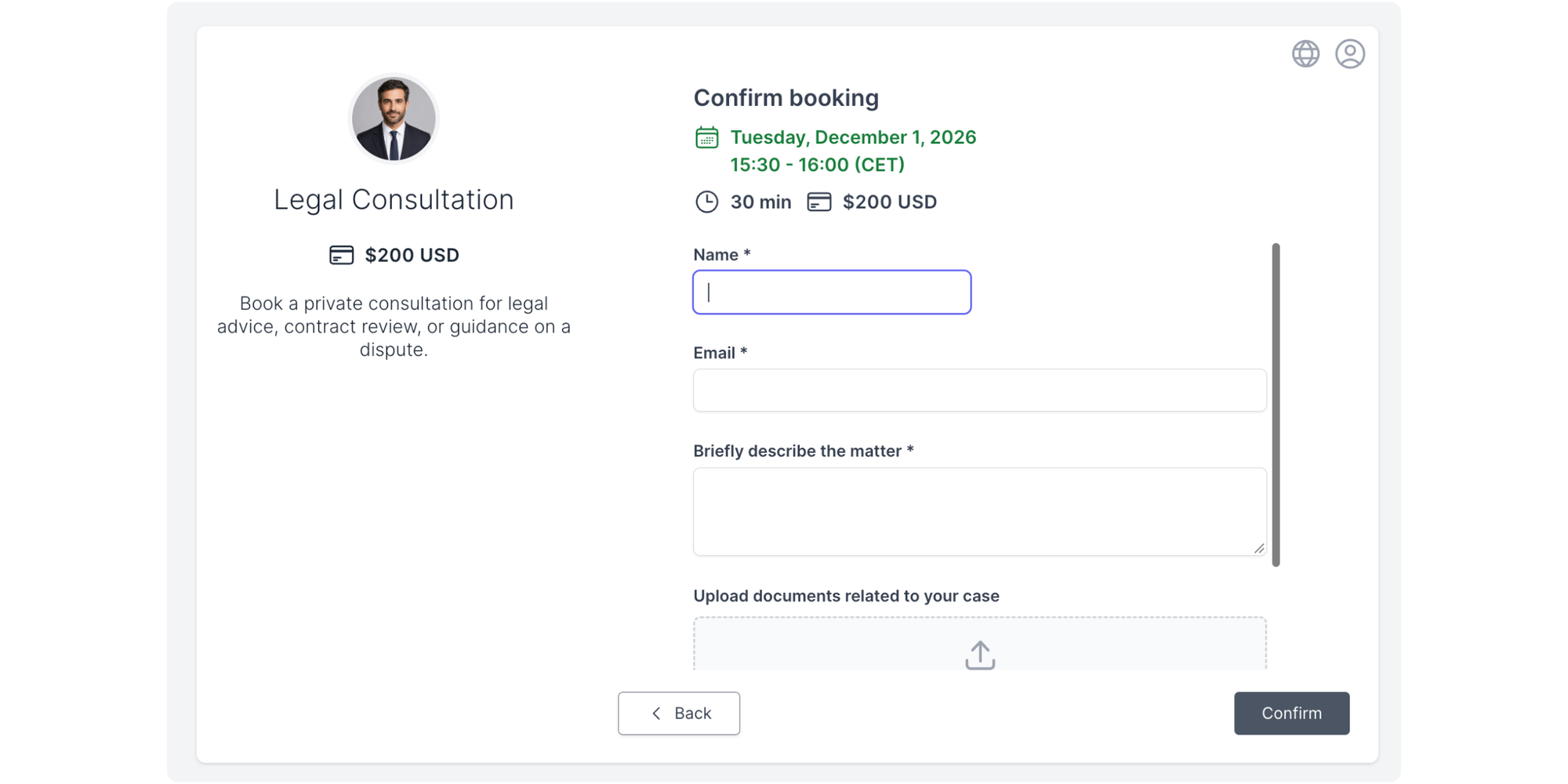
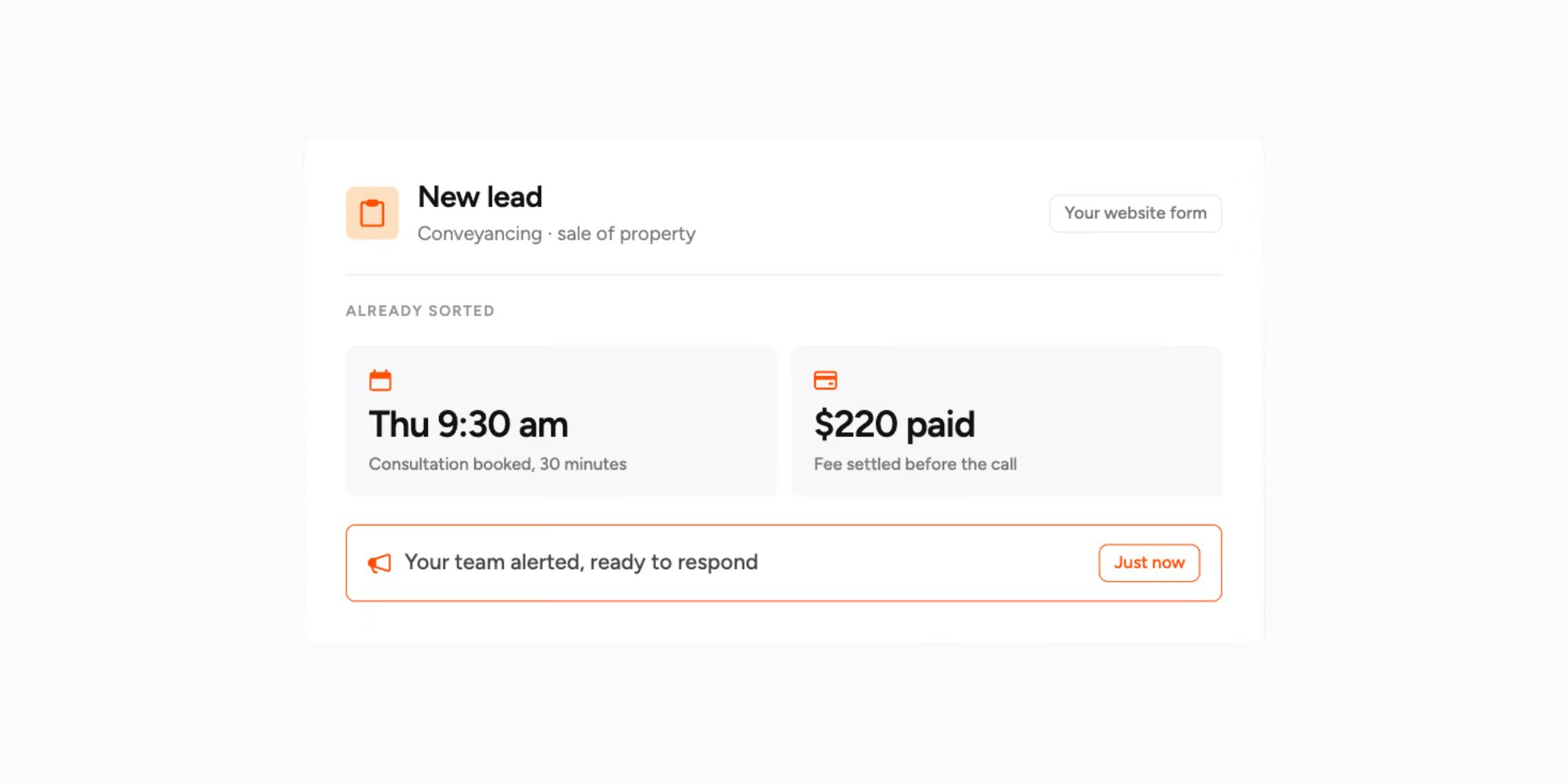
Koalendar approaches legal intake by simplifying the most critical step; getting prospective clients onto an attorney's calendar. It acts as an agile scheduling solution that connects seamlessly with general CRMs and calendars.
Best for
Solo practitioners and small law firms seeking an easy, affordable way to let prospective clients book legal consultations online without paying for a complex legal CRM.
Key features for legal firms
- Online consultation booking pages: Embed clean booking pages directly onto your law firm website or share via link
- Preliminary intake questions: Use intake form questions to collect basic case details and contact information prior to the consultation
- Calendar syncing: Real-time sync with Google Calendar and Outlook keeps attorney availability current
- Automated reminders: Send email and SMS appointment reminders to prevent consultation no-shows
- Paid consultations & booking approvals: Charge upfront initial consultation fees via Stripe/PayPal, or enable approval mode to run conflict checks before confirming appointments
- Round-robin scheduling: Automatically distribute consultation requests across available associates or partners
Pricing & score
- Pricing: Free Forever plan available. The Pro plan costs $6.99/seat/month (billed annually).
- Review score: 4.8/5 on Capterra. Users regularly praise Koalendar’s ease of use and simple scheduling tools, often mentioning how quick it is to set up and start using. The affordable pricing is particularly welcome for solo practitioners and small businesses.
Verdict
The premier option for small law firms looking for the best client intake software for small law firms focusing on streamlined consultation scheduling and lower software overhead.
Create your free legal consultation booking page →
How to choose the best client intake software for your law firm
Clearly, there’s a lot of choice. When selecting the right client intake platform for your law firm, consider the following.
1. Identify which parts of client intake you need to automate
Do not overpay for software features you will never touch. Determine whether your practice needs assistance across the entire intake lifecycle (lead tracking, conflict screening, document generation, and e-signatures) or simply needs to fix broken consultation booking workflows.
2. Decide whether you need a legal CRM or scheduling software
Understand the core difference:
- Legal CRMs (e.g., Lawmatics, Clio Grow): Comprehensive systems designed for high-volume practices managing marketing funnels and complex multi-step intakes.
- Scheduling-first tools (e.g., Koalendar): Lightweight tools designed to streamline consultation bookings, capture preliminary inquiry details, and sync calendars without high per-user monthly subscription fees.
3. Look for online client intake forms and automation
Your software should make it easy for prospective clients to submit details 24/7. Look for conditional logic fields, automated confirmation emails, and SMS reminders to reduce consultation no-shows.
4. Check CRM integrations and compatibility with existing tools
Ensure your intake tool connects with your existing tech stack. If your firm uses a CRM like HubSpot or stores documents in Google Drive, select software that links natively or via Zapier to keep your data synchronized.
5. Evaluate data security and confidentiality
Protecting prospective-client information is paramount. Ensure the software provides secure data transmission, robust access controls, and flexibility to support your firm's ethical conflict-of-interest screening guidelines.
6. Compare pricing and scalability
Account for setup costs, seat fees, and feature locks. Per-user monthly rates on full legal CRMs can quickly add up for small teams, whereas flat per-seat models keep costs predictable.
Do small law firms need a full legal intake and CRM platform?
No, small law firms don’t necessarily need a full legal intake and CRM platform. Some smaller legal organizations often jump into expensive all-in-one legal CRMs only to use a fraction of the features.
Consider which setup fits your practice best:
Scenario A: Full legal intake platform
Recommended for high-volume personal injury, criminal defense, or mass tort practices that manage hundreds of inquiries monthly, require automated marketing drip campaigns, and need dedicated conflict screening tools.
Scenario B: Modular intake workflow
Recommended for solo practitioners and small firms (like estate planning, family law, or business law practices) that already use standard case software or general CRMs. By pairing custom online forms and Koalendar for consultation bookings, firms get a streamlined intake process at a fraction of the cost.
Make legal consultation booking easier
Let prospective clients book consultations online, collect preliminary details, and connect scheduling with your existing CRM, without the complicated setup.
Simplify legal consultation scheduling with Koalendar
Let prospective clients choose an available time, answer preliminary questions, and receive automatic appointment reminders with zero hassle.
This review was developed by evaluating software features, pricing documentation, security standards, and verified user reviews on Capterra as of November 2026. Koalendar is our product; it is featured as an agile consultation scheduling solution for law firms that do not require an expensive, enterprise legal CRM.