

TL;DR
The best meeting scheduling software depends on how you book meetings:
| Use case | Best tool | Why it fits |
| Solo professionals and small teams | Koalendar | Free forever plan with unlimited bookings, unlimited 1:1 event types, scheduling links, calendar sync, smart time zone detection, and booking page customization. |
| Established 1:1 booking workflows | Calendly | Familiar, polished, and widely adopted, though team features and deeper customization sit behind paid plans. |
| Simple Google workflows | Google Calendar Appointment Schedules | Easy if you already live in Google Calendar and only need basic appointment booking. |
| Microsoft 365 teams | Microsoft Bookings | Built into the Microsoft ecosystem for teams using Outlook and Microsoft Teams. |
| Team scheduling and routing | Cal.com | Strong for round robin, managed events, and developer-friendly scheduling setups. |
| Sales demo routing | Chili Piper | Best for revenue teams that need lead qualification, routing, and CRM-heavy workflows. |
| Group polling | Doodle | Great when the best way to schedule meetings with a group is to vote on times first. |
| Polls plus booking links | SavvyCal | Useful for people who want a more collaborative scheduling experience. |
| Time zone-heavy bookings | YouCanBookMe | Handy for remote teams, international clients, and booking pages with detailed rules. |
| AI-assisted calendar planning | Reclaim.ai | Best when you want AI to protect focus time, tasks, habits, and meeting windows. |
For most consultants, coaches, freelancers, educators, recruiters, and small teams, Koalendar is the easiest place to start because it gives you a free booking page, unlimited meetings, real-time calendar sync, reminders, and time zone detection without turning scheduling into another project.
How we compared these meeting schedulers
A good scheduler should do more than show available times. It should help you stop chasing emails, avoid double bookings, and make every booked call feel professional.
To compare the best meeting scheduling tools, we looked at the features that matter most in real work:
- Booking page setup: How quickly can you create and share a booking page?
- Multi-calendar conflict handling: Can the tool check Google Calendar, Outlook, iCloud, or other calendars before showing availability?
- Group polls and multi-person scheduling: Can it help several people find a time together?
- Team routing, round robin, and shared availability: Does it work for sales teams, recruiting teams, or support teams?
- Reminders, buffers, and cancellation handling: Can it prevent no-shows and protect your day?
- Overall value: Does the free plan cover real use, or does it push key features behind paid upgrades?
We also considered how each tool fits daily workflows. A freelancer booking discovery calls does not need the same setup as a sales team routing inbound demos. A tutor managing parent sessions does not need heavy CRM logic. The right tool is the one that solves your scheduling pain without adding more admin.
Table: Which meeting scheduler fits your use case?
| Use case | Best tool | Why it fits |
| 1:1 client calls | Koalendar | Unlimited bookings, unlimited scheduling links, calendar sync, and customizable booking pages on the free plan. |
| Sales demos | Chili Piper | Built for inbound lead qualification, intelligent routing, and rep assignment. Chili Piper describes its product as a way to qualify leads and route meetings to the right rep from web forms. |
| Group meetings | Doodle | Group polls make it easy to offer times and let people vote. Doodle lets participants join a poll without an account. |
| Microsoft-first teams | Microsoft Bookings | Works well when Outlook and Microsoft Teams are already central to your workflow. |
| Google-first users | Google Calendar Appointment Schedules / Koalendar | Google appointment schedules let users create a basic booking page, set availability, and share or embed it. For a more professional look, payments, and SMS reminders without a learning curve, try Koalendar. |
| Developer-friendly scheduling | Cal.com | Strong for teams that want APIs, managed events, routing forms, and round robin scheduling. |
| AI calendar planning | Reclaim.ai | Reclaim is an AI calendar app that plans tasks, habits, meetings, and focus time. |
10 best online meeting schedulers
Koalendar: free scheduler for solo pros and small teams
Koalendar is the best online meeting scheduler for people who want a simple, polished booking flow without paying just to get started.

You can create a booking page, share your link, and let clients pick a time that works. Koalendar checks your availability in real time, so you avoid double bookings and awkward “Sorry, I’m actually busy then” emails.
Koalendar’s free forever plan includes unlimited bookings, unlimited 1:1 event types, unlimited scheduling links, up to two synced calendars, smart time zone detection, booking notifications, booking page customization, and Google Meet video conferencing.
That makes it a strong fit for:
- Consultants booking discovery calls
- Coaches booking client sessions
- Freelancers sending a booking link after a proposal
- Tutors scheduling student or parent sessions
- Recruiters coordinating candidate calls
- Small teams that need a clean booking page without a heavy setup
Koalendar also supports customizable booking pages with a branded booking link, logo, colors, and 40+ languages. You can add a booking calendar to any website using inline embed, popup widget, or popup text, which is helpful if your website is where leads already land.
Need meetings to happen on video? Koalendar can automatically create video meeting links and add them to calendar events and booking emails. Koalendar can create Zoom, Google Meet, or Microsoft Teams links for scheduled meetings.
The trade-off: if you need detailed analytics, Koalendar only let ($6.99/seat/month).
For most solo professionals and small teams, though, Koalendar covers the basics beautifully: share a link, get booked, and keep your calendar tidy.
Calendly: for established 1:1 booking workflows
Calendly is one of the most recognized names in scheduling. It is a good fit if you want a familiar tool that clients may already know.
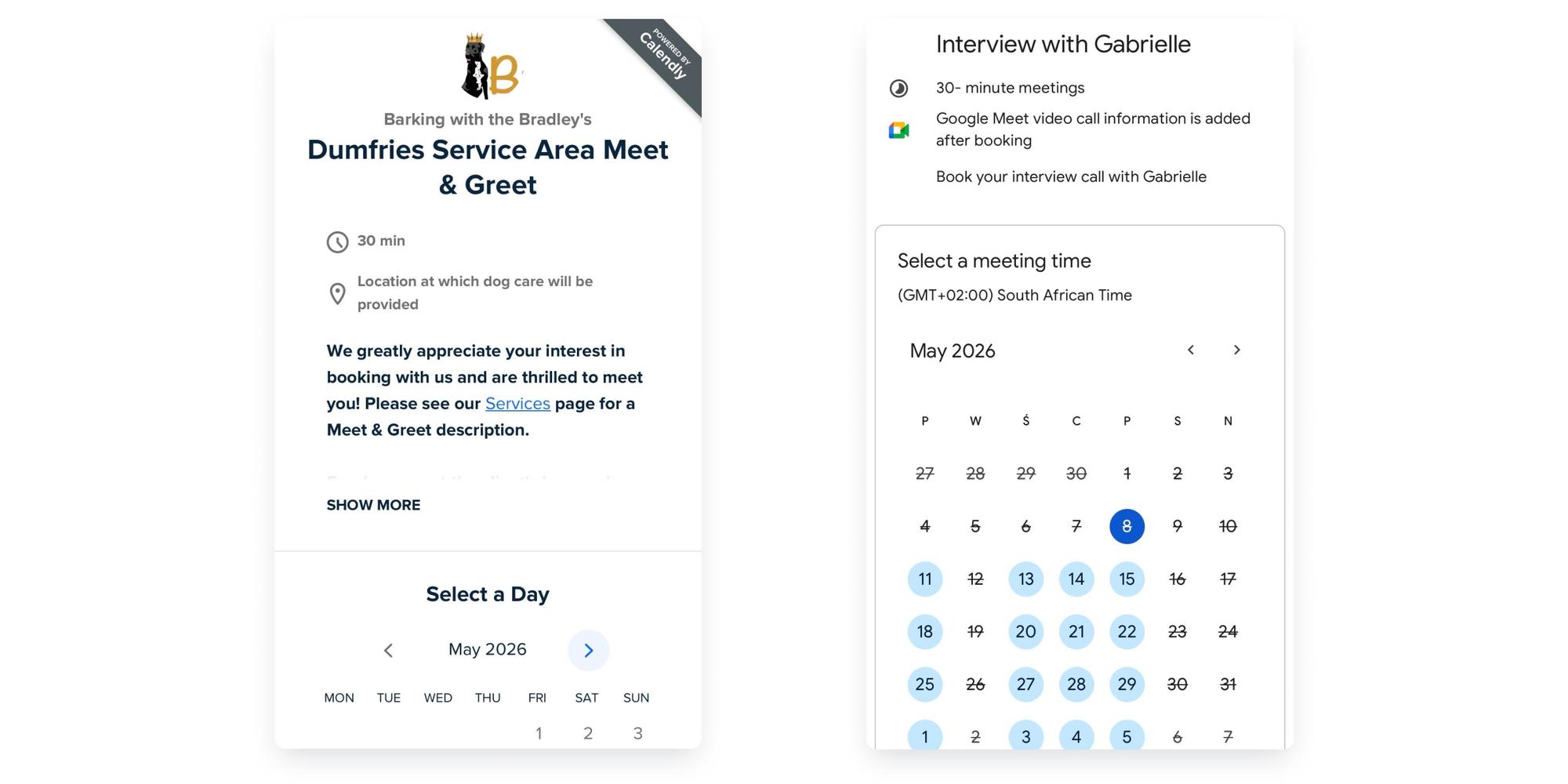
Its strength is familiarity. You create event types, connect a calendar, share your link, and let people book. Calendly offers Free, Standard, Teams, and Enterprise plans, with Standard starting at $10 per seat per month when billed annually and Teams at $16 per seat per month.
Calendly works well for:
- Established consultants
- Sales reps
- Customer success calls
- Recruiters
- Small teams with standard booking flows
The trade-off is that the free plan is limited to one event type and the most useful features, like custom branding, payments, analytics, sit behind paid plans.
Calendly is a safe choice when you want a polished tool but costs can scale quickly if you need more specialised features. If you are looking for a free Calendly alternative with more free scheduling links and unlimited booking pages, Koalendar may feel lighter and more generous. Compare more options in Koalendar’s guide to Calendly alternatives.
Google Calendar Appointment Schedules: for simple Google workflows
Google Calendar Appointment Schedules is a practical choice if your whole day already lives in Google Calendar.
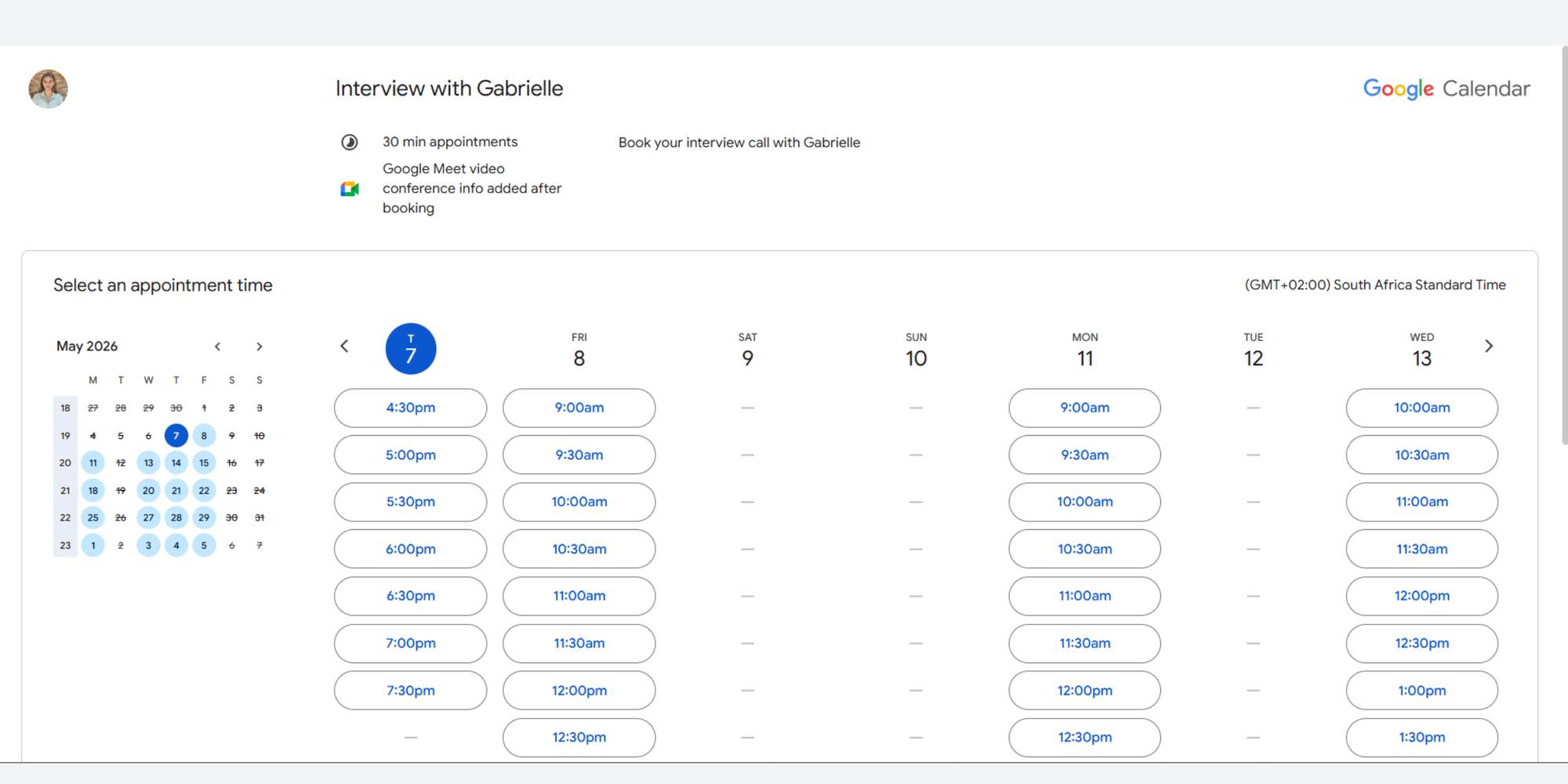
Google says appointment schedules let you create a booking page, adjust availability, share a link, and embed the schedule on your website. That is enough for simple appointment booking, especially if you do not want to add another app.
It works best for:
- Simple 1:1 meetings
- Internal office hours
- Google Workspace users
- People who want a basic booking page inside Google Calendar
The trade-off is that it can feel limited compared with dedicated scheduling tools. If you want richer customization, more flexible reminders, stronger branding, website widgets, or a more client-facing booking experience, you may outgrow it.
Download our free Google Calendar guide below to turn it into a real revenue generator.
Microsoft Bookings: for Microsoft 365 teams
Microsoft Bookings is a natural fit for teams already using Microsoft 365, Outlook, and Microsoft Teams.
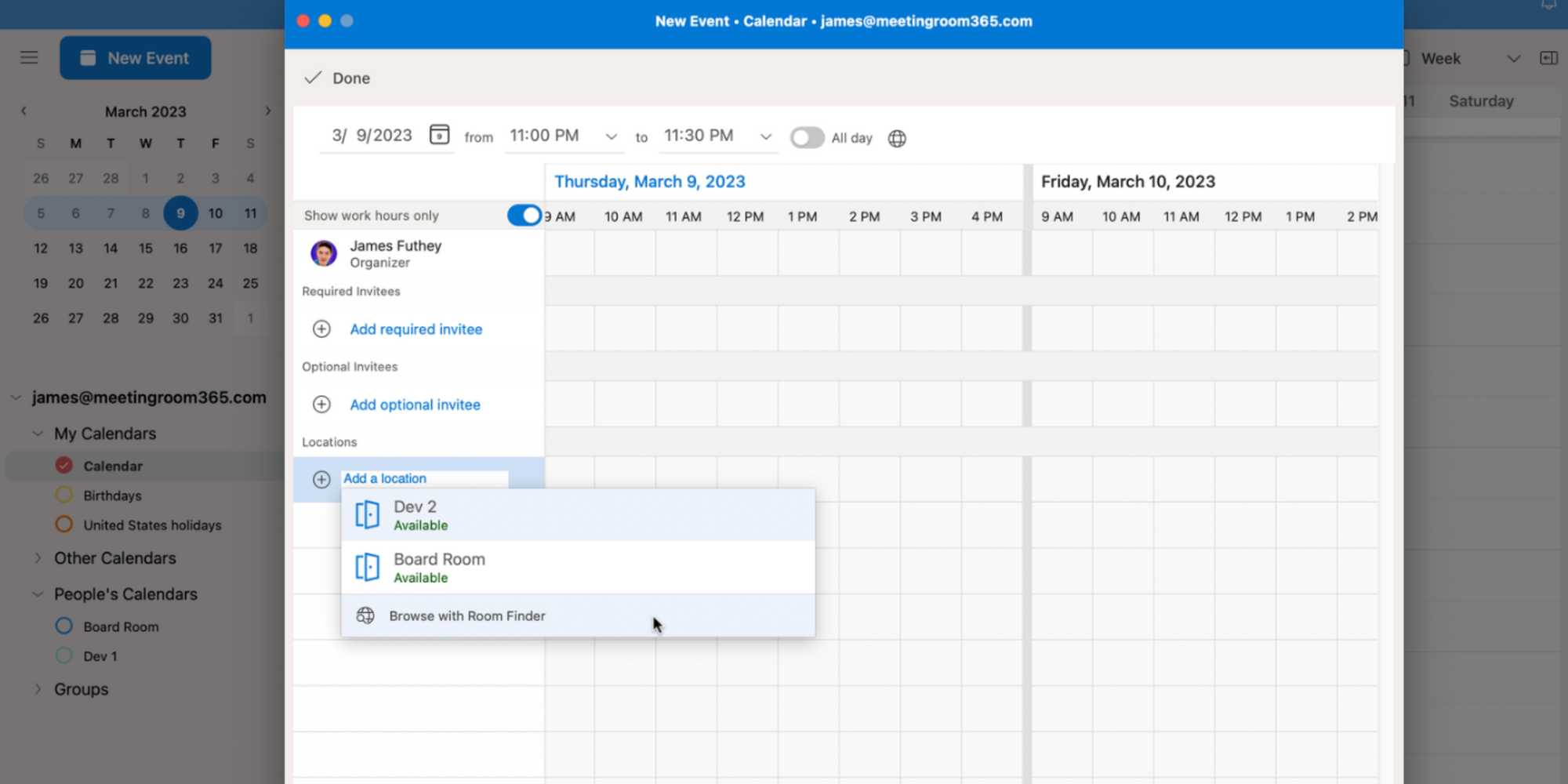
Microsoft Bookings is as a scheduling tool that integrates with Microsoft 365 calendars and helps organizations manage appointment bookings. It is especially useful for teams that want scheduling to stay inside the Microsoft ecosystem.
It works well for:
- Internal service teams
- HR teams
- Education teams
- Client-facing teams using Outlook
- Organizations already paying for Microsoft 365
The trade-off is that Microsoft Bookings can feel more structured and less lightweight than standalone schedulers. It is useful, but not always the easiest choice for a freelancer, coach, or consultant who just wants a clean booking page and fast setup.
If you run on Microsoft but are considering other options, we put together the best free calendar app for Microsoft Teams.
Cal.com: for team scheduling
Cal.com is a strong choice for teams that need more control over scheduling logic.
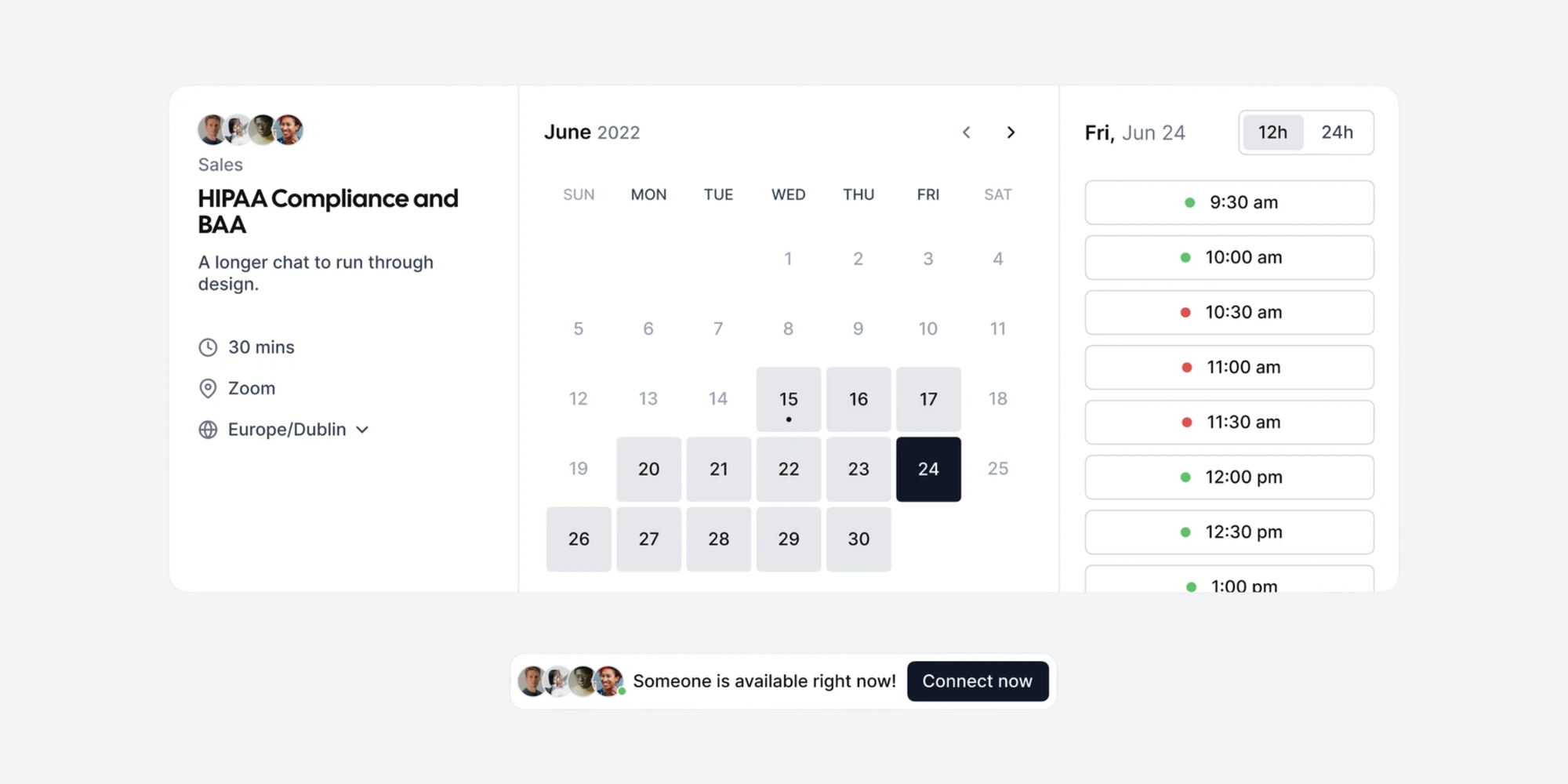
Cal.com highlights team features such as scheduling across one team, round robin scheduling, managed and collective event types, recurring events, routing forms, booking analytics, custom APIs, and customizable email and SMS notifications on paid tiers.
Cal.com fits:
- Start-ups
- Product-led teams
- Sales teams
- Developer-led companies
- Teams that want APIs and custom workflows
The trade-off is complexity. Cal.com can do a lot, which is great if you need it. But for a solo consultant or small service business, it may feel like more setup than necessary.
Use Cal.com if you’re a developer or if you need flexible team workflows. Use Koalendar when you want a booking page live quickly without turning scheduling into a technical project.
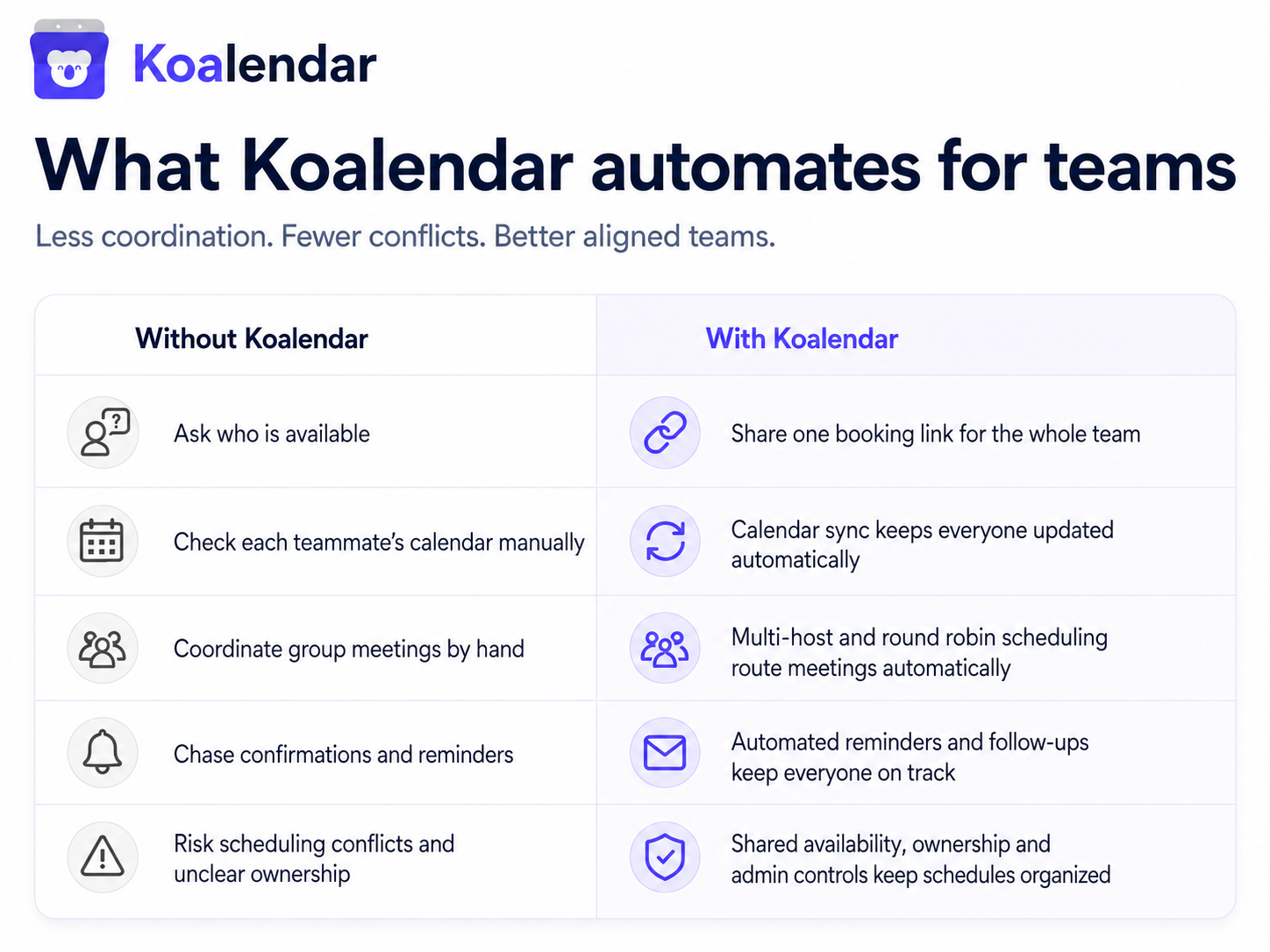
For growing teams, Koalendar’s scheduling software for teams might be the best option.
Chili Piper: for sales team routing
Chili Piper is built for revenue teams, especially those that need to route inbound leads to the right rep fast.
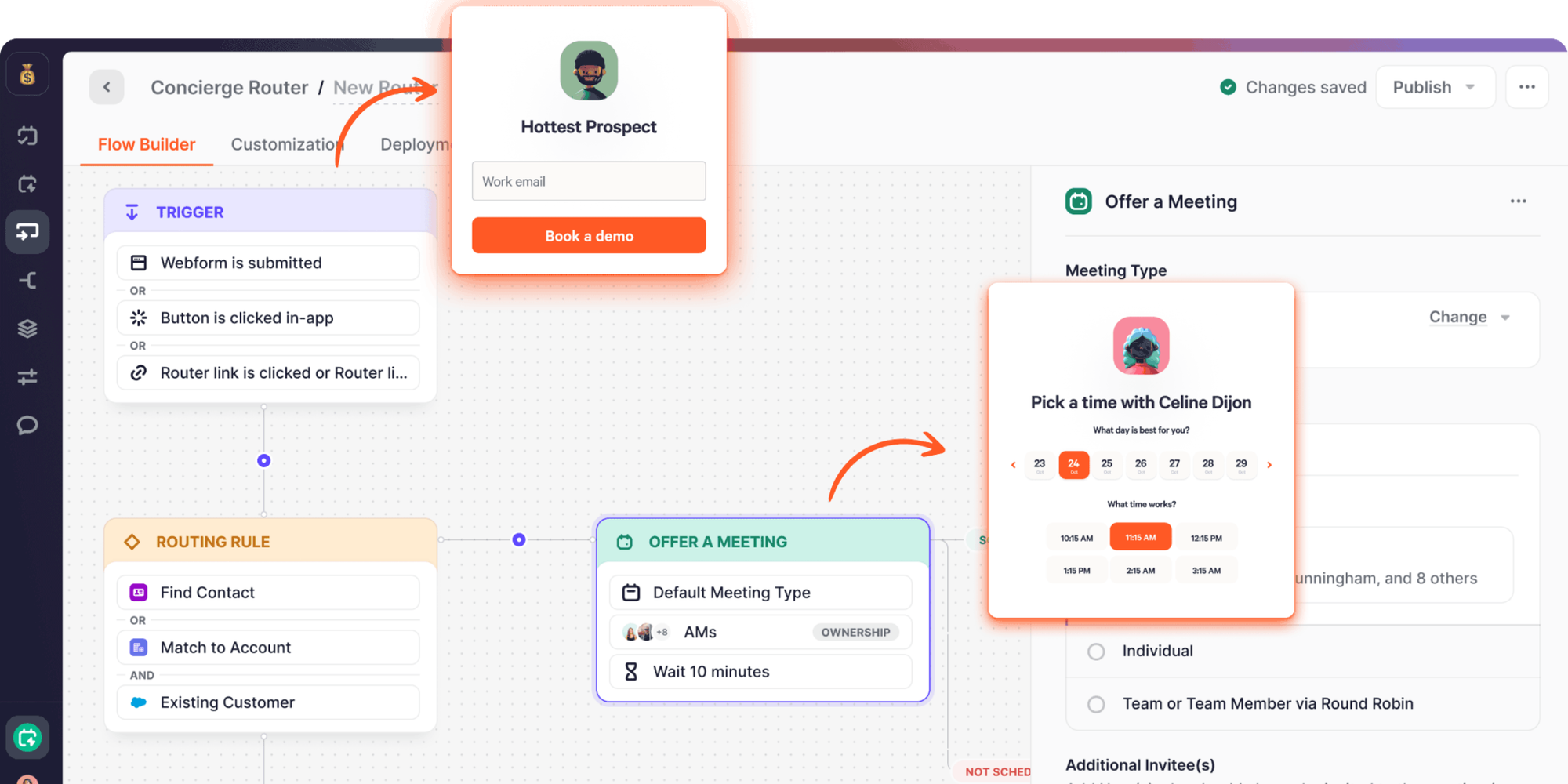
Chili Piper can book meetings from web forms, qualify leads in real time, embed a scheduler on a website, and use intelligent routing to distribute meetings.
It is best for:
- B2B sales teams
- SDR teams
- RevOps teams
- High-volume demo requests
- Companies using CRM-based routing
The trade-off is cost and complexity. Chili Piper lists Routing & Scheduling from $15,000 per year, with seats included and additional seats priced separately. That can make sense for sales organizations where faster speed-to-lead creates revenue. It is probably too much for a freelancer, tutor, coach, or small team that only needs basic booking.
Choose Chili Piper when routing rules are business-critical. Choose a simpler scheduler when you just need clients to book time.
Doodle: for group polling
Doodle is one of the best-known tools for finding a time with a group.
Instead of asking, “Can everyone do Tuesday?” and watching the email thread spiral, you send a poll. People vote on the times that work, and you pick the winner.

Doodle’s group polls let you send a set of times and see which one works best. Participants can respond without creating an account. A basic Doodle account is free and can create group meetings, booking pages, and sign-up sheets.
Doodle is great for:
- Board meetings
- Parent groups
- Interview panels
- Workshops
- Cross-team meetings
- Any meeting where no single person owns the calendar
The trade-off is that polls are not always the fastest path for 1:1 scheduling. If you already know your availability and just want someone to book, a direct booking page is cleaner.
SavvyCal: for blending polls with booking links
SavvyCal is useful for people who want a more collaborative booking experience.
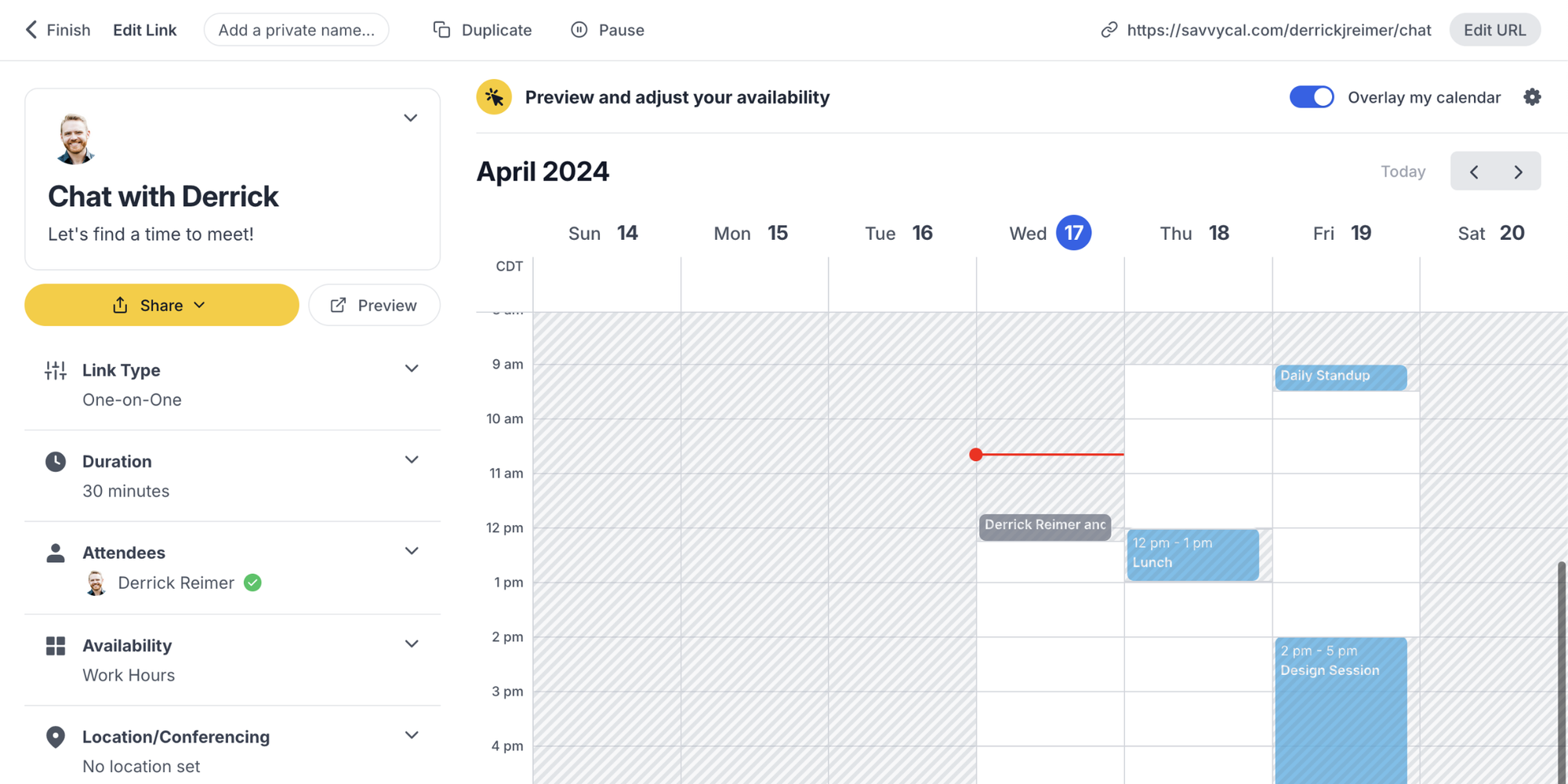
Their aim is making the “find a time” process feel easier for both sides. SavvyCal describes itself as “the fresh way to find a time to meet,” with flexible controls for the host and a convenient booking experience for invitees.
SavvyCal fits:
- Consultants
- Coaches
- Founders
- Community builders
- People who prefer a more personal scheduling experience
Its biggest appeal is that invitees can often overlay calendars and choose times with more context. That feels thoughtful, especially when you are booking with peers or clients who also have busy calendars.
The trade-off is that it may not be the first pick if your top priority is a free plan with unlimited bookings and simple setup.
YouCanBookMe: for time zone-heavy booking
YouCanBookMe is a practical scheduler for people who book across time zones.
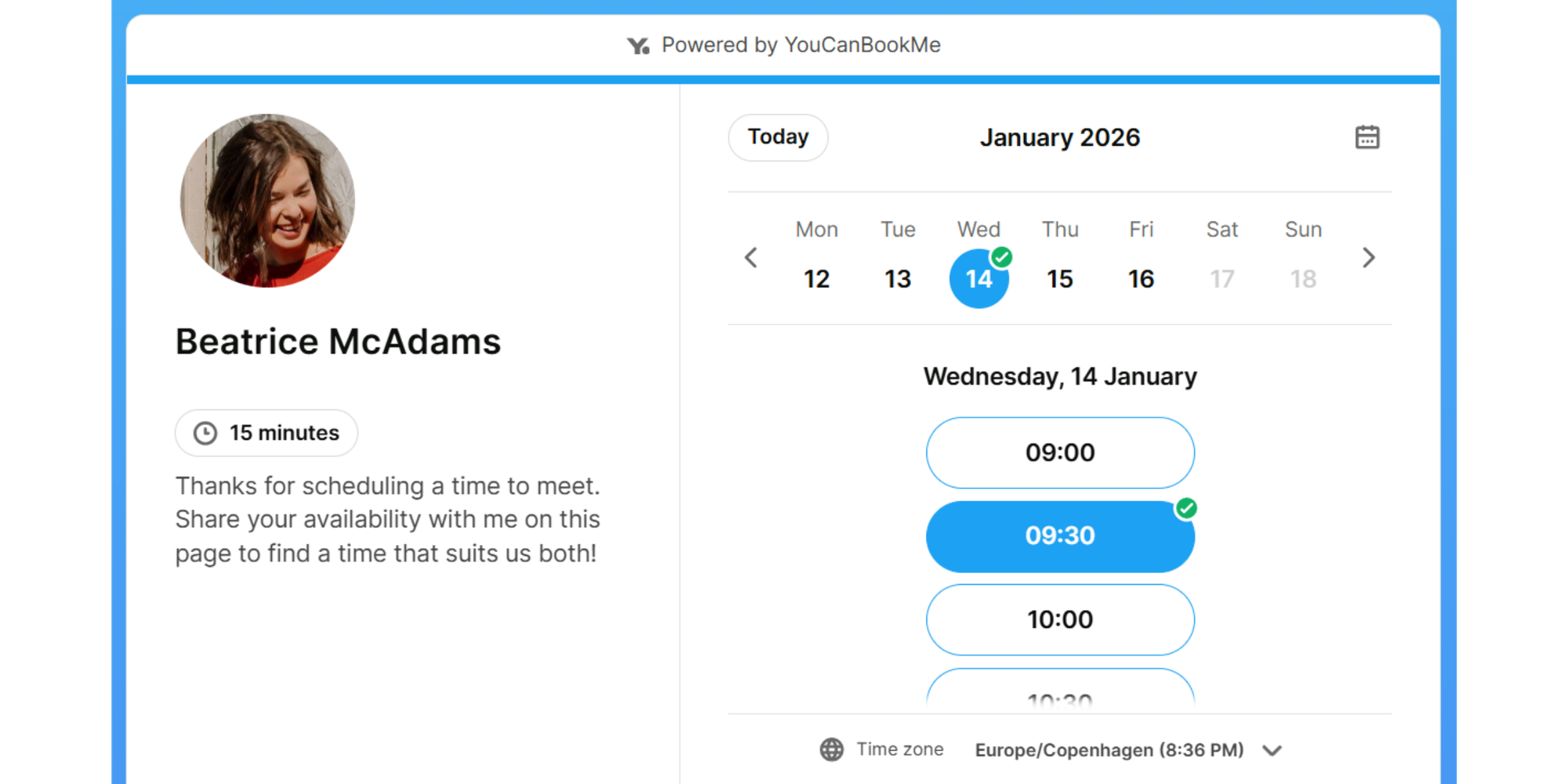
It handles scheduling, reminders, time zones, payments, and related booking details. That makes it useful for remote teams, international consultants, recruiters, and educators working with students or parents in different locations.
It fits:
- Remote-first teams
- Global consultants
- International educators
- Recruiters coordinating across regions
- Client-facing teams that need detailed booking rules
The trade-off is free plan scope. YouCanBookMe’s free plan includes one personalized booking page and one calendar connection. That may be fine for simple use, but it is worth checking limits before building your workflow around it.
If your main pain is time zone confusion, YouCanBookMe is worth a look. If you want unlimited free scheduling links too, Koalendar may be a smoother starting point.
Reclaim.ai: for AI-assisted calendar planning
Reclaim.ai is different from a standard booking page tool. It is more of an AI calendar assistant.
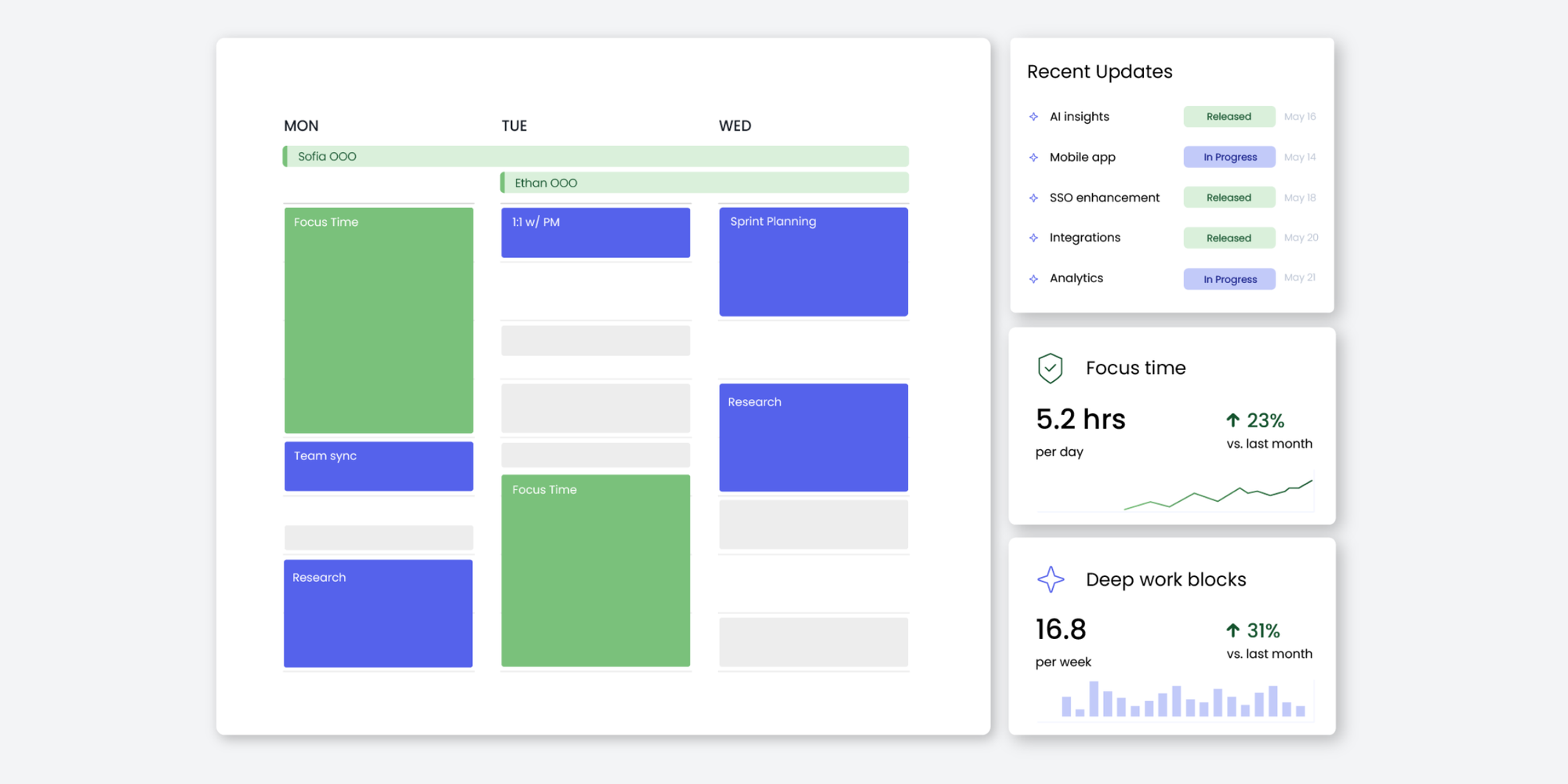
Reclaim helps individuals and teams automatically plan their time, protect focus time, schedule tasks and habits, and optimize meetings across the workweek. It also offers AI-powered scheduling links designed to adapt as schedules change.
It fits:
- Busy operators
- Managers
- Product teams
- People balancing tasks and meetings
- Teams trying to protect focus time
The trade-off is that Reclaim is broader than meeting booking. That is useful if you want AI-assisted planning, but it may be more than you need if your goal is simply to create a booking page and let clients schedule calls.
Use Reclaim when your calendar needs active planning. Use Koalendar when your main problem is client booking.
What meeting scheduling software does
Meeting scheduling software lets people book time with you without the usual back-and-forth.
Instead of sending three emails to find one slot, you share a booking link. The tool shows your available times, handles the time zone, creates the calendar event, sends confirmations, and often adds Zoom, Google Meet, or Microsoft Teams links.
The best way to schedule meetings is simple:
- Connect your calendar
- Set your availability
- Create your booking page
- Share your link
- Let clients, prospects, students, or teammates book the time that works
A good meeting scheduler also protects your day. It can add buffer time, limit daily bookings, prevent last-minute calls, and send reminders so people actually show up.
That is the real win: fewer emails, fewer missed calls, fewer double bookings, and a calmer calendar.
“We chose Koalendar because of the setting up, the linking, and its ease of use. I’m busy, and anything that saves me time, or is easy for my team to adapt to, is really important.”

Bibi Boucher
Global Operating Officer
Discover how Bibi and her team reduced back-and-forth and increased their clients’ satisfaction levels with smart meeting scheduling.
Features that matter before you choose
Custom booking pages
Your booking page is often the first experience a client has after deciding to meet with you. It should feel clear, trustworthy, and on-brand.
Look for:
- A custom booking link
- Logo and brand colors
- Clear meeting descriptions
- Language options
- Questions before booking
- A clean mobile experience
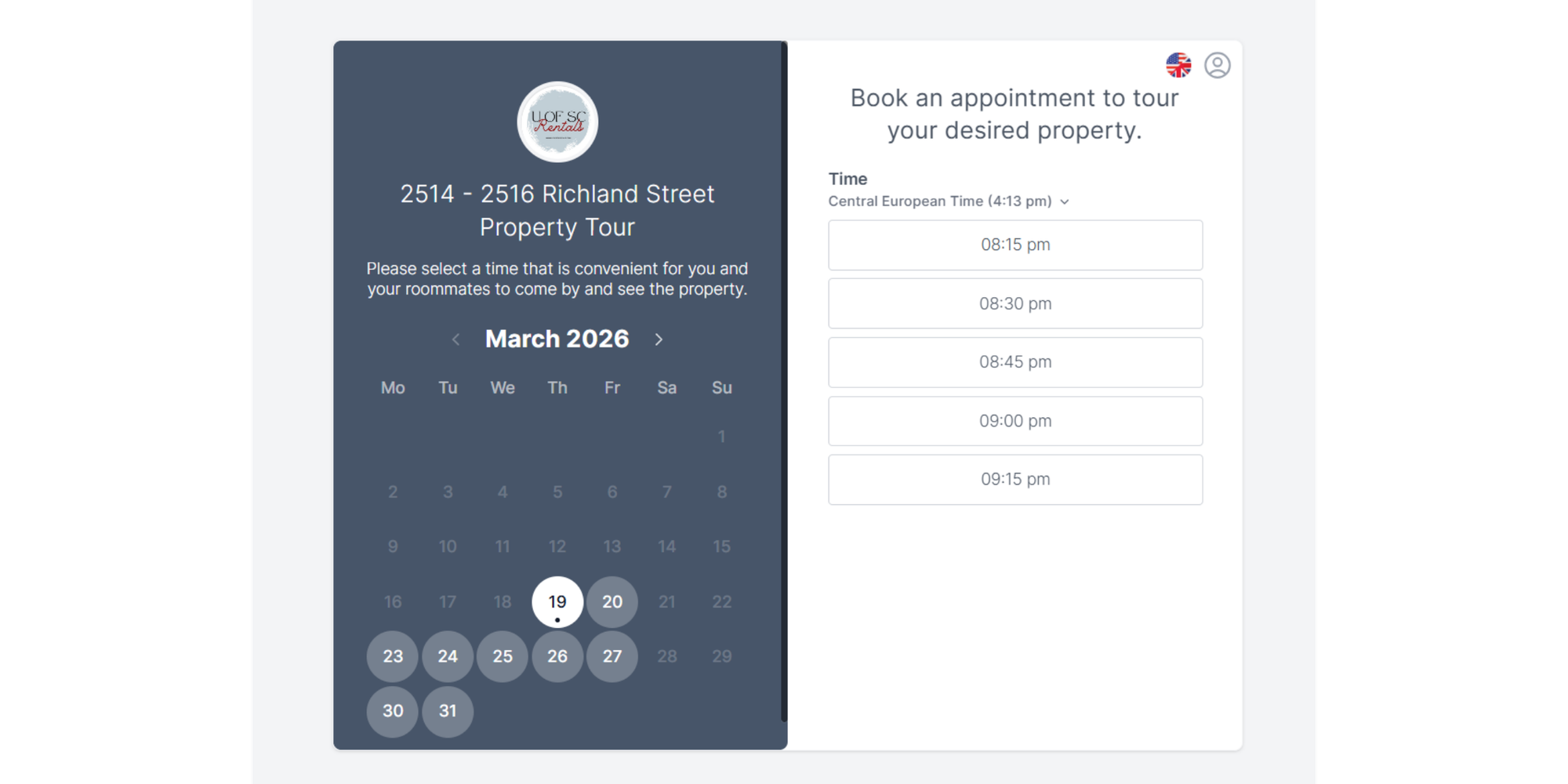
Koalendar, for example, supports customizable booking pages, including image, color, and link customization on the free plan.
Calendar sync across Google, Outlook, and iCloud
Calendar sync is non-negotiable. Without it, your scheduler can show times that are already taken.
Whereas some tools like Calendly don’t connect to certain calendars like iCal, Koalendar supports calendar sync across Google, Outlook, and iCloud. That is especially helpful if you manage work and personal calendars separately.
Buffer time, daily limits, and minimum notice
Back-to-back calls look efficient until you need five minutes to breathe, take notes, or grab water.
Buffer time helps you avoid meeting pileups. Daily limits stop your calendar from filling with calls. Minimum notice prevents someone from booking a meeting 10 minutes before it starts.
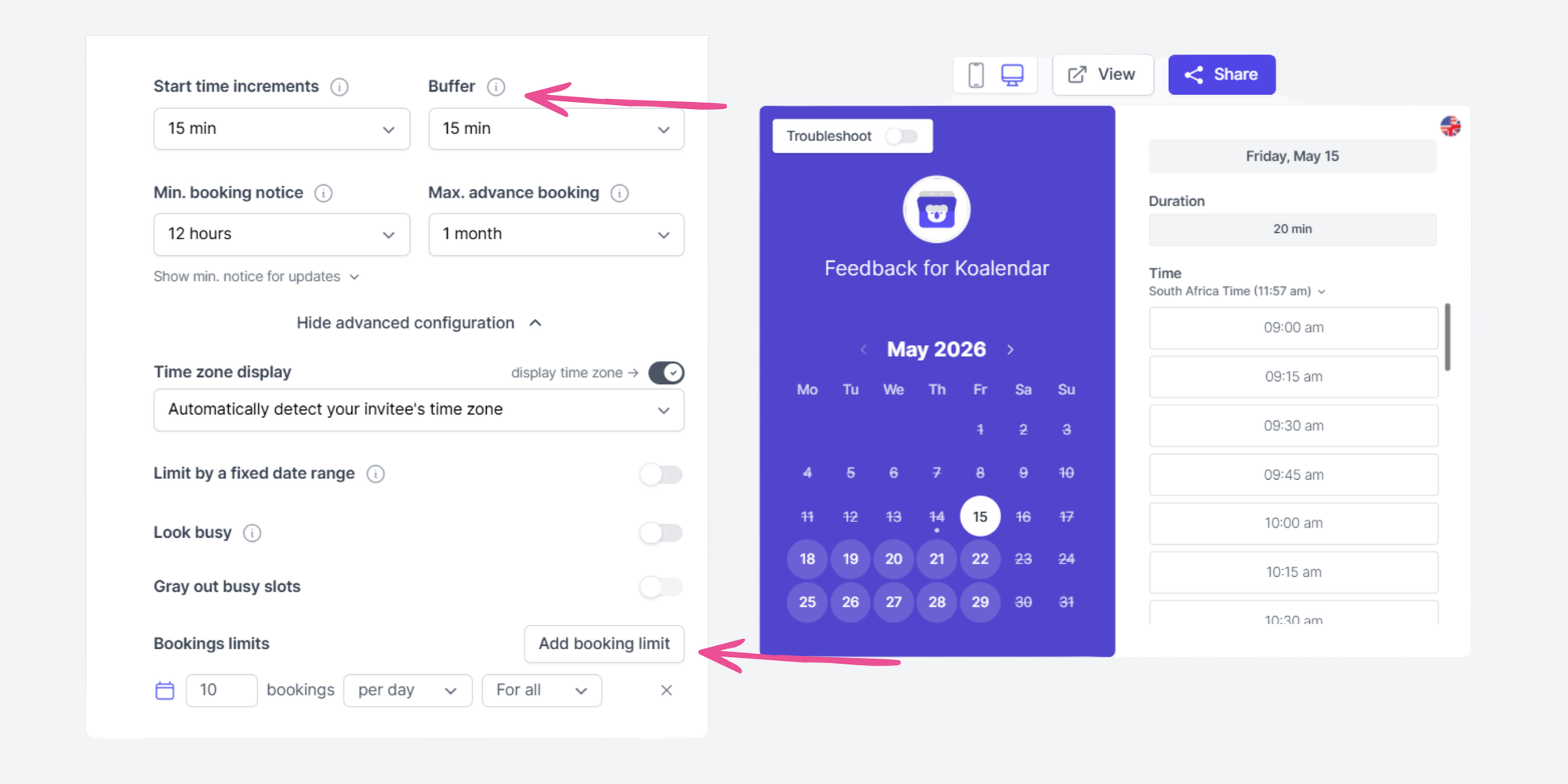
Calendly, for example, documents limits and buffers as part of its event settings.
Automatic time zone detection
Time zone mix-ups are easy to miss and painful to fix.
A good scheduler should detect the invitee’s time zone automatically and show the right local time. Koalendar, Calendly, Cal.com, Doodle, and Youcanbookme include smart time zone detection in their free plan.
Email and SMS reminders
Reminders reduce no-shows. They also make your booking process feel more professional.
Look for tools that support confirmation emails, reminder emails, SMS reminders, cancellation notices, and follow-up emails. Some tools, like Cal.com, include basic reminders free, while others reserve custom reminders or SMS for paid plans.
Zoom, Google Meet, and Microsoft Teams integrations
Video meeting links should be automatic. No one wants to book a call and then wait for a second email with the link.
Koalendar, for example, can create Zoom, Google Meet, or Microsoft Teams links and add them to calendar events and emails automatically.
Website embeds and booking links
If leads come through your website, make booking easy right there.
Koalendar supports adding a booking calendar to a website with inline embed, popup widget, or popup text. That works well for consultants, coaches, tutors, recruiters, and service providers who want visitors to book without leaving the page.
Privacy and client data protection
Meeting schedulers often collect names, email addresses, phone numbers, calendar availability, meeting notes, and sometimes payment details. That does not mean they are unsafe, but it does mean you should choose a tool that treats client data carefully.
The FTC’s guide to protecting personal information recommends keeping only the data your business needs, limiting access, and securing sensitive information. If you work with clients in the EU or UK, it is also worth understanding what GDPR means for personal data, especially when your booking page collects names, emails, phone numbers, or appointment details.
Features small teams often do not need right away
It is easy to overbuy scheduling software.
Some features sound impressive, but they may not matter until you have a larger team or a high-volume sales motion.
Advanced routing rules
Routing is useful when you need to send leads to the right rep based on territory, account owner, company size, or availability.
If you are a solo consultant or a two-person team, you probably do not need it yet.
Complex CRM workflows
CRM workflows are great for sales teams. They are less useful for tutors, coaches, educators, and small service businesses that just need appointments on the calendar.
Heavy admin controls
Admin controls matter when you manage dozens or hundreds of users. For a small team, they can add unnecessary setup.
Paid branding upgrades
Branding matters, but be realistic. A clean booking page with your name, logo, and meeting details is usually enough to start. Upgrade when the booking experience becomes part of a larger brand or sales process.
How to choose the right scheduler for your workflow
Meeting type
Start with the meeting you book most often.
For 1:1 client calls, use a booking page. For group availability, use a poll. For sales demos, consider routing. For internal recurring meetings, AI planning may help.
Calendar and video tools
Choose a scheduler that works with your existing tools.
If you use Google Calendar, make sure Google sync is reliable. If you use Outlook, check Microsoft support. If your team uses Zoom or Microsoft Teams, confirm video links are added automatically.
Booking volume
If you book five meetings a month, you need simplicity.
If you book 50 meetings a week, you need reminders, buffers, cancellation controls, and maybe routing.
Rescheduling and cancellations
Clients reschedule. Candidates cancel. Students forget.
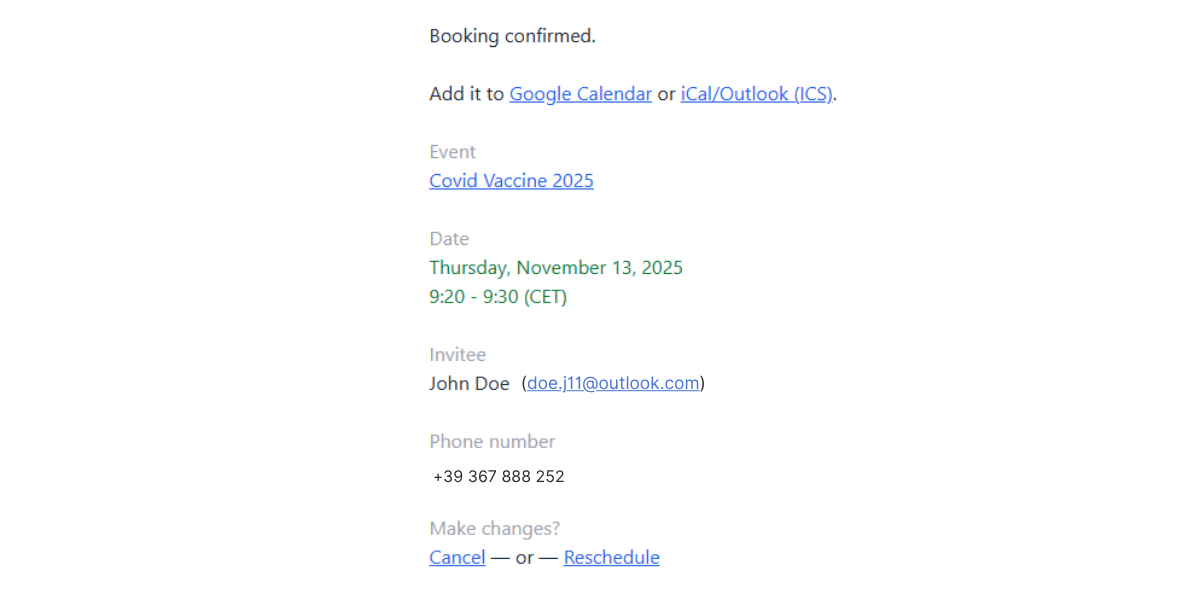
Look for tools that let invitees reschedule or cancel without emailing you. This saves time and keeps the calendar clean.
Team growth
Pick a scheduler that fits now but will not break later.
You may not need round robin today. But if you expect to add team members soon, check how pricing changes per user or per seat before you sign up.
For a broader look at team tools, read the best shared calendar app guide.
Free vs paid meeting scheduling software
Free plan coverage
A useful free plan should include enough to run real meetings.
Look for:
- Unlimited or generous bookings
- At least one booking page
- Calendar sync
- Time zone support
- Basic notifications
- A shareable scheduling link
Koalendar’s free plan stands out because it includes unlimited bookings, unlimited 1:1 event types, unlimited scheduling links, 2 calendar syncs, smart time zone detection, and booking page customization.
Free plan limits
Free plans often limit:
- Number of booking pages
- Number of event types
- Calendar connections
- Reminder customization
- Branding
- Team scheduling
- Integrations
- Group meetings
Calendly’s free tier is useful for personal scheduling but it’s limited to 1 calendar and 1 event type. Its paid tiers unlock more business and team features such as unlimited event types, advanced branding, and admin controls.
Pricing models: per-user, per-seat, and flat pricing
Most scheduling software uses one of three pricing models:
| Pricing model | Good for | Watch out for |
| Per user | Solo pros and small teams | Costs rise as the team grows |
| Per seat | Sales and support teams, Solo pros and small teams | Inactive users can still add cost |
| Platform pricing | Larger revenue teams | Annual minimums and implementation costs |
Hidden costs: SMS credits, add-ons, and payment fees
Check the details before you commit.
SMS reminders, extra calendars, advanced integrations, payment collection, routing, admin controls, and white-label branding may cost extra. The cheapest plan is not always the cheapest workflow.
How to create your first booking page
Here is the simplest path:
- Choose your main meeting type. Start with one: discovery call, coaching session, parent meeting, interview, demo, or office hours.
- Connect your calendar. Use Google Calendar, Outlook, or iCloud so your scheduler can avoid conflicts.
- Set your availability. Choose the days and hours people can book.
- Add buffer time. Give yourself room between meetings.
- Set minimum notice. Avoid surprise same-day bookings if they do not work for you.
- Customize your booking page. Add your name, meeting description, logo, colors, and questions.
- Add video conferencing. Use Zoom, Google Meet, or Microsoft Teams if the meeting is remote.
- Turn on reminders. Help clients show up on time.
- Share your link. Add it to your email signature, website, proposals, LinkedIn profile, or client onboarding emails.
- Test the flow. Book a test meeting so you know exactly what clients see.
For more setup detail, check Koalendar’s guide on how to make a booking website.
Conclusion
The best meeting scheduling software is the one that matches how you actually work.
If you run sales demos with routing rules, Chili Piper or Cal.com may make sense. If you need group votes, Doodle is a handy choice. If you want AI to plan your week, Reclaim.ai is worth exploring.
But if you are a consultant, coach, freelancer, educator, recruiter, or small team that simply wants people to book time without the back-and-forth, Koalendar is the natural place to start.
If a free booking page with unlimited 1-1 meetings, calendar sync, and automatic confirmations covers your workflow, start with Koalendar. It keeps scheduling simple, professional, and easy to manage — no card needed, no complicated setup, and no calendar chaos.


.png?w=800&fit=max&auto=format)
