
TL;DR:
The best interview scheduling software helps recruiters cut email back-and-forth with shared availability, calendar sync, video links, confirmations, reminders, and candidate self-scheduling. Koalendar is the top pick for simple automated interview scheduling, especially for small and mid-sized recruiting teams that want unlimited booking pages and a strong free plan. Google Calendar works for basic one-on-one scheduling, Microsoft Bookings fits Microsoft 365 teams.
.png?w=2000&fit=max&auto=format)
Interview scheduling sounds simple at first. One simple screening call? Easy enough. Yet the modern, layered hiring process is a different beast. There are many parts: a hiring manager interview, a technical round, the panel interview, that candidate in another time zone, and those last-minute reschedules. Often the calendar admin gets out of hand.
That admin impacts hiring outcomes, not just recruiter workload. Cronofy’s Candidate Expectations Report, based on 12,000 candidates, found that 42% of candidates quit a recruitment process because scheduling took too long.
Clearly then the right interview scheduler is crucial. It helps teams reduce time-to-hire, improve candidate experience, and avoid missed interviews. This article will explore your best scheduling options and find the right option for your recruiting needs.
What is interview scheduling software?
First, what does scheduling software do? Interview scheduling software automates interview booking by syncing calendars, sharing live availability, and sending confirmations or reminders.
To help you choose, we’re going to compare leading scheduling tools:
- Koalendar
- YouCanBook.me
- Google Calendar
- Calendly
- Acuity
- Microsoft Bookings
- Simplybook.me
How it works
Most tools follow the same flow. A recruiter creates a scheduling page, connects their calendar, sets availability, and shares the link with candidates.
The software checks connected calendars, hides unavailable times, and shows open slots, so the candidate always sees the real availability. Once the candidate chooses a time, the tool sends a calendar invite and confirmation. Stronger tools also handle time zone detection, reminders, custom questions, video links, and panel availability.
Why recruiters need it
Recruiters need interview scheduling software because manual coordination does not scale. A single role can involve interlinked stages, multi-person panels, final interviews, and coordinating hiring across departments.
Handled manually, this creates confusing email loops, calendar conflicts, reschedules, and avoidable delays. Over time, that can lead to recruiter burnout, poor communication with candidates, and higher candidate drop-offs. Pin’s applicant drop-off analysis reports that 32% of candidates leave at the interview stage, with another 20% leaving during scheduling.
Best interview scheduling software for recruiters
The best tool depends on your team size, hiring volume, budget, and calendar stack. A solo recruiter scheduling five interviews a month does not need the same setup as a staffing agency coordinating dozens of calls every week.
Here’s a quick comparison table:
 |  |  |  |  |  |  | |
| Best for | Small to mid-sized recruiting teams | Custom booking pages | Basic one-on-one scheduling | Larger teams with complicated workflows | For appointment-based businesses | Microsoft 365 teams | Good for large operations or service businesses |
| Free plan | Yes, unlimited appointments and pages, 2 calendars | Yes, 1 calendar and 1 page | Yes, for Google users | Yes, 1 calendar, 1 event type | No, free trial only | Included in selected Microsoft 365 plans | Yes, 50 bookings/month. 1 feature |
| Starting paid price | $6.99 per seat/month Pro | From $8.10/month, billed annually | Premium booking features via Google Workspace | Standard $10 per seat/month, Teams $16 | $16/month | Business Basic starts at $6/user/month, billed annually | Basic from €11.90/month, billed annually |
| Key strength | Simple setup, free plan value, no learning curve | Deep customization | Familiar setup | Polished team scheduling | Highly customizable booking workflows | Outlook and Teams integration | Feature-rich platform (notifications, integrations, add-ons) |
| Take note | Reminders, multiple hosts, and round-robin are Pro | Reminders and team features need paid plans, interface can feel less modern, setup takes longer than simpler tools | Weak for panels and branding | Reminders require a paid plan, Free plan is limited | Many features irrelevant to hiring, Paid-only tool (no strong free tier) ,Slightly steeper learning curve | Less flexible candidate pages | Can feel overbuilt, Many features are locked behind add-ons , Complex setup |
Koalendar (top pick for simplicity & flexibility)
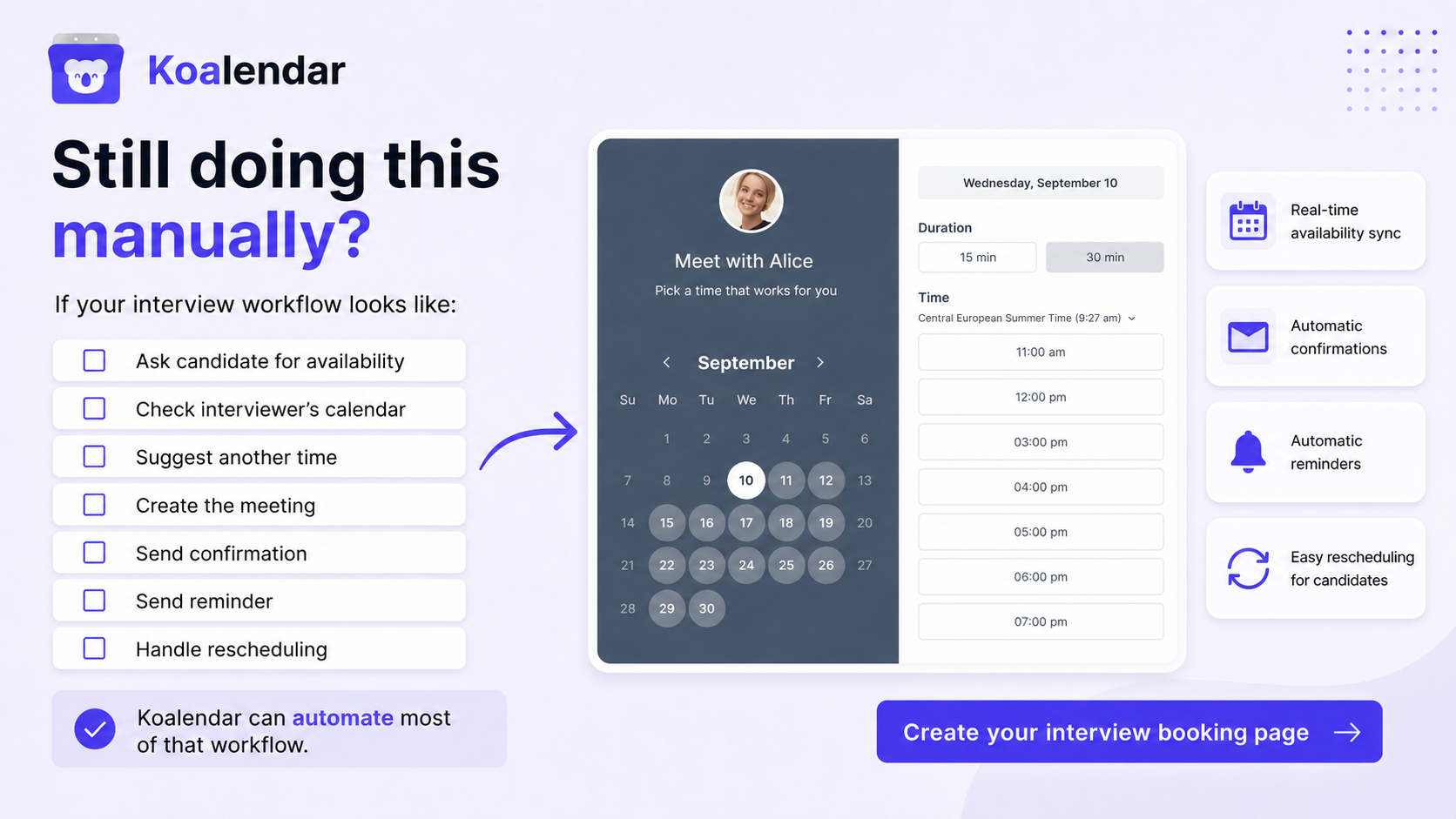
Koalendar is the strongest fit for recruiters who want a simple scheduling layer without a heavy enterprise setup. Its interview scheduling software for recruiters supports candidate self-scheduling, custom booking pages for roles or interview stages, instant confirmations, and panel-style workflows and intake forms on Pro.

The free plan includes unlimited appointments, unlimited booking pages, sync with up to two Google, Outlook, or iCloud calendars, smart time zone detection, instant booking notifications, Google Meet auto-links, and 30 languages.
When hiring volume grows, Pro adds email and SMS reminders, group sessions, multiple hosts, round-robin scheduling, custom questions, unlimited calendar sync, follow-up emails, removable Koalendar branding, and Zapier or webhook automation. That makes Koalendar practical for teams that later need more structured interview coordination software.
YouCanBook.me
YouCanBook.me is useful for teams that want detailed control over booking pages. Pricing starts with a free plan, with paid plans from $8.10/month on annual billing, or $9/month monthly.
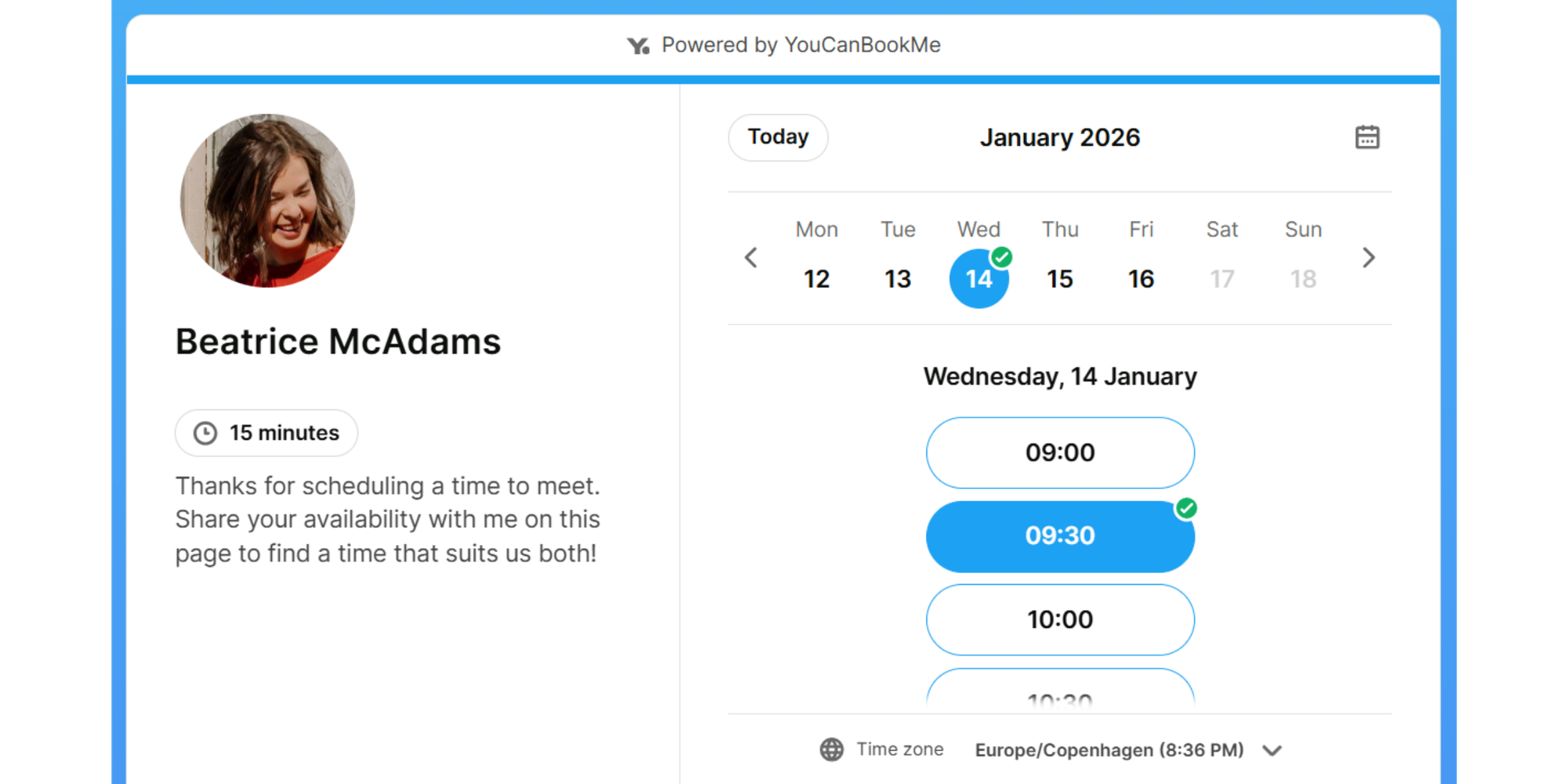
Where it works best is in hiring processes that need more structure than a basic scheduling link. Recruiters can set up custom booking questions, branded pages, availability rules, confirmations, reminders, rescheduling links, video meeting connections, and website embeds. On higher plans, YouCanBook.me becomes more useful for teams, with workflows, analytics, HubSpot, Zapier, team dashboards, and round-robin scheduling.
The trade-off is that this flexibility adds setup time. The strongest recruiter-friendly features sit on paid plans, and the interface can feel heavier than simpler interview scheduling software. It suits teams that want to shape the whole booking experience, but it may be more configuration than a small team needs.
Google Calendar
Google Calendar works for basic one-on-one scheduling, especially if your team already uses Google Workspace. Pricing starts free for personal accounts and basic appointment scheduling; Google Workspace business plans start from $7/user/month on annual billing.
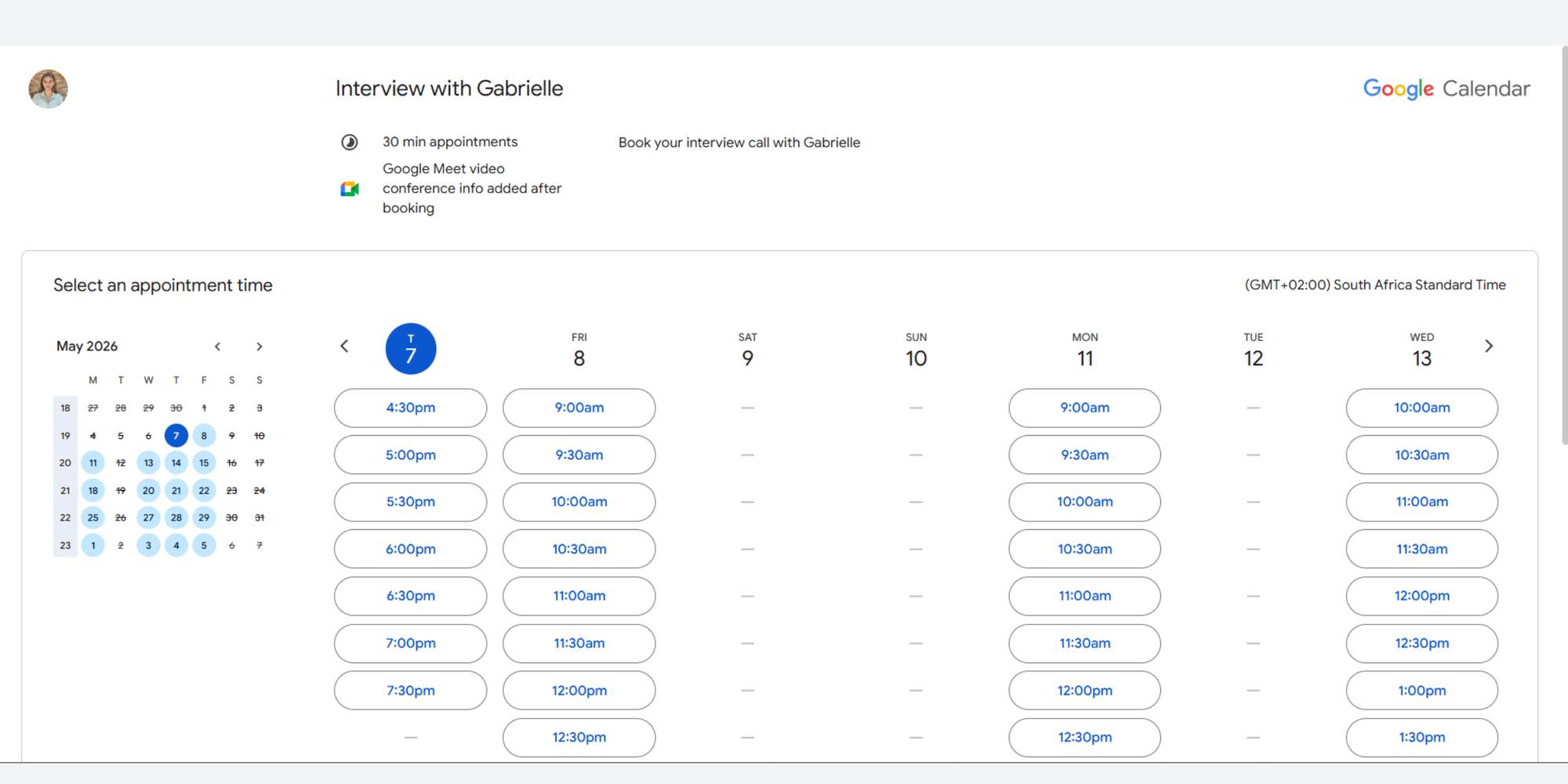
Its biggest advantage is familiarity. A recruiter can create a shareable booking page, let candidates choose from available times, and have the meeting appear automatically in Google Calendar with a Google Meet link. Time zone handling and confirmation emails are built in, while eligible paid subscriptions add options such as multiple booking pages and email reminders.
The limitation is that Google Calendar is still a general calendar tool, not dedicated interview scheduling software. Branding is limited, candidate intake is basic, and it does not give recruiters polished interview-stage management, ATS workflows, or advanced routing. It is a good starting point for simple interviews, but teams usually outgrow it as hiring volume rises.
Calendly
Calendly is a familiar scheduling platform with a polished candidate experience. Pricing starts with a free plan, with paid plans from $10/seat/month on annual billing.
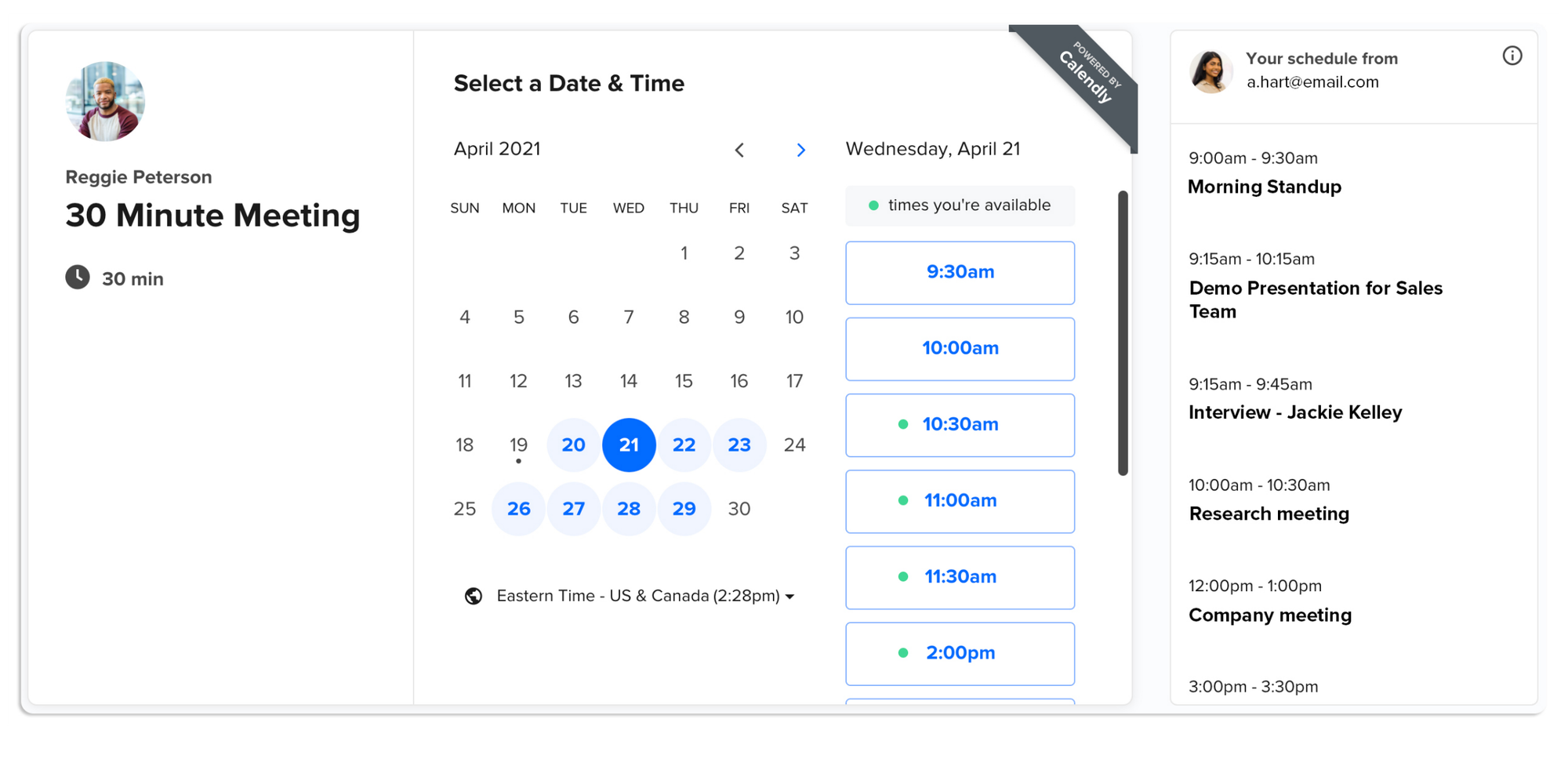
Calendly works well when recruiters need a mature scheduling layer that candidates will understand quickly. It supports event types, calendar sync, video integrations for Zoom, Google Meet, and Microsoft Teams, custom questions, routing forms, collective scheduling, round-robin scheduling on team plans, and website embeds. Paid plans also add automated reminders, which matter once interviews become frequent enough for no-shows to hurt the hiring process.
Its strength is also why it can feel like a bigger commitment. Larger teams can build structured scheduling workflows, but smaller teams may find the free plan too limited and the best team features locked behind paid tiers. Calendly is strong for established hiring teams, but it is not always the lightest or most cost-effective option.
Acuity Scheduling
Acuity Scheduling is a powerful scheduling platform that goes far beyond simple interview booking. It’s designed for businesses that need deep customization, allowing you to create detailed availability rules, intake forms, and automated workflows.
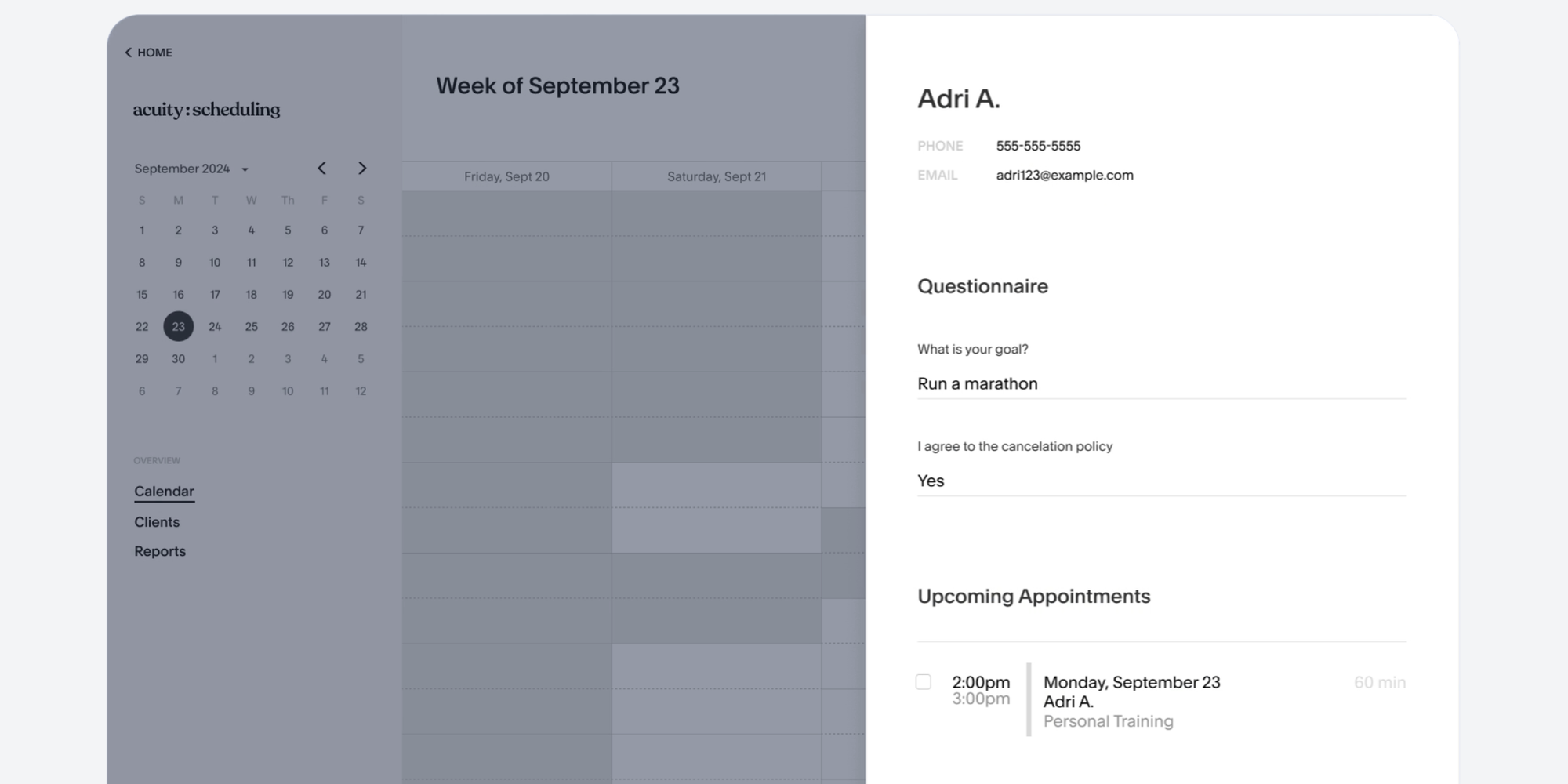
For recruiters, this can be useful if your hiring process includes structured pre-interview questions or multiple steps before confirming a slot. It also integrates with calendars and video conferencing tools, so once everything is set up, it can handle scheduling and confirmations reliably.
That said, Acuity can feel like more tool than most hiring teams actually need. Its strength—advanced configuration—is also its biggest drawback. Setting it up takes time, and many of its features (like payments or client packages) are irrelevant for interview scheduling. If your goal is simply to share availability and let candidates book quickly, the extra complexity can slow you down. It’s best suited for teams that want control over every detail, rather than recruiters looking for a fast, frictionless setup.
For a closer look at plans and costs, see our breakdown of their pricing.
Microsoft Bookings
Microsoft Bookings is a natural option for organizations already using Microsoft 365, Outlook, and Teams. It is included in Microsoft 365 rather than sold as a standalone scheduler, with US business plans starting from $6/user/month on annual billing.
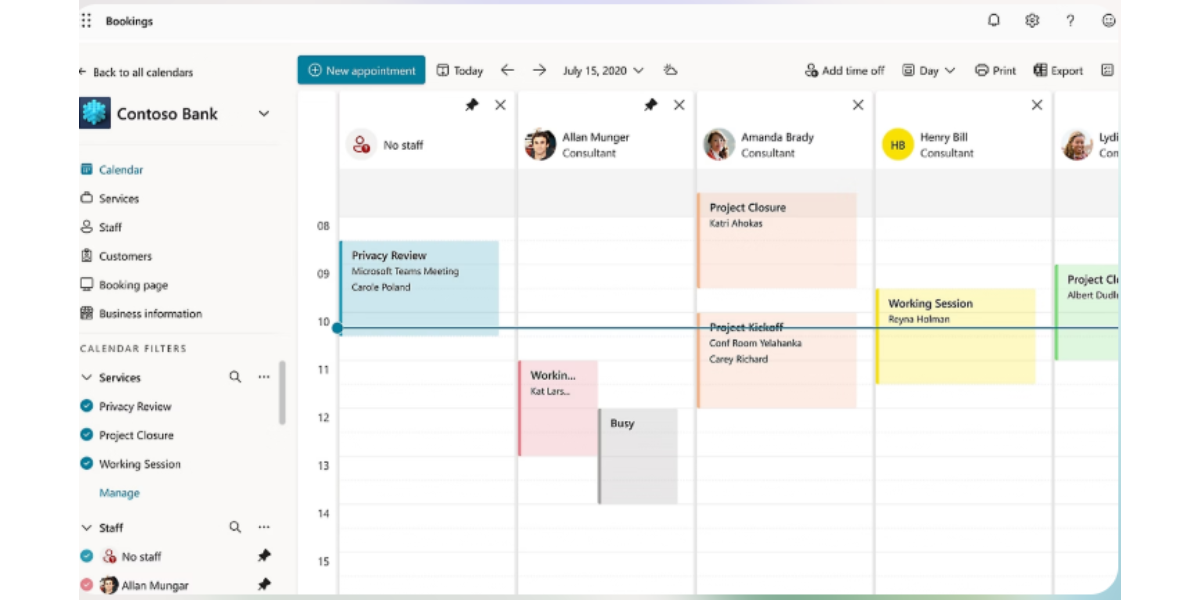
For Microsoft-first HR teams, the appeal is practical rather than flashy. Bookings connects with Outlook calendars, creates booking pages, assigns staff, supports appointment types, sends confirmations and reminders, and adds Microsoft Teams links automatically. Because it can be used inside Teams and Outlook, it fits neatly into organizations where recruiters and hiring managers already live in Microsoft tools all day.
The candidate-facing experience is more functional than polished. Booking pages offer less flexibility than dedicated scheduling platforms, branding options are limited, and it is less useful if your hiring workflow depends on Google Calendar, Zoom, or ATS-based coordination. It is a sensible internal choice for Microsoft 365 teams, but not always the best standalone candidate experience.
Simplybook.me
SimplyBook.me is a broad booking platform with staff scheduling, group bookings, intake forms, reminders, and website widgets. Pricing starts with a free plan that includes 50 bookings/month, with paid plans from EUR 11.90/month on annual billing, or EUR 13.90/month monthly.
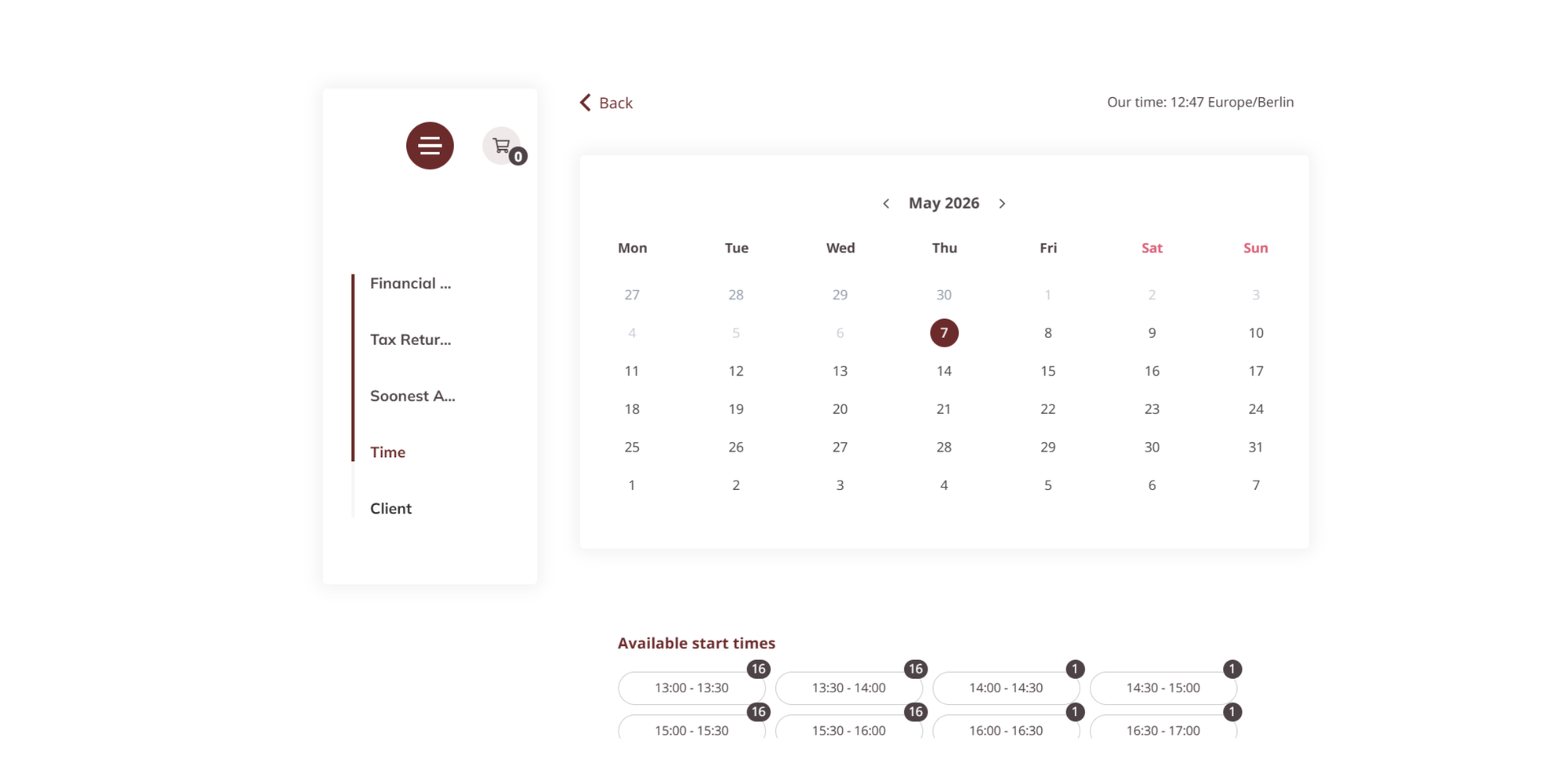
SimplyBook.me is strongest when an organization needs a full booking system rather than just an interview scheduler. It can provide a booking website, widgets, an admin app, intake forms, staff and resource scheduling, Google Calendar sync, email and SMS reminders, client app options, payments, deposits, POS, SSO, and white-label options on higher plans. For recruiters, it makes most sense when the business already uses SimplyBook.me for other appointment workflows.
The downside is that much of this power points away from recruiting. Booking caps, add-ons, and a service-business feel can make it feel overbuilt for straightforward interview scheduling. It is useful for organizations with complex appointment operations, but a team that only wants to eliminate scheduling conflicts may prefer a simpler tool.
Key features to look for in interview scheduling software
A good scheduling tool should do more than show open times. It should quietly remove the coordination tasks that slow hiring down.
Look for these essential features that directly support coordination and make real hiring workflows tighter: calendar sync, reminders, time zones, panel support, and integrations.
Calendar sync
Calendar sync is the foundation. Without it, your scheduling page can show times that are no longer available.
Look for two-way sync with Google Calendar, Outlook, iCloud, or Microsoft 365. Automated reminders
Automated reminders help reduce missed interviews and last-minute confusion: Koalendar’s guide to reducing no-show appointments notes that no-show rates fell from 23.1% with no reminder to 17.3% with automated reminders.
For recruiting, separate confirmations, sent immediately after scheduling, from reminders, sent before the interview. Koalendar includes instant booking confirmations, while automated email and SMS reminders are available on Pro through its appointment reminder software.
Time zone detection
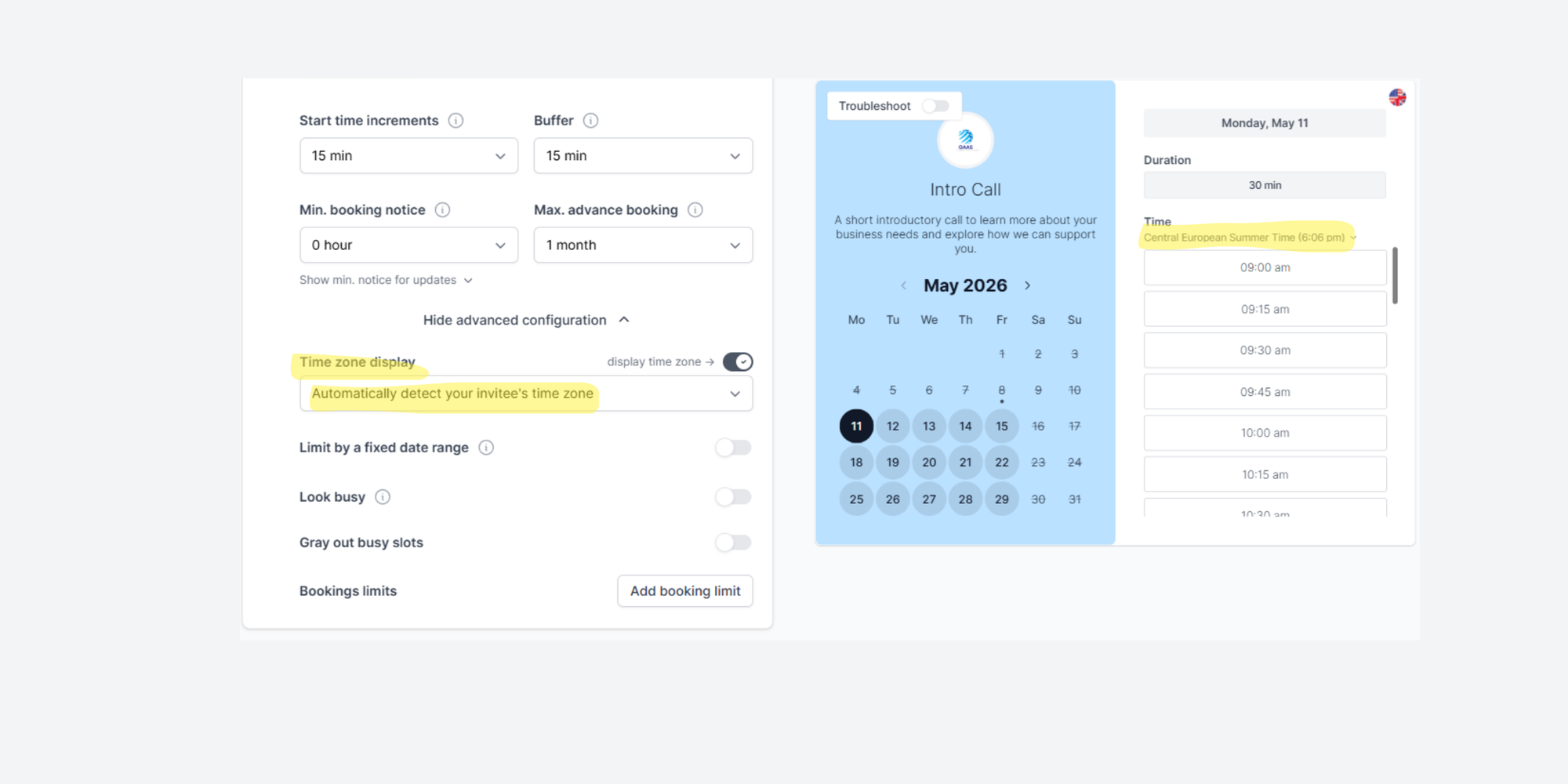
Time zone detection is essential for remote and global hiring. Candidates should not have to calculate the difference between New York, London, Berlin, and Singapore.
A good booking page shows times in the candidate’s local time zone and places the event correctly on everyone’s calendar. This is the simplest way to prevent scheduling conflicts across time zones.
Group scheduling / panel interviews
Panel interviews are where basic schedulers often struggle. A good workflow should show only times when all required interviewers are available.
Look for collective availability, where all required interviewers must be free, and round-robin scheduling, where interviews are distributed across available recruiters or interviewers. Koalendar Pro supports group sessions, multiple hosts, and round-robin scheduling.
Integrations (ATS, Zoom, Google Meet)
Integrations decide how easily your scheduler fits into the rest of your hiring stack. At minimum, check for video meeting integrations.
Koalendar supports Zoom and Google Meet, plus Microsoft Teams through Zapier on Pro. For ATS workflows, be realistic. Most lightweight schedulers do not replace an applicant tracking system. They usually complement one through Zapier, webhooks, APIs, or manual links.
Benefits of using interview scheduling tools
Interview scheduling tools help recruiters move faster, but the bigger win is consistency: candidates get a clear next step, interviewers get accurate calendar events, and recruiters get time back.
Faster hiring cycles
Slow scheduling stretches time-to-hire. A role can stall for days while people try to find one shared slot.
With self-scheduling, candidates choose from real availability as soon as they receive the link. The recruiter no longer has to send options, wait for replies, check calendars again, and rebuild the invite. That is how scheduling tools reduce time-to-hire: they remove avoidable dead time between stages.
Better candidate experience
Candidates notice how organized the hiring process feels. Cronofy’s Candidate Expectations Report found that 70% of candidates would consider the smoothness of the recruitment process when deciding which role to take, and 28% listed poor responsiveness and communication as their most likely frustration.
A scheduling link does not replace human communication, but it does give candidates control over their own time, which helps improve candidate experience without making the process feel colder.
Reduced admin work
Recruiters should not spend their best hours playing calendar Tetris. Manual scheduling creates hidden work: checking availability, asking hiring managers to confirm, updating invites, handling reschedules, and sending reminders.
Unnecessary scheduling admin is exactly the kind of time-consuming task scheduling tools can reduce, giving recruiters more time for higher-value work such as relationship building. In other words, better interview coordination can increase recruiter productivity without removing human judgment from recruiting.
How to choose the best interview scheduling software
Before choosing a tool, look at how you work and what causes the most friction. How many interviews do you schedule each week? How many people need to attend? How often do candidates reschedule?
The best tool is the one that makes your work easier, without making the process heavier.
Based on team size
For a solo recruiter, founder, or small startup, keep it simple. You need a clean scheduling link, calendar sync, video meeting links, and confirmations. Koalendar Free or Google Calendar may be enough.
For a small HR team, look for multiple booking pages, team access, cross-department coordination, and shared scheduling workflows. Koalendar, YouCanBook.me, Calendly, or Microsoft Bookings may make sense depending on your stack.
For larger teams, panel scheduling, round-robin routing, reporting, admin controls, and ATS workflows matter more. The scheduler may need to work alongside your ATS rather than replace it.
Based on hiring volume
If you schedule a few interviews per month, free tools may be enough. If you schedule interviews every week, reminders and rescheduling workflows become more important.
For high-volume hiring, prioritize round-robin routing, panel interview support, automated reminders, custom pages by role, career page embed options, and clear rescheduling workflows. A last-minute reschedule should not restart the whole email chain.
Based on integrations
Choose a tool that already works with the systems your team uses every day.
If your team lives in Google Workspace, prioritize Google Calendar and Google Meet support. If you use Microsoft 365, Outlook and Teams support matter. If your team uses Zoom, make sure video links can be created automatically.
Also think about where candidates first encounter scheduling. If you want candidates to schedule directly from a job page, choose a tool that supports embedding scheduling on career pages. Recruiters can also add a booking link in LinkedIn so candidates have a clear next step after outreach.
Why Koalendar is a smart choice for recruiters
Koalendar is not trying to be a full ATS. That is part of the appeal.
It works best for recruiters who want faster, clearer interview scheduling without adopting a heavy enterprise platform. For startups, small agencies, lean HR teams, and teams that need a flexible scheduling layer, that simplicity matters.
Ease of use
Koalendar’s main advantage is simple: it is easy to understand.
Create a booking page, connect your calendar, set availability, and share the link. Candidates can self-schedule interviews anytime, and recruiters can create custom booking pages for roles, interview stages, recruiters, or panels. A Koalendar recruiting case study describes a 3-person recruiting team coordinating interviews for more than 30 hiring managers using templates, screener questions, and structured scheduling pages.
“Koalendar allows us to schedule more quickly for the recruiting team and also for hiring managers. It’s all thanks to its shared dashboard, customisable pre-interview screening questions, and self-service booking pages.”
Recruitment Team Manager
Free plan advantages
Koalendar’s free plan is especially practical for simple recruiting. It includes unlimited appointments, unlimited booking pages, sync with up to two calendars, smart time zone detection, instant booking notifications, Google Meet auto-links, and multilingual scheduling pages.
That means recruiters can create different pages for screening interviews, hiring manager calls, contractor interviews, internship interviews, and candidate follow-ups. Koalendar’s free forever plan also means teams can start without a credit card.
Automation that saves time
Koalendar gives recruiters the core automation they need first: real-time availability, booking confirmations, video links, and calendar events.
For more advanced workflows, Pro adds email and SMS reminders, follow-up emails, group sessions, multiple hosts, round-robin scheduling, unlimited calendar sync, custom booking questions, and Zapier or webhook automation. That makes it practical for teams that want to start with one-on-one scheduling and grow into more structured hiring.
Conclusion
The best interview scheduling software removes the most friction from your hiring process without adding complexity.
For recruiters who want simple, flexible, candidate-friendly scheduling, Koalendar is a strong first choice. Start with the workflow that causes the most pain. If you are losing time to back-and-forth emails, use a scheduling link. If candidates miss interviews, add confirmations and reminders. If panels are hard to coordinate, choose software with multiple hosts or collective availability.
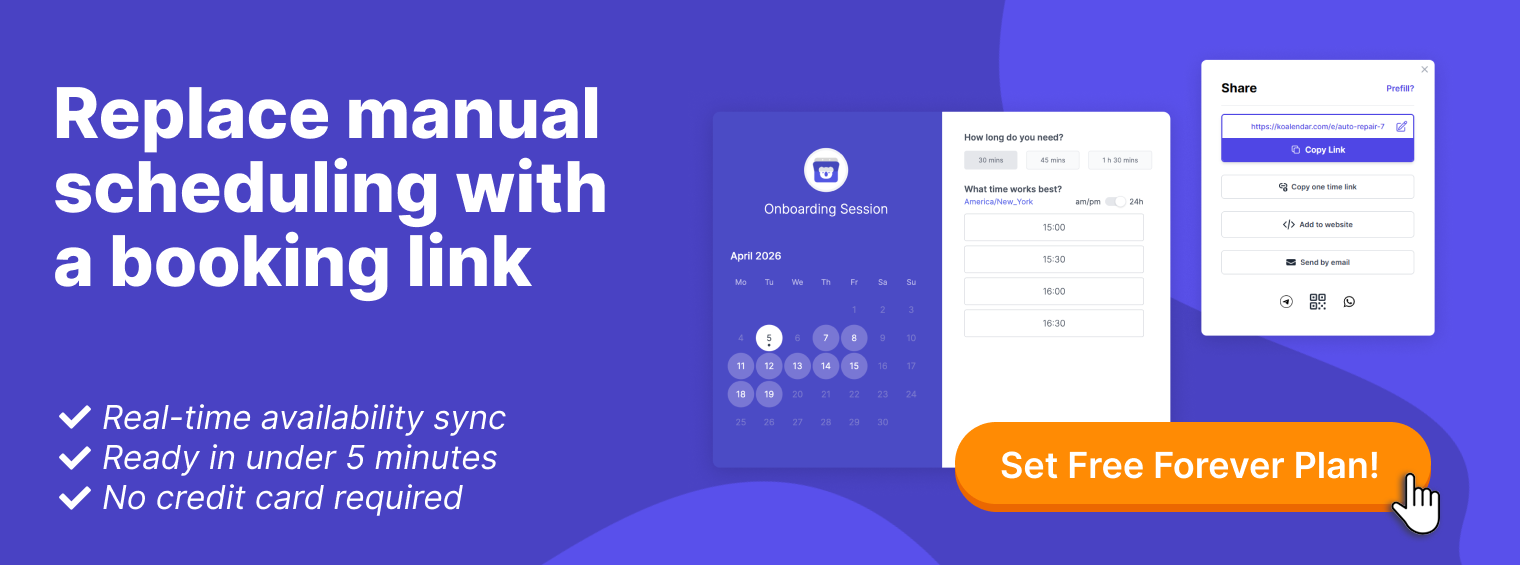
Replace manual scheduling with a booking link and give candidates a faster way to choose a time. With Koalendar, you can create an interview scheduling page, sync your availability, send confirmations, and start free with no credit card required.