TL;DR
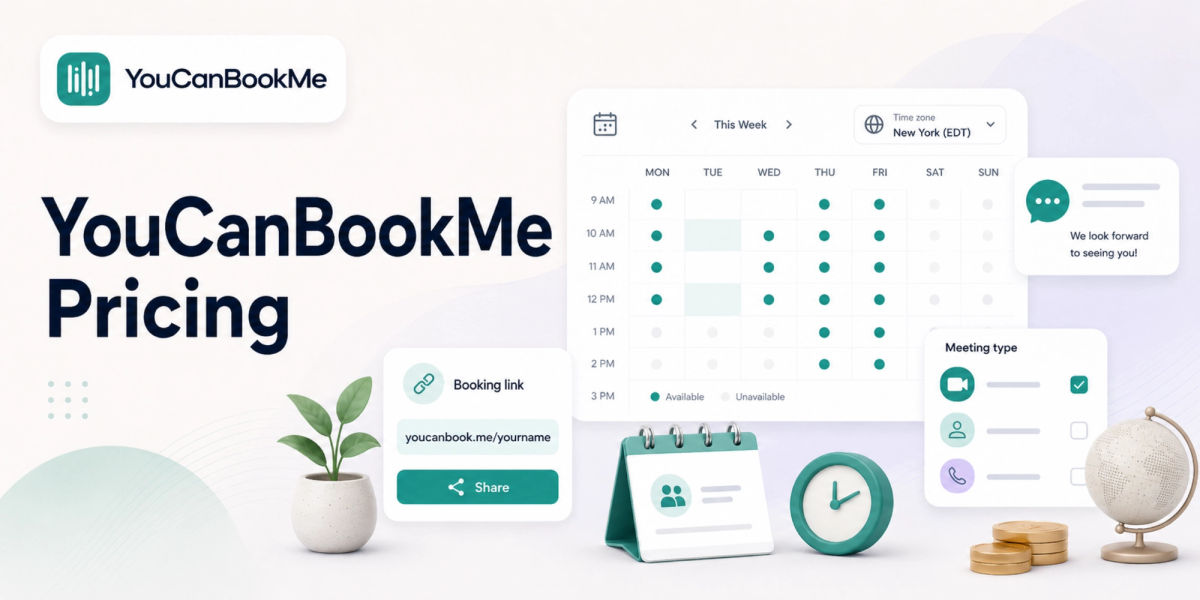
YouCanBookMe pricing ranges from $0 to $18 per member per month. Its four tiers are Free, Individual, Professional and Teams.
The Free plan gives you one booking page and one calendar connection. Individual costs $9 monthly, Professional costs $13 monthly, and Teams costs $18 per member monthly. Annual billing reduces those paid rates by 10%, while a two-year commitment reduces them by 20%.
Here’s the simple recommendation:
- Free: Best for occasional 1:1 scheduling with one calendar and one booking page.
- Individual: Best for freelancers who want stronger branding, reminders and two booking pages.
- Professional: Best for consultants and service businesses that need workflows, integrations and multiple appointment types.
- Teams: Best for organizations that need round-robin scheduling, centralized billing and role-based access.
YouCanBookMe offers plenty of customization, but its value depends on how many pages, calendar connections and team members you need. Koalendar may offer better value for professionals who want unlimited 1:1 appointments, unlimited booking pages and Apple, Google or Outlook calendar sync without paying for a basic upgrade.
Pricing and features were checked in June 2026. SaaS plans change regularly, so confirm the final amount on the provider’s pricing page before subscribing.
Choosing scheduling software should make your working day simpler—not leave you comparing tabs, limits and billing periods for an hour.
This guide breaks down the current Youcanbookme pricing plans, explains the most important Youcanbookme features, and recommends the right tier for freelancers, consultants, recruiters and growing teams. You’ll also see how YouCanBookMe compares with Koalendar when price, usability and long-term value all matter.
YouCanBookMe pricing at a glance
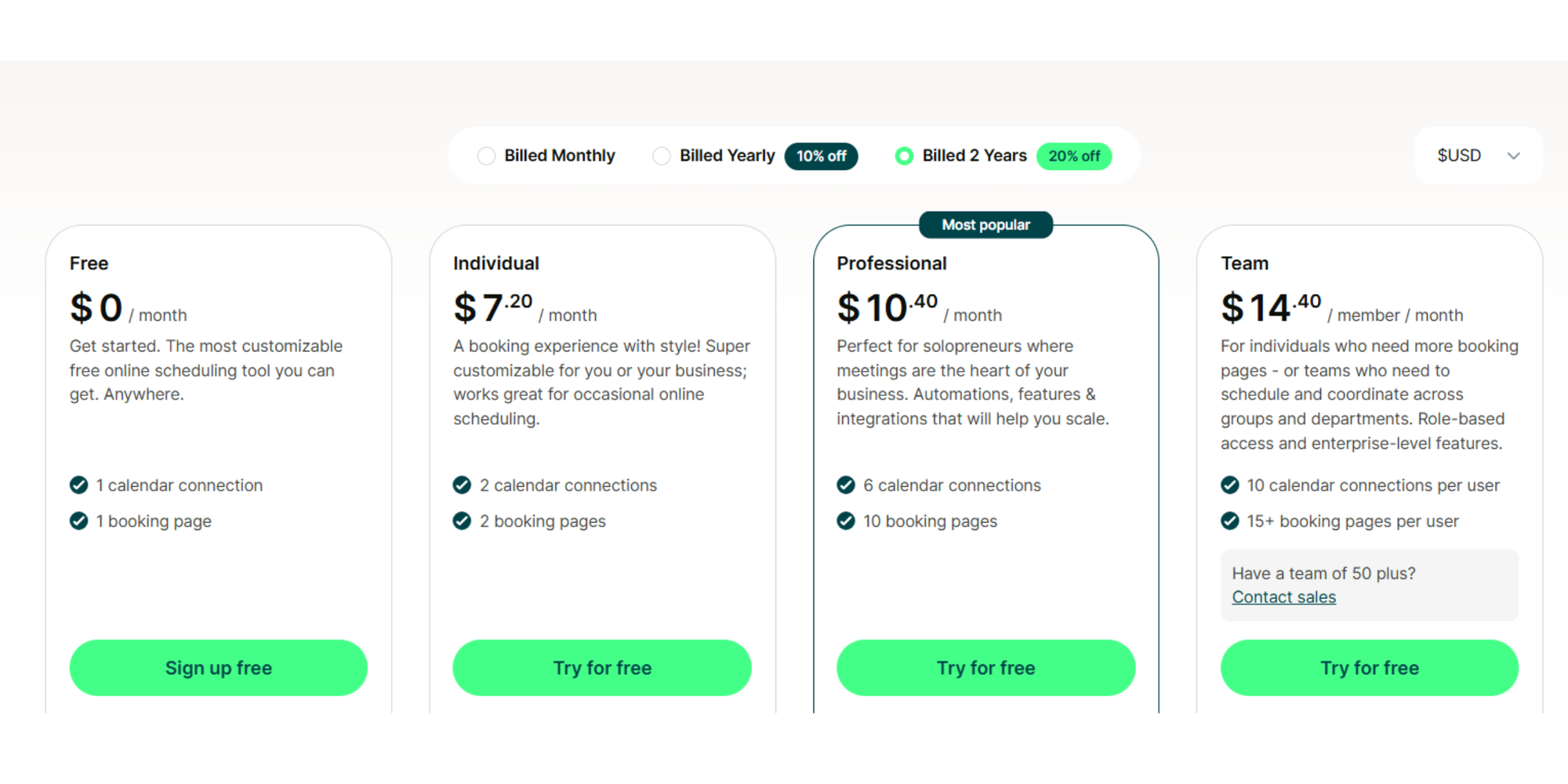
YouCanBookMe has one free tier and three paid subscriptions, with discounts for longer commitments.
Its advertised billing options are monthly, yearly with 10% off, or every two years with 20% off. YouCanBookMe also offers a 14-day paid-plan trial without requiring a credit card.
| Plan | Monthly billing | Annual billing | Two-year billing | Best for |
| Free | $0 | $0 | $0 | Simple personal scheduling |
| Individual | $9/month | $8.10/month | $7.20/month | Freelancers and occasional bookings |
| Professional | $13/month | $11.70/month | $10.40/month | Consultants and booking-led businesses |
| Teams | $18/member/month | $16.20/member/month | $14.40/member/month | Collaborative and growing teams |
Important: The widely advertised “from $7.20 per month” price requires a two-year Individual subscription. The normal annual Individual rate is $8.10 per month.
Free plan
The Free plan works well when you need a single page connected to one calendar.
It includes:
- One booking page
- One calendar connection
- Daily availability and breaks
- Custom booking questions
- Confirmation messages
- Zoom, Microsoft Teams and Google Meet connections
- Rescheduling and cancellation links
- Website embedding
- Stripe payments, including Apple Pay and Google Pay
That is a useful collection of features for a free scheduler. However, you may outgrow it quickly if you offer multiple services, manage several calendars or want greater control over your branding.
Individual plan
The Individual plan costs $9 monthly, $8.10 with annual billing, or $7.20 on a two-year subscription.
It raises your limits to:
- Two calendar connections
- Two booking pages
- Custom colors and background images
- Branded notifications
- Email and SMS reminders
- Daily, weekly or monthly availability displays
- Group sessions
- Fixed-date events
- Password-protected pages
- Minimum and maximum booking notice
This is the first practical upgrade for a freelancer who wants a booking experience that feels more like their own business.
Professional plan
The Professional plan costs $13 monthly, $11.70 with annual billing, or $10.40 on a two-year subscription.
It includes up to six connected calendars and ten booking pages. It also adds the tools that turn a basic scheduler into a more complete client-booking system.
Those additions include automated workflows, follow-up messages, no-show management, analytics, booking approval, multiple appointment types, HubSpot integration and connections to thousands of apps through Zapier.
Teams plan
Teams costs $18 per member monthly, $16.20 per member with annual billing, or $14.40 per member on a two-year subscription.
Each user can connect up to ten calendars and create at least 15 booking pages. The plan adds:
- Round-robin assignment
- Shared team pages
- Multiple administrators
- Role-based permissions
- Centralized billing
- Unlimited API access
- Personalized onboarding
There is no published minimum team size. You pay for each member you add, whether your team has two people or 50.
YouCanBookMe pricing plans compared
The main differences between YouCanBookMe pricing plans are calendar limits, booking-page allowances, automation and team controls.
| Free | Individual | Professional | Teams | |
| Monthly price | $0 | $9 | $13 | $18/member |
| Annual price | $0 | $8.10/month | $11.70/month | $16.20/member/month |
| Booking pages | 1 | 2 | 10 | 15+ per user |
| Calendar connections | 1 | 2 | 6 | 10 per user |
| Basic branding | ✅ | ✅ | ✅ | ✅ |
| Advanced visual customization | ❌ | ✅ | ✅ | ✅ |
| Remove YouCanBookMe branding | ❌ | ❌ | ✅ | ✅ |
| Reminder customization | Limited | ✅ | ✅ | ✅ |
| Automated workflows | ❌ | Limited | ✅ | ✅ |
| Multiple appointment types on one page | ❌ | ❌ | ✅ | ✅ |
| HubSpot and Zapier integrations | ❌ | ❌ | ✅ | ✅ |
| Team management | ❌ | ❌ | ❌ | ✅ |
| Round-robin scheduling | ❌ | ❌ | ❌ | ✅ |
| Centralized billing | ❌ | ❌ | ❌ | ✅ |
The jump from Individual to Professional is the most significant. Individual improves the appearance and flexibility of your pages, while Professional adds the workflows, integrations and controls needed to run a booking-heavy business.
What do YouCanBookMe features include?
YouCanBookMe features cover online booking, calendar synchronization, payments, reminders, customization and team scheduling.
The platform’s biggest strength is flexibility. You can control how your page looks, what bookers see and what happens before or after an appointment.
Free plan features
The free online scheduler includes more than a simple availability link.
You can connect a Google, Apple or Microsoft calendar, define your available hours, collect information through booking questions and hold virtual meetings through Zoom, Google Meet or Microsoft Teams. The page can also be embedded on your website.
YouCanBookMe even lists Stripe payment collection as a Free feature. Remember that payment providers can still charge normal processing fees, even when the scheduling integration itself is included.
For many solo users, the bigger restriction is not appointment volume. It is the limit of one page and one connected calendar.
Paid plan features
The paid tiers gradually add more control.
Individual unlocks design options, extra notifications, group sessions and booking-window rules. That makes it easier to offer polished consultations, workshops or fixed-date events.
Professional goes further with:
- Unlimited booking form questions
- Automated reminder and follow-up workflows
- No-show management
- Accept-or-decline booking requests
- Daily booking limits
- HubSpot integration
- Zapier automation
- Analytics and tracking pixels
- Promotion codes
- Dedicated business-line SMS
These tools are useful when scheduling directly supports your revenue rather than simply filling your calendar.
Advanced features
Teams brings multiple schedules into one account.
Administrators can invite colleagues, assign permissions and create booking pages that show several team members. Round-robin scheduling distributes appointments between available hosts, while centralized billing keeps subscriptions under one account.
YouCanBookMe also supports time-zone detection, more than 40 languages, custom forms and Stripe payments. That makes it particularly capable for international businesses and teams that want detailed control over the customer journey.
Which YouCanBookMe plan is right for you?
Choose the lowest plan that supports your current workflow, not the plan with the longest feature list.
Freelancers
Best choice: Free or Individual
Stay on Free when you offer one type of meeting and manage everything through one calendar.
Upgrade to Individual when your brand matters, you need a second booking page or you want more polished reminder messages. A designer, photographer or freelance marketer could use separate pages for discovery calls and active-client meetings.
You should also compare the cost with a YouCanBookMe alternative before committing. Some schedulers provide more pages and appointments at no cost.
Consultants
Best choice: Individual or Professional
Individual is enough for occasional consultations.
Professional makes more sense when appointments are central to your business. Automated follow-ups, intake questions, multiple appointment types and daily limits can remove repetitive admin from your week.
For example, a consultant could offer a free discovery call, paid strategy session and existing-client review through the same scheduling system.
Recruiters
Best choice: Professional or Teams
A solo recruiter may be comfortable on Professional because it supports multiple pages, automation and CRM connections.
Agencies and internal talent teams will probably need Teams. Round-robin assignment can distribute interviews among recruiters, while shared management and account roles make it easier to coordinate hiring workflows.
Small businesses
Best choice: Professional
Professional offers the strongest balance for a small business with several services but one main account owner.
It gives you enough booking pages for different services, locations or client types without moving immediately to per-member pricing. Workflow automation can also send reminders and follow-ups without someone manually checking every appointment.
The trade-off is complexity. A business that only needs a professional booking page and reliable calendar sync may be paying for tools it rarely opens.
Growing teams
Best choice: Teams
Choose Teams when several people need their own account access, calendars or booking assignments.
Do the full cost calculation first. At the annual rate, five members cost $81 per month, or $972 per year. At the flexible monthly rate, the same team costs $90 per month.
That may be worthwhile for round-robin scheduling and centralized administration. It may feel expensive when each person only needs basic 1:1 appointments.
Hidden costs and limitations
The biggest potential cost is not a surprise fee—it is paying for a higher tier because your calendars, pages or team have outgrown the lower plan.
Calendar and page limits
Free includes one calendar connection and one booking page. Individual only raises both limits to two.
That means a freelancer with separate work and personal calendars may need Individual simply to prevent conflicts across both. A business offering three clearly separated services may need Professional because Individual stops at two pages.
Team pricing scales per member
The Teams subscription is priced per member.
A team of ten would pay $162 per month on annual billing, or $1,944 over a year. YouCanBookMe confirms that subscriptions are based on the number of team members rather than the total number of booking pages.
Payment and SMS usage
YouCanBookMe integrates with Stripe, but Stripe’s normal transaction charges can apply. Its pricing table also notes that additional fees apply when payments are accepted through the integration.
Check current SMS allowances and usage charges before relying heavily on text reminders. Messaging costs and availability can vary by plan, country and volume.
Branding restrictions
Free and Individual users cannot fully remove YouCanBookMe branding. According to its support documentation, branding removal is available on Professional and Teams.
That creates a relatively large upgrade for someone whose only concern is presenting a fully white-labelled booking experience.
Longer commitments unlock the lowest rate
The most attractive advertised rates require a two-year subscription.
That can save money when you already know the software fits. It is a bigger commitment when you are still testing your workflow or expect your team size to change.
The good news is that YouCanBookMe provides a 14-day free trial and states that paid subscriptions have a 30-day refund guarantee.
YouCanBookMe vs Koalendar
YouCanBookMe offers deeper customization across several paid tiers, while Koalendar keeps pricing and everyday scheduling simpler.
| YouCanBookMe |  | |
| Free plan | 1 page and 1 calendar | Unlimited booking pages and 2 calendars |
| Paid pricing | From $9/month or $8.10 annually | Pro from $9.99/month or $6.99 annually |
| Unlimited 1:1 appointments on free | From $9/month or $8.10 annually | ✅ |
| Google Calendar sync | ✅ | ✅ |
| Outlook Calendar sync | ✅ | ✅ |
| Apple Calendar sync | ✅ | ✅ |
| Automated email reminders on free | Limited/custom confirmations | Free plan focuses on core notifications; advanced reminders on Pro |
| Unlimited scheduling pages on free | ❌ | ✅ |
| Branding customization | Across paid tiers | Available, with advanced tools on Pro |
| Team scheduling | Teams plan | Pro plan |
| Round-robin scheduling | Teams plan | Pro plan |
| Group and recurring bookings | Paid | Pro plan |
| Payments | Stripe integration | Stripe integration (Pro plan) |
| Setup | Highly customizable | Designed for quick, straightforward setup |
| Support | Self-help on Free; premium support on paid plans | Live support is available, including for free users |
Koalendar’s Free Forever scheduling plan includes unlimited bookings, unlimited booking pages and synchronization with up to two Google, Outlook or Apple calendars. Koalendar Pro costs $9.99 per seat monthly or $6.99 per seat monthly with annual billing.
That difference matters for a solo professional. With YouCanBookMe, creating a third page requires Professional at $13 monthly. With Koalendar, you can create unlimited pages for free.
Koalendar Pro adds group sessions, recurring bookings, payments, booking approval, multiple services, team scheduling and round-robin distribution. You can see the complete Koalendar Free Forever vs Pro plan comparison before deciding which tools you actually need.
Where does YouCanBookMe win? It is a strong choice for businesses that want detailed page customization, sophisticated notification workflows, tracking tools and a direct HubSpot integration.
Where does Koalendar offer more value? It is especially attractive when you want:
- Unlimited free booking pages
- Unlimited 1:1 appointments for free
- Google, Outlook and Apple Calendar sync (2 included for free)
- 24/7 online booking
- Simple availability rules
- A professional page without a lengthy setup
- One affordable upgrade for advanced scheduling
Is YouCanBookMe worth the price?
YouCanBookMe is worth paying for when its customization, automation and integrations save more time than the subscription costs.
The Free plan is competitive for a single booking page. Individual is a sensible step for freelancers who need two calendars, group sessions or stronger visual customization. Professional provides the best overall YouCanBookMe value for consultants and service businesses, while Teams is designed for organizations that will actively use round-robin scheduling and account administration.
It becomes harder to justify when your needs are simple. Paying $9 for a second booking page—or $13 because you need three—may not provide a strong return if all you want is straightforward 1:1 scheduling.
That is why the right decision is not simply “Is YouCanBookMe good?” It is “Which platform gives me the features I will use at the lowest sustainable cost?”
For advanced customization and workflows, YouCanBookMe is a capable option. For unlimited free pages, easy setup, Apple Calendar support and flexible scheduling without unnecessary complexity, Koalendar is a strong alternative.
Ultimately, the best way to assess YouCanBookMe pricing is to compare it with your real workflow. List the calendars, booking pages, users and automations you need today. Then test Koalendar alongside it as the simpler solution before paying for a long-term subscription.
Compare both platforms yourself and see why thousands of professionals choose Koalendar for flexible scheduling without unnecessary complexity.