Google Calendar is free with a personal Google Account, including one appointment booking page. For businesses, Google Workspace starts at $7 per user/month with an annual commitment, while Business Standard costs $14 per user/month and adds advanced appointment scheduling. If you only need more booking pages, a separate scheduling tool may be more affordable.
TL;DR
- Google Calendar is free with a personal Google Account, including one appointment booking page.
- Google Workspace starts at $7 per user/month with an annual commitment. Flexible monthly plans start at $8.40 per user/month.
- Business Standard ($14/user/month annually) unlocks advanced appointment scheduling features, including multiple booking schedules, automated reminders, payment collection and appointment co-hosts.
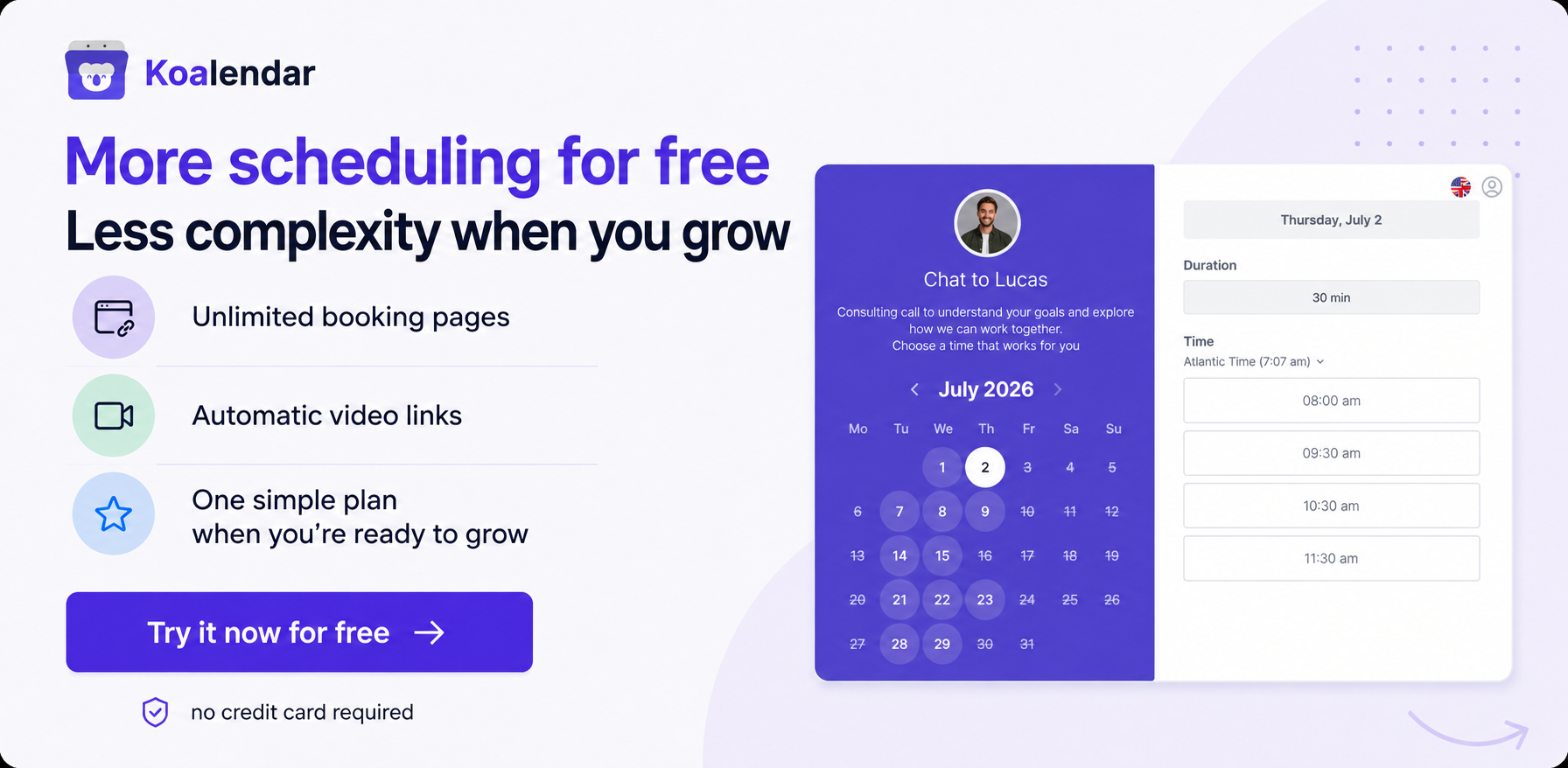
- You don't necessarily need Google Workspace for more scheduling features. Dedicated tools like Koalendar work with personal Google Accounts and offer unlimited booking pages for free.
.png?w=2000&fit=max&auto=format)
Google Calendar pricing is straightforward for personal use: it's free. But if you're running a business, the cost can be harder to work out. Google Workspace plans add business email, storage, collaboration tools and more advanced appointment scheduling features, all at different prices.
So, how much does Google Calendar cost if you want clients to book appointments, manage multiple calendars or coordinate meetings across a team?
This guide breaks down free and paid features, explains the Google Workspace cost for different team sizes and helps you decide whether you need a paid subscription or a dedicated scheduling tool.
Is Google Calendar free?
Yes, Google Calendar is completely free for personal use. Anyone with a free Google Account can create and manage events, share calendars, schedule Google Meet calls and create one appointment booking page.
You don't need a Google Workspace subscription for everyday calendar management.
Here's what you get with a free account compared with paid Google Workspace plans.
| Feature | Free Google Calendar | Paid Google Workspace |
| Calendar and event management | ✅ | ✅ |
| Share calendars | ✅ | ✅ |
| Google Meet integration | ✅ | ✅ With plan-dependent enhancements |
| Basic appointment booking page | ✅ One | ✅ One or more, depending on plan |
| Multiple appointment schedules | ❌ | ✅ Eligible plans |
| Automatic appointment email reminders | ❌ | ✅ Eligible plans |
| Check availability across multiple calendars for appointments | ❌ | ✅ Eligible plans |
| Business email with your own domain | ❌ | ✅ |
Does free Google Calendar include appointment scheduling?
Yes. Google's free appointment scheduling feature allows you to create a booking page where other people can choose an available time.
You can set your available hours, appointment duration, buffer time and booking limits. Once someone books, the appointment appears in your calendar.
You can also share your booking link or embed the booking page on a website.
The main limitation is that a free personal account supports only one appointment schedule and doesn't include premium features such as automatic appointment email reminders or payment collection.
For a full walkthrough, see our guide on how to set up Google Calendar appointment scheduling.
Can you use Google Calendar for business without paying?
Absolutely. If you're a freelancer, consultant or small business owner, you can use a personal Google Calendar account for meetings, appointments and calendar sharing.
You'll generally need Google Workspace if you want business email through Gmail, centralised administration and other business suite features. However, a Workspace subscription isn't your only option for advanced scheduling.
How much does Google Calendar cost with Google Workspace?
Google Workspace costs between $7 and $22 per user/month on its standard annual-commitment Business plans. Enterprise pricing is customized.
Google Calendar is included in every eligible Google Workspace Business plan. You're paying for a wider set of tools, not just the calendar.
The table below shows Google Workspace standard prices.
| Google Workspace plan | Annual commitment, per user/month | Flexible monthly, per user |
| Business Starter | $7 | $8.40 |
| Business Standard | $14 | $16.80 |
| Business Plus | $22 | $26.40 |
| Enterprise | Custom | Custom |
Prices are in USD, per user/month, excluding taxes and promotional discounts. Annual plans require a 12-month commitment. Prices last checked on 16 October 2026. Visit Google Workspace's official pricing page for the latest rates.
Google Workspace Business Starter: $7/user/month
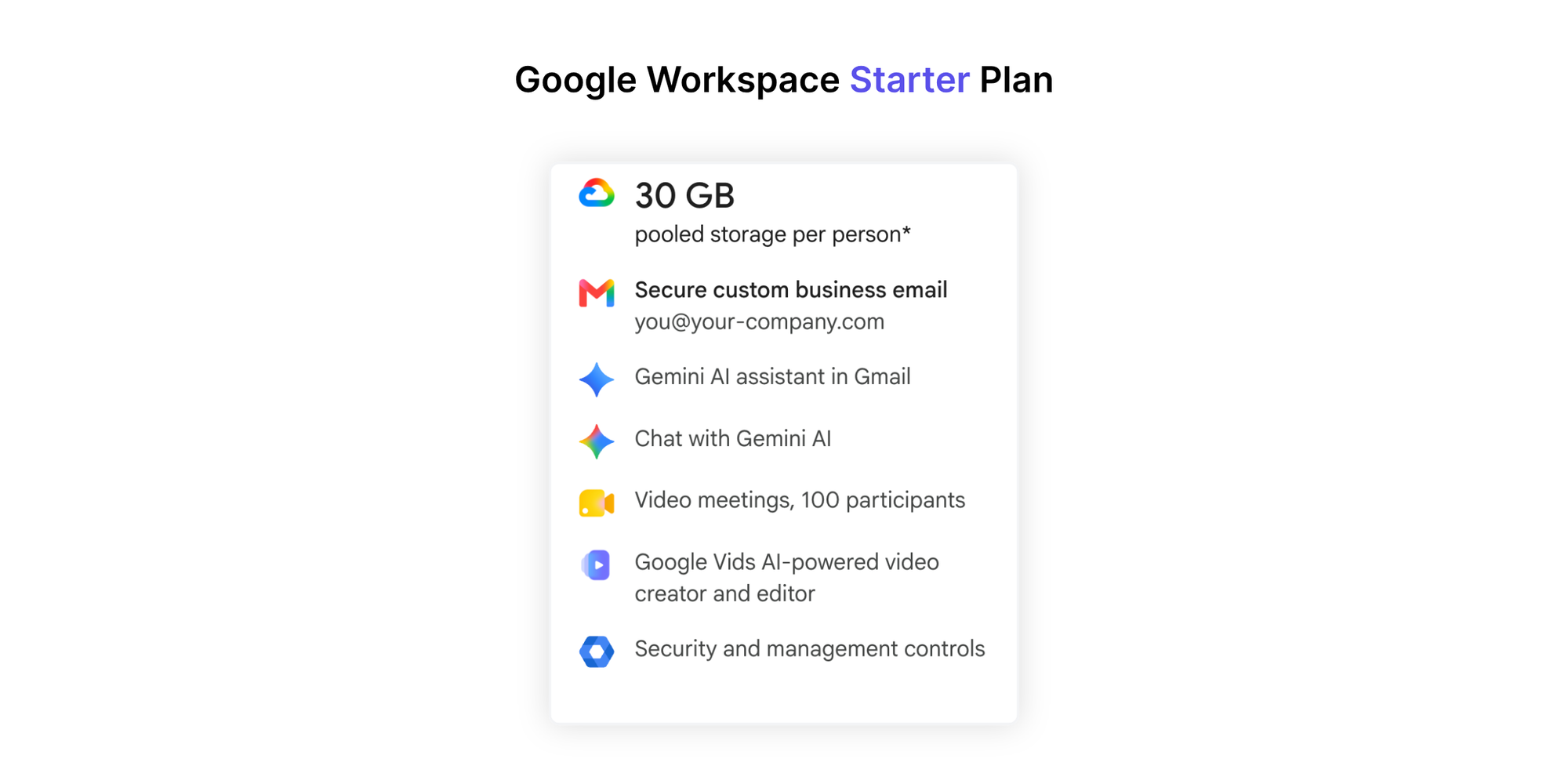
Business Starter is Google's entry-level business subscription.
It includes a professional email address using your domain, 30 GB of pooled storage per user, Google Calendar, Google Meet and other Workspace applications.
Appointment scheduling: You can create one booking page, much like you can with a personal Google Account. Business Starter doesn't unlock the advanced appointment scheduling features available in Standard and Plus.
Best for: Freelancers and small teams needing professional business email and familiar productivity tools, without complex booking requirements.
Google Workspace Business Standard: $14/user/month
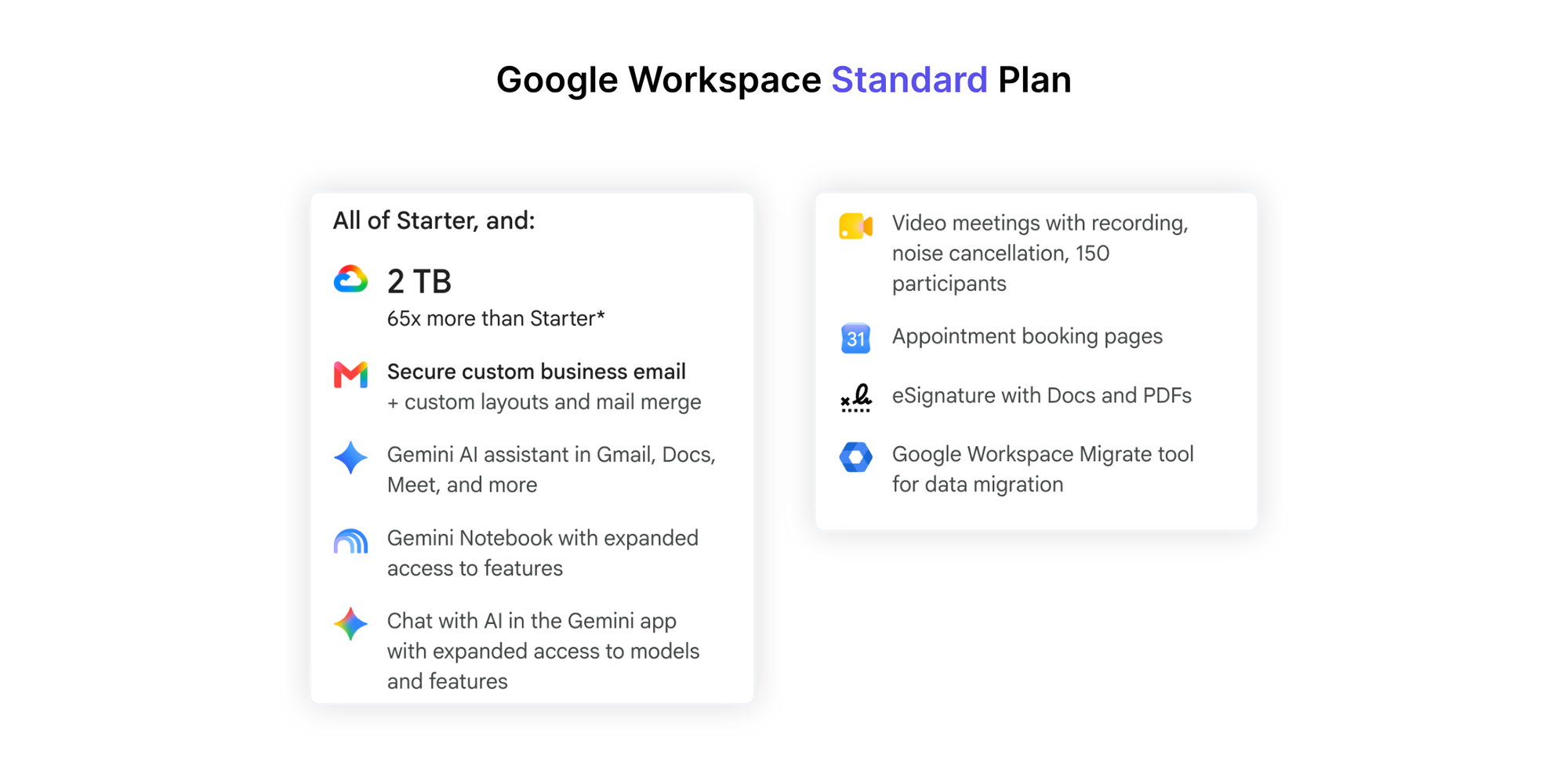
Business Standard includes everything in Starter, plus 2 TB of pooled storage per user and expanded collaboration features.
This is where Google's appointment scheduling capabilities become more useful for client-facing businesses.
Appointment scheduling: You can create multiple appointment schedules, send automatic email reminders, check availability across several calendars, accept payments through Stripe and add co-hosts.
Best for: Businesses already using Google Workspace that need several appointment types or more advanced booking functionality.
Google Workspace Business Plus: $22/user/month
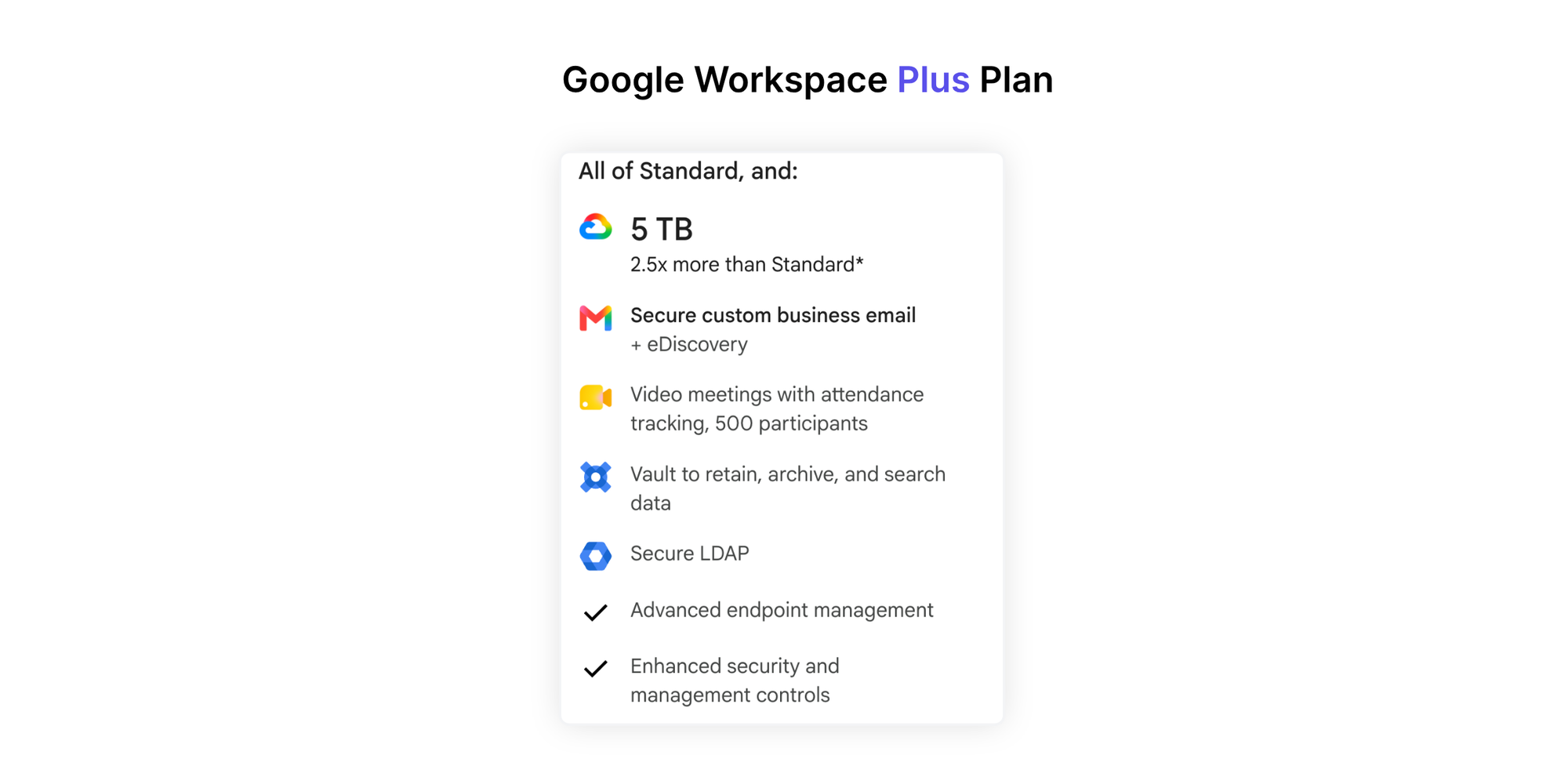
Business Plus adds 5 TB of pooled storage per user and more advanced security, compliance and administrative controls.
Appointment scheduling: It includes the advanced booking capabilities available in Business Standard, including payments, reminders and co-hosts.
Best for: Growing organisations that need stronger security and administrative controls alongside scheduling.
If you're considering Business Plus specifically for appointments, compare its scheduling capabilities with Standard before upgrading. The main reasons to move to Plus are generally elsewhere in the Workspace suite.
Google Workspace Enterprise: Custom pricing
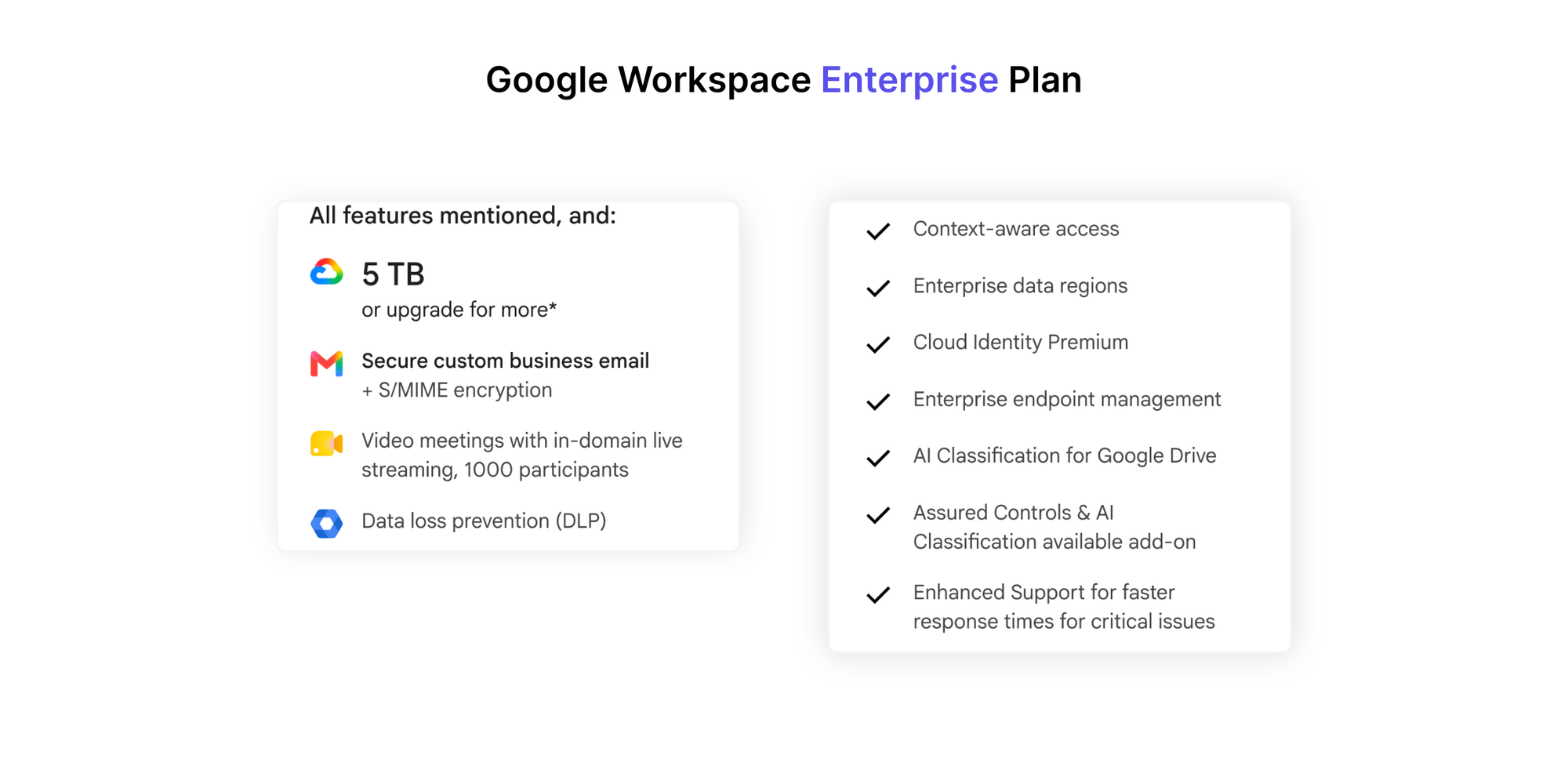
Enterprise plans provide organisation-level security, administration and collaboration capabilities, with pricing based on your requirements.
Eligible Enterprise Standard and Plus editions include advanced appointment scheduling.
Best for: Larger organisations with complex IT, security or compliance requirements.
If video meetings are an important part of your decision, you can also explore Google Meet pricing and plan limitations before choosing a Workspace subscription.
Google Calendar free vs paid: What scheduling features do you get?
The biggest difference between free Google Calendar and eligible paid Workspace plans in terms of scheduling features is how many booking schedules you can create and how much of the appointment workflow you can automate.
Google Calendar offers more than simple calendar sharing, but not every paid Workspace plan includes the same scheduling features.
| Scheduling feature | Personal free | Business Starter | Business Standard | Business Plus |
| Appointment booking page | ✅ One | ✅ One | ✅ Multiple | ✅ Multiple |
| Multiple booking schedules | ❌ | ❌ | ✅ | ✅ |
| Automatic appointment email reminders | ❌ | ❌ | ✅ | ✅ |
| Multi-calendar availability checks for appointments | ❌ | ❌ | ✅ | ✅ |
| Accept appointment payments via Stripe | ❌ | ❌ | ✅ | ✅ |
| Appointment co-hosts | ❌ | ❌ | ✅ Up to 20 | ✅ Up to 20 |
| Round-robin assignment | ❌ | ❌ | ❌ Native appointment feature unavailable | ❌ Native appointment feature unavailable |
Based on Google's official appointment scheduling feature comparison. Google also offers premium scheduling capabilities through some other subscriptions, including Google Workspace Individual.
Booking pages and multiple services
With a free personal account, you can create one appointment schedule. That's fine when you offer just one meeting type, such as a 30-minute consultation.
But what if you offer 15-minute introductions, 45-minute client calls and hour-long training sessions?
Multiple appointment schedules let you offer these separately, with different availability and booking settings. In Google Workspace's Business editions, that requires Standard or Plus.
Reminders, availability and payments
Business Standard and Plus include automated appointment email reminders to help clients remember upcoming appointments.
They also let you check availability across multiple calendars, which is particularly useful if you manage personal and professional commitments separately.
For paid consultations, eligible Workspace subscriptions support Stripe payments during the booking process.
This means you don't need an additional scheduling platform just to collect payments. However, if you need more specialised payment methods, service packages or booking workflows, it's worth comparing dedicated tools.
Co-hosts vs team scheduling
Google Calendar can support co-hosted appointments, where several people are associated with the same appointment.
But co-hosting isn't the same as round-robin scheduling.
- Co-hosting: Several people attend the same appointment, such as two interviewers meeting one candidate.
- Round-robin scheduling: Appointments are distributed between available team members, such as assigning sales demos across several representatives.
- Calendar sharing: Colleagues can view or manage calendars depending on their permissions. It doesn't automatically distribute appointments.
If you need to distribute appointments between team members or manage room and resource bookings, look beyond whether a tool simply supports co-hosts.
You can also explore this Google Calendar appointment scheduling alternative for different booking workflows.
How much does Google Workspace really cost for a business?
Your total Google Workspace cost depends on the plan, number of users and billing commitment. A $7 subscription can look inexpensive for one person, but licensing costs become more significant as your team grows.
Monthly vs annual billing: What's the difference?
Google Workspace offers two main billing arrangements:
- Annual commitment: Lower monthly equivalent pricing, but you commit to the purchased licences for a year. Depending on the agreement, you may pay monthly or annually.
- Flexible monthly: Higher per-user pricing, but greater flexibility to adjust user numbers or cancel without the same annual commitment.
For example, Business Standard costs $14 per user/month with an annual commitment versus $16.80 on the flexible plan.
For five users, that's $70 versus $84 each month, a difference of $168 over 12 months if the user count remains unchanged.
Before choosing, consider whether your team size is stable. On an annual commitment, reducing licences may need to wait until renewal.
Google Workspace cost for 1, 5, 10 and 25 users
Here's what standard Workspace subscriptions cost at different team sizes.
| Users | Business Starter | Business Standard | Business Plus |
| 1 | $7/month | $14/month | $22/month |
| 5 | $35/month | $70/month | $110/month |
| 10 | $70/month | $140/month | $220/month |
| 25 | $175/month | $350/month | $550/month |
Monthly equivalent costs based on annual commitments, excluding taxes and promotions.
For example, a 10-person company on Business Standard commits to $1,680 over 12 months.
If your team is growing, remember that every additional licensed user can affect the bill. And if several team members need access to shared schedules, it's worth planning how you'll organise a shared Google Calendar for your team.
What about the cost of meetings in Google Calendar?
Your Workspace subscription isn't the only expense worth considering. Every meeting also uses employee time, and regular team meetings can become surprisingly costly.
For example, a weekly one-hour meeting with six attendees represents 312 employee-hours over a year, before accounting for preparation or follow-up.
If you've searched for a meeting cost calculator google calendar solution, you can use Koalendar's free meeting cost calculator to estimate what those meetings cost.
Enter your attendees, salaries, meeting duration and frequency to calculate the cost of individual or recurring meetings. You can also use its live cost timer during a Google Meet call to track costs as the meeting progresses.
The calculator works independently of Google Calendar and Google Meet, so there's no need to connect your account.
Do you need Google Workspace for appointment scheduling?
No. You can schedule appointments with a free Google Calendar account, and you can add dedicated scheduling software without upgrading to Workspace.
The right choice depends on whether you're paying for broader business productivity features or for appointment scheduling functionality.
When free Google Calendar is enough
Stick with free Google Calendar when your scheduling needs are simple.
For example, a freelance designer who occasionally books discovery calls may only need one booking page, basic availability settings and a Google Meet link.
There's little reason to pay for Workspace if the free features already cover your requirements.
When upgrading to Google Workspace makes sense
Google Workspace is worth considering when your business also needs professional email, centralised administration, more storage and collaboration tools.
If you're already paying for Business Standard, its built-in appointment scheduling features may be sufficient.
It makes sense to use the tools you already have before adding another subscription.
When dedicated scheduling software makes more sense
A dedicated scheduling tool may offer better value when your main challenge is managing bookings rather than accessing the broader Google Workspace suite.
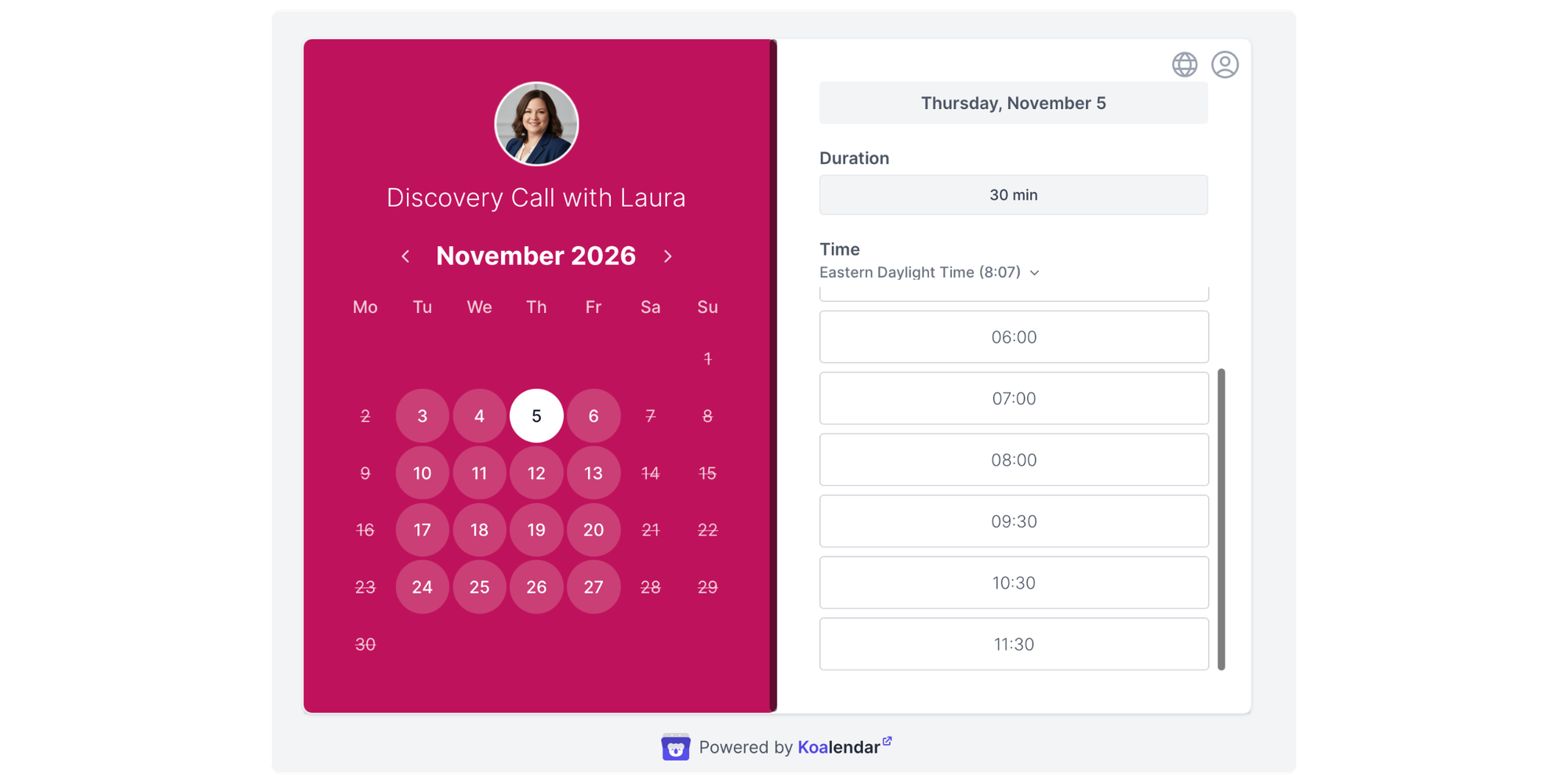
Consider software built for scheduling when you need to:
- Offer several appointment types without paying for Workspace Standard
- Distribute bookings fairly across available team members
- Let customers reserve rooms, equipment or other resources
- Manage group classes, sessions or events
- Collect booking information through tailored forms
- Create a booking experience that fits your services and website
Google Calendar vs Koalendar: Do you need both?
Google Calendar and Koalendar work together. Google Calendar helps you organise your schedule, while Koalendar provides dedicated booking pages and appointment management features.
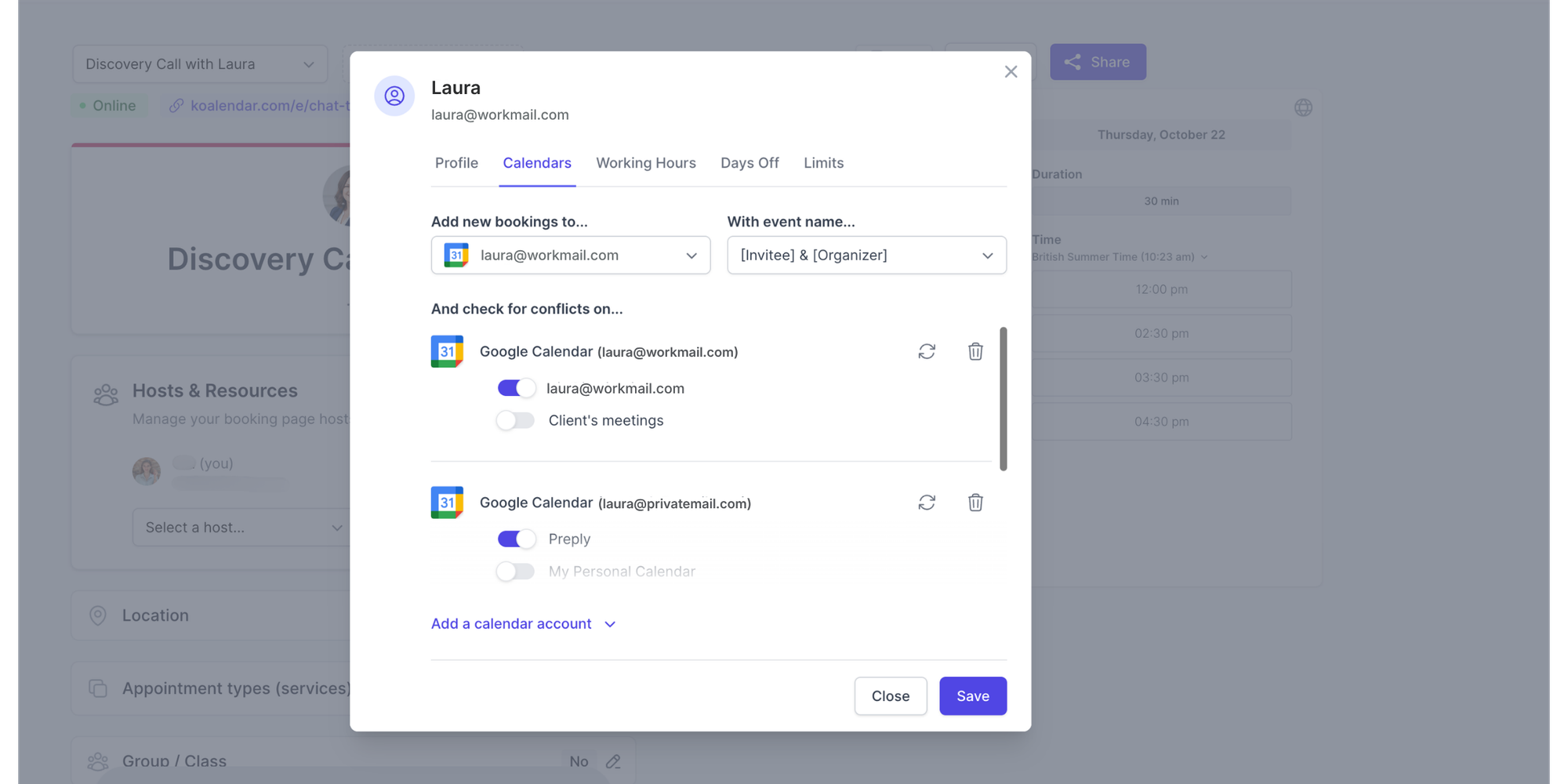
You can connect a personal Google Calendar account or a Workspace calendar to Koalendar. There's no need to migrate your events or pay for Google Workspace just to use Koalendar.
| Feature |  |  |
| Manage calendar events | ✅ | Works with connected calendars |
| Free appointment booking | ✅ One schedule | ✅ Unlimited booking pages |
| Google Calendar integration | Native | ✅ |
| Embed booking pages on websites | ✅ | ✅ |
| Automated appointment reminders | Eligible premium subscriptions | Pro |
| Accept appointment payments | Eligible Workspace plans, via Stripe | Pro |
| Group sessions and classes | Not a dedicated class booking workflow | Pro |
| Round-robin scheduling | ❌ Native appointment feature unavailable | Pro |
| Rooms and resources as bookable services | Separate Workspace resource calendar functionality | Pro |
Feature availability reflects the published Koalendar pricing plans. Check current plan details before purchasing.
What can you do with Koalendar's free plan?
Koalendar lets you connect Koalendar to Google Calendar so your existing events inform your availability and new bookings appear in your calendar.
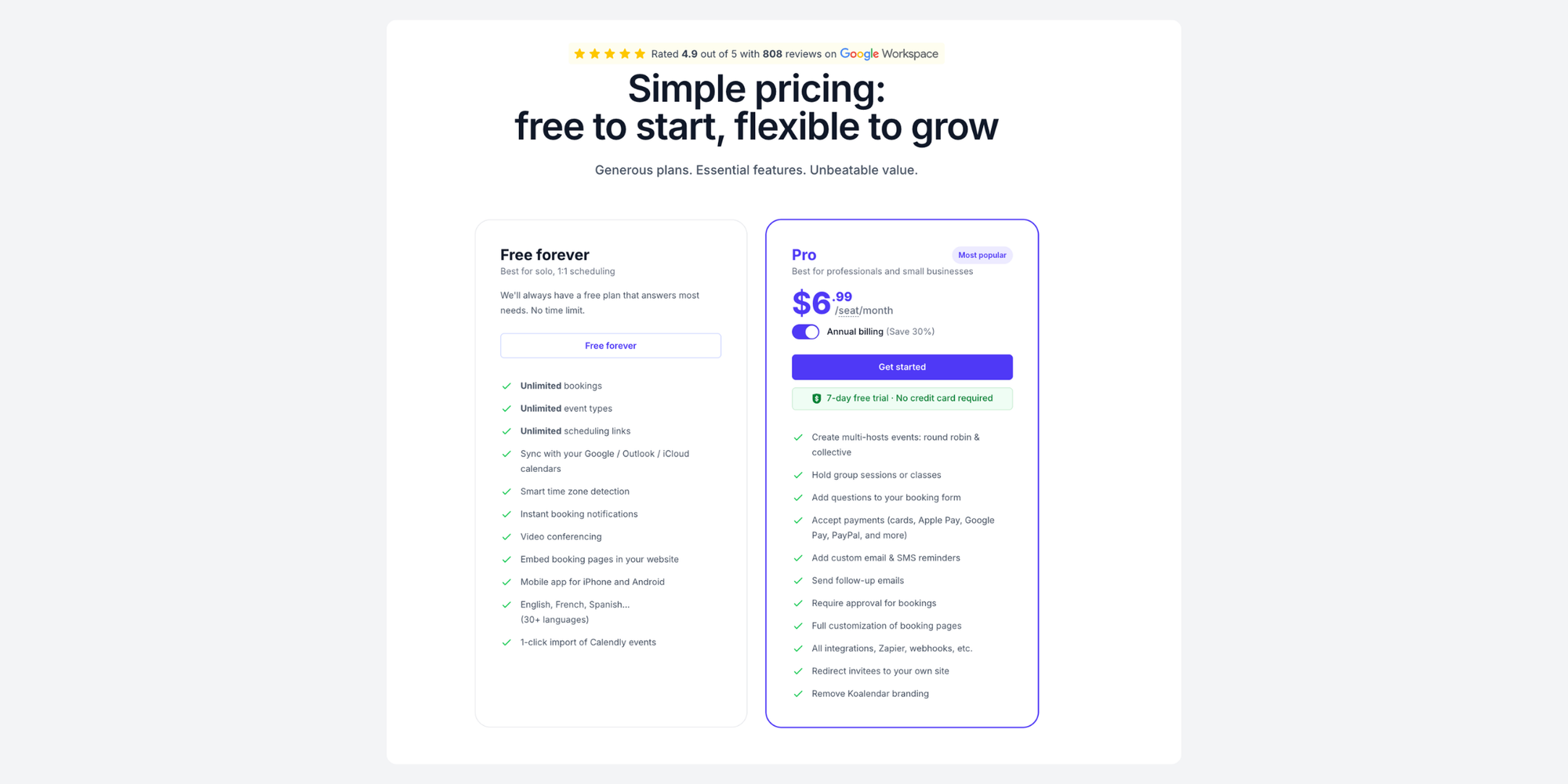
With Koalendar Free, you can create unlimited booking pages, sync supported calendars, adjust availability, add buffer times and embed booking pages on your website.
For example, a consultant could create separate booking pages for introductory calls, consultations and follow-up meetings without needing Google Workspace Standard.
When does upgrading Koalendar make sense?
If your booking needs become more involved, Koalendar's paid plans add functionality for different workflows.
Pro includes features such as automated reminders, appointment payments, custom booking questions and group sessions. It also offers team and operational capabilities such as round-robin distribution, resource assignment and more advanced scheduling controls.
The important distinction is that Google Workspace and Koalendar solve different problems. Workspace provides a business productivity suite. Koalendar focuses on making it easier for people to book your time, services and resources.
Final verdict: Which Google Calendar option should you choose?
Google Calendar pricing depends on what you're trying to do, but you may not need to pay anything.
For personal scheduling, calendar sharing and one booking page, free Google Calendar is a practical choice.
If your company also needs business email, collaboration tools and centralised administration, Google Workspace is worth considering. Business Standard offers a useful combination of productivity and advanced appointment scheduling features.
And if your main requirement is a more flexible booking process, you don't necessarily need a higher Workspace subscription.
With Koalendar, you can keep using Google Calendar and add unlimited booking pages for free, upgrading only when you need more advanced scheduling features.