
TL;DR
The best QuickBooks-compatible scheduler depends on what you actually schedule. Koalendar is our top pick for client appointments, consultations, lessons, and meetings because it keeps booking simple and affordable while connecting to QuickBooks Online through Zapier. FieldPulse, Workiz, and ServiceTitan are stronger fits when you need field-service dispatching and verified QuickBooks Desktop support. QuickBooks Time, Connecteam, Deputy, and When I Work focus more on employee shifts, timesheets, and payroll.
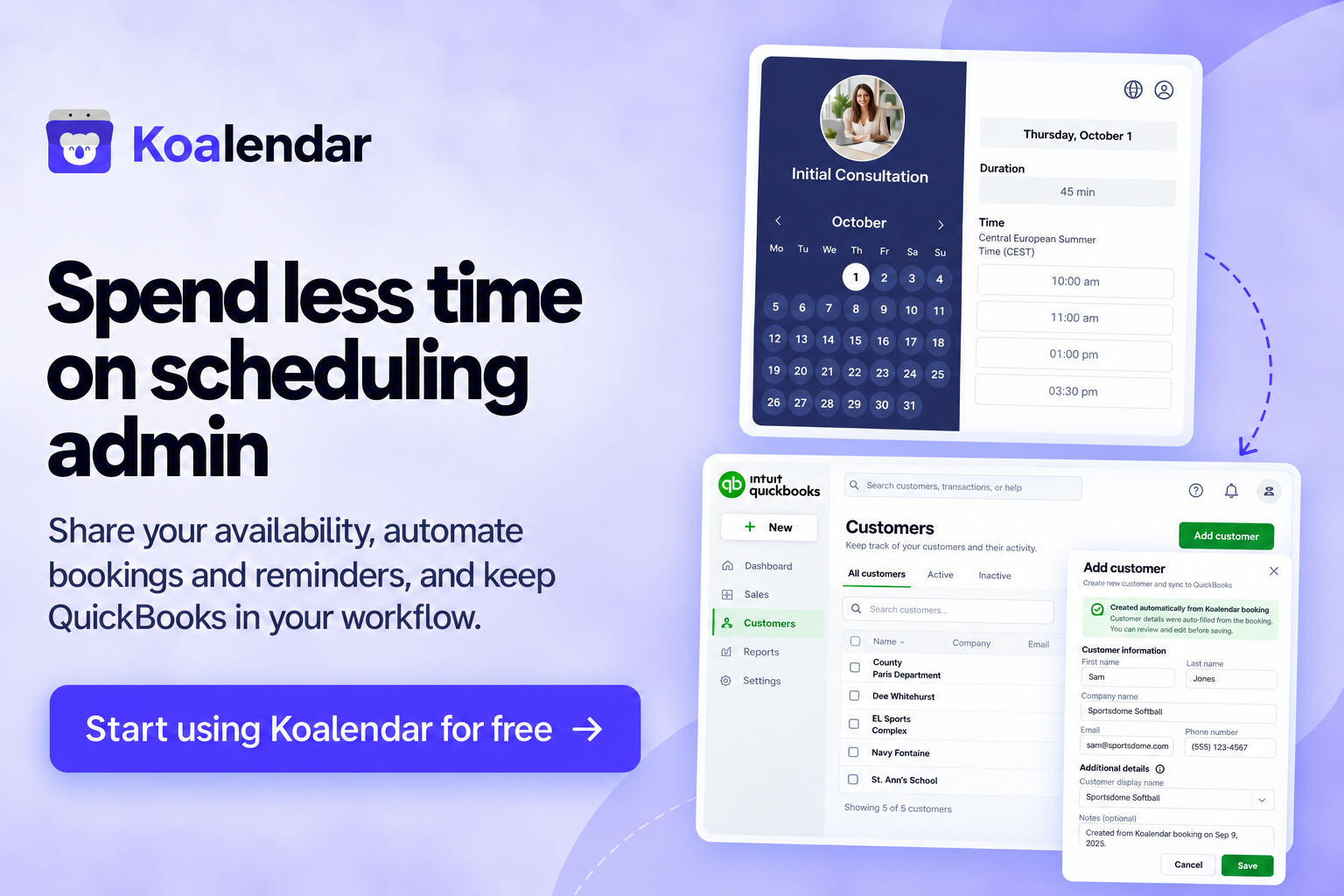
If you already use QuickBooks, you shouldn't have to copy every new client, appointment, or payment detail into your accounting workflow by hand. The right scheduling software that integrates with QuickBooks can connect the two sides of your business and cut repetitive admin.
If you're specifically searching for scheduling software that integrates with QuickBooks Desktop, your options are narrower, so compatibility deserves an extra check before you sign up.
Scheduling software that works with QuickBooks connects booking, customer, payment, payroll, or accounting workflows. Depending on the tool and integration method, it can reduce duplicate data entry, create or update customer records, send invoices or payments to QuickBooks, and make scheduling easier for clients or staff.
Best scheduling software that integrates with QuickBooks at a glance
Not every QuickBooks integration does the same job. Some connect client bookings to accounting. Others sync field-service invoices or export employee timesheets for payroll.
 |  |  |  | Workiz | ServiceTitan | QuickBooks Time | Connecteam | Deputy | When I Work | |
| Best for | Appointment-based businesses | Trades and field service | Small field-service businesses | Home-service teams | Growing service businesses | Larger service companies | Workforce scheduling | Deskless teams | Shift-based businesses | Hourly teams |
| QuickBooks Online | ✅ | ✅ | ✅ | ✅ | ✅ | ✅ | ✅ | ✅ | ✅ | ✅ |
| QuickBooks Desktop | ❌ | ✅ | ❌ | ✅ | ✅ | ✅ | ✅ | ✅ Export workflow | ✅ Timesheet export | ❌ |
| Integration type | Zapier | Direct | Direct | Direct | Direct | Direct | Native ecosystem | Direct QBO + Desktop export | Integration/export | Direct payroll integration |
| Main scheduling use case | Client appointments | Jobs and dispatch | Field service | Jobs and dispatch | Field service | Enterprise field service | Employee shifts | Employee scheduling | Staff scheduling | Shift scheduling |
| Price | Free plan; Pro $6.99/seat/month, billed annually | Custom pricing | From $29/month; QuickBooks sync from Connect at $99/month, billed annually | From $59/month, billed annually | Custom pricing | Custom pricing | Premium $20/month + $10/user/month | From $29/month for up to 30 users, billed annually | From $5/user/month, billed annually | From $2.50/user/month |
Compatibility can change, and plan, country, payroll, and account requirements may apply. Check the vendor's current documentation before buying.
For example, Koalendar's current integration page states that bookings can trigger QuickBooks Online actions through Zapier. FieldPulse documents both QuickBooks Online and QuickBooks Desktop integrations, while Workiz and ServiceTitan also explicitly support both versions.
The best QuickBooks-compatible scheduling software
1. Koalendar: best for businesses that schedule client appointments
If customers primarily need to book time with you, rather than wait for a technician to be dispatched, Koalendar keeps things refreshingly simple.
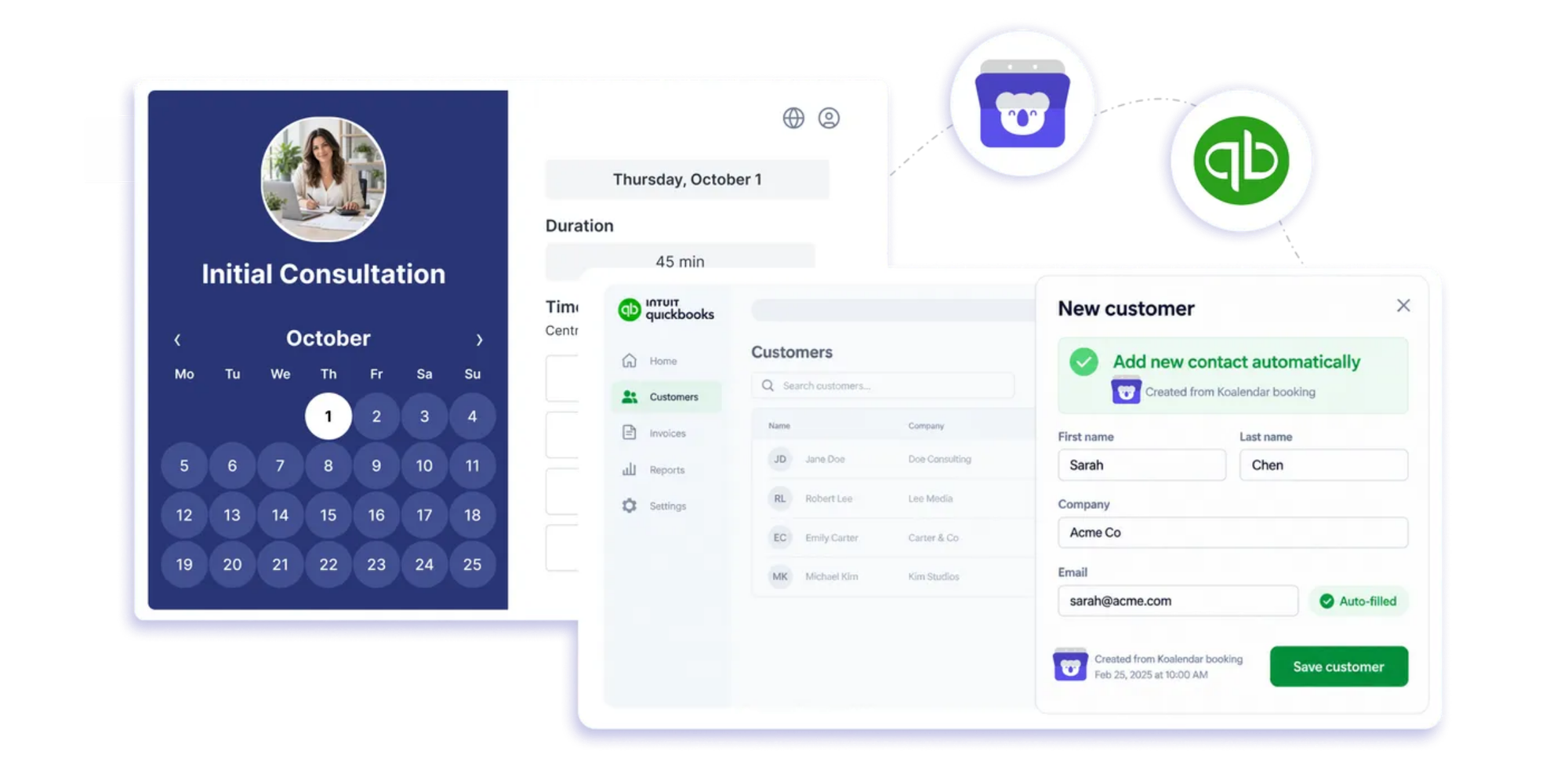
You can create unlimited booking pages and scheduling links, sync your availability with Google, Outlook, and iCloud calendars, collect information with custom booking forms, automate reminders, and embed booking pages on your website.
For teams, Koalendar also supports round robin scheduling, collective scheduling, group appointments, recurring bookings, and team availability. That makes it a practical fit for consultants, accountants, coaches, tutors, agencies, recruiters, photographers, wellness businesses, and other appointment-led teams.
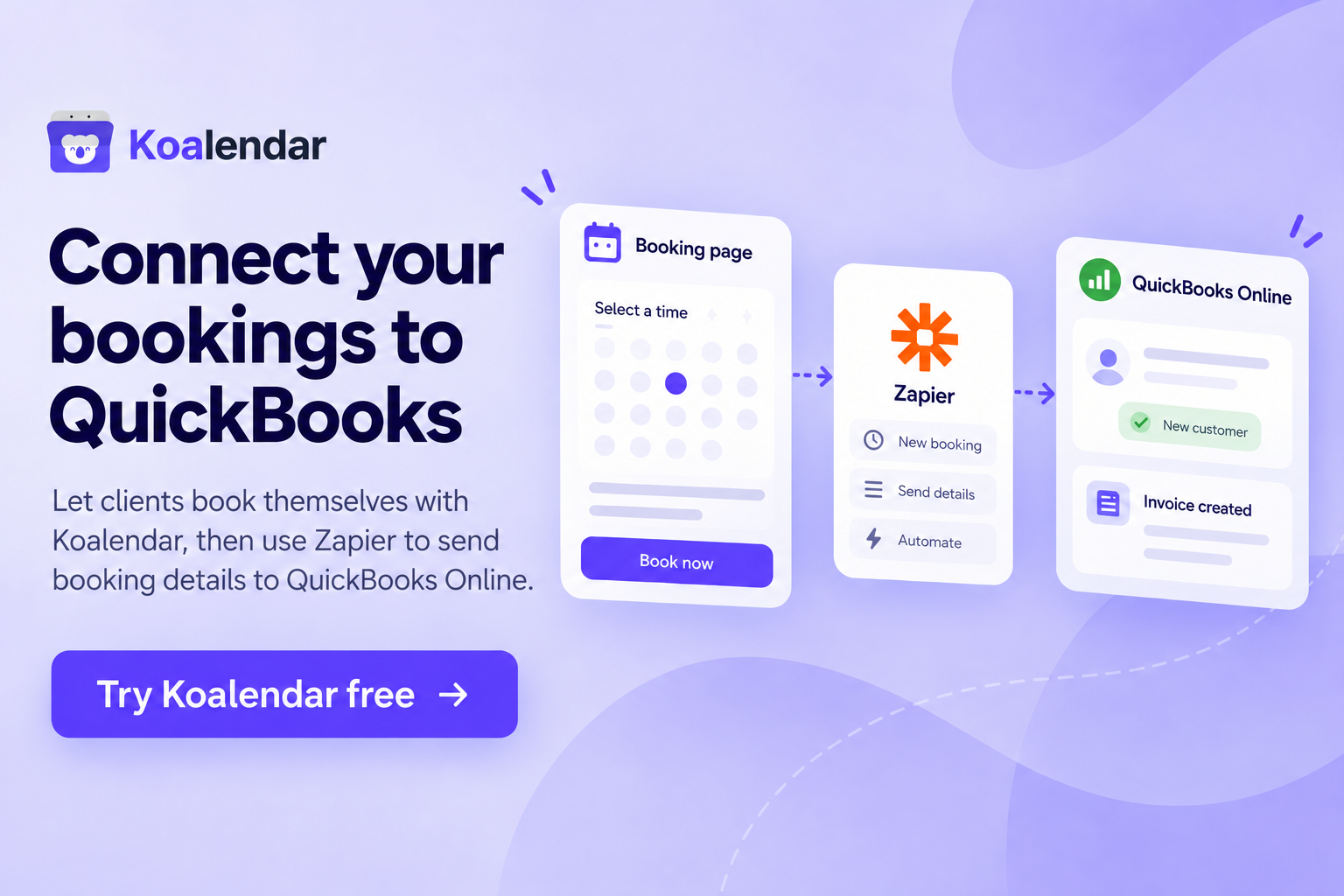
The QuickBooks connection works through Zapier rather than a native two-way sync. A new Koalendar booking can trigger much more than simple data entry. Through Zapier, you can find or create the customer in QuickBooks Online, update their details, create or send an invoice, generate an estimate or sales receipt, record billable time, or build a multi-step accounting workflow around the appointment.
The advantage of Koalendar’s integration with QuickBooks via Zapier is that you get flexibility without pretending every piece of accounting data automatically travels back and forth between both systems.
Why choose Koalendar?
- Let clients book themselves based on your real-time availability
- Sync calendars to reduce double-bookings
- Send automatic email and SMS reminders
- Collect useful client details before the appointment
- Take payments as part of your booking workflow
- Schedule individuals, groups, or teams
- Connect bookings to QuickBooks Online through Zapier and choose what to sync
- Avoid paying for dispatch, fleet, and technician-management features you may never use
The main limitation is that Koalendar does not offer a QuickBooks Desktop integration. If Desktop is essential, look at FieldPulse, Workiz, or ServiceTitan instead.
Pricing: Koalendar has a Free plan and Pro costs $6.99 per seat/month when billed annually and includes advanced features such as Zapier integrations, payments, custom reminders, and team scheduling.
2. FieldPulse: best for QuickBooks Desktop users
FieldPulse is designed for contractors and field-service businesses that need more than appointment booking.
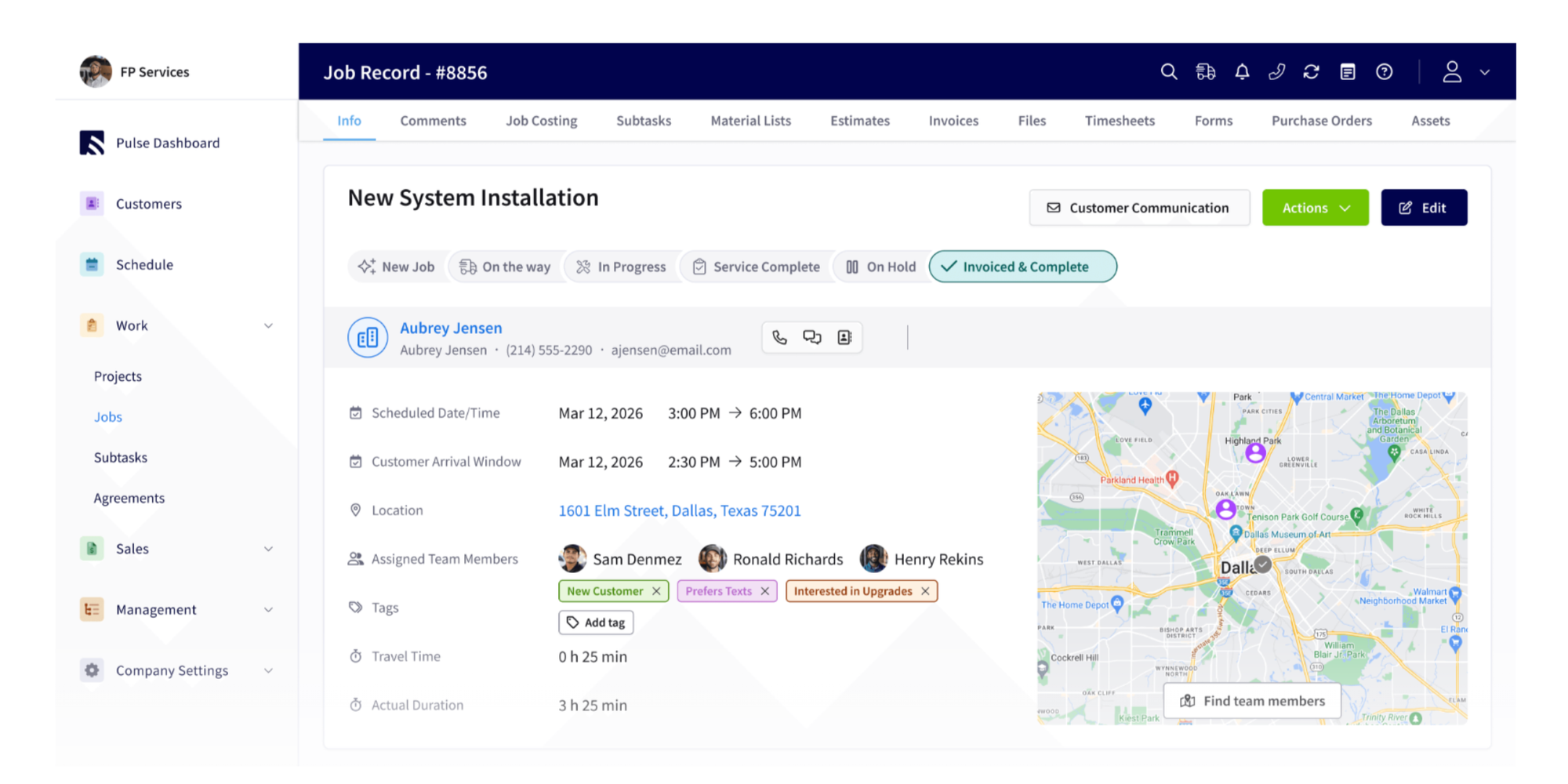
Its scheduling tools sit alongside dispatching, job management, estimates, invoices, customer records, payments, and technician workflows. That makes it better suited to plumbers, electricians, HVAC companies, and similar businesses sending workers into the field.
FieldPulse currently documents integrations with both QuickBooks Online and QuickBooks Desktop 2023 or newer. Its QuickBooks Online integration supports two-way syncing for customers, line items, estimates, invoices, and payments. It also offers two-way syncing for several equivalent records in QuickBooks Desktop.
If QuickBooks Desktop support is non-negotiable and you run a field-service operation, FieldPulse deserves a place near the top of your shortlist.
Pricing: FieldPulse now uses custom seat-based pricing, so businesses need to request a quote based on team size and the access each user needs.
3. Jobber: best for small field-service businesses
Jobber combines job scheduling, dispatching, client management, quotes, invoices, payments, and field-service workflows.
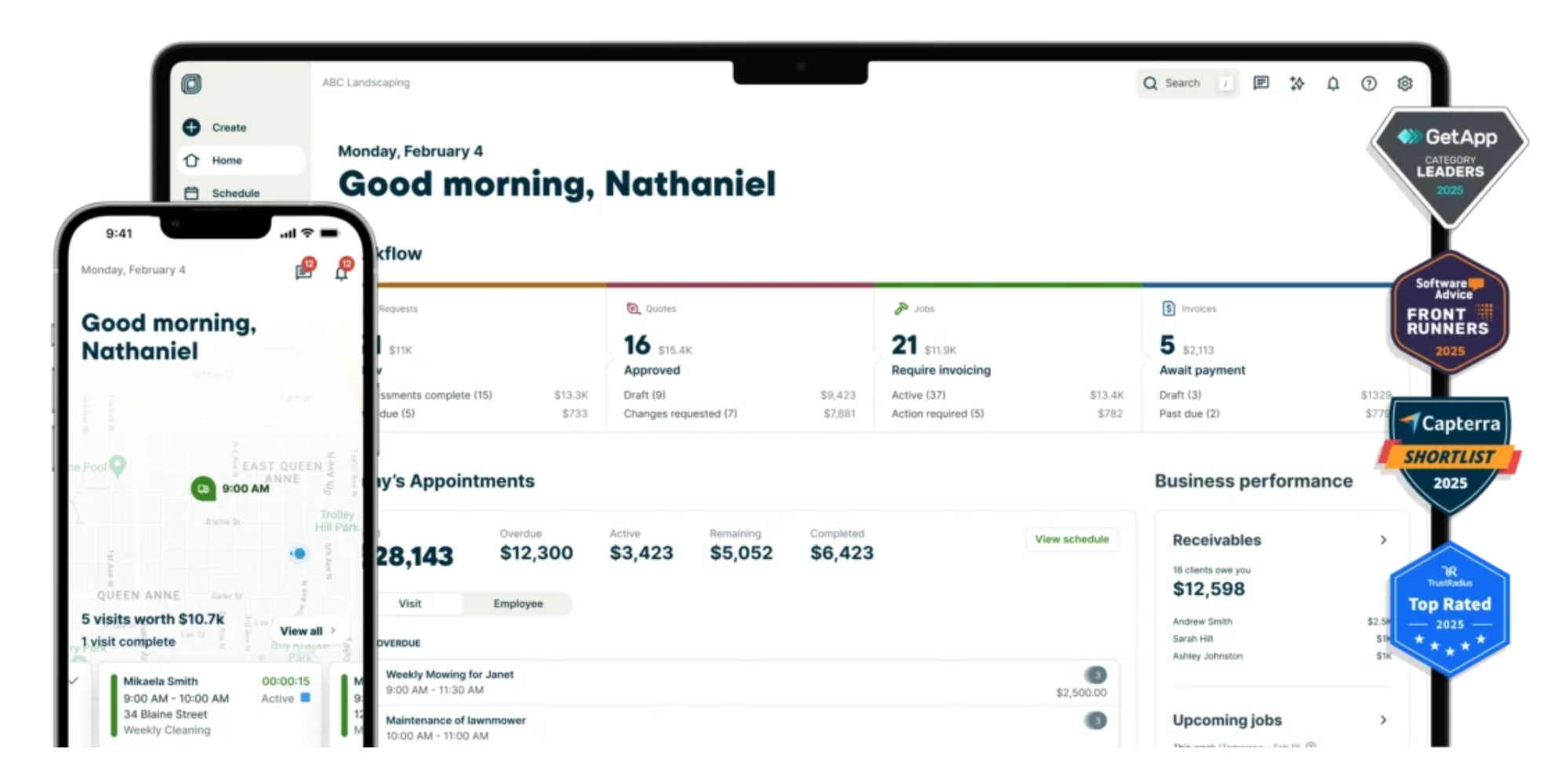
Its current QuickBooks integration is focused on QuickBooks Online. Jobber's newer integration automatically syncs supported data from Jobber to QuickBooks, while the company is gradually rolling it out to eligible accounts.
Jobber makes the most sense when a "booking" usually becomes a job that needs to be assigned, completed, invoiced, and paid.
For a consultant scheduling discovery calls or a tutor booking weekly lessons, that workflow may be more machinery than you need.
Pricing: Jobber starts at $29/month for one user when billed annually, while the Connect plan, which includes QuickBooks Online sync, starts at $99/month.
4. Housecall Pro: best for home-service teams
Housecall Pro brings scheduling, dispatching, customer management, invoices, payments, and other home-service workflows into one platform.
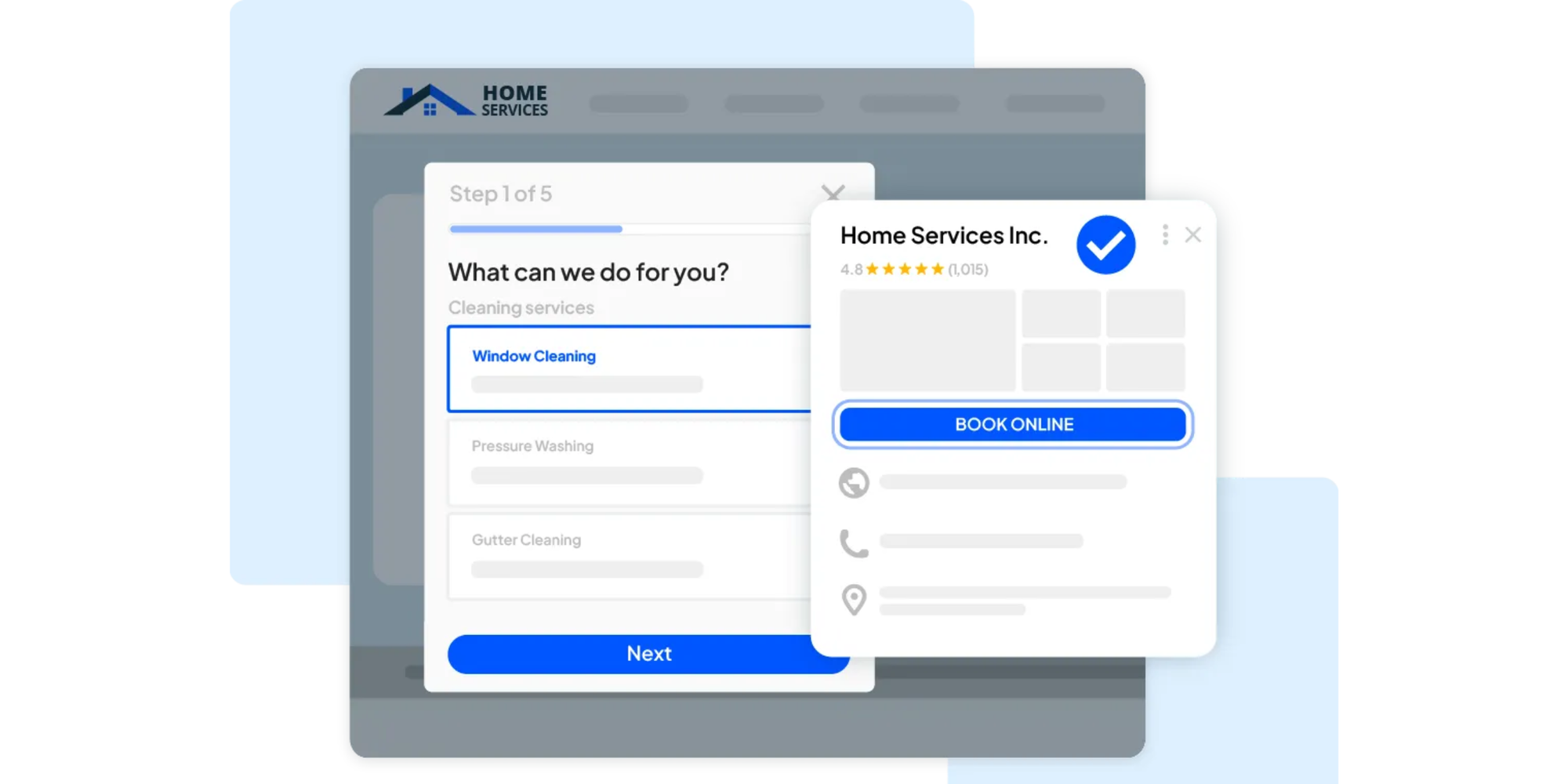
Its QuickBooks Online integration can send invoices, payments, new customer information, and price-book items into QuickBooks. Housecall Pro describes the sync as primarily one-way from Housecall Pro to QuickBooks Online, with some data also available for import from QuickBooks during setup.
That makes Housecall Pro a strong fit for businesses where office staff need to coordinate field technicians as well as manage billing.
If your main problem is simply letting clients choose a meeting time, a dedicated appointment scheduler will usually be easier to manage.
Pricing: Housecall Pro's Basic plan currently starts at $59/month when billed annually (at the time of writing), with higher-tier plans available for larger teams and more advanced workflows
5. Workiz: best for growing service businesses
Workiz is another field-service platform built around scheduling jobs, dispatching technicians, communicating with customers, and managing business operations.
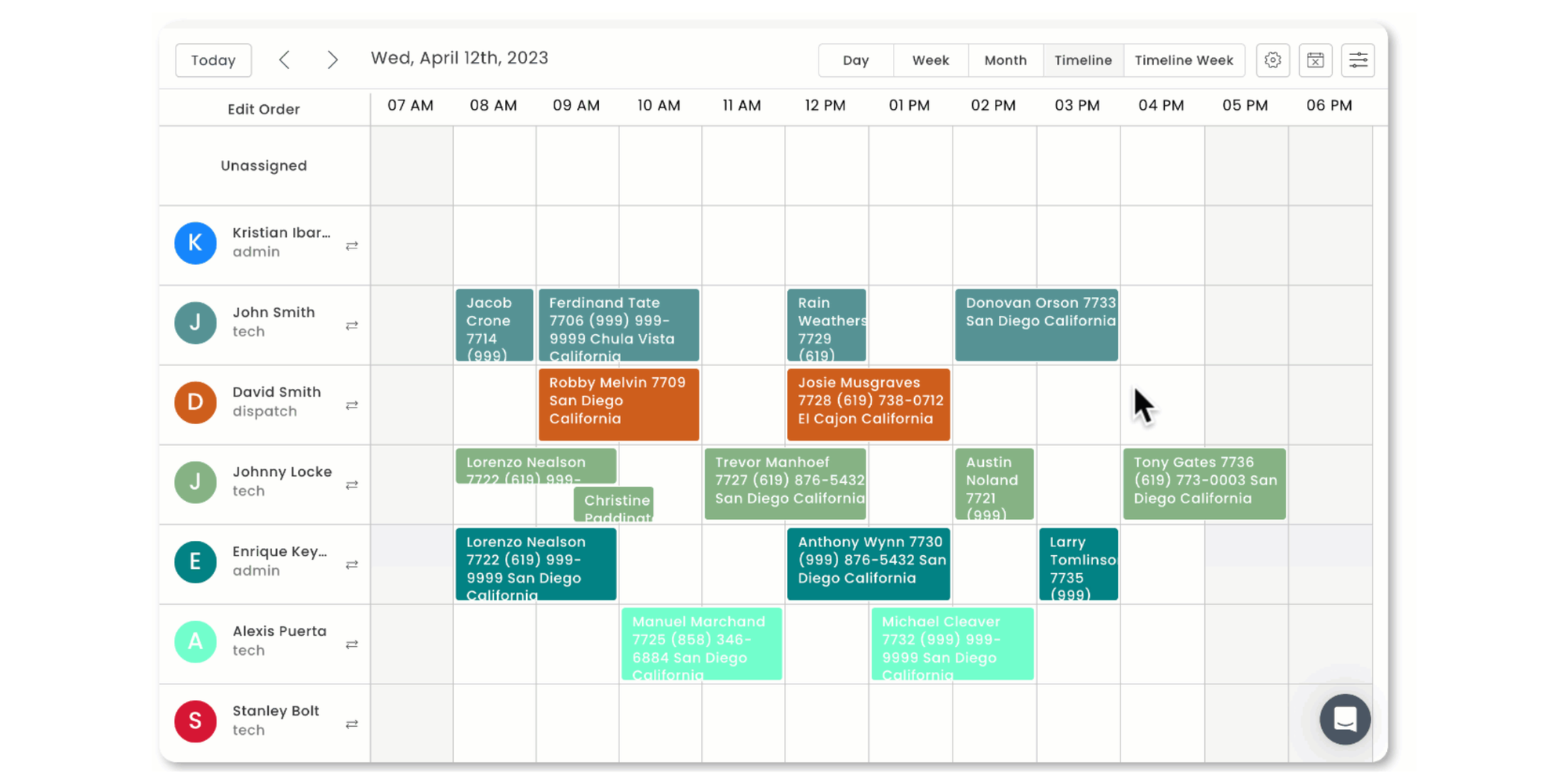
Unlike several products in this list, Workiz currently advertises support for both QuickBooks Online and QuickBooks Desktop. Workiz says relevant information flows one way from Workiz into QuickBooks after setup, helping businesses reduce duplicate accounting entries.
Its QuickBooks Online tools can also be configured to sync invoices and payments according to your workflow.
Choose Workiz when appointments quickly become jobs that involve dispatch, staff coordination, invoices, and field operations.
Pricing: Workiz does not publish fixed prices for its current Standard, Pro, and Ultimate plans, so businesses need to request pricing based on their requirements.
6. ServiceTitan: best for larger field-service companies
ServiceTitan is built for larger and more operationally complex service businesses.
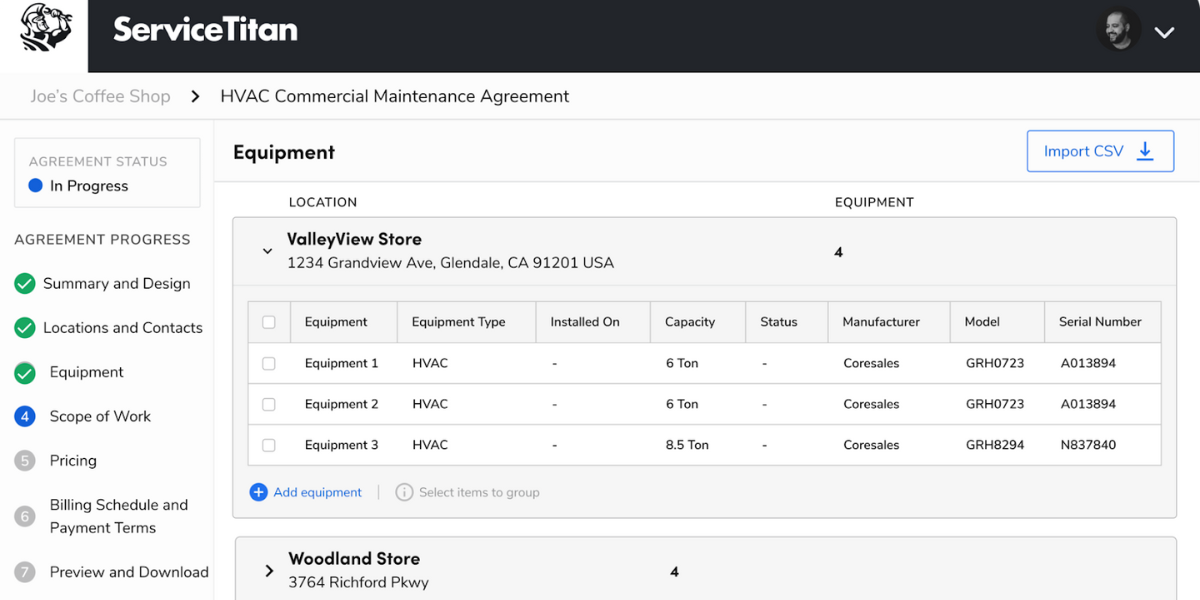
Its platform combines advanced dispatching, job management, reporting, customer workflows, financial tools, and accounting integrations. The trade-off is complexity. Smaller appointment-led businesses may be paying for far more infrastructure than they need.
ServiceTitan currently supports both QuickBooks Online and QuickBooks Desktop. Its 2026 documentation lists QuickBooks Desktop Pro, Premier, and Enterprise support and describes dedicated workflows for invoices, payments, customer records, vendors, bills, inventory, and other accounting data.
For a multi-location field-service company, that depth can be valuable. For a solo consultant, coach, or tutor, it is likely excessive.
Pricing: ServiceTitan uses custom per-technician pricing across its Starter, Essentials, and The Works packages, so you need to request a quote for your business.
7. QuickBooks Time: best for employee scheduling and time tracking
QuickBooks Time is different from most tools here because it sits directly inside the Intuit ecosystem.

It focuses on staff scheduling and time tracking, not public appointment booking. Managers can create and assign shifts, publish schedules, repeat shifts, associate work with jobs or customers, and manage employee availability from QuickBooks Time or supported QuickBooks Online plans.
That makes it a logical option if your main scheduling question is, "Who is working when?"
It is less appropriate if the question is, "How can customers see my availability and book an appointment online?"
Pricing: QuickBooks Time Premium has a standard price of $20/month plus $10 per user/month, while Time Elite is $40/month plus $12 per user/month; a QuickBooks Online account is also required.
8. Connecteam: best for deskless teams
Connecteam also focuses on the people inside your business rather than external customer appointments.
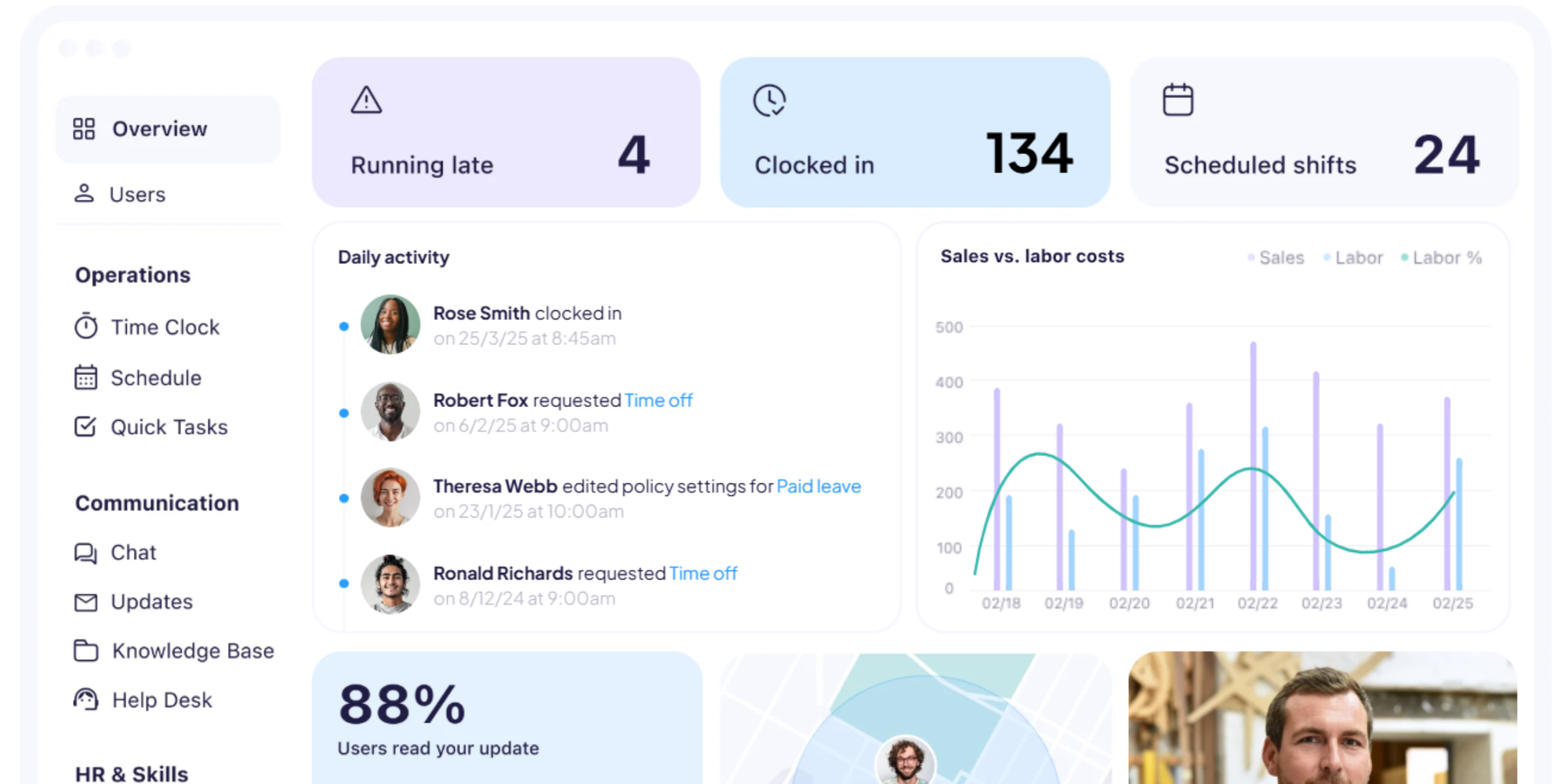
Its tools cover employee scheduling, time tracking, timesheets, communication, and other workforce-management tasks. Connecteam currently offers a direct QuickBooks Online payroll integration that lets teams export employee hours.
QuickBooks Desktop users also have an option, but it works differently. Connecteam provides a QuickBooks Desktop export template that creates an Intuit Interchange Format file for transferring timesheet data, rather than the same direct integration available for QuickBooks Online.
This distinction is a good example of why the phrase "QuickBooks integration" always deserves a closer look.
Pricing: Connecteam's Operations Hub starts at $29/month for up to 30 users when billed annually, with its Advanced plan starting at $49/month; businesses with fewer than 10 employees can also qualify for its free Small Business Plan.
9. Deputy: best for shift-based businesses
Deputy, like the previous options, is built around staff schedules, timesheets, employee management, and payroll workflows.
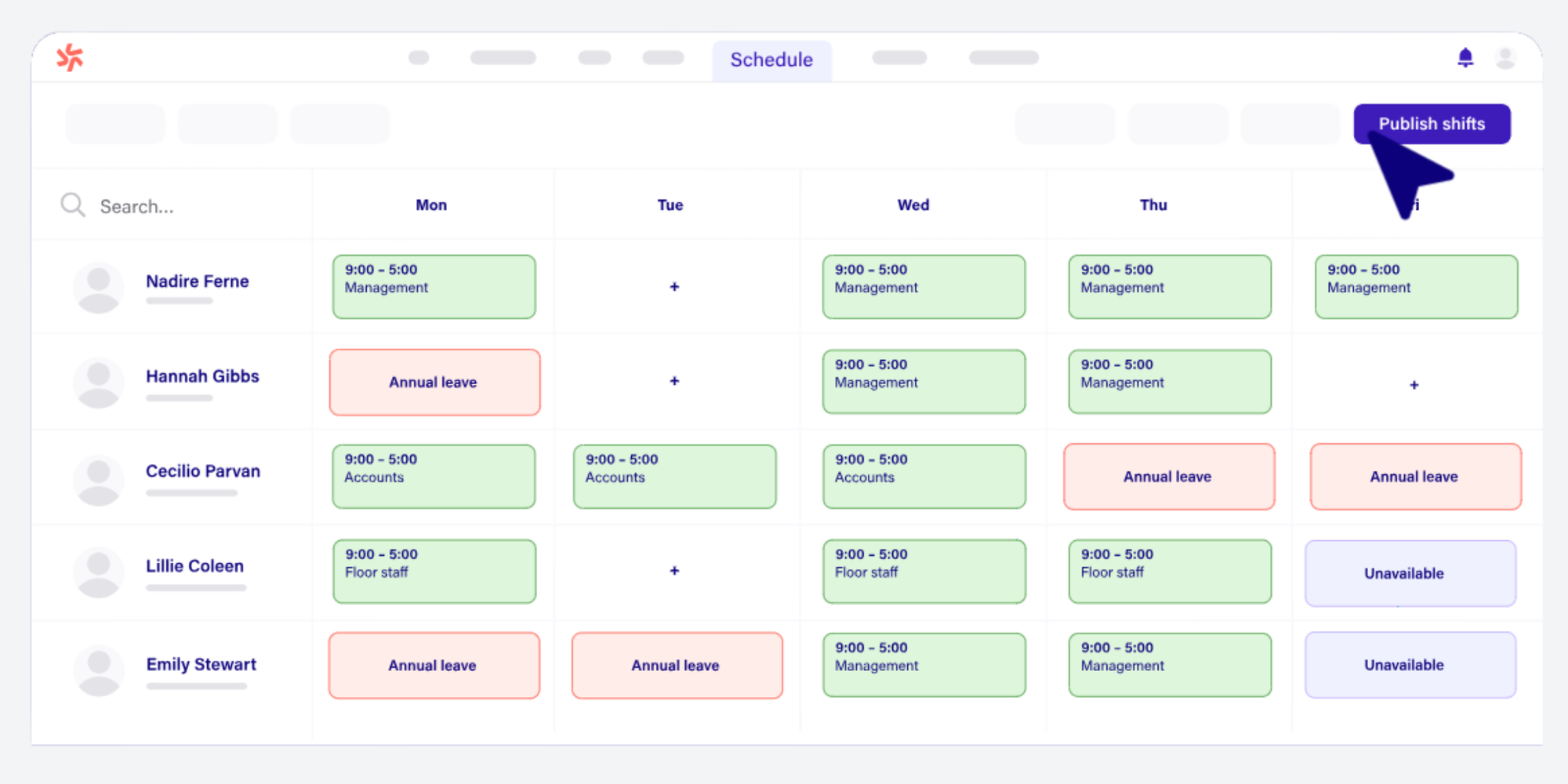
Its QuickBooks support includes workflows for QuickBooks Online and QuickBooks Desktop, including exporting timesheets and connecting employee or sales information in supported QuickBooks Online configurations.
Restaurants, retailers, healthcare teams, hospitality businesses, and other organizations managing rotating shifts may find Deputy a natural fit.
It is workforce scheduling first. If customers need to choose appointment times from a public booking page, look at an appointment-focused platform instead.
Pricing: Deputy starts at $5 per user/month for Lite, with Core at $6.50 and Pro at $9 per user/month on its current annual pricing.
10. When I Work: best for hourly employee scheduling
When I Work combines employee scheduling, availability, time tracking, and attendance tools for hourly teams.
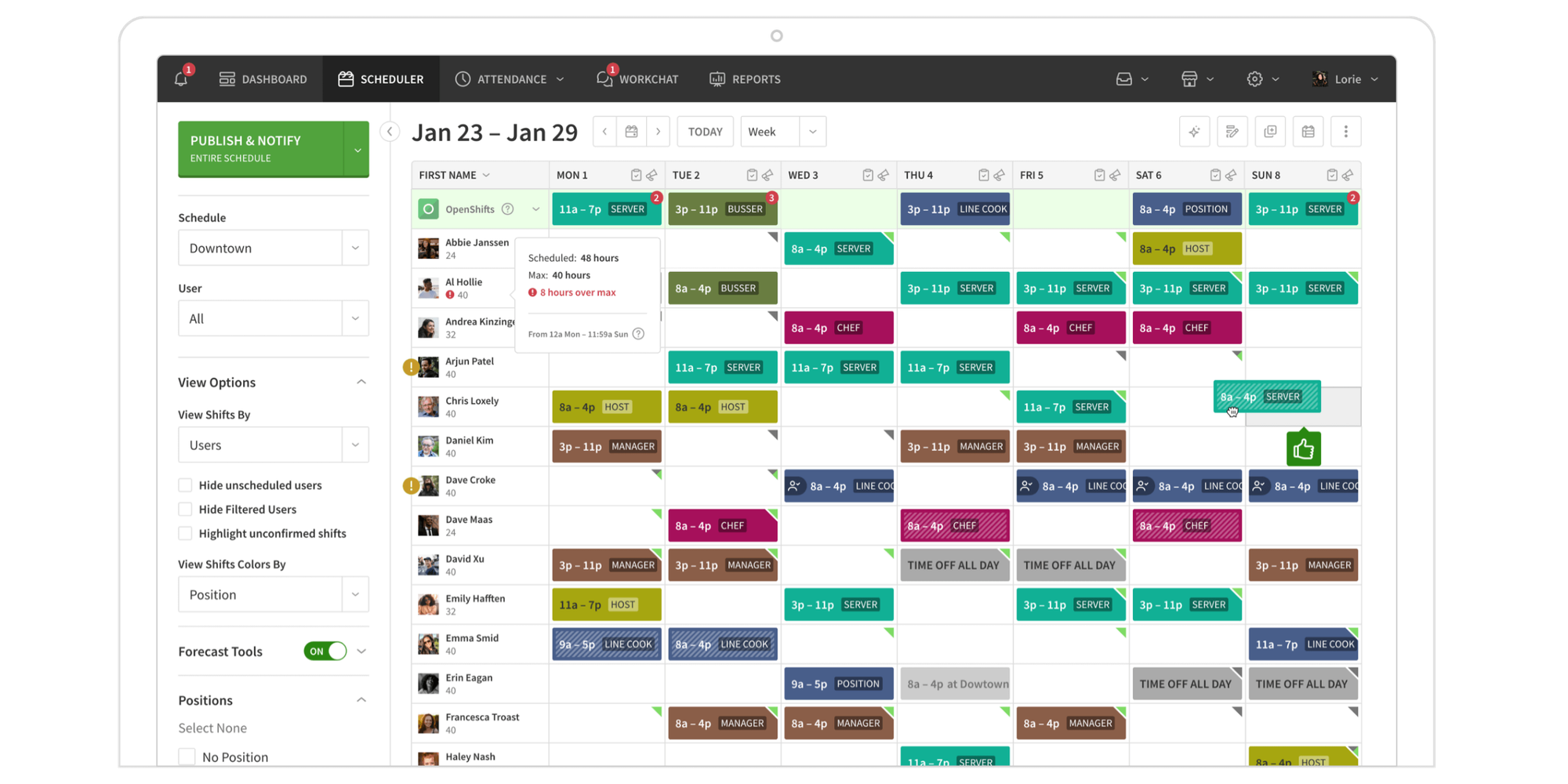
Its QuickBooks Online integration is designed mainly around payroll data. Businesses can sync users and export worked hours after closing a pay period, although the integration has plan and payroll requirements.
When I Work specifically says that this integration is compatible with Quickbooks Online Plus with Payroll in the United States, India and Canada and that other Quickbooks Online plans are not compatible.
Choose it when you need to organize employee shifts and move worked hours into payroll, not when you need customers to schedule consultations or appointments.
Pricing: When I Work starts at $2.50 per user/month for Essentials, with Pro at $5 and Premium at $8 per user/month.
Which scheduling software works best with QuickBooks?
The best option depends on what happens after someone gets added to the calendar.
Best for client appointments: Koalendar
Choose Koalendar if you schedule consultations, calls, lessons, interviews, sessions, or appointments.
You get public booking pages and flexible availability without turning every appointment into a field-service job. Your booking workflow can then connect to QuickBooks Online through Zapier.
Best for QuickBooks Desktop: FieldPulse
FieldPulse is one of the clearest fits for smaller field-service businesses using QuickBooks Desktop because it documents direct Desktop support alongside scheduling, dispatching, invoicing, and payments.
Workiz and ServiceTitan are also verified Desktop options, while Deputy and Connecteam support Desktop-oriented timesheet export workflows for workforce use cases.
Best for field-service businesses: Jobber or Housecall Pro
Both platforms combine scheduling with job management, customer records, invoices, and operational tools.
Choose this category when employees travel to customers and need jobs assigned or dispatched.
Best for large service companies: ServiceTitan
ServiceTitan offers a deeper operational and accounting stack, including both QuickBooks Online and Desktop support. It is designed for businesses with more complex field operations rather than lightweight appointment booking.
Best for employee scheduling: QuickBooks Time, Deputy, or When I Work
These platforms focus on staff shifts, timesheets, attendance, and payroll.
They solve a different scheduling problem from tools designed to help clients book appointments.
How Koalendar works with QuickBooks
Koalendar connects scheduling with QuickBooks Online through Zapier, so you can automate the handoff without building a custom integration.
The workflow can be as simple as this:
- A client books an appointment in Koalendar.
- Koalendar captures the booking and client details.
- Zapier detects the new booking.
- Zapier sends the information you choose to QuickBooks Online.
For example, you could configure QuickBooks Online to create a customer or invoice after a specific Koalendar booking trigger. The exact workflow depends on the Zap and QuickBooks action you set up.
The benefit is straightforward: less copying and pasting between your calendar and accounting system.
What can you automate between Koalendar and QuickBooks?
The exact workflow depends on the Zap you build, but these are some of the most useful ways to connect Koalendar bookings with QuickBooks Online.
| What you can automate | What it does | Useful for |
| Create a QuickBooks customer | Turn a new Koalendar booking into a customer record in QuickBooks Online | Consultants, coaches, tutors, accountants, agencies, wellness businesses, and other appointment-based services |
| Update a customer | Add or update customer details using booking information | Businesses that collect client details during booking and want QuickBooks records kept up to date |
| Create an invoice | Generate an invoice after someone books | Consultants, professional services, coaches, tutors, and other businesses that invoice per appointment or service |
| Send an invoice | Automatically send an existing QuickBooks invoice | Businesses that want to reduce manual billing follow-up |
| Create an estimate | Generate an estimate from a consultation or quote booking | Contractors, consultants, agencies, photographers, and service businesses that quote before work begins |
| Send an estimate | Send an existing QuickBooks estimate automatically | Businesses with quote-based sales or consultation workflows |
| Create a sales receipt | Create a sales receipt as part of the booking workflow | Businesses that take payment around the time of booking or service delivery |
| Send a sales receipt | Send an existing receipt to the customer | Businesses that want customers to receive payment documentation automatically |
| Create a time activity | Record billable time associated with the booking | Consultants, accountants, legal professionals, freelancers, and other businesses that bill by time |
| Trigger workflows from reschedules or cancellations | Use a Koalendar reschedule or cancellation to start another Zap, with the exact QuickBooks action defined by you | Businesses that need accounting or customer records to reflect changes to appointments |
It is worth repeating what this setup is not. Koalendar's current QuickBooks connection is not a native, automatic two-way synchronization of every QuickBooks record. It is a Zapier-powered workflow that lets you decide what should happen after someone books.
What to look for in scheduling software that integrates with QuickBooks
The logo on an integrations page tells you very little on its own. What matters is what actually moves between the products.
QuickBooks Online compatibility
QuickBooks Online has the broadest support across the tools in this guide.
Before subscribing, check which QuickBooks Online plans, countries, payroll products, and software tiers the integration supports.
QuickBooks Desktop compatibility
If you need scheduling software that integrates with QuickBooks Desktop, verify the exact version and workflow.
Some platforms offer a direct connection. Others provide formatted exports. Some support QuickBooks Online only.
FieldPulse, Workiz, and ServiceTitan currently document genuine QuickBooks Desktop support, while products such as Connecteam and Deputy can support Desktop-oriented timesheet export workflows.
Native integration vs Zapier
A native integration is built directly between the two platforms. Zapier acts as the automation layer between them.
Neither approach is automatically better.
Native connections can make predefined syncing easier. Zapier can give you more control over the trigger and action when you only need particular workflows, such as creating a QuickBooks customer after a client schedules an appointment.
Customer and client data syncing
Ask exactly which fields transfer.
"Customer sync" could mean creating a name and email address, or it could involve addresses, products, tax information, invoices, and payment records.
Invoice automation
If invoicing is part of your process, check whether an appointment or completed job can create an invoice automatically.
Also check what happens when the original booking or invoice changes afterward.
Payment workflows
A payment taken during booking is not necessarily the same thing as a payment being reconciled automatically inside QuickBooks.
Check which payment data transfers, when it transfers, and what still needs manual review.
Calendar synchronization
Your accounting integration should not come at the expense of basic scheduling.
For appointment-led businesses, look for real-time calendar synchronization so a busy time in Google Calendar, Outlook, or iCloud cannot accidentally be offered to a client.
Automated reminders
QuickBooks does not solve your no-show problem.
Email and SMS reminders, confirmations, rescheduling options, and follow-ups can matter just as much as the accounting connection.
Team scheduling
If several people take appointments, look for round robin assignment, collective scheduling, individual availability rules, and shared booking pages.
If you're scheduling employee shifts instead, prioritize workforce tools such as QuickBooks Time, Connecteam, Deputy, or When I Work.
Pricing and integration costs
Finally, check whether the QuickBooks integration is included in your plan.
You may also need a paid Zapier subscription, a particular QuickBooks plan, payroll functionality, or a higher software tier depending on the workflow.
Scheduling software that integrates with QuickBooks Desktop
If you use QuickBooks Desktop, your choices are more limited than they are with QuickBooks Online, but there are still several verified options.
FieldPulse supports QuickBooks Desktop 2023 and newer for Windows and documents syncing for customers, line items, estimates, invoices, and payments.
Workiz advertises both QuickBooks Online and Desktop support for its field-service accounting workflows.
ServiceTitan supports QuickBooks Desktop alongside QuickBooks Online and provides dedicated Desktop configuration and data-export workflows.
Deputy supports exporting workforce timesheets to QuickBooks Desktop, while Connecteam provides a QuickBooks Desktop-formatted timesheet export.
Appointment scheduling vs field-service scheduling
The simplest way to narrow your options is to ask one question: Are customers booking your time, or are you dispatching people to jobs?
Appointment scheduling software is designed for consultations, meetings, interviews, lessons, classes, sessions, and other situations where someone chooses an available time.
Field-service software is designed to assign jobs, dispatch technicians, manage crews, track work in the field, create estimates, and coordinate invoicing.
That distinction can save you from buying far too much software.
If your customers mainly book time with you, a dedicated appointment scheduler such as Koalendar is usually simpler to set up and easier to manage.
If your business sends technicians to customers' homes or job sites, platforms such as FieldPulse, Jobber, Housecall Pro, Workiz, or ServiceTitan make more sense.
Does QuickBooks have appointment scheduling?
QuickBooks is not primarily a client appointment-booking platform.
QuickBooks Time does include employee shift scheduling within supported QuickBooks products, allowing businesses to assign team members, publish shifts, and associate work with jobs or customers.
But that is different from giving clients a polished public booking experience.
A dedicated appointment scheduler can add:
- Public booking pages
- Flexible availability rules
- Custom booking questions
- Round robin team scheduling
- Group appointments
- Automatic email and SMS reminders
- Website booking embeds
- Payment collection
- Recurring bookings
- Follow-up messages
- Automatic time-zone handling
That is why many appointment-led businesses use QuickBooks for accounting and a dedicated tool such as Koalendar for scheduling.
Simplify scheduling while keeping QuickBooks in your workflow
The best scheduling software that integrates with QuickBooks is the one that matches the way your business actually works.
Field-service companies may need dispatching, technician management, job costing, and deep accounting sync. Workforce teams may care more about shifts, timesheets, and payroll.
But if your customers mainly book appointments, consultations, meetings, lessons, or sessions, you don't need to turn a simple calendar problem into a field-service operation.
Koalendar gives clients an easy way to choose a time, keeps your calendars in sync, automates reminders, and lets you connect appointment workflows to QuickBooks Online through Zapier.