Koalendar is the best Outlook scheduling tool for professionals and small businesses who want a professional booking experience without the learning curve. Microsoft Bookings is the better choice for organizations already paying for Microsoft 365, while Calendly suits larger organizations who need broader sales integrations.
TL;DR
The best Outlook scheduling tools in 2026 are:
- Koalendar — Best overall value (free plan with Outlook sync)
- Microsoft Bookings — Best for Microsoft 365 teams
- Calendly — Best for large organizations
- Acuity Scheduling — Best for service businesses
- Doodle — Best for group scheduling polls
This guide covers how each tool integrates with Outlook Calendar, what it costs, and which use business cases it fits best.
Features, pricing, and integrations verified against official product documentation and public pricing pages.
What is an Outlook scheduling tool?
An Outlook scheduling tool is software that connects to your Outlook Calendar to manage bookings, display your real-time availability, and automate the coordination around meetings and appointments.
How does Outlook scheduling software work?
Most tools work in one of two ways: they either sync with Outlook to read and write calendar events (so bookings appear directly in your calendar), or they offer a standalone booking page that checks your Outlook availability and blocks time when someone books.
The result: a client or colleague picks a time from your live availability, the meeting is created automatically, and both parties get confirmation with no manual emails required.
Why do businesses need scheduling automation for Outlook?
Outlook's built-in Scheduling Assistant works well for internal meetings. It shows the availability of colleagues in the same Microsoft 365 organization. But it can't generate a shareable booking link, accept external bookings, or send automated reminders. That's where dedicated scheduling tools fill the gap.
Nearly 43% of workers spend over three hours each week just scheduling or organising meetings (Calendly, State of Meetings 2024). For a team of ten, that's over 400 hours of admin overhead per year before a single meeting has taken place. Microsoft 365 has approximately 446 million paid seats globally (medhacloud.com, 2026), meaning a lot of that scheduling friction runs through Outlook.
What features should an Outlook scheduling tool have?
The most important features are real-time Outlook Calendar sync, automated reminders, and a shareable booking page. These three together eliminate the most common causes of double bookings, no-shows, and scheduling back-and-forth.
Real-time calendar sync
Two-way sync is essential. The tool should read existing Outlook events to block out busy time, and write new bookings directly into your calendar. Without it, double bookings are inevitable.
Microsoft Teams integration
If your team uses Teams for meetings, the scheduling tool should generate a Teams link automatically when someone books. Manual link-sharing creates administrative overhead and the risk of forgotten invites.
Automated reminders
Reminders sent 24 hours before (and again closer to the meeting) reduce no-shows without any manual effort. Look for tools that handle this automatically on all plans, not just paid tiers.
DCM Guitar School found that requiring upfront payment alongside automated reminders made no-shows "far less likely" and removed the financial risk of teachers waiting for students who didn't show.
Look for tools that include reminders on all plans, not just paid tiers.
Team scheduling features
For larger teams, round-robin scheduling (distributing bookings evenly across staff) and collective scheduling (booking a slot when multiple team members are free simultaneously) save significant admin time.
Custom booking pages
A branded booking page which is shareable via link, embedded on your website, or added to your email signature replaces the email back-and-forth with a self-service experience for clients.
5 best Outlook scheduling tools compared
We scored each tool across seven criteria: Outlook Calendar integration depth, Teams compatibility, booking page flexibility, automated reminders availability, team scheduling features, free plan generosity, and starting price.
Tools were evaluated using official product documentation, public pricing pages, and verified user reviews from Capterra, G2, and GetApp. Koalendar ranks first on value score; Microsoft Bookings ranks first on native M365 integration. No tool scores highest on every criterion.
 |  |  |  |  | |
| Outlook sync | ✅ | ✅ Native | ✅ | ✅ | ✅ |
| Teams integration | ✅ (Paid) | ✅ Native | ✅ | ❌ | ✅ (Paid) |
| Booking pages | ✅ Unlimited | ✅ | ✅ | ✅ | ✅ (Paid) |
| Reminders | ✅ (Paid) | ✅ | ✅ (Paid) | ✅ (Paid) | ✅ (Paid) |
| Team scheduling | ✅ (Paid) | ✅ | ✅ Teams plan | ✅ | Group polls |
| Free plan | ✅ | ✅ (with M365) | ✅ (1 event type) | ❌ (7-day trial) | ✅ (ads) |
| Starting price | Free (Pro plan from $6.99/seat/mo) | $6/user/mo (M365) | Free (paid plans from $10/user/mo) | No Free plan. $16/mo | Free (paid plans from $6.95/user/mo) |
Note: Prices correct as of June 2026. Verify current figures on each tool's pricing page before purchasing.
No scheduling tool is perfect for every organisation. These recommendations focus specifically on professionals and businesses that rely on Outlook and Microsoft 365 for day-to-day scheduling.
1. Koalendar (best overall value)
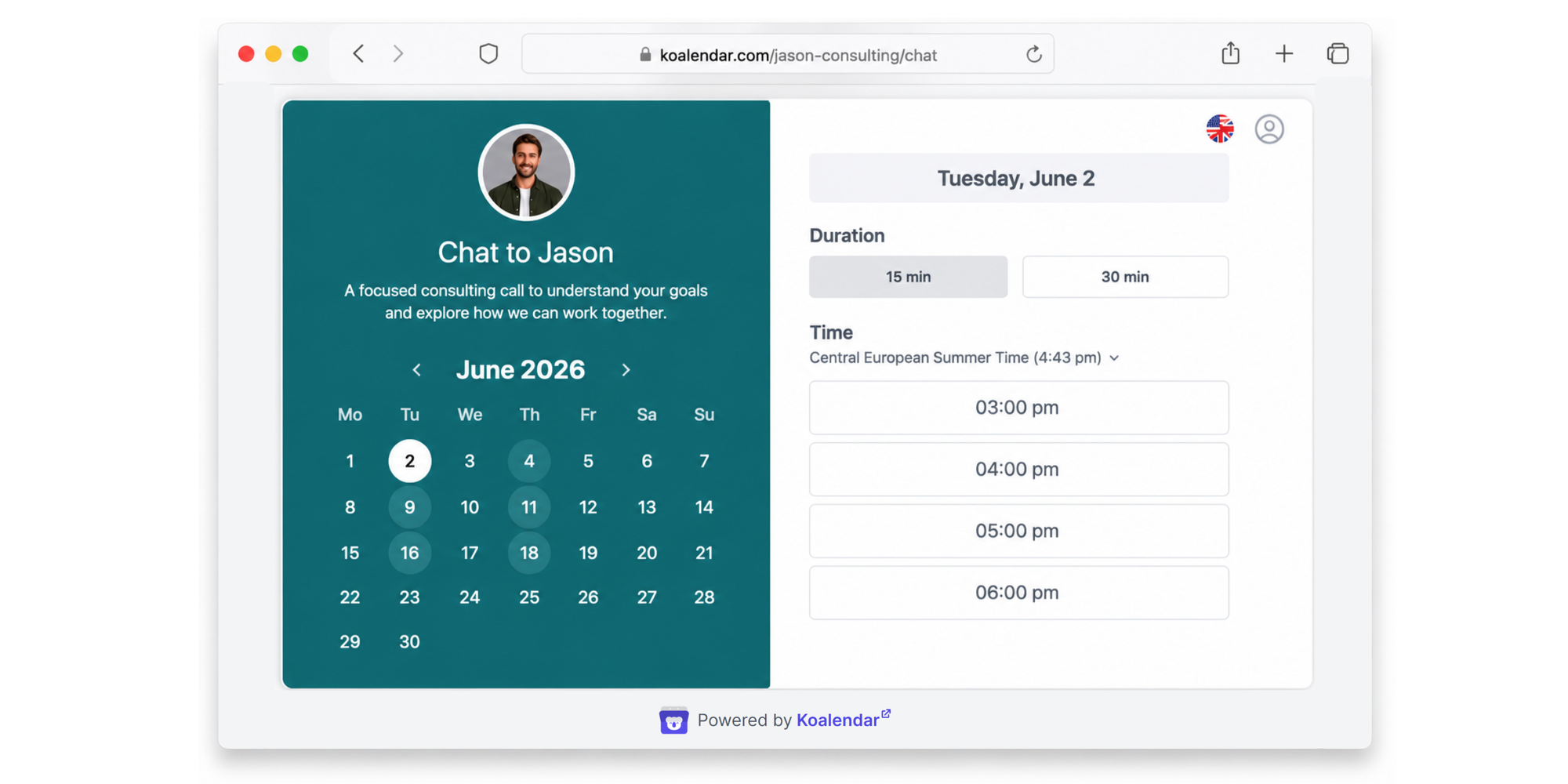
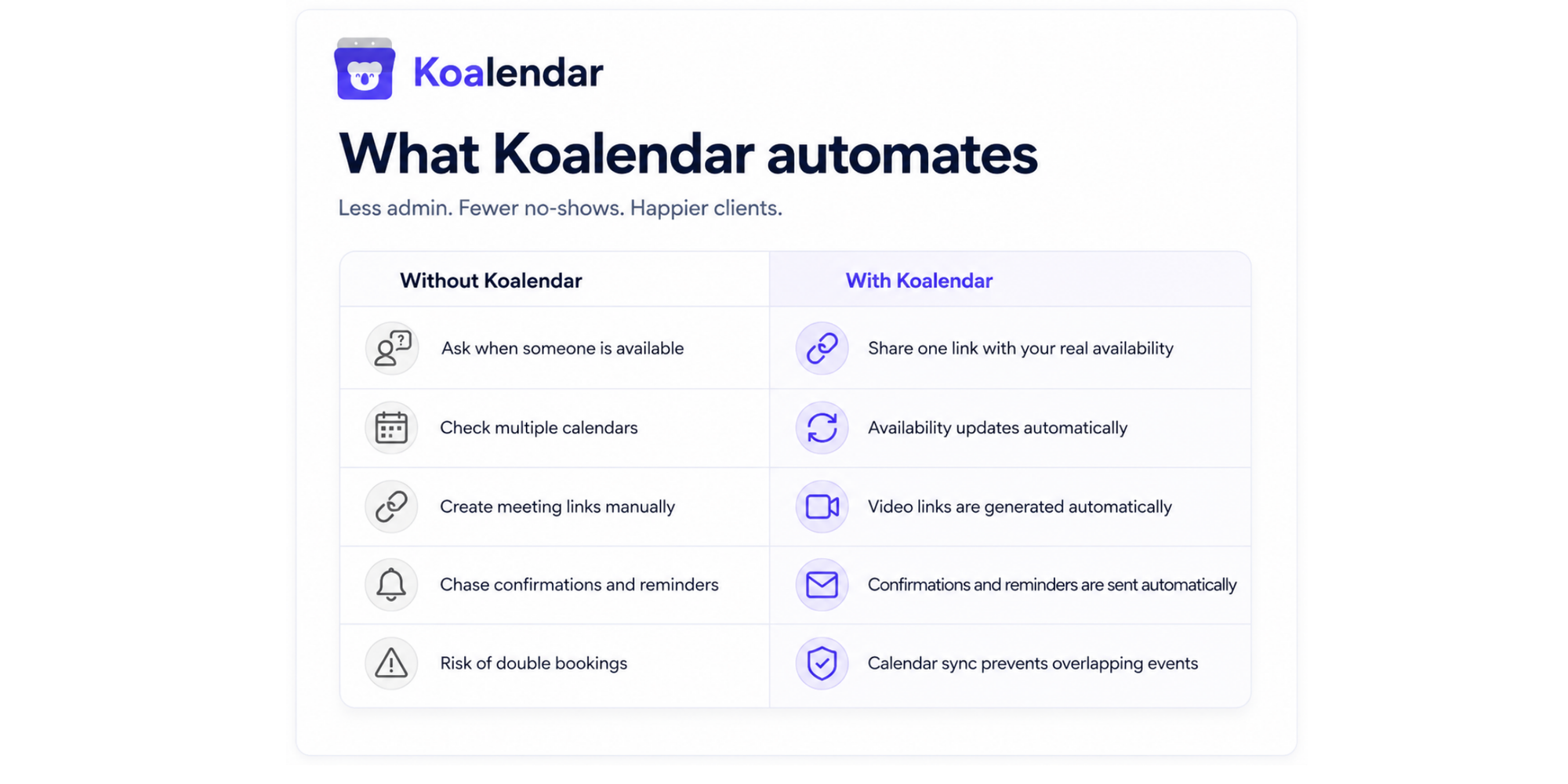
Koalendar is a scheduling tool built for professionals who want a clean booking experience without the premium price tag.
Its Free Forever is genuinely useful. It provides unlimited 1:1 booking pages, and two calendar syncs are included, which covers most solo use cases without paying anything.
Outlook integration: Koalendar syncs with Outlook Calendar in real time, blocking off busy time and adding new bookings directly into your calendar. It also integrates with Microsoft Teams, generating a Teams link automatically when a meeting is booked (with a Pro Plan).
Key features:
- 24/7 online booking via shareable link or embedded booking page
- Outlook Calendar sync and Google Calendar sync (both available on free)
- Automated email reminders - reduce no-shows without manual effort (available on Pro)
- Custom branded booking pages
- Teams and Zoom integration (available on Pro)
- Timezone detection (invitees automatically see your availability in their local time)
- Embed your booking page in your website
Pricing:
- Free forever (unlimited bookings, two calendar syncs, unlimited 1:1 pages)
- Pro plan at $6.99/month adds Zoom and Teams integration, branding removal, and advanced features. See the full free vs Pro comparison
Best for: Consultants, freelancers, recruiters, sales teams, and small businesses that want Outlook integration without paying Calendly prices. Especially strong value for anyone who doesn't need enterprise features.
Limitation: Koalendar is newer to the market than Calendly or Acuity, so it has a smaller third-party integration ecosystem. However, Outlook, Teams, Google Calendar, and Zoom cover most workflows.
“It’s super helpful—easy to use, integrates with Outlook, sends booking notifications and reminders, and it saves us a ton of time because partners can book directly from our availability."

Antonia Genov
Social Strategy Team
Find out how Visit Las Vegas uses Koalendar to keep partner content shoots on schedule.
2. Microsoft Bookings (best for Microsoft 365 teams)
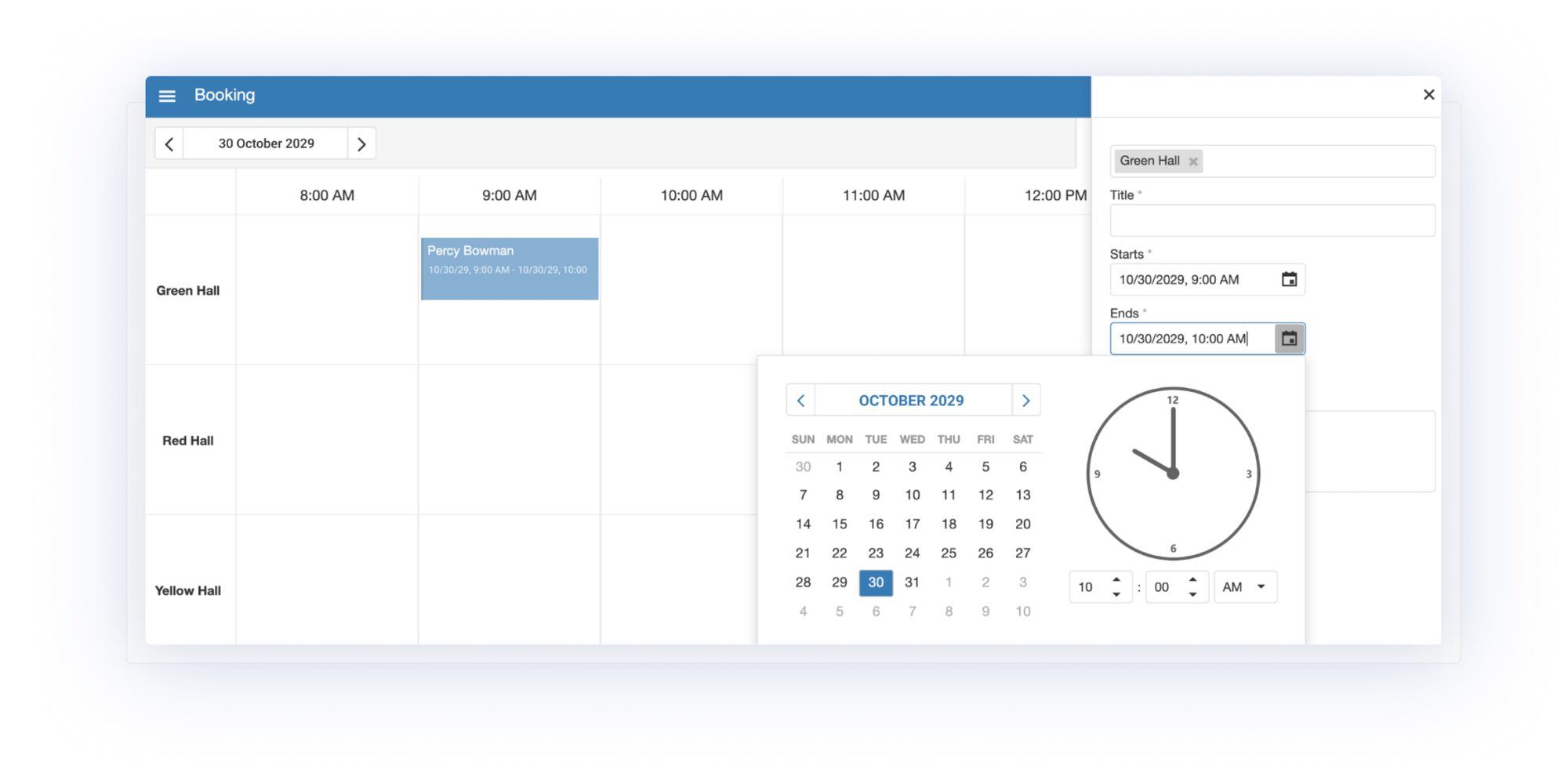
Microsoft Bookings is a scheduling tool included at no extra cost with qualifying Microsoft 365 Business plans (from $6/user/month for Business Basic). If your organization already pays for M365, you already own it.
Outlook integration: Bookings syncs directly with staff Outlook calendars in real time, checking existing appointments and blocking time when a booking is made. New appointments appear automatically in the staff member's Outlook. Teams meetings are generated automatically for virtual appointments.
Key features:
- Shareable booking pages (can be embedded on websites or shared via email)
- Real-time Outlook Calendar sync
- Native Microsoft Teams meeting generation
- Automated email confirmations and reminders
- Multi-staff scheduling and shared booking calendars
- Custom booking pages with branding
Pricing: Included with Microsoft 365 Business plans (Business Basic from $6/user/month, Business Standard from $12.50/user/month). Not available as a standalone product.
Best for: Teams already running on Microsoft 365 who want scheduling without adding another tool or subscription. Strong for internal team scheduling and client appointments within the Microsoft ecosystem.
Limitation: Bookings works exclusively with Outlook and Exchange calendars, meaning there’s no Google Calendar support. It has no native payment processing and limited customization options compared to dedicated scheduling tools. Mobile apps were discontinued in 2022, meaning mobile access is browser-only. For a full alternatives comparison, see Microsoft Bookings alternatives.
3. Calendly (best for large organizations)
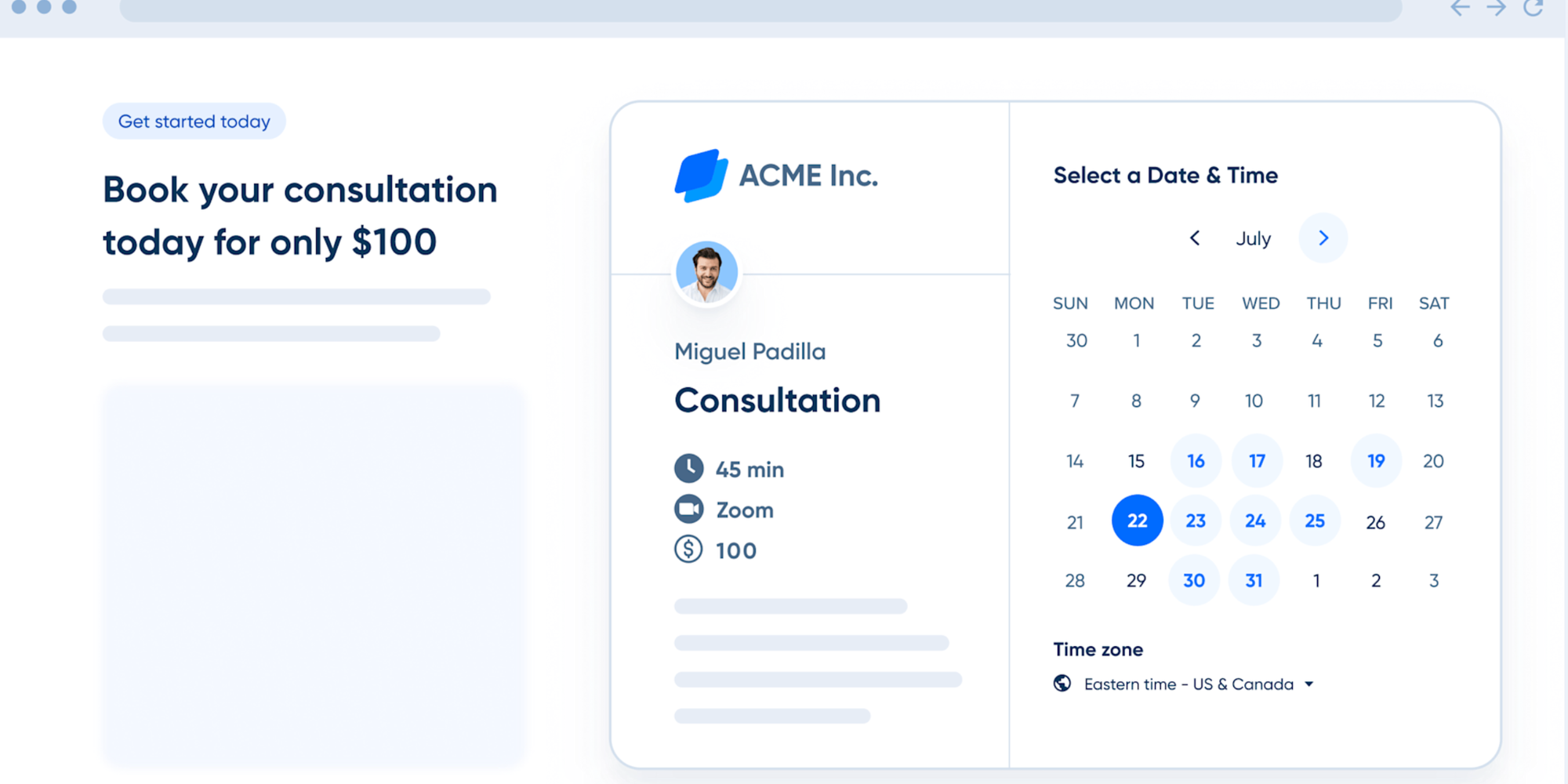
Calendly is a widely recognised scheduling tool and works smoothly with Outlook for large organizations who need to qualify and route leads and connect to CRMs. Its free plan is limited to one active event type and one calendar sync, but the Standard plan unlocks unlimited event types and calendar integrations.
Outlook integration: Calendly syncs with Outlook, Office 365, and Exchange, reading calendar availability in real time to prevent double bookings. Teams and Zoom links are generated automatically on all plans.
Key features:
- Shareable booking links and embeddable booking pages
- Outlook and Office 365 calendar sync
- Teams and Zoom integration (all plans)
- Automated email reminders (paid plans)
- Round-robin and collective scheduling (Teams plan)
- Salesforce and HubSpot integration (Teams plan)
Pricing:
- Free (1 event type)
- Standard: $10/user/month (annual) provides unlimited event types.
- Teams: $16/user/month (annual) includes round-robin scheduling, CRM integrations, admin controls.
- Enterprise: from $15,000/year.
Best for: large organizations needing CRM integrations, single sign-on, and round-robin. Limitation: Paid plans are priced per seat, so costs rise with team size. Automated reminders require a paid plan. The free tier's single-event-type limit is restrictive for anyone managing more than one meeting type.
4. Acuity Scheduling (best for service businesses)
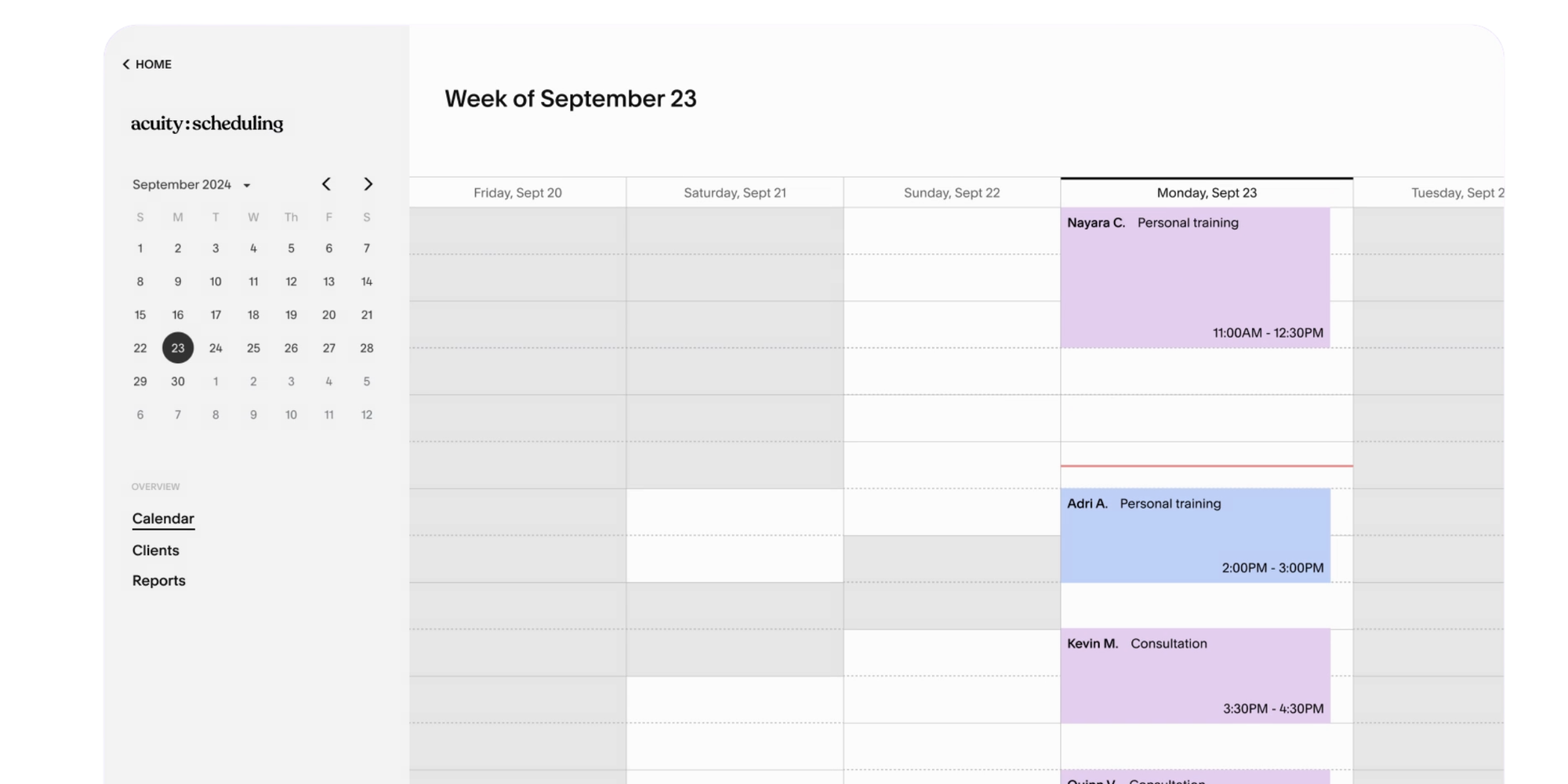
Acuity Scheduling (owned by Squarespace) is designed for service businesses that need clients to book and pay in one flow: coaches, consultants, fitness instructors, healthcare providers. It's more feature-heavy than Koalendar or Calendly's entry tiers, reflected in the higher starting price.
Outlook integration: Acuity syncs with Outlook, Google Calendar, and Apple Calendar on all paid plans, blocking busy time and adding new appointments automatically. There is no native Teams integration (Teams meetings require Zapier or manual linking).
Key features:
- Client self-booking with payment collection (Stripe, Square, PayPal)
- Outlook, Google, and iCal two-way sync
- Automated email and SMS reminders
- Custom intake forms
- Package and membership selling
- HIPAA compliance (Powerhouse plan)
Pricing:
- No free plan (7-day trial available)
- Starter: $16/month (1 calendar)
- Standard: $27/month (up to 6 calendars, SMS reminders, packages)
- Powerhouse: $49/month (HIPAA compliance, up to 36 calendars)
Best for: Solo practitioners and service businesses that need to accept payments at booking. Strong fit for coaches, therapists, and health and wellness providers.
Limitation: No free plan. Acuity has no native Microsoft Teams integration. The starting cost is higher than competitors. It’s not ideal for internal team meeting scheduling.
5. Doodle (best for group scheduling polls)

Doodle is primarily a group scheduling tool. It excels at finding a time that works for multiple people by letting participants vote on proposed slots. It's not a booking page tool in the same way as the others, but it fills a specific gap; coordinating meetings with external participants who have different calendar systems.
Outlook integration: Doodle syncs with Outlook Calendar (and Google Calendar and iCal) to check availability and prevent double bookings. A Doodle Outlook Add-in is available on paid plans (it requires a Doodle Premium plan to use). Teams integration is available on paid plans, generating a Teams link automatically when a meeting is confirmed.
Key features:
- Group scheduling polls (participants vote on availability)
- Outlook Calendar sync (paid plans)
- Outlook Add-in (Doodle Premium required)
- Booking pages for 1:1 scheduling
- Teams and Zoom integration (paid plans)
- Automated reminders
Pricing:
- Free (ad-supported, limited polls)
- Pro: $6.95/user/month
- Team: $8.95/user/month
Best for: Teams and organisations that frequently need to coordinate meetings across multiple people with different schedules, such as committee meetings, panel interviews, cross-department planning sessions.
Limitation: Polling is Doodle's core strength; it's not the best fit for simple 1:1 booking workflows. The free plan is ad-supported and limited. Calendar integration and the Outlook Add-in require a paid plan. Syncing issues between Doodle and Outlook have been noted by some users.
Which Outlook scheduling tool is best for your use case?
The right tool depends on how you use Outlook. Solo professionals, recruiters, sales teams, and service businesses all have different requirements.
Recruiters and HR teams
Recruiters need to coordinate availability across candidates, hiring managers, and panel members, often across different organisations and calendar systems.
Koalendar handles interview scheduling with automated Outlook Calendar sync, Teams link generation, and reminders that reduce candidate no-shows. Doodle works well for panel interview scheduling where multiple interviewers need to agree on a slot.
Case study: How a recruiting team saves time and scales interviews with Koalendar
Sales teams
Sales teams running demos and discovery calls need booking links that work without friction. Leads and prospects shouldn't have to email back and forth. Koalendar or Calendly (Teams plan) both handle this well.
Calendly has an edge if Salesforce integration is a hard requirement, but Koalendar offers comparable functionality at a lower cost for teams without CRM needs.
Consultants and coaches
Consultants want a branded booking page that syncs with their Outlook availability and handles reminders automatically. Koalendar covers this on the Pro plan. Acuity Scheduling is also useful if payment collection at the point of booking is essential, but Koalendar’s Pro plan does offer payments and is a much more reasonable price.
Customer success teams
Customer success needs to book onboarding calls, check-ins, and support sessions, often at scale. Microsoft Bookings works well if the team is already on M365 and needs multi-staff scheduling without extra cost. Koalendar is a strong alternative for teams that need more customization or Zoom integration.
Small businesses
Small businesses need an affordable tool that works without IT support. Koalendar's Free Forever plan (unlimited 1:1 bookings, Outlook sync, automated time-zone detection) covers most small business needs without any subscription cost. Microsoft Bookings is a close second if the business already pays for Microsoft 365.
Is Koalendar better than Microsoft Bookings?
It’s less about one tool being “better” and more about choosing the scheduling experience that fits the way you work.
Microsoft Bookings works well for teams already using Microsoft 365. Koalendar can help you get more flexibility from your scheduling setup by connecting with other calendars, supporting tools like Zoom, and creating a smoother, more user-friendly booking experience for the people scheduling time with you.
Setup simplicity
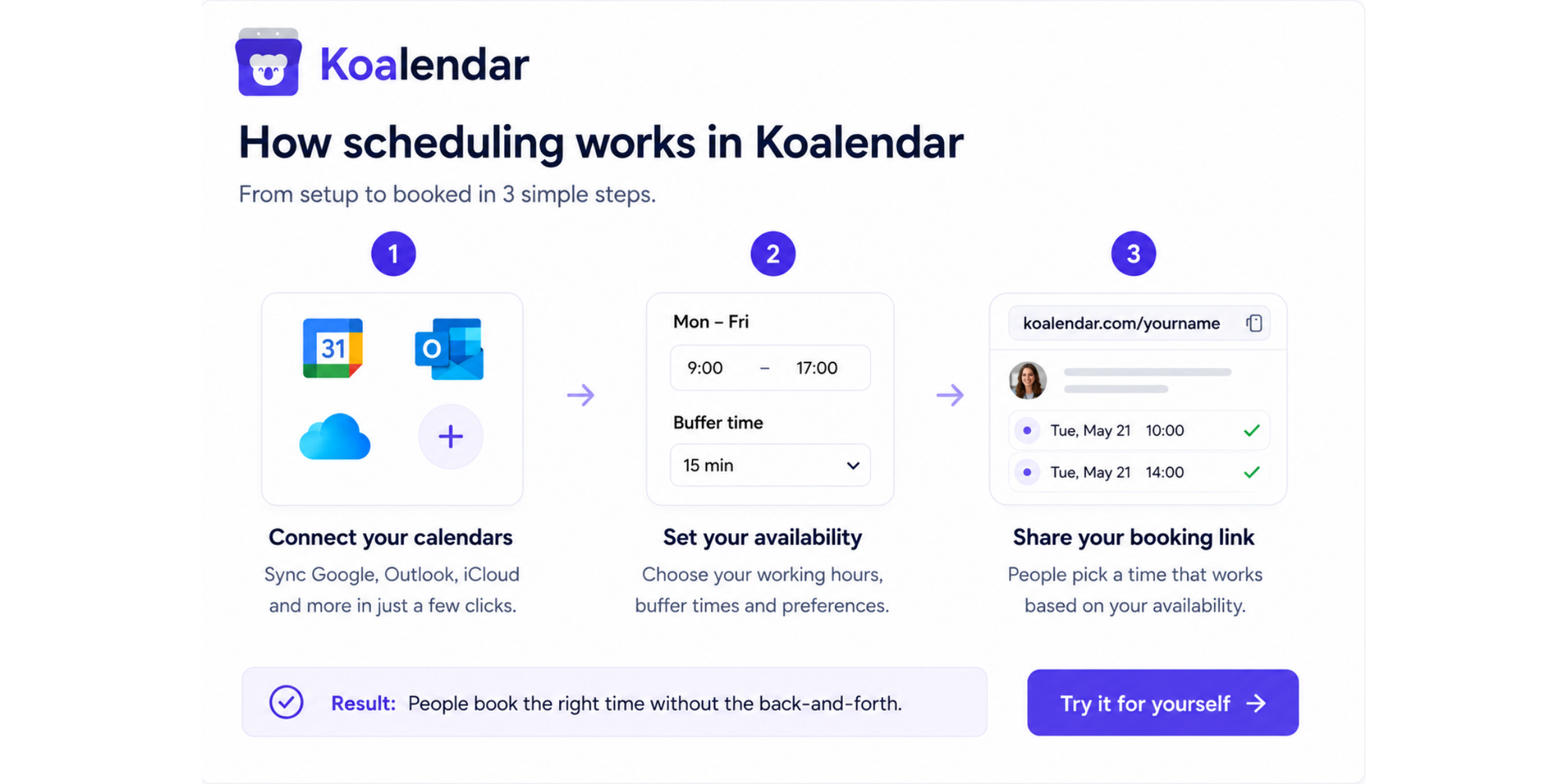
Both tools can be set up without IT involvement. Koalendar takes minutes: connect your Outlook Calendar, customize your booking page, and share your link.
Microsoft Bookings requires configuring services, staff, and calendar settings through several sequential steps, which makes it slightly more involved.
Scheduling features
Koalendar includes Teams and Zoom integrations, unlimited booking pages, automated reminders, and timezone detection in its Pro plan. Microsoft Bookings has native Teams integration and multi-staff scheduling but no Zoom support, no Google Calendar compatibility, and limited customization options outside the Microsoft ecosystem.
Pricing and value
Microsoft Bookings is included with Microsoft 365 Business plans (from $6/user/month for Business Basic), which makes it the default choice if you're already paying for M365. Koalendar offers a Free Forever Plan with unlimited for 1-to-1 bookings , 2 calendar syncs, and automatic confirmations. The Pro plan ($6.99/seat/month) makes it the better pick for individuals or small teams not on a Microsoft 365 subscription, or for anyone who needs Zoom or Teams integration or more flexibility.
Why should businesses automate Outlook scheduling?
Automation removes the three biggest sources of scheduling friction: calendar conflicts, poor client experience, and administrative overhead. Here’s how.
Does scheduling automation reduce calendar conflicts?
Yes. A calendar scheduling tool for Outlook reads your existing commitments in real time and only shows clients times when you're genuinely free. No manual availability updates. No double bookings when a meeting appears outside the booking tool.
On the 2025 Microsoft Work Trend index, 57% of meetings were reportedly still being sent ill as ad-hoc calls with no calendar invite, which makes real-time sync the most reliable way to keep your calendar accurate.
Better client experience
Yes; a shareable booking link removes all the friction from the client's side. They pick a time, get an automatic confirmation, and receive reminders before the meeting without a single back-and-forth email. That kind of experience builds trust before the meeting even starts.
Visit Las Vegas uses Koalendar's Outlook sync to let partners self-book content shoots directly, eliminating the email coordination entirely for a high-volume social team.
How much administrative overhead does it save?
A lot. Professionals spend around 4.75 hours per week arranging an average of 15 meetings, including coordinating schedules and chasing confirmations (Flowtrace State of Meetings 2025). Scheduling software that integrates with Outlook handles the coordination automatically. One Koalendar customer reported reducing scheduling time by around 12 hours per person per week after switching from manual bookings.
Stop chasing scheduling emails. Create your free Koalendar booking page and let Outlook handle the rest. Get started free →
Conclusion: Simplify Outlook scheduling with Koalendar
The best Outlook scheduling tool depends on what you need beyond a basic calendar sync. For most solo professionals, freelancers, and small businesses, Koalendar offers the best combination of Outlook integration, Teams compatibility, automated reminders, and unlimited bookings, on a super user-friendly tool at a very competitive price.
About this guide: Written by Carl MacDonald, an experienced writer about B2B SaaS and technology. Reviewed by the Koalendar in June 2026. Features and pricing verified against official product documentation and public pricing pages for Koalendar, Microsoft Bookings, Calendly, Acuity Scheduling, and Doodle. Pricing is subject to change; verify current figures directly with each provider before purchasing.