TL;DR
Calendly is an online scheduling tool that lets people book meetings with you through a shared link instead of going back and forth over email. You set your availability, connect your calendar, share a booking page, and invitees choose a time that works.
It can help freelancers, recruiters, consultants, educators, and sales teams save time scheduling meetings, avoid calendar conflicts, and send automated reminders.
The main trade-off? Calendly’s free plan can feel limited if you need multiple event types, more calendar connections, deeper customization, or team features. If you want a simpler tool with a generous free plan, Koalendar is a strong alternative for professionals and small businesses.
Scheduling meetings shouldn’t take 15 emails, three “does Tuesday work?” messages, and one accidental double booking. If you’ve been wondering what Calendly is, how does Calendly work, or whether it’s worth paying for, this guide breaks it all down clearly.
We’ll cover Calendly features, pricing, common use cases, Calendly pros and cons, and when a simpler option like Koalendar might be a better fit—especially if you want easy online booking for service businesses without a complicated setup.
According to Microsoft’s Work Trend Index, heavy email users spend 8.8 hours a week in email, while heavy meeting users spend 7.5 hours a week in meetings. That’s a lot of time before you even get to the work itself
What is Calendly?
Calendly is a scheduling automation platform that lets you create booking links people can use to schedule time with you. Instead of manually suggesting available times, Calendly shows your open slots based on rules you set.
Calendly describes itself as a scheduling platform that makes “finding time” easier, and its core promise is simple: reduce the back-and-forth that usually happens before a meeting lands on your calendar.
In practice, Calendly helps you:
- Share your availability through a booking link
- Let invitees choose a time
- Sync bookings with your calendar
- Add meeting details automatically
- Send confirmations and reminders
- Reduce scheduling conflicts
Think of it as a self-serve booking page for your time.
What is Calendly used for?
Calendly is used for scheduling meetings, appointments, interviews, demos, consultations, classes, and calls.
For example, a consultant might add a Calendly link to their email signature so prospects can book discovery calls. A recruiter might send candidates a link to schedule interviews. A tutor might let parents book lesson times online.
Common use cases include:
| Use case | Example |
| Client meetings | Freelancers booking intro calls |
| Sales demos | Prospects choosing a demo slot |
| Recruiting | Candidates scheduling interviews |
| Coaching | Clients booking 1:1 sessions |
| Education | Students or parents booking office hours |
| Support | Customers choosing onboarding times |
This is why scheduling tools are popular with both solo professionals and teams. They turn “When are you free?” into “Pick a time that works.”
Who uses Calendly?
Calendly is used by freelancers, consultants, recruiters, coaches, educators, customer success teams, sales teams, and businesses that need a reliable way to schedule meetings.
It’s especially useful for people who:
- Book meetings with people outside their company
- Need to protect focus time
- Want to avoid double bookings
- Handle appointments across time zones
- Need reminders to reduce no-shows
- Want a more professional booking experience
If your week includes calls, appointments, demos, interviews, or client sessions, a scheduling tool can help simplify scheduling.
How does Calendly work?
Calendly works by connecting to your calendar, reading your availability, and showing invitees only the time slots you choose to make bookable. When someone books a slot, Calendly adds the event to your calendar and sends confirmation details.
Calendly’s own getting-started guide explains the basic flow: connect your calendar, customize your scheduling setup, then share your booking page.
Here’s the step-by-step version.
Creating booking links
First, you create an event type. This is the kind of meeting people can book with you.
For example:
- 15-minute intro call
- 30-minute consultation
- 45-minute coaching session
- 60-minute demo
- Group webinar
- Interview slot
You choose the meeting length, location, availability, and rules. Then Calendly creates a booking link you can share by email, text, website, social media, or your email signature.
When invitees open the link, they see your available times and choose one.
Simple enough.
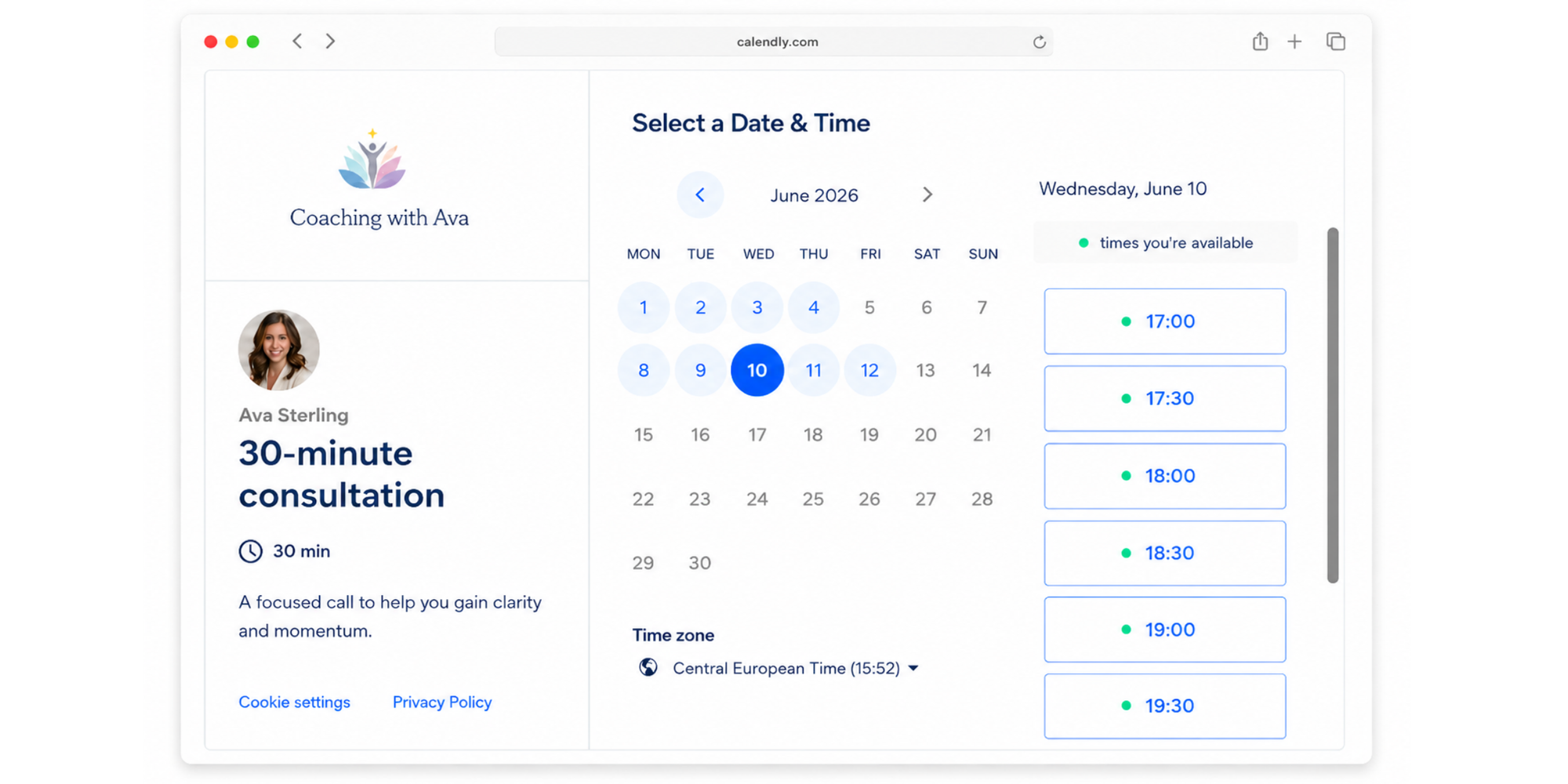
Calendar synchronization
Calendar sync is what prevents embarrassing overlap.
Calendly can connect with calendars such as Google Calendar, Outlook, Office 365, and Exchange. In Calendly’s help documentation, the setup process involves choosing your calendar type, signing in, selecting which calendars Calendly should check for conflicts, and choosing where new bookings should be added.
Once connected, Calendly checks your calendar before showing availability. If you already have a meeting at 2 p.m., that slot won’t appear as open on your booking page.
That matters because scheduling conflicts can quickly make a business feel disorganized. Nobody wants two clients arriving at the same time or a sales demo booked over a team meeting.
Automated reminders
Calendly can also send automated emails and texts before and after meetings through Workflows. Calendly says these reminders and follow-ups help reduce no-shows and improve the meeting experience with less manual work.
This is useful if you’re booking:
- Consultation calls
- Client appointments
- Interviews
- Tutoring sessions
- Sales demos
- Onboarding calls
Instead of sending “Just confirming tomorrow” emails by hand, reminders go out automatically.
That’s the quiet magic of scheduling automation. It saves small pockets of time that add up fast.
Meeting types and availability
Calendly lets you control when and how people book with you.
Depending on your plan and setup, you can define:
- Working hours
- Buffer time between meetings
- Minimum notice periods
- Daily booking limits
- Meeting durations
- Event locations
- Invitee questions
- Cancellation and rescheduling rules
For example, you might allow calls Monday to Thursday from 10 a.m. to 4 p.m., block Fridays for deep work, and add a 15-minute buffer between meetings.
That way, your booking page works around your real schedule—not the other way around.
Key Calendly features
Calendly’s biggest feature is its booking link, but the platform also includes tools for teams, reminders, integrations, routing, and more advanced scheduling workflows.
Let’s break down the features most users care about.
Team scheduling
Team scheduling helps businesses distribute meetings across multiple people.
For example, a sales team might route demos to available reps. A recruiting team might coordinate interviews with hiring managers. A support team might offer onboarding sessions with whoever is free first.
Calendly’s Teams plan is built for this kind of shared scheduling and includes more team-focused features than the free plan. Calendly currently lists Teams at $16 per seat per month when billed annually.
Team scheduling is helpful when one person’s calendar is no longer enough.
Zoom and Google Meet integrations
Calendly integrates with video meeting tools so meeting links can be created automatically.
For Zoom, Calendly says that when you connect your Zoom account and choose Zoom as the event location, the video conference details are automatically created and added to the booking confirmation and calendar event.
That saves you from creating a meeting manually, copying the link, pasting it into an invite, and hoping nothing gets missed.
Calendly also supports other meeting locations and video conferencing workflows, depending on your calendar and integration setup.
Automated workflows
Workflows are Calendly’s automation tools for communication around meetings.
They can help you send:
- Reminder emails
- Reminder texts
- Follow-up emails
- Thank-you messages
- Internal notifications
- Meeting prep instructions
Calendly’s Workflows are available on paid plans, according to its help documentation.
For teams with a lot of meetings, this can be a big time-saver. For solo users, it may be one of the features that makes you compare free vs paid plans carefully.
Buffer times and availability rules
Buffer times let you add breathing room before or after meetings.
That might sound small, but it can change your day. Without buffers, your calendar can become a stack of back-to-back calls. With buffers, you get time to take notes, prepare, grab water, or simply reset.
Availability rules also help you protect your schedule. You can choose when people are allowed to book, how far in advance they can schedule, and how soon before a meeting they can grab a slot.
This is where scheduling tools move beyond convenience. They help you set boundaries.
Calendly pricing explained
Calendly has a free plan and paid plans for users who need more event types, automation, team features, integrations, and customization.
As of May 20, 2026, Calendly’s official pricing page lists:
| Plan | Price when billed annually | Best for |
| Free | $0 | Basic individual scheduling |
| Standard | $10/seat/month | Individuals who need more flexibility |
| Teams | $16/seat/month | Team scheduling and collaboration |
| Enterprise | Custom pricing | Larger organizations |
Calendly’s pricing page currently lists Free as “Always free,” Standard at $10 per seat per month, Teams at $16 per seat per month, and Enterprise with custom sales pricing.
Free vs paid plans
Calendly’s free plan is useful if you only need basic scheduling. It lets you create a simple booking experience and avoid manual coordination.
But many users eventually look at paid plans when they need:
- More event types
- More calendar connections
- Reminders and workflows
- More customization
- Team scheduling
- Routing features
- Advanced integrations
- Branding control
That’s where pricing frustrations can appear. A free plan may be enough when you’re starting out, but feel restrictive once your scheduling needs grow.
We’ve covered this in more detail in our guide to Calendly free vs paid.
What you get on each plan
The best Calendly plan depends on how many people need to schedule, how many meeting types you offer, and how much automation you need.
Here’s a simple way to think about it:
| Need | Likely fit |
| One basic booking link with event type limit | Free |
| Multiple meeting types | Paid plan |
| Automated reminders and follow-ups | Paid plan |
| Team scheduling | Teams |
| Enterprise security and admin controls | Enterprise |
| Simpler free scheduling with generous limits | Koalendar |
If you only take the occasional call, Calendly Free may do the job. If scheduling is part of your business—sales calls, client appointments, interviews, tutoring sessions, consultations—you’ll want to compare what’s included before choosing.
That’s also why many users search for free scheduling software before committing to a paid scheduling tool.
Calendly pros and cons
Calendly pros and cons are worth reviewing before you sign up, especially if you’re comparing scheduling tools for business use.
Calendly is popular for good reason. It’s recognizable, polished, and widely used. But it may not be the simplest or most affordable option for every user.
Advantages of Calendly
Calendly’s biggest strengths are ease of sharing, calendar sync, integrations, and automation.
Here’s what users often like:
- It reduces back-and-forth emails. Share a link and let people choose a time.
- It helps prevent double bookings.Calendar sync checks your busy times.
- It supports professional booking pages. Your availability looks clean and easy to follow.
- It works for many use cases. Sales, recruiting, consulting, coaching, education, and more.
- It integrates with popular tools. Calendars, video conferencing, and other apps.
- It supports reminders.Paid workflows can reduce no-shows.
- It scales for teams. Team plans support more complex routing and scheduling workflows.
For many businesses, Calendly is a solid appointment scheduling software option because it replaces manual coordination with a cleaner self-serve flow.
Limitations users mention most
The main Calendly limitations come down to free-plan restrictions, pricing, customization, and complexity as needs grow.
Common drawbacks include:
- The free plan is limited. Some users need more than one meeting type or more calendar flexibility.
- Advanced reminders are paid. Workflows are not part of the basic free experience.
- Team features cost more. Businesses with multiple users may need paid seats.
- Setup can feel more complex over time. More rules, routing, integrations, and workflows can mean more admin.
- Branding control may require upgrading. Professional booking pages matter for client-facing businesses.
- It may be more tool than some users need. Not every freelancer or small business wants a feature-heavy setup.
If you’re trying to avoid expensive scheduling software, it’s worth comparing both free limits and paid-plan value.
A scheduling app should make your day lighter, not add another layer of setup stress.
Sometimes, the best scheduling tool is not the one with the longest feature list, but the one that solves the right problems at the right cost. As Raj Hamlai, founder of a consulting company Momentum College Prep, put it:
“Koalendar was really the only tool that offered round robin, automatic time-zone detection, and a simple booking process in the cost-effective way that a growing team needs.”

Raj Hamlai
Founder
See the full customer story of Momentum College Prep to learn how their team used Koalendar to simplify scheduling as they grew.
Calendly vs Koalendar
Calendly and Koalendar both help people schedule meetings online, but they feel different in practice.
Calendly is a widely known scheduling platform with strong team and automation features. Koalendar is built around simplicity, affordability, and a generous free experience for professionals and small businesses.
Koalendar’s Free Forever plan includes unlimited bookings, unlimited scheduling links, and calendar sync, with no credit card required.
Ease of use
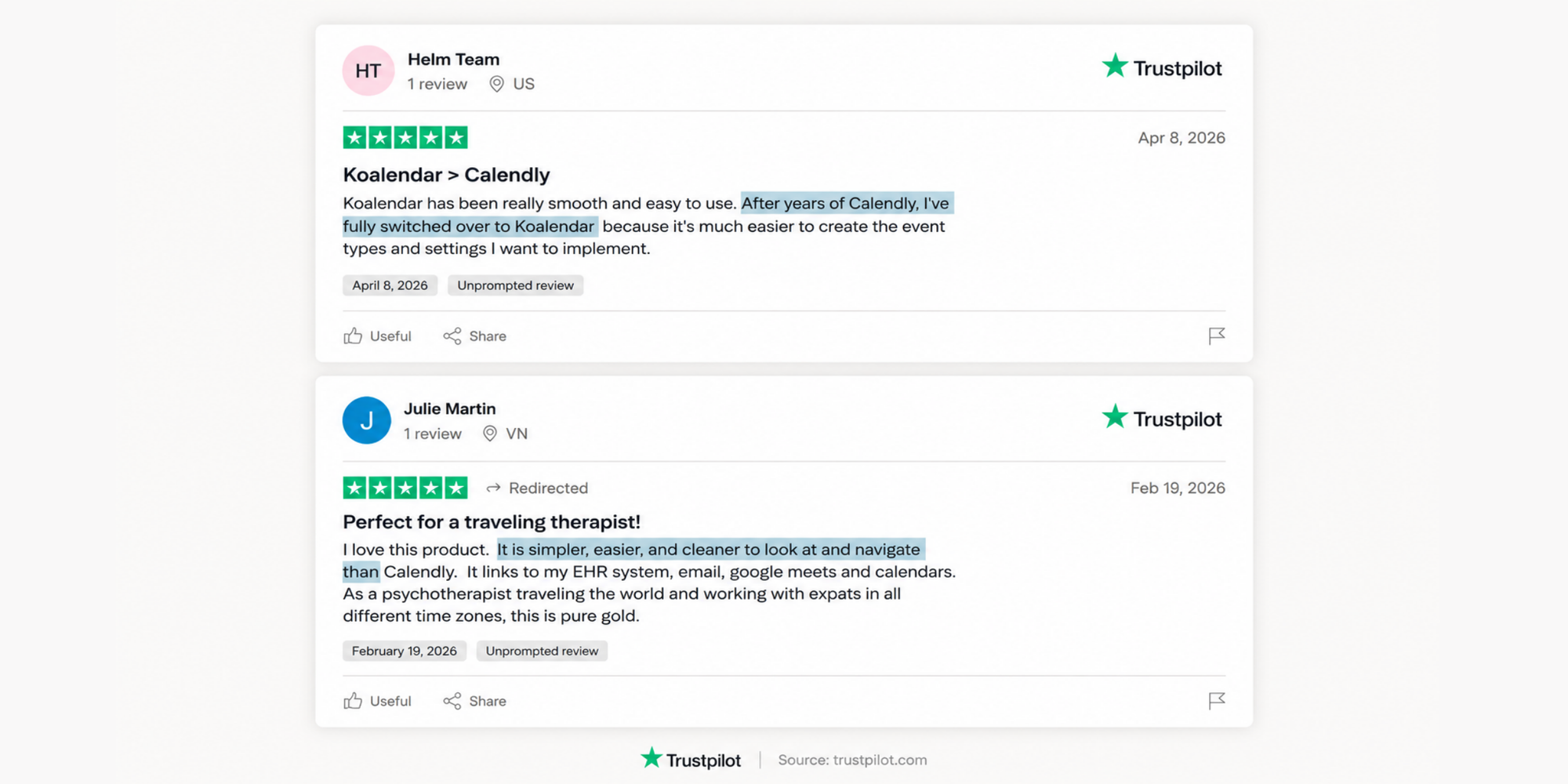
Calendly is relatively easy to use, especially for basic meeting links. But as you add multiple event types, routing, workflows, team scheduling, and integrations, setup can become more involved.
Koalendar is designed to feel lighter. You can create a booking page, set your availability, sync your calendar, and start accepting bookings without a complicated setup.
That makes Koalendar a strong scheduling app for professionals who want the essentials done well.
Pricing
Calendly’s paid plans start at $10 per seat per month when billed annually, according to its official pricing page.
Koalendar takes a different approach: start free, keep using the free plan, and upgrade only if you need advanced features. Koalendar’s free plan includes unlimited bookings, scheduling pages, and calendar sync with no credit card required.
That can be helpful if you’re a freelancer, coach, consultant, tutor, or small business owner trying to keep tools lean.
Free features
Here’s where the comparison gets interesting.
| Calendly Free | Koalendar Free Forever | |
| Free plan | ✅ | ✅ |
| Unlimited bookings | Limited to 1 event type | ✅ |
| Unlimited scheduling links | ❌ Based on free-plan limits | ✅ |
| Calendar sync | ✅ 1 calendar | ✅ 2 calendars synced |
| Google/Outlook calendar support | ✅ | ✅ |
| iCal/iCloud sync | ❌ | ✅ |
| Booking page | ✅ | ✅ |
| Website embed | ✅ | ✅ |
| No credit card required | ✅ | ✅ |
Koalendar’s Free Forever plan includes unlimited bookings, unlimited 1:1 event types, unlimited scheduling links, 2-calendar syncs with Google, Outlook, and iCloud calendars, smart time zone detection, instant booking notifications, video conferencing, and website embeds.
That’s a lot of room to grow before you need to pay.
Best option for small businesses
Calendly can be a good fit for larger teams or businesses that need advanced routing, automation, and enterprise features.
Koalendar is often a better fit if you want:
- A simpler setup
- A more generous free plan
- Custom booking pages
- 24/7 online booking
- Google, Outlook, and iCal sync
- Automated reminders when you upgrade
- Offer payment options at a lower cost than Calendly
- Branding and customization options
- An easy way to let clients book online
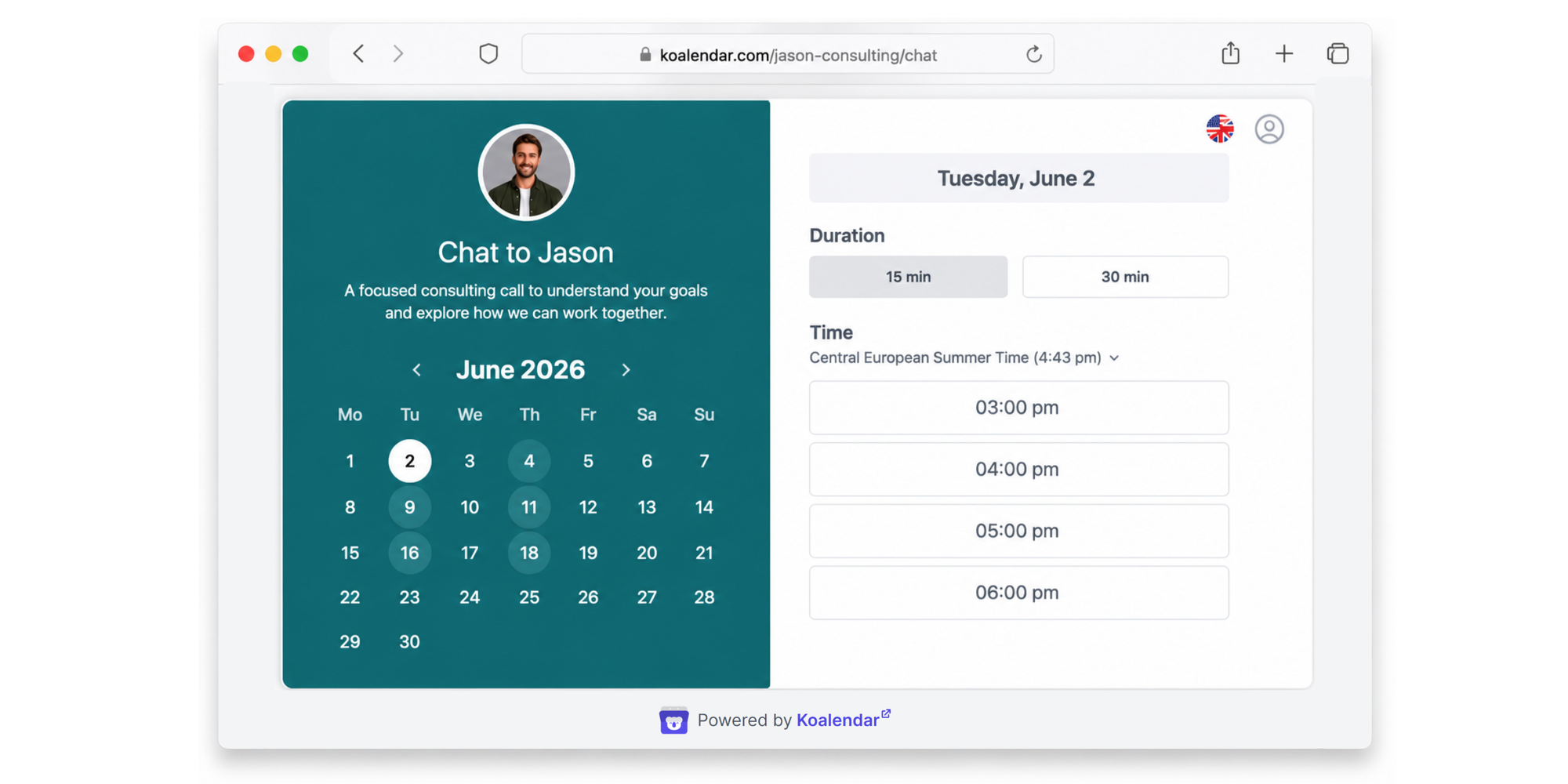
Koalendar’s booking page feature lets visitors see real-time availability, choose a time, answer intake questions, and receive an instant confirmation.
That’s exactly what many small businesses need: a professional booking experience without the fuss.
For a deeper comparison, see our guide to the free Calendly alternative.
Best Calendly alternative for simpler scheduling
The best Calendly alternative for simpler scheduling is the tool that gives you enough power without making setup feel like a project.
For many freelancers and small businesses, that’s Koalendar.
Koalendar helps you create a booking page, sync your calendar, share your availability, and let people book time with you 24/7. It’s built to reduce the email chase, prevent double bookings, and keep your scheduling flow easy for both you and your clients.
Use Koalendar if you want to:
- Let clients book appointments online
- Create custom booking pages
- Sync Google, Outlook, and iCal calendars
- Offer a professional booking experience
- Reduce no-shows with reminders
- Avoid paying before you actually need advanced features
- Keep scheduling simple from day one
The best part? You don’t need to overthink it.
Pick your availability. Share your link. You’re booked.
Stop chasing emails to schedule meetings. Try Koalendar free and let clients book time with you instantly.
Conclusion
Calendly is a popular scheduling tool that helps people book meetings without endless email back-and-forth. It works by connecting to your calendar, showing your available times, and letting invitees choose a slot that fits.
It’s a strong option for many professionals, especially if you need recognizable scheduling software with integrations and paid automation features. But it’s not the only choice.
If your real question is “What is Calendly, and is it the easiest option for me?” the answer depends on your needs. Calendly can work well, but Koalendar may be the better solution if you want simpler setup, 24/7 online booking, custom booking pages, calendar sync, and a free forever plan that gives you more room to schedule without upgrading right away.