TL;DR
A good motion calendar alternative depends on what you actually need your calendar to do.
Motion is powerful if you want AI to manage tasks, meetings, projects, and your calendar in one system. But not every busy professional needs a full productivity engine. Some people want automatic time blocking. Others want structured daily planning, energy-based scheduling, multi-calendar organization, or simple booking links without the extra setup.
| Work style | Best alternative | Best for | Scheduling focus | Ease of use | Pricing |
| AI task scheduling | SkedPal | Turning task lists into a smart calendar plan | Medium | Medium | Free trial available. $9.95 to $14.95/month when billed annually. $14.94 to $21.95 monthly. |
| Automatic time blocking | Reclaim AI | Protecting focus time and flexible routines | Medium | Medium | Free plan available; paid plans start from $10–$12 per seat/month depending on billing view. |
| Task-centric daily planning | Sunsama | Intentional daily planning habits | Low | Medium | Free trial available. $22/month or $17/month annually. |
| Complex productivity workflows | Akiflow | Power users managing many task sources | Medium | Advanced | Free trial available. $34/month, billed monthly, $15.20/month billed annually. |
| Calendar and task planning | Morgen | Planning calendars, tasks, scheduling links, and time blocks in one place | Medium | Medium | Free trial available. $30/month or $15 when billed annually. |
| Energy-based productivity planning | Lifestack AI | Planning work around energy levels and productivity rhythms | Medium | Medium | Check Lifestack’s website for current plans |
| Simple scheduling without complexity | Koalendar | Fast booking pages, calendar sync, and reminders | High | Easy | Free Forever plan available. Paid $6.99/seat/month annually, $9.99 seat/month, monthly |
If you mainly want an online scheduling tool that helps people book time with you, Koalendar is the lighter choice. You can create a booking page, connect your calendar, and start scheduling without turning your calendar into another productivity project.
Introduction
Motion is one of the most ambitious productivity tools on the market. Its AI-powered calendar combines scheduling, task management, meeting planning, and automatic prioritization into a system that works almost like an executive assistant.
But that level of automation is not for everyone.
Some professionals want full AI productivity management. Others simply need an easier way to schedule meetings without the extra complexity. If you’re comparing apps like Motion, the real question is not “Which tool has the most features?” It’s “Which tool fits the way I actually work?”
Here are the best Motion alternatives for different work styles, from AI planning tools to a simpler scheduling app for professionals who just want fewer clicks, fewer emails, and fewer calendar headaches.
What makes Motion different from traditional scheduling tools?
Motion is not just a calendar app. It positions itself as an AI-powered work platform with AI projects, AI tasks, AI calendar, AI meetings, AI docs, AI notes, reports, and workflows.
That makes Motion broader than traditional scheduling software. A normal scheduling tool helps people book time with you. Motion tries to help you decide what to work on, when to do it, and how your tasks should fit around meetings.
AI-powered calendar management
Motion’s biggest promise is automatic calendar planning. Instead of only showing your meetings, it can place tasks into open time slots, adapt when priorities change, and help you plan your workday.
That can be useful if your biggest challenge is not just booking meetings, but deciding where all your tasks should go.
Automatic task prioritization
Motion also focuses on task prioritization. You add deadlines, work blocks, projects, and priorities. Motion then helps organize those tasks around your available time.
For people with heavy workloads, this can feel like relief. You don’t have to manually drag every task around your calendar.
Productivity-first workflows
Motion is built around productivity management. Scheduling is part of the system, but it is not the whole system.
That matters because some people looking for a Motion Calendar alternative might not necessarily be looking for another full productivity suite. They may simply want a cleaner way to handle meeting booking, Calendar sync, reminders, and availability.
Why Motion appeals to busy professionals
Motion appeals to busy professionals because calendars are already under pressure. Microsoft’s Work Trend Index found that inefficient meetings were the number one productivity disruptor, with too many meetings also ranking among the top obstacles.
Harvard Business Review has also covered how meeting overload can block meaningful work and create frustration across teams.
And meetings have a monetary cost too. This free meeting cost calculator helps you estimate how much money your meetings actually cost.
So the problem is real. The question is whether you need a full AI planning system to solve it — or a simpler scheduling workflow.
Why some users look for a Motion alternative
Motion is strong when you want deep planning. But if your main goal is simple scheduling, it may feel heavier than necessary.
Motion can feel overwhelming for simple scheduling
If all you need is a booking page, Google Calendar integration, Outlook calendar sync, and automated reminders, a full productivity system can feel like too much.
You may end up configuring task rules, project workflows, priorities, and AI planning settings when all you wanted was a fast way for someone to book a call.
That is where scheduling fatigue starts. Your calendar tool should make life easier, not become another thing to manage.
Some users don’t need AI task management
AI task management is helpful if your workday depends on constant reprioritization. But many professionals do not need that.
A consultant, recruiter, coach, freelancer, educator, or entrepreneur may mainly need:
- A clear booking page
- Reliable calendar sync
- Automated reminders to reduce no-shows
- A professional scheduling link
- Easy availability controls
- Fast setup without a learning curve
For that kind of workflow, a lightweight scheduling tool can be a better fit than a full AI calendar system.
Pricing may not fit every workflow
Motion can make sense when you use the full system every day: tasks, projects, meetings, planning, and calendar automation all working together.
But if your main goal is simply to schedule meetings faster, a bigger productivity platform may be more than you need.
A lighter tool keeps things simple. With Koalendar, you can create booking pages, accept unlimited bookings, and sync your calendar on the free plan — no credit card needed. It’s a practical fit for solo professionals, freelancers, and small teams who want scheduling to feel easy without adding another big tool to manage.

Productivity systems require more setup and maintenance
Productivity systems work best when you maintain them. Tasks need deadlines. Projects need structure. Priorities need regular updates.
That can be valuable. But it is also more work.
If your priority is online scheduling for small businesses, client calls, interviews, demos, or appointments, a simpler booking workflow may save more time than another productivity dashboard.
Apps like Motion: Best alternatives by work style
People search for apps like Motion for different reasons. Some want AI planning. Some want time blocking. Some want to improve time management without manually rebuilding their calendar every day.
Others are not really looking for AI at all. They just want scheduling to stop taking so long.
Here is how the best alternatives compare.
Best AI executive assistant alternative — SkedPal
Best for: Professionals who want AI to turn their task list into a planned calendar.
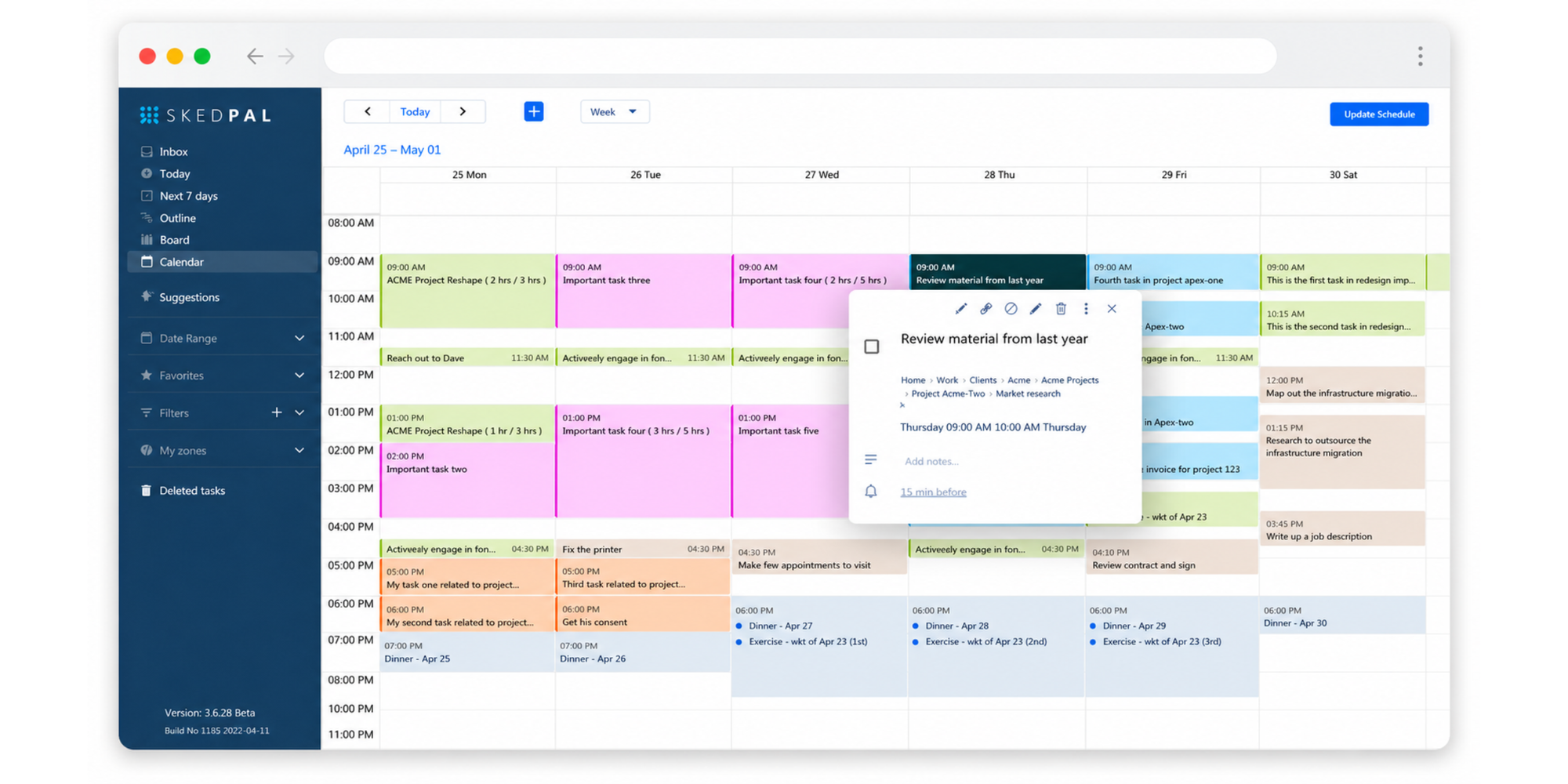
SkedPal is a strong fit if you like Motion’s AI planning idea, but want a tool focused more specifically on task scheduling and time blocking. It takes your tasks, priorities, availability, and calendar events, then helps build a smart schedule around them.
This makes it useful for busy professionals who want their calendar to do more than hold meetings. If your to-do list keeps growing and you need help deciding when work should actually happen, SkedPal gives you a more structured way to plan the day.
Pros
- Best at turning task lists into a realistic calendar plan, especially when your to-dos keep growing but your available time does not.
- Strong AI-powered task scheduling that helps decide when work should happen based on priority, time needed, and availability.
- Useful for automatic time blocking, so deep work, admin, recurring tasks, and flexible projects get planned into your day.
- Helpful when plans change, because tasks can be rescheduled instead of manually dragged around your calendar.
- Good for people who think in tasks and deadlines, not just meetings, and want their calendar to reflect real workload.
- Works well for solo professionals with complex days, especially consultants, founders, managers, and knowledge workers balancing meetings with focused work.
Cons
- More focused on task scheduling than full productivity management.
- Does not cover the same broad workspace as Motion, such as projects, meetings, docs, notes, reports, and workflow automation.
- Takes setup to get priorities, time maps, and task rules right.
- Not ideal if you mainly need booking pages for clients or meetings.
- May feel too detailed for users who want quick scheduling without task management.
Pricing
SkedPal offers a 14-day free trial. Its Core plan starts at $9.95/month when billed annually, and Pro starts at $14.95/month when billed monthly.
Best work style fit: Choose SkedPal if you like structured planning but don’t want to manually place every task on your calendar.
Best for automatic time blocking — Reclaim AI
Best for: Professionals who want their calendar to automatically adapt around focus time, habits, and recurring work patterns.
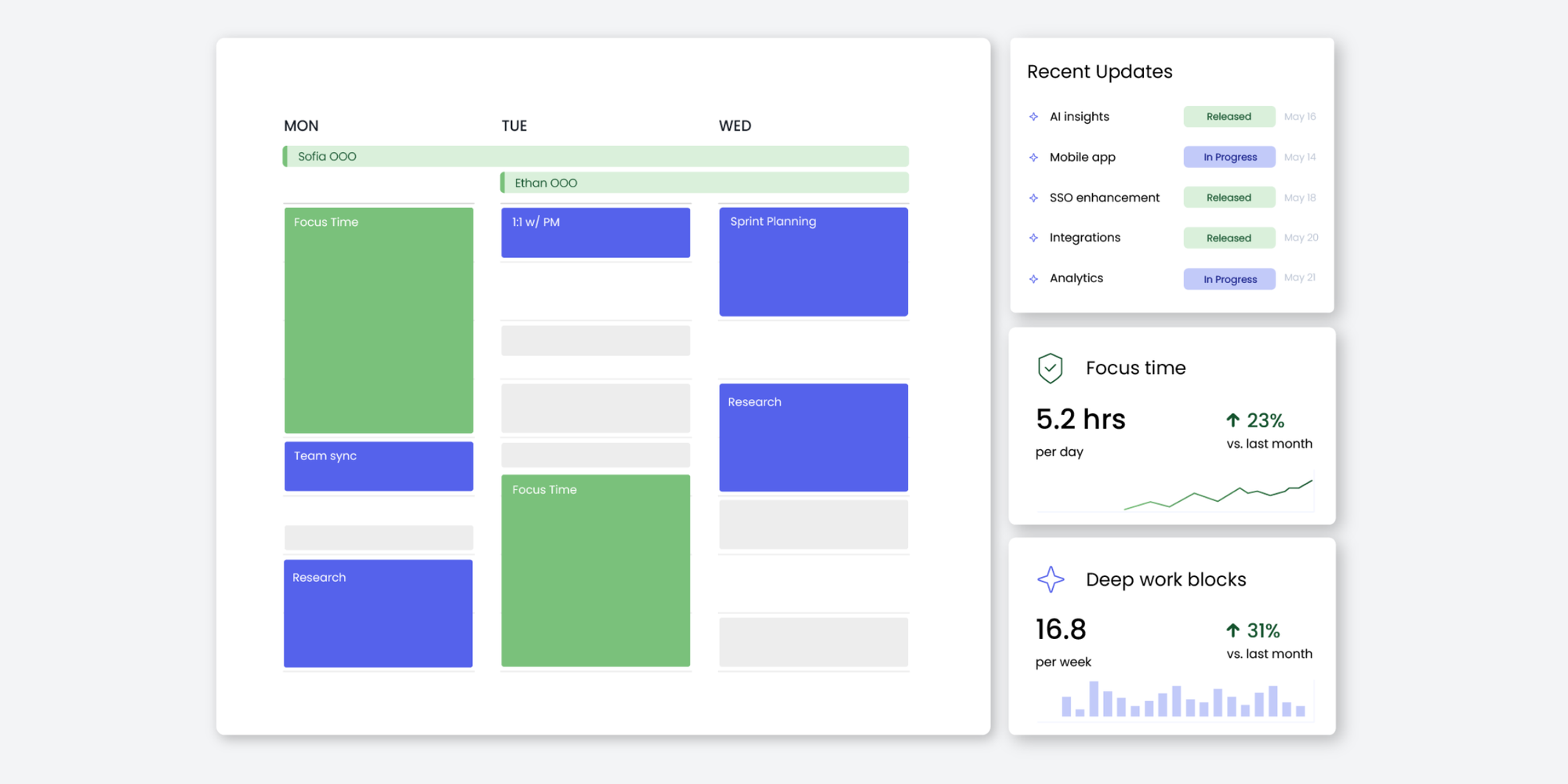
Reclaim AI is built around AI calendar optimization. It helps schedule tasks, habits, meetings, and breaks across Google Calendar and Outlook Calendar.
Pros
- Best at protecting focus time automatically, so your calendar does not get filled only with meetings.
- Great for habit scheduling, including recurring routines like lunch, exercise, planning time, or admin blocks.
- Useful for flexible time blocking, because it can move work blocks around when new meetings appear.
- Helps reduce calendar micromanagement, especially for professionals who constantly rearrange their week.
- Good for teams that want better meeting balance, since it helps make space for collaboration and focused work.
- Works well for people who want AI calendar optimization, but do not necessarily need a full Motion-style productivity system.
Cons
- More focused on calendar optimization than full productivity management.
- Does not replace Motion’s broader project management, AI task planning, docs, notes, reports, or workflow features.
- May require setup to get habits, priorities, and focus time rules working well.
- Not ideal if your main need is a polished booking page for clients, candidates, or customers.
- Can still feel like too much automation if you only want simple scheduling.
Pricing
Reclaim offers a free plan and paid plans. Its site describes a free forever plan with no credit card required.
Best work style fit: Choose Reclaim AI if you want your calendar to protect focus time automatically.
Best for task-centric productivity — Sunsama
Best for: Users who prefer structured daily planning and task-focused productivity habits.
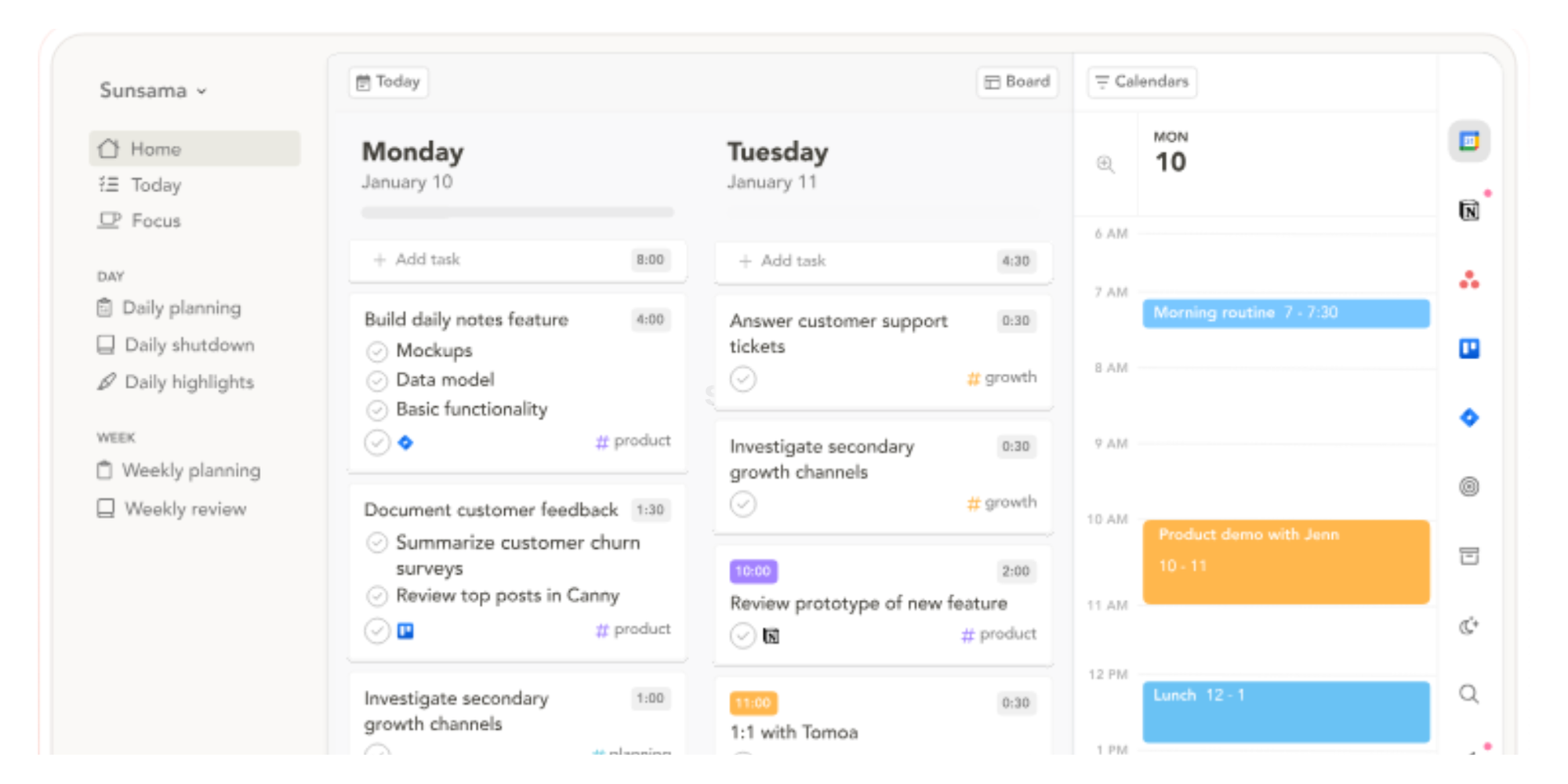
Sunsama is a daily planner that combines tasks, calendar planning, and intentional work routines. It describes itself as a digital daily planner that helps users stay calm and focused.
Pros
- Best at intentional daily planning, especially for people who want to start the day with a clear, calm plan.
- Helps turn scattered tasks into a focused daily agenda, so you are not just staring at a long to-do list.
- Great for building sustainable productivity habits, because it encourages planning with realistic capacity in mind.
- Useful for people who prefer control over automation, since you decide what matters instead of letting AI fully take over.
- Good for reducing overwhelm, especially when you need structure without making your calendar feel too rigid.
- Works well for professionals who value reflection and planning rituals, not just speed or automation.
Cons
- More focused on intentional daily planning than automatic AI scheduling.
- Does not cover Motion’s deeper AI calendar automation, project planning, meeting workflows, reports, or workflow automation.
- Not built primarily for external booking pages or client scheduling.
- Requires a daily planning habit to get the most value from it.
- May feel too planning-heavy for people who just want a fast scheduling link.
Pricing
Sunsama offers a free trial, with pricing available on its official pricing page.
Best work style fit: Choose Sunsama if you like to start each day by intentionally planning what deserves your attention.
Best for power users managing complex workflows — Akiflow
Best for: Professionals managing multiple productivity systems and high-volume workflows.
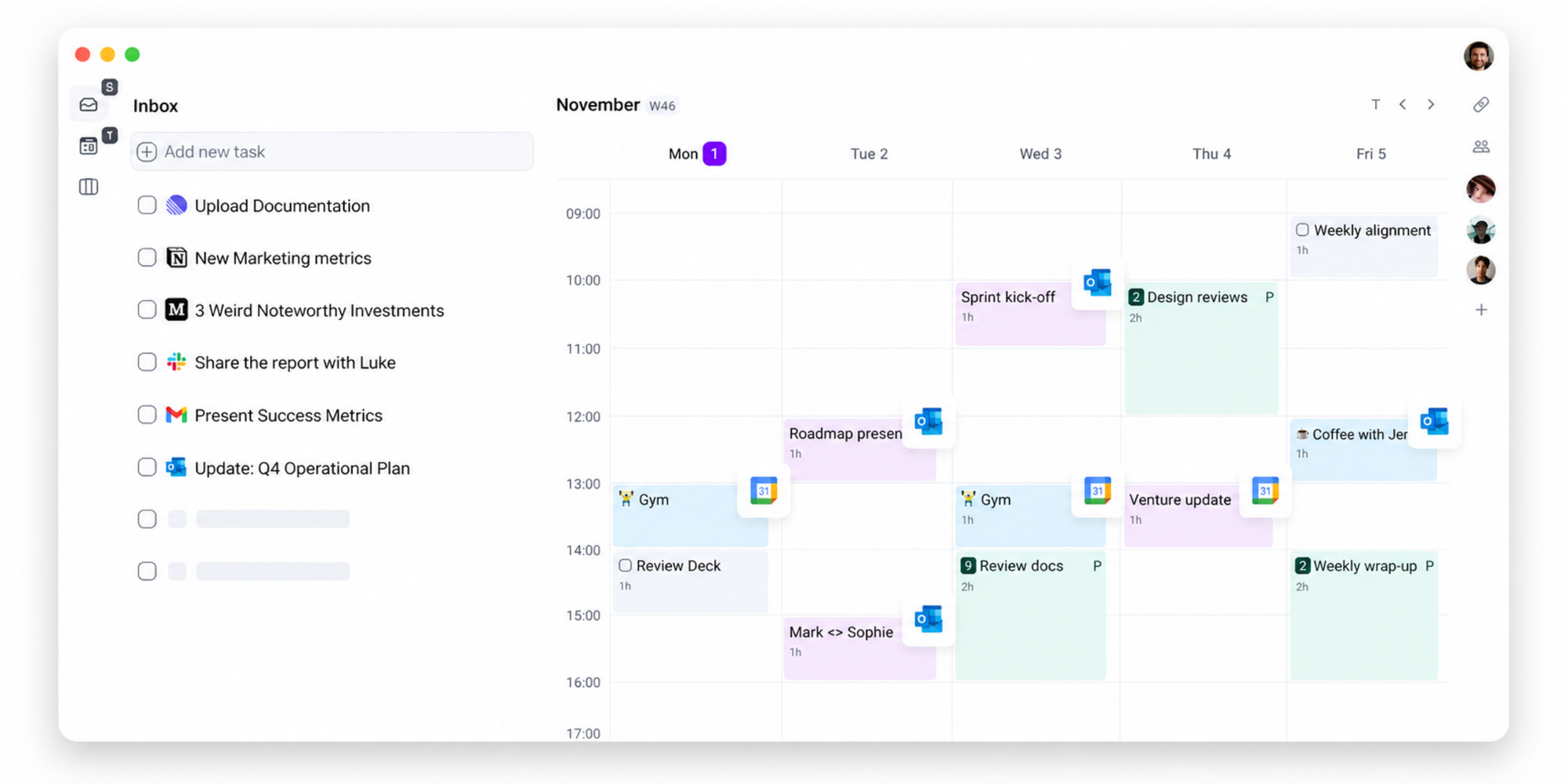
Akiflow is built for people who want to bring tasks, calendars, and planning into one workspace. It describes itself as a tool for founders, operators, and “obsessed doers,” with tasks, calendars, and an assistant in one place.
Pros
- Best at bringing tasks from multiple tools into one place, which is helpful when your work is spread across apps.
- Strong for power users who want faster task capture, especially if you like keyboard shortcuts and quick commands.
- Useful for centralizing productivity workflows, so tasks, calendars, and planning do not feel scattered.
- Good for high-volume workdays, where you need to process lots of tasks, meetings, and priorities quickly.
- Helps reduce app-switching, which is useful for founders, operators, managers, and busy team leads.
- Works well for people who already have a productivity system, but want a cleaner command center to manage it.
Cons
- More focused on consolidating tasks than automatically planning your full day.
- Does not cover the same AI-led calendar planning, project automation, meeting management, reports, or docs-style workspace as Motion.
- More advanced than many casual users need.
- Not the easiest fit for simple scheduling or booking pages.
- Can feel like another productivity system to maintain.
Pricing
Akiflow’s pricing page lists Pro Monthly at $34 per month, billed monthly.
Best work style fit: Choose Akiflow if you want one command center for tasks, calendars, and productivity workflows.
Best for calendar and task planning in one place— Morgen
Best for: Professionals who want to combine calendars, tasks, scheduling links, and time blocking in one planning workspace.
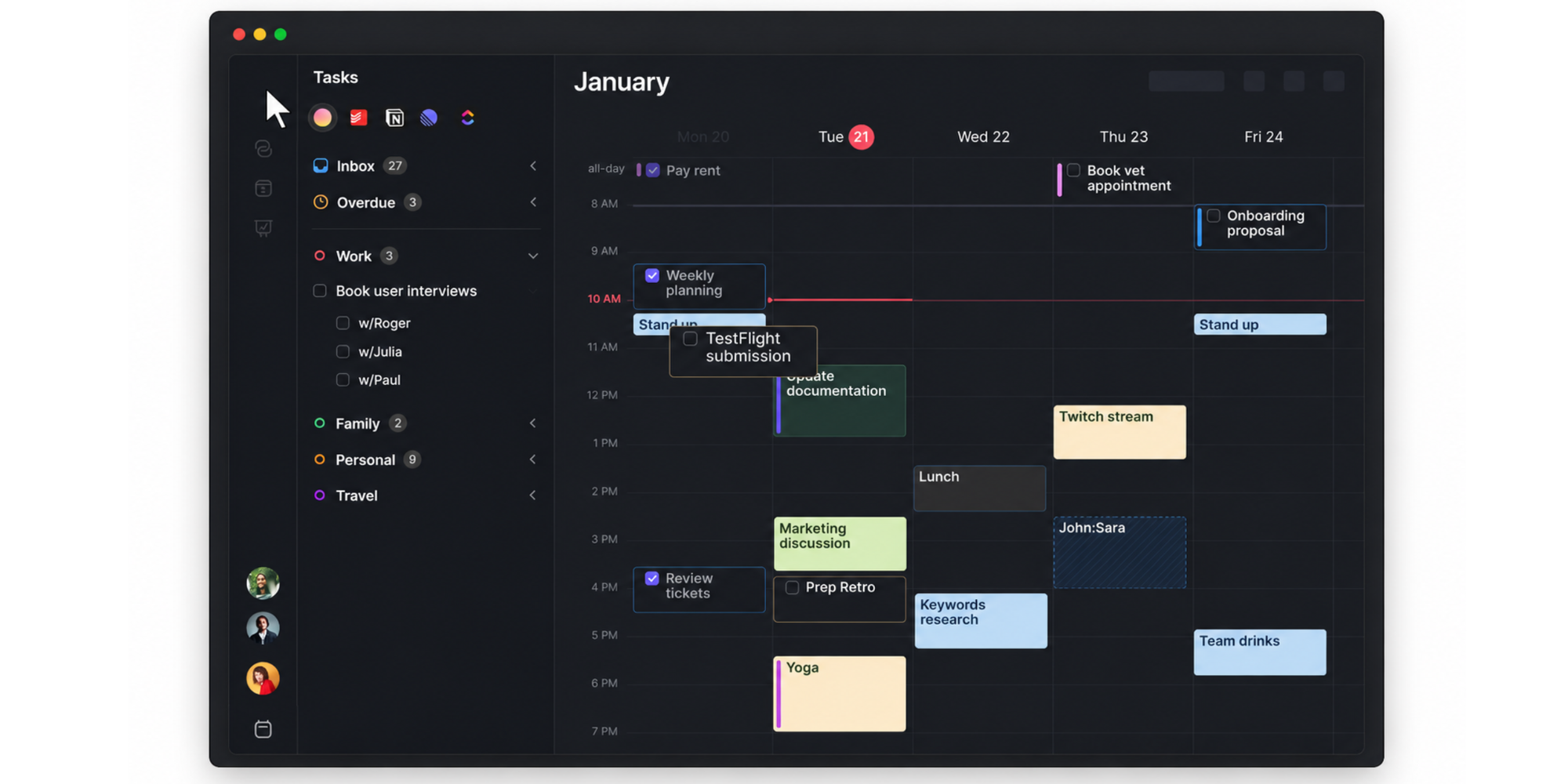
Morgen works well if your schedule is spread across calendars and task tools, and you want one place to plan the week. It brings together calendar events, tasks, scheduling links, and AI-assisted time blocking, so you can turn your to-dos into real calendar blocks instead of keeping them in a separate list.
Pros
- Best at combining calendars and tasks in one workspace, especially if your day is split between meetings, deadlines, and to-dos.
- Strong for time blocking tasks, letting you drag tasks into your calendar or use AI Planner suggestions to find time for important work.
- Helpful AI Planner recommendations, so you can review suggested time blocks before anything gets added to your calendar.
- Built-in scheduling links, letting others book time with you based on real-time availability across the calendars you choose.
- Useful task integrations, including tools like Notion, Todoist, ClickUp, Linear, Google Tasks, Microsoft To Do, Apple Reminders, and Obsidian.
- Good for protecting focus time, because scheduled tasks can be added as calendar blocks and marked busy to avoid double-booking.
Cons
- More focused on calendar and task planning than full AI productivity management.
- Does not replace Motion’s broader project management, docs, notes, reports, meeting workflows, or work automation.
- AI Planner is more review-and-approve than fully hands-off automation, so it may feel less automatic than Motion.
- Scheduling links are useful, but Morgen is not as simple or scheduling-first as Koalendar if your main need is easy booking pages.
- May be more tool than necessary if you only want to let clients, candidates, or customers book a meeting quickly.
Pricing
Morgen’s pricing page shows a starting price of $15 per month in its comparison table.
Best work style fit: Choose Morgen if your biggest frustration is planning tasks and calendars in separate places.
Best for energy-based productivity planning — Lifestack AI
Best for: Professionals who want their calendar and work schedule to adapt around personal energy patterns and productivity rhythms.
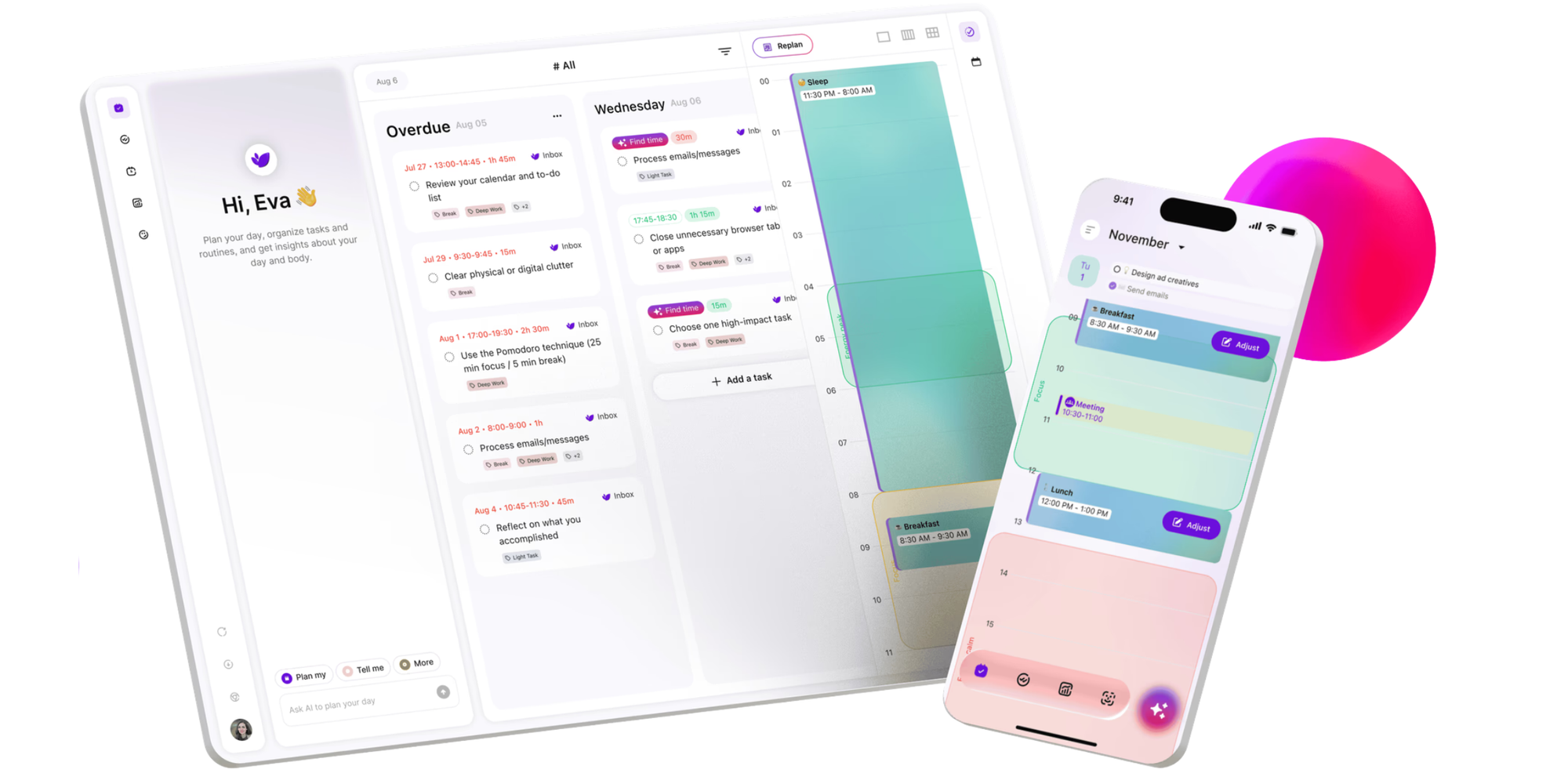
Lifestack AI takes a different approach from most Motion alternatives. Instead of treating every hour as equal, it focuses on energy-aware scheduling. Its website describes Lifestack as a smart calendar app that optimizes your schedule by aligning tasks with your energy levels.
That makes it a good fit for people who care about when they do certain types of work, not just whether the time slot is technically free.
Pros
- Best at planning work around personal energy patterns, instead of treating every hour of the day the same.
- Useful for productivity timing optimization, especially if you know some tasks are easier at certain times of day.
- Helpful for balancing demanding work with recovery time, so your schedule feels more sustainable.
- Good for AI-assisted planning routines, where your calendar supports how you naturally work instead of forcing a rigid plan.
- Great for professionals who want more mindful scheduling, especially if burnout, context switching, or low-energy work blocks are a problem.
- Works well for people who care about energy, focus, and wellbeing, not just productivity output.
Cons
- More focused on energy-aware planning than full productivity management
- Does not cover Motion’s broader project management, AI task prioritization, meeting workflows, docs, notes, reports, or work automation
- May require health, routine, or wearable data to get the most value
- Not the best fit if you only need simple meeting booking
- Less direct than Koalendar for client appointments, interviews, or demo scheduling
Pricing
Lifestack’s official website is the best place to check current plan details. Its app listings describe it as an AI-powered daily planner that can turn todos into a smart calendar aligned with energy levels.
Best work style fit: Choose Lifestack AI if your schedule often feels out of sync with your energy, and you want AI-assisted planning routines that work with your natural productivity patterns.
Best for simple scheduling without the complexity — Koalendar
Best for: Professionals who mainly want scheduling and booking to feel simple, fast, and easy to maintain.
Koalendar is the best fit if you searched for a Motion alternative but realized you do not need an AI productivity system.
You need people to book time with you. You need your calendar to stay accurate. You need fewer emails, fewer manual adjustments, and fewer missed meetings. Koalendar helps with exactly that.
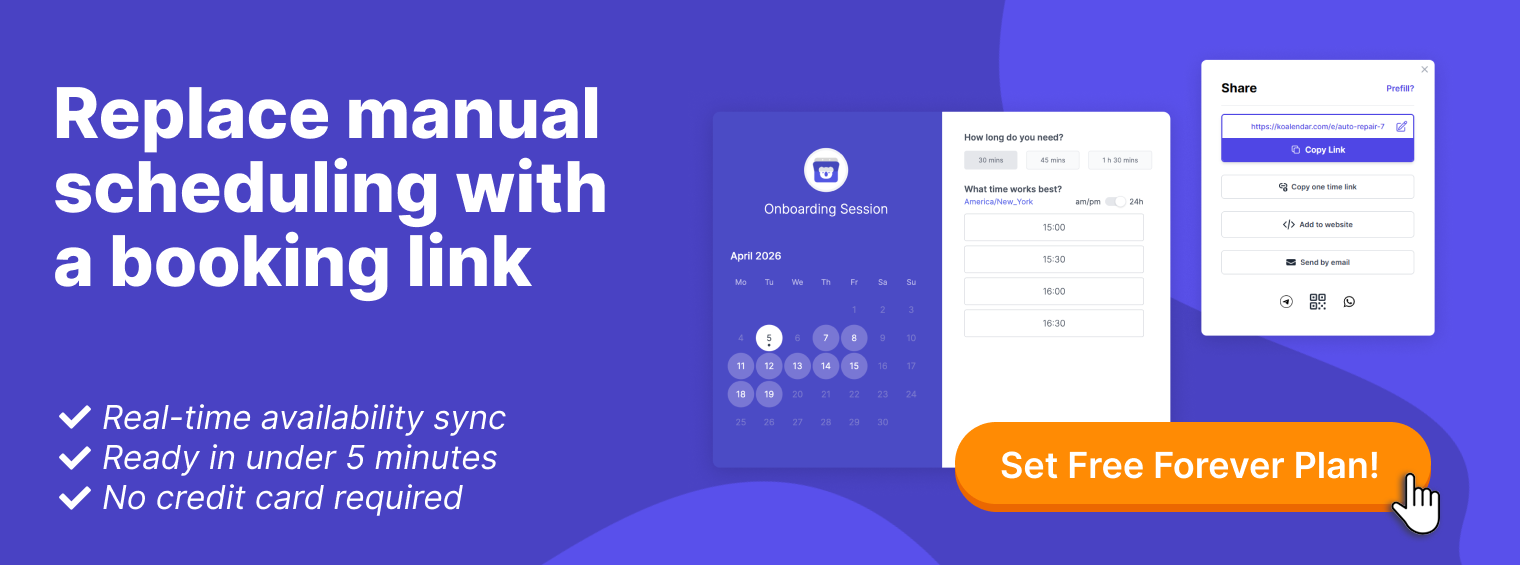
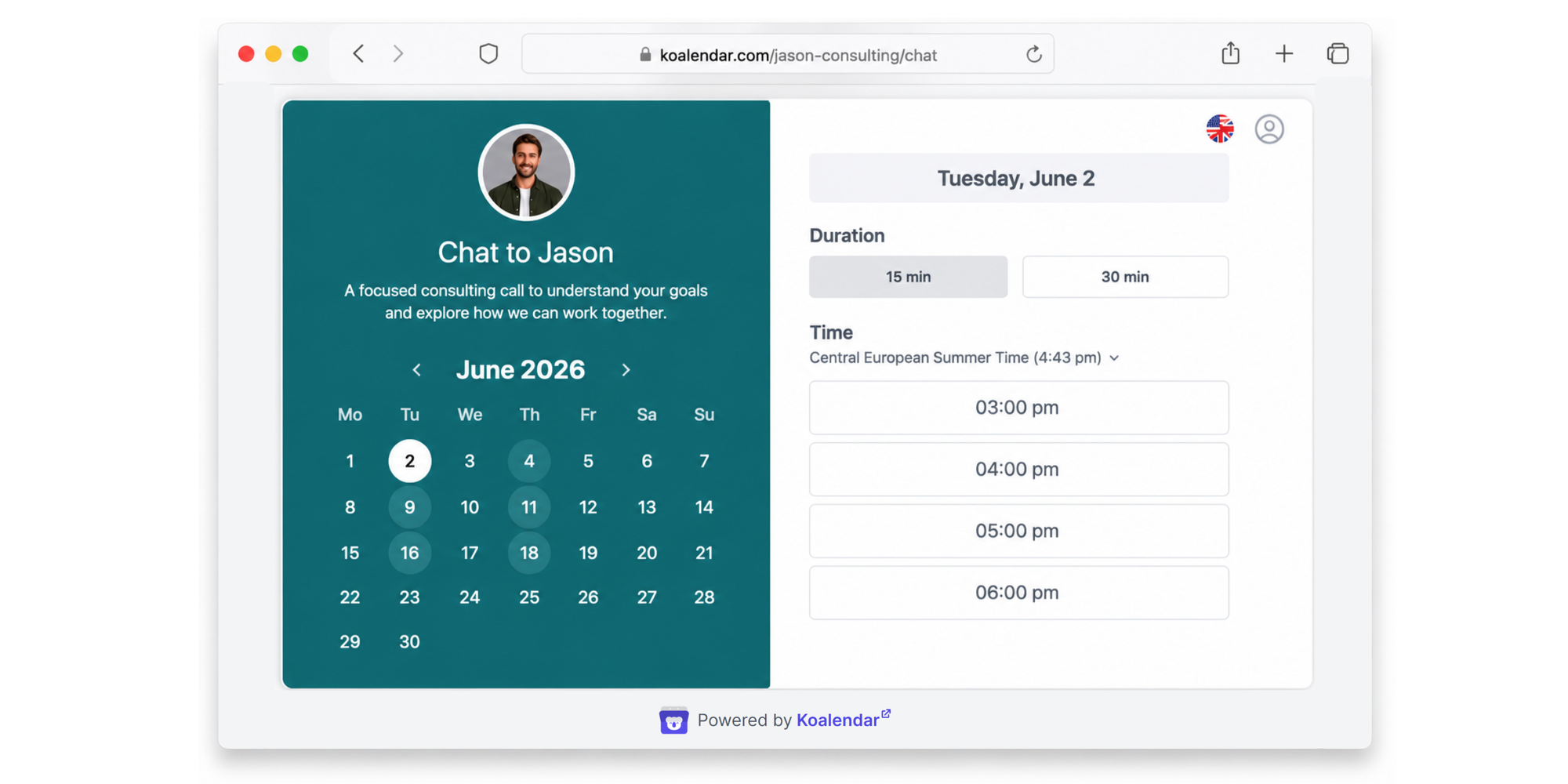
Instead of trying to rebuild your workday, Koalendar gives you a lightweight scheduling workflow. You create a booking page, connect your calendar, share your link, and let people choose a time that works.
Pros
- Best at making scheduling simple, especially when your main goal is to let people book time with you without back-and-forth emails.
- Fast to set up, so you can create a booking page, connect your calendar, and start sharing your link quickly.
- Great for 24/7 online booking, letting clients, candidates, students, or teammates choose a time even when you are offline.
- Strong calendar sync with Google, Outlook, and iCloud, helping you avoid double-bookings and keep your availability accurate.
- Helpful automated reminders, so fewer people forget their meeting and you can reduce no-shows without extra follow-up.
- Custom booking pages make scheduling feel professional, with options to match your brand and create a smoother booking experience.
- Unlimited 1:1 appointments on the free plan, which makes it practical for solo professionals, freelancers, educators, consultants, and small businesses.
- Multilingual support helps you schedule globally, especially if you work with clients, students, or teams across different countries.
Koalendar’s free plan includes unlimited bookings, scheduling links, and calendar sync. Its calendar sync page also notes support for Google, Outlook, and iCloud calendars, plus smart time zone detection and 30+ languages.
Cons
- Not built for AI task prioritization or automatic task planning
- Does not include Motion-style project management, docs, notes, reports, or productivity workflow automation
- Not designed to rebuild your full workday around tasks and deadlines
- Best for scheduling-first workflows, not all-in-one productivity management
- Advanced features like extra customization, reminders, integrations, or team use cases may require a paid plan
Pricing
Koalendar offers a Free Forever plan with unlimited bookings, pages, and calendar sync. Pro, at $6.99/seat/month billed annually, $9.99 monthly.
Best work style fit: Choose Koalendar if your main goal is simple, professional scheduling without the setup, maintenance, or mental load of a full productivity system.

Motion vs Koalendar: Which one fits your workflow better?
Motion and Koalendar can both help you organize time, but they solve different problems.
Motion tries to manage your entire productivity system. Koalendar helps you schedule faster with less effort.
 |  | |
| Primary focus | Productivity management | Scheduling simplicity |
| Task management | Included | Not the focus |
| Project planning | Included | Not the focus |
| Booking pages | Yes | Yes |
| Calendar sync | Yes | Yes |
| Google Calendar integration | Yes | Yes |
| Outlook calendar sync | Yes | Yes |
| Workflow style | Structured and planning-heavy | Lightweight and scheduling-first |
| Setup experience | More involved | Faster to adopt |
| Best for | Productivity-oriented workflows | Easy scheduling workflows |
| Ideal user | Someone who wants AI to plan tasks and meetings | Someone who wants people to book meetings without back-and-forth |
Motion is a better fit if your calendar needs to coordinate tasks, projects, deadlines, and priorities.
Koalendar is a better fit if your calendar problem is simpler: people need to book time with you, and you want that process to be fast, polished, and reliable.
When a simpler scheduling tool makes more sense than an AI productivity system
Sometimes, the best productivity decision is not adding more planning. It is removing friction.
Tools like SkedPal, Reclaim AI, Sunsama, Akiflow, Morgen, and Lifestack AI can be helpful when you want more control over tasks, time blocks, focus sessions, or daily routines. But if your main goal is to let people book time with you, you may not need another planning layer.
You may just need simple scheduling that works.
You mainly book meetings, not manage tasks
If your day is built around consultations, interviews, sales calls, demos, tutoring sessions, client appointments, or team check-ins, you may not need AI task planning.
You need a booking page that works.
Koalendar lets people choose from your real availability, so you can stop sending “Does Tuesday work?” emails.
You want fast scheduling without constant optimization
AI planning tools work best when you keep them updated. You add tasks, priorities, deadlines, and routines. The tool then works from that information.
Simple scheduling tools work differently.
You set your availability, connect your calendar, and share your link. That is often enough to improve time management without creating another system to maintain.
Your team needs something easy to adopt
The more complex a tool is, the harder it can be to roll out.
A lightweight scheduling workflow is easy to explain:
- Create your booking page.
- Connect your calendar.
- Share your link.
- Let people book.
That matters for recruiters, educators, consultants, sales teams, and service businesses that want quick adoption without long onboarding.
You prefer lightweight workflows over productivity systems
Your calendar should not feel like a second job.
A lightweight tool can help you stay organized without asking you to rebuild your whole workday. That is especially useful for scheduling software for entrepreneurs and online scheduling for small businesses, where every extra click matters.
Which Motion alternative should you choose?
Here is the simplest way to decide.
| Your main challenge | Best option |
| I need AI to turn my tasks into a calendar plan | Skedpal |
| I need more protected focus time | Reclaim AI |
| I want a calmer daily planning routine | Sunsama |
| My tasks are spread across too many tools | Akiflow |
| I want calendars, tasks, scheduling links, and time blocking in one place | Morgen |
| My energy changes during the day, and I want my schedule to reflect that | Lifestack AI |
| I just want people to book time with me without the back-and-forth | Koalendar |
Here is the simple rule.
If your problem is planning your work, choose a productivity planning tool.
If your problem is scheduling time with other people, choose Koalendar.
Motion and many of its alternatives are built for managing tasks, routines, focus time, and priorities. Koalendar is built for the moment when someone needs to book a meeting, appointment, interview, call, or session — and you want it handled without extra admin.
That makes Koalendar a strong fit for consultants, recruiters, educators, freelancers, entrepreneurs, and small teams who want scheduling to feel easy from day one.
Final thoughts on choosing a Motion Calendar alternative
The best Motion alternative depends on how you prefer to organize your work.
Some professionals want AI task scheduling. Others want automatic time blocking, daily planning, energy-aware routines, or a workspace that brings calendars and tasks together. Tools like SkedPal, Reclaim AI, Sunsama, Akiflow, Morgen, and Lifestack AI all solve different planning problems.
But not every calendar problem is a planning problem.
Sometimes, the real issue is simpler: too many emails, too many manual follow-ups, too many missed meetings, and too much time spent coordinating availability.
If your priority is fast, reliable scheduling without unnecessary complexity, Koalendar is the Motion Calendar alternative built for that lighter workflow. It helps busy professionals stay organized without turning calendar management into another project.
Koalendar helps you schedule meetings fast — without turning your calendar into another productivity project.