TL;DR
Setmore pricing starts at $0/month for up to 4 users and 200 appointments per month. Setmore Pro costs $12 per user/month when billed monthly or $5 per user/month when billed annually, and it unlocks unlimited appointments, SMS reminders, 2-way calendar sync, recurring appointments, video appointments, custom reminders, and branding removal.
Direct answer: Setmore is free if you have up to 4 users and book no more than 200 appointments per month. You need Setmore Pro when you want unlimited appointments, SMS reminders, 2-way Google or Outlook calendar sync, recurring appointments, video appointments, or a booking page without Setmore branding.
If you are comparing scheduling tools, pricing is only part of the decision. The better question is: Which tool gives you the booking features you need before forcing you into a paid upgrade?
That is where Koalendar is worth comparing. Koalendar’s Free Forever plan includes unlimited appointments, unlimited booking pages, and calendar sync for free, with no trial countdown and no credit card required.
How much does Setmore cost?
Setmore costs $0/month on the Free plan for up to 4 users and 200 appointments per month. Setmore Pro costs $12 per user/month on monthly billing or $5 per user/month on annual billing.
| Setmore plan | Price | Users | Appointment limit | Best for |
| Free | $0/month | Up to 4 users | 200 appointments/month | Small teams with light booking needs |
| Pro | $12/user/month monthly or $5/user/month annually | Unlimited users | Unlimited appointments | Growing teams that need automation, customization, and fewer limits |
The important detail is not just the monthly price. Setmore’s Free plan is free, but it is not unlimited. Once you need more than 200 appointments per month, Setmore Pro becomes the practical upgrade path.
Setmore also counts each staff calendar as a user, even when that staff member does not have login access. That makes user count important when calculating the real Setmore cost for teams.
| Team size | Setmore Free | Setmore Pro monthly | Setmore Pro annual |
| 1 user | $0/month | $12/month | $60 |
| 2 users | $0/month | $24/month | $120 |
| 4 users | $0/month | $48/month | $240 |
| 5 users | Not available on Free | $60/month | $300 |
| 10 users | Not available on Free | $120/month | $600 |
Setmore also offers a 30-day money-back guarantee for new Pro members who upgrade through the web app, then downgrade and request a refund within the eligible refund window.
What’s included in Setmore’s free plan?
Setmore’s Free plan includes:
- 200 appointments per month
- Up to 4 users
- Payment acceptance
- Branded Booking Page
- Branded Mobile App
- Email reminders
- Email confirmations
- Integrations with leading apps
- iOS and Android apps
- Team collaboration tools
For a free appointment booking tool, that is a useful starting point. It can work well for solo professionals, small teams, and service businesses that do not need high booking volume, 2-way calendar sync, or video appointments.
But the limit is clear: Setmore Free stops at 200 appointments per month. If you grow beyond that, or if you need SMS appointment reminders, 2-way calendar sync, recurring appointments, video appointments, or branding removal, you will need Pro.
Looking for a truly free plan with unlimited appointments?
What’s included in Setmore Pro?
Setmore Pro is the paid plan for teams that need unlimited appointments and more automation. It adds SMS reminders, 2-way calendar sync, recurring appointments, video appointments, custom notifications, priority support, and branding removal.
Setmore Pro includes:
- Unlimited appointments
- Unlimited users
- SMS and email reminders
- Email confirmations
- 2-way calendar sync
- Recurring appointments
- Video appointments
- Custom notifications and reminders
- Remove Setmore branding
- Block customers
- Google Reviews
- Priority support
This is the key pricing jump: Setmore Free gives you 200 appointments per month; Setmore Pro gives you unlimited appointments.
Setmore Pro is most useful when appointment volume, client reminders, brand control, and calendar accuracy start to matter more than keeping software costs at $0.
When is a paid scheduling plan worth it?
A paid scheduling plan is worth it when the upgrade saves more time, reduces more no-shows, or supports more bookings than the free plan allows.
Setmore Pro may be worth it if:
- You book more than 200 appointments per month.
- You need SMS appointment reminders.
- You need 2-way Google Calendar or Outlook sync.
- You want recurring appointments.
- You want video appointments.
- You want to remove Setmore branding.
- You manage a growing team with multiple calendars.
But upgrading is not always the best first step. If your main needs are unlimited appointments, calendar sync, booking pages, and simple online scheduling, Koalendar’s Free Forever plan gives you more room to grow before paying.
Setmore features breakdown
Setmore features cover the basics on Free, but many growth features require Pro. The biggest difference is simple: Free is capped at 200 appointments per month, while Pro includes unlimited appointments and more automation.
| Setmore Free | Koalendar Free Forever | |
| Free plan | ✅ | ✅ |
| Appointment limit | 200/month | Unlimited |
| Booking pages | ✅ | ✅ Unlimited booking pages |
| 2-way calendar sync | ❌ | ✅ 2 calendars included |
| Email reminders | ✅ | ❌ In Pro |
| SMS reminders | ❌ | ❌ In Pro |
| Recurring appointments | ❌ | ❌ In Pro |
| Video appointments | ❌ | ✅ Google Meet auto-link on Free |
| Branding removal | ❌ | ❌ In Pro |
| Best fit | Light booking needs | Professionals who want unlimited free scheduling |
Koalendar’s Free plan includes unlimited 1:1 appointments, unlimited booking pages, calendar sync with up to 2 Google, Outlook, or iCloud calendars, instant booking notifications, smart time zone detection, Google Meet auto-link integration, and multilingual support.
Which scheduling features matter most?
The most important scheduling features are the ones that save time, prevent missed appointments, and make booking easy for clients.
For most professionals, that means:
- Unlimited appointments: You should not have to worry about hitting a booking limit.
- Calendar sync: Your booking page should only show times when you are actually free.
- Automated reminders: Clients should get reminders without you sending manual follow-ups.
- Custom booking pages: Your scheduling link should feel clear, professional, and easy to use.
- Website embeds: Visitors should be able to book directly from your website.
Setmore gives you many of these features, but the Free plan is capped at 200 appointments per month. Koalendar’s biggest advantage is that its Free Forever plan includes unlimited 1:1 appointments for free, so you can keep booking without watching your monthly limit.
If no-shows are one of your biggest frustrations, this guide covers how to reduce them and which are the highest-impact features to compare.
Setmore pricing vs real scheduling needs
Setmore pricing becomes easier to evaluate when you connect each plan to a real business outcome. Do not just ask, “Which plan is cheaper?” Ask, “Which plan helps me save time, reduce no-shows, and keep booking simple?”
If your goal is to keep scheduling free
Koalendar is stronger if your top priority is unlimited appointments on a free plan. Setmore Free costs $0/month, but it is limited to 4 users and 200 appointments per month. Koalendar’s Free Forever plan is for individuals but it includes unlimited 1:1 appointments and unlimited booking pages for free.
That difference matters if you are a coach, consultant, freelancer, educator, recruiter, or service professional who wants to keep costs low while still accepting bookings online.
If your goal is to reduce no-shows
Automated reminders matter because every missed appointment costs time. Setmore includes email reminders on Free and SMS reminders on Pro. Koalendar also supports reminder workflows that help clients remember their appointments, but they are only available in Pro.
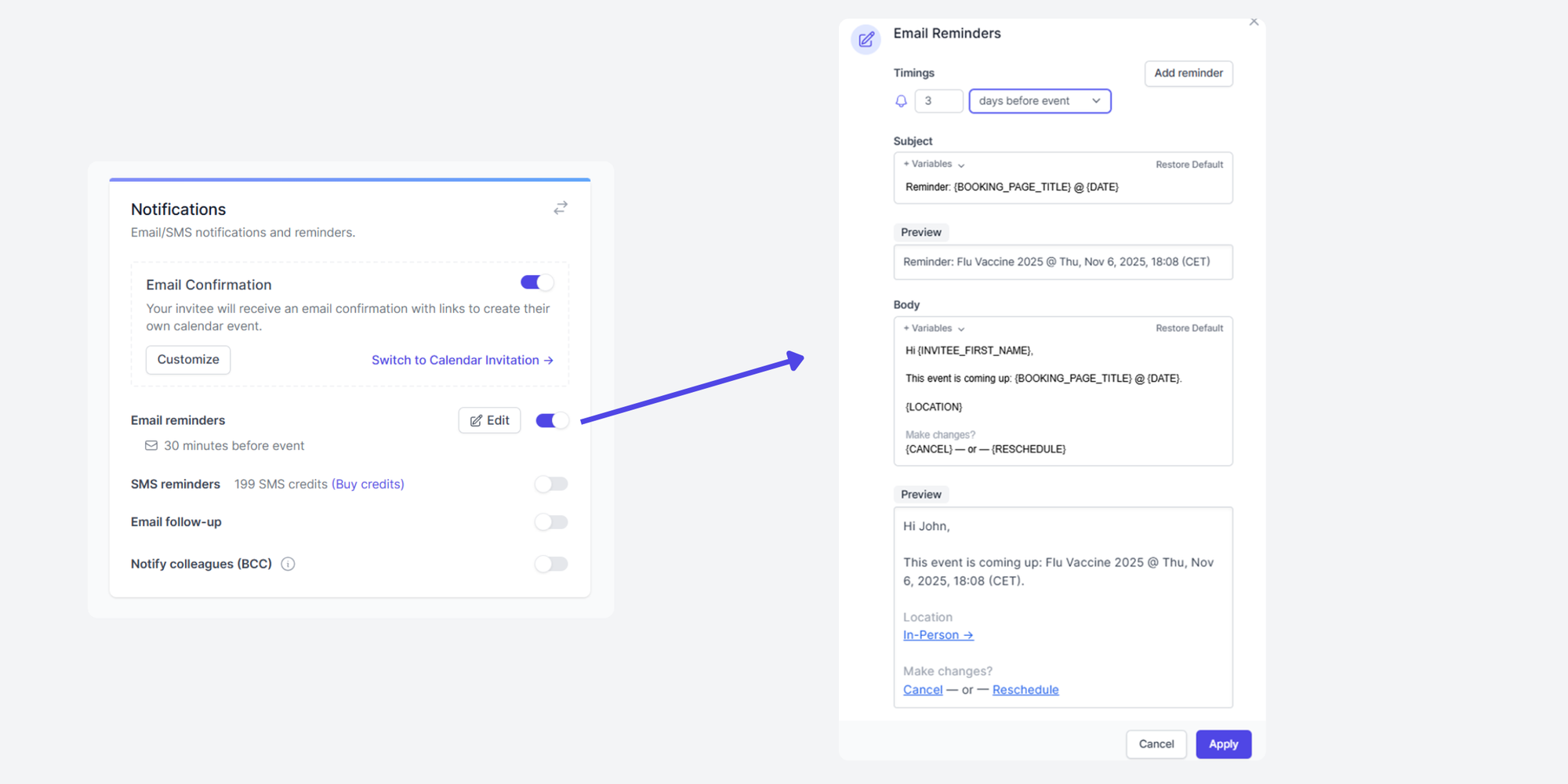
If no-shows are a recurring problem, compare reminder features carefully. Koalendar’s appointment reminder software helps you spend less time following up and more time focusing on clients.
If your goal is to grow a consulting practice
Client self-booking is essential when you sell services, run onboarding calls, or schedule discovery sessions. The more calls you manage, the more back-and-forth emails slow you down.
For consultants, the best scheduling software is the one that gives clients a clean booking page, syncs with your calendar, sends confirmations, and keeps appointments organized. Koalendar’s scheduling software for consultants is built for that kind of workflow.
If your goal is to support a team
Setmore Free works for up to 4 users, but Pro becomes relevant when you need more users or more advanced team scheduling features. Setmore Pro supports unlimited users and unlimited appointments, with paid pricing calculated per user.
That can be a good fit for teams that need shared scheduling, recurring appointments, and client reminders. Just make sure you calculate the cost by actual staff calendars, not just the headline price.
Koalendar Pro ($6.99/seat/month billed annually, $9.99/seat/month billed monthly) also works for teams, with centralized admin controls, round-robin, and user roles and permission control.
“I should have started using Koalendar sooner. It saved so much time and effort, and team happiness levels really went up.”

Bibi Boucher
Global Operating Officer
If your goal is to improve client experience
Clients should be able to book without instructions. A good booking page shows your real availability, confirms the appointment, sends reminders, and makes the next step obvious.
Setmore and Koalendar both support online booking. The difference is how quickly you hit free-plan limits. Setmore Free caps appointments at 200 per month. Koalendar gives you unlimited appointments for free, which can make it easier to keep the booking experience simple as demand grows.
Why businesses looking at Setmore often evaluate Koalendar too
Businesses comparing Setmore pricing often evaluate Koalendar because Koalendar has a truly Free Forever plan with unlimited appointments. That is the clearest difference for professionals who want online scheduling software without a monthly booking cap.
Koalendar is worth comparing if you want:
- Unlimited appointments for free
- Unlimited booking pages
- Calendar sync included
- Easy setup
- Custom booking pages
- Automated reminders
- Website embeds
- A simple booking experience for clients
Setmore is a strong appointment scheduling tool, especially for teams that like its Pro feature set. But if you are mainly looking for unlimited free scheduling, and a super simple user experience with no learning curve, Koalendar gives you more room before you need to upgrade.
For a full side-by-side comparison, see Koalendar’s Setmore alternative page.
Customer story: A financial planner streamlines onboarding with Koalendar
Koalendar works best when scheduling is part of a bigger client workflow, not just a calendar task. In this customer story, a financial planner used Koalendar to streamline onboarding and make it easier for clients to book the next step.
“With Koalendar booking has become more binding, because people enter their details and actively commit. They also receive reminders. Now, if 20 people say they are coming, around 19 will actually come.”

Raphael Krug
Financial Expert
That is the real value of online scheduling software. It turns “When are you free?” into one simple booking link.
For consultants, financial planners, coaches, recruiters, and service professionals, that can mean fewer emails, fewer missed meetings, and a smoother client experience.
Read the full story: Financial Planner Streamlines Onboarding With Koalendar.
Is Setmore worth it?
Setmore is worth it if you need a free scheduling tool for up to 4 users and 200 appointments per month, or if you are ready to pay for Pro features like unlimited appointments, SMS reminders, and 2-way calendar sync.
Setmore’s biggest strengths are:
- Free plan for up to 4 users
- 200 appointments per month on Free
- Payment acceptance
- Email reminders and confirmations
- Mobile apps
- Unlimited appointments on Pro
- SMS reminders on Pro
- 2-way calendar sync on Pro
- Branding removal on Pro
- 30-day money-back guarantee for eligible Pro upgrades
The main drawbacks are:
- Free appointments are limited to 200 per month.
- SMS reminders require Pro.
- 2-way calendar sync requires Pro.
- Recurring appointments require Pro.
- Video appointments require Pro.
- Removing Setmore branding requires Pro.
- Pro pricing increases per user.
A simpler way to get started
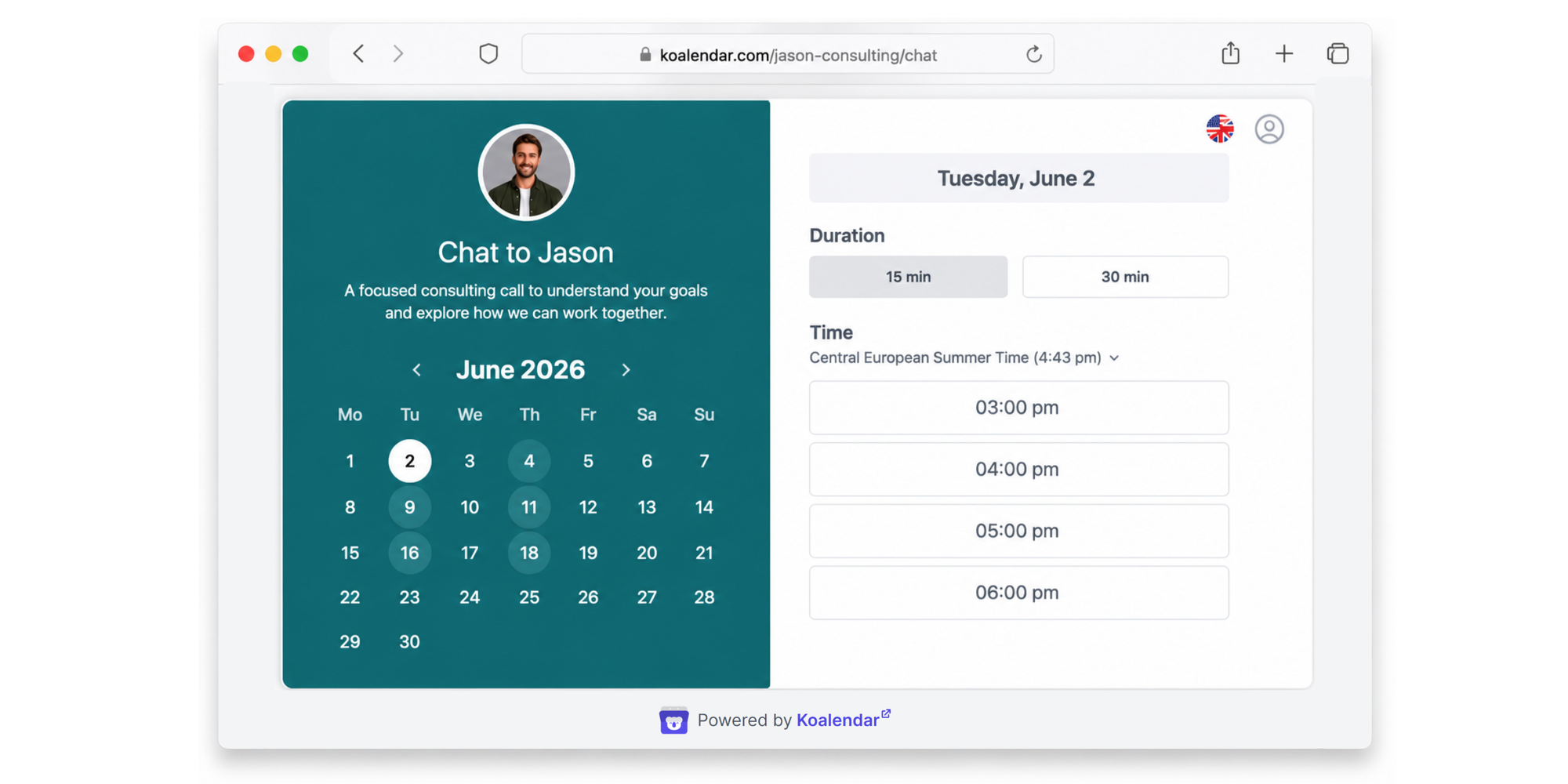
Koalendar is a simpler fit if you want unlimited appointments for free. Its Free Forever plan gives you unlimited 1:1 appointments, unlimited booking pages, calendar sync, instant booking notifications, smart time zone detection, and Google Meet auto-link integration.
That makes Koalendar especially useful for professionals who want to launch a booking page quickly, avoid back-and-forth emails, and keep scheduling free for longer.
Conclusion
Setmore pricing starts at $0/month for up to 4 users and 200 appointments per month. Setmore Pro costs $12 per user/month monthly or $5 per user/month annually, and it unlocks unlimited appointments, SMS reminders, 2-way calendar sync, recurring appointments, video appointments, custom reminders, and branding removal.
Setmore is a good option if its Free plan limits fit your business or if Pro includes the exact features your team needs.
But pricing alone does not tell the full story. The right scheduling software should save time, reduce no-shows, keep your calendar accurate, and make booking effortless for clients.
If you want unlimited appointments for free, start with Koalendar’s Free Forever plan. You can create a professional booking page, sync your calendar, share your link, and start accepting appointments online without a credit card.
Ready to simplify scheduling? Create your free Koalendar account and start accepting bookings in minutes. No credit card required.